Contents
While the projector specialists at techreviewer usually take care of projectors, this time the Blackview PV1000 Max has landed on my desk. So please bear with me if my take on the device is less home cinema expert and more interested beginner.
I had already come into contact with the brand through the OSCAL PV800 PRO (read the review here), since OSCAL is part of the Blackview group. At the time, the OSCAL had already shown that an affordable projector doesn’t have to disappoint. Of course, you won’t get a native 4K laser projector with full-fledged surround sound in this price range. But at around 200 euros, the device was well worth considering if you wanted to enjoy movies or shows on a large screen without any fuss.
The Blackview PV1000 Max goes one step further in this area. It offers native Full HD resolution, an integrated Smart OS with major streaming apps, a movable “gimbal” and speakers that pleasantly surprised me in everyday use. Before the test, I had certainly considered connecting a soundbar. After the first film nights and gaming sessions, though, that simply hasn’t been necessary.
I want to put my assessment into perspective honestly. I can't judge the PV1000 Max as if I had already tested numerous expensive 4K or laser projectors from major home cinema brands side by side. I don't yet have that experience. What I can judge is how it performs in practice: How easy is the projector to set up? How does the picture look on an ordinary white wall? Is the sound good enough for a film night or a gaming session? And does the device feel like a worthwhile purchase for its price range?
Blackview PV1000 Max: design and build
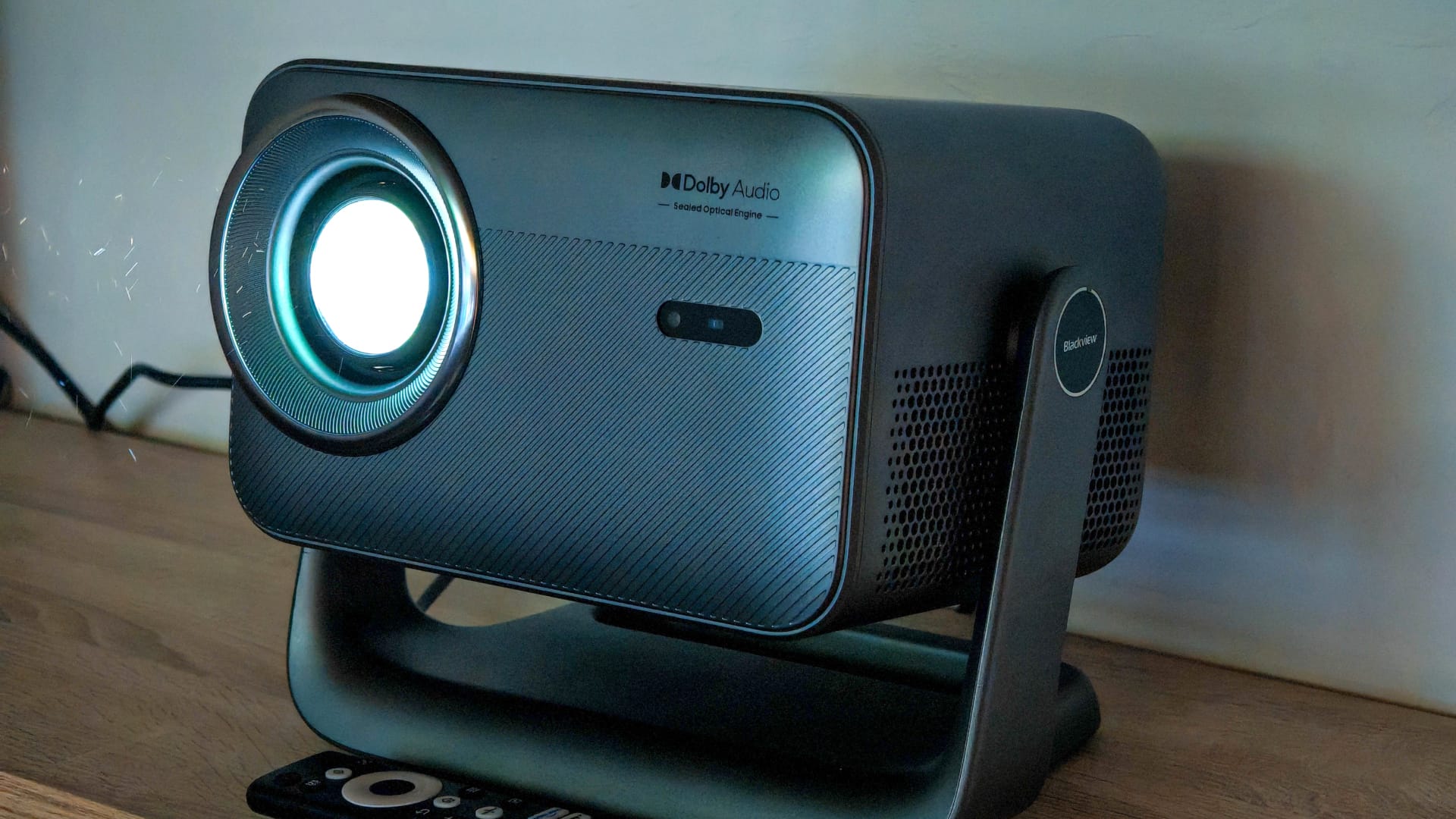
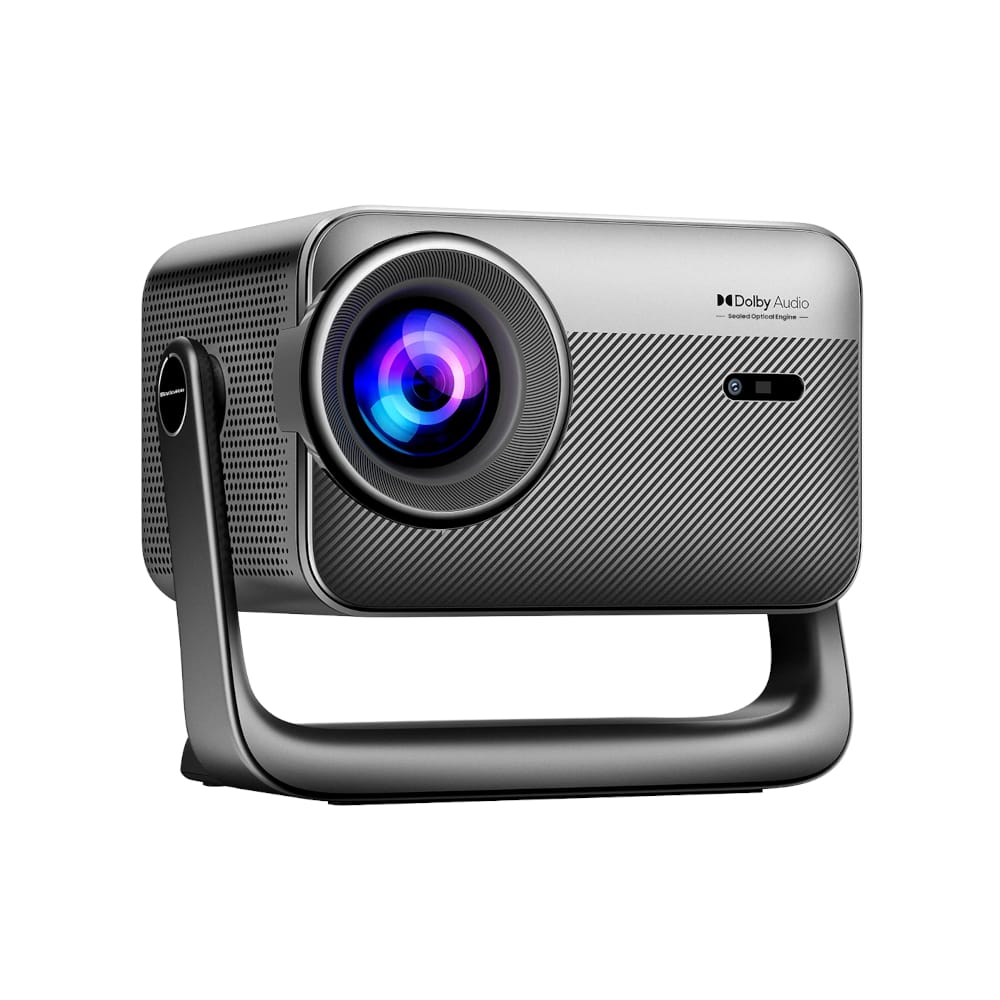
The Blackview PV1000 Max looks significantly more premium than you might expect from an inexpensive projector. Instead of a plain white plastic casing, Blackview has opted for a dark grey design that looks understated and modern.
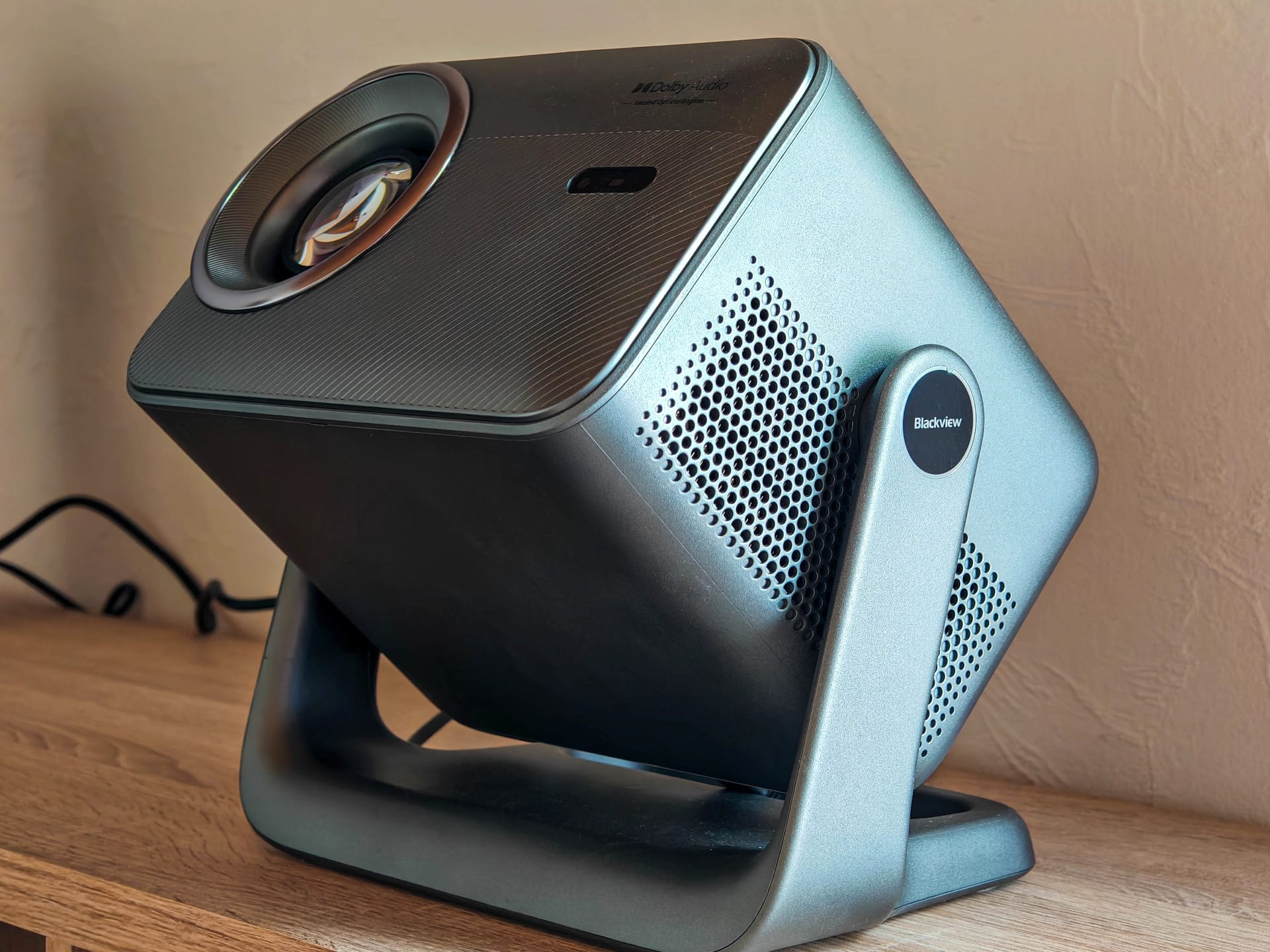
At 264.2 × 201.7 × 219 millimetres and with a weight of 3.5 kilograms, the projector is not particularly small, but it is not oversized either. It is easy to move around the home, and transporting it for an outdoor movie night would not be a problem.
The projector itself sits in a movable frame, allowing it to be tilted up or down. In theory, it can project at an angle of around 45 degrees upward or downward. What it cannot do is project vertically onto the ceiling while standing normally on its base. The "gimbal," as Blackview calls it, cannot tilt far enough upward for that.
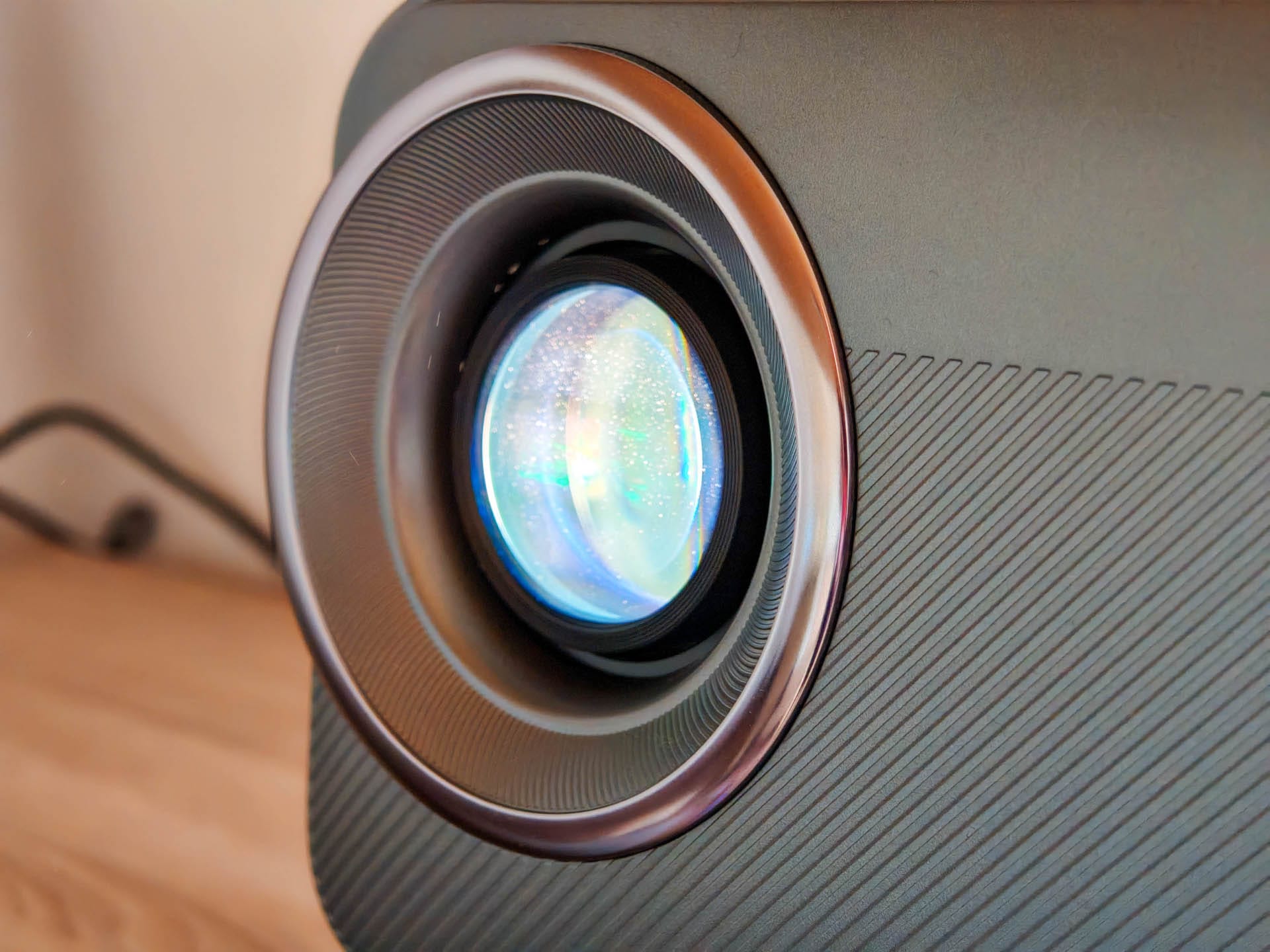
Mechanical movement to the left or right is not possible either. If the image needs to be shifted significantly to the side, the entire projector must be rotated or repositioned.
There is still a little room for adjustment. In the settings, you can move the image digitally up, down, left or right. This lets you make small corrections without having to touch the entire device each time. If the image is just a little too far in one direction, the function makes it easy to correct. Of course, this adjustment is not enough for larger changes to the sides.
The build quality has made a decent impression so far. The device stands firmly, the gimbal moves in a controlled manner and nothing feels as though it has only been made to look good at first glance.
Blackview PV1000 Max: Setup, operation, and ports
With a projector like this, I don’t want to spend ages figuring out how to get to my movie. That’s exactly why I like how easy it is to get the PV1000 Max up and running. Set it up, connect the power cable, turn it on, and go through the initial steps. Connecting to Wi-Fi was quick, and then I could start using the built-in operating system right away.

Instead of Android TV, the interface is VIDAA OS. The OS can also be found on various smart TVs (it’s less or not at all familiar in our market), and essentially makes the projector behave much like a TV with built-in streaming apps. You don’t necessarily need a Fire TV Stick, console, or laptop just to watch Netflix or YouTube on the wall.
There is a wide enough choice of providers to cover all the important services in Germany. The test included YouTube, Netflix, Prime Video, Paramount+, Joyn and so on. That means you have pretty much everything you would expect for a typical evening. Select an app, sign in and get started. The interface itself is fine, if not particularly attractive, but it works, is uncluttered and is easy to navigate.
In addition to operating it on the device and with the remote control, there’s also a VIDAA app for smartphones that lets you control various projector functions. It can partly replace the remote, manage favorites, and open individual services on the projector.
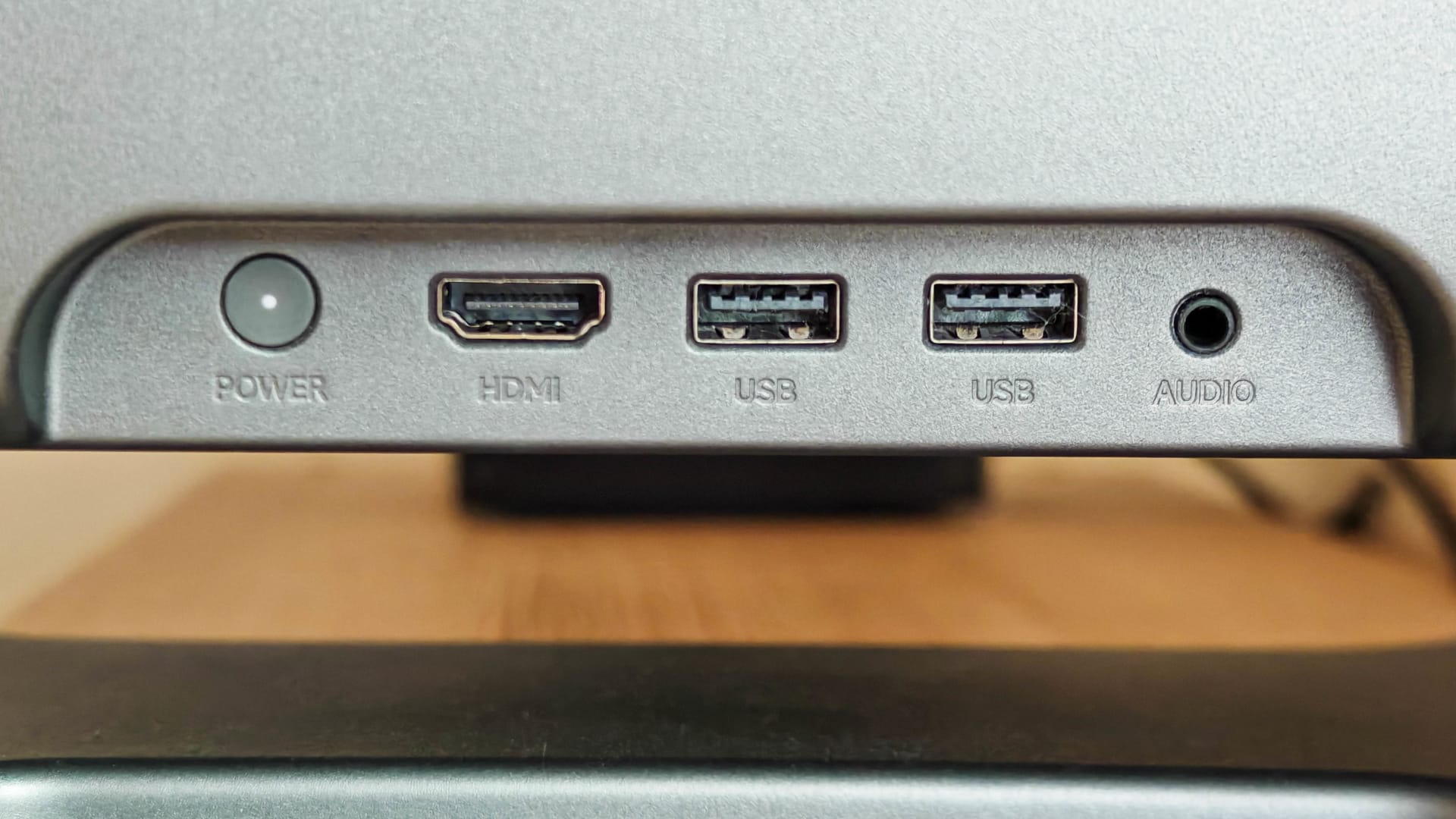
Thanks to VIDAA OS, the PV1000 Max can be used as a standalone streaming device. Still, it’s good that Blackview hasn’t skimped too much on ports. It has one HDMI port, two USB 2.0 ports, and a 3.5 mm audio output. These are complemented by Wi-Fi and Bluetooth, as well as wireless transmission options such as AirPlay, Miracast, and DLNA.
Personally, I would have preferred a second HDMI input instead of the two USB ports. If you want to connect a game console, laptop, or receiver alongside a streaming stick, for example, you’ll otherwise have to swap cables or use an HDMI switch.
Blackview PV1000 Max: Picture quality
I test projectors under typical beginner conditions, namely projecting onto a plain white wall. A suitable screen could certainly bring out more in terms of image impact, contrast and perhaps even image uniformity. But as I said above, this is not intended to be an expert review.
For quick and easy setup, the device offers various automatic image adjustment functions in addition to the “gimbal”. These include ToF autofocus, automatic keystone correction, automatic screen adjustment, obstacle avoidance, wall colour adjustment and intelligent glare protection. Depending on the scenario, it can project an image size of 40 to 150 inches.
Projection is handled by an LED light source and an LCD panel with a native resolution of 1920 × 1080 pixels. Blackview also claims support for 4K video decoding. This means the projector can process higher-resolution content, but still outputs the picture in Full HD.

The PV1000 Max is genuinely enjoyable on a white wall in a darkened room. The picture looks clear and sharp enough, and is large enough to create that unmistakable projector experience. A movie has a different impact on the wall than it does on a smaller TV or monitor. That’s true even though, technically, not every detail is on par with significantly more expensive devices.
Full HD proves perfectly adequate, especially when watching films and series in the evening. Of course, you could argue that 4K would deliver more detail. But at a normal viewing distance from the wall, and while actually watching, I never felt that I was missing anything essential.
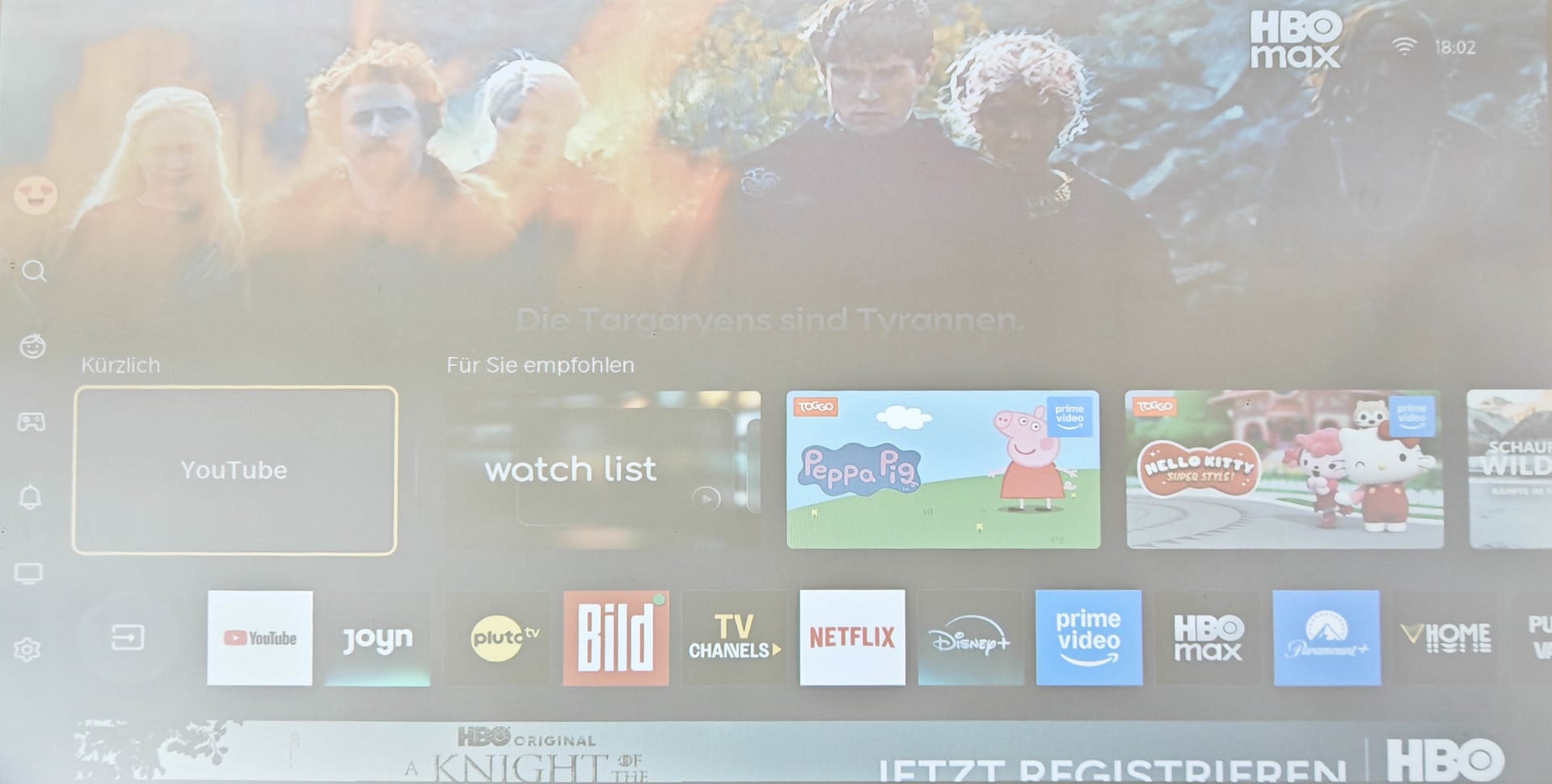
Blackview specifies a brightness of 1000 ANSI lumens and a contrast ratio of 1500:1. The PV1000 Max is therefore better suited to a semi-dark or dark room than to bright daylight. The picture then looks noticeably paler than it does in the evening or in a darkened room. Colours in particular lose their vibrancy, and darker scenes look less rich.
But it is worth keeping things in perspective. A projector in this price range cannot replace a bright TV, nor can it simply overcome the physical limitations of a projected image. If the room is bright, plenty of ambient light falls on the same wall where the projector is trying to display its image.
Blackview PV1000 Max: Sound
To be honest, I expected less from the sound. Integrated speakers in affordable projectors are often just about good enough for a short video, but films quickly call for additional equipment.
The device has two speakers rated at 6 watts each and supports Dolby Audio. Of course, this is no substitute for a high-quality soundbar, let alone a multi-channel home cinema system. Anyone expecting powerful bass, spatial effects and very high volume will still want to connect external speakers.
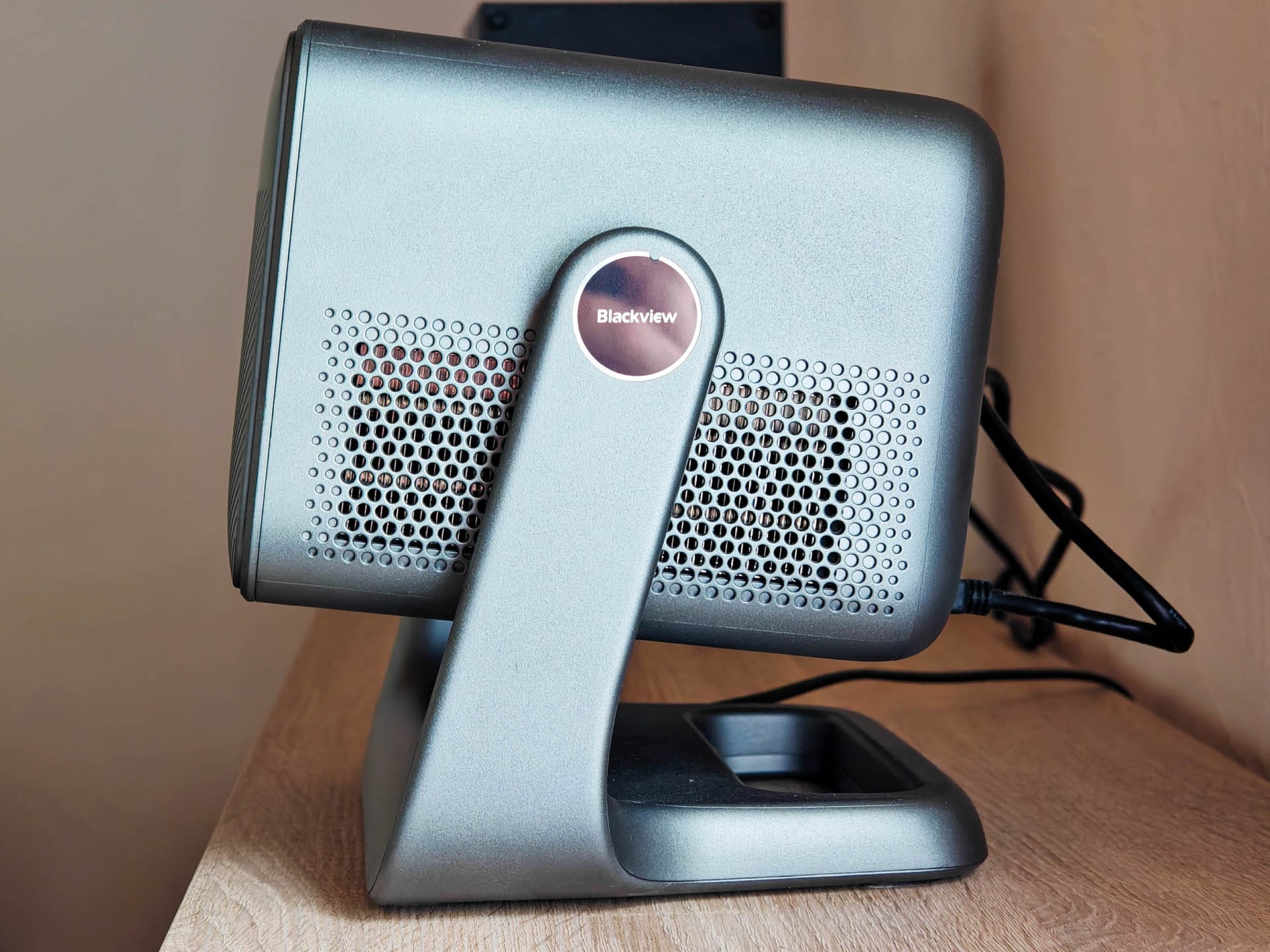
As with many projectors, the PV1000 Max also has a fan that is audible during operation. However, during a film or series, its noise is largely drowned out by the audio. You only notice the fan a little more in very quiet scenes or when no audio is playing. In normal use, though, it did not bother me.
For my use, the built-in sound has been more than good enough so far. Dialog was easy to understand in movies, the sound didn’t feel thin or annoying, and even when gaming I didn’t immediately feel the need to connect something else. I even briefly considered including a soundbar in the test. In the end, I didn’t, because I haven’t needed one so far.
If you do want to upgrade later, that’s possible. External speakers or a soundbar can be connected via Bluetooth or the available audio port.
Blackview PV1000 Max: Gaming
When it came to gaming, I particularly liked the size of the image. Playing a game projected onto a wall simply feels different from playing on a monitor or smaller TV. The projector is also advertised as having a low-latency gaming mode, but Blackview does not provide specific input-lag measurements.
So I wouldn’t make any big promises for fast-paced shooters where every millisecond counts. But the PV1000 Max worked well for relaxed gaming on the couch. Games that rely on atmosphere and a large picture benefit from being projected onto the wall.
Our verdict
For me, the Blackview PV1000 Max is a projector that stands out above all for how easy it is to use. Set it up, switch it on, choose a streaming service and get started.
In a darkened room, it delivers a picture on even a simple white wall that’s thoroughly impressive for movies, shows, and occasional gaming sessions. As expected, brightness reaches its limits in daylight, but that’s no surprise in this price range. The native Full HD resolution proves to be a sensible compromise between picture quality and price. Although it can play 4K content, the output is still in Full HD.
The built-in gimbal also provides flexible positioning and makes it easier to align the picture. Combined with automatic picture adjustment features and digital image shifting, setup is pleasantly straightforward.
The sound is what stands out most positively. Before the test, I wouldn’t have expected the integrated speakers to perform so well. Of course, a soundbar or external speakers can deliver more, but the built-in audio is entirely adequate for a typical film night or a relaxed gaming session.
Anyone looking for a comparatively affordable smart projector that is ready to use with little effort and offers a well-rounded combination of picture quality, ease of use and sound will find an interesting option in the Blackview PV1000 Max.
Specifications
General
- Product
- Blackview PV1000 Max
- Device type
- Smart LCD projector with integrated gimbal
- Color
- Space Gray
- Dimensions
- 264.2 × 201.7 × 219 mm
- Weight
- 3.5 kg
Image and projection
- Display technology
- LCD
- Native resolution
- 1920 × 1080 pixels, Full HD
- Video decoding
- Up to 4K × 2K at 60 Hz
- Brightness
- 1000 ANSI lumens
- Contrast ratio
- 1500:1
- Projection size
- 40 to 150 inches
- HDR support
- HDR10 and HLG
- Color temperature
- 6200 K to 10000 K
Picture features
- Autofocus
- TOF autofocus
- Keystone correction
- Automatic
- Obstacle avoidance
- Automatic
- Screen adjustment
- Automatic
- wall color adjustment
- Supported
- Eye protection
- Intelligent eye protection feature, according to the manufacturer
- Gimbal
- Tiltable design for projecting higher up on a wall
- Ceiling projection
- Cannot project vertically onto the ceiling from the normal standing position
- Image positioning
- Fine adjustment up, down, left and right via the settings
Hardware and software
- Operating system
- VIDAA OS
- Processor
- MediaTek MT9660 quad-core SoC, up to 1.53 GHz
- RAM
- 1 GB DDR4
- Internal storage
- 8 GB eMMC
- Apps
- More than 1,800 official apps, according to the manufacturer
- Streaming services
- Netflix, YouTube, Prime Video, Disney+, Apple TV+, Max and more
- App control
- VIDAA app
Audio
- Speakers
- 2 × 6 watts, 4 ohms
- Audio technology
- Dolby Audio
- Audio decoding
- Dolby MS12-Y
- Bluetooth speaker mode
- Supported
Connectivity
- Wi-Fi
- Dual-band Wi-Fi 5
- Bluetooth
- Product specifications are inconsistent; Bluetooth 5.0 and Bluetooth 5.1 are both listed
- Wireless transmission
- AirPlay, Miracast, DLNA
- Voice control
- VIDAA VOICE via remote control
- Gaming mode
- Low-latency game mode, according to the manufacturer
Ports
- HDMI
- 1 × HDMI 2.0 with CEC/eARC, according to the manufacturer’s description
- USB
- 2 × USB 2.0
- Audio output
- 1 × 3.5 mm jack
- Power connection
- AC input
Operation
- Noise level
- ≤30 dB according to the manufacturer
- Optical design
- Sealed optical design, according to the manufacturer
- Supported languages
- More than 25 languages, including German
What’s included
1× Blackview PV1000 Max 1× remote control 1× HDMI cable 1× power cable 1× user documentation / device description
Price comparison
| Store | Price | Link |
|---|---|---|
| MediaMarkt | 259,00 € | Go to store |
Comments