Contents
First impressions of the Jumper EZBOOK 3 Pro
What’s included
The Jumper EZBOOK 3 Pro is delivered in a simple cardboard box. The scope of delivery is modest and limited to the laptop, a Chinese and English user manual, a certificate and a charger. The included charger or power adapter uses a NEMA-1 plug and can only be used here with an adapter.


Design and build quality
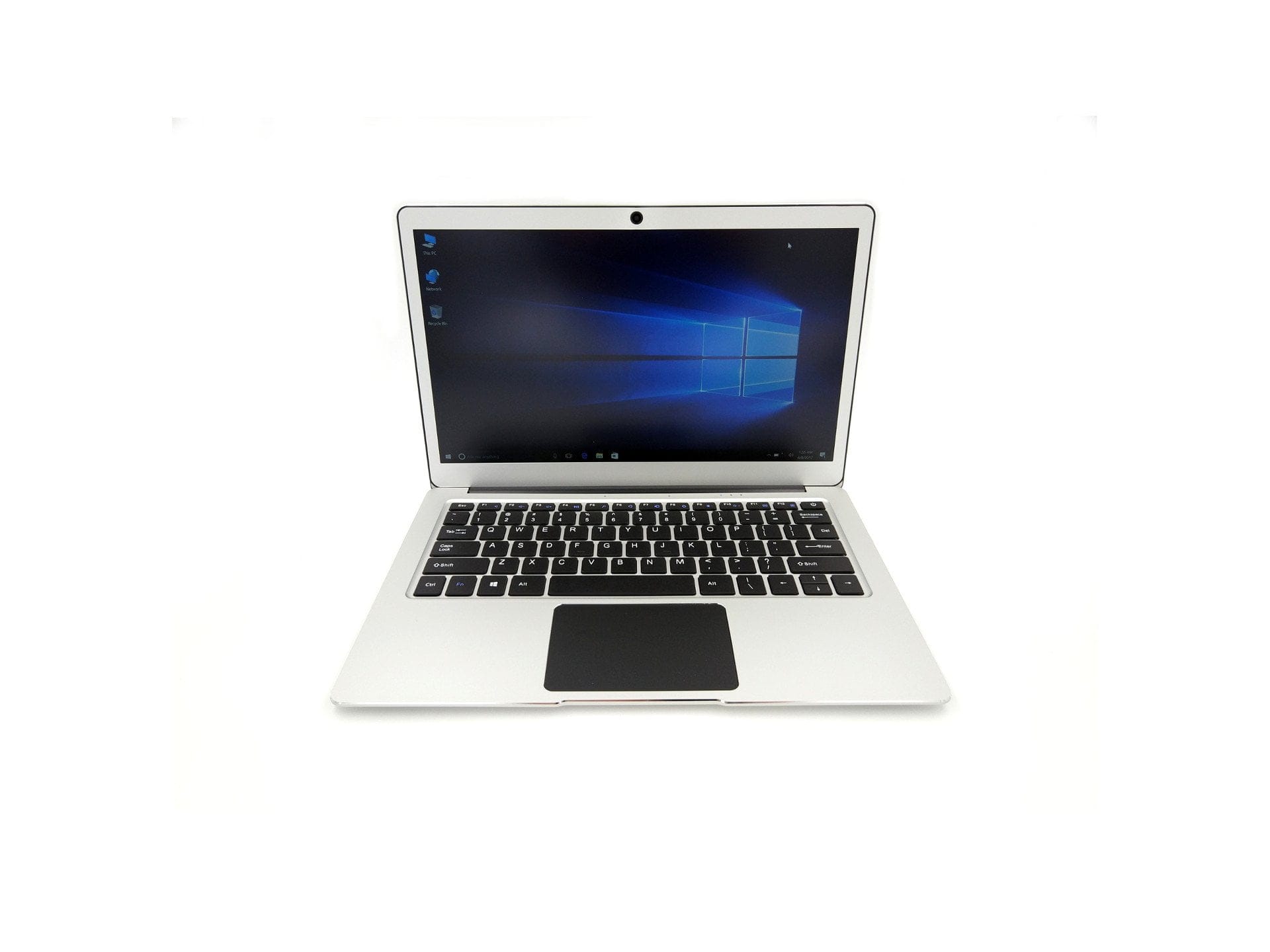
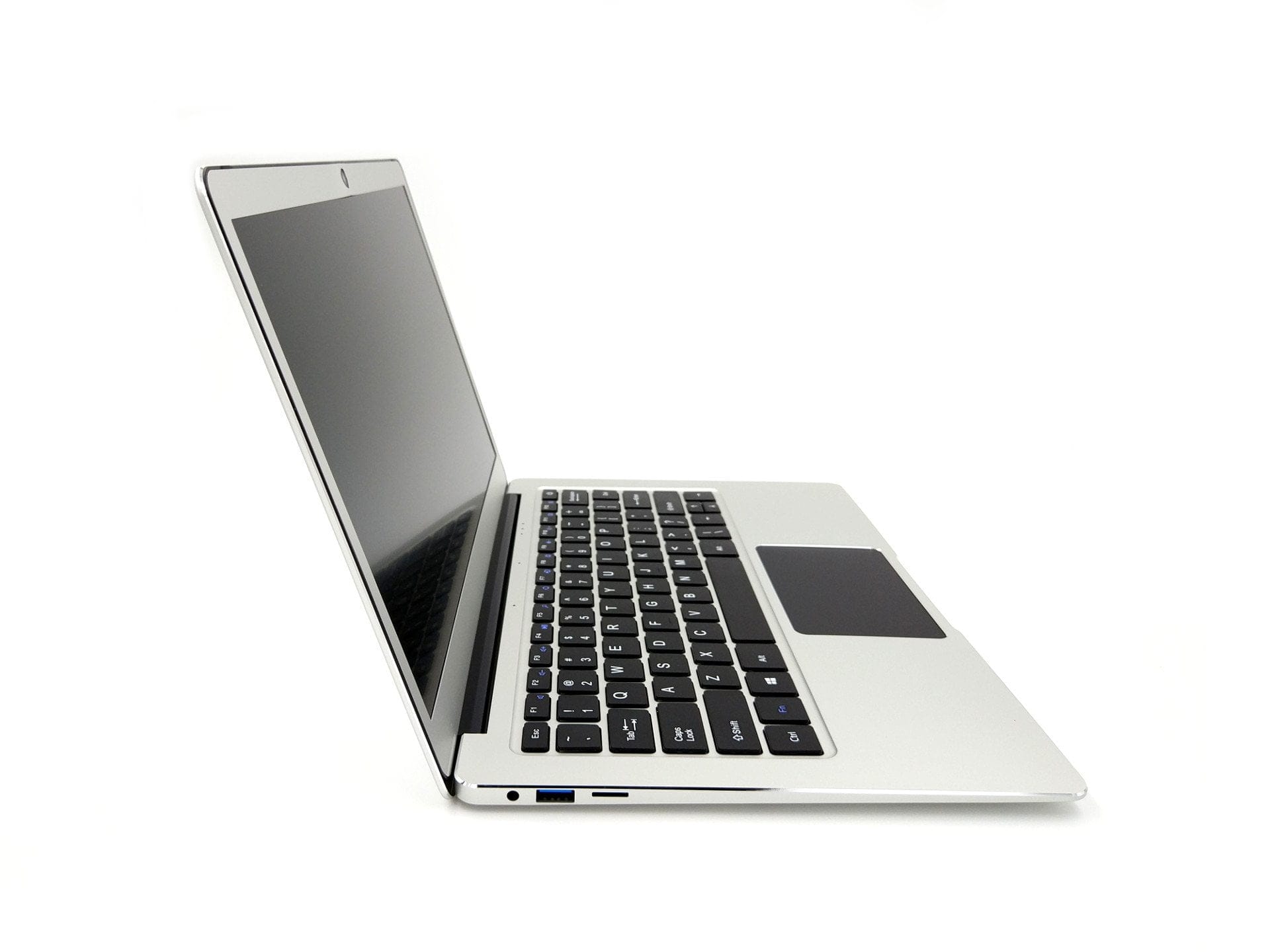
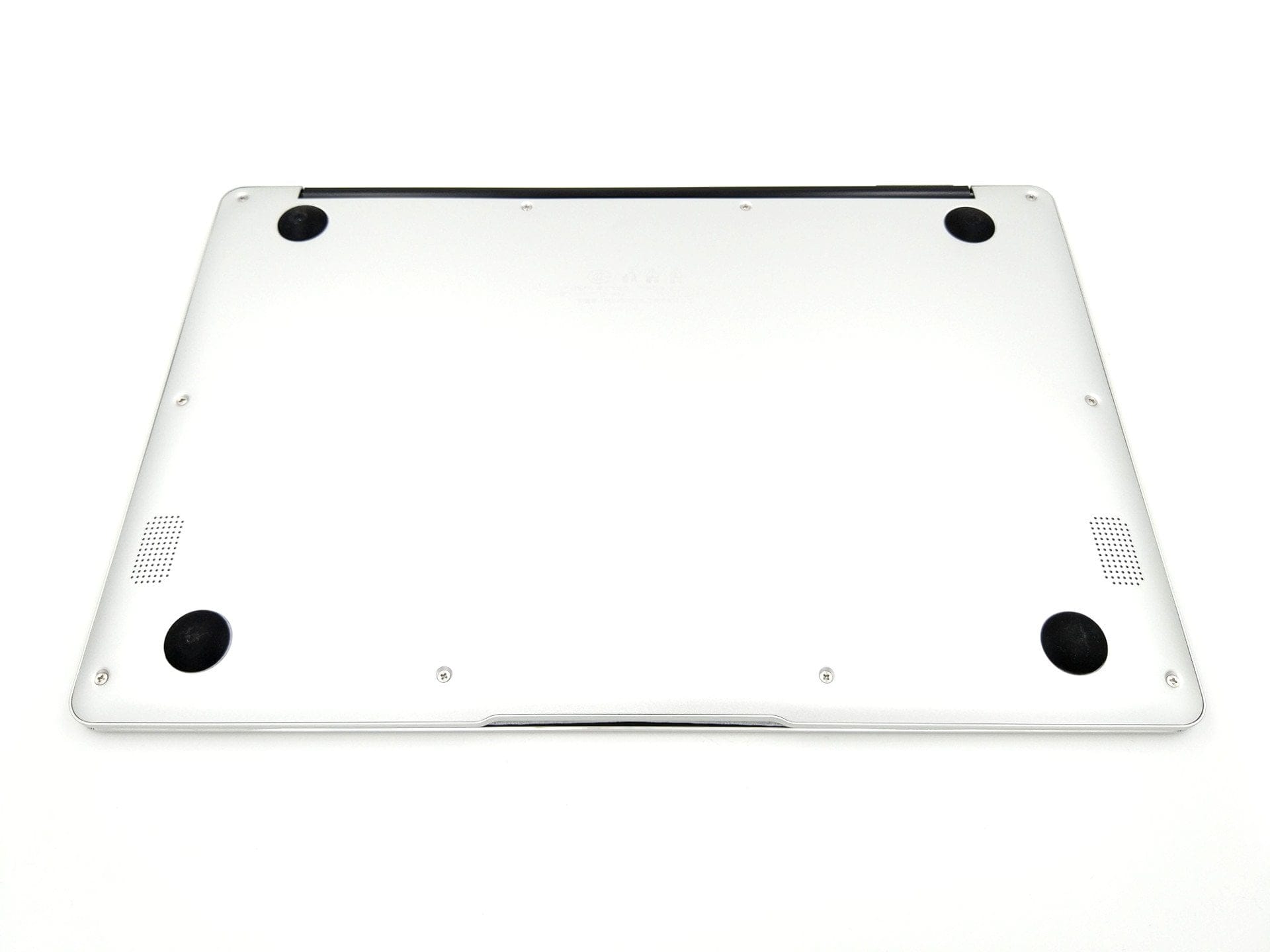
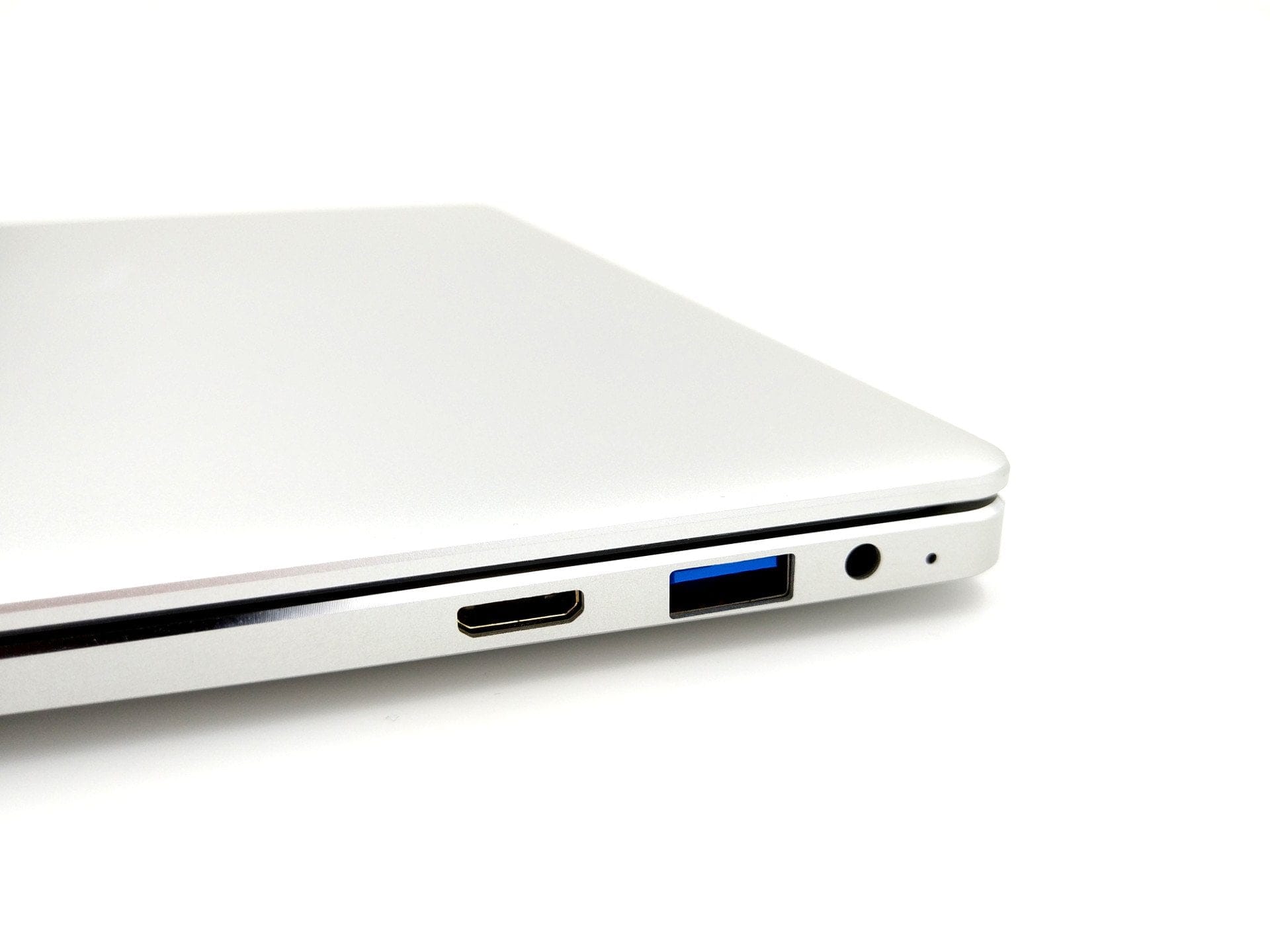
To start with: The EZBOOK 3 Pro is excellently constructed. Immediately after unpacking, I was amazed that this is a €200 notebook. The housing is made entirely of aluminium and boasts clean chamfered edges. Even the base plate and the display bezel are made of aluminium. Four circular rubber feet on the underside of the notebook ensure a secure stand. The side connections consist of two USB 3.0 Type-A ports, one Mini HDMI port, one 3.5 mm audio jack and one micro SD memory card slot.
The size of the laptop is also surprising. At just 1.5 cm at its thickest point, the EZBOOK 3 Pro is impressively slim. Particularly visually appealing are the very narrow display bezels, which are only 1 cm on the left and right. The weight is 1.39 kg. The only criticism of the design is the bold "Jumper" logo on the back. Although the logo is only faintly visible, I would have preferred a laptop without any manufacturer logo at all.
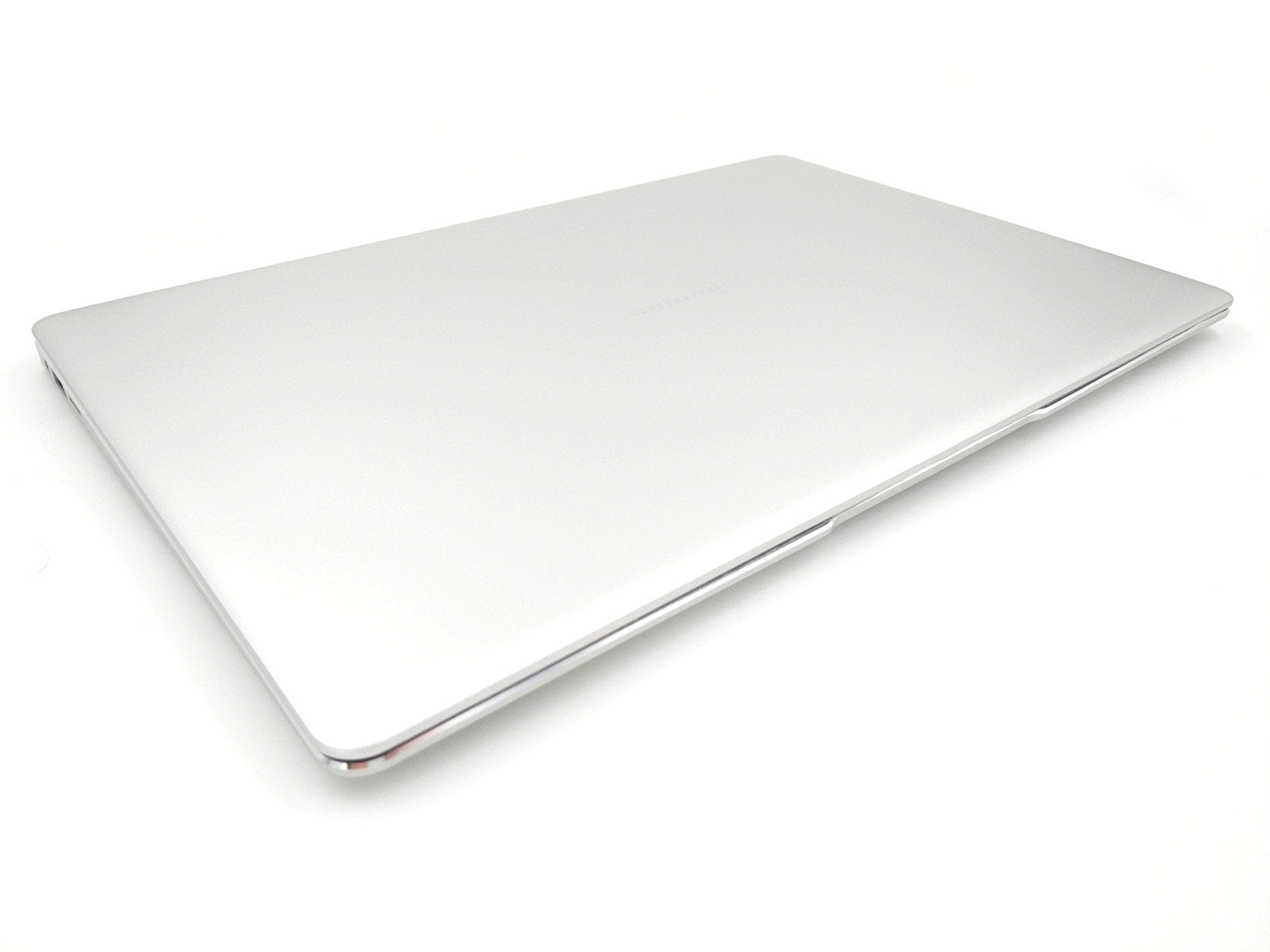
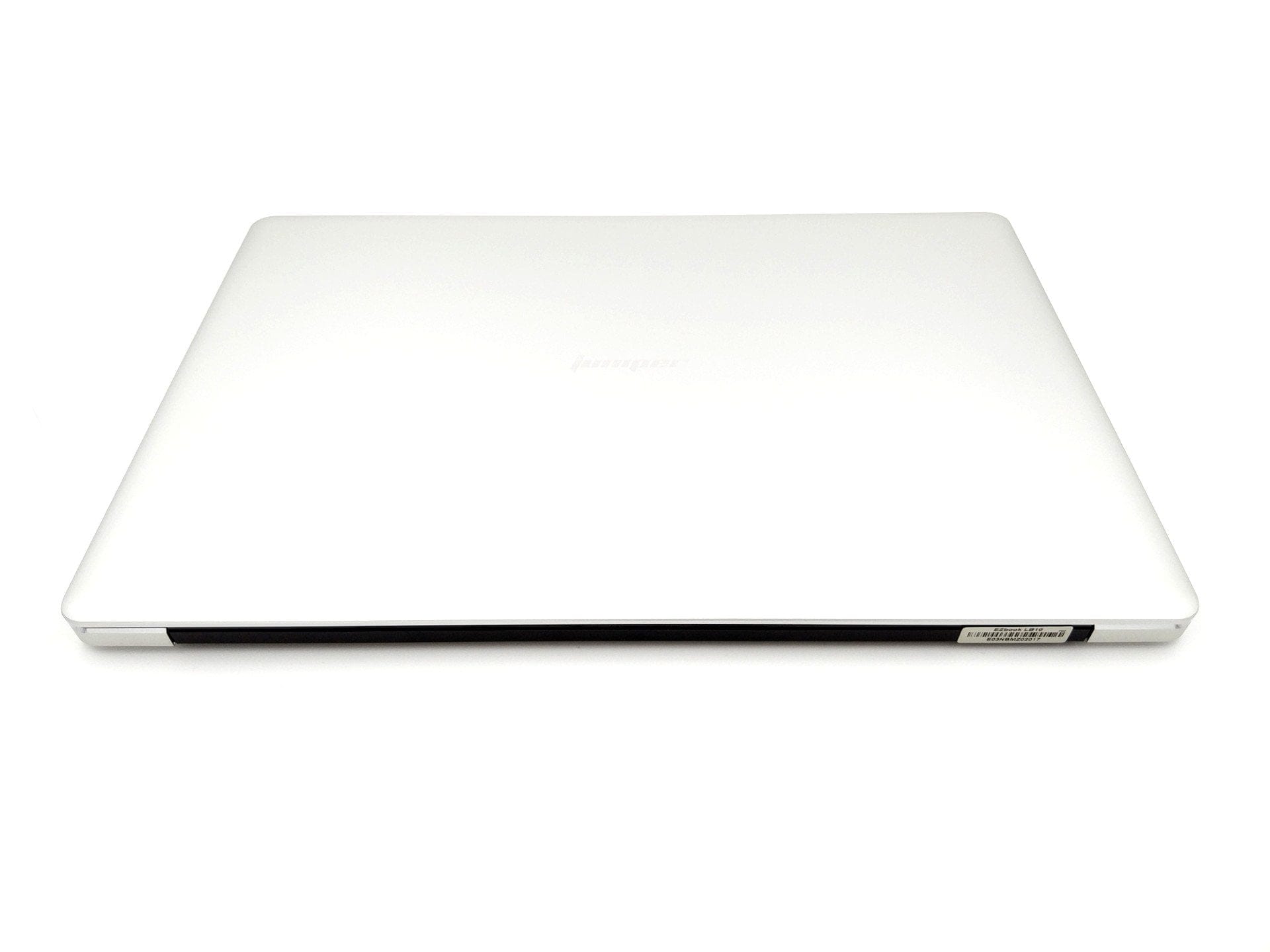
Returning to the excellent build quality of the notebook: There is hardly anything to criticise about the workmanship. All parts fit together precisely, the ports are firmly seated, and the trackpad and keyboard also leave nothing to be desired in terms of build quality. What bothered me slightly was that the notebook cannot be opened with one hand. The hinges are set somewhat too tight for this, although they also ensure a secure hold when opened.
Display
The Jumper EZBOOK 3 Pro uses a 13.3-inch large IPS display with FHD (1920 x 1080 pixels) resolution. Although it is a display with matte coating, colour brilliance and brightness levels are decent. The colour representation appears very natural overall. A major advantage of the matte display is its very good readability outdoors. Reflections, dust or fingerprints are barely visible.
The viewing angle stability of the IPS panel also impressed during testing. The image remains intact even at steep viewing angles. Clouding – i.e. uneven display illumination – is not present.
Keyboard and touchpad
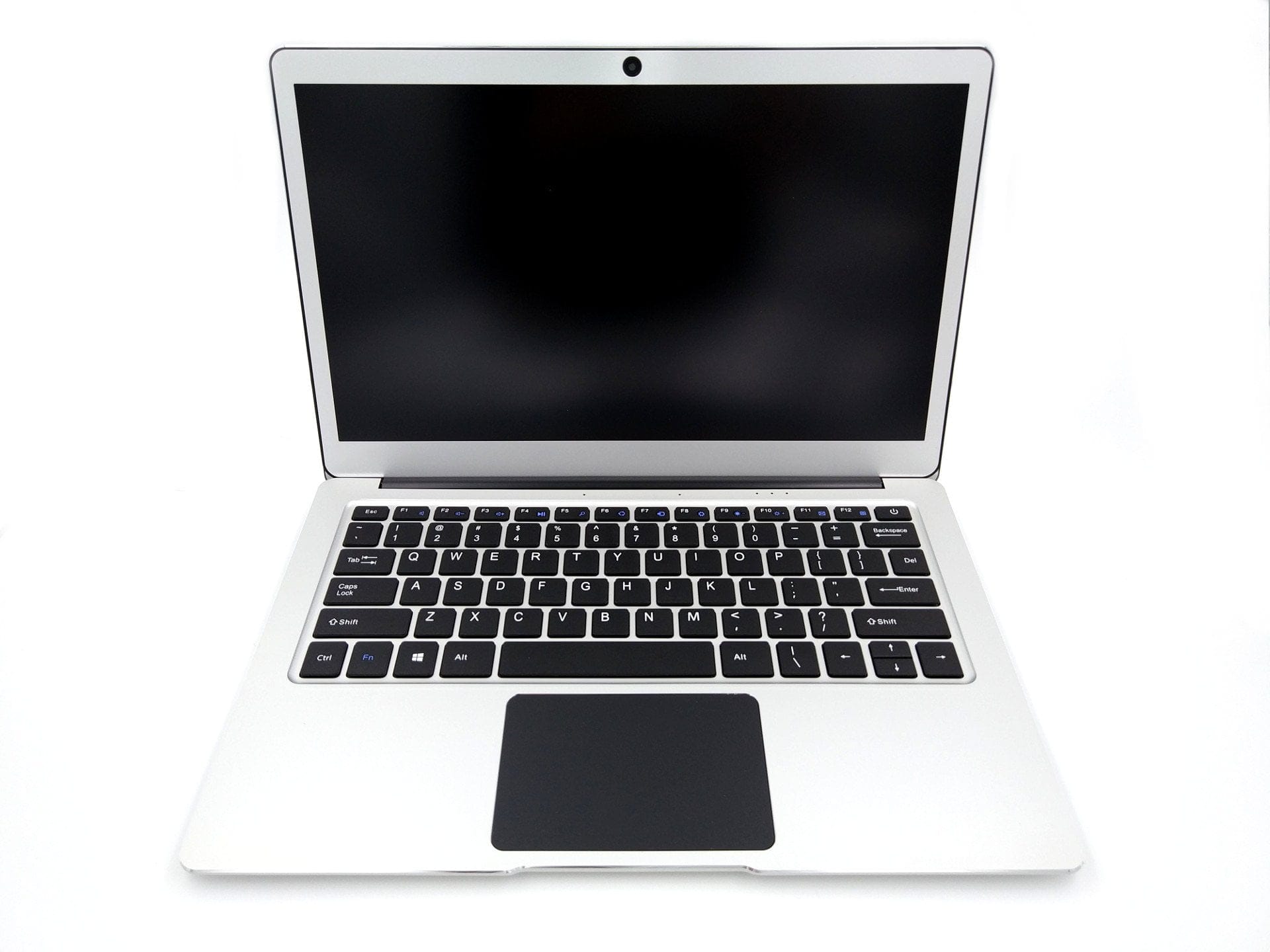
The keyboard has an English layout. Unfortunately, the notebook is only available with this layout. The chiclet-style keyboard offers a pleasant surface and a crisp keystroke with a truly great typing feel. All keys are firmly seated and spaced comfortably apart. What the keyboard lacks is backlighting.
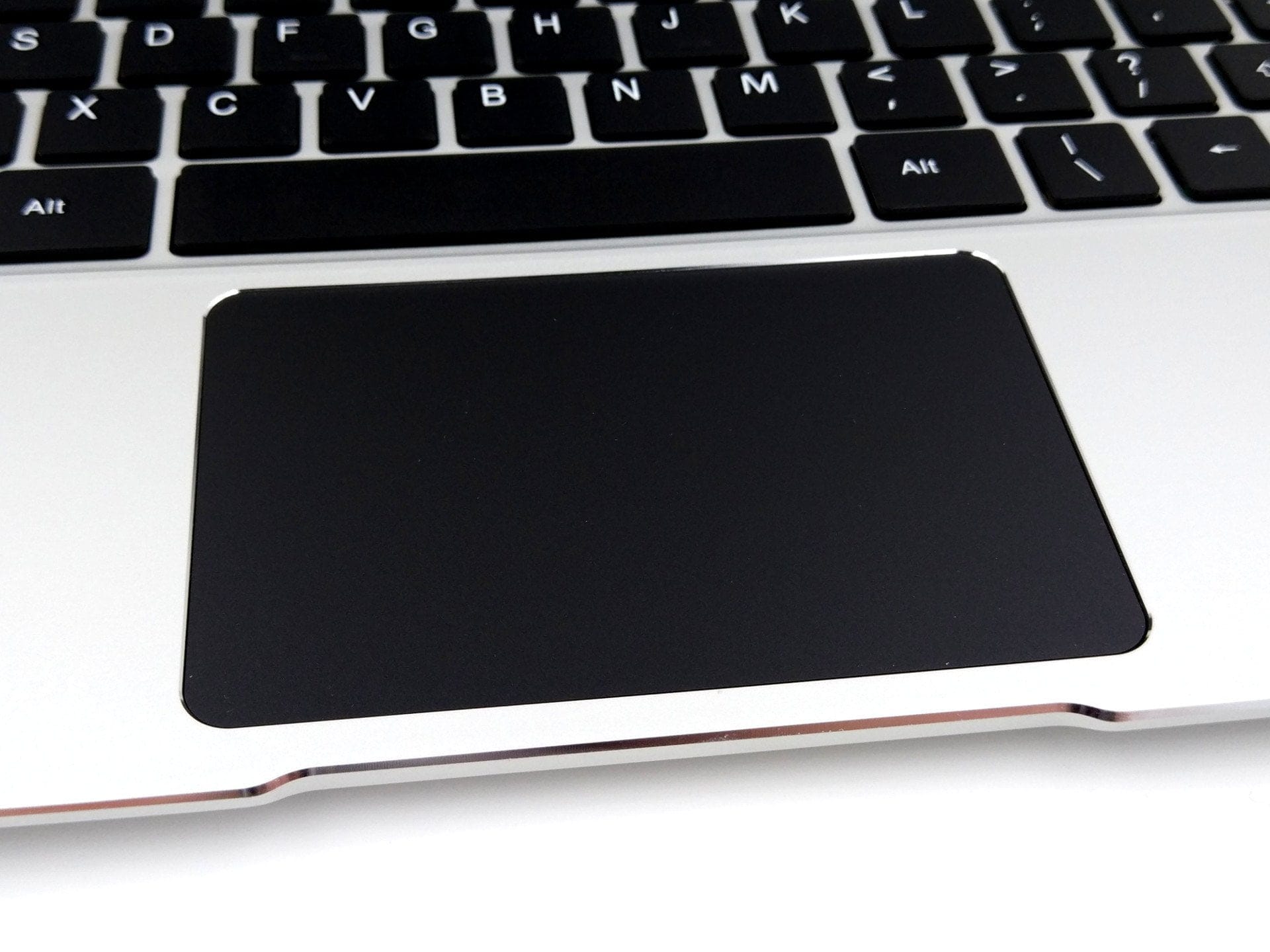
The trackpad or touchpad was less convincing. Although the cursor follows inputs fairly precisely, left and right clicks can only be executed in the lower third of the touchpad. Additionally, the actuation point is relatively hard. The trackpad shows weaknesses primarily with two-finger scrolling. In our test, the touchpad often did not respond as intended, making smooth scrolling hardly possible. The trackpad does not recognise any other gestures.

User interface and performance
Windows 10 Home
The Jumper EZBOOK 3 Pro comes with pre-installed and activated Windows 10 Home. All drivers are also already installed, so the notebook is ready for use immediately after a short boot process. The operating system remained largely free from third-party software. Only the “Touchpad Blocker” was pre-installed. However, this can be easily removed from the system. For a reinstallation of Windows 10, the license key is stored in the UEFI.
Processor performance
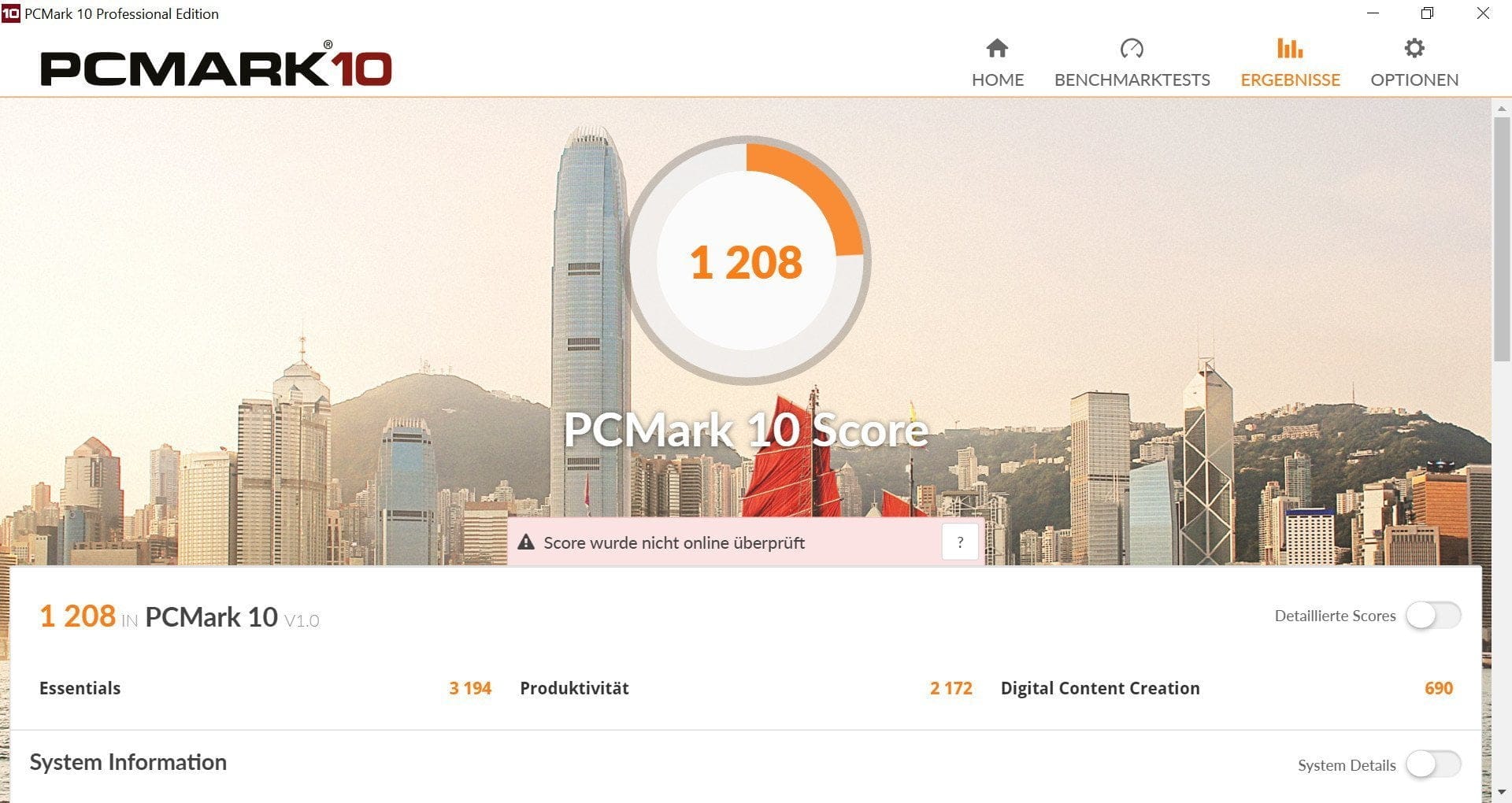
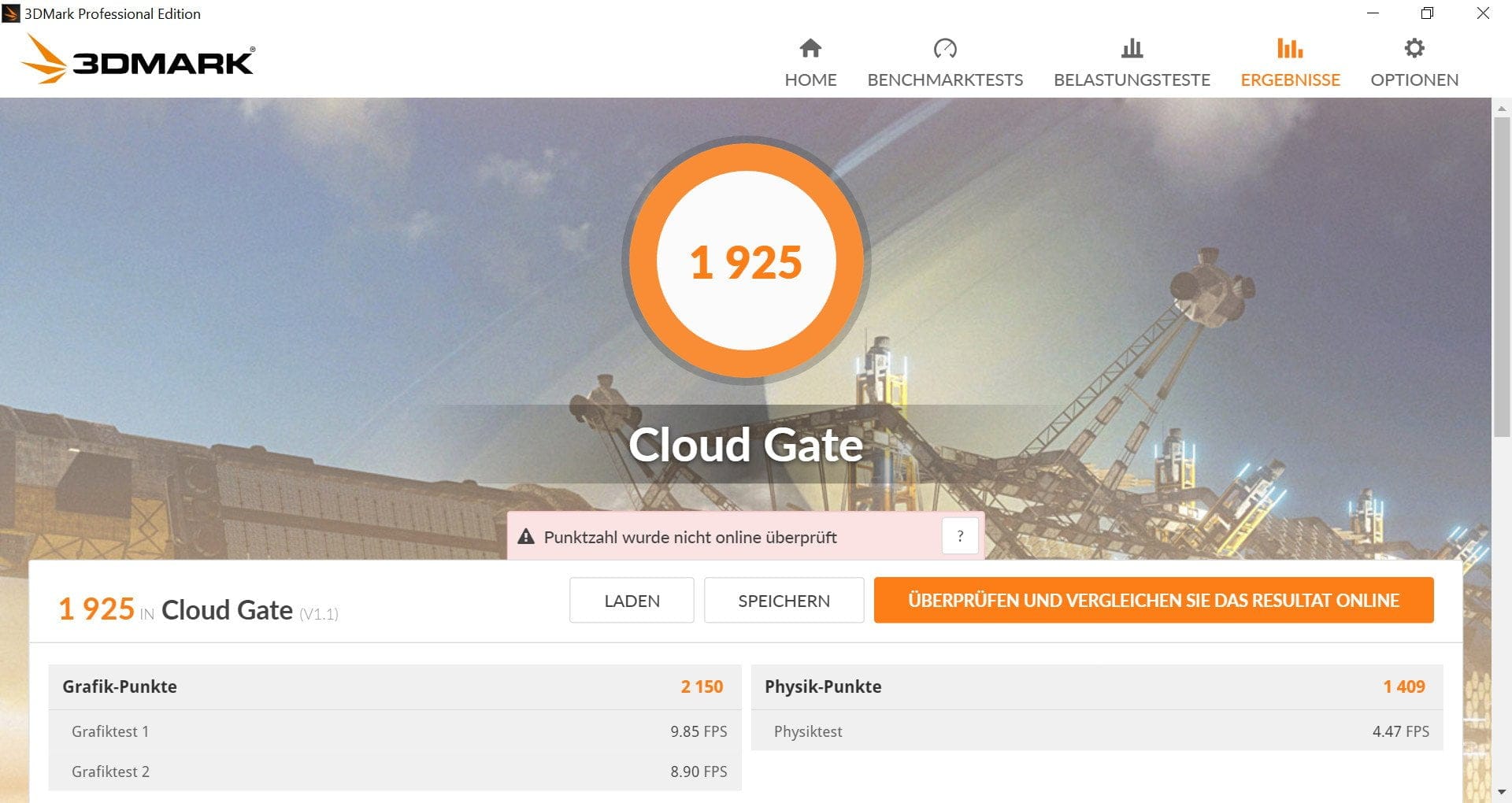
The EZBOOK 3 Pro is based on an Intel Celeron N3450, which belongs to the current Apollo Lake platform. A total of 4 processor cores run at a base clock speed of 1.1 GHz and reach a burst clock speed of 2.2 GHz. General office tasks are no problem for the Intel Celeron N3450. Windows 10 runs smoothly overall on the notebook, and there were no performance drops when writing in Word, browsing the web or watching YouTube.
Graphics performance
The laptop is less suited for gaming. The integrated graphics Intel HD Graphics 500 are simply too weak for this purpose. Games such as CS:GO or Dota 2 are somewhat playable at heavily reduced graphics settings, but more demanding games turn into a stuttering mess. The Intel HD Graphics 500 is, however, well suited for hardware-level decoding of VP9 and H.265 encoded video material.
Storage and connectivity performance
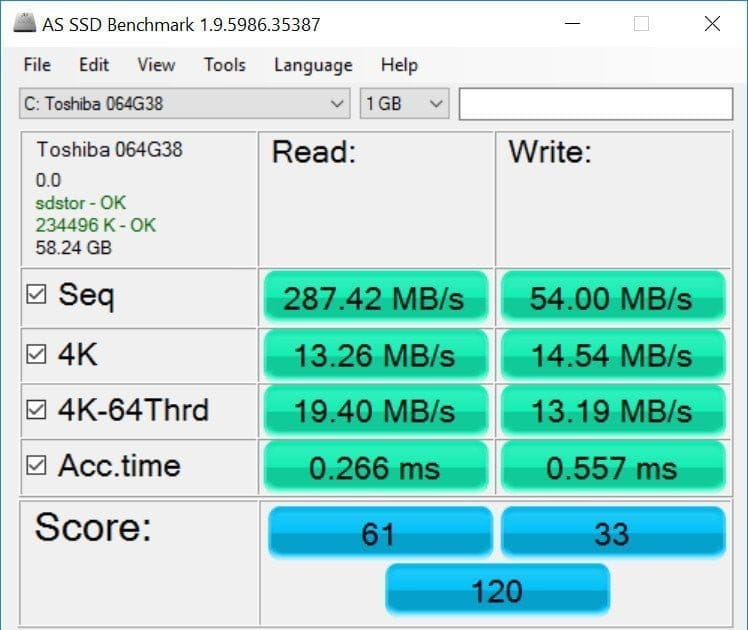
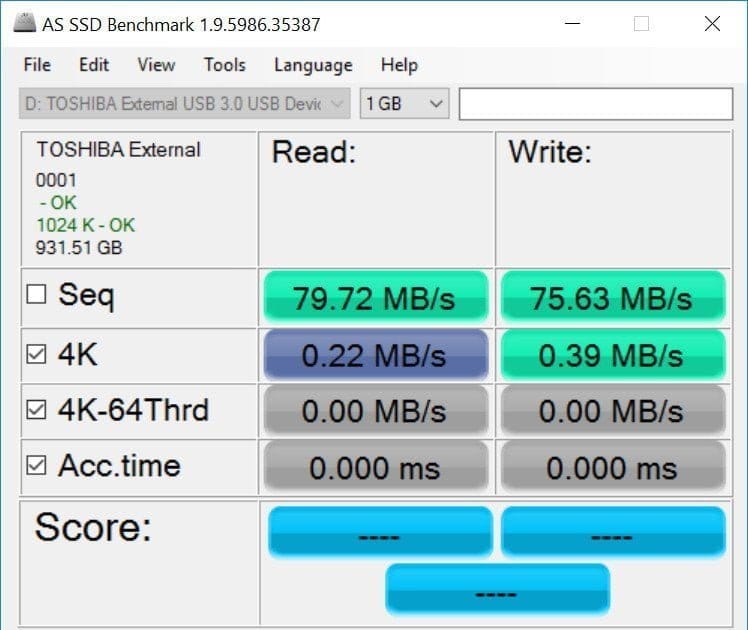
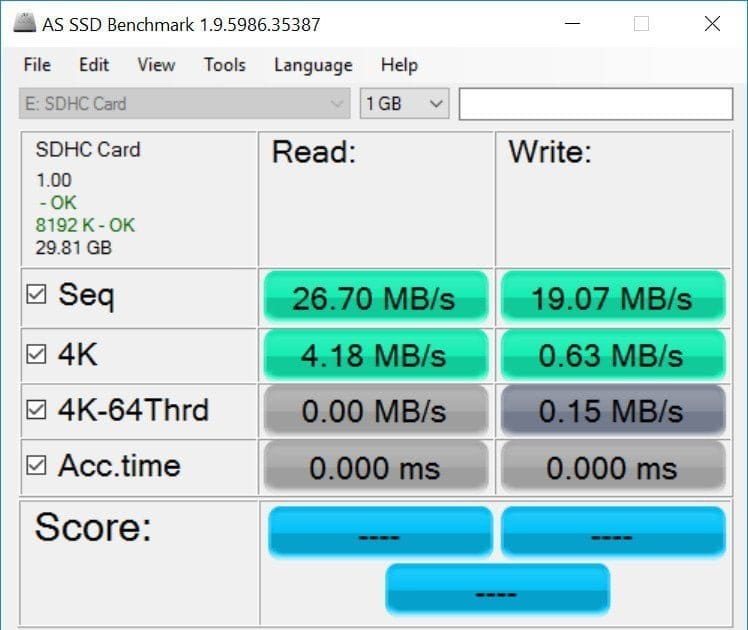
With its 6 GB of working memory, the EZBOOK 3 Pro is perfectly suited for multitasking. Even when applications were launched simultaneously, the notebook barely struggled. The internal data storage consists of a 64 GB eMMC storage from Toshiba. An M.2 slot allows the data storage to be additionally expanded with an M.2 SSD. The storage and connectivity performance is within acceptable limits.
Temperature
The notebook's passive cooling performance is good. Core temperatures reached a maximum of 72°C under full load. The external casing never became so hot that it was uncomfortable to touch. Unlike many other Chinese notebooks or ultrabooks, the Jumper EZBOOK 3 Pro handles heat dissipation very effectively, and automatic throttling of the processor performance did not occur.
Camera and microphone
There isn't much to say about the camera. The 2-megapixel front camera serves its purpose and is barely suitable for video calls. Detailed images during the day or at night are not possible. Above the keyboard, there are two microphones that record sound in reasonable quality.


Speakers and headphone jack
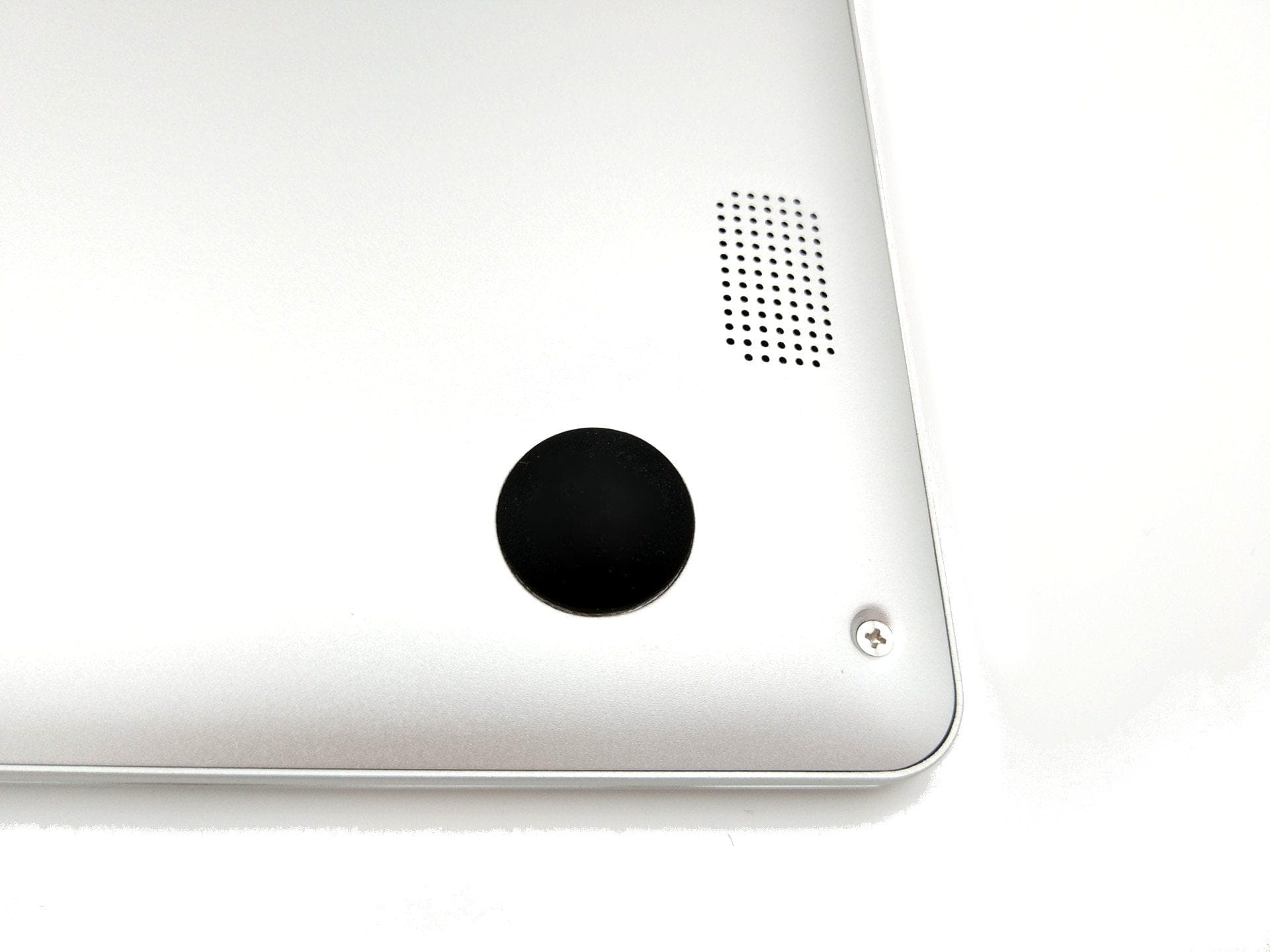
The stereo speakers on the EZBOOK 3 Pro are located on the underside. The audio controller is the Realtek ALC269. No audio miracle should be expected. Nevertheless, the speakers reach a high and above all distortion-free volume, making them suitable for occasional music listening or watching films. The playback quality via the 3.5 mm headphone jack is unobjectionable and delivers a generally good sound image.
Connectivity
To connect to WLAN, our test unit of the EZBOOK 3 Pro features a Realtek RTL87238 wireless adapter. It supports WiFi protocols 802.11b/g/n. An upgraded model of the notebook supporting dual-band AC WiFi is also now available. A Bluetooth 4.0 module is also present. Transmission over WLAN and Bluetooth was consistently stable in the test. The data rates correspond to those of single-band WiFi, and the achieved transmission range is also unobjectionable.

Battery and battery life
Jumper states the battery capacity as 9600 mAh. The average runtime was around 7 hours at medium brightness and normal usage. If you reduce the brightness to a minimum, runtimes of 8 ½ hours are possible. Some gaming and YouTube drain the battery more quickly, meaning that with intensive use the battery had to be recharged after only 4 hours. The charging time in our test was 2 hours and 45 minutes.
Our verdict
For around €230, the Jumper EZBOOK 3 Pro offers a superbly built laptop with an aluminium unibody that eclipses significantly more expensive devices. The laptop is also well-equipped in terms of hardware and suitable for all office tasks, largely thanks to the excellent keyboard. Naturally, the EZBOOK 3 is not perfect. The poorly implemented trackpad is the main criticism.
Specifications
Display
- Display type
- IPS
- Resolution
- 1920 x 1080
- Diagonal
- 13.3 inches
Performance
- CPU
- Intel Celeron N3450
- GPU
- Intel HD Graphics 500
- RAM
- 6GB DDR3 RAM
- Internal storage
- 64GB eMMC
- Storage expansion
- M.2 SSD
Ports
- 2x USB 3.0
- 1x mini HDMI
- 1x headphone jack
- 1x Micro SD memory card slot
Battery
- Capacity
- 9600 mAh
Other
- Wi-Fi
- Single-band WiFi
- Bluetooth
- BT 4.0
- Size
- 31.50 x 20.85 x 1.50 cm
- Weight
- 1.39 kg
What’s included
1x Jumper EZBOOK 3 Pro 1x Power adapter 1x User manual 1x Certificate
Comments (6)
I like it. Now with dual-band Wi-Fi as well. I ordered it straight away!! The new model also has the M.2 slot :).
Good evening! First of all, many thanks for this very good experience report. I have been eyeing this notebook for several weeks now. On the Internet, you can read different opinions and references to different revisions. Can you tell me which version you tested? I wanted to order this notebook from Gearbest. What should I look out for and which version is currently being shipped there?
Very satisfied. The price-performance ratio is excellent. It runs smoothly. Perfect for me.
I also ordered from Gearbest and it arrived with some delay after 21 days. I am very enthusiastic about the notebook, very nice, high-quality design, slim and light, and a great display. The keyboard is somewhat inefficient and the touchpad is sluggish, but otherwise absolutely excellent for the price. Unfortunately, my Jumper crashed after 4 weeks of use while watching movies and no longer starts up. Returning it is practically impossible as the costs amount to around 200 euros, Deutsche Post does not accept batteries, and therefore only other carriers are possible. I keep reading about crashes with Jumpers in forums and apparently there are frequently problems with Windows 10. A shame about the actually nice notebook…
Hi, you could contact GearBest support. Recently, repairs are also accepted at a repair centre based in Spain. Just write to them and ask :).
Hi, I have had the device for about 5 months and use it for browsing, watching videos and occasional office work. For this type of use, the processor is absolutely sufficient. The device is absolutely high quality for this price range; I bought keyboard stickers on Amazon that easily and quickly solve the layout problem. The only major downside for me is the battery: it lasts only 3 hours at 25% brightness while browsing with 7-8 tabs in Firefox. This is very disappointing for me. Have others had similar experiences? What could be the cause? Would a fresh Windows installation help?