Contents
Surprisingly compact, surprisingly high-quality
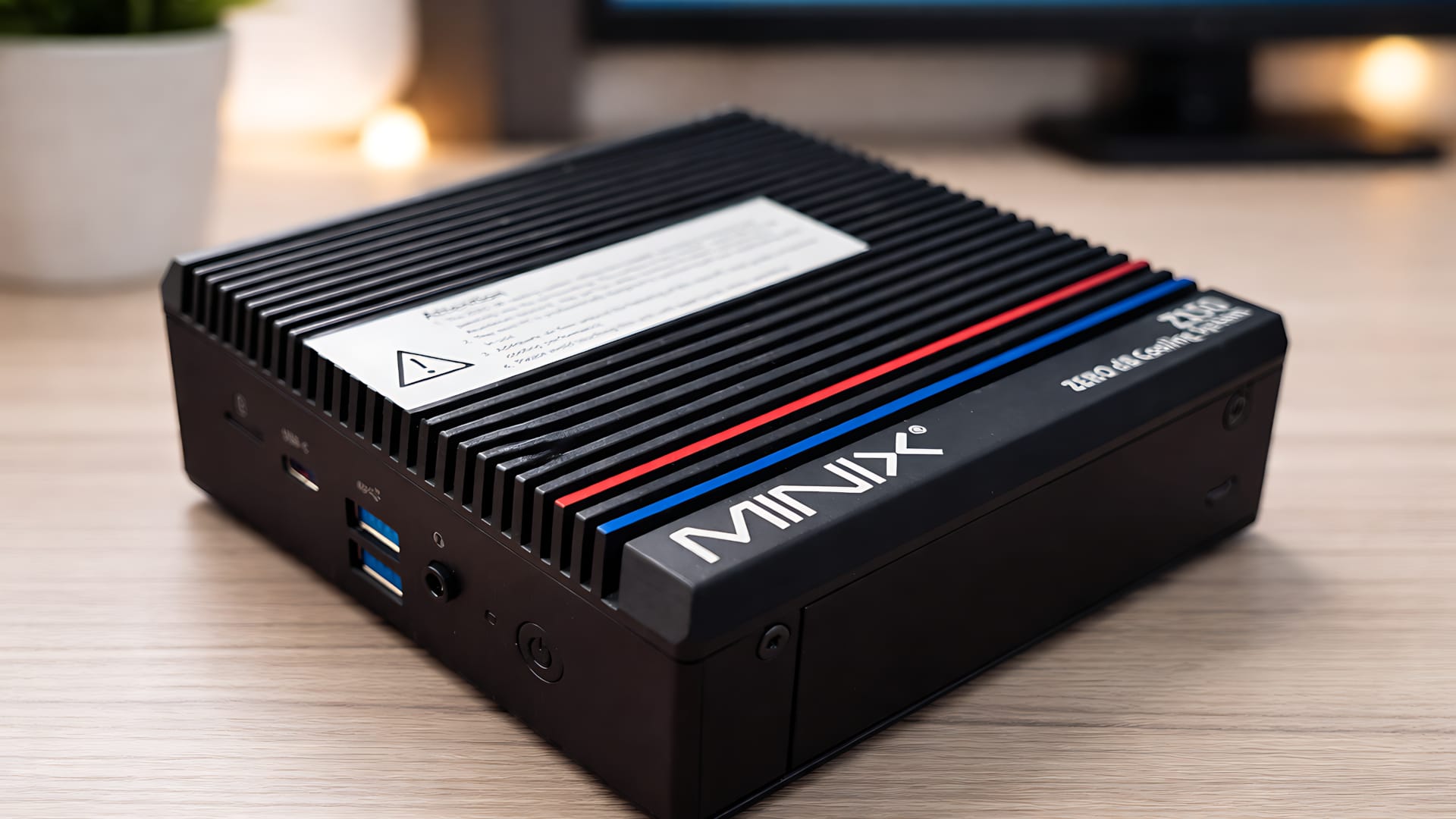
When I first took the MINIX Z100-0dB out of the box, my first thought was: “Is that it?”
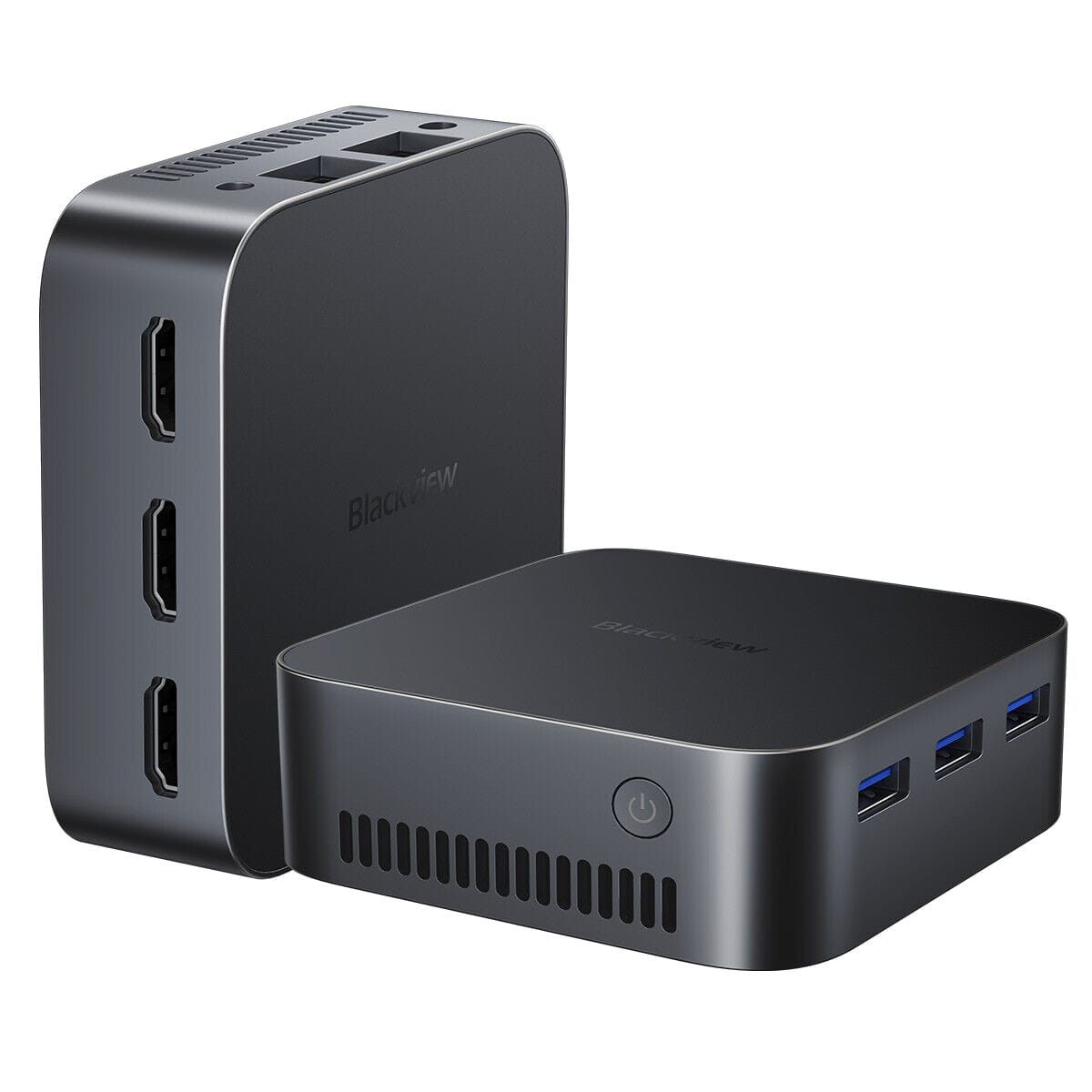
At 12.3 × 12 × 4.6 cm, it is one of the truly compact mini PCs, barely larger than a paperback book. However, at just under 1.3 kg, this little machine is noticeably heavier than many other mini PCs.
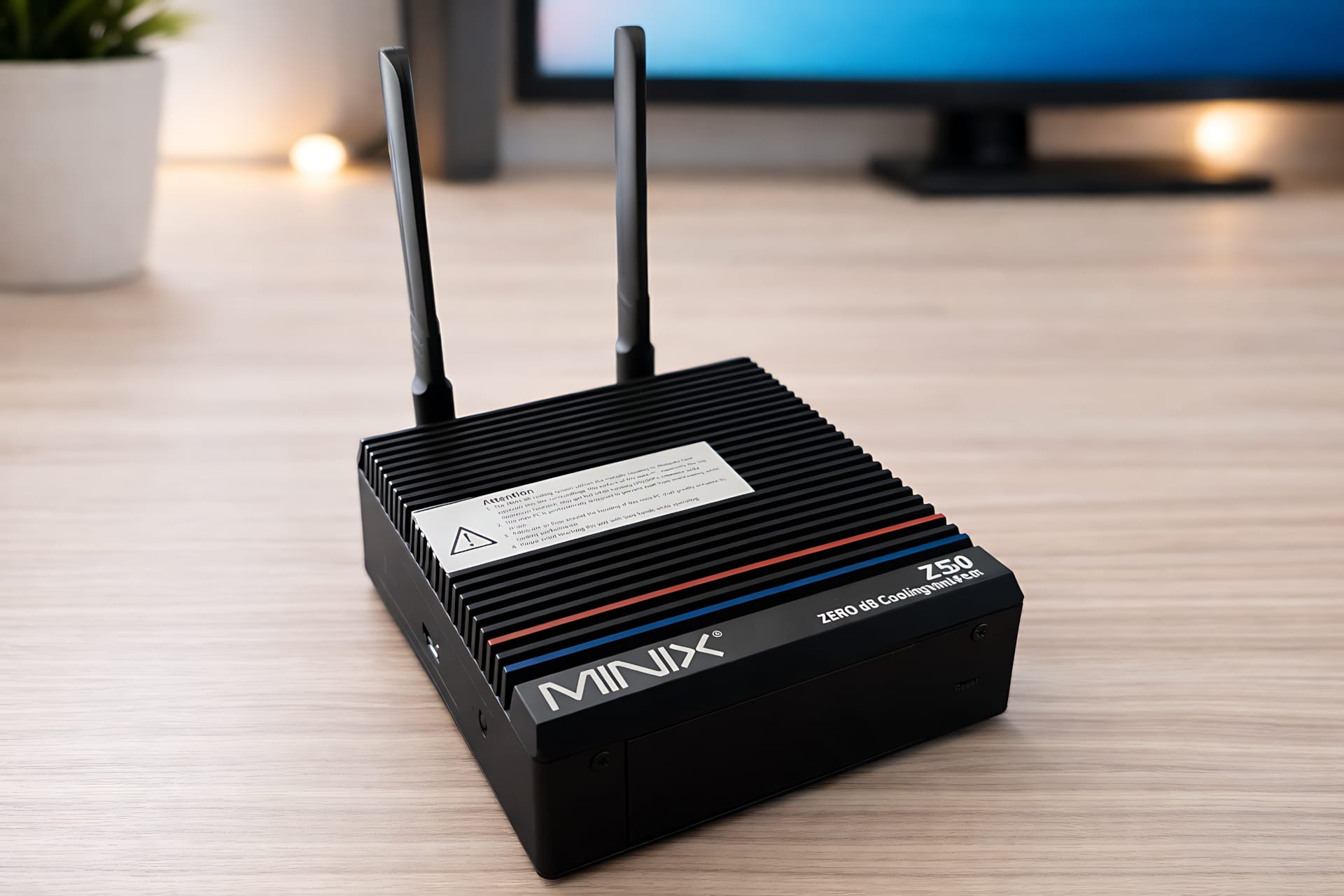
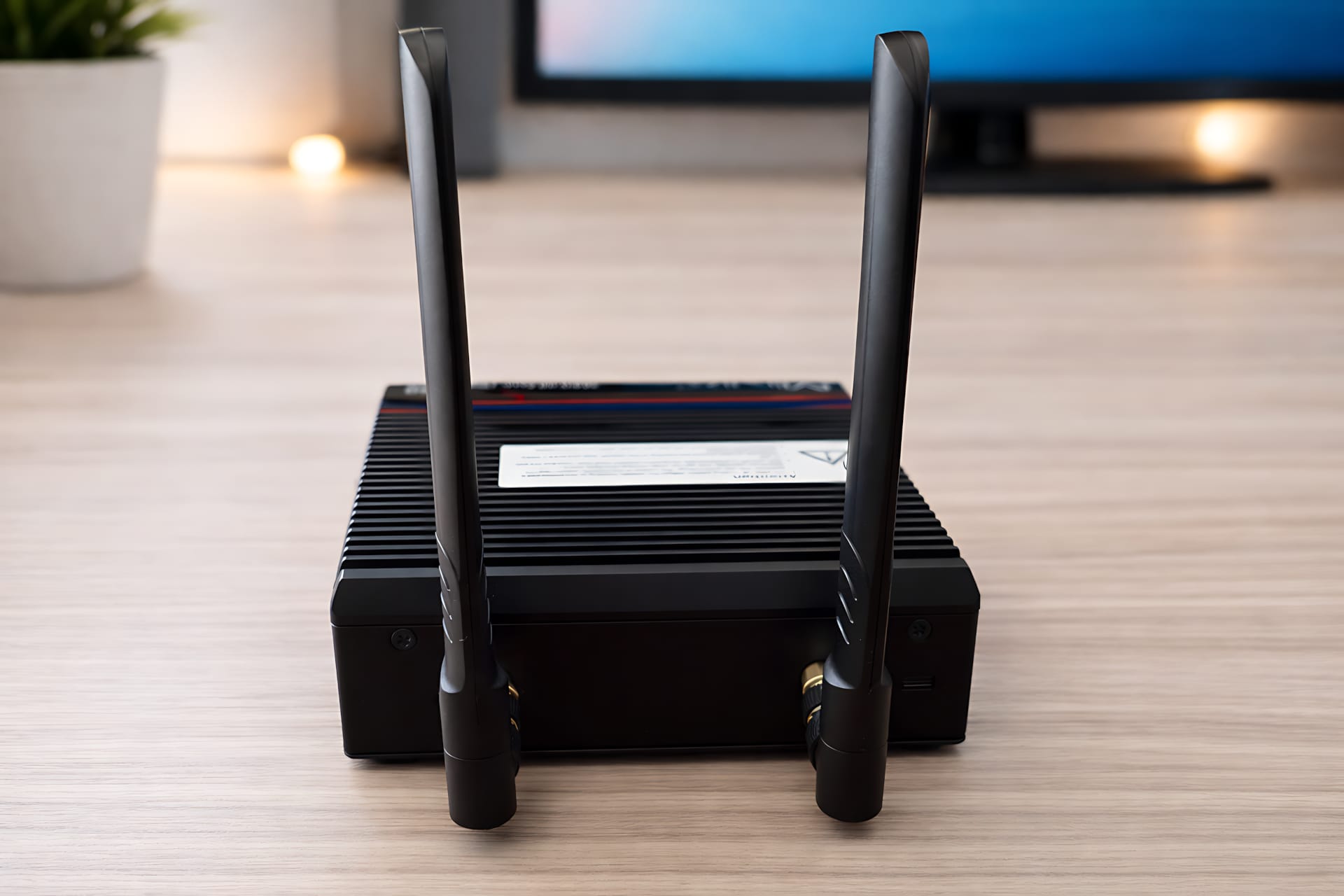
Instead of plastic, the chassis here is milled entirely from a block of aluminum. Heat is dissipated directly through the chassis, with no fan at all. There are no air intake openings, which automatically makes the mini PC dust-free and also makes it suitable for dirty workplaces such as workshops or construction sites.
The understated black casing looks robust, is well made and functional, with no RGB gimmicks. The box includes a VESA mount for attaching it behind a monitor, an HDMI cable and the power supply with various plug adapters.
More than you’d expect from a mini PC
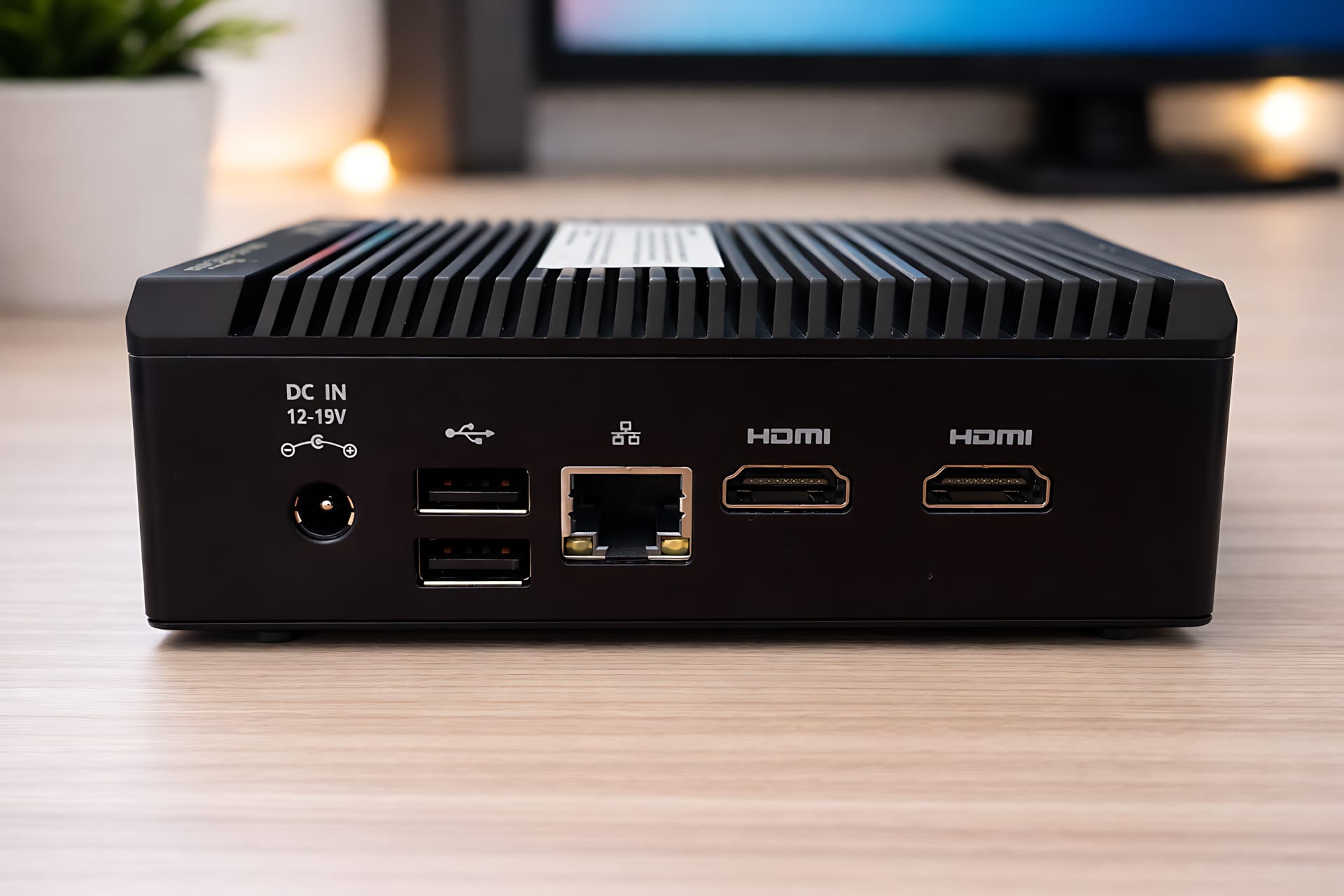
MINIX does not distribute the ports conventionally across the front and rear, but places them along the sides of the case. The available space is used remarkably efficiently: despite its compact design, the range of ports is even more extensive than that of some considerably larger systems.
Ports at a glance:
- 2 × HDMI 2.1 (4K @ 60 Hz, dual display)
- 2 × USB 3.2 Gen 2 Type-A (10 Gbps)
- 1 × USB 3.2 Gen 2 Type-C (data)
- 2 × USB 2.0
- 2.5-gigabit LAN
- 3.5 mm audio jack
- CMOS reset button
- External Wi-Fi antennas
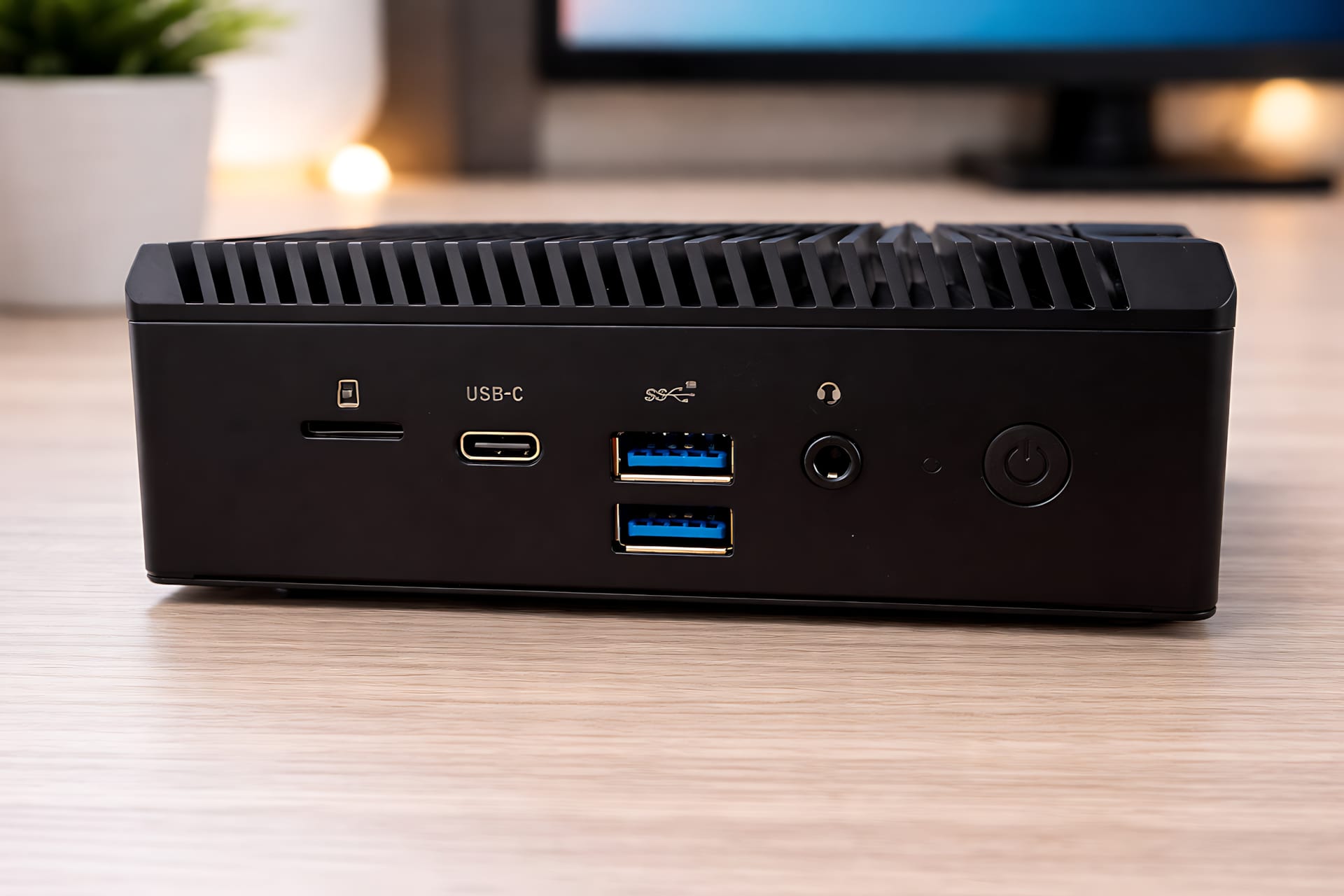
The two HDMI ports can drive up to two monitors simultaneously. The USB-C port, however, supports data transfer only and not DisplayPort, so you can’t connect an additional monitor through it. The built-in RJ45 network jack with a Realtek RTL8125 controller also lets you reliably connect the mini PC to your home network via cable.
For wireless connectivity, there’s Wi-Fi 6 (Intel AX201) and Bluetooth 5.2. Two external Wi-Fi antennas ensure stable reception despite the massive metal chassis.
Putting the Intel N100 into perspective
Inside is an Intel Alder Lake N100 with four cores and speeds of up to 3.4 GHz. Its TDP is around 6 watts. It’s important to have realistic expectations. The N100 isn’t a performance processor, but it’s a very efficient all-rounder.
Windows 11 Pro is pre-installed and activated as the operating system. Thanks to its x86 architecture, Linux distributions such as Debian or Ubuntu can also be installed alongside Windows without any problems.
Typical use cases:
- Office work (Word, Excel, Google Docs)
- Web research with lots of tabs open
- Media consumption (YouTube, Netflix, Prime Video)
- Image editing in basic software
- Editorial work (texts, CMS, SEO tools)
The system ran consistently smoothly in everyday use as an editorial workstation. WordPress admin, image research, SEO tools, email and several browser windows open at once are no problem. However, the mini PC is not designed for gaming or computationally intensive applications.
With 16 GB RAM (DDR4-3200 SO-DIMM), there is enough headroom, even though the memory only runs in single-channel mode. The installed 512 GB M.2 NVMe SSD (~600 MB/s read) ensures short loading times, fast booting and an overall highly responsive system.
The components are easy to access via the screwed-on underside. The SSD and RAM can be replaced, with up to 32 GB RAM and a 4 TB SSD supported.
Intel QuickSync is particularly important for media applications. This hardware acceleration enables efficient video transcoding, for example for Plex or Jellyfin. Even Full HD transcoding is no problem, and in some cases 4K is possible, depending on the codec.
Temperatures, noise, and power consumption
A passively cooled system behaves thermally differently from a conventional PC. Under load, the chassis gets noticeably warm. Measurements show surface temperatures just under 70 degrees in some places.
That sounds like a lot, but heat is deliberately dissipated through the chassis. What matters is what happens inside. Even under sustained load, the CPU stays within a safe range and shows no aggressive thermal throttling. In longer stress tests, the CPU settles at around 65 to a maximum of 70 degrees.
Temperatures remain much lower during everyday activities such as writing, browsing, and streaming. The only important thing is to keep the device in an open space and not shut it away in a cabinet.
The biggest advantage of passive cooling is that it is silent. There’s no fan spinning up, no whirring and no distracting background noise. The Z100-0dB runs completely silently, regardless of workload.
The mini PC is also efficient when it comes to power consumption. In everyday use, power draw is usually under 15 watts. Even under load, consumption remains moderate. This makes the Z100-0dB an excellent choice for continuous operation, for example as a home server, office PC, or energy-efficient always-on PC.
Our verdict
The MINIX Z100-0dB currently costs between around 193 and just under 300 euros in Germany, depending on the configuration and retailer. The mini PC is particularly good value at the lower end of that range. Windows 11 Pro comes pre-installed, along with 16 GB of RAM and a completely fanless design, which is far from standard at this price.
If you’re looking for a silent mini PC for the office, home office, media consumption, or as an HTPC, the Z100-0dB is a well-designed and no-nonsense solution.
Specifications
Processor and graphics
- CPU
- Intel Alder Lake-N N100
- Cores / threads
- 4 cores, 4 threads
- Clock speed
- up to 3.40 GHz
- Graphics
- Intel UHD Graphics
RAM
- Capacity
- 8 GB or 16 GB DDR4
- Clock speed
- 3200 MHz
- Expandable
- up to 32 GB
Storage
- Type
- M.2 PCIe SSD
- Capacity
- 256 GB or 512 GB
- Expandable
- up to 4 TB
Network and connectivity
- LAN
- 2.5 Gigabit Ethernet (Realtek RTL8125)
- Wi-Fi
- Wi-Fi 6
- Bluetooth
- Version 5.2
- Antennas
- 2 external Wi-Fi antennas
Ports
- Video outputs
- – 2x HDMI 2.1, up to 3840 × 2160 at 60 Hz
- USB ports
- – 1x USB-C 3.2 Gen 2, up to 10 Gbit/s, data only
- – 2x USB-A 3.2 Gen 2, up to 10 Gbit/s
- – 2x USB-A 2.0
- Network
- – 1× RJ45, 2.5-gigabit Ethernet
- Audio
- – 1x 3.5 mm combo jack for headphones and microphone
- More
- – 1x DC-IN power connection, 12 to 19 V
- – 1x power button
- – 1x Clear CMOS button
Power consumption and energy
- Typical power consumption
- 12 watts
- Maximum consumption
- 25 watts
- Power adapter
- 12 V / 3 A
General
- Cooling
- Passive, fanless
- Material
- Aluminium casing
- Color
- Black
Dimensions and weight
- Dimensions
- 123 x 120 x 46 mm
- Weight
- 1.3 kg
What’s included
1x MINIX Z100-0dB Mini PC 1x power supply 1x HDMI cable 1x VESA mount 2x Wi-Fi antennas
Price comparison
| Store | Price | Link |
|---|---|---|
| Geekmaxi | 219,90 € | Go to store |
Comments