Contents
QNAP TS-473A: Introduction
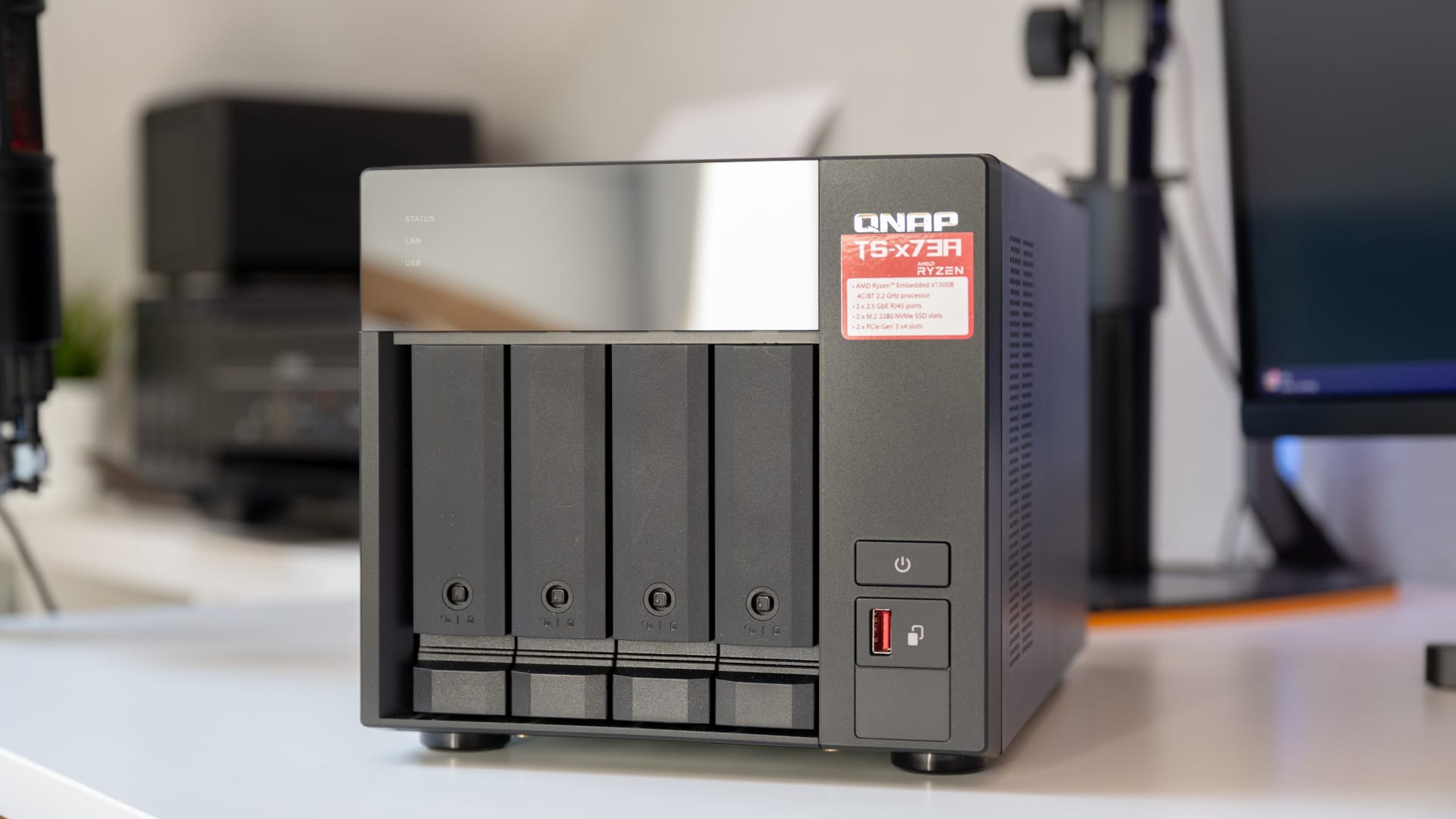
The QNAP TS-473A originally launched back in 2021, when AI in the home network was still a distant prospect. Many competing models from that era have long since disappeared from the market, but this NAS continues to hold its own on the bestseller lists to this day. While newcomers like UGREEN are drawing buyers in 2025 with sleek designs and built-in NPUs, QNAP is betting on raw flexibility through PCIe slots.
We put the “old workhorse” to the test again in 2025 to see whether it can keep up with modern standards. Our test unit was fitted with two 2 TB Seagate IronWolf hard drives and, the real innovation for 2025, the latest QNAP AI accelerators QAI-M100 and QAI-U100.
QNAP TS-473A: Design and hardware
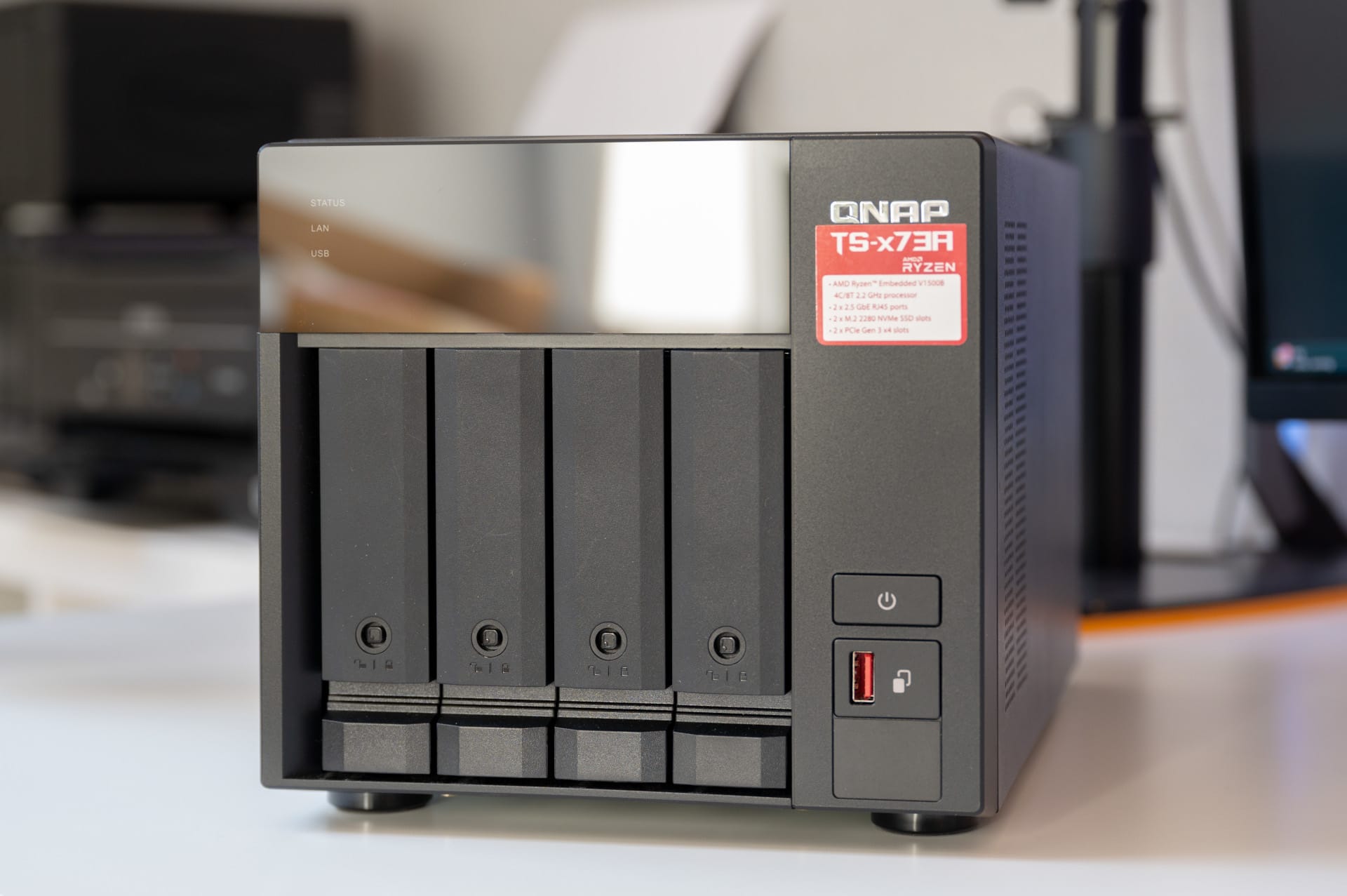
The enclosure is a classic black tower. The body is made of sturdy metal, while the front panel is plastic. It looks functional and practical—the sort of device you’d expect to disappear into a server rack or under a desk.

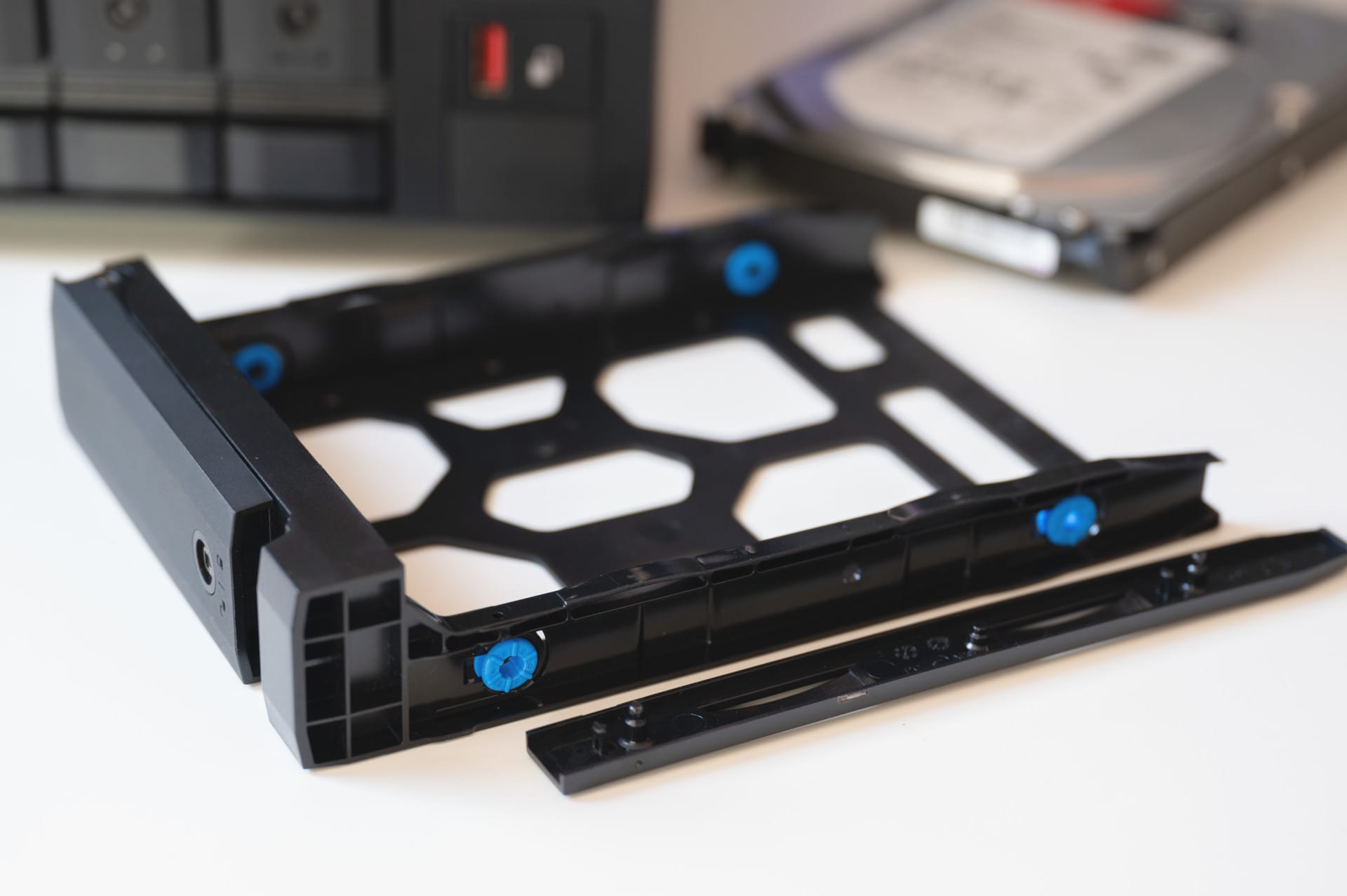
Behind the dark front panel are four hot-swappable drive bays. Each tray can be locked individually, and installing hard drives is, as usual for QNAP, very straightforward.
- 3.5-inch HDDs: Can be installed entirely without tools using the side retaining rails. It’s quick and holds the drives firmly in place.
- 2.5-inch SSDs: These need to be screwed in the traditional way (screws are included).
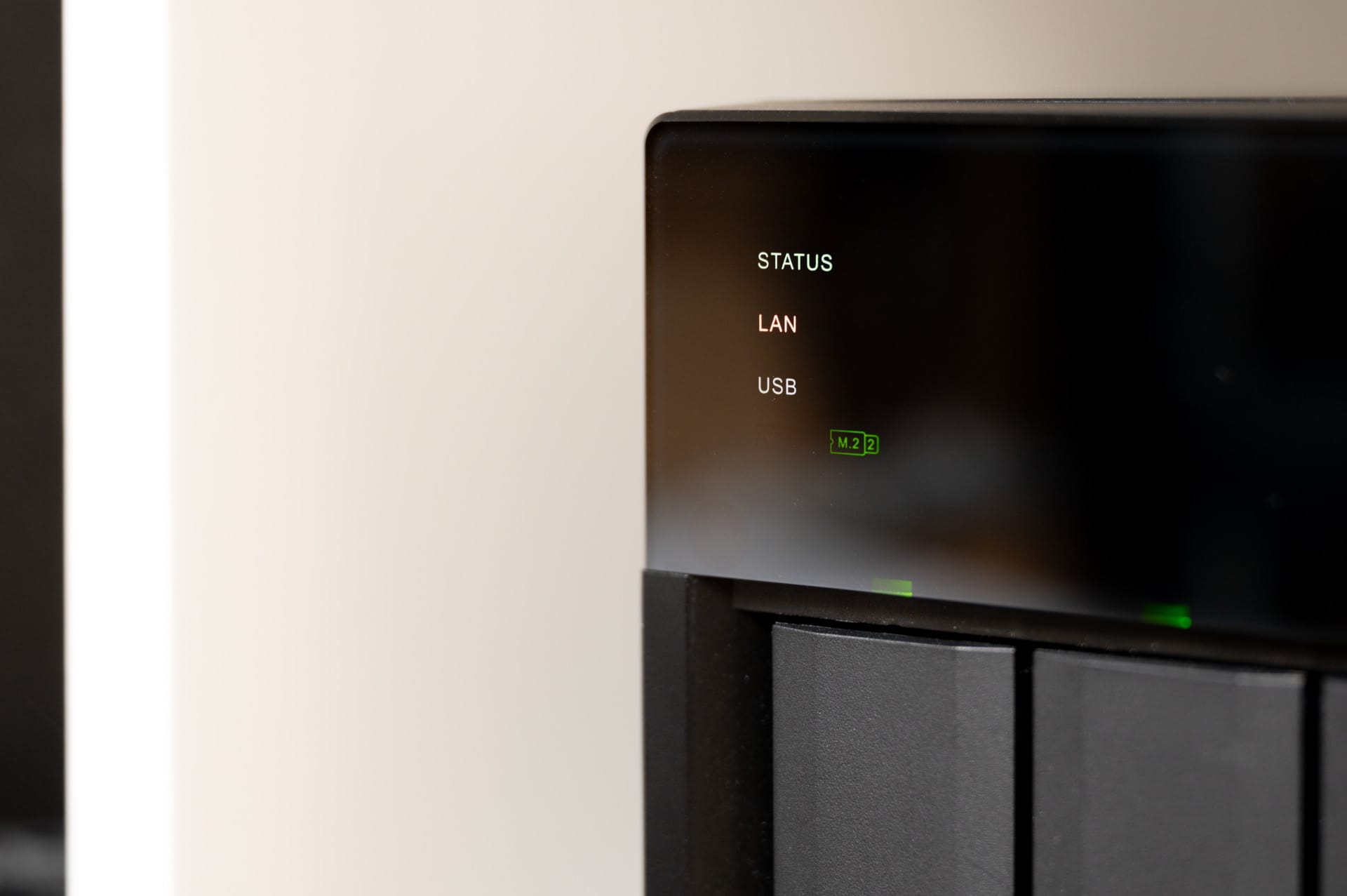
One detail that is particularly appealing is the dedicated LEDs on the front. In addition to the usual indicators for LAN, USB and the four hard drives, the TS-473A has its own status LEDs for the two M.2 slots. This lets you see at a glance whether the NVMe cache or SSD volume is active, without having to log in to the web interface first.
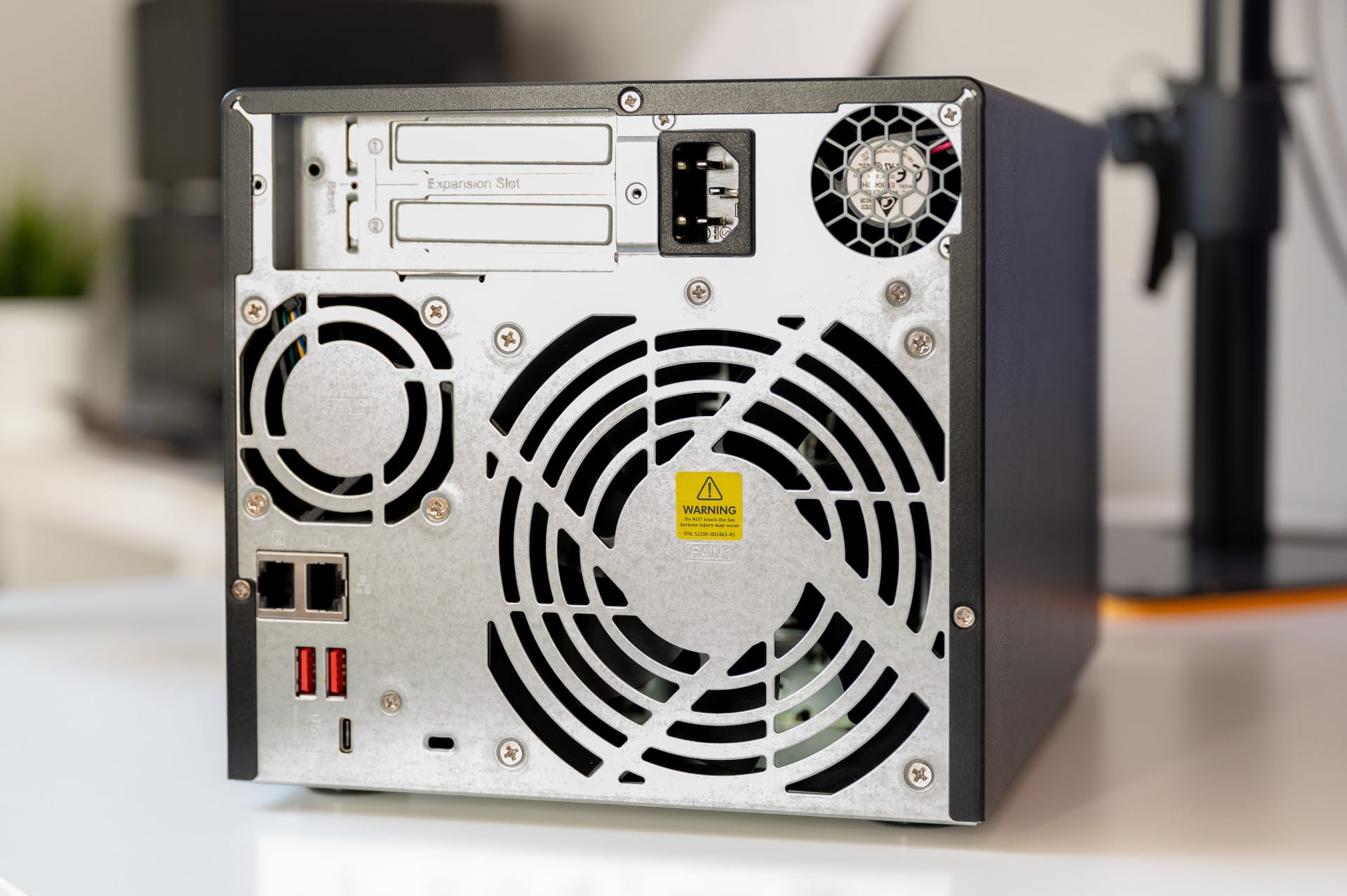
Turn the NAS around and you’ll see a large 120 mm fan that cools the hard drives and remains pleasantly quiet during normal operation. As the Ryzen processor generates a fair amount of heat, there is also a small 60 mm CPU fan inside. This design works very well thermally, but has one drawback: under full load, the TS-473A is louder than entry-level NAS devices. More on that later.
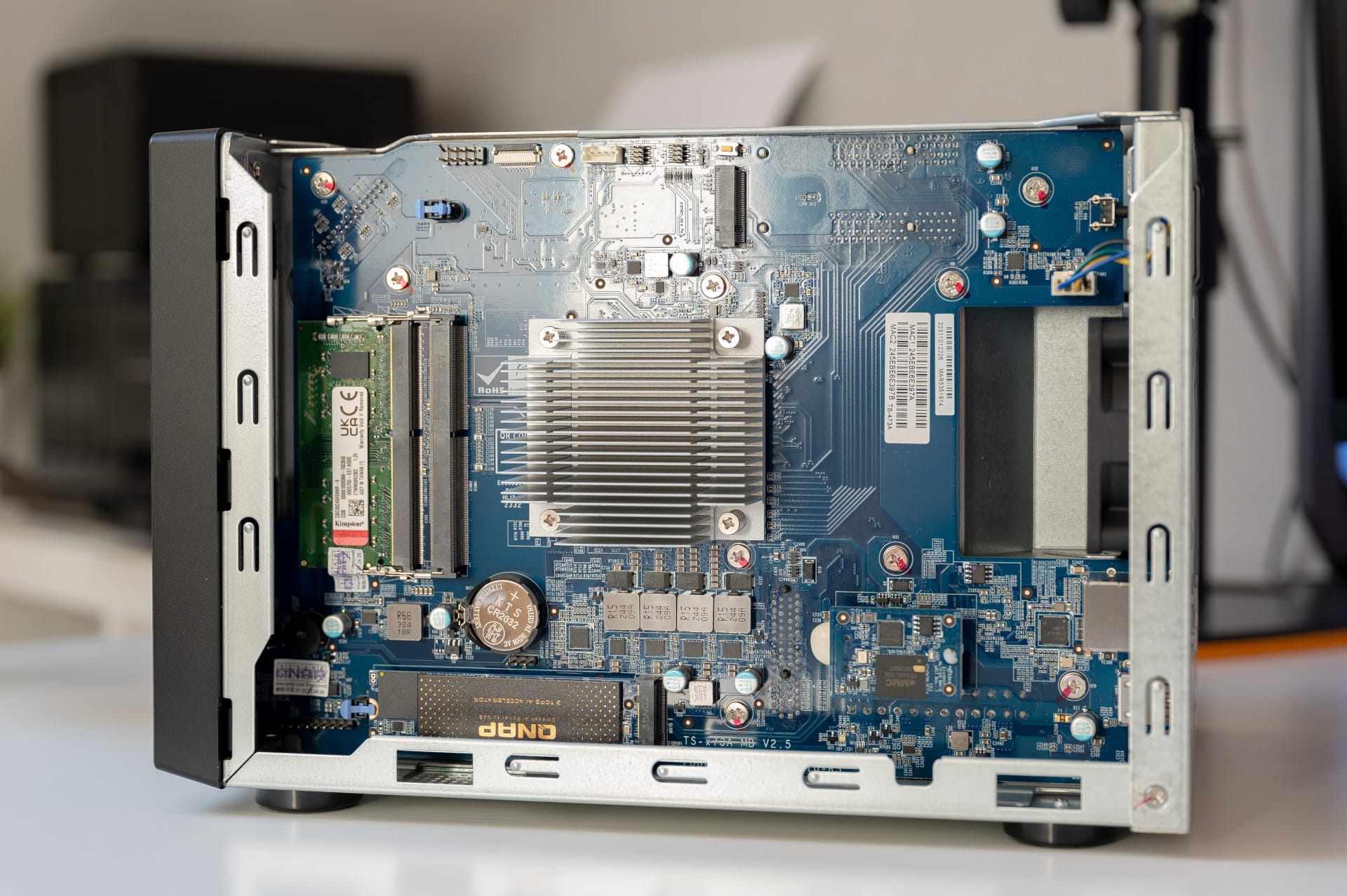
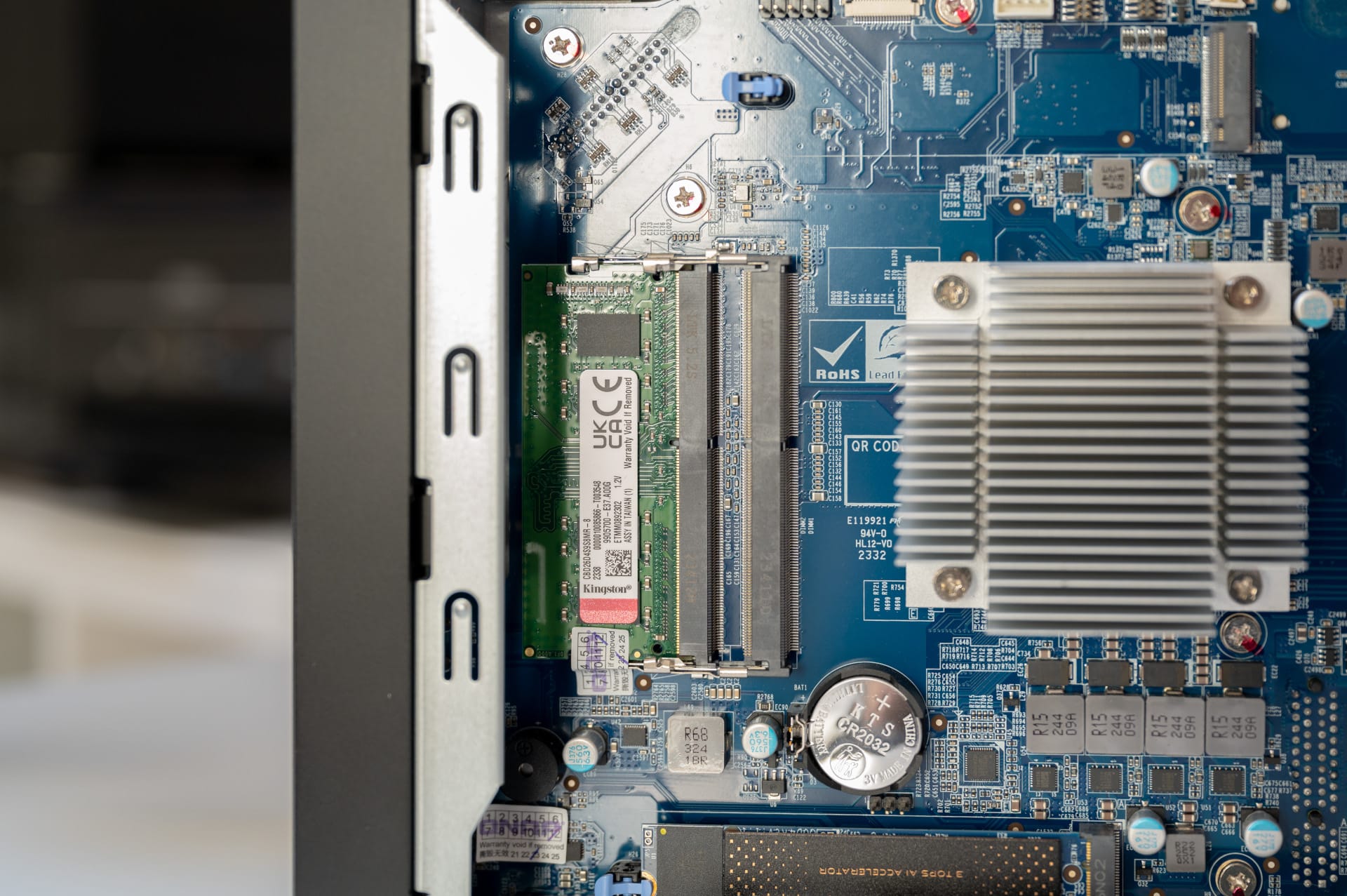
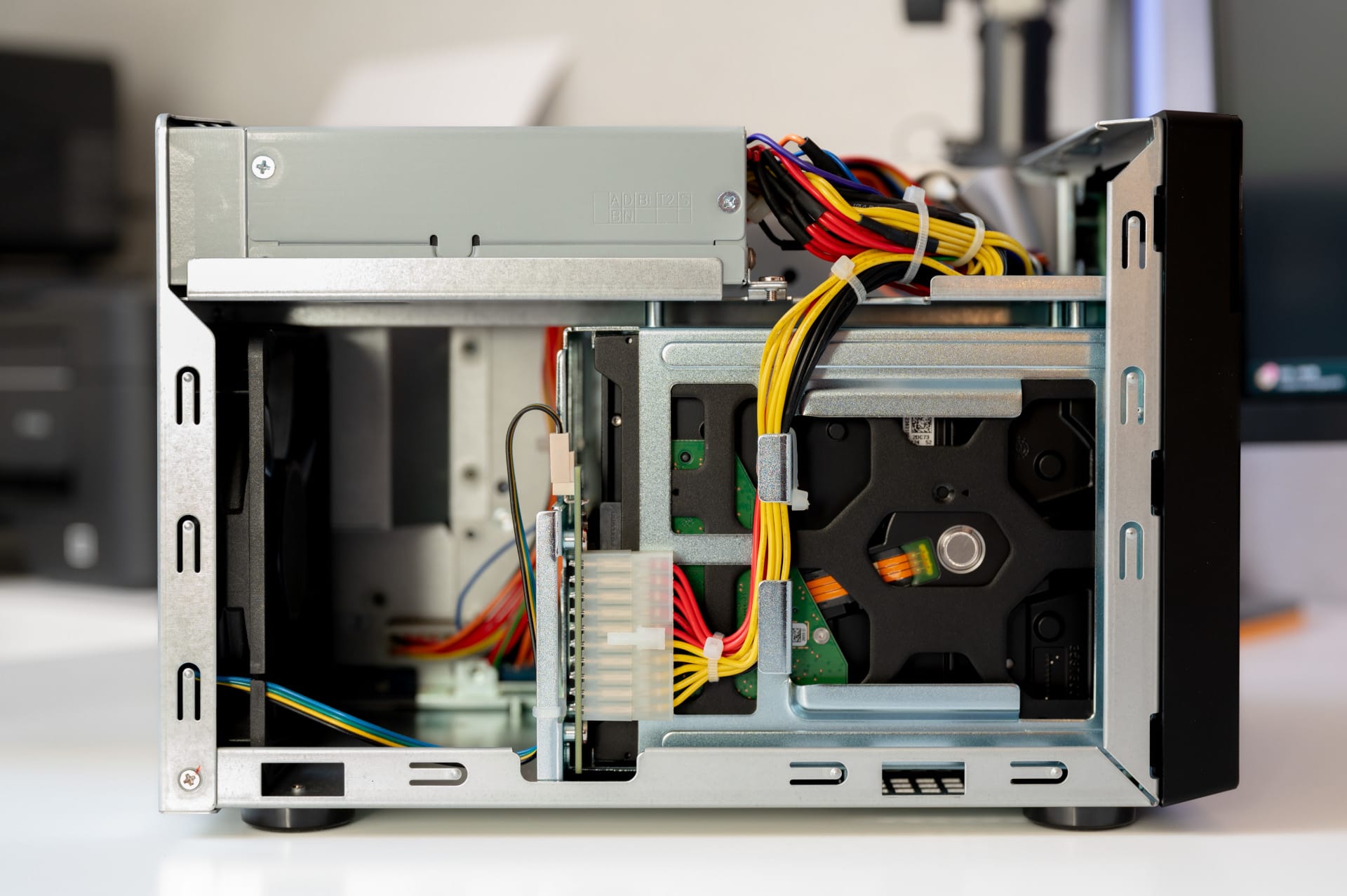
Remove the three case screws, and you’ll find a surprisingly neat interior layout. The two RAM slots (SO-DIMM) are easy to access, as are the two PCIe slots. QNAP shows exactly what service-friendly hardware should look like.
QNAP TS-473A: ports and expandability
On the rear are two 2.5 GbE ports (RJ45). That is more than enough for typical home use, allowing data to be transferred at around 280 MB/s. With three USB 3.2 Gen 2 Type-A ports (10 Gbit/s)—two on the rear and one on the front—as well as a USB-C port (5 Gbit/s), also on the rear, there are plenty of options for fast backups to external drives.

Professionals benefit from two PCIe Gen3 x4 slots. In this price range and form factor, that is exceptionally good for 2025. If you need more speed, you can install a 10G card, for example. What’s missing is an HDMI port. If you want to use the NAS as a media player connected directly to your TV, you’re out of luck unless you add a graphics card.

Inside, there are also two M.2 NVMe slots in the 2280 form factor. However, the age of the platform becomes apparent here: the slots are connected via PCIe Gen3 x1 only. That’s perfectly adequate for an SSD cache, where low access times and high IOPS are the main priorities.
However, anyone hoping to use ultra-fast NVMe SSDs capable of several GB/s will be disappointed. With the x1 connection, realistic transfer rates are around 800 MB/s, so modern SSDs rated at 7,000 MB/s operate well below their potential. Even so, that’s perfectly fine for the operating system, apps, and cache use.
QNAP TS-473A: QTS or QuTS hero
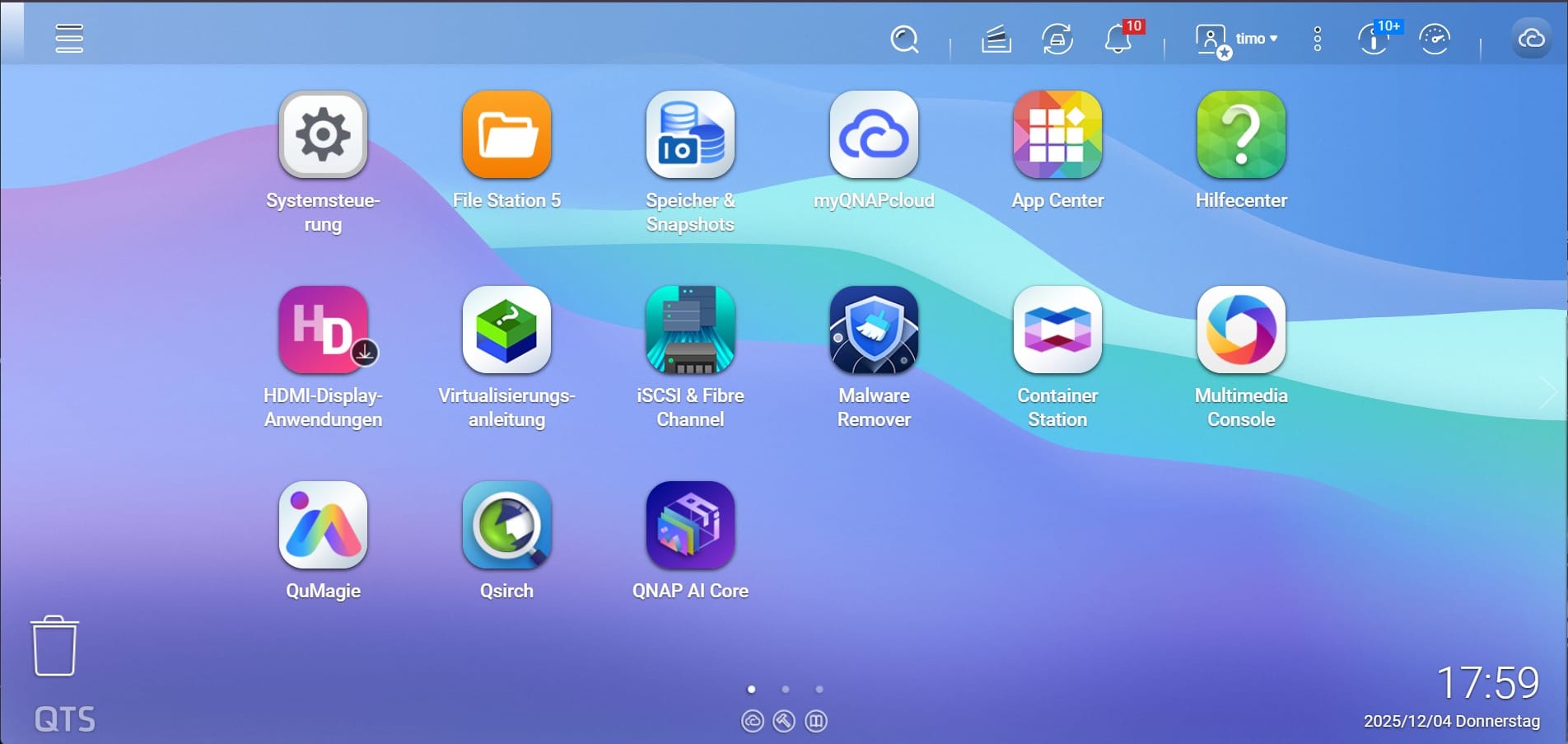
For the operating system, QNAP offers a choice between classic QTS and the professional QuTS hero system.
QTS is based on the ext4 Linux file system and is QNAP’s bread-and-butter system. It’s fast, uses little memory, and supports all the apps and features a home user needs.
Applications such as Container Station (Docker) and our test app QuMagie run absolutely smoothly here, without the system slowing down. SSD caching (Qtier) can also be configured flexibly.
Those with more expertise are more likely to choose QuTS hero, which is based on the enterprise file system ZFS. Its advantages include self-healing to counter gradual data degradation (bit rot), inline data compression (which saves space) and extremely efficient snapshots. It is the gold standard for business use or important data archives.
ZFS is also extremely memory-hungry, however, because it uses RAM as a fast cache. QuTS hero can be installed with the pre-installed 8 GB RAM, but it runs close to the limit. For productive use with QuTS hero, at least 16 GB is advisable, and ideally 32 GB of ECC RAM.
As the TS-473A is based on x86, you can also install TrueNAS Scale or Unraid. A USB stick is all you need as boot media. The hardware is therefore also suitable for users who prefer QNAP hardware but want to use different software.
QNAP TS-473A: Performance and benchmarks
The TS-473A is powered by an AMD Ryzen V1500B, a processor that has achieved near-legendary status in the NAS world. With 4 cores, 8 threads, and a 2.2 GHz clock speed, it still delivers solid multi-core performance in 2025, leaving many modern entry-level CPUs (such as the Intel N100 with just 4 threads) behind when handling parallel tasks.
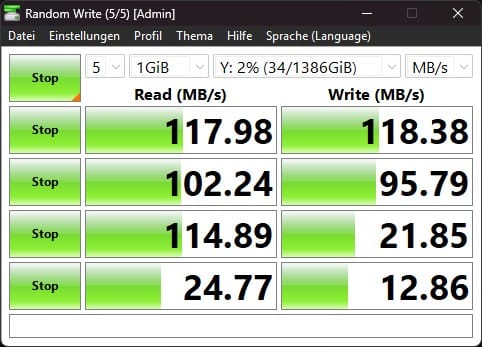
To check the performance of the installed hardware, we tested the NAS in two network scenarios. First, we connected it in the conventional way to a Fritzbox 7590 with 1-Gbit LAN. As expected, the router was the bottleneck. CrystalDiskMark showed symmetrical results of 118 MB/s for both reading and writing. That’s the interface’s technical maximum.
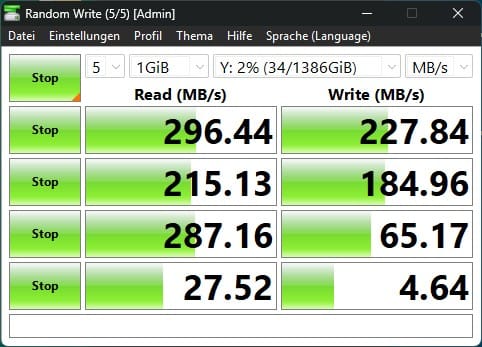
Things got more interesting with the direct 2.5-Gbit connection to the PC. In CrystalDiskMark, we recorded a read speed of 296 MB/s and a write speed of 228 MB/s. These figures were also confirmed by the NAS Performance Tester, which averaged 295 MB/s (Read) and 236 MB/s (Write) with a file size of 1,000 MB.

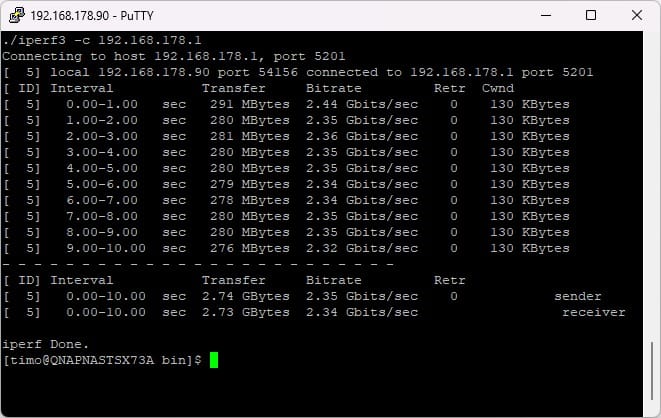
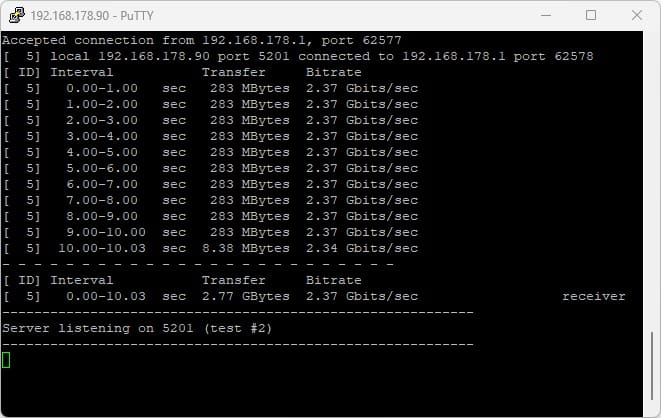
A bandwidth-only test with iPerf3 showed that the network card itself was working properly and wasn’t the bottleneck. Throughput stabilized at 2.37 Gbit/s to 2.44 Gbit/s. The hardware makes excellent use of the 2.5G specification. Anyone who wants higher throughput will definitely need to add a 10-GbE card. The CPU still has enough headroom for that.
Thanks to its 8 threads, the TS-473A doesn’t break a sweat even when a backup is running in the background while users access files at the same time. This is where the Ryzen architecture shows its strengths over weaker ARM processors.
One drawback for multimedia use with Plex or Jellyfin is the lack of an integrated graphics unit (iGPU), which means hardware-accelerated transcoding isn’t supported out of the box. Without a GPU, the processor has to handle this in software, which just about works for 1080p footage but hits its limits with 4K content.
The only workaround is to add a graphics card via one of the PCIe slots. Other systems, such as the UGREEN DXP4800 and Synology’s Plus series, have the edge here because they support transcoding out of the box.
QNAP TS-473A: QAI-M100 and QAI-U100
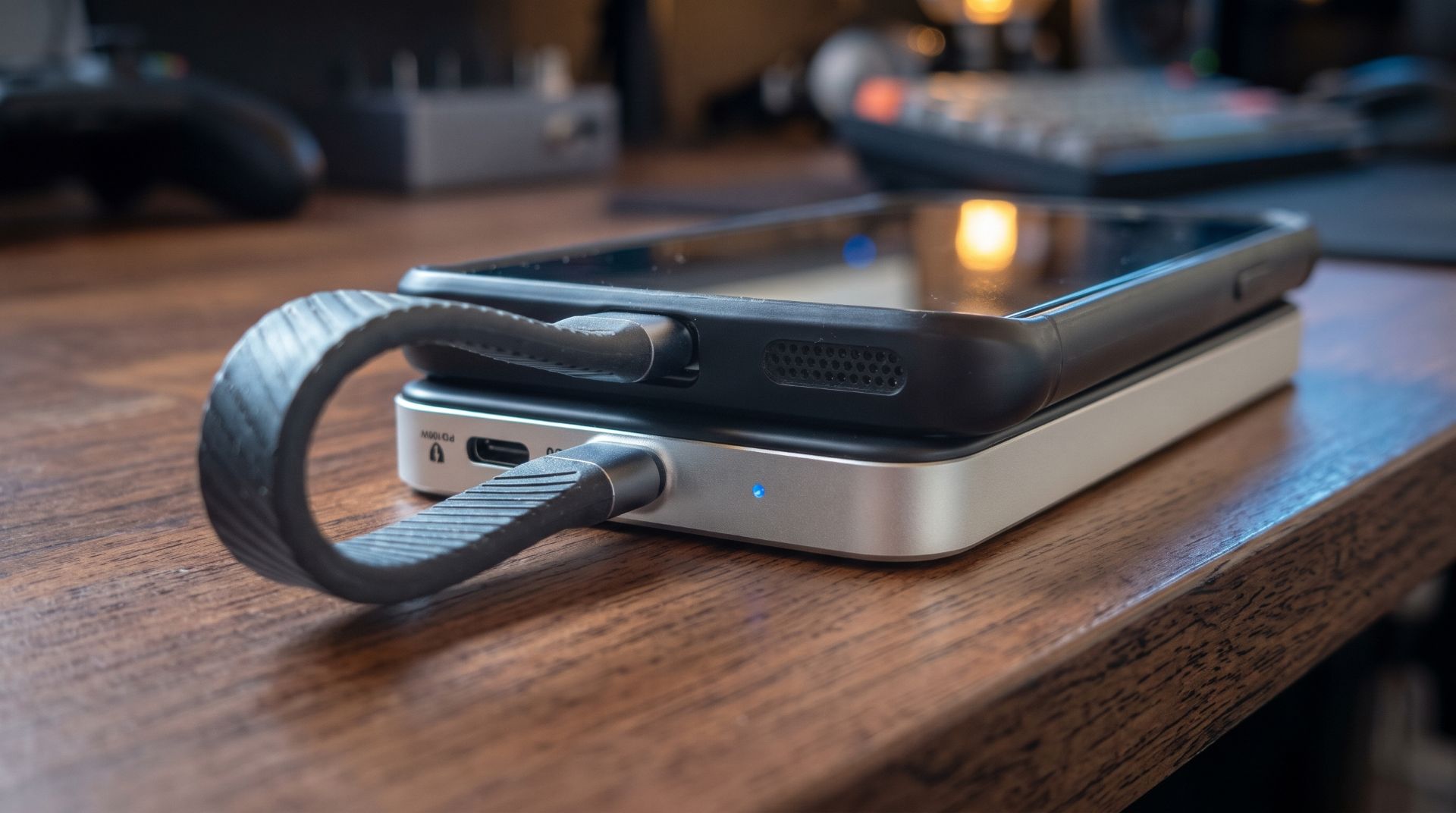
As the Ryzen CPU inside lacks a modern NPU (Neural Processing Unit), QNAP offers the QAI series AI accelerator cards. The QAI-M100 is installed directly in the NAS as an M.2 module, while the QAI-U100 connects via USB. Both models deliver AI performance of around 3 TOPS.

Considering the prices of around €80–100 per card and the fact that many current NAS and mini-PC platforms already have much more powerful NPUs integrated into their processors, often with 30–40 TOPS or more, adding one to the TS-473A is mainly an option for specialist applications or technology enthusiasts.

For the test, we loaded 1,000 unsorted vacation photos into QNAP’s QuMagie photo app and measured how long it took to complete indexing and AI analysis. We tested three scenarios: without an accelerator (CPU only), with one card, and in “dual-stack” mode with both cards (M100 + U100).
Performance results (time for 1,000 photos)
| Scenario | Face recognition | Object recognition | Similarity recognition |
| Without accelerator | 17 min. | 4 min | 2 min. |
| With 1x QAI card | 11 min. | 2 min. | 1 min. |
| With 2x QAI cards | 7 min | 2 min. | 1 min. |
Using a second card is worthwhile almost exclusively for facial recognition. Here, the time drops from 11 to 7 minutes. For object and similarity recognition, however, the second card has almost no effect. For home users, investing in two accelerators is therefore hardly worthwhile.
Face recognition
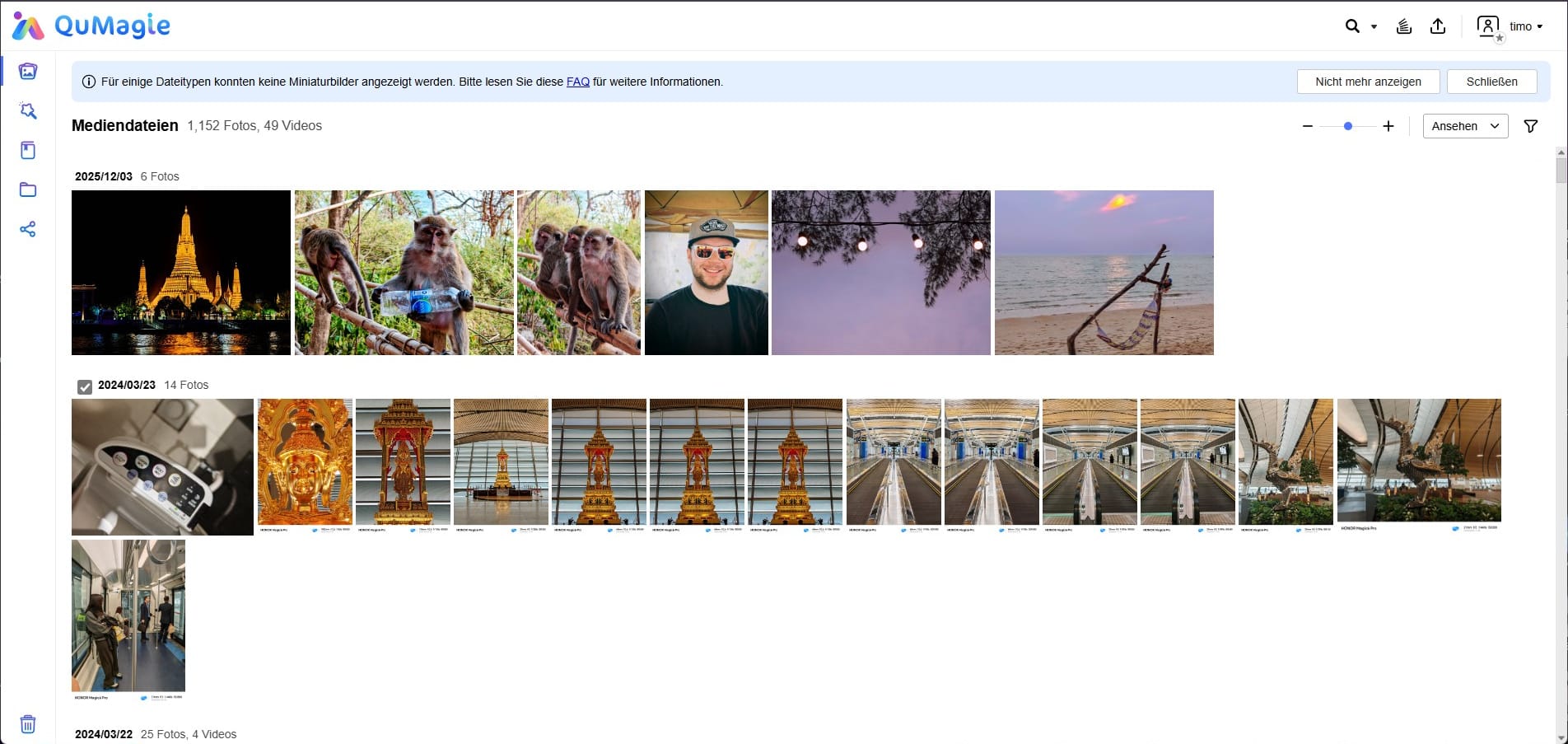
Recognition of people assigned by name (family, friends) works very reliably. QuMagie finds faces even in difficult lighting conditions. However, the AI tends to go overboard. In photos of public places (e.g. pedestrian zones), the system tried to identify even blurry passersby in the background as relevant people. Here, the software "hallucinates" importance where there is none, making manual sorting tedious.
Object recognition and similarity detection
While Apple Photos and Google Lens now work almost flawlessly in this area, QNAP still makes some peculiar blunders. The system was absolutely certain that the large display board at Frankfurt Airport was a "menu." A photo of a monkey in Thailand was tagged as a "squirrel." It's good enough for rough sorting ("car," "food," "animal"), but even in 2025, its object recognition is still not on par with cloud providers when it comes to precise searches.

Duplicate detection and the detection of near-identical burst shots work well, making it much easier to sort through burst shots and free up storage space.
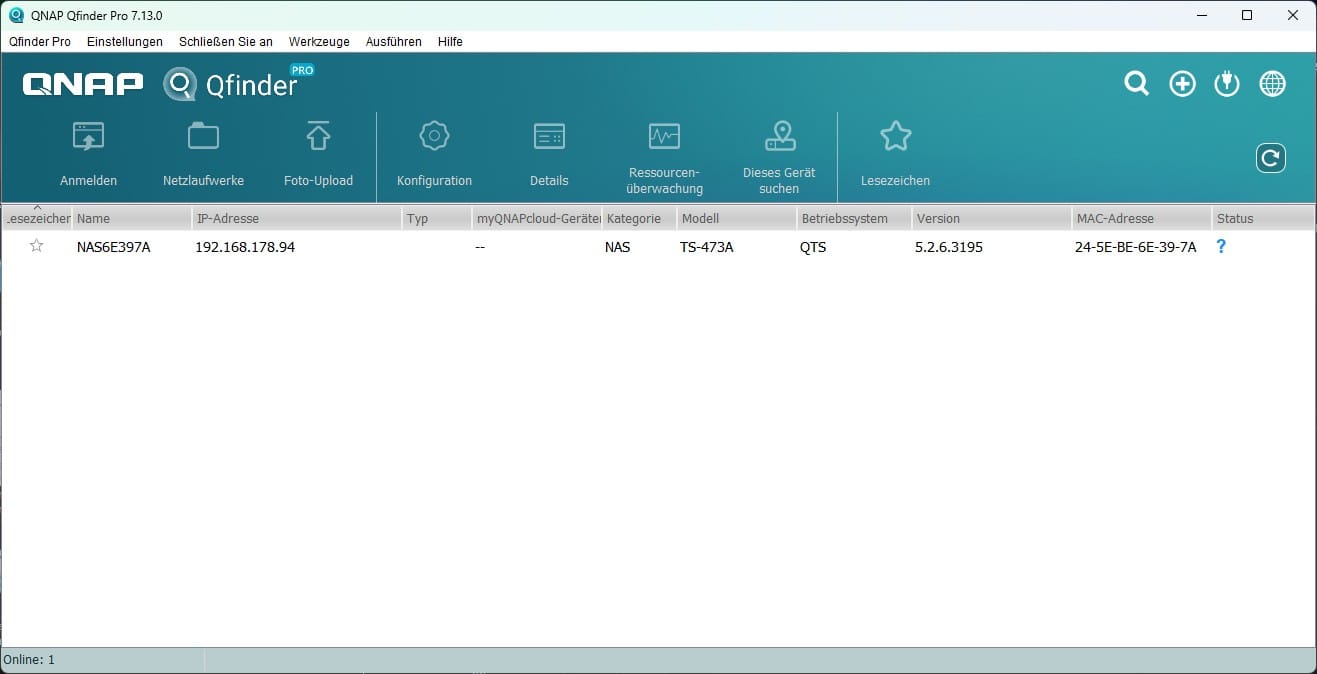
In addition to its AI photo analysis, QNAP has also tidied up its standard apps. The Qfile Pro app now serves as the central hub for automatically uploading photos from a smartphone in the background. It worked reliably in our test and is often more important to many beginners than the complex AI sorting in QuMagie.
QNAP TS-473A: Docker and virtualization
Unlike many inexpensive ARM-based NAS systems, the x86 architecture means there are hardly any compatibility issues with Docker containers or virtual machines.
For our test, we used Container Station to simulate a typical smart home environment. We installed Home Assistant, Pi-hole (as an ad blocker), and Paperless-ngx (document management). Setup is quick and easy thanks to the integrated Docker Hub connection and support for Docker Compose ("Applications").
Even when several containers are running at once, the web interface remains responsive. The installed QAI accelerators did not interfere with Docker in our test, by the way, but they could not easily be passed through to the containers either.
If you need more than just containers, Virtualization Station lets you emulate complete operating systems. An Ubuntu Server VM and pfSense both ran smoothly in our test. There are more than enough resources for this. An added graphics card can be passed directly to the VM using “GPU Passthrough”.
However, the factory-installed 8 GB of RAM is also very limited for virtualization. As soon as a VM starts (and, for example, reserves 4 GB of RAM) while Docker containers are running at the same time, memory fills up in no time. All the more reason to plan for 16 GB of RAM or more when buying.
QNAP TS-473A: Power consumption and noise
Here, the TS-473A cannot quite hide its age. The Ryzen V1500B platform (14 nm process) is not as efficient as the modern Intel N100 chips (10 nm/7 nm) found in current rival models.
In our test configuration (2x HDD + 2x AI accelerators), we measured the following values at the mains socket:
- Idle: The system settled at 26 watts.
- File transfer: Consumption rose slightly to 31 watts.
- AI analysis: The figure climbed to 35 watts here.
A modern entry-level NAS often uses just 12 to 15 watts at idle. The TS-473A therefore consumes almost twice as much. Over the course of a year (running 24/7 at €0.35/kWh), operating the TS-473A costs around €80, while a more energy-efficient N100 model would cost only about €46.

The TS-473A is also more of a work device acoustically. The large 120 mm case fan is very quiet. The problem is the small 60 mm fan mounted directly on the CPU. During normal operation, it hums quietly in the background. But when the NAS is working (e.g. during AI photo analysis or under VM load), this small fan spins up audibly. It's not an annoying whine, but a distinct rushing noise.
The metal case does a good job of damping vibrations, but the plastic drive trays let the access noise from the mechanical IronWolf drives (the characteristic rattling) escape to the outside.
The TS-473A definitely belongs in a home office, utility room, or small server rack. I wouldn't put it right next to the TV or in the bedroom because of the background noise and blinking LEDs (which can be dimmed).
QNAP TS-473A: Security and the QNAP ecosystem
Anyone researching QNAP will sooner or later come across reports of past ransomware attacks (Deadbolt, Qlocker). So the most important question for 2025 is: Are my data safe on the TS-473A?
The short answer: yes, but QNAP now places more responsibility on the user than it used to. The system is much more paranoid than it was a few years ago. Anyone setting up the NAS in 2025 gets a whole arsenal of security measures:
- Security Counselor: An internal "security officer" that scans the system and immediately raises an alert if passwords are too weak or insecure services are exposed.
- QuFirewall: A fully featured firewall that allows geo-blocking (e.g. "Block all access from countries outside the DACH region").
- Malware Remover: An antivirus scanner that runs automatically every day.
- Two-factor authentication (2FA): Now standard and almost mandatory during setup.
- Snapshots: Whether you use QTS (ext4) or QuTS hero (ZFS), the TS-473A supports block-level snapshots.
- VPN: The TS-473A supports native WireGuard VPNs and services such as Tailscale (via container or app). This allows you to access data while on the move without having to open any ports on the router.
QNAP has learned from the past and developed the software in a positive direction. Even so, a QNAP NAS is not a “fire-and-forget” device like iCloud. You have to familiarise yourself with the settings (at least once).
Also worth mentioning is Hybrid Backup Sync (HBS 3). It’s QNAP’s Swiss Army knife for backups. It backs up data securely to Google Drive, OneDrive, Amazon S3 or another NAS. In our test, the backup jobs ran absolutely reliably in the background. This is definitely one area where QNAP’s software has a slight usability advantage over systems such as Unraid or TrueNAS.
Our verdict
Even four years after its launch, the QNAP TS-473A shows why it has remained so persistent in the bestseller lists. Its combination of a solid Ryzen V1500B platform, extensive flexibility through PCIe expansion and the option to choose between QTS and QuTS hero makes this NAS an exceptionally versatile solution in the mid-range performance segment. It is not the quietest or most energy-efficient model in its class, but it is a system that works reliably, is easy to expand and handles even demanding workloads with confidence.
Some signs of age are still apparent. The M.2 slots are connected at low speeds, there is no iGPU, and modern NAS systems come with significantly more powerful integrated NPUs. The optional QAI accelerators do provide a functional AI boost, but they can't match the NPU performance of current platforms and remain a specialized add-on rather than a genuine differentiator.
However, anyone looking for a NAS that can be expanded over the long term, reliably handles Docker and VM workloads, offers a broad software base, and can be flexibly adapted to individual needs will still find the TS-473A a remarkably powerful and future-proof solution. For users focused on energy efficiency, quiet operation, or integrated AI power, more modern SoC systems are the better choice.
Specifications
General
- Operating system
- QTS or QuTS hero
- Form factor
- Tower
- Dimensions (H×W×D)
- 180.2 × 199.3 × 279.6 mm
- Weight
- 5.54 kg (net), 6.15 kg (gross)
- Enclosure material
- Metal with a plastic front
- Hot-swap support
- Yes (HDDs/SSDs)
Processor
- CPU
- AMD Ryzen Embedded V1500B
- Architecture
- x86-64 (Zen)
- Cores/threads
- 4 cores / 8 threads
- Base clock
- 2.2 GHz
- Encryption
- AES-NI
- iGPU
- None (graphics output only with a PCIe GPU)
Storage
- RAM
- 8 GB DDR4 SODIMM (1 × 8 GB)
- Maximum memory
- 64 GB (2 × 32 GB)
- ECC support
- Yes (ECC modules must be used in pairs)
- Flash memory (system)
- 5 GB dual-boot flash (OS protection)
Drive bays
- SATA bays
- 4 × 3.5″/2.5″ SATA 6 Gb/s
- M.2 SSD slots
- 2 × M.2 2280 NVMe PCIe Gen3 x1
- Hot-swap
- Yes (HDD/SSD), no for M.2
Supported drives
- 3.5″ SATA HDD
- 2.5″ SATA HDD
- 2.5″ SATA SSD
- M.2 2280 NVMe SSD (PCIe Gen3 x1)
RAID functions
- RAID modes
- Single, JBOD, RAID 0, 1, 5, 6, 10
- SSD cache
- Yes (read/write)
- Qtier auto-tiering
- Supported (under QTS)
- Snapshots
- Yes (QTS and QuTS hero)
- File systems
- QTS
- ext4
- QuTS hero
- ZFS (copy-on-write, inline compression, self-healing)
Network
- 2 × 2.5 Gbit Ethernet (2.5G/1G/100M)
- Supports port trunking (up to 5 Gbit/s possible)
- Optional
- – 5-Gbit Ethernet via PCIe
- – 10-Gbit Ethernet via PCIe
- Wake-on-LAN
- Yes
- Jumbo frames
- Yes
Ports
- Front
- – 1 × USB 3.2 Gen2 Type-A (10 Gb/s, 5 V/1 A)
- Rear
- – 2 × USB 3.2 Gen2 Type-A (10 Gb/s, 5 V/1 A)
- – 1 × USB 3.2 Gen1 Type-C (5 Gb/s, 5 V/1 A)
- Video output
- – No HDMI
- – Optional via PCIe graphics card (low-profile GPU)
- PCIe slots
- – Slot 1
- PCIe Gen3 x4
- – Slot 2
- PCIe Gen3 x4
- Max. card format
- 200 × 68.9 × 18.76 mm
Power consumption
- Power adapter
- Internal, 250 W, AC 100–240 V, 50–60 Hz
- Power consumption (manufacturer's specification)
- – Idle (Disk Standby)
- 19,6 W
- – Operating (HDD load)
- 29,8 W
- Actual power consumption in testing
- – Idle
- ~38 W
- – Load
- ~55–60 W
Cooling
- System fan
- 1 × 120 mm
- CPU cooler
- 1 × 60 mm
- Fan control
- PWM
- System warning
- Built-in buzzer
Certifications & virtualisation
- VMware Ready
- Microsoft Hyper-V
- Citrix
- Veeam Ready
- GPU passthrough
- Yes (with a compatible low-profile GPU)
Maximum connections
- CIFS (with maximum RAM)
- up to 2000 simultaneous connections
What’s included
1 × QNAP TS-473A 1 × power supply (internal) 1 × power cable 2 × RJ45 network cables 1 × screw set for 2.5-inch SSDs 1 × quick-start guide
Price comparison
| Store | Price | Link |
|---|---|---|
| Amazon | 1.018,10 € | Go to store |
Comments