Contents
NASync DXP4800 Plus: Design, build quality and accessories
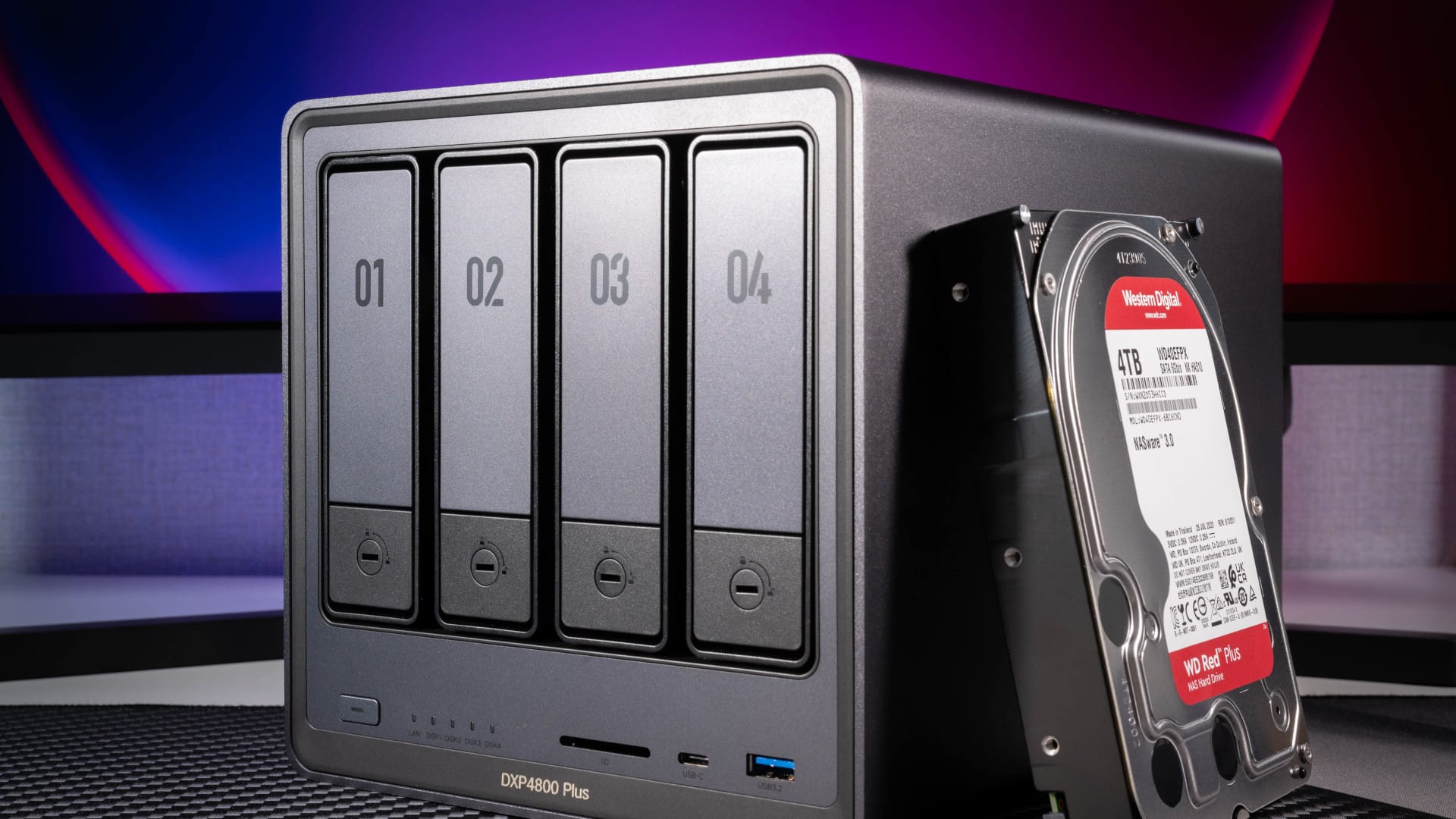
The NASync DXP4800 Plus feels robust and well-made. The housing, measuring just under 26 × 18 × 18 cm , is largely made of sturdy, matte grey aluminium, while the front and rear panels are made of plastic. The difference in materials is barely noticeable in terms of colour. UGREEN opts out of any optical gimmicks, which I personally like. This makes the NAS look professional and unobtrusive in almost any office environment.
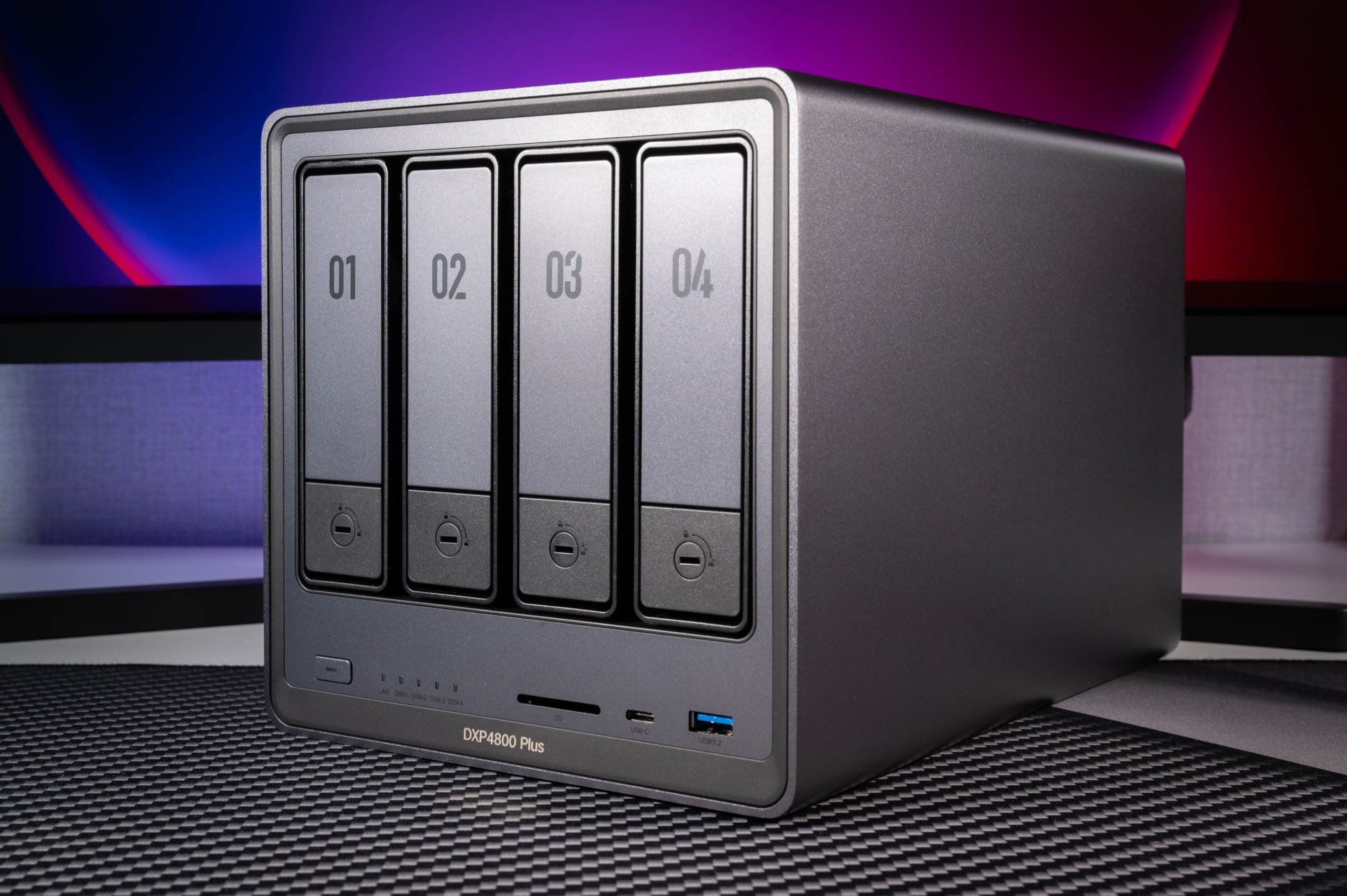
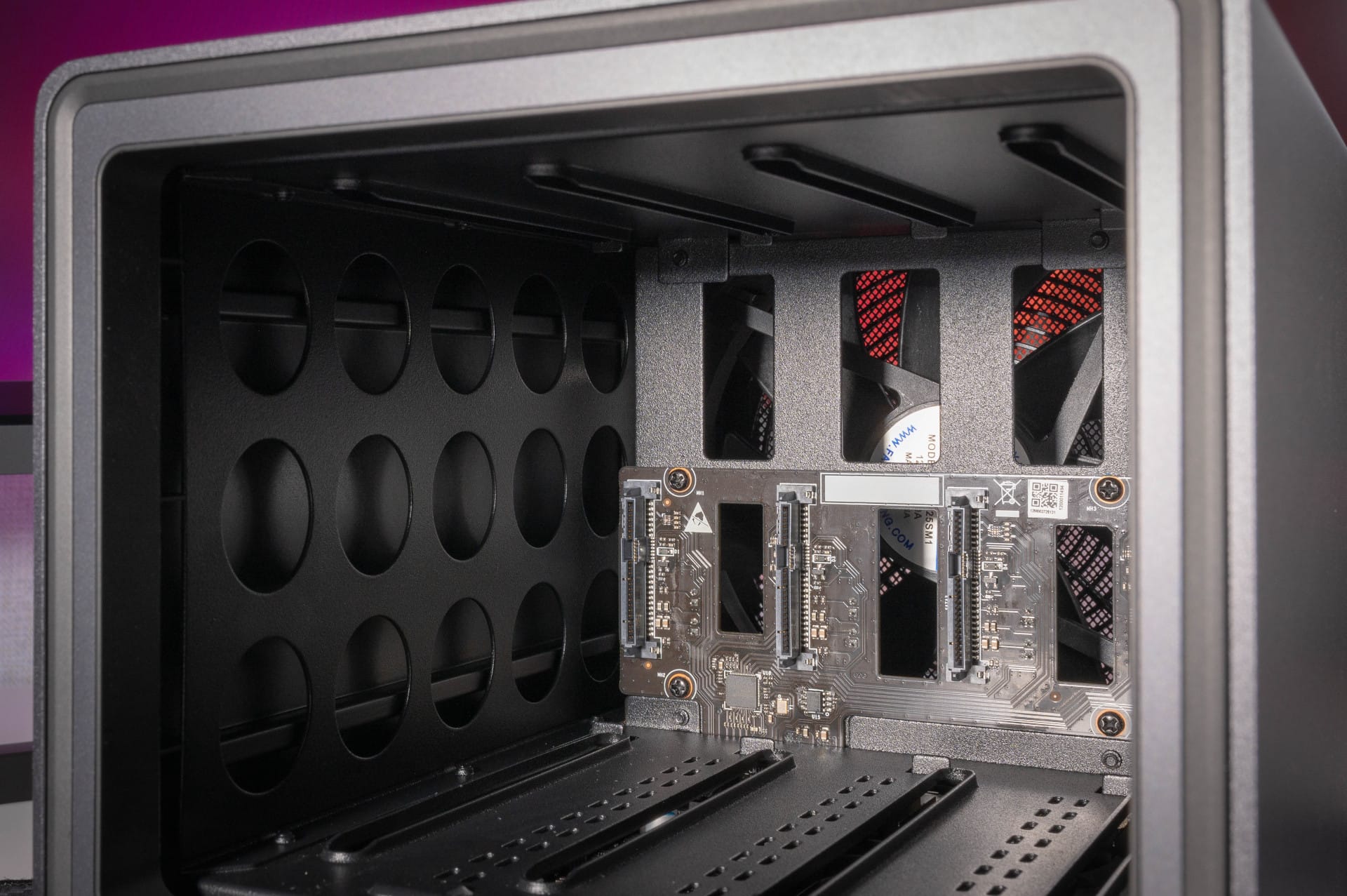
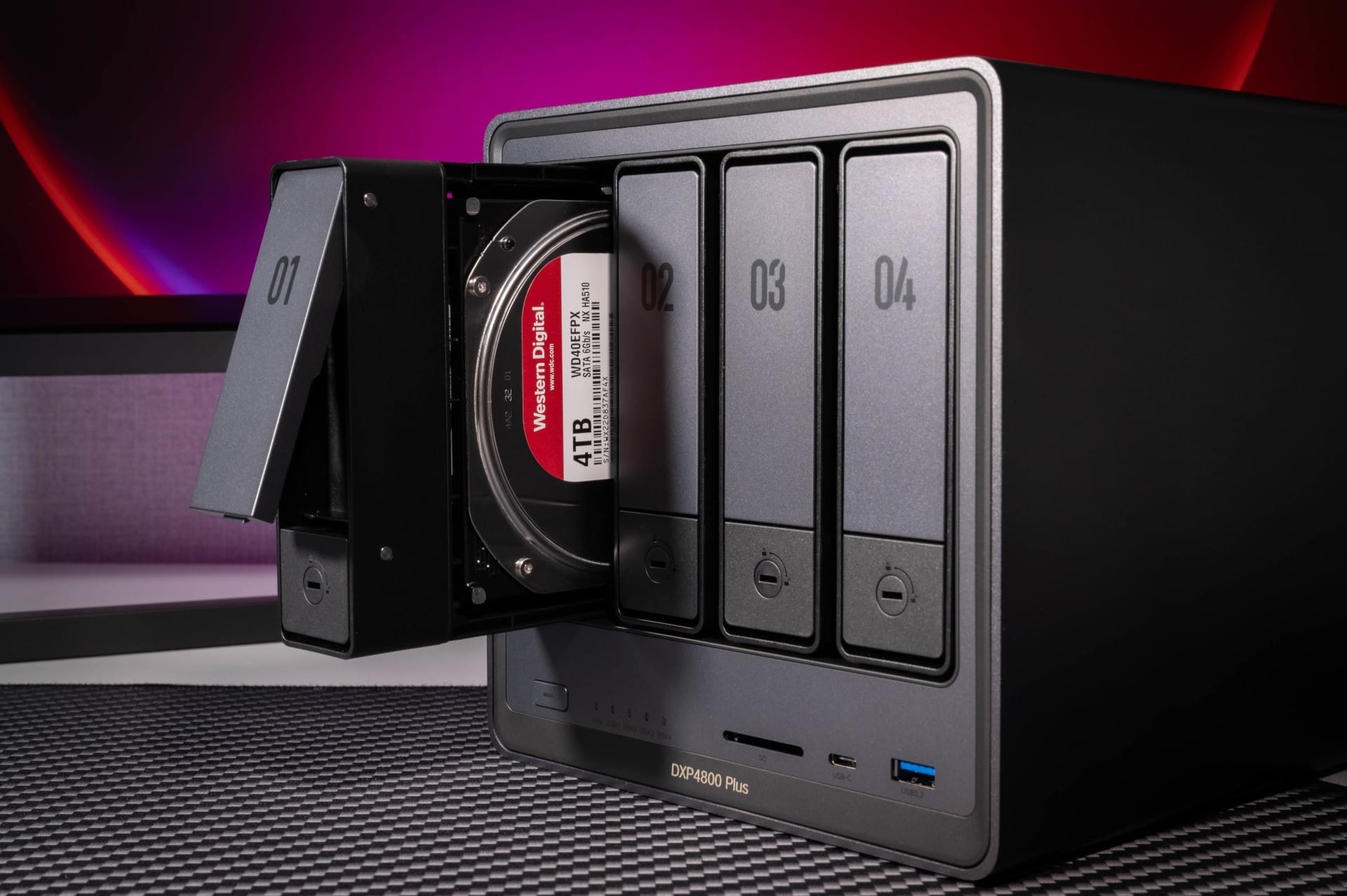
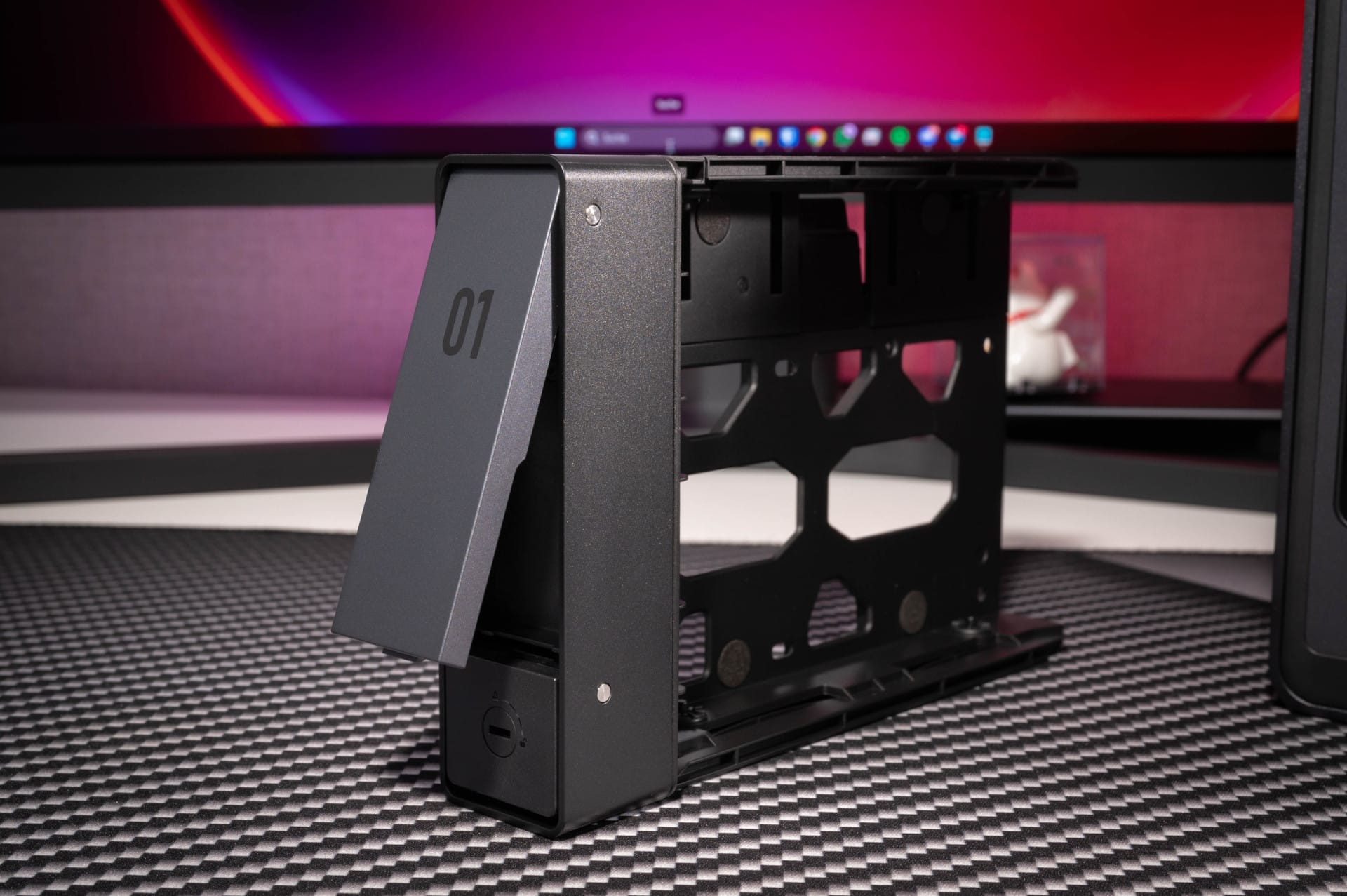
On the front are four numbered drive bays with plastic frames that can be opened tool-free with ease. For mounting 3.5-inch hard drives, it is enough to unfold the plastic holder and click the drives in. Those who want to install 2.5-inch hard drives or SSDs, however, must use screws.
However, the screwdriver included in the scope of delivery is somewhat too small and awkward for this purpose. In addition to the bays, there is an illuminated power button and status LEDs for network and drive activity on the front left. The LEDs can be switched off via software with time control if required.
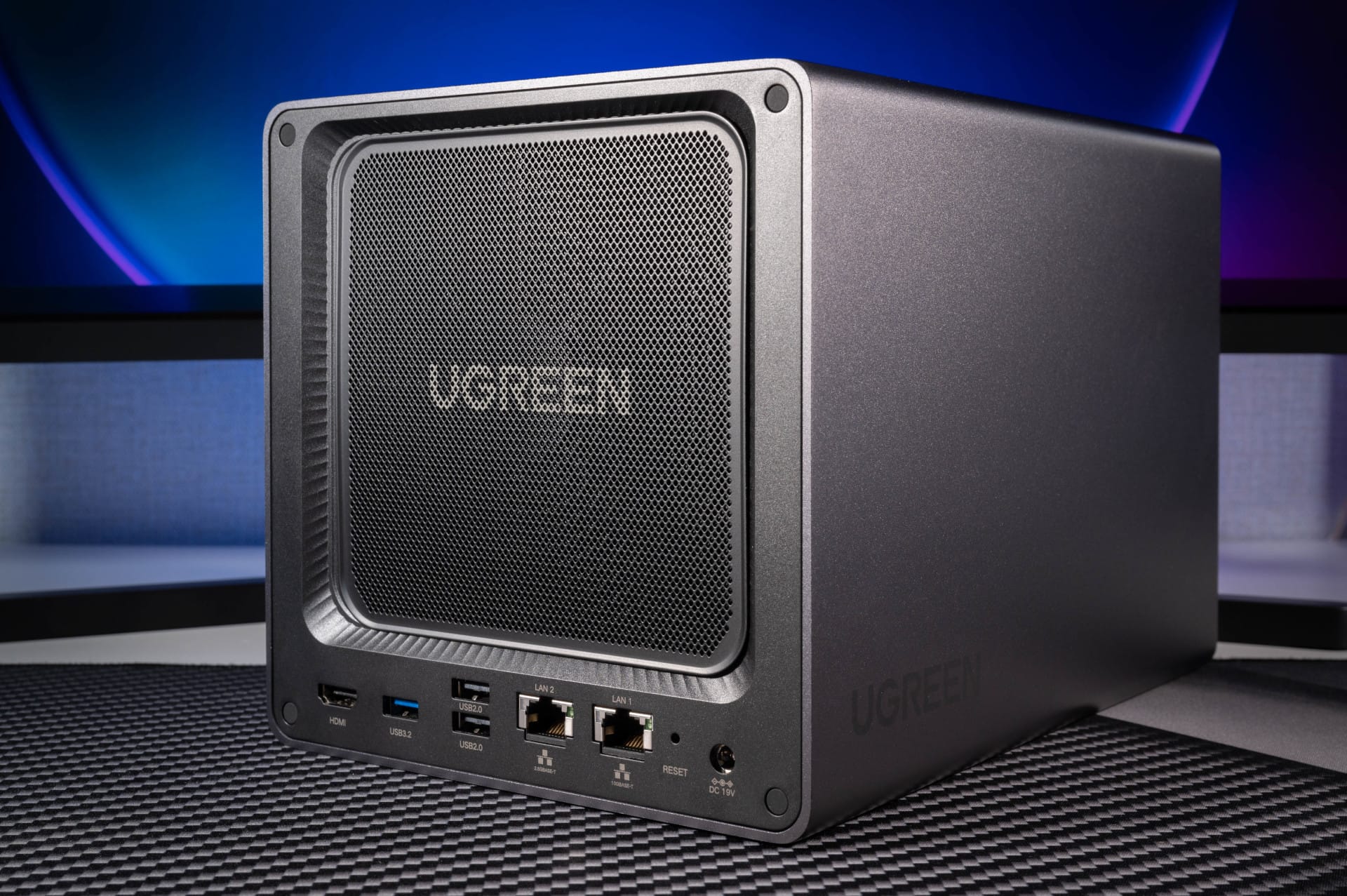
On the front, the NASync DXP4800 Plus also offers a fast USB-C port (USB 3.2 Gen2, up to 10 Gbit/s), a USB-A port (also USB 3.2 Gen2), and a SD card reader (SD 3.0). The latter is particularly practical for transferring files from mass storage directly to the NAS without having to fiddle around at the back.
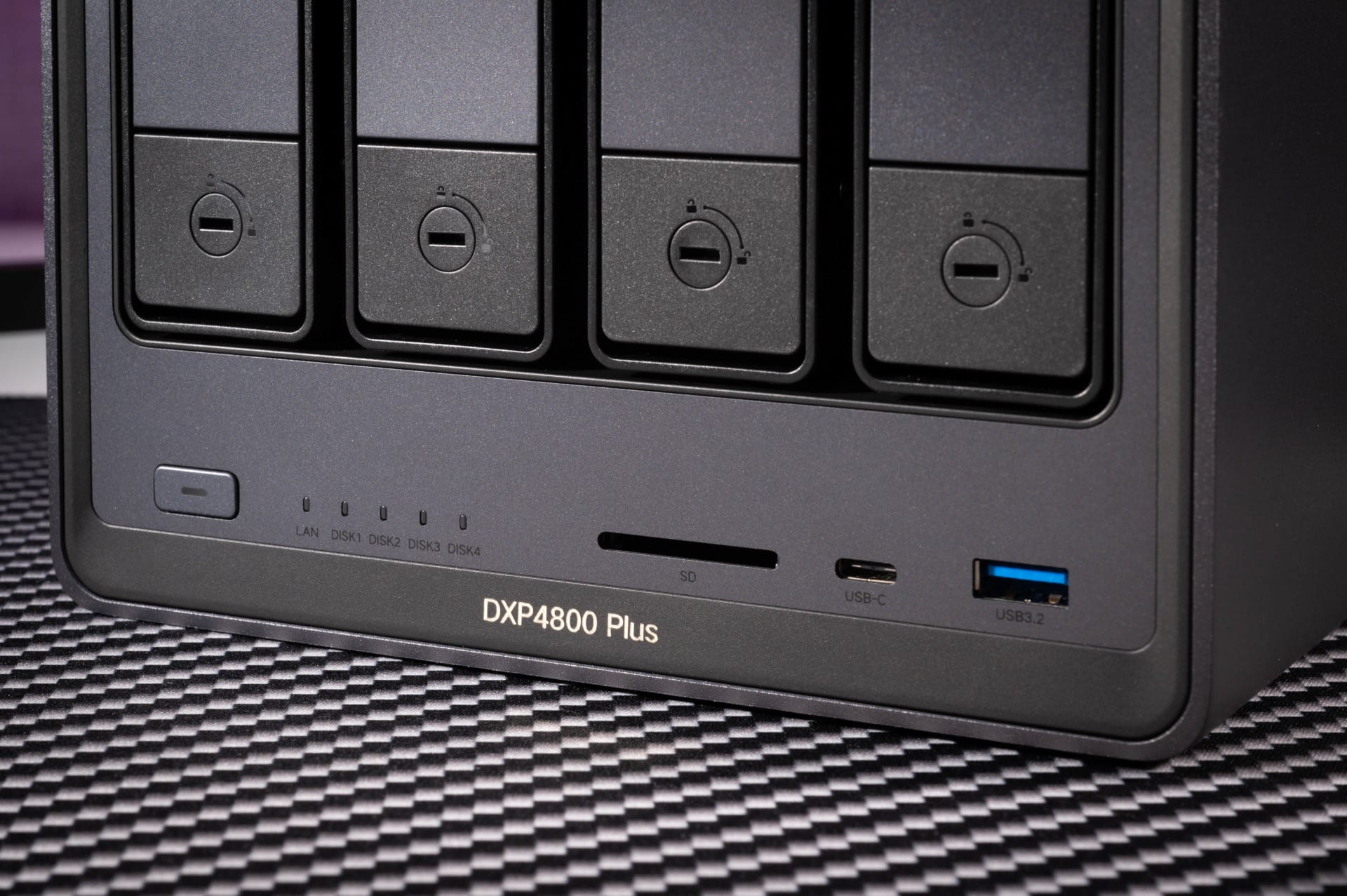
UGREEN has also given thought to the rear. There is a magnetic, removable dust filter which prevents the installed 140 mm fan from drawing excessive dust into the housing. For me, this is a clear plus, as many NAS systems often turn out to be dust magnets here. Those who want can even replace the fan completely. It is only connected via a classic 4-pin connector.
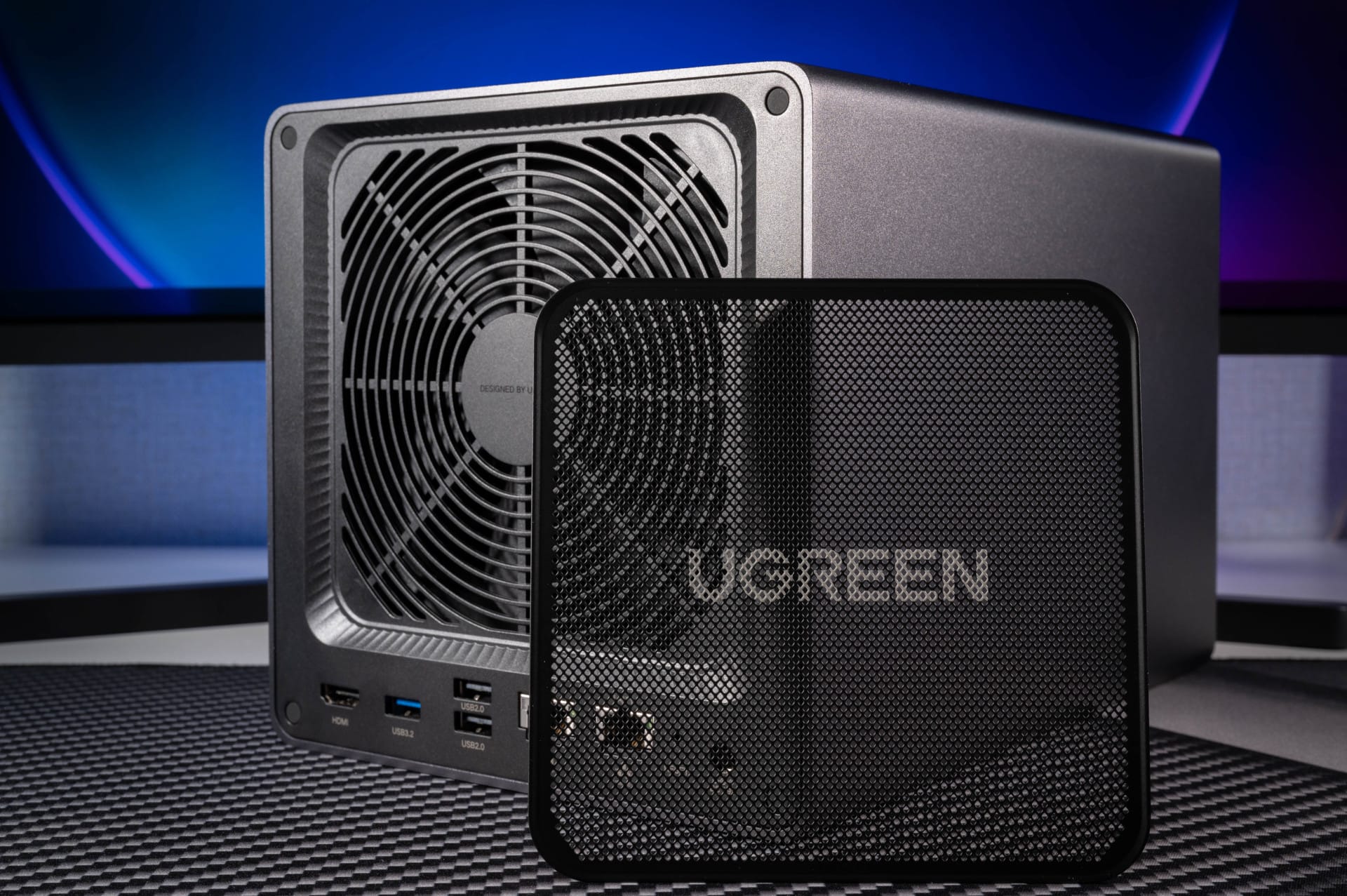
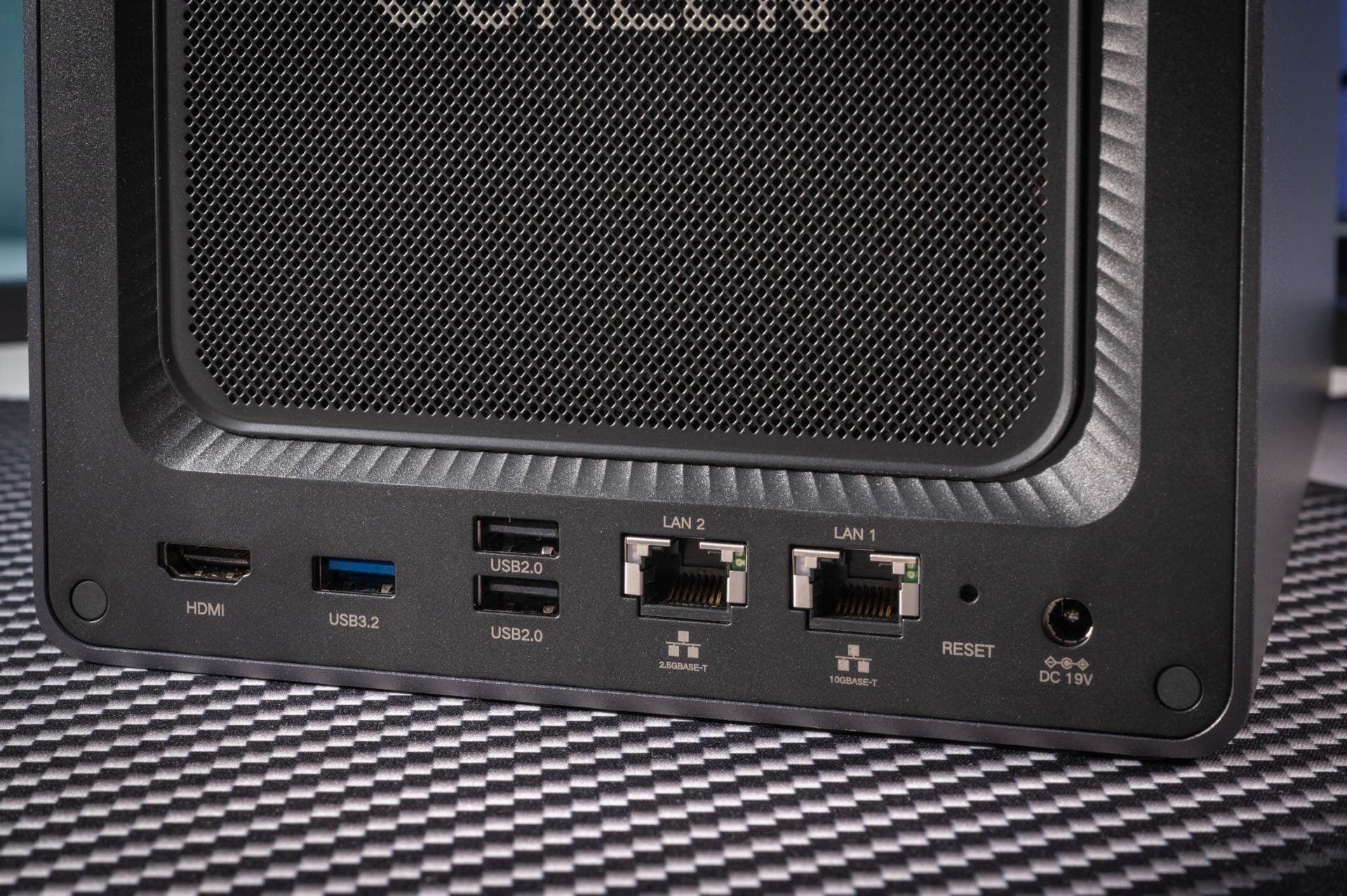
Directly beneath the fan are connectivity options, including an HDMI port for 4K at up to 60 Hz, another USB 3.2 Gen1 port and two USB 2.0 ports. A genuine added value, however, is the network connectivity. In addition to an now almost standard 2.5 Gbit/s port, an additional powerful 10 Gbit/s port is available.
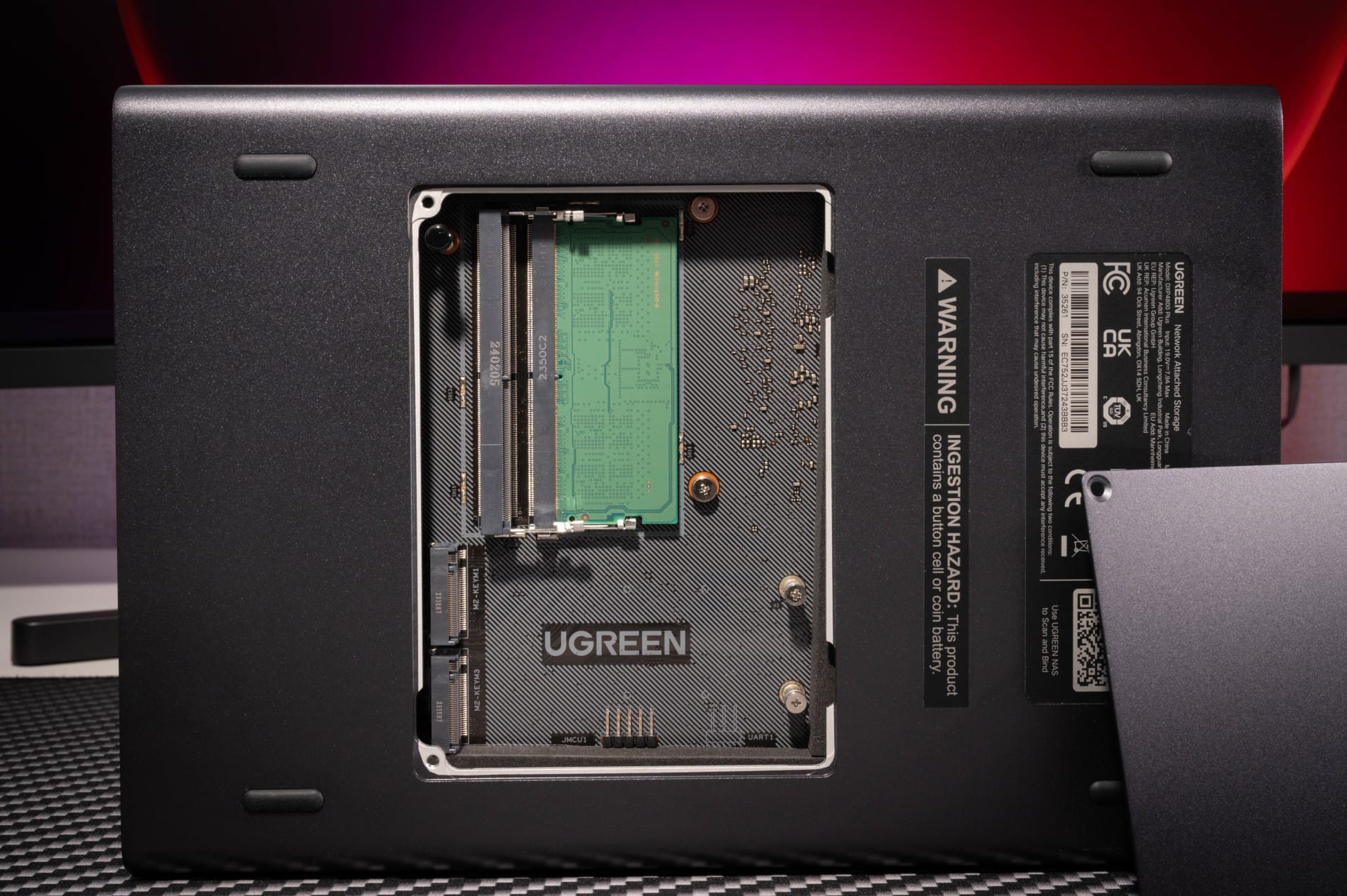
On the underside of the NASync DXP4800 Plus, a small flap conceals the two M.2 slots and two DDR5 SO-DIMM slots, one of which comes standard with 8 GB. The memory can be expanded to up to 64 GB. The M.2 slots support NVMe SSDs (2280), which can be used either as cache or as additional storage. By the way, the UGOS operating system itself is located on a 128 GB M.2 SSD. However, you can only access it if you take the housing further apart.
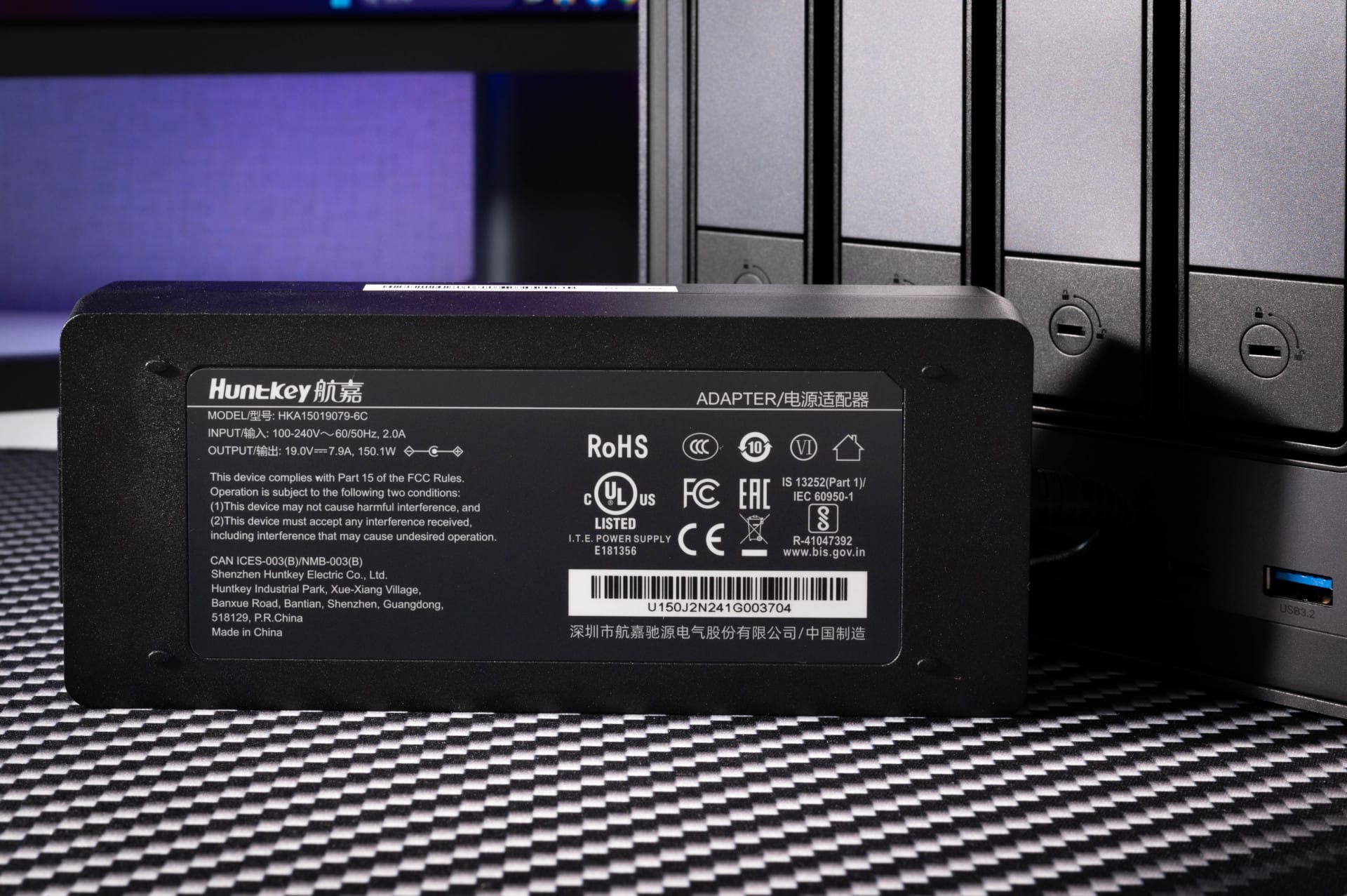
The delivery scope includes, in addition to the NAS itself, an external HuntKey power supply unit (150.1 watts), two network cables, two keys for locking the hard drive bays, a small screwdriver, and two thermal pads designed to improve cooling for optional M.2 SSDs.

NASync DXP4800 Plus: Software & User Interface
In terms of software, the NASync DXP4800 Plus uses the proprietary UGOS operating system. This is based on Debian 12 (Linux) and is managed via a modern web interface.
When the NASync series launched in spring 2024, UGOS in particular was heavily criticised. Many features were missing or prone to bugs, and UGREEN could not keep up in a direct comparison with Synology DSM or TrueNAS. Meanwhile, some months have passed and UGOS is significantly more mature, stable and extensive. But first things first.
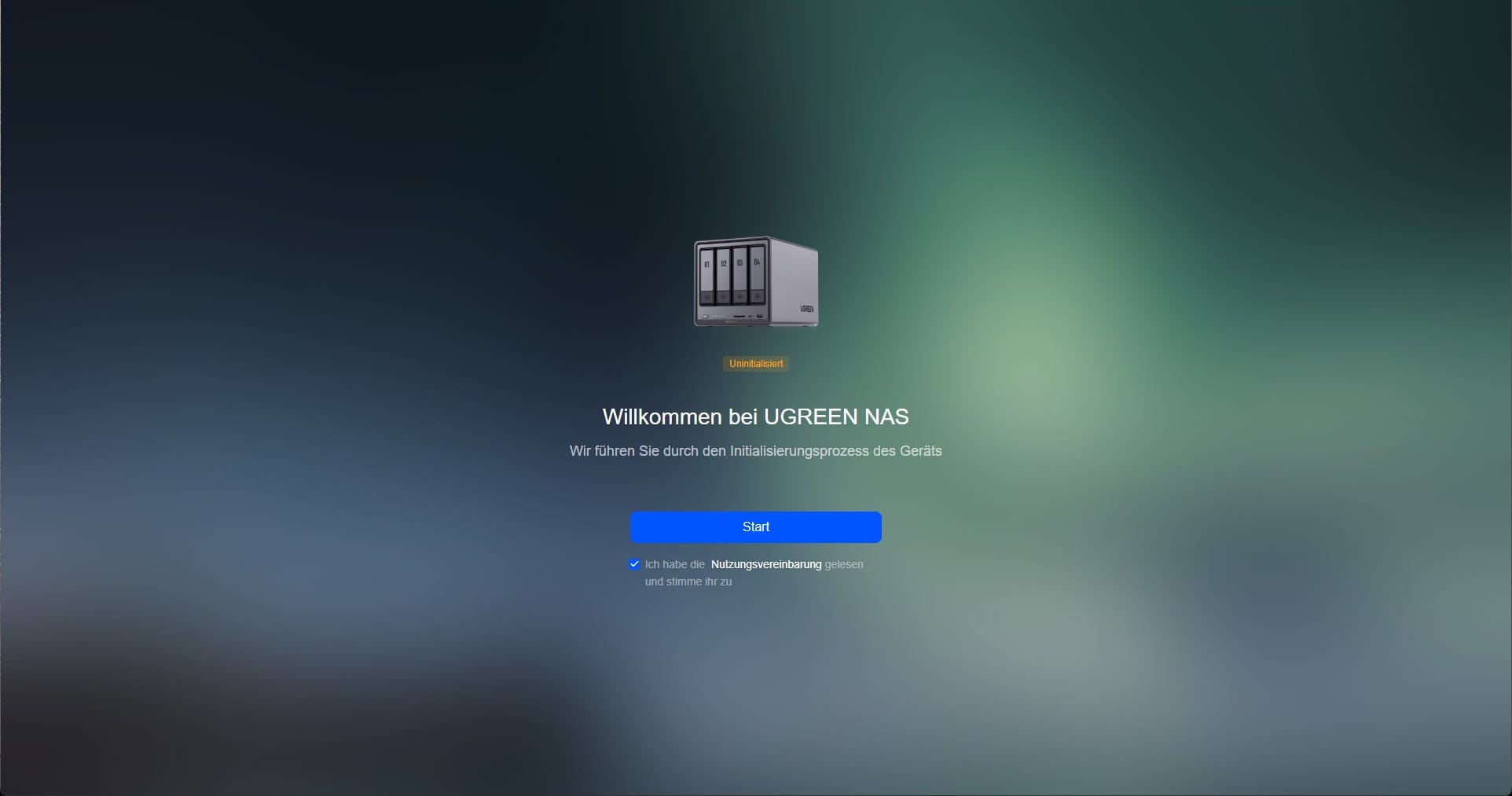
Setup and user interface
Initial setup is pleasingly easy. After the first start, a setup assistant guides you through the basic settings, including creating a RAID array, network configuration and user management. Those familiar with other NAS operating systems will quickly find their way around. The interface is clearly structured and visually reminiscent of Synology DSM or QNAP QTS. Icons are large, menus are logically organised, and the most important settings are accessible with just a few clicks.
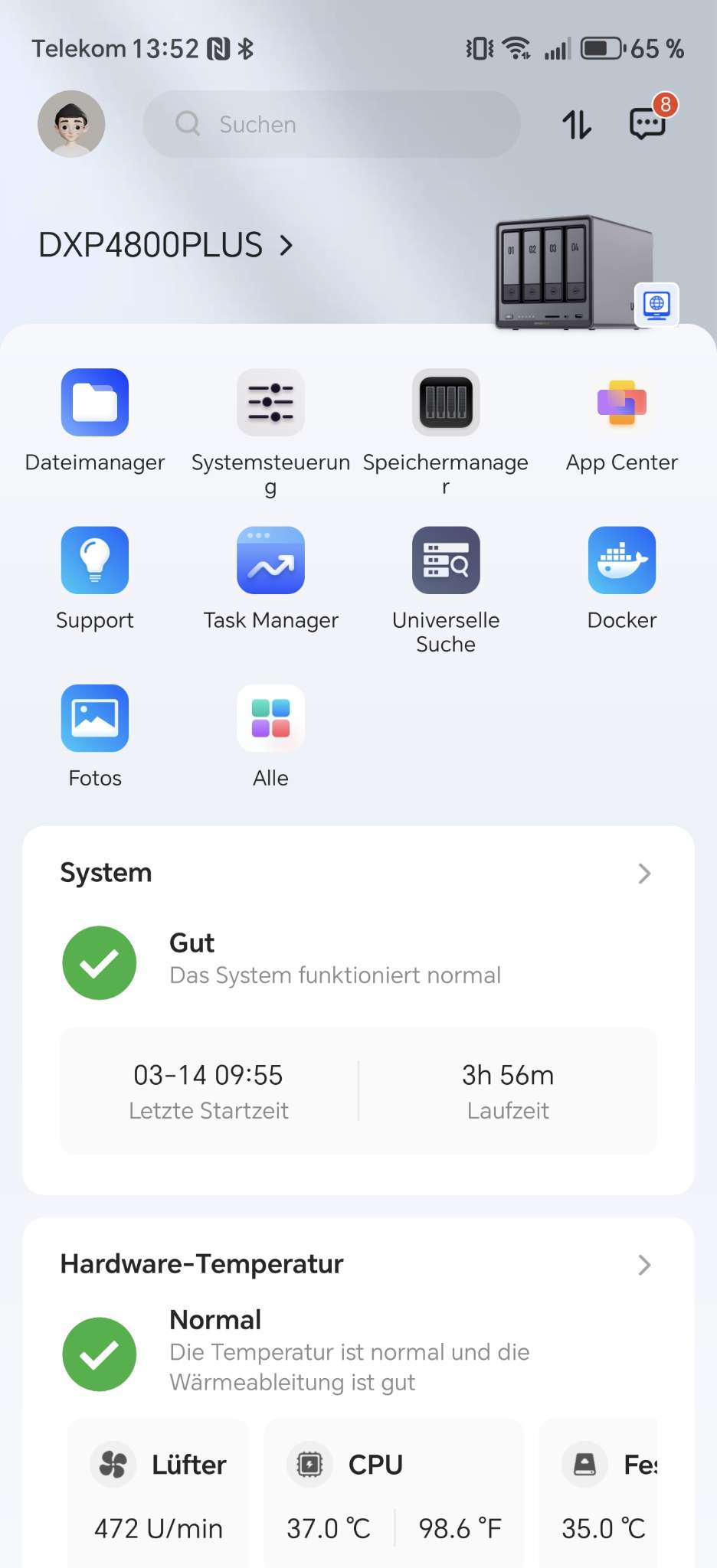
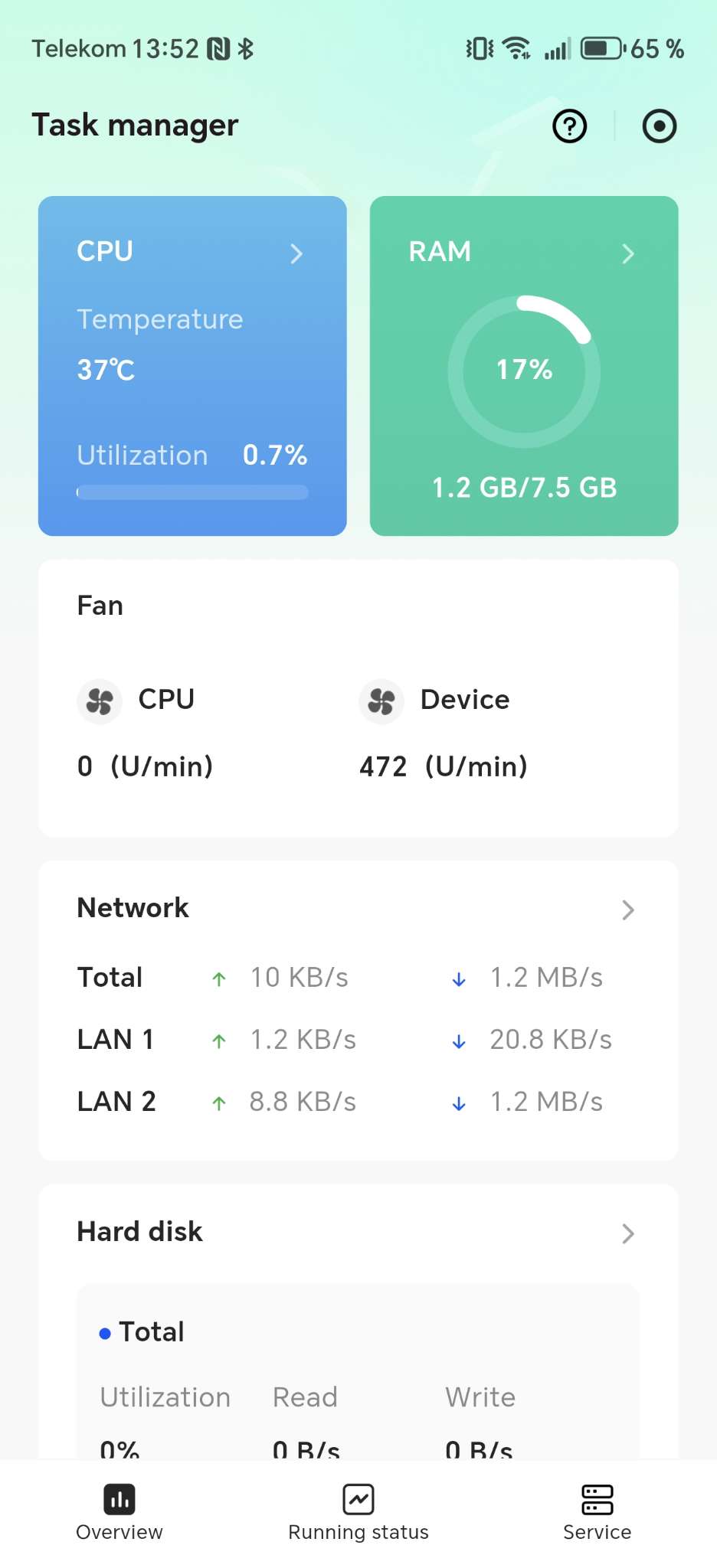
Control is via the web interface, which is accessed through the browser on the local network. In addition, there is the UGREEN NAS App for Android and iOS, which allows the NAS to be managed from a smartphone or tablet. The app covers almost all functions of the web interface, including user management, file transfers and system monitoring. Remote access via UGREENlink is also integrated, so the NAS is accessible on the go without having to manually configure port forwarding or VPN connections.

Window system and user experience
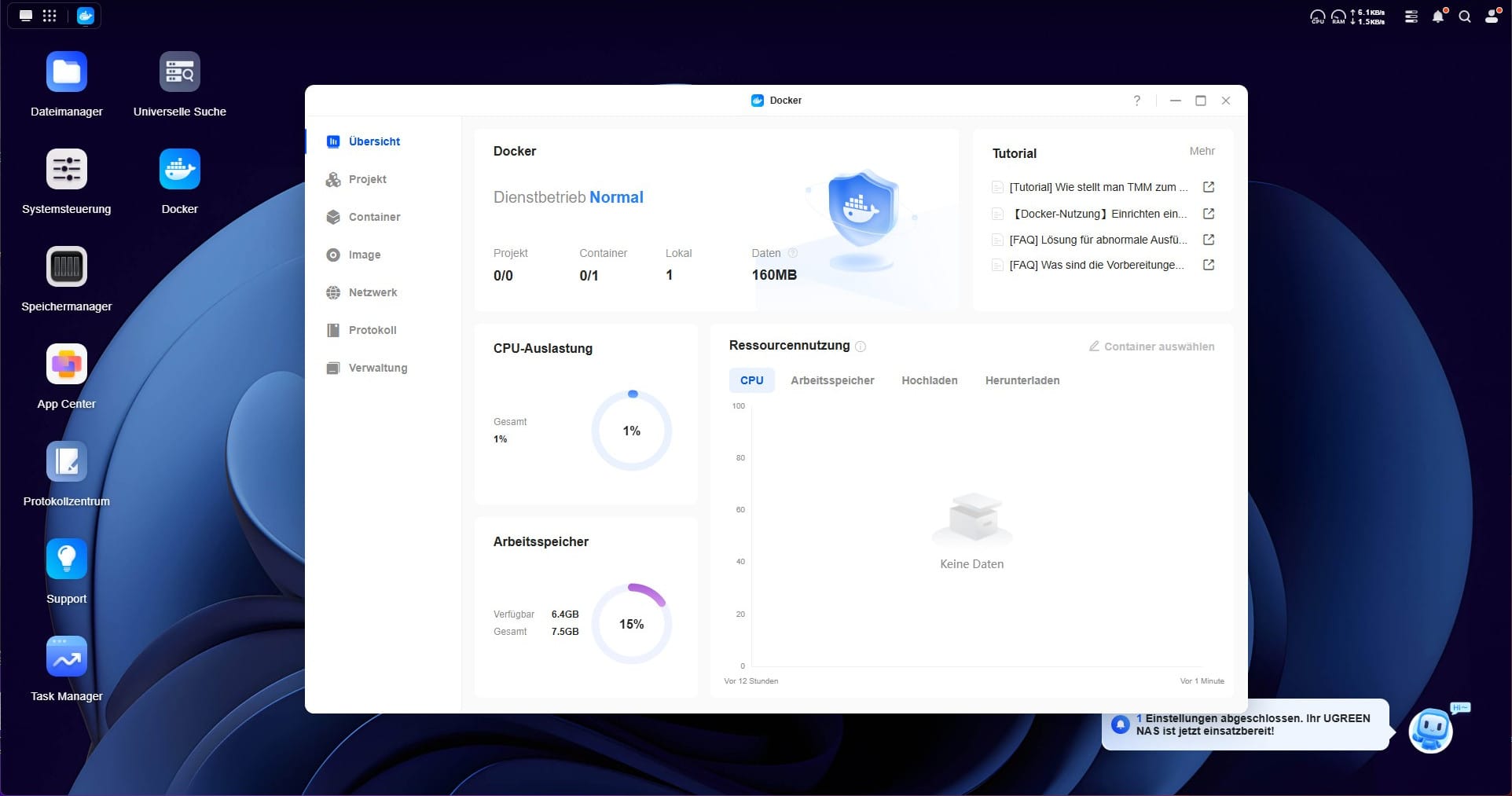
Like DSM and QTS, UGOS relies on a classic window view, offering a desktop-like experience directly in the browser. Users can open multiple applications in parallel, move windows, minimize them and resize them. This makes the operation feel less like a classic web interface and more like a full operating system with real multitasking.

The performance of the web interface is generally smooth and fast. However, slight delays can occur when a very large number of windows are open simultaneously, especially if the NAS is processing RAID synchronisations or large file transfers in the background. There is still room for optimisation here, as systems such as Synology DSM often remain more responsive in such situations.
Features and app offer
Much has happened in the App Center since launch. While the selection was initially sparse, UGREEN now offers a wide range of applications. Particularly pleasing is the integration of Docker, which allows almost any container application to be run on the NAS. Popular applications such as Jellyfin, Home Assistant, qBittorrent (for torrents) and various backup tools are also included.

Also new are the virtualisation features. The NASync DXP4800 Plus now supports creating and managing virtual machines (VMs). This allows complete operating systems, from Windows to Linux, to be run within the NAS. The implementation is fundamentally successful, but there is still room for improvement. Performance and feature set are not quite on the level of well-known virtualisation platforms such as Proxmox.
File systems and memory management
One plus point is the support of Btrfs as a file system. This offers some advantages over ext4, including integrated snapshots, Copy-on-Write (CoW) and improved data integrity. In combination with classic RAID levels such as RAID 0, 1, 5, 6 and 10, individual storage solutions can be implemented.
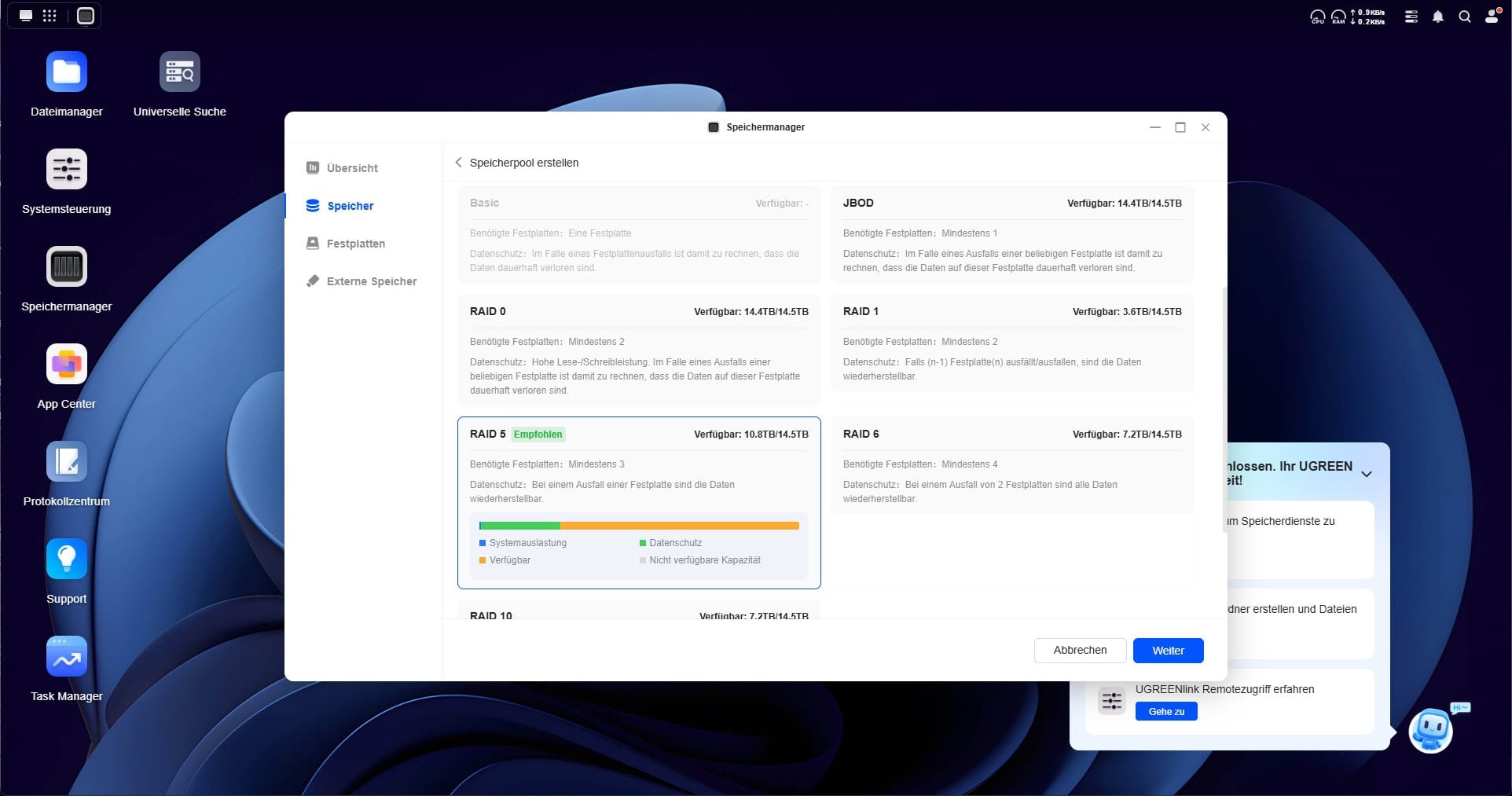
The snapshot function is useful, allowing the state of the file system to be saved at a specific point in time. If a file is accidentally deleted or overwritten, or if the system is infected with ransomware, the user can simply revert to an earlier snapshot.
One disadvantage compared to NAS operating systems, such as TrueNAS, is that UGOS does not support ZFS. The file system offers some additional advantages, including particularly strong data integrity and advanced RAID options. So if you specifically rely on ZFS functions, you have to switch to a different operating system.

This is actually quite easy, because TrueNAS, Unraid and many other NAS systems are very simple to install. However, UGOS should definitely be backed up. So far, UGREEN does not provide an image for reinstalling UGOS!
Management of hard drives and SSDs is carried out via storage management in the web interface. Here, storage pools can be created, RAID arrays configured and the SMART values of the drives read out. Use of the two M.2 slots as SSD cache is also supported to optimise the NAS's read and write speeds.
Network and protocol support
UGOS Pro supports a wide range of network protocols, including:
- SMB (Windows file sharing)
- NFS (Linux/Unix network shares)
- FTP and FTPS for classic file transfers
- Rsync for incremental backups to other servers
- WebDAV for use as cloud storage
- SSH and Telnet for terminal access
- UPnP and Bonjour for automatic detection on the network
IPv6 support for DDNS has been added retrospectively, making it easier to make your dynamic IP address accessible.
User management and security
User management in UGOS is clear and allows for detailed assignment of access rights. Administrators can set specific permissions for individual user groups, such as access to certain directories or applications. Time-based permissions are also possible, which is particularly advantageous in office environments or on shared devices.
An area that still has room for improvement is two-factor authentication (2FA). UGOS now supports 2FA, but only via external authenticator apps. Deeper integration or alternative 2FA methods such as hardware-based security keys (e.g. YubiKey) are currently missing.
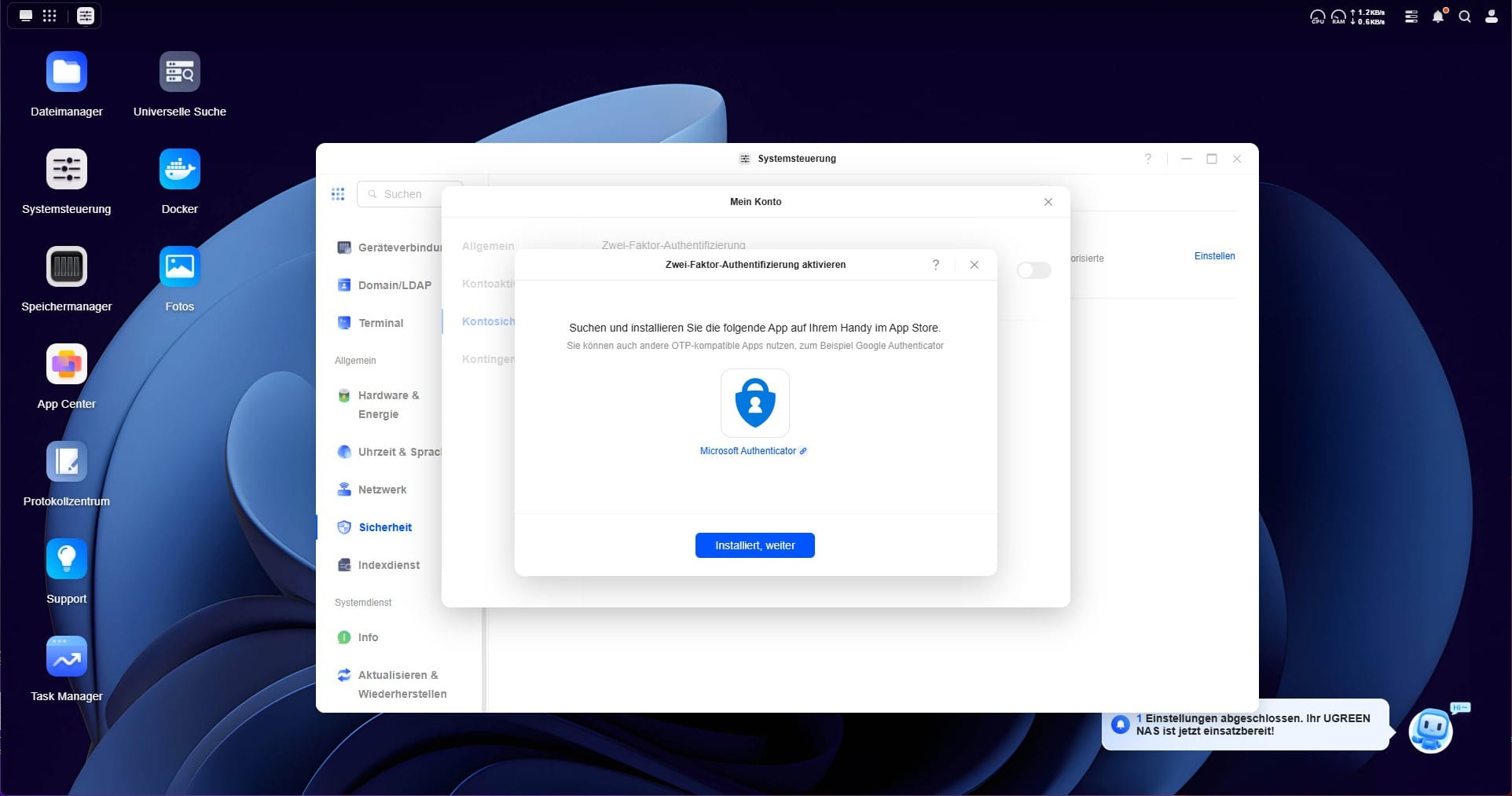
Furthermore, native encryption for stored files is missing. While NAS systems from Synology or TrueNAS offer functions to encrypt individual directories or entire volumes, UGOS stores all data in plain text on the hard drives. This means that in the event of physical access or after the drives are removed, all stored data can be read without additional authentication. This is a decisive disadvantage, especially for companies or users with sensitive data. Third-party encryption solutions can be used, but direct system integration would be more convenient.
Notification system and log management
UGOS offers a well-structured notification system that informs users about important system events. This includes notifications about new updates, hard drive issues or RAID synchronisations. Notifications can be received both in the web interface and via email. Detailed log management also allows for the tracking of changes and system events.
NASync DXP4800 Plus: Power & Performance
I tested the UGREEN NASync DXP4800 Plus in various scenarios to check the network and system performance. The tests were conducted with a Fritzbox 7590 (1 Gbit LAN) and a direct connection to a PC (2.5 Gbit LAN).
Since the NAS does not have a Thunderbolt 3 or Thunderbolt 4 port, a direct peer-to-peer connection with a Mac or PC was not possible. However, the two larger models, DXP6800 Plus and DXP8800 Plus, support Thunderbolt 4, so they can be used as Direct Attached Storage (DAS).
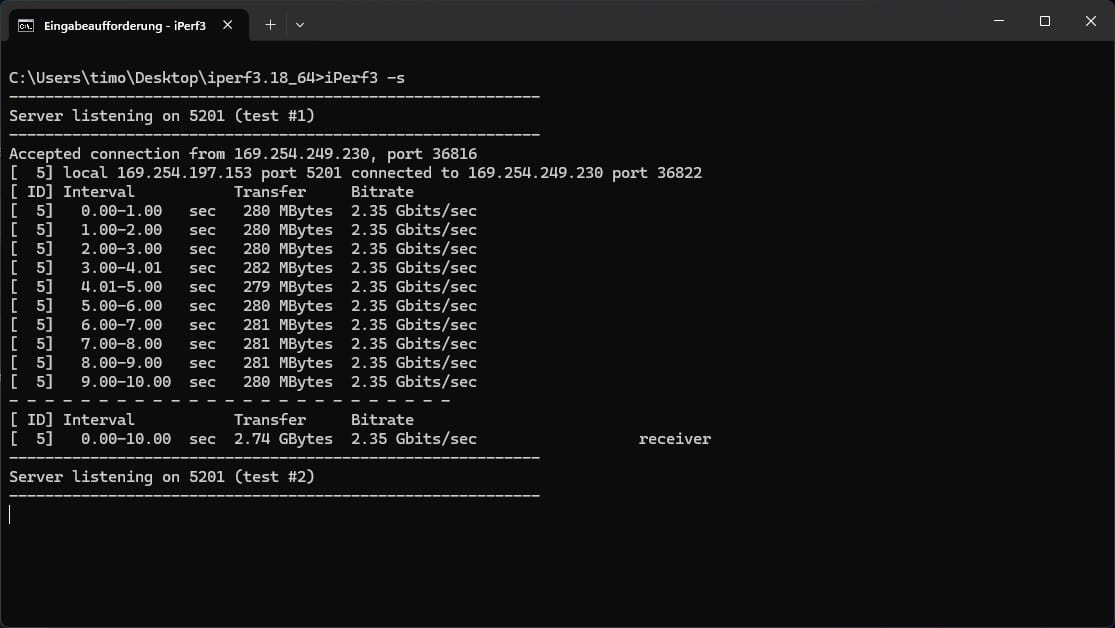
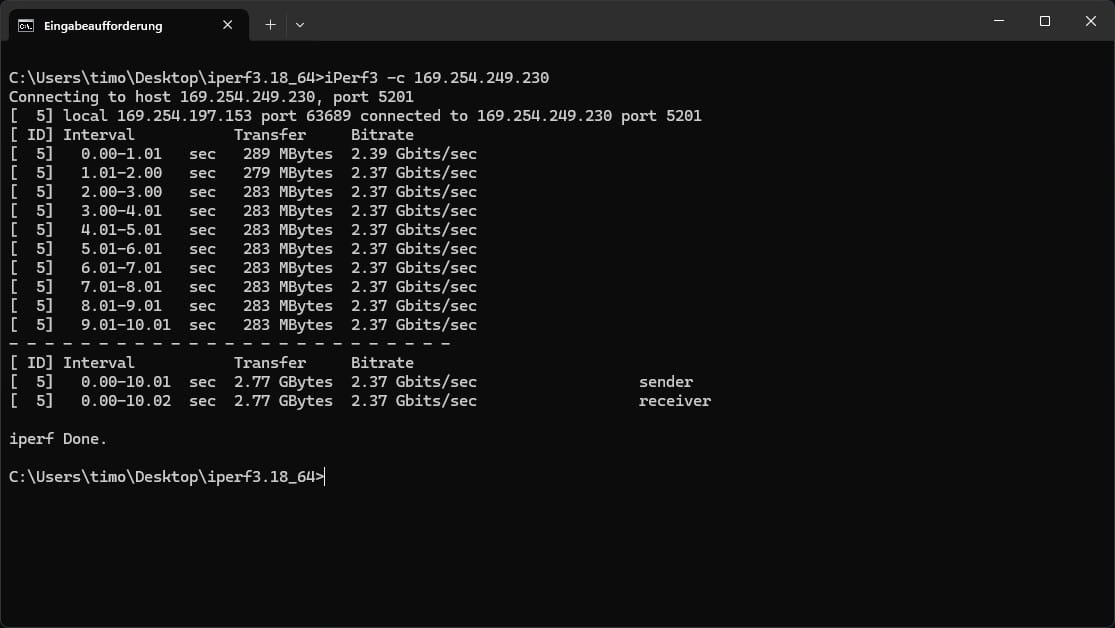
For the measurements, we used CrystalDiskMark, NASTester, iPerf3 and a real data transfer of edited video material. Both read and write speeds were tested. The NAS fully utilised the bandwidth of the 1 Gbit and 2.5 Gbit network ports. In the 1 Gbit configuration, transfers achieved a stable 112 MB/s, while around 280 MB/s was achieved via the 2.5 Gbit port.
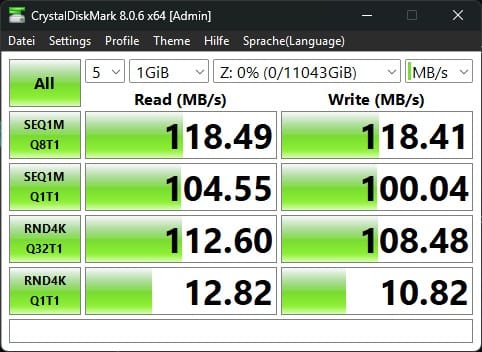

Additionally, the NAS has a 10 Gbit network connection, which theoretically enables significantly higher transfer rates. However, as no suitable 10 Gbit infrastructure was available during testing, this figure could not be verified.
CPU performance & system load
The NASync DXP4800 Plus is powered by an Intel Pentium Gold 8505 processor with 5 cores and 6 threads. The maximum clock speed is 4.4 GHz, placing the CPU performance-wise between the NAS CPUs from Synology and QNAP. Unlike the Intel Celeron processors often used there, the Pentium Gold 8505 offers higher single-core performance, which is particularly advantageous for database queries, Docker containers and virtualisation.

To test the computing power, various workloads were executed:
- Docker containers (Home Assistant, qBittorrent, Jellyfin, Pi-hole)
- Plex transcoding (4K H.265 → 1080p H.264)
- iPerf3 network load with parallel file transfers
- Virtualisation performance with a Debian VM
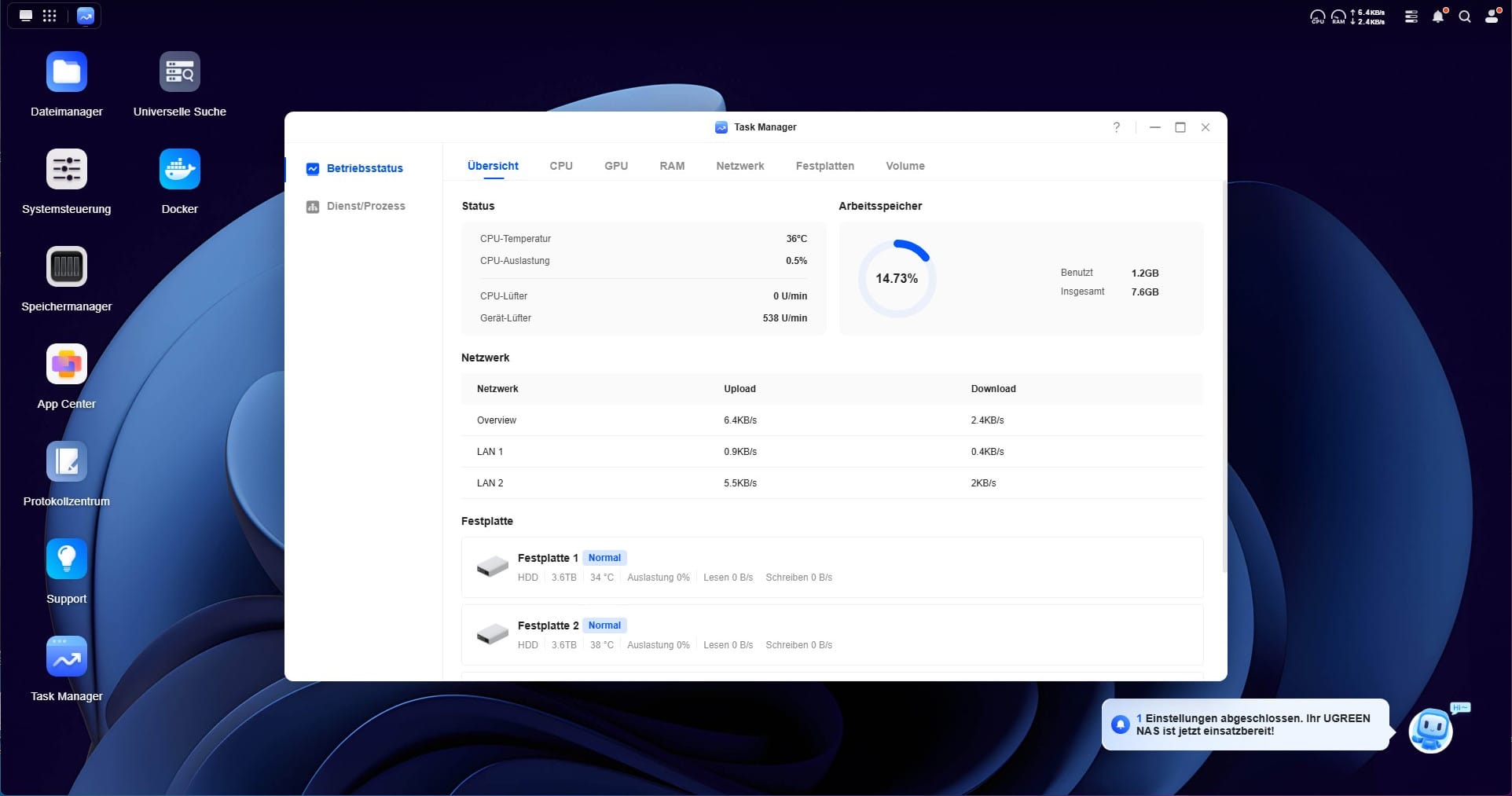
The results show that the NAS with hardware transcoding enabled is certainly capable of processing individual 4K streams directly, provided the source material is passed through in its original format or efficiently converted using QuickSync. The integrated Intel UHD graphics of the Pentium Gold 8505 support QuickSync, meaning hardware-accelerated transcoding, such as from 4K H.265 to 1080p H.264, is fundamentally possible. However, performance is limited compared to modern Intel Core processors with more powerful iGPUs. For Plex or Jellyfin users who frequently transcode multiple streams, a more powerful model with better GPU or CPU specs might therefore be more suitable.
Performance with Docker containers was, however, solid. Even with several containers running in parallel, CPU utilisation remained moderate and the system continued to react smoothly. A Debian VM with 2 assigned cores also ran stably, but at least 4 or 6 cores should be available for productive virtualisation purposes.
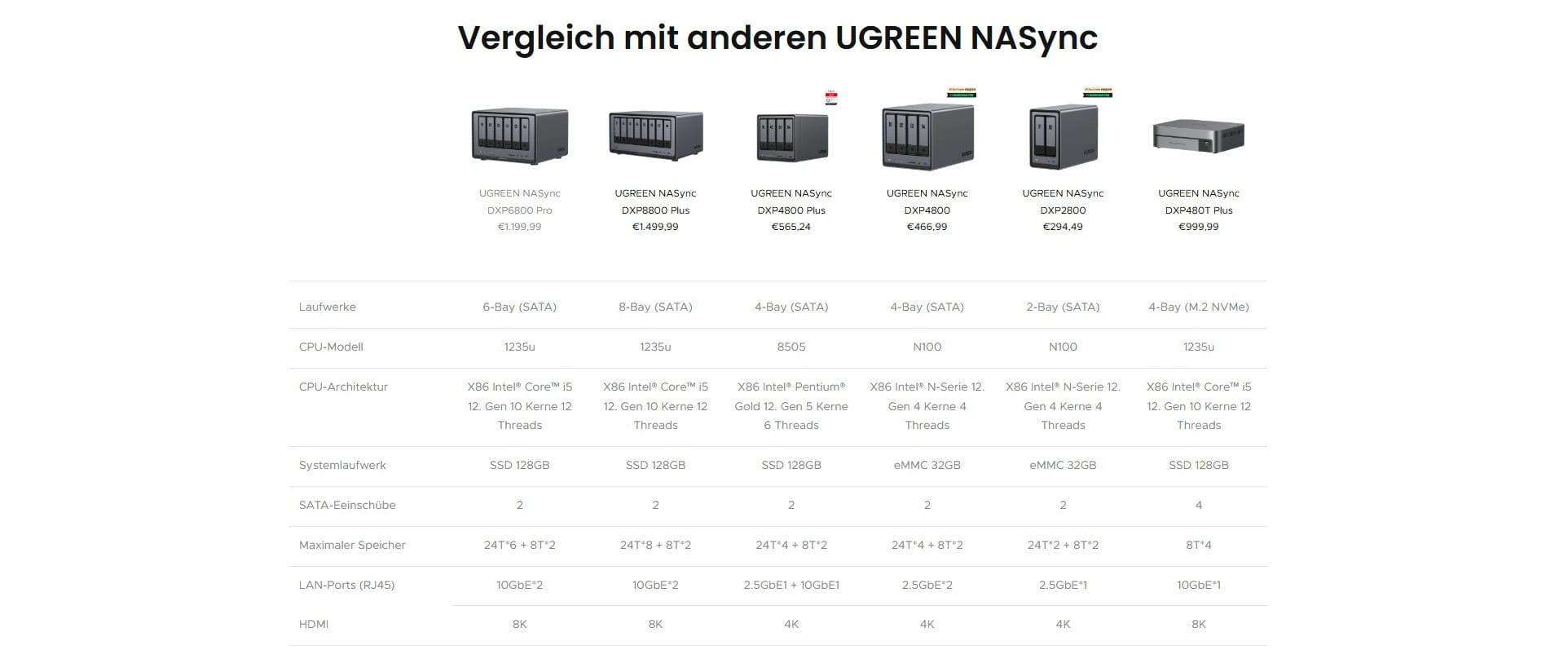
The CPU is therefore more than sufficient for classic NAS tasks. However, for virtualisation, many parallel containers or compute-intensive workloads, one should consider whether a model with a more powerful CPU (e.g. Intel Core i5 in the larger UGREEN models) would be more suitable.
RAID performance & setup times
The NAS was equipped with four WD Red Plus 4 TB HDDs and configured in a RAID 5 array. The initialization and optimization of the RAID 5 took about 9 hours before the system was ready for operation. During this time, the NAS remained usable, albeit with limited write performance.
Particularly in comparison to Synology and QNAP, it is worth noting that UGREEN does not offer its own flexible RAID management like Synology SHR. This means that when combining HDDs with different capacities, only the smallest drive is used as the reference size. Therefore, if you combine a 12 TB and an 8 TB HDD, for example, you lose the excess storage capacity.

Power consumption & volume
The power consumption of the NAS depends heavily on the load and the drives installed. With four active HDDs, an average consumption of around 35 watts at idle and about 65 watts under load (data transfer / synchronisation) was measured in the test. In standby mode (with inactive HDDs), consumption dropped to about 22 watts.
Noise levels also depend heavily on the hard drives. The installed WD Red Plus 4 TB drives were barely audible during operation, with only occasional access noises noticeable. The 140 mm fan runs pleasantly quietly, but speeds up under load, remaining largely unobtrusive overall.
Our verdict
UGREEN is increasingly positioning itself as a serious competitor to Synology and QNAP. The hardware of the NASync DXP4800 Plus impresses with a high-quality case, fast network connectivity (2.5G & 10G), M.2 SSD caching and upgradable DDR5 RAM up to 64 GB. The choice of an Intel Pentium Gold 8505 instead of a weaker Celeron processor shows that UGREEN has designed the NAS not just for pure file storage, but also for virtualisation, Docker and multimedia applications.
UGREEN's operating system UGOS has also made noticeable progress in recent months. The system is not only more comprehensive, but also runs significantly more stable and smoothly in everyday use. Many features that were initially missing have since been added, reducing the gap with the major NAS manufacturers. However, some features that users expect from Synology or TrueNAS are still missing, most notably ZFS support, flexible RAID options such as Synology SHR, and native encryption of stored data. A major plus here is the openness of the system. Those who do not want to work with UGOS, perhaps because one or two features are still missing, can easily install another NAS operating system such as TrueNAS or Unraid.
Overall, UGREEN offers a very fair price-performance ratio here. You get powerful and expandable hardware with good network performance and continually improving software. Anyone looking for a flexible and future-proof NAS with good performance will find a strong alternative to the established manufacturers with the NASync DXP4800 Plus.
Specifications
General
- SKU
- 35261
- Model
- DXP4800 Plus
- Operating system
- UGOS Pro (Linux-based)
- Dimensions (H×W×D)
- 178 x 178 x 257 mm
- Weight
- 4.3 kg
Processor
- CPU
- Intel Pentium Gold 8505
- Architecture
- Alder Lake
- Cores/threads
- 5 cores (1 P-core at 4.4 GHz, 4 E-cores up to 3.3 GHz), 6 threads
- Cache
- 8 MB
Storage
- RAM
- 8 GB DDR5 4800 MHz (SO-DIMM, expandable up to 64 GB)
- Flash storage (system drive)
- SSD 128 GB
- Maximum storage
- Up to 88 TB (4×22 TB HDD) + 8 TB (2×4 TB NVMe)
Drive bays
- SATA bays
- 4
- M.2 SSD slots
- 2 (NVMe PCIe 4.0)
Supported drives
- 3.5" SATA HDD
- 2.5" SATA HDD
- 2.5" SATA SSD
- M.2 2280 NVMe SSD
RAID functions
- Modes
- Single/JBOD, RAID 0, 1, 5, 6, 10
- SSD cache
- Optional (read/write)
- Automatic RAID recovery
- Available
- Hot Swap
- Yes
- File systems
- ext4, Btrfs
Network
- 1x 10-gigabit Ethernet
- 1× 2.5 GbE Ethernet
Ports
- Front
- 1× USB 3.2 Gen 2 Type-A, 1× USB 3.2 Gen 2 Type-C (10 Gb/s each)
- Rear
- 1× USB 3.2 Gen 1 Type-A (5 Gb/s), 1× USB 3.2 Gen 2 Type-C
- SD card reader
- SD 3.0
- HDMI
- 4K output
Power consumption
- Power supply
- external, 150.1 W (HuntKey, HKA15019076)
- Input voltage
- 100–240 V
- Output
- 19 V, 7.9 A
Power consumption
- Operation
- ~50 W
- HDD idle
- ~25 W (with 4× WD RED Plus 4 TB)
What’s included
1x UGREEN NASync DXP 4800 Plus 2 x RJ45 cables 1 x screwdriver 12 x spare screws for the SSD cover 2 x cooling pads for M.2 SSDs 2 x HDD keys 1 x HuntKey 150.1W power supply 1 x user manual
Price comparison
| Store | Price | Link |
|---|---|---|
| Amazon | 519,98 € | Go to store |
Price history
| Store | Price | Link |
|---|---|---|
| Amazon | 322,98 € | Go to store |



Comments (4)
Hi Timo, I've bought the device and now want to upgrade the RAM. Do you have any recommendations for me?
Hi Peterle, I have installed two Crucial DDR5 RAM 32GB 5600MHz SODIMMs. It runs great. Regards, Timo
Naturally, the 8505 has QuickSync, as does the even smaller N100.
Thanks for the tip, you are right, according to the datasheet the 8505 has QuickSync, just like the N100. However, in the test I could not observe active use of the GPU, e.g. via intel_gpu_top. This may have been due to the Plex configuration or missing VAAPI integration. I will take another look.