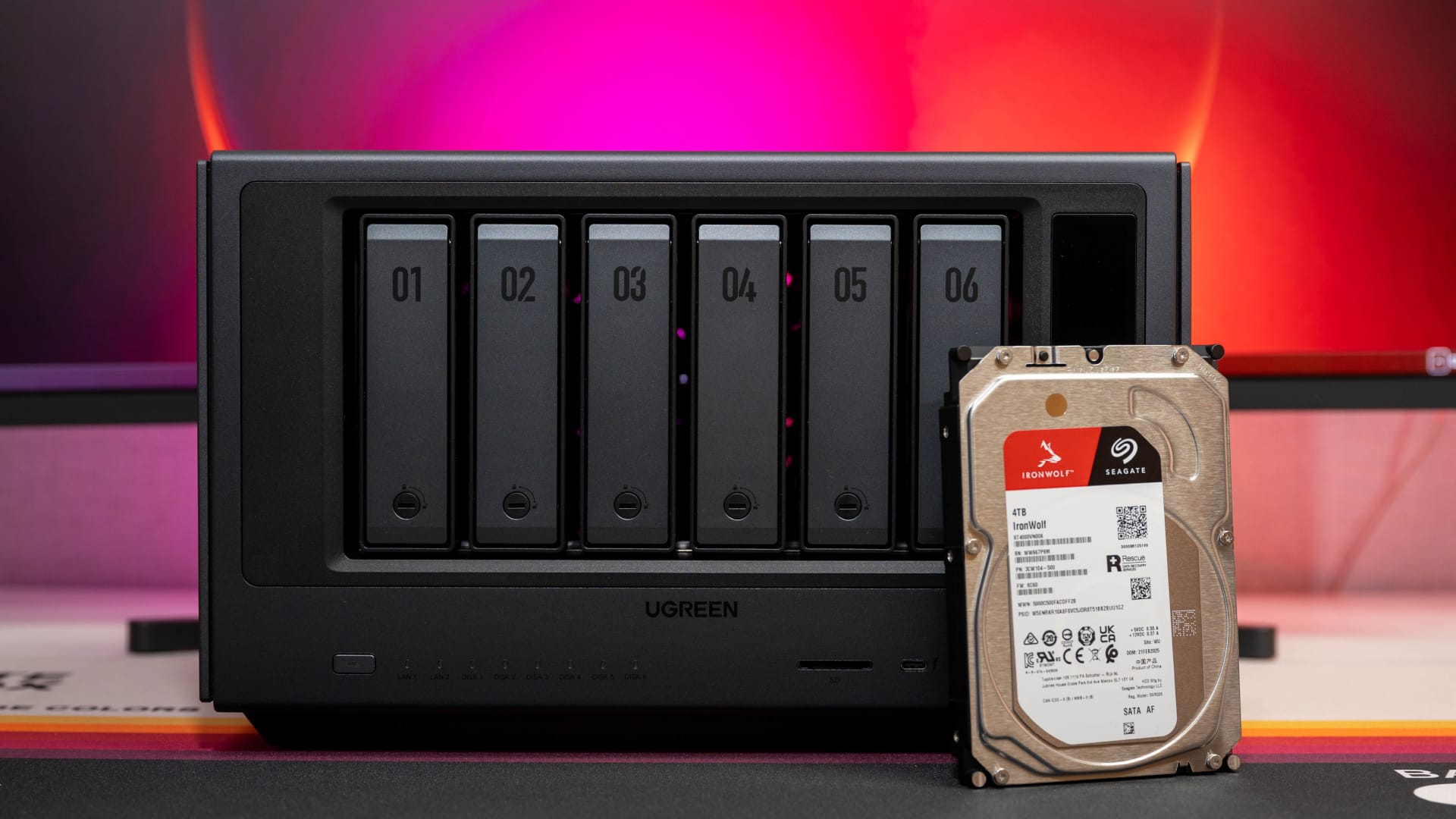
Contents
UGREEN NASync iDX6011 Pro: Introduction
With its new NASync iDX series, UGREEN is taking a different direction in 2026 from many traditional NAS manufacturers. Rather than focusing exclusively on data storage and backup features, UGREEN is positioning its new models as “AI NAS” devices—that is, private AI clouds with local data processing, integrated LLM features and significantly more computing power than has previously been found in the consumer NAS market.
The series comprises several configurations, which differ mainly in memory and features. While the standard iDX6011 is already available with 32 or 64 GB of RAM, the NASync iDX6011 Pro we tested is clearly aimed at power users. UGREEN equips it with the full specification: an Intel Core Ultra 7 255H, 64 GB LPDDR5X RAM, dual 10-Gbit Ethernet, Thunderbolt 4, PCIe 4.0 expansion and an additional OCuLink port for external GPUs.
UGREEN NASync iDX6011 Pro: design and build quality
The NASync iDX6011 Pro stands out from the typical consumer NAS form factor with its size (212 × 349 × 260 mm) and weight of over nine kilograms (without drives). Compared with the smaller DXP4800 Plus, which we reviewed a while ago (read it here), the case offers noticeably more room for cooling, expansion, and the more powerful hardware overall.
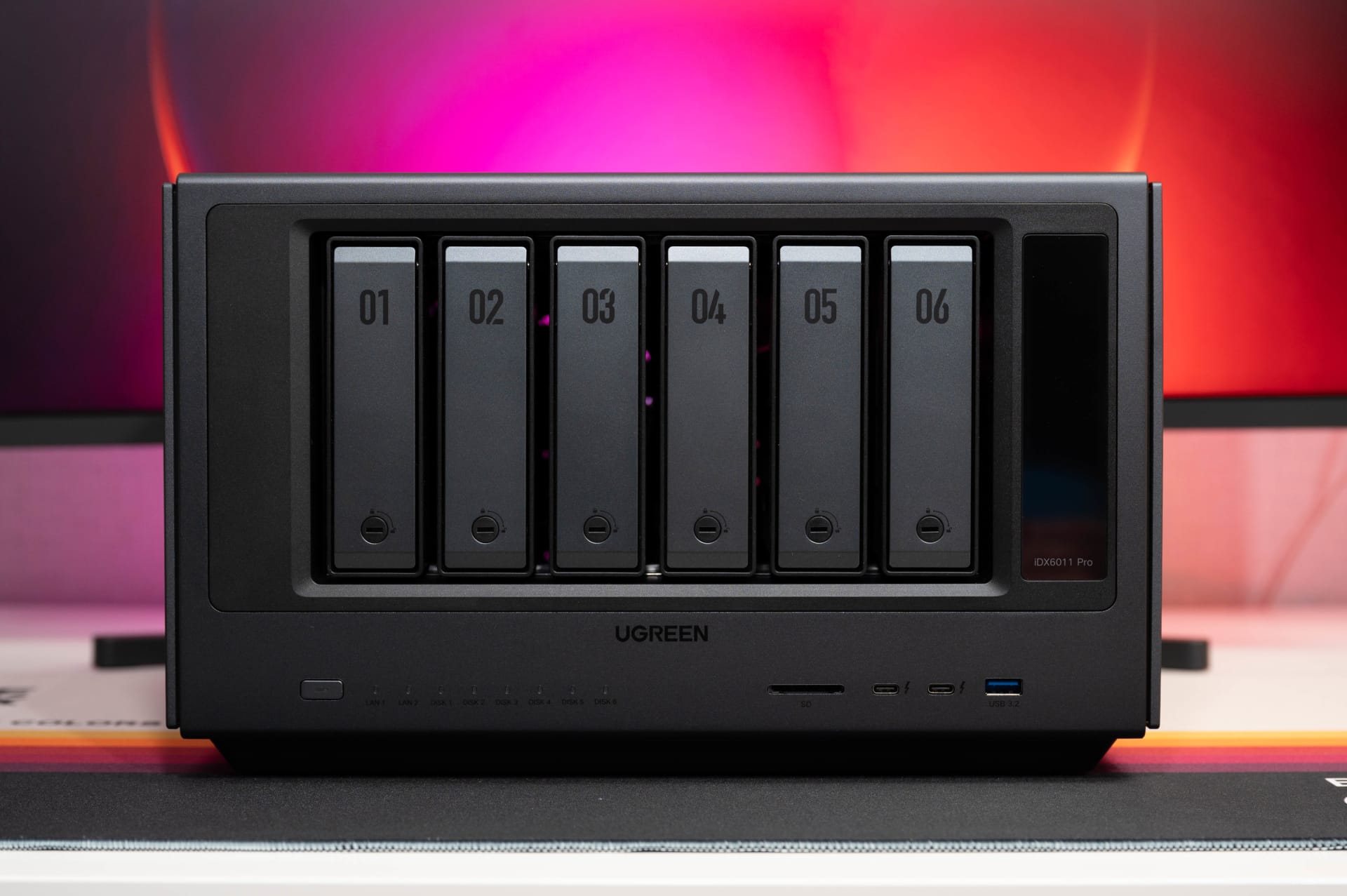
Visually, however, UGREEN remains true to its previous design language. The casing is understated and avoids eye-catching elements apart from the front display. UGREEN uses a mixture of aluminium, steel and plastic. Overall, the build quality feels premium, which is what you would expect from a device costing more than 2,000 euros.
The front panel has six hot-swappable drive bays. The new bays differ slightly from those on previous NASync models and are easier to open. 3.5-inch hard drives can be installed without tools, while 2.5-inch drives require screws. The bays can also be locked. With the DXP4800 Plus, we found that some bays had a little play and vibrated audibly when the hard drives were accessed. On the iDX6011 Pro, everything sits more firmly in the case.

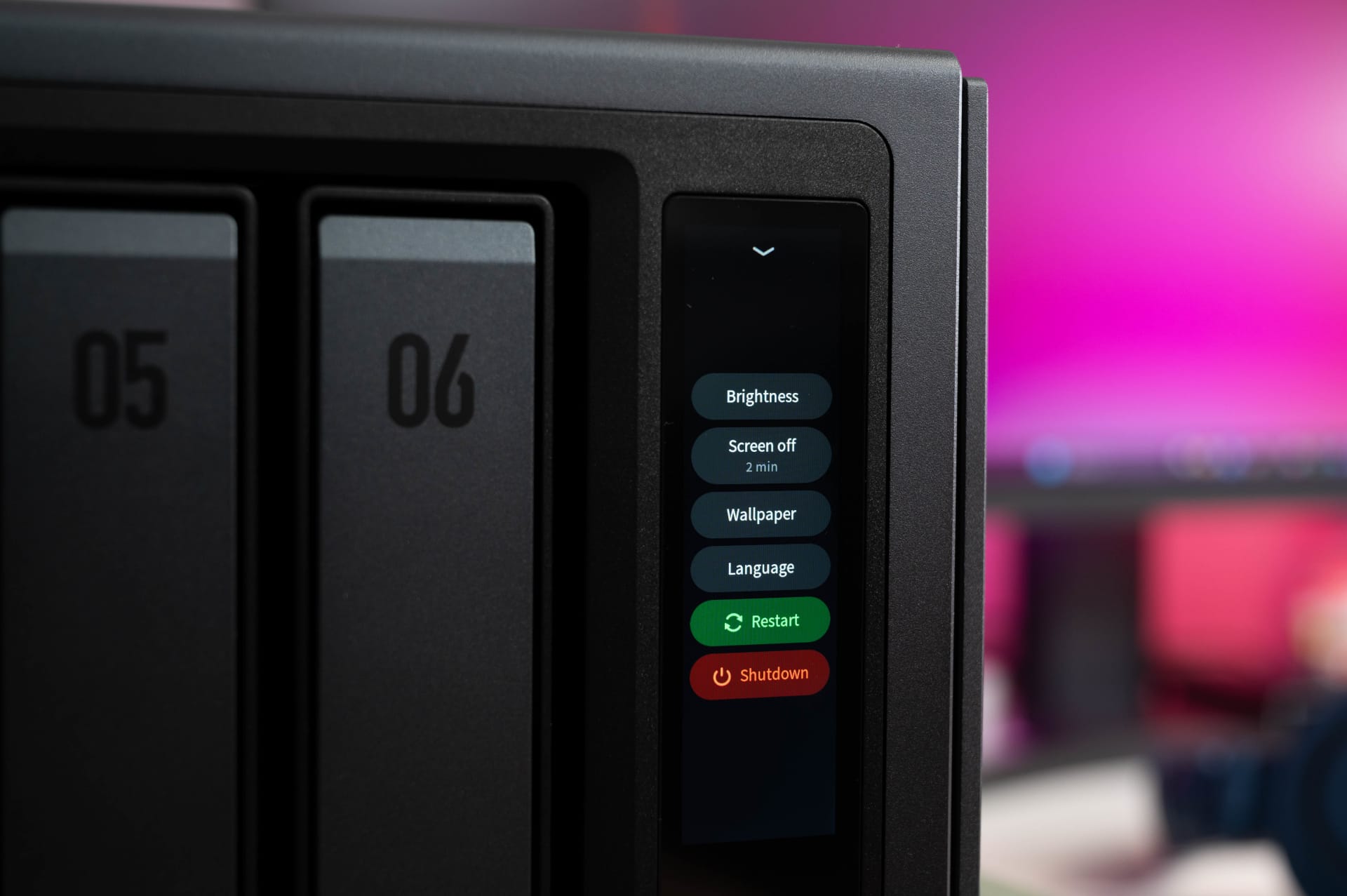
A vertical 3.7-inch touchscreen sits beside the drive bays. It can display system information such as CPU usage, temperatures, network usage and drive status. The display is sharp and easy to read even from oblique angles. In everyday use, however, its practical benefits are limited. There are few customisation options, and security-relevant functions such as restarting or shutting down can also be performed directly from the display, without a password prompt.

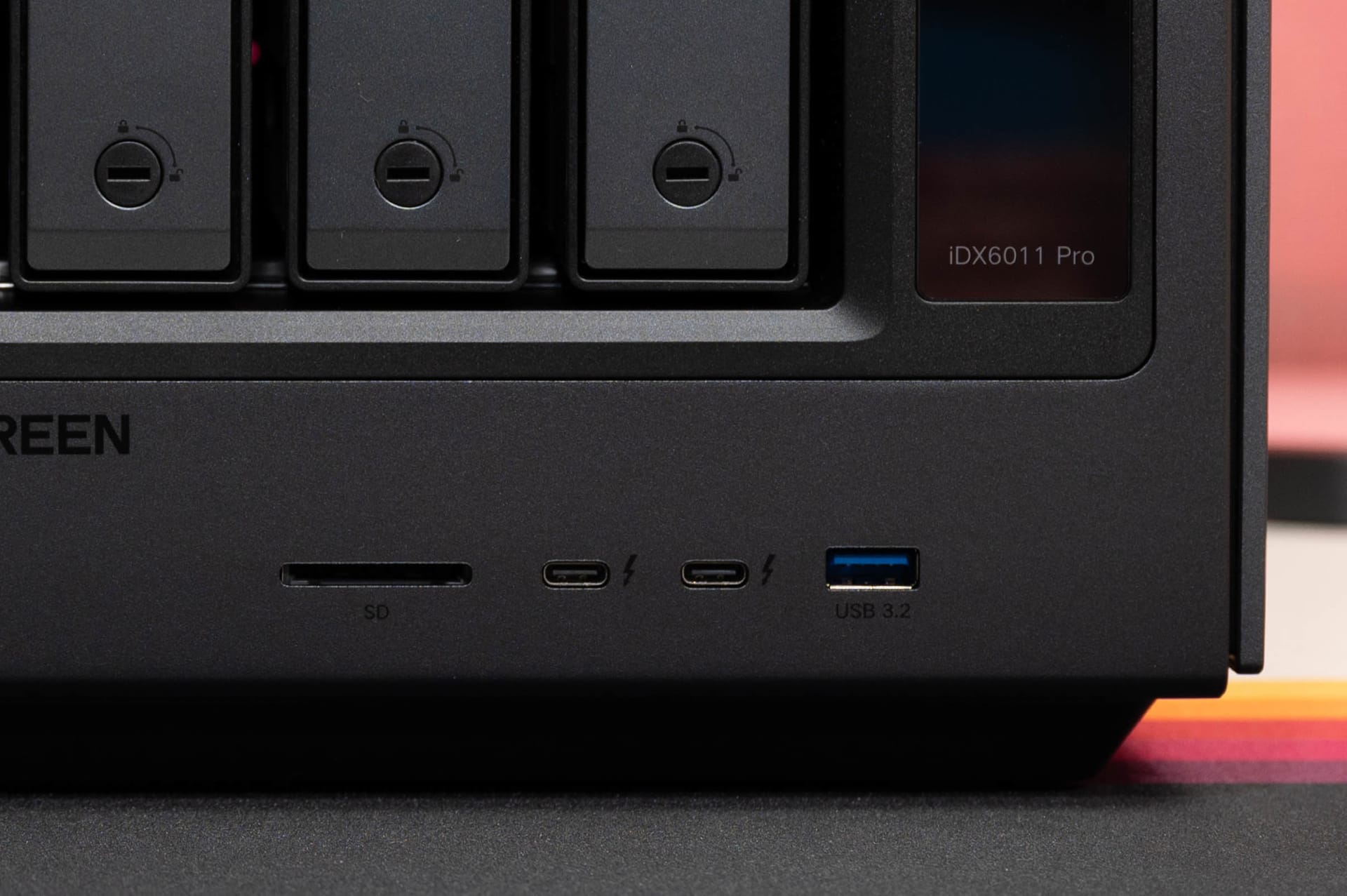
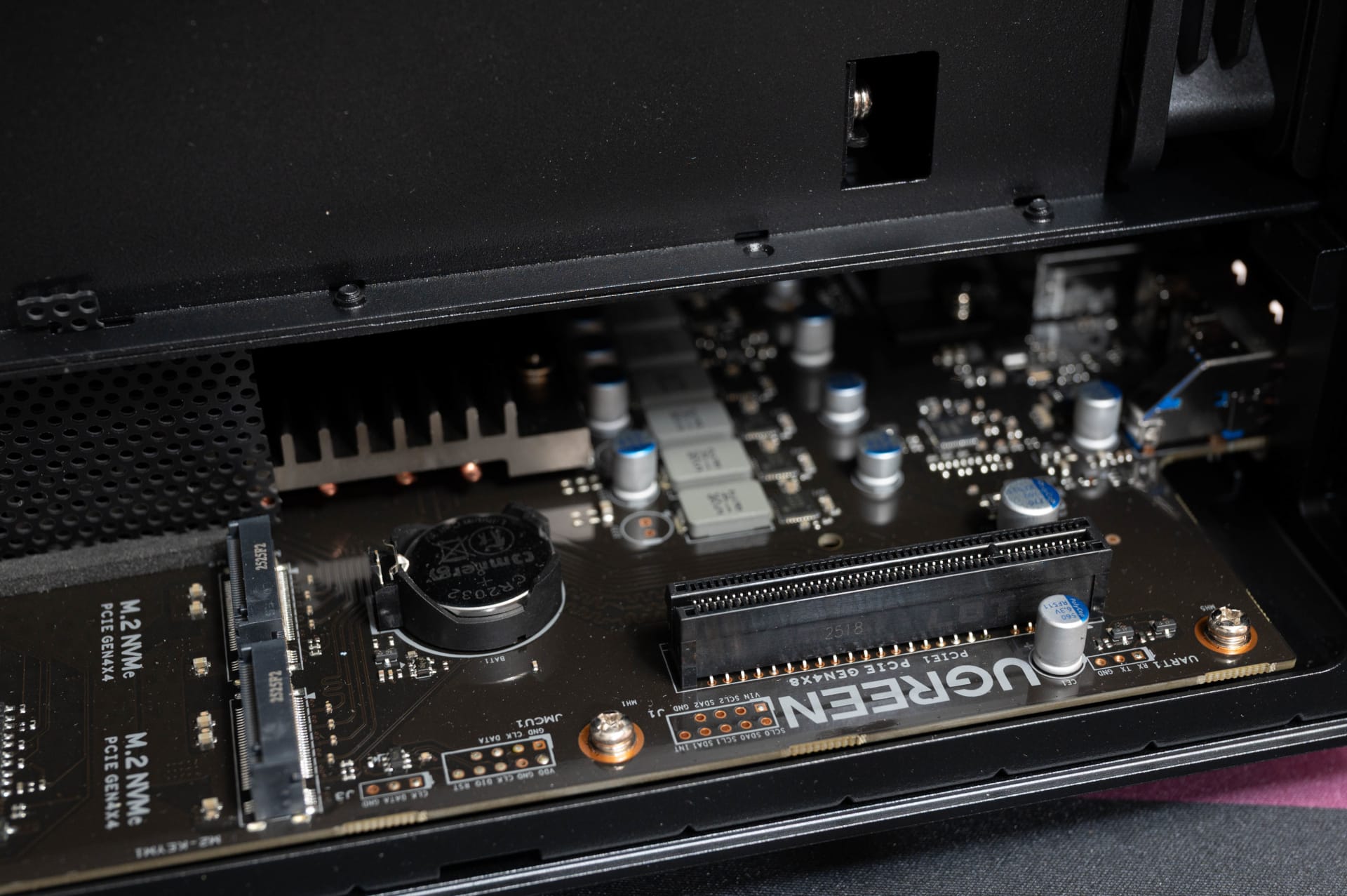
The ports are extensive. The front has two Thunderbolt 4 ports, a USB 3.2 port and an SD card reader. On the back are two 10 Gbit Ethernet ports, one HDMI 2.1 port and three USB ports, two of which are USB 2.0 and one USB 3.2, as well as an OCuLink port. Inside, there are two M.2 slots with PCIe 4.0 and a PCIe 4.0 x8 slot for expansion cards. This gives it more connectivity options than typical consumer NAS systems, making it quite suitable for use as a workstation too.

The cooling system is also more elaborate than those in smaller NASync models. Two large 120 mm fans cool the drives, while a separate cooling system for the processor, with heat pipes and small blower fans, is also housed inside. The system remains relatively quiet when idle. Under load, the cooling system becomes audible, but is still less conspicuous overall than many rack or workstation solutions with similar performance. Only the fan in the built-in 300-watt power supply occasionally stands out with slightly more noise.

UGREEN NASync iDX6011 Pro: Hardware and upgradeability
At its heart is a CPU powered by the Intel Core Ultra 7 255H, a chip best known from high-performance laptops and mini PCs. The processor combines six performance cores, eight efficiency cores and two additional low-power cores. It is joined by an integrated Intel Arc 140T GPU and a dedicated NPU for AI calculations. Overall, UGREEN claims up to 96 TOPS of combined AI performance (CPU + GPU + NPU).

Another major difference from traditional NAS systems is the 64 GB of LPDDR5X RAM fitted as standard. However, choosing LPDDR5X also has drawbacks. The memory is soldered in, does not support ECC and cannot be expanded later. While 64 GB is unlikely to be a practical issue for most users, an upgrade option would still have been desirable for a NAS in this price bracket.
The network hardware is a positive feature. Instead of inexpensive standard controllers, UGREEN installs two fast 10 Gbit controllers of the Aquantia AQtion AQC113 type.
UGREEN NASync iDX6011 Pro: Software and UGOS Pro
UGREEN’s own UGOS Pro, based on Linux or Debian, is used as the operating system. A lot has visibly changed since our first review of the DXP4800 Plus. While UGOS still seemed rather unfinished back then and lacked features in many areas, the system now feels more stable and polished.
Initial setup is now pleasantly straightforward. The NAS is automatically detected on the network via the UGREEN NAS app and then configured step by step. This includes RAID configuration, user management, and network settings. Unlike some competing systems, the entire process works without complicated intermediate steps, so the NAS is ready to use in just a few minutes.

Visually, the web interface is strongly reminiscent of Synology DSM or QNAP QTS. Users of other NAS systems will find the icons, window view and menus instantly familiar. Applications can be opened in separate windows and moved around simultaneously, making UGOS feel almost like a classic desktop operating system.
In everyday use, the interface runs smoothly overall. The iDX6011 Pro's powerful hardware makes a noticeable difference here in particular. Even with several applications open, Docker containers running or file transfers taking place in parallel, operation generally remained responsive during testing. Even so, in some areas you can still tell that UGOS has yet to reach the software level of established systems such as DSM.
This starts immediately after the initial setup, when you are confronted with assistants, prompts, and pop-ups. This guided tour may be helpful for beginners, but experienced NAS users may quickly find it more of a hindrance. UGOS also keeps a small help assistant on screen, which can sometimes only be closed after completing certain steps. It feels unnecessarily intrusive.

A few minor inconsistencies remain. Some menus are not fully translated, and certain terms are used inconsistently. This is not technically critical, but overall, UGOS still lacks the polish you would expect at this price point.
The app selection has improved, however. Alongside classic NAS functions such as file management, backups and media management, UGOS now also supports Docker and virtual machines. Applications such as Home Assistant, Pi-hole, Jellyfin and Paperless could be installed and run in parallel without major limitations. Thanks to its 64 GB of RAM and powerful Intel Core Ultra 7, the system barely breaks a sweat even with several containers running at once.
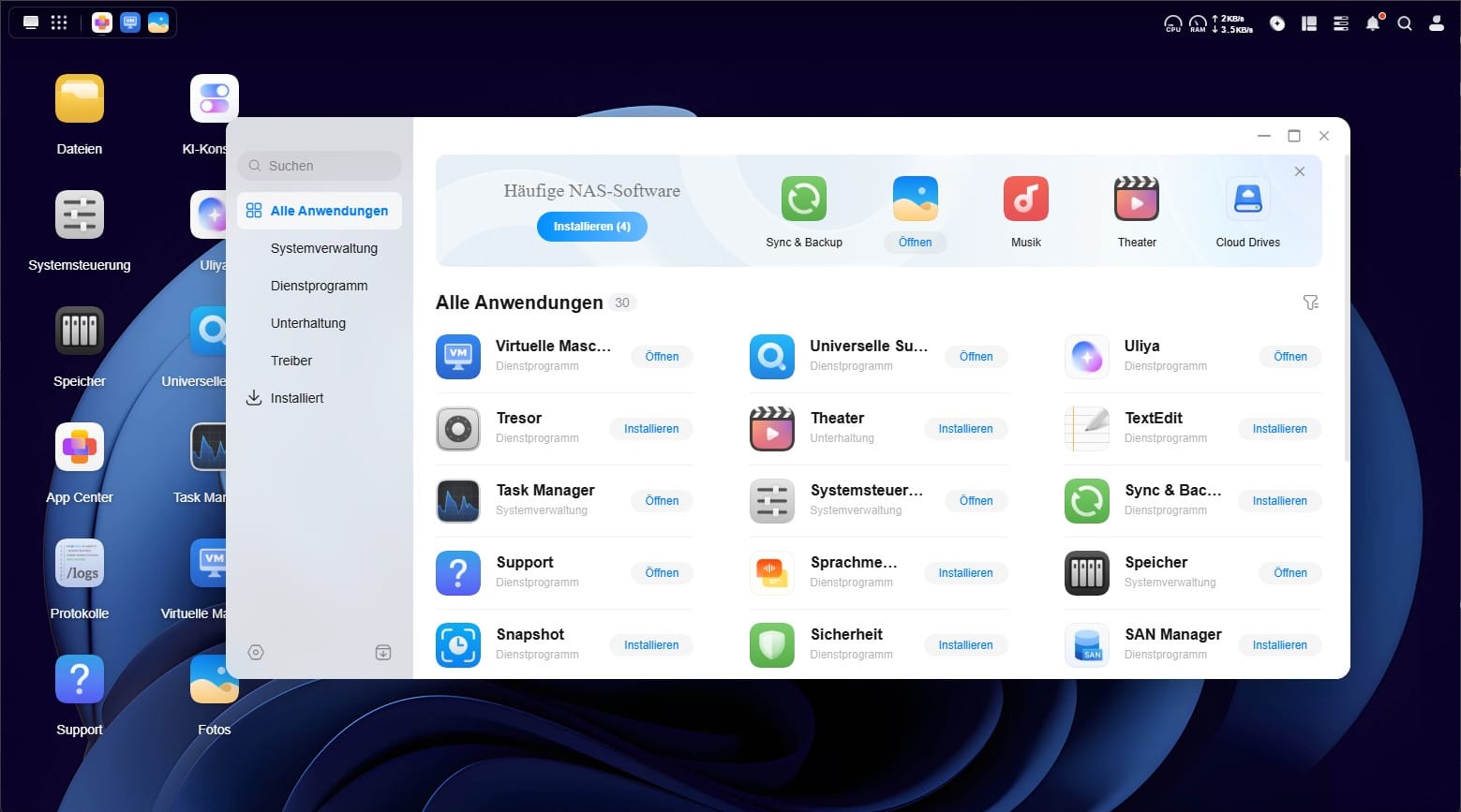
Linux VMs ran reliably and performed well enough in our tests. Even smaller Windows instances are generally no problem. UGOS still does not match the feature set of specialized virtualization solutions such as Proxmox or VMware, but its implementation is already adequate for typical homelab or developer scenarios.
The iDX6011 Pro is also very well suited as a media server. Its integrated Intel Arc GPU supports hardware-accelerated transcoding, so even higher-resolution 4K content poses no problem with Plex or Jellyfin. Thanks to HDMI 2.1, the NAS can theoretically even be connected directly to a TV, although UGOS is not yet fully designed as a conventional HTPC interface.
There are also hardly any limitations when it comes to the supported network protocols. SMB, NFS, FTP, Rsync, WebDAV and SSH are supported. UGREEN now also offers working two-factor authentication. However, features such as native volume encryption are still missing.

UGREEN NASync iDX6011 Pro: AI features and Uliya in everyday use
UGREEN markets the NAS not only as traditional network storage, but also as a local AI platform with its own LLM integration, called "Uliya". It supports features such as intelligent file search, automatic photo recognition, speech transcription, document analysis, and a local AI chatbot.
Unlike traditional cloud services, all data is intended to be processed locally on the NAS, without personal files leaving for external servers. This is a quite understandable approach for sensitive documents, photos or voice recordings.
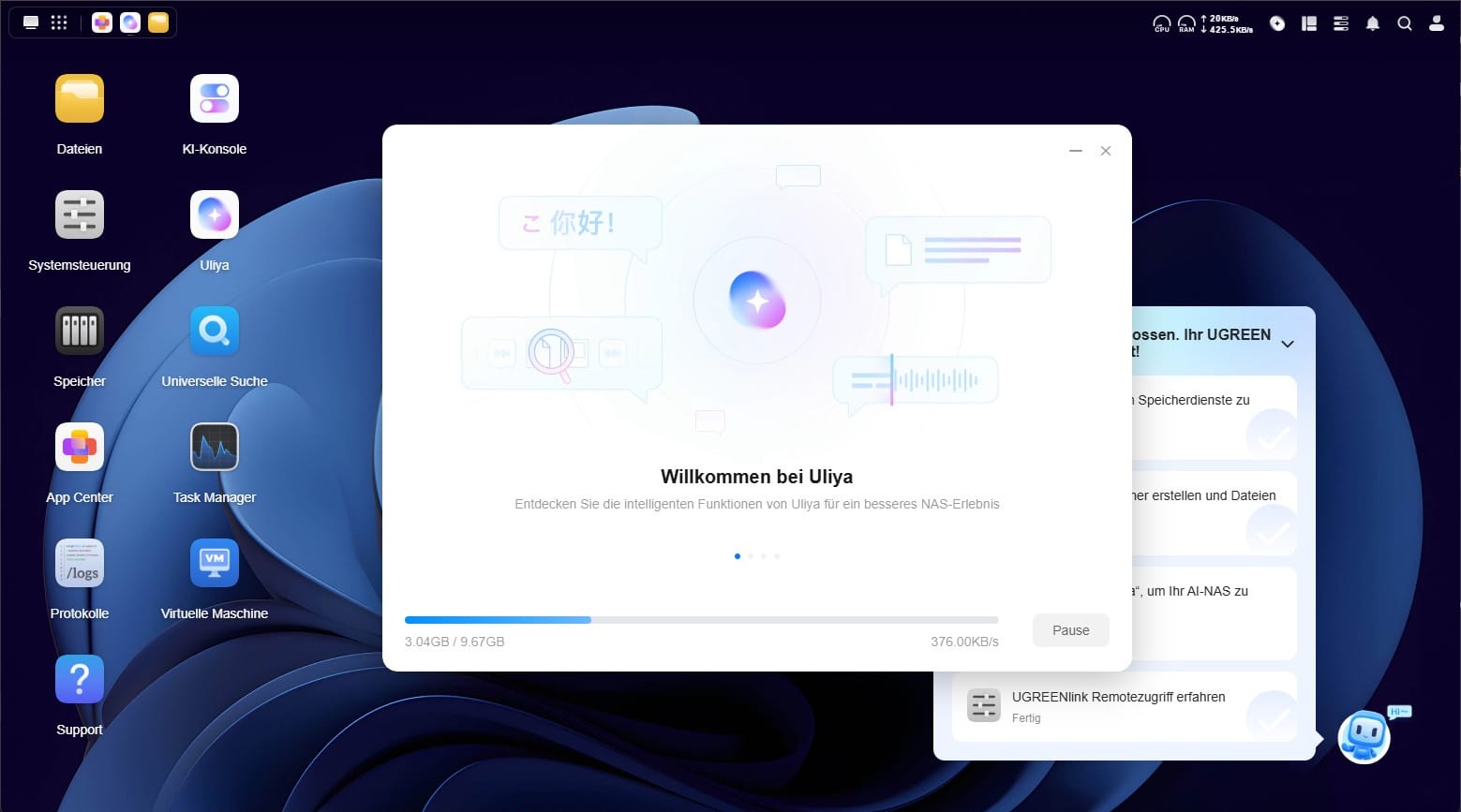
In the background, UGREEN does not rely on a completely in-house AI model, but combines several well-known open-source models with its own Uliya interface. At the time of testing, these included Qwen3 as a language model and the multimodal model "Uliya-v 2B". UGOS also uses other specialised models for image recognition, OCR and speech transcription.
However, setting up the AI features did not go entirely smoothly in our tests. The initial installation alone requires several gigabytes of additional downloads for models and AI services. Even after that, the integration still felt unfinished in many places. The intelligent search in particular frequently returned no results or unreliable ones during testing. The photo manager sometimes recognized simple terms such as "dog," but struggled with slightly rephrased queries or plural forms. Automatic image recognition works in principle, but its quality still falls short of Google Photos, Apple Photos, and Synology's current photo management software.

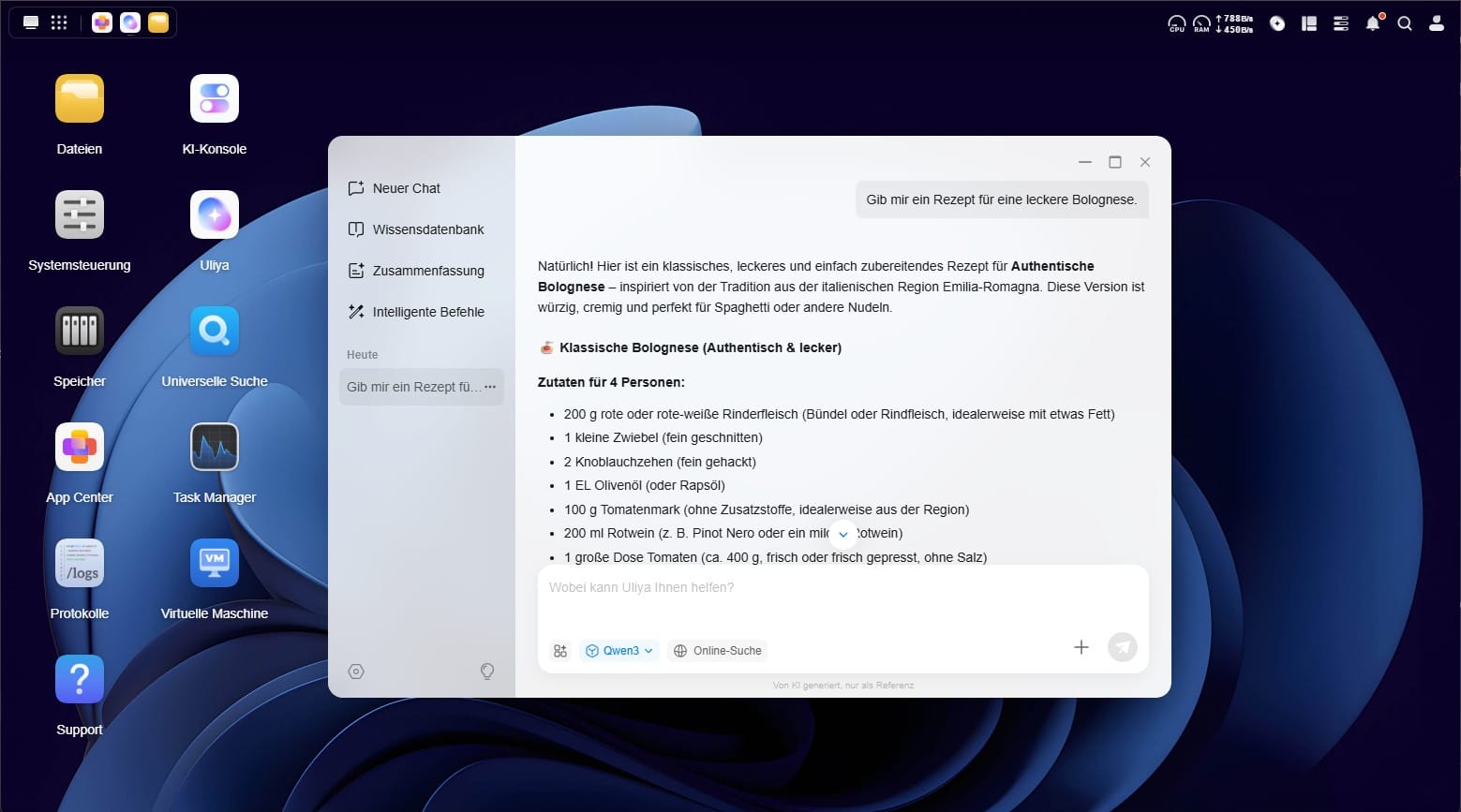
The actual AI chat, by contrast, worked reliably for the most part. Responses are generated locally and therefore remain entirely on the NAS. However, a direct comparison with current cloud models such as ChatGPT or Claude quickly reveals that the local AI is slower and less accurate in its responses. Qwen managed around 8 tokens per second, which is just about enough for a smooth reading experience. A cloud connection can also be enabled as an option. Uliya then uses GPT-4.1-mini, among other models.
It is also interesting that the Intel Core Ultra's integrated NPU was barely used in any visible way during testing. Instead, many AI processes ran primarily on the CPU. Given the new hardware platform, we would have expected more optimization here—especially since Intel's OpenVINO Toolkit does support AI applications.
Another limitation concerns the choice of models itself. Unlike conventional Ollama setups or open AI platforms, UGREEN currently does not allow users to install their own LLMs freely within UGOS. Users are entirely dependent on the models officially provided by UGREEN. This seems unnecessarily restrictive to technically savvy users, as the iDX6011 Pro hardware would easily have enough power for larger or specialised models.

Anyone wanting to use their own AI models will need to turn to Docker containers, virtual machines, or alternative operating systems. This is where the biggest gap currently lies between the very powerful hardware and the still comparatively limited UGOS operating system.
UGREEN NASync iDX6011 Pro: Storage management and RAID
The drives are set up using the storage manager built into UGOS. The usual RAID configurations are supported, including RAID 0, 1, 5, 6 and 10, as well as JBOD and single-disk operation. The available file systems are ext4 and Btrfs. We mainly used ext4 for the test. Functionally, however, Btrfs offers several advantages, including snapshots and advanced recovery features.
Creating a new storage pool is straightforward overall. Initialising the RAID array itself takes time, as you would expect with six drives. Although the NAS remains usable, background RAID synchronisation processes continued for several hours during testing.

The integrated drive overview is useful, displaying temperatures, SMART values and the general condition of the drives directly. The two NVMe SSDs can also be used flexibly. In addition to traditional SSD caching, they can alternatively be used as a standalone storage pool, for example for virtual machines, Docker or particularly fast project folders.
ZFS support is still missing. This would have been particularly interesting in a NAS in this performance class, especially as the processor and memory are more than powerful enough for it. Users who specifically want to use ZFS will therefore have to turn to alternative operating systems such as TrueNAS or Unraid.
At least UGREEN keeps the hardware pleasantly open. Installing alternative NAS operating systems generally worked without issue in our tests. However, at the time of testing, UGREEN had not yet provided an official UGOS recovery image. If you want to experiment with alternative operating systems, be sure to make a complete backup of the preinstalled system first.
UGREEN NASync iDX6011 Pro: performance and benchmarks
Sequential transfer rates in CrystalDiskMark consistently came very close to the practical limit of 10 GbE. With a 1GB test dataset, the NAS achieved around 845 MB/s for both reading and writing. With a larger 16GB test dataset, the figures fell slightly to around 770 MB/s for reading and 810 MB/s for writing.
This level of performance was confirmed in everyday use as well. Large individual files, such as 60GB video archives, could be written to the NAS reliably at around 980 MB/s and read back at up to 1.1 GB/s, making the iDX6011 Pro well suited to large media projects or backups. Individual file transfers over Thunderbolt 4 even reached peak speeds of up to 1.7 GB/s, making the NAS almost usable like a DAS system.

However, a more nuanced picture emerged when transferring lots of small files. When reading a large library containing several thousand files, speeds sometimes reached only around 300 MB/s. While this is generally within the normal range for HDD-based RAID systems, occasional unexpected drops in speed occurred, particularly when SSD caching was enabled. RAID 0 and RAID 5 configurations in particular produced inconsistent results in several tests. At times, the system was even faster without the SSD cache than with it enabled.
The system’s aggressive RAM caching was also very noticeable. Thanks to its 64 GB of LPDDR5X, the NAS initially buffers many write operations entirely in RAM. This makes file transfers seem extremely fast, with virtually no delay. In the background, however, the actual write operations to the HDDs sometimes continued for considerably longer.
The overall system stability under load was particularly impressive. Even while running benchmarks, Docker containers, background processes and AI functions simultaneously, the NAS remained stable and responsive. It was surprising how low CPU usage often remained. Many typical NAS tasks used only a single-digit percentage of the Core Ultra 7. For conventional backup or media server tasks, the hardware is almost overkill.
UGREEN NASync iDX6011 Pro: power consumption
As expected, the iDX6011 Pro is not among the most energy-efficient NAS systems. The hardware inside is simply designed to deliver too much performance for that.
In idle mode, power consumption during the test was generally between 45 and 55 watts, depending on the drives used. Under load, during larger file transfers, RAID synchronisation or Docker and VM workloads, consumption typically rose to around 70 to 90 watts. Brief peaks of over 100 watts were also measured.
Overall, this is still within the expected range for a system in this performance class. However, power consumption is noticeably higher than that of conventional consumer NAS or ARM systems. So if you run the NAS around the clock, you should certainly take its power consumption into account when planning.
Our verdict
The NASync iDX6011 Pro is one of the most exciting NAS systems in recent years. UGREEN combines high-end hardware with features that have until now been more common in workstations or homelab systems. Its performance is impressive, especially for Docker, virtualization, media servers, and large file transfers. The Intel Core Ultra 7 paired with 64 GB of RAM offers enormous headroom—almost overkill for typical NAS tasks.
At the same time, however, it is clear that UGOS has yet to reach the software level of established NAS systems such as Synology DSM or QNAP QTS. Many functions are now considerably more polished than they were on the first NASync models, but some areas still need refinement. In particular, the AI features currently feel more like an ambitious beta than a truly polished feature.
That is why the iDX6011 Pro should be viewed less as a traditional plug-and-play NAS and more as particularly powerful NAS hardware with plenty of potential for homelab, creator or developer setups. If you have been considering TrueNAS, Unraid or Proxmox, this is one of the most powerful consumer NAS platforms available.
Specifications
General
- Model
- NASync iDX6011 Pro
- Operating system
- UGOS Pro 1.13.1 (Linux-based)
- Dimensions (H×W×D)
- 212 × 349 × 260 mm
- Weight
- 9.2 kg (without drives)
Processor
- CPU
- Intel Core Ultra 7 255H
- Architecture
- Arrow Lake-H
- Cores/threads
- 16 cores (6 P-cores, 8 E-cores, 2 low-power E-cores), 16 threads
- Clock speed
- Up to 5.1 GHz
- NPU performance
- Up to 96 TOPS
- TDP
- 28 W standard, up to 115 W Turbo
Storage
- RAM
- 64 GB LPDDR5X 8533 MT/s (soldered, not expandable)
- Flash storage (system drive)
- 128 GB NVMe SSD
- Maximum storage
- Up to 208 TB (6×32 TB HDD + 2×8 TB NVMe SSD)
Drive bays
- SATA bays
- 6
- M.2 SSD slots
- 2 (NVMe PCIe 4.0 x4)
Supported drives
- 3.5" SATA HDD
- 2.5" SATA HDD
- 2.5" SATA SSD
- M.2 2280 NVMe SSD
RAID functions
- Modes
- Single/JBOD, RAID 0, 1, 5, 6, 10
- SSD cache
- Optional (read/write)
- Automatic RAID recovery
- Available
- Hot Swap
- Yes
- File systems
- ext4, Btrfs
Network
- 2× 10-Gbit Ethernet
Ports
- Front
- 2× Thunderbolt 4, 1× USB 3.2 Gen 2 Type-A (10 Gb/s), SD 4.0 card reader (UHS-II)
- Rear
- 1× OCuLink, 1× HDMI 2.1, 1× USB 3.2 Gen 2 Type-A (10 Gb/s), 2× USB 2.0
- Thunderbolt networking
- Supported
- HDMI
- Up to 8K at 60 Hz
Extensions
- PCIe slot
- 1× PCIe 4.0 x8 (up to 75 W)
Cooling
- Case fan
- 2× 120 mm
- CPU cooling
- Heatpipe cooler with dual-blower system
Power consumption
- Power supply
- internal, 300 W Flex-ATX
- Input voltage
- 100–240 V
Special features
- 3.71-inch touchscreen LCD on the front
- Local AI features with Uliya LLM
- Docker and VM support
- Thunderbolt direct attach supported
- External GPU support via OCuLink
- Integrated NVIDIA Toolkit support

Comments (1)
Hello, where can I buy this NAS? I can't find anything about it anywhere…