Contents
Design, build quality and contents
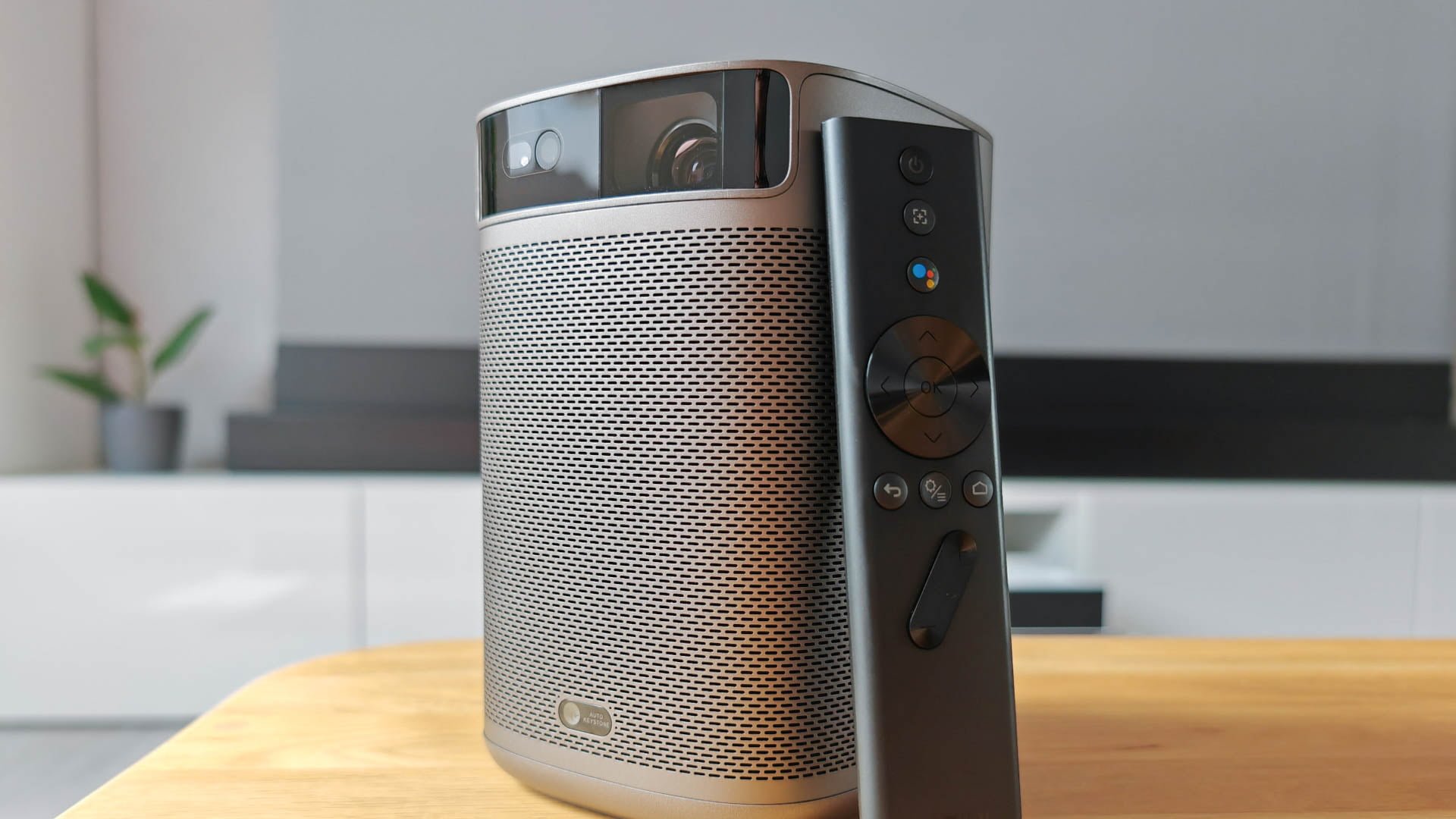
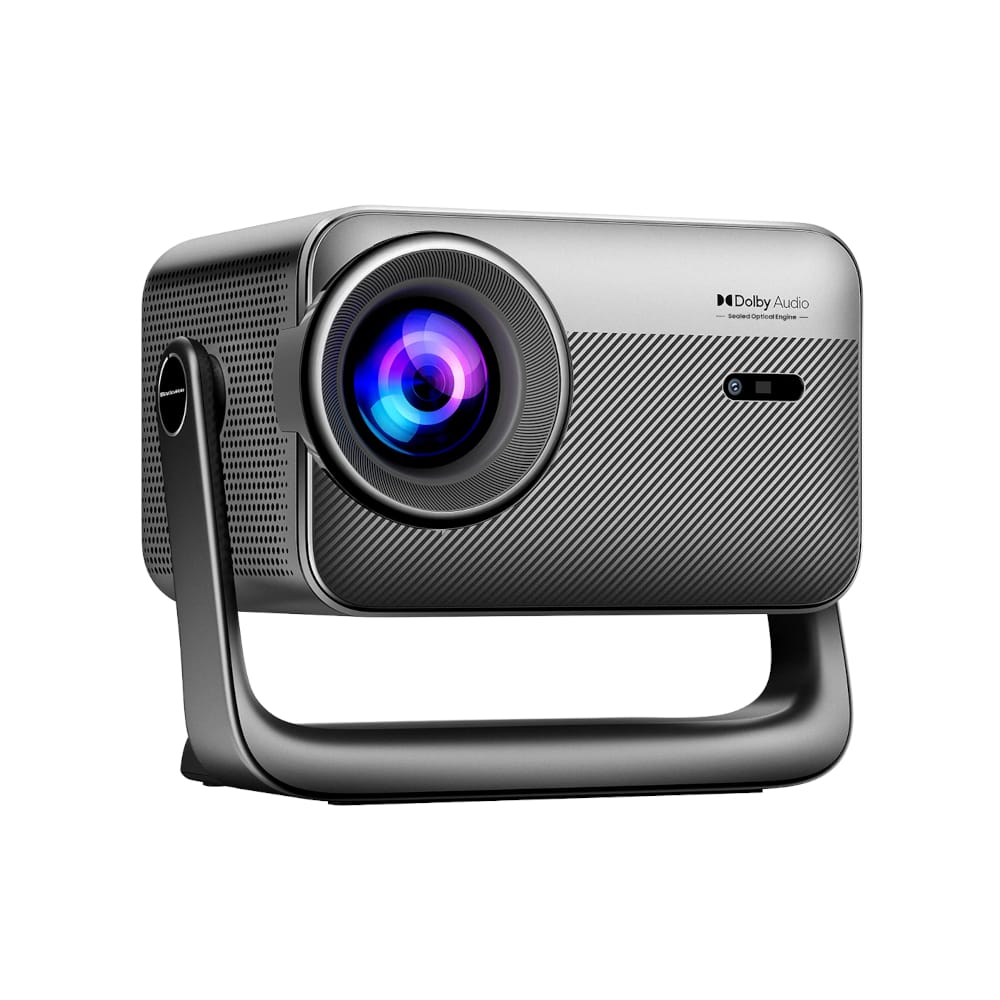
The XGIMI MoGo 2 Pro is an impressive mini projector that stands out with its elegant and minimalist design. Measuring just 161 x 119 x 108 mm and weighing approximately 1.1 kg, the MoGo 2 Pro is compact and light, making it ideal for use on the go.

The lattice surrounding the housing with a very fine structure, the rounded corners and the matte finish in simple anthracite are an expression of XGIMI’s design language and give the beamer a modern aesthetic that is reminiscent more of a speaker than a projector. The build quality of the MoGo 2 Pro is excellent and corresponds to what you would expect from a premium device.
All of the ports on the XGIMI MoGo 2 Pro are located on the back. There is a USB-C port for power supply, a USB-A port to connect, for example, a storage device, an HDMI 2.0 input and a 3.5 mm AUX input.

Beneath the ports is a window offering a view of one of the two 8 Watt speakers. The benefit of this is purely visual, with XGIMI aiming to highlight the sound quality of the MoGo 2 Pro. Above the ports is the fan's air outlet.
To ensure the projector stands securely and does not slip when placed down, it features rubberised feet on the bottom. In the centre of this, XGIMI has integrated a 1/4-inch thread. Screwed onto a mount or tripod, the MoGo 2 Pro can be positioned as desired.
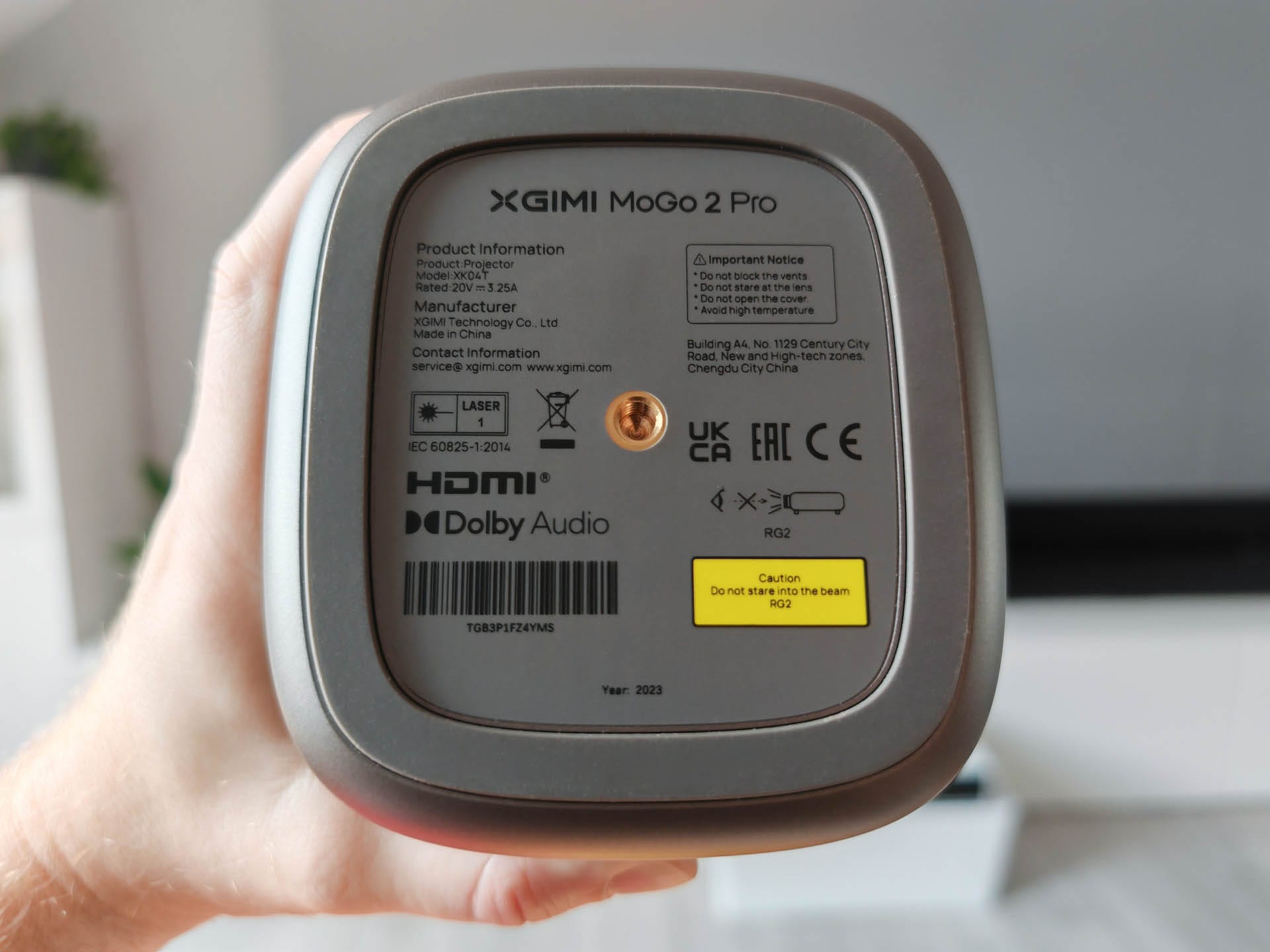
Apart from a power button, there are no other controls on the device. The button is recessed into the casing on the flat top surface and is therefore easily accessible. Just above the button is a status indicator.

The black bar on the front houses the lens and the ToF sensor, enabling the MoGo 2 Pro to focus automatically. Another sensor located at the bottom allows for automatic keystone correction.
The included items comprise the projector itself, a remote control with two AAA batteries, a multilingual user manual, a 65-watt USB-C power adapter, and a quick-start guide for installing Netflix. A carrying case would have been a welcome addition, particularly in terms of mobility and protecting the lens from scratches.

Orientation
The XGIMI MoGo 2 Pro makes alignment very easy and convenient. Thanks to the innovative ISA 2.0 technology (Intelligent Screen Adaption), the projector automatically adjusts the projected image to the wall or screen onto which it is projected. This worked so well in testing that you do not need to worry about whether the projector is truly straight in front of the screen.

The MoGo 2 Pro automatically corrects distortion and blur. It even takes into account obstacles that protrude into the edge of the frame. Simply unbox it, set it up, and enjoy the picture. If the projector is moved during operation, it detects this immediately and realigns the image. For a portable projector like the MoGo 2 Pro, which is not permanently in the same place, ISA 2.0 is an indispensable feature.
Manual trapezoidal correction was only rarely needed. The image can be aligned vertically and horizontally at all four corners. Additionally, there is a digital zoom, which is set to the highest value by default.

Part of ISA 2.0 is also an eye protection mode. As soon as someone approaches the projection area, the brightness of the light source is automatically reduced. When moving out of the detection range, the image automatically brightens again. The eye protection mode is a useful safety measure, especially for children or pets that might inadvertently look directly into the lens.
Image quality
Technology
The XGIMI MoGo 2 Pro is a projector using DLP technology. Its heart is a tiny 0.23-inch DMD chip from Texas Instruments, which uses XPR PixelShift technology to achieve a native resolution of 1920 x 1080 pixels (Full HD).
The light source of the MoGo 2 Pro is based on LED technology with a lifespan of more than 25,000 hours. This means that the projector would last for over 17 years with daily usage of 4 hours before the light output ultimately diminishes. XGIMI states the projector's brightness as up to 400 ISO lumens. Converted to the more common ANSI lumens, this corresponds to a value of 310 ANSI lumens.
The projection ratio is specified as 1.2:1. The following image sizes are possible depending on the distance:
| Distance (metres) | Projection size (inches) |
| 1,87 m | 70" |
| 2,10 m | 80" |
| 2,40 m | 90" |
| 2,67 m | 100" |
| 3,20 m | 120" |
Image impression in daylight and darkness
Theoretically, the projector can cover an image size of up to 200". However, XGIMI itself recommends 60" to 120" for an optimal viewing experience.
To assess image quality, the projector was tested on a white wall and on a special low-gain screen (0.4). The projected image size was 100". The image mode was set to "Film".

In daylight or under bright room lighting, the projector's brightness is not sufficient to project a usable 100" image onto the screen. You can just about make something out on the screen, but it is not enjoyable to watch.
It looks quite different in a darkened room. Here the projector produces an overall impressive image, especially considering its compact size. The colours are reproduced vividly and accurately, thanks to support for the DCI-P3 colour space and D65 colour temperature. This enables a more natural and realistic picture that matches the director’s intentions.


The projector’s contrast is also satisfactory, although not outstanding. Due to the device’s technical specifications, the black level is not particularly high. Overall, the image sharpness is good, ensuring that even small text is displayed legibly.
A pixel grid is only visible when you get very close to the image. At a normal viewing distance from the screen, no pixels are visible.
Brightness and image modes
The projection settings of the XGIMI MoGo 2 Pro offer various brightness modes that can be selected depending on the application and ambient conditions. The options available are “Vivid”, “Cinema”, “Bright”, “Power” and “Custom”.
Each mode is tailored to specific scenarios and optimises picture settings to ensure the best possible viewing experience. In "Custom" mode, brightness as well as red, green and blue values can be adjusted in 10 steps.
In addition to the brightness modes, the shortcut settings include so-called picture modes for “Film”, “Office” and “Game”. In “Custom” mode, you set the brightness, contrast, saturation and sharpness. There are also settings for noise reduction, colour temperature and HDR.


Operating noise
The operating volume varies depending on the brightness mode. The projector does not become noticeably loud even in the brightest mode. You only hear a slight hum in the background, which quickly fades into the background while watching films.
Audio quality
Regarding the quality of the sound system, XGIMI has not overpromised. The two 8 Watt speakers deliver great sound with sufficient volume for most home cinema or presentation environments.

Although the bass isn’t particularly powerful, it is well-defined and present. The mid-range is clear and detailed, making voices and dialogues in films and series easy to understand. The treble is also well pronounced, without seeming overly sharp or intrusive.
Just from a mobility perspective – placing the projector somewhere in the middle of nowhere – the sound system is perfectly adequate. Anyone who finds this insufficient can connect an external system via HDMI ARC.
User interface and controls
Android TV 11
The projector uses Google’s Android TV 11 as its operating system. The platform supports a wide variety of streaming providers as well as downloading apps and games from the Google Play Store.
The projector has 2 GB RAM and 16 GB internal storage, which is sufficient for most applications. The projector connects to Wi-Fi via dual-band WiFi (2.4 GHz and 5 GHz). The MoGo 2 Pro also supports the current Bluetooth 5.0 standard, enabling a fast and stable connection to wireless audio devices such as speakers or headphones.

Notable is also the integrated Chromecast. This allows content from smartphones, tablets or laptops to be transferred wirelessly to the projector without requiring additional hardware or software. This is particularly useful when selecting content from streaming services or other sources on a mobile device and then playing it back on a large screen. Users of Apple devices can enable AirPlay support using the "AirScreen" app.
Operation
The projector is operated via the Bluetooth remote control, which is both compact and easy to handle. The remote control has all the necessary buttons to control the projector and its various functions, including volume control, navigation, playback control and voice control (integrated microphone).
Netflix
Unfortunately, XGIMI has still not managed to obtain a Netflix licence. This means Netflix is not pre-installed on Android TV 11 and cannot be downloaded via the Google Play Store either.

XGIMI, however, offers an alternative solution, which is clearly explained on an included card. First, download the “DesktopManager” app from the Google Play Store. The DesktopManager is a type of alternative app store, through which you then download Netflix.
The workaround worked without problems in testing, and Netflix content could be streamed in Full-HD thanks to the projector's Widevine L1 certification. Apps from other streaming providers, such as Prime Video, can be installed directly from the Google Play Store without a workaround.
Our verdict
A small cinema on the go? Definitely! The compact design, the childishly easy set-up and the simple power supply via power bank make the XGIMI MoGo 2 Pro the ideal companion for mobile entertainment.
A cosy movie night at friends' places, open-air cinema while camping or spontaneous presentations in the field – the potential uses are diverse.
Specifications
General
- Type
- DLP
- Chip
- 0.23" DMD 1080p
- Light source technology
- LED
- Brightness
- 400 ISO lumen
- MEMC
- No
- Eye protection
- Yes
- Keystone correction
- Auto, Vertical and Horizontal
- Focus
- Autofocus
- Object avoidance
- Yes
- 3D support
- Yes
- HDR
- HDR10
- Resolution
- 1920 x 1080 pixels
- Aspect ratio
- 16:9 (4:3)
- Projection size
- 40" - 200"
- Throw ratio
- 1.2:1
- Contrast ratio
- Unbekannt
Ports
- 1x HDMI 2.0
- 1x USB 2.0
- 1x 3.5 mm audio
- 1x USB-C
Other
- Speakers
- 2x 8 W
- Audio
- DOLBY Digital, DOLBY Digital Plus
- Smart TV
- Android TV 11 with Chromecast
- Wi-Fi
- Yes (2.4/5GHz)
- Bluetooth
- Yes, (5.0)
- Lamp life
- >25,000 hours
- Power consumption
- 65W
- Size
- 161 x 119 x 108 mm
- Weight
- 1.1 kg
What’s included
1x XGIMI MoGo 2 Pro 1x power adapter (19V 3.42A) 1x remote control 2x AAA batteries 1x user manual
Price comparison
| Store | Price | Link |
|---|---|---|
| Amazon | 399,15 € | Go to store |
| XGIMI | 599,00 € | Go to store |
Comments (1)
It is a shame that Xgimi has not yet managed to get certified for Netflix. I have a Horizon in use myself and wanted to get the Mogo 2 Pro for the bedroom. Personally, I am very happy with the devices, but the lack of Netflix is a major sticking point.