Contents
Review: BenQ MH535
Anyone who has decided to buy a projector will quickly notice that many manufacturers distinguish between “home cinema” and “business projectors”. But what exactly makes the difference?

Home cinema projectors are, as the name suggests, designed primarily for entertainment. Whether it is playing films and series or gaming. Crucial factors here are particularly vivid colours, a high contrast ratio and features such as High Dynamic Range (HDR).
Business projectors, on the other hand, are designed for presentations. They feature particularly high light output, versatile connectivity options and flexible positioning.
The advantages of one are often the disadvantages of the other. It is common for high light output to come at the expense of image quality. This results in a lower contrast ratio and lower colour accuracy.
But is that always the case?
Design, build quality, and included accessories
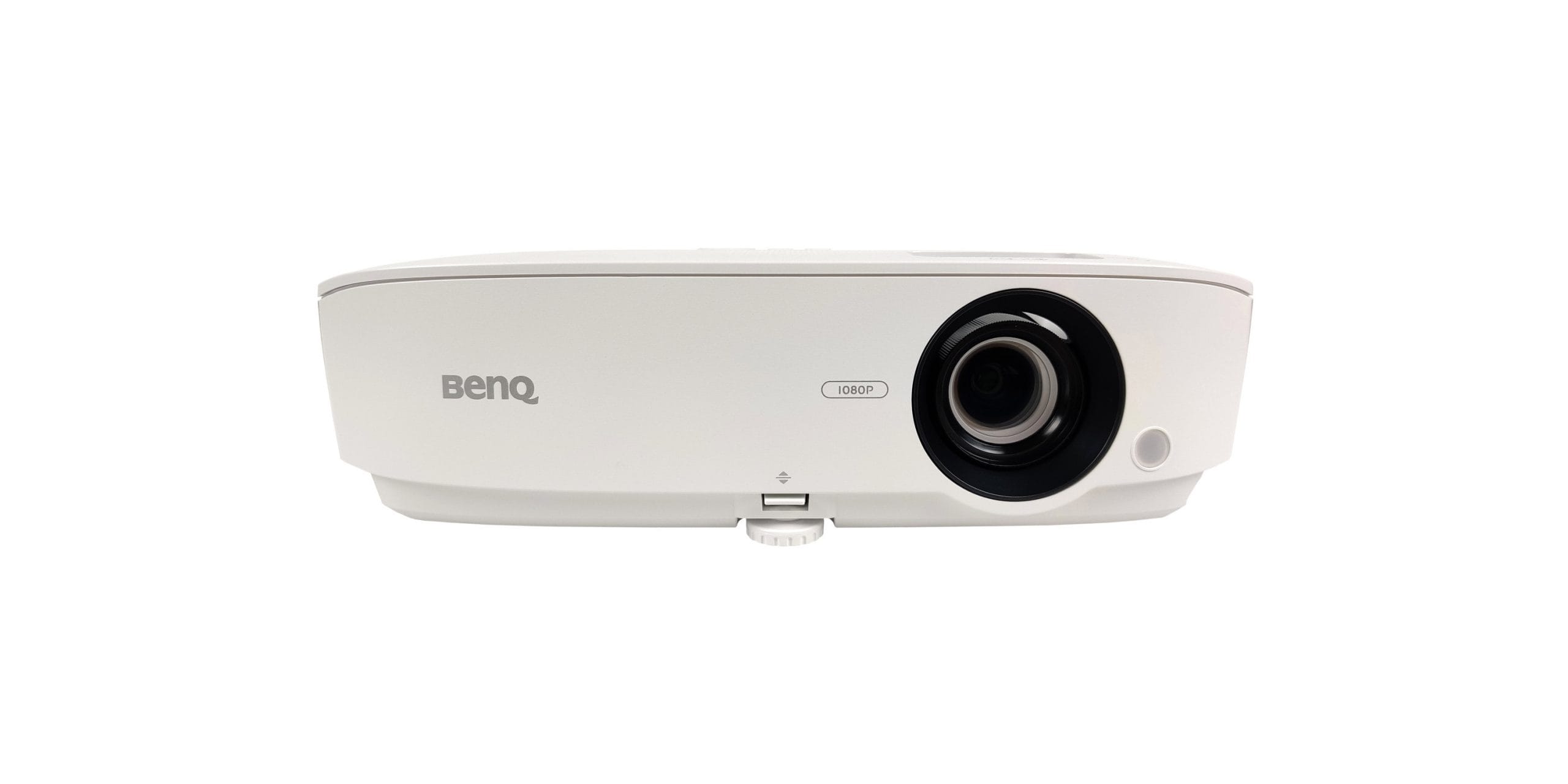
After this introduction, we go directly to the design of the BenQ MH535. BenQ ventures into no design experiments here and has opted for a proven, yet contemporary design.
With a chassis dimension of 333 x 99 x 215 mm, the MH535 is one of the more compact models. Additionally, the weight is kept comfortably low at only 2.42 kg, so the projector is very mobile. Showing a film at friends' place? No problem! The only thing missing is a suitable carrying case.
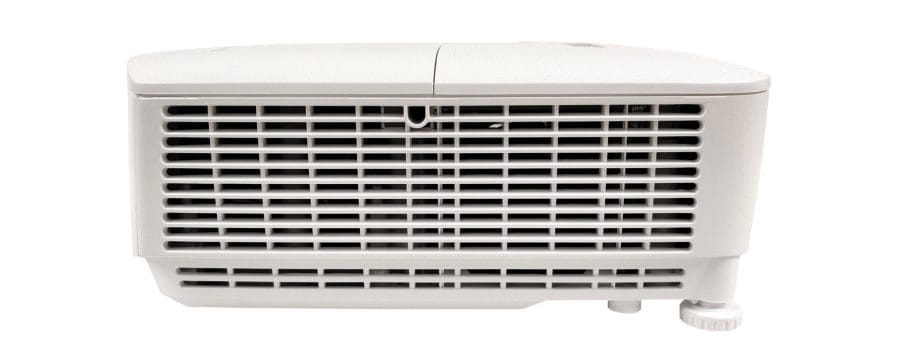
The plastic housing appears high-quality overall and is well finished. The design is rounded off by the textured surface on the top of the housing. The sides feature generously sized ventilation slots that ensure comprehensive cooling.
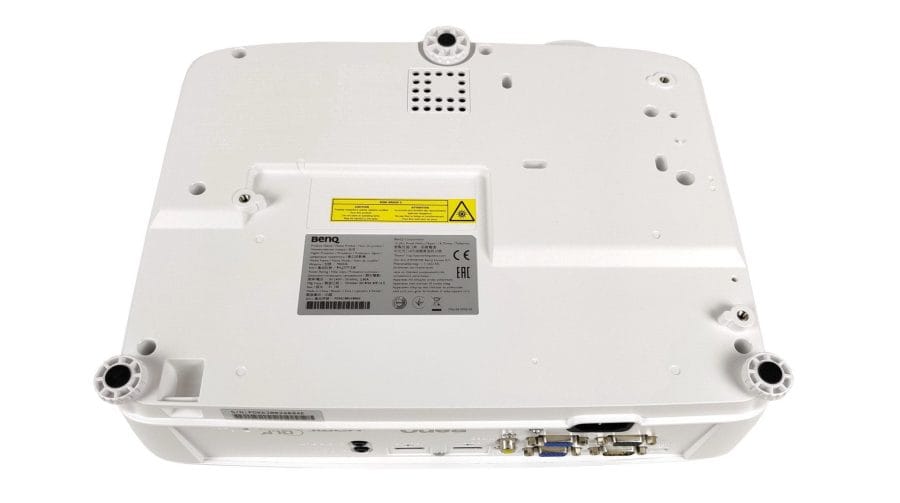
Three height-adjustable feet on the underside enable flexible and precise positioning. The front foot is secured with a quick release. This allows the projector to be locked into the desired height and tilt position even during operation. Ceiling mounting is, of course, also possible.

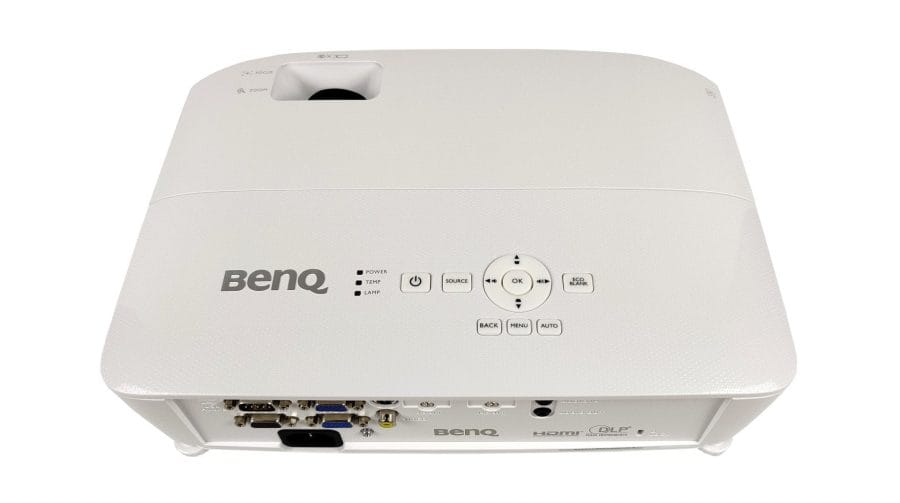
All connection options are located on the rear of the housing. In particular, this highlights that the BenQ MH535 is designed as a business projector. In addition to two HDMI 1.4a video inputs, there are more specific inputs, such as VGA (RGB / Component), S-Video and an RS323 control interface. High-speed interfaces DVI or DisplayPort have been omitted. Audio can be fed in or output via audio in and audio out sockets. In addition to RS323, control data can also be transferred via USB (Mini B). A Kensington slot secures the projector against theft (subject to having a suitable lock).
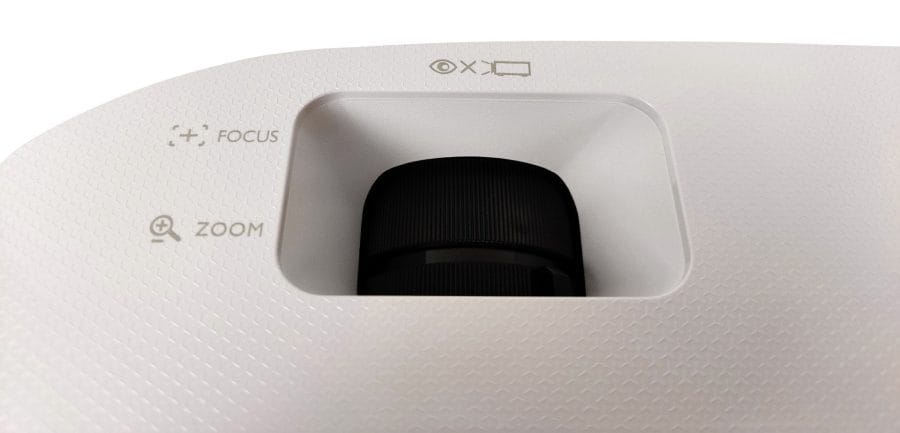
The lens is manually adjustable. A focus and zoom wheel is embedded in the front of the projector. As expected for this price range, there is no motorised solution with LensMemory. Similarly, there is no optical lens shift, only a digital keystone correction.
Hardware
The BenQ MH535 uses DLP projection technology from Texas Instruments. The core of this 'Digital Light Processing' technology is the DMD chip, a component fitted with micromirrors. BenQ does not provide further details on the chip.
The native resolution is 1920 x 1080 pixels, the aspect ratio is 16:9. The chosen light source is a 210 Watt lamp with a maximum 3500 ANSI lumens light intensity. The 10-bit colour depth allows for the display of 1.07 billion colours. The contrast ratio is specified as 15,000:1. An optical zoom enlarges the image by 1.2x.
The lamp life varies depending on the brightness mode. At full brightness (“Normal” mode), the life is approximately 5,000 hours. The SmartEco mode, which automatically adjusts image brightness to the displayed content, increases the life to approximately 15,000 hours. This sounds little, but even if you use the projector every day for 4 hours in SmartEco mode, theoretically a lamp replacement would not be due until approximately 10 years! It is possible to replace the lamp yourself. A replacement lamp costs around 80 euros. The lamp cover is held in place by a side screw.
Setup and user interface
Setup
The initial setup of the BenQ MH535 is beginner-friendly. After the first power-on, users are greeted by the OSD (On-Screen-Display), which offers multiple languages to choose from. Connected source devices are recognised immediately.
To estimate the required projection distance, BenQ provides a detailed table. You should particularly keep an eye on the vertical offset. The lens is fixed at a tilt of 7%.

It takes a maximum of 60 seconds for the projector to reach its operating temperature. It then projects the image at full brightness.
Operation
Operation can be done directly via a control panel located on the projector or via the remote control. The extensive control panel is well placed on the top of the housing for easy reach. There is no key lighting. Next to the control panel are 3 LED indicators providing information on power supply, temperature and the lamp.

The compact remote control is adequately labelled and partially marked with understandable symbols. There is no button illumination here either. The infrared receiver is located on the front of the housing. Despite the one-sided placement of the receiver, the projector can be operated from pretty much any position, even from the rear.
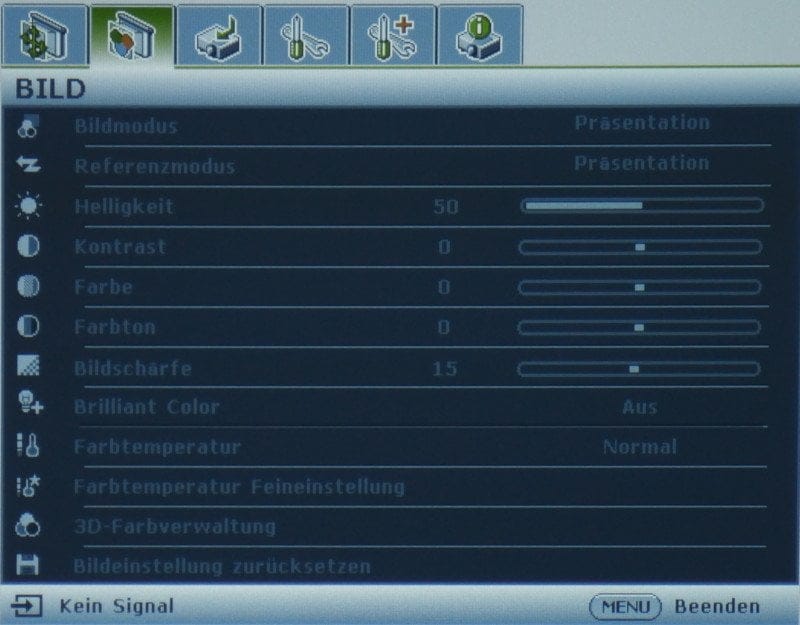
The OSD is clearly structured and smooth to operate. The individual sub-areas are arranged logically, and essential settings can be found in no time.
Suitability for home cinema, presentations and gaming
Image quality
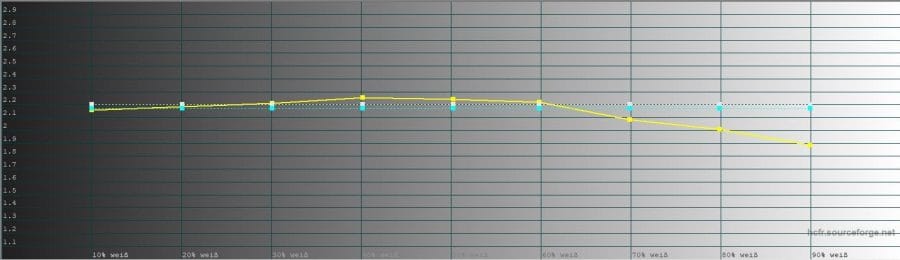
To assess image quality, the BenQ MH535 faced various test tasks. Measurements were taken using factory settings with a Spyder5 colorimeter in a completely darkened room.
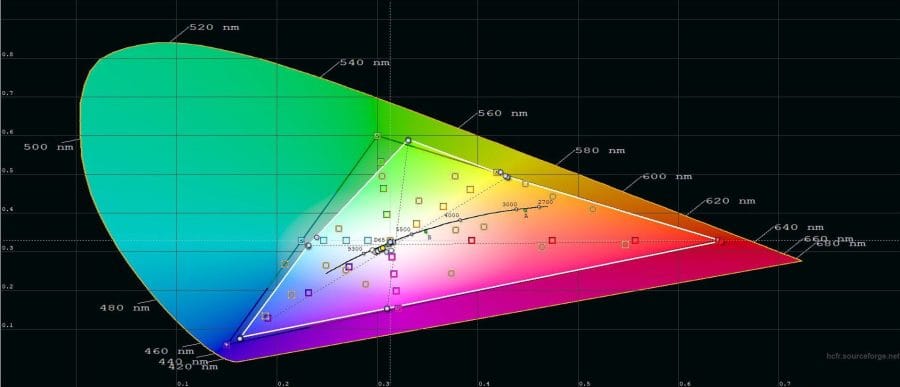
Measurements
The following measurements were taken after multiple test runs on a 90-inch projection surface with 1.0 gain.
- Luminous flux: BenQ specifies the maximum brightness as 3500 ANSI lumens. The luminous flux measured in the centre of the image reaches 2,513 lumens in “Normal” mode and 1,103 lumens in “Eco” mode.
- Black level: The black level is 1.491 lumens (Normal) or 1.029 lumens (Eco).
- Contrast ratio: BenQ states the contrast ratio as 15,000:1. The static contrast ratio determined by measurements is 1,685:1 (Normal) and 1,072:1 (Eco).
Subjective impression
After switching on the BenQ MH535 for the first time, I immediately noticed the outstanding brightness of the projection. The room was not completely darkened, the projection size was 90 inches, and yet a usable image was produced. Not every projector can definitely claim this!

The presentation is pleasingly sharp across the image area. There are minor losses in sharpness towards the edges. However, they are within perfectly acceptable limits. Small fonts remain legible well into the corners. A pixel grid is only visible at very close inspection. You really have to stand right in front of the screen to notice the individual pixels! Visible unevenness in brightness distribution hardly occurs at all.


In contrast to genuine home cinema projectors that boast numerous image enhancement features, the BenQ MH535 offers virtually no enhancement technologies. Only ‘Brilliant Color’, an algorithm for colour processing and system-level improvements, ensures vivid and particularly natural colours. This is also understandable. For a business projector, the MH535 offers remarkable colour accuracy. The projector handles difficult, high-contrast scenes well without colour and detail reproduction suffering significantly.
Audio and 3D
The 2-watt speaker has a clear sound but does not reach particularly high volume levels. If you intend to use the projector for a home cinema setup, it is essential to rely on an external sound system. The necessary connections are available.

Playback of 3D content is supported via DLP-Link. A 3D glasses set is not included in the scope of delivery, but is available as optional accessory. You can choose between the 3D modes Top-Bottom, Frame-Sequential, Frame-Packing and Side-by-Side. Extensive 3D colour settings allow for precise adjustment to individual needs. The 3D playback was convincing in the test. The 3D image is displayed brightly, with vivid colours and good contrast.
Operating noise
Operating noise amounts to approximately 34 decibels in "Normal" mode at a typical seating distance. 30 decibels were measured in "Eco" mode. The fan noise is only noticeable during quiet film moments.
Suitability for gaming
In the final point, we take a look at the gaming suitability of the BenQ MH535. The maximum refresh rate is 60 Hz. There is no dedicated gaming mode. It is not necessary either, because even without it, there is no noticeable input lag when gaming (console and PC).
Our verdict
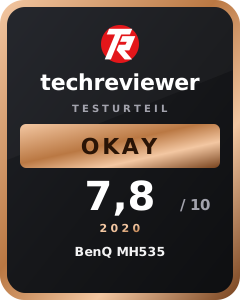
The BenQ MH535 is an all-rounder in its price range. Its very high brightness, combined with vivid colour reproduction, is remarkable. BenQ's “Brilliant Color” algorithm contributes to this, noticeably improving the image quality and making it particularly suitable for home cinema use.
Thanks to its compact design and numerous connection options, the projector is flexible to use. A spontaneous movie night at friends' place or setting up the projector in the garden for a sports broadcast? No problem at all with the MH535.
Whether for presentations, home cinema or gaming, the MH535 is versatile and handles each of these application areas very well.
Specifications
General
- Type
- DLP
- Chip
- Texas Instruments 1080p
- Colors
- 1.07 billion colors
- Light source
- Lamp (210W)
- Brightness
- 3500 ANSI lumens
- Resolution
- 1920 x 1080 pixels
- Aspect ratio
- Native 16:9
- Projection size
- 1.52 m to 7.62 m (60" - 300")
- Throw ratio
- 1.37 - 1.64
- Contrast
- 15.000 : 1
- Zoom
- Factor 1.2x
- Lens control
- Manual zoom
- Keystone correction
- Vertical ± 40 degrees
Ports
- 1x Composite Video
- 1x S-Video
- 2x computer inputs
- 1x audio input
- 2x HDMI
- 1x USB Mini Type B
- 1x RS232 interface
- 1x monitor output
- 1x Audio out
Other
- Lamp life
- 5000 hours (normal) / 15,000 hours (SmartEco)
- Noise level
- 32/29 dBA
- Speakers
- 1x 2W
- Wi-Fi
- No
- 3D
- Yes, via HDMI
- Power consumption
- 260W (Max) / <0.5W (Standby)
- Size
- 333 x 99 x 215 mm
- Weight
- 2.42 kg
Comments