Contents
Design: Exactly what premium should feel like
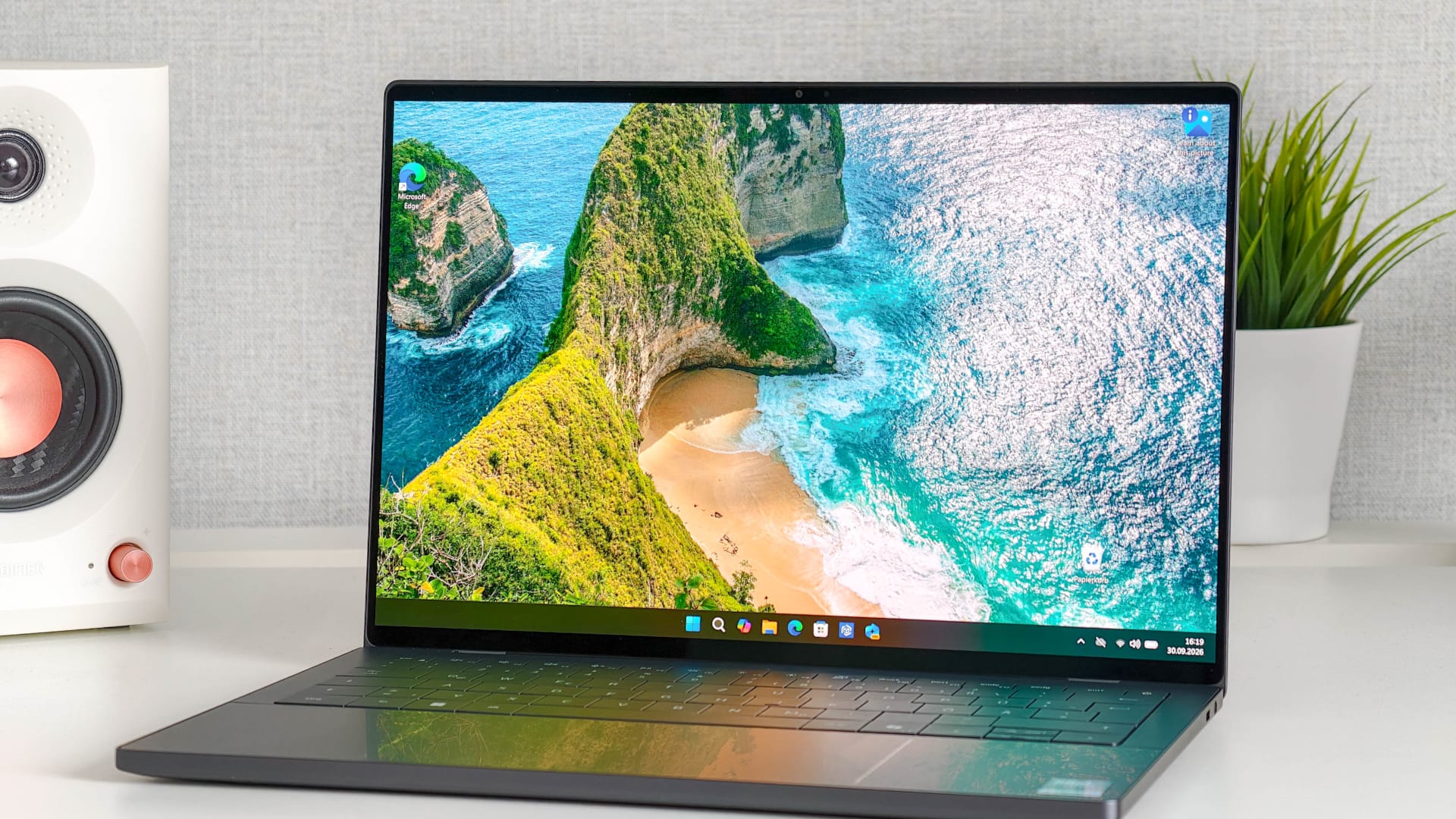
The XPS 14 comes in a slim Graphite aluminum unibody that makes it clear from the first touch that this is no bargain-bin laptop.
The chassis is well built and doesn't flex under pressure, and at just 1,36 kilograms, it's easy to carry in a backpack. The OLED version is also surprisingly thin at just under 14,6 millimeters, making it ideal for university, work, and travel.

Dell continues the minimalist look throughout the open laptop, too. The glass palm rest flows almost seamlessly into the nearly invisible trackpad, while the keyboard is also integrated flush with the chassis.
The XPS 14 is somewhat reminiscent of Apple's MacBook line, which isn't necessarily a bad thing. Anyone looking for a high-quality Windows laptop that looks just as good on a desk as it does in a meeting will find little to criticize about the XPS 14.

There is one minor drawback when opening it: There's no lip to grip, so the lid isn't always the easiest to open elegantly.
Ports: USB-C, and not much else
The XPS 14's ports are easy to sum up. Dell includes three USB-C ports with Thunderbolt 4 and a combined 3.5 mm audio jack.
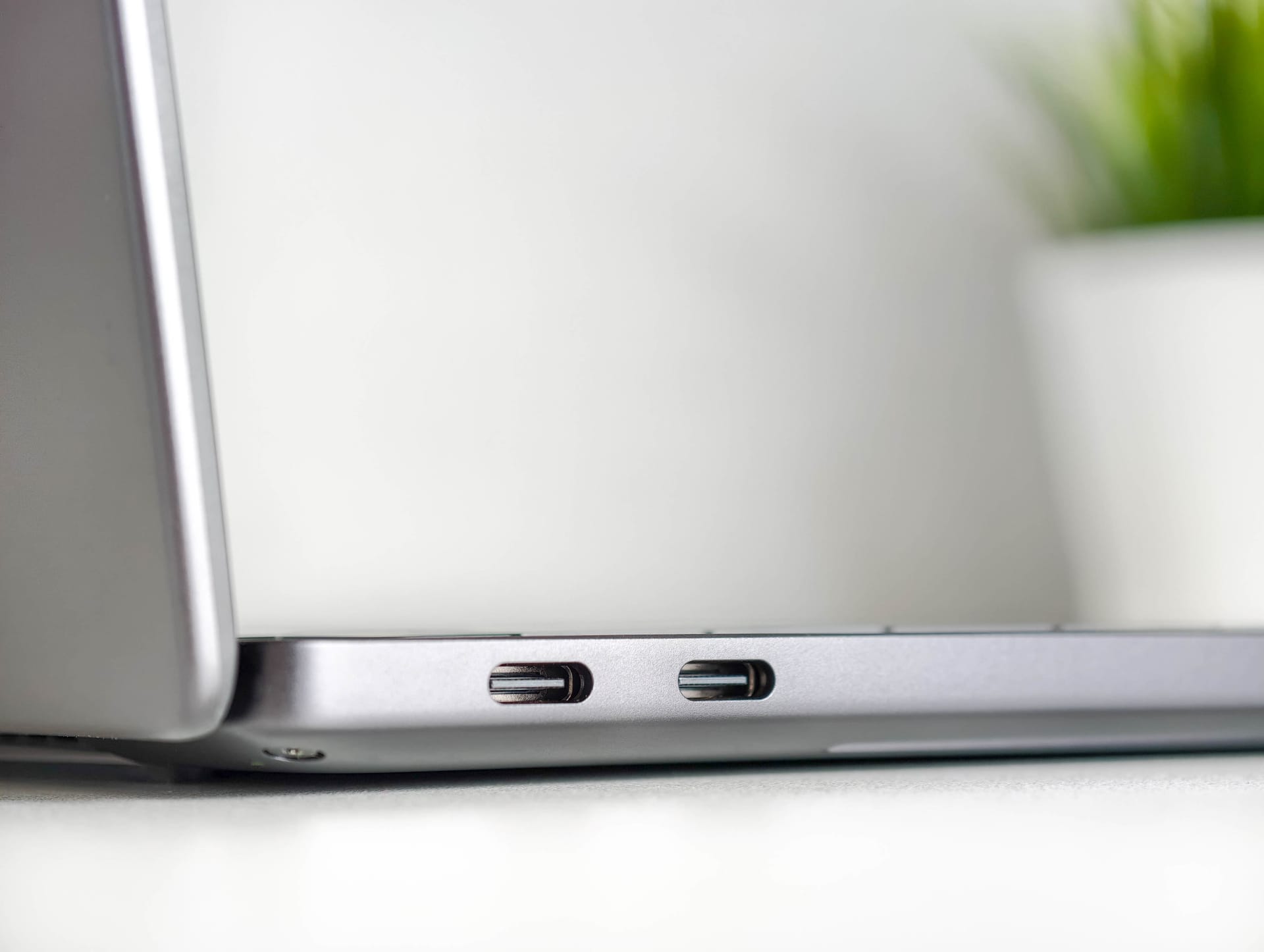
In addition to Thunderbolt 4, the USB-C ports support DisplayPort 2.1 and Power Delivery. That means you can connect an external monitor or charge the laptop through any of the three ports.
Even so, Dell takes minimalism pretty far here, although a notebook in this class is often used with a dock anyway. There is no traditional USB-A port, HDMI port, or card reader.

Keyboard and trackpad: Unusual at first, then pretty good
The so-called Zero-Lattice keyboard sits almost flush with the chassis and largely dispenses with visible gaps between the individual keys.
Since I use a Lenovo ThinkPad in everyday life, I first had to get used to the flatter layout. Especially during the first few hours, typos were commonplace because the key spacing and travel are simply different from those on the ThinkPad.
After getting used to it, typing on the XPS 14 also felt quite smooth. The keycaps are slightly concave, making them easier to distinguish from one another than they might seem at first glance. Key travel is relatively short, but provides decent feedback and remains quiet while typing.
The XPS 14 also makes no missteps with its trackpad. It responds precisely, recognizes gestures reliably, and offers a pleasantly smooth surface that makes it easy to control the cursor.
Display: OLED is worth it
Dell offers two display options. You can choose between a 14-inch 2K LCD without touch and the 2.8K OLED with 2,880 × 1,800 pixels tested here, which supports touch and has a variable refresh rate of 20 to 120 Hz.
The OLED upgrade costs around 119 euros and is well worth it in my opinion. Colors look vivid, blacks are typically deep for OLED, and the high resolution makes text and fine details look razor-sharp. The refresh rate of up to 120 Hz is also a plus, for example when scrolling through websites or long documents.

Dell specifies a brightness of 400 cd/m², which is roughly in line with my own measurement of 380 cd/m². That's more than enough indoors, but brightness and reflections can become an issue outdoors in direct sunlight.
OLED shows its greatest strength in black levels. Black pixels are not activated at all, so they remain truly black, resulting in an excellent contrast ratio.
The panel also performs consistently well in terms of color gamut coverage. Measurements showed 99.9 percent sRGB, 99.8 percent DCI-P3, and 97.5 percent AdobeRGB, making it generally suitable for photo and video editing.

The OLED's gamma of 2.28 is quite close to the ideal value of 2.2. The white point, however, is a little warmer. Instead of the usual 6500 Kelvin, measurements put the panel between around 5950 and 6225 Kelvin, depending on the brightness level. This makes white look minimally warmer, but it's not really noticeable in everyday use.
Only those using the XPS 14 for truly color-critical work may want to consider calibrating it.
Performance: Fast enough for much more than office work
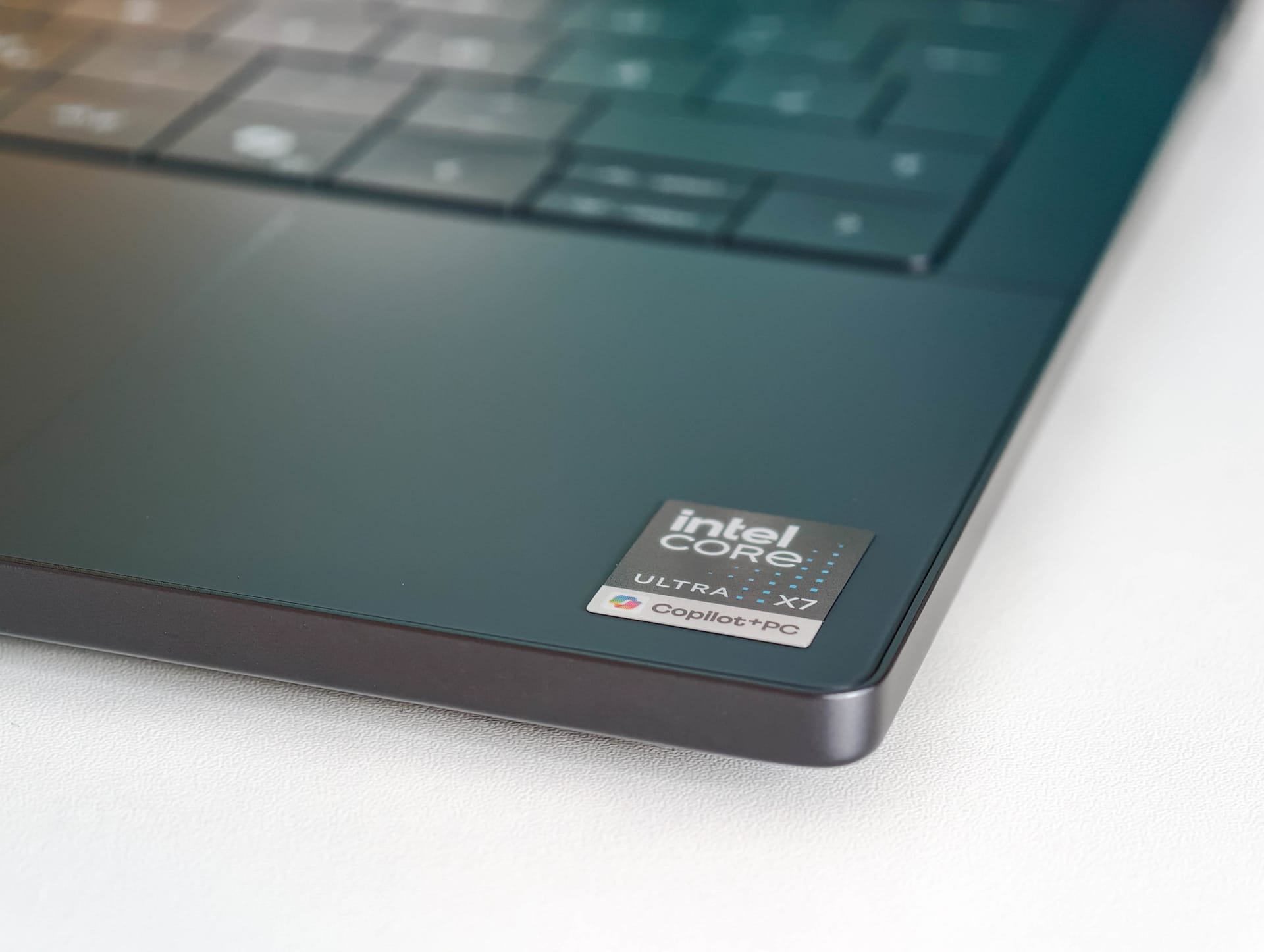
The test device is equipped with an Intel Core Ultra X7 358H and 32 GB of LPDDR5 RAM. The processor has 16 cores and reaches clock speeds of up to 4.8 GHz, making the XPS 14 considerably more powerful than its slim chassis might initially suggest.
In everyday use, this is most noticeable in its highly responsive performance. Windows starts quickly, programs open without lengthy delays, and the XPS 14 handles numerous browser tabs, Photoshop, and several Office applications running at the same time without breaking a sweat.

The benchmarks confirm this, too. It scores 10,074 points in PCMark 10, with a particularly strong productivity score of 17,795 points. It also handles more demanding tasks such as photo and video editing reasonably well, scoring 13,888 points in Digital Content Creation.
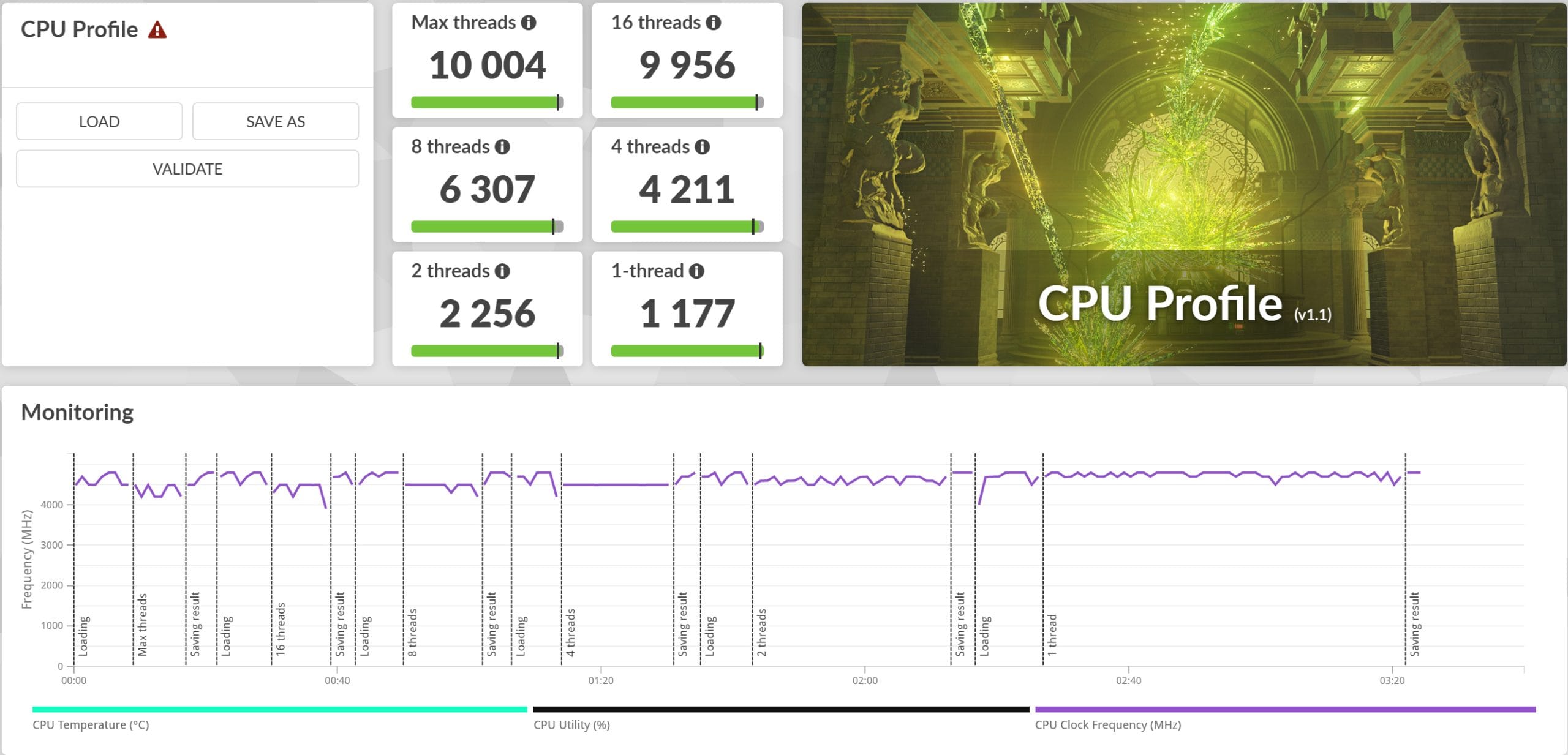
In the 3DMark CPU Profile, the Core Ultra X7 358H scores 10,004 points under full load, suggesting it has plenty of headroom for large Excel spreadsheets, image editing, coding, and even occasional rendering.
Graphics performance: Arc B390
Graphics on the XPS 14 are handled not by a dedicated graphics card, but by the integrated Intel Arc B390 iGPU.
The XPS 14 scores 5,915 points, or 43.82 FPS, in 3DMark Steel Nomad Light. In the more demanding Speed Way, it scores 830 points at 8.31 FPS.
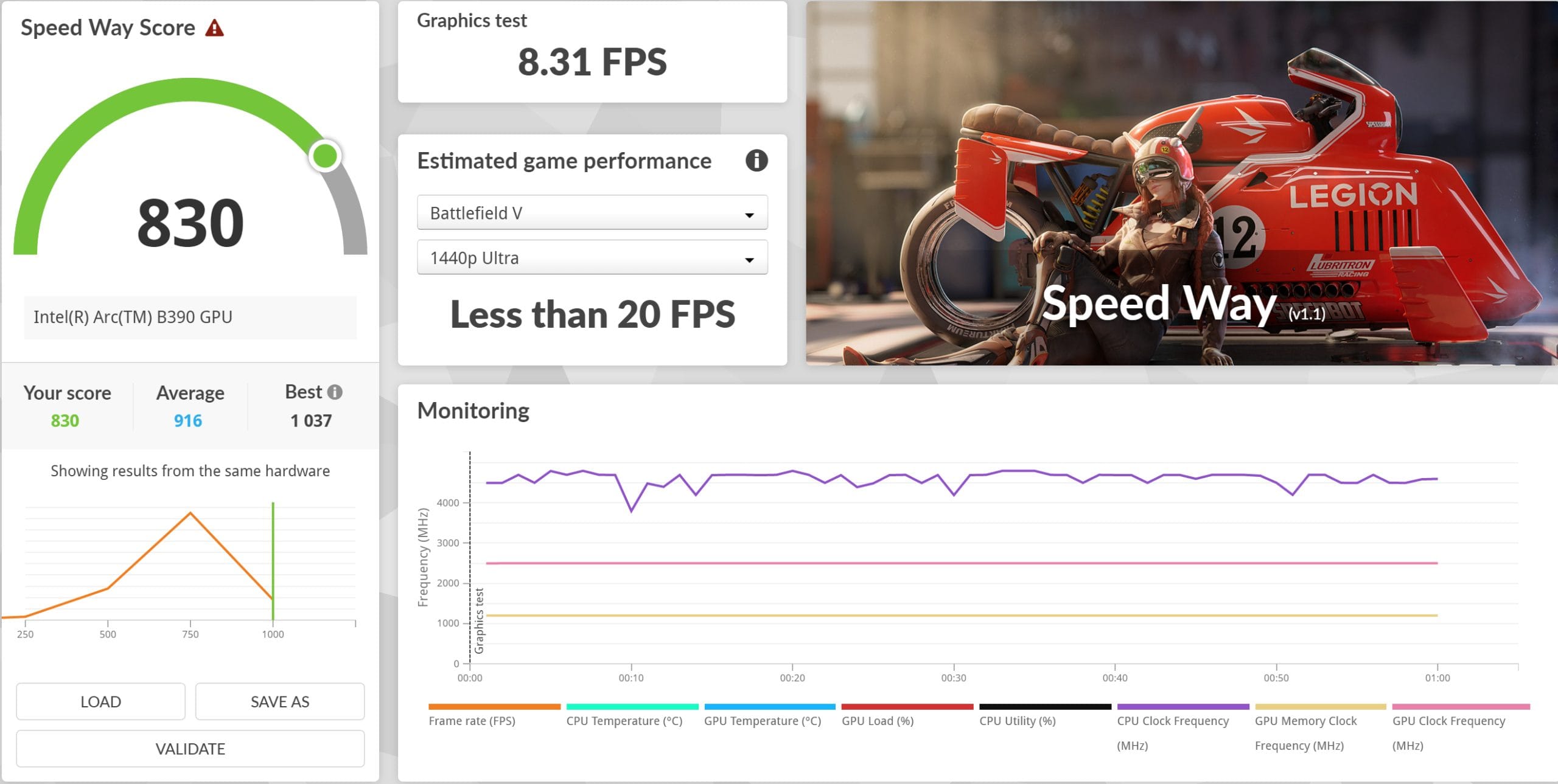
In practical terms, that's naturally not enough for current AAA games at high detail settings. Less demanding titles such as Counter-Strike 2, Valorant, League of Legends, Rocket League, and Fortnite, however, can run smoothly with reduced detail settings and an appropriate resolution.
Local AI: Definitely possible
The Arc B390 is even more interesting for creative applications and increasingly for local AI. Rather than having to send sensitive documents, text, or images to the cloud, many models can now run directly on the notebook.
The Procyon AI benchmark shows how well this already works. Generating images with Stable Diffusion 1.5 via OpenVINO takes around 170 seconds for 16 images at 512 × 512 pixels, or an average of 10.65 seconds per image.

Local language models such as Phi-3.5-mini reach around 47.3 tokens per second and begin generating output after just under 0.30 seconds. Larger models achieve around 27.4 tokens/s for Mistral-7B and about 26.1 tokens/s for Llama 3.1-8B.
This is quite suitable for tasks such as summarizing or translating local documents, coding assistance, or running a small private chatbot without relying on a cloud service.

However, the XPS 14 still doesn't quite match Apple's MacBooks in this area. Apple benefits from the close integration of unified memory, high memory bandwidth, and a software ecosystem around Metal and MLX that is now very well optimized for Apple Silicon.
Intel takes a somewhat different approach. The Core Ultra X7 combines the CPU, Arc GPU, and NPU as AI accelerators, although the software in question determines which unit is actually used. The NPU therefore does not automatically offer an advantage in every local AI application.
SSD, cooling, and noise
The review unit comes with a 1 TB KIOXIA BG7 NVMe SSD. It scores 2,311 points in the 3DMark Storage Benchmark, with an average bandwidth of around 392.5 MB/s and an average access time of 77 microseconds.

This is barely noticeable in everyday use, but the SSD performance could have been a little higher for a premium notebook. Faster NVMe SSDs are now available, especially for longer transfers or large media projects.
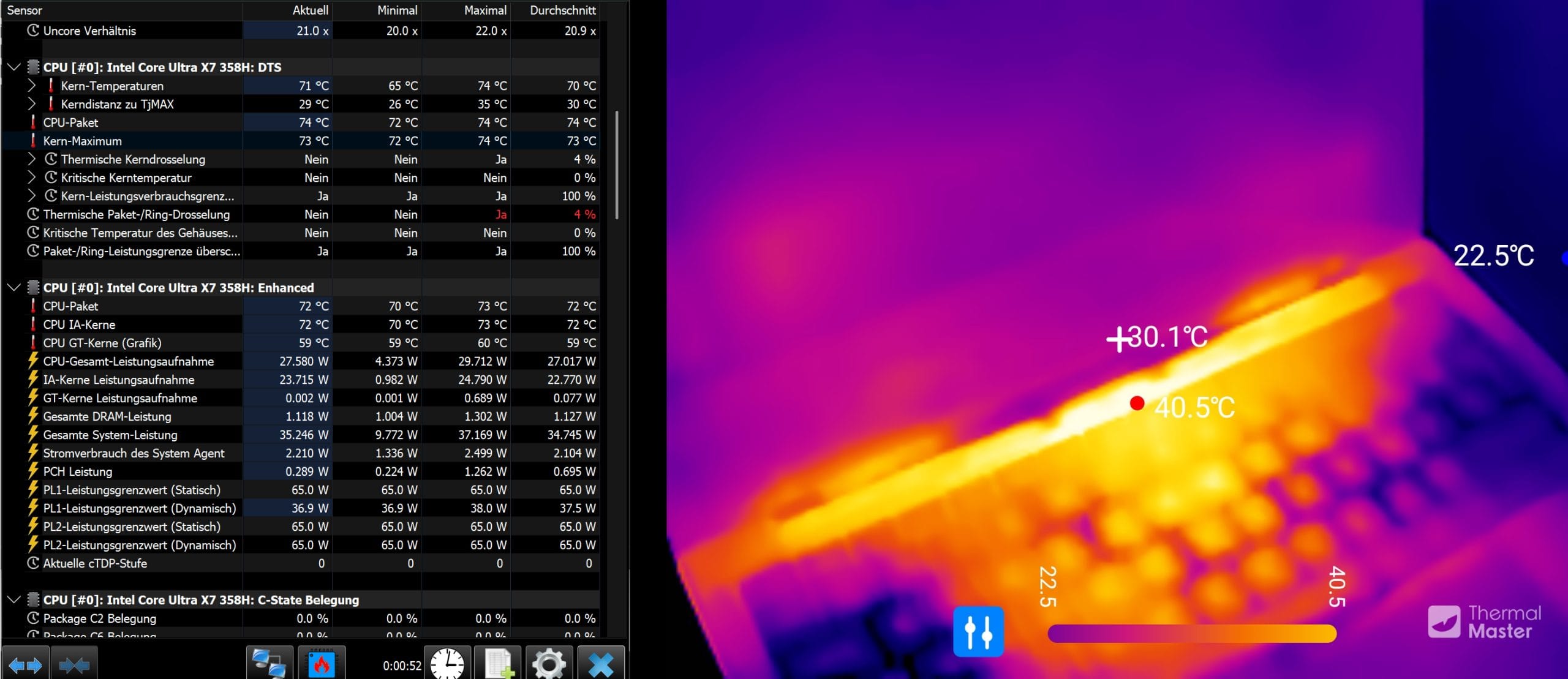
The cooling, on the other hand, is unobtrusive. The XPS 14 stays quiet most of the time during office work, web browsing, and streaming. The fans only become audible under sustained CPU or GPU load, but they never become distracting or unpleasantly shrill. The aluminum chassis gets noticeably warm under prolonged load, but doesn't get particularly hot at the usual points of contact.

Speakers, webcam, and Wi-Fi
The 10-watt speaker system sounds surprisingly powerful for such a compact design and gets reasonably loud without distorting at higher volumes. It's more than adequate for music, YouTube, or an episode of a show. Voices come through clearly, the highs remain largely clean, and there's even a little depth to the sound.
The 8-megapixel webcam is less remarkable. It delivers a sharp and generally decent image for video calls, as long as there's enough light. It's a shame that Dell has omitted a physical privacy shutter, although one probably wouldn't have suited the unibody design.

For wireless connectivity, Dell uses Wi-Fi 7 with Intel's BE211 module. The connection was stable and unremarkable during testing, with no significant issues with range or throughput.
Battery: Great, but OLED takes a little off the runtime
The XPS 14 has a battery with a capacity of around 70 Wh, which is a generous size for a slim 14-inch notebook.
In the office test, the notebook used about 7 to 8 percent of its battery charge per hour, depending on the run. Extrapolating from that gives around 12 to 14 hours under comparable conditions.
With lighter use, reduced display brightness, and a lower workload, you can get even more out of it, making a full workday away from an outlet easily achievable. The IPS-panel version lasts a little longer, with Dell claiming up to 31 hours of battery life.

So the LCD version is probably the better choice for anyone prioritizing maximum battery life. Charging is via USB-C with Power Delivery, and since all three ports can be used for this, you have flexibility in where you plug in the power adapter.
Dell includes a 100-watt power adapter. With ExpressCharge, the battery reaches about 80 percent in around one hour while the notebook is off, making it conveniently quick to top up during a short stop near an outlet.
Our verdict
The Dell XPS 14 is an excellent premium notebook that impresses above all with its high-quality aluminum chassis, impressive OLED display, and strong everyday performance. The Core Ultra X7 358H offers more than enough headroom for office work, photo editing, and more demanding applications, while the Arc B390 handles occasional gaming and local AI workloads surprisingly well.
There's plenty to like beyond raw performance, too. The trackpad is one of the best in its class, the speakers sound impressive for such a compact notebook, and battery life easily lasts a full workday despite the OLED display.
The main criticisms are the limited port selection and the somewhat unconventional keyboard. Aside from that, the XPS 14 is exactly the kind of Windows notebook that can seriously compete with the MacBook.
Specifications
Processor and memory
- CPU
- Intel Core Ultra X7 358H (Series 3, Panther Lake)
- – 16 cores
- – 4 P-cores + 12 E-/LP-E-cores
- – 18 MB L3 cache
- – up to 4.8 GHz
- – TDP
- 25 W
- GPU
- Intel Arc B390
- – 12 Xe cores
- – up to 2.5 GHz GPU clock speed
- RAM
- 32 GB LPDDR5x
- Memory speed
- up to 9,600 MT/s
- Internal storage
- 1 TB KIOXIA BG7 NVMe SSD
- SSD standard
- PCIe 4.0 x4
Display
- Display size
- 14.0-inch InfinityEdge
- Display type
- OLED
- Resolution
- 2,880 × 1,800 pixels (2.8K)
- Touch
- Yes
- Refresh rate
- 20–120 Hz
- Brightness
- 400 cd/m² according to the manufacturer / approx. 380 cd/m² measured
- Optional display
- 14.0-inch InfinityEdge LCD
- Resolution
- 1,920 × 1,200 pixels (2K)
- Touch
- No
- Refresh rate
- 1–120 Hz
- Brightness
- 500 cd/m²
Wireless
- Wi-Fi
- Intel Wi-Fi 7 BE211
- Wi-Fi configuration
- 2x2
- Bluetooth
- 6.0
Ports
- USB
- 3 × Thunderbolt 4 (USB Type-C)
- Display output
- DisplayPort 2.1 via USB-C
- Charging
- USB Power Delivery via USB-C
- Audio
- 3.5 mm headphone jack
- Kensington lock
- Supported via USB-C ports
- USB-A
- No
- HDMI
- No
- Card reader
- No
Keyboard and input
- Keyboard
- Backlit Zero-Lattice keyboard
- Layout
- German (QWERTZ)
- Trackpad
- Glass trackpad
- Palm rest
- Corning Gorilla Glass 3
Battery
- Battery
- 3-cell
- Capacity
- 70 Wh
- Charging
- USB-C Power Delivery
- Power adapter
- 100 W USB-C
- Fast charging
- ExpressCharge
Other
- Operating system
- Windows 11 Home
- Copilot+ PC
- Yes
- Color
- Graphite
- Webcam
- 8 MP
- Audio
- 10-watt speaker system
- Size
- – Height
- 14,62 mm
- – Width
- 309,52 mm
- – Depth
- 209,71 mm
- Weight
- – from 1,36 kg
- Regulatory model
- P202G
- Regulatory type
- P202G001
- Certifications
- ENERGY STAR 9.0, EPEAT Gold with Climate+
- BFR/PVC-free
- Yes, except for the power adapter
Price comparison
| Store | Price | Link |
|---|---|---|
| Dell | 2.218,78 € | Go to store |
Comments