Contents
Review: Docutain
Data protection and security
Before installing the app, I wanted to know how Docutain handles data and which access permissions the application requires.
Docutain is a “Made in Germany” app from INFOSOFT Informations- und Dokumentationssysteme GmbH, based in Koblenz. The company is transparent in its handling of data.
All data is stored exclusively locally on the device and can additionally be encrypted by the user. The encryption prevents third parties from reading the documents in plain text. If encrypted app data is uploaded to the cloud, there is no need to worry that third parties with cloud access will also gain access to the documents. The key used for encryption is generated from a password set by the user during initial setup. You should remember this password well, because to ensure maximum security, Docutain never stores the password. Consequently, there is no way to recover the password if it is lost.
Error reports and statistics on app usage are stored by Microsoft App Center. The collection of such analysis data is common, but it is anonymised and contains no personal data.
The app's access permissions include the camera, used for document scanning, storage, for saving scanned documents, and internet access, if you want to transfer data to the cloud.
Uses and functions
Easy and fast scanning
Docutain promises to cope with any type of document. Application examples are:
- Digitising invoices and receipts
- Management of all types of contracts
- Scanning and managing recipes from newspapers or screenshots
- Summary of user manuals
- Digitisation of homework and worksheets
For a test run, I took a folder and scanned different types of documents.
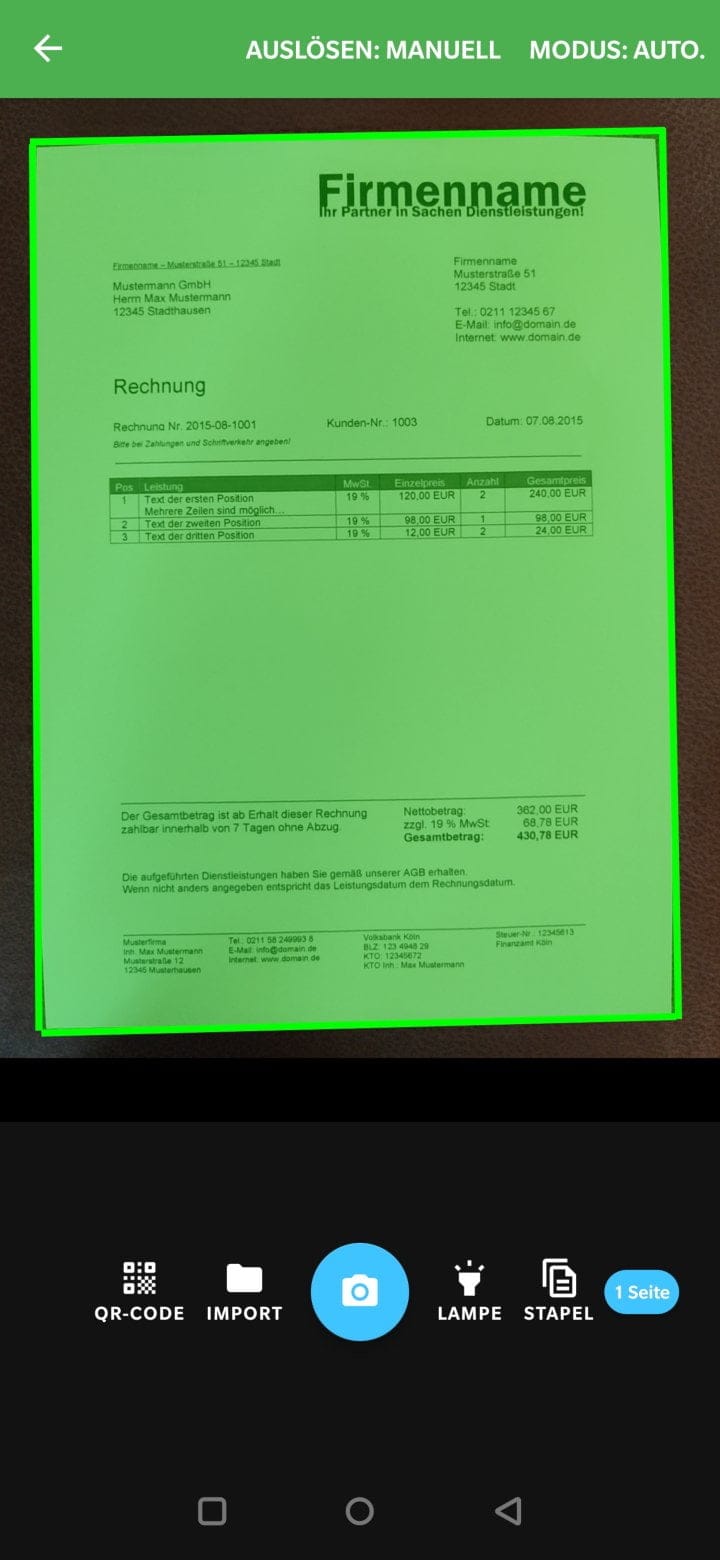
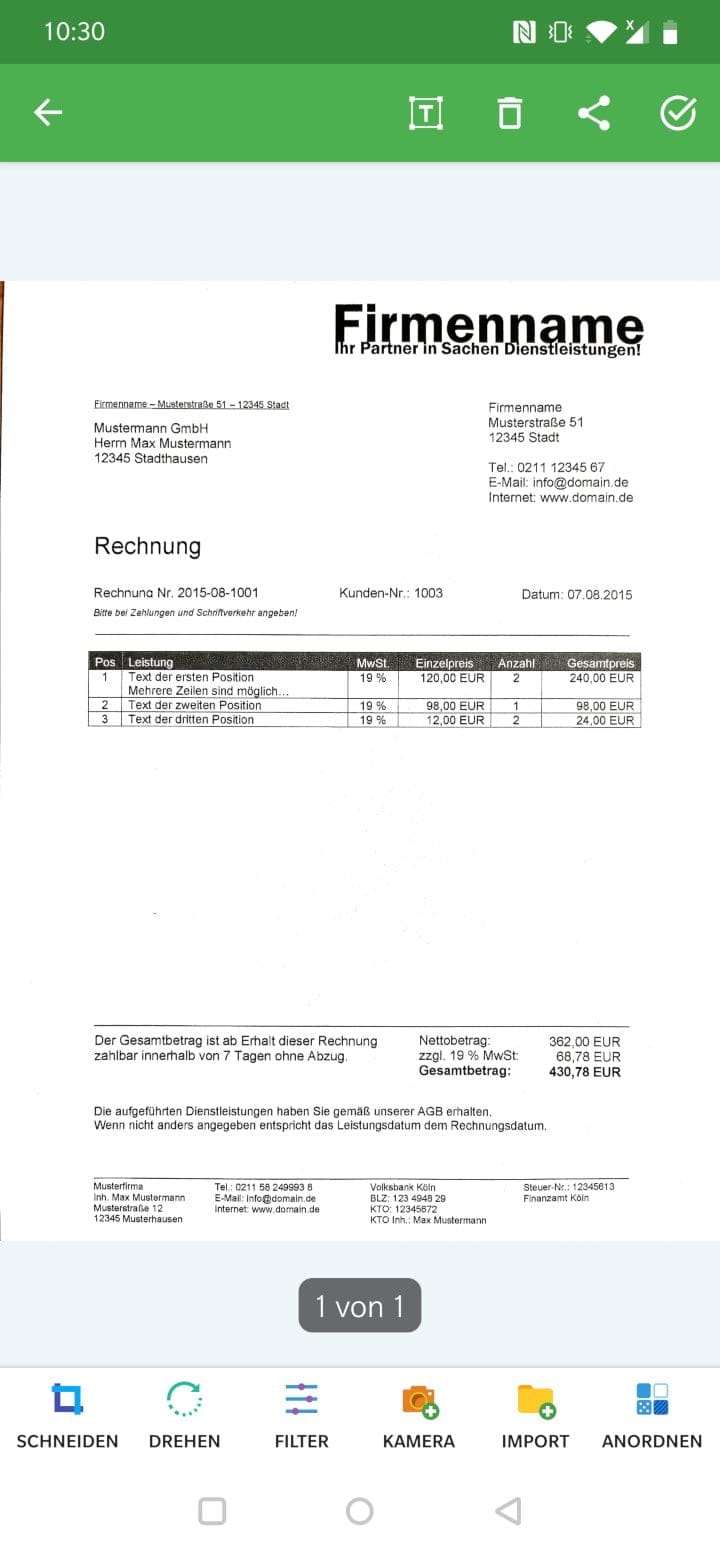
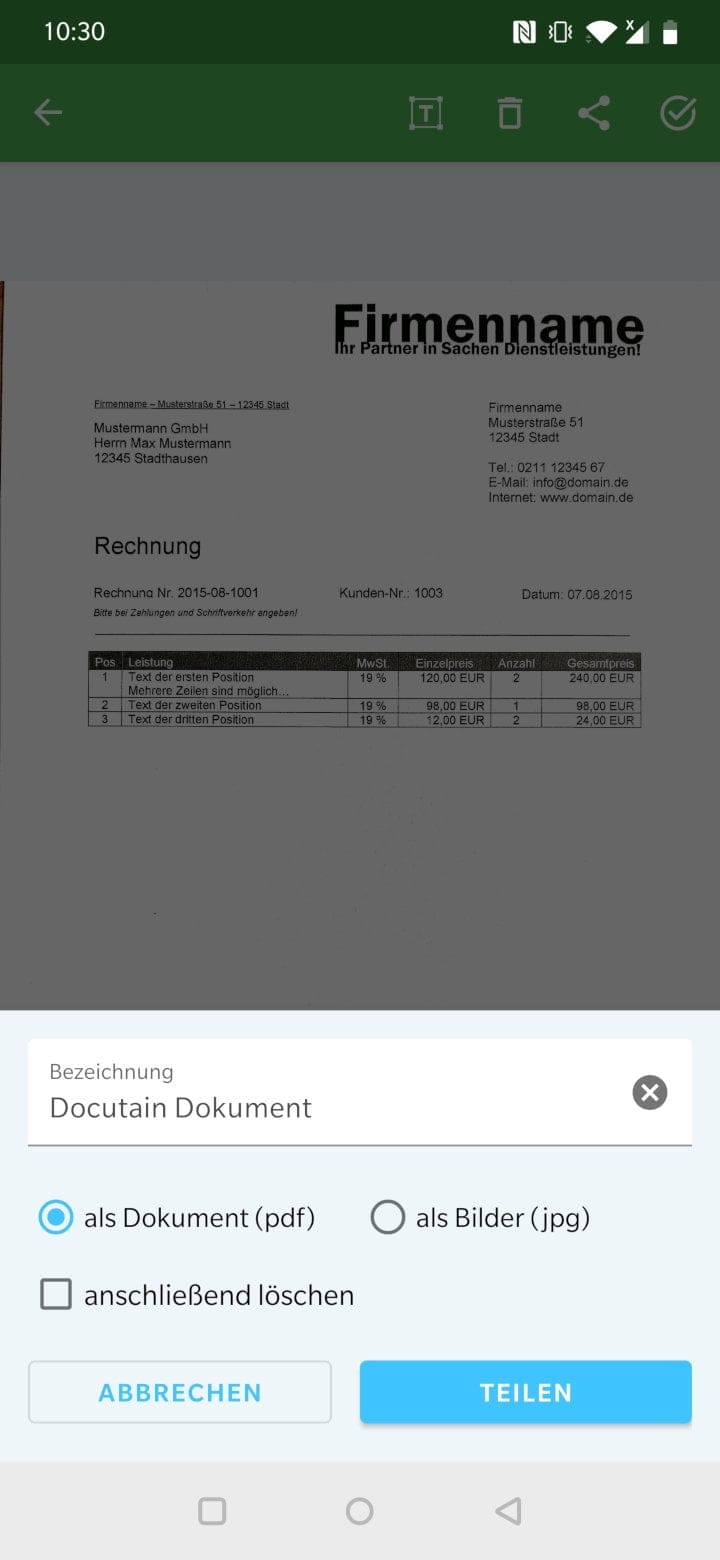
The first scan was surprisingly quick and easy. Hold the smartphone camera over the document, wait for the green overlay, and Docutain handles the rest. In automatic mode, the app triggers without user intervention when the alignment is perfect. In manual mode, as the name suggests, the user must operate the shutter button manually.
Ideal lighting conditions or a high-contrast background are not a prerequisite. The scan worked without obstacles in most cases. If the distance to the document is incorrect, the app instructs the user to move the camera closer to the document. Sharpening, cropping, and alignment are handled by the automatic post-processing. Of course, it is also possible to make your own edits (cutting, rotating, filters).
Extensive administration
Scanned documents can be tagged with metadata (designation, date, keywords, address, amount, tax relevance) and categorised by document type (invoices, prescriptions, certificates, etc.).
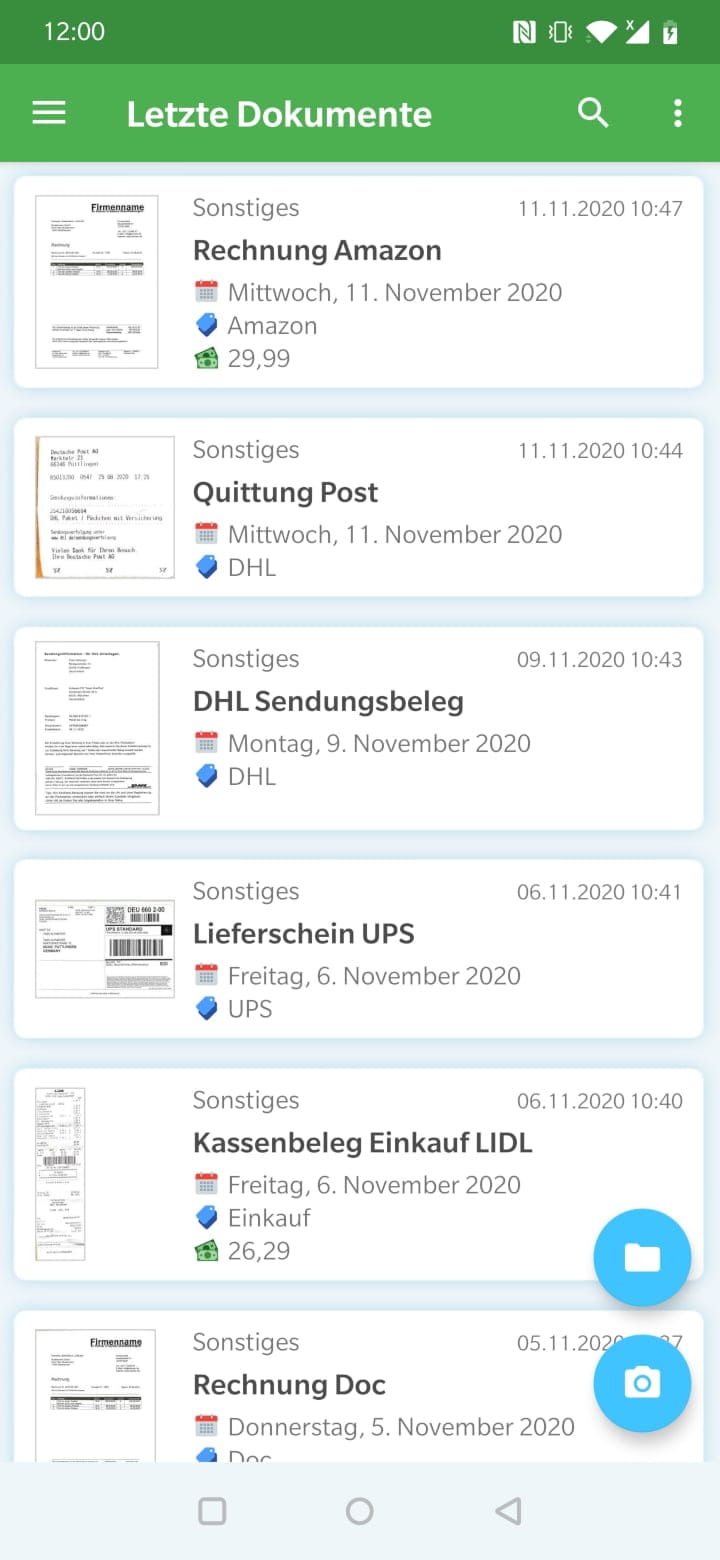
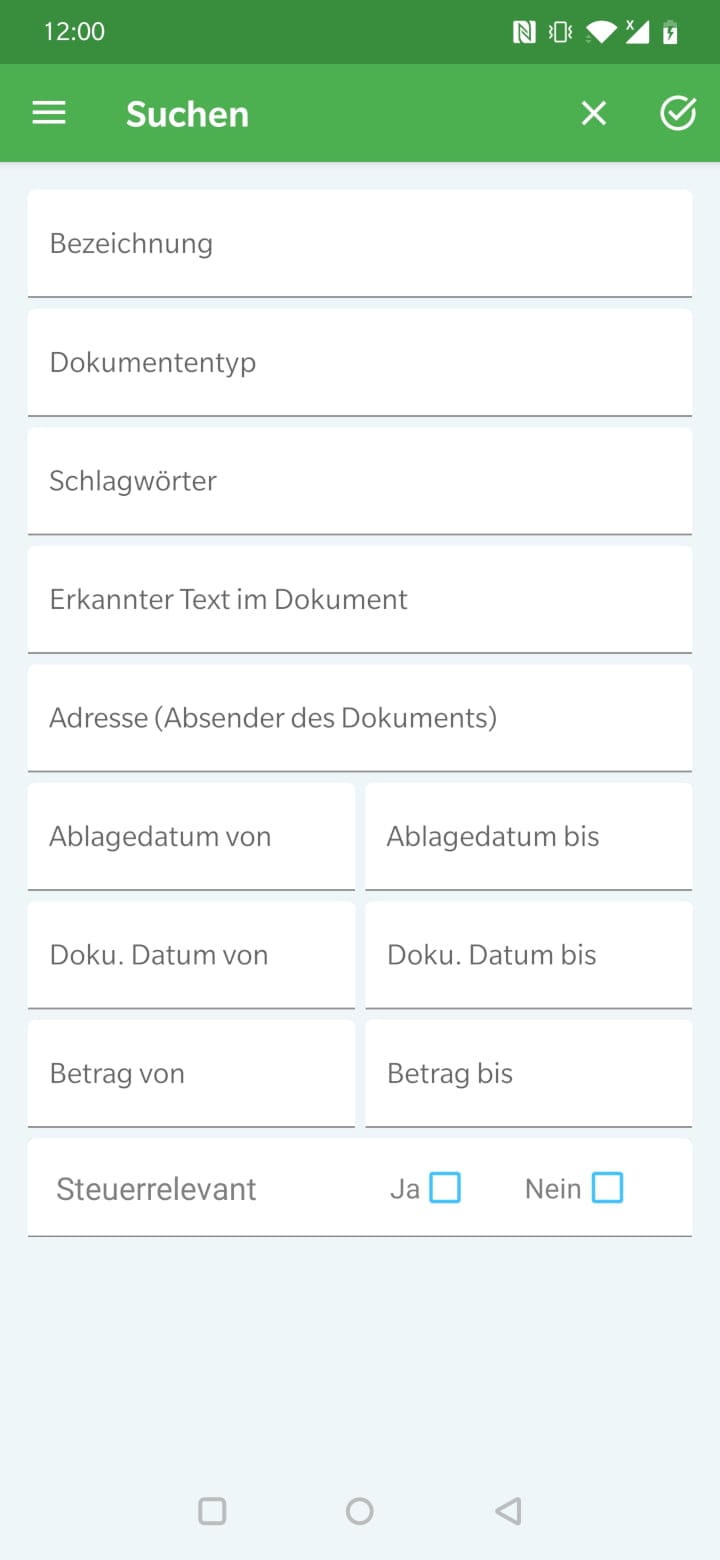
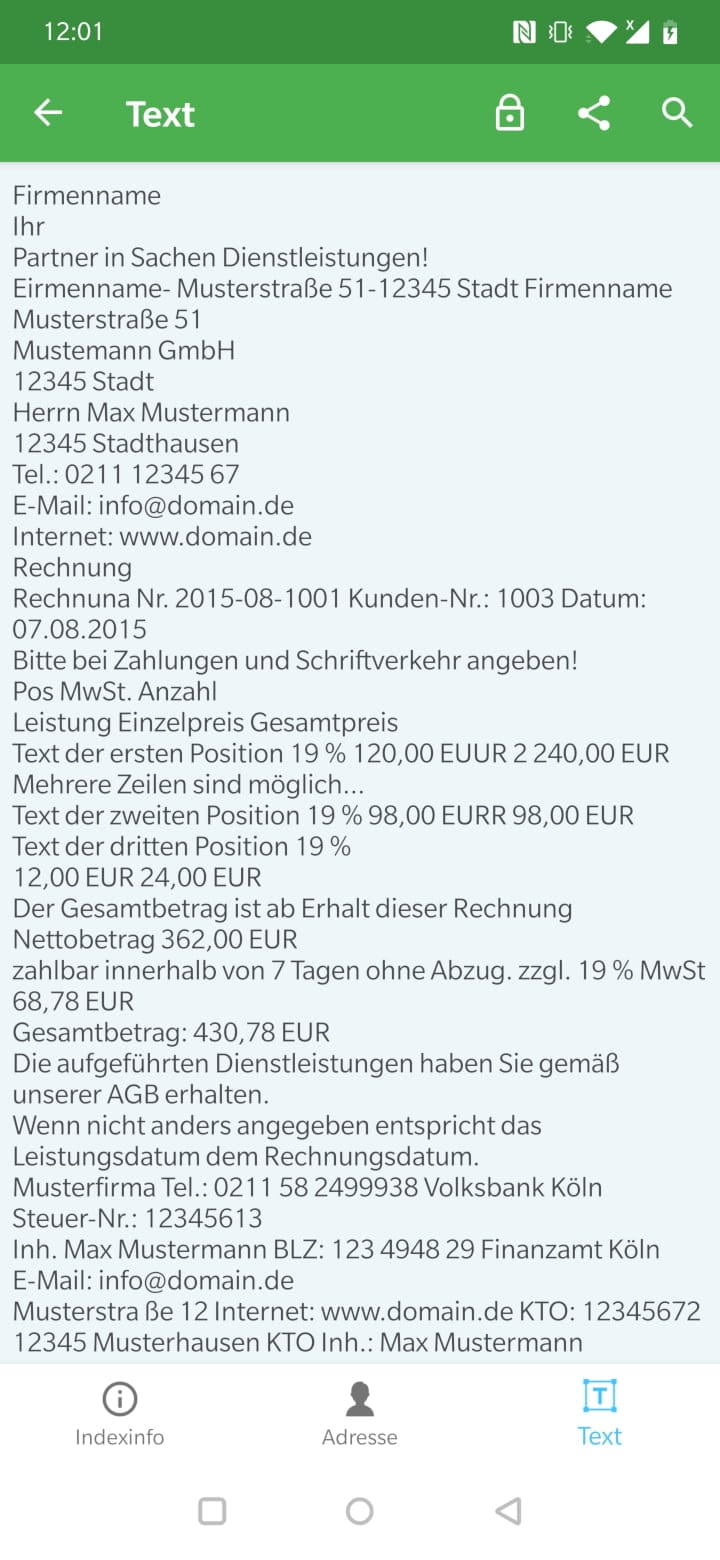
Similar to a classic folder – only digital – all documents stored in Docutain can be searched based on their metadata. With the help of OCR (text recognition), it is even possible to search directly within the text content of the documents. Additionally, documents can be shared as searchable PDFs or as images (JPG) directly from the app.
PDF and Cloud
In principle, Docutain stores all documents in a file format that can only be opened with Docutain. Exporting to PDF format can be activated in the settings, but is reserved for Pro-version users.
A practical feature to use Docutain across devices from anywhere is the cloud integration. The following cloud providers are supported: Dropbox, Google Drive, OneDrive, OneDrive Business, STRATO HiDrive, MagentaCloud, Web.de, GMX Cloud, Box, WebDAV, Nextcloud and ownCloud.
iOS, Android and Windows
Docutain can be installed on virtually any device. Apple iOS and Android users can download the app completely free of charge from the respective app store. INFOSOFT kindly refrains from advertising. An upgrade to Docutain Pro is possible as an in-app purchase and costs a one-off 4.99€. Docutain Pro offers, among other things, a batch scan, a reminder function, and the option to import PDF files. Here is an overview of the Pro features:
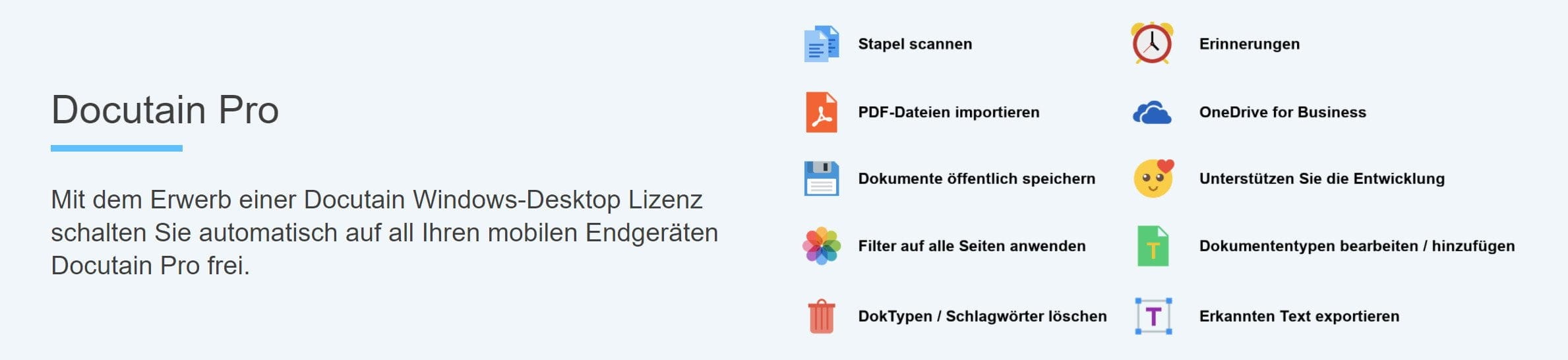
In addition to the app, Docutain is also available as a Windows application. Unlike the app version, the desktop version can be used free of charge during a 14-day trial period. After the trial period, it is possible to purchase Docutain Desktop for €24.99 annually / €2.99 monthly (Business: €199.00 / €19.99). Purchasing the Windows desktop licence automatically unlocks Docutain Pro on mobile devices.
Climate protection
Using Docutain also contributes to climate protection. As a partner of the Tree-Nation reforestation project, Docutain helps replant our planet. Scanned documents mean trees that benefit the Tree-Nation project.
 Play video on YouTube
As of the time of writing, Docutain has already contributed 14,857 trees to the project! You can check how many trees you have contributed yourself via the "Climate protection" menu item in the app.
Further information on Docutain Climate Protection is available at: docutain.de/Klimaschutz
Our verdict
In conclusion, Docutain is a successful document management app. With Docutain, you can scan and manage invoices, receipts, contracts, letters, business cards and pretty much any other document.
Documents can be digitised in no time. The scanning process is intuitive, and in rare cases, manual intervention is needed to assist the automatic post-processing. Document management is clearly structured, so you don't have to spend long searching for the desired document. Finding rather than searching is the keyword here.
Particularly noteworthy is the exclusive local storage of data, which can additionally be encrypted. This ensures greater security and alleviates privacy concerns.
Comments (11)
The app works well on smartphones, but under Windows 10 it is a disaster, crashing regularly. Service takes 3-5 days; I have finally had enough of this.
What I do not like is,
The fields in the PC/mobile version are listed differently.
Scanned on the PC, it must be called up again on the mobile phone and edited to create a PDF file.
Otherwise, price-performance is top
Unfortunately, the Windows version is unable to connect to Google Drive, as the software is classified as unsafe. This completely ruins the cross-platform concept. So in the end, it is more of a gimmick than a genuine DMS.
What I really appreciate about Docutain is the simplicity of the scanning process. With the smartphone, you just need to photograph the document, assign a title, and that's it. It takes 10 seconds and the document is digitised. To get the full benefit, however, you should also assign keywords, a document date, and the author of the document. All this metadata can be assigned as search criteria. If you consistently enter all metadata, you find a document in seconds. This has already helped me so often in everyday life, in situations you wouldn't have thought of before. The search function in Docutain is simply fantastic.
The Windows application works completely smoothly for me, there are no crashes. Synchronisation with the GMX Cloud also works flawlessly. This means you always have your documents available on all devices and always up to date.
Docutain is no longer optional in my everyday life. I look forward to every new document I can scan – seriously!
Under Windows 10 / Windows 11, the software is a complete disaster. It is a play-around and tinkering software. If it takes me minutes just to change data or even to delete records because the program is constantly and permanently synchronising, the program cannot be used professionally. When errors are only acknowledged months later (!) and you then receive notice that they are working intensively on fixing them, I am at a loss for words. That the program cannot be used at all – even with existing data – after the purchased subscription (annual subscription) expires, is another impudence. I can only warn every professional user against this software. It seems to be designed rather for the smartphone generation than for professional users of a DMS.
The app for the smartphone does not cost €4.99 once after the trial period expires, but monthly! An annual subscription costs €49.99.
The idea is good, the rest is absolutely awful. Service—what’s that?
An update was installed on my Android phone this morning, and now the program is unusable.
As a customer, you’re being taken for a ride.
The motto seems to be: “The only thing getting in the way is the customer.”
…that’s my experience too – a short standard response, then – if difficulties persist – dead silence.
I am very dissatisfied with Docutain. The feature set is modest, the software is error-prone. The automatic tagging of scans is poor. A shame for the time I invested.
I can only agree with the previous comments. For me, the software doesn't even detect duplicate PDF files. I also cannot see that the Windows version is being fundamentally further developed (see features and design). There is no notice prior to the subscription expiring. The subscription can be concluded online. But I haven't found the necessary cancel button. The customer is simply supposed to pay.
I cannot agree with the previous comments. I am very satisfied with the app, particularly the scan quality and feature set. When I contacted support, I received a reply after 2 days.
The company now also appears to offer an SDK for scanning: https://sdk.docutain.com