Contents
First impressions of the globellColorSuite

What’s included
Unpacked and ready to go – The globellColorSuite includes everything needed for (professional) calibration and profiling. The suite is delivered with a hardware colorimeter, a stand with a gooseneck arm, a software license key and an instruction manual.

User manual and software download
The user manual is written in both German and English and guides the user specifically through the steps necessary for commissioning. Detailed illustrations and additional notes help with comprehension problems.
The globellColor software is only available as a download. The included "License & Quality Card" has the licence key and the link to the download page printed on it. The software can be downloaded from the manufacturer's website and is available in Windows and Mac OSX versions.
Hardware
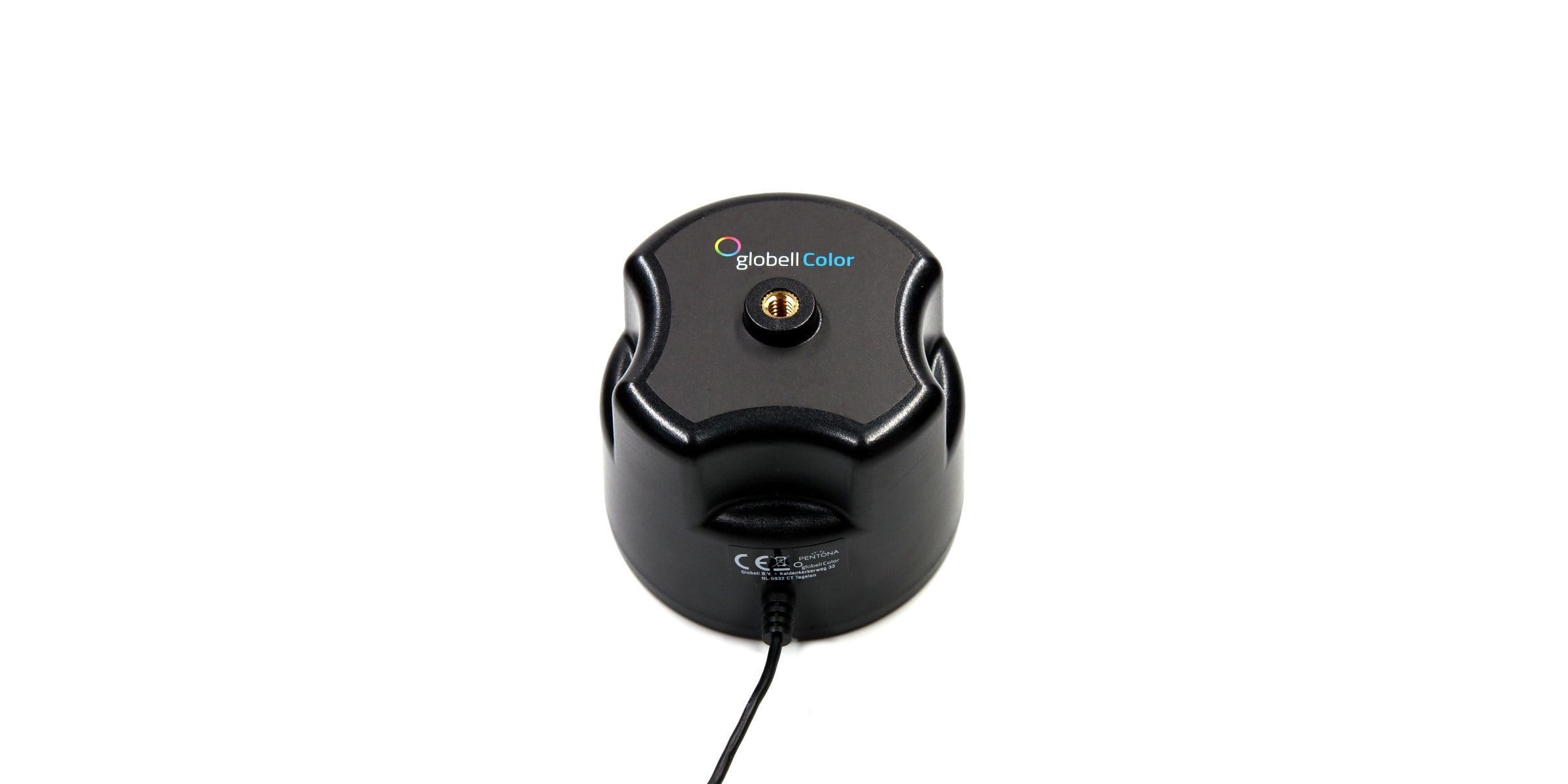
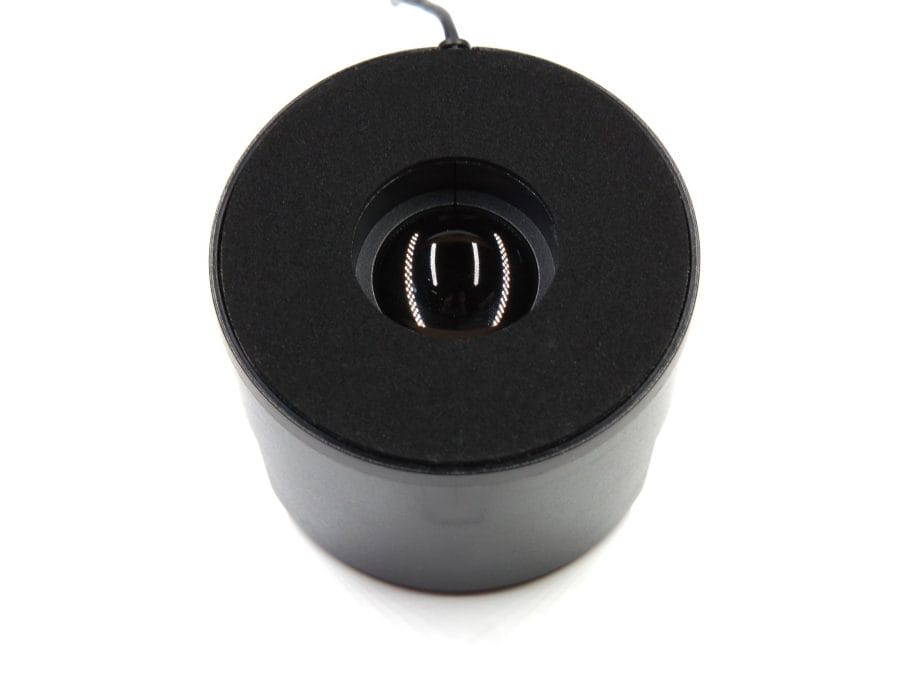
The hardware and software of the globellColorSuite are “Made in Germany”. The construction of the comparatively bulky globellColor colorimeter barely differs from calibration solutions from other manufacturers. Features include, among other things, the inwardly offset two-lens optics, surrounded by a scratch-protective foam, as well as a ¼ inch thread for mounting on a stand or tripod. Inside works a sensor which, in combination with the (inorganic) glass filters, enables permanently precise measurements.
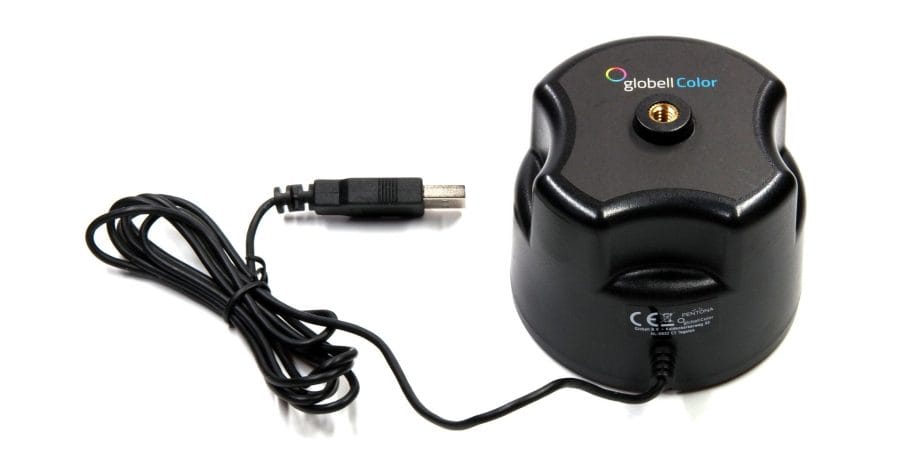
That Globell Color GmbH, based in Kempen, pursues high quality standards is demonstrated, among other things, by its collaboration with lens specialist Meyer-Optik-Görlitz and Japanese monitor manufacturer EIZO. Each globellColorSuite undergoes extensive testing before it goes on sale. A test certificate is located next to the device's hardware ID on the "License & Quality Card".
The build quality of the colorimeter and also that of the holder is impeccable. The fact that the glass optics do not have a protective cover is somewhat unfortunate. Although they are protected by the housing, it is still recommended to place the colorimeter in its padded packaging after each use.
Practical test
Usage
Unlike many calibration solutions that are aligned hanging with a counterweight, the colorbrandy Kolorimeter uses a stand with a flexible gooseneck. Both contact and distance measurements are possible. For contact measurement, the colorimeter is held against the display using a contact surface that protects the monitor. A positioning aid displayed in the centre of the screen facilitates precise alignment.
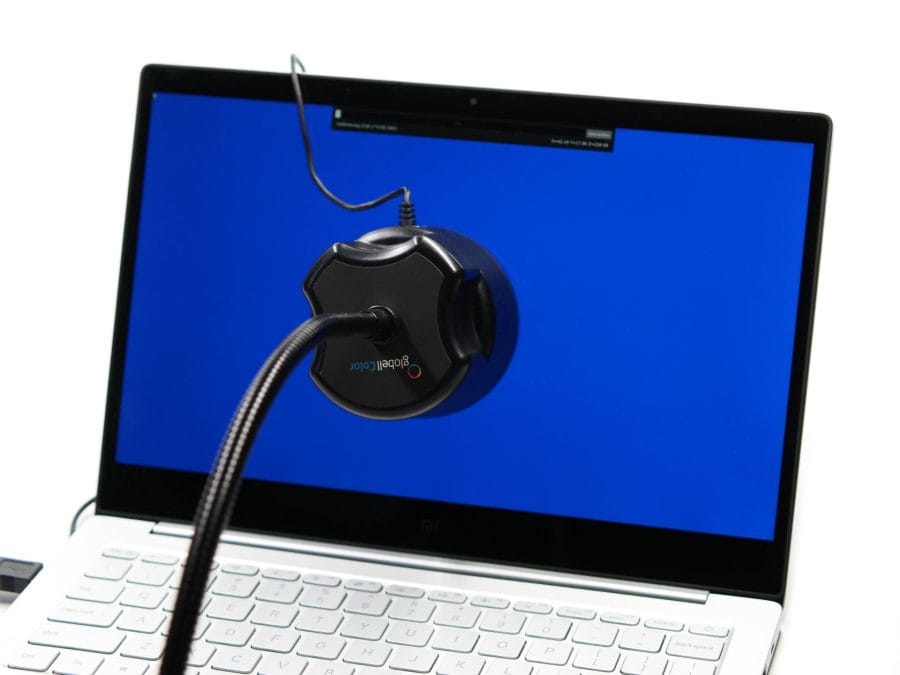
A stand extension is required for the distance measurement, which was only available as a pre-series prototype at the time of testing. Alternatively, the colorimeter can easily be screwed onto a tripod to check, for example, the projected image of a projector. An advantage of distance measurement is the particularly realistic measurement process. The ambient light is included in the calibration and profiling, resulting in a measurement similar to that of the human eye.
globellColor software
The globellColor software is clearly structured and allows you to start a successful calibration process with just a few clicks.
The software automatically detects the connected monitors. Multiple monitors can be calibrated individually or sequentially in a row. To distinguish between multiple monitors, the model name and serial number of each monitor are also displayed. Via the submenu Settings > Screen settings, additional parameters can be set regarding LUT upload, designation, and the screen technology of the respective monitor. All common screen technologies from CRT, LCD CCFL to LCD LED (Wide-Gamut) and LCD GB-r-LED are supported, and calibration of projectors is also possible. If display hardware with "Display Data Channel/Command Interface" (DDC/CI) is present, the globellColorSuite can communicate directly with it.

Under the “Calibration & Profiling” point, the display can be calibrated, checked and profiled. For Windows users, calibration and profiling are performed in one step. A successful calibration results in an ICC profile, which is automatically recognised and used by Windows. Calibration and profiling differ again on a Mac OSX system. Only profiling creates a profile valid for colour management-capable programs.
The calibration settings can be customised or based on preset profiles. The preset profiles are particularly suitable for laypersons. These are divided into application areas and cover typical areas such as web design, photo or video editing and film. Experienced users can freely adjust settings for luminance or gamma, colour temperature, maximum and minimum luminance, and the colour space.
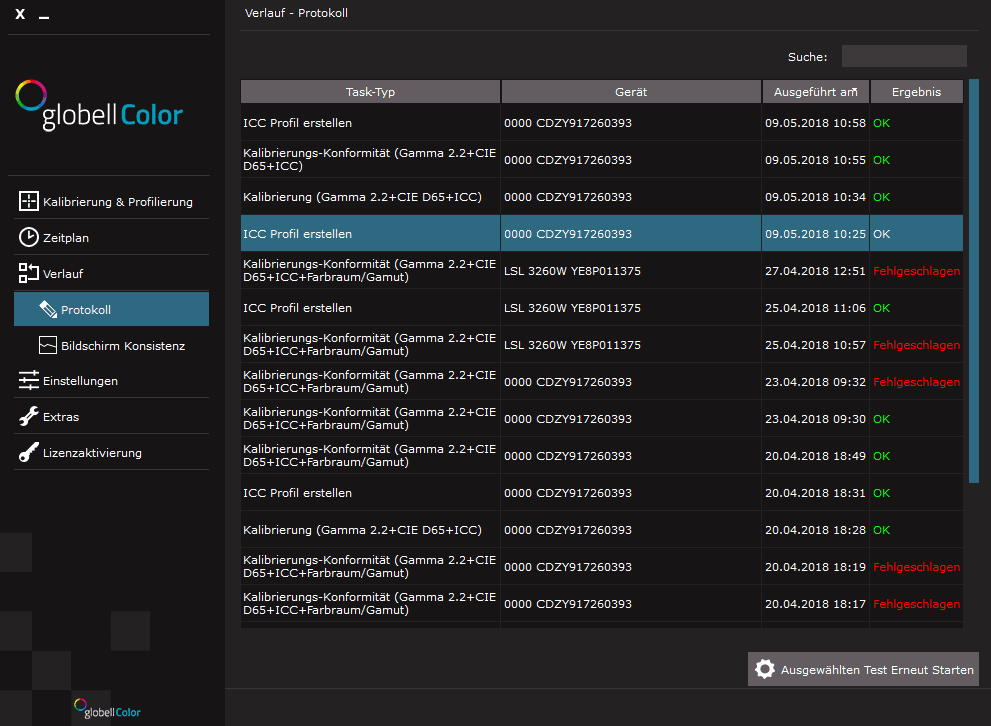
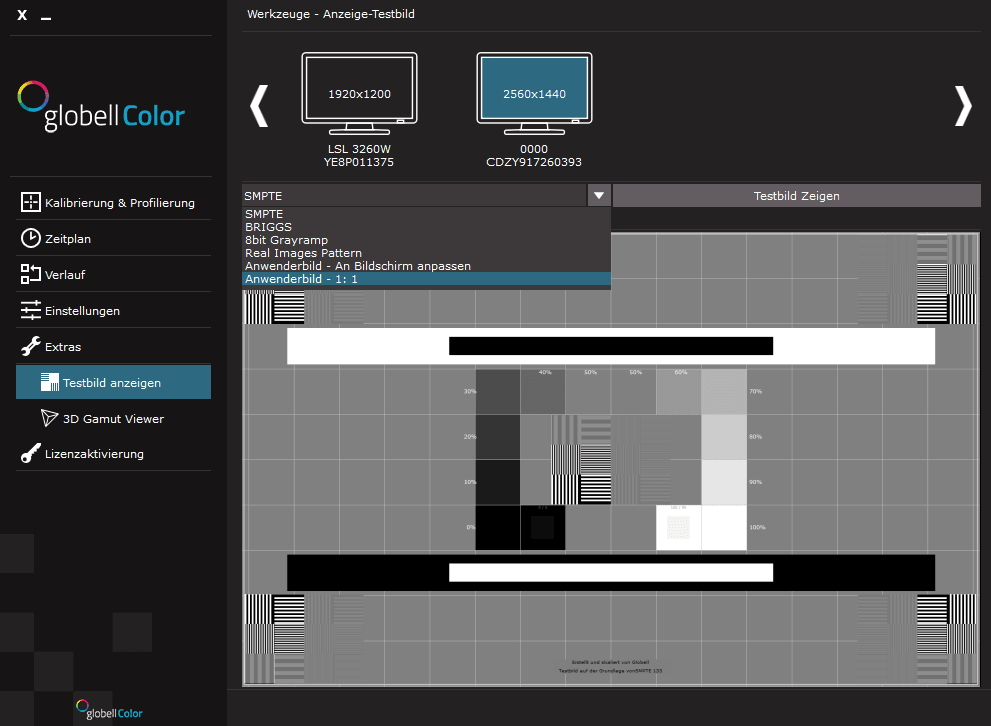
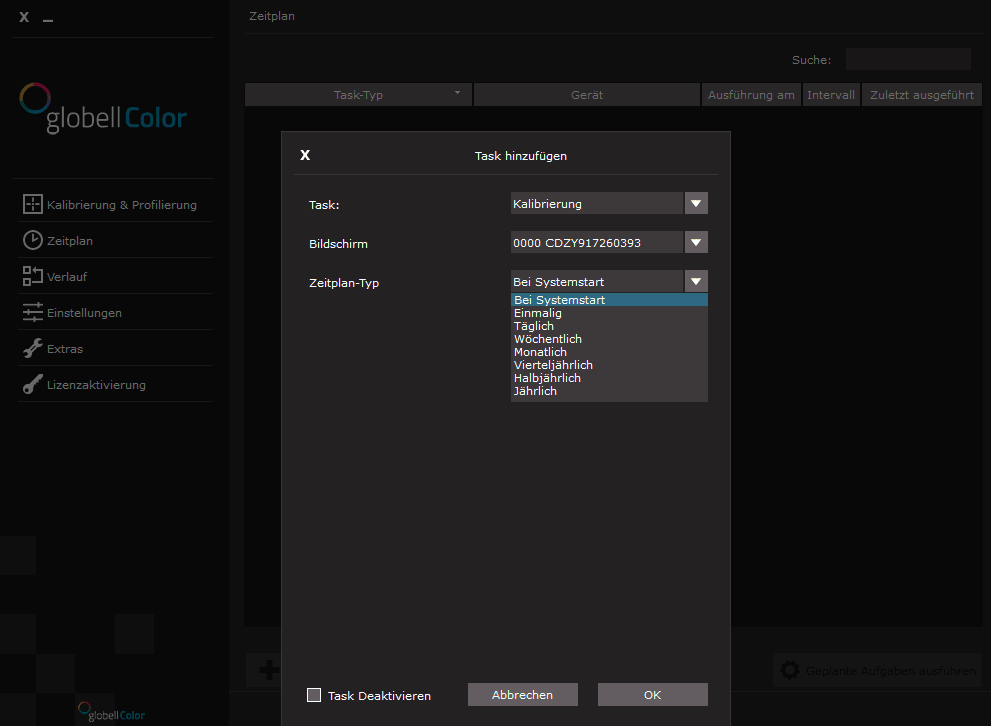
Other software functions include an automated schedule, a history view, general software settings (including language, measurement units and ICC profile version), and extras such as various test images and a 3D gamut viewer. For quick access, the globellColor Assistant is located as a notification icon in the taskbar. This allows you to manage monitors and apply or undo the calibration that has already been performed.
Third-party software such as CalMAN, DisplayCAL or HCFR was not yet supported at the time of testing. However, according to Globell Color, future support for third-party software is already planned.
Calibration and profiling
Measurement speed
The measurement speed of the globellColor colorimeter is convincing. A comprehensive calibration process including profiling takes around 7 minutes. A profiling run, on the other hand, is completed after 2 ½ minutes, while a simple check takes just about a minute.
Measurement result
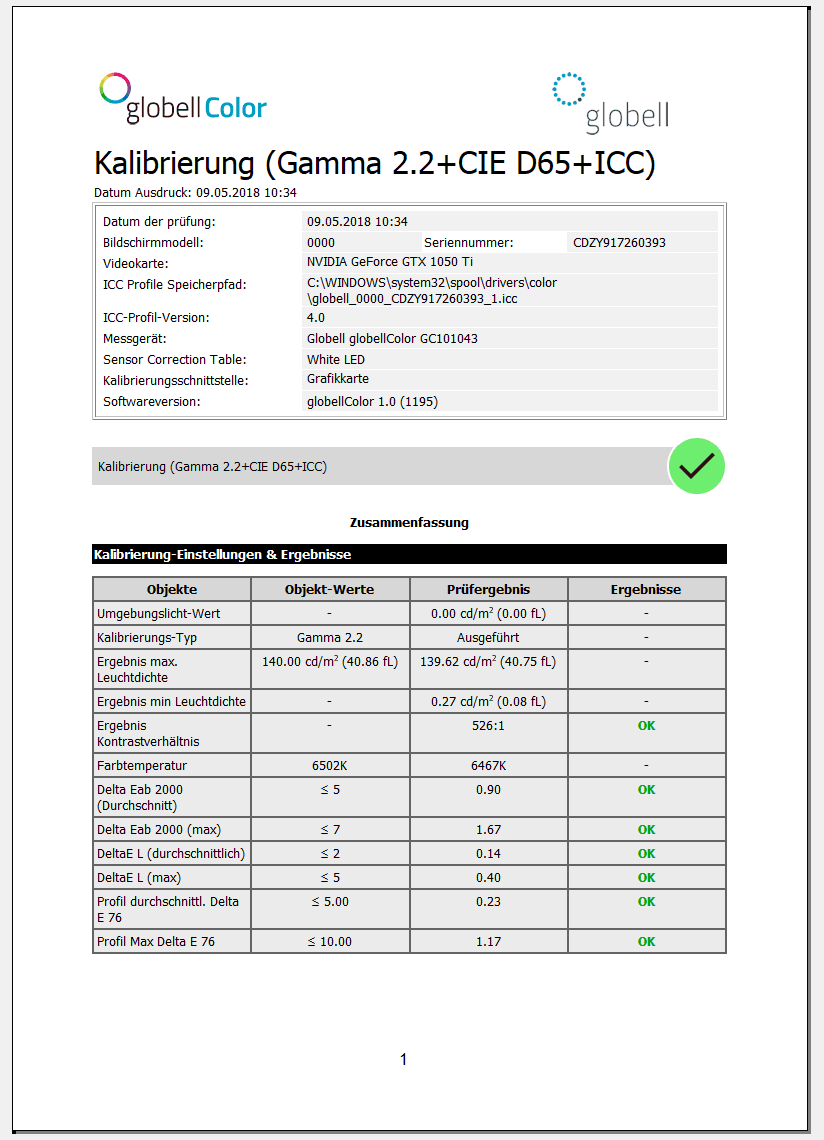
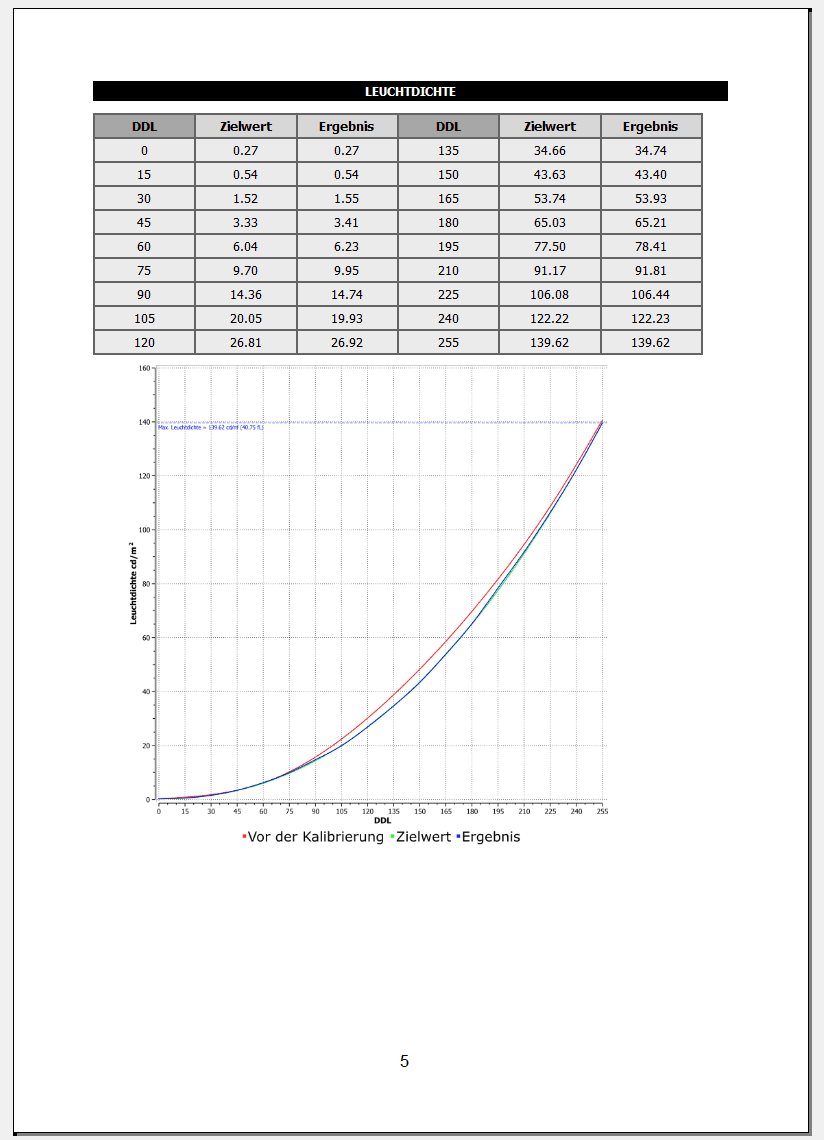
The result of a calibration is an ICC profile automatically adopted by Windows 10 and a detailed, multi-page test report in PDF format. The measurement accuracy of the globellColorSuite is impressive. The calibration result, checked against a colour reference and grey card, is adhered to by the colorimeter in a traceable and, above all, precise manner.
Test report
The multi-page test report includes comprehensive measurement data and graphics. The beginning of a test report contains a practical summary of all measurement data. Furthermore, the test report includes histograms for luminance, colour temperature, RGB level and a CIE diagram.
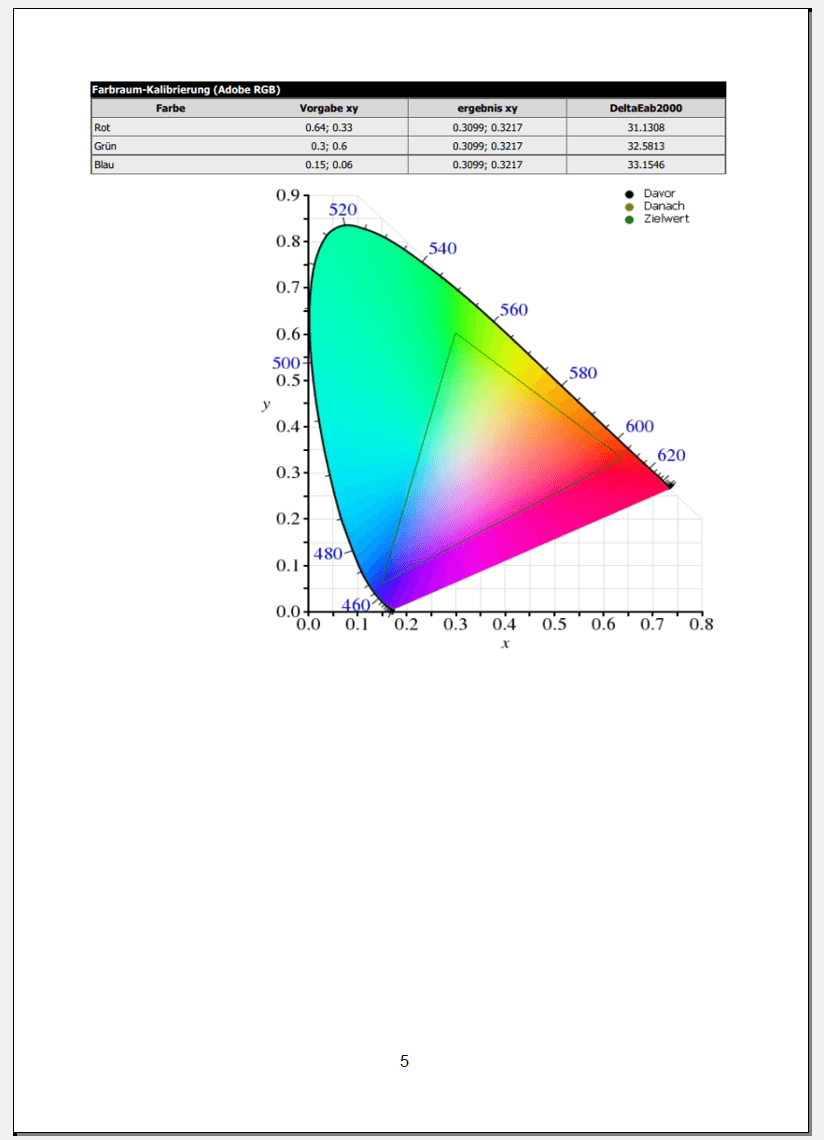
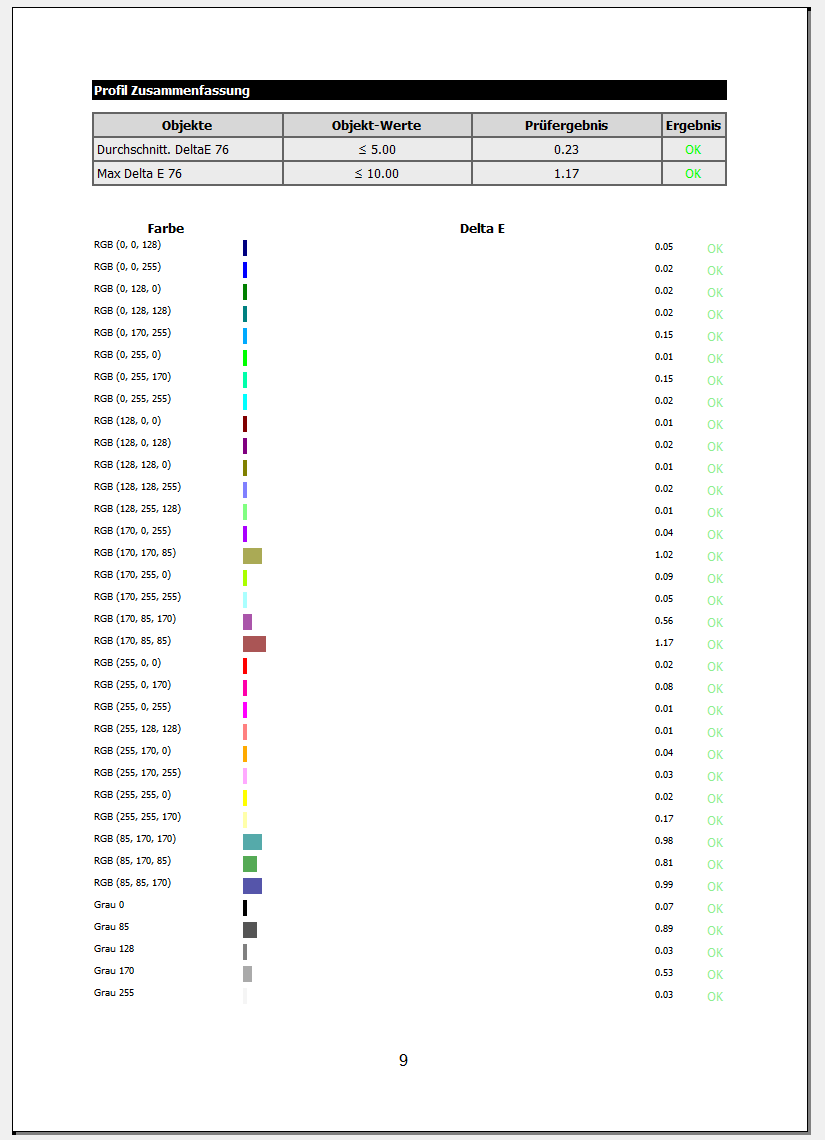
A summary of the colour difference (Delta E) is provided at the end of each report. At the time of testing, there were some inconsistencies regarding the display and legend of the generated CIE diagram. Upon enquiry with Globell Color, a bug fix is already in progress and will be implemented in future software updates.
Manufacturer website: globell-color.com
Our verdict
The globellColorSuite is an excellent calibration solution that convinces in terms of both hardware and software. Easy to handle, a display can be calibrated, checked and profiled in just a few steps. The calibration settings are comprehensive. User-friendly presets for various application areas enable even laypeople to carry out the calibration process effortlessly. The high measurement speed and precise calibration quality are also noteworthy. A detailed inspection report allows for a detailed evaluation of individual measurements.
At the time of testing, minor software glitches were observed, which mainly affected parts of the test report. However, the manufacturer is working to eliminate these errors in future software updates.
Anyone looking for a 'Made in Germany' colorimeter suitable for both contact and distance measurement, which delivers precise results over time thanks to inorganic colour filters, should definitely take a look at the globellColorSuite!
Specifications
Hardware
- *Inorganic glass filter
- *High-end sensor
- *Contact and distance measurement
Software
- Operating system
- Windows 10 and Mac OSX
- Functions
- *Calibrate
- *Profile
- *Check
- *Schedule
- *History
- *3D gamut viewer
- *Test images
- *Test report
What’s included
1x Colorimeter 1x Gooseneck 1x Stand 1x Software license 1x Instructions for use

Comments (1)
Where can I still get the software? The manufacturer is insolvent and has closed its website!