
Contents
Amazfit Stratos (Smartwatch 2 / 2S)
The Amazfit Stratos, sometimes also referred to as the Amazfit Sport Smartwatch 2, was officially released in China on 12 December 2017. The smartwatch was released in a standard and a premium version. The smartwatch is produced by the Chinese wearable manufacturer Huami, which also manufactures wearables for Xiaomi, among others.
At the end of February 2018, the sports smartwatch was released in an International Version. Apps specifically intended for the Chinese market were removed and the user interface was made multilingual.
Design, build quality, and included accessories
Standard model vs. premium model
Before we look at all the features of the smartwatch, we first examine the differences between the two Chinese models and the internationally released Amazfit Stratos. In China, the standard model was released as the Amazfit Smartwatch 2, and the premium model as the Amazfit Smartwatch 2S. The only differences between the two versions are the display glass used and the watch strap. The standard model uses conventional hardened display glass and a silicone strap. The premium model, on the other hand, uses sapphire glass as well as a leather strap. The watch strap is interchangeable on both models.
Internationally, the smartwatch was released as the Amazfit Stratos. This is the standard Chinese model with a customised user interface. A premium variant was not released for the international market!

Watch case
The design of the new Amazfit smartwatch differs completely from the design of the Amazfit Pace. Overall, the case of the Amazfit Smartwatch 2 appears significantly more bulky, yet it still adheres to a sporty style. The case is made of carbon-fibre reinforced plastic in the typical carbon look. The diameter is 4.8 cm, the height is 1.5 cm, and the weight of the smartwatch including the wristband is exactly 60 g.
On the top side is the transflective display with a 1.34-inch diagonal. The display is surrounded by an elegant ceramic bezel. The Amazfit Stratos can be actively controlled via three stainless steel buttons (316L) placed on the side. On the underside are the 4-pin charging connector and the slightly protruding heart rate sensor. The smartwatch cannot be opened, so there is no access to the battery or internal hardware.

A clear advantage over the predecessor model is the classification (Ingress Protection IP68) as waterproof up to 5 bar (5 ATM / 50 metres). Under normal conditions, it is thus possible to shower, swim and even dive with the smartwatch.
Watch strap and build quality
The silicone strap is adjustable in 15 steps and fastens with a pin buckle. The strap length is 20 cm, and the strap width is 22 mm. A quick-release mechanism facilitates changing the strap.
The build quality of the actual smartwatch is beyond reproach. However, the watch strap attracts criticism, showing slight signs of wear after just a few weeks. The box contents include the Amazfit Smartwatch 2, a charging station with USB connection option, and a user manual.

Display
“Transflective display”
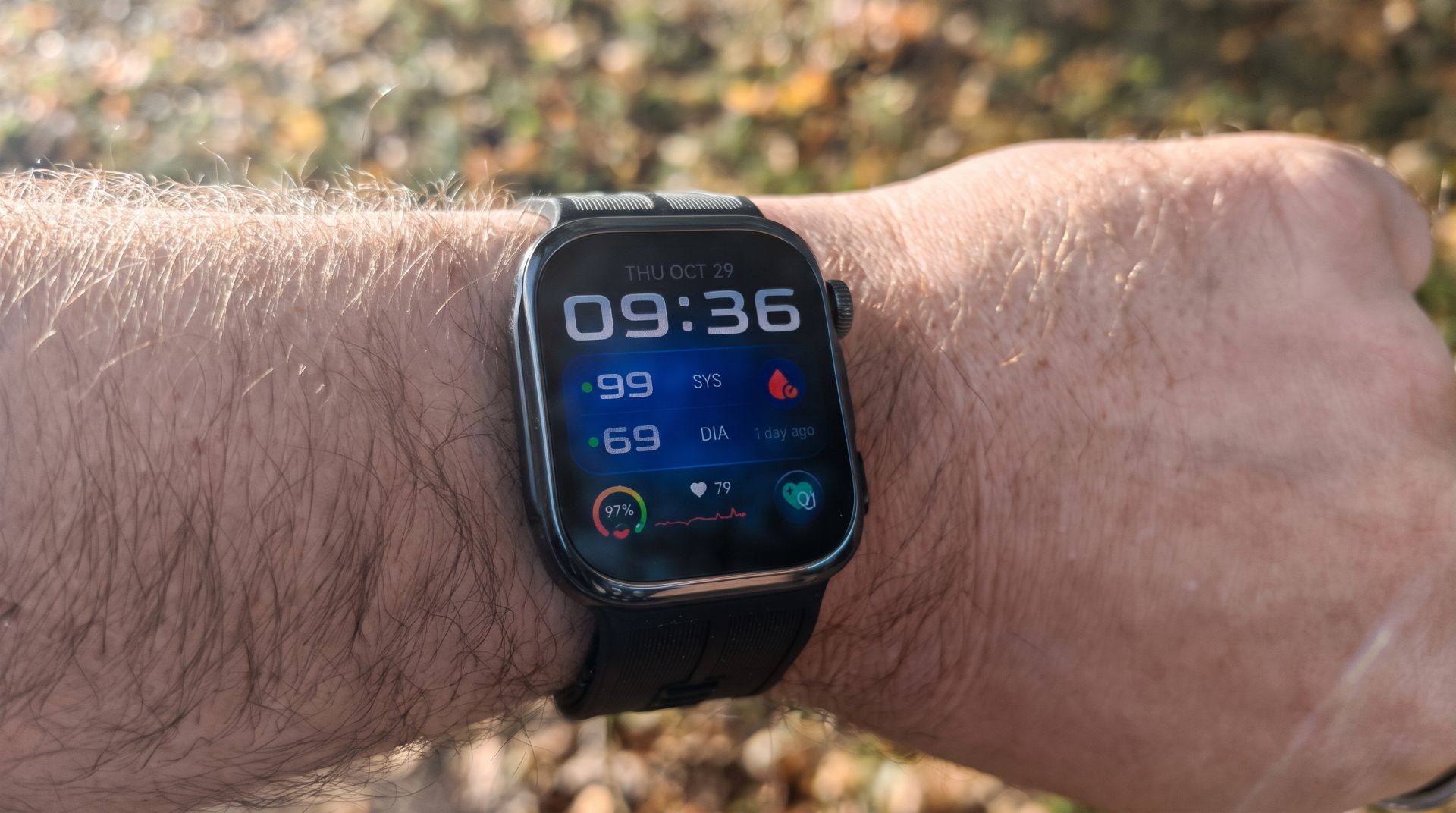
The colour display has a diagonal of 1.34 inches. The resolution is 320 x 300 pixels. Like the display on the Amazfit Pace, the new Amazfit Smartwatch 2 also uses a so-called “transflective display”. This type of display works without a backlight and reflects incident light. The display is always active in “Always-On” mode, so it doesn’t need to be turned on to read the time.
Other advantages of a transflective display are particularly good readability in sunlight and low power consumption. However, there are also disadvantages, such as comparatively poor viewing angle stability and often pale colour reproduction. Equipped with a touchscreen, the smartwatch can be operated not only via the side buttons but also directly via the display.

In the test, the transflective display convinces. Especially in sunshine or direct light, the display of the Amazfit Smartwatch 2 is excellently readable. The Stratos is ahead of smartwatches with conventional LCD or AMOLED displays. However, legibility also decreases in poor lighting conditions.
Backlight
To use the smartwatch in the dark, the display is additionally equipped with a backlight that activates when a button is pressed or the arm is raised. An ambient light sensor located below the display adjusts the backlight brightness according to the surrounding light. One also has to come to terms with the sometimes pale colours, which appear more or less vibrant depending on the lighting conditions. Operation via the small touchscreen works well. Inputs and swipes are recognised precisely.

Screen protector
The display of the Amazfit Smartwatch 2 is protected by hardened display glass. The premium model (Smartwatch 2S) uses higher-quality sapphire glass. During a multi-week test, the conventional hardened display glass proved to be highly scratch-resistant and shock-absorbent. The smartwatch even survived an accidental fall from 1.5 metres unscathed.
Hardware
The internal hardware configuration of the Amazfit Stratos is unchanged from the predecessor model. Huami continues to rely on a dual-core processor clocked at up to 1.2 GHz, 512MB of RAM and 4GB of flash storage. A full 2GB of the internal flash storage is already taken up by the system, leaving users with only 2GB of remaining storage. There is no option for storage expansion!
Further hardware features include a WiFi module (802.11 b/g), a Bluetooth 4.0 module, a GPS module, a PPG heart rate sensor, an accelerometer, a gyroscope, a magnetic sensor, a barometer and an ambient light sensor.

Setup
Before deciding on the Amazfit Stratos, one should be aware that the smartwatch initially launched for the Chinese market. Since the end of February, the smartwatch has also been available in an international version. Before purchasing, one should pay attention to which version one is choosing. Usually, the Chinese model is cheaper but also comes with only a Chinese user interface. With some know-how, however, a Chinese model can also be converted via software into an international model with a multilingual user interface!
Amazfit Watch app
To set up the smartwatch, you need the Amazfit Watch app, available for both Android and iOS mobile devices. A disadvantage of the Chinese Stratos is that the Amazfit Watch app available here in the respective app stores does not yet support the Chinese Amazfit Smartwatch 2. You can find a link to the Chinese Amazfit app here: app.mi.com
The app itself adapts to the system language and is available entirely in English on a smartphone with German language settings. A Mi Account is required to use the app. The connection between the app and the smartwatch is made via Bluetooth. A QR code with connection data, displayed on the smartwatch and read out by the Amazfit Watch app, makes establishing the connection easier.
Amazfit Smartwatch 2 features
After looking at the hardware, we now take a closer look at the functionality of the smartwatch. Unlike many other Chinese smartwatches, which usually come with native Android and thus allow the installation of additional apps, the system of all Amazfit watches is largely closed.
What You See Is What You Get – i.e. all "apps" or functions are integrated into the system. Nevertheless, the Amazfit user interface offers all the necessary sports and everyday features to make the Amazfit Stratos an everyday companion. The structure of the user interface is clear, although you initially need to familiarise yourself with the numerous functions and settings options. The performance of the user interface is acceptable. However, minor lags or less smooth animations are possible!
Step counter and sports activities
The Amazfit Smartwatch 2 cleverly combines the design of a wearable everyday watch with the functions of a sports wearable. The numerous sports functions are essential, capturing various user data through combinations of a pedometer, heart rate sensor and GPS. There are a total of 11 different activities to choose from. Here is an overview:
- Running (outdoor)
- Walking (outdoor)
- Cycling
- Swimming (swimming pool)
- Swimming (open water)
- Running (indoor)
- Cycling (Indoor)
- Elliptical trainer
- Mountain climbing
- Trail running
- Triathlon
Training modes
Each sport activity offers various training modes and settings. Among other things, you can start recommended training sessions from the watch and create your own training sessions within the Amazfit app. Training goals per session can be specified in terms of distance, calories, time or training effect (TE). The various settings allow you to, for example, specify a lap length for swimming activities, or to import geodata as GPX for walking and running activities to follow a predefined route.

GPS and outdoor sports
When starting an outdoor sports activity, the smartwatch first attempts to obtain a GPS fix. This allows for even more precise data capture. However, if you have chosen the Chinese model of the Amazfit Stratos, the watch lacks European map data. In the evaluation, you will therefore only see the route progress, but a map display is missing (see screenshot)! As soon as the smartwatch can also be connected to the international Amazfit app, the corresponding map data will most likely be added.
Pedometer
In addition to sports activities, the smartwatch also tracks everyday movement. Daily steps are counted using a pedometer. A daily goal can be set individually. The distance covered and calories burnt are also calculated from the steps. The pedometer proves effective in practice. Step detection is accurate. False readings due to driving or other activities that do not involve walking do not occur.


Heart rate sensor and sleep monitor
For heart rate measurement, the underside of the smartwatch features a combination of a photodiode and an LED. The sensor measures blood flow beneath the skin, which reflects the current heart rate. In addition to a single measurement, interval measurements and continuous measurements are also possible. The accuracy of optical heart rate measurements should always be viewed critically.
The accuracy of the heart rate sensor was less convincing in testing. While a precise heart rate is measured at rest, significant deviations in measurement results occur under heavy load. It remains to be seen how Huami will address this inaccuracy. Other users report similar problems. For higher measurement accuracy, the smartwatch can also be connected to a chest strap heart rate monitor!
The sleep monitor on the Amazfit Smartwatch 2 activates automatically and cannot be manually adjusted. It collects data including time to fall asleep, wake-up times and the different sleep phases. In testing, detection of individual sleep periods worked quite well. However, sleeping in a fairly bulky watch requires some getting used to.
Weather functions and GPS
To stay up to date with the weather, the user interface offers a 5-day forecast. The location and temperature units can be adjusted in the Amazfit app. The forecast displays the weather with high and low temperatures.

As mentioned previously, the watch is also equipped with a GPS module. It achieves a GPS fix fairly quickly. An electronic compass, also included, enables precise indication of the cardinal direction. The Amazfit Stratos provides further plausible measurement data, including air pressure and altitude above sea level.
Music, alarm and training plan
With the integrated music player, the smartwatch can also be used for music playback. Approximately 2.56GB of remaining storage is available, which is usually sufficient for 500 songs. When connected to a PC, music tracks can be copied to the smartwatch's storage and played back via connected Bluetooth headphones. There is no radio function!
The alarm function is comparable to a smartphone's alarm clock. Various profiles can be created, and there is also a snooze function. The alarm is represented by a vibration of the smartwatch. The vibration intensity can be set to three levels (gentle, mild, strong). There is no smart alarm function that automatically wakes you up based on your sleep phase.
The "Training plan" mode offers 5 different training plans spread over several weeks (56 days) for beginners and pros. If you activate a training plan, you receive daily specifications for physical activity.
Stopwatch, timer and Mi Home
A classic stopwatch function with split times is also available as an app. A timer can be used to measure individual or predefined periods. "Mi Home" is also integrated, allowing you to control various products from the Xiaomi ecosystem (e.g. lamps).
Push notifications, screen unlock and others
The smartwatch is capable of receiving push notifications from a mobile device connected via Bluetooth. If, for example, an app notification (WhatsApp or Facebook), a call or an SMS is received, the user is notified directly via the watch. The notification content (text + emojis) of multiple messages is displayed legibly. There is no possibility to reply directly via the smartwatch! Which apps are allowed to send notifications to the watch can be defined within the Amazfit app.

The Screen Unlock function allows the smartwatch to be used as a secure unlocking device. Within the mobile device’s security settings, the Stratos can be set up as a trusted Bluetooth device. If the watch wearer is near the mobile device, no PIN, pattern or password is required to unlock it.
Official updates are received by the smartwatch via the integrated WiFi module. For travellers, the watch offers an airplane mode, so the Amazfit Smartwatch 2 can also be used on a plane.
Amazfit Watch app
The smartwatch management and the data it collects are handled via the Amazfit app. The home screen provides information on the current step count, battery, heart rate and sleep.
Sports overview
The "Sport" tab takes you to the sports overview. Here, tracked sports activities can be displayed with details on duration, average heart rate, distance covered, steps, and calories burned. Sports activities can be filtered by days, weeks, and months, as well as by the respective activity. Clicking on a sports activity provides a detailed overview of the respective measurement data.


Profile
Via the "Me" tab, settings for the smartwatch and app can be made, as well as personal VO2max and EPOC parameters retrieved. In the settings, for example, the widget arrangement can be adjusted. Additionally, there are options for real-time data acquisition of individual sports activities, as well as weather and notification settings. With the help of an integrated file manager, you have access to the watch's file system.


Watch faces
Watch faces can be downloaded from a store that is also integrated into the app. However, the store did not really work during testing. Alternatively, you can choose from 14 pre-installed digital and analogue watch faces. The backgrounds of individual watch faces can be replaced with your own images. Custom watch faces can be loaded in .wfz format.


The app is generally clearly structured and offers numerous management and setting options. Synchronisation with Strava is not yet possible with the Chinese Stratos smartwatch, as the Chinese Amazfit app, unlike its international counterpart, does not allow external data synchronisation. However, synchronisation with the Mi Fit app is supported!
Battery
Huami specifies the battery capacity as 280 mAh, which matches our measured value. Battery life is said to be approximately 5 days with 30 minutes of daily activity and continuous push notification reception. With active GPS and automatic heart rate monitoring, battery life reduces to 35 hours (Huami's claims).

In practice, the Stratos lasts around 3 days. This figure results from enabled heart rate monitoring, regular notification reception and a daily 45-minute sports programme with GPS enabled. The smartwatch is connected to a 4-pin charging dock for charging. In testing, the charging dock proved difficult to use, meaning the smartwatch had to be forced into the dock. A complete battery charge takes 2 hours.
Recap
Huami is a company founded in 2014 that specialises in smart wearables and is now one of the world's largest wearable producers. Huami became known primarily as the producer of the Xiaomi Mi Band 2 and other Xiaomi wearables, which are largely produced by Huami and distributed by Xiaomi. Under the name "Amazfit", the manufacturer has its own product range, characterised by well-equipped and high-quality smart bands and smartwatches. The Amazfit Pace was the first Huami smartwatch, which we also tested and convinced with its transflective display, extensive feature set, and long battery life. Other Huami wearables from recent months include the Amazfit Bip, a cheaper alternative to the Amazfit Pace, as well as, for example, the Mi Band alternative Amazfit Arc.
Our verdict
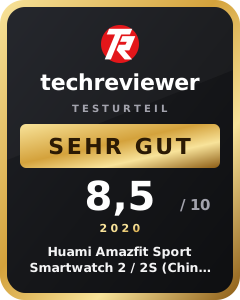
The Huami Amazfit Smartwatch 2 is one of the most feature-rich sports wearables on the market. With a total of 11 different sports activities and many individual adjustment options, the smartwatch is versatile. The pedometer convinces with precise step detection. The accuracy of the heart rate measurement, however, needs improvement.
The Amazfit Stratos also looks good as an everyday watch. Huami cleverly combines a sporty yet elegant watch design. Thanks to the transreflective “Always-On” display, the watch is legible at any time. Various and customisable watch faces provide more variety.
In direct comparison to the Amazfit Pace, the Amazfit Stratos is much more of a design upgrade. The hardware remains identical to the predecessor model, and there are only few software updates. However, the Amazfit Stratos clearly benefits from its IP68 water resistance, making the Stratos suitable for swimming.
Specifications
Display
- Display
- transflective
- Display size
- 1.34 inches
- Display resolution
- 320 x 300 pixels
Processor and memory
- CPU
- Dual Core 1.2GHz
- RAM
- 512MB
- Internal storage
- 4 GB
- Storage expansion
- No
Other
- Bluetooth
- 4.0 BLE
- Wi-Fi
- 802.11 b/g/n
- GPS
- Yes
- Pedometer
- Yes
- Heart rate monitor
- Yes
- OS
- Android / iOS
- Battery
- 280 mAh
Comments (29)
Hopefully it comes with Android Wear.
That is rather unlikely, although first Chinese smartwatches with Android Wear have also appeared recently (see Ticwatch S&E). But on the 12th, we will certainly know more ;).
So is this just a Pace in a different design? I would have wanted some hardware upgrades. It's all a bit disappointing, but I like the design better than the Pace. I'll stick with my old one for now and switch to this one as soon as there are useful firmware updates.
Regards
Hi Bernd, yes, the new Amazfit smartwatch is rather a design and software upgrade, so to speak. I am also curious to see what will be possible with the new firmware and how the Amazfit App 2.0 will differ from the predecessor.
Hi Timo, I really liked your Pace review. Will you be testing the new one too? I ask because I might order this one next year and pass the old one on to my wife 😛
Hi Jens, sure, as soon as the smartwatch is available, I will try to get a copy. However, it is very likely that the review will not be published online until February.
Hello, how exactly do you operate the Stratos? Does it have a bezel like the Samsung Watch, or how should I imagine it?
Hi Thomas, the smartwatch is operated solely via the display and the side control buttons.
Does the Huami Amazfit 2 (Stratos) have a built-in microphone or speaker? (Even if there is no software for it at the moment)
Hi Marcel, you can view the inside of the watch at the following link: https://fccid.io/2AC8UA1619/Internal-Photos/Internal-Photos-3750819
I could not spot a hidden speaker or microphone (as is the case with the Pace!).
Are you 100% sure that I can connect the Stratos to an external heart rate chest strap (or even the PolarOH1=heart rate sensor) via Bluetooth LE? And how does that work. Do I first have to activate a sports function and then pair it? Thanks in advance.
Hi Heike, if you select a sports program and go to Settings, you can add “Accessories.” I’m not sure whether every chest strap is supported. It worked with a Wahoo chest strap, at least. According to the manufacturer, the only requirement is that the strap supports Bluetooth.
Hi Timo. Thanks for the super-fast reply.
Can I import a GPX file and use it for navigation during workout recording? Can the recorded workout data be exported and, if so, in which data format, and does it include heart rate?
Hi Thorsten, yes, you can import GPX files by connecting the watch to your PC and copying the GPX file to the “gpxdata” folder. The route will be displayed on the watch, and you can then follow it depending on your sporting activity. You can also export completed routes as GPX files. The heart rate is included.
Thank you for the detailed response, but I have one more question. Does the watch also have an auto-stop function that can be switched on and off?
I have a question regarding this. Is the watch CE certified to ensure there are no issues with customs when importing it? The watch is available at good prices on well-known sites and interests me. However, I am worried about simply wasting 140–160 euros. Unfortunately, I cannot find any direct information regarding the certification for this watch. Could you please provide me with more details? Best regards
Hi Rene, the Chinese model does not have CE marking. The version sold as “International,” on the other hand, has CE marking on the packaging and directly on the back of the watch.
Hello, does this mean that if I buy the English version via Gearbest, I don't have to pay taxes?
Hi, what happens if I have Spotify open on my phone? Can I control it with the watch? What if I already have Bluetooth headphones connected to the phone? Is the watch then useless?
I have been wearing the STRATOS 2 (US version) for 1 week and am very satisfied. Daily training sessions of running, cycling and swimming are recorded accurately, and all data is accessible and editable in STRAVA.
When starting an activity, the GPS acquires a signal quickly and the route recording is significantly more accurate than with, for example, an iPhone 7!
The battery life is outstanding for a sports watch: with 24h heart rate monitoring, approx. 2-3 hours of training (running and swimming) with GPS, and nighttime sleep tracking, the battery lasts me about 36 hours until it shuts off.
All notifications are signaled during the day, and phone calls are indicated by a pleasant vibration.
When running, I pair a Bluetooth headset and occasionally a heart rate sensor – both work reliably and without issues.
The operation of the STRATOS 2 is intuitive and, thanks to the very precise touchscreen, significantly more pleasant than on a Garmin Fenix.
And the significantly lower weight compared to Garmin makes the STRATOS 2 my ideal training device.
I cannot currently confirm the often complained-of wear of the band, which would anyway be concerning after only 1 week.
Hi Guido, thank you very much for your experience report.
Altimeter; does this work while mountain biking and does it count the elevation gained (taking descents into account)? Many thanks
Hi Timo, thanks for the detailed review. I really like the Amazfit Stratos, which is why I count it among my current favourites. However, I still have some questions. I hope you can help me with my decision.
1. I often read about a Stratos 2. Are there different models of the watch or is there already a successor?
2. Can the watch strap be easily swapped?
3. Is it really waterproof?
4. Can I also use the Stratos for listening to music?
That's it for now. It would be great to hear from you.
LG Jenny
Hi Jenny, I’d be happy to answer your questions.
1. There is no Stratos 2. In China, the watch was released as the “Amazfit Sport Smartwatch 2.” Some sites that haven’t researched the subject very well simply mix the two names, which is how this misinformation arises.
2. Yes, you can easily change the watch strap. It is attached with a pin clasp.
3. I shower and swim with my Stratos. However, it’s best to avoid salt water and diving.
4. The watch has internal storage (approx. 2.5 GB) where you can store some MP3s. You can also connect Bluetooth headphones to the watch.
I hope I was able to help you with your decision 🙂
Hello,
does anyone know what the difference is between model numbers A1619 and P182 for the Stratos?
if there had been a Dutch manual with it, it would have been better
Hello Timo, nice review of the watch, which I have also recently acquired 🙂
Perhaps you can answer the following question: I have the watch wake me up with an alarm daily while wearing it on my wrist, but this only works to a limited extent. I have meanwhile noticed that the watch should actually vibrate for up to 5 minutes if you do not press snooze or finish.
And now this, which I cannot explain: When the watch starts vibrating, it does so exactly 1 time 🙁 I tested this and set a test alarm. As soon as the display is touched with anything (duvet, etc.) the alarm stops. So waking up is naturally not successful 🙁
Do you have any tips?
The included manual is a joke; it briefly explains in English how to (compulsorily) register, and that's it. Otherwise, you have to view the manual (also only in English) on a PC. Clicking the watch into the charging cradle is fiddly.
The operation is confusing and unintuitive. In addition, the display reacts poorly to tapping. For example, if you want to end a sports activity, you tap the display repeatedly and don't know if the watch is reacting slowly or hasn't registered the touch at all; I got the impression that this behaviour gets even worse in low temperatures (outdoor sports in winter).
You can only reset the stopwatch via the display and then tap on the screen for a long time until the touch is registered. Why can't this be done with one of the push buttons?
After charging and updating, the first sports activity was one hour of cycling. The watch simply couldn't find a GPS signal; I tried repeatedly, so I set off without GPS. The heart rate display is completely off, showing values around 60 while the chest strap shows twice as much.
Still no GPS despite many attempts in the following days. It only worked suddenly after another update – with modest accuracy.
The display looks somewhat pale and colourless. In addition to the included watch faces, thousands more are available for download online; I didn't really like any of them because they always displayed unnecessary items (calories) and lacked others that would be desirable. (I would like the time displayed digitally, with seconds and the German date format, pulse, steps…).
The most inaccurate of all measurements is stairs, where the displayed value is a factor of 5 to 10 too low.
Synchronising with the smartphone via Bluetooth runs smoothly. It would be nice if you could transfer your training and measurements to the PC as well; it might even be possible, but I haven't found it.
Yesterday the watch didn't record any sleep data, I have no idea why, let's see if it works again today.
The battery life with continuous heart rate monitoring and one hour of training with GPS is about 3 days, quite low compared to the manufacturer's specifications.