Contents
The sets at a glance
Insta360 is launching the Mic Pro in several configurations. For most creators, the larger 2 TX + 1 RX Kit is likely to be the most appealing option, with two transmitters (TX) and one receiver (RX). There is also a smaller set with just one transmitter, as well as a standalone TX version for existing setups or expansions. Prices for the Mic Pro start at around 109 euros for the single transmitter and go up to about 329 euros for the full kit.
For the test, we had the large kit, whose box contents include two transmitters, a receiver, the charging case, USB-C adapters, magnetic mounts, clips, furry windshields, cables and other accessories for camera and smartphone setups. You can get started straight away without having to buy any additional accessories, whether using a smartphone, a camera or the standalone mode.
The smaller 1-TX kit is correspondingly pared down. It includes just one transmitter, one receiver, and one of each accessory. It will do the job if you work exclusively solo. The standalone transmitter version is intended more as an add-on, for example for existing setups or additional audio sources.
Transmitter, receiver, and charging case
Transmitter
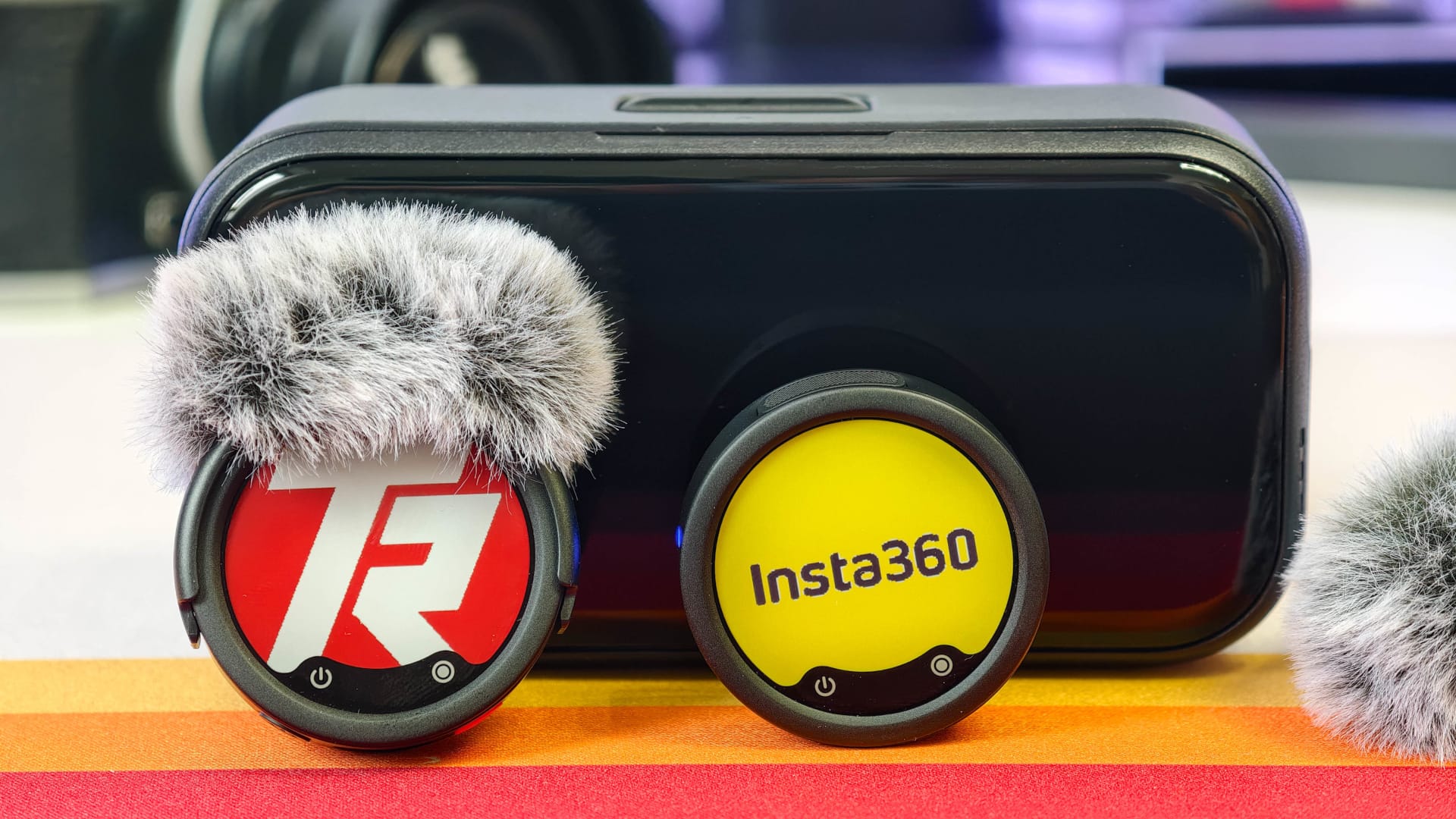
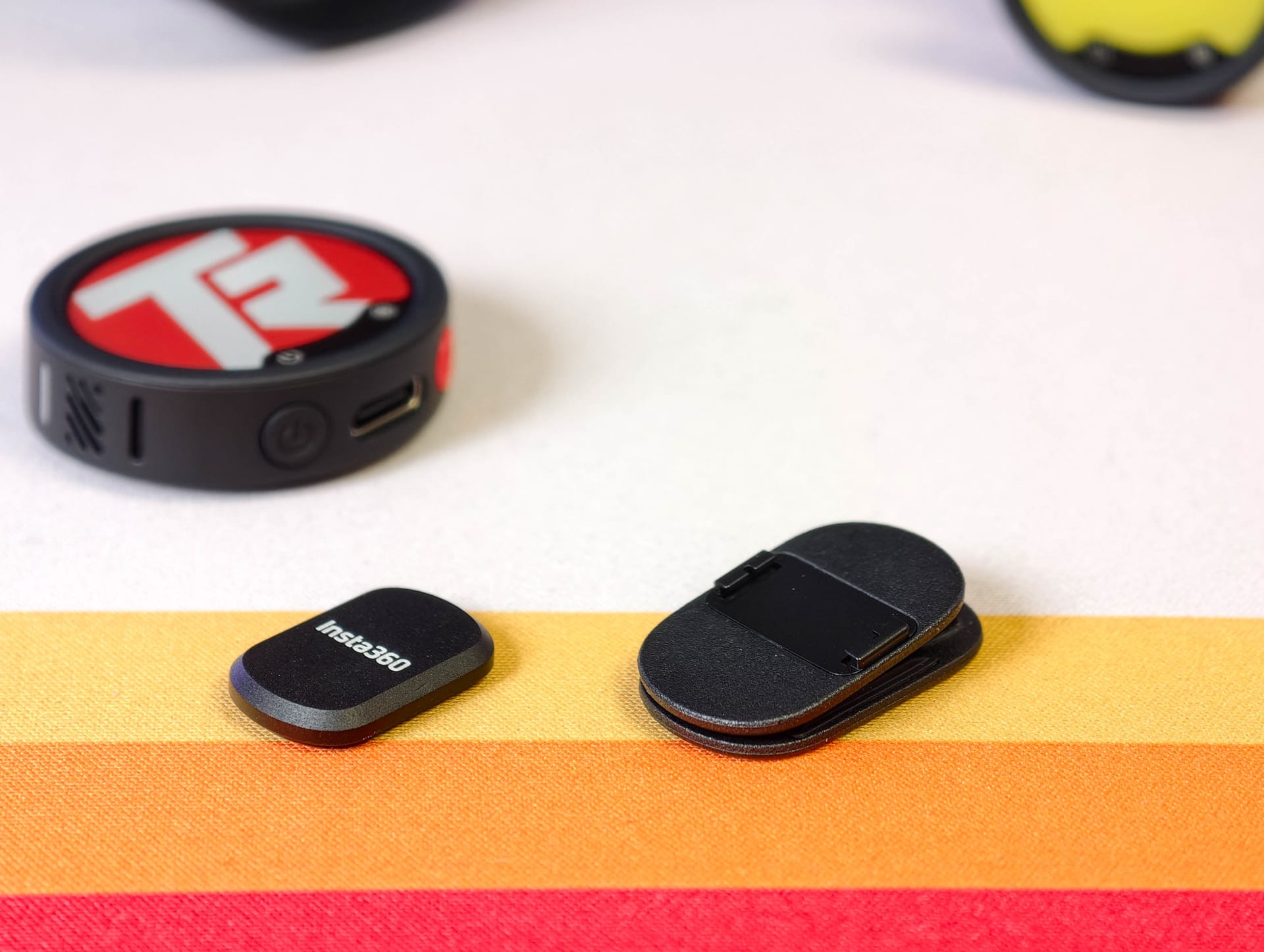
Insta360 uses a round rather than angular housing, with a 38 mm diameter—about the size of a small tea light. The transmitters can be attached either with a clip or a magnet, which also slightly changes their weight. The transmitter alone weighs exactly 19.7 g; the clip adds 2.7 g, while the magnet adds a further 5.5 g.
The transmitter clips quickly onto hoodies, jackets, or shirt collars using the clip, with little fiddling. Unfortunately, the clip cannot be rotated, which can make it somewhat harder to position depending on the situation. The magnet is a little more flexible. It is small and flat enough to be unobtrusive, yet holds the transmitter securely to clothing even through thicker fabric and during lots of movement. To use the magnet, you first have to remove the clip.
To do this, it is pressed down along the housing until it pops out of its guide. This takes some force and, the first time, feels more like you are removing something that was never meant to come off. Once you understand how it works, though, changing it is quick and easy.
The transmitters themselves make a high-quality impression. The rubberised soft-touch surface provides a good grip and pleasantly softens the feel of handling them. The housings also seem robust enough for everyday mobile use and can easily withstand minor knocks. However, they offer no protection against water. Some care is therefore advisable, particularly outdoors or in changeable weather.
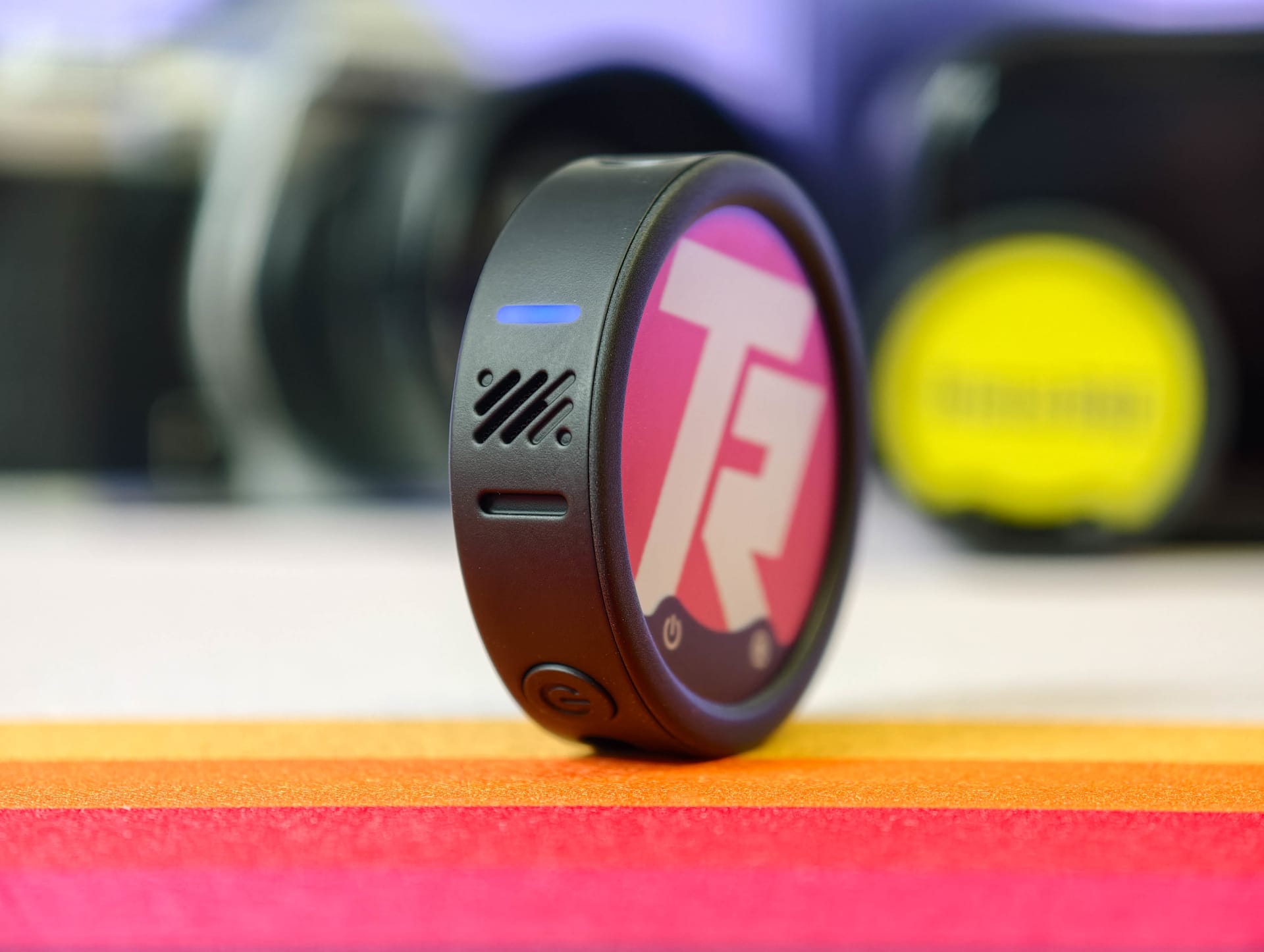
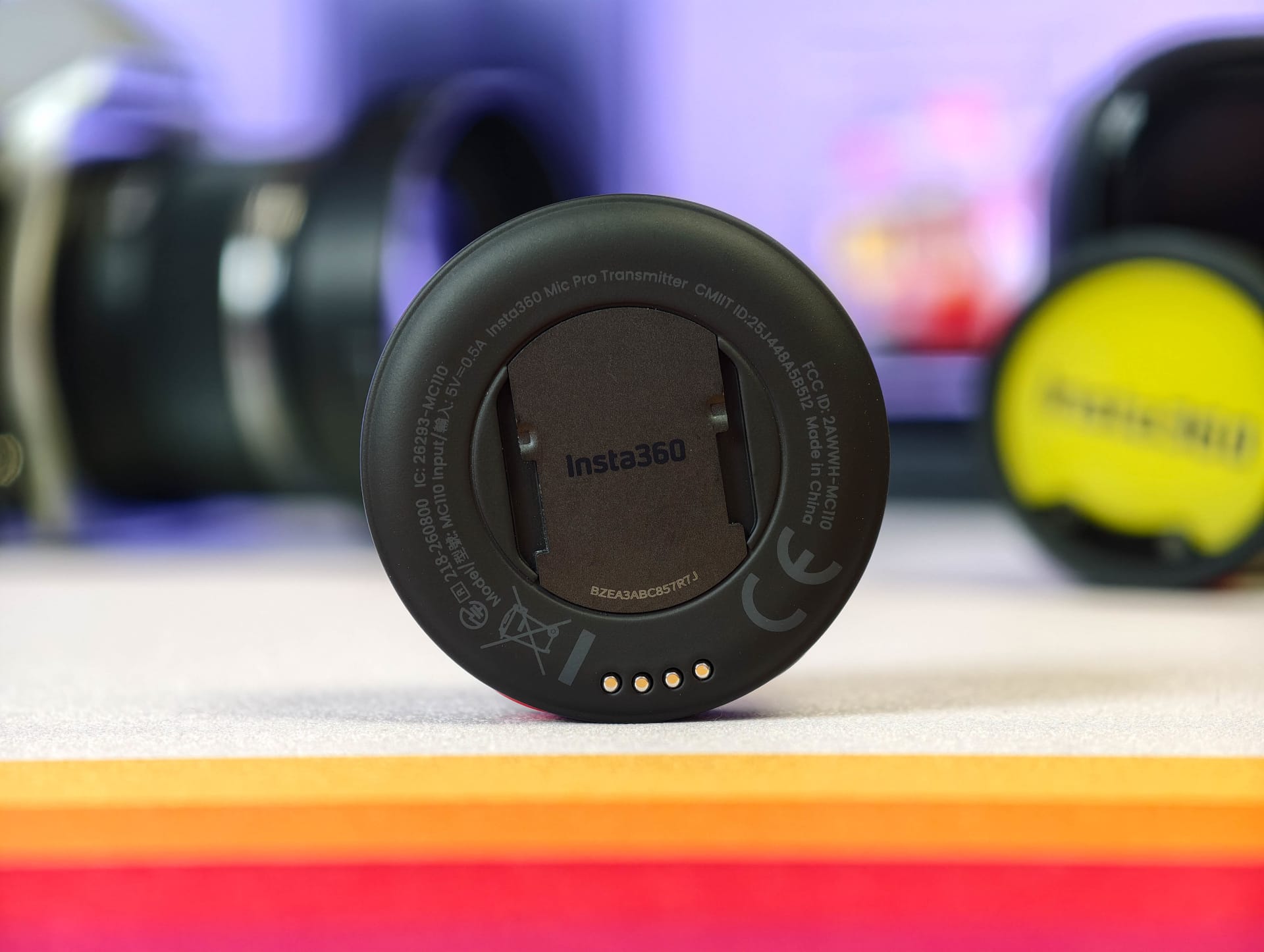
The controls are also pleasingly simple. Insta360 has included just two buttons: one for power and one for recording. Both are on the underside, where they are well protected against accidental presses. Insta360 has also integrated two small status LEDs into the left and right sides of the body. Their colour and flashing pattern indicate the current operating mode, such as recording, connection or pairing status.
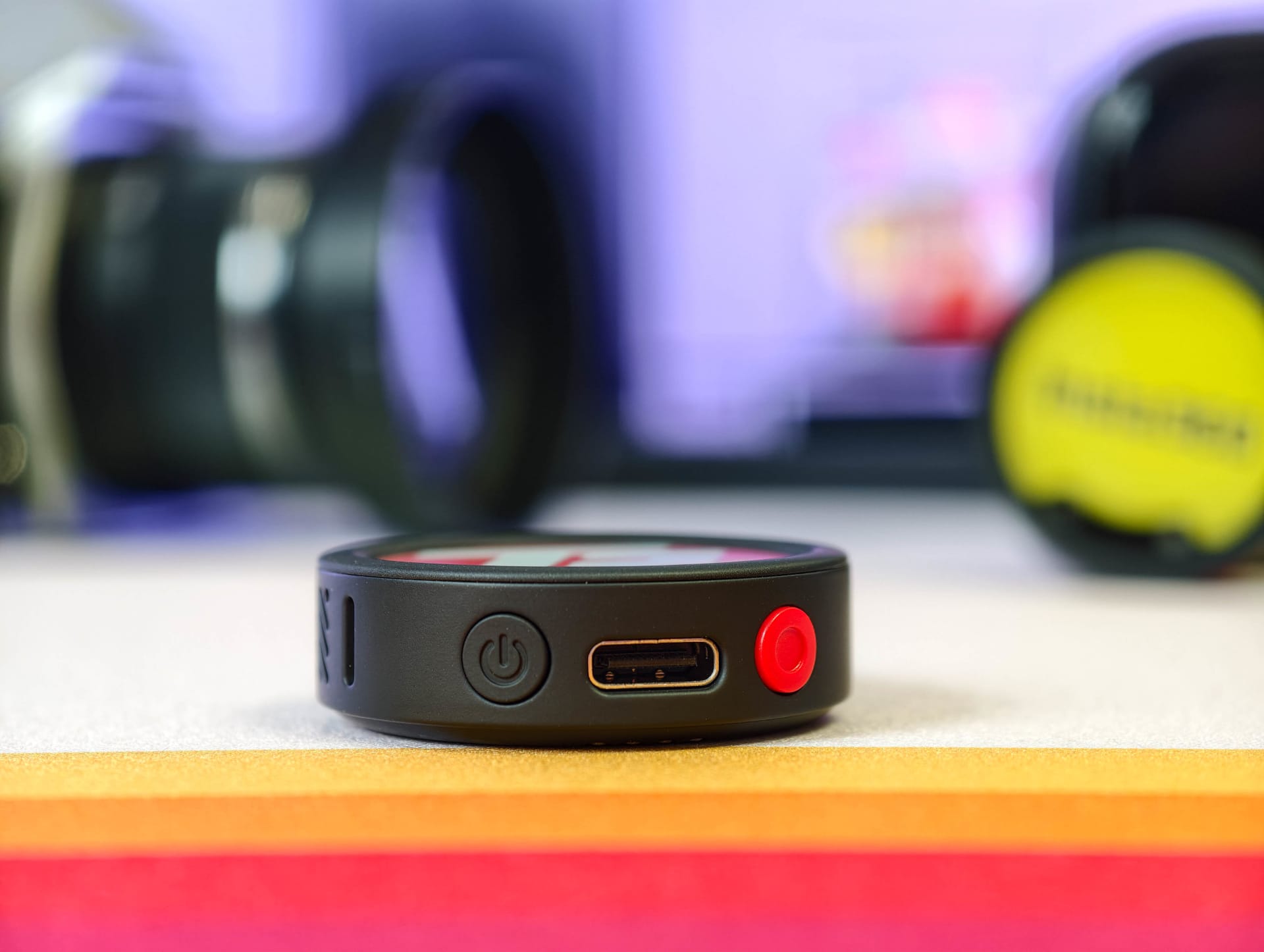
The three-microphone array is positioned on the side and points upwards. A USB-C port is also located on the underside. The most striking detail is the integrated E-Ink display. The transmitters are most noticeable on the shirt when you are actively using them to display logos or graphics. We’ll take a closer look at the E-Ink display’s capabilities and features shortly.
Receiver
With the receiver, Insta360 stays closer to traditional wireless microphone systems. Measuring 55.80 × 27.65 × 21.00 mm and weighing 29.8 g, it is pleasantly compact and can be plugged directly into a smartphone via USB-C, mounted in a camera's hot shoe or simply clipped to a belt or tucked into a pocket.
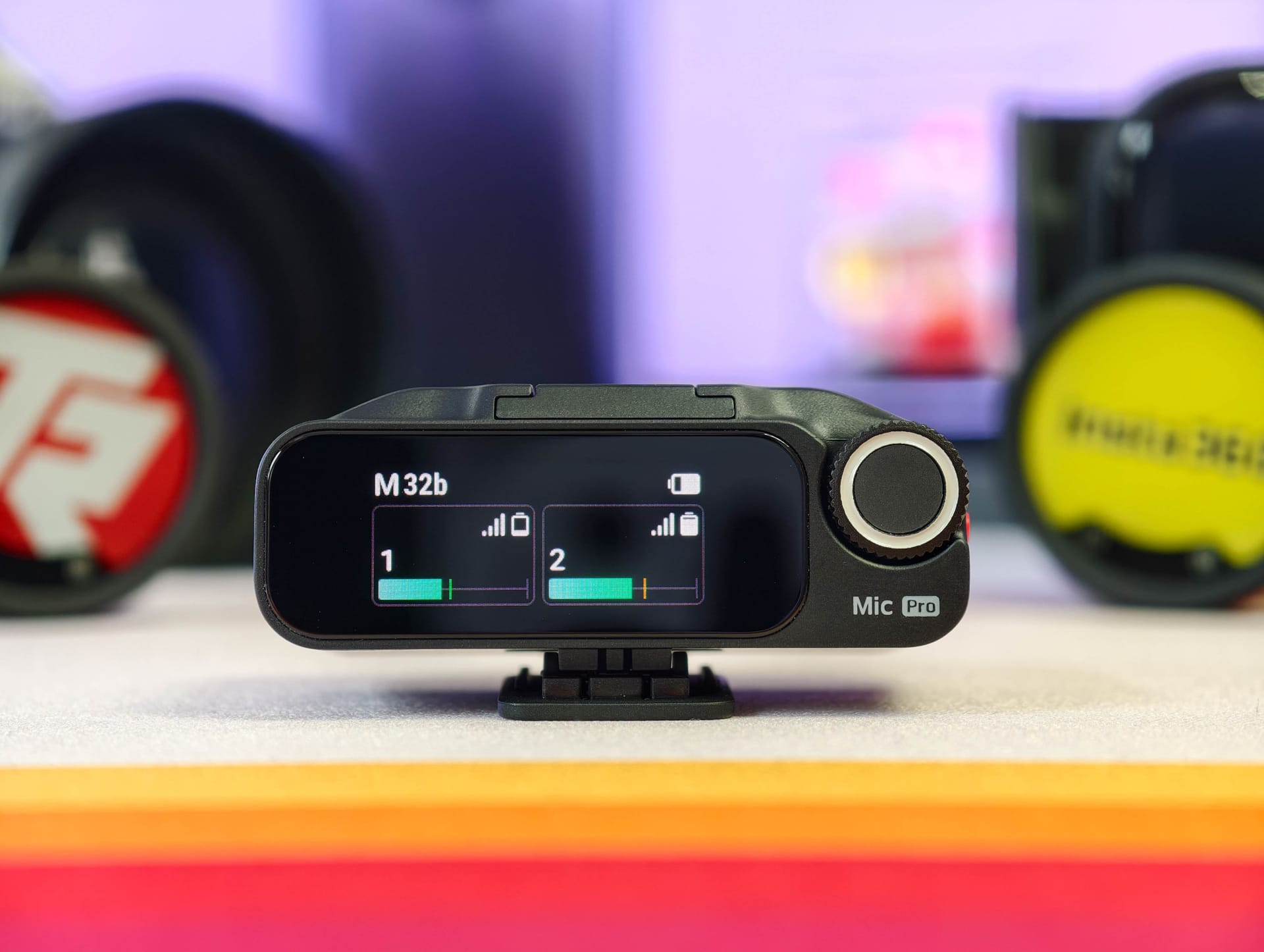
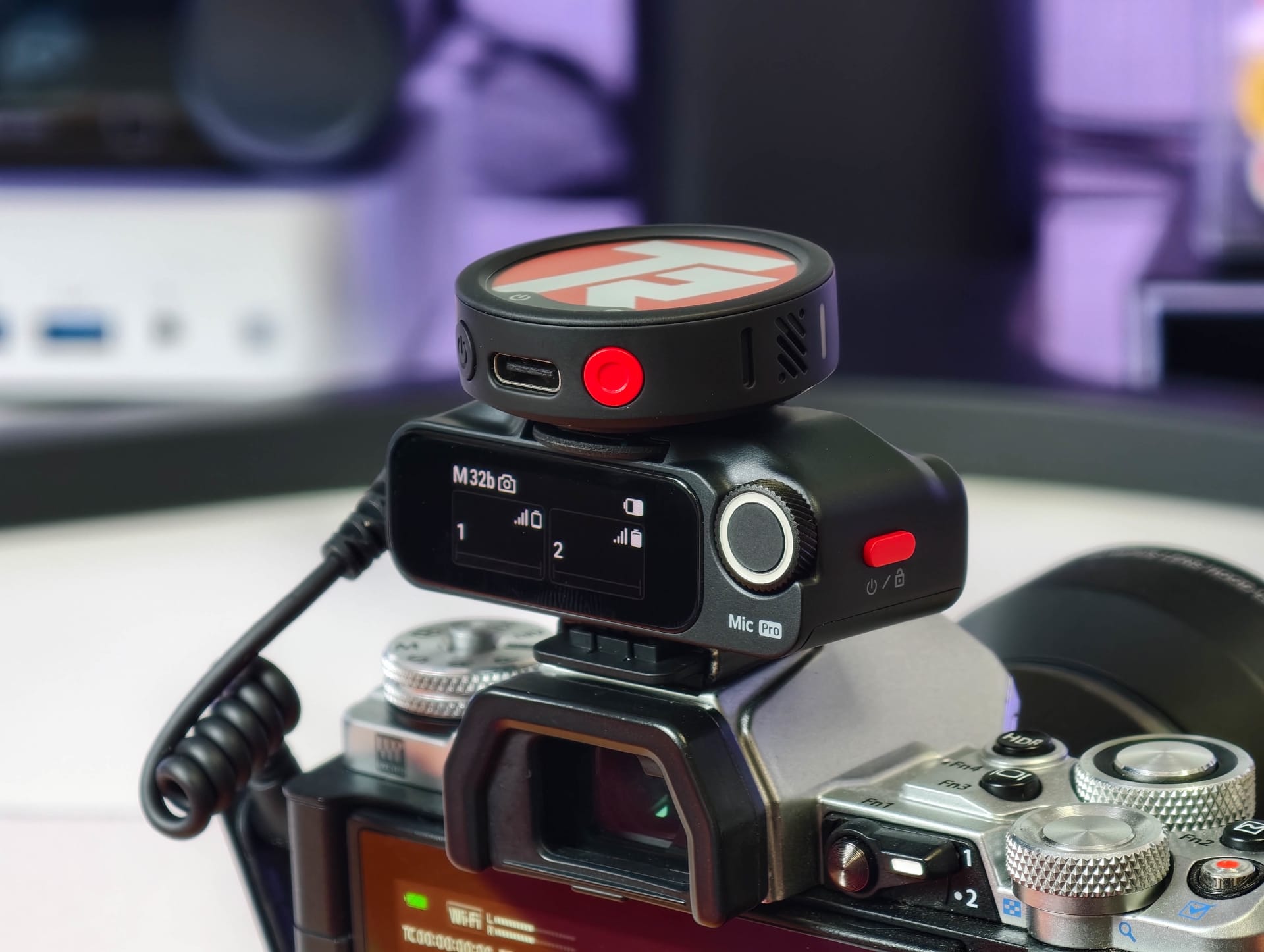
A small touchscreen dominates the front. It displays a sharp image, and its brightness is sufficient for outdoor use. The receiver can be operated either directly via the touchscreen or using the side dial with its integrated button. This lets you control settings for volume, connection status, recording functions and noise cancellation directly, without having to open the app first.
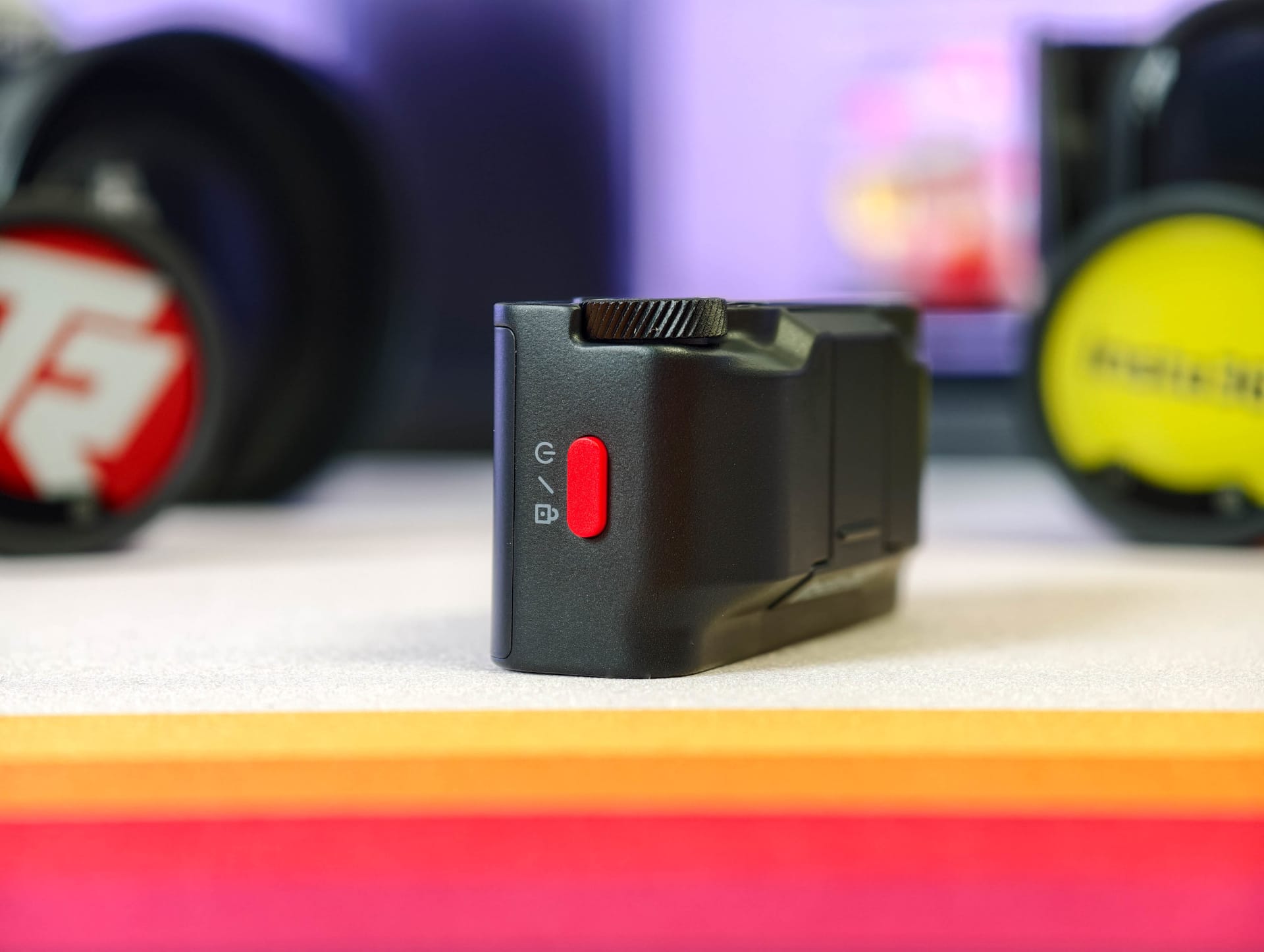
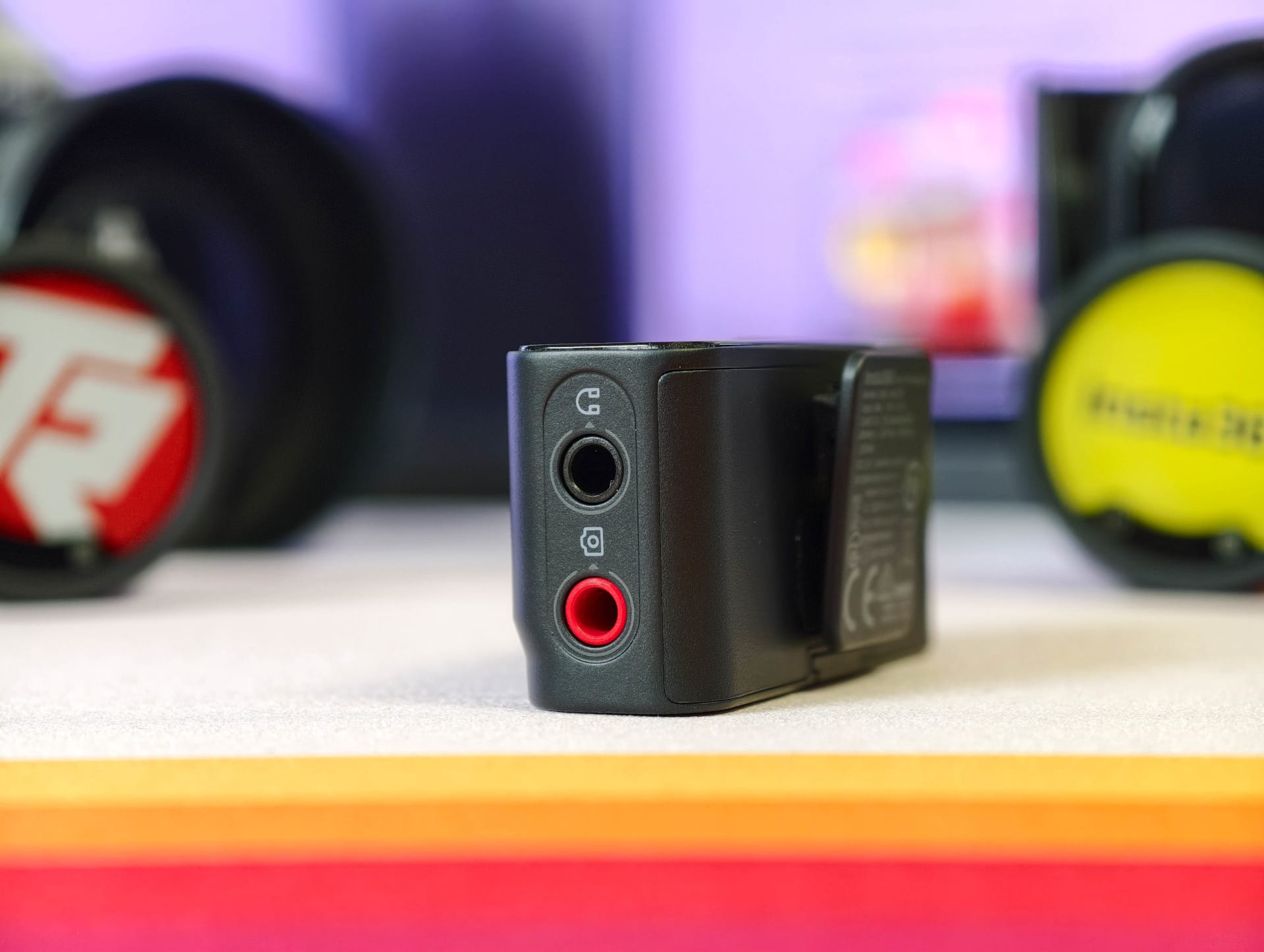
In terms of connections, Insta360 includes two conventional 3.5 mm jack sockets, one for cameras and a separate headphone output for direct audio monitoring, as well as USB-C. The required adapters do not need to be purchased separately, as they are already included.
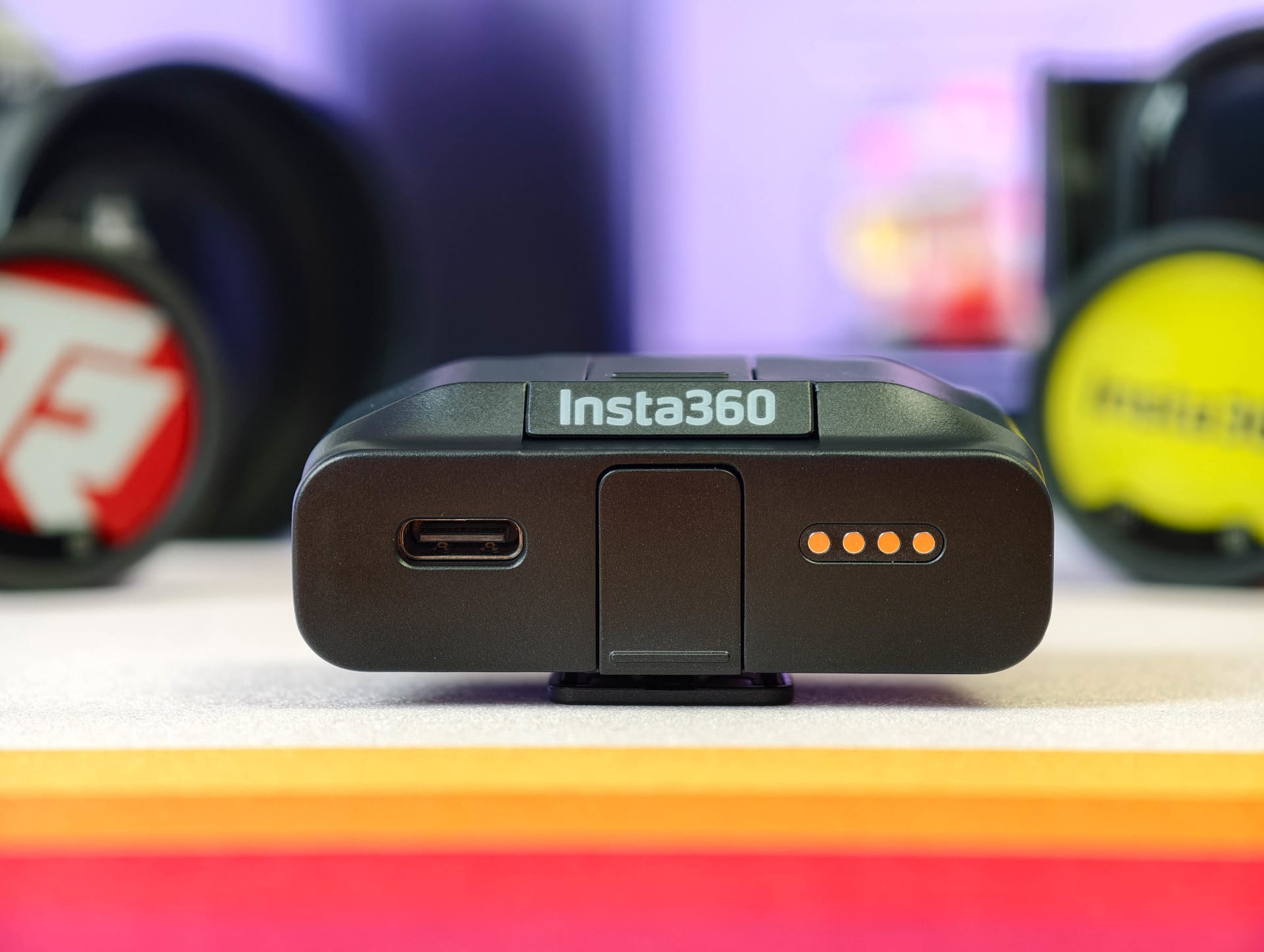
Overall, the build quality feels robust. The seams are clean, nothing creaks, and even frequent plugging and unplugging of the adapters caused no problems during testing. However, the receiver is not protected against water or dust.
Charging case
Two transmitters, a receiver and almost all the accessories fit inside the charging case. Only the furry windshields and cables need to be stored separately. At 122 × 61.9 × 42.2 mm, the case is still pleasantly compact. Together with the included fabric pouch, the complete system fits easily in a rucksack or camera bag and takes up barely more space than a slightly larger glasses case.
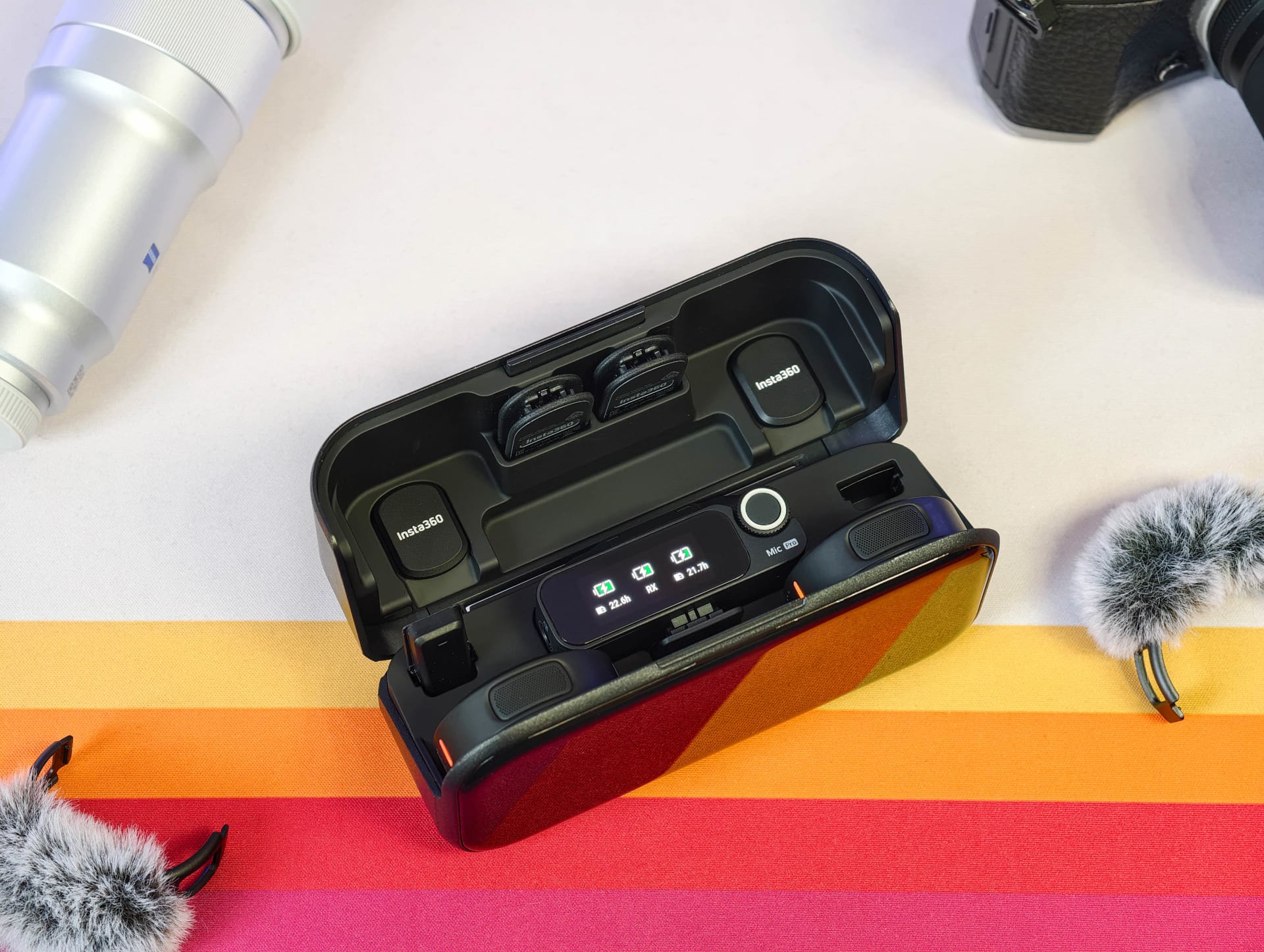
The opening mechanism takes some getting used to at first. To open the case, you have to hold it at the side while pulling a slider at the top and folding the lid back at the same time. During the test, it took a few moments to work out how the mechanism actually worked.
Inside, all the components are held in place magnetically and slot neatly into their designated positions. This keeps everything organised and prevents the transmitters or receiver from rattling around loose in the case. Charging starts automatically as soon as the transmitters and receiver are inserted. Insta360 has integrated a small LED charging indicator on the side to show the case's battery level. It charges via USB-C on the back.
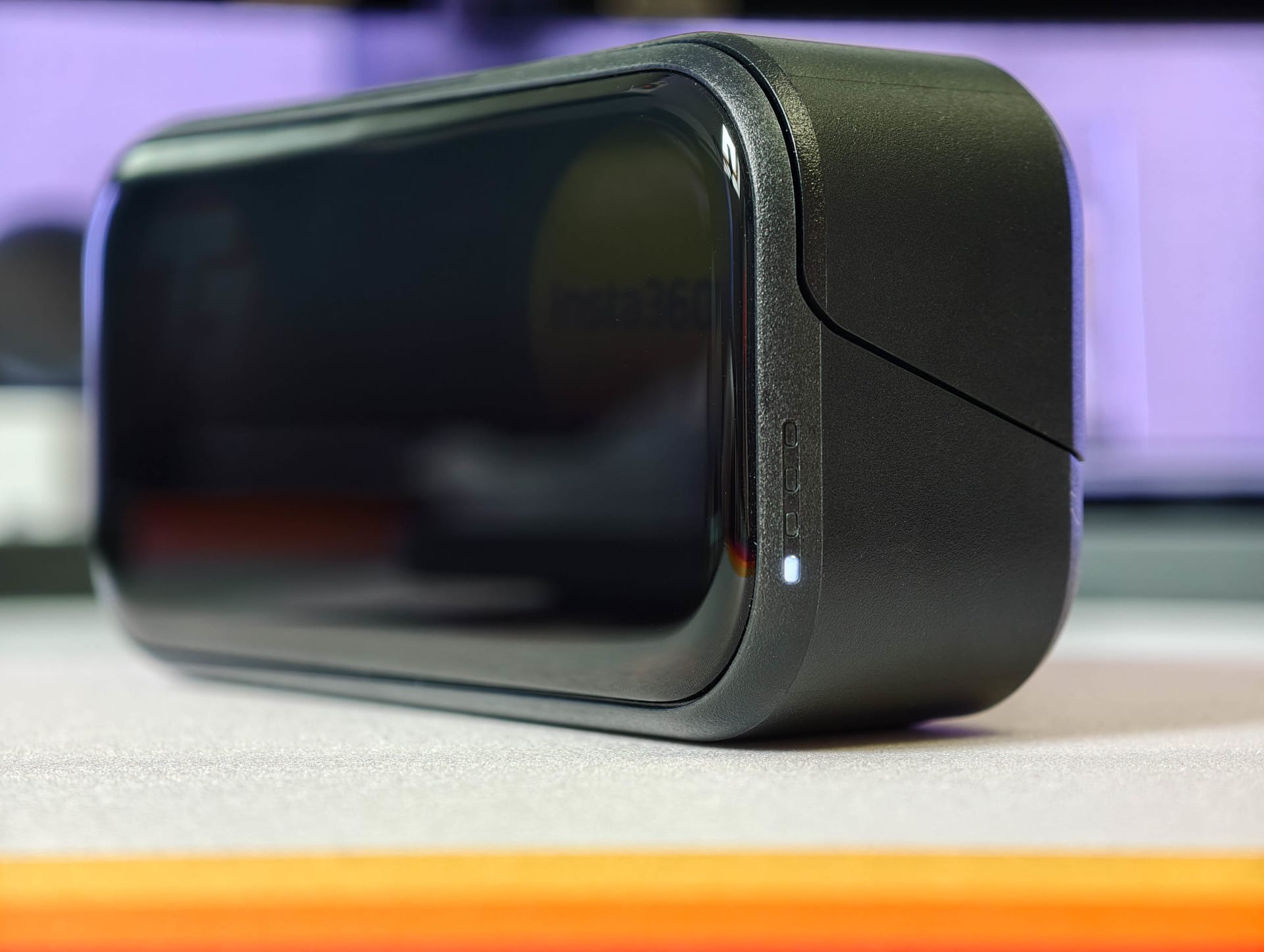
The build quality also makes a good impression. The hinge feels sturdy, the lid fits neatly, and nothing rattles. However, this one is not protected against water or dust either.
E-Ink display
The E-Ink display (E6, 6 colours) is undoubtedly the Mic Pro's most unusual feature, and also the point that most clearly sets Insta360 apart from other wireless microphone systems. While conventional wireless microphones are usually designed to be as inconspicuous as possible, Insta360 deliberately makes the transmitters a visible part of the setup.
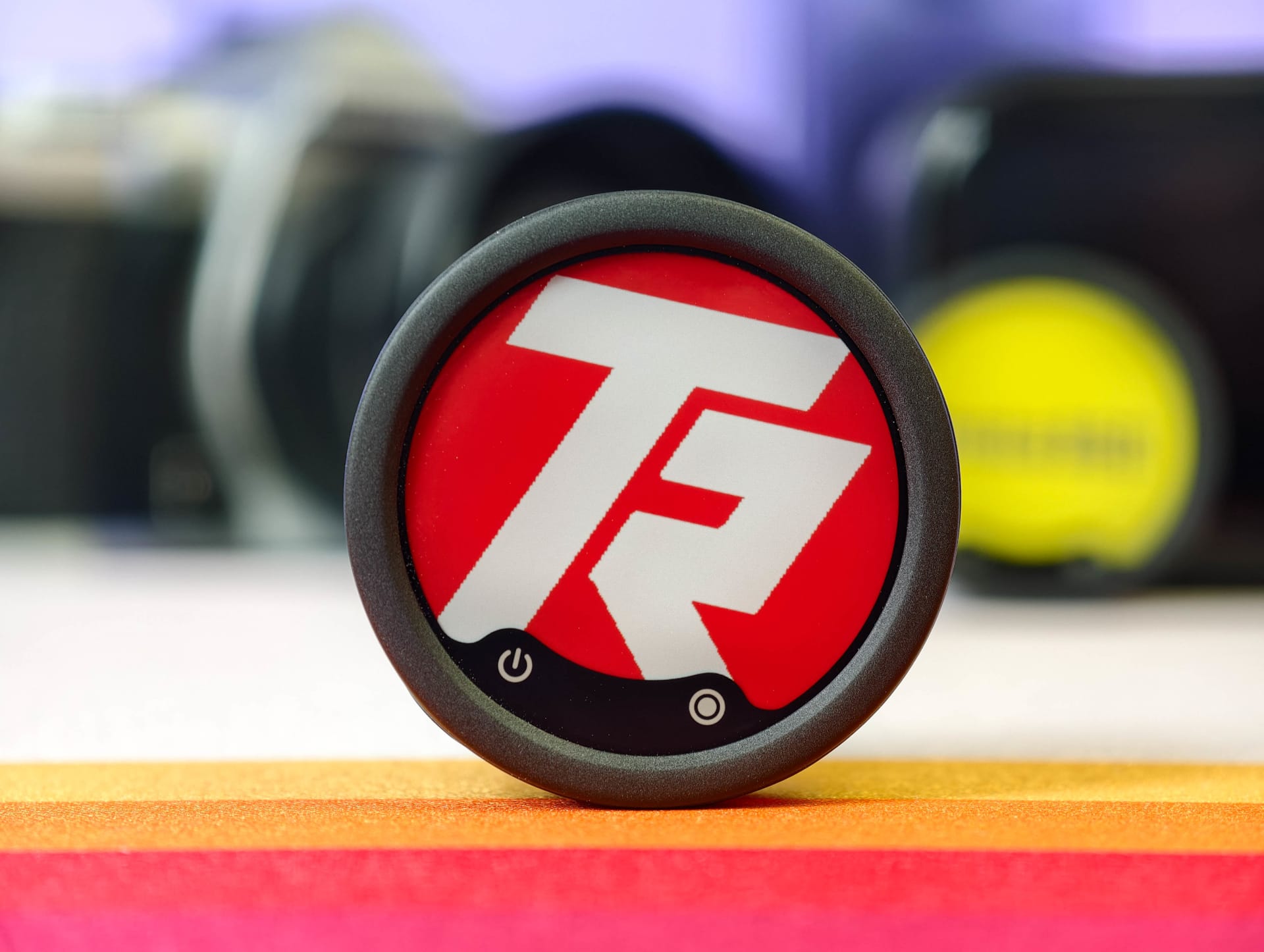
The display is configured directly in the Insta360 app. Logos, lettering and simple graphics can either be chosen from a selection of presets or transferred to the transmitters as image files in just a few seconds. The Techreviewer logo appeared on both transmitters almost immediately, with no long loading times or complicated setup.
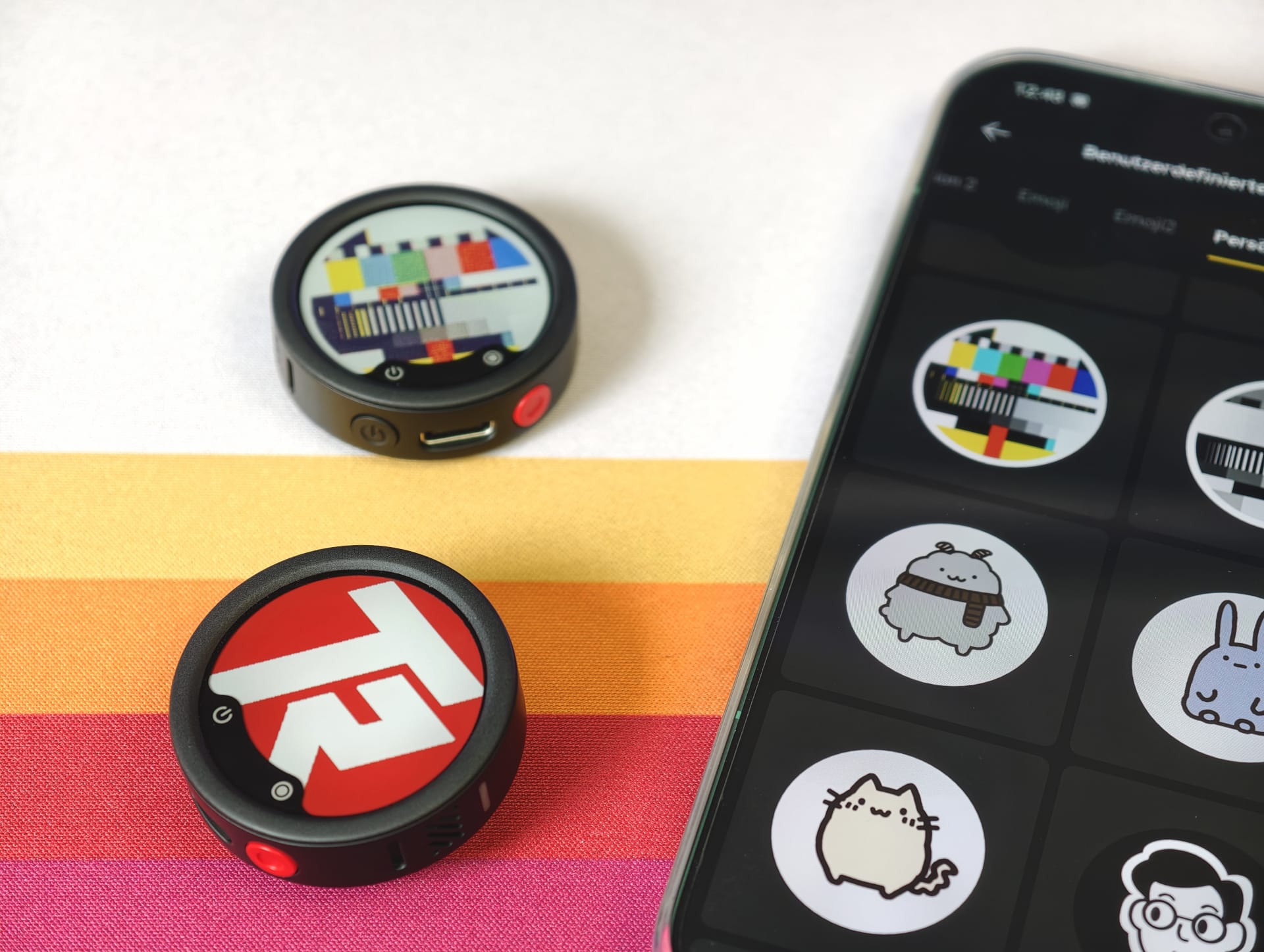
In day-to-day creator and editorial work, this actually makes more sense than you might initially think. At trade fairs, events, interviews or livestreams, microphones can be assigned directly to an editorial team, channel or person. The display is also useful simply for personalisation, for example with social media names, icons or simple designs.
What is particularly interesting is the technology behind E-Ink itself. Once transferred, the image remains visible, even when the transmitters are switched off. Energy is only needed when updating the display. As a result, the feature has virtually no noticeable effect on battery life.
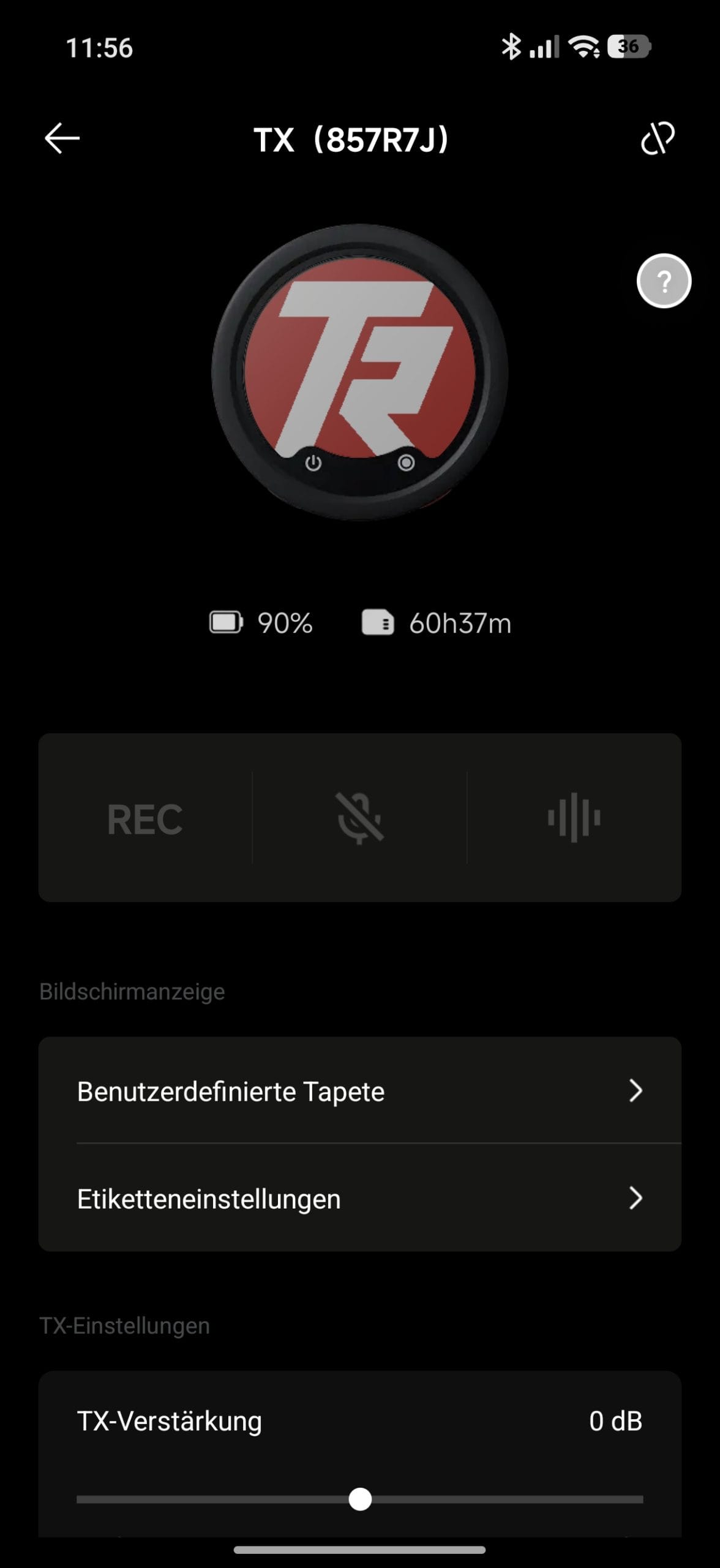

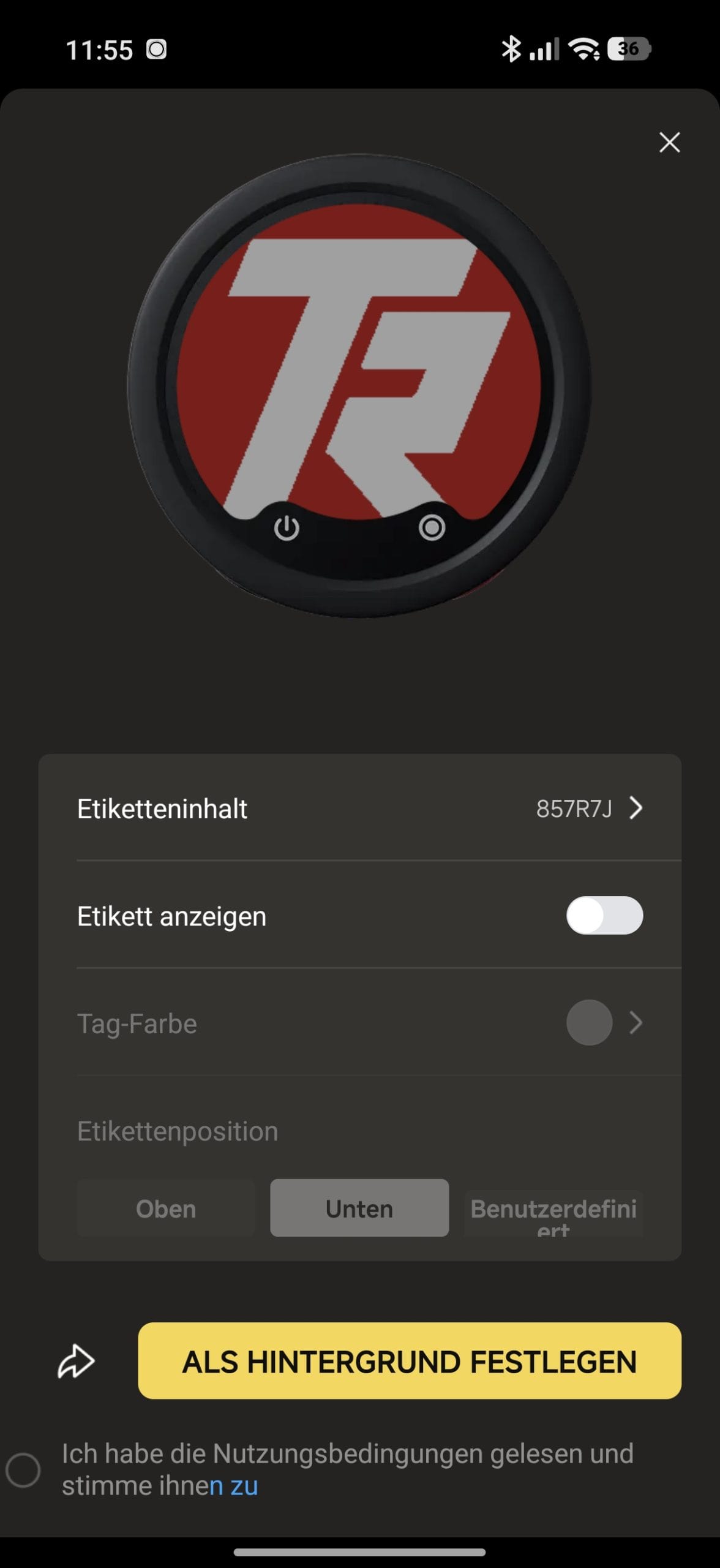
However, not every image works equally well. Clear logos, large lettering and simple graphics look surprisingly crisp on the small display. Complex images and detailed motifs, on the other hand, quickly lose sharpness. Colours also look considerably paler than on a conventional screen. That is why high-contrast motifs or simple black-and-white graphics work best.
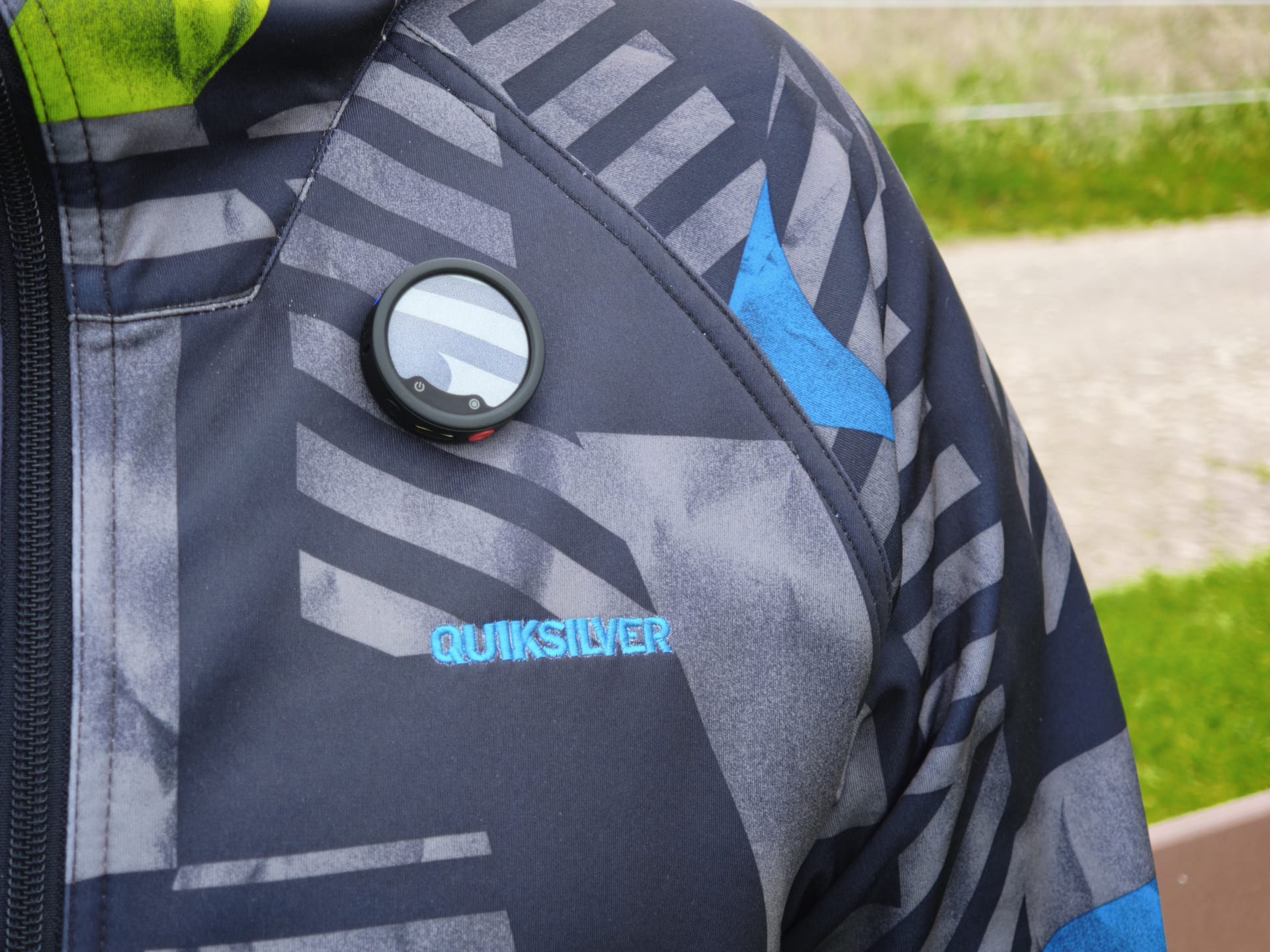
The opposite effect is also interesting. If you don't want to use logos or eye-catching graphics, you can simply leave the display completely black or match its color to your clothing. This makes the transmitters much less conspicuous, allowing them to blend into your clothing much more effectively.
Setup
The Insta360 Mic Pro is one of those wireless microphone systems that you can start using straight away, practically without having to pore over manuals. The transmitter and receiver were already paired out of the box in our test. Open the case, take out the devices, switch them on, and the connection is stable a few seconds later.
When connected to a smartphone, the receiver is recognized directly via USB-C and you can switch from the smartphone's microphone to the Mic Pro even while recording video. With cameras, the connection is made the usual way via a 3.5 mm jack. Extra adapters or complicated audio settings are largely unnecessary.
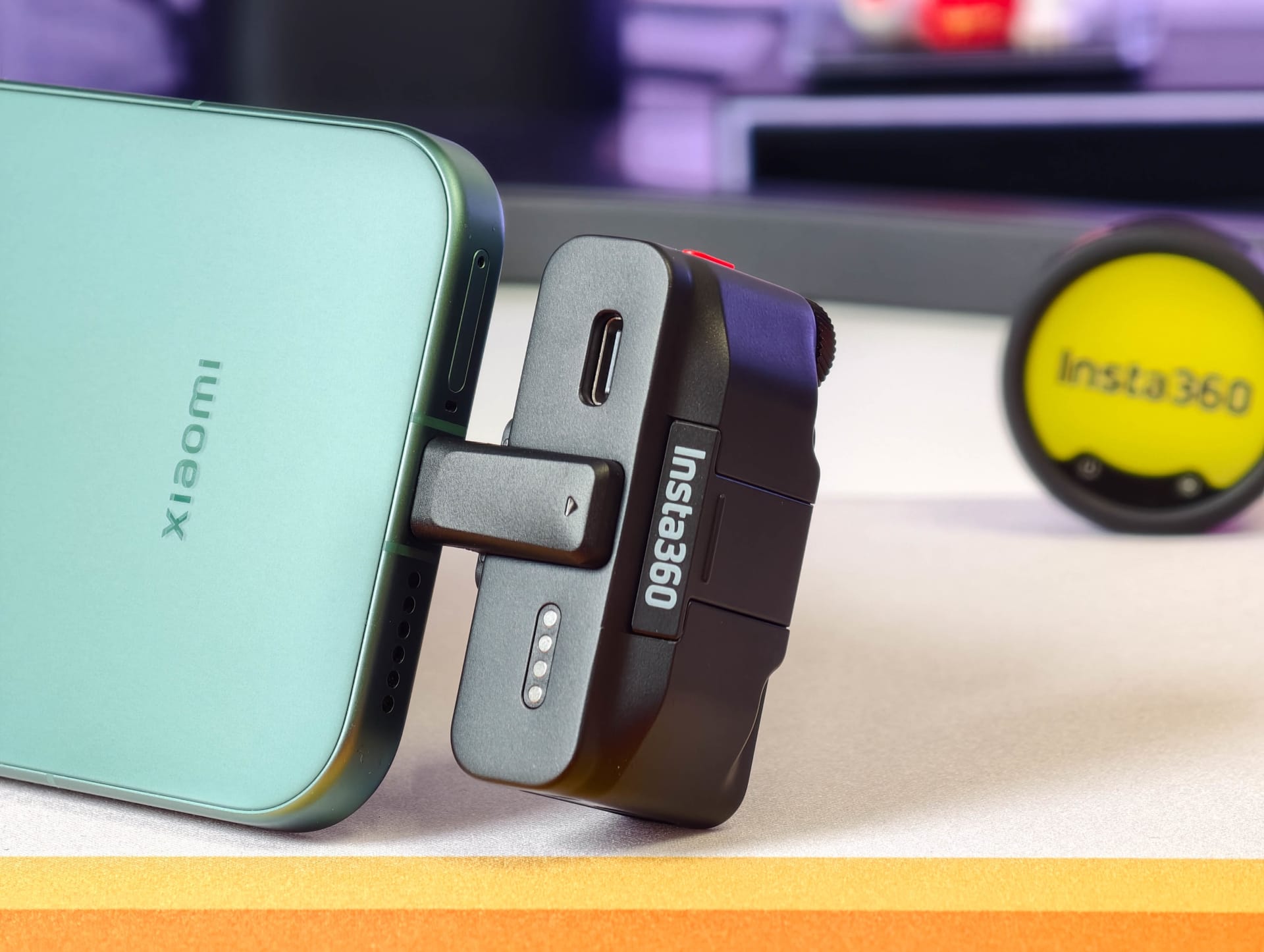
The system is particularly interesting within the Insta360 ecosystem. Compatible Insta360 cameras (X5, X4 Air, Ace 2 Pro and GO Ultra) can connect the transmitters directly and record at 48 kHz, eliminating the need for the receiver altogether. Recording settings can then be adjusted directly in the Insta360 camera’s menu.
A receiver supports up to four paired transmitters at the same time. Two transmitters are usually enough for classic creator setups, but podcasts, group discussions and larger productions benefit from the extra options.
The Insta360 app is optional. The most important functions can be controlled directly on the receiver, including levels, noise cancellation, and recording options. The app is still useful for fine-tuning, firmware updates, or configuring the E-Ink display, and its overall layout is pleasantly clear.
Recording quality
The Mic Pro delivers surprisingly good results even without extensive setup. Voices sound clear and present, and cut through even in noisier environments. Its tuning is geared toward speech intelligibility rather than achieving the most neutral studio sound possible.
Voice presets and noise cancellation
If you want, you can further adjust the sound using various voice presets. Insta360 offers Standard, Full, and Bright modes. Standard provides a neutral sound, Full makes voices sound somewhat fuller and bassier, while Bright emphasizes the high frequencies and speech intelligibility. The differences are audible, but remain pleasantly subtle and don't sound exaggerated or artificial.
Insta360 also integrates two-level AI-powered noise cancellation. The low setting reduces constant background noise such as traffic or crowds relatively naturally. The high setting filters much more aggressively, bringing speech further to the fore, but voices can also sound noticeably more artificial and compressed.
Each transmitter connected to the receiver can be configured separately. For example, you can enable noise cancellation on TX 1 while TX 2 continues recording without processing.
Gain and polar patterns
The transmitters’ gain can also be adjusted individually. Each transmitter offers a gain range between -12 and +12 dB. Alternatively, Mic Pro can adjust the gain automatically and dynamically. In our test, the automatic gain control worked unobtrusively and reliably handled sudden changes in volume, without the recording constantly readjusting audibly or pumping.
There are also four different polar patterns from the integrated 3-microphone array. The options are omnidirectional, superdirectional, cardioid, and figure-eight. The omnidirectional mode is particularly well suited to natural ambient recordings or vlogs, since it picks up voices and surroundings evenly.
Superdirectional mode focuses much more strongly on speech and noticeably reduces ambient noise from the sides. The cardioid pattern is the classic middle ground for interviews or talking-head recordings, while the figure-eight pattern is particularly useful for conversations between two people facing each other.
32-bit float recording
The most important professional feature, however, remains the internal 32-bit float recording. This stores the audio signal with a much wider dynamic range. In short, it provides considerably more headroom for recordings that are too loud or too quiet. Clipped sections can often still be rescued cleanly later, whereas conventional recordings already have audible distortion in these areas.
The original recordings are saved directly to the transmitter's internal 32 GB storage and can then be easily copied via USB-C, just like files from a regular removable drive. The internal recording is automatically split into individual segments, making long sessions easier to manage and ensuring that problems with one file don't immediately put the entire recording at risk.
Other features
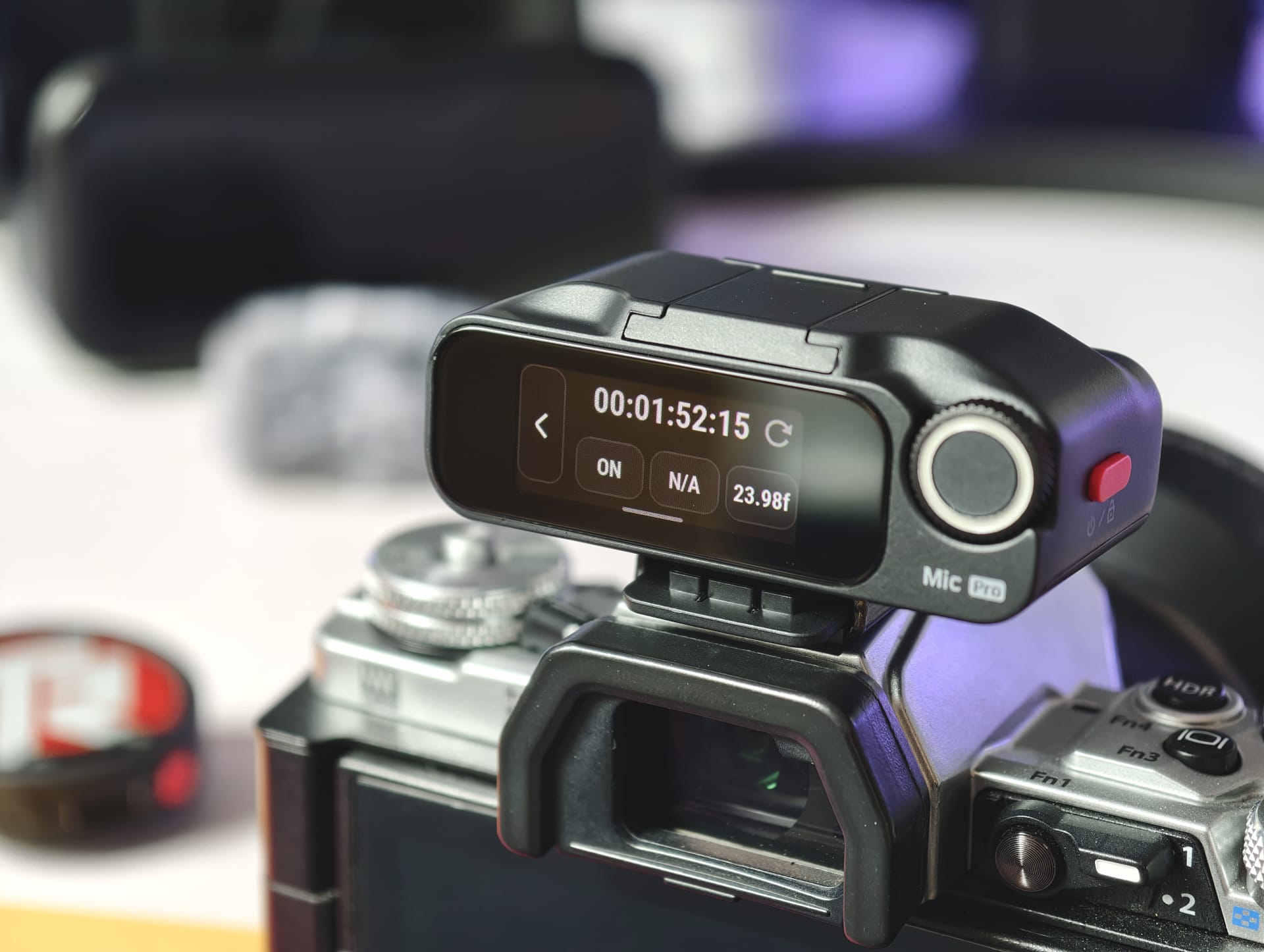
The Mic Pro also supports stereo recording, low-cut filters to reduce low-frequency noise, and live monitoring via the receiver's 3.5 mm headphone output. For larger productions, Insta360 also includes a timecode function, making it much easier to synchronize multiple audio and video sources in post-production.
Range
Insta360 states a range of up to 400 metres for the Mic Pro. However, figures like these only apply under optimal conditions and are hardly achievable in reality. It is therefore more interesting to see how stable the connection remains in challenging environments.
We tested the Mic Pro at, among other locations, the Völklinger Hütte World Heritage Site. Massive steel structures, narrow passageways and parts of buildings are not usually an ideal environment for wireless transmission.
In our range test, the connection remained stable up to around 100 meters. Only beyond that did occasional brief dropouts occur, before the connection eventually failed. As soon as you are back within range, the transmitter and receiver automatically reconnect. Additionally, if the signal is weak or the battery is low, the transmitter can use its internal storage as a backup.
Here is the video of the range test:
 Play video on YouTube
Battery life and charging
The transmitters are rated for up to ten hours of continuous use, while the receiver is rated for up to eleven hours. According to Insta360, the charging case brings the total to up to 30 hours of battery life.
The figures seemed quite plausible in our tests. With Auto Gain enabled and noise cancellation set to low, the transmitters used about 15 percent of their battery per hour, while the receiver lost around 10 percent over the same period. Even with additional features enabled, several hours of continuous use are easily achievable.
Charging is fairly quick overall. In our test, the battery regained around ten percent of its charge in ten minutes. Other features include fast charging and automatic power-saving functions such as Sleep Mode, Auto Power-Off, and automatic power-on and off when used with compatible cameras.
Our verdict
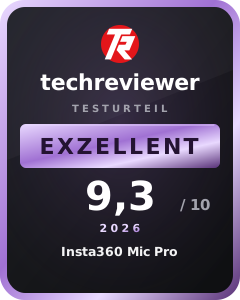
With the Mic Pro, Insta360 has delivered one of the most exciting wireless microphones currently available for creators, vloggers and IRL streamers. Setup, operation and recording are refreshingly straightforward, without the need to spend ages navigating menus or audio settings.
At the same time, the Mic Pro offers enough technical features to handle more demanding productions. 32-bit float recording, timecode, internal storage and separate control of individual transmitters are features more commonly found in much larger audio setups.
The flexible polar patterns and unusual E Ink displays also help Insta360 break away from the usual sea of wireless microphones. Not every idea feels fully thought through, but overall the Mic Pro feels much more modern and creative than many conventional wireless microphones.
Whether the Insta360 Mic Pro ultimately proves to be the best wireless microphone of the year for creators and IRL streamers depends, as always, on your priorities. Anyone looking for the smallest, most discreet transmitters will probably be happier with a DJI Mic 3. But for modern creator workflows, mobile productions, and spontaneous setups, the Mic Pro definitely has what it takes to become a new favorite.
Specifications
General
- Polar pattern
- Omnidirectional
- Selectable recording modes
- Omnidirectional, supercardioid, cardioid, figure-eight
- Frequency range
- 20 Hz–20 kHz (low cut off), 100 Hz–20 kHz (low cut on)
- Microphone sensitivity
- -38 ± 1 dBV @ 1 kHz, 94 dB SPL
- Signal-to-noise ratio (SNR)
- 72 dB (A-weighted)
- Maximum sound pressure level
- 130 dB SPL @ 10 % THD
- Sampling rate
- 48 kHz
- Bit depth
- 24-bit / 32-bit float (internal recording only)
- Equivalent noise
- 22 dB(A)
- Maximum input level (3.5 mm)
- -8 dBV
- Maximum range
- up to 400 meters
- Monitor output
- up to 20 mW @ 1 kHz, 32 Ω
Transmitter
- Dimensions
- 38 × 12,2 mm
- Weight
- 19.7 g (without clip)
- Display
- 1.22-inch E-Ink display
- Resolution
- 240 × 208 pixels
- Pixel density
- 197 ppi
- Wireless mode
- GFSK 1 Mbps / 2 Mbps
- Bluetooth
- Bluetooth 5.4
- Internal storage
- 32 GB
- Internal recording time
- – 24-bit mono
- up to 60 hours
- – 24-bit stereo
- up to 29.7 hours
- – 32-bit mono
- up to 44.8 hours
- – 32-bit stereo
- up to 22.2 hours
- Battery
- 240 mAh
- Charging time
- approx. 1 hour
- 80% charge
- approx. 24 minutes
- Fast charging
- 5 minutes for up to 1.5 hours of use
- Operating time
- up to 10 hours
- Operating temperature
- -10 °C to 45 °C
Receiver
- Dimensions
- 55.80 × 27.65 × 21 mm
- Weight
- 29,8 g
- Wireless mode
- GFSK 1 Mbps / 2 Mbps
- Bluetooth
- Bluetooth 5.4
- Battery
- 410 mAh
- Charging time
- approx. 75 minutes
- 80% charge
- approx. 27 minutes
- Fast charging
- 5 minutes for up to 1.5 hours of use
- Operating time
- up to 11 hours
- Operating temperature
- -10 °C to 45 °C
Charging case
- Dimensions
- 122 × 61,90 × 42,20 mm
- Weight
- 174 g
- Battery
- 2815 mAh
- Battery life with charging case
- up to 30 hours
- Charging time
- approx. 2 hours
- charging cycles
- Approx. 2 full charges for 2× TX + 1× RX
Connections and compatibility
- Receiver ports
- – USB-C
- – 3.5 mm camera output
- – 3.5 mm headphone output
- Direct connection
- compatible Insta360 cameras without a receiver
- Bluetooth audio
- Supported
- Maximum paired transmitters
- up to 4 TX simultaneously
Special features
- 6-color E Ink display
- 32-bit float recording
- 3-microphone array
- AI noise cancellation
- Automatic gain control
- Voice presets
- Timecode support
- Internal stereo recording
- Sleep mode & auto power-off
- Automatic camera-based on/off
What’s included
2× transmitter 1× receiver 1× charging case 1× smartphone adapter (USB-C) 2× magnetic fasteners 2× clips 2× furry windshields 1× carrying case 1× 3.5 mm jack cable 1× USB-C cable 1× quick-start guide 1× safety information 1× warranty card
Price comparison
| Store | Price | Link |
|---|---|---|
| Insta360 | 109,00 € | Go to store |
| Amazon | 329,00 € | Go to store |
Comments