
Contents
First impressions of the Lenovo HW01
What’s included
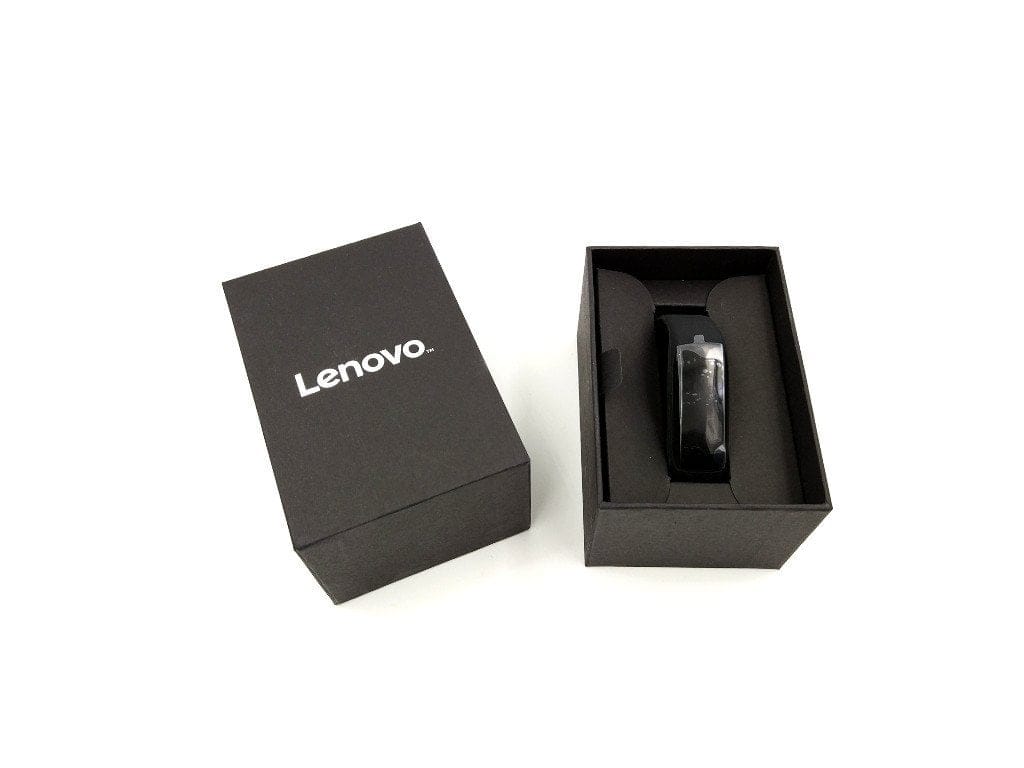
The fitness tracker was delivered in an unassuming cardboard box with a large "Lenovo" print. In addition to the wearable, a micro USB charging cable and a multilingual user manual are included.

Design and build quality
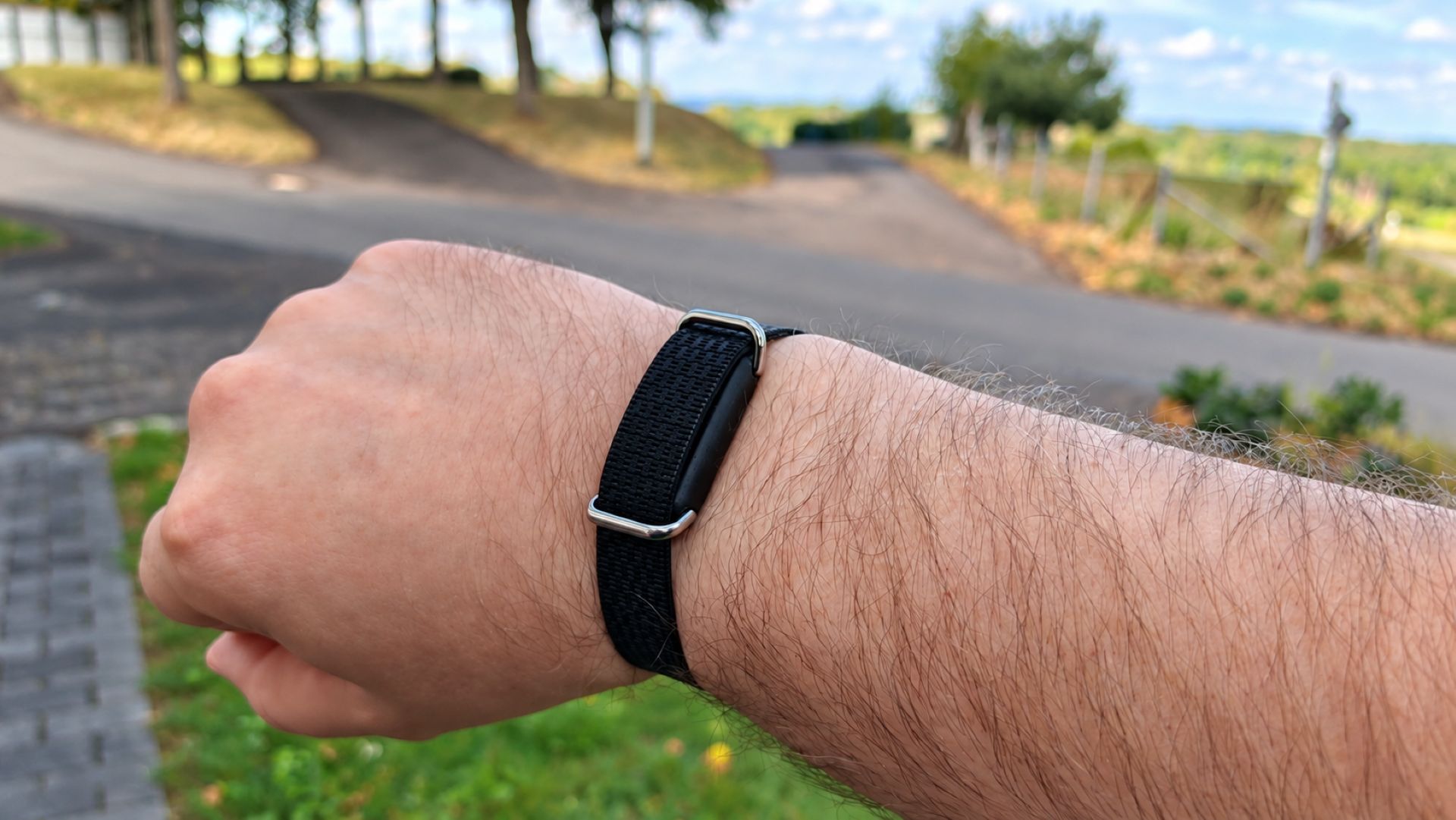
The bracelet is available in black and red. Our test unit in black is unobtrusively simple, so the fitness bracelet doesn't appear too intrusive when worn in everyday life. The adjustable silicone bracelet (14 steps) is closed by a metal tang buckle. Unlike a snap button closure, the tang buckle isn't exactly an eye-catcher visually, but it guarantees hold regardless of the type of sporting activity.
There is nothing to criticise regarding the build quality of either the tracking unit or the silicone strap. The non-removable tracking unit is firmly connected to the silicone strap without any gaps. Nevertheless, the wearable is only protected against dust and water splashes to IP65 standard, which is mainly due to the rear micro USB charging port. The silicone strap itself is cleanly processed with no residue.
Wide selection of fitness watches
Display
The display is an OLED type and has a diagonal of 0.91 inches. The resolution is 128 x 32 pixels. Without touch functionality, the Lenovo HW01 fitness tracker is operated via a capacitive button below the display.
Thanks to the OLED display technology used, the HW01 does not require a backlight. Each pixel is self-emitting, which also achieves deep black levels. If a pixel is to display the colour "black", it simply remains switched off on an OLED panel! Another advantage is energy efficiency. The Lenovo HW01 display only shows the colours black and white, which significantly reduces the display's energy consumption.
The readability of the Lenovo HW01 display is good. The pixels illuminate very brightly and the display remains readable even in strong sunlight. The viewing angle stability is also convincing. Only from unusual viewing angles is the display difficult to read, but this is not due to the display itself, but rather to the fact that the display sits a few millimetres inside the housing and is protected by a thick, scratch-resistant plastic cover.


App and features
Using the Lenovo fitness band requires a specific app. This app is available on the Google Play Store for Android devices from version 4.4 and on the Apple App Store for iOS devices from version 8.0. After downloading and installing the app, you still need to create an account. Despite the Chinese name, the app itself is translated into English. German is not available as a language option!
Date, time and stopwatch
One of the essential functions of the Lenovo fitness band is the display of the time and date. The band is capable of displaying the time in both the 12-hour and 24-hour formats. At least it was capable of doing so before we connected the wearable to a smartphone. After unboxing, a 24-hour time display was shown correctly. After pairing and synchronising with the smartphone, the time switched to the 12-hour format, even though the smartphone itself was set to 24 hours. Within the app and the fitness band itself, there is no option to manually set the time. The instructions also provide no information on how to correct the time. So that the band can actually be used as a replacement for a watch, it features gesture detection that recognises when you raise your arm and activates the display. This gesture detection can also be disabled, as even the smallest movements activate the display of the Lenovo HW01. This can be particularly annoying at night when the display suddenly lights up brightly.
A stopwatch can also be started directly on the fitness band. The elapsed time is displayed only in minutes and seconds!
Steps, distance and calories
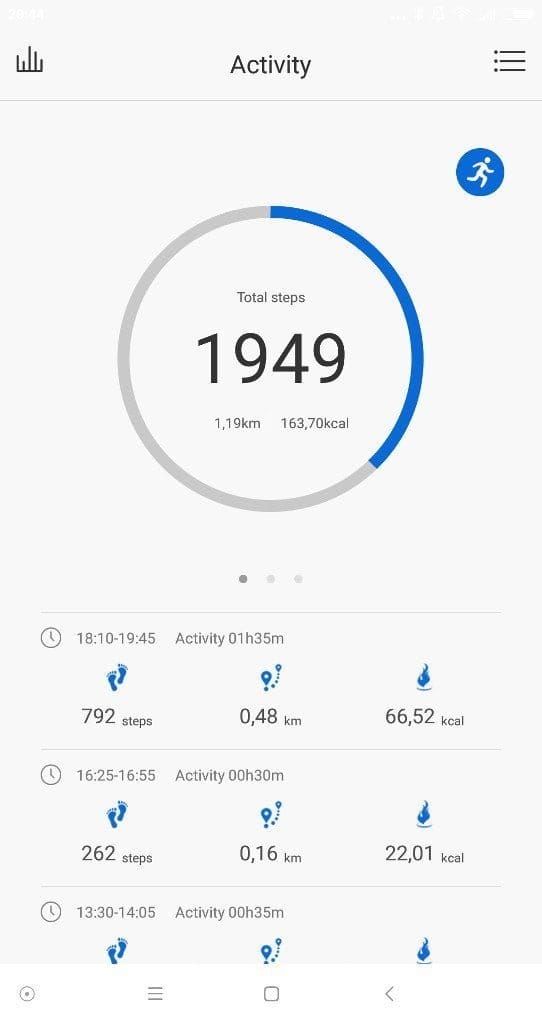
The pedometer of the Lenovo HW01 works phenomenally accurately. Where other pedometers occasionally count steps while driving a car or during sitting office work, the HW01 fitness band did not count a single erroneous step. An individual stride length cannot be preset for the band. Personal data is recorded via the app user account. There, in addition to gender, you also specify height, weight and age. Furthermore, an individual daily goal can be defined in terms of steps. Once the goal is reached, you are notified by a short vibration.
The fitness tracker allows users to display the number of steps taken, the distance covered and the calories burned. All collected data can be synchronised with the app and even transferred directly to Google Fit. Within the app, you receive a detailed breakdown of the collected data. In addition to a daily view, there are also weekly and monthly views. You can also see which physical activity was recorded at which time of day. In the separate running mode, you can track the distance covered via GPS. Activating running mode in the app before jogging or running collects even more precise data via the smartphone's GPS and processes it in the app.

Heart rate monitoring and sleep tracking
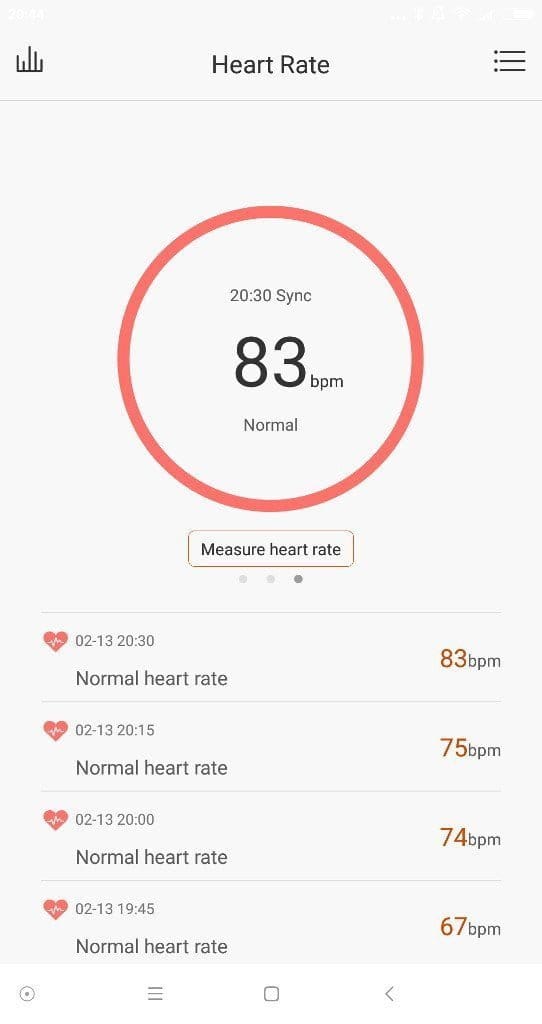
Heart rate measurement is carried out via a combination of photodiode and green LED, which measures blood flow beneath the skin. The accuracy of such a measurement method is naturally limited and does not replace a professional heart rate monitor. The readings from the Lenovo HW01 heart rate sensor correspond to those of comparable fitness tracker models. A measurement can be triggered directly via the fitness tracker's user interface. Alternatively, an automatic, fifteen-minute interval measurement can be activated within the app. All measurements are also synchronised with the app and can be viewed in a statistical overview.
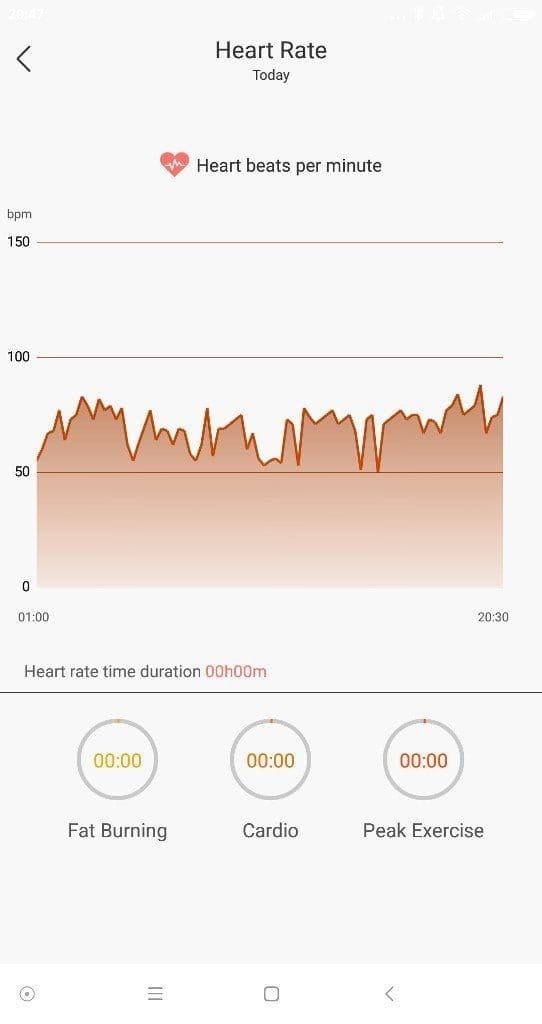
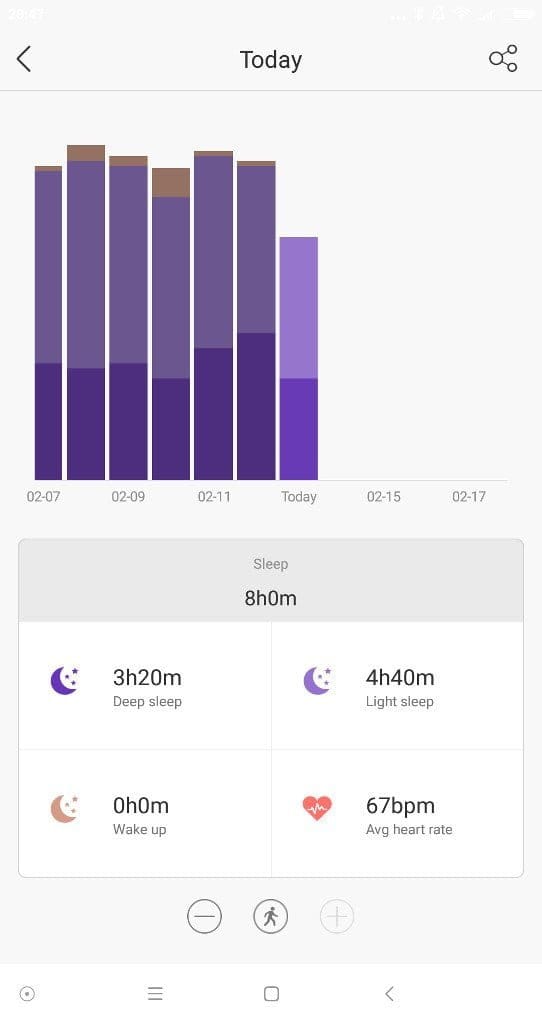
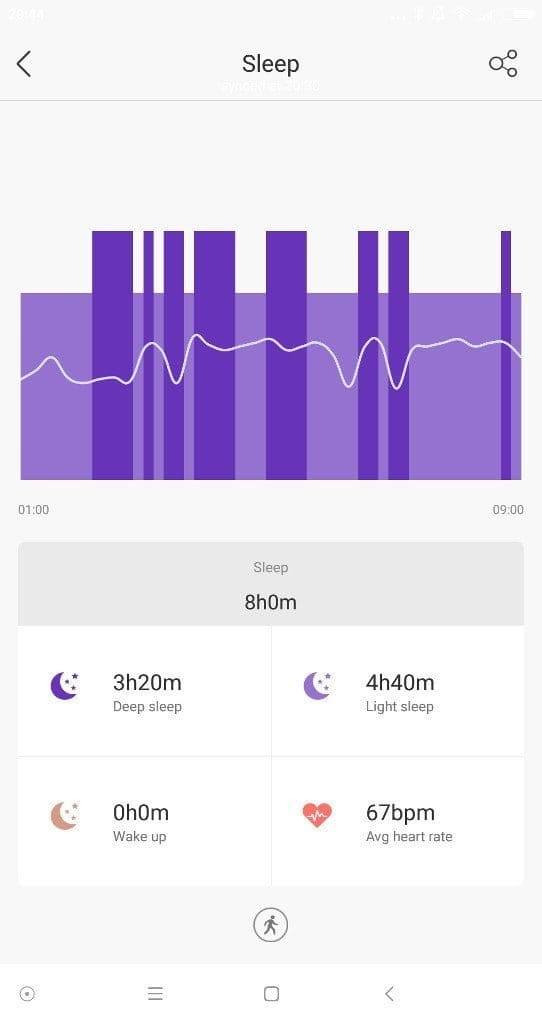
The sleep monitor is a nice extra feature, but it did not convince us as much in testing. According to the user manual, the band automatically switches to a sleep mode at 18 o'clock, which lasts until 10 in the morning. If the band detects a lying position during this period, the measurement starts. So, if you are lying in bed in the evening reading a book, the sleep measurement starts even though you are not actually sleeping yet. The sleep monitor cannot be started manually, which means you do not get an accurate result and cannot measure sleep phases outside the aforementioned period. The collected data can be viewed in the app. In addition to deep sleep, light sleep and awake time are also measured. Heart rate measurement also continues every fifteen minutes during the sleep phase.
Notifications
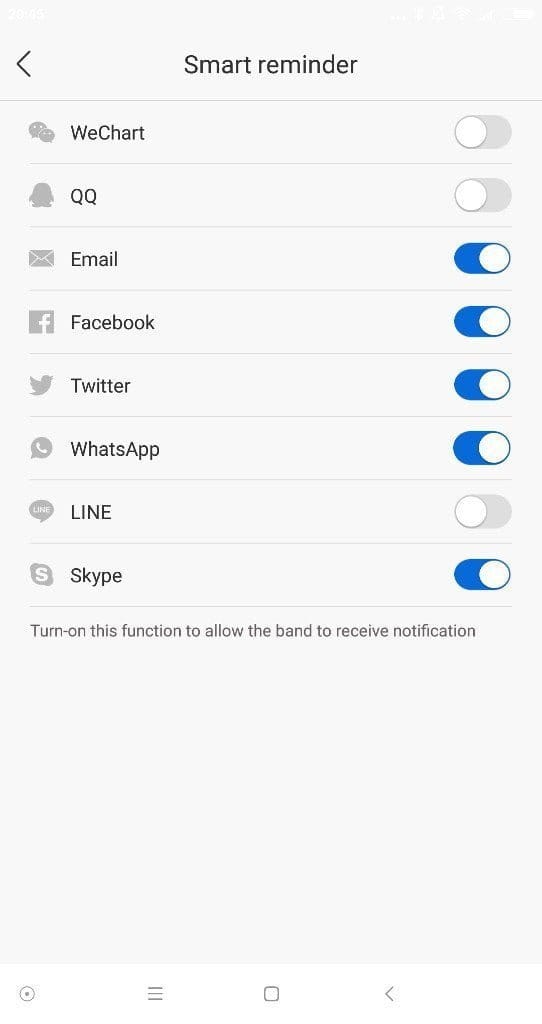
The Lenovo HW01 fitness band is capable of displaying incoming notifications. For example, when a WhatsApp message arrives on the smartphone, the band vibrates and the WhatsApp logo appears on the display. Unfortunately, only notifications from specified apps, calls, and SMS can be transmitted to the fitness tracker. The reception of notifications worked flawlessly in the test and was set up in just a few steps.

Music control, alarm function and settings
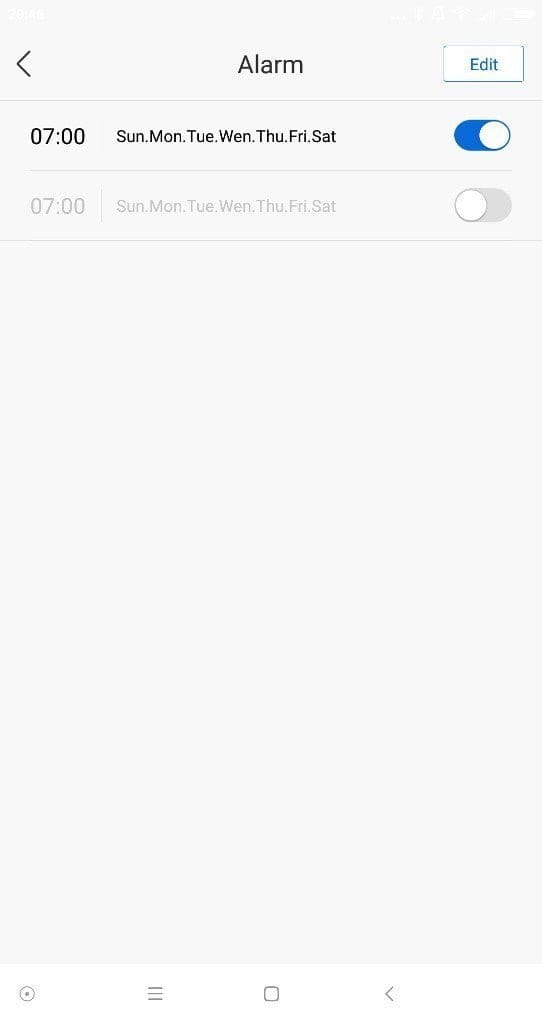
An interesting feature is the music playback control directly via the Lenovo HW01. If, for example, you are listening to music on your smartphone while exercising, you do not have to take the smartphone out of your pocket to control the music; instead, you operate the music playback via the capacitive single-key control of the Lenovo HW01. Within the app, there is an option to set a wake-up alarm. You are woken up by a gentle vibration of the bracelet. There is no option to individually adjust the vibration intensity.
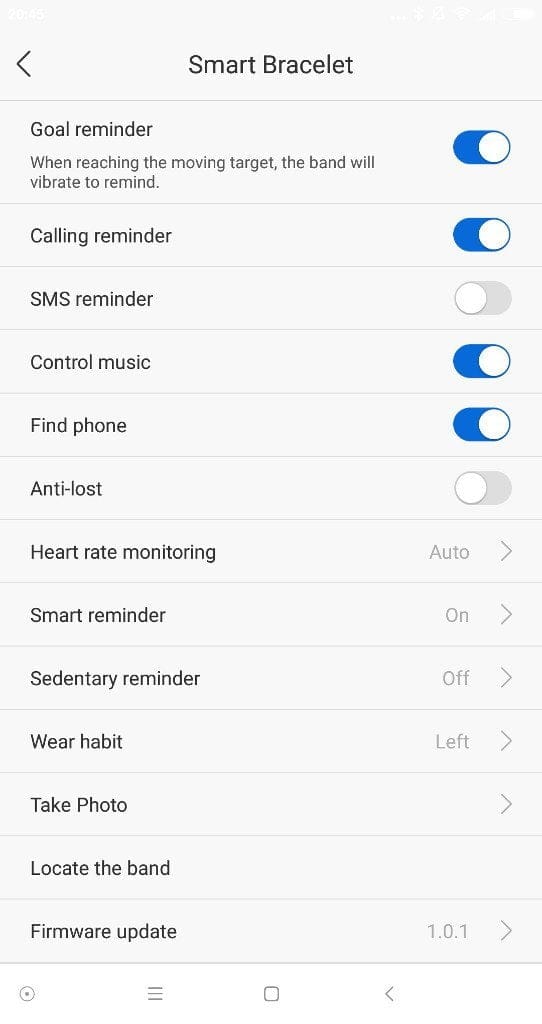
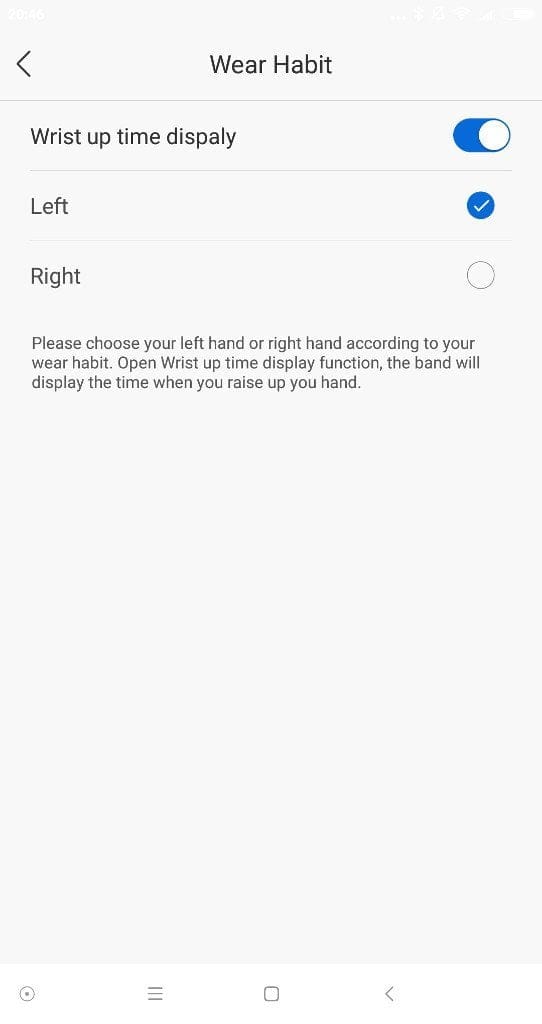
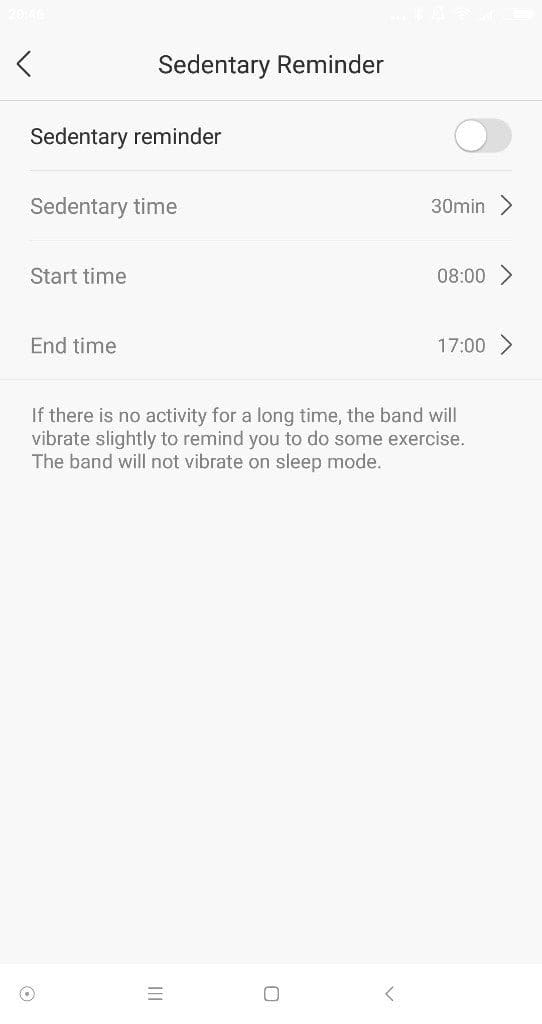
The app offers various settings for the fitness wristband. Among other things, you can see the battery level, which is also displayed on the wristband's screen. All functions, such as receiving notifications or music control, can be manually activated or deactivated. The heart rate sensor, which measures every fifteen minutes, can also be disabled to save battery. There is also a function to find the wristband and to find the smartphone. You can make the wristband vibrate via the app, and conversely, make the smartphone ring via the wristband. Firmware updates are transferred directly to the Lenovo HW01 via the app.
Battery
The battery life of the Lenovo HW01 surpasses every fitness tracker we have tested so far. With quarter-hour heart rate measurement, active notifications and continuous use including gesture activation of the display, the fitness tracker consumes just 7% of the battery per day. It was only after almost two weeks that the battery ran out. Charging takes 2 ½ hours. The band is charged via a micro-USB socket on the underside. On the one hand, this means you are not dependent on a wobbly point connector, but on the other hand, the silicone cover, which is supposed to protect the USB socket from liquids, does not provide sufficient protection to go swimming with the fitness tracker.
Our verdict
It took a long time before a Chinese fitness tracker finally appeared that could rival the Xiaomi Mi Band 2 in terms of price and performance. For just €27, you get the Lenovo HW01, a simple-looking fitness tracker with a precise pedometer and truly phenomenal battery life. Only the app is slightly in need of improvement. In particular, the fixed sleep monitor and the non-changeable hour system have somewhat dampened the otherwise quite positive experience with the Lenovo HW01 fitness tracker. One can only hope that as its popularity grows, app and firmware updates will appear, turning this already convincing fitness tracker into an even better smart wearable.
Specifications
Watch band
- Material
- Silicone
- Clasp
- Tang buckle
- Adjustable size
- Yes, 14 levels
- Length
- 24.5 cm
Tracking unit
- Display type
- OLED
- Display size
- 0.91 inches
- Display resolution
- 128 x 32 pixels
- Bluetooth
- Standard 4.2
- Heart rate sensor
- Yes
- Vibration
- Yes
- Audio
- No
Functions
- Pedometer
- Yes
- Sleep monitor
- Yes
- Heart rate monitoring
- Yes
- Date and time
- Yes
- Alarm function
- Yes
- Stopwatch
- Yes
- Notifications
- Yes
- Music playback controls
- Yes
- Movement reminders
- Yes
- GPS running mode
- Yes
Battery
- Battery type
- Lithium polymer
- Battery capacity
- 90 mAh
- Battery life
- up to 14 days
- Battery charging time
- 150 minutes
- Charging port
- Micro-USB
Other
- App
- Android >4.4 or iOS >8.0
- Protection rating
- IP65
- Size
- 24.5 x 1.8 x 1.2 cm
- Weight
- 23g
What’s included
1x Lenovo HW01 1x Micro-USB charging cable 1x user manual

Comments (48)
Does it really include a stopwatch? This is the only one I’ve found to be said to have one, apart from the x9 Mini and then the Xiaomi Amazfit, which is really too expensive.
Yes, it has a stopwatch function. If you activate it, it measures time in minutes and seconds. You also see the burned calories, distance and heart rate individually for the measured time. In the app, you can additionally activate GPS so that the GPS data collected by the phone is synced with the measured data from the Lenovo HW01. It’s quite a well-working smart band with nice functions.
Thank you very much for the prompt reply, I appreciate it.
You have rated the app somewhat low though. What is the name of that app and what faults did you find with it? (Sorry, Google Translate did not help me much)
I previously bought a Cubot V2 smart band but had to give up on it because the app was so frustrating to use. It struggled to sync, and even when it did, it would take around 20 minutes for most of the data to be displayed on the graphs and so on.
I believe this is a common issue with Chinese smart bands: the software and the numerous permissions required for it to work make it a veritable privacy Trojan horse.
finally, would you recommend this one or the „safer“ Xiaomi Miband 2 option, stopwatch function aside?
Sorry for the number of questions.
Hi again, here is the link to the app. https://play.google.com/store/apps/details?id=com.lenovohw.base.framework
It got a Chinese name, but the user interface is translated into English. My concerns about the app are that you can’t switch between the 12-hour and 24-hour system manually. You also can’t activate the sleep tracker manually. And the last issue is that you can’t add an individual app in the notification settings. In any case, apps like WhatsApp, Skype, Email or SMS are included in the notification centre.
Syncing is fast and works like on the Mi Band 2. If I had to decide between the Lenovo HW01 and the Mi Band 2, I would choose the HW01 because the pedometer is more accurate in my opinion. Also, the battery life is a little better. If I had to choose based solely on design, I would pick the Mi Band 2.
Thank you, I placed an order for the Lenovo HW01, thankfully more stores are getting a hold of it now,
I tried out the app and did not like having to register an account (email, etc.) to use it, especially as it was not developed by Lenovo itself, which I would have found more trustworthy.
Are there any „universal“ fitness apps that can read the data from these devices, do you know any and have you tried them out?
Hi, I only tried the app mentioned above. It’s common to outsource app development to a third-party developer. You can register with any email in the app since you don’t have to authenticate it.
Hi,
I bought the lenovo hw01 from gearbest. Worked fine for a few days. But then it said it would like do to an update, something like „improve russian“ or so. Then i started the update but the progress bar never moved! Waited for 15 Minutes but nothing happend. The HW01 shows the cloud symbol with the arrow. That’s it.
When the battery is empty (after hours) the display gets off, but when connected to usb the cloud symbol comes up again.
So I guess this thing is dead.
Unless someone knows how to reactivate it via usb with a flasher or something. Any idea?
Hi Ebbe, which firmware version did you receive for an update? I’m currently running V1.0.1 and I know I did the update back in February. I’m currently not offered any new updates so I guess you tried to flash that version. Actually I don’t know how you could clear the cache or get it back to factory state. Usually if the battery shows empty there is still some battery left to store the data. Letting it sit for a few days or trying to disconnect the battery manually might work. But if you flashed some faulty firmware, I don’t think it’s reparable then. Maybe the Lenovo customer support can help you with this.
(Edit: You can also write in English ;))
Hi Timo,
thanks for the quick reply!
App is V1.1.5(170310)
Band
I've tried a few things now: I think the bracelet is still active and waiting to be flashed, but the app keeps crashing. I can see the Lenovo in the Android Bluetooth menu. When I try to connect there, it says, “Note: Connection was rejected by HW01.” If I then tap Connect in the app's properties, the Lenovo is found and I’m asked: “Firmware update, So you want to upgrade a device already in OTA mode?” If I tap “Yes,” a new window appears with “Update,” first showing “Connecting” and then, after a few seconds, changing to “Updating” as the green progress bar starts. Sometimes, though, I immediately get “Update failed.” But even when “Updating” appears, the bar usually stops after about 5 pixels (1 mm?), so practically straight away. Often there aren’t any green pixels at all. But once, the green bar advanced about 3 mm. At the latest, though, it stops there and the app crashes.
I have already tested with/without Wi-Fi and mobile data and extended the Bluetooth visibility. I also tried it without connecting the Lenovo to the charger. Unfortunately without success. I also restarted the phone (P8 lite) and switched Bluetooth off and on again.
I can't see the band firmware anymore now, but I believe it was already 1.0.1. I didn't notice any version info during the update prompt.
Have you tried deleting all the app's data? Possibly, the app has created a cache with the firmware data and keeps trying to flash the faulty firmware. Otherwise, the app provider might be able to help you. Here is the URL: http://care.desay.com/weme/weme_info.jsp
I tried everything possible. But I think the app keeps crashing. After reinstalling it, whether or not I cleared the cache, the app always tries to download an update before the band can be connected. When connecting, it then always attempts to install the update on the band, which always fails.
When I try it with other phones, there is no connection to the band. I think it’s because it is paired with my phone.
I have now written to Gearbest support. Let’s see if I get anything more than standard text blocks this time.
What happens if you deny the app internet access? I checked the data traffic using Fiddler. As soon as the app has internet access, it tries to retrieve an update from this URL: http://care.desay.com/apk_update/HW01_11.0.0_2.0.0_012.zip. If you completely close the app, delete all data, reinstall it, and start it without internet, at least no update could be retrieved.
I tested it again. If I disconnect from the internet after logging in again, the app waits endlessly for the update. In the meantime, I can tap Connect, which then asks, “Do you want to upgrade a device already in OTA mode?” But whether I select “NO” or “YES,” nothing happens! It only proceeds after the internet connection is restored and I tap YES, at which point the green progress bar inevitably stops after at most 2 mm. Unfortunately, selecting “NO” doesn’t take the Lenovo out of update mode.
GearBest support is stubborn and insists on a video first. I’ve made one and compressed it to the maximum file size of 2 MB (!). Let’s see what they say…
The jokers at GearBest think I should do a “factory reset.”
Yeah, that would be nice. But how?
I’ve held down the touch point for a long time, but nothing happens. The instructions don’t say anything about it either.
A new firmware update (1.0.4) was released yesterday. Have you already tested whether the update transfers correctly? The installation went through without any issues for me.
The app was also updated (1.1.6(170327)). It downloads an update again at the start. Possibly 1.0.4
But when updating, the app gets stuck as always.
Hi, I have exactly the same problem for some reason. It tried to run an update and then the app crashed. Now the bracelet shows the cloud with the arrow and the app is trying to perform an OTA update. But it doesn't progress any further. It seems to have stalled.
Hello,
I have the same problem. By now, the phone somehow manages to update by barely “2 mm.” I notice that the bar slowly turns green, then suddenly the phone’s Bluetooth switches off briefly. After that, the bar stops moving.
I have a P8Lite. I'll try the update later with a Samsung phone.
I will get in touch if I find out anything new.
Hi, it's me again.
There is indeed an issue with the Huawei P8LITE, where Bluetooth is disabled during updates. I was just able to perform the update using your Samsung A5 smartphone.
Hello,
I managed to get it working now with an old Huawei P7 mini. The update ran through straight away with that. So it wasn't actually a problem that the band was paired with my P8 Lite.
Great, glad to hear it!
To change the clock display to 24-hour format, simply set the time zone manually on your phone instead of letting it update automatically. This gave me the time in 24-hour format.
Hi
I’ve just received a new band and the APP asked me to update the firmware.
The firmware upgrade failed and I’ve tried to redo it many times on 3 different phones.
Mostly it fails immediately but a couple of time the progress bar has reached about 60% and then it still fails.
So it looks like my band is bricked.
There doesn’t seem to be any factory reset or support for this band.
Any ideas?
Thanks
Hi seano, some other users are experiencing the same problem. Try allowing the app to access GPS and also activate GPS. Other users were able to update the firmware by granting the app all permissions.
Thanks for your help Timo
Yes, I have given the app GPS permissions. I even made sure that the GPS had a good fix before trying again.
I have noticed that the band display briefly flashes before the upgrade fails.
Hello Timo,
Can the band be synchronised with Google Fit, and do you know if the app is compatible with the Cubot Dinosaur?
I wish you a happy Easter!
Kind regards,
Lina
Hi Lina, the Lenovo Smart Bracelet app has a “Google Fit” option, which lets you sync all your data with Google Fit. The app should also work with the Cubot Dinosaur. Your best bet is to search for “Lenovo Smart Bracelet” in the Google Play Store. You should find an app with a name made up of Chinese characters. The app itself supports multiple languages.
Happy Easter to you too.
Hello Timo,
Thanks for the quick reply. I only just realised, like an idiot, that the review actually mentions with a photo that you can synchronise with Google Fit. ?
Great, many thanks! ☺
Hello Timo!
I have just received the Lenovo fitness bracelet and, as expected, the app cannot find the bracelet.? It is a Cubot Dinosaur. Do you perhaps have a tip for me?
Best regards,
Lina
Hi, the first things that come to mind for you to check are these. Is Bluetooth enabled? Do you see the bracelet in the smartphone's Bluetooth overview? Does the app have all permissions?
I had to activate GPS, now everything is great ☺ Thank you so, so much for your quick answers and help!!!
Best regards,
Lina
Sorry to bother you again. I want to receive e-mails on the wristband. I have already activated the corresponding icon in the app, but no mail is displayed. It does not work with a web.de account or a Gmail account. What could be the reason? Do I need a specific account?
Best regards once again,
Lina
The app or the band requires the corresponding permissions to receive notifications. You can grant permissions for the respective app in the app/security settings of your smartphone.
Unfortunately, it doesn't work. WhatsApp, calls and the like are functioning. It's absolutely frustrating.
Hello,
Perhaps you can help me. The band is not recognised in the app. The phone sees the band in Bluetooth settings, but it does not appear in the app. Do you have any ideas?
Hi, try activating GPS. It worked for Lina (see comment above yours). Otherwise, the app also needs the respective permissions.
oO. It worked. Okay, I didn't expect that GPS would need to be on for this (it doesn't really make sense either). What I still haven't found in the app is how to turn off the automatic heart rate monitor.
Now I understand the function. I think the app is designed a bit strangely.
I can’t download it for iPhone (in APPSTORE) here in Germany „Lenovo Smart Bracelet“ ….requested is not currently available in the U.S. store“.. so where I could got I on my iPhone..without it my Smartband it Worthless….
Please help if someone knows the way…
Hi, I assume you also speak German? I am not familiar with Apple's App Store, but you could try downloading the app via a proxy / VPN.
Hello Timo,
Do you know whether the strap is no longer compatible with Google Fit? After the update, the button in the app has disappeared, and even before that, steps were no longer being transferred to Google Fit.
Best regards,
Lina
Do you have to have the app (i.e. the phone) with you while running for GPS tracking to work, or can you connect to the app after running and have the data synchronised?
Hi, you need to have the smartphone with you because the bracelet itself does not have integrated GPS.
Hello Timo, where can I find the HW01 Plus firmware?
Hello Sortikas, you will receive the firmware automatically via the Lenovo app.
Hi Timo, and where can I download firmware when I've bricked my HW01 Plus? E.g. link http://care.desay.com/apk_update/HW01_11.0.0_2.0.0_012.zip? For the HW01 Plus?
For the Lenovo HW01, I have seen steps, distance and calories not working for a few days, and the sleep monitor is also not working. Can you please help with a solution for this?