Contents
First impressions of the LG DSH5 2.1
What’s included
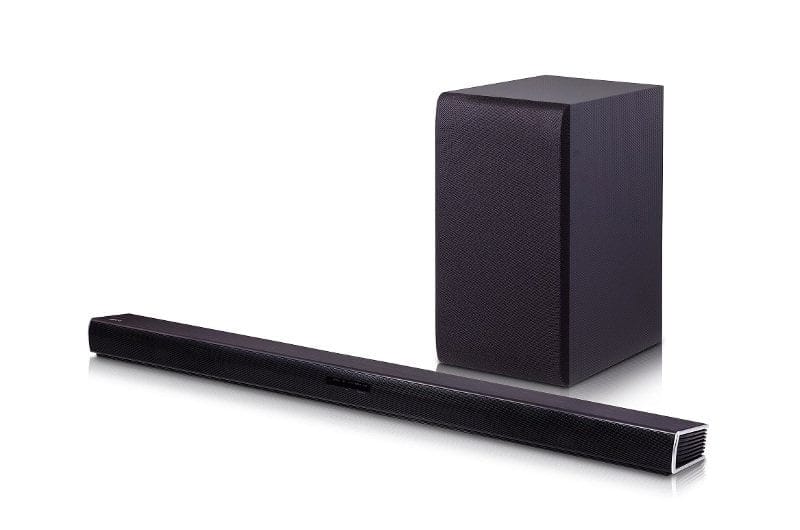
The cardboard box in which the LG DSH5 2.1 soundbar is delivered is anything but compact. However, it must accommodate the 890 x 53 x 85 mm soundbar and the subwoofer. It also includes the cables required for power supply, a remote control with batteries, and naturally there is also a user manual in the scope of delivery. Additional connection cables, such as an HDMI cable or an optical audio cable, are not included and must be purchased separately.
Build and design
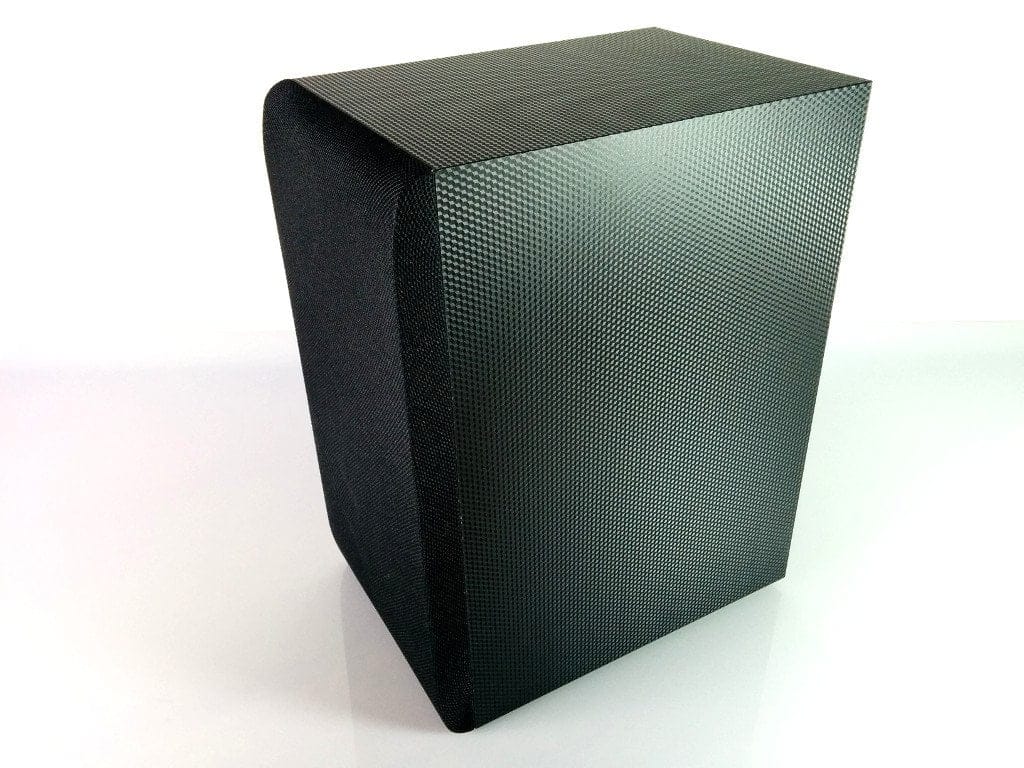
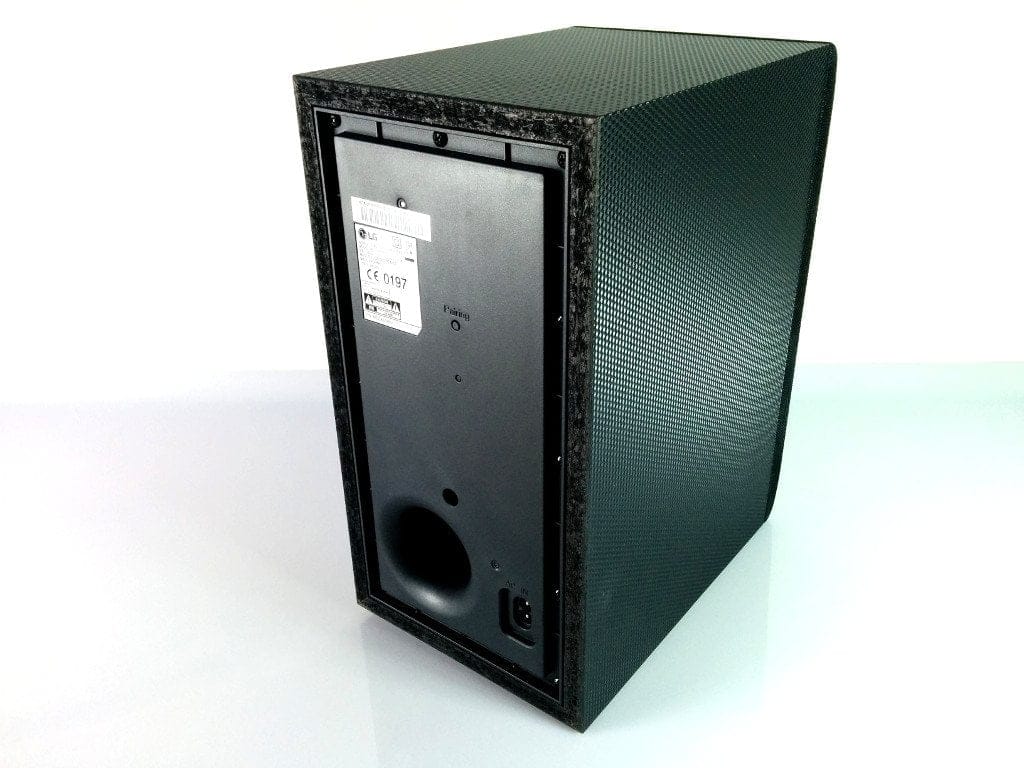
The design of the LG soundbar is simple. With a height of just 53 mm and the black plastic housing, the soundbar can be placed almost unobtrusively in front of a television. The design of the subwoofer is also simply black. Its dimensions are 171 x 320 x 252 mm. Due to wireless transmission, the soundbar and subwoofer do not need to be connected to each other, so this can also be placed unobtrusively in the room. The workmanship of both components is convincing.

Connection options
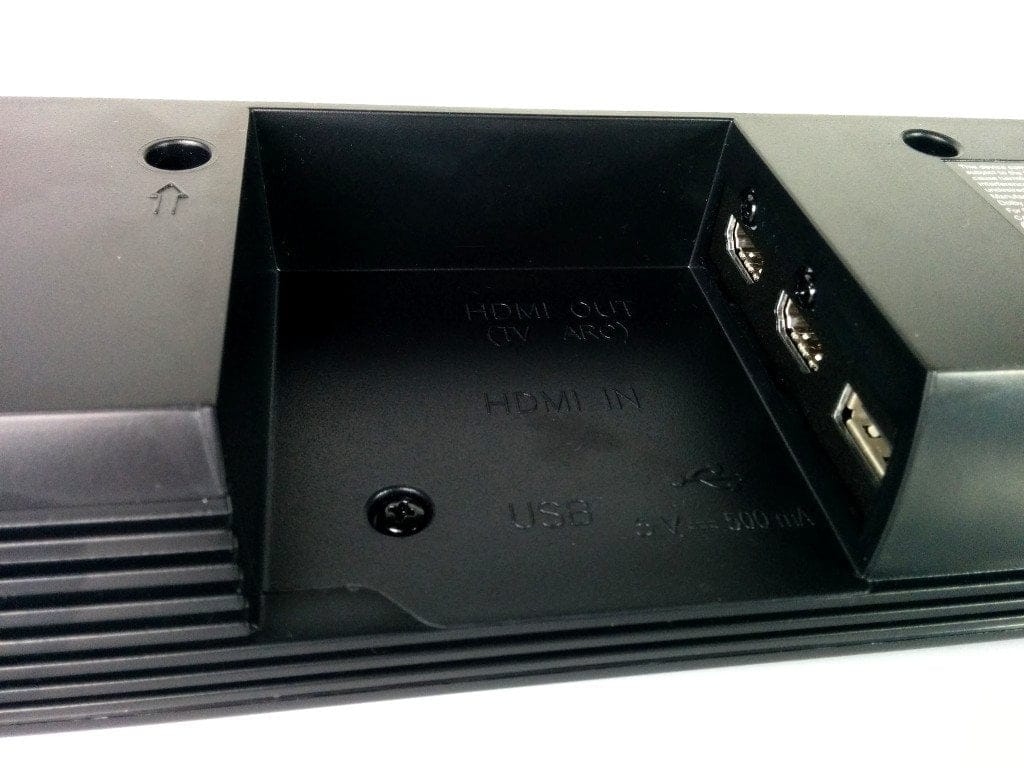
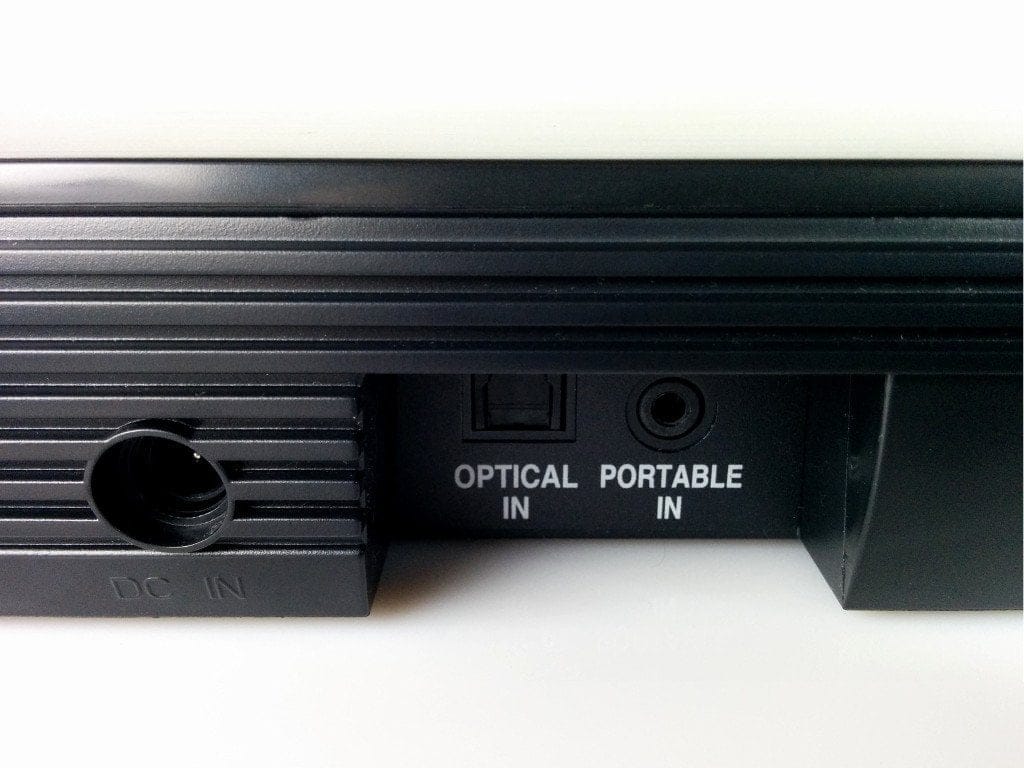
The soundbar has one HDMI input and one HDMI output on the back, a 3.5mm Portable-In connection, and an optical connection option. A USB 2.0 socket is also present and located next to the two HDMI sockets, which were unfortunately placed impractically. The HDMI sockets and the USB socket were placed inside a small recess, so that cables can only be routed "around the corner". For connection, the HDMI cables have to be bent, and larger USB sticks do not fit.
Setup and operation
The instruction manual is brief, but covers all the necessary steps for setup and explains how to activate the individual additional functions. Once the desired source devices are connected and both the soundbar and the subwoofer are powered, the LG DSH5 2.1 is ready for use immediately.
During testing, the subwoofer was detected directly by the soundbar. On the back of the subwoofer, there is an LED that indicates the current connection status. Green indicates an active connection, red indicates a connection error. In the event of a connection error, the user manual explains the steps for successful pairing.
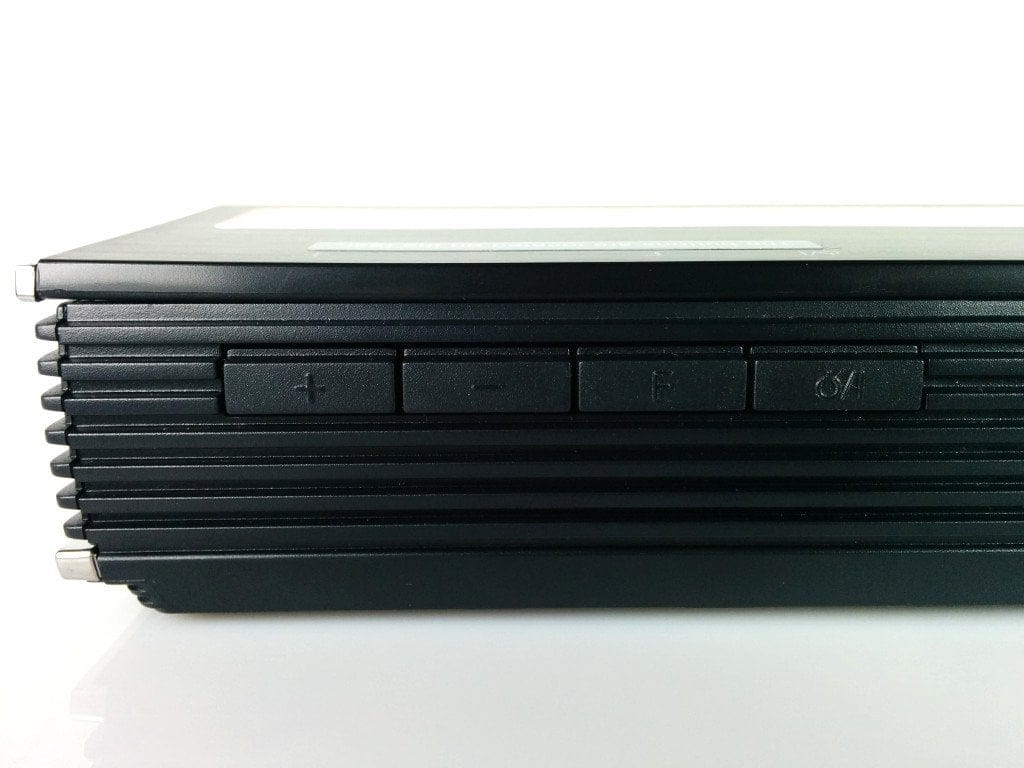
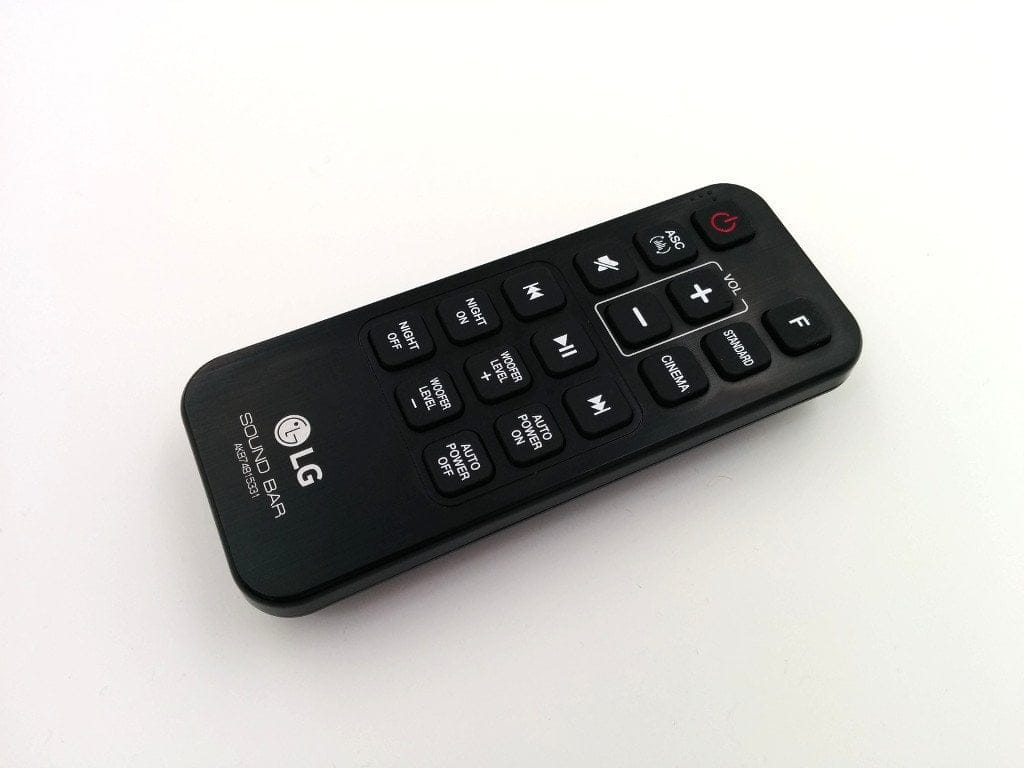
Once the soundbar is switched on, settings (volume, source, etc.) can be adjusted using the control buttons on the rear, but the included remote control can also be used.
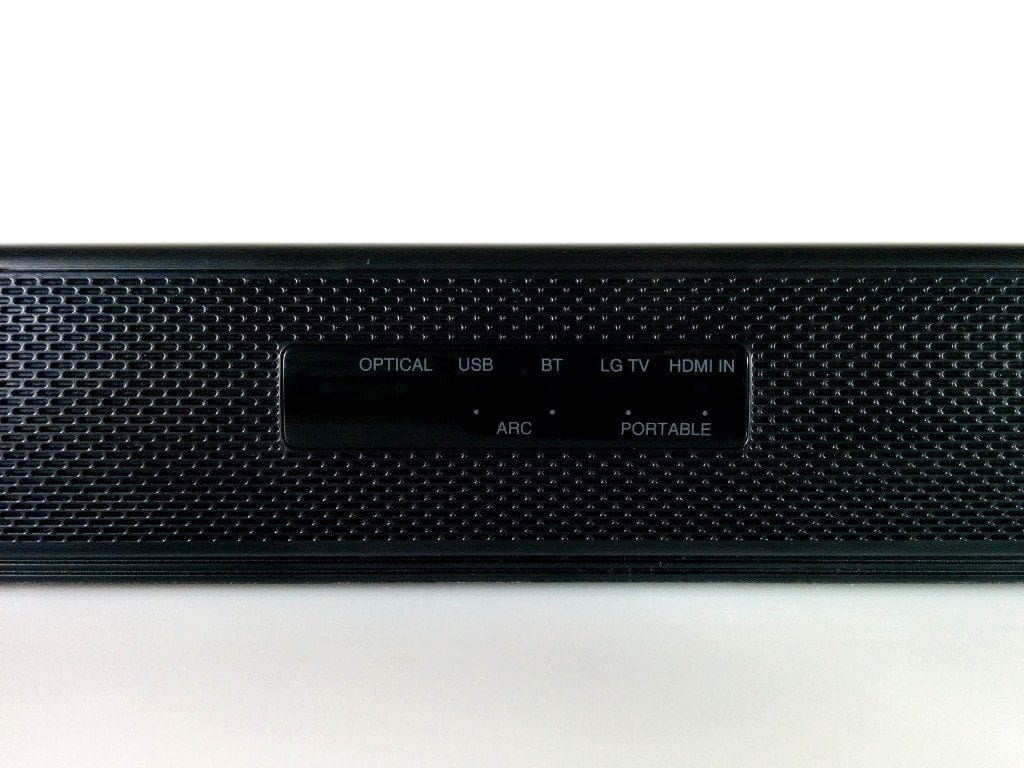
The active playback source is indicated by LEDs on the front. Identifying which LED corresponds to which source is only clear upon closer inspection, so you should remember the exact arrangement. Switching between sources works smoothly and takes just a few seconds. The remote control range is approximately 20 metres.
The selection of “comfort functions” is a negative point. If you activate one of these functions, you receive no notification or indication whatsoever. The active function cannot be read from the LED strip, nor do you receive a distinguishing signal tone. The functions must be selected again before each use.
Music playback and home cinema
General
The output power of the LG DSH5 2.1 soundbar is an impressive 300 watts, distributed as 2x 60 watts to the front speakers and 180W to the subwoofer. Supported playback formats include FLAC up to 192kHz, OGG, WAV, MP3 and WMA. Audio output supports LPCM (Linear Pulse Code Modulation), Dolby Digital and DTS Digital Surround.
Sound
In practice, the LG soundbar impresses with particularly warm and powerful sounds. During music playback, subtleties remain clearly audible despite the active subwoofer. Mids and highs are also pleasantly matched to each other, which adds considerable colour to the sound image. The adjustable subwoofer is particularly interesting. The “Woofer Level” can be individually adjusted using the remote control.
This option is particularly convincing for home cinema. If you want to watch an action-packed film, simply increase the woofer level accordingly. Precise acoustic tuning creates a genuine sense of being in the midst of the action. This 'bullseye' result is made possible by the Auto-Sound-Engine technology, which adjusts mids, highs, and also lows.
Sound effects
ASC (Adaptive Sound Control)
ASC (Adaptive Sound Control) is a voice optimization feature. According to LG, "the vocal level of the audio track is analysed and the bass is automatically adjusted to the pitch". In our practical test, this feature noticeably reduced the "Woofer Level" and emphasised the mid-range.
Cinema mode
The LG Soundbar only unleashes its full potential in 'Cinema Mode'. The audible difference from 'Standard Mode' is significant. If I had to describe this mode with just one word, 'wild' would immediately come to mind. The soundstage becomes very wide. Mids, highs and bass play into each other in this mode, yet remain balanced. The feeling of being in the middle of the action is best conveyed in Cinema Mode.
Night mode
With active night mode, quiet sections are highlighted and loud sections are reduced accordingly and adjusted to the maximum volume. However, this mode only works when playback material is fed via one of the digital connections.
LG Music Flow app
The LG Music Flow app is available for Android devices on the Play Store as well as for iOS devices on the App Store. Unfortunately, the app failed to impress in testing. Upon the first launch, users are guided through a setup menu primarily designed for LG audio devices with Wi-Fi capability. Since the LG DSH5 2.1 does not have Wi-Fi, the soundbar cannot be set up using the app, let alone added as a speaker.
The connection must be established manually via Bluetooth. The LG Soundbar then functions merely as a “Bluetooth speaker”. This renders the LG Music Flow app redundant.
Our verdict
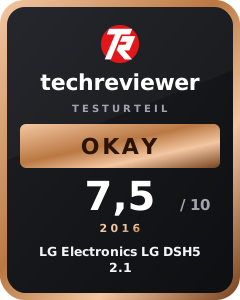
The LG DSH5 2.1 soundbar is particularly convincing in terms of sound. In Cinestar mode, you experience a perfect home cinema experience with three-dimensional, almost jumping sounds. The various sound effects cover all application areas.
Visually, the LG soundbar impresses with its simple design and good build quality. Better legibility of the active playback source and sound effects would be desirable. The arrangement of the connections is also open to criticism. A Chromecast stick finds no space due to the awkward placement, and connected cables sometimes need to be bent.
Another point of criticism is the LG Music Flow app, which is of little use when used with the LG DSH5 2.1. Despite this, sound quality is the priority with this product, which is why the LG DSH5 2.1 soundbar is overall convincing.
Specifications
General
- Channels
- 2.1
- Output power
- *300 watts total
- *Front-facing speakers
- 2 x 60 watts
- *Subwoofer
- 180 watts
- Connection options
- *1x HDMI In
- *1x HDMI Out
- *1x Portable In
- *1x Optical In
- Playback formats
- *FLAC
- *OGG
- *WAV
- *MP3
- *WMA
- Audio output
- *LPCM
- *Dolby Digital
- *DTS Digital Surround
- Other
- *Bluetooth
- *Wireless subwoofer
- *ASC (Adaptive Sound Control)
- *Night Mode
- *Auto Sound Engine
What’s included
1x Soundbar 1x Subwoofer 1x Power supply for soundbar 1x Power supply for subwoofer 1x Remote control with batteries 1x User manual
Comments (1)
Hi, quick question: I have the combo at home and one thing surprises me. If you activate Auto Power On and turn off the TV, you can see how it properly searches and then switches off. If you then switch the TV on, it takes a moment for it to boot up, but the TV audio continues to play, resulting in doubled sound. Unless you explicitly activate the soundbar via HDMI-CEC. Could the internal speakers be permanently disabled by default?