Contents
Nothing OS 2.5
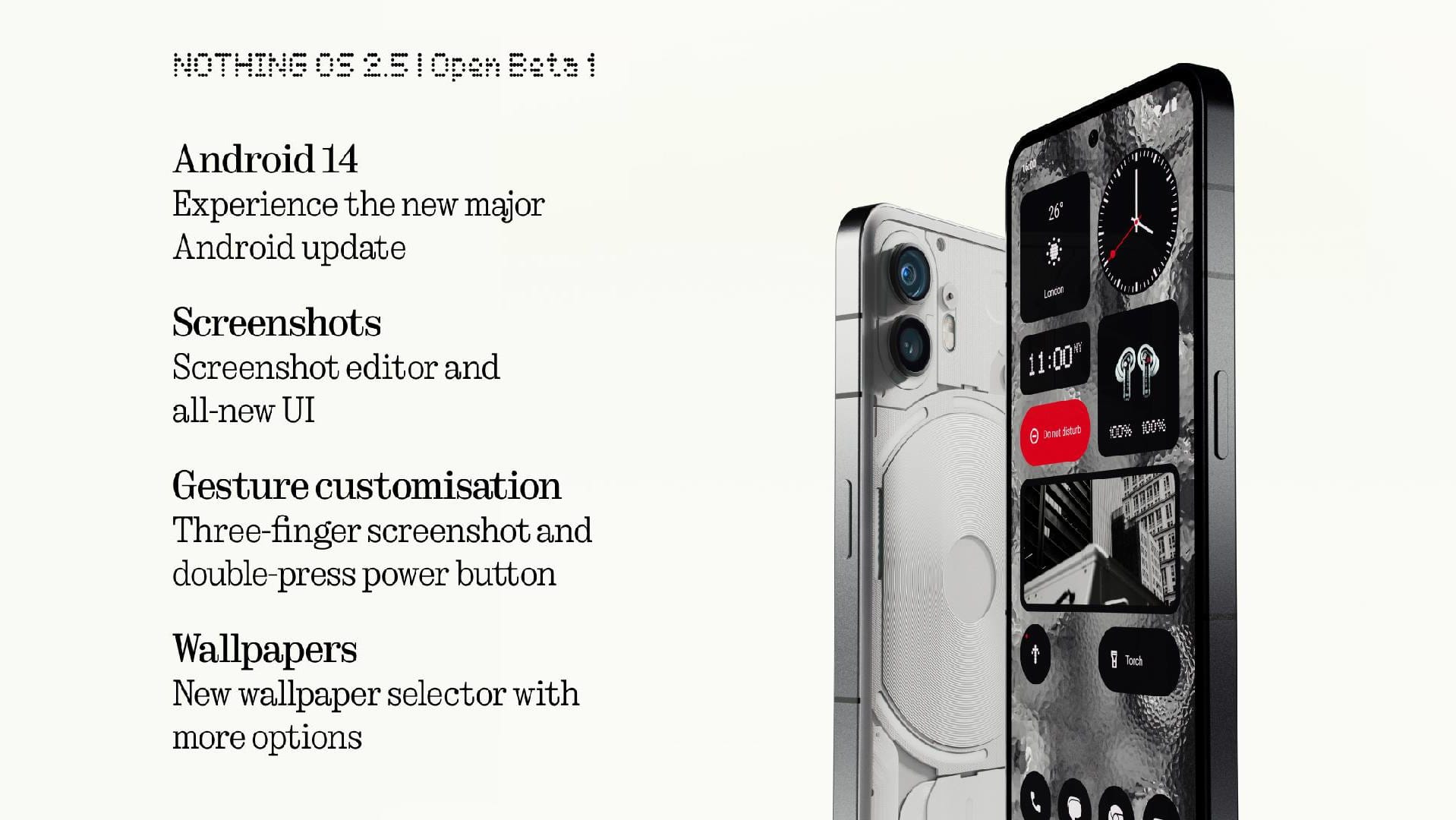
Nothing is continuing to push ahead! Having barely got used to the update to Nothing OS 2.0, which already significantly improved performance, the tech company is now announcing Open Beta 1 for Nothing OS 2.5.
Alongside new features and improvements, the update brings Android 14 to the Nothing Phone (2) for the first time.
What’s new in Nothing OS 2.5?
In short, here are a few of the most important new features of Nothing OS 2.5:
- Fresh design for the widget library: Nothing widgets now appear to better advantage.
- New photo widget: Displays selected images directly on the home screen and lock screen.
- Improved screenshot editor: Extended editing features and quick delete options.
- Update for the Back Gesture: Now better matches the Nothing style.
- Easy app hiding: Option to hide app icons on the home screen and in the app drawer.
- Faster screenshots: A three-finger swipe captures the screenshot instantly.
- Practical double-click function: The on/off switch can now be programmed for quick access.
- More clear customisation options: New settings for the home and lock screens provide a better overview.
- Cool glass filter: Make your background even more unique.
- New solid-colour backgrounds: For a more organised home screen appearance.
You can find even more details and how all of this feels in practice in our test of the Nothing Phone (2).
And what's new in Android 14?
- Monochrome colour scheme: Now also available in primary colours for a more minimalist design.
- Interactive back gesture: When using apps, there is now a new way to go back.
- Fresh look for quick settings: New icons specifically for Nothing headphones.
- Enhanced lock screen: More shortcuts available, including "Do not disturb", Mute, QR code scanner and video camera.
- Fine-tuning of the volume: Ringtone and notification tones can now be set separately, and the user interface for volume control has also been updated.
- Regional adjustments: Units and numbers can now be configured individually.
Warning, this is a beta!
An important note: As this is a beta version, there may be one or two bugs. If you are already part of the beta, you can simply obtain Open Beta 1 via the settings.
If you are not already involved, you can sign up for the beta on the Nothing community website.
Source: Press release
Comments