Contents
ChatGPT as an interactive learning companion
OpenAI has just rolled out the Agent Mode for ChatGPT, and the Study Mode is already the next feature to follow. Particularly in the education sector, the AI assistant has become a fixed part of many students' daily routine. ChatGPT is increasingly used as a learning aid for coursework, exam preparation or learning new concepts.
The new Study Mode aims to build on this by not simply providing the solution, but by encouraging self-reflection through targeted questions, prompts and hints. The responses are structured into easy-to-digest sections to avoid overwhelming users with complex topics.
In addition, the AI adapts to the users' individual knowledge levels, based on their previous interactions or uploaded documents.
In collaboration with lecturers and students
Teachers, education researchers, and pedagogues were involved in the development of the Study Mode, so that proven learning principles should flow directly into the AI interaction. Quiz questions, comprehension checks, and individually tailored feedback help retain what has been learned and apply it in new contexts.
In advance, OpenAI also tested the Study Mode with students. Particularly praised was the ability to grasp difficult topics in small steps, ask questions at any time and not feel like learning alone. Essentially a "24/7 tutor that never gets tired".
How to use Study Mode
The Study Mode is available to all logged-in users in the Free, Plus, Pro and Team versions. The feature will also be rolled out to ChatGPT Edu in the coming weeks.
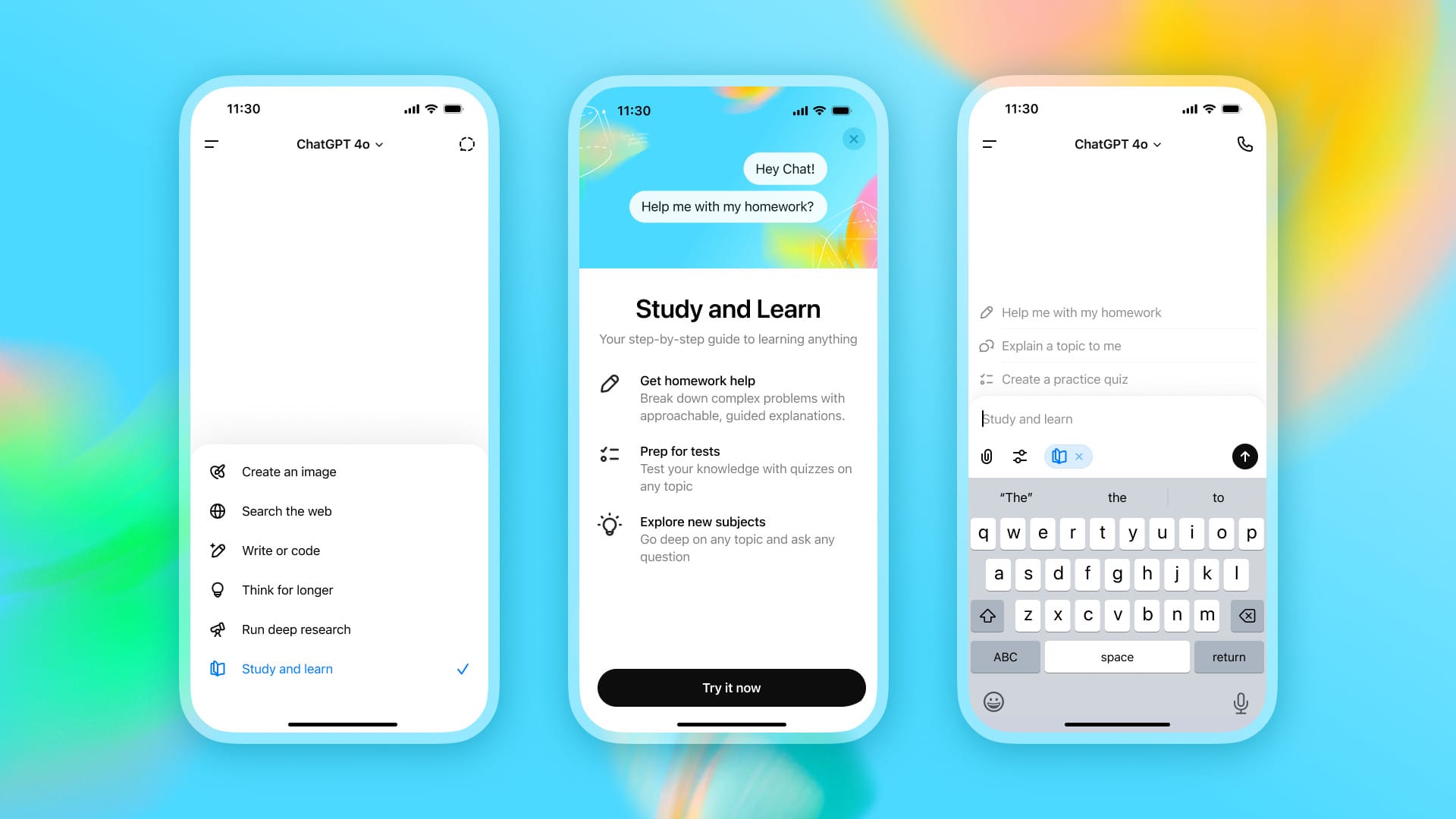
The mode is activated directly via the tool menu. There, users can ask questions as usual, but with the difference that the AI switches to learning mode and provides step-by-step guidance. If desired, the feature can be deactivated at any time.
Source: OpenAI press release


Comments