Contents
Foreword: SJCAM SJ8 Pro
After a year full of leaks, SJCAM released the SJCAM SJ8 series at the beginning of 2018. This comprises 3 models in different price ranges and with different features.

- The entry-level model "SJCAM SJ8 Air" is available for under 100€ and is up to date thanks to the Panasonic MN34112PA image sensor and USB-C interface.
- The mid-range model “SJCAM SJ8 Plus” costs just under 150€ and, thanks to the combination of the NTK96683 image processor and the Sony IMX117 image sensor, is capable of producing native 4K recordings.
- The top model is the “SJCAM SJ8 Pro”. Equipped with an Ambarella H22 image processor and a Sony IMX377 image sensor, the action camera captures native 4K video recordings at up to 60 frames per second. A 2.33-inch touchscreen makes operation easier. The action camera is priced at approximately €200.
First impressions of the SJCAM SJ8 Pro
Scope of delivery and accessories
SJCAM action cams come with a generous scope of delivery. In addition to the waterproof housing, numerous mounts, adhesive pads and spare parts are included. Also included is an additional housing cover with a resistive surface. This keeps the touchscreen operable despite the waterproof housing! A multilingual user manual is also included.

Not included but optionally available are an external microphone (10€), a remote control (15€), spare batteries (4€), a battery charger (6€), a USB-C FPV cable (4€) and (UV) filters (from 4€).
Design and build quality
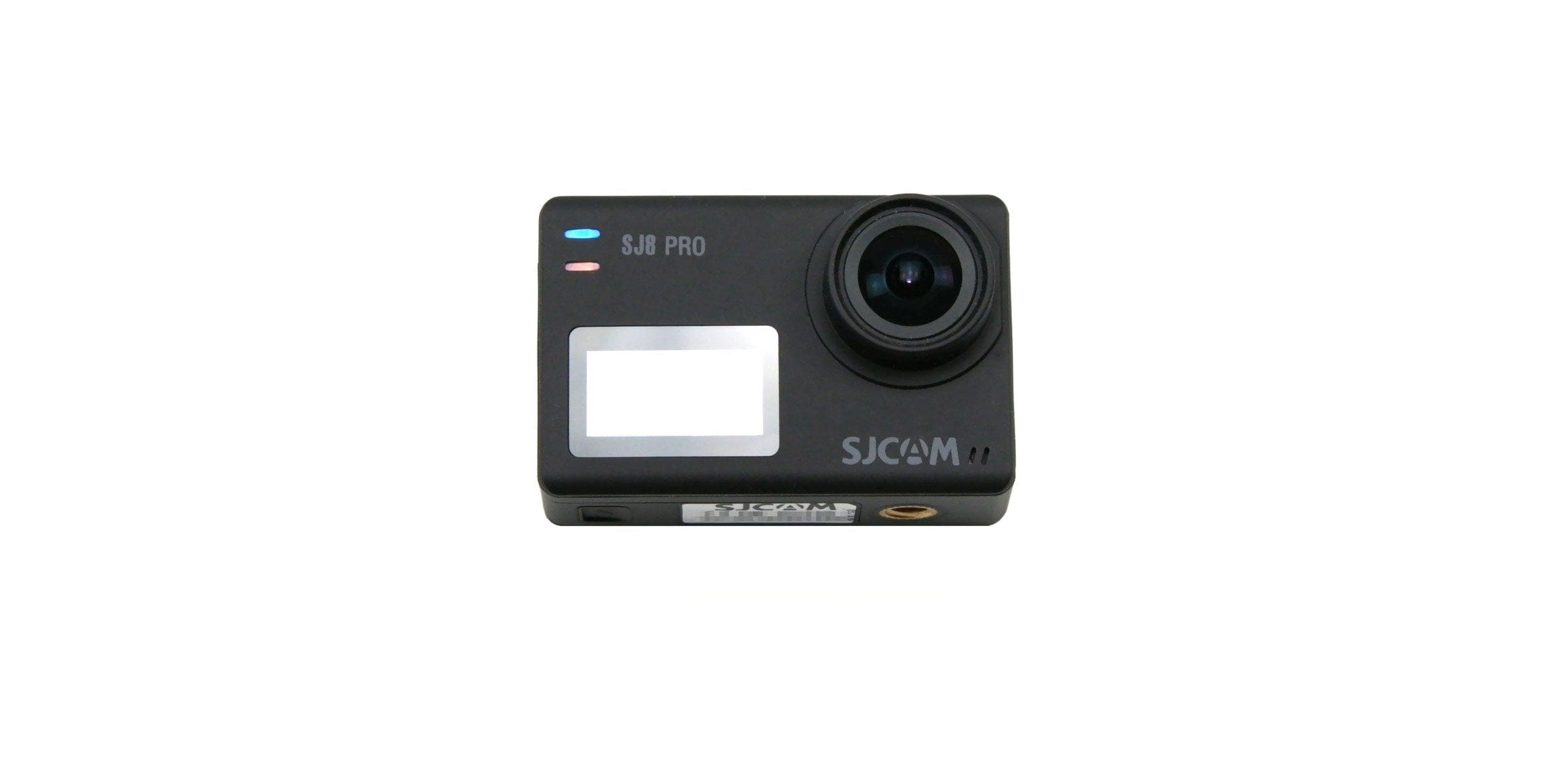
Despite the new model series, SJCAM largely remains true to its previous design. The rectangular housing measures 62.5 x 41 x 28.8 mm and weighs 85g. Instead of a premium aluminium frame, as found on the SJCAM SJ7 Star, it features a non-slip, rubberised plastic housing. The action camera is structured as follows:
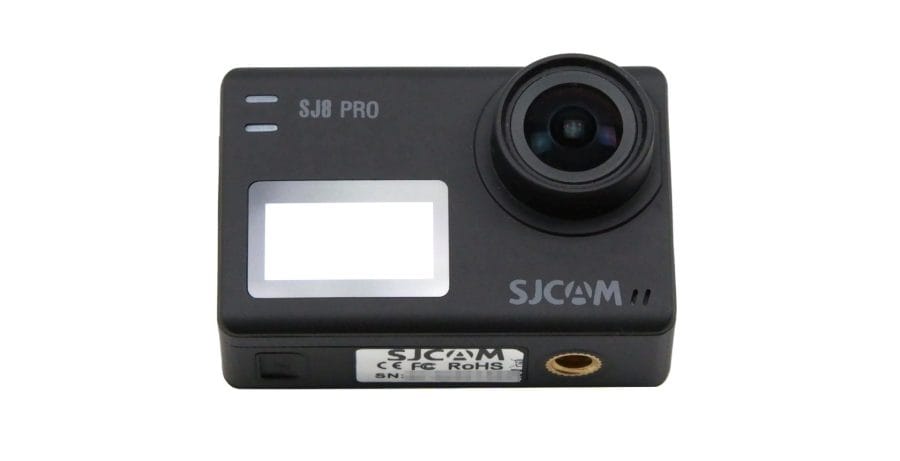
Next to the lens on the front is a 0.96-inch OLED display with two status LEDs above it. One of the two microphones is located at the bottom right.

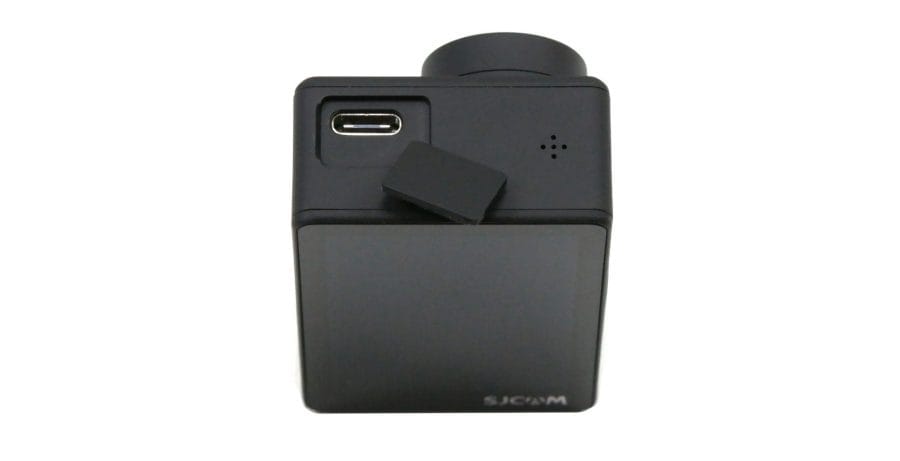
The housing frame includes a top-mounted shutter and control button, a side power button and the USB-C port hidden behind a cover. There is no separate HDMI interface. An optional USB-C FPV cable is available for transmitting video signals.

On the underside is the battery compartment with a ¼ inch screw connection next to it. The battery compartment is opened via a folding mechanism. The MicroSD memory card slot is located inside the battery compartment.
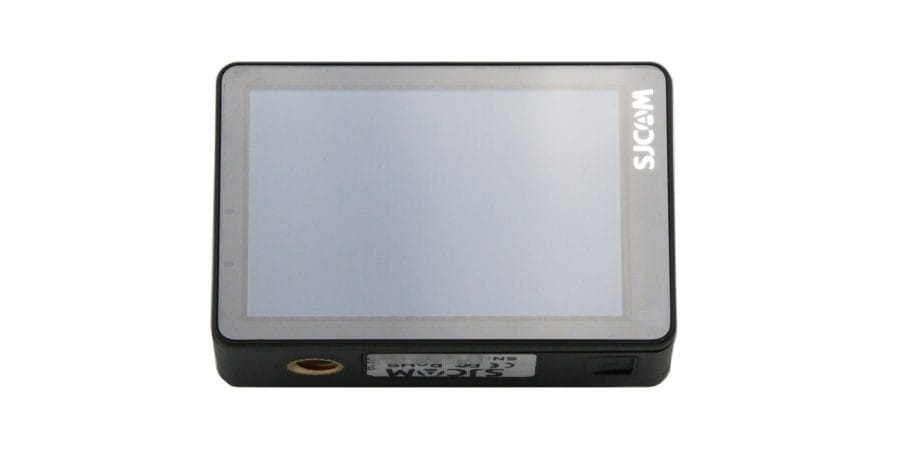
The 2.33-inch IPS colour display occupies most of the back. A status light is also located to the left of the display.
Display and touchscreen
The SJCAM SJ8 Pro features two displays. The 0.96-inch OLED display on the front provides a practical overview of the recording mode, recording duration, remaining storage capacity and battery level.
On the back is the 2.33-inch IPS display with touchscreen. Compared to competing models such as the YI 4K+ (2.19 inches) and GoPro HERO6 (2 inches), the SJCAM SJ8 Pro offers one of the largest displays. The resolution is 720 x 480 pixels, resulting in razor-sharp 370 PPI.
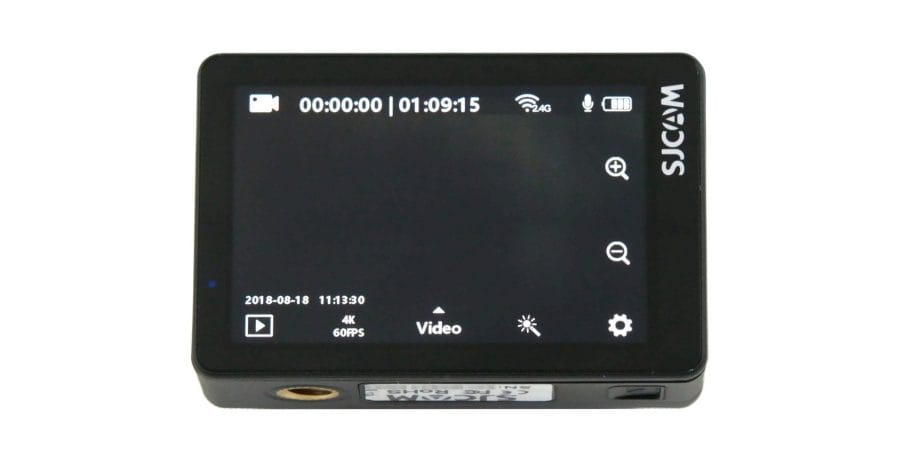
In practice, the display convinces with high display brightness. Even strong sunlight or light incidence only slightly affects readability. Colours and contrast are convincing. Swipe and touch gestures are accurately recognised by the touchscreen.
Hardware
The image processor is called Ambarella H22 and is a system-on-chip specifically designed for action cameras, positioned performance-wise between the Ambarella H2 and Ambarella A12 SoCs. Combined with the Sony IMX377 image sensor, which is also used in the YI 4K+, the SJCAM SJ8 Pro is capable of recording native 4K video at 60 frames per second.
Further hardware features include a dual-band Wi-Fi (802.11 a/b/g/n) and Bluetooth module, a 6-axis gyroscope for image stabilisation, as well as two noise-cancelling microphones.
Setup and user interface
The SJCAM SJ8 Pro recognises micro-SDXC memory cards with a storage size of up to 128GB. The Samsung EVO Plus micro-SDXC card with a storage size of 64GB used in the test was recognised without problems. For high-resolution 4K60 video recordings, a memory card with a UHS-3 interface is recommended.
Initial setup is no different from other action cameras. Insert the memory card and battery, switch on the SJ8 Pro and start filming. The user interface is available in several languages, including English.
Each of the three SJCAM SJ8 models comes with a different user interface. The user interface of the SJCAM SJ8 Pro is structured similarly to the YI 4K+. The home screen provides, alongside the live view and the camera status, also numerous quick access options. Here is an overview:
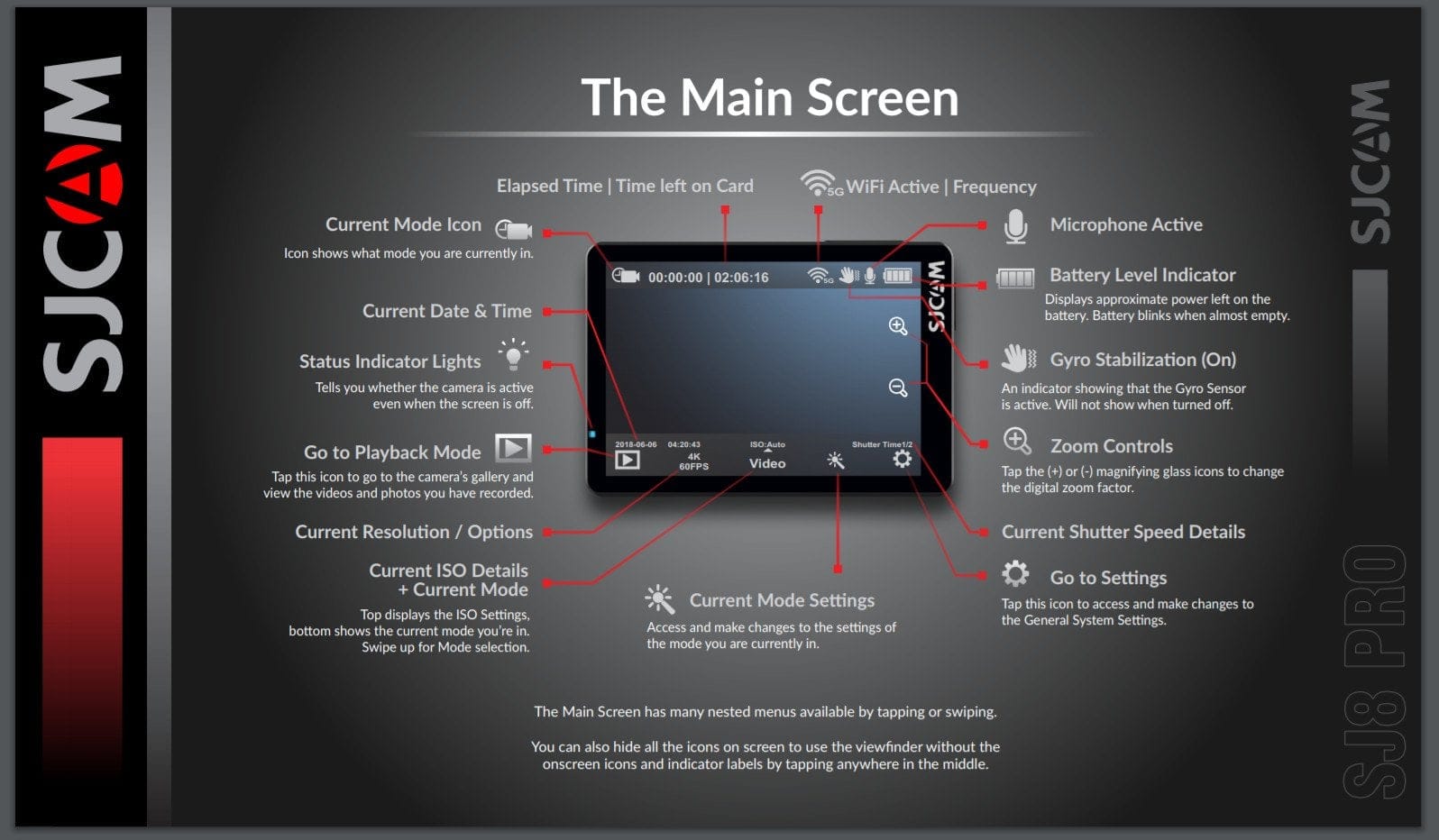
Swiping vertically across the display opens the so-called “toggle menu”. A screen lock deactivates the touchscreen to prevent accidental input. The Wi-Fi toggle lets you enable or disable the camera’s Wi-Fi. The FPV mode enables video signal transmission provided the separately available FPV cable is connected. The remote toggle establishes a connection to the optional Bluetooth remote control.
In practice, the user interface still struggles with some issues. Crashes during an ongoing recording are not uncommon. During testing, frequent freezes also occurred, which could only be resolved by removing the battery. The latest firmware updates have at least eliminated the complete crashes, but irregular freezes still occasionally occur!
Settings
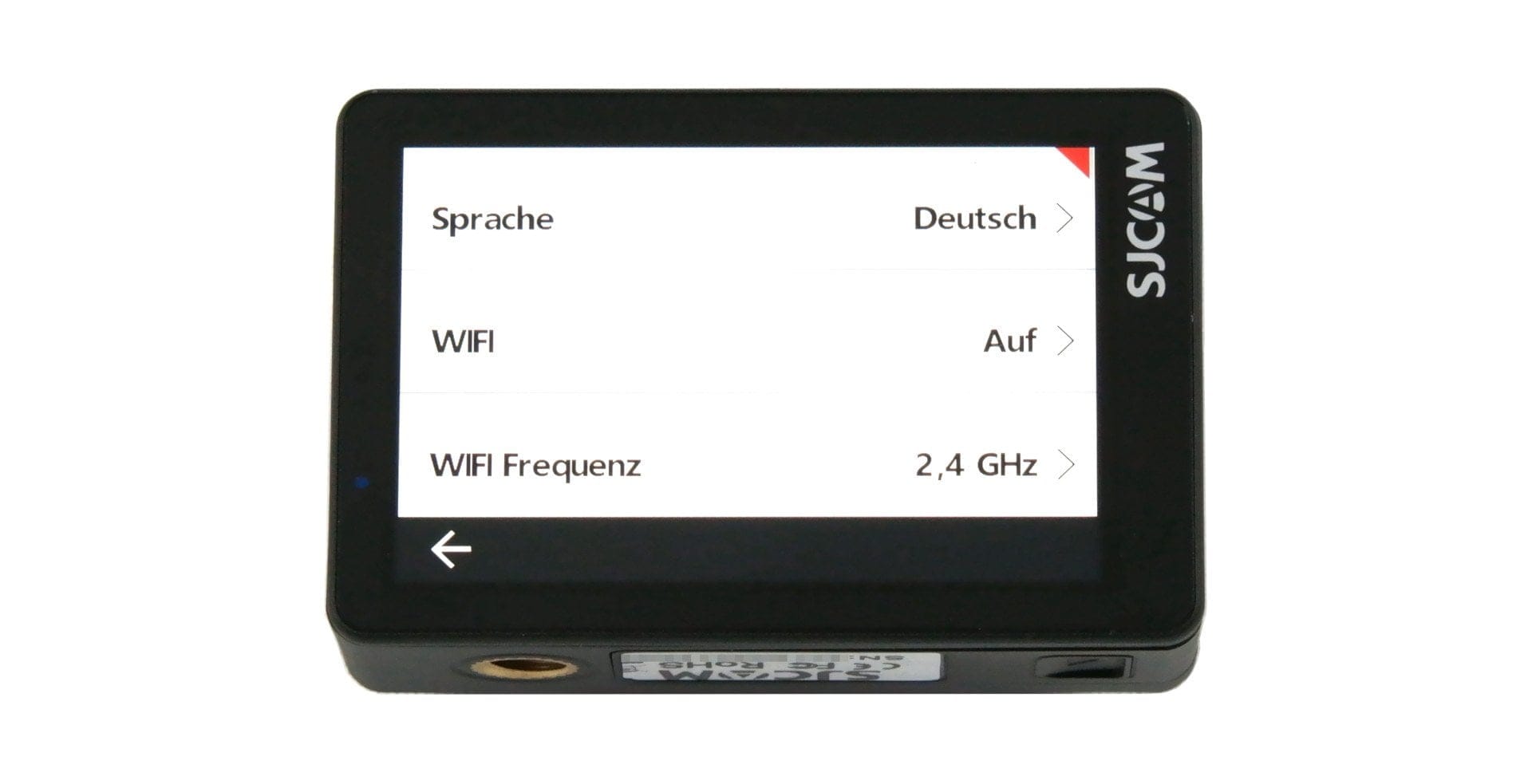
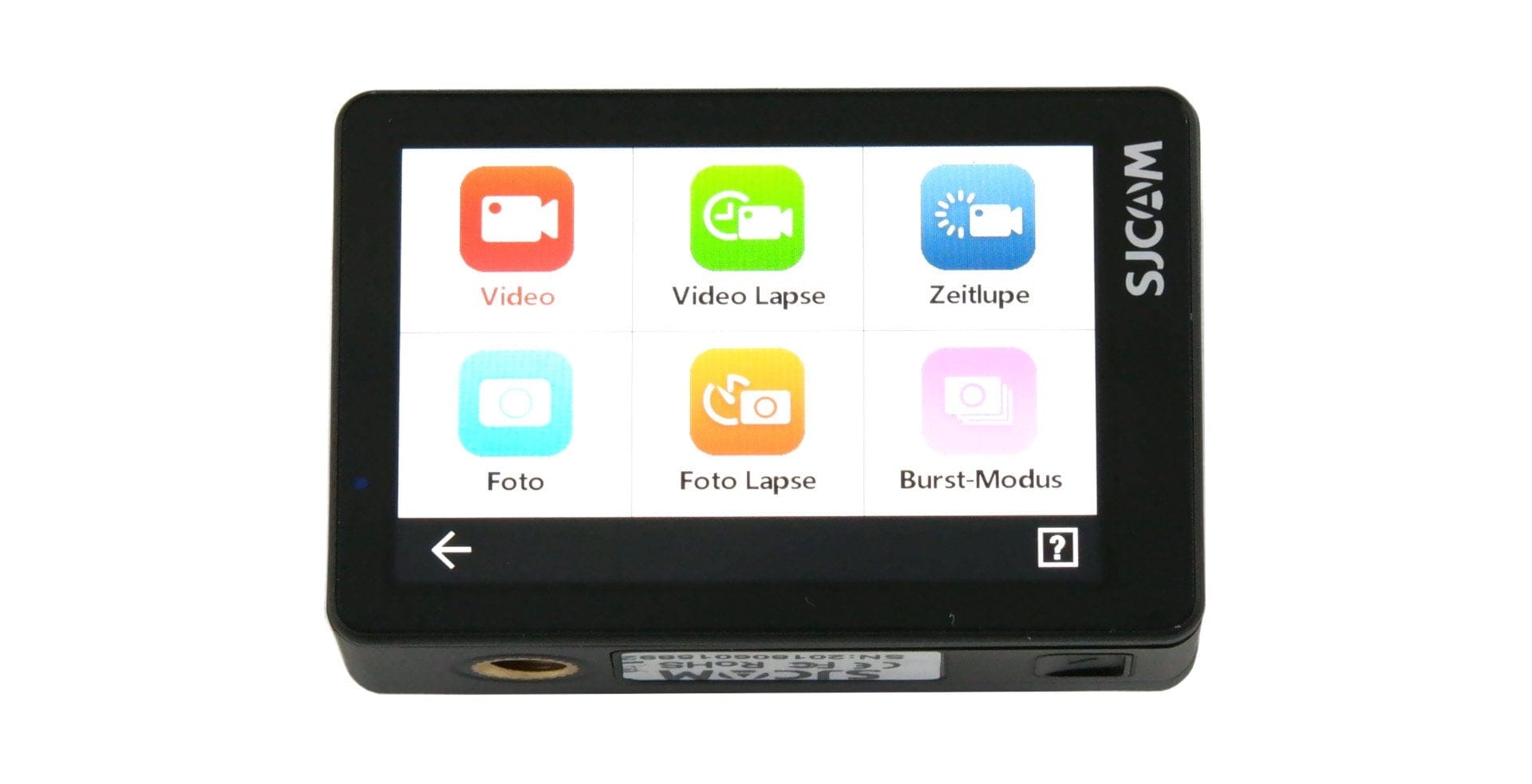
The settings menu can be displayed in the classic "list style" or in the "SJCAM style" with icons. It is divided into "Recording settings" and "General camera settings". Here is an overview of all recording modes and settings options:
Recording modes
- Video – Recording mode for standard video recordings
- Video Lapse – Shooting mode for time-lapse recordings
- Slow motion – Recording mode for slow-motion shots
- Photo – Capture mode for standard photo shots
- Photo Lapse – Shooting mode for time-lapse photo recordings
- Burst mode – Capture mode for continuous photography
- Video + Photo – Simultaneous recording of video and photo
- Auto Mode – Recording mode for using the camera as a dash cam
Recording settings
Video mode
- Resolution – 4K @24/25/30/50/60 | 4K Ultra @24/30 | 2.7K @24/25/30/50/60 | 1440p @24/25/30/50/60 | 1080p @24/35/30/50/60/120 | 1080p Ultra @50/60 | 720p @240
- Exposure – +2 to -2 in 0.5 steps
- White balance – Auto | Daylight | Cloudy | Fluorescent | Underwater
- Colour – SJCAM | Flat
- Metering mode – Centre | Spot | Average
- Gyro sensor – On / Off
- Encoding – H265 | H264
- Volume – 0 to 10
- Sharpness – Strong | Normal | Soft
- Distortion correction – On / Off
- Loop recording – On / Off
- File size – 1 to 20 minutes
- Quality – Good | Normal | Economy
- ISO – MAX 100 to MAX 6400 (100 – 6400)
- Audio – On / Off
- Timestamp – On / Off
Photo mode
- Resolution – 12MP | 10MP | 8MP (16:9 or 4:3) | 5MP | 3MP | 2MP
- Exposure – +2 to -2 in 0.5 steps
- White balance – Auto | Daylight | Cloudy | Fluorescent | Underwater
- Colour – SJCAM | Flat
- Metering mode – Centre | Spot | Average
- ISO – Automatic | 100 to 6400
- Shutter speed – Automatic | 1/500 | 1/240 | 1/120 | 1/60 | 1/30 | 1/20 | 1/10 | 1/5 | 1/2 | 2 | 5 | 10 | 15 | 20 | 30 | 60 seconds
- Sharpness – Strong | Normal | Soft
- Distortion correction – On / Off
- Timestamp – On / Off
- RAW – On / Off
- Image quality – Good | Normal | Economy
General settings
- Language – English | French | German | Spanish | Italian | Portuguese | Chinese | Japanese | Korean | Czech | Slovenian | Danish | Dutch | Turkish
- Wi-Fi – On / Off
- Wi-Fi frequencies – 2.4 GHz | 5 GHz
- Format
- Automatic shutdown – Off | 3 to 10 minutes
- Screensaver – Off | 30 seconds – 5 minutes
- Front display – On / Off
- Indicator Light – On / Off
- Keypad tone – On / Off
- Display brightness
- Color temperature
- External microphone – On / Off
- Date and time
- Gimbal control – On/Off
- Frequency – 50 Hz | 60 Hz
- Default settings
- ISO info
- User Interface – Classic | SJCAM
- Version
„SJCAM Zone“ app
The SJCAM SJ8 Pro can be remotely controlled via the SJCAM Zone app. The app is available for Android and iOS mobile devices in the respective app stores. Alternatively, the action camera can be remotely controlled using the optionally available SJCAM Remote.
The connection between the action cam and the mobile device is established via Wi-Fi. The camera creates its own Wi-Fi network for this purpose. A connection can be established via 2.4 GHz as well as 5 GHz. The SSID and Wi-Fi password (12345678) are fixed and cannot be freely configured!
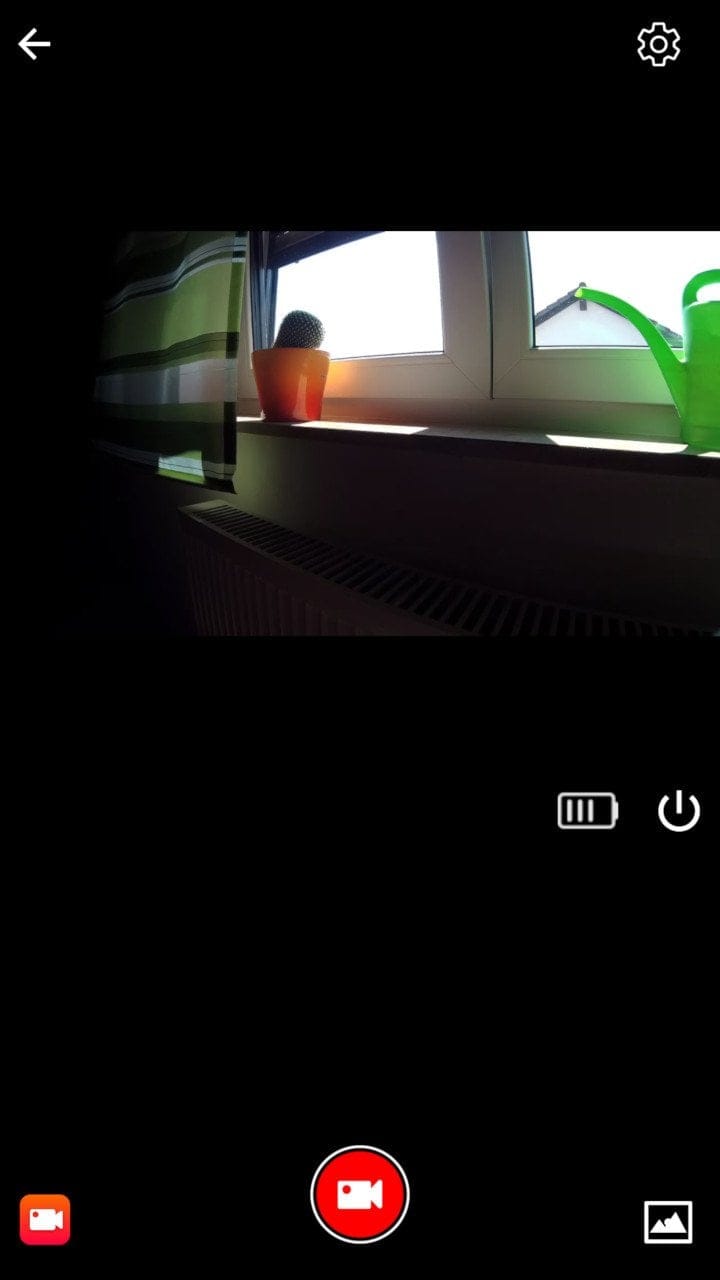
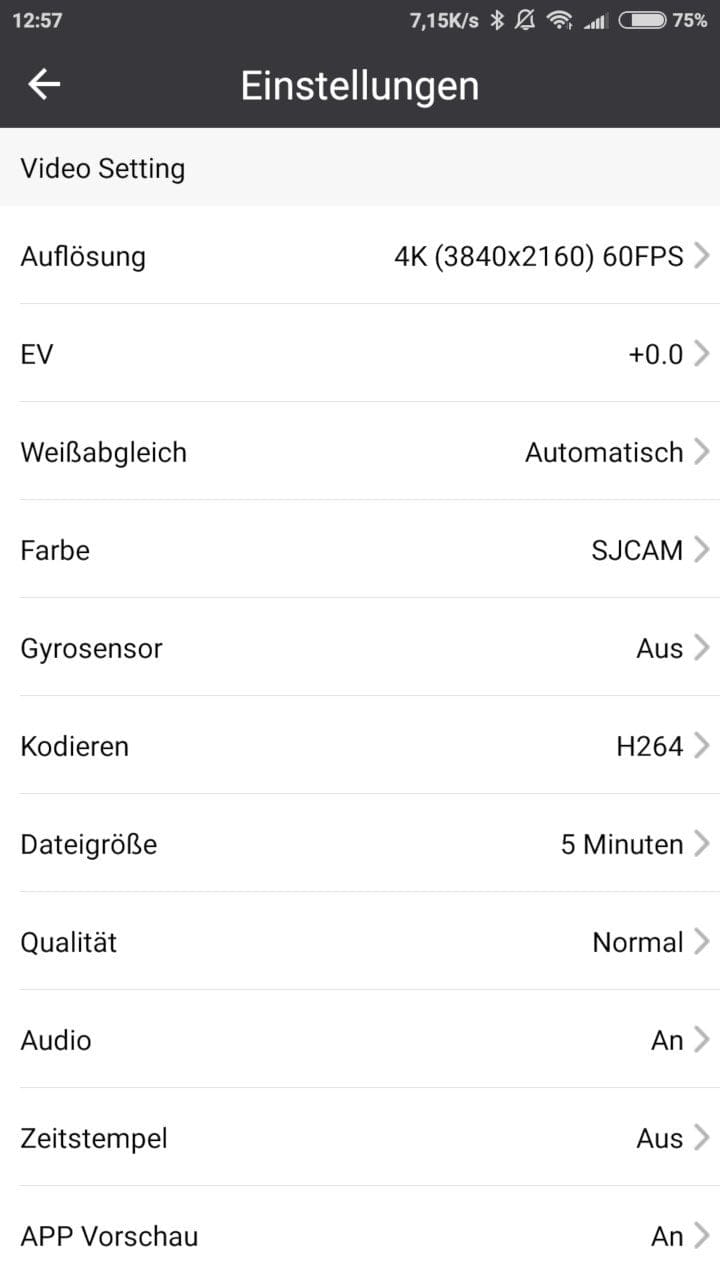
In addition to live view output with status display, all camera settings can be made via the app. The gallery provides access to the camera's memory card. Recordings can be downloaded to the mobile device and also shared directly on social media.
Establishing the connection was not a problem during testing. The connection is stable up to a few metres and only slightly delayed. Only from around 5 metres did occasional image artefacts occur in the test, and the transmission became increasingly delayed. The data transfer speed when accessing the SD memory card is average.
Recording quality
Video quality of the SJCAM SJ8 Pro
Compression and bitrate
The SJCAM SJ8 Pro is a native 4K action camera that captures footage at up to 60 frames per second. The Ambarella H22 image processor enables encoding in either H.264 or the current H.265 / HEVC standard. Advantages of HEVC include higher compression and the resulting smaller file size despite maintaining quality. The recording format is MP4.
With a conventional Samsung SDXC Evo U3, the video bitrate is at an average of 60 Mbit/s for 4K and 100 Mbit/s for 4K@60. The bitrate at lower resolutions is disappointing. A 1080p recording achieves a bitrate of only 18 Mbit/s! The audio recording bitrate is 128 kbit/s.
 Play video on YouTube
Colours, details and contrast
The recording quality of the SJCAM SJ8 Pro is comparable to competing models from YI Technology and GoPro. However, to achieve outstanding video quality, the action cam requires considerable fine-tuning and must be repeatedly adjusted to the respective scene. With optimised recording settings, video recordings are convincing due to a high level of detail and pleasant sharpness. In terms of colour, the action cam is tuned very warmly, without losing naturalness. In the SJCAM colour mode, the warm tuning is particularly noticeable. The SJCAM SJ8 Pro also produces colour-accurate recordings at night. Only image noise is noticeable due to the increased ISO.
The dynamic range is limited, but still convinces with a pleasant level of detail in high-contrast scenes. Bright areas do not appear washed out, and dark scenes continue to show detail. The transition from bright to shadowy areas is quick.
Despite convincing 4K footage, the recording quality in lower resolutions is not quite as good. Image details are significantly lost, and footage appears relatively muddy due to the low bitrate. It is also surprising that SJCAM fudges the frame rate. Despite native 4K60 resolution, frames are merely duplicated at 1080p120!
Image stabilization
Video recordings are stabilised electronically with the help of a 6-axis gyroscope. The EIS can be enabled up to a resolution of 4K30. SJCAM has done a good job with the implementation. Although the EIS is not comparable to gimbal stabilisation, jitters are very well compensated, especially during handheld filming. The action camera handles fast running movements well. However, it should be noted that the image crop also shrinks slightly when EIS is enabled.
 Play video on YouTube
Sound quality
The SJCAM SJ8 Pro is equipped with a front-facing and a side microphone. Audio is recorded in stereo. The recording quality is convincing, provided you use the action camera without the waterproof housing. If the camera is in the waterproof housing, the recording volume is significantly reduced.
Audio recording without waterproof housing
Audio recording with waterproof housing
Within the camera settings, the recording volume can be adjusted, and the microphones can also be muted. For the best possible sound quality, it is recommended to use the external SJCAM lavalier microphone.
Photo quality of the SJCAM SJ8 Pro
Photos can be natively captured with 12 megapixels (4000 x 3000 pixels). A distortion correction, which can also be enabled for video recordings (except 4K60 and 1080p120), removes the fisheye effect of the wide-angle lens (170 degrees) via software.


Like the video recordings, the photo recordings convince with pleasant sharpness, accompanied by a high level of detail and natural colour reproduction. There are weaknesses in dynamic range and occasional image errors in the form of colour fringing (purple shadows). Photos are saved as JPG by default. Within the settings, RAW can also be activated as an output format, so photos are saved as both RAW and JPG.
Battery
With the SJCAM SJ8 series, SJCAM has once again introduced a new battery format. The batteries for the three SJ8 models have the same form factor. Batteries from older models, such as the SJCAM SJ7 Star, do not fit the SJ8 models due to the new format.
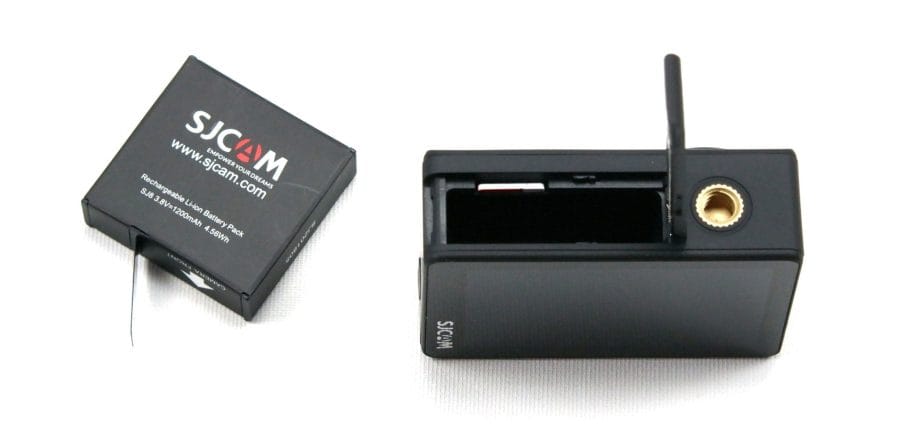
With respect to battery capacity, at 1200 mAh it falls just short of the GoPro HERO6 (1220 mAh) and the YI 4K+ (1400 mAh). SJCAM itself specifies the battery life in 4K60 recording mode as 90 minutes. In our tests, we measured only 70 minutes. A complete charging cycle takes 110 minutes. A small LED helps monitor the charging status.
Our verdict
The SJCAM SJ8 Pro is an action cam equipped with top hardware, which could certainly compete with current models from GoPro and YI Technology.
Why only could? – Unfortunately, the firmware still needs some improvements. Irregular crashes during recording significantly impair the user experience. Additionally, recording quality is significantly reduced at low resolutions.
However, if you only record in 4K anyway, you get a top-level action camera that impresses, among other things, with very good 4K60 recording quality and well-optimised gyro stabilisation.
Specifications
Hardware
- Image processor
- Ambarella H22
- Image sensor
- Sony IMX377
- Display
- 0.96 + 2.33-inch IPS
- *720 x 480
- *370 PPI
- *Touchscreen
- Ports
- USB-C
- SD card
- SDHC / SDXC up to 128 GB
- Battery
- 1200 mAh
Video resolution
- 4K @24/25/30/50/60
- 4K Ultra @24/30
- 2.7K @24/25/30/50/60
- 1440p @24/25/30/50/60
- 1080p @24/35/30/50/60/120
- 1080p Ultra @50/60
- 720p @ 240
Image resolution
- 12MP
- 10MP
- 8MP (16
- 9 or 4:3)
- 5MP
- 3 MP
- 2 MP
Other
- *WiFi, Bluetooth and app
- *Time-lapse
- *Slow motion
- *Self-timer
- *Loop recording
- *Burst shot
- *EIS
- *Dash Cam
What’s included
1x SJCAM SJ8 Pro 12x mounts 2x adhesive pads 1x housing 1x housing cover 1x lens cover 1x battery 1x charging cable 1x cleaning cloth 1x user manual
Comments (5)
Hello, I own the SJ8 PRO and film my motorcycle rides in 4k 60fps. How can the camera be set up to record for more than 5 minutes continuously? The videos are always 5 minutes long and the file size is always 3.94GB.
I have already set it to 20 minutes in the settings.
I hope you can give me a tip, otherwise I am very satisfied with the camera.
This is normal. Your memory card is formatted in FAT32. The file system cannot store files larger than 4GB. Therefore, it stops after 3.94GB.
Can anyone explain the difference between 4K30 and 4K30 Ultra?
Hello,
I've been using the camera for a while now, so far only in the car. Now I've mounted it under the bicycle handlebars, which is why I also set “Rotate screen.” However, once this is enabled, the screen no longer responds to the arrow buttons or the “Settings” wheel. I then have to connect via Wi-Fi whenever I want the screen back the “right way up.” This seems to be a software issue. Are there perhaps any solutions for this already?
Many thanks and regards
Hi Achim, unfortunately I can’t help you there, as I haven’t had the camera here for a long time. Cheers Timo