Contents
Arctis Nova Pro Omni: Design, build quality and comfort
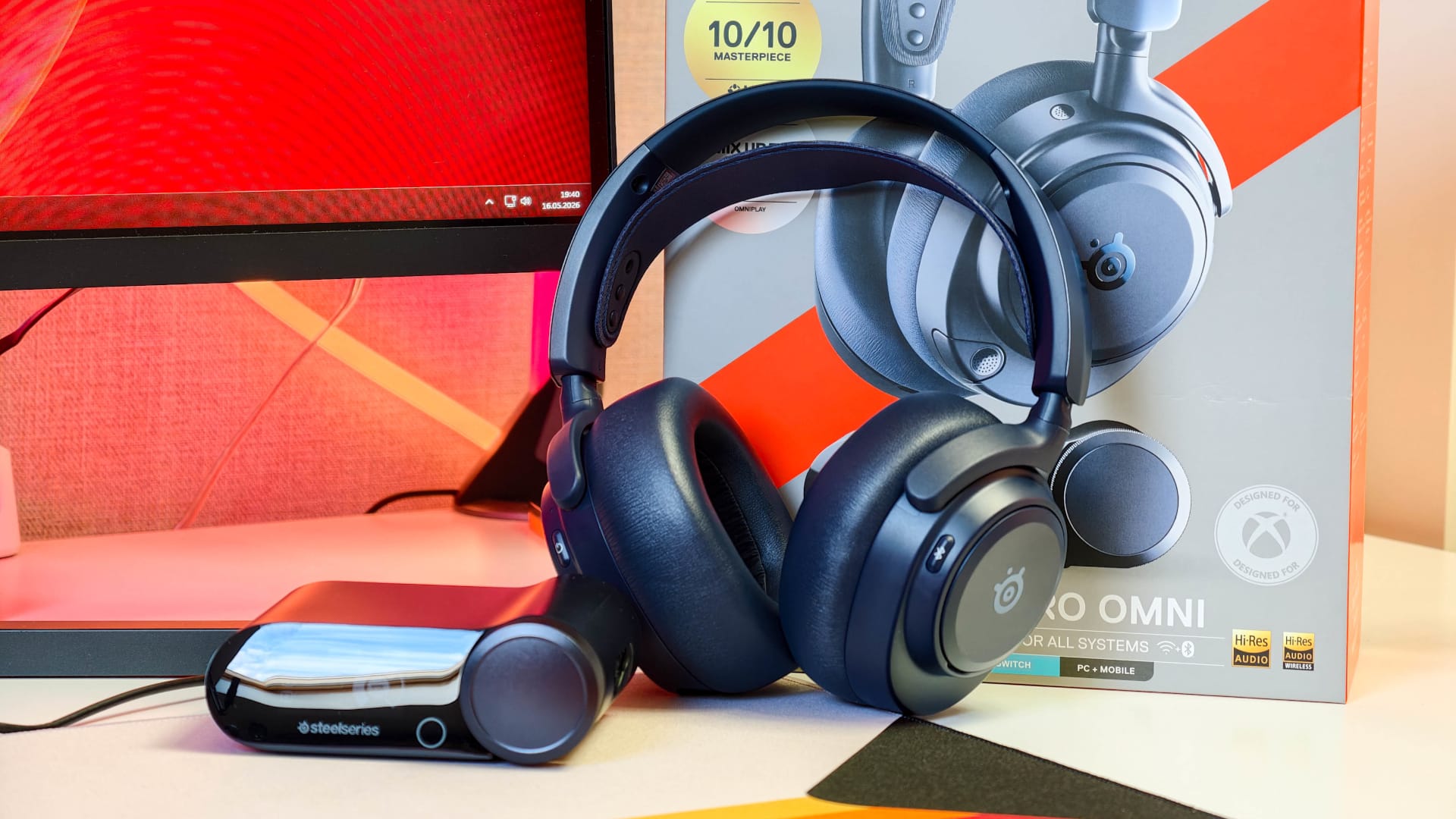
SteelSeries does without the now almost obligatory RGB circus and instead opts for a design that feels pleasantly grown-up and is unlikely to make you blush even in a Teams meeting. My review sample came in dark blue; the headset is also available in black and white.
SteelSeries mostly uses plastic for the materials, but it feels premium. Nothing creaks, nothing feels flimsy, and there is none of that cheap plastic sound when you pick up the headset. The metal headband provides stability, while the plastic housing keeps the weight down. 339 grams is not ultra-light, but comfortable enough for long days.
I certainly got plenty of use out of the Nova Pro Omni, as during the test I used the headset for more than just gaming. Music was often playing while I worked in the morning, I had meetings during the day, and a few rounds of Counter-Strike 2 or Battlefield followed in the evening. As a result, the headset often stayed on my head for eight hours or more at a time.
Wearing comfort
To achieve this, SteelSeries has invested considerably in wearing comfort. Rather than transferring the entire weight directly to the head, it uses a comfortably soft, neoprene-like headband that can be adjusted to three positions and distributes pressure evenly.

The ear cushions also play their part. They are noticeably thick, softly padded and covered in artificial leather. Artificial leather is usually a bit of a warning sign on closed-back headsets, as it can quickly turn into a sauna for your ears, depending on the padding. But I had surprisingly few problems with that on the Arctis Nova Pro Omni.
The cushions seal well even when wearing glasses, don't press uncomfortably, and dissipate heat better than I expected. After several hours, you naturally notice that you're wearing a closed-back headset, but I was largely spared sweaty ears or uncomfortable heat buildup. The ear cushions are easy to replace if needed. They're simply clipped on, so they can be removed very easily.

The size adjustment is stepless and made using the outer headband. Once set, it stays in place. No gradual slipping back and no readjusting every other time you put it on. The left and right sides are clearly marked, so you won't accidentally put the headset on the wrong way around.
Controls and connections
All the buttons on the headphones are logically arranged and easy to find quickly, even without looking.

The left ear cup has the power button, the pleasantly notched volume wheel and the microphone mute button. I used the latter surprisingly often in everyday situations, whether during meetings, voice chats or when the doorbell rang. A short press is all it takes to deactivate the microphone immediately. The Bluetooth button is positioned separately on the right ear cup, making it practically impossible to confuse the two.
The outside of the earcups is covered by magnetically held covers. Beneath the left one is a USB-C port for charging the headset directly; the replaceable battery is on the right. Both covers fit precisely and can be removed without any fiddling.

There's also a 3.5 mm jack on the left for wired use. It's more of a fallback option, but it's still nice to have. Small microphone openings are also visible on the earcups; these are part of the ANC and transparency system.
Retractable microphone
The retractable microphone is cleverly designed. It disappears completely into the housing, pulls out easily when needed, and can be positioned very precisely thanks to its flexible arm. The only slightly awkward part is the separate pop filter. If you want to use it, you have to attach it before use and then remove it again so the microphone can retract neatly into the housing.


As we know, little accessories like these have a habit of eventually disappearing into a desk drawer, under the mouse pad, or into the parallel universe of lost USB dongles.
What’s included
The box contains the Arctis Nova Pro Omni, the GameHub, two swappable batteries, two USB-C-to-USB-A cables, a microphone pop filter, a carry pouch, and the usual paperwork.

SteelSeries including two batteries right out of the box is important, because that's the only way the Infinite-Power system works as intended. One battery goes in the headset while the other charges in the GameHub. It's a little disappointing, however, that no 3.5 mm cable is included. The headset has the port, but you'll need to supply the right cable yourself if you want to use it.
Ear cushions, headbands, or additional batteries can easily be purchased separately if needed.
Arctis Nova Pro Omni: GameHub and connectivity
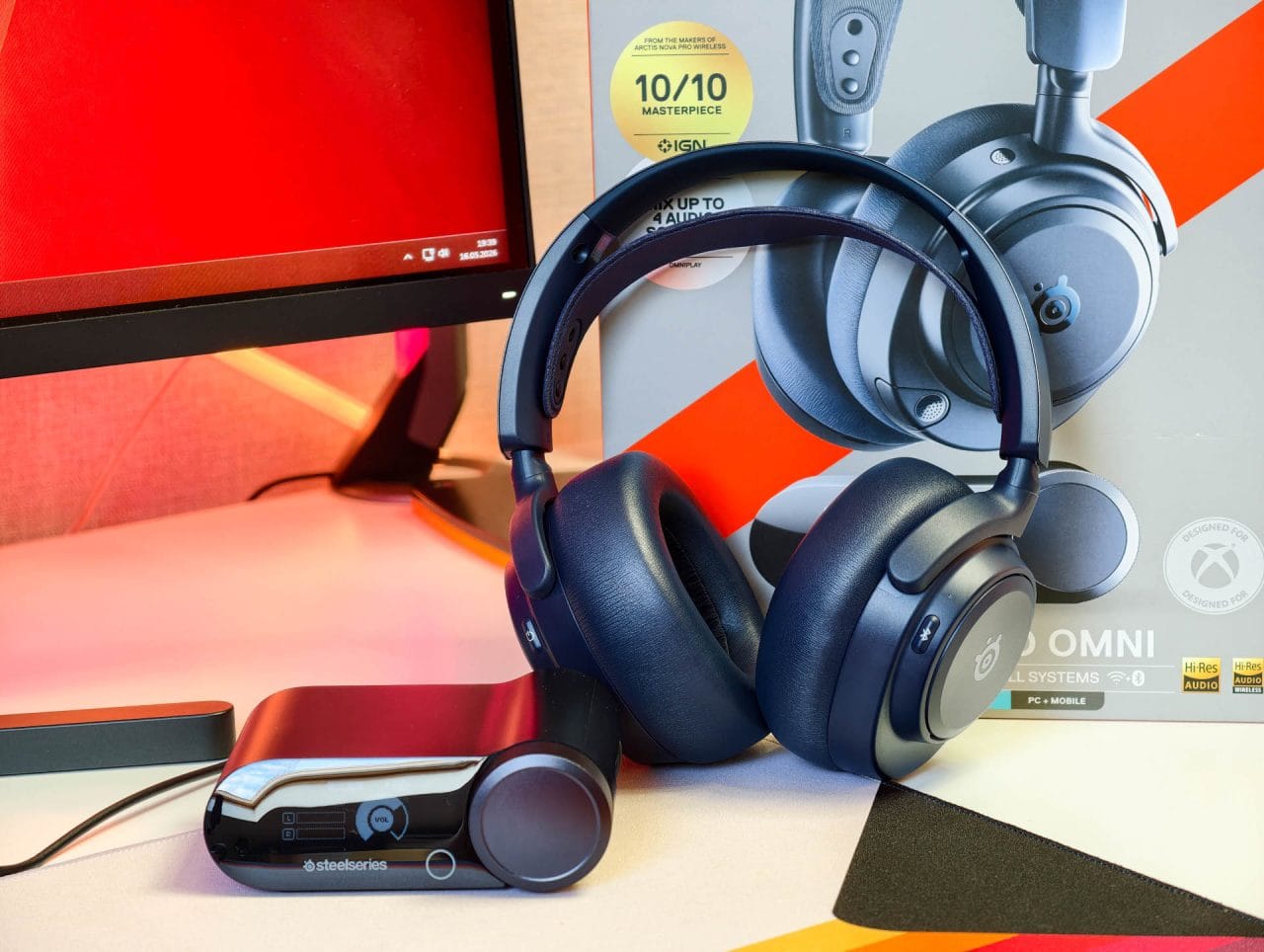
The GameHub is pleasantly compact and takes up hardly any desk space. At the front is a small display, alongside a rotary dial and a touch button for navigating the menu. These let you adjust the volume, sources, battery level, EQ profiles, microphone settings and other functions directly, without having to open the software every time.

Depending on the situation, the display shows information such as battery level, volume, active source, sample rate, bit depth, and the mix between sources. It can also display additional information in certain games. During testing, it was nice to look at, but honestly, I rarely looked at it on purpose. The key figures, such as volume and battery level, are still useful because you can see them at a glance.
The side of the GameHub houses the charging bay for the second battery. While one battery is in the headset, the other charges in the station.
Connections and sources
On the back of the GameHub are three USB-C ports, a Line In, and a Line Out. USB 1 is primarily intended for a PC, while USB 2 and USB 3 are for additional devices, with USB 3 also intended for Xbox.

It also has Bluetooth 5.3 built into the headset. Supported codecs include SBC, LC3 and LC3+. The latter are particularly interesting in view of Bluetooth LE Audio, although LC3+ is not yet supported by every playback device. For gaming, the 2.4 GHz connection via GameHub remains the first choice, as it offers low latency and supports Hi-Res Wireless at up to 96 kHz and 24-bit.
In theory, the Arctis Nova Pro Omni can play back up to four audio sources simultaneously: USB 1, USB 2 or USB 3, Bluetooth and Line-In.
Compatibility
I mainly used the headset with my PC and also paired it with my smartphone. The game or a meeting runs on the PC, while notifications or calls from the smartphone come through at the same time. The volume levels can be adjusted separately, so there’s no need to reach for your phone in a hurry or fiddle with the Windows volume every time.
If you use a PlayStation 5, Xbox Series X|S, Nintendo Switch or gaming handheld, for example, you can leave several systems connected to the GameHub permanently. There’s no need to keep switching cables or pairing devices again, or to think about which device has priority at any given moment. Instead, everything comes together centrally without a tangle of cables.
SteelSeries officially supports PC, Mac, PlayStation 5 and 4, Xbox Series X|S, Nintendo Switch and Switch 2, iPhone and Android devices with USB-C, tablets, handhelds, as well as Meta Quest 2 and 3.
Arctis Nova Pro Omni: software and settings
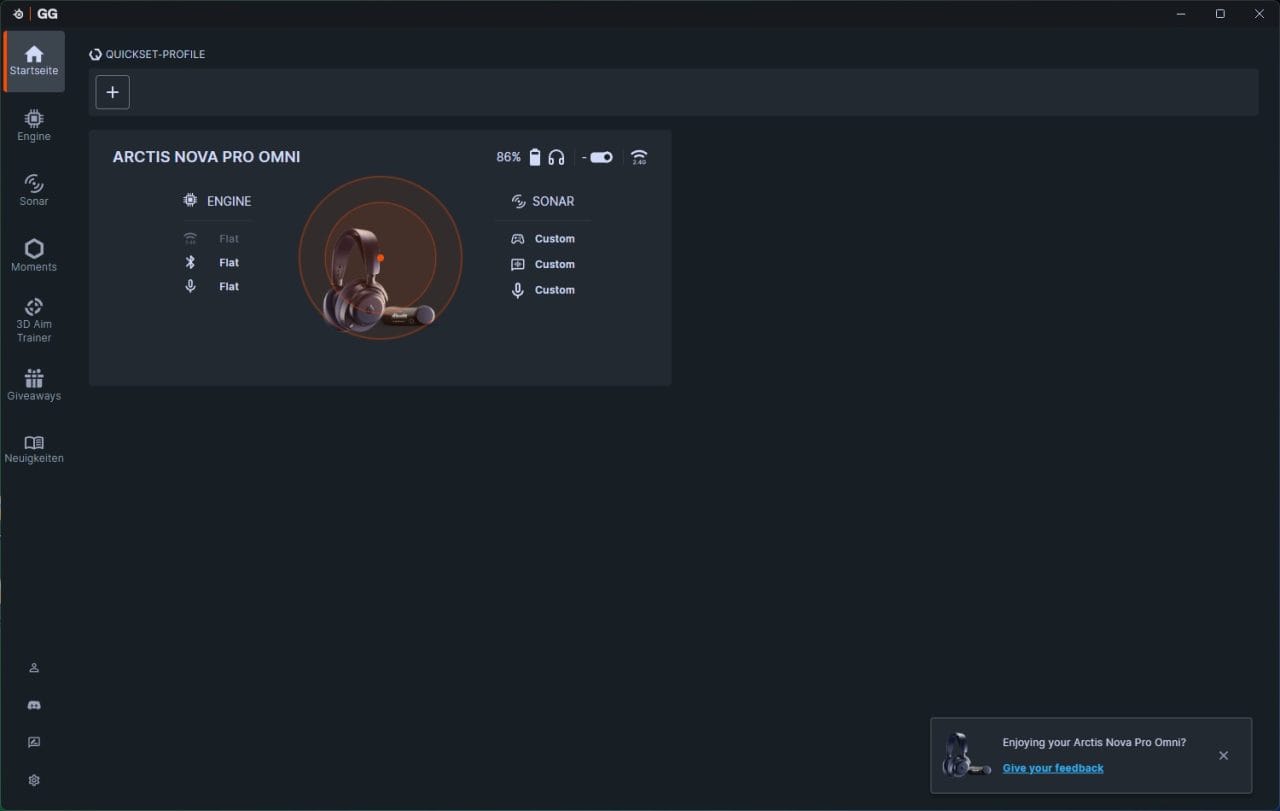
The Arctis Nova Pro Omni really comes into its own with the software. On PC, everything runs through SteelSeries GG, specifically Engine and Sonar. Engine handles the device's direct settings, while Sonar is the more powerful audio hub.
Installing it is worthwhile if you use Windows or macOS. Windows provides the full range of features, including Sonar. SteelSeries GG is also available on Mac, but without the Sonar features. Linux users are completely out of luck. That is a shame given Steam Deck, SteamOS, Bazzite and CachyOS, as these headsets are no longer used only with traditional Windows PCs.
Engine and Sonar
Basic headset settings can be adjusted in Engine. These include ANC, transparency mode, microphone options, sidetone, power-saving features, volume behaviour and the headset's EQ settings. Firmware updates are also handled through the app.

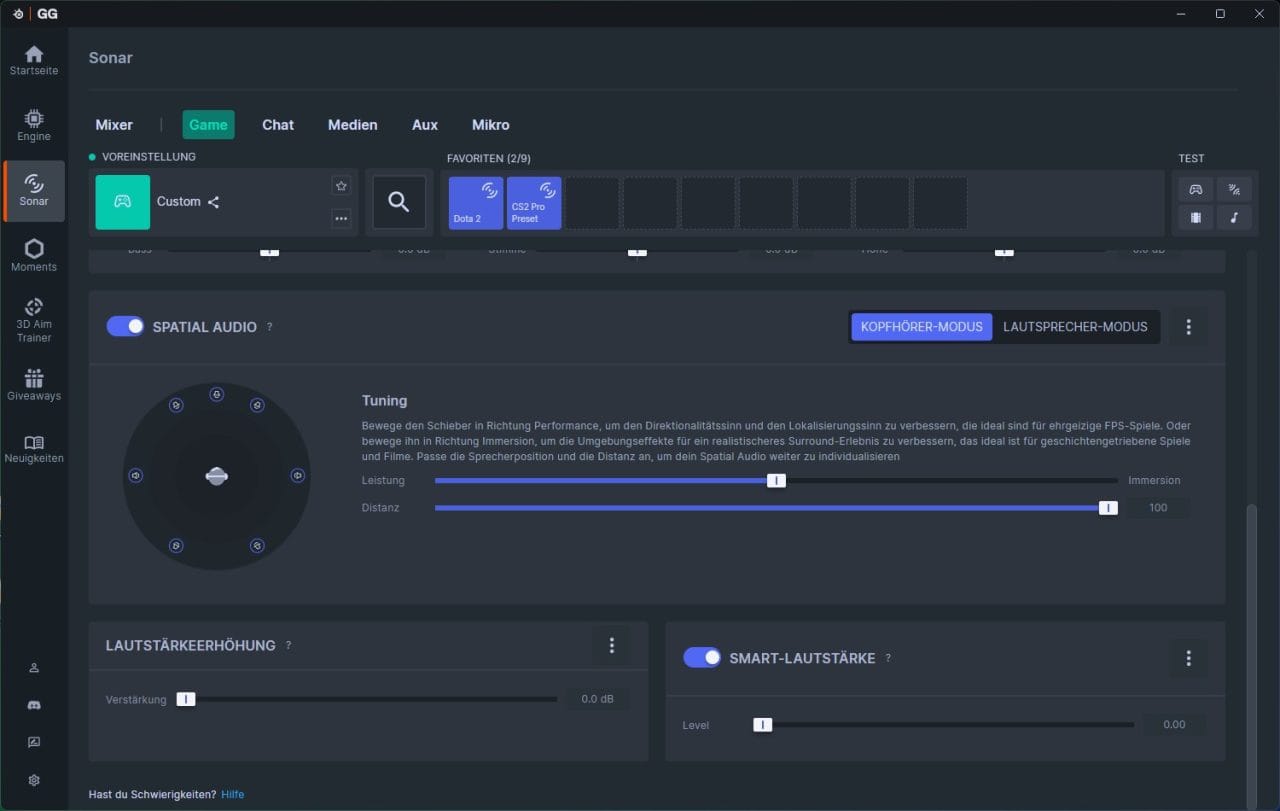
Sonar goes a step further and creates virtual audio channels for game audio, chat, media, microphone, and Aux. This lets you specify exactly which app runs through which channel. Discord can be controlled separately from the game, music separately from system sounds, and the microphone independently of everything else. It can seem a little overwhelming at first, but it's useful once you understand how it works.

Equalizer and presets
The equalizer is particularly impressive. Rather than offering just a few coarse bass and treble controls, Sonar lets you make very precise changes to the sound. You can boost or reduce specific frequencies, making the headset sound more neutral, bassier, or more focused on footsteps and positional details.

There are also numerous presets for individual games, including profiles for titles such as Counter-Strike 2, Valorant, Apex Legends, Call of Duty and Fortnite. For competitive shooters, presets that bring out footsteps, reloading sounds and positional cues more clearly are useful. For single-player games, a fuller, more cinematic sound may be preferable.
Microphone and companion app
The microphone can also be adjusted in the software. Along with the level, EQ, sidetone and AI noise cancellation are available. Noise cancellation does not only work on a PC; it runs directly on the headset, so it also works with consoles or smartphones.
Console players and users without a PC can also use the Arctis Companion app for iOS and Android. It's not quite as powerful as Sonar on PC, but it's much more convenient than switching to your computer every time. The app lets you adjust sound profiles, microphone settings, and other headset functions directly from your smartphone.
Arctis Nova Pro Omni: sound quality
The Arctis Nova Pro Omni features 40 mm drivers with neodymium magnets, which SteelSeries says cover a frequency range of 10 Hz to 40 kHz.
The tuning is dynamic, detailed and pleasantly clean. The bass has impact, but usually stays where it belongs. Explosions, engine noise and the force of the soundtrack come across powerfully without drowning out dialogue or fine detail. If you prefer a bigger or more analytical sound, you can make extensive adjustments with the equaliser.
Gaming
As expected, the headset is at its best when gaming. Single-player titles quickly create a pleasantly wide soundstage. In Cyberpunk 2077, the street canyons of Night City feel alive, with voices, vehicles, billboards and ambient sounds remaining clearly distinct. In Battlefield, explosions, gunfire and vehicles benefit from the good dynamics, without smaller details getting completely lost.
The advantage is even more apparent in competitive shooters. Positional audio in Counter-Strike 2 was top-notch. Footsteps, reload sounds, and changes in position can be located very precisely. At times, you really feel like you can hear enemies as soon as they start running from their base. It's not quite that magical, of course, but the Nova Pro Omni conveys the direction and distance of sounds very precisely.
The headset's balanced tuning, rather than simply being loud and bass-heavy, really pays off in CS2. Important gameplay information comes through clearly without grenades, gunfire, or ambient sounds drowning everything out. You can emphasize this effect further with the CS2 preset or your own EQ adjustments.
The headset also delivers a strong spatial experience. Stereo already works very well, and supported titles also offer Tempest 3D Audio, Windows Sonic, SteelSeries Sonar Surround, DTS Headphone, and Dolby Atmos, although DTS and Dolby must be purchased separately. For competitive games, I still wouldn't blindly enable every surround-sound simulation. Depending on the game, clean stereo is often more precise, while virtual surround modes add atmosphere mainly in cinematic titles.
Films and series
The Arctis Nova Pro Omni also performs well with films. Action scenes have plenty of impact, voices remain clear and effects move cleanly around the room. Big productions such as Dune, Top Gun: Maverick and The Batman particularly benefit from the combination of powerful dynamics and a convincing sense of space.
The headset obviously cannot replace a good soundbar or a proper home cinema system, but it comes closer to that experience than you might expect from many gaming headsets. This is particularly useful at night, as you get plenty of atmosphere without filling the rest of the home with sound.
Music
With music, the Nova Pro Omni proves versatile, but not entirely neutral. Pop, electronic music, hip-hop, and soundtracks all work very well because the bass has controlled punch and the highs provide enough detail. Vocals sit clearly in the mix, instruments are well separated, and even extended listening remains comfortable.
Listeners with a very analytical approach or those used to a dedicated Hi-Fi setup will still notice that this is a closed-back wireless gaming headset. The soundstage isn't as open as that of good open-back headphones, and the tuning prioritizes versatility over maximum naturalness. But this is a very good compromise for everyday use across work, music streaming, videos, and gaming.
Depending on your musical tastes, using the equalizer is worthwhile. It's quick to add a little warmth to acoustic tracks, more bass to electronic tracks, or reduce the highs for long listening sessions. This quick adjustability is one of the headset's biggest strengths.
Microphone quality
The ClearCast Pro microphone delivers a clear, easily understood voice. The quality is more than adequate for Discord, Teamspeak, in-game chat and video conferences. The voice sounds clear and direct, and less thin than you would expect from many headset microphones.
As expected, it cannot match a good standalone USB or XLR microphone. It is too small, too focused on everyday usability and part of a gaming headset rather than a studio setup. But it does a very good job for its intended purpose.
Microphone test recording without noise reduction
Microphone test recording with noise reduction
Microphone test recording with ClearCast AI Noise Cancellation
The noise cancellation is particularly impressive. Keyboard clatter, fan noise and other ambient sounds are effectively reduced without completely mangling the voice. Many noise-cancelling solutions can quickly make speech sound artificial or choppy. With the Nova Pro Omni, intelligibility remains high, which matters more in voice chats and meetings than achieving the most "studio-like" sound.
ANC and transparency mode
SteelSeries uses four-microphone ANC, which reliably reduces mainly constant background noise. PC fans, quiet road noise, air conditioning and persistent background hum recede noticeably. Keyboard sounds are also dampened, but do not disappear completely. If you use a particularly loud mechanical keyboard, you can still hear it, just less prominently.

ANC is less effective at filtering out voices. This is normal for noise cancellation and not necessarily a bad thing in everyday use, as it means you’re not completely cut off from the outside world when working from home. However, once music, game audio or a film is playing, background conversations become much less distracting. The transparency mode does the opposite, deliberately letting in ambient sounds.
Arctis Nova Pro Omni: Range and battery life
For the actual gaming connection, the Arctis Nova Pro Omni uses the GameHub and connects via 2.4 GHz. This is also the connection to use for games, as it has the lowest latency and supports Hi-Res Wireless at up to 96 kHz and 24-bit. Bluetooth 5.3 is more of an additional connection for smartphones, tablets or other mobile devices.
Range
In my roughly 75 m² flat, I was able to move around freely with the headset without losing the connection. The connection remained stable as I went from my desk to the living room, kitchen or hallway, with no crackling, dropouts or noticeable changes in quality. Even several walls between the GameHub and headset were no problem, and the Arctis Nova Pro Omni was unfazed even by the running microwave, which is often the ultimate nemesis of wireless connections.
I used Bluetooth with my smartphone at the same time. Calls, notifications and media playback came through reliably, while the main connection to the PC remained via the GameHub.
Battery
For the battery, SteelSeries uses the Infinite Power System with two replaceable batteries. One sits in the headset, while the other charges in the side of the GameHub. When the headset battery runs low, remove the magnetic cover on the right ear cup, take out the battery, insert the charged one and switch the headset back on. The swap takes just a few seconds, but briefly interrupts use because the headset switches off in the process.

The battery usually lasted me two to three days, with the headset running for more than eight hours a day, as mentioned above. SteelSeries itself specifies up to 30 hours per battery over 2.4 GHz without ANC, up to 50 hours over Bluetooth without ANC, and up to 19 hours per battery when 2.4 GHz, Bluetooth and ANC are active at the same time. So, with both batteries, you can get up to 60 hours.
If both batteries happen to run out, there is also fast charging. 15 minutes of charging provides up to four hours of use. I hardly needed this during the test, because the second battery is usually charged and waiting in the GameHub.
Our verdict
The SteelSeries Arctis Nova Pro Omni is a powerful premium headset for gamers who use more than one platform. It is comfortable to wear, delivers precise sound while gaming, suppresses distracting noise effectively and solves many everyday problems at once with GameHub, Bluetooth and swappable batteries. Anyone who switches daily between a PC, smartphone, console or handheld gets a seriously practical all-in-one package. But if you only play at weekends, you are paying for a lot of luxuries that you will probably never make full use of.
Specifications
General
- Drivers
- Custom-made neodymium magnetic drivers (Hi-Res)
- Size
- 40 mm
- Frequency range
- 10 Hz–40 kHz
- Impedance
- 38 Ω
- Sensitivity
- 98 dB SPL (1 kHz / 1 mW)
- Distortion factor
- < 1 %
- 360° audio
- Tempest 3D,
- Windows Sonic,
- SteelSeries Sonar Surround,
- DTS Headphone
- X*,
- Dolby Atmos*
- (*available separately)
Bluetooth
- Standard
- Bluetooth 5.3 + LE Audio
- Range
- Unbekannt
- Multipoint
- Yes (up to 10 saved devices)
- Codec
- SBC,
- LC3,
- LC3+
- Wireless gaming
- 2.4 GHz wireless
- Hi-Res Wireless
- 96 kHz / 24 bit
- Simultaneous audio transmission
- USB1 + USB2/USB3 + Bluetooth + Line-In (up to 4 sources)
Battery
- Type
- Lithium-ion
- System
- Infinite Power System (2 hot-swap batteries)
- Runtime
- up to 60 hours in total,
- up to 30 hours per battery (2.4 GHz, ANC off),
- up to 50 hours (Bluetooth, ANC off),
- up to 19 hours per battery (2.4 GHz + Bluetooth + ANC on)
- Fast charging
- 15 minutes for up to 4 hours of use
- Charging time
- Unbekannt
Microphone
- Type
- ClearCast Pro, retractable boom microphone
- Polar pattern
- Ball
- Frequency range
- 50 Hz – 16 kHz
- Sensitivity
- -40 dBV/Pa
- Bandwidth
- 32 kHz / 16-bit
- Noise reduction
- Built-in AI noise cancellation
- ANC
- Active noise cancellation with 4 microphones,
- Transparency mode
Compatibility
- PC (ChatMix via Sonar)
- PS5 / PS4
- Xbox Series X|S
- Mac
- Nintendo Switch / Switch 2
- iPhone (USB-C)
- Android
- Tablet (USB-C)
- Handhelds
- Meta Quest 2 / 3 (audio only)
Software
- Arctis Companion app
- iOS 15.6+, Android 9+
- SteelSeries GG + Engine
- Windows 8.1+, macOS 10.13+
- SteelSeries Sonar
- Windows 10+
Dimensions & Weight
- Headset
- 339 g
- GameHub
- 169 g
What’s included
1x Arctis Nova Pro Omni headset 1x Arctis Nova Pro Omni GameHub 2x USB-C to USB-C cables (1.5 m) 1x microphone pop filter 1x carry case
Price comparison
| Store | Price | Link |
|---|---|---|
| Amazon | 329,00 € | Go to store |
| MediaMarkt | 329,00 € | Go to store |
| MediaMarkt | 329,00 € | Go to store |
| SteelSeries | 329,99 € | Go to store |



Comments