Contents
Review: TicWatch Pro 3 Ultra GPS
Mobvoi is not retiring the TicWatch Pro 3 series just yet. Just over a year after the release of the TicWatch Pro 3, the TicWatch Pro 3 Ultra GPS followed in October 2021, and then in November 2021 the slightly more expensive TicWatch Pro 3 Ultra 4G (RRP €359.99).
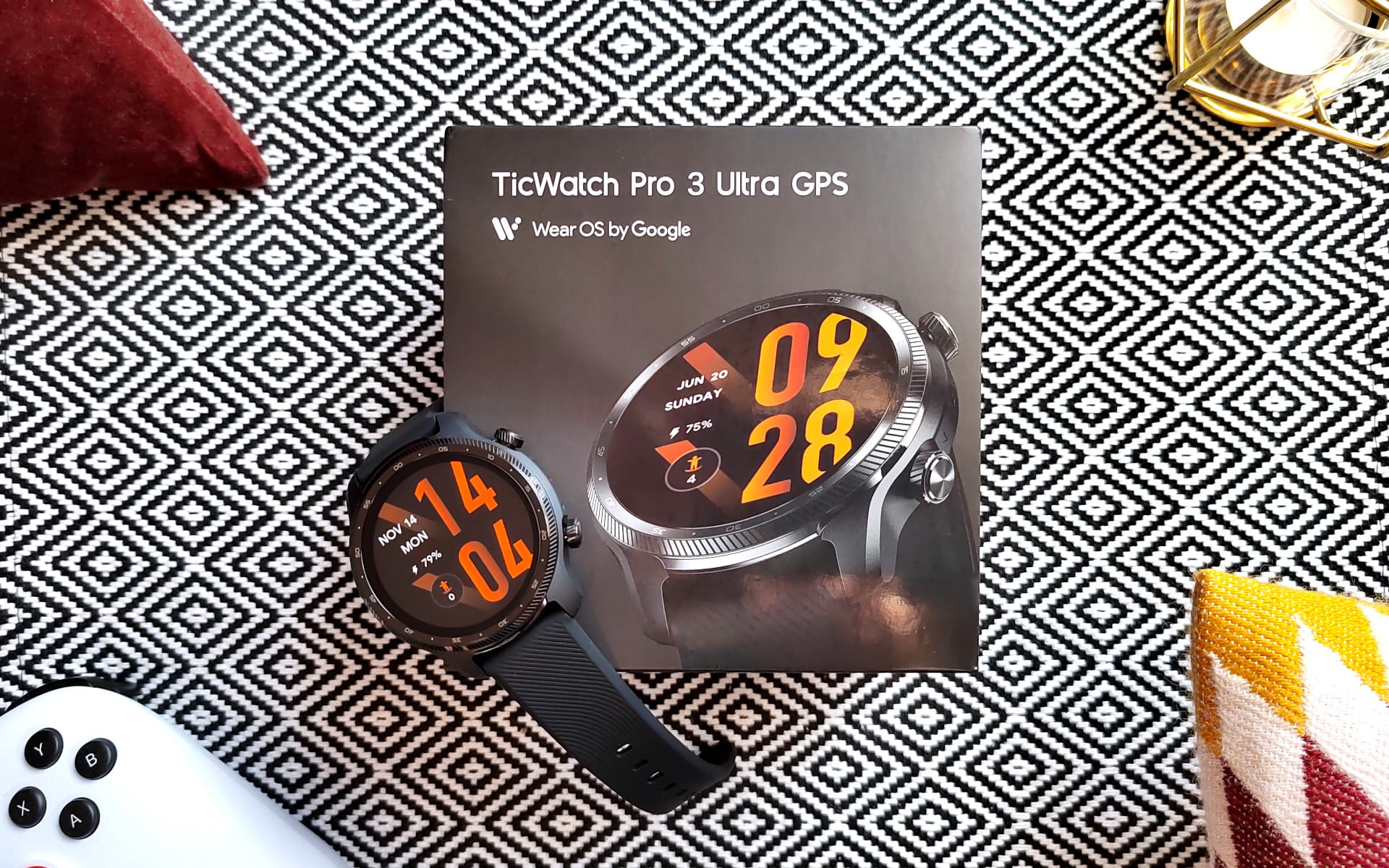
Before we start the test, the following section looks at the differences between the two models.
Ultra GPS vs. Ultra 4G
As the name suggests, the TicWatch Pro 3 Ultra 4G is capable of communicating on the 4G LTE mobile network. This enables calls and mobile data transfers entirely without a smartphone connection! The function is currently available in the UK, Germany, France, Spain and Poland.
Another difference compared to the GPS variant tested here is the strap. The 4G model comes with a leather strap, whereas the GPS model comes with a sporty rubber strap.
TicWatch Pro 3 Ultra: Design and build quality
Timeless design
The aesthetics and design of the TicWatch Pro 3 Ultra do not differ significantly from previous models. The design is timeless. The dark colour scheme of the watch case gives the smartwatch a rather masculine appearance.

The watch case measures 47 x 48 x 12.3 mm. On narrow wrists, the TicWatch Pro 3 Ultra is eye-catching but remains within an acceptable and comfortably wearable size. The weight without the strap is 41g. With the fluoroelastomer strap, it is 68g.
(Interchangeable) fluoroelastomer strap
The 22 mm strap is attached via a spring bar (push pin). If you don't like the original watch strap, you can easily replace it. The comfort and skin compatibility of the original strap are good. During testing, there were no adverse reactions or unsightly signs of wear.
MIL-STD-810G
But back to the actual smartwatch. The 1.4" display is surrounded by a locked stainless steel bezel printed with minute markers, which protects the display from impacts. The display itself uses hardened Corning Gorilla Glass, which is considered particularly resistant to breakage and scratches. No scratches occurred on the display or casing during the testing phase.

As a standard for high robustness, Mobvoi cites the military standard MIL-STD-810G, which defines test conditions for military equipment. It is not known how many of these test conditions the TicWatch Pro 3 Ultra meets. Intensive outdoor activities are said to have little effect on the smartwatch. According to Mobvoi, the smartwatch withstands extreme temperatures, moisture, sunlight, impacts, low pressure and water (IP68 certification).
I was unable to test all these conditions. Visiting a swimming pool with the smartwatch on my wrist posed no problems. However, you should avoid sauna visits, diving and salt water.
Two crowns
Below the bezel, the smartwatch casing is made of plastic. There are two crowns on the right. The upper crown activates the display. The lower crown is programmable to quickly start any app. It is not possible to operate the smartwatch entirely via the crowns.

Although both crowns are rotatable, scrolling through the user interface does not work, so you are inevitably forced to use the touchscreen. This is particularly annoying when you are wearing gloves, for example, that do not work with the touchscreen.
Speakers and sensors
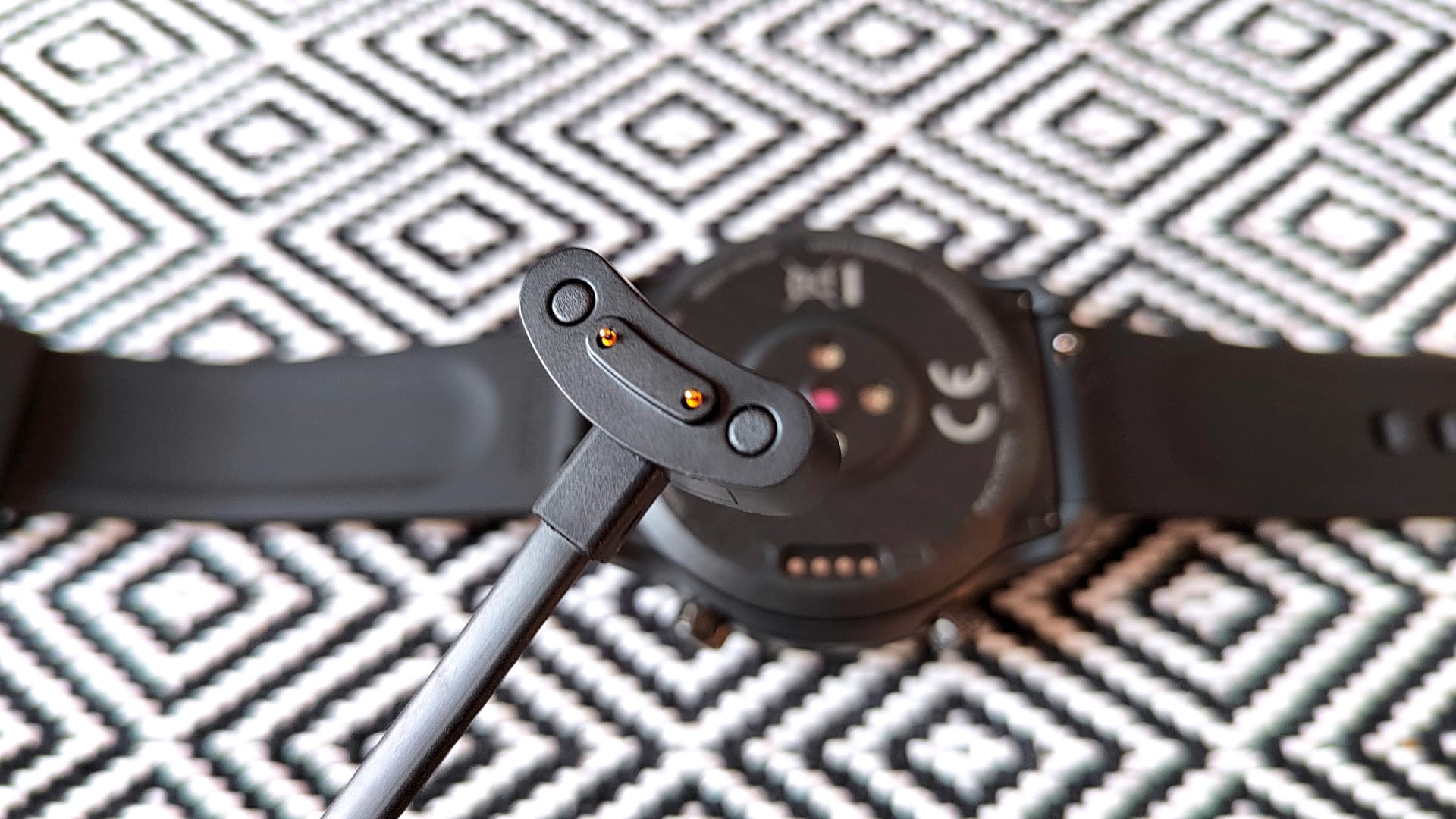
Looking at the smartwatch from the left side, we see a narrow slot. This is the speaker output, which allows the TicWatch Pro 3 Ultra to play sound. On the underside, we finally have the magnetic 4-pin charging port and, in the centre, the sensors for heart rate and blood oxygen measurement.

TicWatch Pro 3 Ultra: Display
The round display has a diagonal of 1.4 inches, is an AMOLED type and resolves at 454 x 454 pixels. This corresponds to razor-sharp 326 PPI. Additionally, there is a second display of type FSTN (liquid crystal), positioned directly above the AMOLED display.

The FSTN display works without a backlight in bright conditions and is therefore significantly more energy-efficient. Thus, you don't need to activate the AMOLED display to check the time or fitness data; a glance at the always-on FSTN display is sufficient. However, the AMOLED display can also be set as an always-on display in the display settings. This significantly reduces battery life, however.

The FSTN display shows the date and time, the number of steps taken, the heart rate and the remaining battery life. To ensure the FSTN display is readable in the dark, there is also a backlight that activates when the wrist is raised.
In everyday use, both displays of the TicWatch Pro 3 Ultra perform well. The FSTN display is particularly readable in bright sunlight. The switch to the AMOLED display is smooth, without the FSTN display bleeding through.
The automatic brightness adjustment reacts quickly. Colour reproduction and display sharpness of the AMOLED are to be rated as very good. Touch inputs are recognised precisely.
TicWatch Pro 3 Ultra: Setup & apps
The smartwatch setup is clearly explained and completed in a few steps. The Wear OS app and, optionally, the Mobvoi app are required. The Wear OS app is used to set up and manage the smartwatch. A Google account is needed for this.


The optional Mobvoi app serves as a sports and health centre to display tracked sports and health data in a visually appealing manner. The app is also used to manage voice recordings and screenshots captured or taken via the smartwatch.
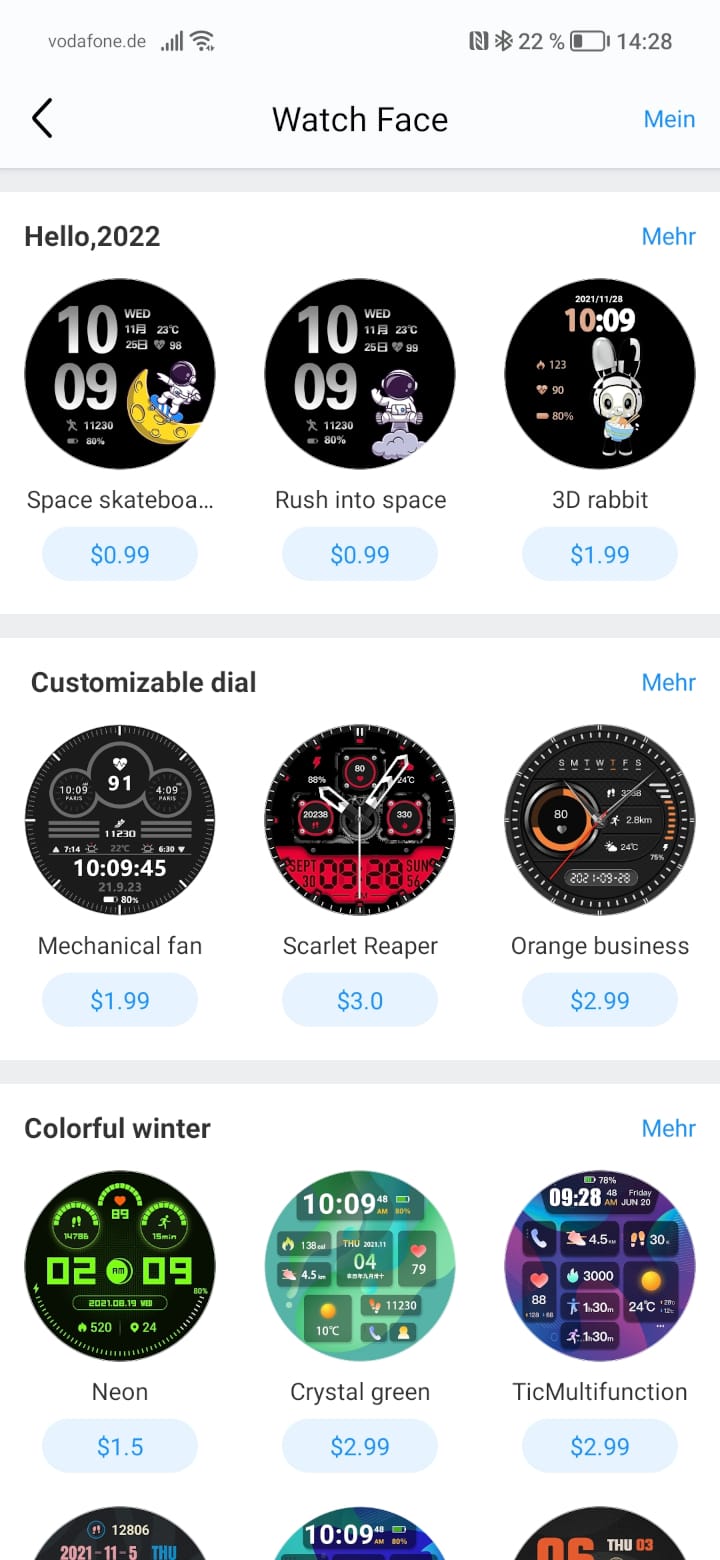
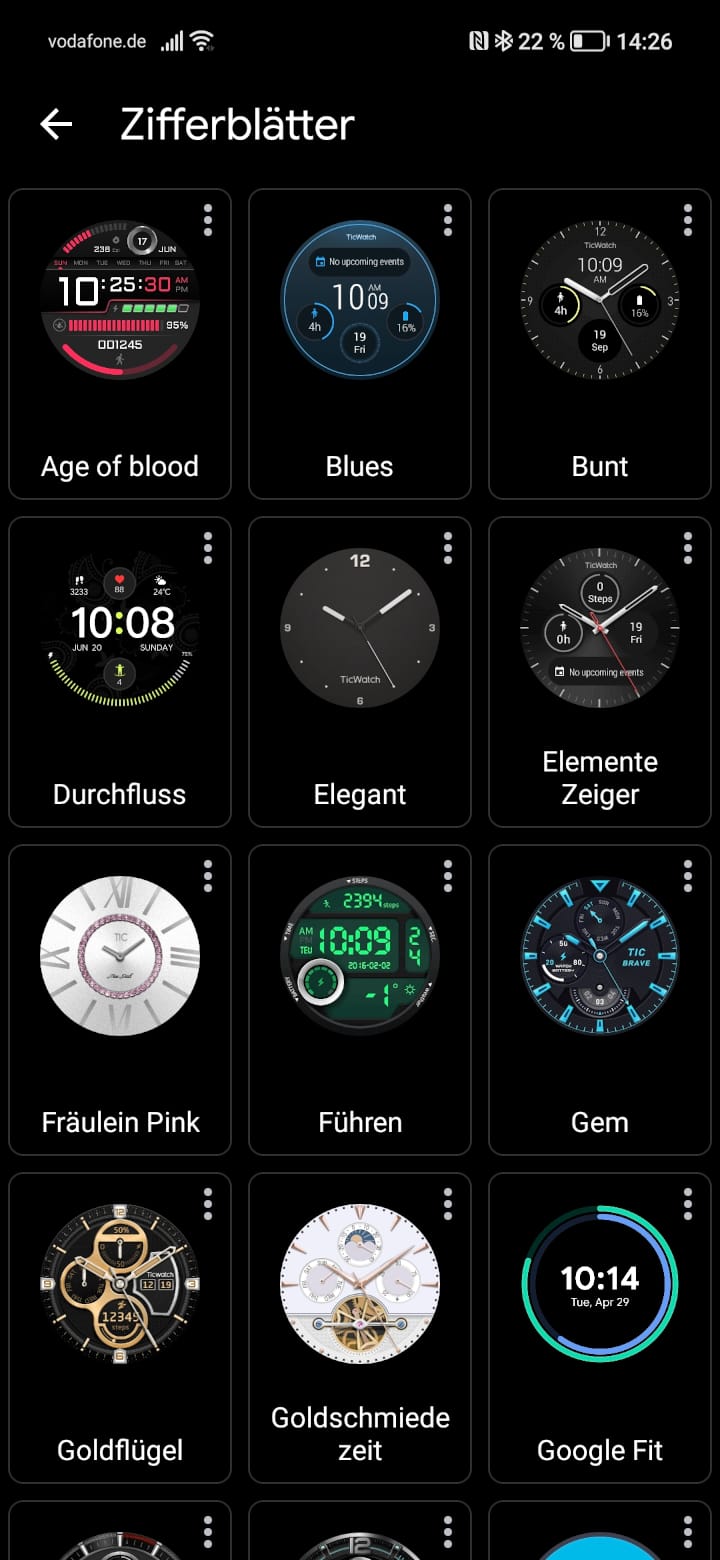
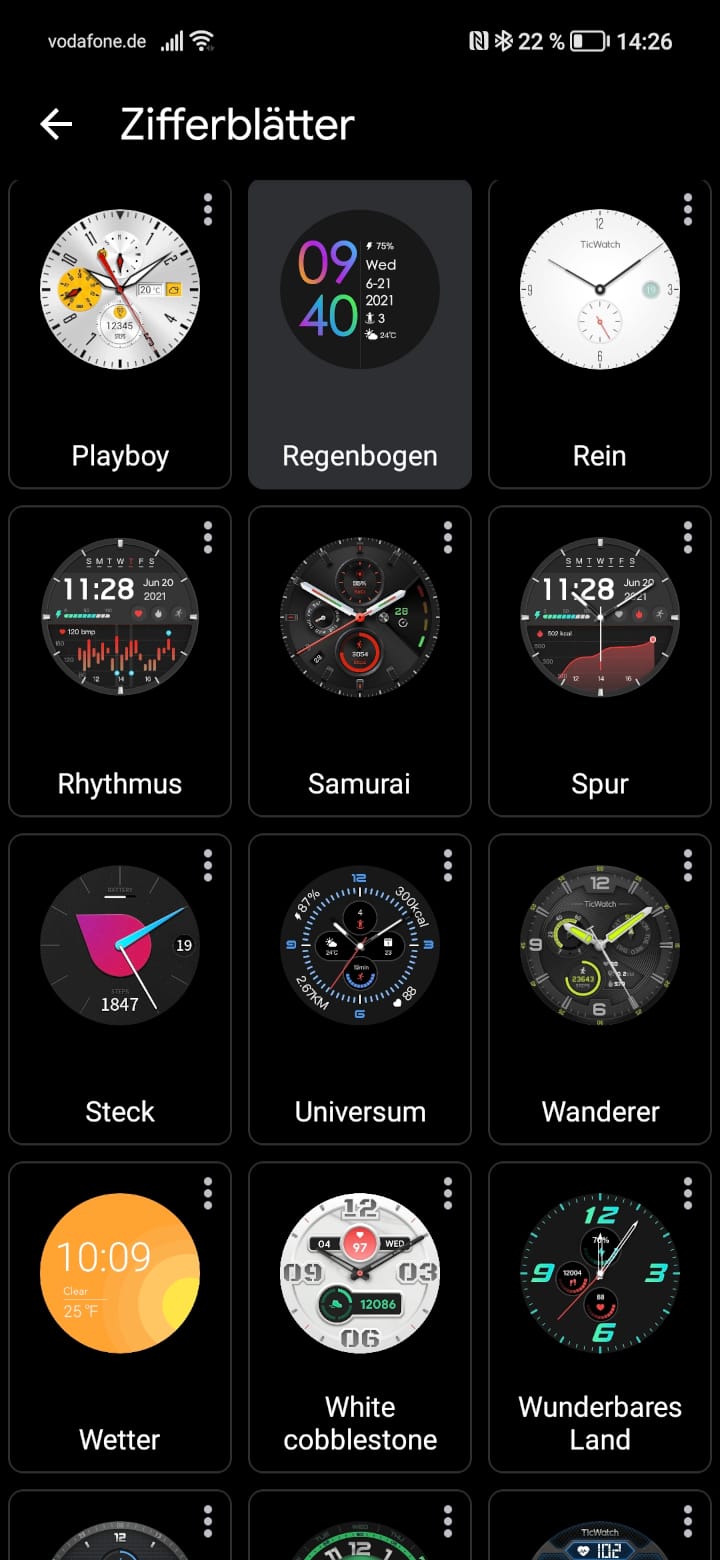
In addition, the app contains a shop for watch faces, where free and paid watch faces are available for download.
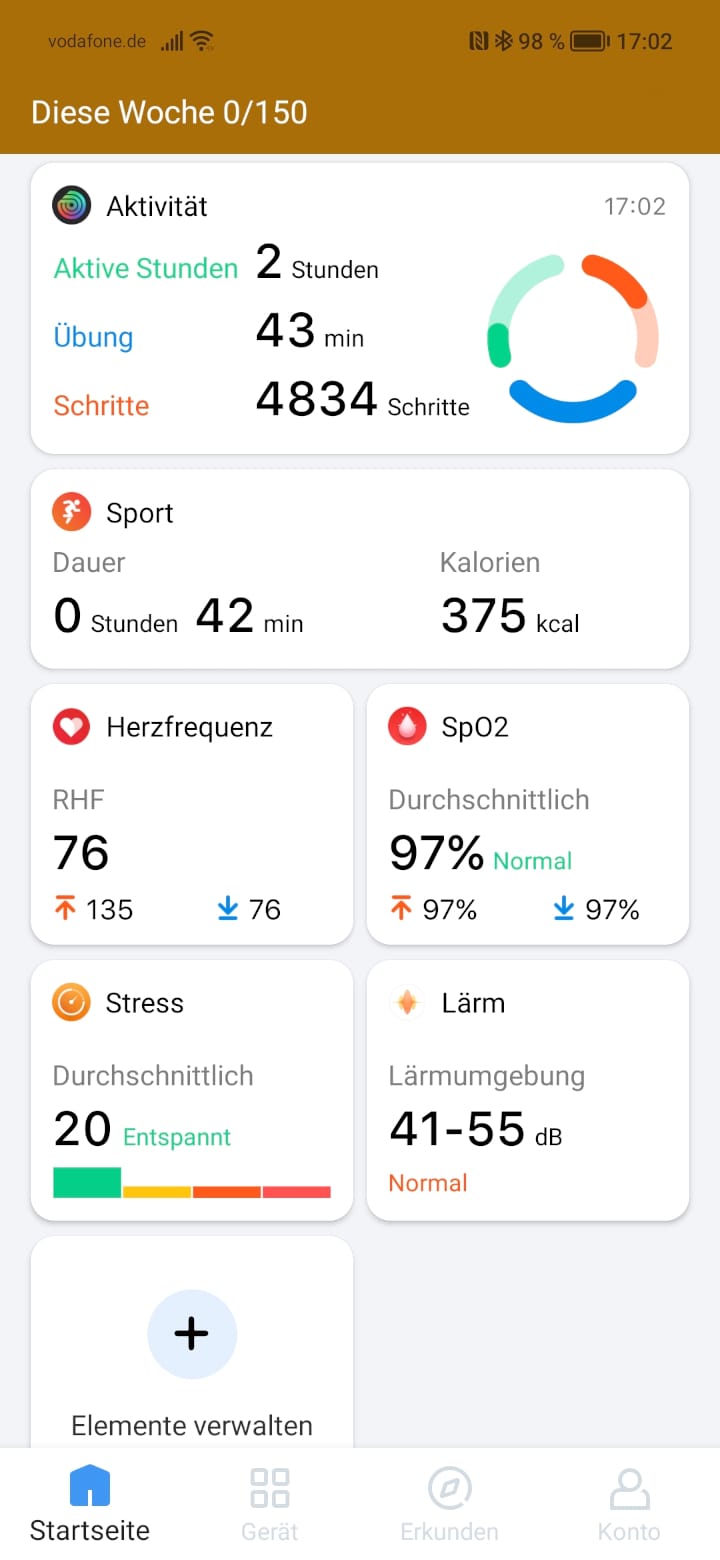
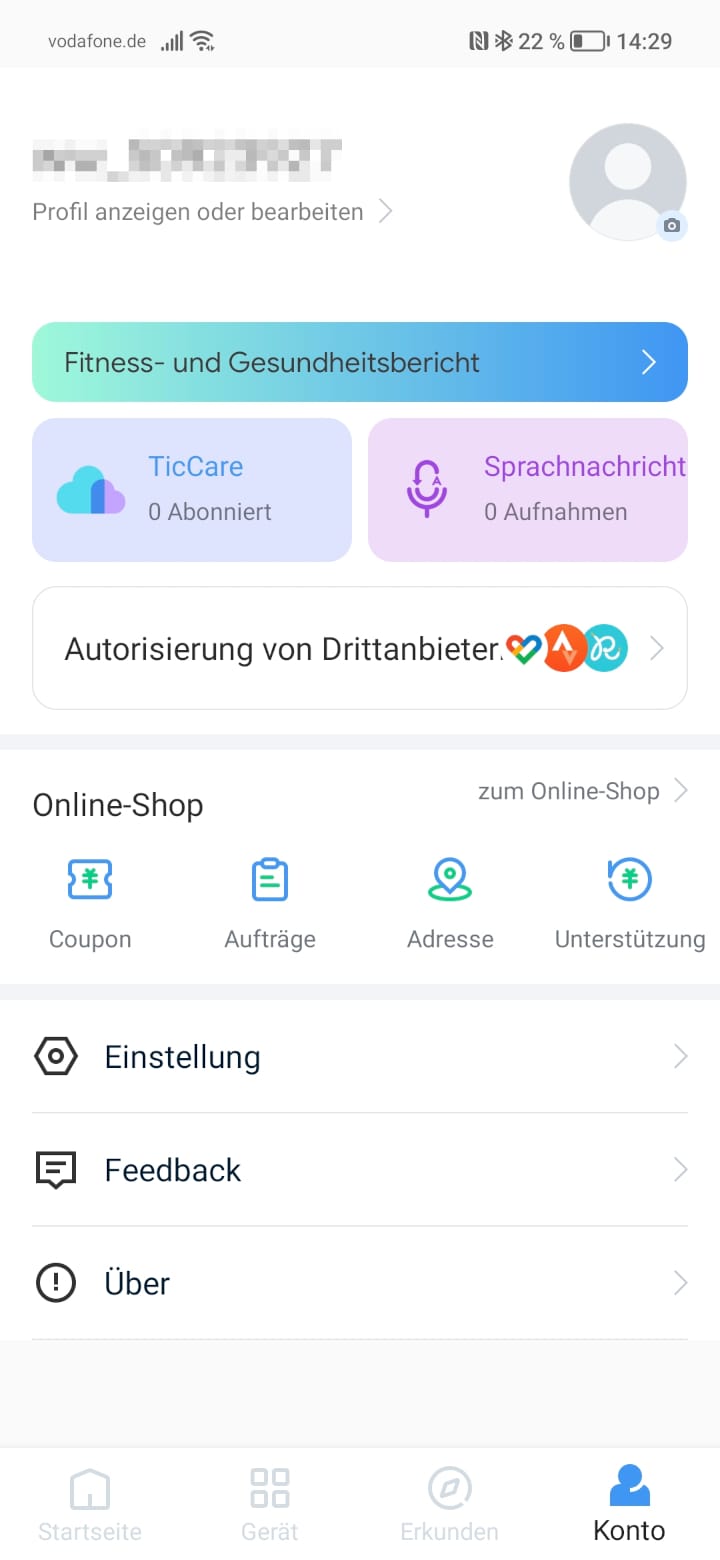
One problem that can arise during setup involves app permissions. Depending on the smartphone, the permissions for the Wear OS app must be granted manually. In our test, for example, we were unable to establish a Wi-Fi connection with the smartwatch. Only after Wear OS had received all permissions was establishing the connection possible. This also shows that the TicWatch Pro 3 Ultra and the smartphone are in constant communication (Bluetooth) and synchronise data.
TicWatch Pro 3 Ultra: Features
The TicWatch Pro 3 Ultra has a lot to offer in terms of functionality. After all, it is a smartwatch with a WearOS operating system that supports numerous watch faces, apps and services such as Google Pay.
Sports functions and GPS
It was not so easy to count all the sport modes of the TicWatch Pro 3 Ultra, because there are simply so many. In total, more than 100 sport modes are available via the “TicExercise App”. In addition to classic sports modes, special sports such as fishing, bungee jumping or curling are also covered. Each mode is tailored to the respective sport and specifically tracks the properties suited to it. Different goals, e.g. distance, calories or duration, can be individually defined.


The collected data can be viewed either on the smartwatch itself or graphically represented in the Mobvoi app. Alternatively, transfer to Runkeeper, Strava, or Google Fit is possible.
The TicWatch Pro 3 Ultra is functionally second to none compared to a fitness band or sports smartwatch. It features automatic sports detection and a pause function, a movement reminder, and a TTS voice assistant.


To capture movement data as precisely as possible, the smartwatch supports GPS. By default, the TicWatch Pro 3 Ultra uses the integrated GPS module and the GPS module of the connected smartphone. This ensures the position is determined exactly within a few seconds. The captured position data and collected steps are plausible and only deviate slightly from a GPS handheld device.

If there is no connection to the smartphone, position determination is performed solely via the watch's integrated GPS module. It takes considerably longer to fix the position, and the accuracy is not quite as high as it would be with a connected smartphone. Over a distance of 10 km, the deviation was approximately 200 m. Smartwatches from other manufacturers are slightly faster and more precise in this regard.
Health features
In addition to practical sports functions, the TicWatch Pro 3 Ultra offers a range of useful health apps. For everyday health monitoring, the “TicHealth” app is available, monitoring steps, heart rate and activities.
Via the “TicPuls” app, you can start single heart-rate monitoring or set up 24-hour monitoring. In the test, the HD PPG heart-rate sensor delivered plausible readings.

The TicSchlaf app monitors sleep by recording sleep duration and sleep phases. To ensure you don't forget to record your sleep, there is automatic sleep detection, which is also active during the day and records short naps. During the test, I only tried the sleep monitoring once, as sleeping with the smartwatch is quite uncomfortable. Sleep start and end were not recorded to the minute, but at least to the hour.
Blood oxygen levels are measured by the “TicBlood Oxygen” app. As with heart rate measurement, continuous all-day monitoring (every hour) can be set. Alerts for irregularities are also possible.
Additionally, there are “TicZen” and “TicBreathing” for stress reduction, “TicNoise” for measuring volume in decibels, and “TicCare” to monitor the health data of family members.
Telephony
With the TicWatch Pro 3 Ultra GPS, you are able to make calls, provided a smartphone is connected to the smartwatch. Incoming calls can then be forwarded to the watch and conducted via it. If you have the TicWatch Pro 3 Ultra 4G, you can make calls without a smartphone. For this, the smartwatch must be registered on the cellular network.
Making calls on the TicWatch Pro 3 Ultra worked reasonably well in testing. For the person on the other end to hear you clearly, you must hold the smartwatch close to your mouth. The voice quality via the built-in microphone is intelligible but sounds slightly tinny. The playback quality via the watch's loudspeaker is, in turn, surprisingly good.
Google Pay
Thanks to NFC and supported Google services, it is possible to pay contactlessly with the smartwatch (Google Pay). However, a PIN, pattern or password must be set up for configuration to protect the smartwatch from unauthorised access.
Notifications
A major advantage of WearOS is the ability to reply to incoming notifications. If you receive a WhatsApp message or an email, you can reply via the smartwatch. In the case of WhatsApp, there are pre-made text snippets, you can record a voice message, or you can reply using the tiny keyboard.
Watch faces
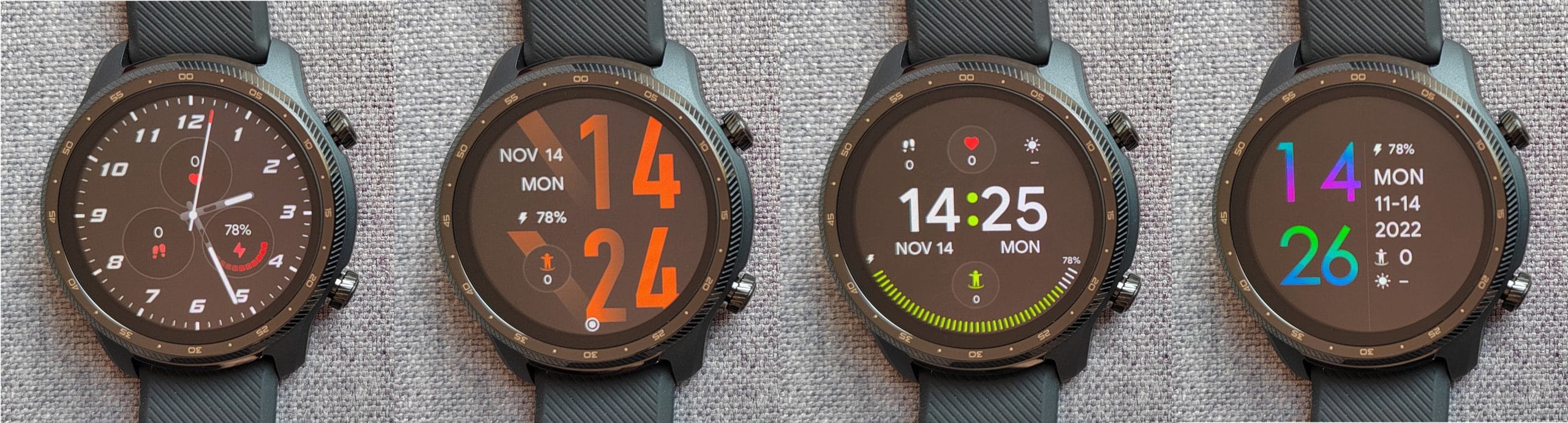
There are plenty of different watchfaces for WearOS. The in-house Watchface Shop contains numerous free and paid watchfaces, costing between $0.99 and $3.00. Strictly speaking, it is merely a collection of TicWatch watchfaces that are also available via Google Play.

Other
Further advantages of WearOS include music control and playback via Spotify and other streaming providers, web browsing via a browser, or the use of the Google Assistant, for example to control the smart home. The app support for WearOS is huge, and almost every major company now has its own WearOS app.
TicWatch Pro 3 Ultra: Battery
One important point at the end – how long does the TicWatch Pro 3 Ultra’s battery actually last? This naturally depends heavily on individual user behaviour. Those who exercise daily, listen to music in the background and keep GPS active will usually have to charge the smartwatch by the evening.
Savings-conscious users who do without the always-on display and only track their daily steps while receiving notifications in the background, can achieve up to 3 days of battery life.
From experience, the battery life lasts 1-4 days, depending on usage. In standby mode, the watch is pleasantly energy-efficient. Only a few percentage points are lost overnight. Even when the battery is dead, the TicWatch Pro 3 Ultra continues to run.
By default, the smartwatch automatically switches to “Essential Mode” as soon as the battery reaches 5%. Without direct charging, the watch can be used for several more days. Essential Mode can also be controlled via a timer. Fully charging the smartwatch takes up to 3 hours.
Our verdict
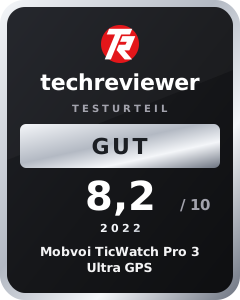
There is very little to criticise about the TicWatch Pro 3 Ultra GPS. WearOS offers everything a good smartwatch should have. Mobvoi can be forgiven for forgoing the Snapdragon Wear 4100+. The in-house dual-processor architecture provides enough power for a smooth user experience while simultaneously ensuring comparatively good battery life, which varies between 1-4 days depending on usage.
The combination of AMOLED and FSTN displays is not only a unique feature, but also makes the TicWatch Pro 3 Ultra an ideal outdoor companion. Outdoors, the FSTN display is particularly easy to read. Additionally, switching to Essential Mode, which disables the AMOLED display and WearOS, significantly extends battery life.
In the area of sport and health, the TicWatch Pro 3 Ultra also has a lot to offer. The pre-installed Mobvoi apps track more than 100 different sports programmes, measure heart rate 24/7 and monitor blood oxygen levels.
Something to look forward to now is WearOS 3. Mobvoi has already announced the update for the beginning of 2022. New features, more efficiency and even more apps will further improve the TicWatch Pro 3 Ultra models.
Specifications
Display
- Display
- AMOLED + FSTN
- Display size
- 1.4 inches
- Display resolution
- 454 x 454 pixels (326 PPI)
- Display brightness
- Unbekannt
- Screen protector
- Corning Gorilla Glass
Processor and memory
- CPU
- Qualcomm Snapdragon Wear 4100
- RAM
- 1GB
- Storage
- 8GB
- Storage expansion
- No
Sensors
- Accelerometer
- Gyroscope
- HD PPG heart rate sensor
- SpO2 sensor
- Barometer
Other
- Bluetooth
- 5.0
- Wi-Fi
- 2.4 GHz (802.11b/g/n)
- GPS
- Yes (GPS, GLONASS, Galileo, BDS, QZSS)
- OS
- WearOS
- Battery
- 577 mAh
- Runtime
- Up to 3 days (up to 45 days standby)
- Charging time
- 2 hours
- Waterproof
- up to 5 ATM (MIL-STD-810G)
- Size
- 47 x 48 x 12.3 mm
- Weight
- 41g
Price comparison
| Store | Price | Link |
|---|---|---|
| Amazon | 126,00 € | Go to store |
Comments (3)
Hello and thank you for the detailed report. I am currently torn between this TicWatch and an Amazfit watch. The watch is meant to replace my analogue watch. I don't need much frills. It should count my steps, control music and have the longest possible battery life. Can you help me with the decision?
Hi Rudi, if you are looking for a smartwatch for everyday use that supports as many apps as possible, I would go for WearOS. The TicWatch is a good choice. If your focus is more on sports and battery life, it is worth looking at the Amazfit series.
This is my third TicWatch now. I swear by the brand. Good value and service for your money ?