Contents
Preface: UMIDIGI Z2 Pro
Anyone familiar with Chinese smartphones will probably know UMIDIGI. The manufacturer is primarily known for excessively "hyping" new devices only to ultimately fail to deliver what most buyers expect. A dual camera in DSLR quality quickly turns into a fake dual camera, and battery capacities are not always accurate either. With the UMIDIGI Z2 Pro, UMIDIGI has once again launched a smartphone that promises much based solely on the spec sheet.

Design, build quality, and included accessories
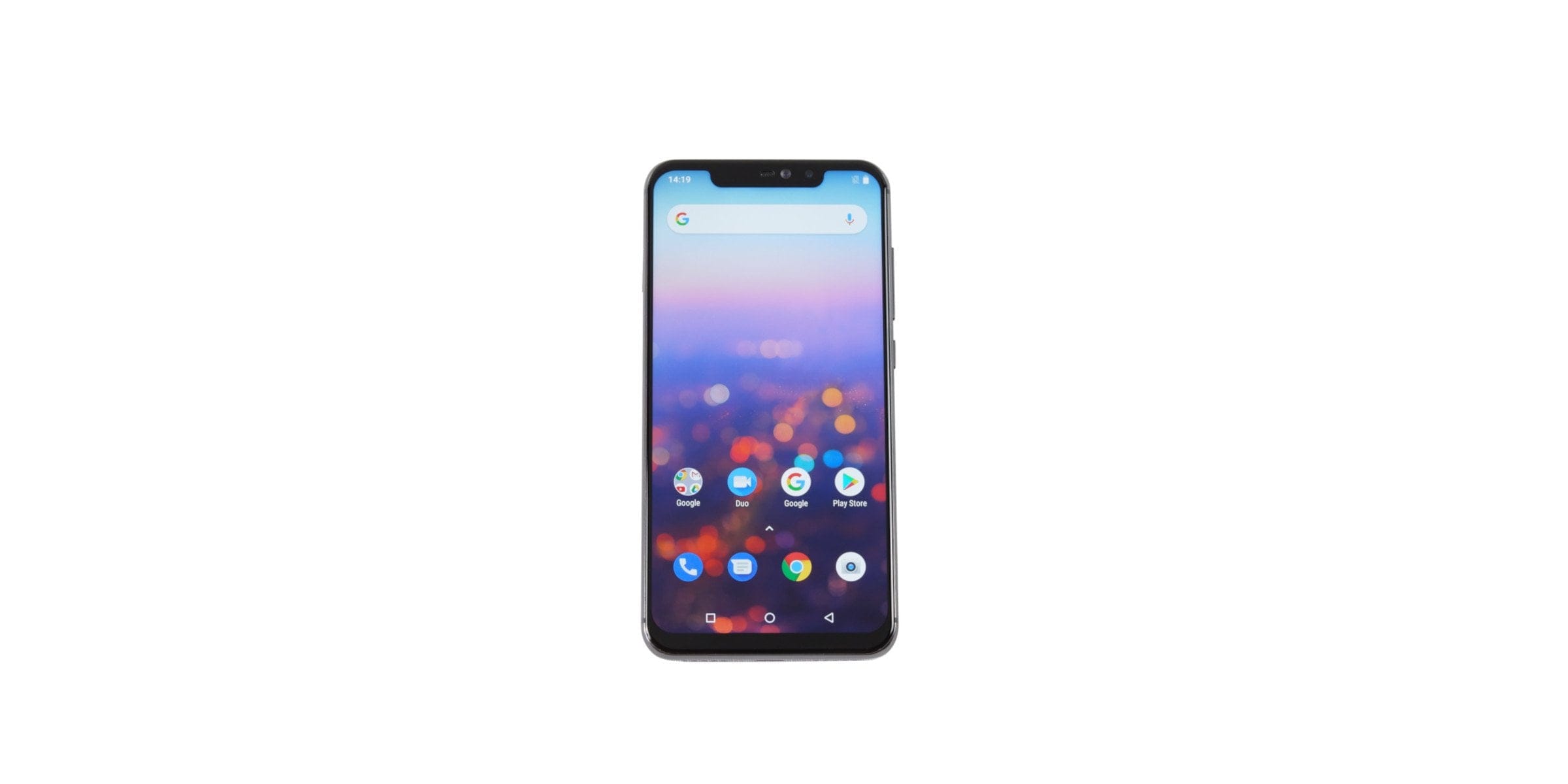
The UMIDIGI Z2 Pro is an upgrade of the recently released UMIDIGI Z2. Both smartphones share the same case design. Striking is the back that shimmers in the light, which is however not made of multiple layers, but merely painted. The 153.4 x 74.4 x 8.3 mm large and 165g heavy smartphone is available in the colours “Twilight” and “Carbon Fiber”. Additionally, a special edition in a stylish ceramic look is available.
The UMIDIGI Z2 Pro is structured as follows:
On the front, there is the 6.2-inch display with a notch. Apple's iPhone X made the so-called notch mainstream. Many manufacturers, especially from China, have jumped on the bandwagon. The notch is a cutout at the top edge of the display which, in the case of the Z2 Pro, surrounds the earpiece, front camera and sensors. There is no notification LED!

The metal housing frame features a power button and a volume rocker on the right side. The hybrid SIM slot is located on the left side, which can be populated with two nano SIM cards or one nano SIM card and one microSD card. On the bottom, there is a USB-C port in the centre, a microphone on the left and the speaker on the right. Another microphone is located on the inside of the top frame edge. A traditional 3.5 mm audio jack is not included.

The back of our test unit shines in a Twilight look, featuring a turquoise-purple gradient. The back is made of glass, which reduces susceptibility to scratches. Disadvantages of the reflective back are its high susceptibility to fingerprints and the somewhat slippery feel. The main camera with side-mounted LED flash and the fingerprint scanner below it are located in the upper section of the back.
The build quality of the smartphone is generally impeccable. The frame and back panel fit almost seamlessly despite their composition. The control buttons have a good pressure point but sit with slight play in the frame. The included accessories comprise, in addition to the smartphone, a protective case in leather optics, a Pump-Express fast charger, a USB-C cable, a USB-C to 3.5 mm audio adapter, a SIM tool, as well as a user manual and a thank-you card.

Display
The display of the UMIDIGI Z2 Pro has a diagonal of 6.2 inches with a resolution of 2246 x 1080 pixels. The pixel density is a sharp 402 PPI. UMIDIGI specifies a screen-to-body ratio of 90%. Calculated with the notch included, the ratio is just under 80%.
Display measurement
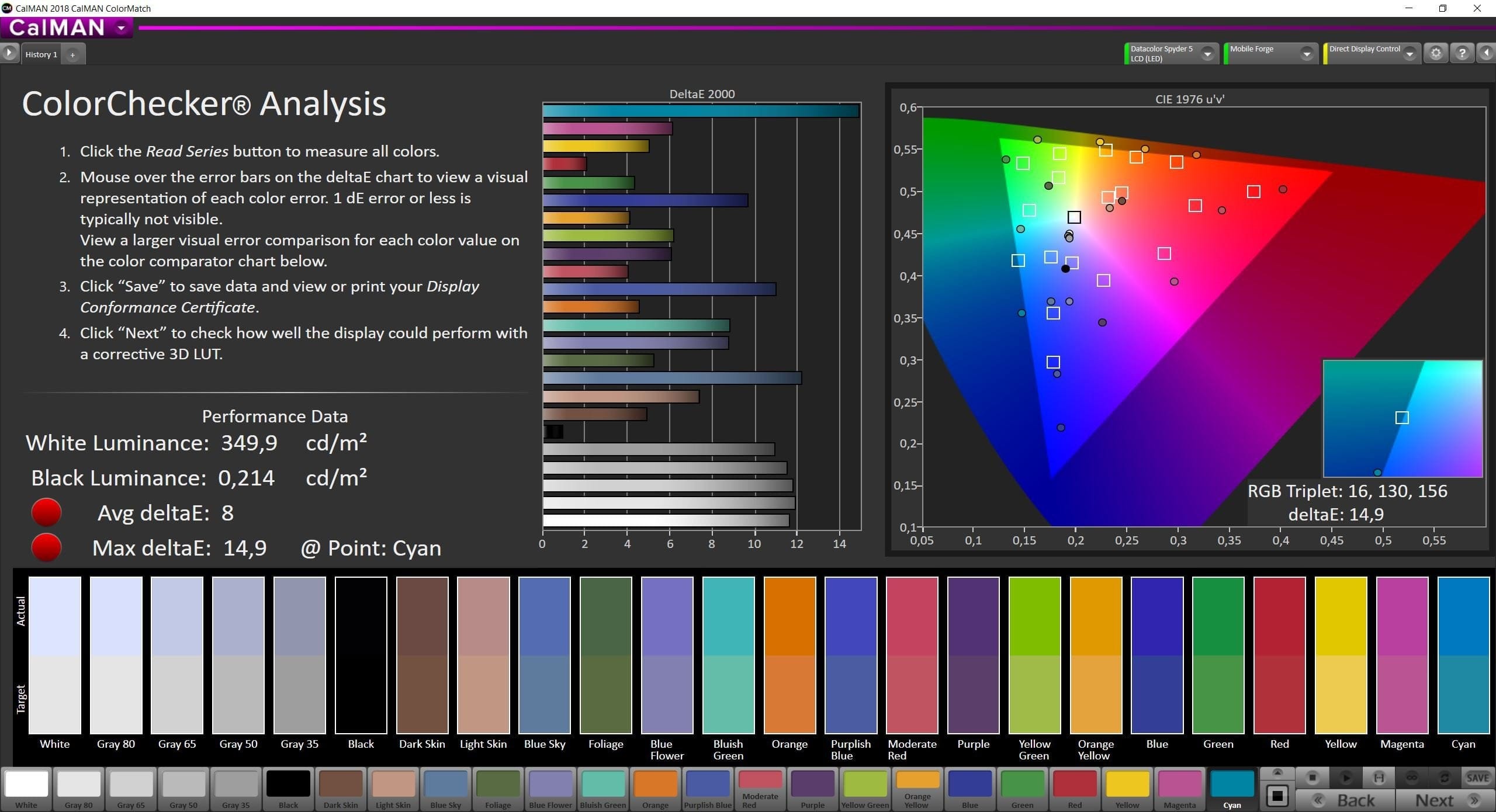
Display measurements yielded a maximum brightness of around 350 cd/m². The measured black level is 0.214 cd/m². This results in a static contrast ratio of 1:1636. The display illumination is even and without visible irregularities. However, the smartphone deviates significantly from the sRGB colour space. Most noticeable is the very cool tuning with a slight blue tint.
Display in everyday use
In practical use, the Z2 Pro's display is impressive. The rendering is razor-sharp. Individual pixels are not visible to the naked eye. Colours are displayed vividly despite a cool tone. Customisable colour settings are not possible. The maximum display brightness is sufficient to read the display well outdoors, especially in sunlight. The display also scores points for its viewing angle stability. Particularly flat viewing angles do not lead to any significant impairment of hue and colour contrast.
Display settings and features
The setting options for the display are limited. Although UMIDIGI lists a colour adjustment option (MiraVision), this was not yet integrated into the system at the time of testing. Similarly, the sleep or reading mode listed in the specifications is missing. Only an adaptive brightness adjustment is possible, but this does not reliably adjust to ambient light! Whether UMIDIGI will add these features in future updates remains to be seen!
Touchscreen
The touchscreen recognises up to 10 simultaneous inputs (multi-touch). Touches and (swipe) gestures are recognised precisely and executed without delay. The display glass used proved to be extremely scratch-resistant during a multi-week test. An oleophobic coating prevents unsightly fingerprints and ensures excellent glide capability.
Performance
MediaTek Helio P60
Under the hood, the MediaTek Helio P60 mid-range SoC is used. The SoC, introduced in early 2018 and manufactured using the 12 nm process, includes MediaTek's NeuroPilot AI interface, which handles AI computing tasks. The CPU of the system-on-chip (SoC) consists of a total of 8 processor cores. These are further divided into 2 clusters, consisting of 4 ARM Cortex-A53 and 4 ARM Cortex-A73 cores. The maximum clock speed is 2 GHz. The GPU is designated ARM Mali-G72 MP3.
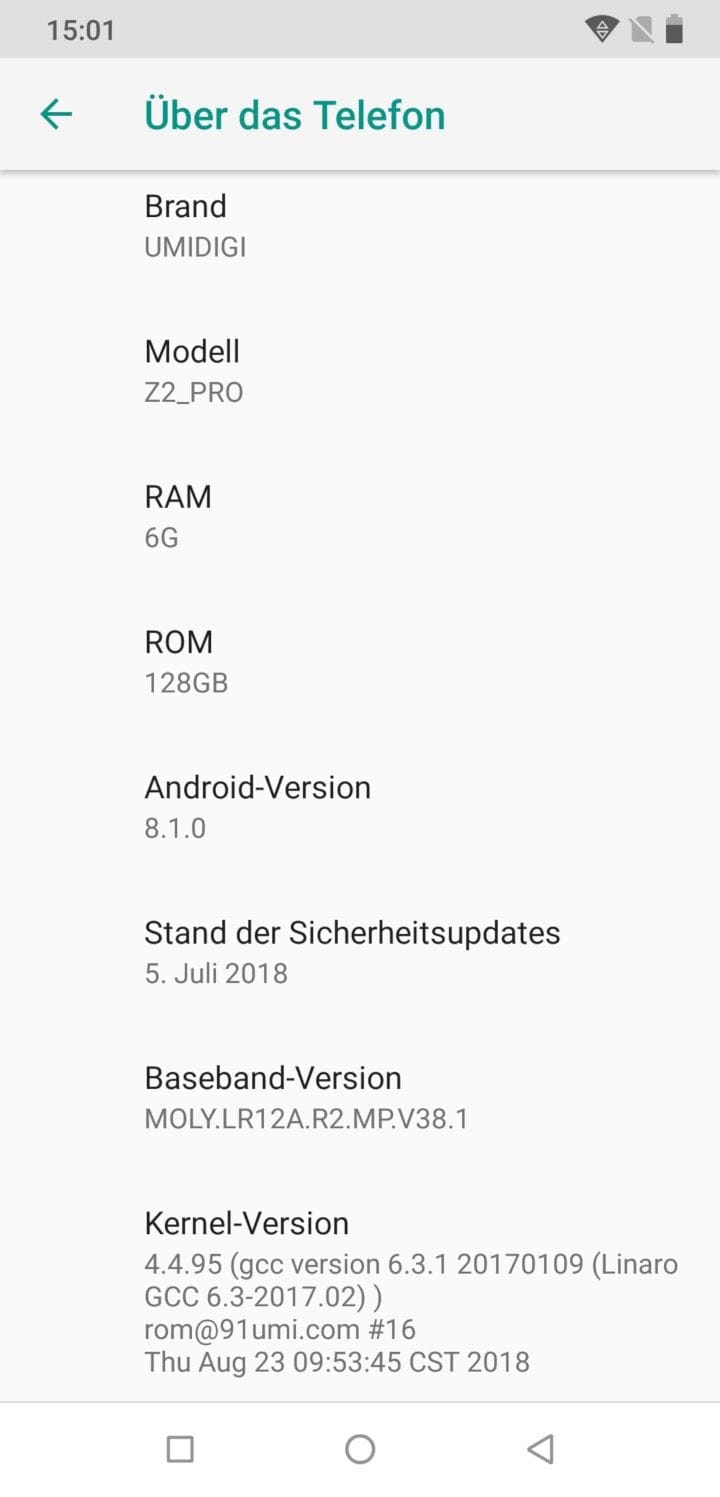
The storage configuration of the UMIDIGI Z2 Pro consists of 6GB LPDDR4X RAM and 128GB eMMC5.1 storage. Storage expansion via a MicroSD card is possible. Due to the hybrid slot, the dual-SIM function is lost if the storage is expanded!
Benchmark
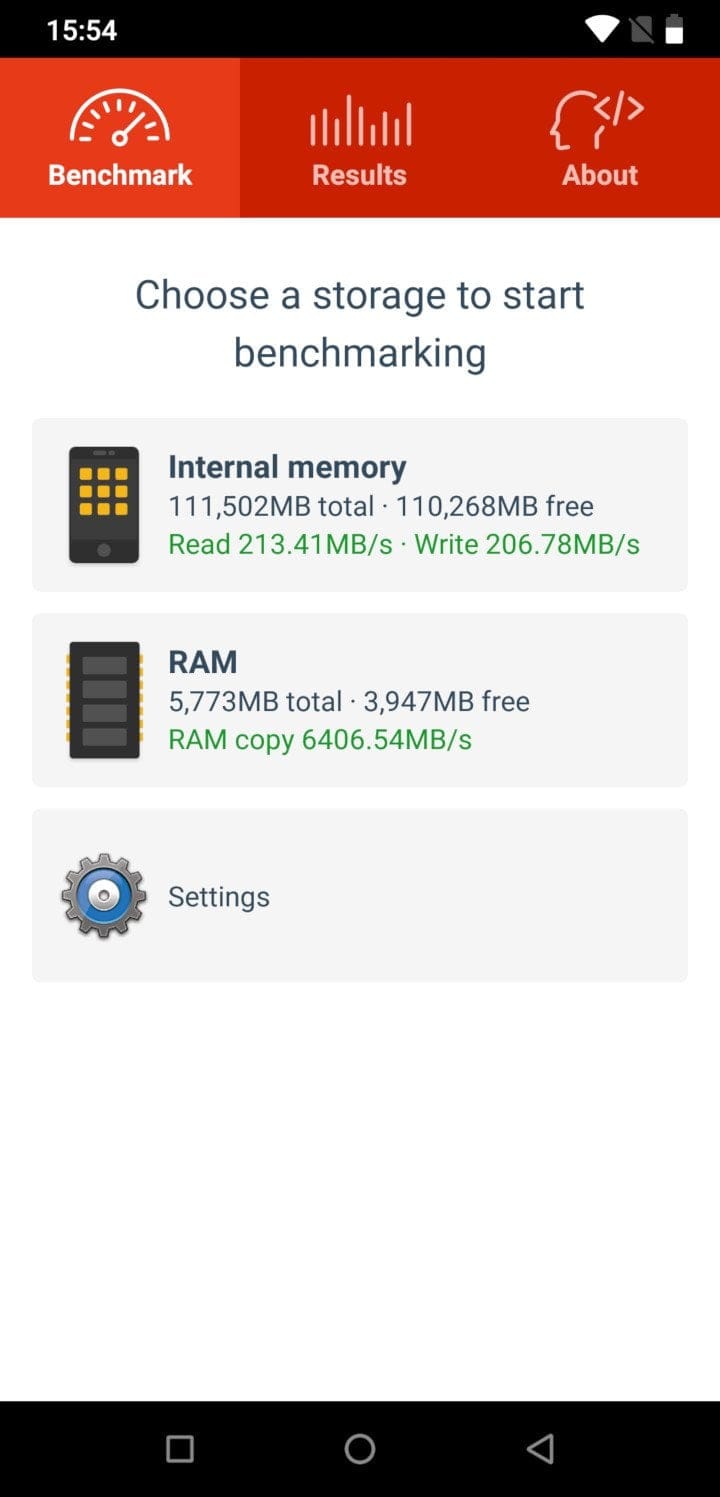
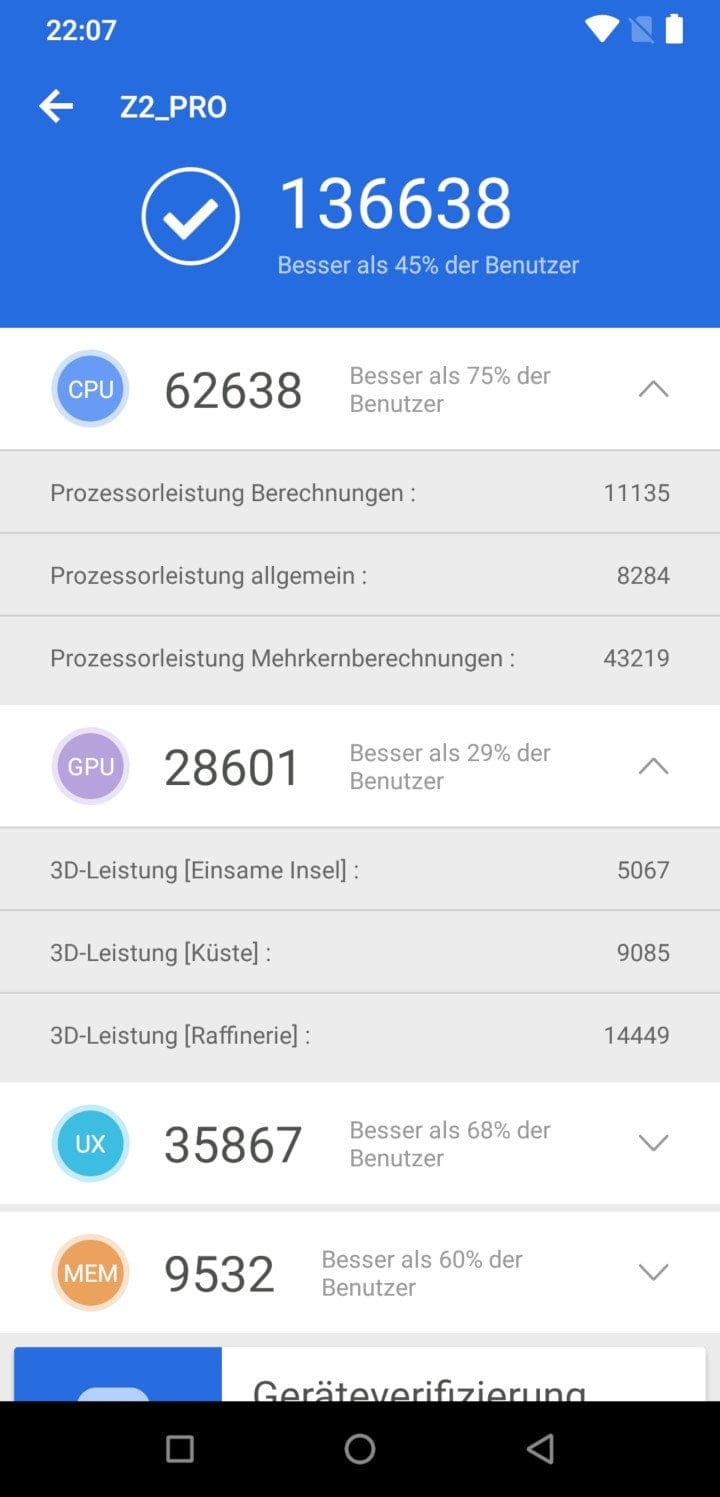
In benchmarks, the Helio P60 of the Z2 Pro performs well. With an AnTuTu test result of approx. 136,000 points, the processor ranks just above a Qualcomm Snapdragon 660. Only in graphics-intensive application areas does the Mali-G72 MP3 GPU have to acknowledge defeat against the Adreno 512 GPU of the Snapdragon 660. The memory speeds are in the good mid-range, with a measured writing speed of about 206 MB/s and read speed of 213 MB/s as well as a RAM speed of 6406 MB/s.
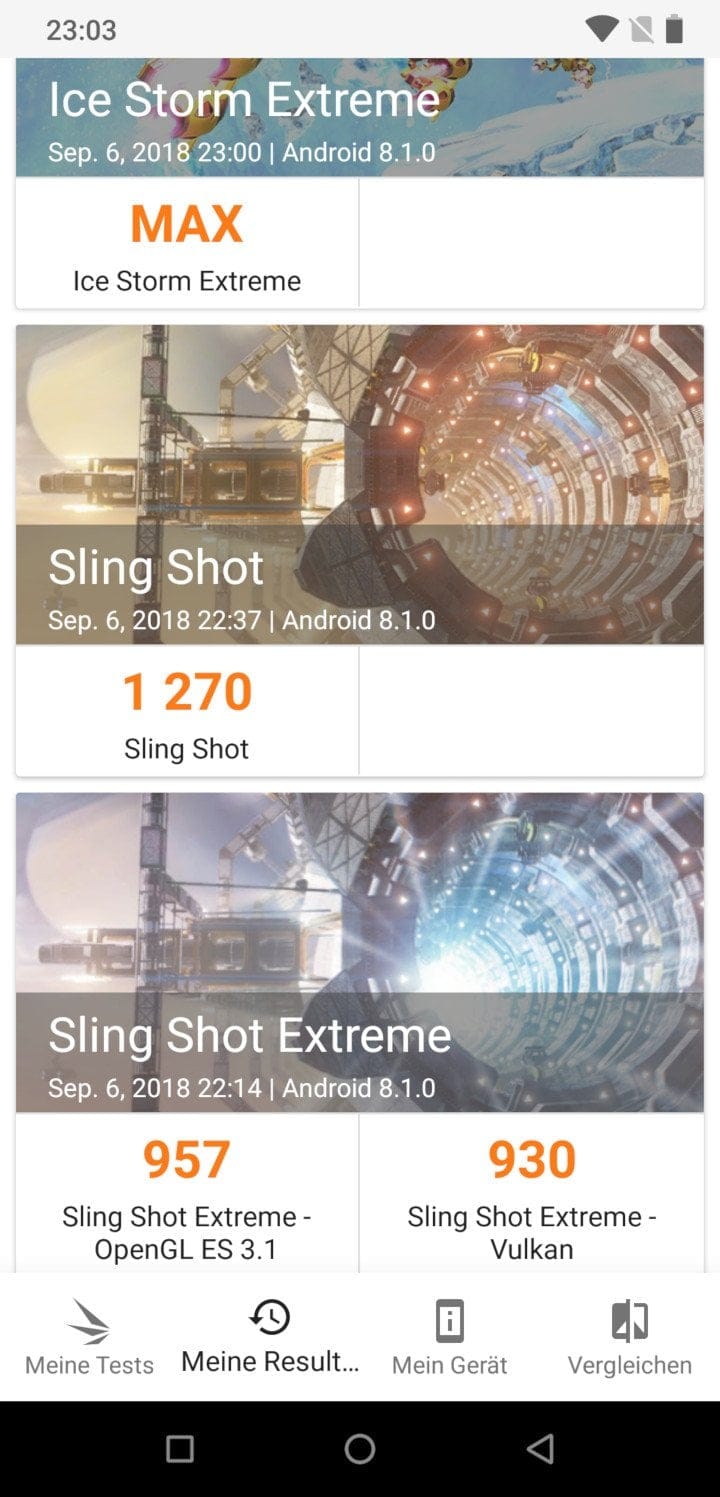

Specifically regarding the UMIDIGI Z2 Pro, regular thermal throttling became noticeable during the test. In this process, performance temporarily drops to below 60% of the maximum system performance.
Performance in everyday use
In everyday use, however, this does not impair the user experience. The smartphone presents itself as very performant. Animations are displayed smoothly, apps load quickly, and even with several apps open simultaneously, the smartphone does not noticeably slow down.
Gaming
Games like PUBG Mobile run smoothly on high graphics settings. The previously noted thermal throttling does not negatively affect gameplay. After a gaming session of approximately 30 minutes, the smartphone reaches a still comfortable temperature of 40°C.
User interface
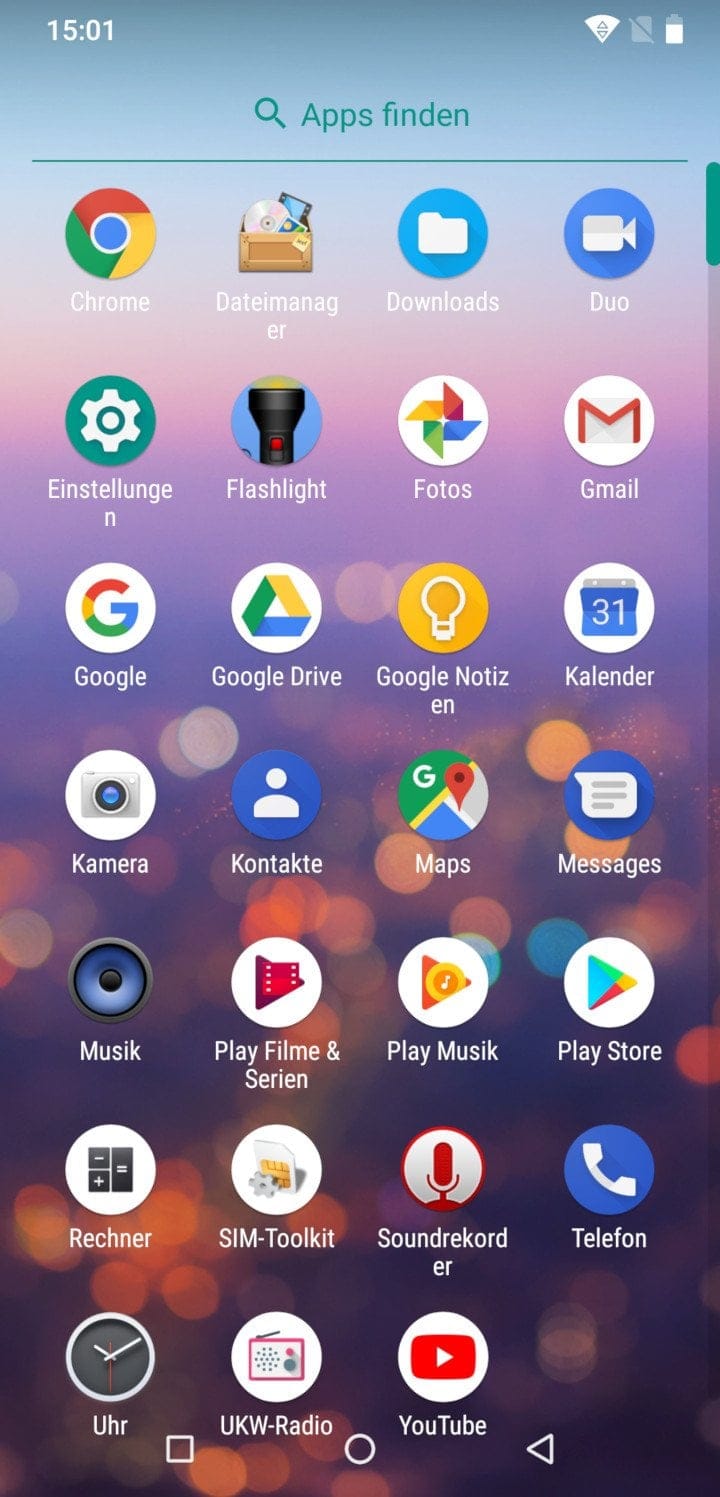
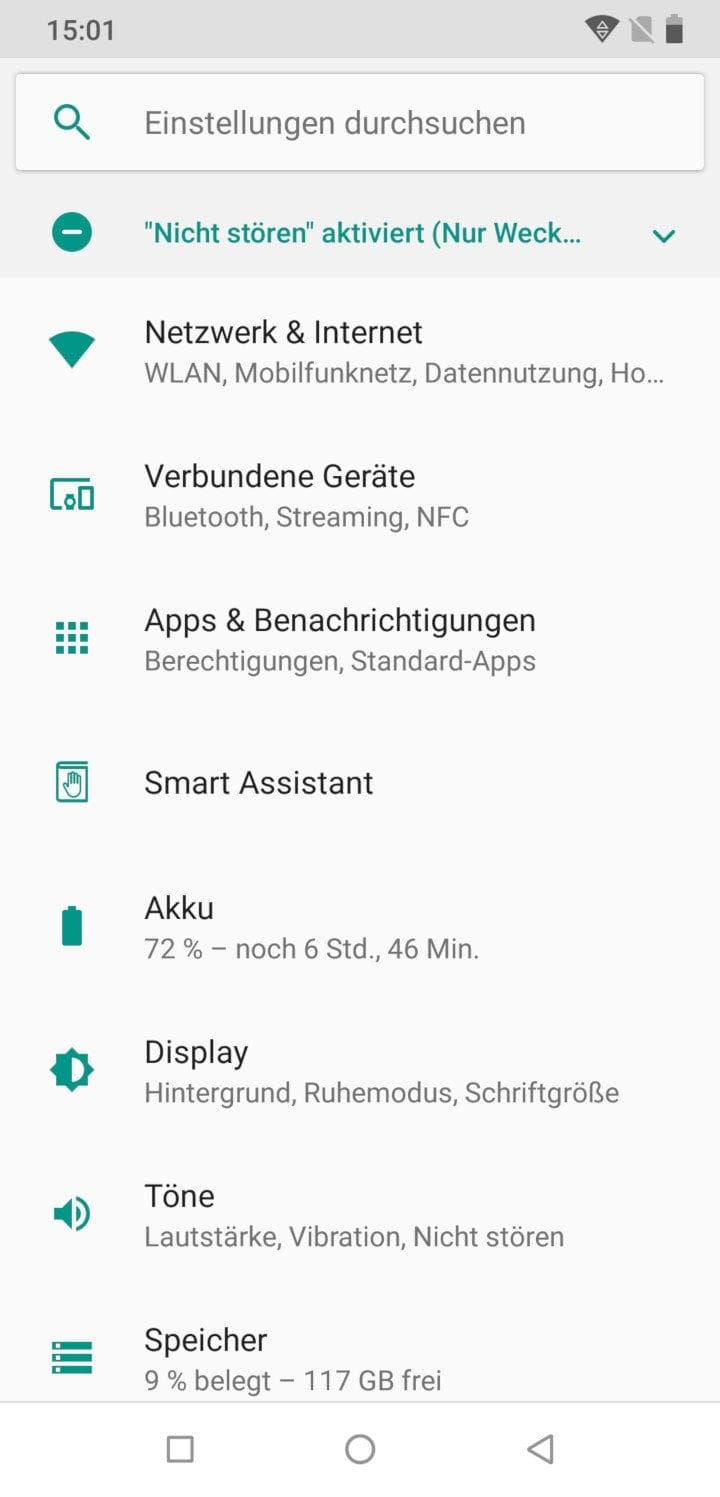
The smartphone comes with Android 8.1. The user interface works without a custom launcher, is modelled on stock Android and has only been minimally extended regarding settings. No bloatware is pre-installed. Various Google apps, including the Google Play Services, are already included. System updates are distributed over-the-air (OTA).

The Smart Assistant of the UMIDIGI Z2 Pro includes advanced energy management that automatically removes apps from the background process. The alignment of the virtual navigation buttons can be adjusted via the “Buttons” option. The “Flip to mute” function allows calls, alarms and music to be silenced. With “Sweep”, UMIDIGI has integrated a QR code scanner into the system. What the smartphone lacks is gesture control.
Camera
In the specifications, UMIDIGI lists the Z2 Pro with a dual main and front camera (16 + 8 megapixels). The main sensor is a Samsung ISOCELL S5K2P7 with f/1.7 aperture. The predecessor, on the other hand, relied on a Samsung ISOCELL S5K3P8 with f/2.0 aperture. The front camera, in turn, uses a 16 megapixel Sony IMX371 image sensor with f/2.0 aperture. The manufacturer provides no information about the secondary sensors used.
It quickly becomes clear why UMIDIGI conceals the secondary sensors. As is often the case with inexpensive Chinese smartphones featuring a dual camera, they are fake sensors. These are fitted purely for decorative purposes, offering no real benefit. The meagre size of the second lens is already indicative of this. A look at the libraries reveals that, alongside the S5K2P7 and the IMX371, the S5K3P8 from the previous model, an 8-megapixel S5K4H7 and a VGA SP0A08 sensor are also listed.
Main camera real-world test
App
The main camera of the UMIDIGI Z2 Pro has potential that the manufacturer does not fully exploit. The pre-installed camera app includes the most basic functions and settings that a camera app should offer. In addition to a photo and video recording mode, there is also a panorama and bokeh mode. HDR is available in a normal and an automatic mode. The settings include, among other things, a scene mode, a stabiliser and settings for image characteristics.

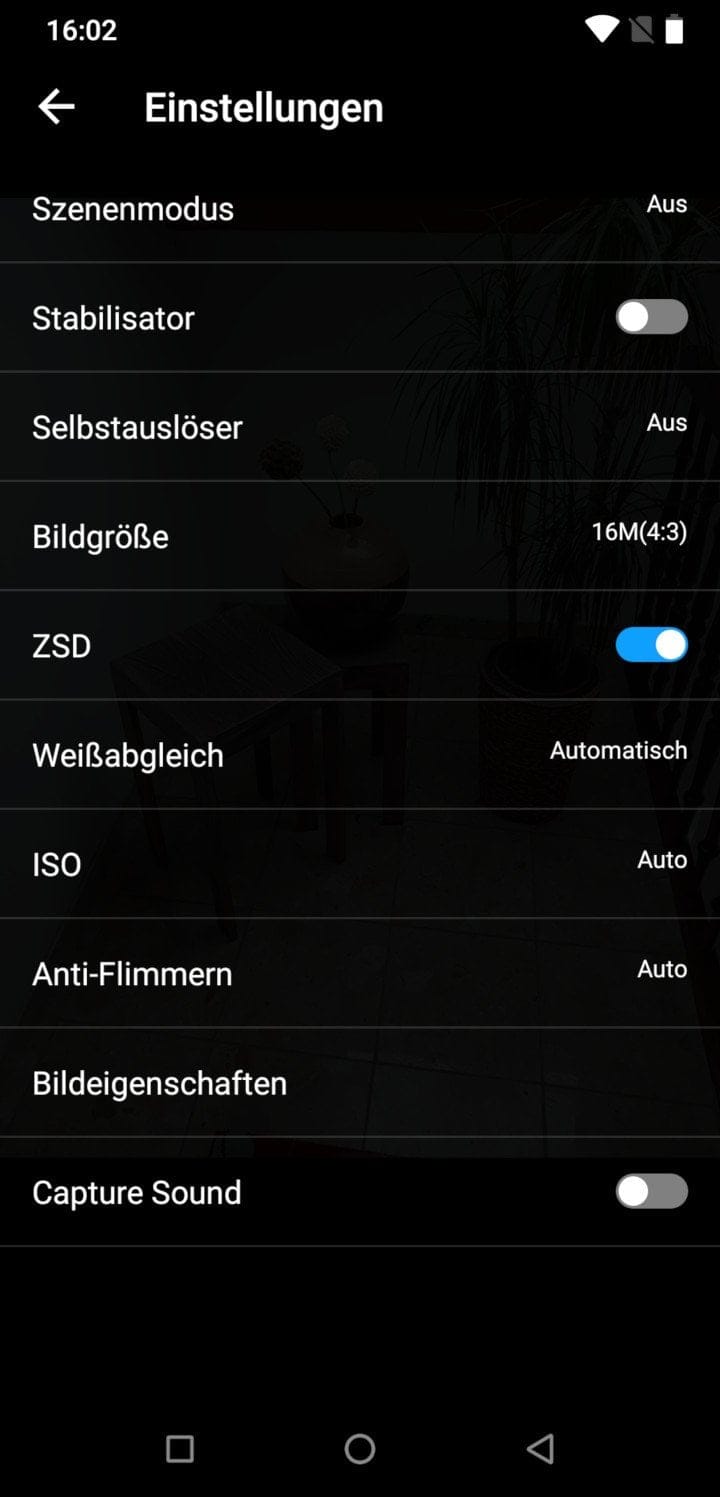
Photo mode
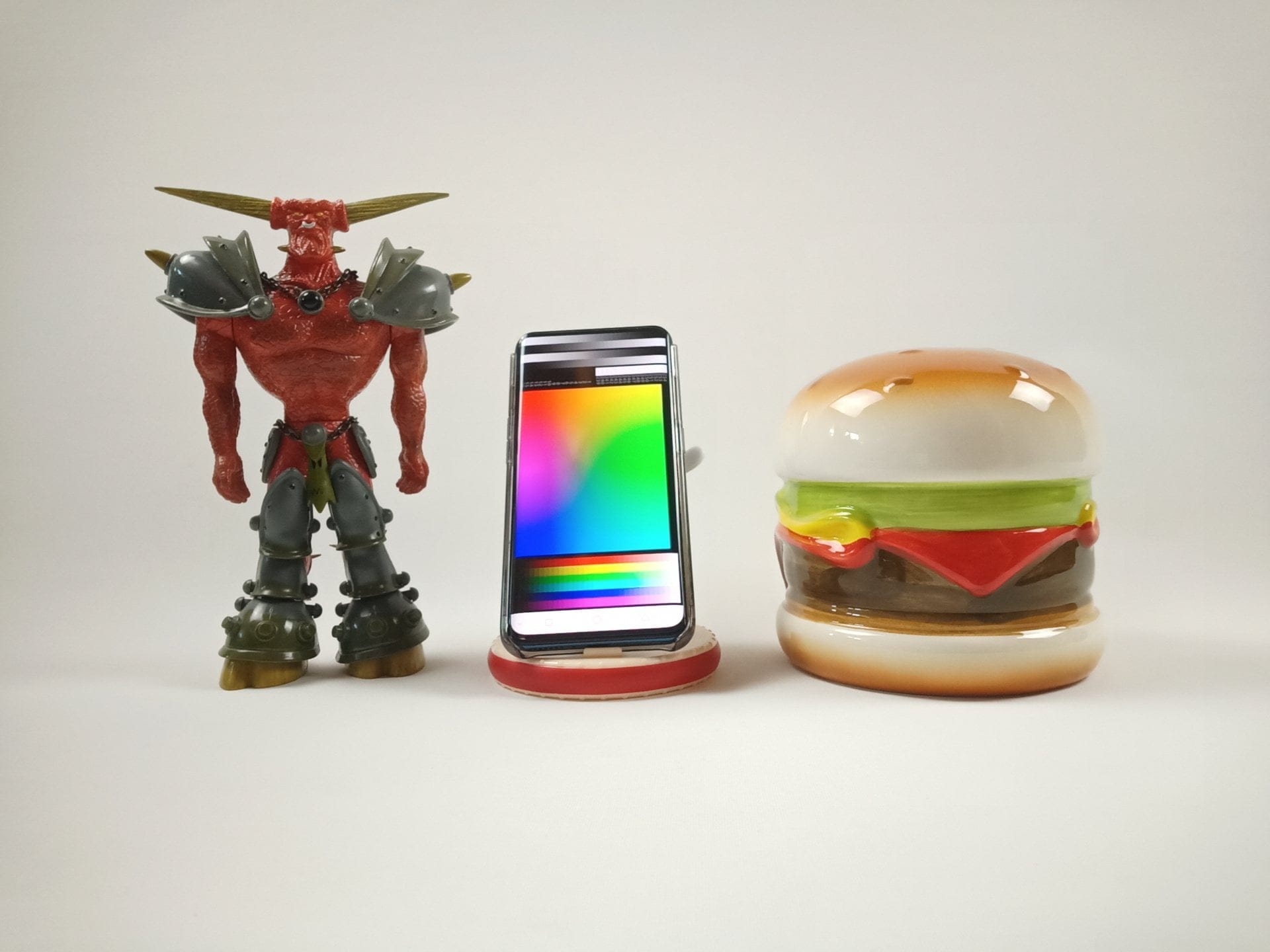
The main camera's image quality is mixed. The main camera's images are generally tuned towards a cool colour balance. However, HDR mode helps. The dynamic range is limited as usual. A noticeable drop in sharpness from the centre of the image to the edges is apparent. The level of detail is still acceptable in good lighting conditions. The autofocus is convincing, focusing precisely.
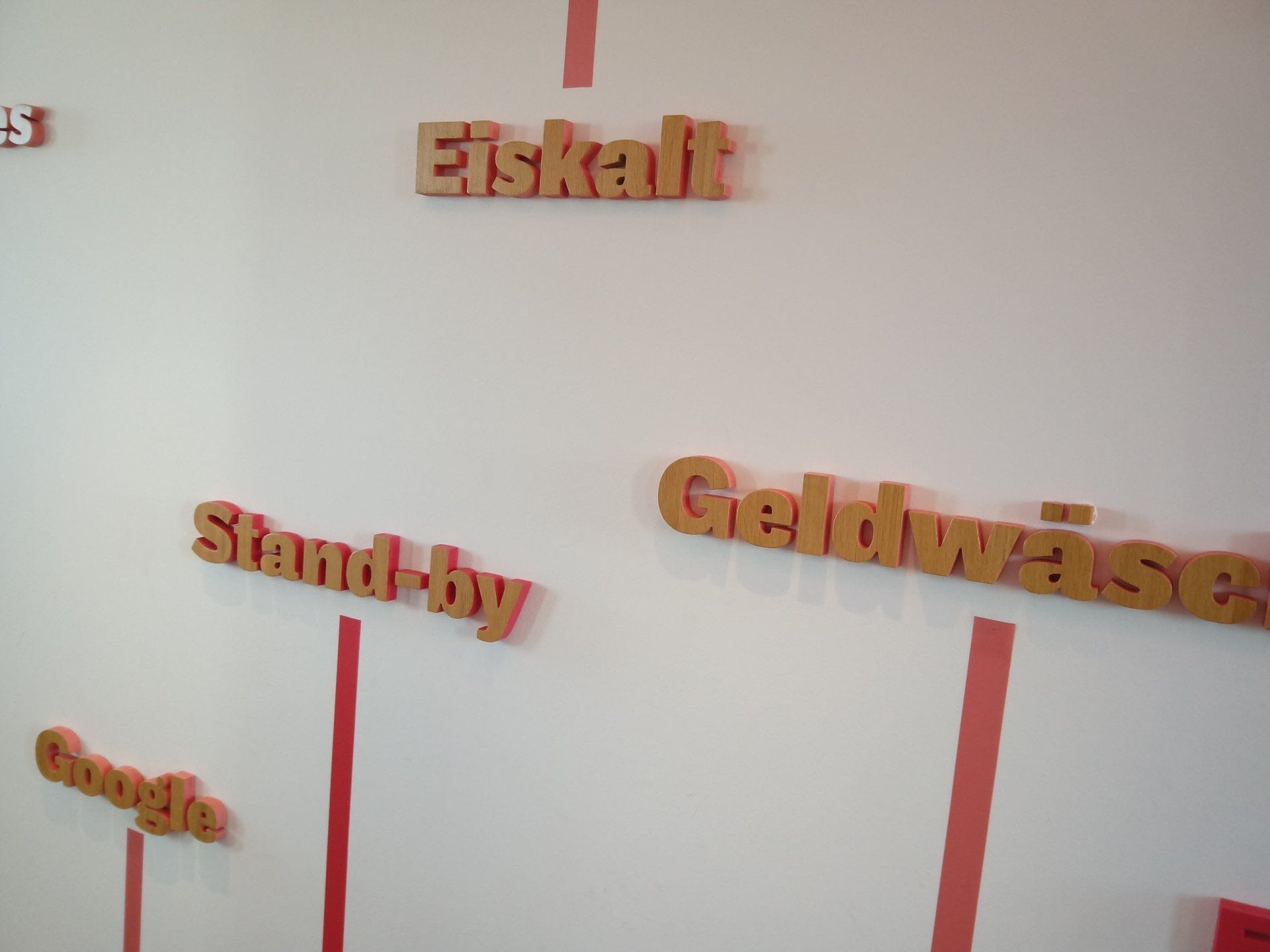






All test shots in full resolution and others can be found at this link
As soon as the light conditions deteriorate, image noise and blur distribution visibly increase. This effect is already noticeable in cloudy weather! It becomes increasingly difficult to take steady shots. Details are lost, and the autofocus becomes progressively sluggish.


The main camera takes a harsh hit due to its fake bokeh mode. Instead of cleanly extracting the focused object, the Z2 Pro's bokeh mode merely overlays a circular blur effect on the image. The blur area can be enlarged or reduced using a slider.

Video mode
Instead of the promised 4K, videos are recorded at a maximum 1080p resolution at 30 frames per second. Video recording quality is inadequate. Recordings appear coloured faded and show significant grain even under normal lighting conditions. Grain increases further in poor light. The frame rate remains constant, however. The recorded audio quality is good, albeit somewhat muffled.
One feature of the video mode is the electronic image stabilisation. This stabilises footage reasonably well, but shows an ugly ghosting effect and image pulsation.
Front camera practical test
The mediocre recording quality continues with the front camera. In poor light conditions, detail levels and image sharpness visibly decrease, and the camera is also extremely slow to respond. The front camera records videos at a maximum resolution of 1080p. Special beauty filters are not available in the pre-installed camera app.

Connectivity
Telephony
The UMIDIGI Z2 Pro supports the most common 2G, 3G and 4G mobile network bands in Germany and worldwide. The dual SIM slot supports 4G on both slots simultaneously. The SIM card format is Nano. In testing, the smartphone showed high signal strength with consistent signal quality. Despite the tiny earpiece, the person on the other end was clearly understood at all times. The installed microphones ensure good voice quality, although the ambient noise cancellation could be slightly better.
Wi-Fi and Bluetooth
The smartphone is equipped with a dual-AC Wi-Fi module (802.11 a/b/g/n/ac) and a Bluetooth 4.2 module. The Wi-Fi range is decent on both the 2.4GHz and 5GHz networks. The data throughput achieved is average. The same applies to Bluetooth connections, which gave no cause for criticism in everyday use.
GPS and sensors

The sensor equipment includes an ambient light sensor, a proximity sensor, an acceleration sensor, a gyroscope and a geomagnetic sensor. An NFC module is also included. Card emulation is not possible, despite being listed by UMDIGI in the datasheet.
Fingerprint scanner and face recognition
The fingerprint scanner unlocks the smartphone in 9 out of 10 cases. However, the unlock time is above average. The face recognition is not to fault. Trying to fool it with a simple image was not possible in our self-test.
Audio
The mono speaker reaches a pleasant volume level. It sounds somewhat too harsh in the treble range. Due to the lack of a 3.5 mm jack socket, headphones can only be connected via USB-C or with an adapter. The sound via the adapter is full and interference-free.
Battery
UMIDIGI states the battery capacity as 3550 mAh. The average screen-on-time at medium display brightness is around 7 hours. With normal use involving daily calls, WhatsApp and web browsing, the smartphone must be recharged after 1 ½ days at the latest.
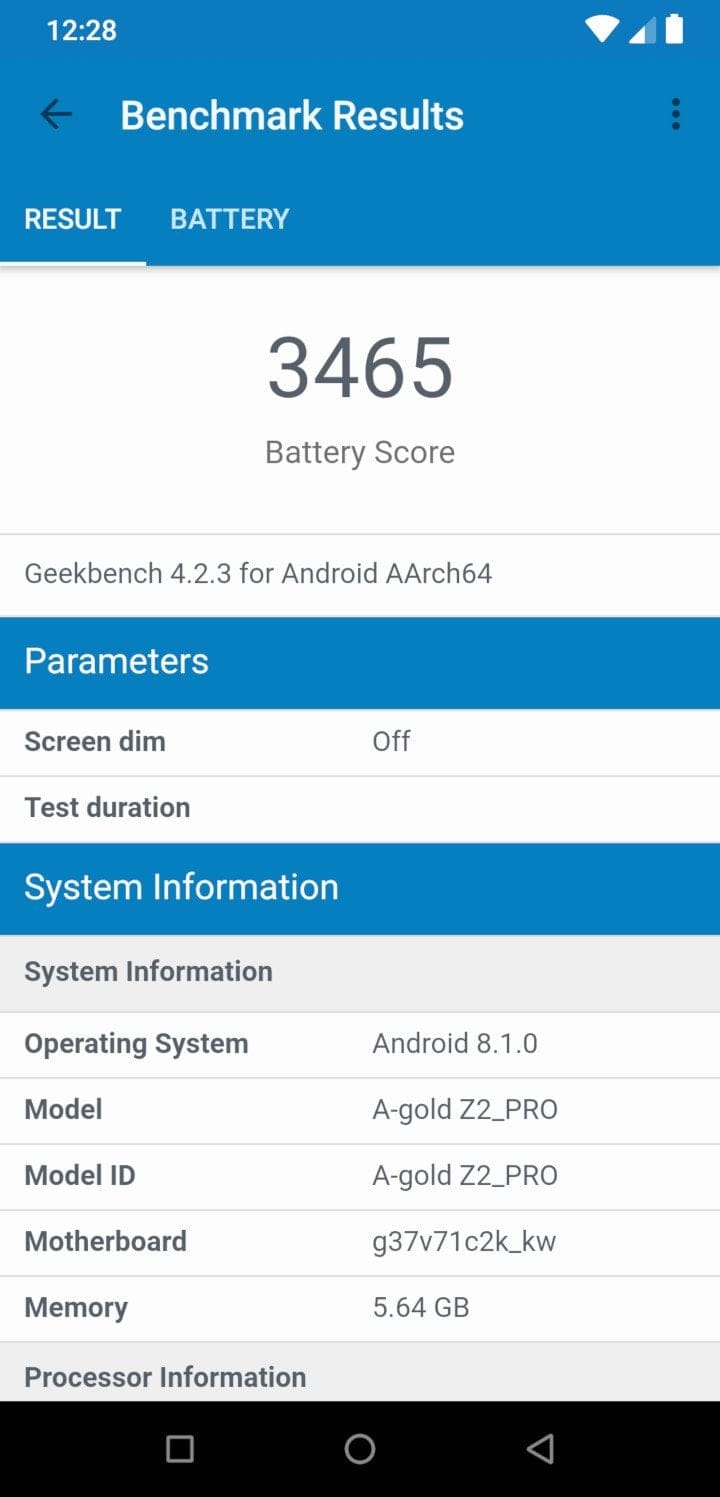

MediaTek Pump Express Pump Express is supported as the fast-charging feature. However, the 18 watts of charging power specified by UMIDIGI was not achieved in our test. The measured figure was only 15 watts. The battery reaches a 35% charge after 30 minutes and 70% after one hour. A full battery charge took 110 minutes in our test.

Unlike its predecessor, the UMIDIGI Z2 Pro supports so-called Qi charging. The implementation of Qi charging proved to be a disaster in our review. On the one hand, the back of the smartphone is so smooth that it hardly stays on the charging surface (use a protective case!). The probably bigger problem is that the contact point is hardly findable. Once found, the smartphone goes haywire. Apps open and inputs are made as if by magic. The smartphone only charged for a few seconds.
Our verdict
6,5 out of 10 pointsThe UMIDIGI Z2 Pro does not deliver what it promises. While the smartphone is convincing on the one hand due to a performant system and an appealing design with good build quality, it falls short due to serious software errors.
Many features UMIDIGI promises in the specifications have (not yet) made it into the finished product. Among other things, promised display settings and camera functions are missing. Much worse, however, are the numerous bugs in the user interface that make the smartphone unusable. For example, if you choose two unlock methods, the smartphone cannot be unlocked after a restart and can only be reset to factory settings via a hard reset.
UMIDIGI has once again cut corners with the camera, which falls short of expectations. Instead of a genuine bokeh mode, there is only a fake bokeh mode, and in poor lighting conditions you are better off leaving the smartphone in your pocket.
Mobile network support is another well-implemented feature, supporting numerous mobile bands and frequencies. Wi-Fi connectivity also proved trouble-free during testing. However, navigation introduces the next issue. The GPS connection is generally less stable, resulting in position deviations.
Another serious flaw is the non-functioning Qi charging. Placing the smartphone on the charging station makes the user interface behave erratically, but it does not charge. Anyone interested in the UMIDIGI Z2 Pro should delay their purchase and hope for the promised system updates. In its current state, the Z2 Pro is not worth recommending!
Specifications
Processor and memory
- CPU
- MediaTek Helio P60 (MTK6797)
- GPU
- ARM Mali-G72MP3 GPU
- RAM
- 6GB (LPDDR4X)
- Internal storage
- 128 GB (eMMC5.1)
- Storage expansion
- Yes
Display
- Display type
- IPS
- Display size
- 6.2 inches
- Display resolution
- 2446 x 1080 pixels
- Multitouch
- 10 fingers
Cameras
- Main camera
- 16+8 megapixels
- Front camera
- 16+8 megapixels
Mains
- Dual SIM
- Yes
- SIM size
- 2x nano-SIM
- GSM B2/B3/B5/B8
- WCDMA B1/B2/B4/B5/B8 CDMA BC0/BC1 TD-SCDMA B34/B39
- FDD-LTE B1/B2/B3/B4/B5/B7/B8/B12/B13/B17/B18/B19/B20/B25/B26/B28A/B28B
- TDD-LTE B34/B38/B39/B40/B41
Wireless
- Wi-Fi
- 802.11 a/b/g/n/ac
- Bluetooth
- 4.2
- GPS
- Yes
- NFC. Yes
Sensors
- *Accelerometer
- *Proximity sensor
- *Brightness sensor
- *Gyroscope
- *G-sensor
- *Fingerprint scanner
Battery
- Battery
- 3550 mAh
- Connection
- USB-C
- Fast charging function
- Yes, up to 18 watts
- Qi charging
- Yes, up to 15 watts
Other
- Operating system
- Android 8.1
- Size
- 153.4 x 74.4 x 8.3 mm
- Weight
- 165g
Comments (2)
An honest review, which aligns with the experiences of nearly all testers.
I bought it specifically for my car with wireless charging.
It behaves erratically. Unusable for me. Never again.
Now I will probably try in vain to get my money back from Gearbest.