Contents
Foreword: Xiaomi MIJIA Action Cam
Some will surely wonder why the “Xiaomi Mini Camera” (米家小相机) should be the manufacturer's first action cam. After all, the first Xiaomi Yi Action Cam conquered the market back in 2015. However, this was a product produced by “Yi Technology” and distributed by Xiaomi only in Asia. By now, Yi Technology produces and distributes its products completely independently of Xiaomi. The Xiaomi Action Cam, which has now appeared under the name “MIJIA”, is thus the first action cam in which Xiaomi itself was involved as a developer and simultaneously distributes it.
Included in delivery, design and build quality
Anyone who already owns other Xiaomi products knows that the manufacturer does not place much value on extensive delivery contents. Xiaomi products usually come with minimal accessories. The scope of delivery for the Xiaomi MIJIA Action Cam is also comparatively lean. In addition to the action camera, it includes a micro-USB cable, the battery and a user manual. A waterproof housing and mounts must be purchased separately.
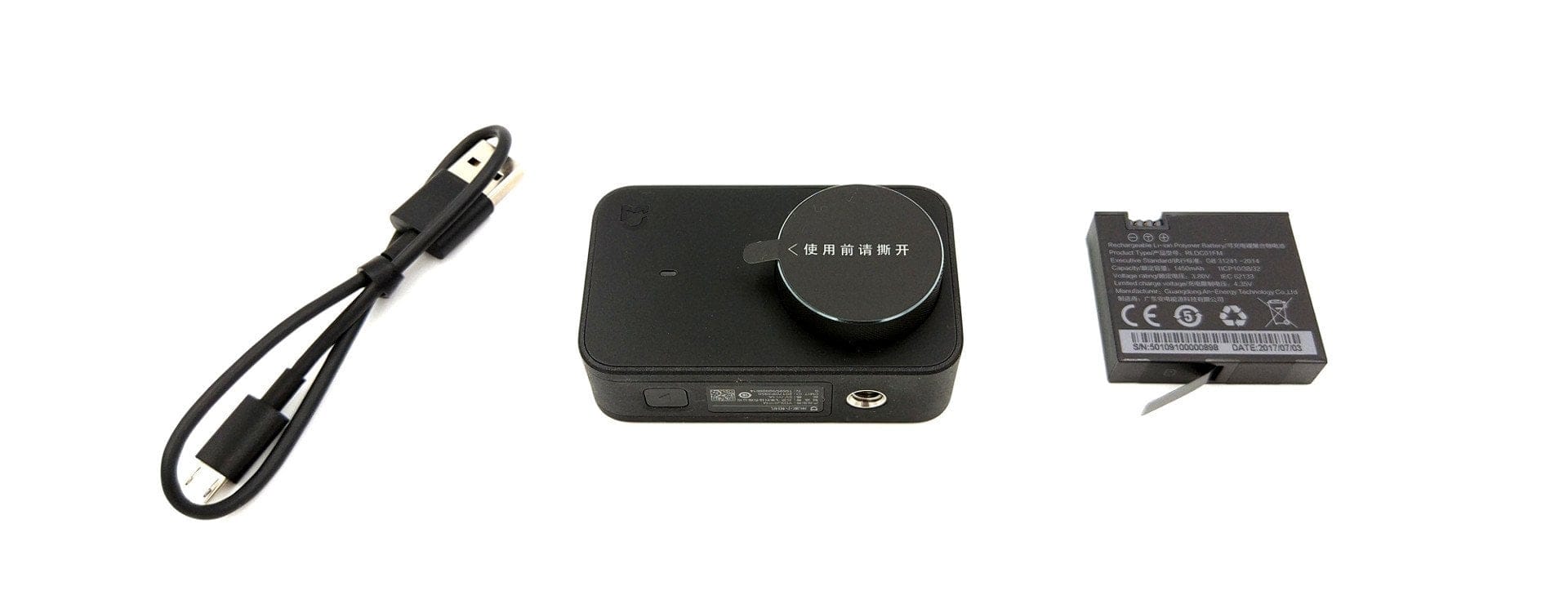
The MIJIA Action Cam is slightly wider than conventional action cams, with dimensions of 71.5 × 42.7 × 29.5 mm. A waterproof housing, often included in inexpensive third-party accessory packs, will therefore not fit. Those who want to additionally protect the action cam should best order the original Xiaomi housing at the same time! The weight is also relatively high at 99g (including battery).
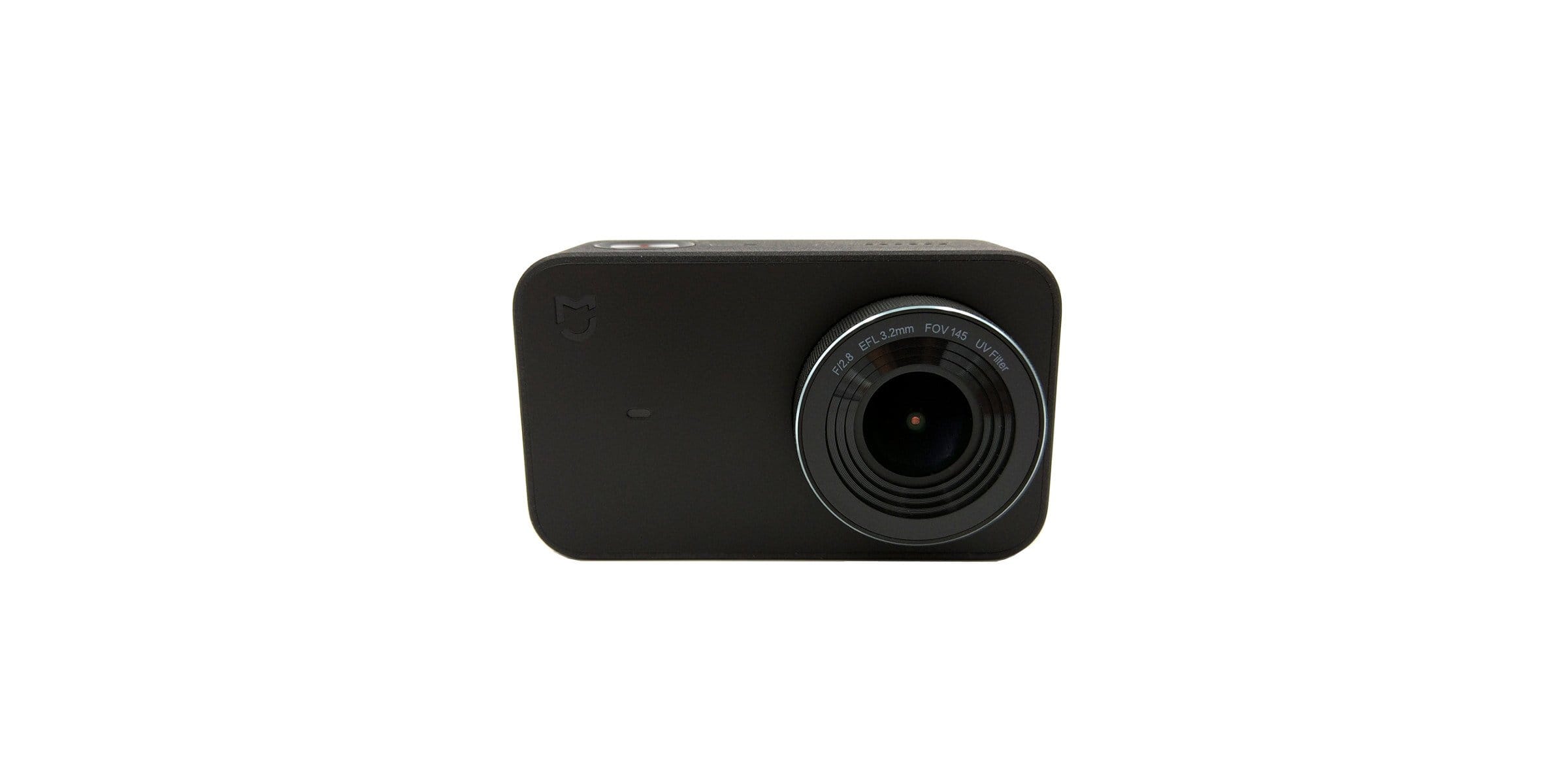
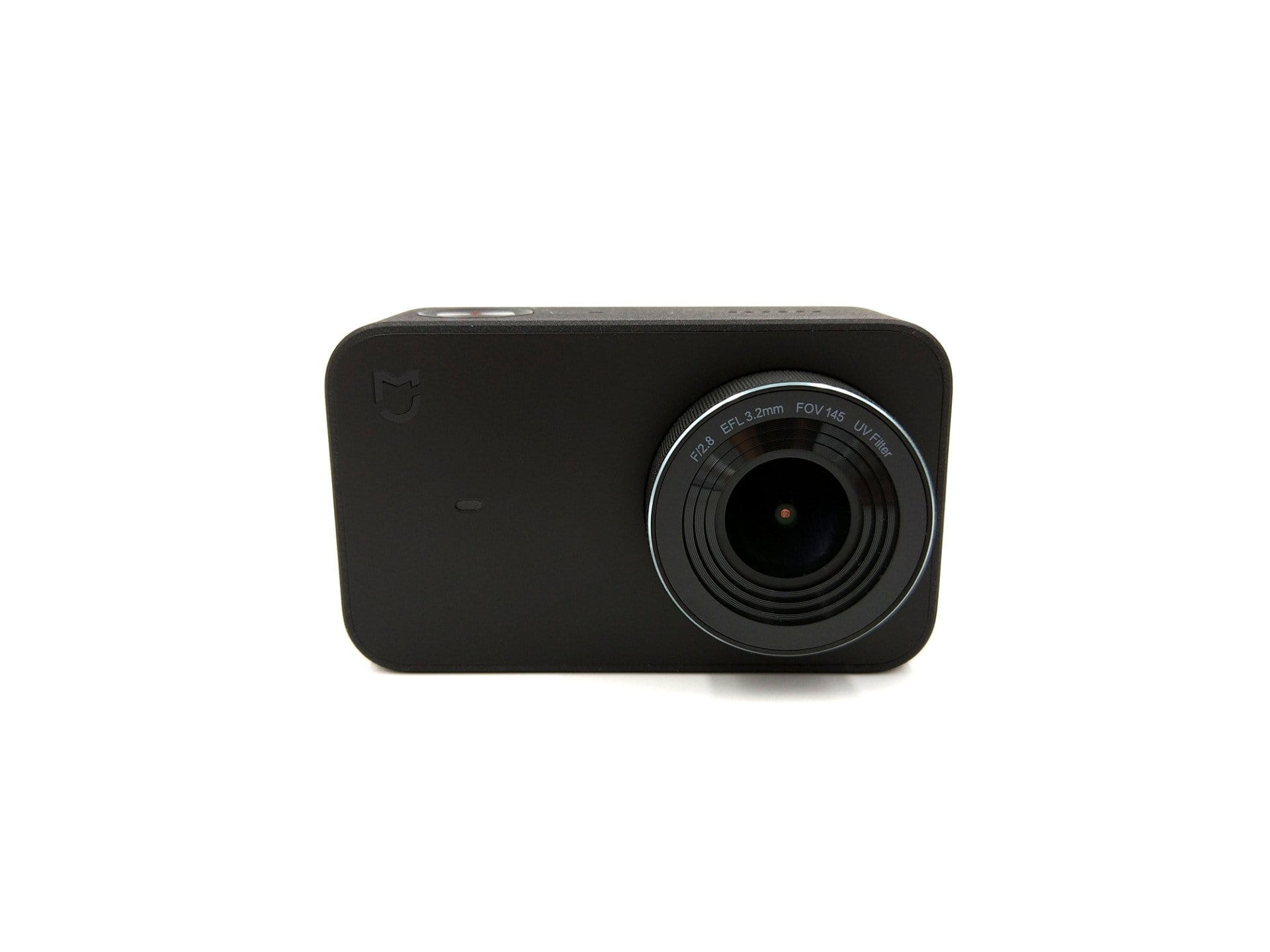
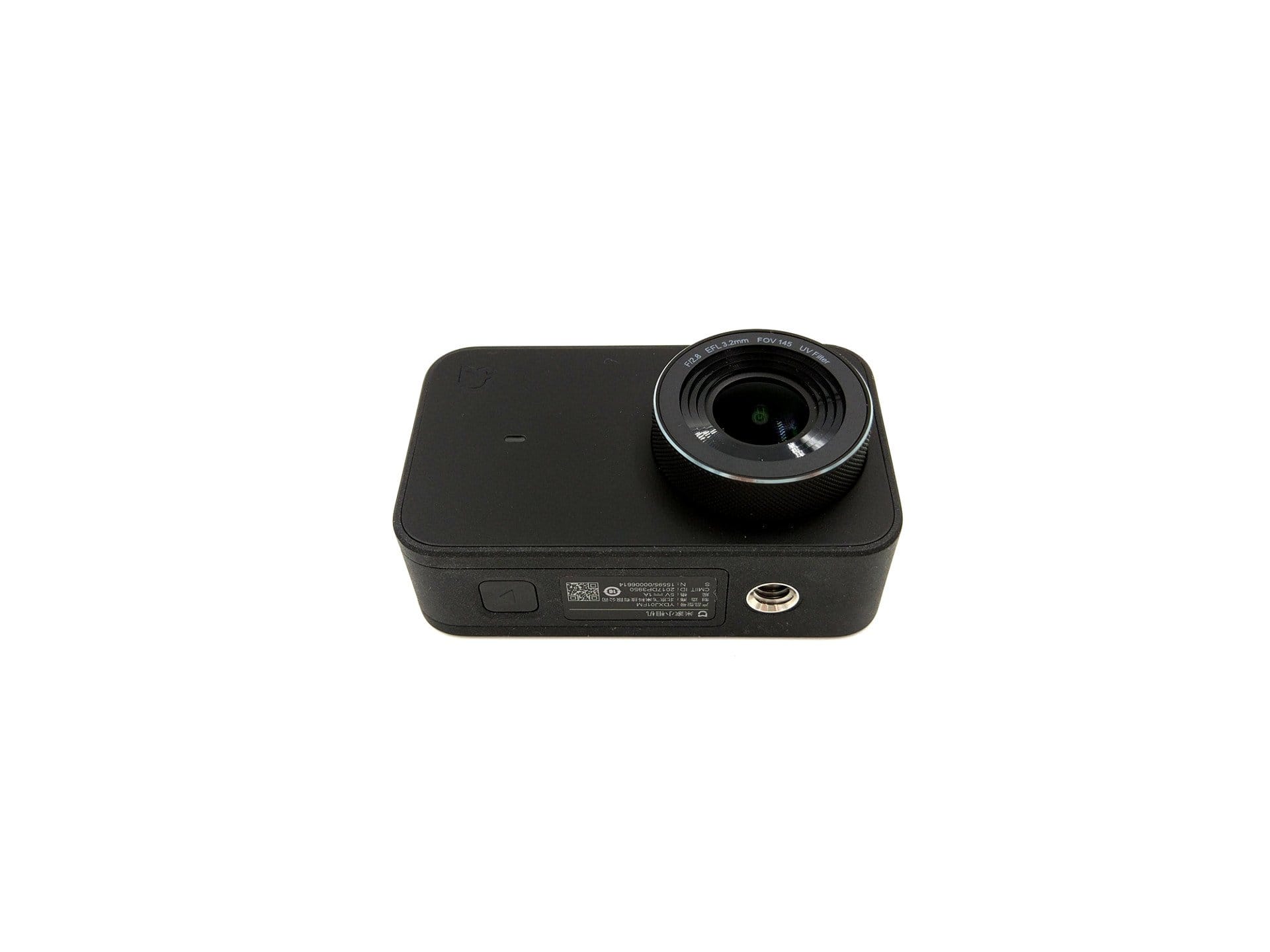
The all-plastic housing is square in shape with rounded edges. The housing frame is interesting, featuring a slightly textured, non-slip surface. The only control button is located above the frame. Next to it are a status LED, the microphone, and the speaker. On the front is the lens with a 145° wide-angle view. Another multi-coloured status LED is positioned nearby. The only connection option is a MicroUSB port on one side of the housing, cleverly concealed under a sliding cover. The Xiaomi MIJIA Action Cam does not offer an HDMI connection.
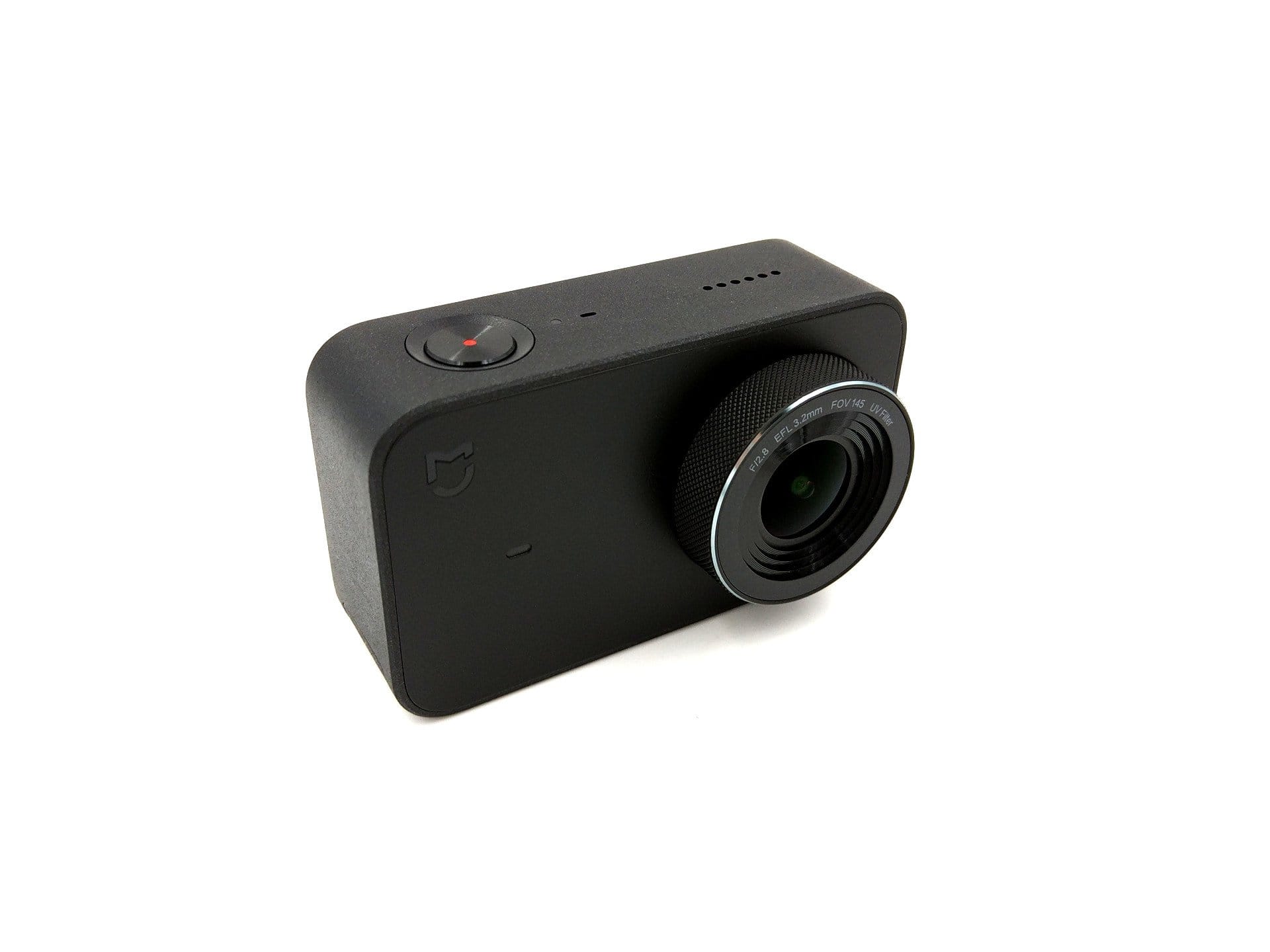
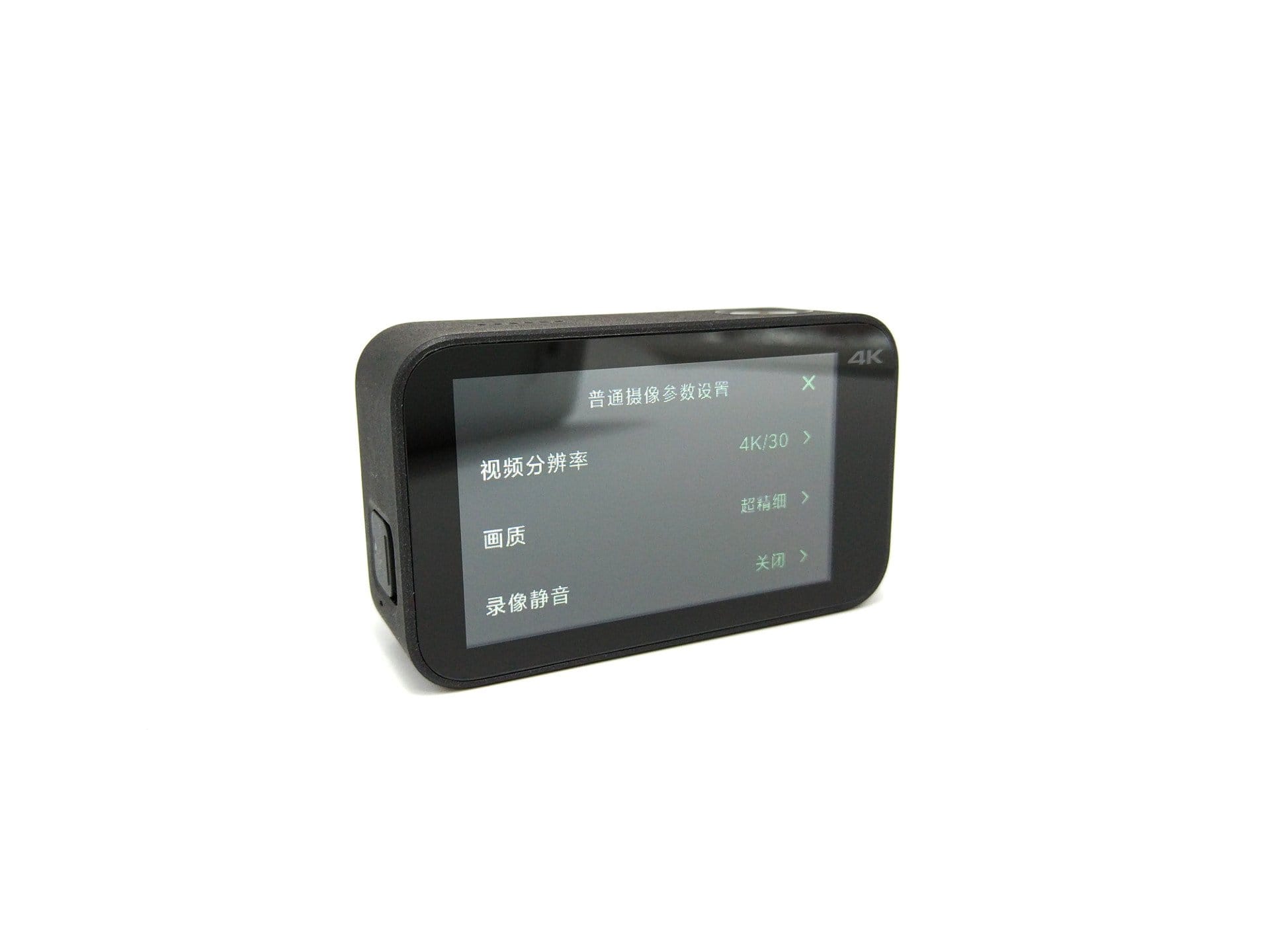
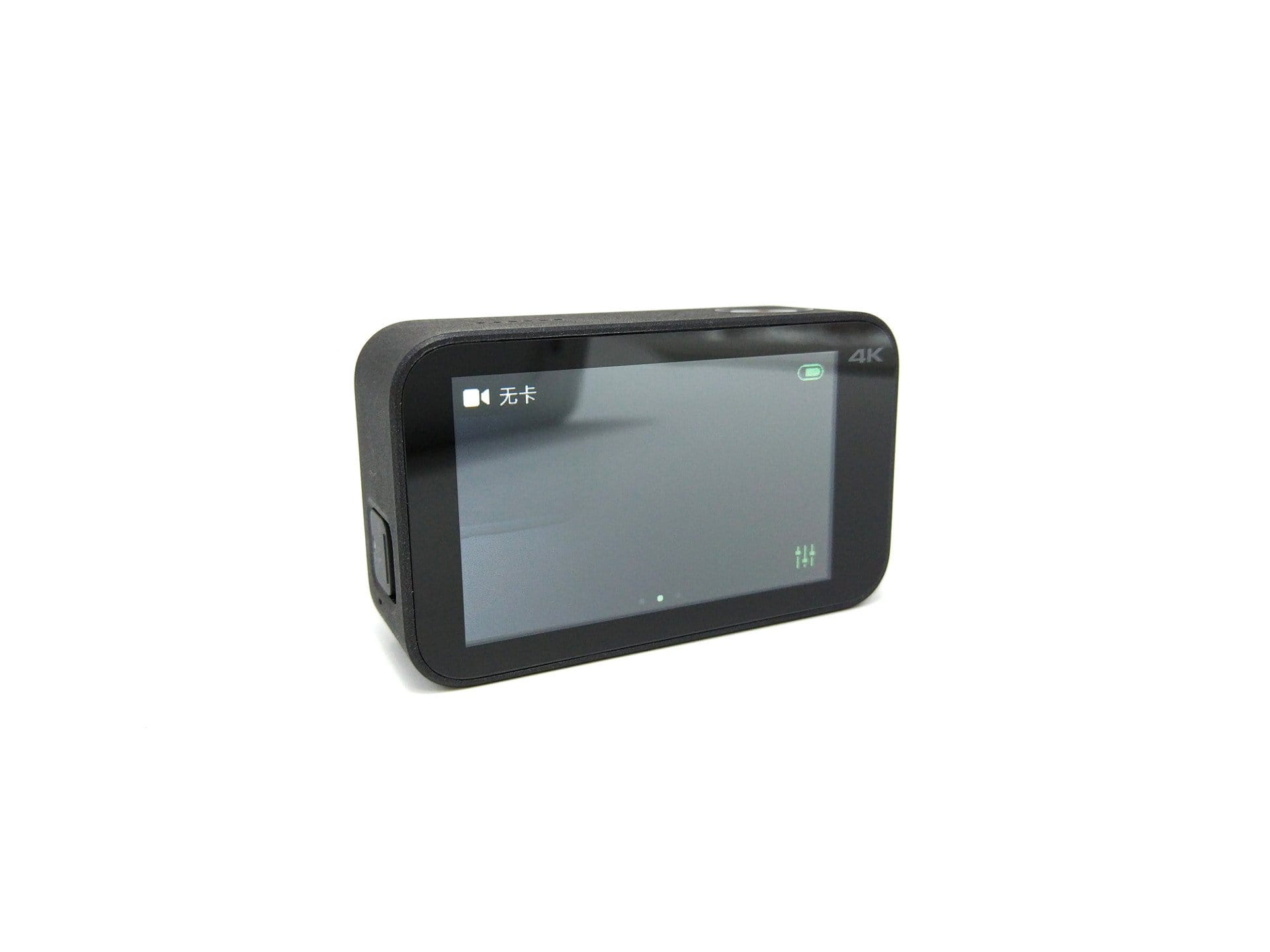
The rear of the housing features a 2.4-inch touchscreen. On the bottom of the housing are the battery compartment with a microSD card slot and a ¼-inch tripod thread. The build quality of the MIJIA Action Cam corresponds to typical Xiaomi quality and can well compete with the significantly more expensive market leaders.
Display and touchscreen
The controls are located on the back, with a 2.4-inch touchscreen and a physical control button on the top of the housing. This means the Xiaomi action cam uses a larger touchscreen than current market leaders GoPro HERO6 (2 inch) and Yi 4K+ (2.19 inch). The display has a resolution of 960 x 480 pixels.
In practice, the touchscreen is convincing. Thanks to the high display resolution, the depiction is particularly sharp. Colours are displayed accurately. Viewing the display from the side results in hardly any change in the representation, which speaks for good viewing angle stability. For any action camera with a display, the maximum display brightness and thus readability under strong light incidence is important. Here, too, the Xiaomi MIJIA Mini Camera performs surprisingly well. Overall, there are 3 brightness levels to choose from. At the highest brightness level, the display remains clearly legible even in bright sunlight. Only direct light incidence causes the display to become barely readable due to the reflective surface. Control via the touchscreen is straightforward. Swiping gestures and touch inputs are recognised accurately.
Hardware
For the MIJIA action cam, Xiaomi relies on a highly interesting and at the same time unusual combination of a Sony IMX317 image sensor and an Ambarella A12S75 image processor. The Sony IMX317 is a natively 8-megapixel and 1/2.5-inch large image sensor that uses Exmor R DOL-HDR technology. DOL-HDR stands for “Digital Overlap High Dynamic Range” and ensures that different exposure and subsequent processing produce an image with improved interplay between light and dark. Theoretically, this makes better night shots possible, with simultaneously improved colour reproduction. Wi-Fi is supported via the IEEE802.11 b / g / n protocols. Bluetooth is available in version 4.1. An Bosch BMI160 IMU, which consists of a 3-axis gyroscope and a 3-axis accelerometer, enables electronic image stabilisation (EIS).
Setup and user interface
Despite the Chinese instruction manual, setup is not a problem. Insert memory card and battery, switch on and start filming. What could become an initial problem, however, is the Chinese user interface. Our test unit, for example, was on an early firmware version that only offered Chinese as a selectable language. English was only added as a system language with firmware version 0.6.4.2444. However, anyone ordering the action cam now should receive a model with current firmware.
Xiaomi recommends using the action cam with at least a Class 10 Micro-SD memory card. For high-resolution 4K video recordings, memory cards with a UHS-3 interface are best suited. The manufacturer specifies a maximum storage size of 64GB. However, in tests, a 128GB SD memory card was recognized without problems.
The user interface is clearly organised. The home screen is not overloaded and provides information about the recording mode, the remaining recording time and the battery level at the top and bottom edges. The recording settings are accessed via the settings icon at the bottom edge. Swiping left switches to an overview of the individual recording modes. A swipe to the right leads to the gallery. Swiping from top to bottom opens a drop-down menu. This allows you to access general settings, turn WiFi on and off, activate the display lock or switch off the camera. Here is an overview of all recording modes and setting options.

Recording modes
The Xiaomi MIJIA Action Cam offers a total of 9 recording modes. Here is an overview:
- Video mode
- Time-lapse video (time-lapse recording)
- Slow motion (time-lapse recording)
- Loop recording (if the SD card is full, recordings are deleted)
- Video and photo (Photos saved alongside a video)
- Photo mode
- Photo timer (delayed capture)
- Burst mode (multiple shots)
- Time-lapse photo (time-lapse recording with photos)
Settings
The settings menu is divided into two categories. There is a subsection for the respective "recording mode" and "general settings". Here is an overview of the settings options
Video mode
- Resolution – 4K@30/25 | 2.5K@30/25 | 1080p@100/60/50/30/25 | 720p@200
- Quality – Super fine | Fine | Normal
- Lens correction – On / Off (Up to 2.5K)
- Image stabilization – On / Off (Up to 1080p@60)
- Microphone – On / Off
- Timestamp – Off | Date | Time | Date and time
- Metering mode (exposure measurement) – Average | Centre | Spot
- Exposure – +2 to -2 in 0.3 increments
- White balance – Auto | Native | Daylight | Cloudy | Underwater
Photo mode
- Aspect ratio – 16:9 (3840 x 2160) | 4:3 (2880 x 2160)
- Output format – JPG | JPG + DNG
- Timestamp – Off | Date | Time | Date and time
- Metering mode (exposure measurement) – Average | Centre | Spot
- Exposure – +2 to -2 in 0.3 increments
- Shutter speed – Auto | 1/60s | 1/30s | 1/15s | 1/8s | 1/4s | 1/2s | 1s | 2s | 4s | 8s
- ISO – Auto | 100 | 200 | 400 | 800
- White balance – Auto | Native | Daylight | Cloudy | Underwater
- Colour – Standard | Bright | Artistic | Film | Classic
General settings
- Video standard – PAL | NTSC
- SD card – Available storage | Format
- Standard recording mode
- Sounds – Loud | Medium | Off
- Display brightness – High | Medium | Low
- Rotation – On / Off
- Display lock – Off | 30s | 60s | 120s | 300s
- Auto. Off – Off | 2 min | 5 min | 10 min | 20 min | 30 min
- WiFi Auto – On / Off
- Bluetooth pairing
- In Housing Mode – On / Off
- User Guide
- Date and time
- Language
- About
- Factory settings
“Mi Home” app
The Xiaomi MIJIA Action Cam can be controlled remotely via an app or over Bluetooth using a compatible Bluetooth remote. App control is handled through the „Mi Home“ app, which also manages other Xiaomi products. The Mi Home app is available for both Android and iOS mobile devices in their respective stores.
The app is also fully available in English. If this is not the case when the app is first launched, the app language must be changed from "Default" to "English" in the profile settings. The connection between the action cam and the mobile device is established via WiFi. To do this, the camera builds its own WiFi network, which the mobile device connects to. All recording settings and general camera settings can be made directly via the app. At the same time, the Mi Home app offers the possibility of live view output and allows transferring all recordings stored on the SD card to the connected mobile device.
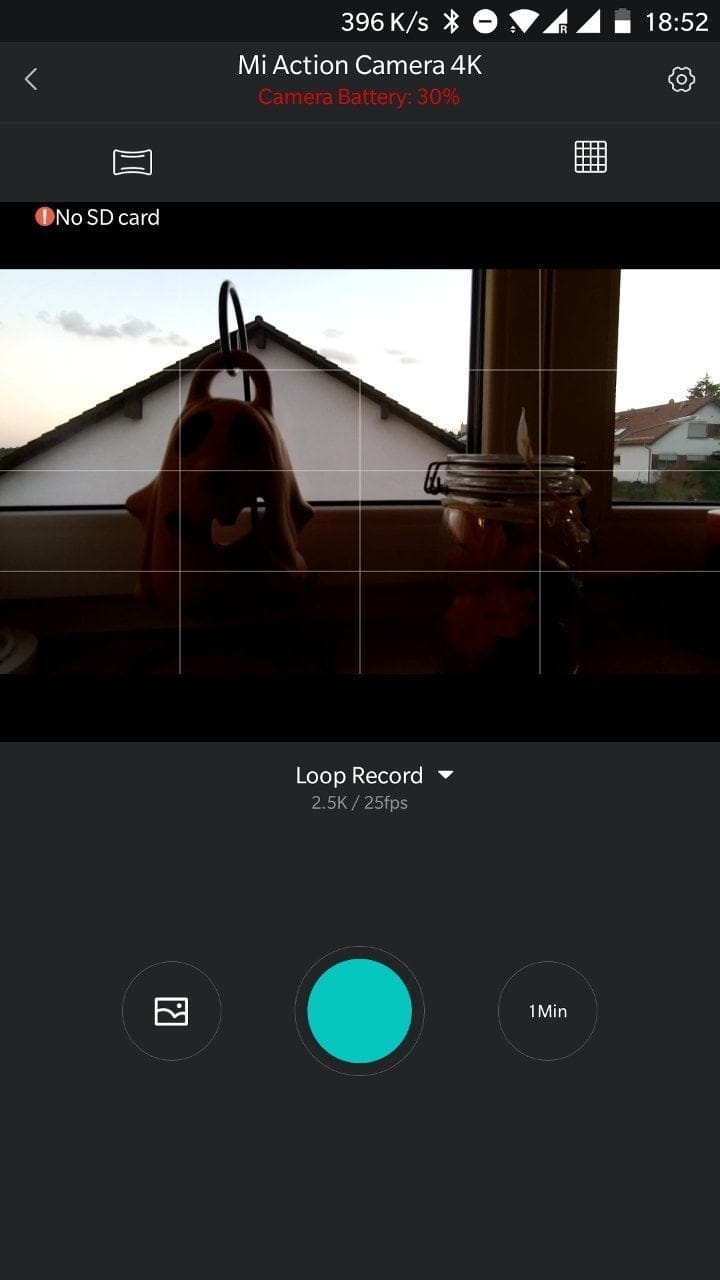
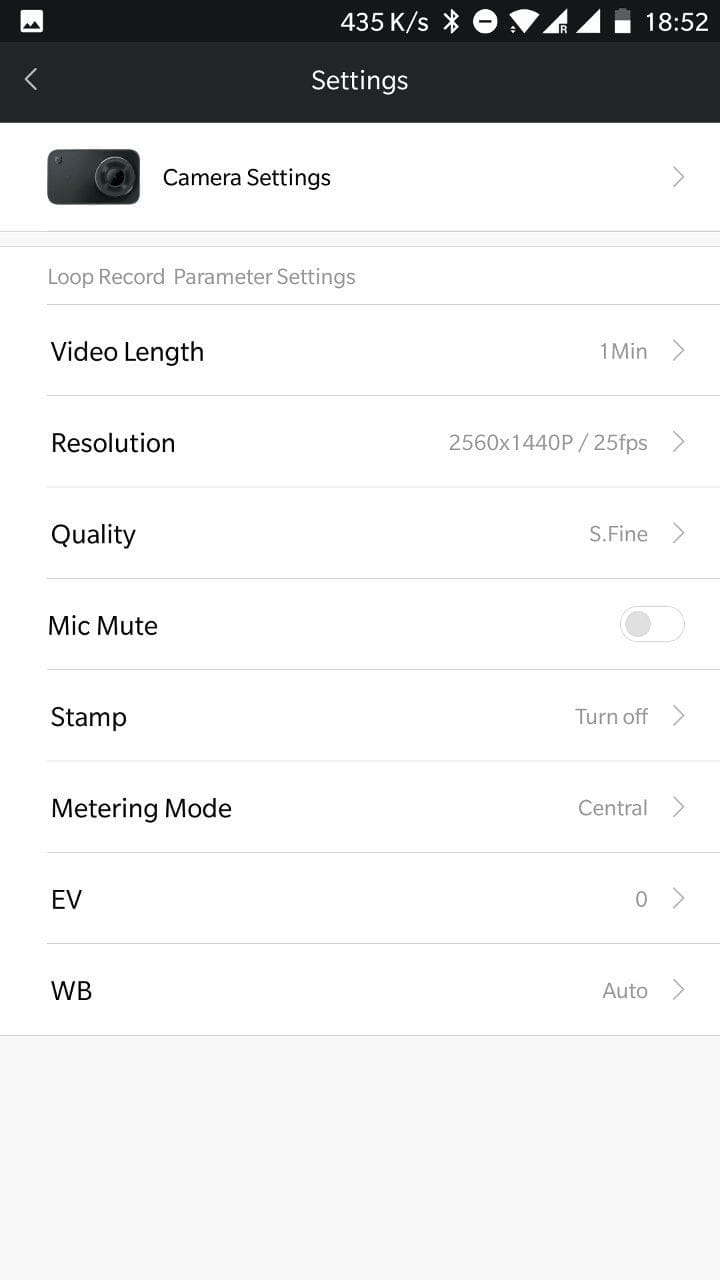
The transmission between the mobile device and the action camera proved to be extremely stable and only slightly delayed in the test. However, a slight delay is normal and also occurs with cameras from other manufacturers. Unfortunately, the MIJIA Action Cam only establishes a 2.4 GHz network.
Recording quality
Video quality of the Xiaomi MIJIA Action Cam
The Xiaomi Mini Camera records videos at a maximum of 4K resolution (3840 x 2160) at 30 frames per second. At 1080p resolution, the action cam achieves up to 100 frames per second, and at 720p even up to 200 frames per second. The recording format is MP4, encoded with H.264.
 Play video on YouTube
In the price segment up to 100€, the 4K recording quality of the Xiaomi MIJIA Action Cam is hardly beaten. Recordings are crisp and sharp, scoring high with a lot of detail across the entire image area. Reducing the resolution also slightly reduces the level of detail. Color reproduction is rich. The camera handles difficult lighting conditions well, so even filming against the light poses no problems. To what extent the 3D noise reduction advertised by the manufacturer makes a difference is hard to gauge. Image noise is barely noticeable under good lighting conditions and also has little impact under poorer conditions. The maximum video bitrate is 61000 kbit/s. The bitrate of the stereo audio track is 127 kbit/s with a sample rate of 48 kHz. Unfortunately, audio recording quality is not quite as good. Although speech is recorded intelligibly even over longer distances, there is occasional cracking that interferes with the audio recording.
An essential feature in any quality action camera is image stabilisation. The Xiaomi MIJIA Action Cam enables electronic stabilisation of footage up to 1080p@60. To this end, the camera uses a Bosch BMI160 IMU, which consists of a 3-axis gyroscope and a 3-axis accelerometer. Thus, while the camera is equipped with the same Bosch IMU found in the considerably more expensive Yi 4K+, the stabilisation performance cannot match that of the current top-tier Yi model. Larger shakes result in small micro-jitters that largely render the footage unusable. Gentle camera pans, on the other hand, are adequately stabilised. Running movements should therefore be avoided. It remains to be seen to what extent Xiaomi will improve the EIS with future firmware updates.
Photo quality of the Xiaomi MIJIA Action Cam
Photo resolution is limited by the 8 megapixel image sensor. Selectable aspect ratios are 16:9 (3840 x 2160) and 4:3 (2880 x 2160). The capture format is JPG. It is also possible to save photo captures as JPG + DNG. The taken photos, like the video recordings before, convince with rich colours, extremely low image noise and a high level of detail across the entire image area. Lens distortion correction can only be activated in the selected 4:3 format.


Battery
With a capacity of 1450 mAh, the Xiaomi MIJIA Camera has one of the largest batteries currently available on the action camera market. However, the unusual battery format makes it difficult to obtain replacement batteries. Although almost every import shop lists the camera along with its waterproof case and selfie stick, separate batteries are only available through indirect channels! Battery life is approximately 105 minutes at 4K resolution. With reduced resolution, 135 minutes can be achieved at 1080p. A full charge takes 100 minutes.


Our verdict
The Xiaomi Mini Camera is one of the best action cams in the price range around €100. The camera impresses primarily with very good video and photo recording quality, excellent battery life and a good touch display with decent screen brightness. There are drawbacks regarding the disturbance-prone audio recording quality, as well as the quickly overwhelmed image stabilisation. The included accessories, which lack a waterproof housing and mounts, are also rather sparse and warrant criticism.
Specifications
Hardware
- Image processor
- Ambarella A12S75
- Image sensor
- Sony IMX317
- Aperture
- f/2.4
- Wide angle
- 145°
- Touchscreen
- 2.4-inch LCD
- Ports
- Micro-USB
- SD card
- SDHC / SDXC
- Battery
- 1450 mAh
Video resolution
- 4K@30/25
- 2.5K@30/25
- 1080p@100/60/50/30/25
- 720p@200
Image resolution
- 8MP (16
- 9 / 4:3)
Other
- *WiFi, Bluetooth and app
- *Time-lapse
- *Slow motion
- *Burst shot
- *Loop recording
- *EIS
What’s included
1x Xiaomi Action Cam 1x battery 1x micro USB cable 1x user manual
Comments (35)
I want to buy an action camera in this price range and am unsure whether to choose the Mijia or the Yi lite. Currently, there is unfortunately very little accessories available on the market for the Mijia. Do you know if any new items are planned for the near future? Which of the two cameras would you recommend?
Hi Rene, currently the Xiaomi MIJIA Action Cam offers the better value for money. You do have to buy the accessories separately, but in the end you end up at a price similar to the Yi Lite. Obtaining batteries and other accessories is no longer a problem these days either. Most import shops list the batteries for around €12 and the waterproof housing for €25.
Overall, the MIJIA simply delivers better image and video quality. In terms of battery life and features, both cameras are roughly on par.
I am unsure between the Xiaomi Mijia 4K mini and the ROLLEI 610 Action Cam 4k – what would you recommend?
Price-performance ratio? Service in case of defects?
Hi Tayfun, the MIJIA 4K will clearly shoot better images and videos. I haven't had the Rollei 610 in my hands yet, but based on the spec sheet alone, it is evident that the Rollei Action Cam only produces interpolated 4K footage, meaning digitally upscaled shots. The Xiaomi MIJIA 4K clearly offers better value for money. If there is a defect, it depends on where you order the camera. If you choose GearBest, you don't need to send it back to China, but to an address in Spain. Service and warranty for orders from China are always a bit of a gamble. Personally, I haven't had to return anything so far.
Hello Timo 🙂
I decided on the Mijia 4K. Just received the delivery 🙂 The gimbal should follow in the next few days and so will the accessories 🙂
Hi, can I connect an external microphone to the camera? I need very good audio and good video quality. An external mic would be perfect for my use cases 🙂
Hi TiKay, unfortunately, no external microphone can be connected to this camera due to Micro-USB. Micro-USB is not designed for this purpose. Most cameras with Mini-USB or USB-C, on the other hand, do support external microphones.
Hello everyone
You write cool reviews 🙂 I am currently considering ordering the Xiaomi MIJIA. I would primarily use it for kayaking on the water (of course in a waterproof case).
Since I would mount the camera on the kayak where I cannot reach it, I would also need a remote controller, which is available for the camera. The question is now, whether the remote controller is waterproof, or if there is at least a waterproof alternative?
Best regards
Peter
Hi Peter, unfortunately, I haven't yet had the BT Remote or the selfie stick with remote in my hand. What you could do is pack your smartphone in a waterproof case (there are these zip cases available) and then control the camera via the app.
OK – many thanks for the quick reply. That's not a bad idea 🙂
Do you feel that this is the right camera, or would you recommend a different one to me?
Hi Peter, sorry for the late reply. Considering the price, and especially if you want to stay below 100€ , the camera isn't bad. It also naturally depends on the resolution you want to primarily film in, whether you want to connect an external microphone, etc… But as I said. In the price range under 100€ , the MIJIA Action Cam is a good choice.
Hello,
One very essential aspect was unfortunately viewed inadequately, or even totally misleadingly and incorrectly:
There is no (really) Mi Home App integration
This is an absolute joke. The cheap €20 Xiaomi cams are much, much better integrated, because the cam you reviewed isn’t integrated but “offloaded”: the XIAOMI CAM requires the phone to disconnect from its own Wi-Fi and connect to the XIAOMI Action CAM’s network.
Not a word about this in the review—not a word about how
1.
you have to leave your Wi-Fi network and the Mi Home app’s network for as long as you use it
2.
you have to enter a code to connect to the camera’s Wi-Fi
3.
only one device can be connected at a time (the other cams can support smartphone synchronization).
So you first have to log out completely on your smartphone before you can use the tablet.
4.
the cam isn’t listed under rooms, etc., but gets its own category: “Nearby Devices.”
Why “Nearby Devices”?
Because it isn’t integrated at all, but operates as an isolated island, which you have to connect to via a FERRY and its Wi-Fi hotspot. “NEARBY Devices” is already a dead giveaway.
When I don’t need the Mijia Action Cam on the go, I wanted to use it elsewhere around the house and garden, where I have Wi-Fi. But there is NO Mi Home app support at all, because the camera essentially sets up its own isolated “island”—its own Wi-Fi, with only one device connected at a time.
You should have noticed and mentioned this, because then I’d never have bought it.
Anyone can list facts like “it only has 2.4 GHz; 5 GHz is missing,” but surely it’s not too much to ask you to assess the integration, especially when Xiaomi was involved in development itself for the first time—and the camera practically shoves the fact that it sets up its own network right in your FACE. You can’t miss it.
.
The cam sets up its own Wi-Fi, so it can’t be viewed within the Mi Home app’s ecosystem at all: no sensor or other Mi Home app device can interact with the cam, because those devices operate on our home network, which we can no longer be connected to on our smartphone when we want to use the Action Cam!
Nothing works there, because the Mijia Action has its own network, and the cam is listed only as a “NEARBY DEVICE.”
The app itself does nothing but connect the smartphone and Action Cam; it has nothing to do with Mi Home.
I am appalled and disappointed that the review contains so many technical errors.
Hi Fischer, it's a shame that you don't like the review. Unfortunately, you misunderstood the section on the Mi Home app. The review explicitly states that the action camera builds its own WLAN, to which you connect with a mobile device. It is common for action cameras not to be integrated into an existing WLAN for remote control purposes. Of course, you then have to disconnect from your WLAN and connect to the camera's WLAN. You then only get internet via your mobile data connection. I assumed this knowledge on the part of the reader, as it is no different with other action cameras, whether a GoPRO HERO5/6 or a YI 4K/+ (excluding YT/FB livestreams).
An action cam is not a surveillance camera (“cheap €20 Xiaomi cam”) that connects to an existing Wi-Fi network; it’s a camera for mobile use that sets up its own Wi-Fi for app control. Being part of the Mi Home app doesn’t mean that all Mi Home devices communicate with one another either. The Mi Home app is simply a “collection of apps” that supports Mi Home products in a variety of ways, so you don’t need a separate app for every single device.
What about underwater shots (snorkelling), naturally only with a case? Do you have any experiences with how quickly the focus works and how good the image quality is underwater?
Hi mibo, the MIJIA Action Cam has fixed focus (as do other action cams). I haven't been able to test the cam underwater yet. With or without housing, however, it makes no difference to the image quality.
On your site, I am reading comprehensive information about frame rates (including 4K@30/25 | 2.5K@30/25) for the first time – THANKS! This is important for anyone who wants to cut footage from different sources later. Usually, the descriptions only state: up to 4k/30fps. However, I am looking for an action camera that records at 25/50 or 50i. Here, however, there is no mention of 24fps, unlike elsewhere – I don't need that. What is correct now?
Does the camera record at exactly 25/50 fps? Can this be determined in editing software (e.g. EDIUS)? Sometimes they are slightly off, as with some smartphones. Then you get ghost images and stuttering.
Has audio recording improved in the meantime? Rumbling and cracking sounds in between are obviously unacceptable. That is an exclusion criterion.
I am curious. Best regards, Jochen
UPDATE: Hi Jochen, I took another look at this. In the settings, you can switch between PAL / NTSC, which adjusts the frame rate accordingly to 25 FPS (50 FPS at 1080p) or 30 FPS (60 FPS at 1080p). The test recordings I retook reach 30 FPS at just under 29.97 FPS. The 25 FPS are achieved exactly. The video bitrate averages 61000 kbit/s.
——-
Hi Jochen, I will dig out the cam again and check it with the latest firmware. I believe I recall that the frame rate was changed accordingly via the PAL / NTSC option. I will check again.
Hello, very good report, thank you. Is a remote control (Bluetooth) also available, or is it only for YI?
Hi Hannes, you can pair the YI Bluetooth remote with the MIJIA. It looks like this: https://www.techreviewer.de/goto/gb-xiaomimijiabt/
Hi Timo,
unfortunately, the Bluetooth remote control doesn't work for me, although a connection can be established with the phone, only as proof that the battery is still usable :(.
Hi Hannes, have you installed the February beta firmware? The YI Remote Feature was only added with V0.6.14.02_beta. I have uploaded the firmware. Here is the link: https://www.dropbox.com/sh/scn2xpeot3pjuek/AABSjf2s2bbZ2ypOC_82mIlqa?dl=0
Hi Timo,
thanks for your quick reply. As I really have no idea how this works, could you please describe in detail (step by step) what I need to do?
Of course. The following steps are necessary:
1. You download the firmware. The file is compressed as ZIP. It contains the firmware.bin, which you extract.
2. You need a MicroSD memory card formatted in FAT32. Copy the firmware.bin to this card. (The card you use with the camera should already be formatted as FAT32.)
3. Insert the memory card into the camera and switch the camera on. A message about the new firmware should appear. You confirm this, and the firmware is installed.
seems to work
So, downloading the new software worked, but unfortunately the remote control still does not work. I have no idea what could be causing this???
So, now the new software is finally installed. It works :)))).
World-class. Thanks Tino 🙂
Great, I'm glad to hear that 🙂
Unfortunately, the remote control doesn't work for me either. I installed version 6.15.05i and the camera won't pair with the remote. What could be the reason for this?
I'm actually looking for a dash cam. Action cams are often suitable for this as well, such as the SJ4000. The essential feature is that the cam automatically turns on and starts recording when charging voltage is applied to the USB input. Can the Xiaomi mijia do this? Or does it at least turn on, allowing the cam to be activated or recording started via the app without manual operation on the device itself? Regards
Hi Martin, there is an “Auto Record” function, but it isn’t possible to have the cam switch on automatically.
The following information is unfortunately incorrect:
– EIS stabilization only works at 1080/30, not at 1080/60 as you state! This should be corrected.
– Lens distortion correction can also be enabled at 16:9, not only for 4:3 recordings as you state.
– The following claim about loop recording is incorrect: “When the SD card is full, recordings are deleted”—you have to set a duration of 1–30 minutes.
Hi Philip, thank you very much for your comment. The test report is already almost 1 year old. At that time, testing was still carried out with an older firmware. I just grabbed the camera and checked again. 1080p60 with EIS is at least possible with the older firmware. Lens distortion correction was also only possible with 4:3 and entering a time period in loop mode is not possible with the older firmware. I will take another look at the camera in the coming days, update it and compare it.
Great, thanks! I wouldn't have thought that so many fundamental things would be changed across firmware versions.
1080p60 EIS has actually been removed. As soon as I connect the camera to the old firmware via the Mi Home app, the EIS function disappears in 1080p60 mode. EIS is no longer selectable even via the camera. Restarting the camera without the Mi Home connection makes EIS with 1080p60 possible again.
Has the audio problem been fixed?