Contents
(Xiaomi) Roborock S50 & S55
Xiaomi robot vacuum cleaner, 2nd generation?
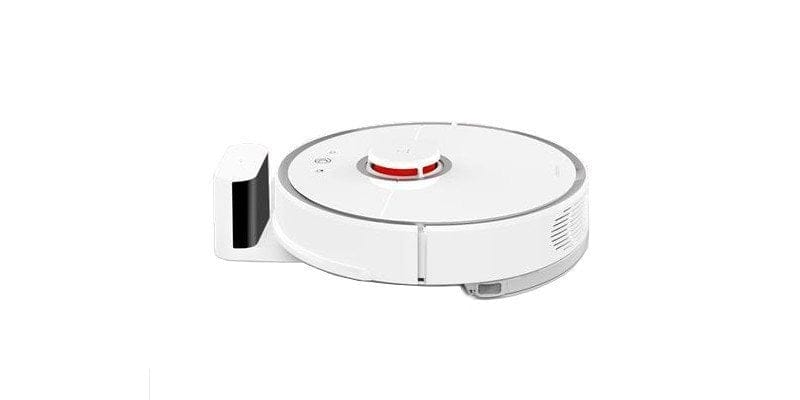
Just looking at the design of the Roborock Sweep One, one might think it is a successor to the first Xiaomi robot vacuum cleaner. In fact, it is a robot vacuum cleaner funded via crowdfunding, produced and distributed not directly by Xiaomi, but by Roborock. If you take a look at the official Mi website, you will find no information about the Roborock Sweep One, despite its recent release.
The similarity between both models stems from the fact that Roborock already produced the Xiaomi vacuum robot, although it was marketed by Xiaomi itself. This approach by Xiaomi is not unusual, as the electronics giant has already had products manufactured by various producers in the past and simply branded them with the Mi logo. With the Roborock Sweep One, you get a product without the Mi logo, but one that adheres to the quality standards of the original Xiaomi vacuum cleaner.
New design and higher suction power
Well, not much has changed regarding the design. The vacuum robot is still round and continues to feature a typical white housing with orange accents. Notably, the Lidar sensor on the top has moved towards the centre and the robot now features 3 repositioned control buttons.
Also included is the extensive sensor suite, which includes a 360° laser sensor or rangefinder, multiple infrared and ultrasonic sensors, a gyroscope, an e-compass and an accelerometer.
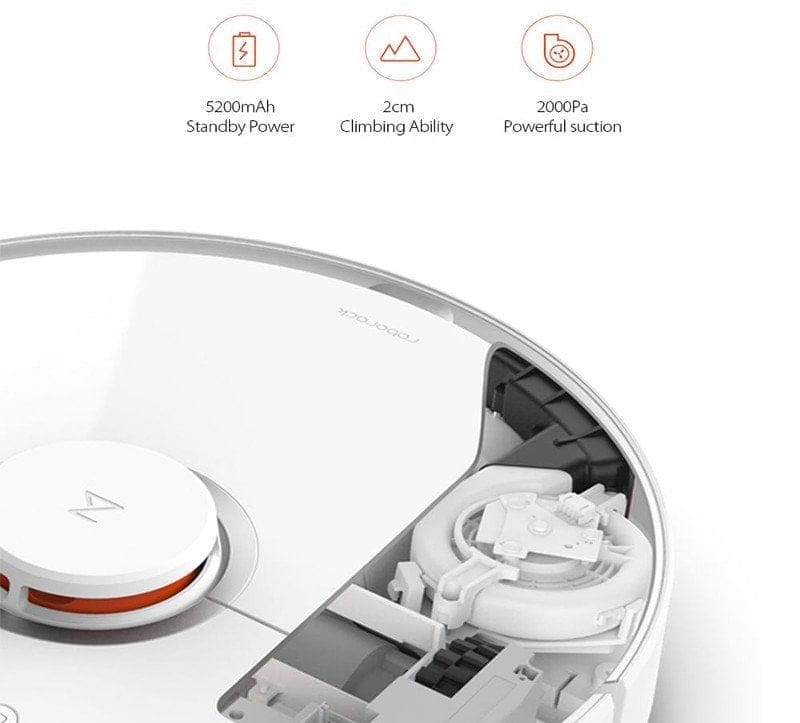
The suction power has also increased. The suction performance of the first Xiaomi robot vacuum was 1800 Pa. The Roborock Sweep One achieves 2000 Pa. At the same time, the capacity of the removable dust container has been increased. It now holds 0.48 litres, i.e. 0.6 litres more than the original Xiaomi robot vacuum. Carpet edges should no longer be an issue. Here, the threshold or climbing height has increased to 2 cm (compared to 1.5 cm).
Wiping function
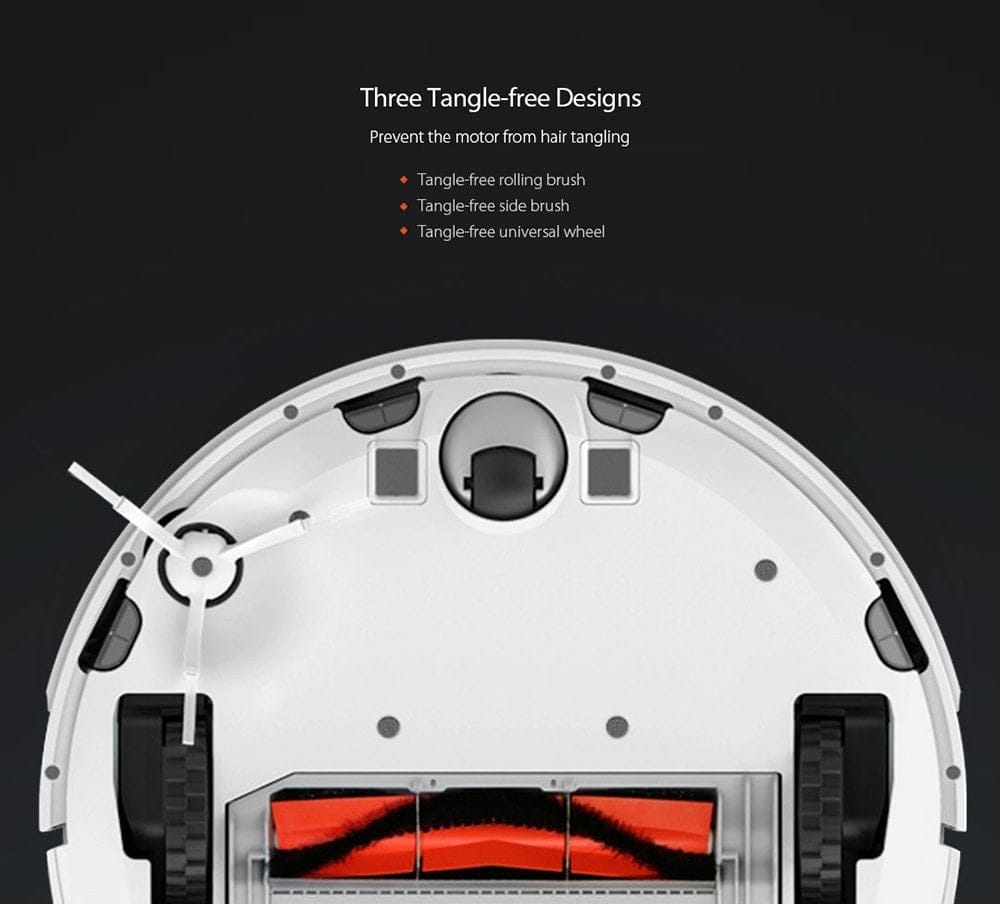
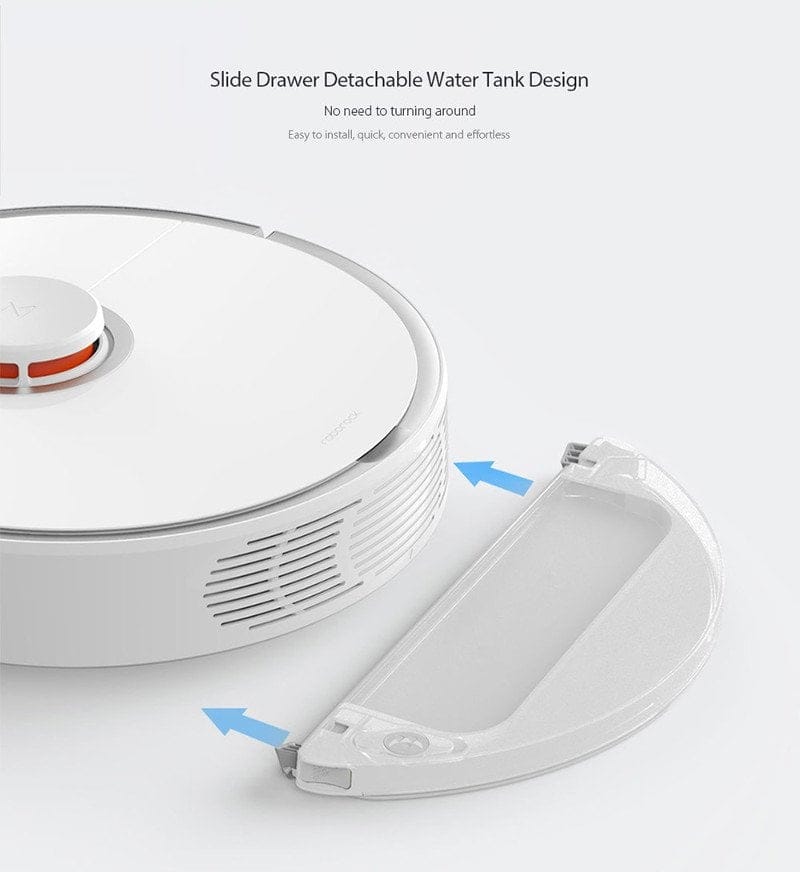
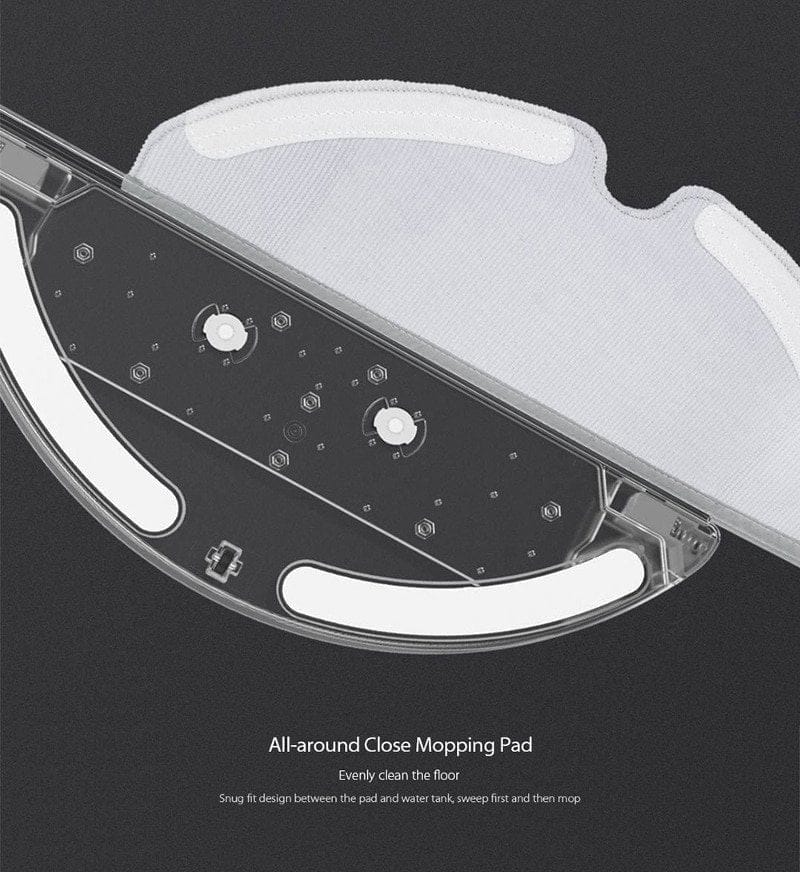
A comprehensive new feature is the wet mopping function of the Roborock Sweep One. For this purpose, the vacuum robot comes with a small water tank and microfibre mop cloth. Attached to the underside, the Roborock vacuum robot can vacuum and wet mop simultaneously. The mopping time on one tank fill can be 45 to 60 minutes. For easy cleaning, both the tank and the mop cloth can be detached from the vacuum robot separately.
Smaller charging station, same app
What stands out is the significantly smaller charging dock of the Roborock Sweep One. While this provides more flexibility regarding the dock's placement, the vacuum robot must navigate to the charging dock more precisely. However, early test reports from China indicate that the Sweep One's autonomous navigation is extremely accurate and that the device, with its "Return to Home" function, is in no way inferior to the older Xiaomi robot vacuum.
The battery has a capacity of 5200 mAh and is sufficient for a 2 1/2 hour runtime, which corresponds roughly to cleaning a 250 m² flat. It is surprising that app control still takes place via the "Mi Home" app, even though the Roborock robot vacuum is not strictly a Xiaomi product. There are no innovations with regard to the app. Among other things, schedules can be configured via the app, the robot vacuum can be controlled manually and the room map generated by the sensors can be displayed graphically.
Roborock S50 Q&A
1. Overview of error codes and their solutions.
What does the error code mean: Error 1
The laser distance sensor on the robot vacuum is dirty or blocked. Try cleaning the sensor and removing any object that may be blocking it.
What does the error code mean: Error 2
The side and bottom collision sensors are dirty or blocked. Try cleaning the sensors and removing any objects that may be blocking them.
What does the error code Error 3 mean?
The drive wheel is blocked. Lift the robot vacuum and free it from the obstruction.
What does the error code Error 4 mean?
The anti-fall sensor is dirty or blocked and therefore can no longer detect steps! Try cleaning the sensors and removing any blocking object.
What does the error code: Error 5 mean?
The main brush is blocked and can no longer rotate. Disconnect the main brush and remove dirt and hair from it.
What does the error code: Error 6 mean
The side brush is blocked and can no longer rotate. Detach the side brush and remove any dirt and hair.
What does the error code: Error 7 mean
The drive wheel is blocked. Lift the robot vacuum and free it from the obstruction.
What does the error code mean: Error 8
The robot vacuum has got stuck. Free it so it can continue working.
What does the error code mean: Error 9
Install the dustbin including the filter. If the error code persists, clean or replace the filter.
What does the error code: Error 10 mean
The filter is heavily soiled or blocked. Clean or replace the filter.
What does the error code mean: Error 11
The vacuum robot is exposed to a strong magnetic field. Please place it elsewhere.
What does the error code Error 12 mean?
The battery is almost empty. Charge the vacuum robot via the dock.
What does the error code Error 13 mean?
There is a problem with charging. Check whether the charging contacts are connected.
What does the error code mean: Error 14
The battery is overheated. Switch off the robot vacuum and let it cool down.
What does the error code Error 15 mean?
The sensor on the charging dock is dirty. Clean the sensor so that the robot vacuum can find its way back to the charging station automatically.
What does the error code: Error 16 mean
The robot vacuum is on an uneven surface. Please relocate it.
What does the error code Error 17 mean?
The side brush is not working properly. Reset the Roborock to factory settings.
What does the error code: Error 18 mean?
The robot vacuum is not working properly. Reset the Roborock to factory settings.
What does the error code Error 21 mean?
The laser distance sensor on the robot vacuum is dirty or blocked. Try cleaning the sensor and removing any object that may be blocking it.
What does the error code mean: Error 22
There is a problem with charging. Check whether the charging contacts are dirty and clean them if necessary.
What does the error code Error 23 mean?
The sensor on the charging dock is dirty. Clean the sensor so that the robot vacuum can find its way back to the charging station automatically.
2. Does the Roborock S50 have CE certification?
If you opt for the international model of the Roborock S50, it has CE certification. Furthermore, the international model comes with a European power cable and a multilingual user manual. There are no hardware differences compared to the Chinese Roborock.
3. Can I control the robot vacuum without the app?
You can also operate the robot vacuum without the app. There are three control buttons on the top of the vacuum for this purpose. However, to use all features, especially to create room and time schedules and make settings, you need the Android or iOS app. You can easily download it free of charge from the respective app store.
4. Is the robot vacuum cleaner smart home compatible?
Yes! You can connect the robot vacuum to Google Assistant, Alexa and Apple HomeKit, among others.
Google Assistant
You need the Google Home app to control it. Within the app, add a new service. Search for the "Mi Home" service and select it. You will then be prompted to log in with your Mi Home data. Once a connection is established, you can assign the robot vacuum cleaner to different rooms. You can then control the Roborock robot vacuum cleaner using voice commands.
Alexa
Download the "Roborock Home" skill and link your Mi account. You can then switch the vacuum cleaner robot on and off using voice commands.
Apple HomeKit
To integrate with HomeKit, you need the Homebridge plugin "miio". The robot vacuum is integrated as a fan, allowing remote on/off switching and suction power control. Users also receive information about battery status and sensors.
Specifications
Vacuuming
- Suction power
- 2000 Pa
- Noise levels
- ~50 - 60 dB
- Step height
- 2 cm
- Dust container
- 0.48 litres
Swipe
- Wet
- Yes, tank
- Microfibre cloth
- Microfibre
Sensors
- *360° Laser Distance Sensor
- *Ultrasonic sensors
- *Infrared sensors
- *Accelerometer
- *Gyroscope
- *E-compass
Battery
- Capacity
- 5200 mAh
- Runtime
- 2.5 hours
Other
- App
- Mi Home
- Size
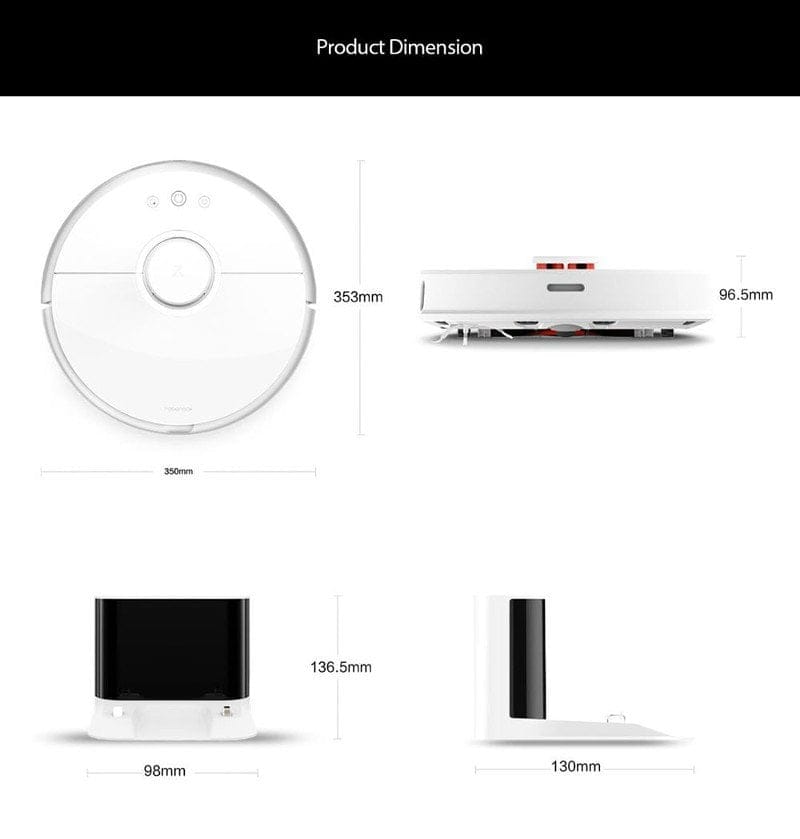
- 35.30 x 35.00 x 9.65 cm
- Weight
- 3500g

Comments (13)
What is the difference between the International and Upgraded versions?
Hi, the difference will be that an English manual is included instead of a Chinese instruction manual.
“In China, the device costs around 2,499 yuan, which is roughly €318. A release date has not yet been announced.”
Reasons to simply wait, unless you enjoy paying over €100 too much for some ominous preorder just for the device to maybe be delivered at some point (as is known from Gearbest with pretty much all other preorder campaigns)
Hello techreviewer, has your review device arrived yet? I ordered from GearBest on 09.11 and my Roborock was shipped on 15.11. I have a Hermes tracking number that I can also track. But since mid-November it has stated that the vacuum cleaner has not yet arrived at the distribution centre?! How long is this going to take? It needs to be under the Christmas tree!
Ours arrived today, and we experienced similar issues during shipping; people are obviously scrambling for the robot vacuum. I must say, apart from brief problems installing the app, I am very satisfied.
Important! When setting up the app, be sure to specify China Mainland; it does not work with Europe or other regions.
Hi Mephisto, Hi easyfly,
our test unit has also been in transit since 14.11. It was also dispatched by GearBest. Currently, almost every order from China is experiencing significant delays. It is therefore not only GearBest that is affected, but really all shipments from China, regardless of the shipping provider. I suspect that your Roborock Sweep One and our test unit will arrive later this week, at the latest early next week. Orders dispatched between 09.11 and 13.11 have already been delivered or will be delivered in the coming days. Orders from after 13.11 should be up by the weekend.
Hello, I just can't make head or tail of all these designations. I want to buy the Roborock robot vacuum. Now I read here and there about Roborock S50, then Roborock Sweep One, then again Xiaomi robot vacuum 2nd generation... I just want the successor to the first Xiaomi robot vacuum without buying the wrong one. Which one is the right one?
Hi Heribert, I have to agree with you that the names have become rather confusing by now. The Roborock Sweep One and Roborock S50 are both the same model. The Roborock S55 is something else, but there is no information about it yet. Many websites promote the robot vacuum with the Xiaomi name added, since Roborock produced the first Xiaomi robot vacuum, among other things. That’s why they look so similar. So if you also find the vacuum listed as the “Xiaomi VAC 2nd generation,” it should be the new Roborock model. You can also tell the difference visually by the offset laser tower and the different control buttons. I hope I was able to help with your question.
Thanks, I have now ordered the Roborock S50 from GearBest. That should be the right model then. Regards
Great review, but I still have some questions that I hope you can help with!
1. Does the Roborock drive over carpets even when the mopping attachment is attached, and does it vacuum at the same time?
2. Is there a way to change the battery?
3. Are the spare parts of the Xiaomi vacuum robot compatible with the Roborock?
4. Is the app in Chinese or English?
Thanks and LG
Hi Benjamin, sure I can answer your questions.
1. Yes, unfortunately carpets are not avoided when the water tank is attached.
2. With the first model, it was possible to replace the battery if you had the know-how. I estimate the design has hardly changed, which is why I assume it will also be possible with the new Roborock.
3. Many spare parts are compatible. See brushes etc.
4. The app is available in both Chinese and English. You can set the voice prompts to English.
Thanks for your answers. They were very helpful!! I have one more question, though: does it also handle door thresholds?
Hello, I once heard in a video that the Roborock S50 returns to its station after a longer tour and recharges, but then does not set off again to clean areas that have not yet been cleaned. Is that actually true or is it not? Or was it perhaps the case and has since been fixed via an update?
Thank you very much