Contents
First impressions of the ZIDOO X10

Media players with a Realtek RTD1295 system-on-chip are rather rare. Manufacturers often prefer to use the inexpensive Amlogic S905 and Amlogic S912 chipsets. The potential of the Realtek RTD1295 is often underestimated; the chipset, among other things, is capable of controlling a SATA interface, offering an HDMI-In recording option, and even supports OpenWRT. The first Android TV box with an RTD1295 SoC was the ZIDOO X9S media player, released in 2016. The ZIDOO X10 is the successor, based on the framework of the X9S, but can additionally be upgraded with an internal hard drive.
What’s included
The contents include everything required for setting up the media player. In addition to the ZIDOO X10, the package contains a power supply with an EU plug (12V – 3A), an HDMI cable, a phono to 3.5 mm jack cable, a remote control and a user manual, as well as warranty information. The remote control additionally requires 2 AAA batteries, which are not included in the delivery.

Design and build quality
Media player
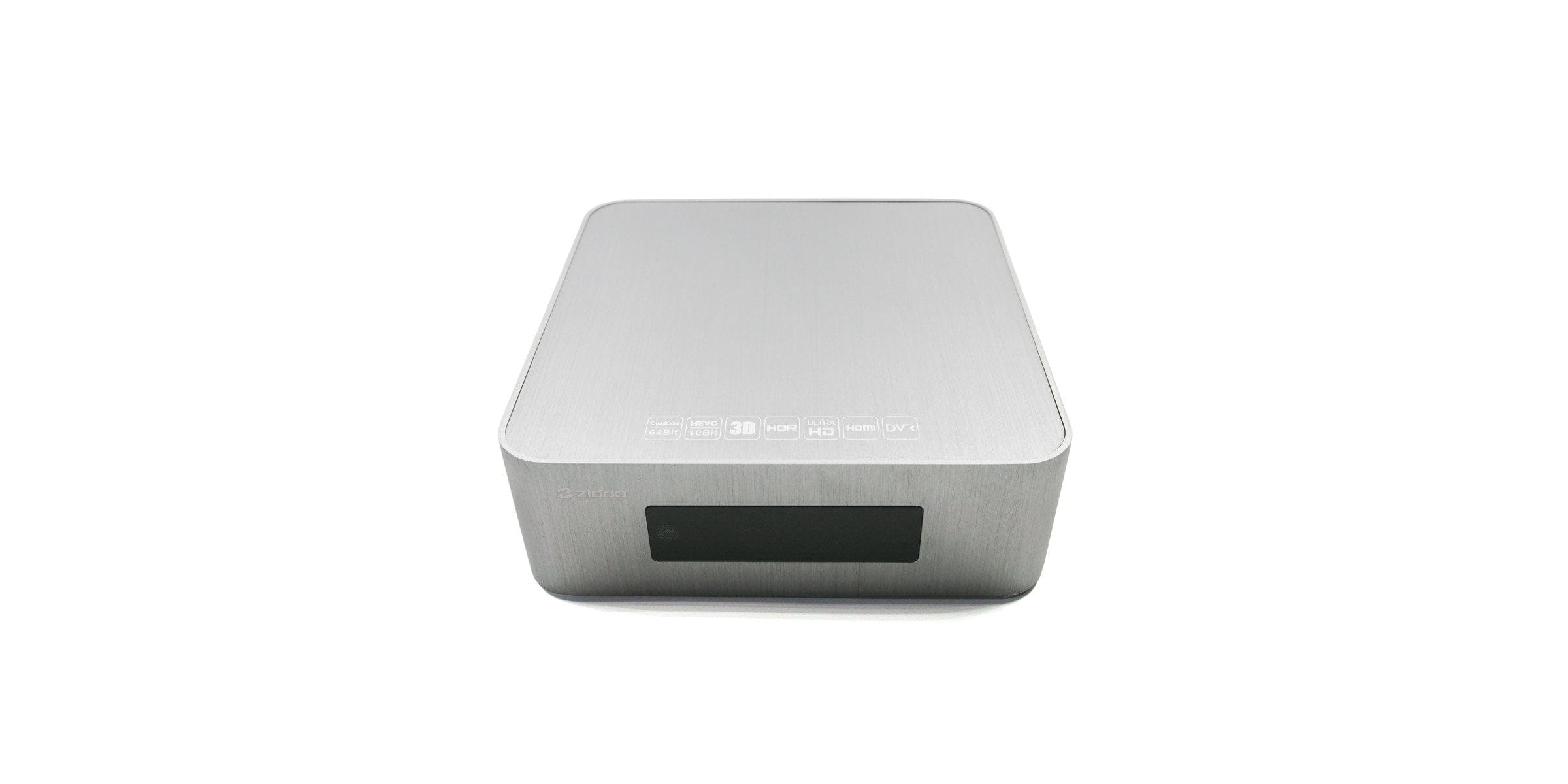
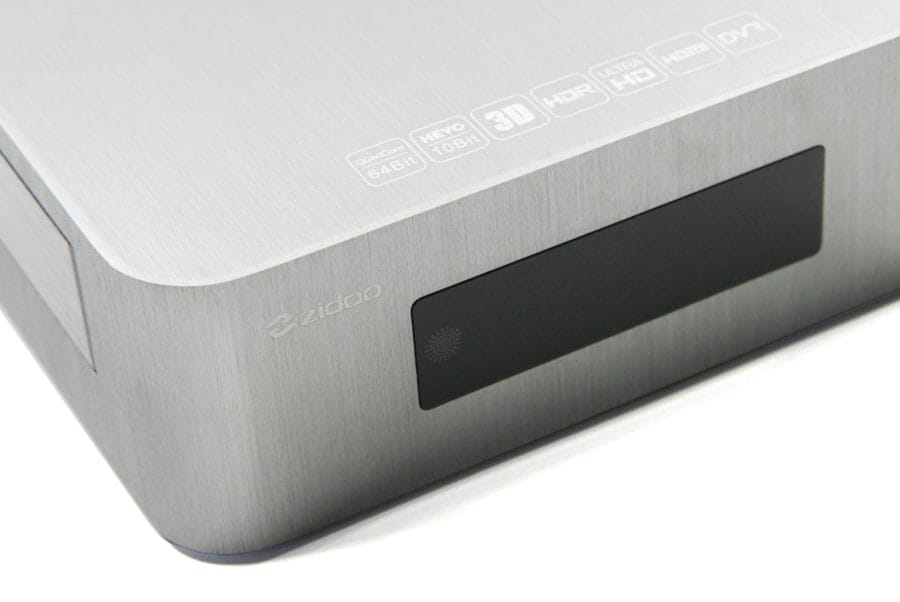
The ZIDOO X10 media player comes in an elegant all-metal housing (aluminium). The dimensions are 197 x 197 x 65 mm, and the weight including antennas is an impressive 1300g. The box is constructed as follows:

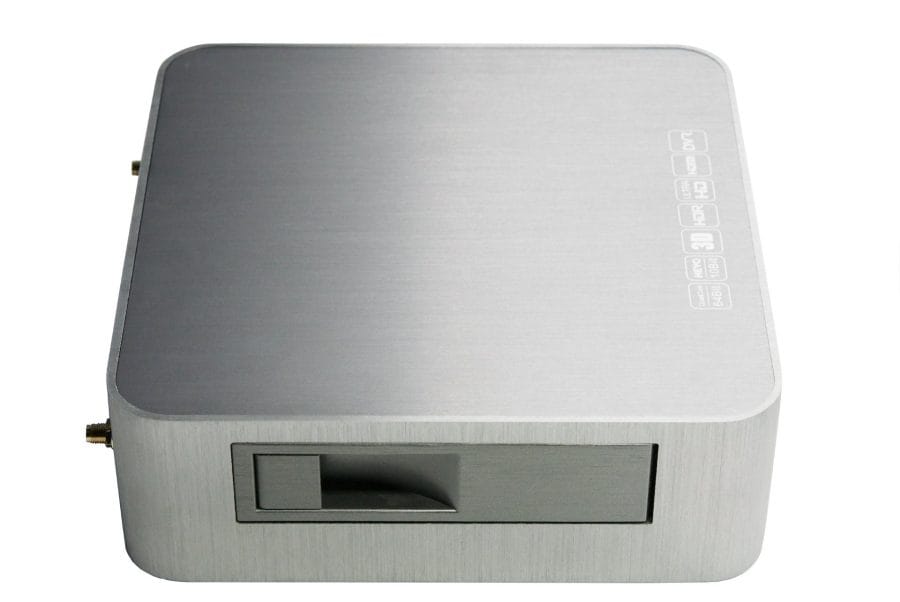
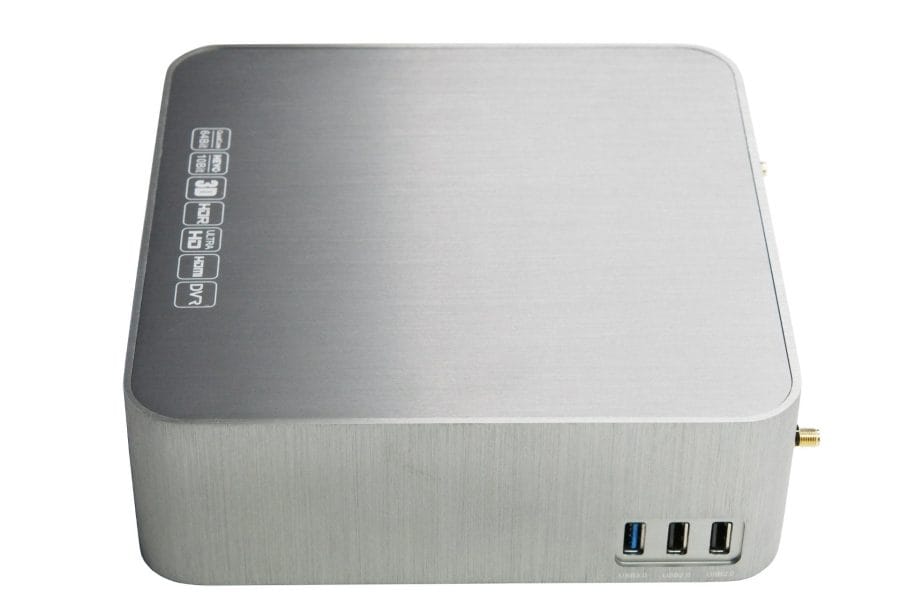
On the front, there is the brightly lit LED “Vacuum Fluorescent Display” (VFD) with IR receiver, which provides information on media playback and the time, among other things. The left side of the housing features the hard drive bay (3.5“), with a neatly closing access flap, while the right side has two USB Type-A 2.0 ports, as well as a USB Type-A 3.0 port.
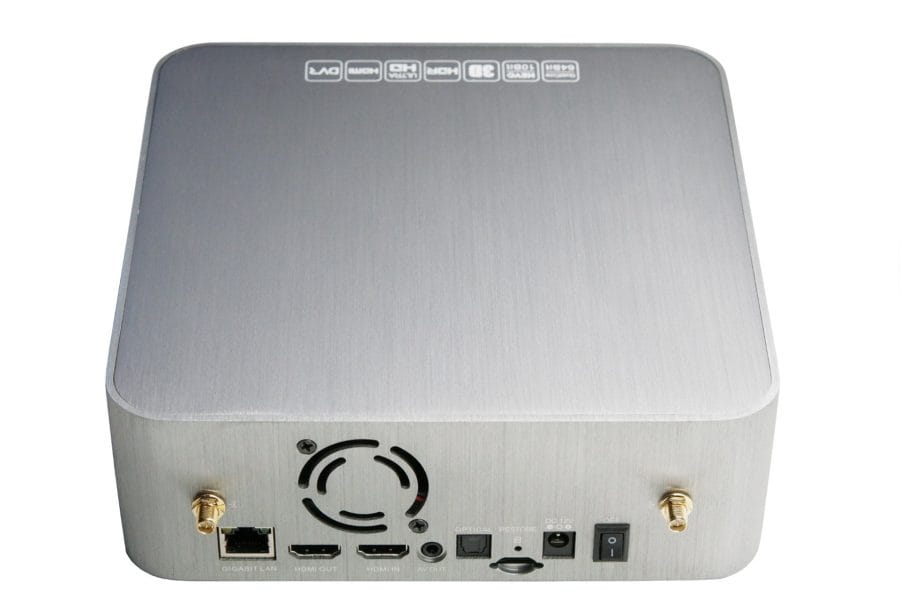
All other connection options and control buttons are located on the back of the housing. These comprise an RJ45 jack (Gigabit LAN), one HDMI 2.0a output and one HDMI 2.0a input (both HDCP 2.2 compatible), one AV output, one optical audio output, one MicroSD memory card slot, a reset button, a 12V DC input, a power switch and two external Wi-Fi antenna connections.
The media player is cooled by a small fan. Additional ventilation slots are located on the bottom of the housing. Four rubber feet ensure stable positioning. The box can be opened by loosening a total of 4 screws, 3 of which are under the rubber feet and one is covered by a warranty seal. The build quality of the ZIDOO X10 is impeccable and appropriate for its price.
Remote control
As mentioned, the box also includes a remote control. Communication between the media player and the remote control takes place via infrared. The remote control itself is well-made and features a backlight that activates when a button is pressed. Numerous operation options make it possible to program individual buttons with TV functions, and there are also various shortcuts and a mouse function.
Hardware
Inside, a powerful Realtek RTD1295 processor with a total of 4 ARM Cortex-A53 processor cores, clocked at up to 1.4 GHz, is at work. The memory equipment comprises a 2GB DDR3 working memory and a 16GB eMMC flash memory. The processor graphics are a Mali-T820 MP3 GPU. Wireless transmission takes place via dual-band AC WiFi and Bluetooth 4.0. Wired transmission is possible via an RJ45 Gigabit LAN port.

Storage can be expanded via the SATA-III interface, externally via a USB mass storage device or by using a microSD memory card. The integrated SATA interface recognises hard drives with the GPT partition style and NTFS / FAT32 file format. The speed of the SATA interface is convincing and sufficient to transmit high-resolution video material with high bitrates without delay.
For cooling, the box is equipped with a small active fan that operates based on temperature or manual control. The fan volume is still acceptable, but it is clearly audible during quiet film sequences. The maximum temperature measured after a 2-hour film playback was only 25°C - 30°C, depending on whether an HDD / SSD is located in the case. Within the settings, it is possible to switch off the fan completely. The maximum temperature then rises to around 30°C - 35°C. Performance drops due to thermal throttling do not occur.
User interface
Setup assistant
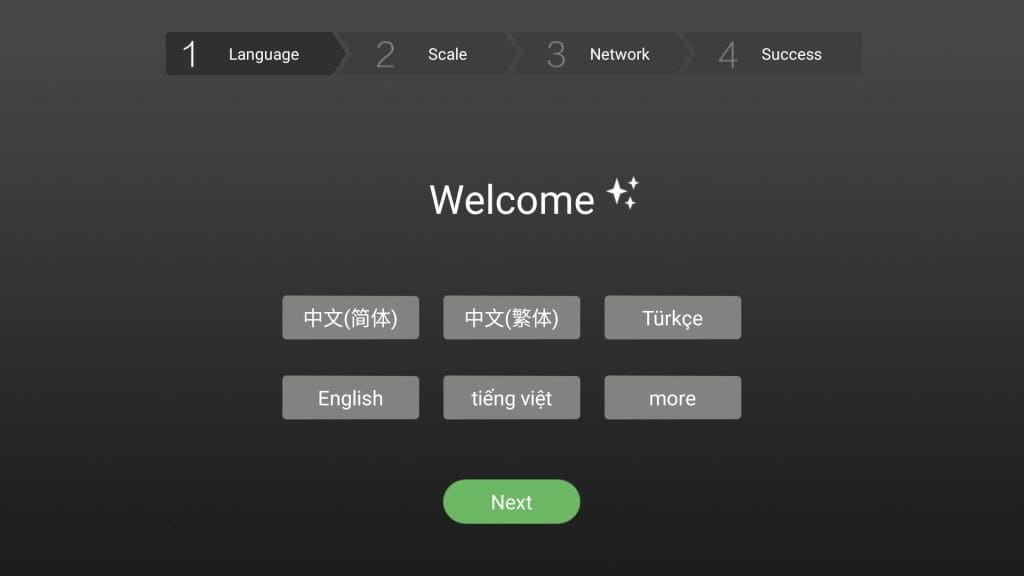
When you switch on the ZIDOO X10 for the first time, you are greeted by a setup assistant. This guides you through the basic settings, such as Wi-Fi or the system language. German is available as a system language.
System
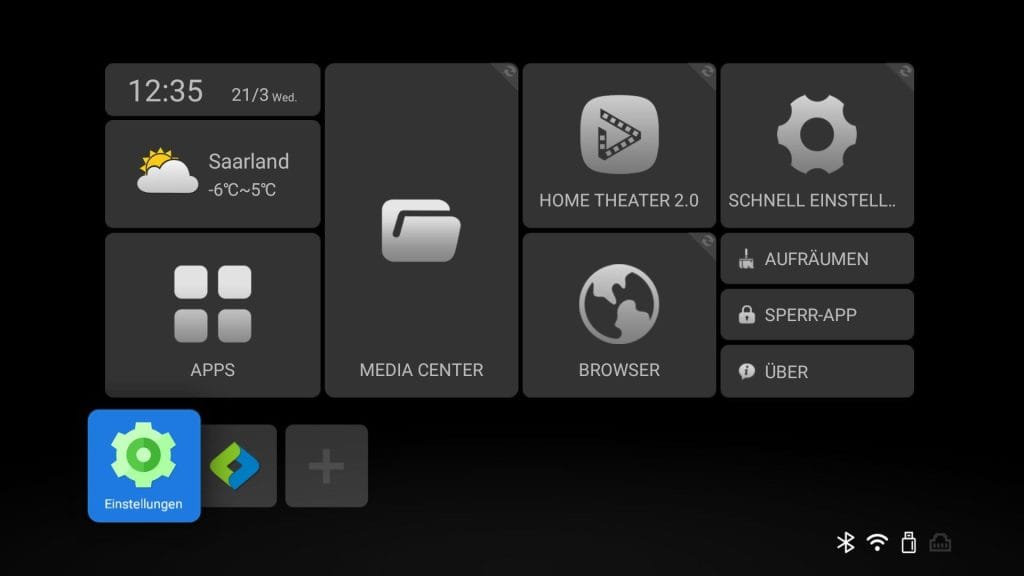
A boot process takes approximately 30 seconds. The user interface is not based on Android TV, but on Android 6.0.1 with a correspondingly adapted launcher from the manufacturer. Visually, the launcher features a simple tile design. This allows access to various apps and functions with just a few clicks. Generally, navigating the ZIDOO X10 user interface is intuitive and does not necessarily require a keyboard or an (air) mouse. If a button cannot be clicked, simply clicking the mouse function on the remote control activates the virtual mouse pointer. Peripherals can be connected via Bluetooth or USB. Extensive HDMI CEC support also enables two-way communication between the media player and the display device.
In-depth configuration options are available via a similarly customised settings menu (Quick Settings). Unfortunately, these "Quick Settings" are only available in English despite selecting German as the language. Alternatively, the standard Android settings menu is also available. Here is an overview of the configuration options.
Network

- Wi-Fi (On / Off – Status)
- Ethernet (DHCP – Status)
- Bluetooth (On / Off – status)
- DLNA DMR (On/Off)
Display

- HDMI mode (AUTO > up to 4K)
- Screen scale (0 – 100%)
- Picture Parameters (Brightness, Contrast, Hue, Saturation)
- HDR (On / Off)
- Wallpaper
- Deep Color Mode (AUTO, 12-bit, 10-bit, Off)
- Colour space mode (AUTO, RGB 444, YCbCr 422, YCbCr 444)
- HDMI Range Mode (AUTO, Limited Range (16-235), Full Range (0-255))
Audio

- HDMI audio (RAW, LPCM 2 Channel, AUTO)
- S/PDIF Audio (RAW, LPCM 2 channel)
- Downmix HD Audio Output (On/Off)
- Audio Sampling Rate (On / Off)
- USB Audio (On / Off)
Playback

- Automatic Frame Switching (Off, Switch frame rate only, Switch frame rate and resolution)
- Bookmarks (on / off)
- Default Language (Default track / Default subtitle / Default download subtitle)
- Stream player (Nuplayer, native player)
- 2D-to-3D mode (on/off)
- Blu-ray region code (Region A, Region B, Region C)
- Subtitles Download (On / Off)
- Audio offset
- Default download table (On / Off)
Other

- Language (incl. German)
- Power key definition (Power off directly / Standby directly / Ask me)
- Front display panel (brightness setting / display setting)
- Fan control (on/off)
- Upgrade
- Restore Factory
- About
Apps and firmware
The Google Play Store and an app installation manager are already pre-installed. Based on standard Android 6.0.1, the usual smartphone and tablet applications are available in the Play Store. At the same time, APK format apps can be installed on the ZIDOO X10 via the app installation manager and even via a web interface. Useful apps such as a file manager, a storage cleaning tool and a web browser (Chrome) are already pre-installed.

The media player is already rooted out of the box. Firmware updates are received as an OTA package directly from the manufacturer. A return to a previous firmware is possible. For this purpose, ZIDOO provides a complete firmware image.
Media center
The ZIDOO X10 media player is equipped "out-of-the-box" with a comprehensive media centre. Films, music and other content can be played via storage media or over the network. NFS and SMB protocols are available for wireless or wired network transmission, and media can also be streamed via DLNA, MiraCast and AirPlay (HappyCast).
Home theater
The so-called 'Home Theatre' feature allows the creation of media directories in cover view. Film titles, covers and descriptions are automatically cross-referenced with a database, assigned to the respective film and saved. Using filters, media can be comfortably sorted by release year, genre and other metadata. Playback is handled by the native media player.
Video test
The ZIDOO X10 was tested using the following video sources. The settings for resolution, frame switching and colour depth were left on AUTO. For the test, playback was carried out both wirelessly from a NAS, and via a USB 3.0 storage device and a hard drive connected via the SATA-III interface.

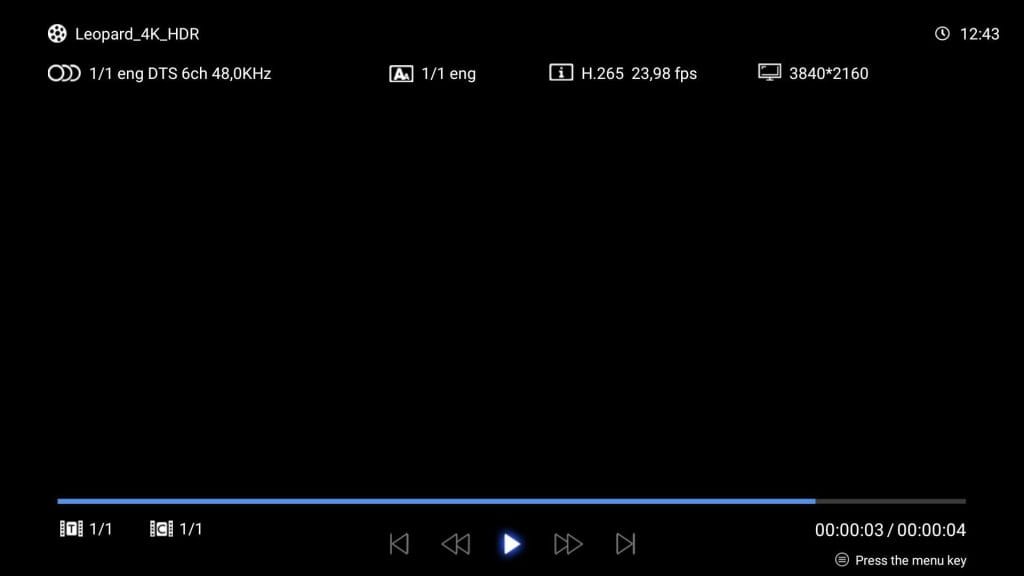
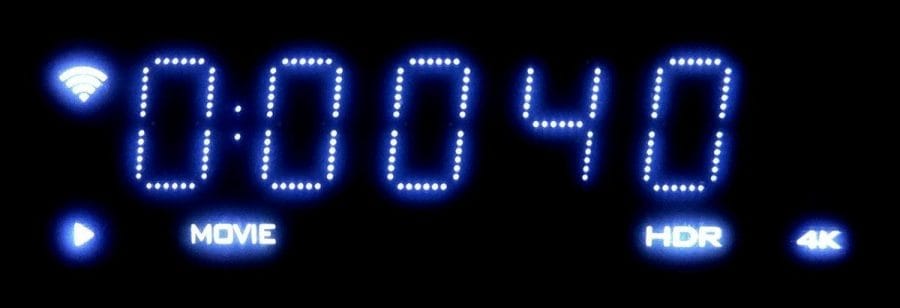
Playback via the native media player is convincing. Videos, whether SD, HD, FHD or 4K, are played without frame drops or image errors. At the same time, it is possible to adjust brightness, contrast, hue and saturation via the media player settings. Subtitles and audio tracks can be switched at the push of a button. The VFD display provides information on the remaining playback time or the time, storage access, HDR, resolution and network. Criticism must be levelled at the playback time showing imprecise jumps in the seconds range.
Audio test
Multi-channel audio systems also pose no problems for the media player. All common audio systems are detected and played back cleanly, i.e. without dropouts or synchronisation issues. An integrated music player supports various audio formats (MP3, FLAC, etc.). Unfortunately, the music player has issues with cue sheets, which means tracks belonging together are not played back seamlessly.

HDR, 3D and frame switching
High Dynamic Range (HDR) is fully supported. The ZIDOO X10 switches between HDR and SDR without issue. The image quality in HDR mode is first-class, completely free of grey haze or colour space shifts.
3D media is automatically detected and playback adjusted accordingly. Common 3D formats, including 3D MVC, are detected. Additionally, the 3D mode can be controlled manually. Delays or other anomalies do not occur during 3D playback.
Another feature is the so-called “Frame & Resolution Switching”. The ZIDOO X10 adjusts the resolution and refresh rate according to the video material. Criticism here is that frame switching only kicks in shortly after the first few seconds of video playback, causing the image to briefly dim when playback starts.

ISO playback
It is also possible to play ISO images and Blu-rays with BDMV and BDAV file structure. If, for example, a Blu-ray or DVD image is available in .ISO format, the complete menu can be played in addition to the individual chapters. However, this "playback with BD menu" does not (yet) work satisfactorily. During testing, it frequently happened that either no menu display was possible or that the menu navigation did not work correctly.
ZDMC
ZDMC is an unofficial Kodi fork developed by ZIDOO and tailored for use with a ZIDOO media player (X8, X9S and X10). ZDMC can be downloaded directly from the manufacturer's website. The most recently released version is based on Kodi 17.6 (Krypton). A ZDMC 18 Leia build is already in development and available for download as an early beta version.

Of particular interest is the option to integrate the native ZIDOO media player as an external player in ZDMC. This allows the numerous features of Kodi to be used in combination with the truly very good, native media player of the ZIDOO X10.
Netflix, YouTube, etc.
The ZIDOO X10 media player is not a classic streaming box and, due to the lack of DRM licensing (Widevine etc.), is also unable to stream Netflix, Sky Go and Amazon Prime Video smoothly and in high resolution.

The YouTube app from the Google Play Store is capable of streaming videos at a maximum resolution of 1080p. Alternatively, YouTube for Android TV can be installed via sideloading. The YouTube for Android TV app plays videos at a maximum resolution of 4K at 30 frames per second. YouTube HDR does not work!
Gaming
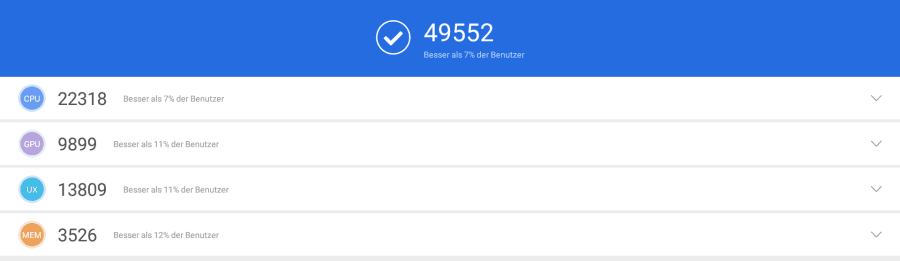
Some Android mobile games run smoothly on the ZIDOO X10. Connecting a Bluetooth game controller is possible. Alternatively, ZIDOO provides the “Box RC” app, which turns the smartphone into a game controller. There is no input lag. Demanding mobile games, such as the recently released PUBG Mobile, or older and especially graphically demanding titles like Asphalt 8, are only playable with significant frame rate drops.
HDMI-IN Recording
The media player features an HDMI input that functions as a Personal Video Recorder (PVR). A suitable app for recording management including Picture-in-Picture (PiP) mode is already pre-installed. The recording resolution (maximum 1080p), output format (TS or MP4), bitrate (1M – 10M), audio sample rate (8,000 to 96,000), output method (file or stream (broadcast, multicast or unicast)) and storage path can be configured. Scheduled recording is possible. 4K UHD content is recorded at a maximum Full HD (1080p) resolution at 30 frames per second. The recording quality is impressive. H.264 is used for video compression. Audio is recorded as AAC Stereo. HDCP-protected signals cannot be recorded.

OpenWRT
The ZIDOO X10 media player can also function as a NAS. A preconfigured OpenWRT (CC 15.05.01), running simultaneously alongside the Android OS, is preinstalled on the box. Services such as Aria2, OpenVPN, EasyCwmp, and other NAS services (Samba, FTP, iTunes, Torrent, DLNA) are active by default. OpenWRT can be comfortably controlled via a web browser using the LuCI user interface. The implementation of OpenWRT has been successful for ZIDOO, showing no crashes or errors under normal conditions.
Power consumption
Finally, let’s look at power consumption. When switched off, the media player’s power consumption is around 0.3 watts. In standby mode, it reaches 0.5 watts. At idle, power consumption lies between 7 and 10 watts, depending on whether storage media (SATA / USB) are connected. During playback of 4K UHD media, consumption rises to around 13 watts.
Our verdict
The ZIDOO X10 is not an ordinary streaming box, but a functionally extensive media player aimed primarily at experienced home cinema users. It offers a well thought-out and powerful media centre that plays pretty much any video material.
At the same time, the ZIDOO X10 convinces with an easy-to-use Android user interface, which further expands the feature set and also allows some Android apps. However, it should be noted that due to the lack of DRM licensing, Netflix, Sky Go or Amazon Prime Video can only be used with restrictions. The manufacturer regularly provides firmware updates with bug fixes and feature enhancements via OTA updates.
Key features include local playback and streaming of 4K UHD (HDR) (3D) content, emulated playback of Blu-ray and DVD images, PVR recording function, and compatibility with the Kodi fork ZDMC. Anyone looking for a professional Android media player with exactly these functions will find the ZIDOO X10 to be one of the best media players currently on the market!
Specifications
Processor and memory
- CPU
- Realtek RTD1295
- GPU
- Mali-T820 MP3
- RAM
- 2GB DDR3
- Internal storage
- 16GB eMMC
- Storage expansion
- SATA-III
Ports
- 1x HDMI 2.0a Output (HDCP 2.2)
- 1x HDMI 2.0a Input (HDCP 2.2)
- 1x AV Out
- 1x optical
- 2x USB 2.0 Type-A
- 1x USB 3.0 Type-A
- 1x RJ45 Ethernet (10/100/1000 Mbps)
- 1x MicroSD memory card slot
- 1x DC 12V
Connectivity
- Wi-Fi
- Dual Band AC (802.11a/b/g/n/ac)
- Bluetooth
- Standard 4.0
Video - Audio
- Video resolution
- up to 4K@60fps
- Frame rate switching
- Yes
- HDR
- Yes
- Video
- incl.
- *H.264
- *H.265 HEVC
- *VP9
- Audio
- incl.
- *Dolby Digital
- *Dolby Digital Plus
- *Dolby Atmos
- *Dolby TrueHD
- *DTS
- *DTS HD
- *DTS X
Other
- OS
- Android 6.0.1 + OpenWRT
- Kodi
- Yes, ZDMC
- Size
- 197 x 197 x 65 mm
- Weight
- 1300g
What’s included
1x ZIDOO X10, 2x WLAN antenna, 1x power supply (12V - 3A), 1x HDMI cable, 1x Cinch to 3.5 mm jack cable, 1x remote control, 1x user manual
Comments