Contents
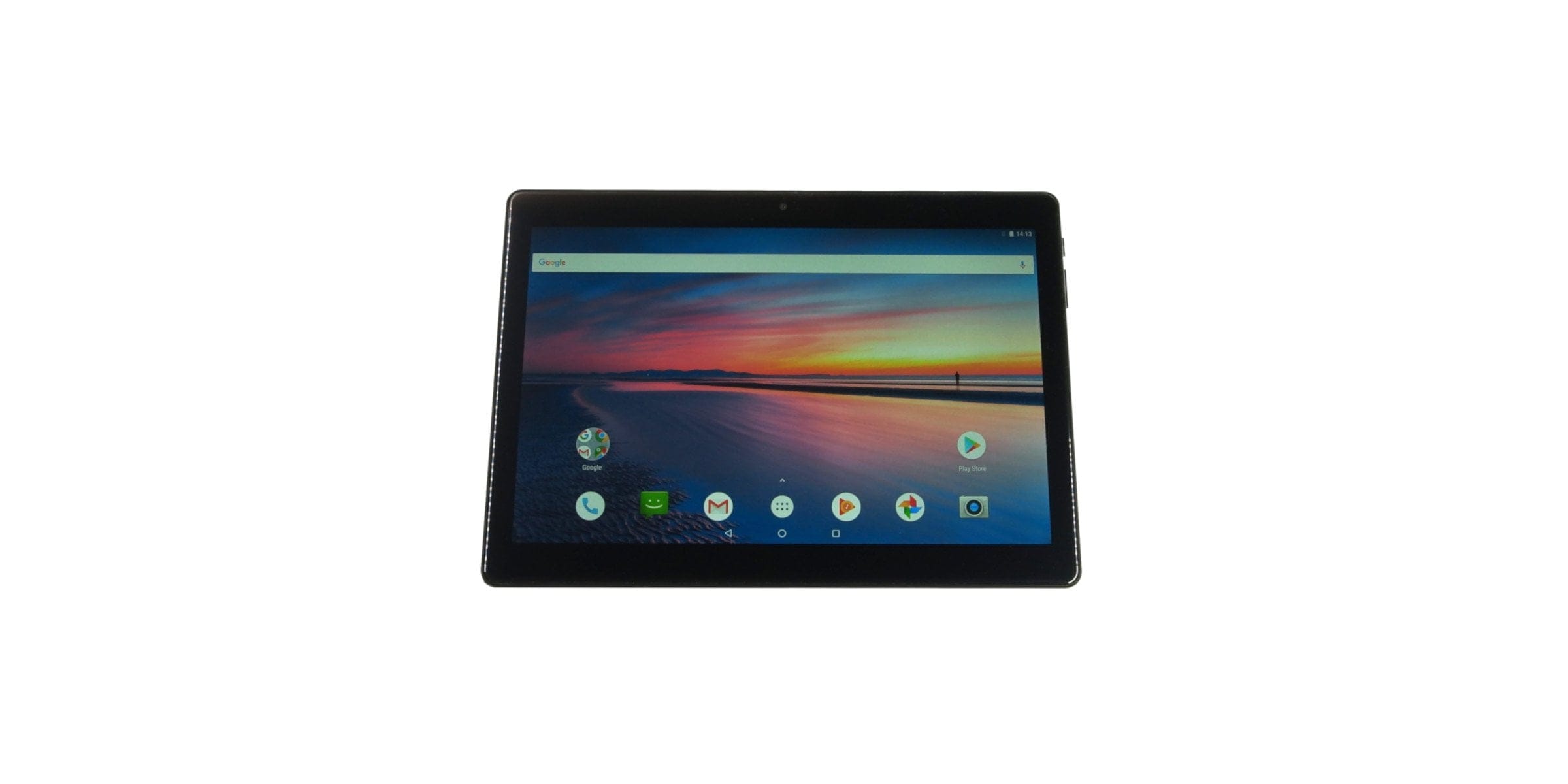
First impression of the Chuwi Hi9 Air
Design and build quality
Let's start with the optics of the Chuwi Hi9 Air. The housing is designed in the so-called unibody design. The decisive factor here is that the back of the housing and the housing frame are not assembled separately. Instead, the housing is made from a single piece, in this case aluminium. The edges are perfectly rounded, and unsightly gaps are nowhere to be found.

The tablet is available exclusively in matte black. A drawback here is its high susceptibility to fingerprints. Immediately after unpacking, the back was practically covered in fingerprints. That is not what we want!

The housing dimensions are 241.7 x 172.0 x 8.4 mm. Chuwi itself states the housing thickness as just 7.8 mm! The weight is a still manageable 560g. The tablet feels good in the hand. Holding the tablet in one hand and operating it with the other is easily possible.

The side control buttons are made of plastic, but have a good tactile response. All ports, cameras and control buttons are oriented for landscape usage. The rear main camera is surrounded by a removable plastic cover, behind which the two SIM slots and the microSD memory card slot are hidden. The connection options consist of an outdated microUSB port and a 3.5 mm audio jack. Unfortunately, the Chuwi Hi9 Air lacked an HDMI output.

The build quality matches the price. Apart from its susceptibility to fingerprints, the housing gives a decent impression. The removable plastic cover sits firmly and shows no signs of wear even after repeated removal and reattachment.
What’s included
The scope of delivery includes, in addition to the tablet, a microUSB cable, a USB charger (5V 2A), an instruction manual and a warranty card. A screen protector is already glued to the display from the factory.

Display
The display is a 10.1-inch IPS display with full lamination technology and a high-resolution 2560 x 1600 pixel resolution. A full lamination panel is characterised by a special manufacturing technology where the LCD, touchscreen and protective glass are not glued in layers but form a single unit. Advantages include a more compact panel overall, higher colour intensity and better light transmission.
Display measurement
According to the manufacturer, the display reaches a maximum luminance of 400 cd/m². Display measurements showed an average luminance of only 198 cd/m². How Chuwi has reduced the maximum display brightness purely via software will hopefully become clear in future updates.
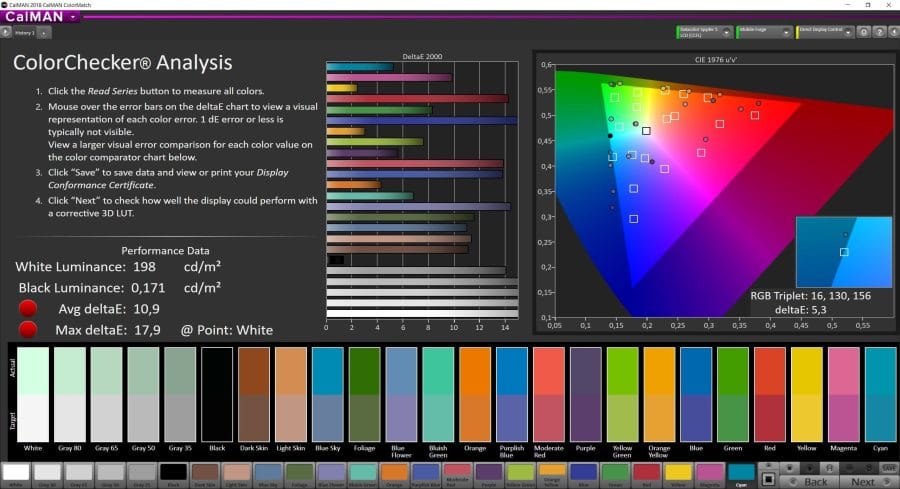
The measured black level reaches 0.17 cd/m². The contrast ratio is 1158:1. The measurements reveal a disappointing display brightness, a usable black level and a consequently acceptable contrast ratio. Unfortunately, the sRGB colour accuracy is disappointing. Measured with sRGB colour settings, the average colour deviation is a Delta E of 10.9.
Display in everyday use
In everyday use, the display presents itself with particularly vibrant colours. Significant impairments to colour consistency and contrast ratio do not occur at shallow viewing angles. Slight backlight bleeding is noticeable at the bottom edge of the display.
Visually and haptically, the factory-applied screen protector is clearly disruptive. It is not only prone to fingerprints and scratches, but also shows poor sliding characteristics and affects colour reproduction. Outdoor readability is significantly limited by the low brightness and the screen protector used by Chuwi.
Display settings and features
Using the display feature “MiraVision”, the display can be adjusted to your own wishes. There are settings for contrast, colour saturation, screen brightness, as well as sharpness and colour temperature. A specific reading and night mode is available. This cannot be scheduled but must be activated manually via MiraVision. Unfortunately, the tablet lacks an ambient light sensor, so automatic adjustment of display brightness to the ambient light is not possible.
Touchscreen
Touch inputs and swipe gestures are accurately recognised. Multitouch is supported with up to 10 simultaneous inputs. There is no noticeable input delay.
Performance and user interface
Processor and memory
The system-on-chip of the Chuwi Hi9 Air is a MediaTek MTK6797, better known as the MediaTek Helio X20. The processor, released in early 2016 and manufactured using the 20 nm process, is already quite old and is not the typical processor one expects in a tablet. Rather, this SoC was specifically designed for smartphones.


The CPU of the Helio X20 consists of 10 processor cores, which are divided into three clusters. Cluster 1 is the performance cluster and comprises two Cortex A72 cores clocked at up to 2.3 GHz. Cluster 2 consists of four Cortex A53 cores clocked at up to 1.85 GHz. Cluster 3 is a power-saving cluster whose four Cortex A53 cores clock at 1.4 GHz. The GPU is an ARM Mali-T880 MP4 clocked at up to 780 MHz.
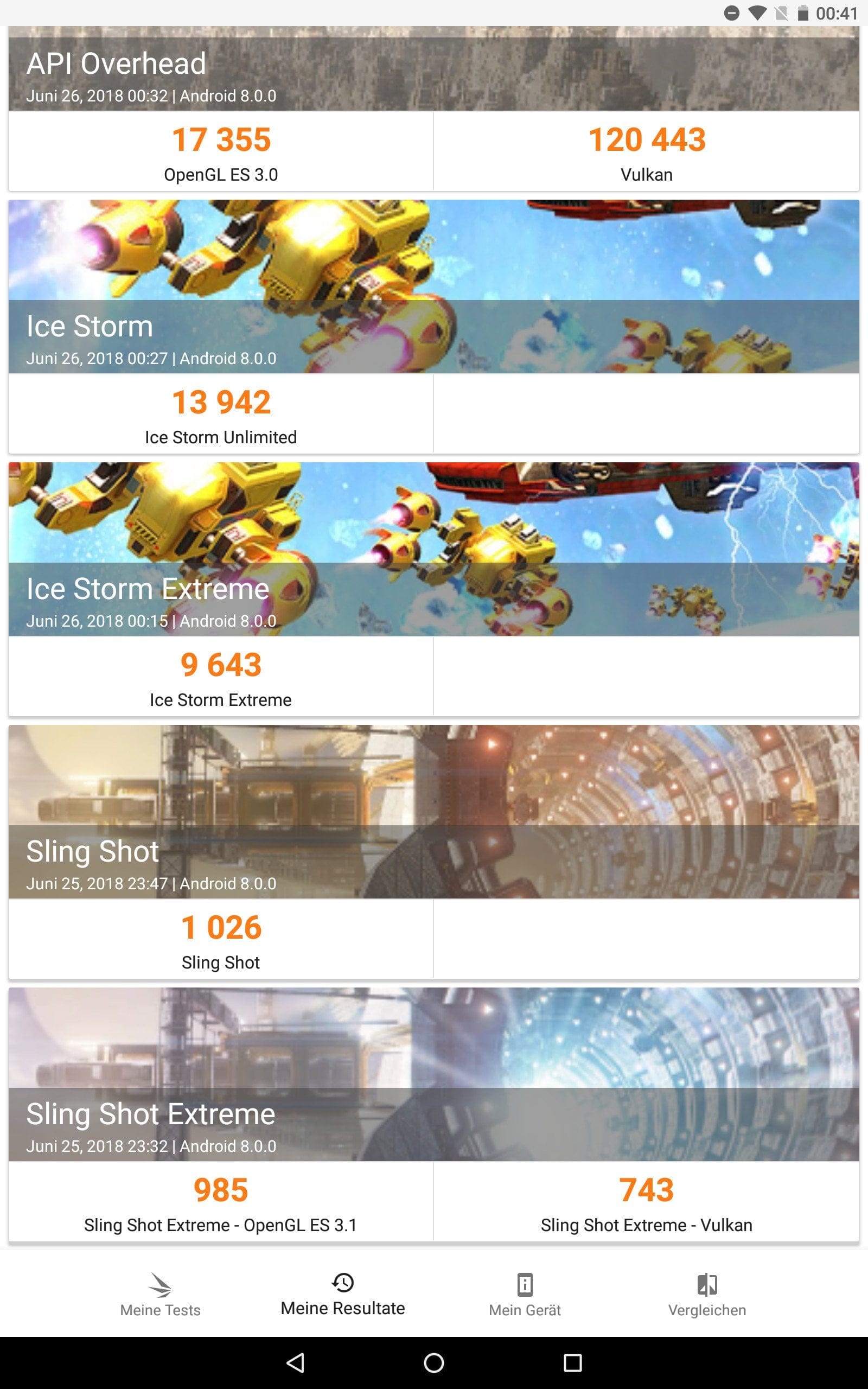
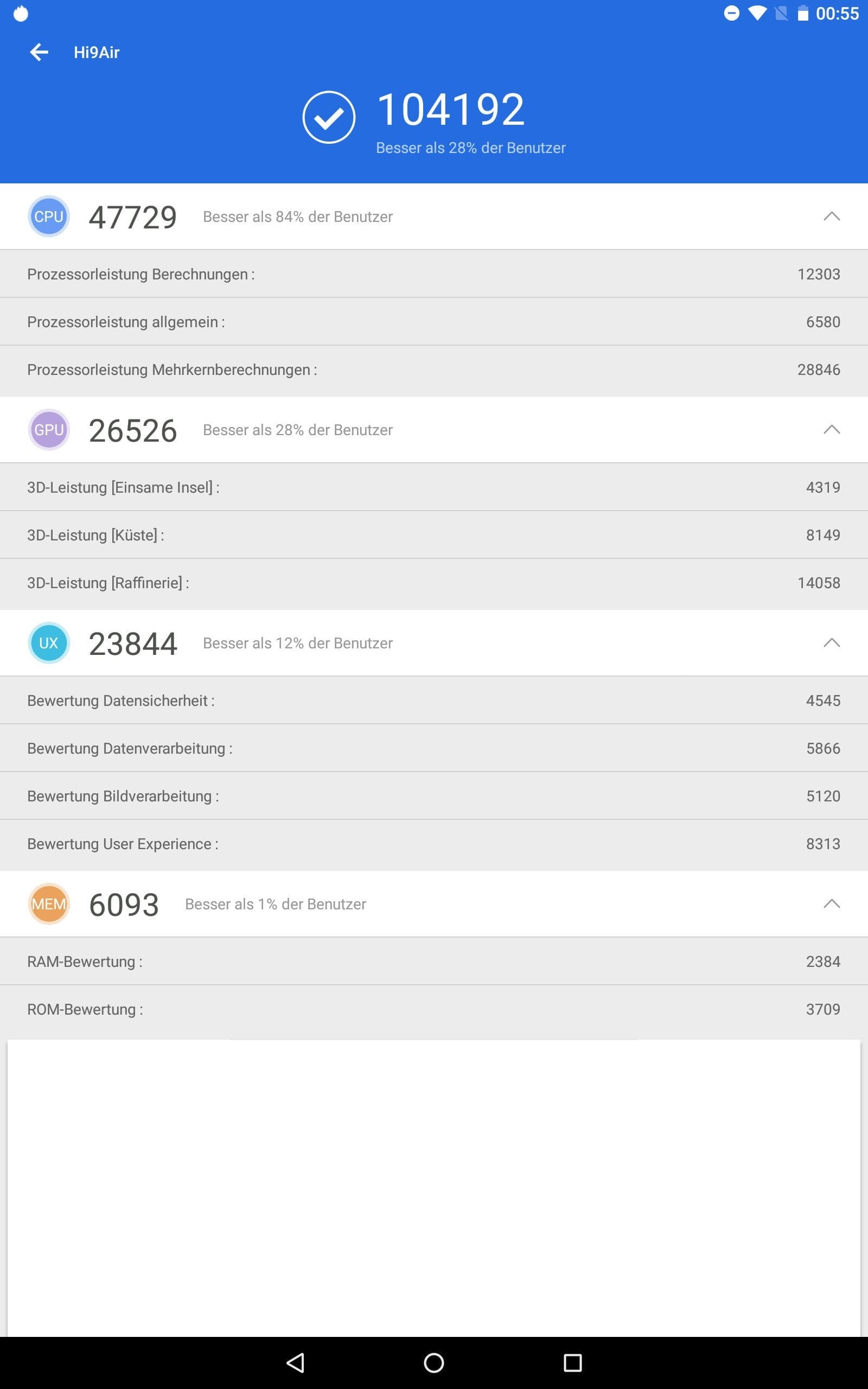
The memory configuration consists of 4GB LPDDR4 RAM and 64GB eMMC5.1 storage. A memory expansion via MicroSD memory card is possible. The memory speeds measured in the test are disappointing. In particular, the RAM speed falls short of expectations, achieving only 4,533 MB/s. The storage is also not particularly fast, with a write speed of around 107 MB/s and a read speed of 116 MB/s.
User interface
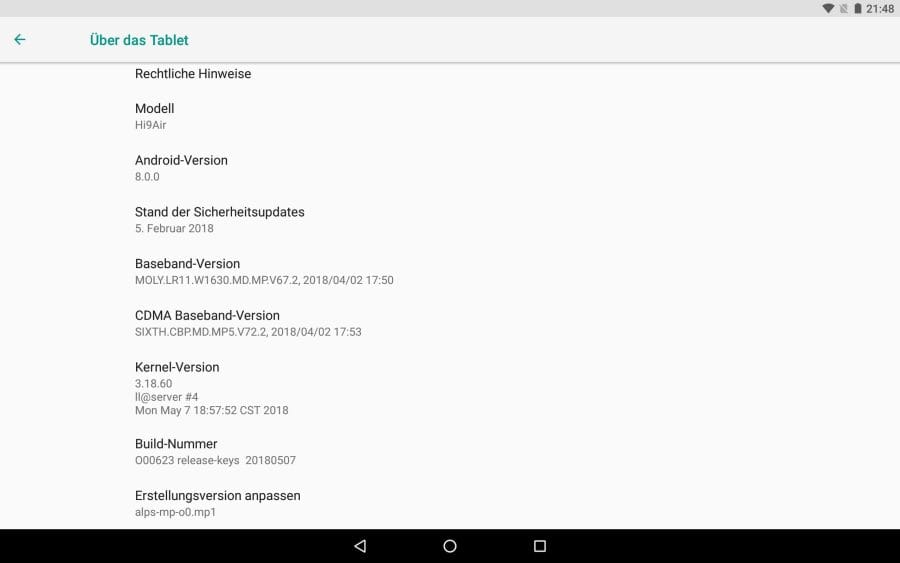
The Chuwi Hi9 Air already comes with current Android 8.0. The user interface is largely based on stock Android. There are no third-party apps or manufacturer modifications. System updates can be received over-the-air (OTA). Project Treble is supported, but seamless updates are not.

Performance in everyday use
In everyday use, the Chuwi tablet shows significant performance weaknesses. Expect long loading times and stuttering animations! In addition, there are regular complete crashes that severely impair the user experience. However, the most curious error that occurred during the testing phase was that the tablet could no longer wake up after the display was switched off, requiring a restart. Only a factory reset helped in this case.
Video and Gaming
The Hi9 Air is quite suitable for streaming YouTube, Netflix and other video services. High-resolution 1440p YouTube videos play back smoothly. The same applies to Netflix, which, however, is only streamed in SD due to the lack of Widevine Level 1 support (DRM).
Current mobile games, such as PUBG, are functional and playable. To achieve a reasonably smooth and stable frame rate, low graphics settings are required. After 30 minutes of gaming, the heat generated on the back is just under 35°C. Due to the lack of a gyroscope, games with motion controls are not playable.
Camera
The tablet is equipped with a rear 13-megapixel main camera with LED flash and a front-facing 5-megapixel front camera.
Main camera
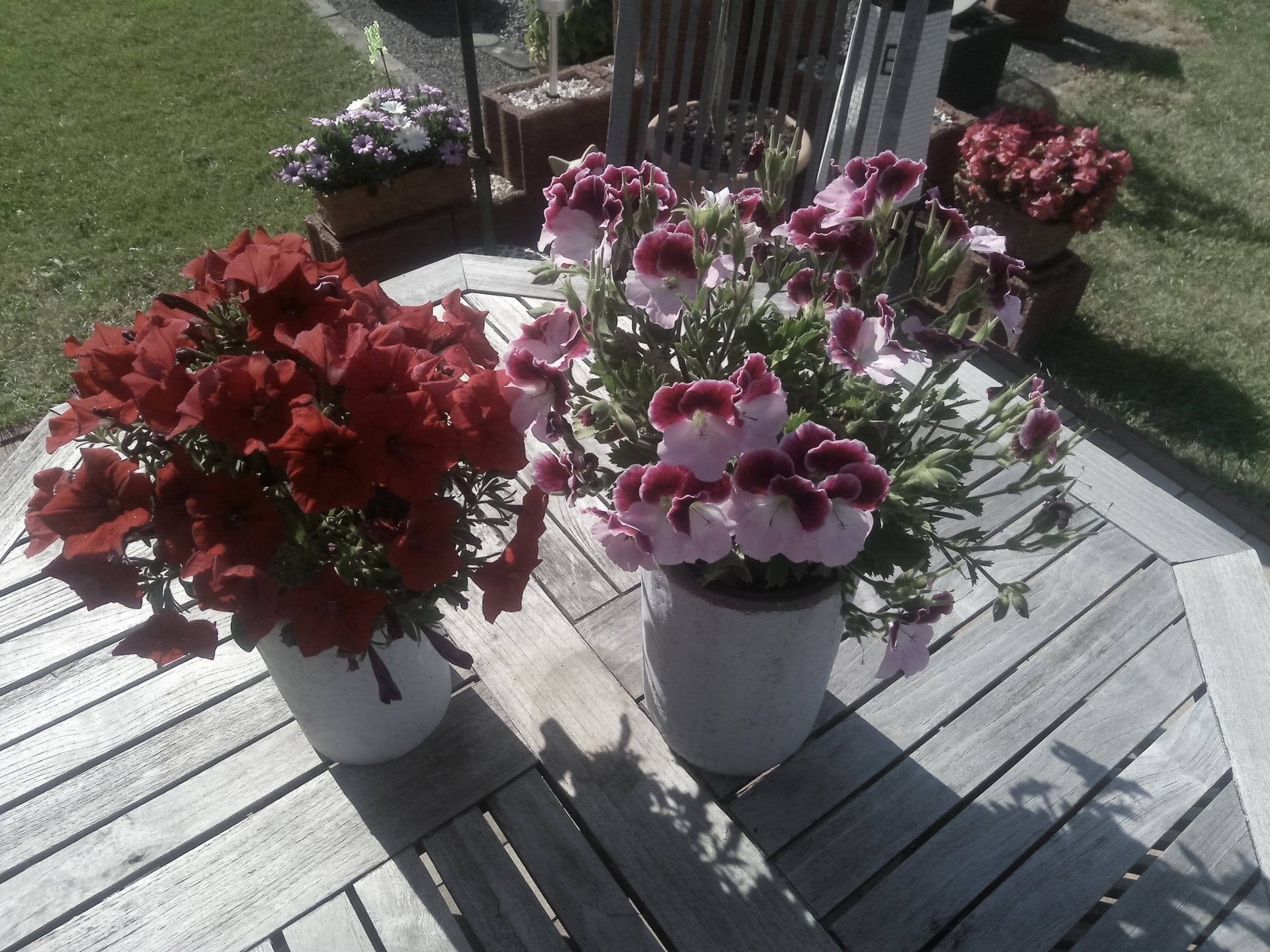
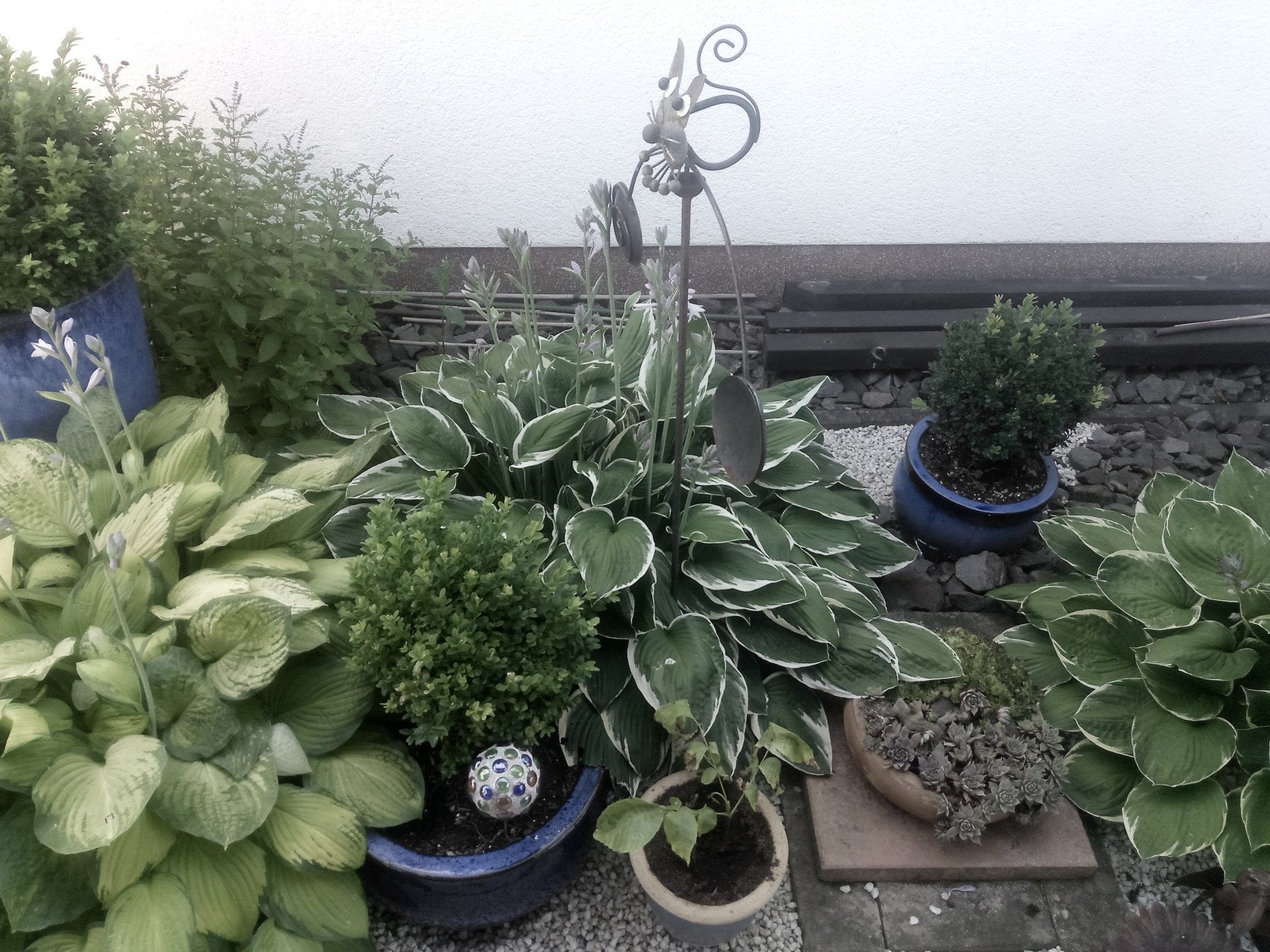
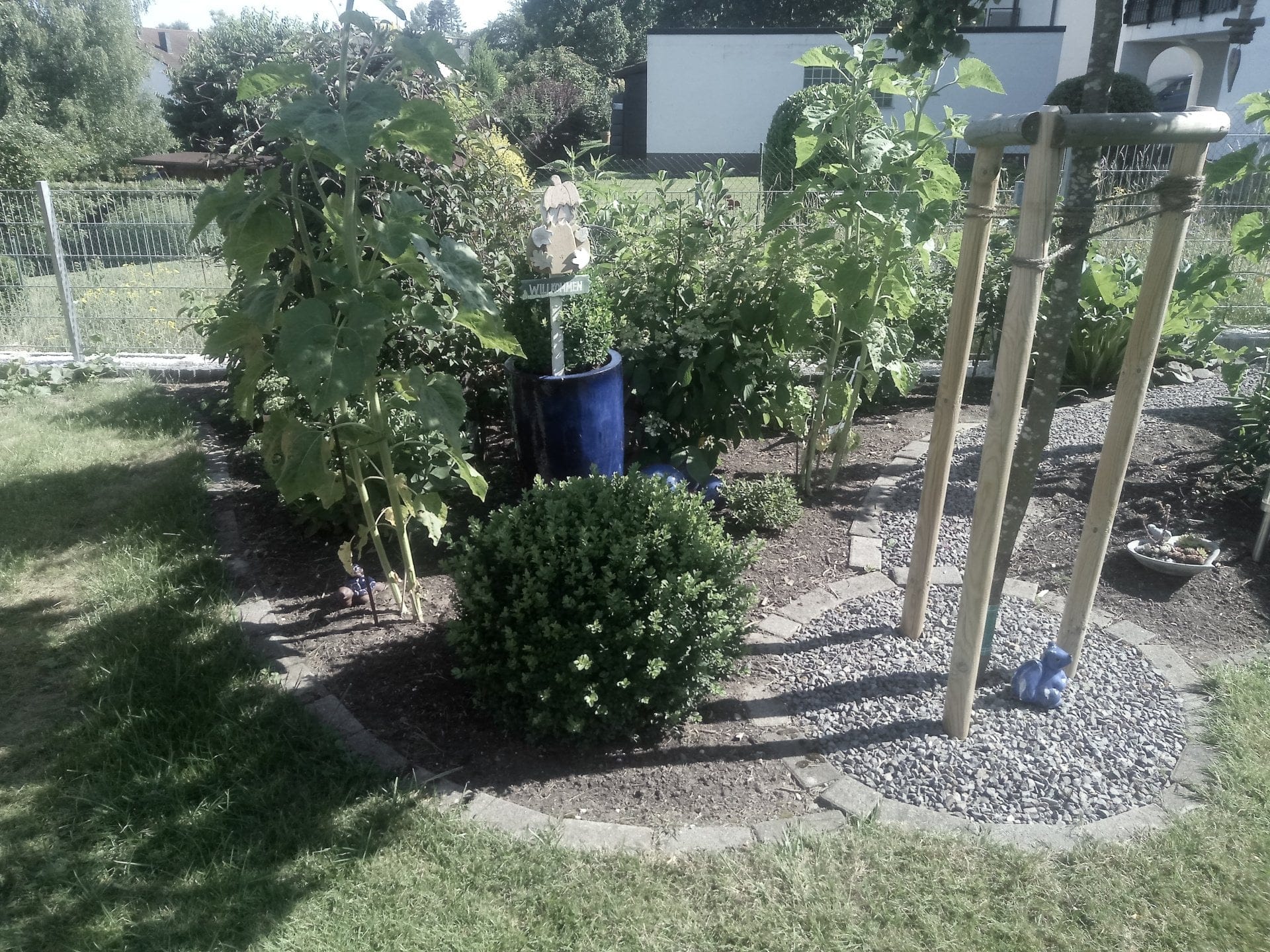
Images taken with the main camera are colour-distorted, pale and washed out. In addition, photos are often blurred and lack a certain level of detail. As lighting conditions worsen, image noise increases significantly, and shots become noticeably less sharp. The pre-installed MediaTek Camera app is not optimised and displays an incorrect resolution. This results in a user interface that is too large.
The main camera records videos with a maximum resolution of 3840 x 2176 pixels. The frame rate reaches a reasonably smooth 21 frames per second under good lighting conditions. Under poor lighting conditions, the frame rate drops to approximately 9 frames per second. The audio recording quality is clear, albeit slightly tinny.
Front camera
There is also little positive to report about the front camera's image quality. While it is suitable for video calls, it is less ideal for selfies. Colours are captured predominantly pale, and coarse image grain is noticeable even in good lighting conditions. The front camera records videos at a maximum resolution of 1920 x 1080 pixels.
Connectivity
Mobile network
The Chuwi Hi9 Air features two micro-SIM slots that can operate in dual-standby mode. The 2G, 3G and 4G mobile network frequencies and bands common in this region are supported. In addition to mobile browsing, it is possible to make phone calls and send text messages (SMS) using the tablet.
Signal strength showed clear weaknesses in the test. Connected to the 4G LTE network, the tablet exhibits weak signal strength and achieves only low data throughput. Voice quality is mixed.
Wi-Fi and Bluetooth
The tablet performs significantly better in terms of Wi-Fi and Bluetooth connectivity. It supports dual-band AC Wi-Fi and Bluetooth 4.2. On Wi-Fi, the Hi9 Air delivers adequate data throughput and consistent signal strength. The same applies to Bluetooth connectivity. Multiple Bluetooth devices could be connected and used without errors in testing.
GPS and sensors
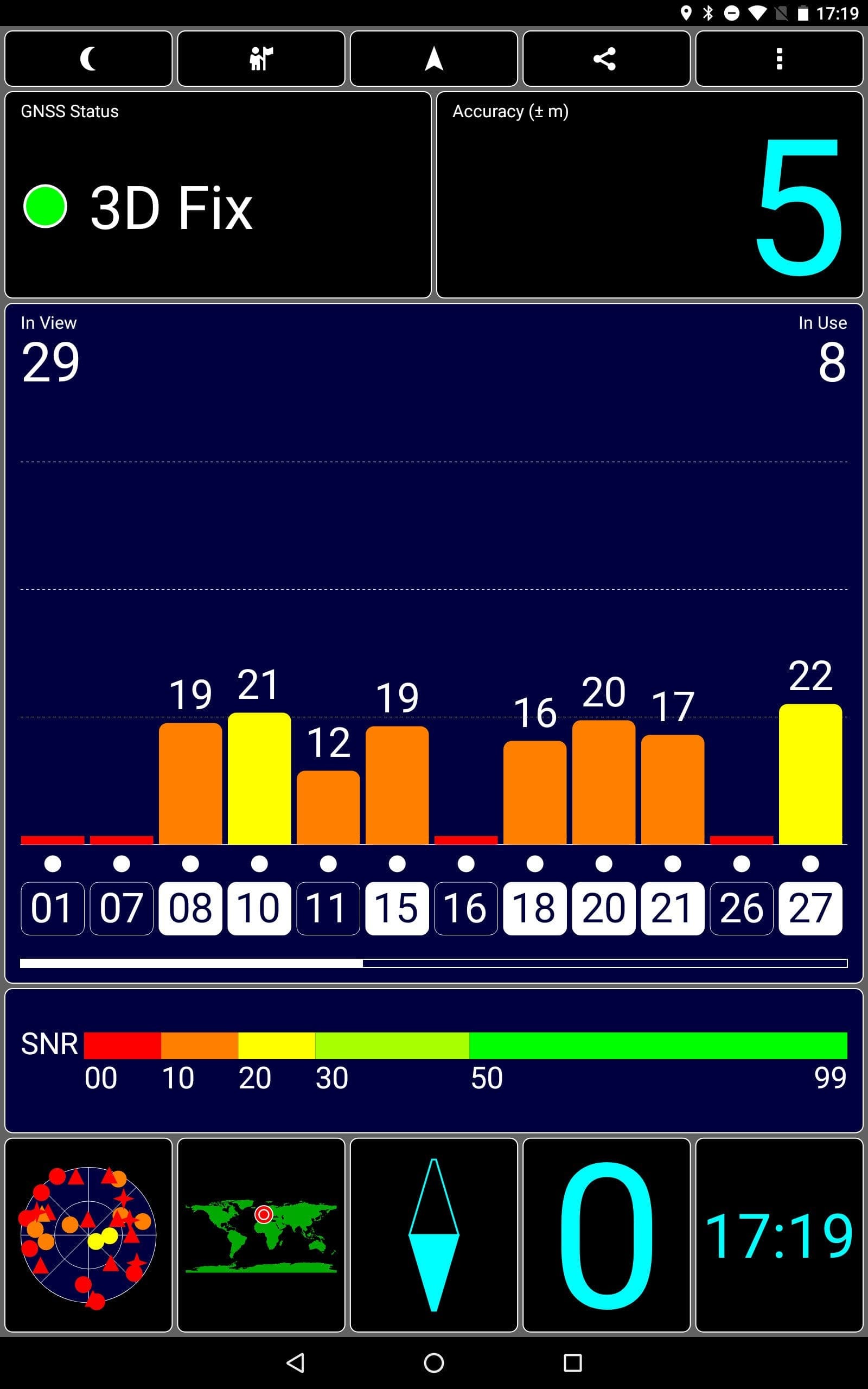
A GPS module is included. The tablet achieves a GPS fix within seconds. Position determination is accurate to within a few metres and allows navigation with the tablet. However, there is no electronic compass. The sensor equipment is limited. Only an accelerometer is installed.

Audio and FM radio
The Chuwi Hi9 Air is equipped with two speakers, located on the left and right of the top edge of the frame. When using the tablet in landscape mode, they are not covered. The sound quality is still acceptable. What the speakers lack is a certain “kick”. The maximum playback volume is comparatively low, and the speakers also sound rather flat. The sound quality via the 3.5 mm jack audio port is decent.
An interesting feature is the integrated FM radio. To use this function, headphones must be connected via the 3.5 mm audio jack. These serve as the antenna and enable reception. The received radio station can then be played through the headphones or the speaker. In testing, the radio feature worked as expected.
Battery
Chuwi specifies the battery capacity as 8,000 mAh. The screen-on time achieved in benchmarks at medium display brightness is nearly 9 hours. The average battery life in daily use is around 7 hours.

With intensive use, the battery life reduces to around 4 hours. A charging process from 0 - 100% takes 6 hours.


Our verdict
6,7 out of 10 pointsThe Chuwi Hi9 Air does not meet expectations. Although the tablet pursues good approaches, such as a current Android 8.0 OS and 4G LTE support, a large part of the features is poorly implemented. Despite the quite powerful, albeit outdated, MediaTek Helio X20 SoC, the system is far from well optimised. The user interface lags noticeably, and occasional complete crashes are not uncommon.
It must be noted that the Chuwi Hi9 Air is a well-equipped tablet, but has significant shortcomings on the software side. It remains to be seen how Chuwi will address these errors.
Specifications
Processor and memory
- CPU
- MediaTek Helio X20 (MTK6797)
- GPU
- ARM Mali-T880
- RAM
- 4GB (LPDDR4)
- Internal storage
- 64GB (eMMC5.1)
- Storage expansion
- Yes
Display
- Display type
- IPS (full lamination)
- Display size
- 10.1 inch
- Display resolution
- 2560 x 1600 pixels
- Multitouch
- 10 fingers
Cameras
- Main camera
- 13 megapixels
- Front camera
- 5 megapixels
Mains
- Dual SIM
- Yes
- SIM size
- Micro SIM
- GSM 850 / 900 / 1800 / 1900 MHz
- WCDMA B1 / B2 / B5 / B8
- FDD-LTE B1 / B2 / B3 / B5 / B7 / B8 / B20
- TDD-LTE B40
Wireless
- Wi-Fi
- 802.11 a/b/g/n/ac
- Bluetooth
- 4.2
- GPS
- Yes
Sensors
- *Accelerometer
Battery
- Battery
- 8,000 mAh
- Connection
- MicroUSB
Other
- Operating system
- Android 8.0
- Size
- 241.7 x 172.0 x 8.4 mm
- Weight
- 560g
What’s included
1x tablet 1x MicroUSB cable 1x charger 1x user manual 1x warranty card
Comments (12)
Hey Timo, thanks for your honest review. I was considering buying the Hi9 Air, but after reading what you wrote, I am no longer sure if it is the right device for me. The list of negatives is quite substantial. Do you think Chuwi will fix most of the errors and that the tablet could still be worth it?
Hi Frederik, I would wait to buy it. So far, the tablet feels like a work in progress. Three updates have already been released, but major bugs have not really been fixed. Once updates are released that address the major bugs, I will update the review.
Thanks for your quick reply. I’ll wait then and keep an eye on your review.
Hello, I bought the tablet back then during pre-order. I can agree with most points, although I'm not quite so meticulous and am generally satisfied with the device. The system really didn't run smoothly at the beginning. The last update has fixed quite a few things. My question to you: does it only charge up to 98% and then stop for you too? I simply can't get to 100%. My build is the same as yours.
Hi Bernd, there is now a newer build available (20180604). If you have not received it via OTA yet, simply download it from the Chuwi website and flash it manually. Instructions are included.
Otherwise, I cannot understand your problem. I was able to charge the tablet to 100% on both builds. How are you charging it? When switched off with the included charger + cable?
Hello Timo, thanks for the tip. I will check that right away. I charge it while switched on using a 10-watt multi-port charger.
All good, try this: completely discharge the tablet and then recharge it while switched off using the included charger.
Hi Timo, it’s me again. I followed your steps and was able to fully charge the tablet. I then installed the update straight away. Everything worked perfectly. Thanks again!
Good evening, I am also considering buying this tablet. Does anyone know if there are already improved ROMs from the community? And what is the situation generally regarding rooting, is that possible?
Hi Torben, there are no custom ROMs yet. TWRP and root are already available.
Too bad, then I’ll wait a bit longer. I am looking for an affordable 10″ tablet with LTE that can be flashed with AOSP or LineageOS.
Hi Timo,
many thanks from me as well for your review.
Mine arrived today, and I’m going to spend some time getting to know my new toy.
I found a link to Lineage 15.1 (Oreo 8.1?) on the Chuwi forum and XDA.
What do you personally think of it? Also, what about the possibility of a “virus” in a custom ROM?