
Contents
First impressions of the Cubot H1
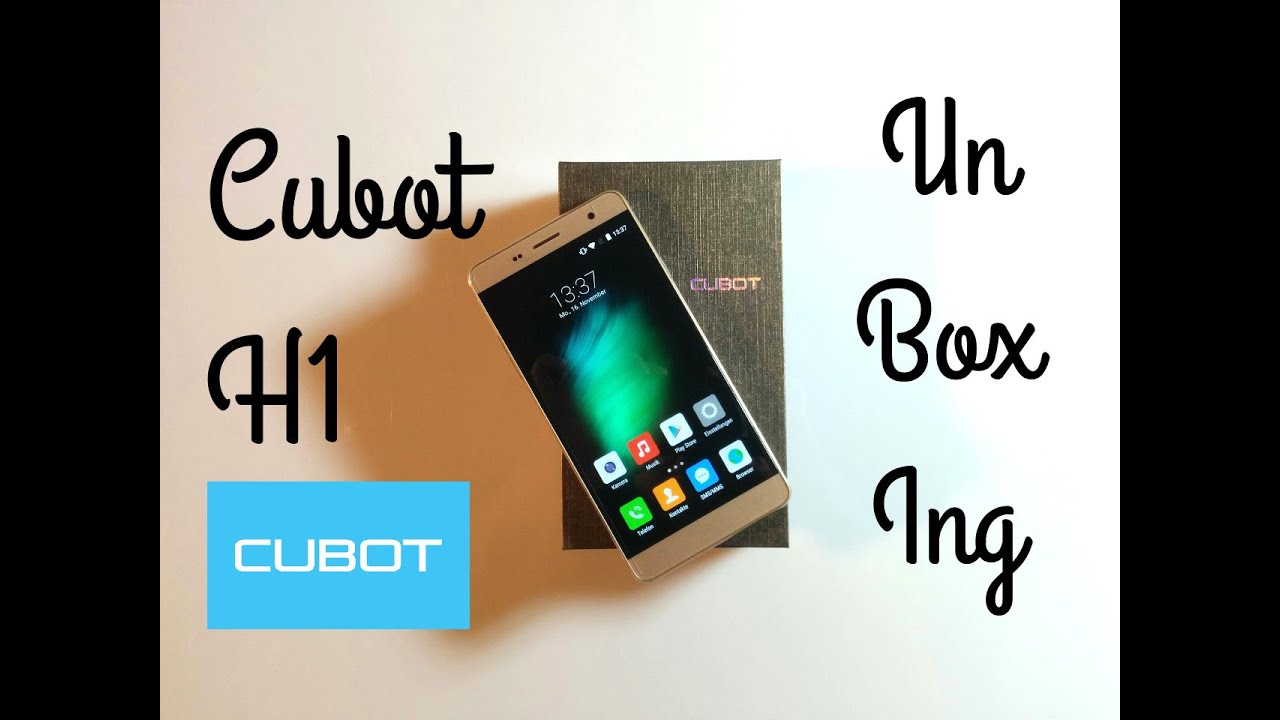
The Cubot H1 (link to manufacturer) was delivered in a typical, minimalist cardboard box, as known from most smartphones. The unpacked H1 already had a reasonably accurately applied screen protector. This saves you the trouble of searching for a suitable protector and the annoying application process. Another screen protector was also included in the delivery package. Especially for smartphones from lesser-known manufacturers, this addition is very beneficial.
 Play video on YouTube
The Cubot H1 has a brushed aluminium frame, partially coated with a thin layer of rubber. The volume rocker on the left and the power button on the right are also made of aluminium and visually match the chassis frame. The smartphone's gold-patterned back cover is removable and made of plastic.
Once the back cover is removed, you can insert the separately included battery here, fill the two SIM card slots or insert a Micro SD card into the SD card slot.
On the Cubot H1, both the USB port and the audio output are located on the top edge of the housing. Consequently, the Cubot H1 has no connectivity options on the underside. The bezel measures 3 mm, which is perfectly average. Below the display are three capacitive buttons, while the top houses the speaker, front camera, light sensor, and a notification LED. The colour of the LED, however, cannot be changed.
The build quality of the Cubot H1 is convincing, and overall the H1 creates a high-quality impression.
 Play video on YouTube


Display
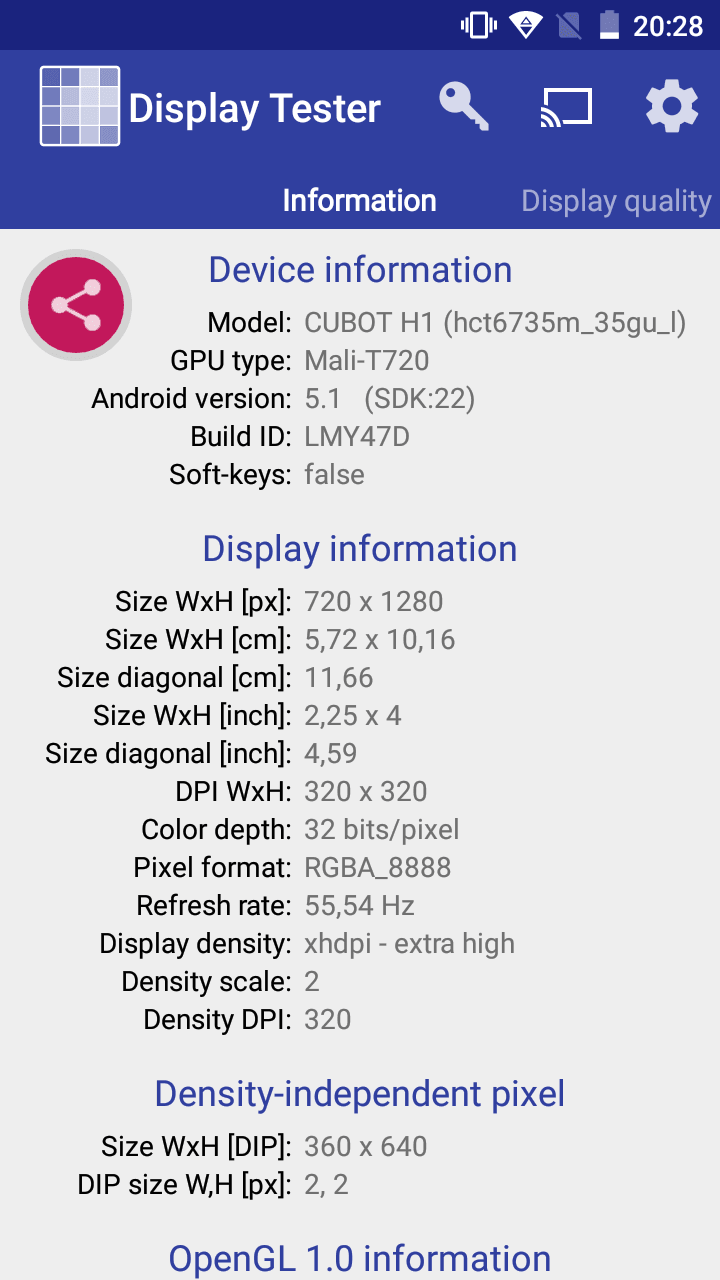
Cubot uses a 5.5-inch HD IPS display with a resolution of 1280x720 pixels for the H1. The PPI is 267. At this resolution, individual pixels are hardly visible even on a 5.5-inch display. The display colours are vivid, the maximum brightness is also good, and the display has excellent viewing angle stability.
Performance
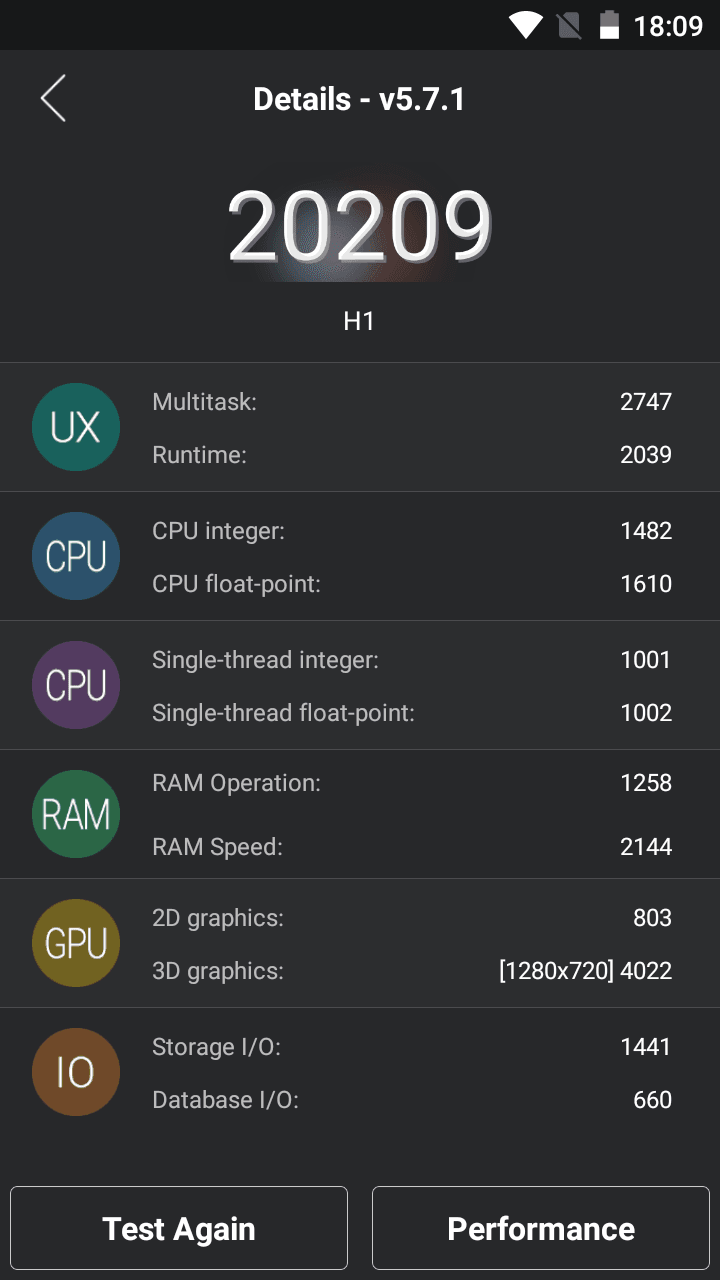
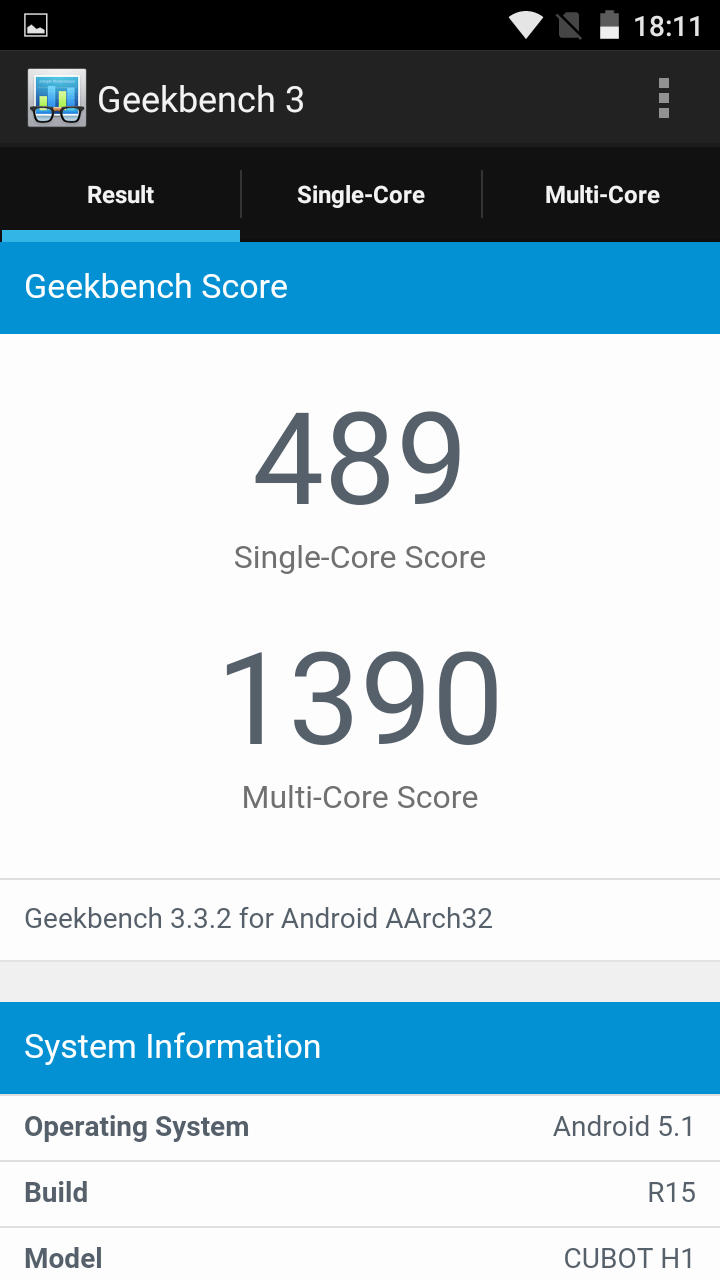
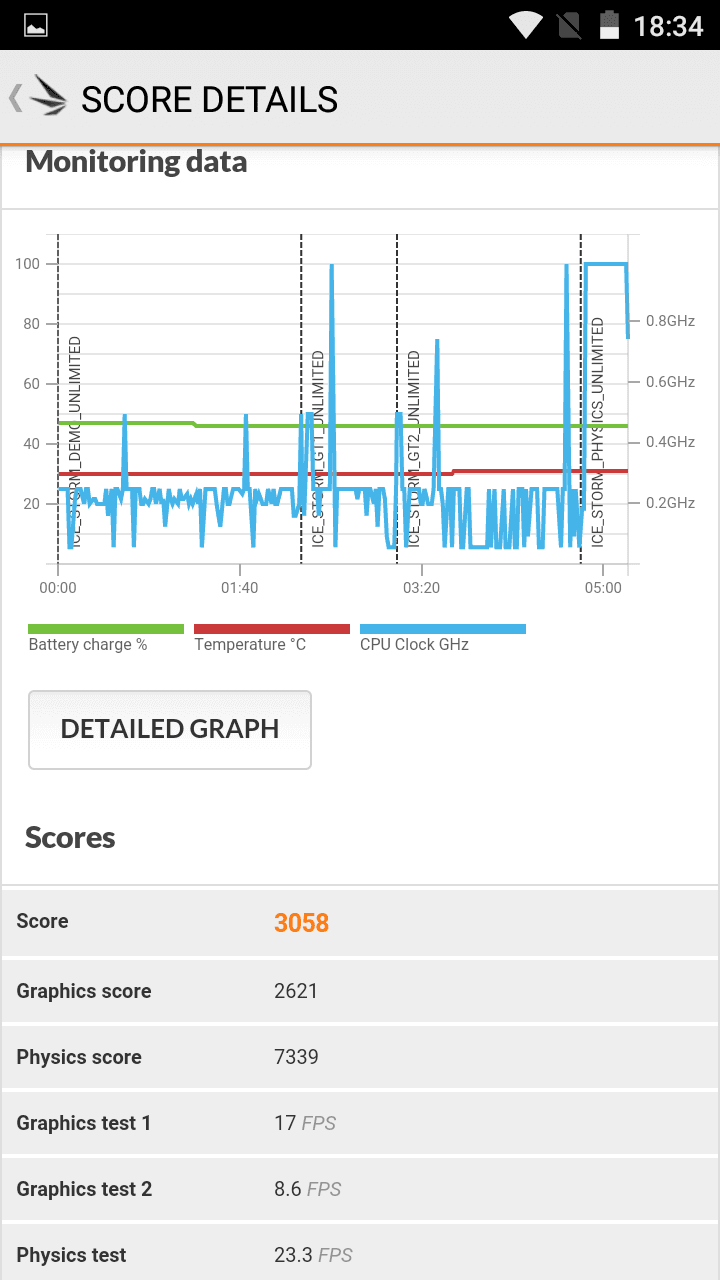
Cubot also saved on the CPU. Only a Mediatek MTK6735P quad-core with 1GHz was installed. In practice, this only becomes noticeable with games and other computationally intensive apps. Despite the rather weak CPU, you can navigate smoothly through the user interface, and apps also open quickly. With the Mali-T720 GPU and 2GB RAM, less computationally intensive games can also be played smoothly.
User interface
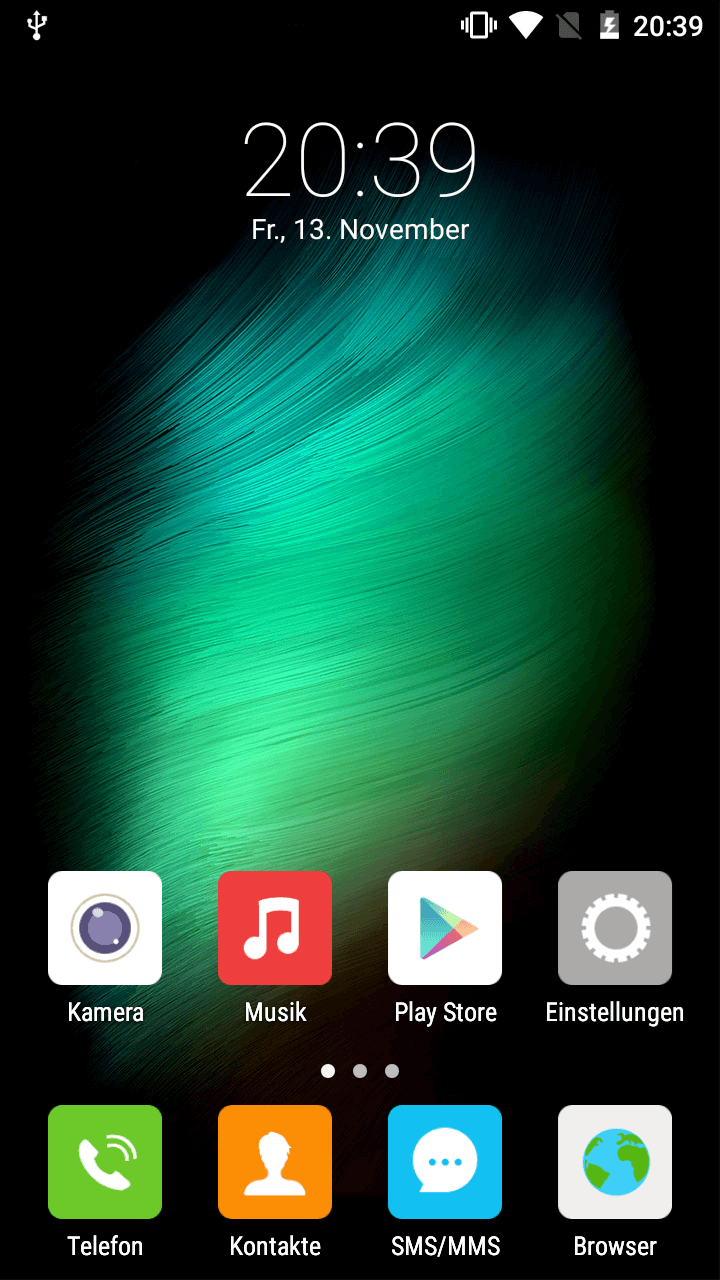
The user interface of the Cubot H1 can almost be described as stock Android. Only app icons, individual menu items, and system apps have been partially customised. Apart from that, you can experience the pure Android experience. No third-party apps were pre-installed.
What I personally do not like, however, is the lack of an overview of recently opened apps, as well as the absence of an app drawer. Installed apps go directly into the main menu and can only be moved by creating additional pages. There is thus no proper app drawer out of the box. However, those accustomed to MIUI from Xiaomi will find the Cubot user interface perfectly adequate.
The settings also include minor additions. For instance, you can regulate which SIM card is responsible for mobile data traffic, and you can also set the smartphone to switch on or off according to a fixed schedule.
Otherwise, the Android 5.1 Lollipop used here is really 'stock', the menu navigation is fast and the system runs stably.
Camera
The Cubot H1's cameras have a resolution of 13 megapixels (rear camera) and 8 megapixels (front camera). Unfortunately, nothing is known about the image sensor used. The camera app is a slightly extended version of the MediaTek camera app. This app also offers features such as panorama mode and HDR.
The image quality is decent under good lighting conditions. Only slight image noise is noticeable. The colours also come across well and look vivid. There is also an autofocus, which is not the fastest but generally works well.
However, in poor lighting conditions, the images also become significantly worse. Image noise is clearly noticeable here. The camera also reacts somewhat slowly. I also dislike the slightly washed-out colours that the Cubot H1 captures at night. With the flash active, however, night shots are quite usable again.


Telephony, Wi-Fi, Bluetooth
Reception with the Cubot H1 is good. I haven’t noticed any drops in network quality so far. Voice quality is also decent in both directions. The dual-SIM function worked immediately as well. It’s also worth mentioning that the Cubot H1 is compatible with LTE Band 20. Therefore, it can be used without problems on the German LTE network.
Regarding Wi-Fi, the H1 only supports the 2.4GHz band. For Bluetooth, Cubot uses Bluetooth 4.0. Both Bluetooth and Wi-Fi connections were stable during indoor testing, and the range was average.
GPS
The GPS is also good. After a short test drive through town and countryside, I didn't notice any major issues. The signal was consistent and accurate to within a few metres. Only in the city centre did position determination become slightly inaccurate, which is not unusual due to the urban canyons. Thanks to the integrated electronic compass, the Cubot H1 is also suitable as a "pedestrian navigator".
Battery
The battery is the highlight of the smartphone. Cubot has installed a 5200mAh battery here, which has almost twice the capacity of usual smartphone batteries. With the OTG adapter included in the delivery, it is even possible to charge another smartphone. The Cubot H1 can therefore rightly be described as a "power bank".
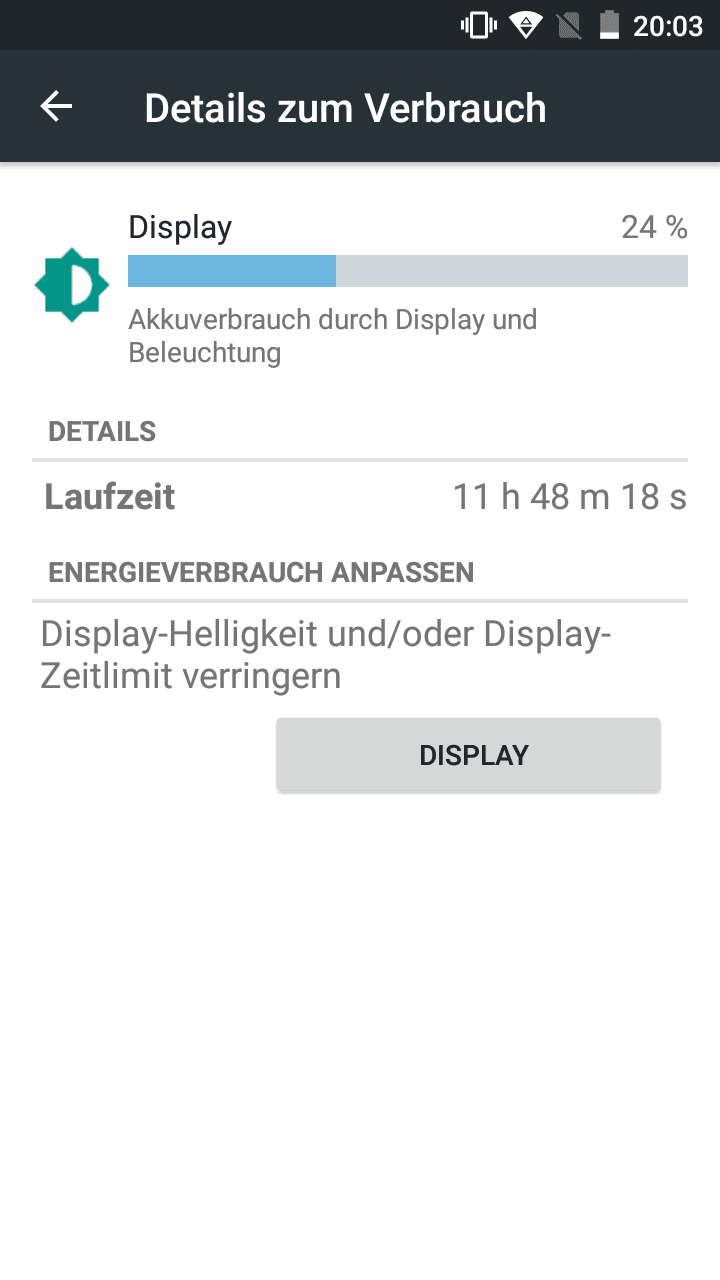
The SOT (Screen On Time) is phenomenal. Even after about 12 hours, my H1 still had 25% battery remaining. This means the Cubot H1 can be used for days without issue. The H1 is also energy-efficient in standby mode, so the battery hardly drains.
Our verdict
The Cubot H1 has minor flaws and does not offer high-end hardware, but overall it makes a good impression. Especially the battery really impressed me. Anyone who places great importance on enormous battery life and can tolerate compromises regarding the camera, which still takes passable pictures in good lighting conditions, will be well served by the Cubot H1.
Specifications
General
- OS
- Android 5.1
- Display
- 5.5-inch HD display (1280x720, 267 PPI)
- CPU
- MTK6735P, 1.0 GHz 64-bit quad-core
- GPU
- Mali-T720
- Camera
- Front camera 8MP, rear camera 13MP (sensor unknown)
- Battery
- 5200 mAh Li-Ion
- Storage
- 2GB RAM, 16GB ROM
- Mains
- GSM (850/900/1800/1900); WCDMA (900/2100); FDD-LTE (B1/B3/B7/B20)
- Other
- Dual-SIM, GPS/A-GPS, Bluetooth 4.0, WiFi, OTG, SD slot
- Sensors
- Accelerometer, Hall, gyroscope, brightness sensor, compass, proximity sensor, infrared
What’s included
1x Cubot H1 (with protective film already applied) 1x Silicone case 1x EU power plug and USB charging/data cable 1x OTG adapter 1x Additional protective film 1x 5200mAh battery 1x Warranty card, user manual

Comments