
Contents
 Play video on YouTube
First impressions
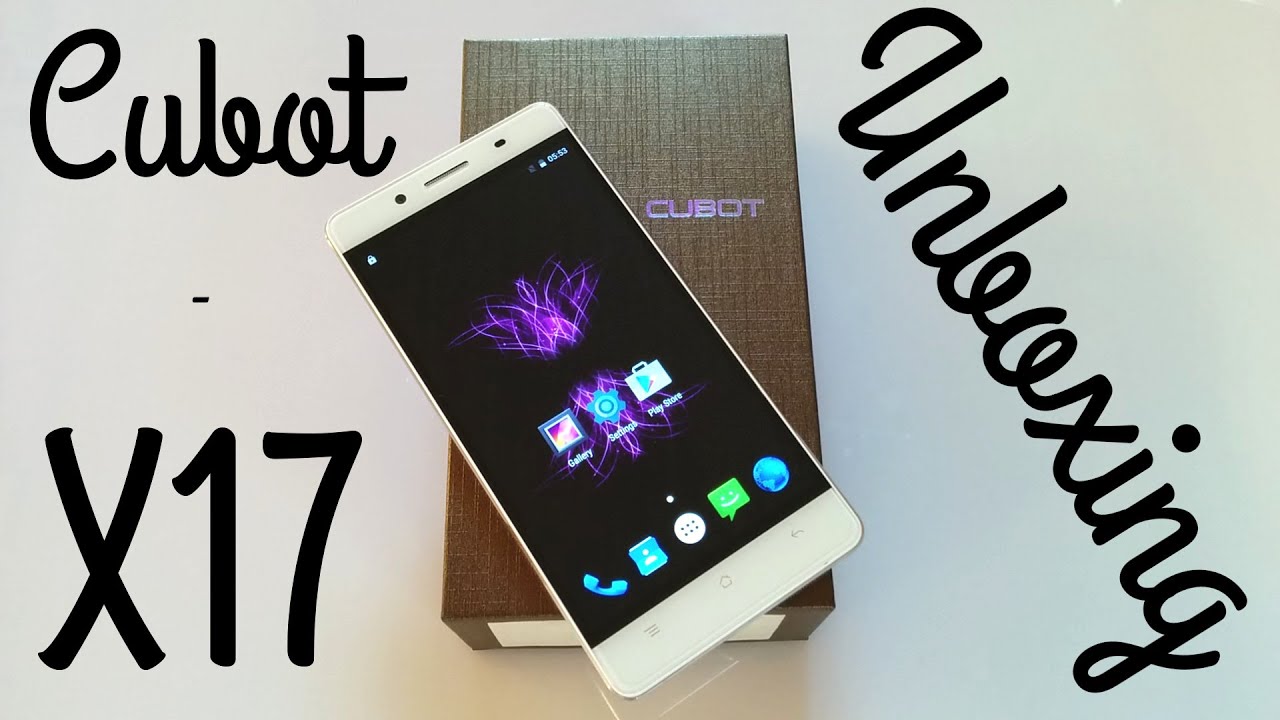
As I was used to from the Cubot X series, this smartphone was also delivered in the typical Cubot cardboard box. In addition to the Cubot X17, the scope of delivery included a charger (5V, 1A), a micro USB data or charging cable, a multilingual user manual, a SIM pin and a screen protector including a cleaning cloth. It is also interesting that a removable plastic protective case was already attached to the smartphone and an additional screen protector had already been accurately applied. This saves you from searching for a suitable protective case and screen protector, which often proves quite difficult with rather unknown brands.
In the hand, the smartphone makes a very high-quality impression. With a thickness of just 6.1 mm, the Cubot X17 is incredibly thin. Anyone familiar with the iPhone 5 or Oppo R5 will likely recognise the look of this smartphone. Cubot follows a similar design line with the X17. The frame of the X17 is made of brushed aluminium. The back is made of metal in the centre, but the top and bottom are made of plastic. This back cover is not removable, which means the battery cannot be replaced.
The dual SIM slot is located on the left edge of the housing and can be opened using a SIM pin. However, you have to decide whether to use the Cubot X17 as a dual SIM smartphone (micro SIM + nano SIM) or to use the second slot for storage expansion via a micro SD card.
On the left edge of the housing are the fixed power button and the volume rocker. These buttons are also made of metal and blend with the overall design. I did not notice any creaking when moving the device. On the top edge of the housing is a 3.5 mm jack audio output, and on the bottom edge is the micro USB port.
On the front is the 5-inch FHD display with so-called 2.5D curved glass. This is a display that is slightly rounded at the edges, which contributes primarily to the appealing design of the Cubot X17. Below the display are three capacitive buttons; above it are the speaker, front camera, proximity sensor, and notification LED.
Considering the price, the Cubot X17 completely convinced me in the first “hands-on”.


Display
The Cubot X17 features a 5-inch FHD 2.5D JDI display with a resolution of 1920x1080 pixels. According to the “Display Tester” app, the pixel density is exactly 440 DPI. As expected from an FHD display, the X17's display is razor-sharp. Individual pixels are no longer discernible.
I would describe the colour temperature as rather cool, which is primarily due to the very good white point. Nevertheless, the colours look natural and vivid. Viewing angle stability is also good. I was quite positively surprised, especially by the good readability under strong light.
MiraVision" has been integrated into the settings for fine-tuning. In addition to contrast, saturation and brightness, the colour temperature and image sharpness can also be manually adjusted. Users can also choose between two preset profiles. The touchscreen supports 5-finger multitouch. All my inputs were recognised immediately and accurately during the test.
Performance
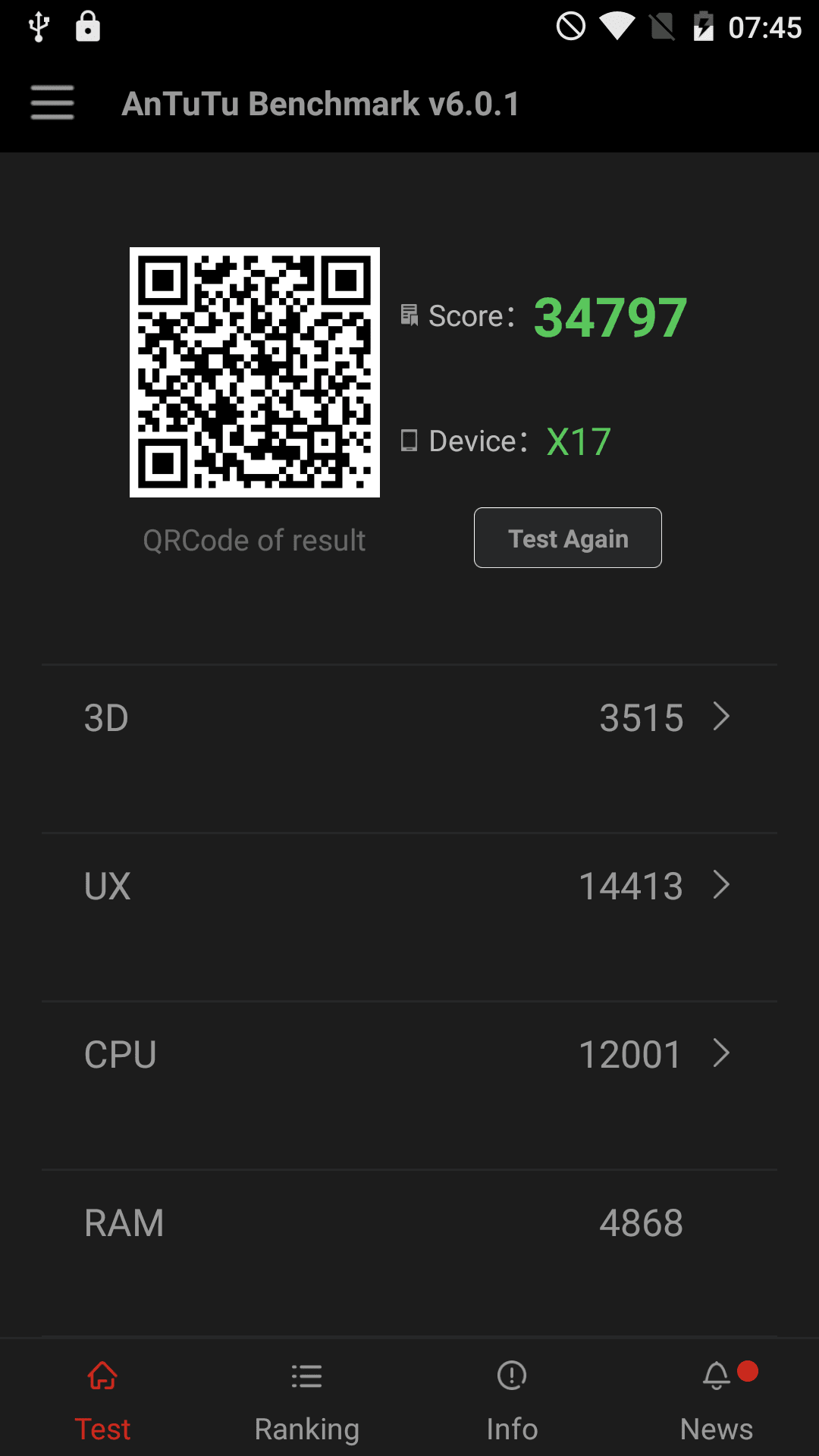
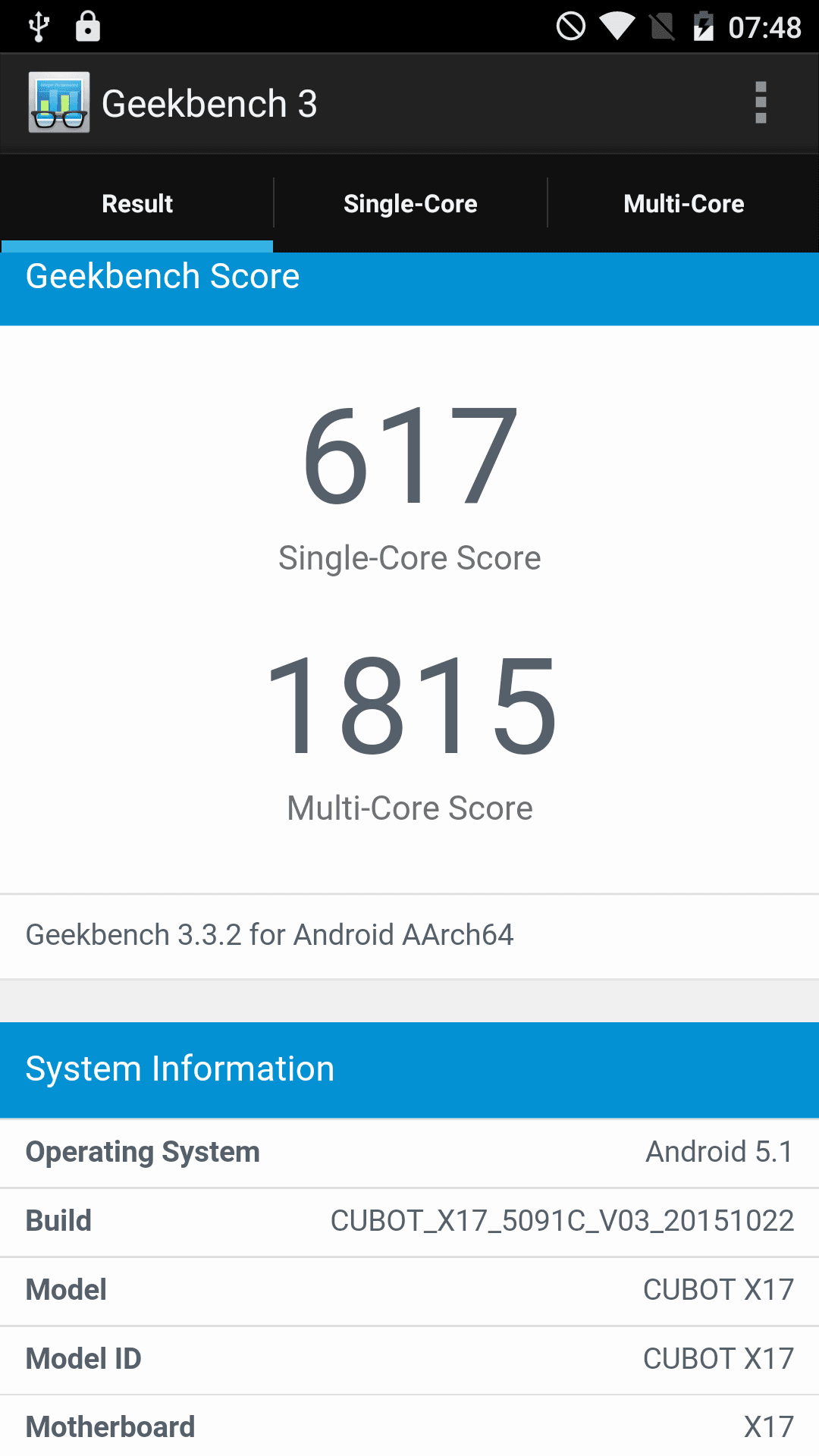
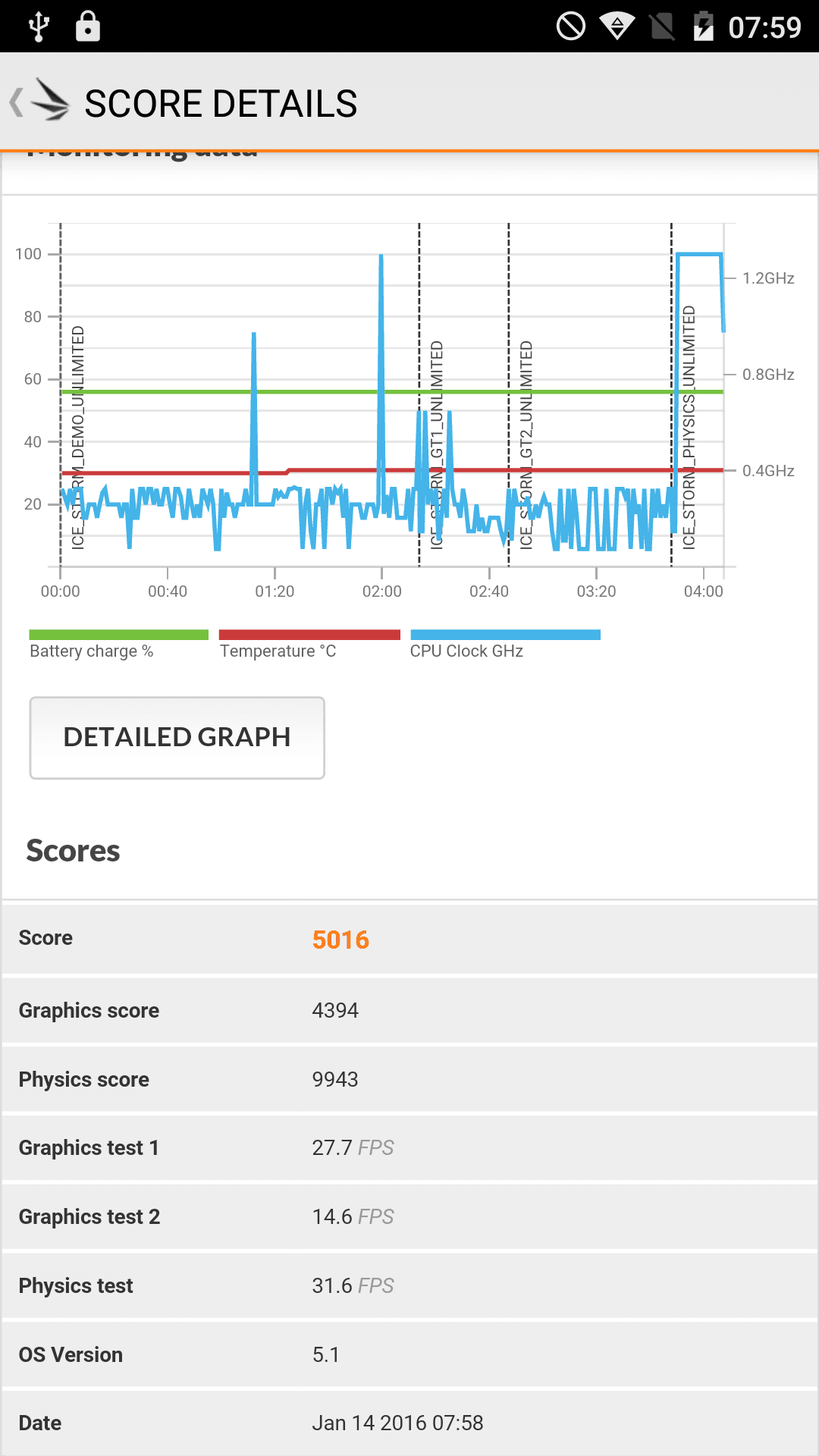
Like its predecessors, the X15 and X16, the X17 uses a MediaTek MT6735 processor. This is a quad-core processor clocked at a maximum of 1.3 GHz. This SoC, which now counts among budget processors, is supported by a powerful 3 GB of RAM. Why Cubot opted for such an unusual combination is questionable, but in terms of performance I could not discover a single drop in performance on the X17, and the performance consistently surprised me. The way Cubot combined this hardware could truly be described as a masterstroke.
Although the Cubot X17 does not differ from other mid-range smartphones with similar hardware in the most common benchmark tests, its everyday performance is simply spot on. Gaming is slowed down by the rather weak Mali T720 GPU, but the average smartphone user will be fully satisfied with this performance, which is well suited for multitasking.
User interface
Fortunately, the smartphone uses a rather clean 'near' Stock Android 5.1. I couldn't find any third-party apps and especially bloatware, except for the 'Cleaner App' by Cheetah Mobile. This app can also be uninstalled from the app menu.
In the settings, the operating system has been extended only with the usual functions such as "HotKnot" (wireless data transfer), "MiraVision", and gesture control management.
I particularly liked the overview of recently opened apps. This is accessed by holding the home button for a longer period. Within this “card overview”, useful information about battery status, memory, voltage and core temperature is displayed at the bottom edge of the screen. Additionally, all open apps can be closed immediately.
An unassuming theme launcher has also been hidden in the system. If you open the wallpaper and widget management, the item 'Style' is located alongside it. Here, users can choose between different themes, which changes the wallpaper as well as the icon design.
The smartphone can be updated OTA, i.e. “Over The Air”. The last update was submitted on 22.10.2015. Unfortunately, it is not known to what extent the smartphone will continue to be supported with updates. However, it is extremely unlikely that Android 6 will ever run on this smartphone.
Camera
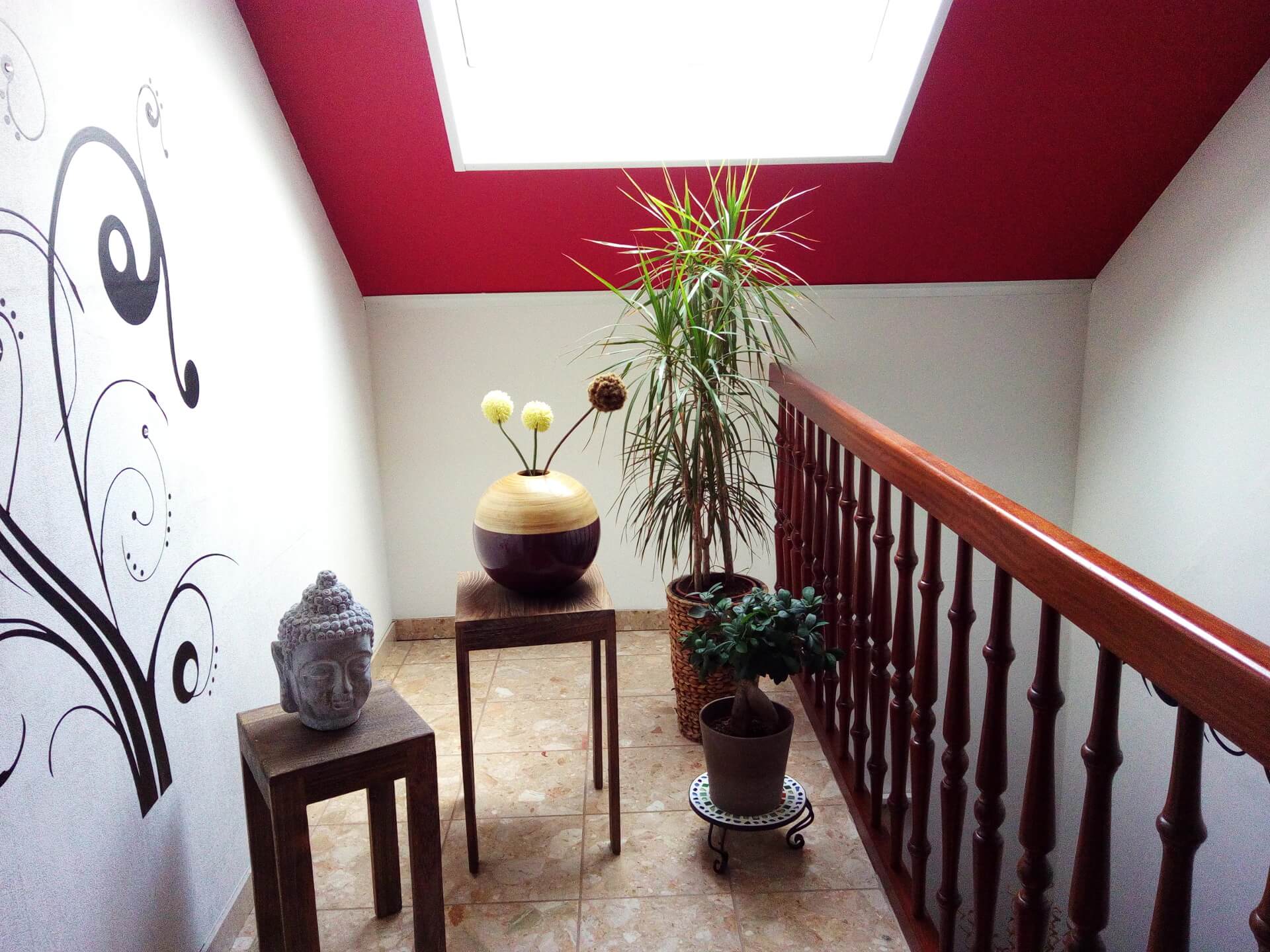
The highlight of the Cubot X17 is the 16 megapixel rear camera. Although this is likely an interpolated value, the camera managed to impress me both during the day and at night. The rear camera has an aperture of f/2.2. It also includes a small dual-LED flash. While I could detect slight image noise, the rear camera of the Cubot X17 reproduces colours particularly naturally. The Cubot X17 also convinced me in poor lighting conditions and when taking photos with the flash active. An enhanced version of the MediaTek camera app is used as the default camera app. This enables features such as panorama and angle shots.
Here are some shots taken with the rear camera:



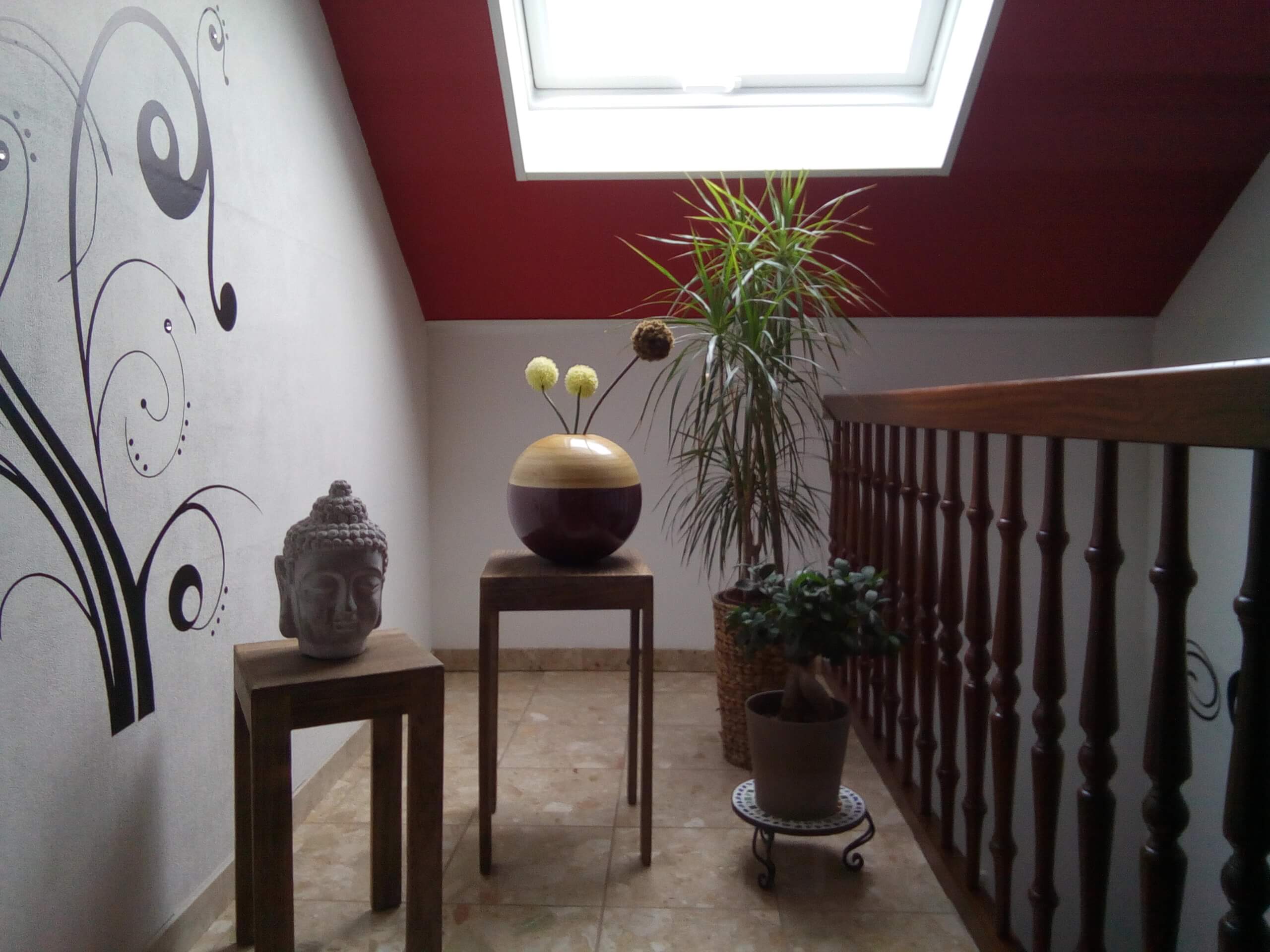
The 8-megapixel front camera (likely also an interpolated value) is perfectly adequate for video calls or quick selfies. Here is another shot taken with the front camera:

Telephony, Wi-Fi, Bluetooth
Voice quality is above average. It is also noteworthy that LTE Band 20 is supported, which is not the case with many comparable Chinese smartphones. As a result, the smartphone can be used without problems on German LTE networks. Although the X17 is a dual-SIM smartphone, if you want to expand the internal storage, you must forgo the second SIM slot, as it serves as a hybrid slot.
My 2.4GHz network was quickly detected by the Cubot X17. The connection was also stable and the range average. My 5GHz network, however, was not detected by the Cubot X17. I therefore assume that the X17 is not dual-band capable. I could not find any information on this on the manufacturer's website.
There were also no problems whatsoever with the Bluetooth connection to my hands-free kit. The connection was stable and the transmission was excellent.
Battery
The catch with the Cubot X17 is the installed battery. The smartphone has a rather small battery with just 2,500mAh. This small battery is largely due to the fact that Cubot launched a very slim smartphone with the X17. Accordingly, the battery life is also low. After one day of average use, I had to charge the smartphone in the evening. Even overnight, the smartphone drained quite a bit of battery in standby mode. A full 15% was lost overnight.
With better optimization of the OS, Cubot could certainly squeeze out much more here. So we'll have to wait and see whether battery life will also be improved in future updates.
Our verdict
The Cubot X17 is a great mid-range smartphone that clearly stands out in the price bracket of around €150. The performance is excellent, the camera takes great photos, and the smartphone convinced me with its network reception and call quality. However, those looking for a smartphone with a strong battery will be somewhat disappointed by the X17. The Cubot X17 could certainly do more in this regard.

Comments (7)
Very detailed and informative description! But take a look at your Amazon link. As with other reviews, Amazon is currently linking to the X16 here, which can quickly lead to a wrong purchase. Additionally, the X17 costs 25 euros more.
Thanks for the note. I have adjusted the entry :).
I recently installed an offered update on the X17 and since then the Outdooractive app no longer works. Can you give a tip on what I can do about this?
Hi Heinz, is the “Outdoor Activity App” a system app or a preinstalled app, or was it downloaded from the Google Play Store? Have you already cleared the app’s data and cache?
A stylish smartphone at a good price. It is a shame only that the battery life is so short.
Nevertheless, it is worth considering, especially if you are looking for a dual-SIM smartphone. Thank you very much for the great article!
How can memory expansion be accessed if a micro memory card is used instead of a SIM?
Memory cards are usually detected immediately. You can access them with a file manager (e.g. ES File Explorer).