Contents
ELEGOO SatelLite – What makes it special?
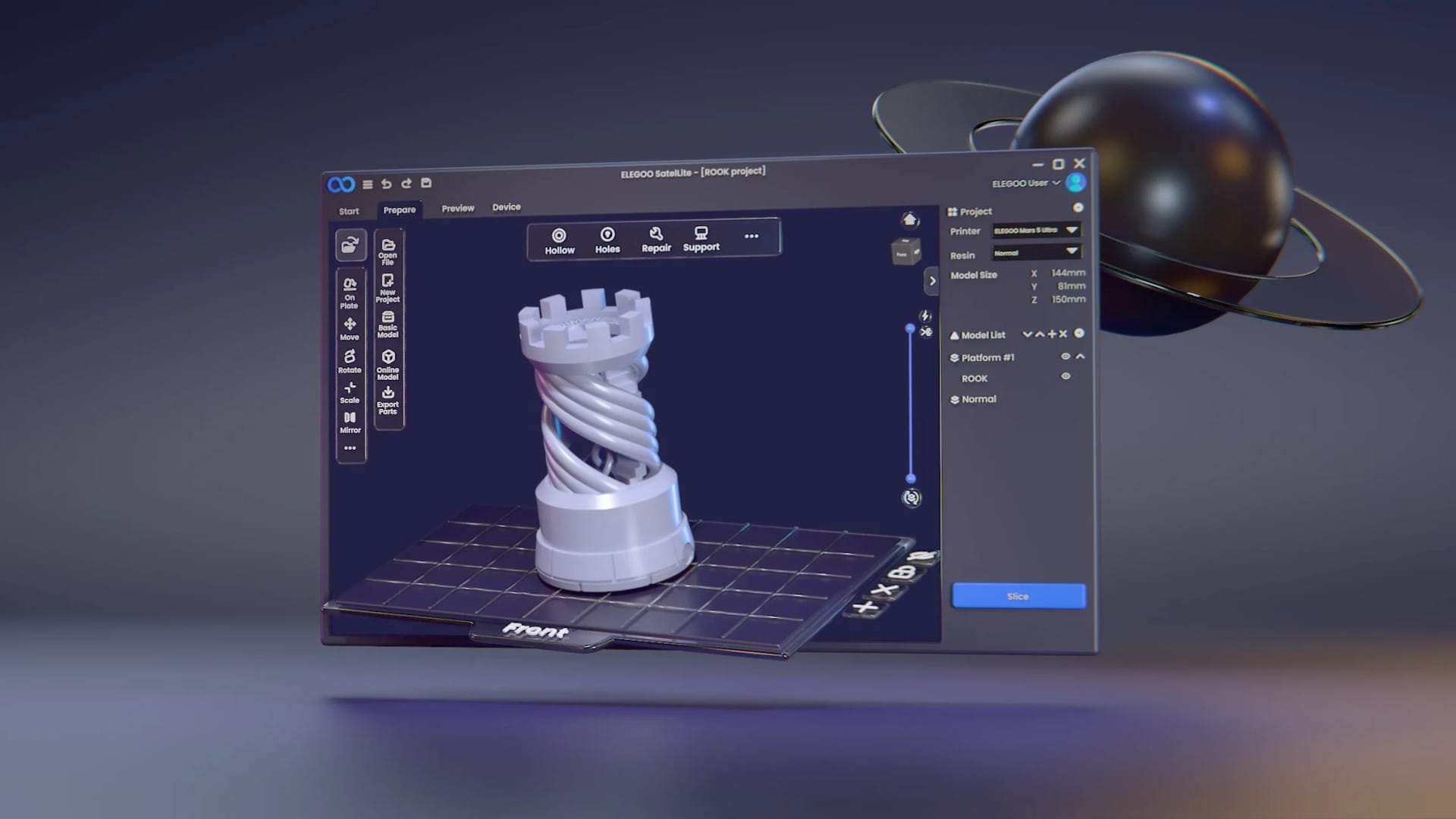
With SatelLite, ELEGOO aims to be more than just a hardware manufacturer. The new free slicer is intended to work not only perfectly with ELEGOO printers, but also with devices from other brands. This way, the company directly challenges established solutions like CHITUBOX and Lychee, offering a range of features typically expected behind a paywall. Let's take a closer look at the features.
A slicer not just for ELEGOO printers
While many manufacturers restrict their own software to specific printers, ELEGOO pursues an open approach. SatelLite is not only optimised for the Mars, Saturn and Jupiter series, but also works with third-party devices. Thus, the software is not only aimed at die-hard ELEGOO fans, but at the entire resin 3D printing community.
Pro features without the price tag
Boolean operations, model repair, hollowing and precise cutting – features that are only available in the paid versions of CHITUBOX or Lychee are free in SatelLite. No ads, no subscription models, no limited trial versions. Simply install and get started. This clearly distinguishes the slicer from its alternatives and could be particularly interesting for budget-conscious makers.
EVO-Support technology for better prints
Support structures in resin printing are a science in themselves. If they are too weak, the model falls over. If they are too massive, they are hardly removable. This is where the new EVO Support Technology comes in, which, according to ELEGOO, works with a success rate of over 90 percent and is simultaneously twice as fast as conventional auto-support systems. Particularly a real plus for beginners who do not want to spend hours manually placing supports.
Material and model library
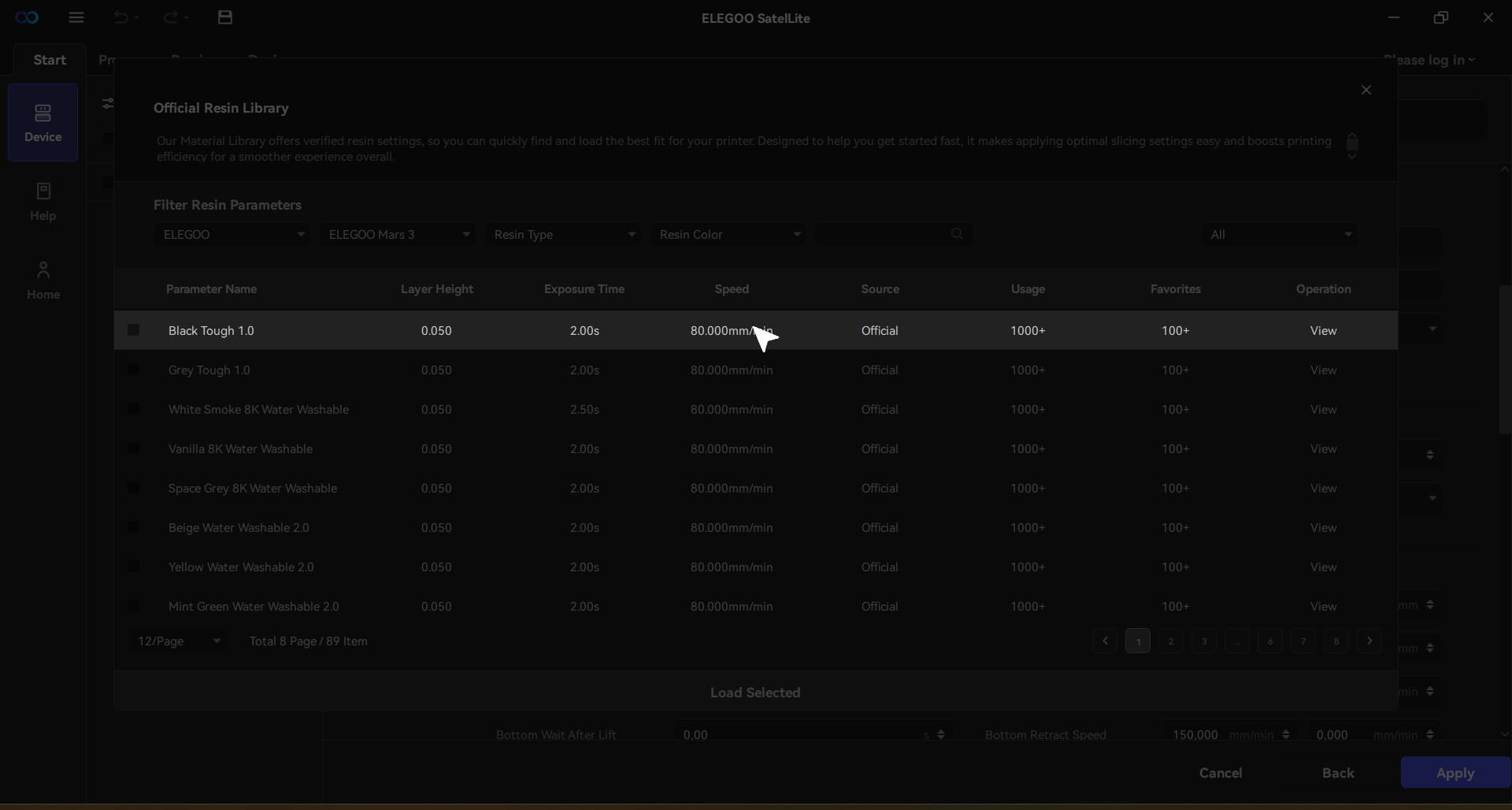
The integrated material library offers pre-configured profiles for ELEGOO resins. No more tedious trial and error; simply select the appropriate material and get started. Users of other printer brands can create their own profiles and share them with the community. Additionally, ELEGOO plans a model library, which in the future should offer a collection of pre-made 3D models.
Control multiple printers simultaneously
Anyone using multiple resin printers knows the problem. Most slicers are not designed for multi-device management. SatelLite aims to address exactly this and manage multiple printers simultaneously. A real advantage for small-series producers or makers with parallel print projects.
Export formats without restrictions
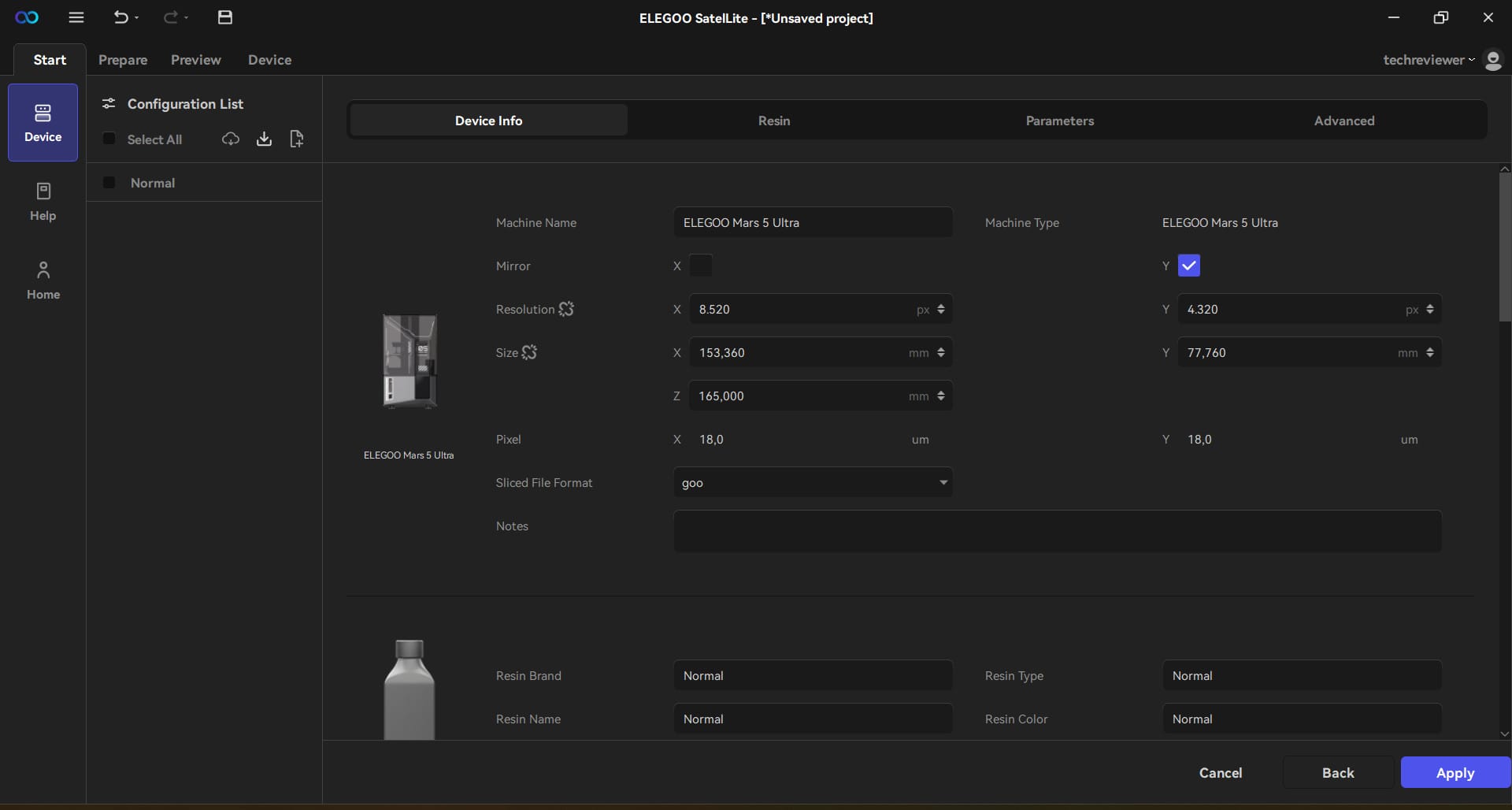
Instead of committing to a proprietary format, SatelLite supports .goo as well as various other file formats. Thanks to UVTools integration, even more options are available. This should be of particular interest to makers who work with printers from different manufacturers and want to remain flexible.
On paper, all this sounds promising, but how does the Slicer perform in real use? Let's take a look at the installation and the first practical test.
Installation & first impression – How easy is it to get to grips with SatelLite?
A new slicer can have as many features as it likes – but if the setup is complicated or the user interface looks cluttered, enthusiasm quickly fades. ELEGOO promises easy operation that works for both beginners and experienced makers.
Download & installation
SatelLite is available for free download on the ELEGOO website. The file is not excessively large at around 400 MB, and installation proceeds without surprises. However, there is a hurdle: Currently, the software is only available for Windows. Mac users need to be patient or improvise with a virtual machine.
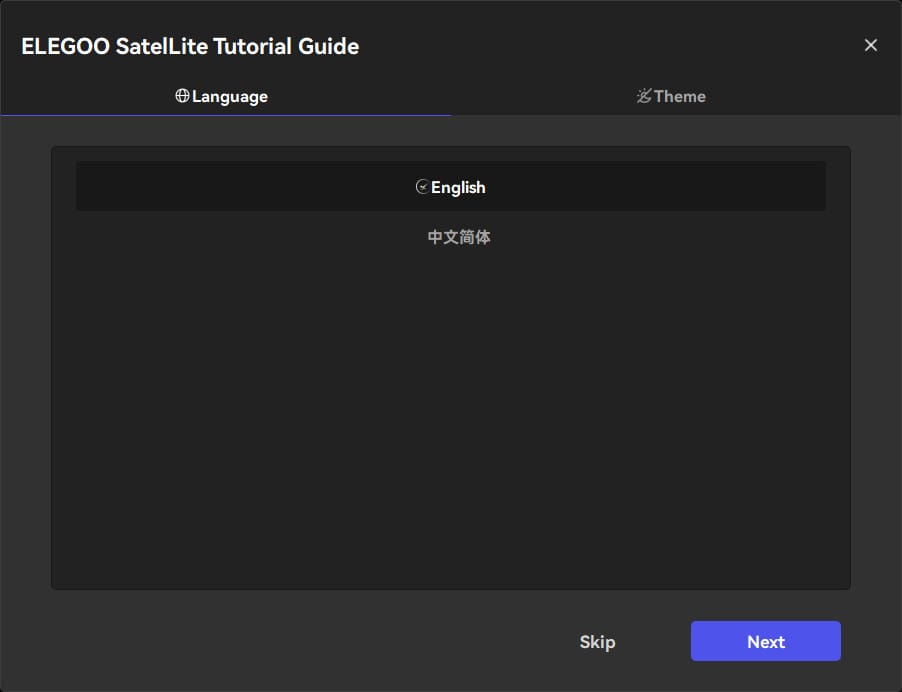
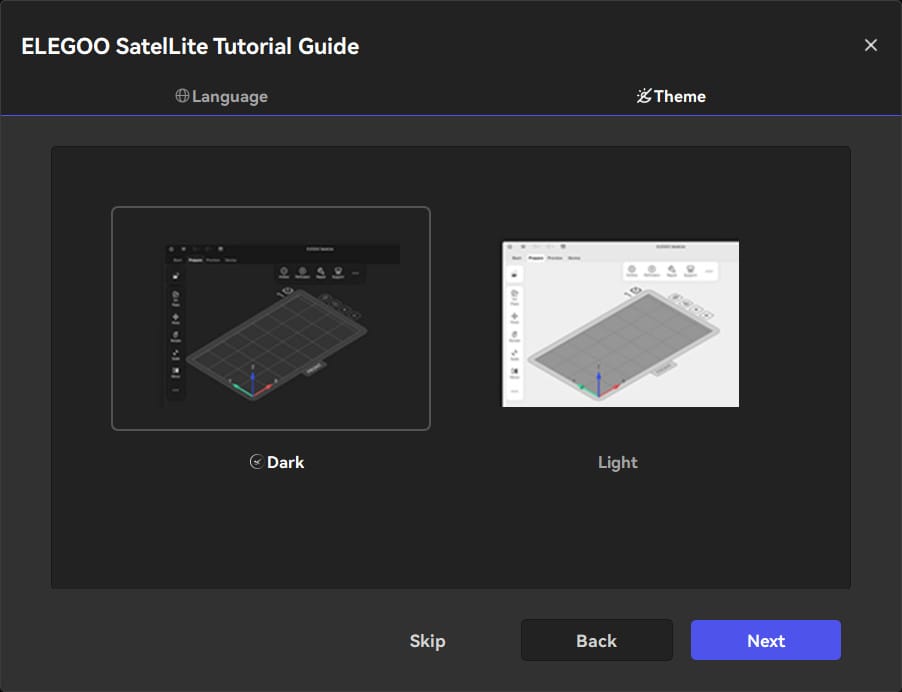
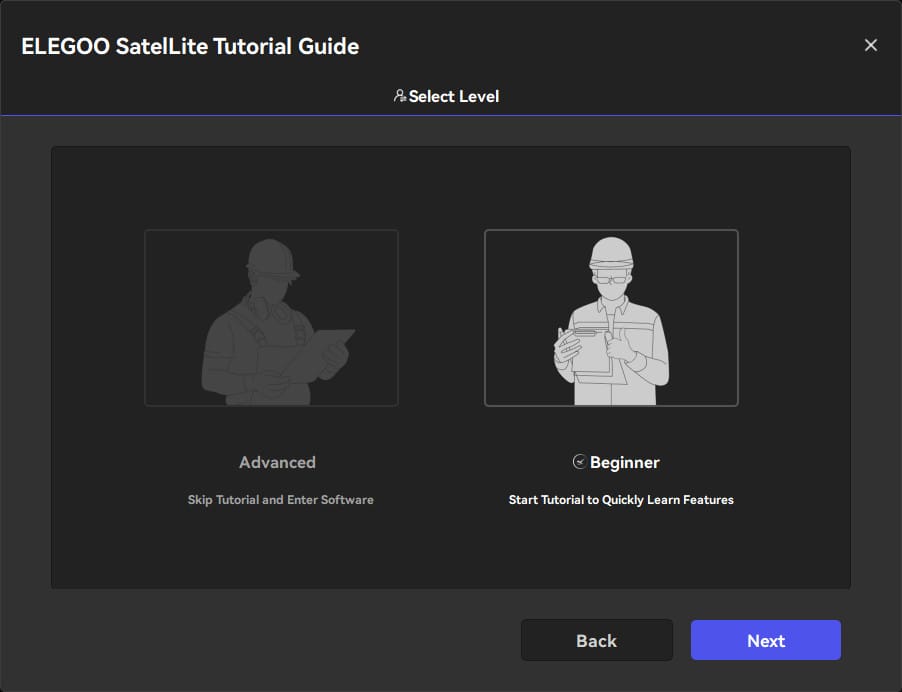
After the first start, a user account is required to save printer profiles and receive updates. Not a problem in itself, but an optional guest mode would have been a nice addition for occasional users.
Printer setup
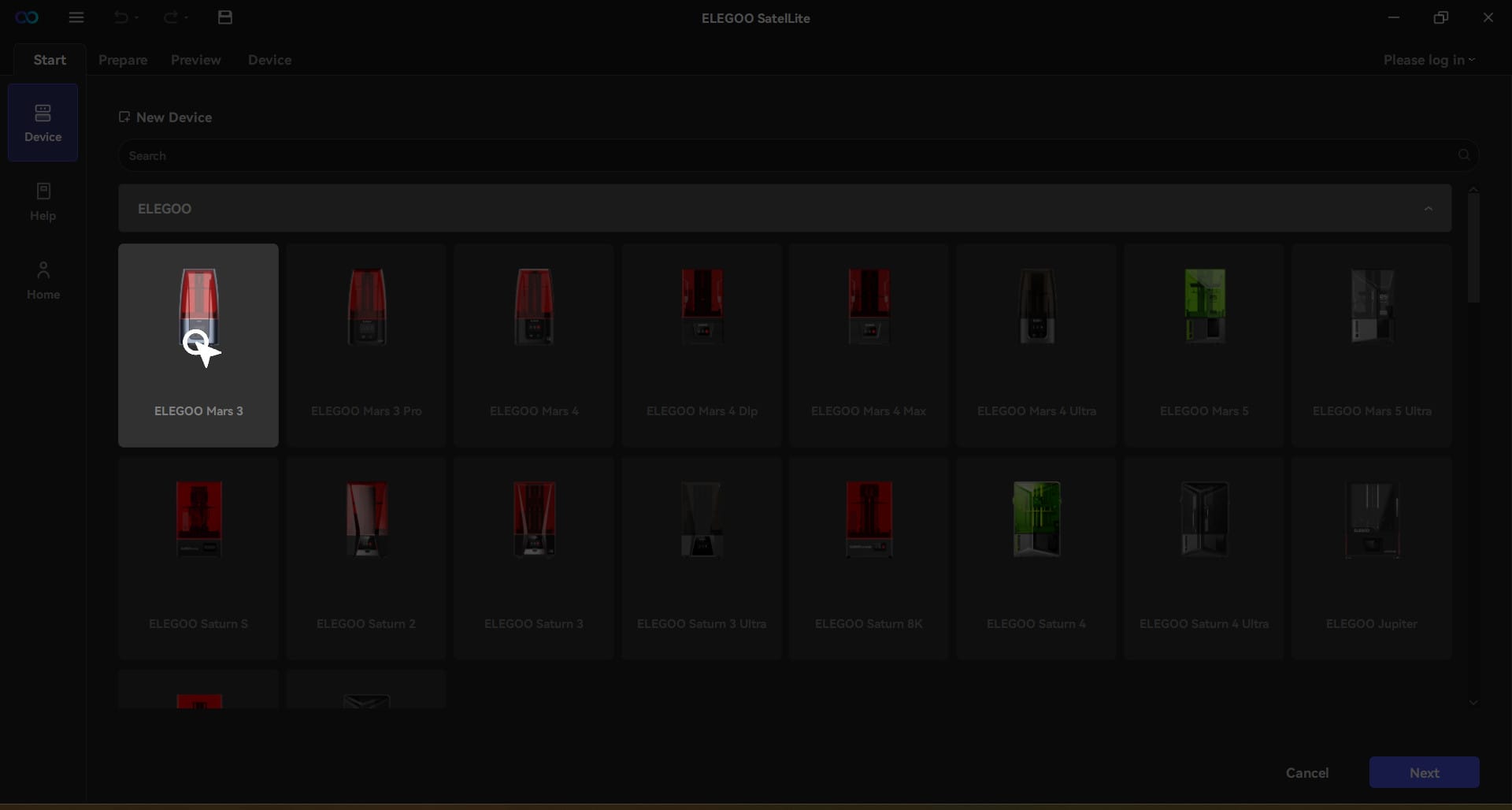
SatelLite appears clean and organized from the start, without unnecessary frills. A tutorial can guide you through the complete workflow once. Among other things, it defines which printer you are using. The appropriate settings for most devices from well-known brands are already preset, including automatic material profiles.
User interface
Anyone who has already worked with CHITUBOX or Lychee will quickly find their way around SatelLite. The menu structure is clear, and the most important tools are easily accessible. ELEGOO uses a user interface with large icons and well-thought-out tooltips.
Compared to CHITUBOX, SatelLite appears somewhat more modern but avoids unnecessary frills. Although Lychee offers a customisable interface, many functions are hidden in nested menus. SatelLite has found a good middle ground here.
Import and model editing
SatelLite supports all common 3D file formats, including STL, OBJ and 3MF. Models can be added via drag & drop.
Basic functions such as scaling, rotating and mirroring are directly available. Additional features such as hollowing, cutting and Boolean operations can be accessed with just a few clicks and are even free here, unlike in CHITUBOX or Lychee.
Practical test of the ELEGOO Mars 5 Ultra – How well do the slicer and printer work together?
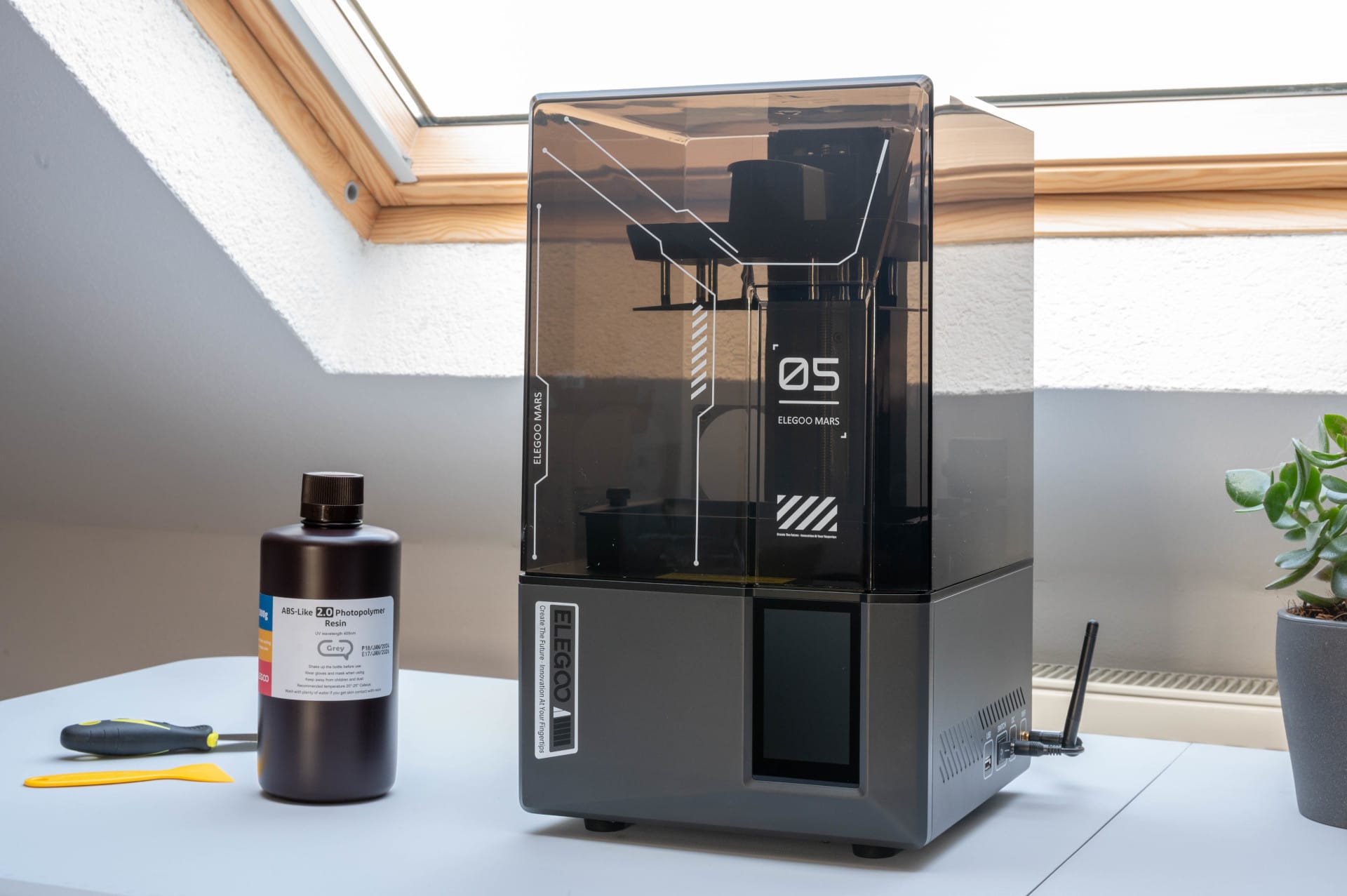
Theory is one thing, but how does SatelLite perform in practice? To find out, we tested the slicer with the ELEGOO Mars 5 Ultra, one of the most exciting resin 3D printers currently on the market. With a 9K display, auto-leveling and tilt-release technology, it offers a strong foundation.
Automatic model repair – a clever but not error-free solution
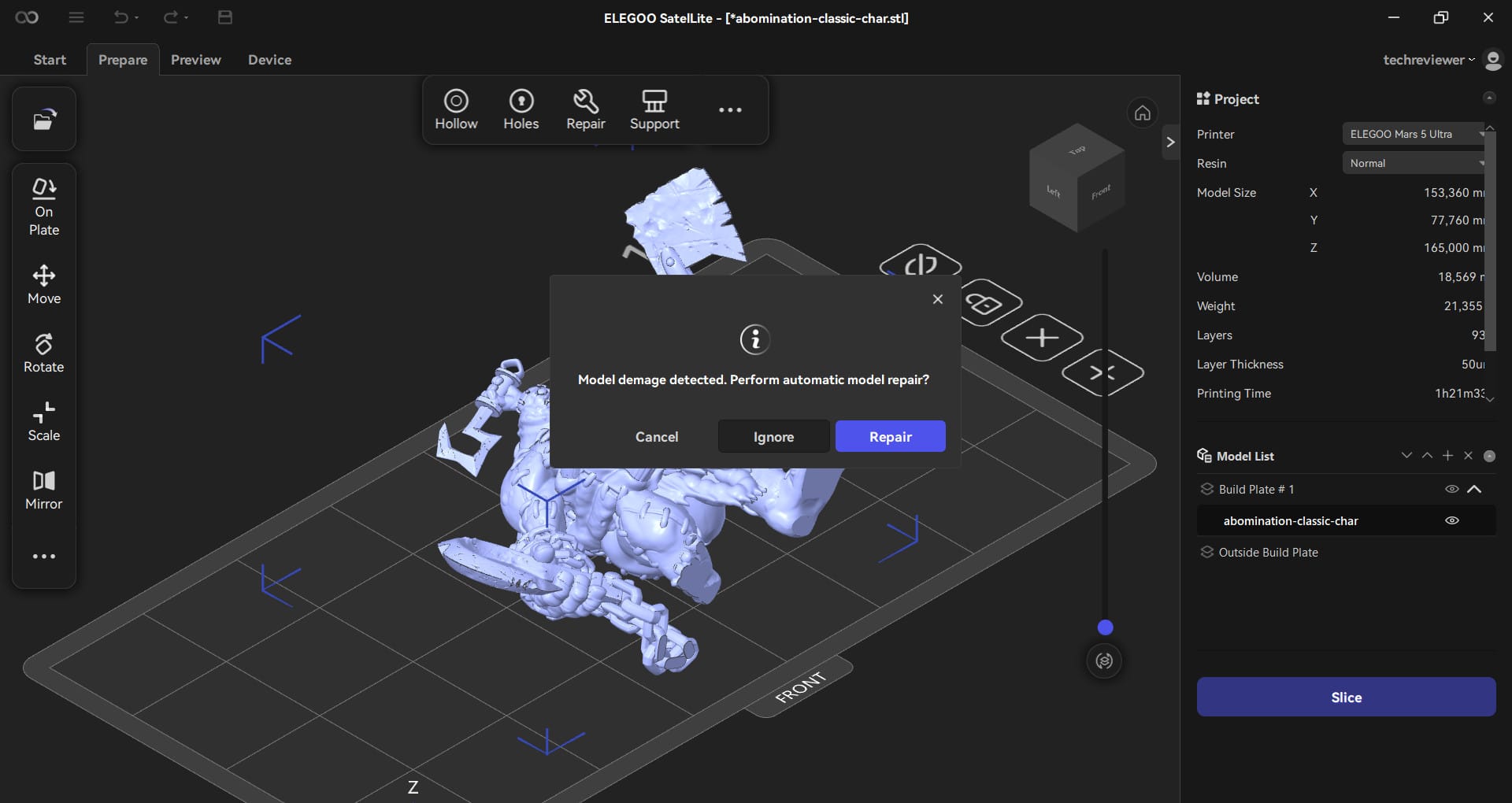
For the test, we chose a model with many fine structures and overhangs. Once an STL file is loaded into SatelLite, the software checks the model for mesh errors, holes or non-watertight areas. If problems are detected, SatelLite offers an automatic repair – a feature particularly useful for beginners.
The test showed that this works very well in most cases. Defective or incomplete surfaces are reliably patched, preventing print errors later on. The repair is a genuine advantage, especially with complex structures or organic shapes. With CHITUBOX Free, one would have to use an additional tool like Meshmixer or upgrade to the paid version.

However: With certain "Onepiece" models, i.e. figures or designs designed as a single unit, it can happen that individual parts of the model disappear after the repair. Here, you should carefully check the result before starting the print.
Slicing performance – How fast is SatelLite?
Slicing ran surprisingly smoothly and around 20 percent faster than CHITUBOX, which is particularly noticeable with complex models. Lychee remains marginally faster in pure slicing, but while Lychee requires more configuration, SatelLite delivers ready-to-print results.
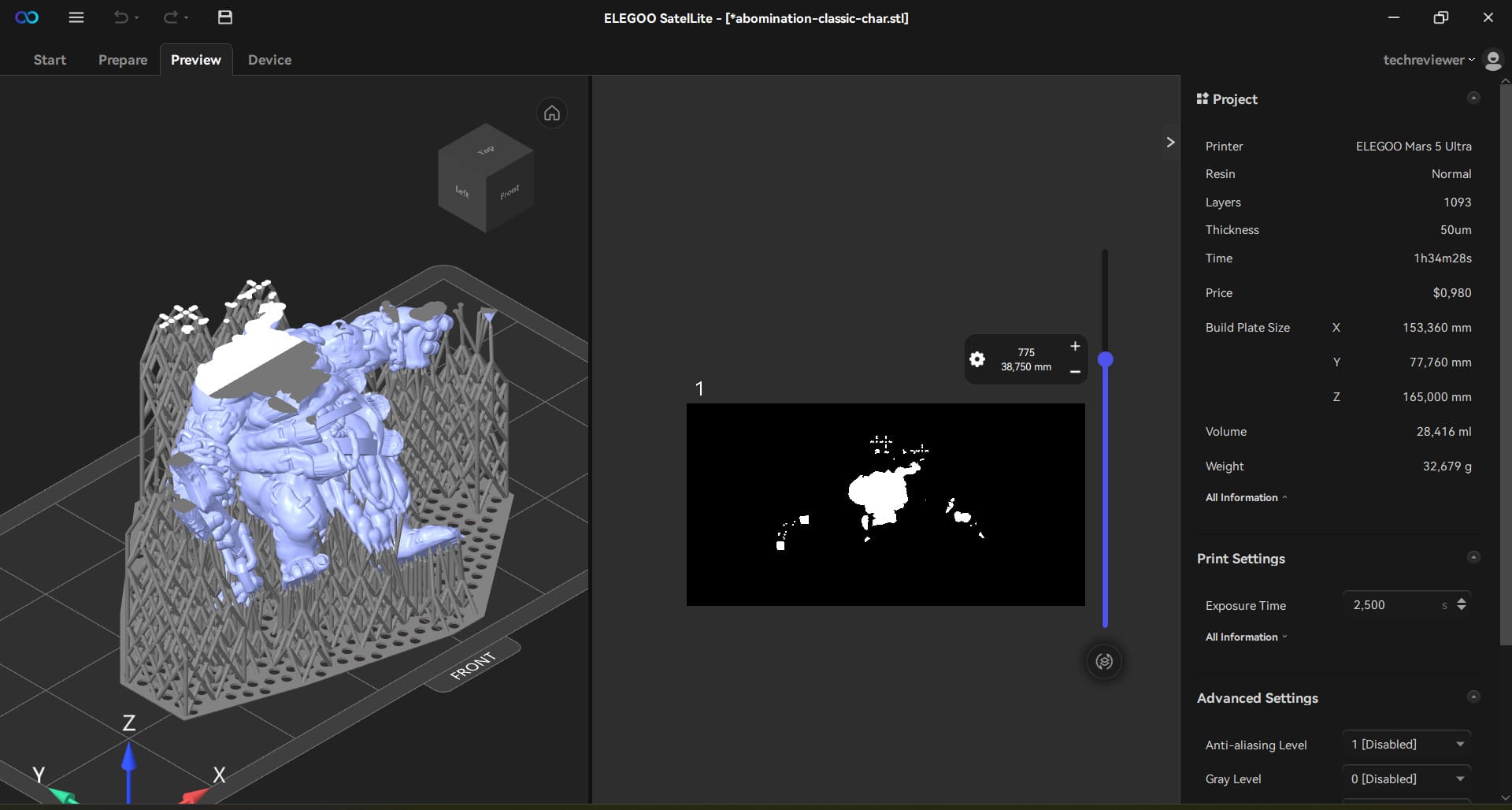
The layer construction in the preview also looks clear and fluid, without the micro-jitters occasionally seen in other slicers. First impressions: ELEGOO has optimised its algorithms well!
EVO supports – do they really work that well?
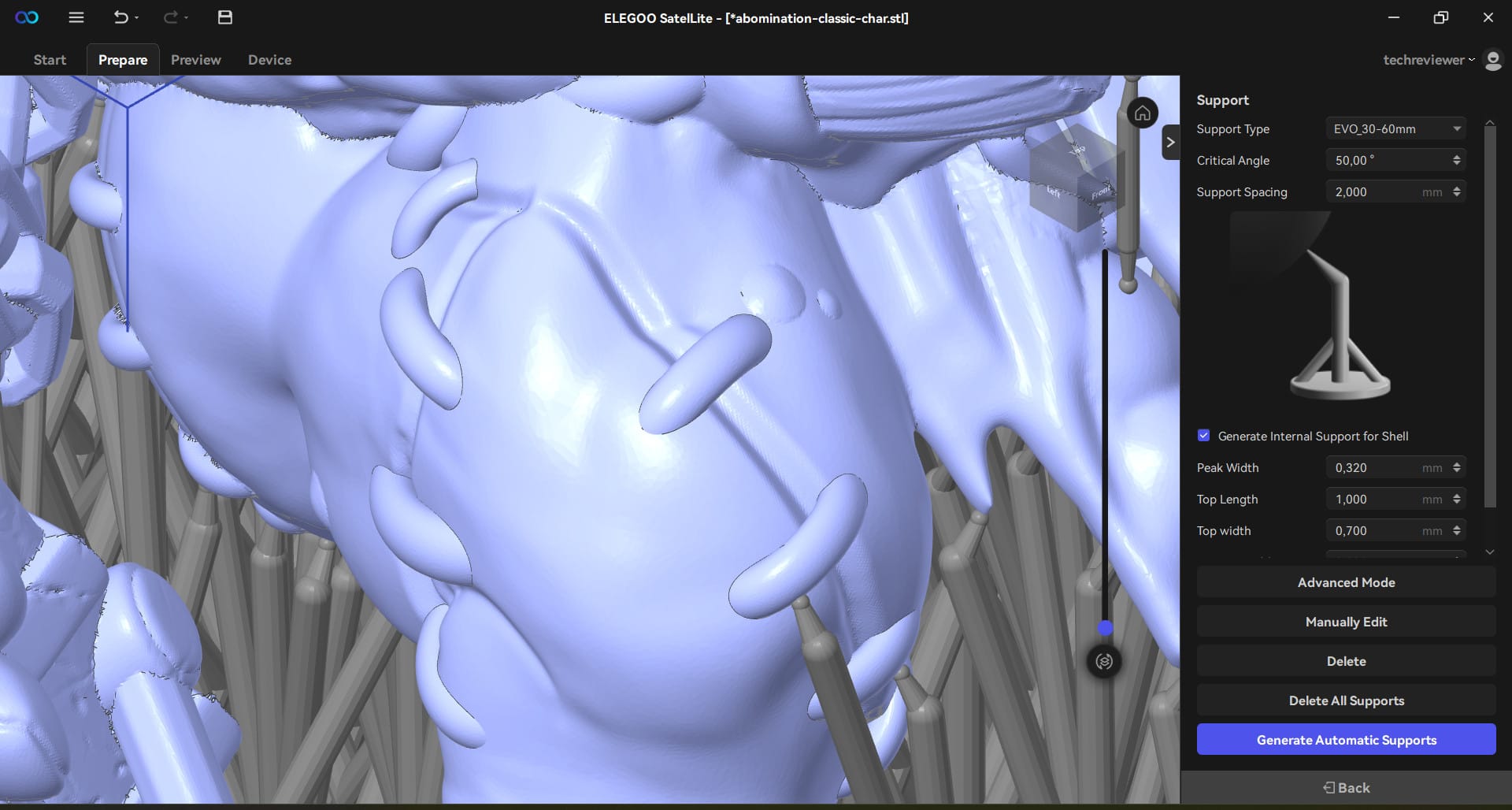
One of SatelLite's most exciting features is its EVO supports, which reportedly create support structures with a success rate of over 90 per cent. We wanted to know exactly.
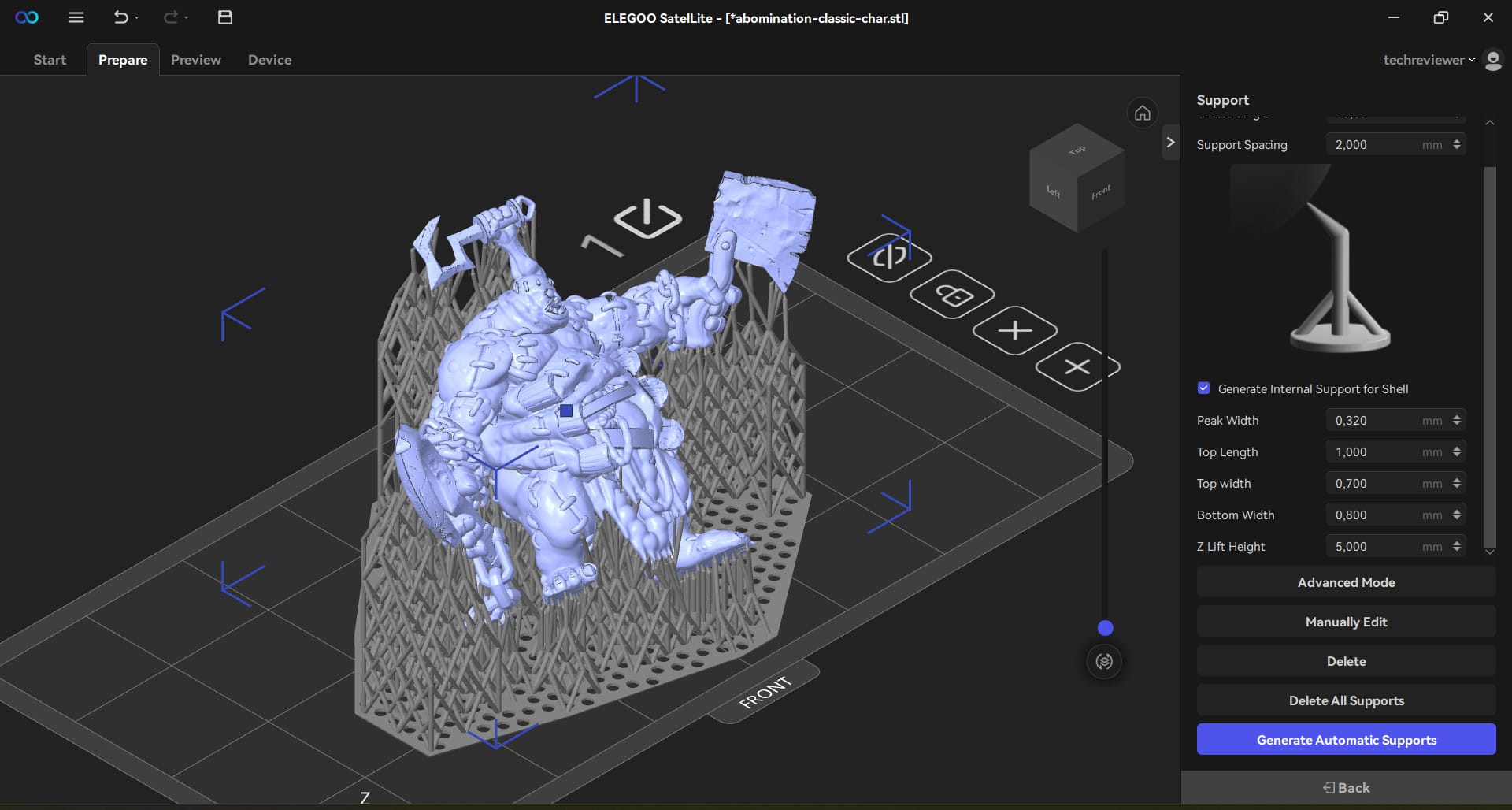
SatelLite first analyses the model, automatically sets supports and adjusts their strength depending on the area. The whole process works significantly faster than with CHITUBOX and Lychee. For those who want more precision, supports can be manually refined, but even the automatic version provides stable yet easily removable support structures.
Lychee offers a similar technology called Adaptive Supports, albeit with longer processing times. In contrast, CHITUBOX is rather rudimentary in its free version; here, many support structures have to be adjusted manually.
Export & Print – Does the workflow work?
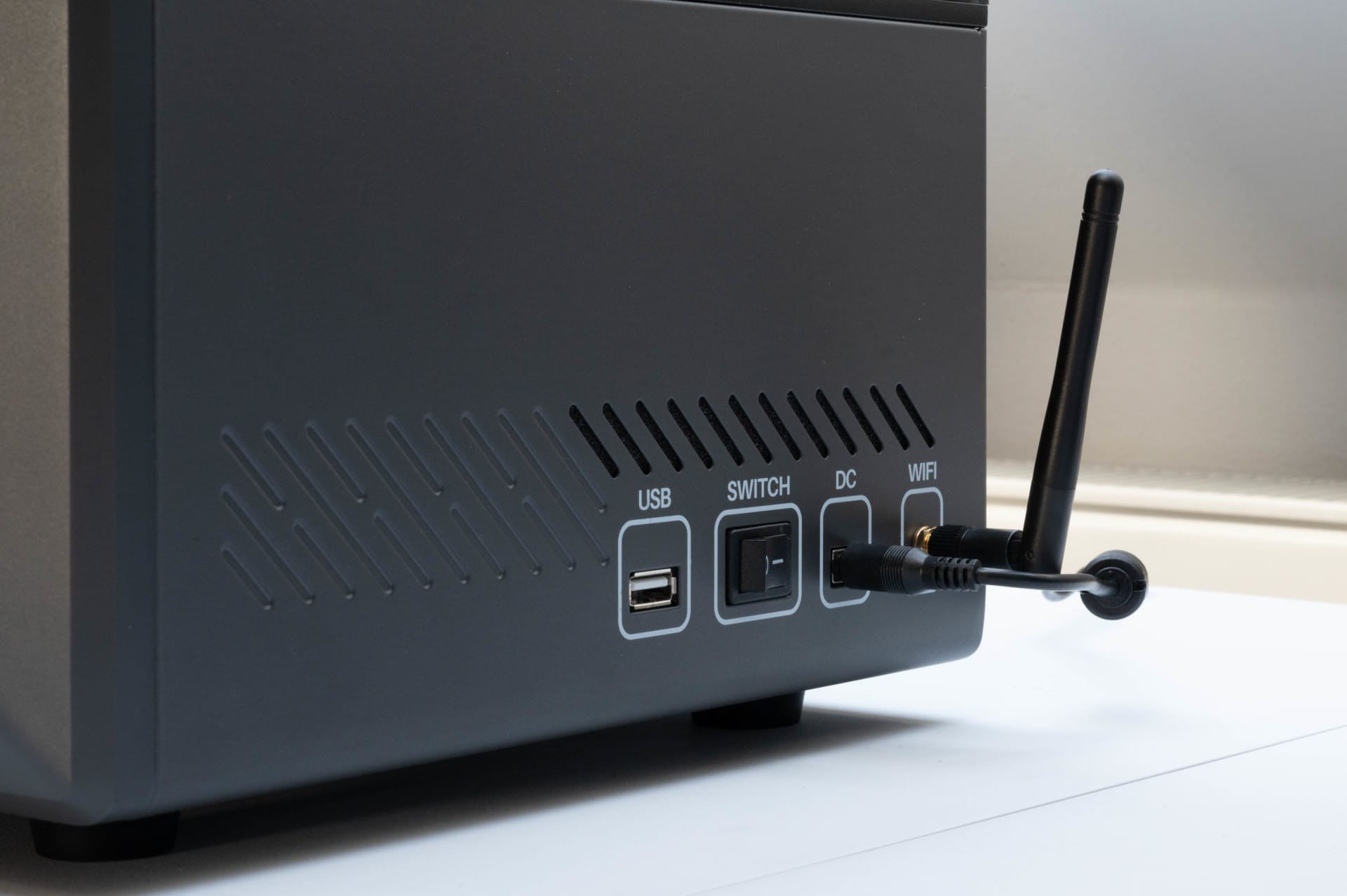
After slicing, you proceed to export. SatelLite supports the .goo format, as well as other formats if you work with multiple printers. Unfortunately, there is no direct Wi-Fi transfer to the printer, as offered by Lychee Pro. The model must therefore be loaded onto the Mars 5 Ultra classically via USB stick.
As soon as printing starts, the combination of tilt-release and precise support structure is immediately apparent. The print runs smoothly, with no unexpected detachments or errors.
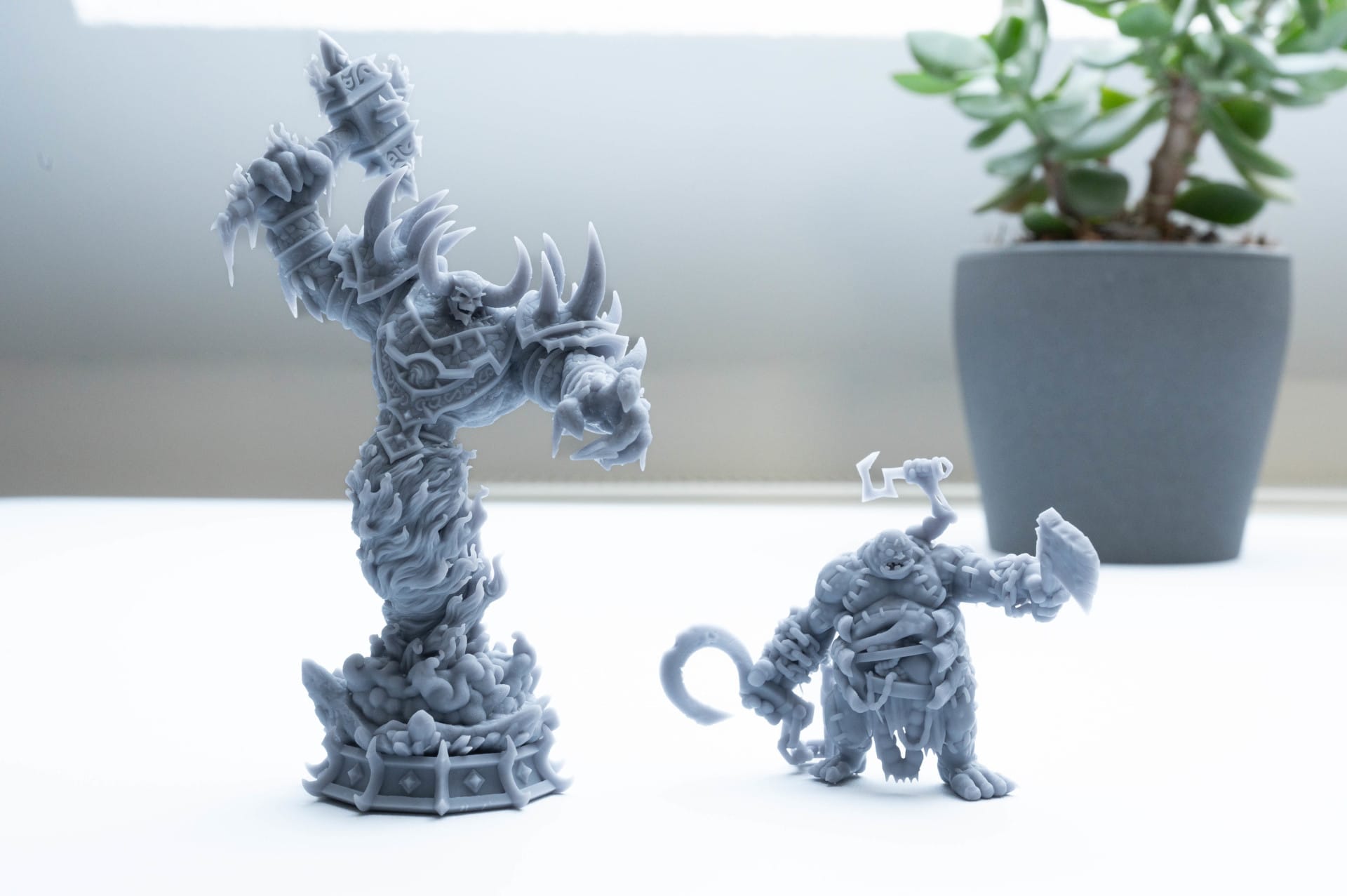
After approximately two hours of print time, the model is complete and SatelLite delivers as expected. Fine structures are cleanly reproduced without visible artefacts or distorted areas. The layer transitions are barely visible, indicating good anti-aliasing.

The EVO supports can be removed with minimal effort, and there are no broken details or unsightly residues. In direct comparison with CHITUBOX and Lychee, it is evident that SatelLite operates at a similar level, but in many cases finds a better balance between stability and easy removability of the supports.
SatelLite vs. CHITUBOX vs. Lychee – The big comparison
A new slicer is only as good as the competition it challenges. CHITUBOX has been the standard for many resin 3D printers for years, and Lychee has established itself as a particularly beginner-friendly alternative. Can ELEGOO SatelLite keep up, or perhaps even offer more?
1. Operation & workflow – which is the easiest to use?
All three programmes rely on an easy-to-follow user interface, but there are significant differences:
- CHITUBOX appears functional but is now somewhat outdated. Many professional features are hidden or only available in the paid Pro version.
- Lychee takes the opposite approach: an extremely tidy interface, but with many features behind a paywall. The free version requires living with adverts.
- SatelLite combines the best of both worlds: clean, modern, yet still powerful. The UI with large icons is particularly pleasant, clearly showing where each function is located.
2. Slicing speed – Who is the fastest?
When calculating the layers alone, there are small but measurable differences:
- CHITUBOX Pro offers better performance than the free version, but it costs money.
- Lychee is slightly faster, but often requires more manual adjustments to truly produce print-ready files.
- SatelLite beats CHITUBOX Free in speed and is overall about 20% faster, especially with complex models.
3. Support generation – EVO vs. Adaptive vs. Tree supports
The quality of the support structures is one of the decisive factors for successful resin prints.
- CHITUBOX Free creates relatively rudimentary supports, which often need to be edited manually.
- Lychee Adaptive Supports are flexibly adjustable but take a long time to calculate.
- SatelLite EVO supports deliver a higher success rate in shorter time and are easier to remove.
4. Export & printer compatibility – How flexible are the slicers?
- CHITUBOX Free only permits limited export formats, whereas the Pro version offers more.
- Lychee offers a good selection of formats, but the free version has limitations.
- SatelLite supports .goo and other formats and can be extended via UVTools.
5. Features & Paywalls – What do you get for free?
This is where it gets exciting.
- CHITUBOX Free is limited in many areas. Many professional features are only included in the paid version.
- Lychee offers a very good foundation, but includes advertisements, and some features are only available in the Pro version.
- SatelLite offers ALL features for free, without ads or hidden costs.
Our verdict
With SatelLite, ELEGOO has launched a powerful and free slicer that is not limited to its own printers but is also available for many third-party devices. So far, ELEGOO has completely avoided paywalls and advertising without sacrificing functionality. Automatic model repairs, Boolean operations and a flexible export function are directly integrated.
Naturally, there is still room for improvement. A Mac version is long overdue and direct Wi-Fi upload functionality would be a useful addition. The model library is currently still a thing of the future. However, anyone looking for a free alternative to CHITUBOX and Lychee that also works well should definitely try SatelLite. We are certainly curious to see how SatelLite will develop in the future!
Specifications
Technical specifications
- Build volume
- 153.36 x 77.76 x 165 mm³
- Print speed
- Max. 150 mm/h
- Layer height
- 0.01 - 0.2 mm
- XY resolution
- 18 x 18 μm (8520 x 4320)
- Z-axis accuracy
- 0.02 mm
- Printing technology
- MSLA (Masked Stereolithography)
- Light source
- COB light source (wavelength 405 nm)
- LCD screen
- 7-inch 9K monochrome display
- LCD screen protector
- 9H tempered glass
Connectivity & controls
- Connectivity
- USB interface & WiFi
- System
- EL3D-4.0
- Operation
- 4.0-inch capacitive touchscreen
Slicing software
- Standard
- Chitubox
- Alternative
- Elegoo SatelLite (free, universally compatible)
- Cooling & Air purification
- Heat dissipation
- 3 copper heat pipes + single fan
- Air purifier
- USB connection unavailable, compatible with Mars Mate air purifier
Resin compatibility
- Supports most resins on the market (washable, standard, ABS-like, plant-based etc.)
Special features
- Tilt Release Technology
- One-Click Auto-Leveling
- AI camera
- Smart mechanical sensors
- Power-loss resume printing
Power supply & dimensions
- Tension
- 100-240V 50/60Hz, 24V 3A
- Device Dimensions
- 260 x 268 x 451.5 mm
- Weight (net)
- 8.8 kg
- Weight (gross)
- 10.8 kg
ELEGOO SatelLite – Features & Properties
- Software & compatibility
- Platforms
- Currently Windows, Mac version planned (Q1 2025)
- Printer support
- Elegoo Mars, Saturn, and Jupiter series + third-party devices
- Export formats
- .goo + advanced export options with UVTools
Key features
- EVO support technology
- Automatic model repair
- Boolean operations
- Hollow structures & drainage
- Multi-device management
- Material & model management
- Material library
Price comparison
| Store | Price | Link |
|---|---|---|
| Amazon | 319,99 € | Go to store |
Comments (1)
A nice report that also made me curious about SatelLite. Unfortunately, the current installation, unlike described here, is somewhat tricky or impossible. Setting up an account requires not only the usual details but also a verification code, which doesn't appear anywhere and cannot be retrieved. The problem is already being discussed extensively online. A worthless or superfluous program at present???