Contents
First Look at the GPD Pocket
What’s included
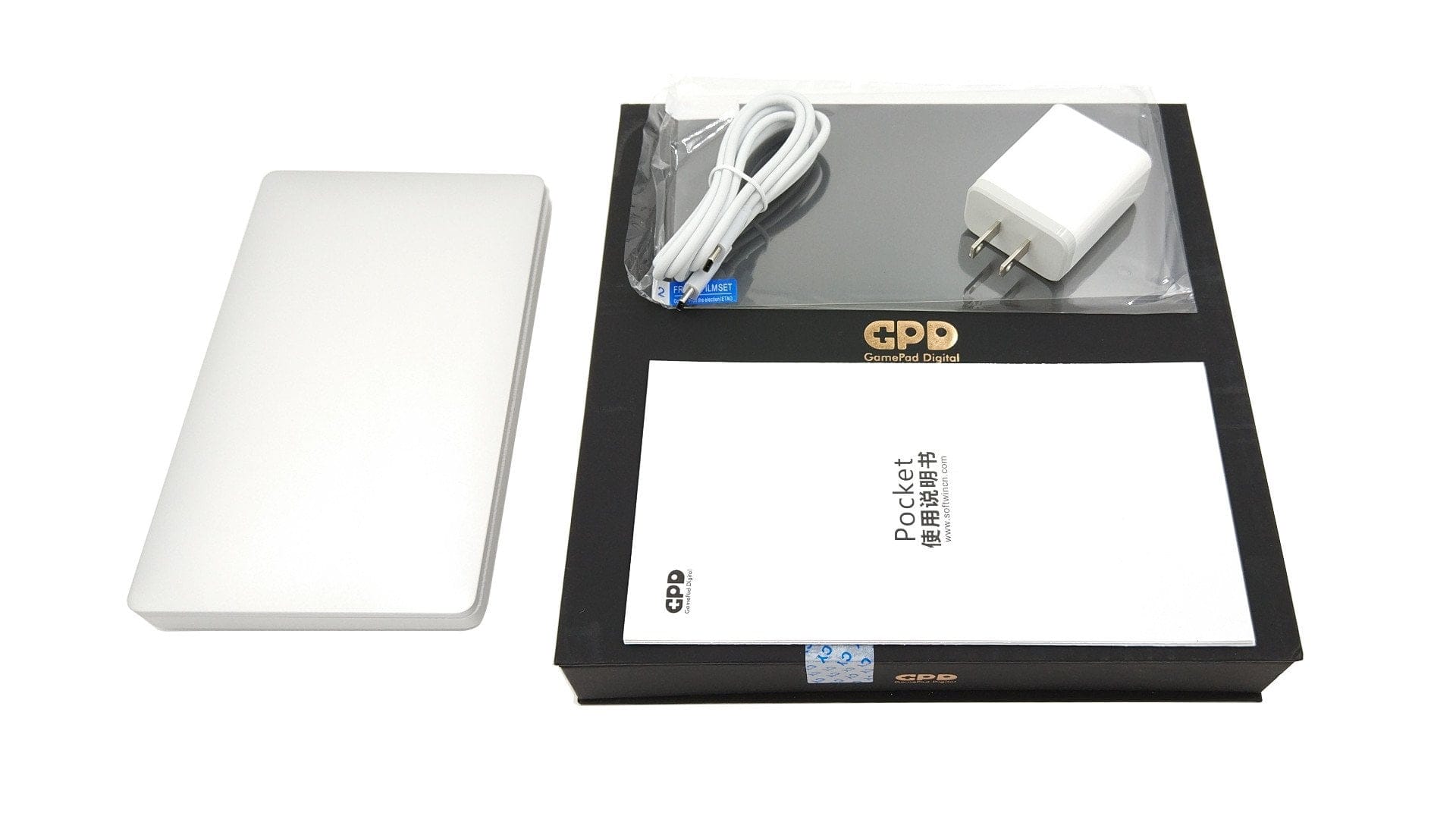
The GPD Pocket contents differ little from those of a conventional smartphone. The Pocket PC comes with a screen protector, a charger with a USB-C port and NEMA-1 plug (5V 3A – 9V 2.67A – 12V – 2A), a USB-C to USB-C cable and a Chinese user manual.
Design and build quality
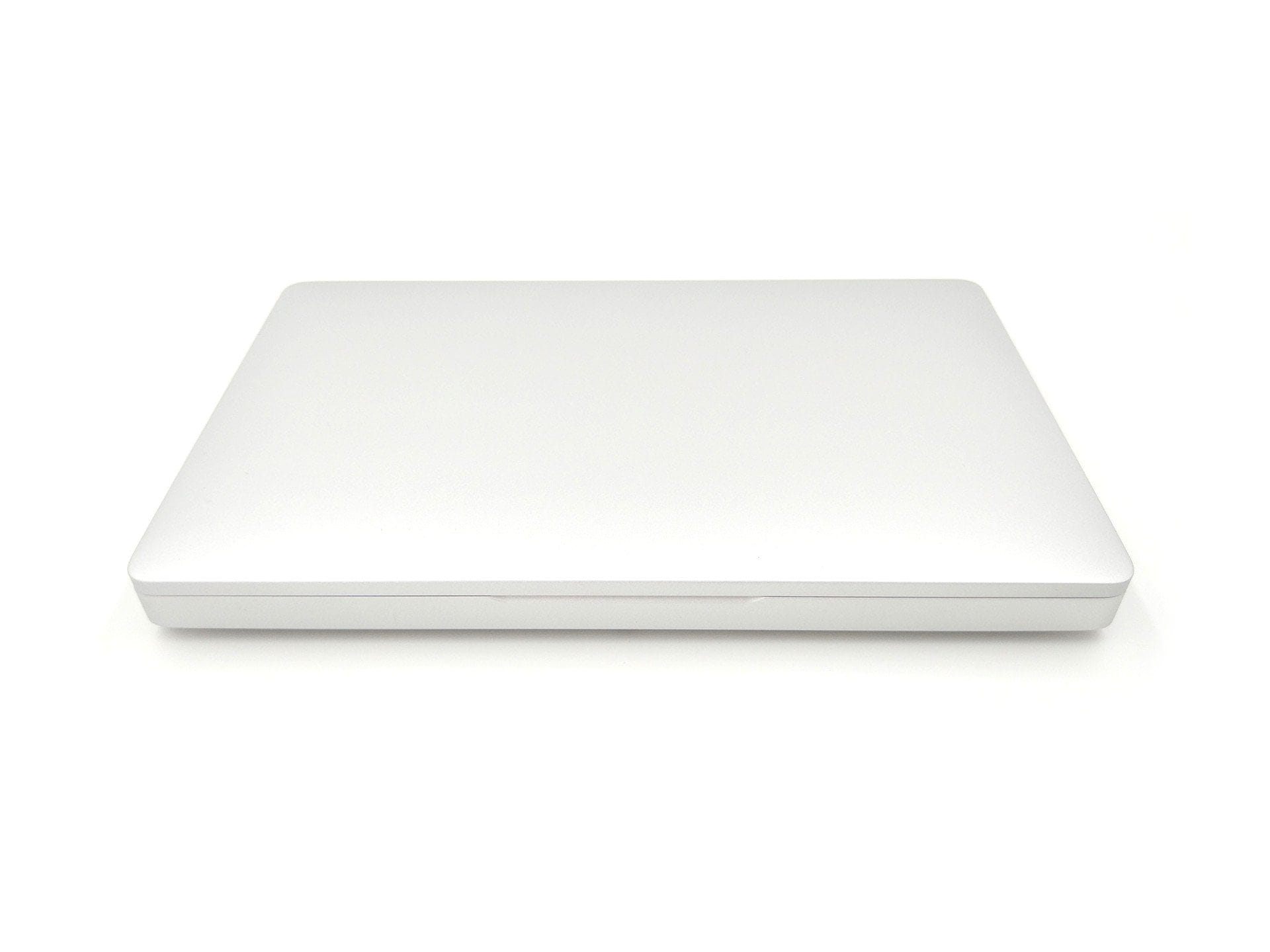
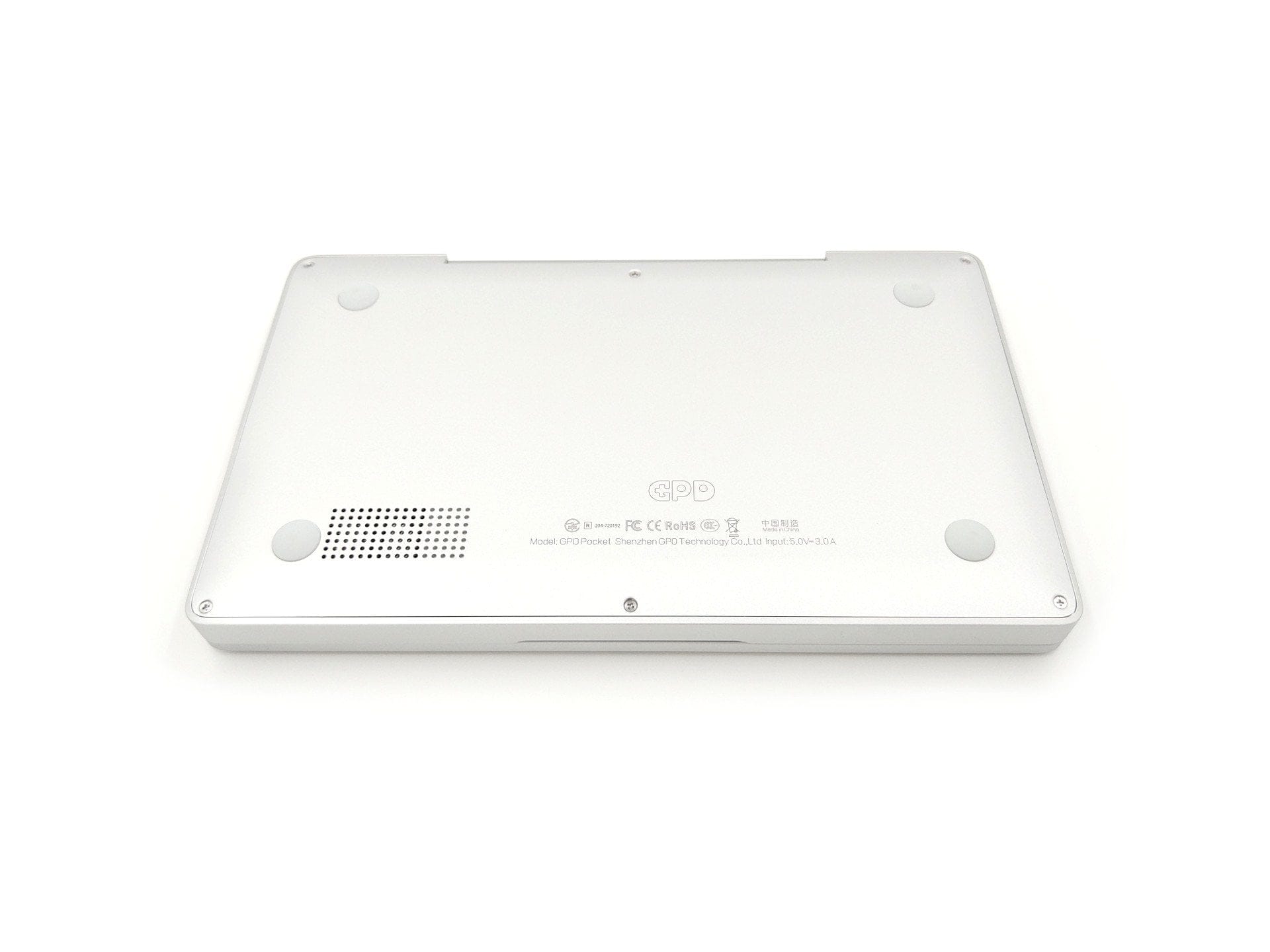
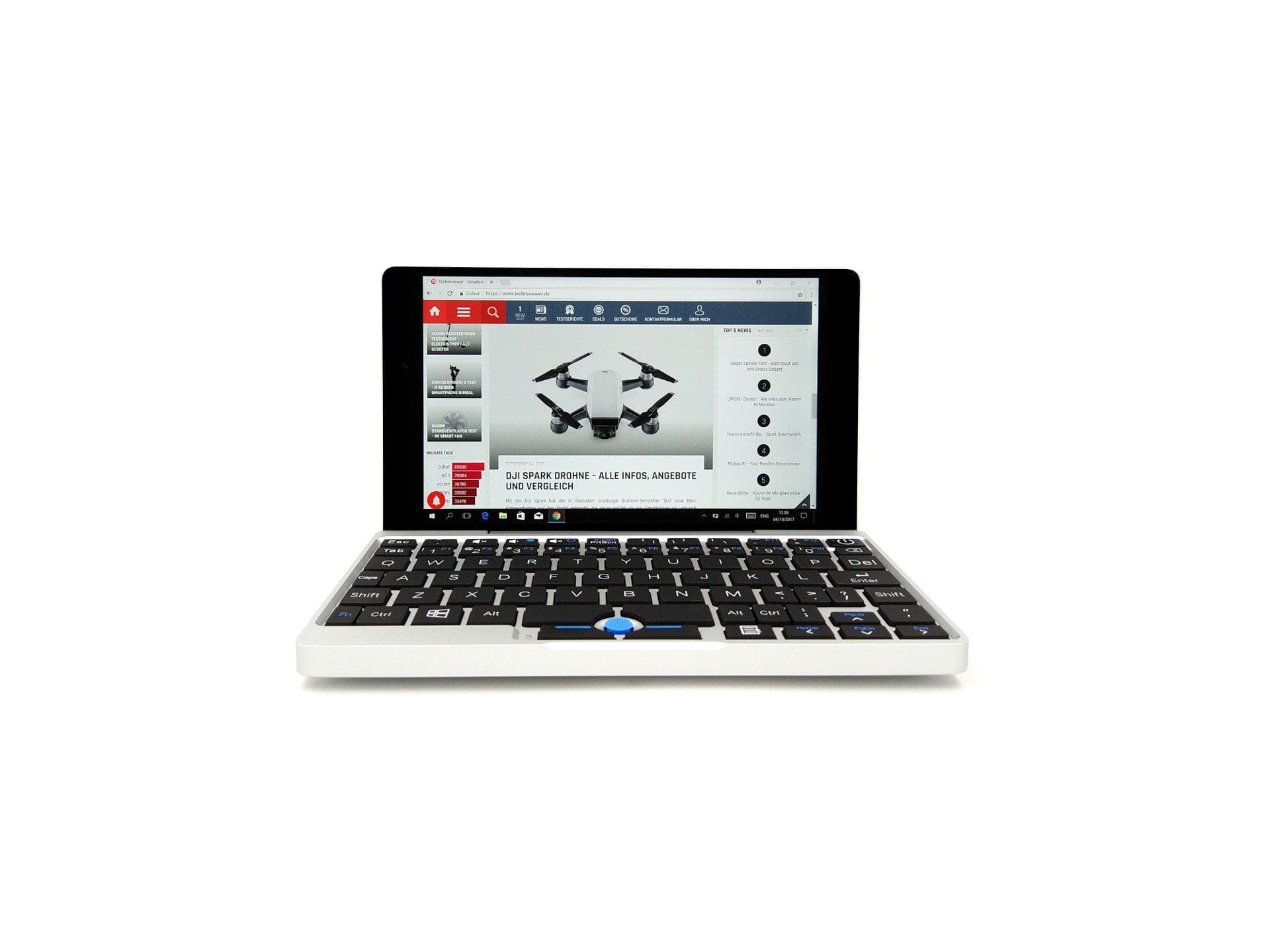
The GPD Pocket is positioned as a pocket-sized laptop, primarily intended for frequent business travellers and mobile IT professionals. The aluminium casing measures 18 cm in length, 10.6 cm in depth and 1.85 cm in height/thickness. The weight is just 503g.
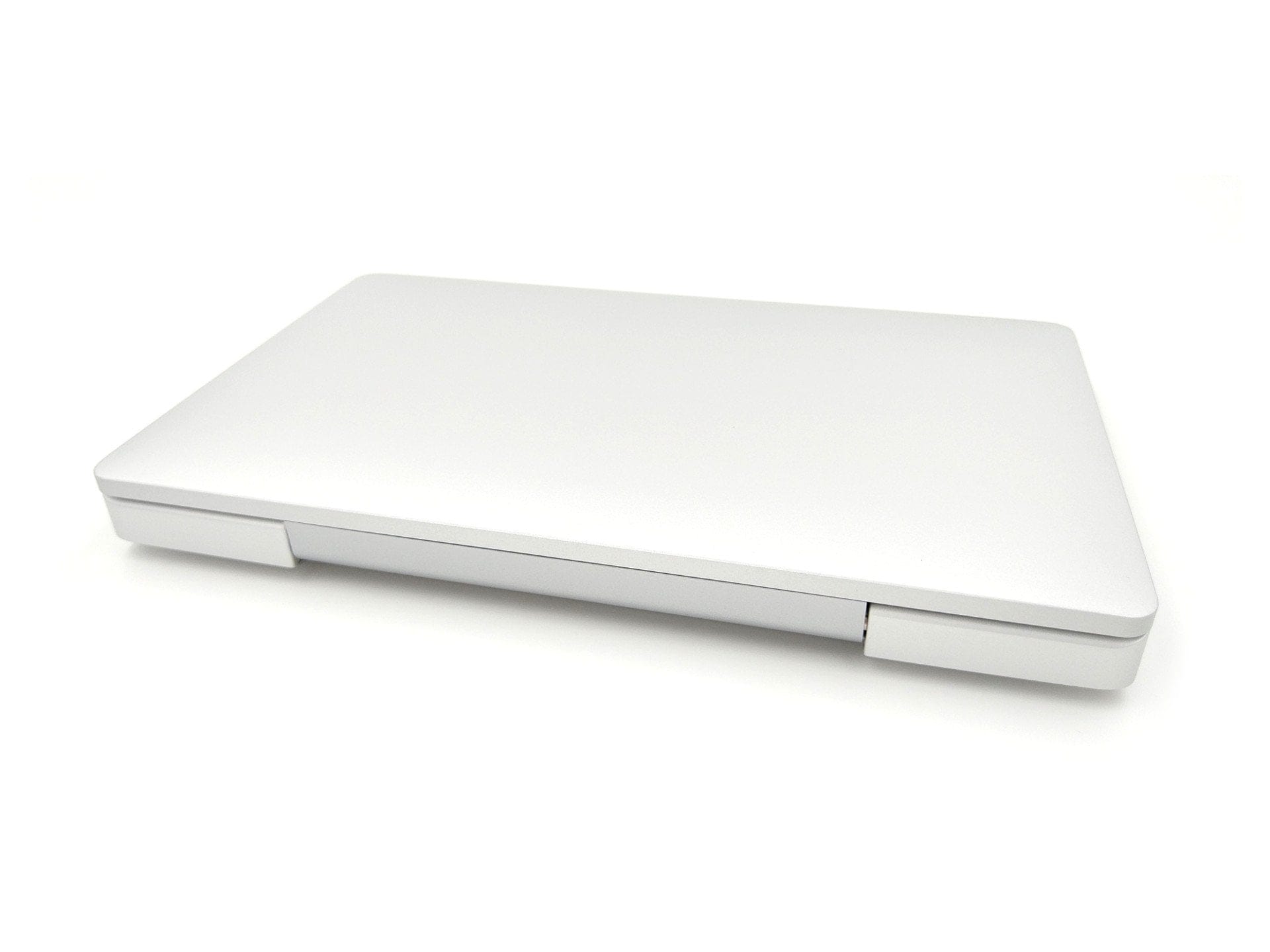
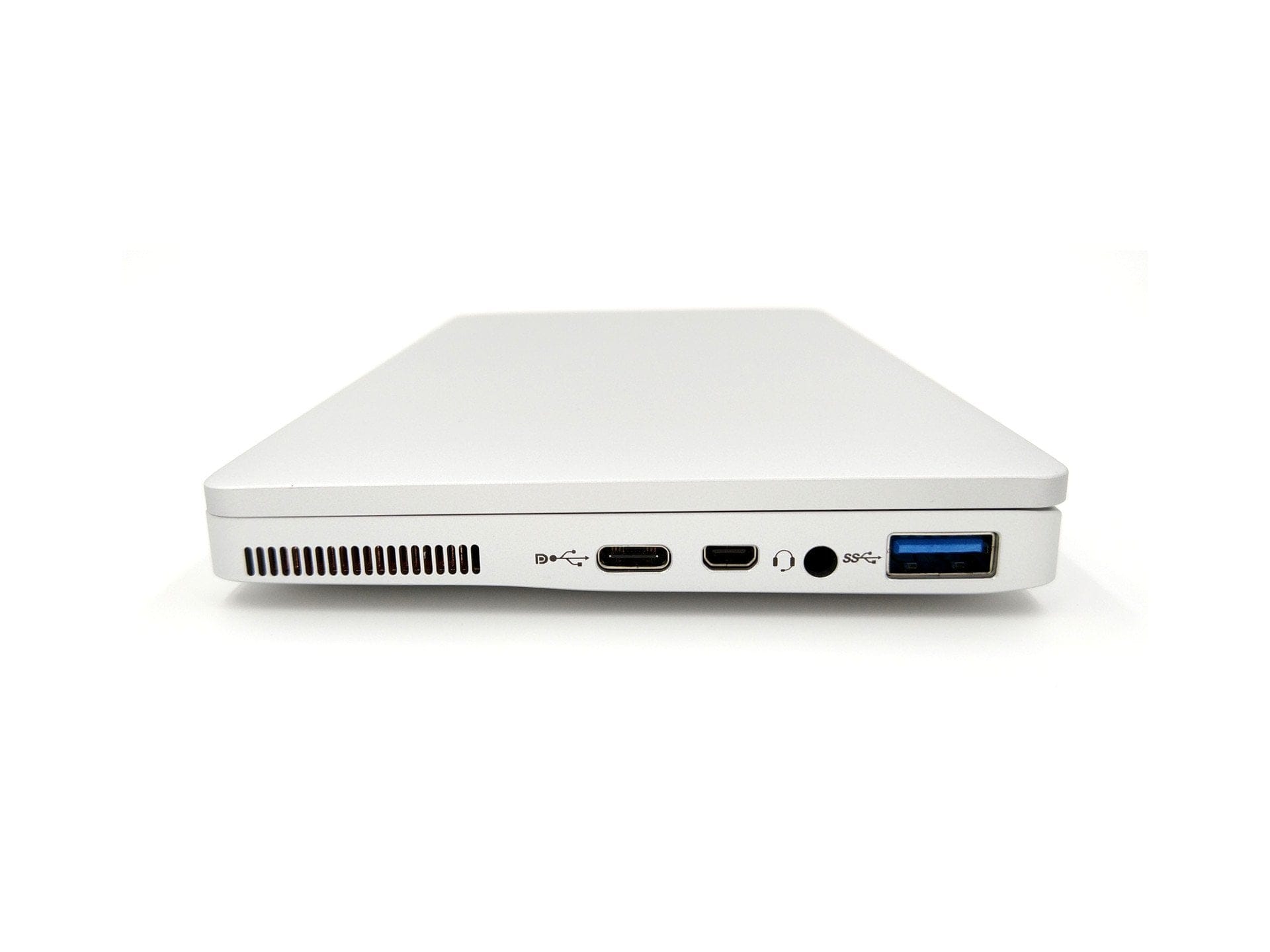
The connection options are all located on the right side of the case and consist of a multifunctional USB-C port, a micro-HDMI port, a 3.5mm audio jack, and a USB 3.0 Type-A port. I personally missed an additional micro-SD card slot. Also on the right side of the case is a fan grille, as the system uses active rather than passive cooling! Four small rubber feet, located in the corners of the underside, ensure a stable stance.
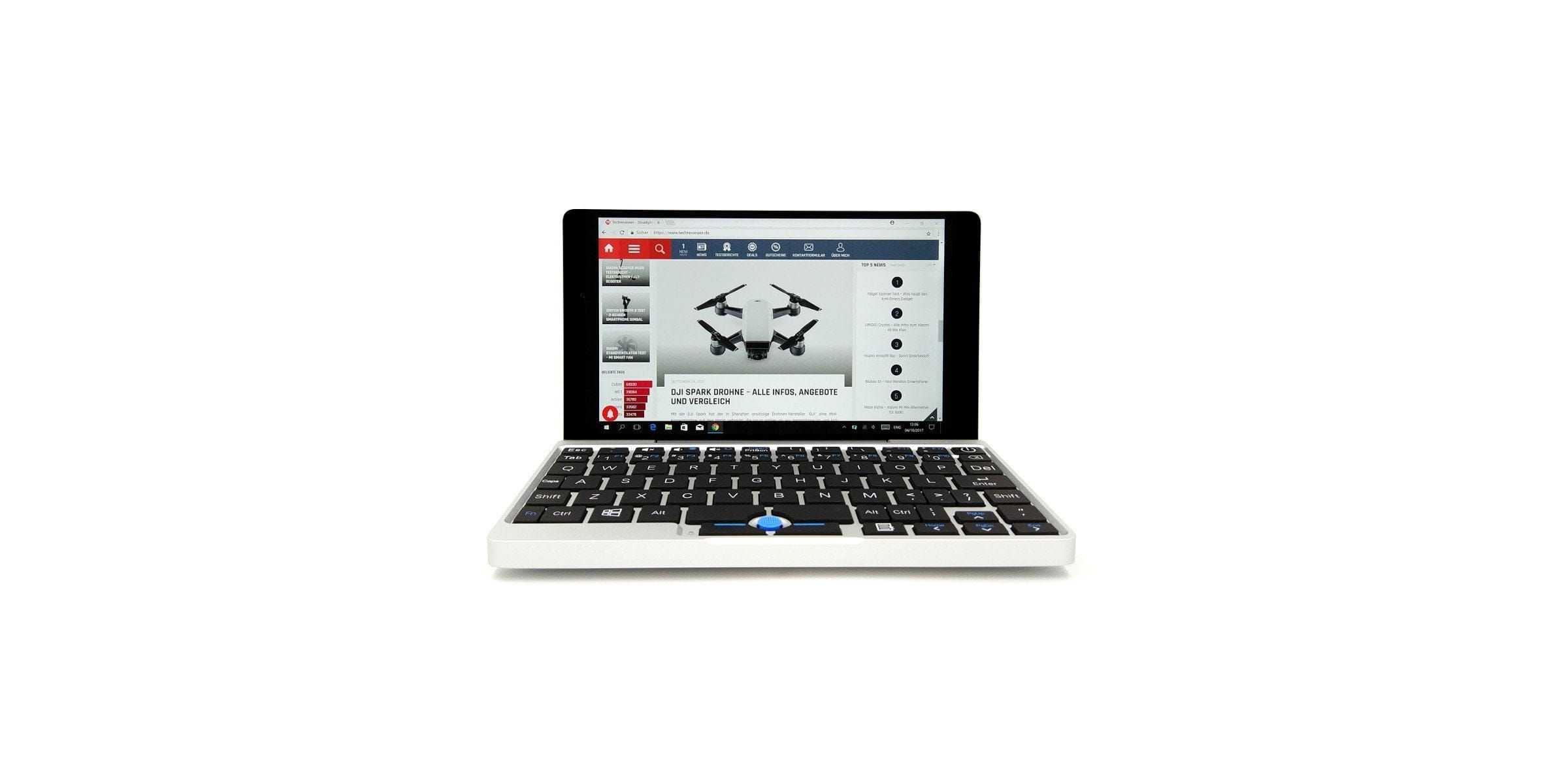
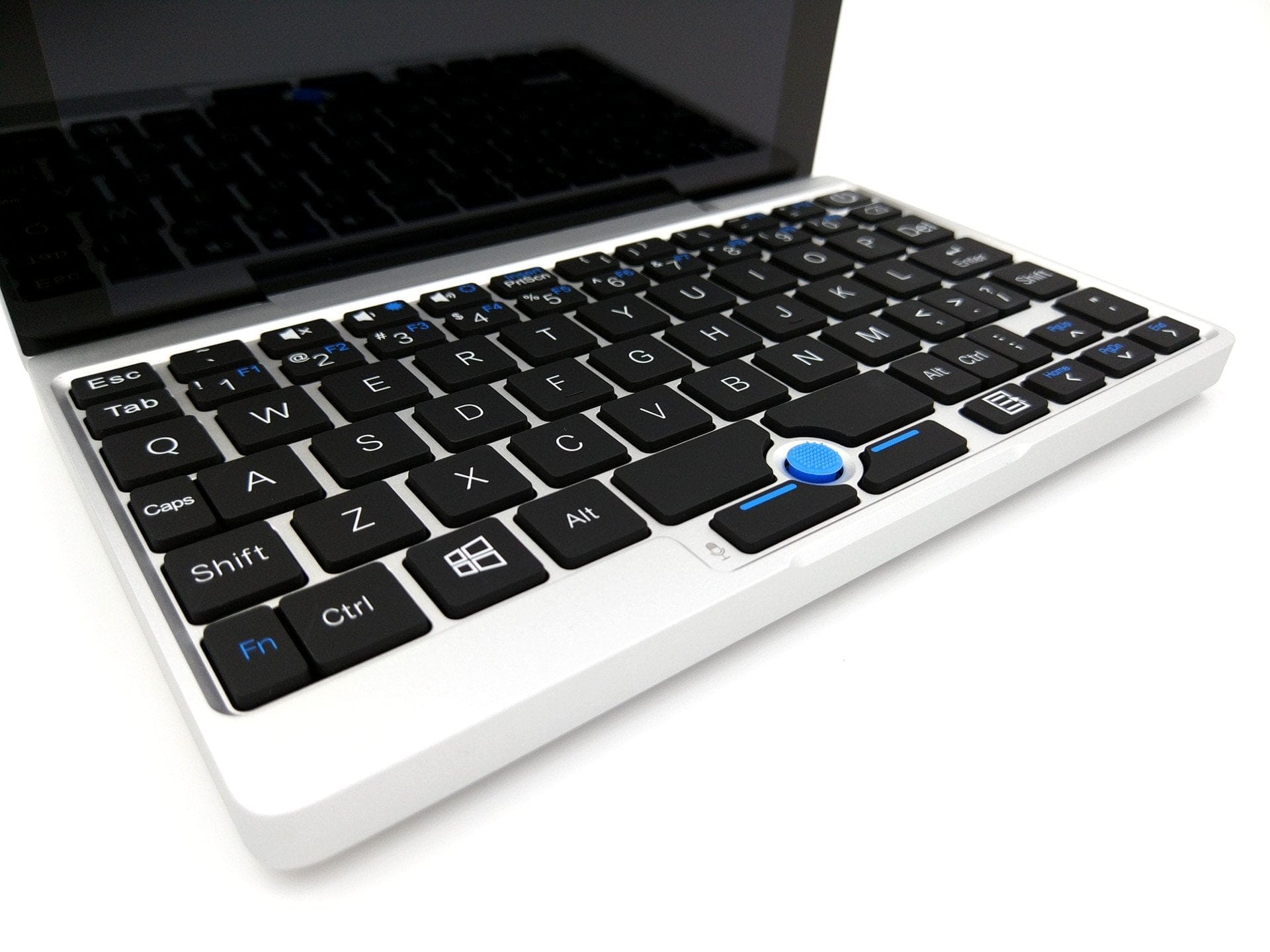
The keyboard (US layout) of the GPD laptop is also interesting. Despite the compact chassis, the most important keys, as well as function keys, are present. Mouse movements are not tracked via a touchpad, but via a pointer. The pointer works similarly to the TrackPoint in the Lenovo ThinkPad series.
The build quality of the GPD Pocket is impeccable. The housing is made without faults and the ports are firmly seated. The display hinge opens smoothly with pleasant resistance. The glass-protected display, the keyboard and the small blue pointer also make a high-quality impression.
Keyboard and pointer
Despite its compact design, the keyboard of the GPD Pocket features a total of 84 keys. The keyboard follows a US layout. To save space, many keys are significantly smaller and positioned closer together. The first typing attempts with the GPD Pocket are therefore somewhat challenging to get used to. Once accustomed to the compact, US-style layout, however, it is possible to type short texts on the Pocket PC without constantly looking for keys. Nevertheless, do not expect to break any typing speed records, and fluent ten-finger typing should not be expected either. The typing feel is particularly positive. Key presses feel pleasant and are barely audible. I did, however, miss a backlit keyboard, which would have significantly eased working in the dark.

Mouse movements are controlled via a TrackPoint instead of a trackpad. As the name suggests, it's a small pressure-sensitive point that can be moved more or less like a joystick in all directions. Mouse speed is controlled by the pressure intensity. However, the TrackPoint's operation isn't a new invention. Anyone familiar with the Lenovo ThinkPad series will recognise the TrackPoint!
In practice, the TrackPoint control also initially takes some getting used to. Although the blue rubber cap provides a good grip and allows for precise cursor control, it does not match the speed and ease of a mouse. Nevertheless, the TrackPoint is sufficient for mastering everyday tasks. If you cannot cope with it at all, it is also no problem to connect a mouse or operate the Pocket PC via the display's touchscreen.
Display and touchscreen
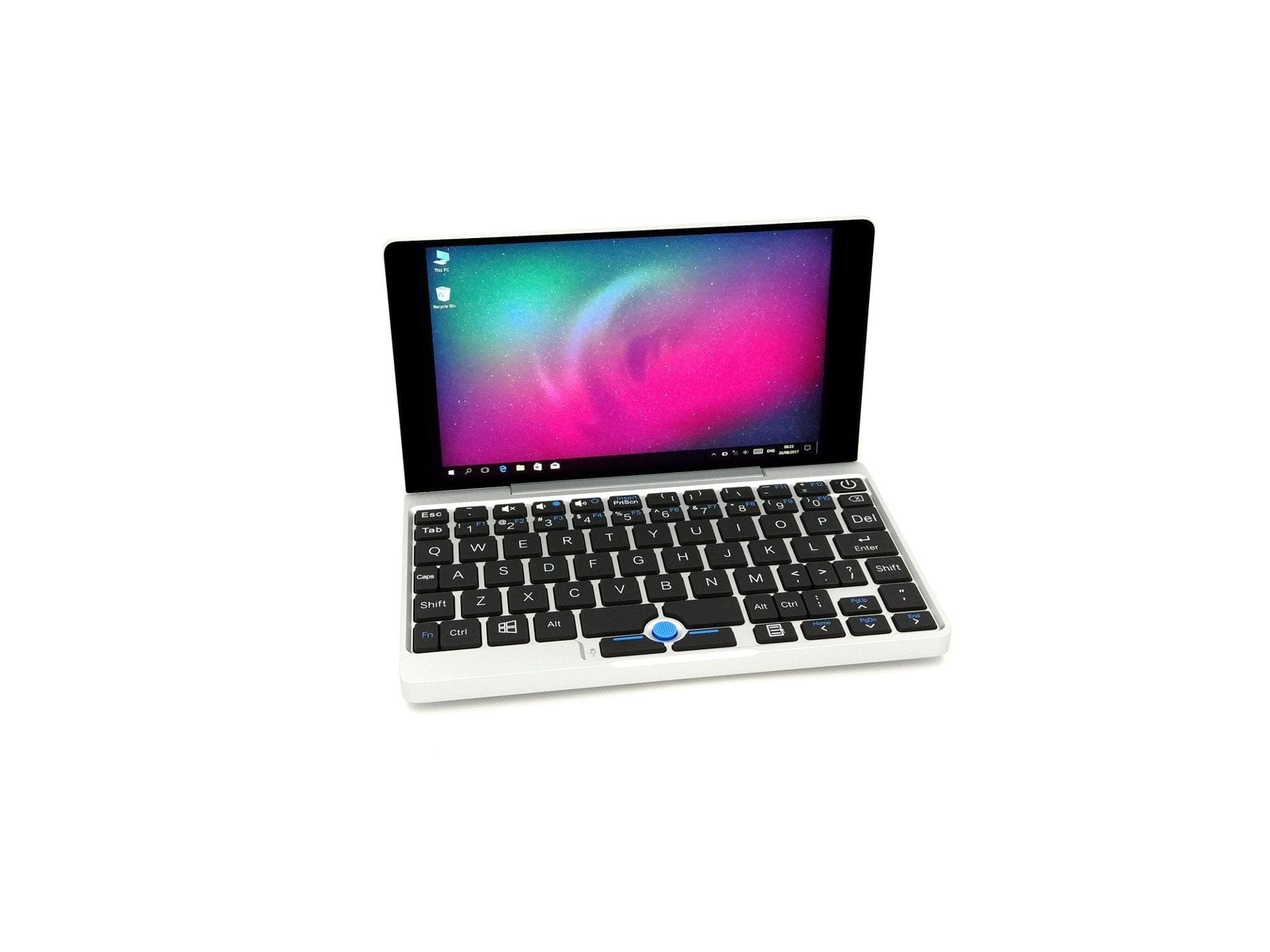
Broadly speaking, one could say that the GPD Pocket is a tablet with a permanently attached keyboard. The IPS-type display has a diagonal of 7 inches, resolves in Full-HD (1920 x 1080 pixels) and is equipped with a 5-finger multi-touch touchscreen. For screen protection, GPD relies on Corning Gorilla Glass 3.
The sharpness and colour accuracy of the fully laminated display are excellent. Due to the high pixel density of 323 PPI, individual pixels are not visible at a normal working distance. The colour representation is neither too saturated nor too pale. The display also scores well regarding viewing angle stability. When looking at the display from an angle, sharpness and colour representation are preserved. The unit I tested had no unevenly illuminated display areas. Points of criticism arise regarding the display brightness. Outdoors and in strong sunlight, the display is difficult to read even at maximum brightness setting. On the one hand, the display lacks luminance, while at the same time the display glass reflects.
The touchscreen also performs well. Inputs are recognised precisely, and there are no complaints regarding reaction time. The only notable aspects are the less smooth surface and its susceptibility to fingerprints.
User interface and performance
Windows 10 and Linux
An activated Windows 10 Home 64-bit is pre-installed from the factory. The manufacturer also includes a matching licence key. This is found on the packaging in which the device is delivered. The pre-installed Windows 10 is ready to use immediately upon first startup. All drivers are already installed. Alternatively, it is possible to install various Linux distributions on the GPD Pocket. Community projects and guides for this can be found online.
Performance
The processor installed is an Intel Atom X7-Z8750, which was already used in the GPD WIN. This processor, manufactured using the 14 nm process and introduced in early 2016, offers a total of 4 processor cores that clock at 1.6 GHz and reach a maximum clock rate of 2.56 GHz in burst mode. The processor is cooled by an active fan cooling system. The processor graphics are an Intel HD 405, which theoretically handles 4K or H.265 video material, but is less suitable for gaming.
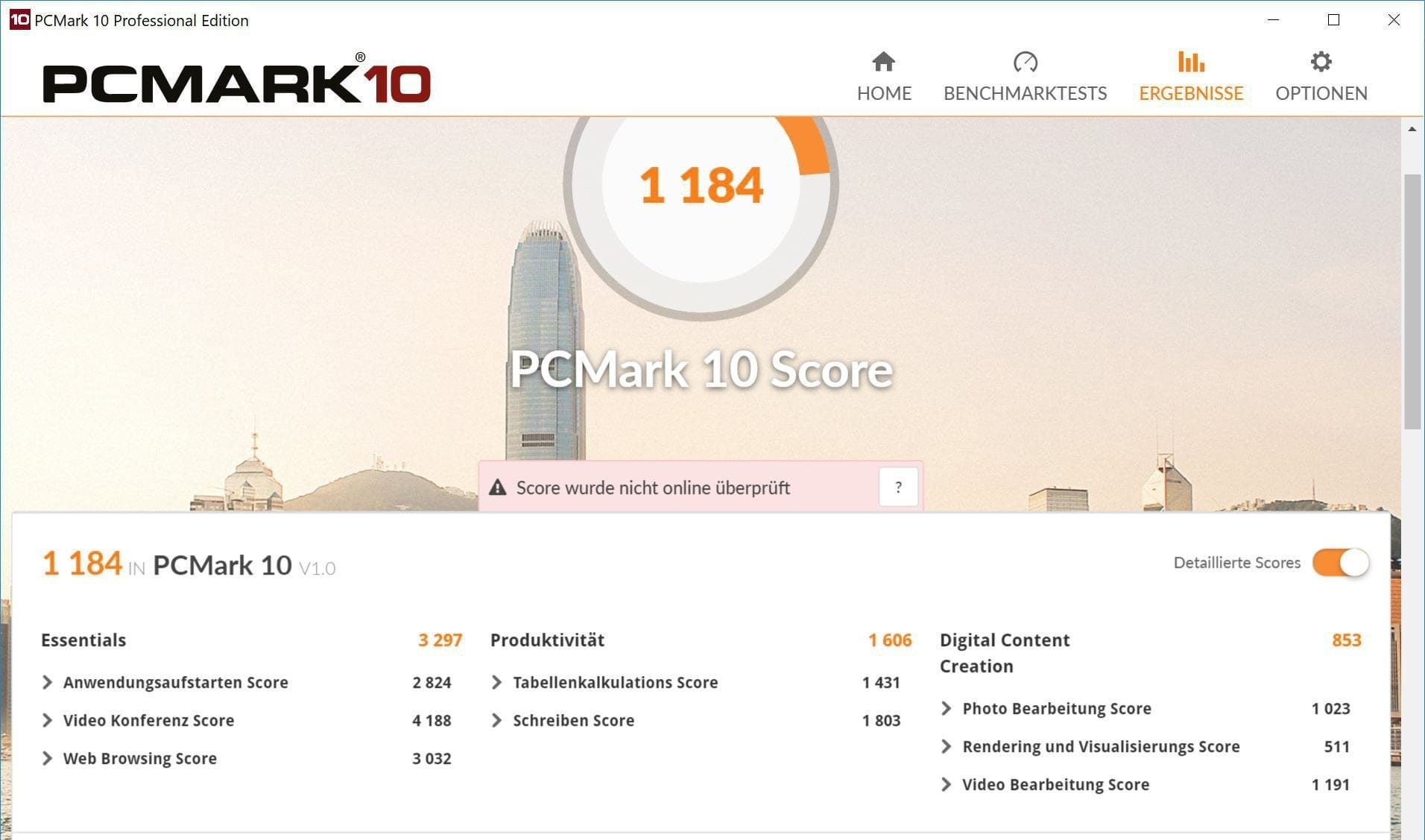
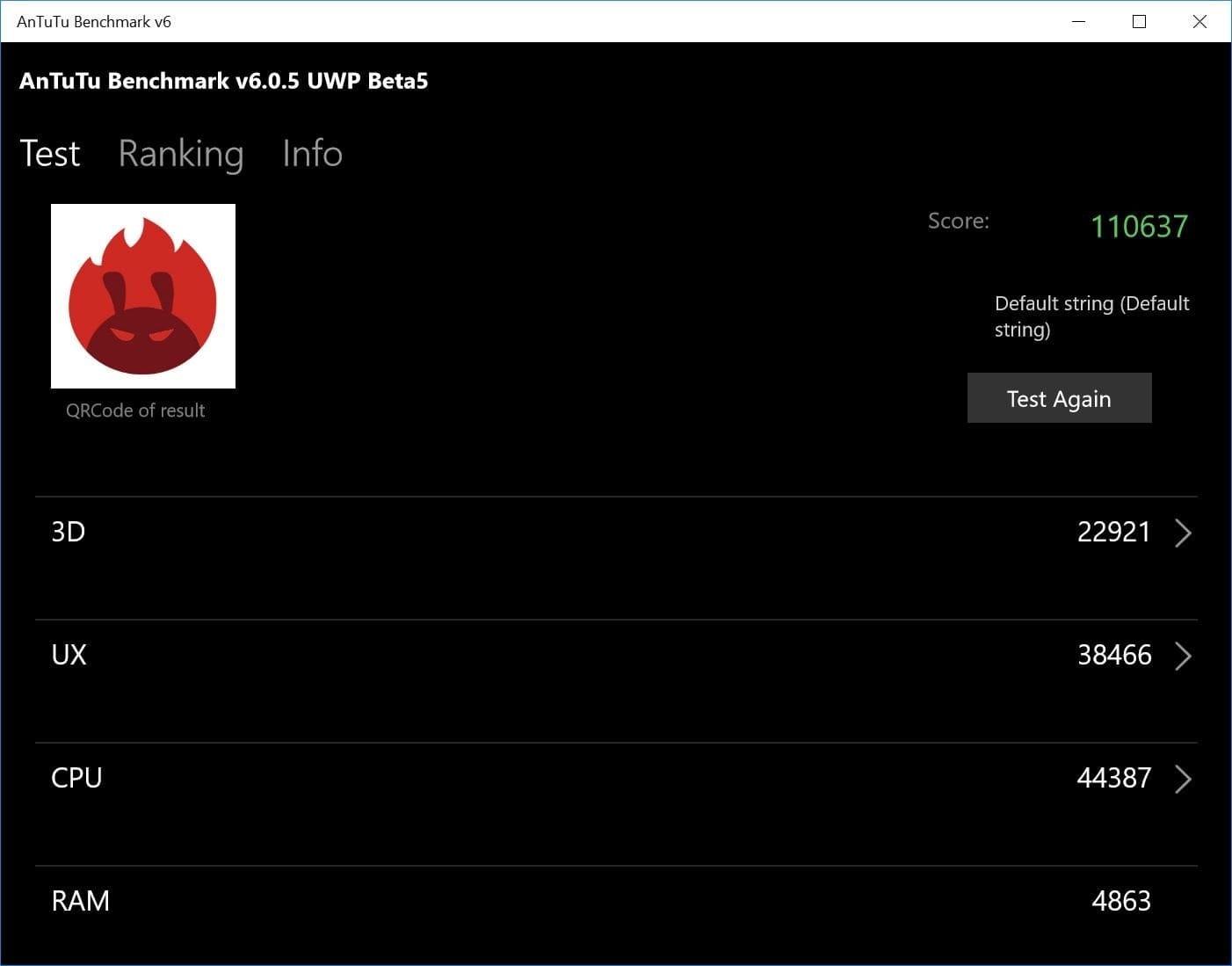
The GPD Pocket’s main use case is office applications. Light console work, image editing and browsing the web are no problem for the pocket PC. The device also plays high-resolution YouTube videos without frame drops. However, more demanding tasks such as video editing and gaming are hardly feasible. It is not possible to play current game titles smoothly on the device. Conversely, its use as a streaming PC works well. Streaming HEVC-encoded video material to other devices works seamlessly.
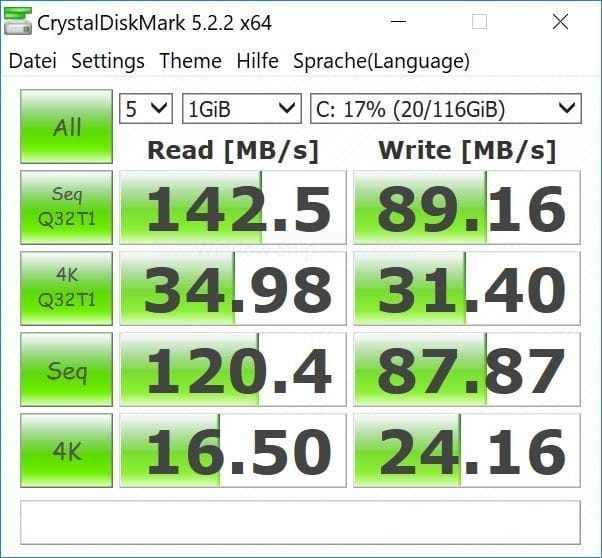
The memory configuration consists of 8GB of LPDDR3 RAM and 128GB of eMMC5.1 storage. As mentioned previously, storage expansion via SD card is not possible. In addition, the internal storage cannot be swapped. Due to the excessively large RAM, multitasking tasks pose no problem for the GPD Pocket. The storage speed of the internal eMMC storage could, however, be better. The test achieved a mediocre read speed of 142 MB/s and a write speed of 89 MB/s. The RAM clock also fails to meet what GPD promises. According to GPD, the RAM clock should be 1600 MHz. In reality, it is 1066 MHz. A subsequent increase in clock speed is only possible by flashing a modified BIOS (Link).
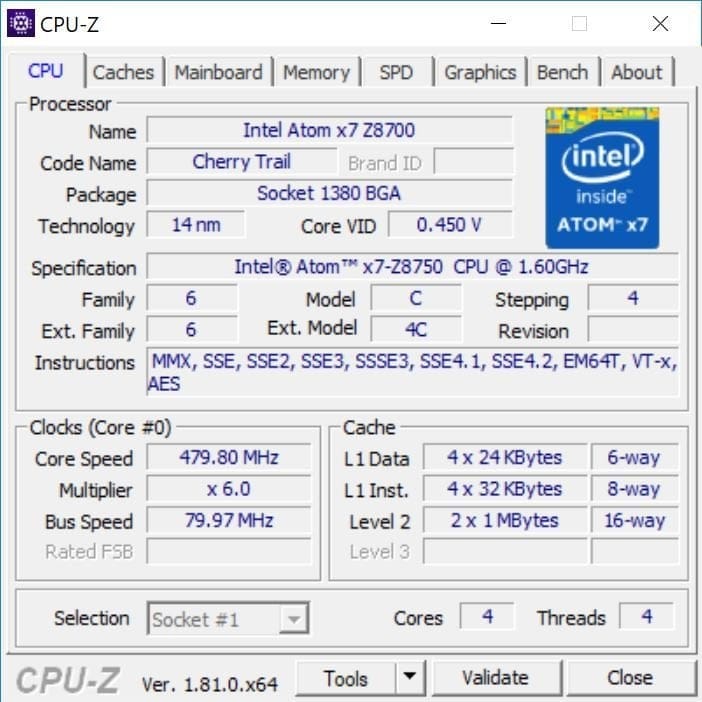
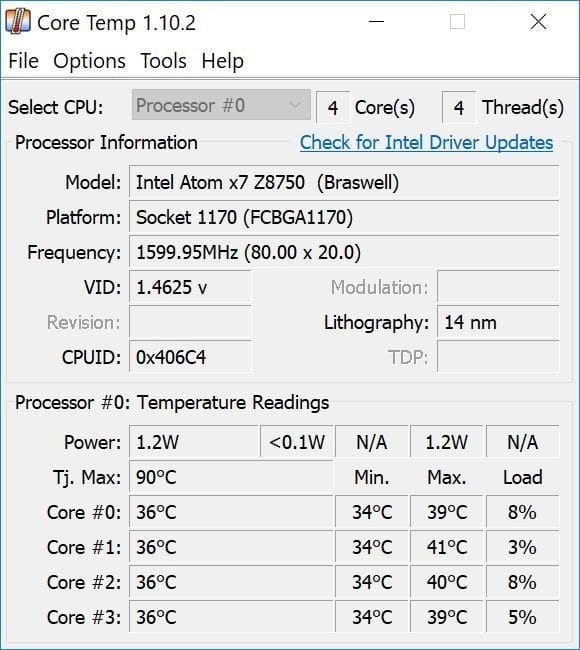
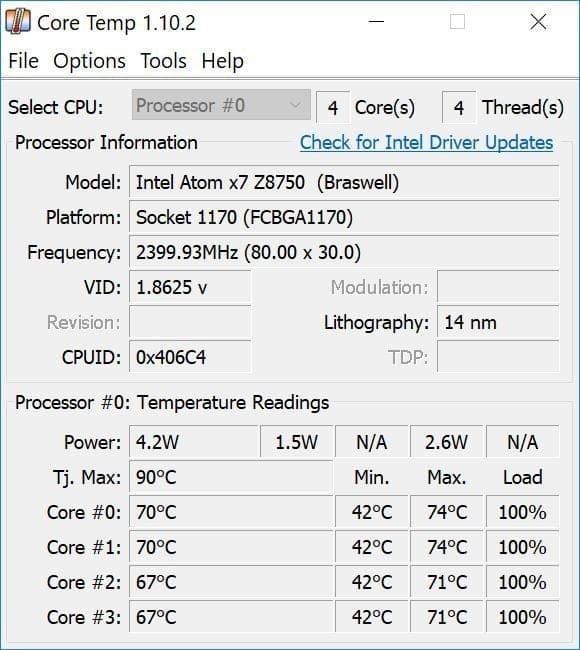
The cooling performance of the active cooling system was a positive surprise. Air is drawn in through the underside, guided through a heat pipe, and expelled at the side. At idle, the core temperature averaged 36°C. Under sustained full load, a maximum temperature of 74°C was reached. Even at the highest fan speed, the volume is still acceptable. However, the "thermal throttling" is far from satisfactory; it kicks in at a mild 68°C and reduces processor performance. The cause of this problem is the aggressive Intel DPTF settings in the BIOS. A solution is again to flash a modified BIOS!
Connectivity and audio
In terms of Wi-Fi, the mini laptop supports protocols 802.11a/b/g/n/ac and can therefore be operated on both the 2.4 GHz and 5 GHz networks. Bluetooth is available in version 4.1. The GPD Pocket performs average well on Wi-Fi. The signal remains constant over larger distances, and the data throughput remains within reasonable, albeit not outstanding, limits. There were no issues when connecting with Bluetooth devices. In terms of sensors, the device is equipped with a G-sensor and a Hall sensor.
The sound of the Pocket PC is produced by a stereo speaker discreetly hidden under the keyboard. The speaker is driven by a Realtek ALC5645 chip. The sound quality is good given the device's size, making the GPD Pocket suitable for spontaneous movie watching or music listening. However, one should not expect an audio talent with deep bass. Additionally, the speaker tends to distort at high volumes.
The 3.5mm audio jack is a no-go. In testing, it was not possible to achieve interference-free sound even after numerous reinstalls of the audio drivers. When connecting headphones, the sound is initially error-free. However, when starting any audio file or watching a video on YouTube, the sound begins to distort and stutter. Other users online also report this problem. The cause is likely software-related.
Battery
GPD specifies the battery capacity as 7000 mAh. After several charge and discharge cycles, the battery life averaged 6 hours. This is far from the 12 hours claimed by GPD. A complete charge using the supplied charger takes about 4 hours. It is annoying that the GPD Pocket's fan activates during charging and runs at full speed.
Our verdict
A 7-inch mini-laptop is not a novelty. Asus has been selling the "Eee PC" range of mini-laptops since 2007, although it was discontinued in 2010. In general, the mini-laptop was a niche product and could not establish itself against emerging tablets at the time. The GPD Pocket is also a niche product, which, however, offers interesting application possibilities, especially in the IT sector, due to its compact design and support for both Windows and Linux.
However, the currently still high price and the numerous software glitches leave a bitter taste, as they can only be fixed with in-depth BIOS modifications. Those who enjoy unusual gadgets and know how to use the device will certainly enjoy the GPD Pocket. However, average consumers without computer knowledge should rather keep their distance.
Specifications
Display
- Display type
- IPS
- Resolution
- 1920 x 1080
- Diagonal
- 7 inches
Performance
- CPU
- Intel Atom X7-Z8750
- GPU
- Intel HD Graphics 405
- RAM
- 8GB LPDDR3 RAM
- Internal storage
- 128GB eMMC5.1
Ports
- 1x USB Type-C
- 1x USB Type-A 3.0
- 1x Micro HDMI
- 1x headphone jack
Battery
- Capacity
- 7000 mAh
- Runtime
- Up to 12 hours
- Charging time
- 3 1/2 hours
Other
- Wi-Fi
- 802.11a/b/g/n/ac
- Bluetooth
- BT 4.1
- Size
- 18 x 10.6 x 1.85 cm
- Weight
- 503g
What’s included
1x GPD Pocket 1x Charger 1x USB-C Cable 1x Screen Protector 1x User Manual
Comments