Contents
Introduction
Ever since working from home, remote meetings, livestreams, and online presentations became part of everyday life, expectations have risen considerably. Today, a desk is no longer just a workspace; it often doubles as a camera setup, studio, and presentation area.
With the Insta360 Link 2 Pro (Link) and the Insta360 Link 2C Pro (Link), Insta360 is targeting precisely this space. Both models are clearly aimed at users who expect more than what conventional laptop cameras or basic USB webcams can deliver. They appeal to business users with lots of video calls, creators who care about image quality and control, and streamers looking for a flexible setup without bulky camera equipment.
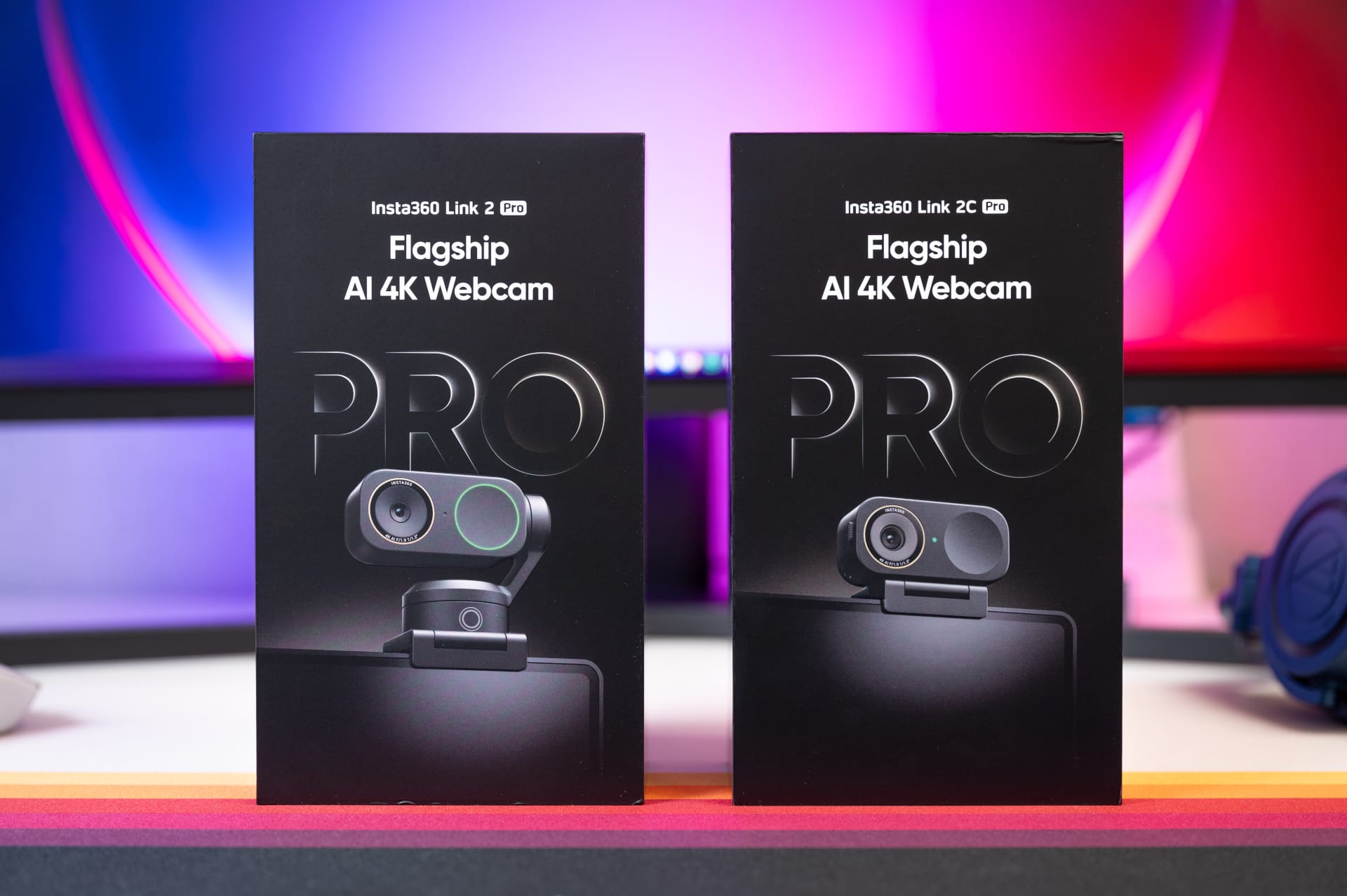
The focus is not just on resolution, but on a higher overall technical standard. A comparatively large 1/1.3-inch sensor is intended to deliver visibly better image quality, while AI features handle tracking, framing and presentation modes, and extensive software integrates the cameras deeply into everyday work. The combination of hardware, AI and controls is what sets the new models apart from many conventional webcams.
At the same time, Insta360 is building on the experience gained with previous Link-series models. The predecessor was already considered one of the better webcams on the market. The new generation is intended to develop this approach further without fundamentally changing the concept.
Design, build quality and setup
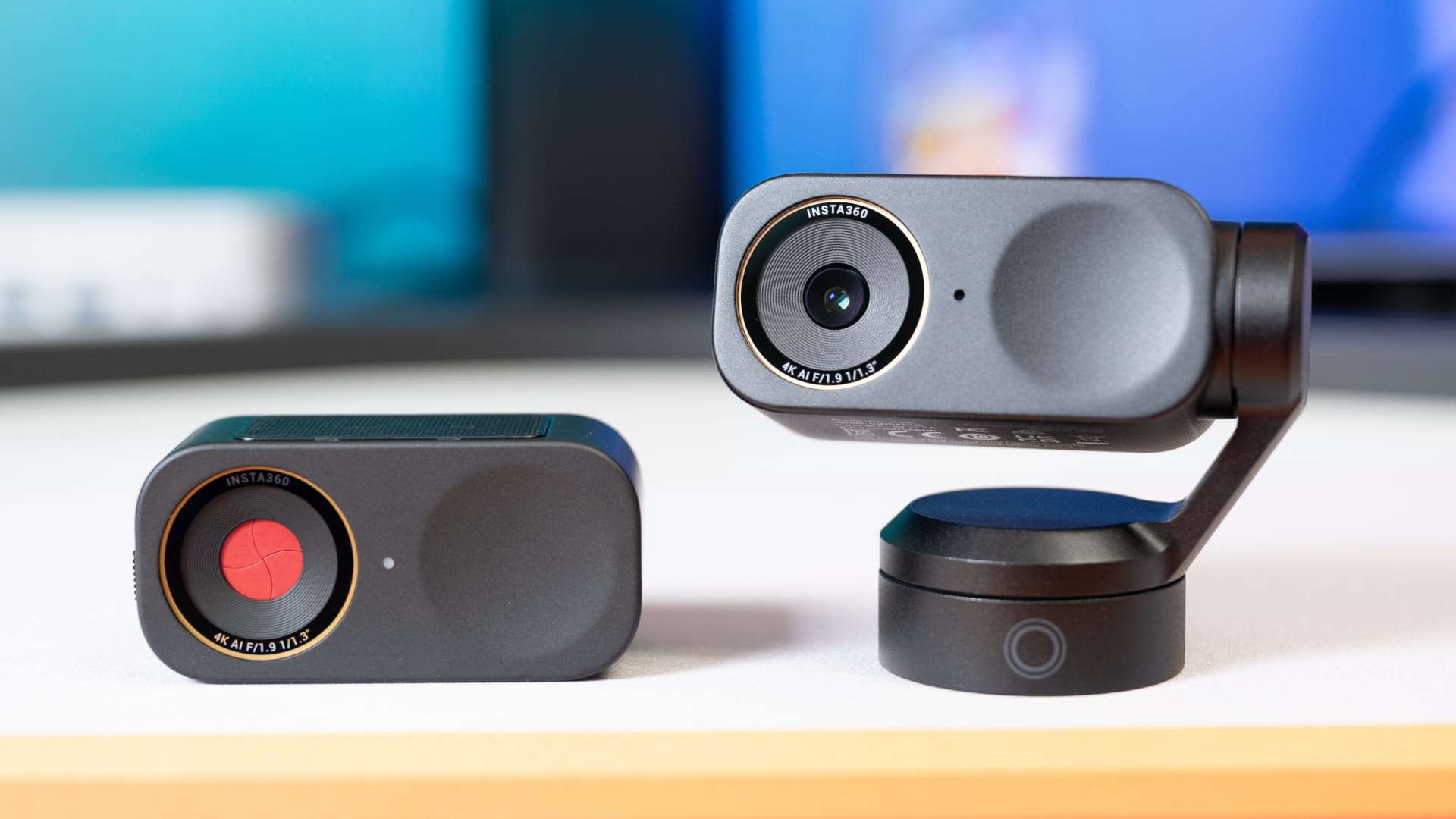
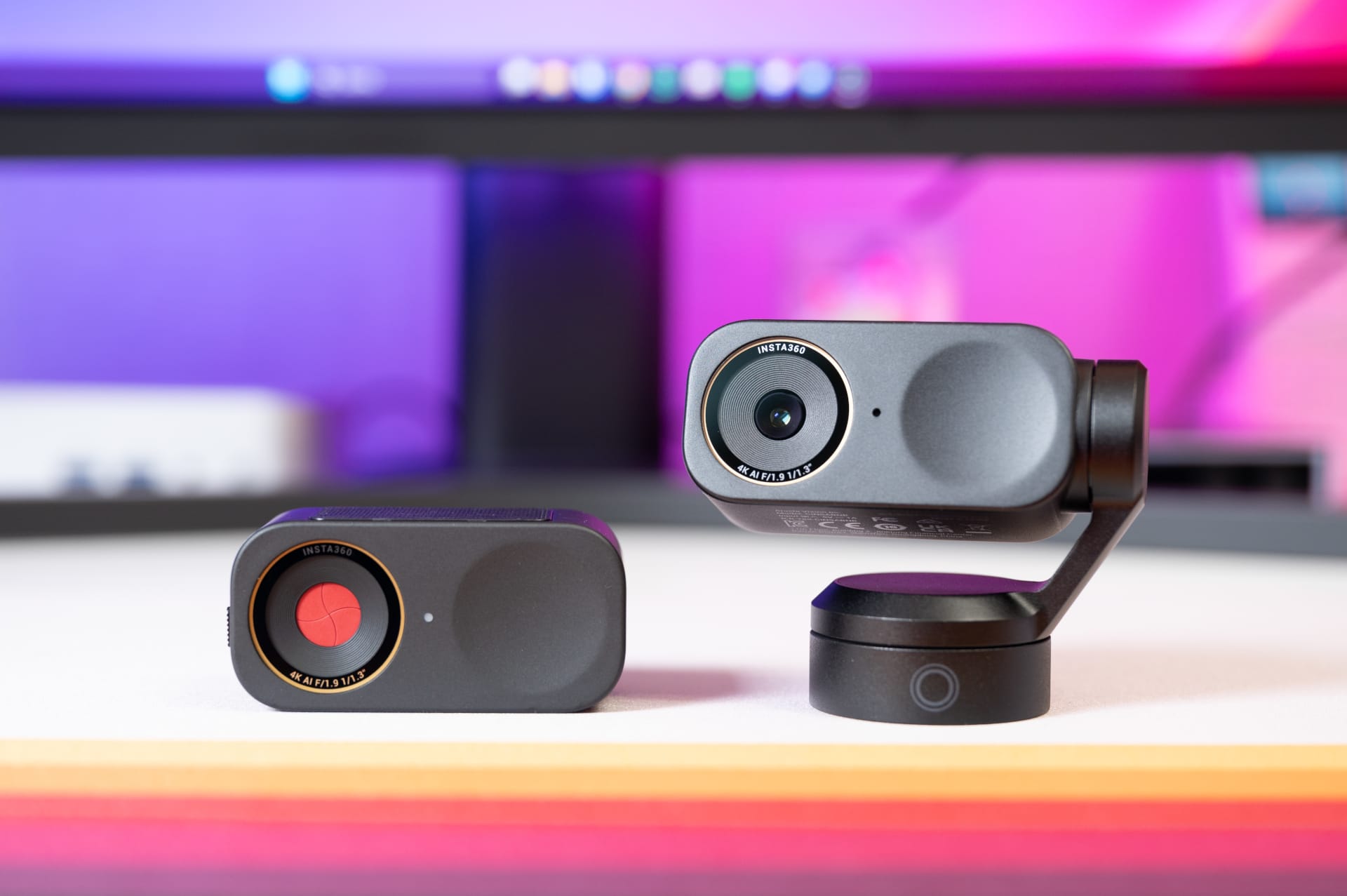
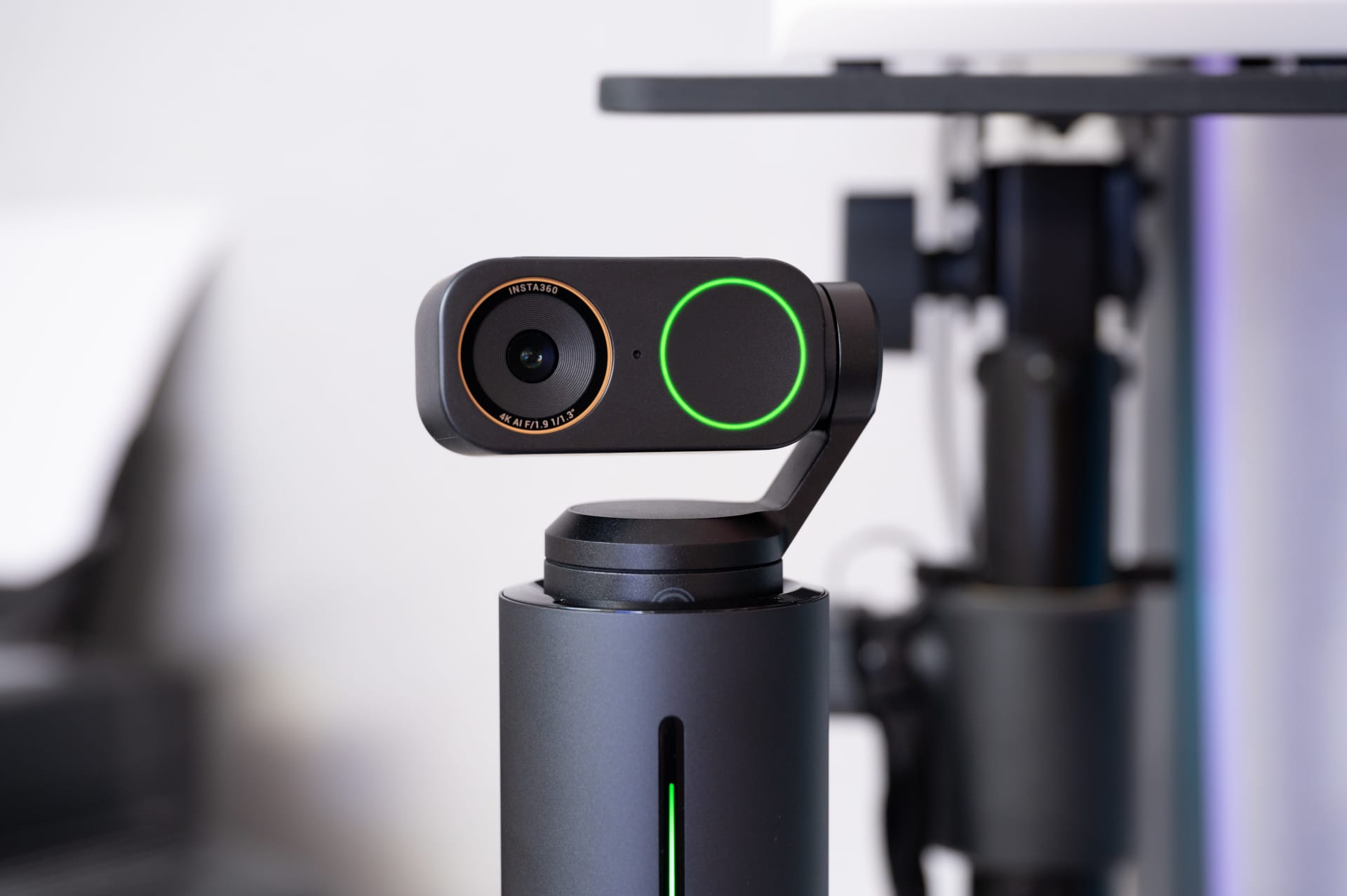
Both models feel compact and well-built, and look significantly more technical than conventional USB cameras. The combination of metal and plastic gives them a sturdy feel without making them look bulky. A button on the front lets you activate basic functions such as muting or unmuting the microphone and tracking. A multicolor status LED provides visual feedback on operation.
Insta360 has retained the predecessor’s magnetic mount unchanged. It lets you attach the webcam quickly and securely to the top edge of a screen, while making it just as easy to remove or reposition when needed. There is also a 1/4-inch thread for mounting the camera flexibly on a tripod or other accessories.

The most visible difference between the two models is the gimbal on the Link 2 Pro, which enables motorised movement for tracking and automatic alignment. The Link 2C Pro does without this mechanism and is therefore flatter and lighter. However, it relies more heavily on fixed positioning, as alignment and tilt have to be adjusted manually.
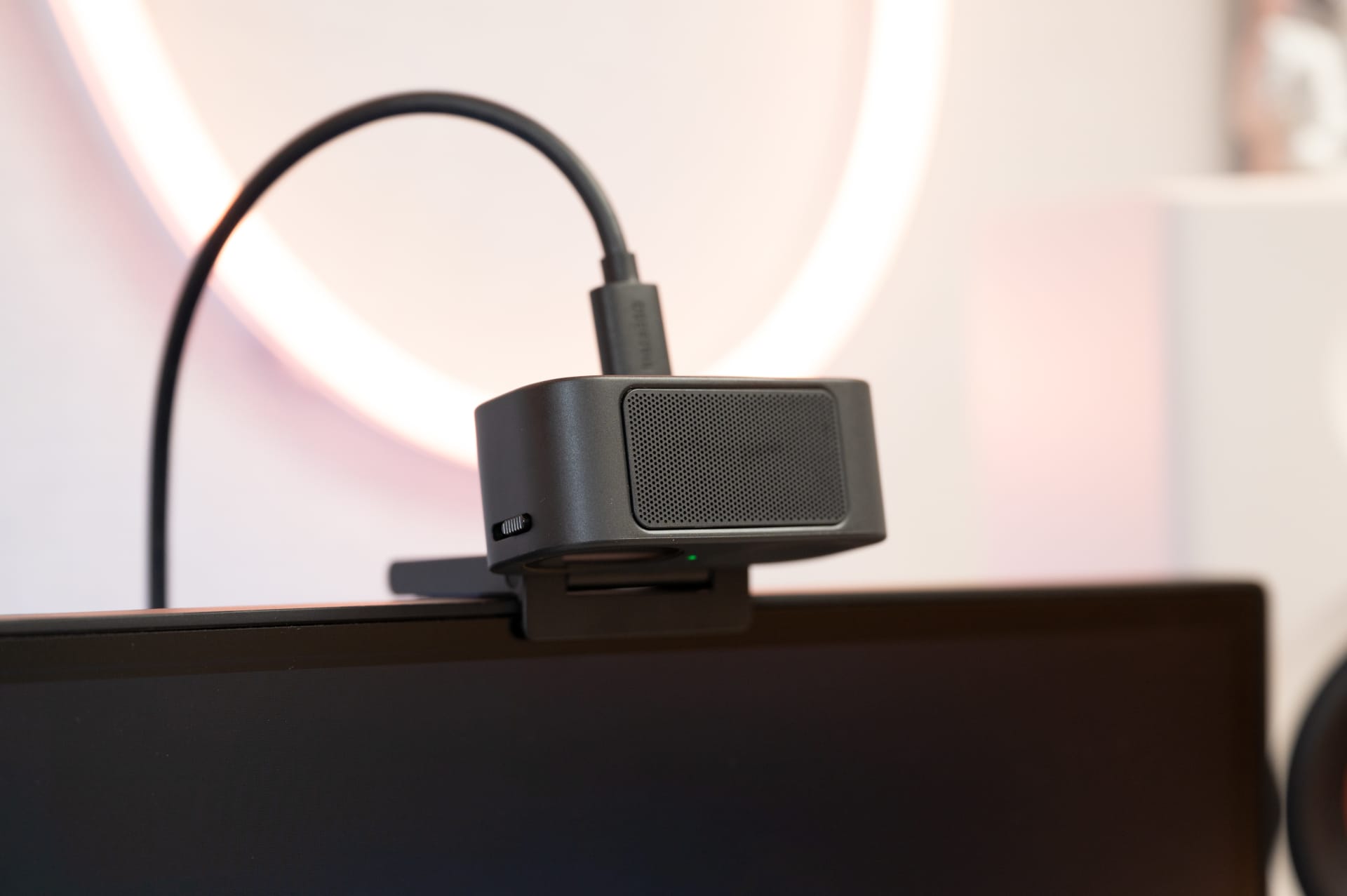
The two models also take different approaches to privacy. The Link 2C Pro has a small slider on the side that mechanically moves a cover in front of the sensor. The Link 2 Pro does not have such a switch and instead uses its gimbal to enter standby mode. When the camera is not in use, it automatically moves into a position where the sensor points downwards and is therefore no longer directed at the user.
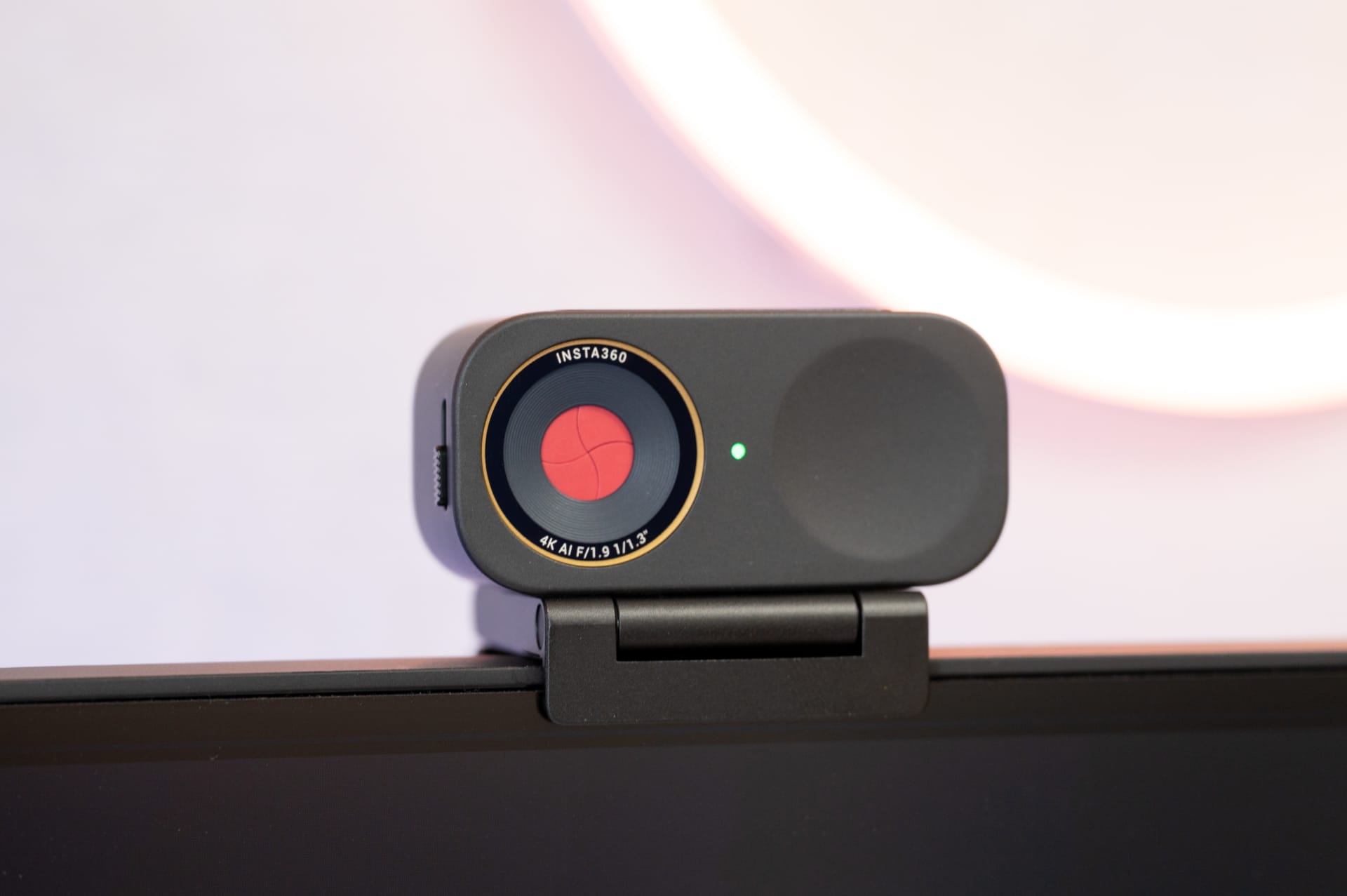
Setup is pleasantly straightforward on both models. They connect via USB-C, require no drivers and are ready to use straight away. Basic functions are available immediately, while additional options can be unlocked through the Insta360 Link Controller.
Plug and play works here in the best sense of the term, without having to work through menus or installation routines first. Both Windows and macOS reliably detect the cameras, which work seamlessly with popular applications such as Zoom, Microsoft Teams, Google Meet and OBS, as well as streaming platforms.
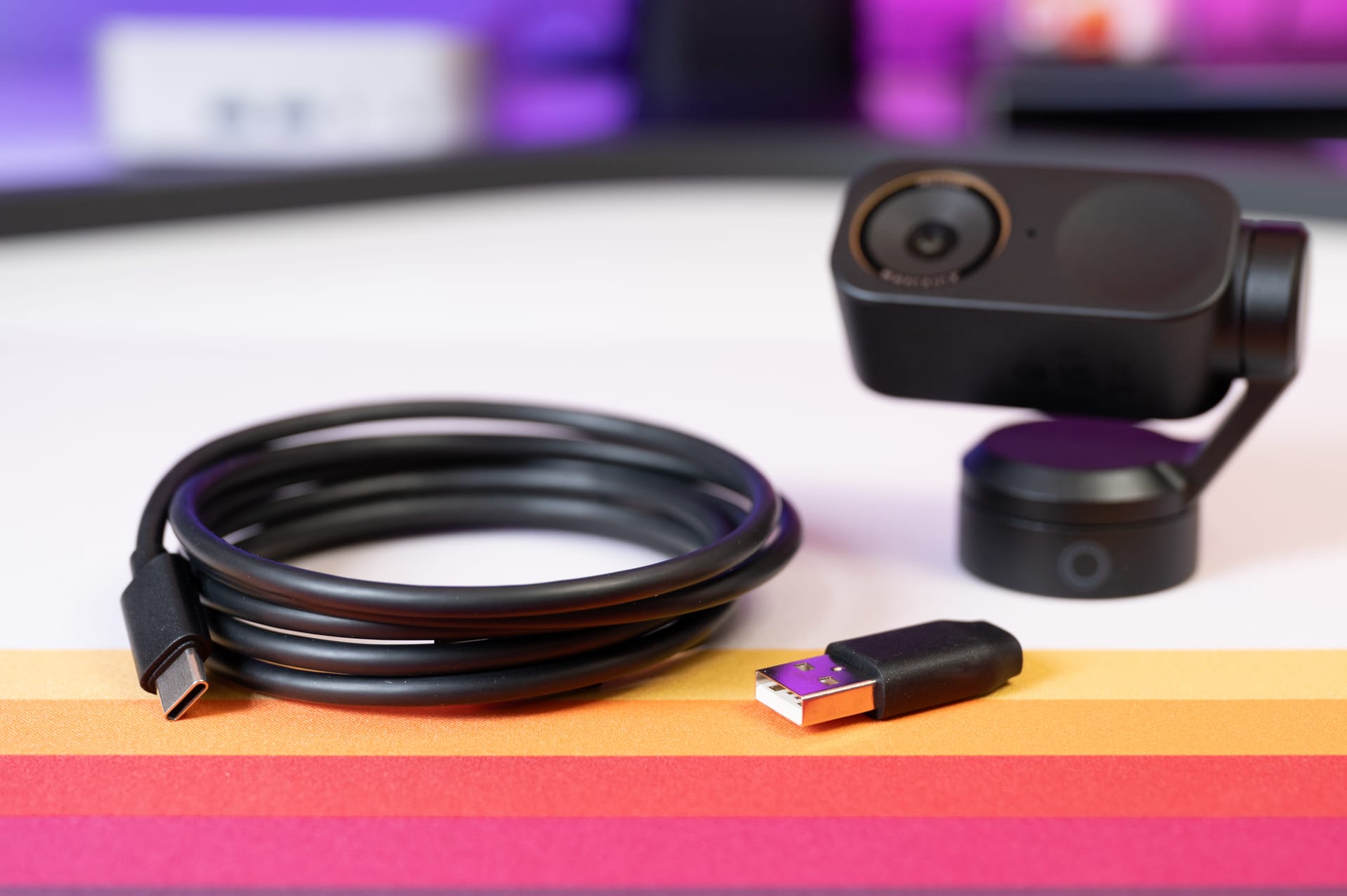
Image and microphone quality
Everyday image quality
In normal daylight or well-lit rooms, both cameras deliver a very sharp, detailed image with natural colours. Skin tones look balanced, contrast remains controlled and the overall image is steady. The difference in quality is particularly noticeable compared with laptop cameras or basic USB webcams.

Even in typical home-office scenarios with mixed lighting, such as a desk lamp combined with light from a monitor, the image remains stable. Automatic exposure responds reliably, without abrupt changes in brightness, and the white balance quickly finds a pleasing balance. The combination of Dual Native ISO and HDR mode proves particularly helpful when bright windows or strong light sources cast shadows in the background. Faces remain correctly exposed, while blown highlights are noticeably reduced.

The large 1/1.3-inch sensor is particularly noticeable in fading light. The image remains usable in slightly darkened rooms, with moderate noise and no aggressive smoothing. Image noise only becomes visible in very extreme conditions, such as when the room is almost completely dark and the monitor is the only light source. There simply isn't enough light in this scenario, but it's not a realistic use case for meetings, streams or presentations anyway. This point therefore makes little difference in typical use.

The natural-looking background effect is another plus. While it doesn’t produce genuine bokeh like larger camera sensors, the separation between foreground and background is still much more pleasing than with conventional webcams. This gives the image more depth and makes it look less flat overall.

This impression is reinforced by the clean rendering of detail, which does not look artificially oversharpened even at 4K resolution. The high resolution is less valuable for its extreme level of detail than for clean scaling, consistent sharpness and extra flexibility when framing and tracking.

Autofocus and tracking
Both models use fast phase-detection autofocus, which focuses on faces or objects without visible hunting. This makes for a stable, professional-looking image, especially during presentations or product demonstrations.
Regardless of the tracking option selected, image quality remains fundamentally stable. Movement in the frame causes neither visible loss of sharpness nor abrupt exposure adjustments. On the Link 2 Pro, the image looks steady and consistent thanks to its physical orientation, as the framing is not digitally altered. The Link 2C Pro uses software-based image composition, which is barely noticeable in practice as long as you stay within the intended frame.
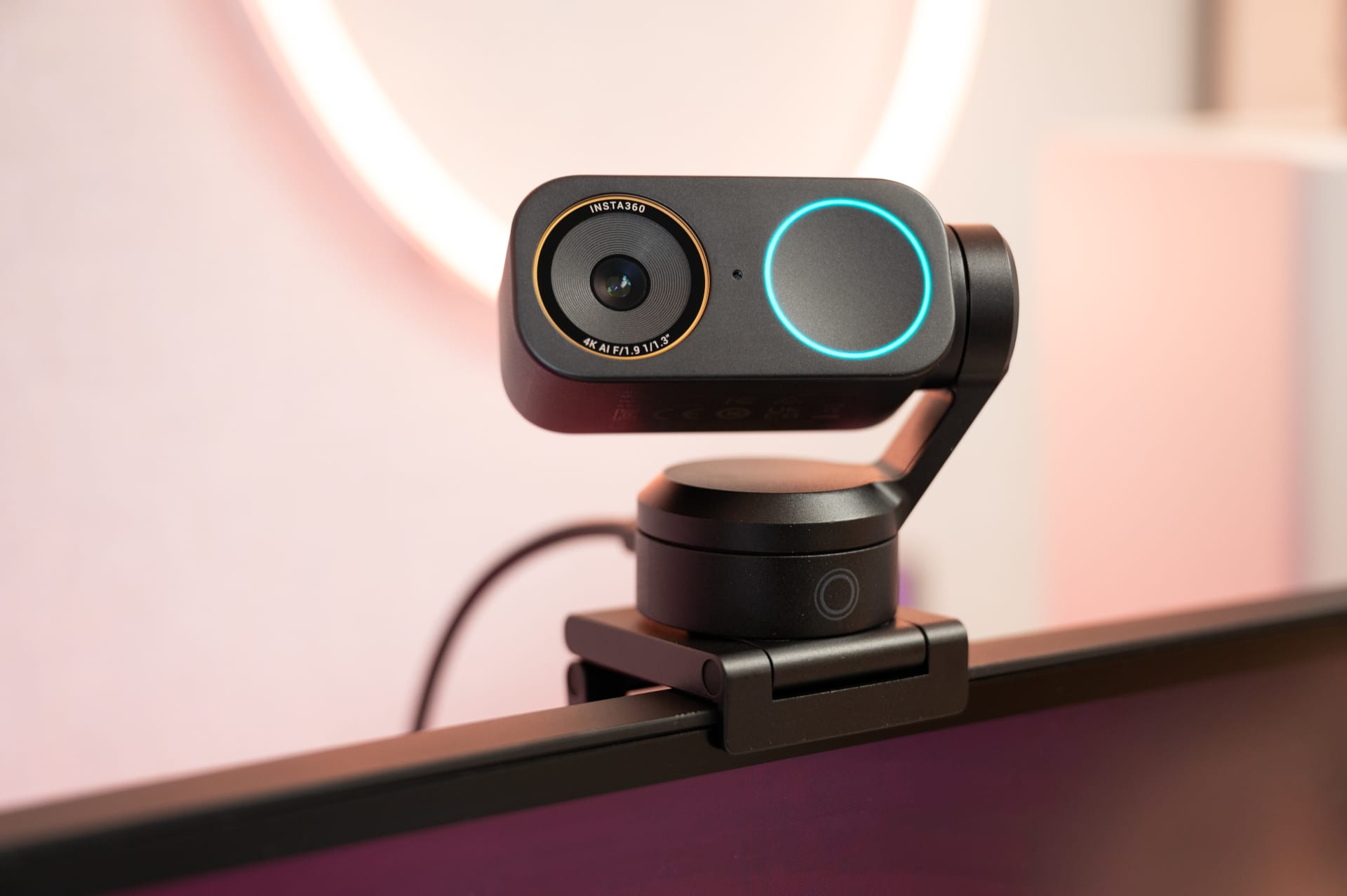
However, tracking can sometimes falter in certain situations. Rapid changes of direction or very dynamic movements occasionally throw both the Link 2 Pro's gimbal and the Link 2C Pro's digital auto-framing off course. This results in brief corrections or the frame lagging slightly behind. However, this is hardly an issue for standard meetings, presentations or moderate movement in front of the camera.
Microphone quality
The Link 2 Pro and Link 2C Pro are also significantly more ambitious than conventional webcams when it comes to audio recording. Each has two built-in microphones that capture voices clearly and intelligibly, even when the speaker is farther from the camera. The default setting strikes a balanced compromise between speech clarity and subtle noise reduction. Keyboard and ambient noise are noticeably reduced without making the voice sound unnatural.
The Link Controller lets you select different microphone modes suited to the situation. A wide recording mode is suitable for several people in front of the camera, while focused modes suppress ambient noise more effectively. The built-in audio quality is more than adequate for meetings and everyday use. However, anyone who streams regularly or needs the best possible sound quality will still want to use a dedicated microphone.
Insta360 Link Controller
The Link 2 Pro and Link 2C Pro offer most of their functionality through the Insta360 Link Controller. The software is optional, but practically essential if you want more than a simple camera feed. It acts as a central control hub for image, audio, tracking and presentation features, and is available for Windows and macOS.
In everyday use, the Link Controller is surprisingly straightforward, despite the wide range of options. Camera settings such as resolution, exposure, white balance and HDR can be adjusted, as can autofocus behaviour, zoom and framing. If you prefer, you can leave everything on Auto; more ambitious users can make manual adjustments and save their settings directly as presets. These can be recalled later with a single click, which is particularly useful when switching between scenarios such as meetings, presentations or streams.
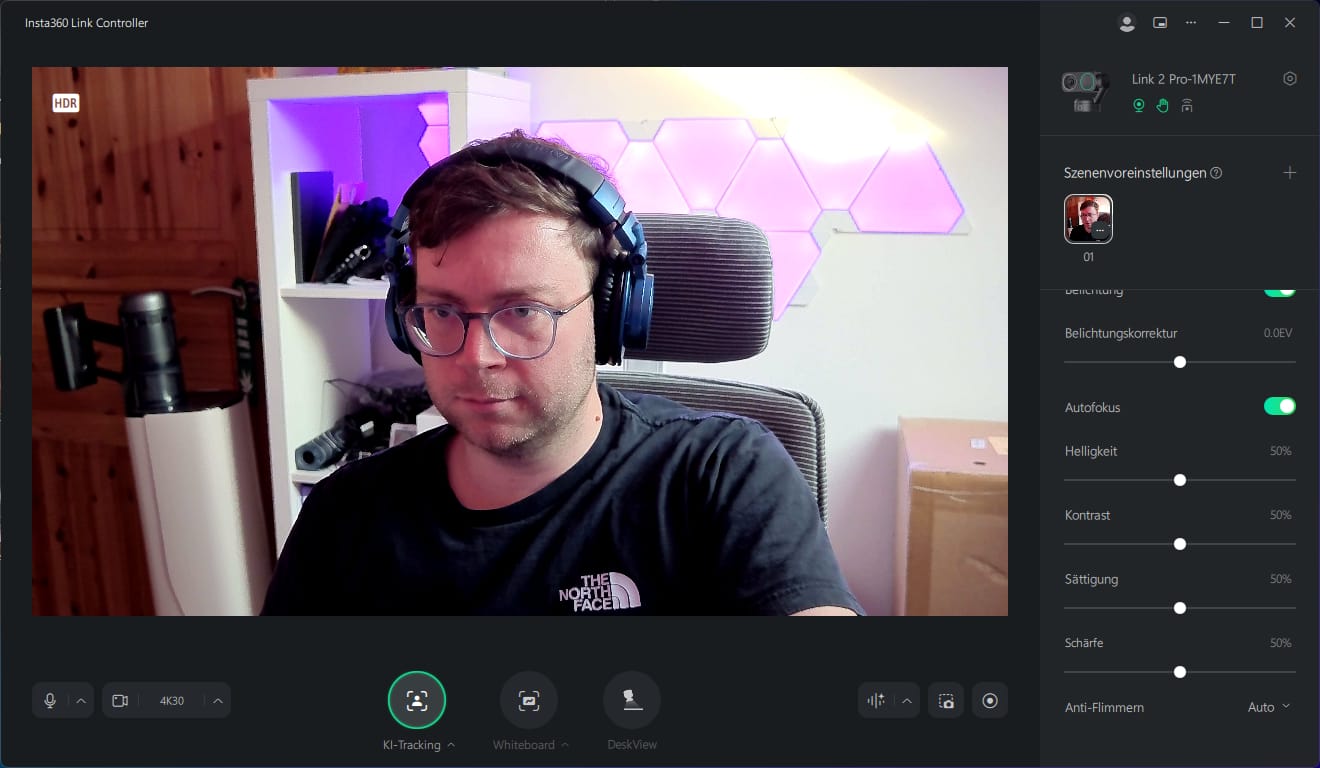
There is another key difference between the two cameras here. The Link 2 Pro lets you control the gimbal directly through the software. You can adjust the framing and orientation using the motorized gimbal, and features such as AI tracking, tracking zones and pause zones are also available. It actively follows movement in front of the camera without digitally cropping the image. The Link 2C Pro also offers AI-assisted composition, but uses digital auto-framing. The software adjusts the framing while the camera itself remains stationary.
The Link Controller also brings together numerous additional features. These include DeskView mode for filming your workspace, a Whiteboard mode for presentations, as well as virtual backgrounds, background blur and green screen options. You can also control the microphone modes here, including directionality and noise reduction. Gesture control can be enabled optionally, allowing you to trigger certain functions directly in front of the camera.
Another particularly useful feature for creators is Elgato Stream Deck support, which lets you assign many functions to hardware keys. The Link 2 Pro can also be controlled remotely via smartphone, for example to adjust the framing or gimbal position without having to reach over to the camera.
I cover all the features, menus and settings in detail in the following YouTube video.
 Play video on YouTube
AI recording & transcription with Insta360 InSight
New is the direct integration of the AI transcription feature, previously known from Wave, into the Insta360 Link Controller. Insta360 InSight now lets you transcribe voice recordings, meetings and presentations directly, without additional Wave hardware. This makes the camera itself the starting point for structured follow-up of conversations and content.
The transcribed texts can then be summarised automatically. A range of AI models is available, including GPT-5.1, Gemini 2.5 Pro and Gemini 3 Pro. InSight offers various templates for this purpose, tailored to specific use cases such as meeting summaries, bullet-point lists or structured content overviews. This lets you control how detailed or concise the AI-generated results are.
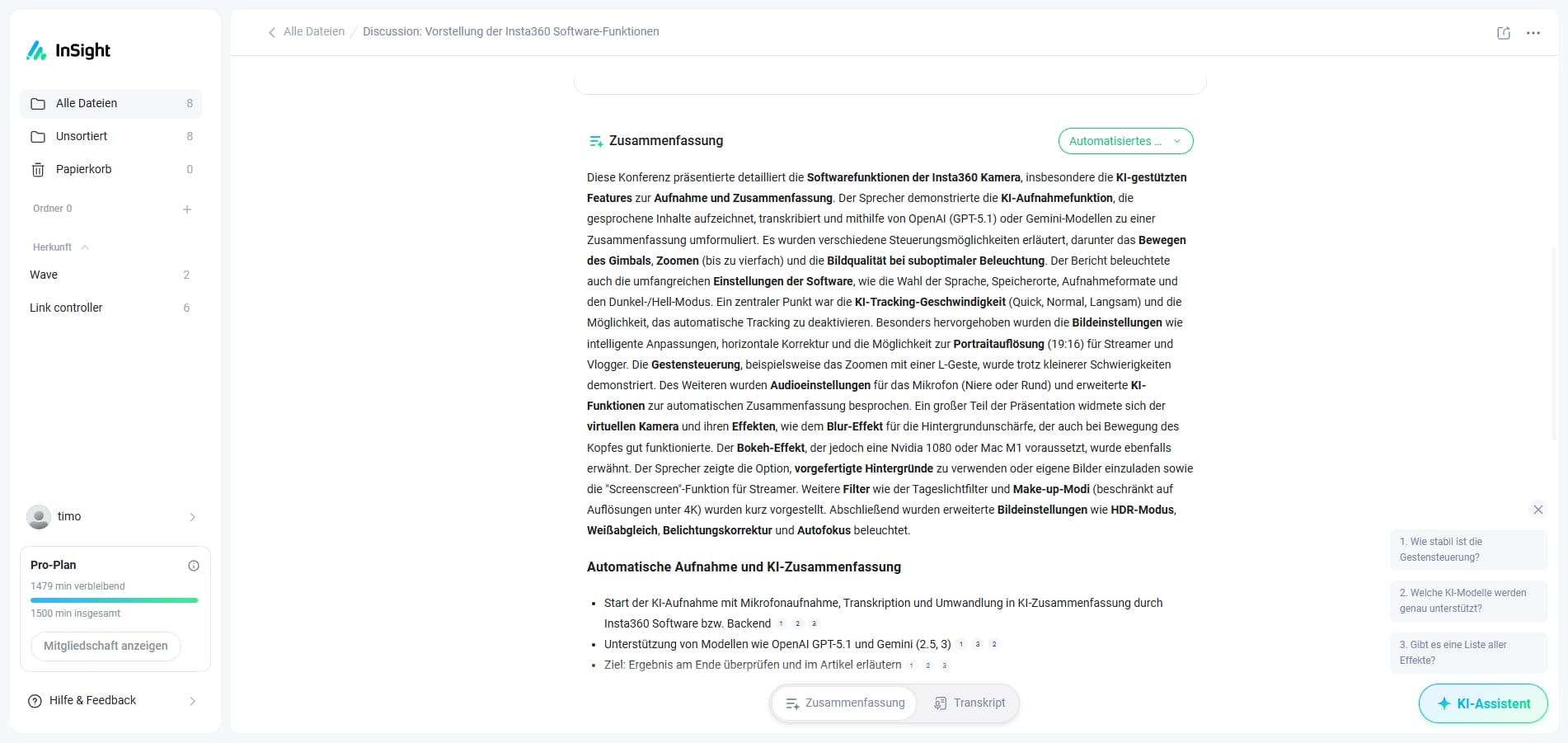
In my test, for example, I had InSight summarise the spoken content of a YouTube video. The results are precise and well structured, and can be further processed or visualised as needed. Personal thoughts, brainstorming sessions or longer meetings can thus be captured quickly and turned into useful content.
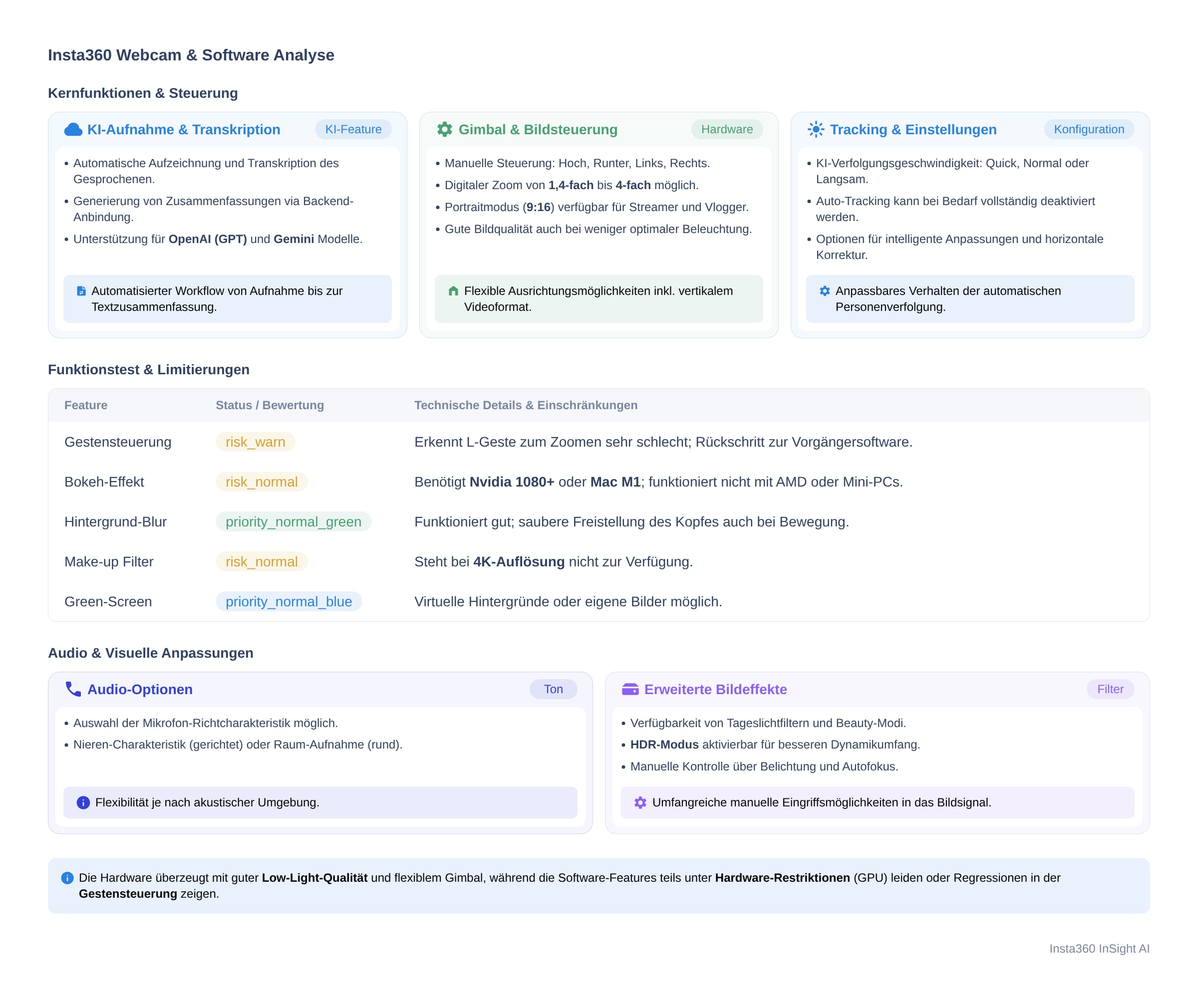
In the long term, however, Insta360 InSight is a paid service. Buyers of the Link 2 Pro or Link 2C Pro initially receive a free trial package with 300 free minutes. After that, plans currently start at €6.99 per month for 300 free minutes each month.
Alternatively, Insta360 offers annual packages as well as credit-based bundles of minutes, which can be purchased flexibly in tiers of 120, 600 or 3,000 minutes. The trial allowance is sufficient for occasional use, but regular users should factor in the additional cost.
Our verdict
Insta360 stays true to the Link series concept while making the right improvements. The larger 1/1.3-inch sensor makes the biggest difference. It captures more light, produces steadier images and ensures that noise only becomes an issue when the room is already too dark for a meeting.
Much feels familiar if you're coming from the Link 2 or Link 2C. The resolution, formats and basic operating concept remain the same. The main changes are behind the scenes. The Link Controller continues to evolve into a control centre, and Insta360 InSight suddenly turns the webcam into a tool for follow-up work, too. Conversations, meetings and thoughts can be transcribed and summarised directly. It works surprisingly well, but costs extra in the long run, making it more of a bonus than a no-brainer.
Not everything works perfectly. The new Link Controller feels powerful, but is not quite polished yet. Gesture control in particular currently feels less reliable than in previous versions of the Link software. Tracking can also briefly lag behind during fast movements. This hardly matters for conventional video calls, presentations or slow-paced streams, but shows that the software still needs some fine-tuning.
In the end, choosing between the Link 2 Pro and Link 2C Pro comes down to style. Anyone who moves around, presents or works in front of the camera benefits from the Pro's gimbal. Those working at a fixed position get the same image quality in a more compact form with the 2C Pro. Upgrading is not essential for owners of a Link 2 or Link 2C, but for everyone else, the new models are among the most well-rounded and versatile webcam solutions currently available for your desk.
Specifications
Video
- Sensor size
- 1/1,3"
- Video resolution
- Horizontal
- 4K @ 30/25/24 fps
- 1080p @ 60/50/30/25/24 fps
- 720p @ 60/50/30/25/24 fps
- 360p @ 30/25/24 fps
- Portrait
- 4K @ 30/25/24 fps
- 1080p @ 60/50/30/25/24 fps
- 720p @ 60/50/30/25/24 fps
- Video encoding format
- H.264, MJPEG
- (4K and 1080p at 60 fps in portrait mode do not support H.264)
- Exposure compensation
- ±3 EV
- Dual Native ISO
- 100–3200
- Shutter speed
- 1/8000–1/30 s
- White balance
- 2000–10000 K
- Aperture
- f/1,9
- 35 mm-equivalent focal length
- 24 mm
- Fixed field of view (FOV)
- 83.9° DFOV, 71.4° HFOV
- Digital zoom
- Up to 4x
- Autofocus
- Supported
- (Focal distance
- 12 cm–∞)
- HDR
- Supported
Audio
- Microphones
- 2
- Noise reduction
- AI noise cancellation
- Audio modes
- Standard, Wide, Focus, Original
- Smart modes
- AI tracking – (Link 2 Pro only)
- Auto-framing – (Link 2C only)
- Smart whiteboard
- DeskView
- Virtual background
- Stabilization
- Gimbal
- 2-axis (Link 2 Pro)
- No gimbal (Link 2C)
Hardware
- Button
- 1× touch button
- Connection
- USB-C to USB-C (USB 2.0) or USB-C to USB-A adapter
- Power consumption
- 5 V / 1 A
- Mounting
- Magnetic mount with 1/4-inch thread
Dimensions & Weight
- Dimensions (W × H × D)
- 71.3 × 58.9 × 38 mm (Link 2 Pro)
- 62.7 × 30.2 × 26 mm (Link 2C)
- Weight
- Without magnetic mount
- 102.5 g (Link 2 Pro)
- 48.5 g (Link 2C)
- With magnetic mount
- 167.5 g (Link 2 Pro)
- 113.5 g (Link 2C)
Operation
- Operating temperature
- 32 °C to 104 °C
- (tested under laboratory conditions)
System requirements
- CPU
- 5th-generation Intel Core i5 or newer
- (advanced features from 10th-generation i5 onwards)
- RAM
- 8 GB or more
- (advanced features from 16 GB)
- Operating systems
- Windows 10 or later
- (macOS 10.13 or later, virtual camera from macOS 13.0)
- ARM-based Windows is not supported
- AI features (GPU-dependent)
- Background blur and replacement
- Windows
- Supports NVIDIA GPUs
- Limited AMD compatibility
- (macOS 13.0 or later)
- Green screen
- Windows (NVIDIA GTX 1050 Ti or higher)
- up to 4K
- Windows (with GTX 1050 Ti)
- not supported
- Windows (without NVIDIA)
- up to 4K
- macOS Apple Silicon
- up to 4K
- macOS Intel
- up to 1080p
- Natural bokeh
- Windows
- NVIDIA GTX 1080 or later
- RTX 2060 or newer
- (no AMD GPUs)
- macOS
- Apple Silicon (M1 or newer)
Comments