Contents
Design, ergonomics and connectivity
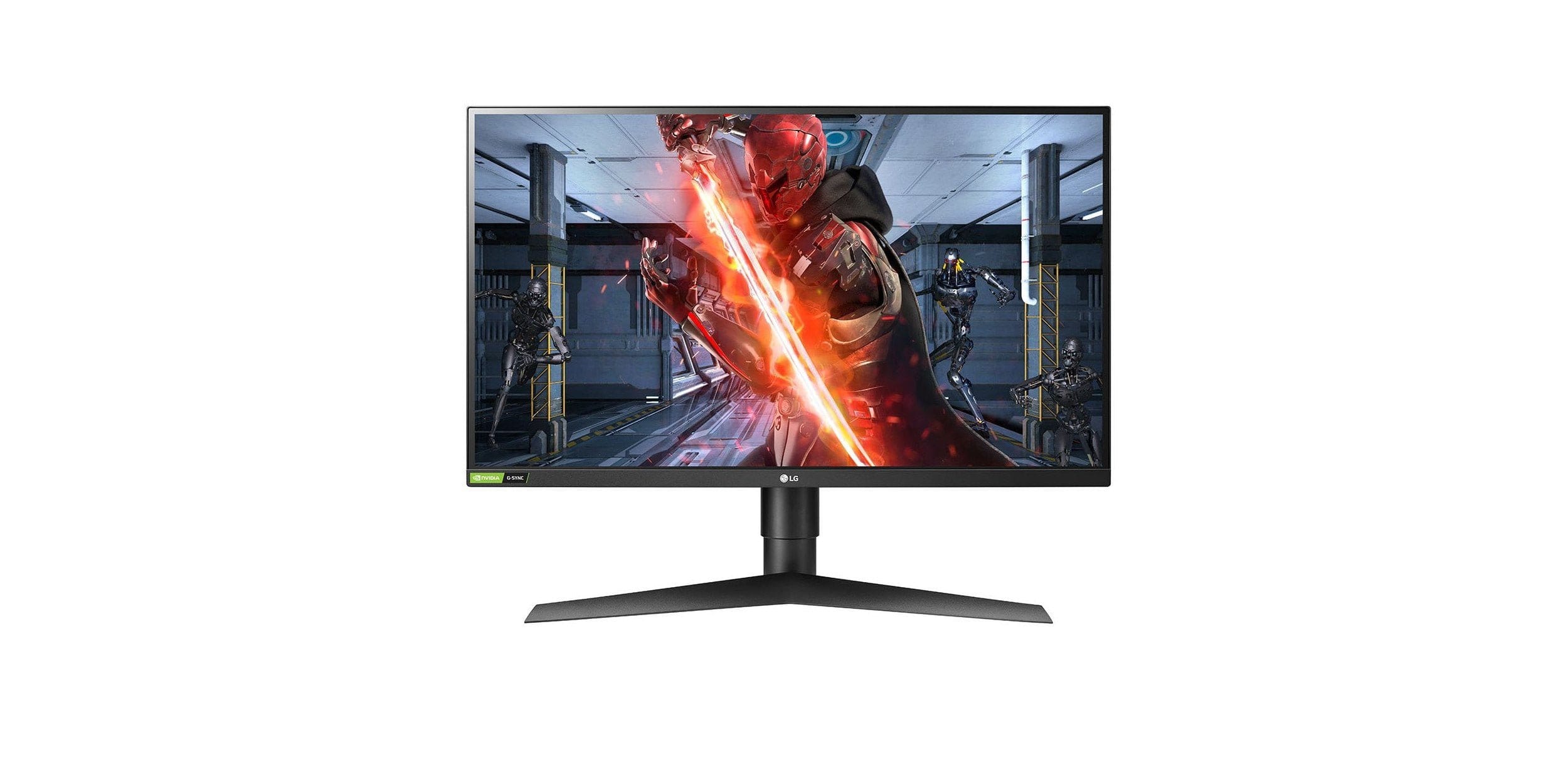
When you hear the word “gaming”, you usually think of extravagant designs and plenty of RGB lighting. Although the LG 27GL850-B also belongs to the gaming category, it takes a more discreet approach. The design is chic, that much is clear, but there is no trace of RGB bling. Instead, LG focuses on a few accents that cleverly highlight the monitor’s black plastic.
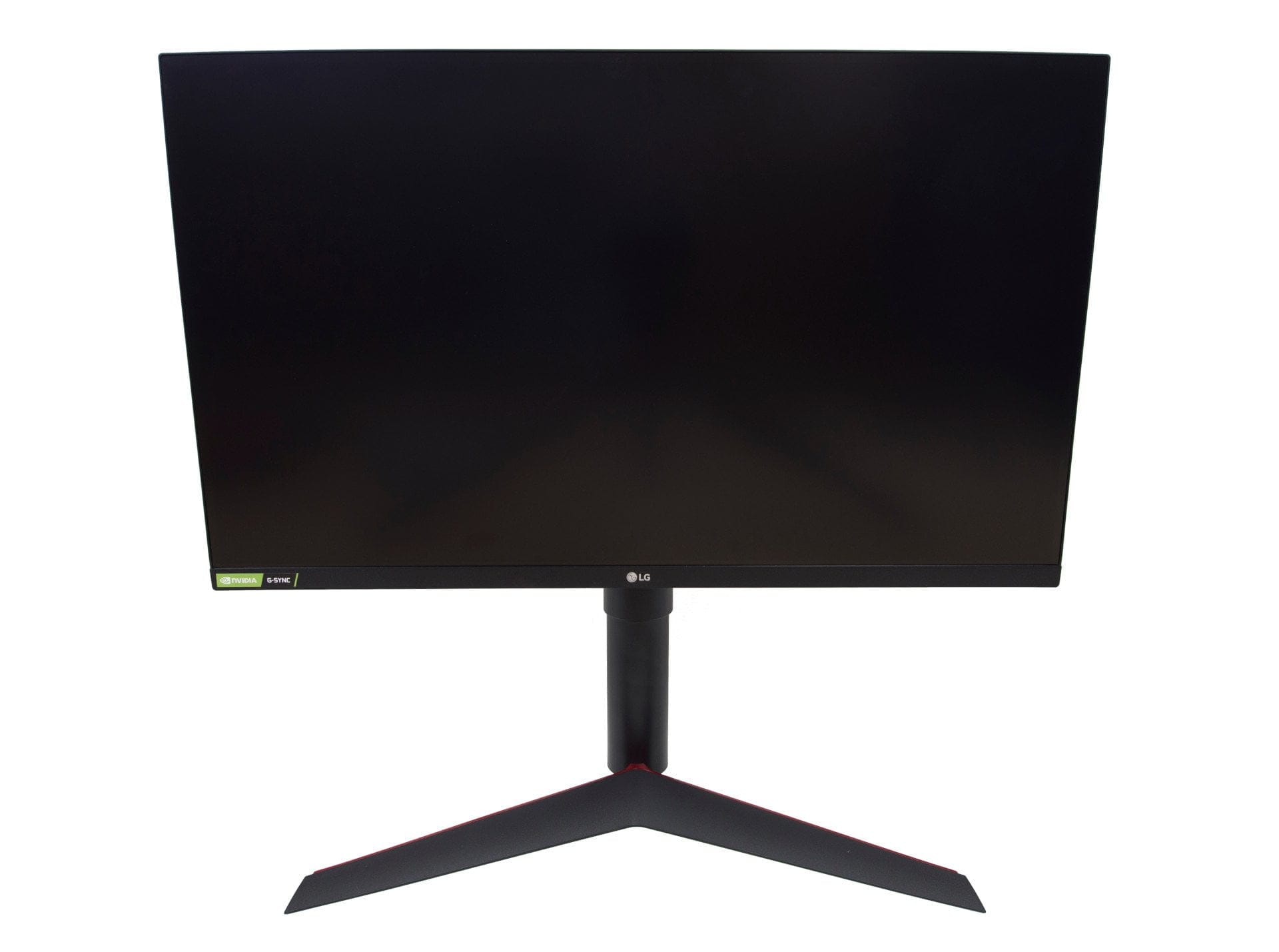
Stand with adjustable support arm
When we take a closer look at the monitor's exterior, we see a broad stand in a sleek V-shape. The material of choice is plastic. The stand is matte black facing the viewer. On the back, a glossy red accent makes an appearance.
Following the base itself is the transition to the support arm. This consists of a tube system, which ultimately ends in a rotating mechanism and the mounting plate attached to it. The following alignment options are available:
- Height adjustment: The monitor is height-adjustable by 11 cm. The locking mechanism operates steplessly and allows for precise height adjustment.
- Tilting: The monitor can tilt 5 degrees forward. It can tilt 15 degrees backward.
- Pivoting: The monitor can be aligned in portrait mode. A rotation of 90 degrees clockwise is possible.
- Rotation (Swivel): Rotation around its own axis is NOT possible.
A cable holder can be attached to the tube for better cable management. If you find this distracting, simply leave it off. The stand and monitor connect tool-free via a click system. Alternatively, wall mounting is possible (VESA 100x100).

Especially narrow bezels
Viewed from the front, the LG 27GL850-B shows its particularly narrow bezels. At the top and sides, these are just 0.8 cm. At the bottom, they are 2 cm. The LG logo is prominently placed in the centre. On the left, there is a sticker indicating the monitor's G-Sync compatibility.
Joystick control and Kensington lock
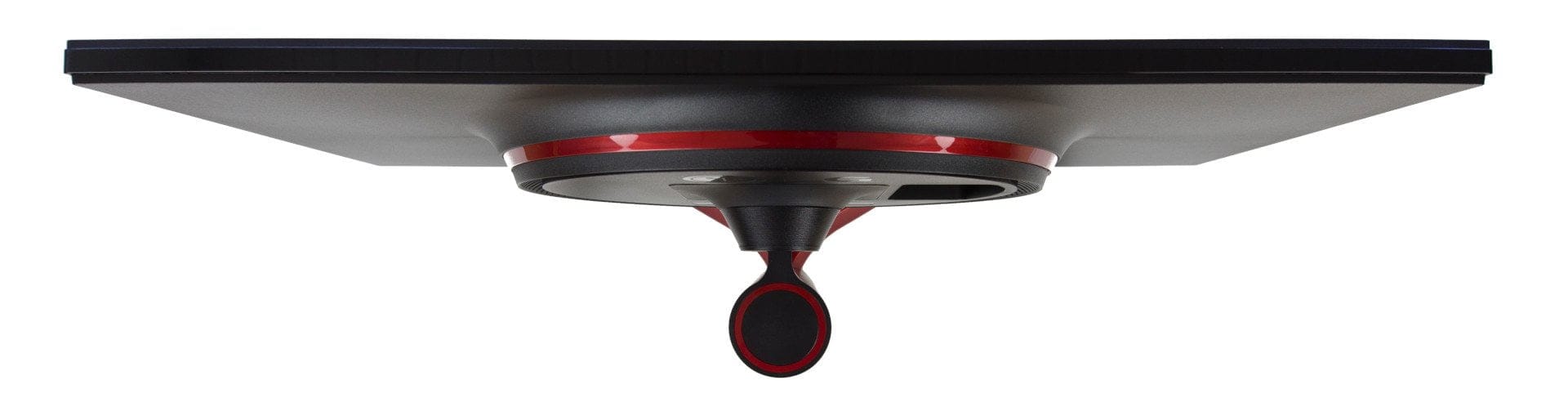
Before we look at the rear, there are a few words about the underside. Using the LG logo as a reference point, you can feel the joystick control on the underside. The joystick is both the power button and the OSD control. To the left of the joystick is the recess for a Kensington lock. This allows the monitor to be secured if required.

Rear panel with connection options
All connection options are located on the back. A striking feature of the back is the circular housing protrusion with a red colour accent. Ventilation slots arranged in a circle ensure good airflow. The connection options include two HDMI 2.0 ports, one DisplayPort 1.4 port, two USB 3.0 downstream ports, one USB 3.0 upstream port, one 3.5 mm jack audio port and a DC power input. All ports are easily accessible and spaced sufficiently apart from each other.

Build quality and scope of delivery
Although the LG 27GL850-B is made largely of plastic, the monitor does not appear cheap due to its matte finish and subtle colour accents. The build quality is good. All parts are cleanly assembled, and the stand mechanism runs smoothly. The box contents include, in addition to the monitor and stand, plenty of paperwork, a CD with the same paperwork, a DisplayPort, HDMI and USB 3.0 cable, as well as two cable holders.
Hardware
IPS vs. Nano-IPS
Monitors with in-plane switching (IPS) technology have long been common in our smartphones, televisions and PC monitors. Advantages over other display technologies include particularly stable viewing angles and better colour and contrast representation. A disadvantage is the usually slow response time of IPS panels, which is why gamers often prefer TN panels (twisted nematic).

But what happens when you undertake demanding image and video editing and are also a passionate gamer on the side?
To make it easier to choose between monitor technologies, LG introduced the so-called Nano-IPS at the beginning of 2018. This further development of IPS technology relies on a layer of fine nanoparticles that separate colour spectra more precisely. As a result, the panel is able to represent 135 percent of the sRGB colour space. The extended DCI-P3 colour space is covered to 98 percent. The AdobeRGB colour space is covered to at least 88 percent. At the same time, Nano-IPS reduces the response time to 1ms (GtG), making it particularly attractive for gamers.
On-Screen Display (OSD)
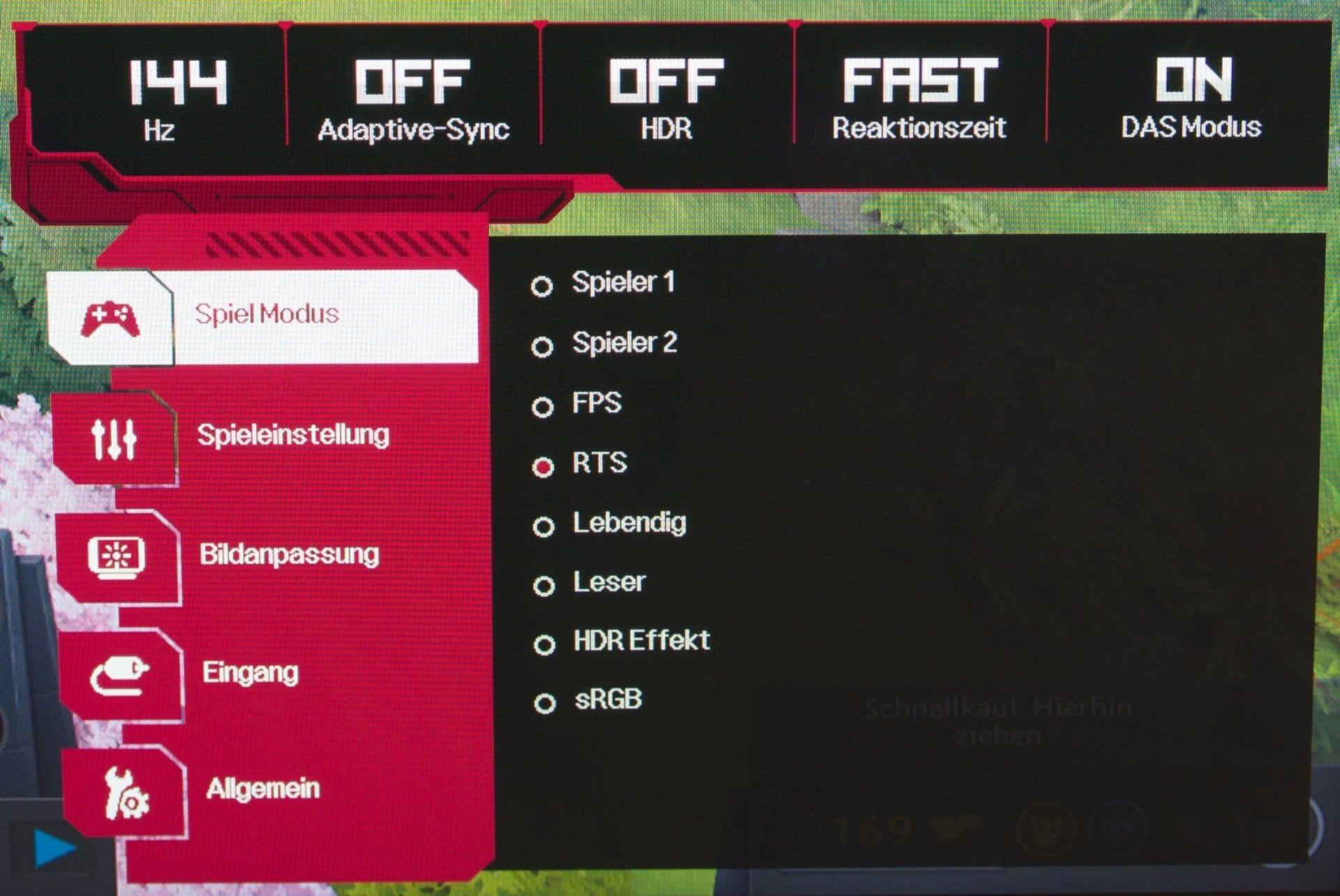
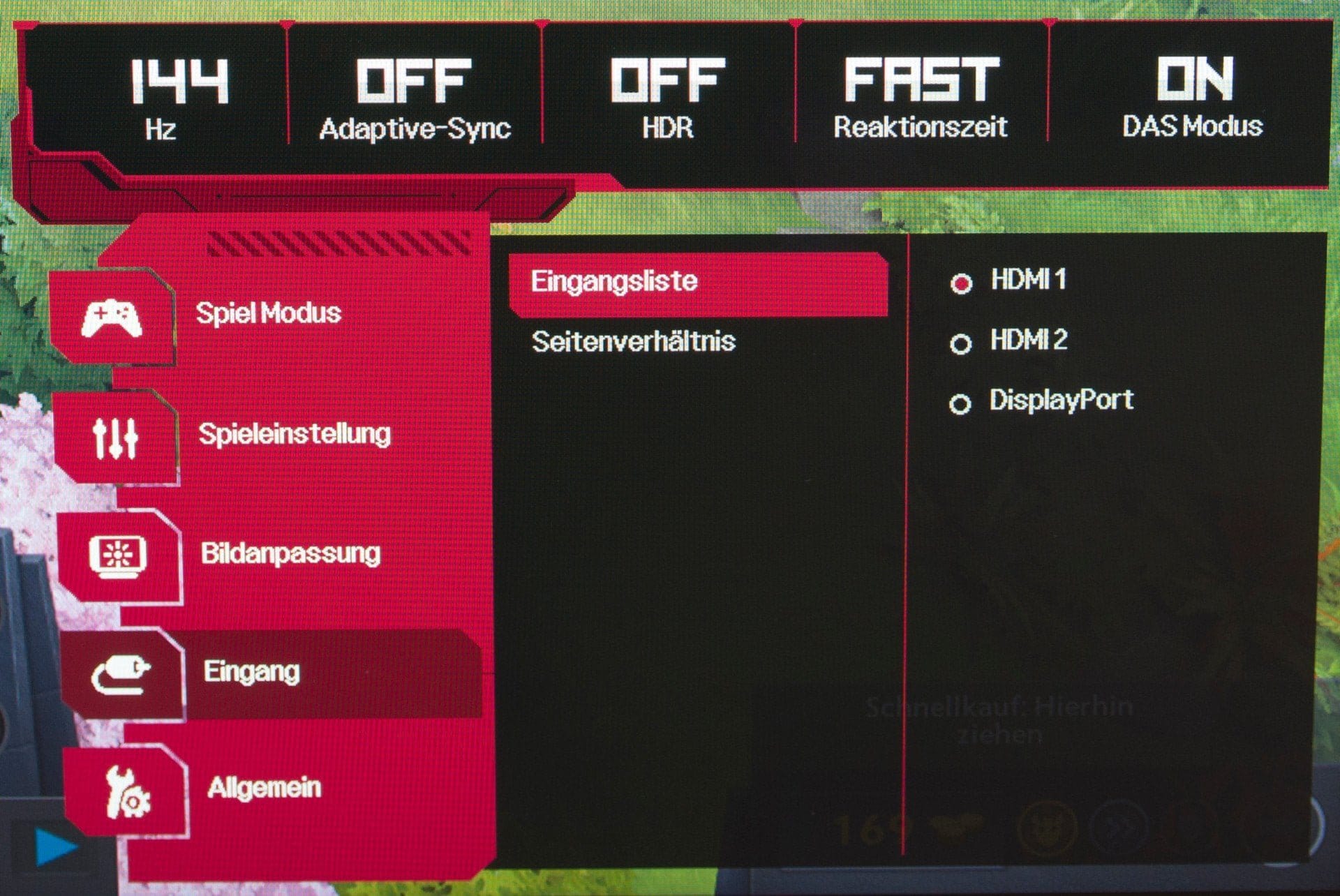
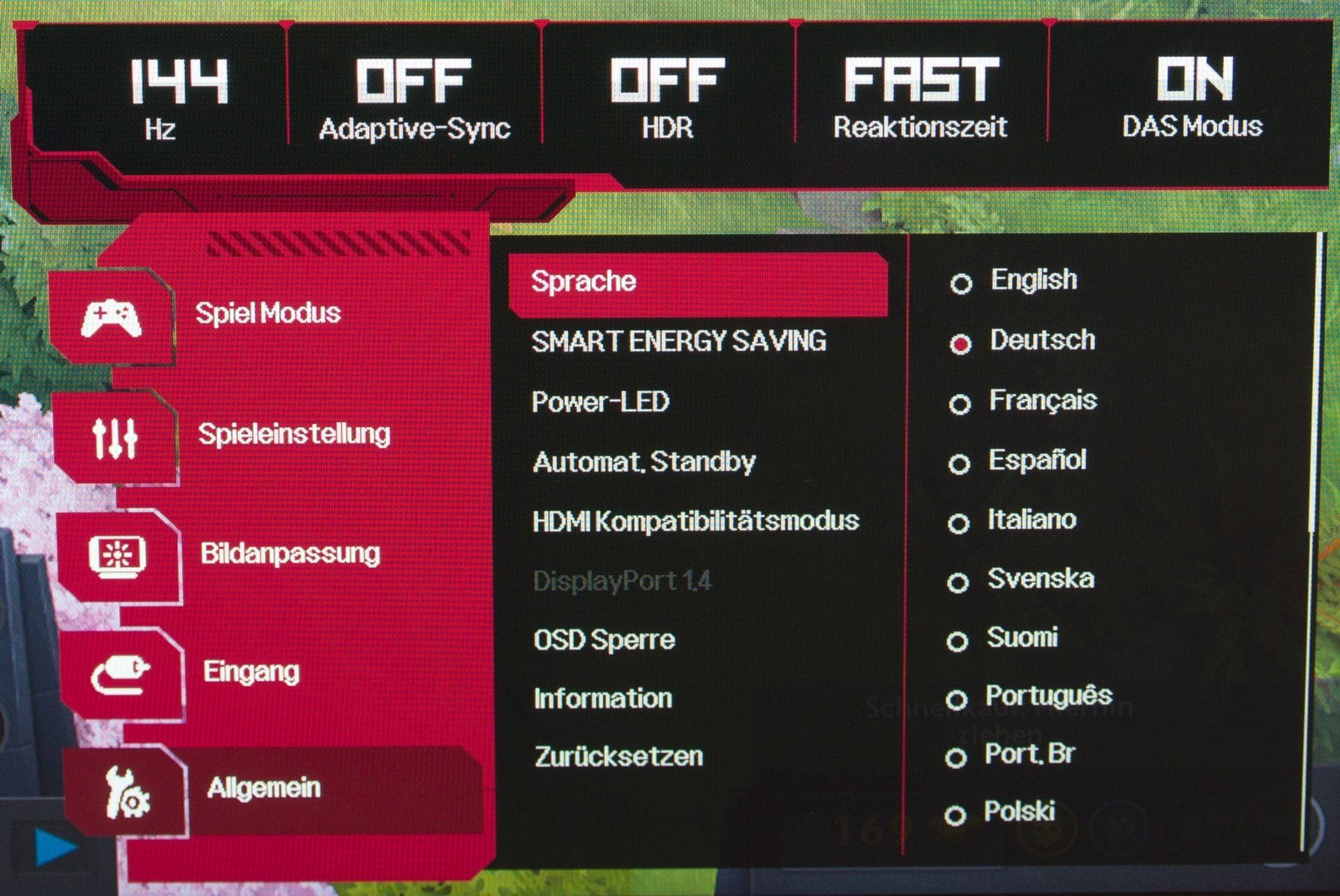
The OSD of the LG 27GL850-B is visually tailored to gamers. Active settings are displayed clearly in a bar. Below that, the menu is divided into the categories "Game Mode", "Game Settings", "Picture Adjustment", "Input" and "General". The category "Game Mode" offers 8 presets. Unfortunately, only the first preset is freely configurable. In the other modes, advanced settings for brightness or colour temperature are usually not possible.

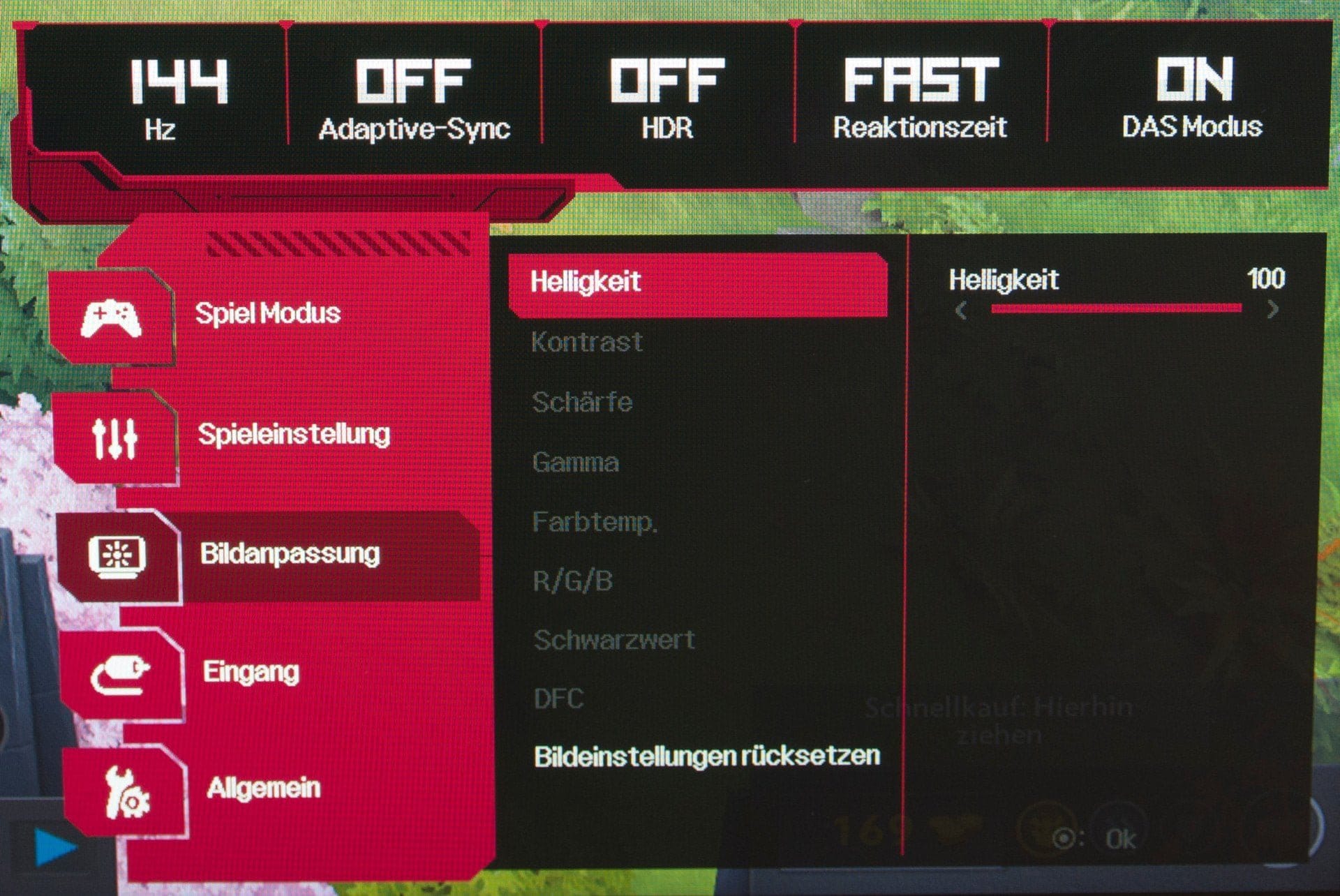
The "Gaming Settings" category includes options for Adaptive Sync, Black Stabilizer, response time and an on-screen crosshair. The other categories do not differ from other monitors. Available settings include brightness, sharpness, colour temperature and gamma value.
As an alternative to the OSD, the monitor can be controlled via the LG OnScreen Control application. The software, available for Windows and MacOS, allows access to essential monitor settings with a mouse click. In addition, the application offers an extensive Split-Screen function and a Picture-in-Picture display mode.
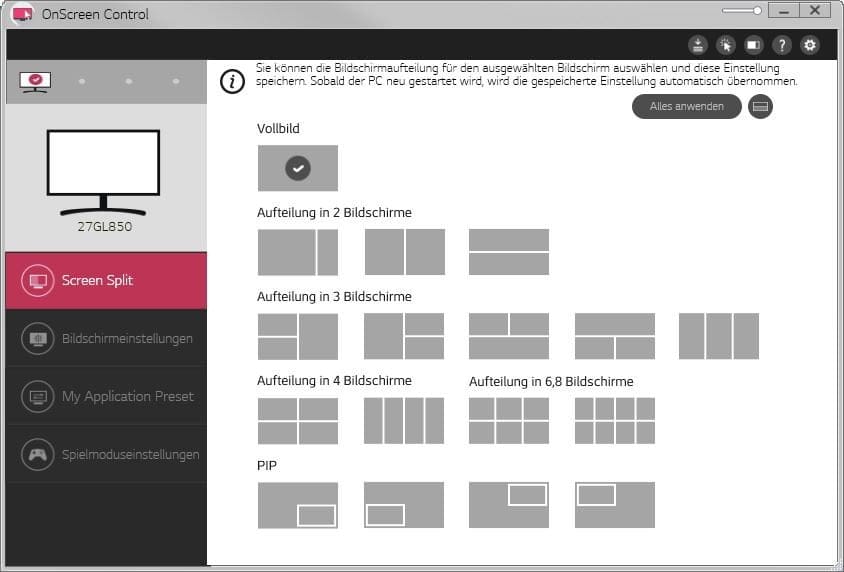
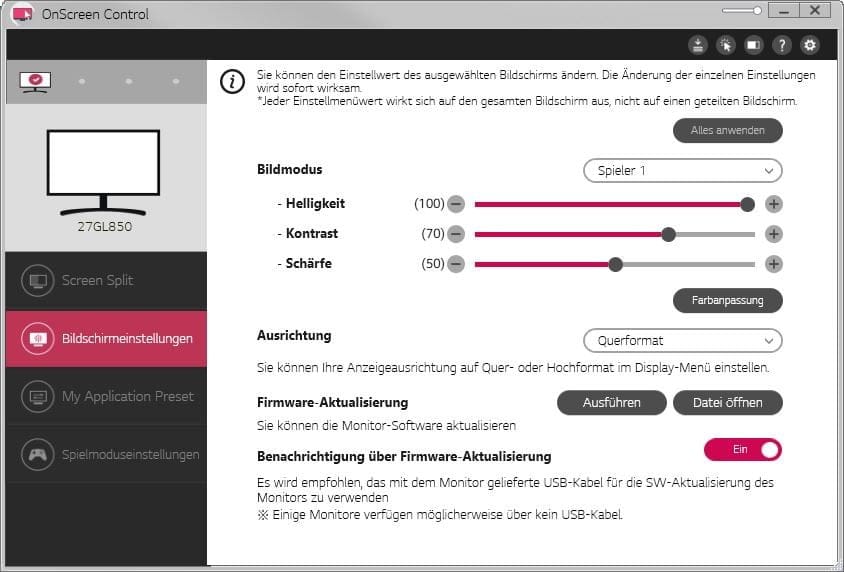
Image quality
We tested the image quality of the LG 27GL850-B using the factory settings (Player 1, Brightness 100, Contrast 70, Sharpness 50, Gamma Mode 2) and the predefined presets.
Brightness and contrast

According to LG, the panel achieves a luminance of 350 cd/m². At factory settings, we measured a luminance of 342 cd/m². With a CCT beyond 7200, the monitor has a slight blue tint. The contrast ratio also does not reach the value of 1000:1 promised by LG. Factory settings yielded a contrast ratio of 732:1.
Viewing angle stability and illumination
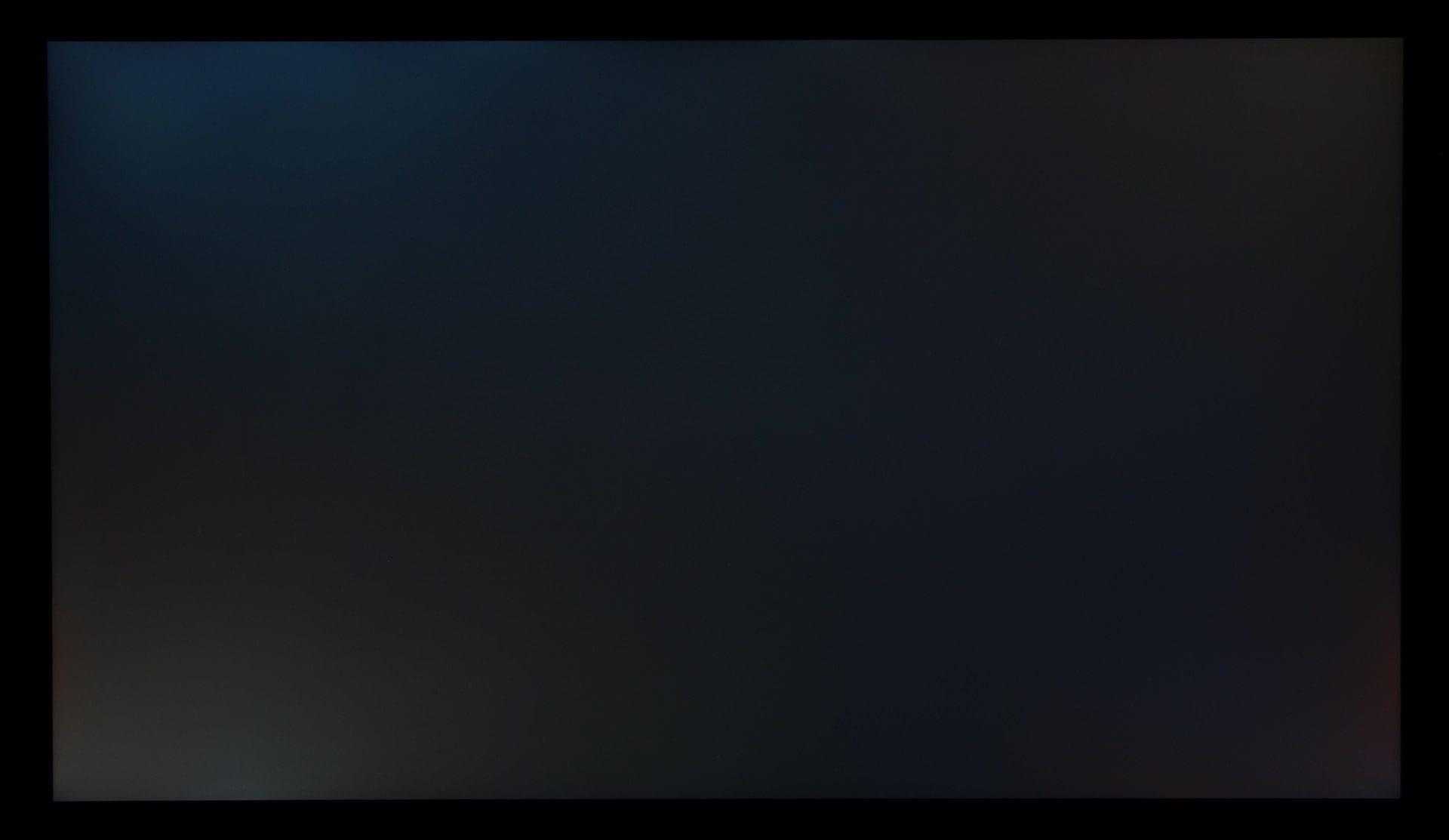
The monitor has excellent viewing angle stability. Significant horizontal and vertical viewing angles barely affect the display. There are no noticeable colour deviations or noticeably reduced contrast. The monitor shows weaknesses in terms of illumination. So-called backlight bleeding becomes apparent on black areas. This results in uneven illumination from the backlight at the edges of the display. Also present, and typical for IPS panels, is so-called IPS glow. This manifests as slight, angle-dependent brightening of the panel. Both can be seen in the following image. The image was taken in the dark with slight overexposure.
Colour reproduction
Apart from the slightly cool colour temperature, the LG 27GL850-B is well calibrated out of the box. The most common sRGB colour space is covered by the monitor 100 per cent. AdobeRGB, considered the standard in professional colour imaging, is covered 89 per cent. The comparatively young DCI-P3 colour space, used for digital film projection, is covered 98 per cent. The measured values are therefore almost identical to those stated by LG. Within the factory settings, the average DeltaE is 3.48. The monitor also offers an sRGB mode, which delivers an average DeltaE of 2.33. The gamma curve does not quite follow the ideal line. Uncalibrated, a median gamma value of 2.11 is achieved.
(Gaming) performance

Response behaviour
LG speaks of a 'gaming revolution' and specifies the LG 27GL850-B with a response time of 1ms (GtG). For an IPS panel, that would be a fantastic figure, which even TN monitors promise but hardly achieve in reality. To shorten the response time, a 3-stage overdrive (Normal, Fast, Faster) is used. With this technology, applying a higher voltage to the LCD cell achieves a faster alignment of the liquid crystals. At the same time, overdrive also increases susceptibility to display artifacts, which manifest as ghosting and smearing.
The exact measurement results are provided by our colleagues at Techspot, who measured an average of 5.88ms at a 144 Hz refresh rate in "Normal" mode, 4.08ms in "Fast" mode and 1.72 ms in "Faster" mode. As a result, the monitor does not quite reach the promised 1ms (GtG). In "Faster" mode, an average 72 percent overshoot occurs. This visibly degrades the image quality. It results in an unsightly smearing effect, which makes gaming in this mode almost impossible. For games like Counter-Strike, where precision is crucial, this mode is completely unsuitable. The situation is different with "Fast" mode. The average susceptibility to error is reduced to 2.5 percent. Ghosting hardly occurs at all in this mode.
Refresh rate and Adaptive Sync
The native and maximum refresh rate of the LG 27GL850-B is 144Hz. In addition to DisplayPort, 144Hz @1440p are also achieved via HDMI 2.0. The monitor does not have a G-Sync hardware module installed but supports FreeSync and is G-Sync compatible. Users with both AMD and NVIDIA graphics cards can use Adaptive Sync. The dynamic refresh rate is limited to 48-144Hz (DP) or 48-100Hz (HDMI).

Input lag
Finally, let us address input lag, which must be strictly distinguished from response time. Input lag describes the time span between input and display. In the case of the LG 27GL850-B, there is no perceptible input lag.
Power consumption
LG states the maximum power consumption is 65 watts. In testing, power consumption was 45 watts at 144 Hz @ 1440p and maximum display brightness. With reduced luminance of 180 cd/m², power consumption is just under 30 watts. In standby, consumption drops to 0.4 watts.
Our verdict
The LG 27GL850 is an all-rounder among gaming monitors. The display is not only interesting for gamers but is also very well suited for office work, film and video editing, and watching movies.
The Nano-IPS panel convinces with good factory-calibrated colour space coverage, high display brightness and extensive viewing angle stability. Although the Nano-IPS panel does not achieve the promised 1ms (GtG) response time, with an average response time of 4ms it is currently the fastest IPS panel on the market. Minor weaknesses are present in the contrast, which is somewhat low with a measured contrast ratio of 732:1.
Specifications
Screen
- Screen type
- LG Nano-IPS (white LED)
- Screen size
- 27 inches / 68.58 cm
- Display resolution
- 2560 x 1440 pixels (WQHD)
- Refresh rate
- up to 144 Hz
- Colour depth
- 8-bit + FRC
- Brightness
- 350 cd/m²
- Contrast ratio
- 1000:1 (static)
- Response time
- 1 ms (GtG)
- Adaptive Sync
- *Adaptive-Sync
- *AMD FreeSync
- *G-Sync Compatible
Ergonomics
- Tilt
- -5° to +15°
- Swivel
- No
- Pivot (rotation)
- Yes
- Height-adjustable
- 110 mm
- VESA mount
- 100 x 100 mm
Ports
- 1x DisplayPort 1.4
- 2x HDMI 2.0
- 1x USB 3.0 Type B (Upstream)
- 2x USB 3.0 Type A (downstream)
- 1x 3.5 mm jack (line-out)
General
- Dimensions (with stand)
- 614.2 x 574.8 x 274.4 mm
- Dimensions (without stand)
- 614.2 x 364.8 x 56.3 mm
- Weight (with / without stand)
- 6.1 kg / 4.2 kg
What’s included
1x Monitor 1x Stand 1x Power cable 1x Driver CD 1x HDMI cable 1x DisplayPort cable 1x USB 3.0 cable 1x Mouse holder 1x User manual
Price comparison
| Store | Price | Link |
|---|---|---|
| Amazon | 399,49 € | Go to store |
Comments