Contents
Lofree Flow 2: Design and build quality
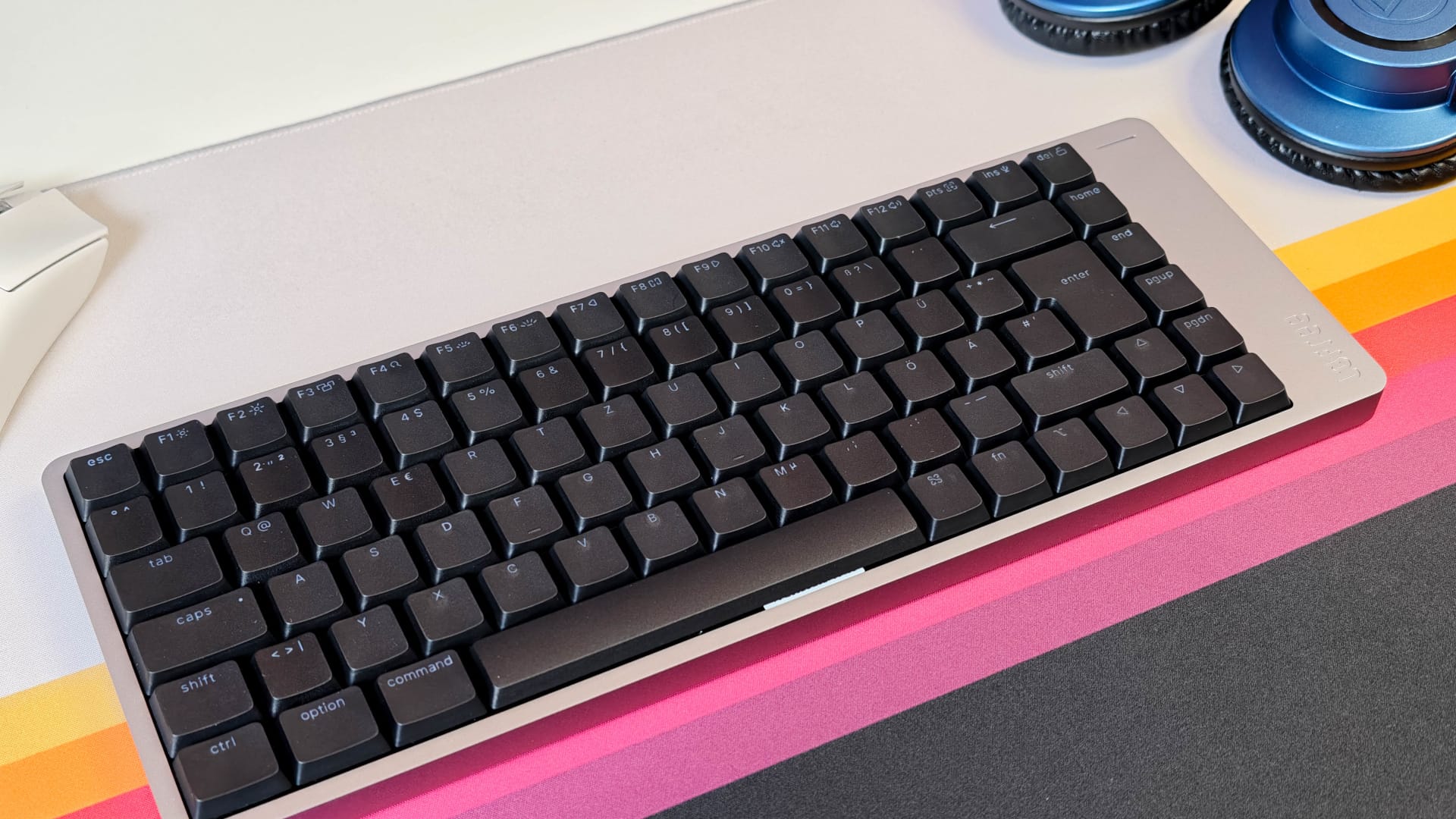
At first glance, the Lofree Flow 2 is unmistakably a Lofree. It forgoes RGB lighting, flashy gaming elements and overloaded extra features, opting instead for a modern, understated design with a mature look. The keyboard is available in three sizes with 68, 84 or 100 keys, allowing Lofree to cover both compact and near-full layouts.
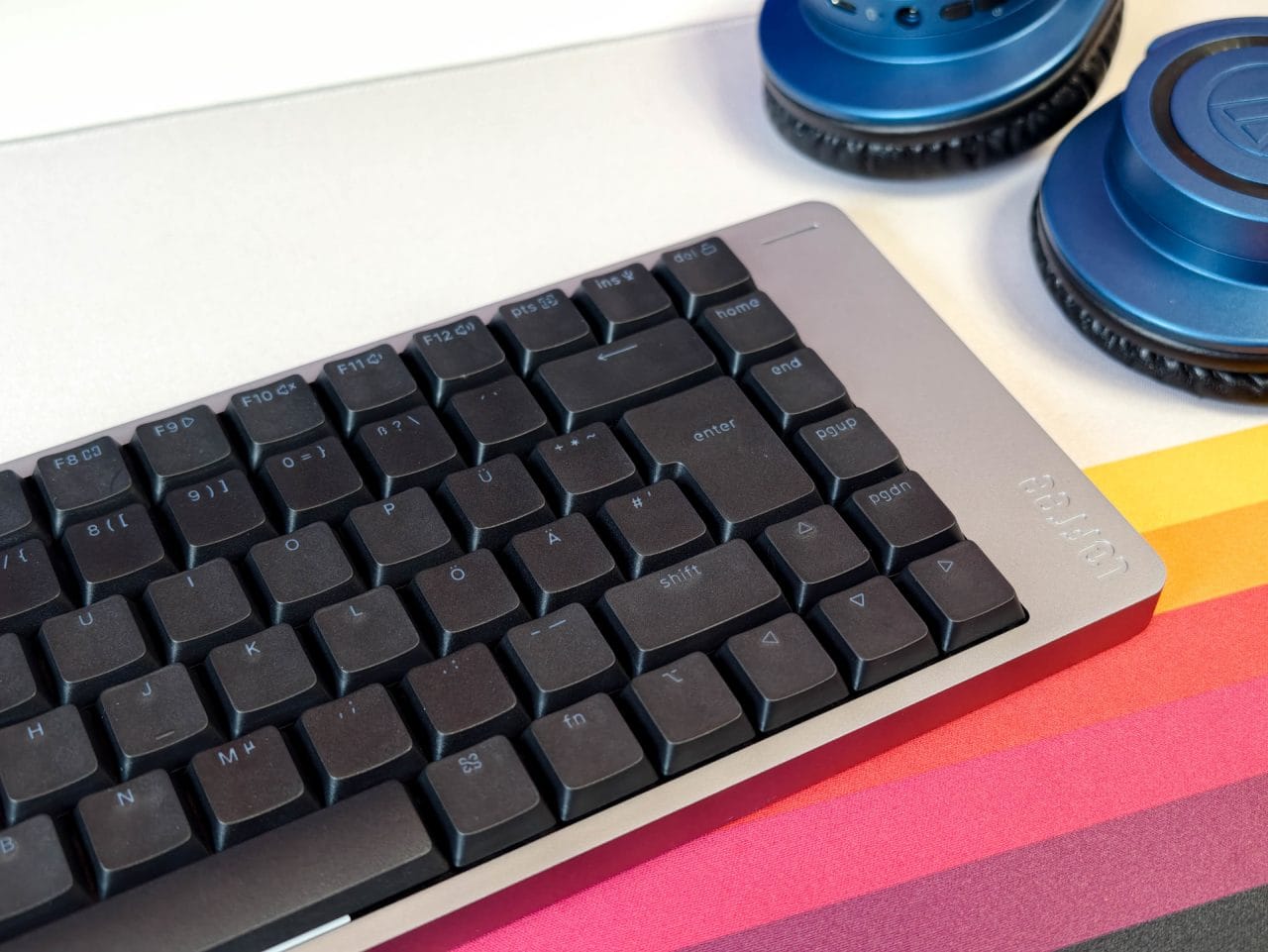
The biggest difference from the Flow Lite is the casing. Instead of using plastic, Lofree equips the Flow 2 with a sturdy aluminium casing, milled from a single block of aluminium. This gives the keyboard a cool, solid, premium feel; it sits firmly on the desk and barely flexes even under heavier pressure. Nothing creaks or wobbles, and overall the Flow 2 delivers exactly the premium feel you would expect from a keyboard in this price range.
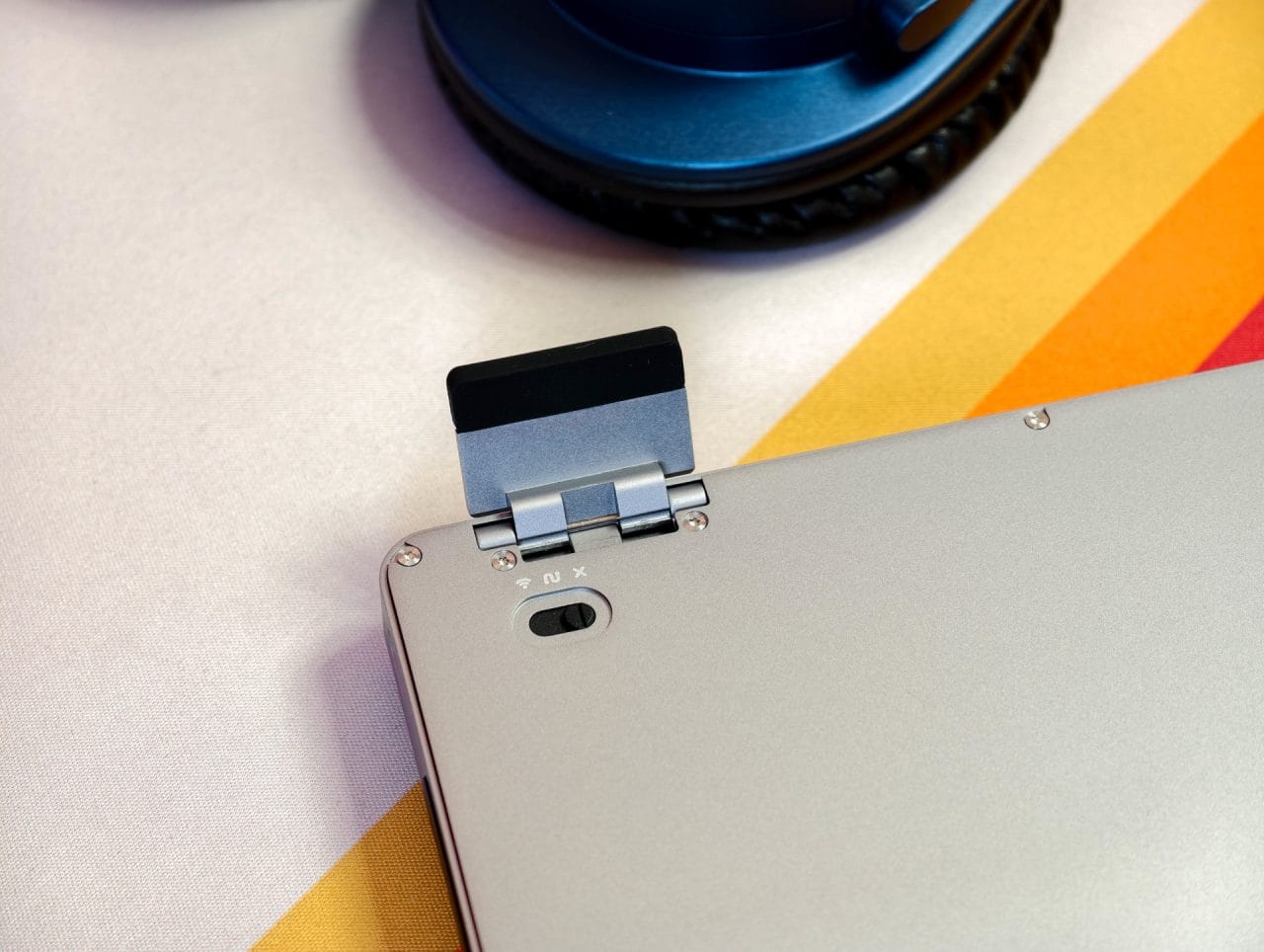
There are two fold-out metal feet on the back, which let you adjust the angle. The Flow 2 is already comfortable on the desk when flat; folding out the feet gives it a somewhat more traditional typing position. A wrist rest is not strictly necessary thanks to its low profile, but can still be comfortable during longer typing sessions.
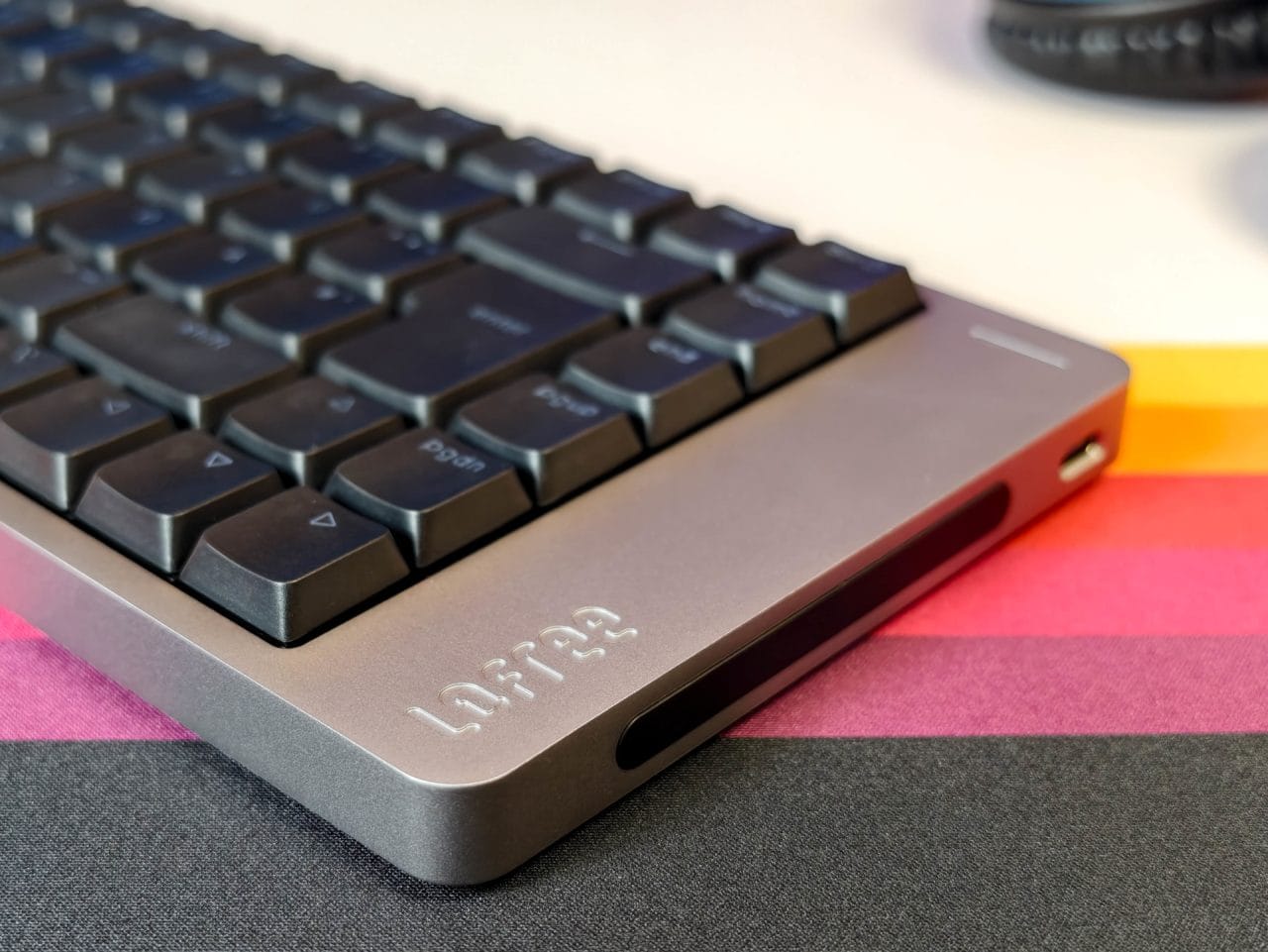
Less successful is the placement of the USB-C port. It is not at the back, but on the right-hand side. This is not noticeable during wireless use. However, as soon as a cable is plugged in, the design feels impractical. The cable runs off to the side and can get in the way depending on the desk setup, especially if the mouse is to the right of the keyboard.
Directly below it is a Touch Bar. It replaces the classic rotary dial and controls the volume when you swipe across it, or the screen brightness when you hold down the Fn key. It fits the slim design well visually, but I rarely used it in everyday use. The controls are fine, but not as direct and precise as a proper dial. Under Windows, the volume only changes in increments of two. That’s nice for fans of even numbers, but less so for fine adjustments.
Lofree Flow 2: Setup, use and software
It can be connected via USB-C, Bluetooth 5.3 or 2.4 GHz wireless, making the Flow 2 easy to use with a desktop PC, notebook, tablet or smartphone. It is compatible with macOS, Windows, iOS, iPadOS and Android. In our test, it was also recognised without any problems as a standard keyboard under Linux.
The switch between Mac and Windows is well thought out. Lofree includes suitable keycaps for both systems, so the Command, Option, Alt and Windows keys can be labelled correctly. So if you regularly switch between operating systems, you don’t have to put up with incorrectly labelled modifier keys. You can switch modes directly using a keyboard shortcut.
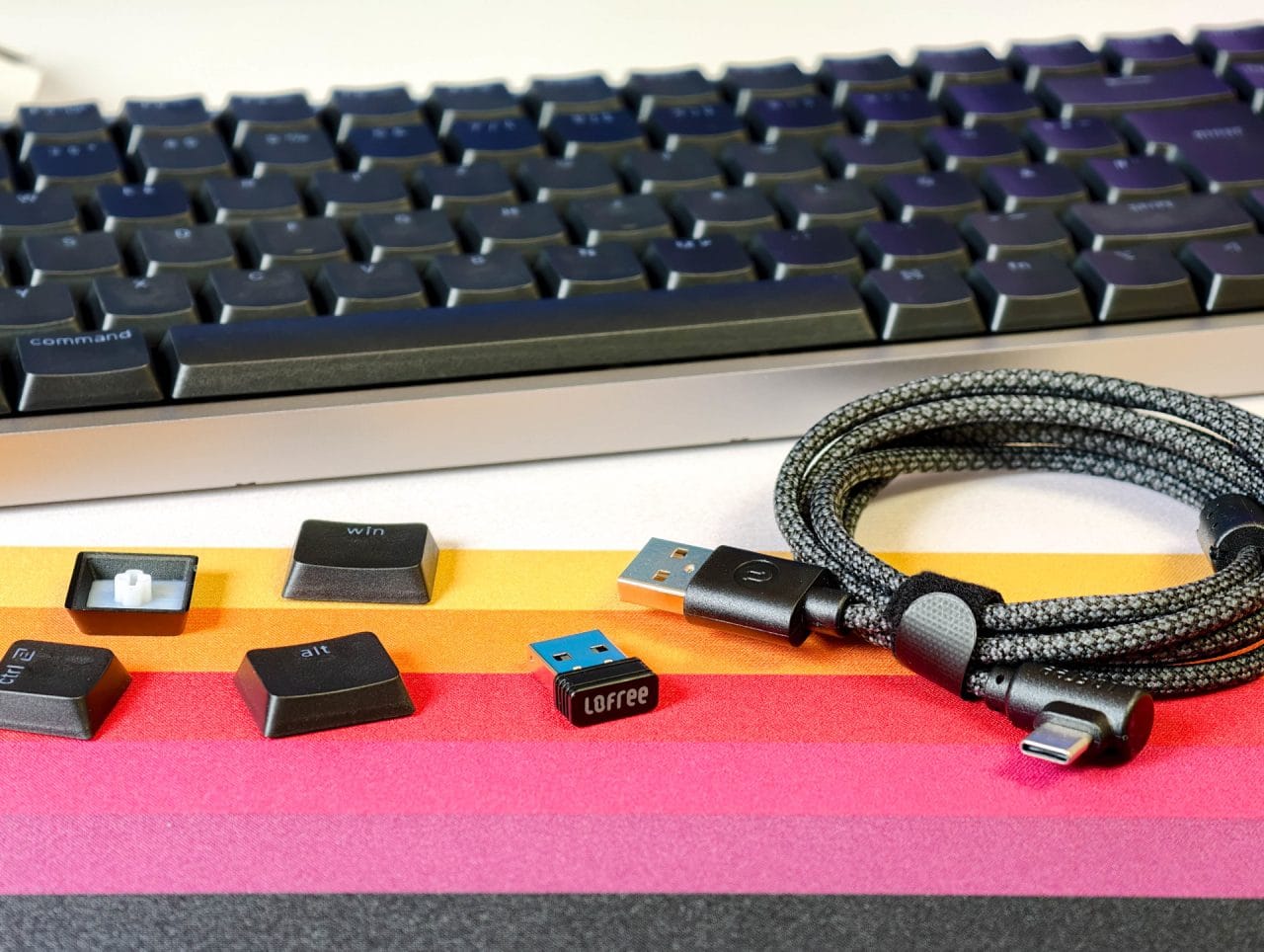
In our test, the wireless connection proved to be the best option, as expected. It responds quickly and reliably, with a polling rate of up to 1000 hertz and virtually no perceptible delay. The keyboard also works reliably when wired, making this a good option when the battery needs charging or you prefer maximum stability at all times.
The third connection option is Bluetooth, which is especially useful when using multiple devices at the same time. The Flow 2 can switch between three different Bluetooth profiles using a key combination (Fn + 1, 2 or 3), allowing you to connect a laptop, tablet and mini PC simultaneously, for example.
On paper, the keyboard supports VIA, which lets you remap keys, adjust layers and create macros. However, this did not work with the keyboard in the German ISO layout. The problem appears to be missing configuration profiles, which Lofree has not yet made available for this version. Its own Lofree Key Mapper was no help either. Lofree offers it both as an online version, similar to VIA, and as a Windows program. In both cases, the keyboard was not recognized during testing. As a result, the advertised customization options remain theoretical for the German layout for now.
Lofree Flow 2: Typing feel and everyday experience
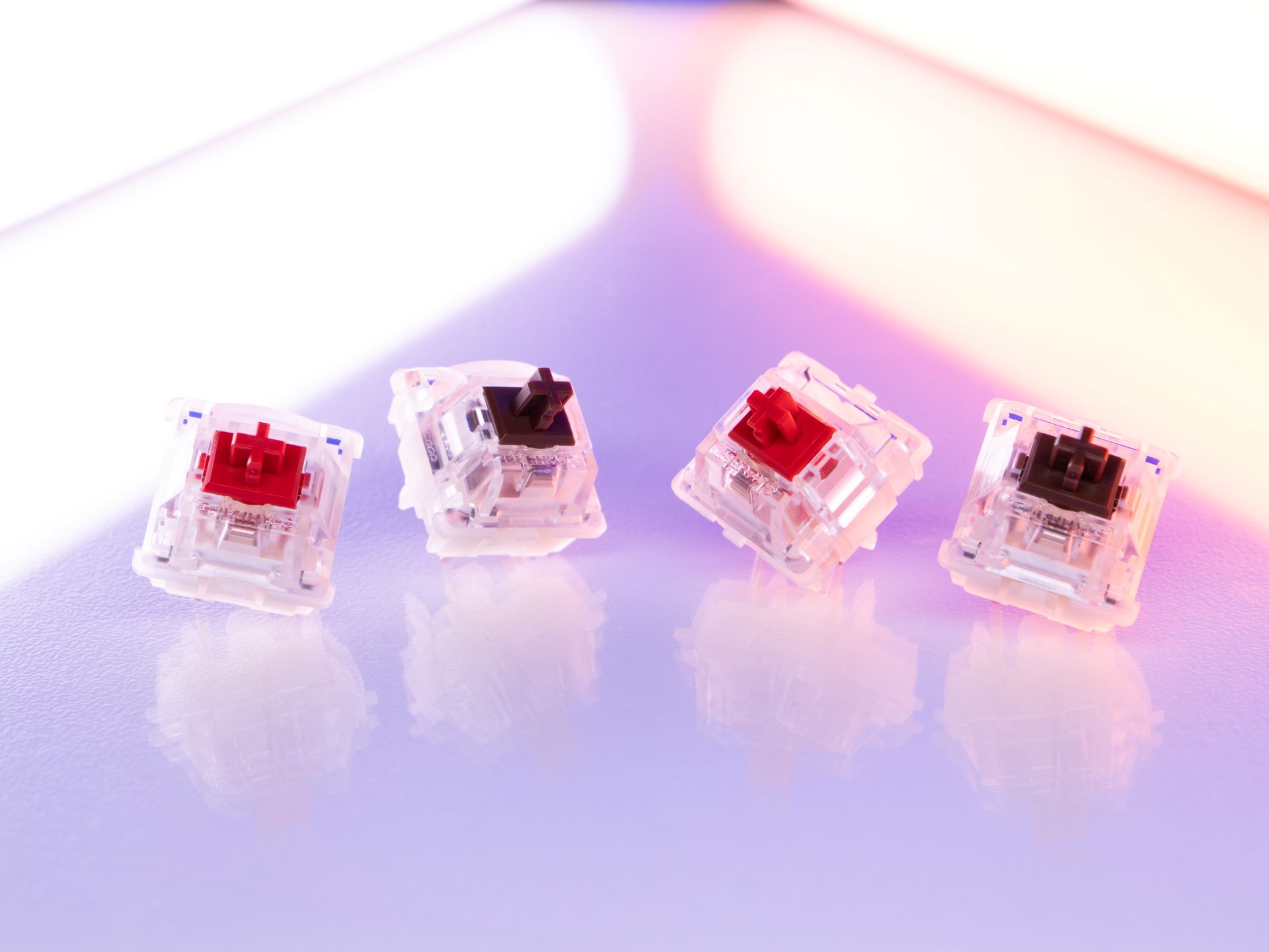
Lofree equips the Flow 2 with its new Cloud Series switches, available in three variants. Surfer is linear and designed for fast, quiet typing. Void is also linear, but tuned to be quieter and therefore intended for quiet working environments. Our review unit was fitted with Pulse switches. These are tactile low-profile switches that provide noticeable resistance when pressed. They are most comparable to Cherry MX Brown, only flatter and more direct.
The tactile bump is clearly noticeable, but neither scratchy nor loud. This makes the Flow 2 feel more controlled to type on than linear switches, while remaining much slimmer and faster than a regular mechanical keyboard with tall keycaps. Each keystroke has a little resistance, helping you hit the key more deliberately as you type. People who do a lot of writing will probably like this. For fast gaming inputs, linear switches like Cherry MX Red or Lofree's Surfer feel a little smoother, but the Pulse switches provide more feedback when typing text.
In terms of sound, the Pulse switches are quieter than clicky switches and less bright-sounding than many classic Cherry MX Brown keyboards. The Flow 2's aluminum case and dampening give each keystroke a solid, full-bodied character. They are not completely silent, though. If you type late at night or want to keep a low profile in a shared office, the Void version is probably the better choice.
The keycaps are made from PBT and PC using a double-shot process. Their surface feels slightly matte, offers enough grip and seems higher-quality than basic ABS keycaps. The legends let light through, so the white backlighting shines through cleanly. Brightness can be adjusted in several steps, and there are also a number of simple lighting effects to choose from. The slightly larger key surface makes the keys easy to hit, which is particularly noticeable when typing longer texts.

Compared with the Flow Lite (our review here), the Flow 2 feels firmer and more direct. The Lite has a softer, slightly springier typing feel, while the Flow 2 feels more stable. If you are looking for a very gentle, almost floating typing feel, you might even prefer the Flow Lite. If precision, stability and an overall more premium feel matter to you, the Flow 2 is the better choice.
Lofree Flow 2: Battery life
Battery life on the Lofree Flow 2 depends heavily on size, connection and lighting. The larger models with 84 and 100 keys have a 3,000 mAh battery, while the compact 68-key version comes with 2,000 mAh. With the lighting off, Lofree quotes up to 120 hours for the larger variants and up to 90 hours for the smaller model. Battery life drops significantly with the lighting on.
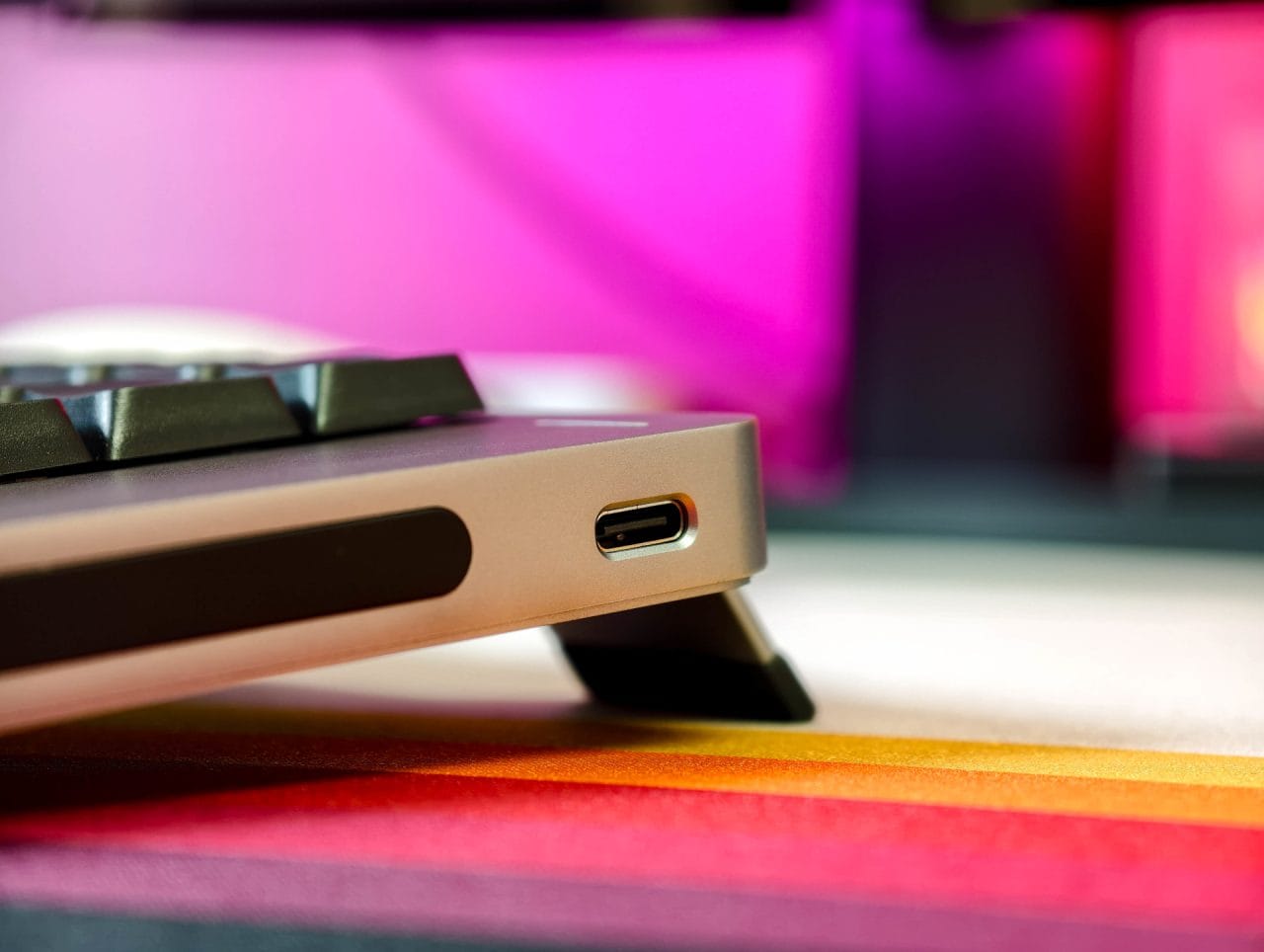
Even so, the battery easily lasts several workdays in everyday use. If you only use the lighting occasionally or turn it off completely, you rarely need to plug it in. With the lighting on all the time, expect a few days rather than several weeks. Charging is via USB-C, which works well technically, but the port's position on the side is not the most elegant solution.
Our verdict
What impressed me most about the Lofree Flow 2 was its case and typing feel. It feels considerably more premium than the Flow Lite, yet remains pleasantly understated and fits perfectly on a tidy desk. The aluminum case feels sturdy, the build quality is good, and the low-profile design makes extended typing comfortable.
The Pulse switches strike a good balance for me between softness and responsiveness. They remind me of Cherry MX Brown switches, but feel shallower, faster and more controlled. The stable 2.4 GHz connection with a 1,000 Hz polling rate is another plus; it caused no problems in everyday use.
The side-mounted USB-C port and the touch bar, which I rarely used, are less successful. The software, however, is genuinely frustrating. Neither VIA nor the Lofree Key Mapper recognised the German ISO model during testing. For now, that leaves the customisation options touted by Lofree out of reach.
Even so, the Flow 2 remains one of the most beautiful and comfortable low-profile keyboards Lofree has made so far. Not perfect, but damn close—and well worth recommending.
Specifications
General
- Layout
- 65% (68 keys), 75% (84 keys) or 96% (100 keys)
- Language layout
- ANSI and German ISO layout (DE QWERTZ) available
- Material
- Aluminium casing
- Color
- Space Gray, Silver
- Dimensions (W×D×H)
- 341.2 × 107 × 21.5 mm (68-key version), 341.2 × 126 × 21.5 mm (84-key version), 398.2 × 126 × 21.5 mm (100-key version)
- Weight
- 635 g (68-key version), 745 g (84-key version), 870 g (100-key version)
Key switches
- Type
- Lofree x Kailh Cloud Series Low-Profile Switch
- Material
- POM
- Versions
- Surfer (linear), Pulse (tactile), Void (silent linear)
- Tested version
- Pulse
- Actuation force
- 40 ± 10 gf
- Actuation distance
- 1.3 ± 0.3 mm (Surfer / Void), 1.6 ± 0.3 mm (Pulse)
- Total travel
- 2.8 ± 0.25 mm
- Characteristics
- Linear, tactile or silent linear, depending on the variant
- Lifespan
- 50 million keystrokes
- Hot-swappable
- Yes
Keycaps
- Material
- PBT + PC dual material
- Key legends
- Double-shot, translucent
- Surface
- Matte, slightly textured
- Special feature
- Additional keycaps for switching between Mac and Windows layouts included
Design
- Design
- Gasket mount
- Tilt angle
- 0° / 7° (adjustable with fold-out feet)
- Damping
- Multi-layer damping structure
- Case
- CNC-milled aluminium
- Feet
- Fold-out metal feet
Lighting
- Type
- White backlighting
- Brightness
- Adjustable in multiple steps
- Effects
- Static lighting and simple lighting effects
- RGB
- No
Connectivity
- Modes
- USB-C cable, Bluetooth 5.3, 2.4 GHz wireless
- Polling rate (USB-C / 2.4 GHz)
- Up to 1000 Hz
- Polling rate (Bluetooth)
- 125 Hz
- Wireless range
- Up to 15 m
- Pairing
- Multiple devices usable via Bluetooth
- Compatibility
- Windows, macOS, iOS, iPadOS, Android; usable as a standard keyboard in Linux during testing
Battery
- Capacity
- 2000 mAh (68-key version), 3000 mAh (84- and 100-key versions)
- Runtime
- Up to 90 h (68-key version, lighting off), up to 120 h (84- and 100-key versions, lighting off)
- Battery life with lighting
- Up to 13 h (68-key version), up to 17 h (84-key version), up to 14 h (100-key version)
- Charging time
- 3–5 h (68-key version), 3–4 h (84- and 100-key versions)
- Charging port
- USB-C
Functions
- Touch-sensitive bar for controlling volume and screen brightness
- Fn shortcuts for media control, lighting and switching devices
- Mac and Windows modes
- 2.4 GHz dongle included
- Hot-swap support
- N-key rollover
Software
- VIA support
- Lofree Key Mapper as an online version
- Lofree Key Mapper as a Windows program
- Functions
- Button remapping, layers and macros
What’s included
1x Lofree Flow 2 keyboard 1x keycaps for Mac / Windows 1 x 2.4 GHz dongle 1 x USB-C cable 1 x quick start guide
Price comparison
| Store | Price | Link |
|---|---|---|
| Amazon | 179,99 € | Go to store |
Comments