
Contents
 Play video on YouTube
First impressions
As befits a watch, the NO.1 D5 was supplied in a plain watch box. Included alongside the smartwatch were a magnetic charging dock, a micro USB charging and data cable, and a packet containing two watch screws and a small screwdriver. An instruction manual was not included with this early test version.
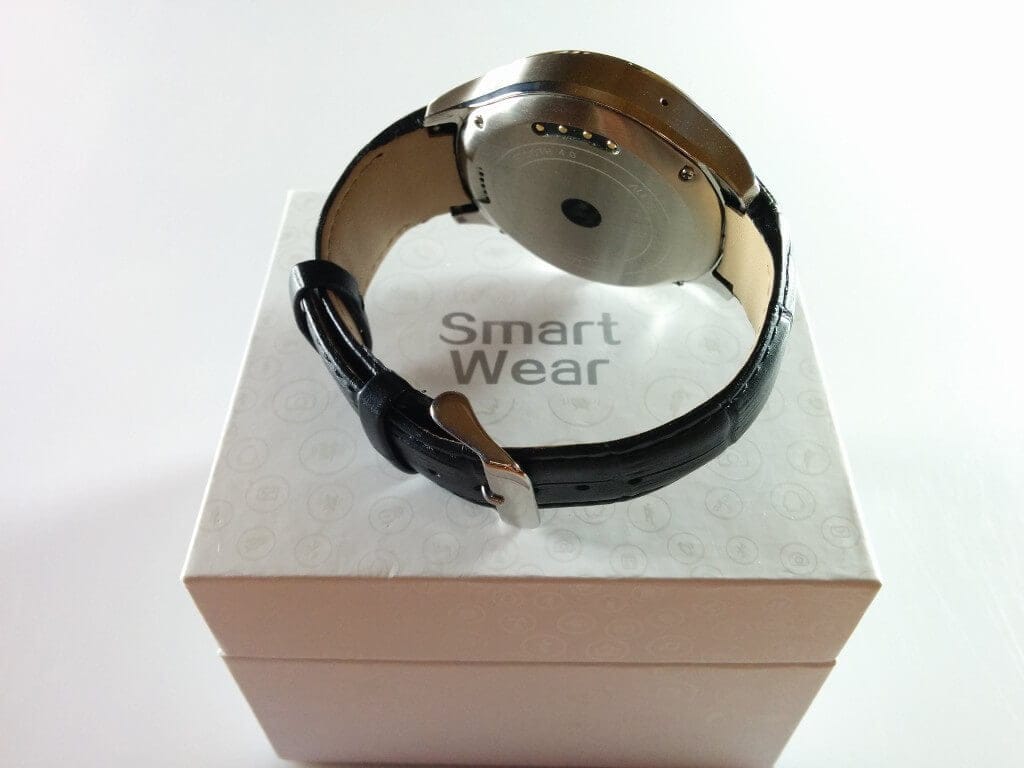
Upon unpacking, I immediately noticed the high-quality metal housing of the NO.1 D5. It is well made and free of any production defects. The power button, located on the side of the housing, is also made of metal, fits firmly and has a good pressure point. Unintentional activation is hardly possible as a result. I also did not notice any rattling during quick movements.
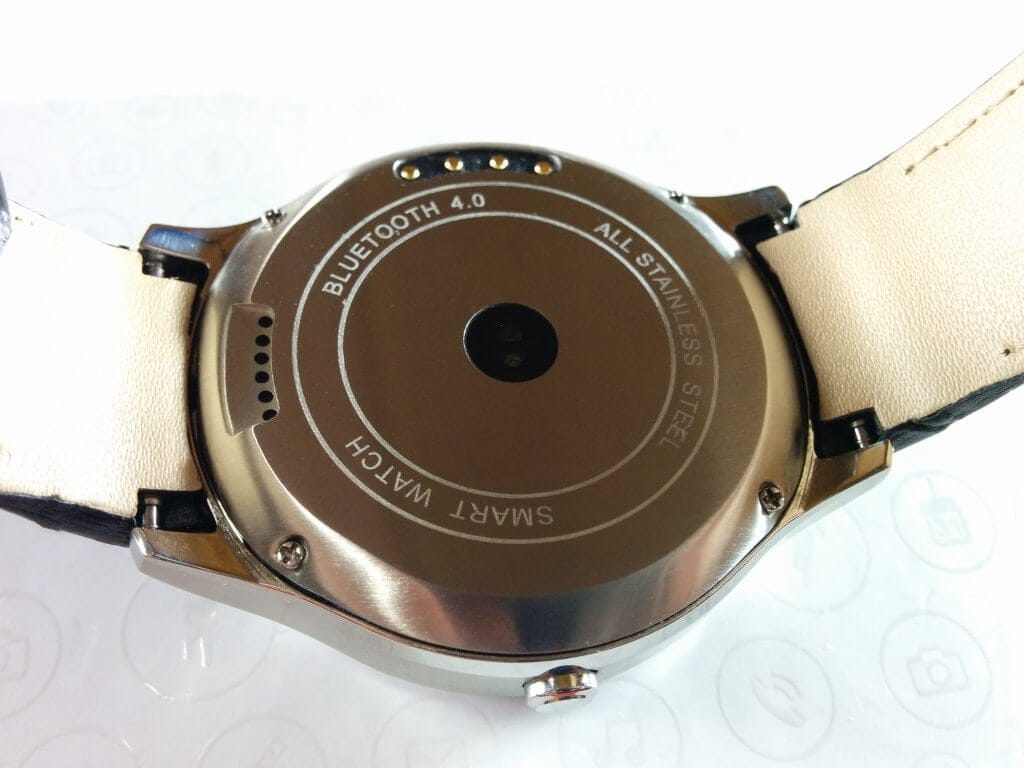
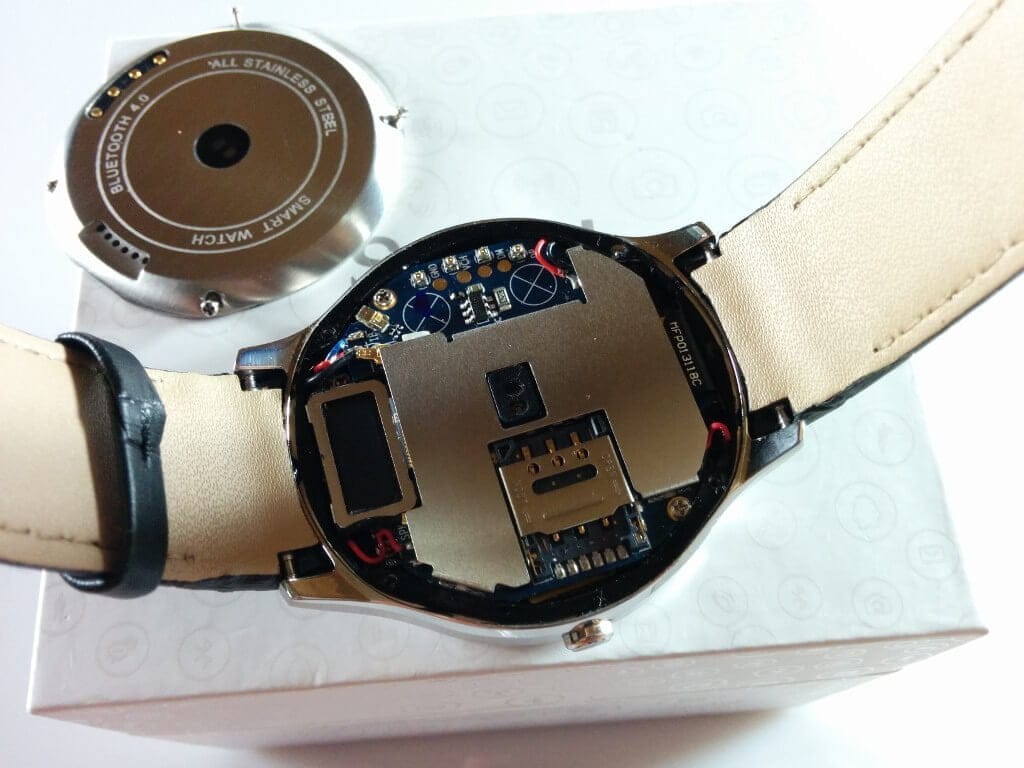
The smartwatch strap is made of faux leather. Unfortunately, the strap is not quite to my taste. I would have preferred a high-quality silicone strap here. Changing the strap is also problematic. As one might guess, the watch's antennas run inside the strap. The smartwatch has its own SIM slot, GPS and Wi-Fi modules. To access the SIM slot, the metal back must be unscrewed at four points and lifted off. According to the manufacturer, the watch is certified to IP65 standard. This means the watch is dustproof and protected against water jets. Nevertheless, water should ideally not enter the watch, as there is only a very thin plastic seal inside.
Display
The smartwatch display is a 1.3-inch IPS display with a resolution of 360x360 pixels. This display is therefore completely round and does not have the unsightly bar at the bottom edge of the screen. The pixel density is approximately 277 PPI. The display is roughly comparable to that of a 5-inch HD smartphone. Individual pixels are only visible when looking very closely and from near.
I would describe the display brightness as average. I have not yet been able to test the smartwatch in direct sunlight. Although the NO.1 D5 does not have an OLED display, the contrast ratio is good. The colours also appear vivid and natural. I was not disappointed with the viewing angle stability either.
The accuracy of the small touchscreen is good. With some practice, entries can be transmitted without errors on the really very small keyboard. However, the capacitive touchscreen is not multi-touch capable.
It is also interesting that the smartwatch display has an anti-fingerprint coating. This coating works quite well, allowing me to use the smartwatch for several days without having to clean the display once.
Performance
The NO.1 D5 features a MediaTek MT6572 dual-core processor with a clock speed of one GHz. A Mali-400 MP is used as the GPU. Additionally, the smartwatch has 512MB of RAM and 4GB of internal storage. Unfortunately, the internal storage is not expandable. The smartwatch comes with the Google Play Store pre-installed, which is why I made sure to install Geekbench 3 and AnTuTu.


In normal operation, the watch runs quite smoothly. Occasional stutters when quickly swiping through the user interface do occur but are rather rare. Apps open with a slight delay but also relatively quickly.
User interface
Unlike wearables from well-known manufacturers, the NO.1 D5 does not have Android Wear, but full Android 4.4.2 ("Watch OS 2.0"). The launcher has been completely adapted to the round and small display. NO.1 has done a pretty good job here. All system apps have been adapted and are largely displayed correctly.
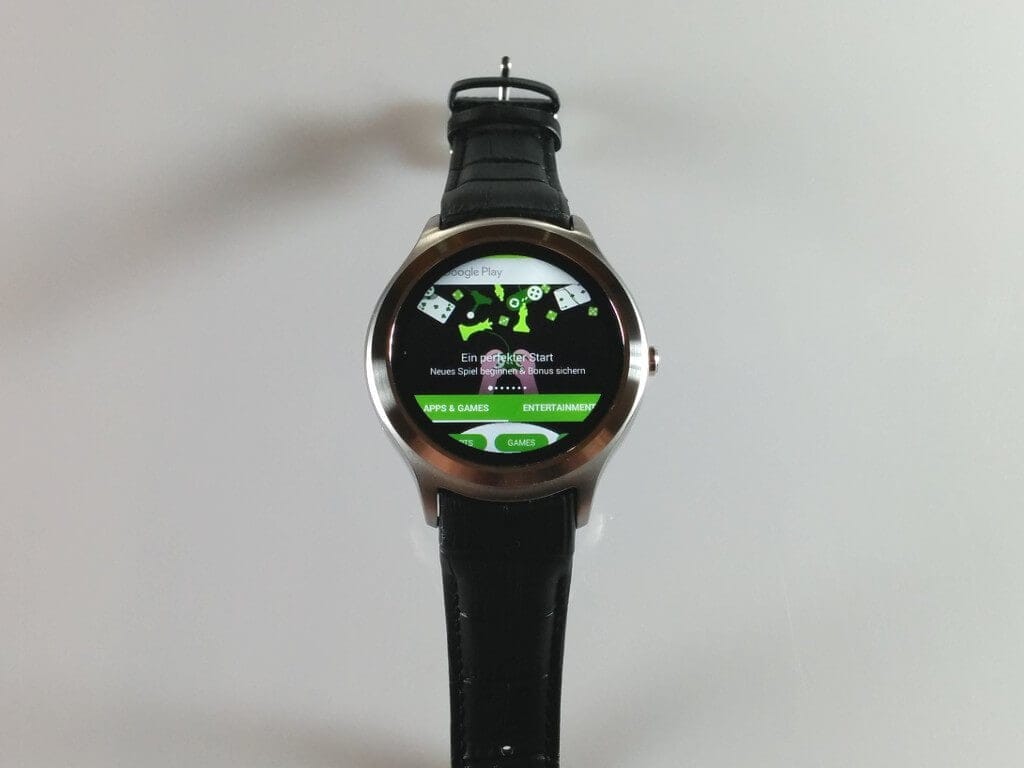
As already mentioned, the watch also has the Google Play Store preinstalled, allowing any apps to be downloaded. These apps are not optimised, of course, but are mostly still usable. However, I must mention that I also installed apps that I could not operate with the D5. With these apps, for example, a necessary input area was not displayed because it was simply rendered outside the screen area.
The smartwatch is operated by swiping. Apps can be closed by swiping from top to bottom. The side-mounted button only serves as the power on/off switch.
Functions
Watchfaces: A total of 39 watchfaces are pre-installed. These are fully animated and range from analogue to digital. Each watchface has a different appearance and is tailored to different use cases. For example, there are watchfaces that display not only the time but also the last measured pulse and the current step count. Other watchfaces feature a battery indicator or a weather display. With this huge variety, there really should be a suitable watchface for everyone. Additionally, there is a NO.1 dedicated store where you can download further watchfaces (currently 3) for free. I was also able to install custom watchfaces via workarounds. For this, there is an app in the Play Store that acts as a widget and precisely displays the watchfaces contained within the app. Here is an overview of the watchfaces:
 Play video on YouTube
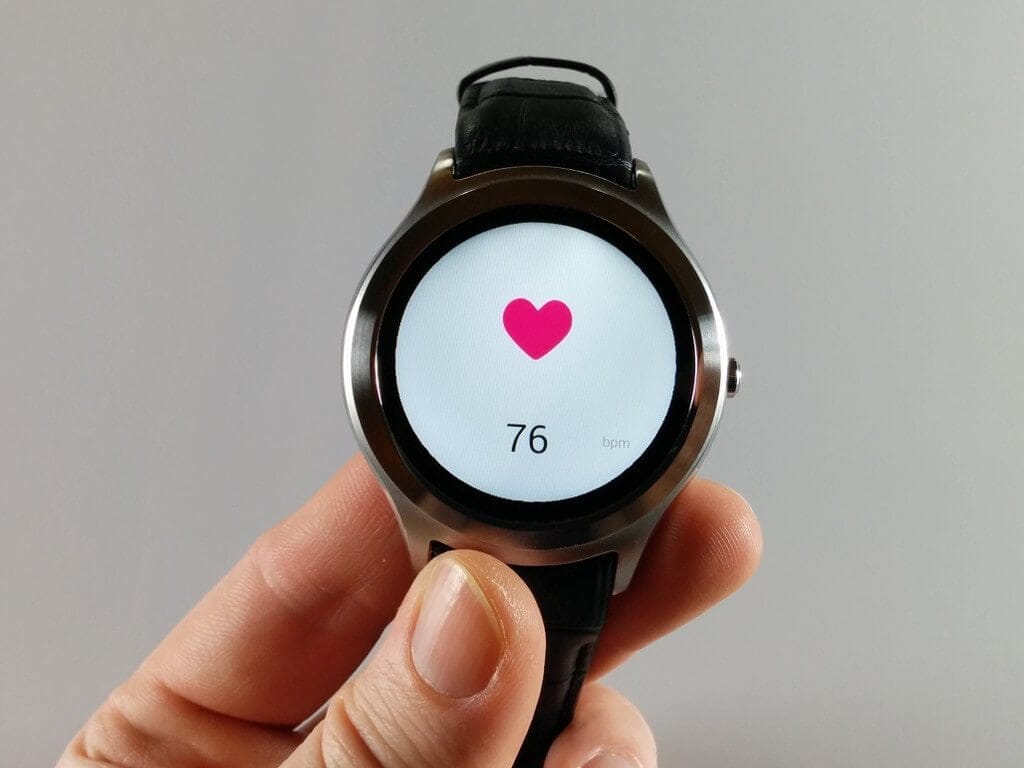
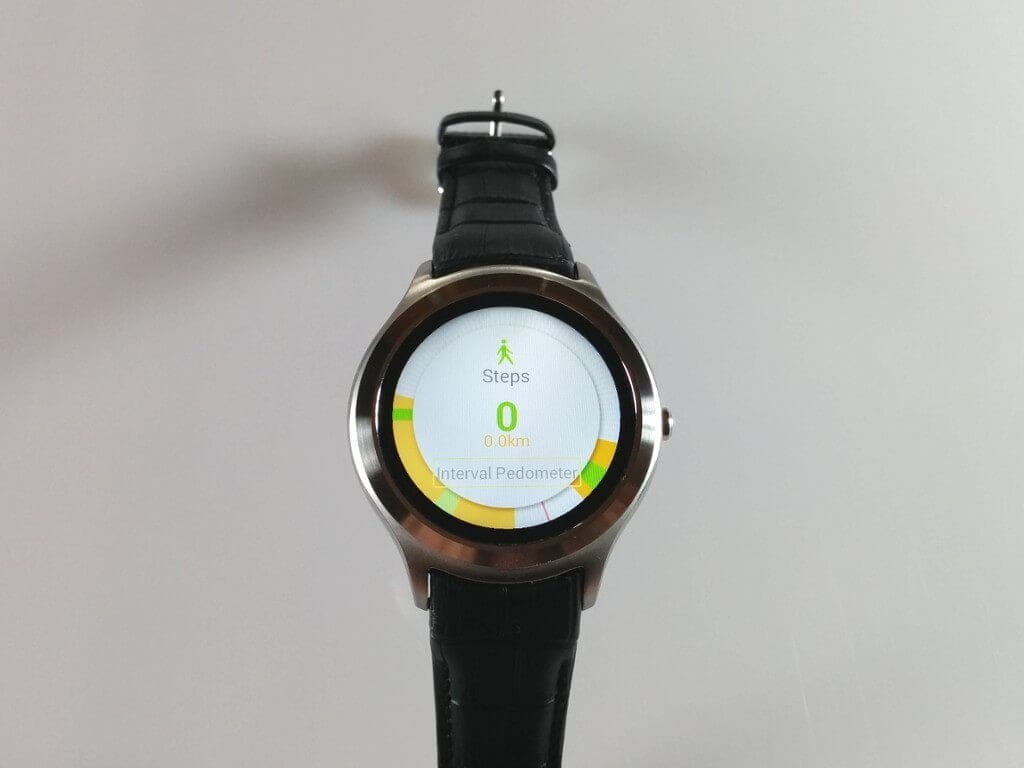
Heart rate monitor and pedometer: Heart rate is measured via a green LED on the back of the smartwatch. Compared with the heart rate monitor of the NO.1 D3, the results are almost identical. Since I don’t own any other device with a heart rate sensor apart from the two NO.1 devices, I can’t determine exactly how accurate the D5 is. In any case, the smartwatch recognised my resting heart rate quite accurately. I compared the pedometer with my Xiaomi Mi Band. The fitness app allows users to set stride length and height. Steps are also recorded throughout the day, and you can define a custom recording interval. An overview displays the total number of steps for the day as well as the calories burned. The total step count after one day was slightly lower in a direct comparison with the Mi Band. Which device measures more accurately is, of course, questionable. The NO.1 D5 also has minor measurement errors, for example when driving a car. Overall, however, I would describe the NO.1 D5 pedometer as more accurate.
Weather app and barometer: The weather app and barometer only work with an active internet connection and probably also a GPS signal. At least, I was rarely able to query the weather data while indoors.
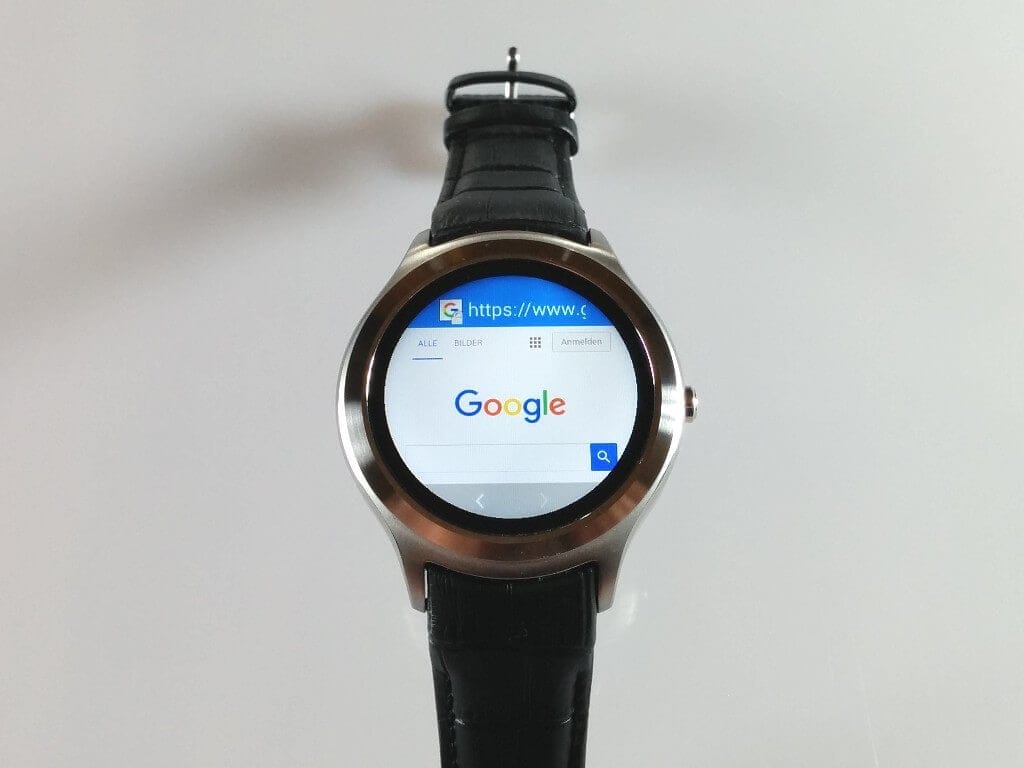
Additional features: Telephony (contact book, dialling and message management) | Alarm function | Internet browser | Calendar | File manager | Music player | Audio recorder | Voice search


Telephony, Wi-Fi, Bluetooth
Making phone calls with a watch sounds unusual, but is possible with the NO.1 D5. I have only used this function once so far, and only for this test. The voice quality was okay. You could clearly understand the caller via the speaker. The integrated microphone also allowed the caller to understand me well. At least when I held the smartwatch at voice level.
Regarding the smartwatch's Wi-Fi, I am somewhat undecided. It is truly very advantageous that the watch is Wi-Fi capable. However, you cannot manually enter an SSID during Wi-Fi setup. Consequently, hidden SSIDs are mercilessly ignored. Also, the connection to the Wi-Fi is disconnected as soon as the display switches off. I could not find any setting here to prevent connection loss either.
The installed app “Watch Helper” is used for Bluetooth connection with the smartphone. Smartphone calls can be answered with the D5 through it. The app also has a notification function. Unfortunately, I was unable to use this app to transfer WhatsApp notifications from the smartphone to the NO.1 D5. Only an alternative app from the Play Store enabled the reception of notifications.
GPS
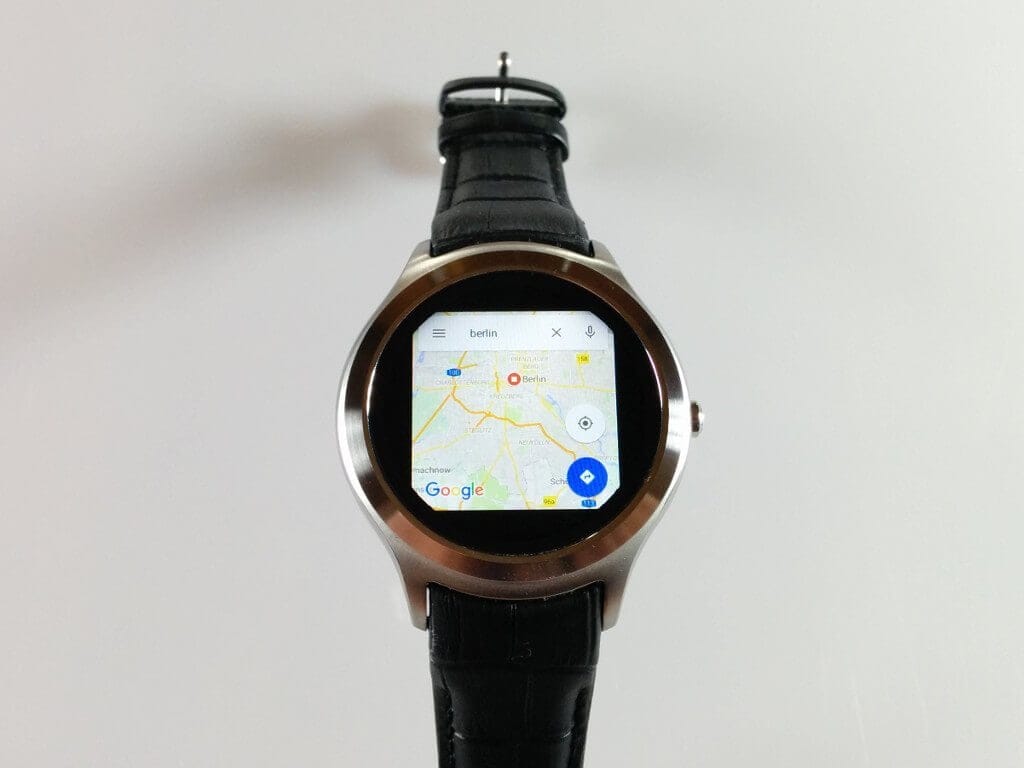
The watch finds a GPS fix after just 5 seconds. Navigation using the adapted Google Maps also works very well. Unfortunately, the GPS function drains the battery very quickly.
Battery
The battery capacity is 450mAh. With normal use and the activated "Conspire Screen" (automatic screen wake-up), I was able to get through the day on a single charge. A SIM card was naturally inserted and all functions were activated. As an additional function, there is also a power saving mode, which interrupts all wireless connections. The watch is charged with a 4-pin magnetic charging station. A complete charging process takes slightly less than one hour.
Our verdict
Compared to the usual Android Wear smartwatches, the NO.1 D5 takes its own path and is completely usable without a smartphone. The build quality is consistently good, while the design of the strap is rather a matter of taste.
The D5 is particularly convincing thanks to its sharp display and the wide variety of watch faces. The "Watch OS 2.0" operating system has been well adapted to the round display, and the integrated apps can be operated without any problems. Performance is consistently good, except for minor stutters during fast menu navigation.
What bothers me about the smartwatch is that no Wi-Fi network can be entered manually. The integrated app used to connect the smartwatch to the smartphone is also somewhat faulty. Working alternatives are available in the Google Play Store.
Specifications
General
- SoC
- MTK6572
- Bluetooth
- Bluetooth 4.0
- RAM
- 512MB
- ROM
- 4 GB
- Protection rating
- IP65
- Bluetooth call
- Dialling, phone book
- News
- Fetch messages
- Health tracker
- Pulse meter, pedometer
- Remote
- Music remote, camera remote
- Notifications
- Yes
- Other
- Alarm, weather forecast, Wi-Fi, GPS, barometer
- Display
- IPS
- Display resolution
- 360 x 360 px
- Display size
- 1.3 inch
- Battery
- 450mAh
- Housing material
- Aluminium
- Band material
- Leather
- Compatibility
- Android 4.3 / iOS 7.0
- Colors
- Black, Silver
- Size 4.6 x 4.6 x 1.3 cm
- Weight
- 0.060 kg
What’s included
1 x NO.1 D5 Smartwatch 1 x Magnetic charging station 1 x USB cable 1 x User manual

Comments (40)
I also have a D5, can you name the alternative to connecting with the smartphone? Because I can't answer calls on the smartwatch. Also, the app drains the battery very quickly.
Hi Uwe, the app is called “SWApp Link” and is available in the Google Play Store.
Hello Timo, many thanks for your reply. I installed the SWApp Link app. Everything worked fine, but I now need to monitor battery consumption, as my watch ran flat after a short time. I hope this was only due to the initial sync. Otherwise, the app is excellent. Do you have a solution for the data and Wi-Fi connections? They immediately disconnect after the watch goes into standby.
I am familiar with the data or WLAN connection issue from the K8 3G, which is comparable to the NO.1 D5. An additional option was introduced in an update there, allowing users to choose whether the data connection is interrupted in standby or not. Unfortunately, one also has to hope for such an update with the D5. I will soon ask the manufacturer if an update regarding this is planned.
Otherwise, I can recommend these two threads on XDA to you:
http://forum.xda-developers.com/smartwatch/other-smartwatches/smart-watch-android-watch-to-look-1-d5-t3270656
http://forum.xda-developers.com/smartwatch/other-smartwatches/clockskin-extracted-1-d5-firmware-t3295297
The NO.1 D5 is very popular in the XDA Community, which is why the first custom watch faces have already been created and one can even hope for custom ROMs.
Hi, I’ve also owned a No.1D5 since yesterday, but I’m not very impressed. The Bluetooth connection to my smartphone (Note 4) behaves very strangely. Searching for and connecting to a Bluetooth device works. But when I go to the connection (W812A) on my smartphone and tap it, a message pops up: “Bluetooth tethering cannot be used when connected to a Wi-Fi network.”
I also can’t access the AppStore over Wi-Fi (it just keeps loading forever).
Next, I scanned the QR code for “Watch Helper” with my phone, but couldn’t get any further—I simply can’t access the website.
When I set the time and check “Get time from network,” the watch sets the time back by one hour.
I’ve also installed the SWApp Link app, but it won’t connect to the watch.
The Play Store, browser, and weather app work.
Can you help me? Oh, I don’t have a SIM card in the watch, as I don’t consider one necessary.
Hi Schnurzpiepe, it has already been discussed on the XDA forum that the download link for “Watch Helper” doesn’t work properly. A member was kind enough to upload the APK. Here’s the link: https://drive.google.com/file/d/0BzaM61zQn00LbDJtNGtIMEtHRHc/view
Once you have established the Bluetooth connection, you do not need to make any further settings in the smartphone's Bluetooth settings. You make further settings via the respective sync app (Watch Helper / SWApp).
The “AppStore” (the manufacturer’s app store) contains only three additional apps. Most apps are obtained from the “Google Play Store,” which also comes preinstalled on the watch.
The incorrect time sounds like a time zone issue. For me, getting the time zone from the network works without errors. However, you can also set the time zone manually.
Hello Tim
First of all, many thanks for responding so quickly to my question/issues.
I downloaded Watch Helper from the website, and the connection to the watch is now established. Other than that, I am still ambivalent about the watch; I simply hope for an update from the manufacturer or a custom ROM from the community.
I still have a NO.1 S3, which I was actually happier with, even though its system is more basic.
Hi Timo,
is it possible to change the wristband?
Best regards, Jo
Hello Jo,
the antennas for Wi-Fi, GPS and the mobile network run inside the strap. A strap change is therefore not recommended.
My No1D5 no longer boots up. It stops on the start screen after launching and beeps a few times.
I have already removed the power supply completely by unplugging the power connector. Without success.
Also, resetting by pressing the button for 5 seconds has brought no improvement.
Hello Chopper60, that sounds like a firmware brick. I bricked my D5 a few months ago myself and was able to revive it using a flashing tool and the manufacturer's ROM. If needed, I can send you a link to the files by email.
What does “bricked” mean, and how can I flash firmware if the watch no longer starts?
Isn’t a ROM a permanently installed hardware component?
Sorry, but I don’t know much about flashing 🙂
A software brick occurs when the installed firmware has been damaged, preventing the device from starting. Software bricks are 99% repairable. ROM is also often used to refer to firmware. Here’s a guide to “unbricking” a software brick. https://www.techreviewer.de/no-1-d5-unbrick-firmware-flashen/
Thanks for the help, I sent the watch back as it is still under warranty. They are sending me a new one (hopefully 🙂 )
I can't install an Exchange account on the watch 🙁 How do you do this, for example, with contacts?
Ok, I have synced the contacts via Google, but it is not ideal. Does anyone know a solution with Exchange? And one more thing: Has anyone perhaps already found a supplementary charging dock for the watch online?
Hello,
I’ve recently acquired the No1 D5 and actually wanted to use it as a heart rate monitor.
Unfortunately, S-Health cannot find the watch’s heart rate sensor!
Is there a solution for this, or do I need a chest strap?
Listing and starting the app does not work? On mine it works without problems and of course without a chest strap, at least when the watch is on the wrist.
Can you listen to music via Spotify or PlayMusic on the watch without being connected to the smartphone? That means saving music offline and then connecting to BT headphones and listening to music while exercising…
Hi Silas, I have Spotify installed on the watch myself, and it can be used just like on a smartphone. You can also connect BT headphones.
Hello,
I also bought the watch. Everything worked well. One question: There is a function to use Bluetooth for internet access, but the checkbox cannot be ticked. The device is paired with my phone. Is there a solution for this?
You have to activate Bluetooth tethering on your phone first, then it works.
Hello,
can the band on the D5 be exchanged, for example, for a metal band?
Best regards
Heiko
Hello Heiko,
the antennas for WLAN, GPS and mobile network run inside the strap. It is therefore not recommended to change the strap.
Until today, I didn’t know that “hidden SSIDs” existed. Is that really a drawback in a smartwatch that is—at least in theory—not a phone? Thanks for the great review and lovely pictures!
Hello everyone, I also have a D5. Apart from GPS, I have tried almost everything and am quite satisfied. I was struggling to connect the watch to Windows 7; no driver is found. I enabled debugging in the watch's developer options, but it still wasn't found. Perhaps someone has an idea?
Great watch. I’ve been using it for 3 months, and so far it hasn’t frozen or acted up. The design is simply fantastic. A Chinese product I’m impressed with (and there are relatively few of those so far). Navigation (GPS) doesn’t work properly, but do you really need that on a watch??
Unfortunately, I was unable to transfer WhatsApp notifications from the smartphone to the NO.1 D5 using this app. Only an alternative app from the PlayStore enabled the reception of notifications.
I keep looking and looking and looking… Which app did you use?
The “Watch Helper” app, which you can download using the QR code stored on the NO.1 D5, works quite well for me.
But then you can't reply to WhatsApp messages directly? You just get a push notification that a message has arrived, right?!
That's as far as I'd got too :). But I'd like to read the messages directly on the watch.
Alternatively, there’s also the “MediaTek SmartDevice” app in the Google Play Store. At the time, I was at least able to read WhatsApp messages with it, though not reply to them.
And what app must be installed on the watch? Sorry for the many questions. But this is really very interesting to me right now :).
No app needs to be installed on the smartwatch. You only need to activate Bluetooth on the D5, make it visible and connect your smartphone to the smartwatch via Bluetooth.
Does the D5 have a sleep phase alarm?
No, this smartwatch does not have such a function. It would also be rather uncomfortable to sleep with the D5.
I have the d5+ and it works – except for GPS reception, which is fine. Tried some (good) APKs – no GPS fix!! Is there any trick, hint or similar?
I have the following issue with the D5+: I cannot install any apps from the App Store because I am repeatedly asked to enter payment details (Shh… Android!), and there is no button to dismiss the prompt or access any controls. What can be done about this?
Hi, on my NO.1 D5 the buttons were also not fully displayed, but it was enough to continue. You could enter the payment requests via the Play Store on your smartphone. Then the popup should no longer appear. Another thing you could try is to connect a USB mouse using an OTG cable and use it to click the buttons.
Thanks for the prompt reply. I eventually managed to do it by just wildly tapping every point on the display until “Accept” appeared (the scientific method).
First impression so far quite positive: great build quality, basic functions run smoothly, bright display with sufficient black level. BUT the battery – oh dear!
How can you switch tracks from the phone player using the watch?