Contents
Design, build quality, and display

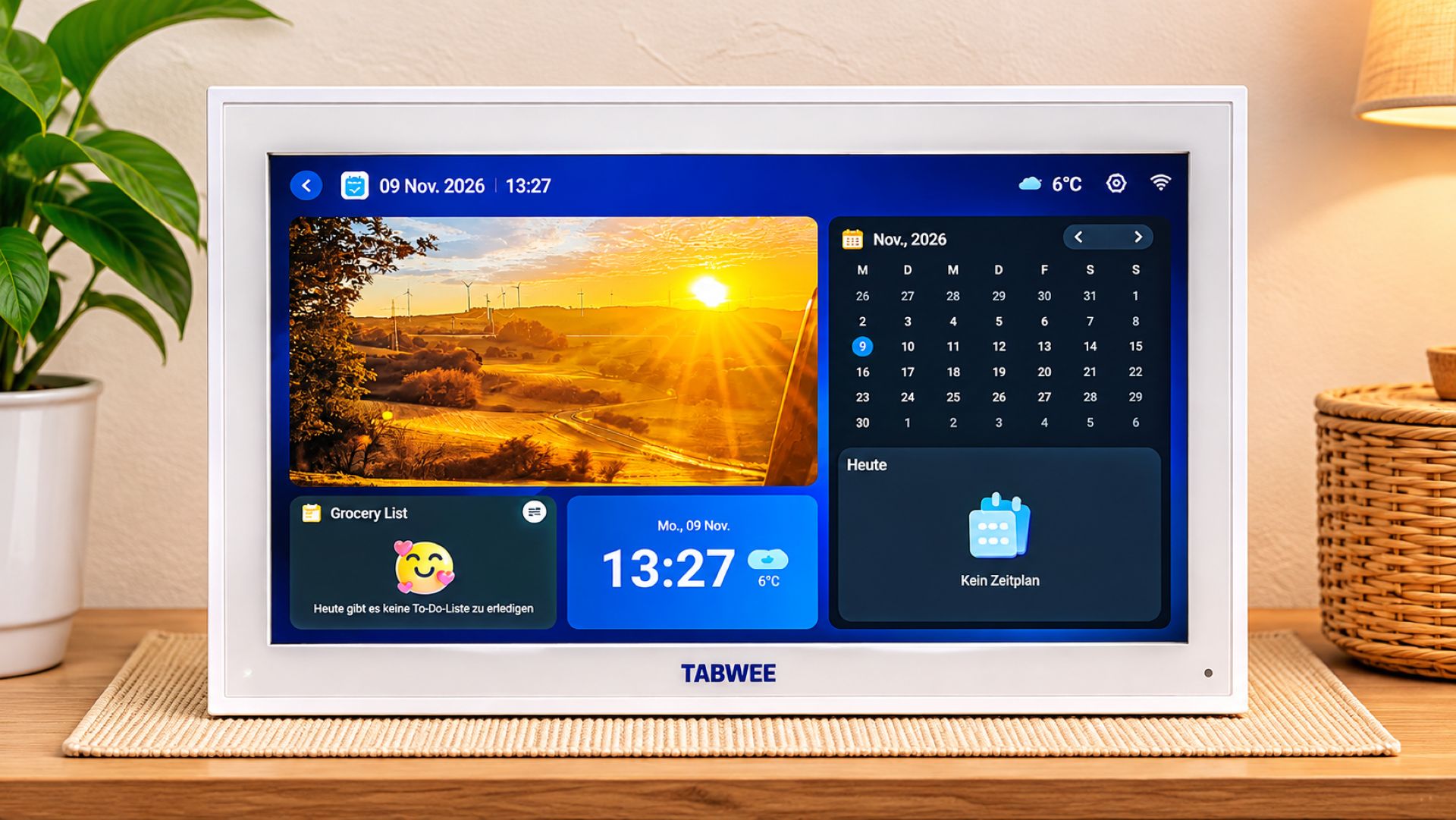
The TABWEE P15 is a digital family planner with a 15.6-inch touchscreen that brings appointments, tasks, and other household information together in one central place. With its white casing, the device looks like a large digital photo frame. Its simple design blends unobtrusively into a variety of living spaces. It can be placed on a table or mounted on a wall. Depending on the available space, the family planner can be used in portrait or landscape orientation, with the screen orientation adjusted accordingly. This can be especially useful in the kitchen or hallway, where several family members may want to check the calendar regularly.
During our test, the P15 sat in landscape orientation on the included stand in the living room. The construction feels sturdy and has no moving joints. The stand is secured with screws, and a small Phillips screwdriver is included. However, the angle cannot be adjusted, so the screen's orientation can only be changed by choosing a different placement. This is generally sufficient for its intended stationary use, but an adjustable stand would have offered a little more flexibility. Overall, the build quality also leaves a decent impression.

The large touchscreen offers enough space to display several calendar entries and tasks clearly. It is operated directly through the display and is generally straightforward to use. Depending on the lighting, the glossy screen can be reflective. Fingerprints are also visible after using the touchscreen, although this is only a minor drawback in everyday use. The user interface is functionally laid out, but its appearance feels a little dated in places. The home screen can also only be customized to a limited extent. The most important features are easy to access, but we would have liked more freedom to customize the interface.
Calendar management and family organization in everyday life
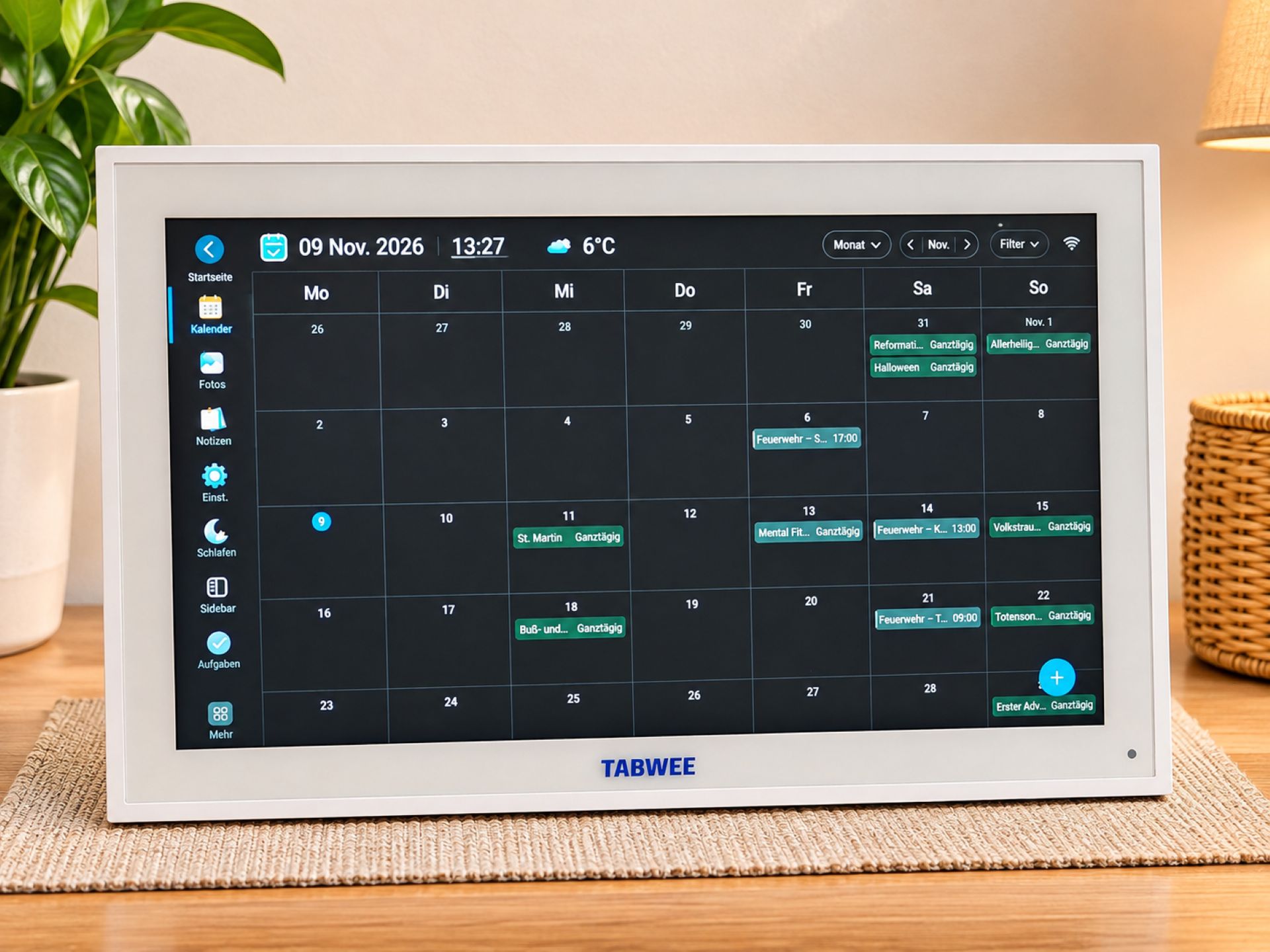
The heart of the TABWEE P15 is its calendar management software, eCalendar. Existing calendars can be linked and synchronized with the device. Supported services include Google Calendar, Microsoft Outlook, and Apple iCloud. This means appointments do not have to be created directly on the family planner; they can also be managed through calendar services you already use. One particularly useful feature is the option to assign different colors to family members. This makes it easy to see at a glance who an appointment belongs to. The display can be adjusted to suit your needs, for example, to show a whole week or month instead of a daily view.
In our test, we also used the calendar feature for a personal use case. This included shifts from the schedule for our volunteer fire department, which we normally also keep in paper form. The digital overview proved useful because upcoming events and commitments were easier to spot. Linking a Google Calendar was also straightforward. It is this combination of existing calendar services and a centrally placed screen that makes the P15 particularly interesting. Instead of picking up a smartphone or checking a printed duty roster, all it takes is a glance at the device. This is already helpful for a single user, while a shared overview can be even more useful in a household with several people.
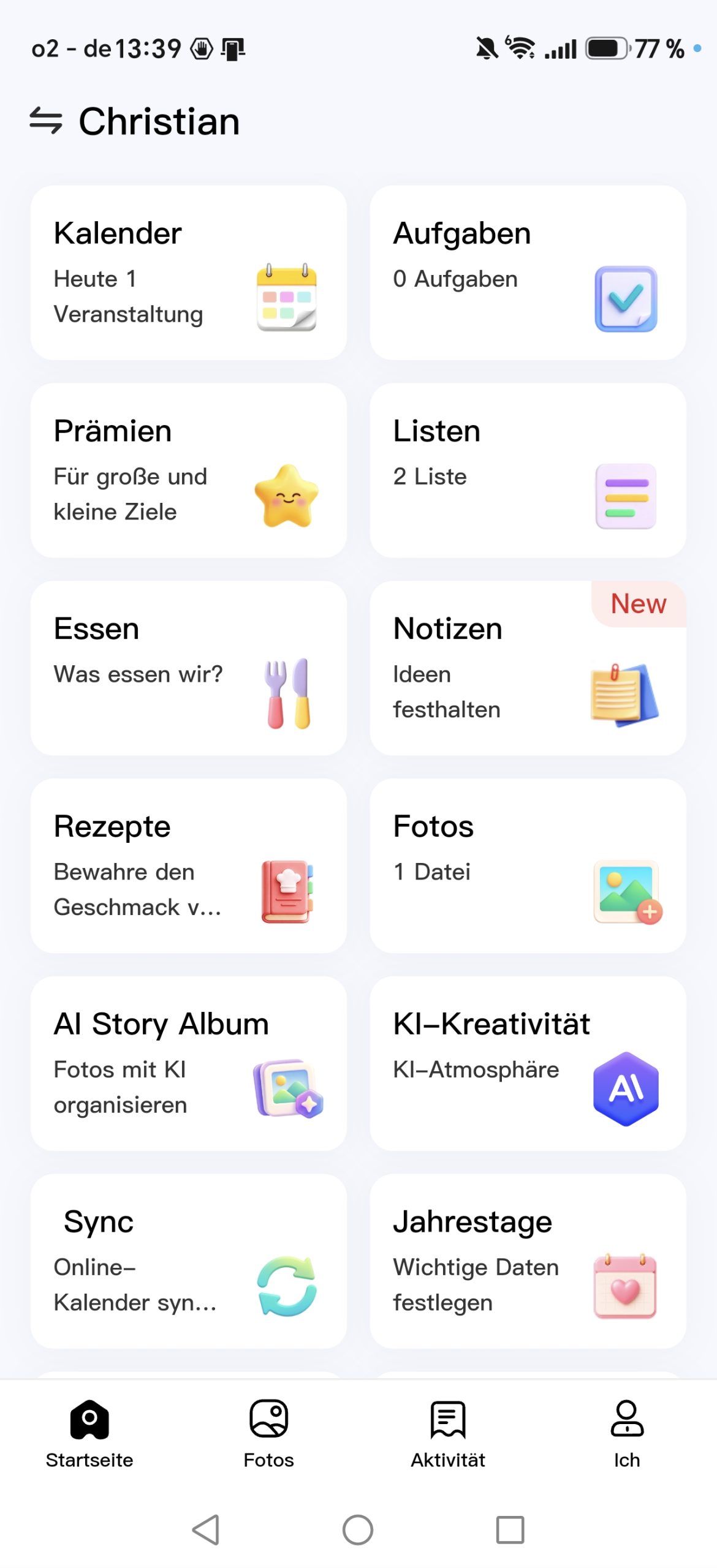
The P15 offers families additional features that go beyond a standard calendar display. Parents and children, for example, can have their own profiles or color codes. Doctor's appointments, school events, sports practice, and work commitments can thus be distinguished from one another. The device also includes standard to-do lists, notes, and shared shopping lists. A meal planner is available too, allowing meals to be planned several days in advance. Recipe suggestions can be accessed both through the app and on the family planner itself. So the device is not just a calendar, but also serves as a digital household organization hub.
The integrated task and reward system is particularly interesting. Parents can assign their children specific tasks, such as tidying their room, emptying the dishwasher, doing homework, or helping set the table. Stars can be awarded for completed tasks, giving everyday chores a playful incentive. The concept makes sense and could provide extra motivation, especially for younger children. However, since we tested the TABWEE P15 in a one-person household, we could not assess how well the system works for a family over an extended period. We explored the relevant features, but we do not have any real long-term experience using them with children.
eCalendar app, premium features, and digital photo frame

The eCalendar app expands the ways you can use the TABWEE P15 and lets you manage various types of content from your smartphone. These include calendars, tasks, shopping lists, and other household organization features. During our test, transferring photos to the family planner through the app was straightforward. Synchronization with Google Calendar also worked without any major issues in our experience. Overall, the software offers plenty of options, although some menu items are not always easy to find. The German translation feels somewhat awkward in places, and some labels could be clearer. More careful localization would make the app easier to use.
A paid subscription is not required for basic use. Even the free version of the eCalendar app offers important features such as appointment management, different calendar views, task and shopping lists, and meal planning. Basic synchronization with external calendar services such as Google Calendar, Microsoft Outlook, and Apple iCloud is also available without a Plus membership. However, certain automations, AI features, and advanced device and media management options are restricted. For organizing everyday family life, the free version already offers a comprehensive set of features.

Those who need additional options can subscribe to the optional eCalendar Plus membership. This expands the range of features to include, among other things, AI-powered image editing, an AI chat, and a so-called magic import, which is designed to transfer information from texts, documents, or images into calendar entries. Additional AI features for creating and editing images and videos are also offered. eCalendar Plus uses a points system for certain applications. According to the overview displayed during our test, members receive 3,000 points per month. For example, the AI chat costs two points per use, AI image editing costs 20 points, and converting an image into a video costs 200 points.

The app showed us an annual eCalendar Plus subscription for 29.90 US dollars instead of 47.88 US dollars, as well as a monthly membership for 2.99 US dollars instead of 3.99 US dollars. A seven-day free trial was also offered. These prices are taken from the offer overview displayed during our test and may change. We were unable to determine definitive subscription prices for Germany. We deliberately did not activate the premium membership, so we cannot assess either the quality of the AI results or the actual usefulness of the paid additional features. The subscription was not necessary for managing our calendar, transferring photos, or using the family planner’s basic features. Whether the additional features are worthwhile therefore depends largely on individual needs.
More information about the software and available additional features can be found on the official eCalendar website. Download links for the Android and iOS apps are also available there. These let you manage appointments and other content on the go without having to access the family planner directly.

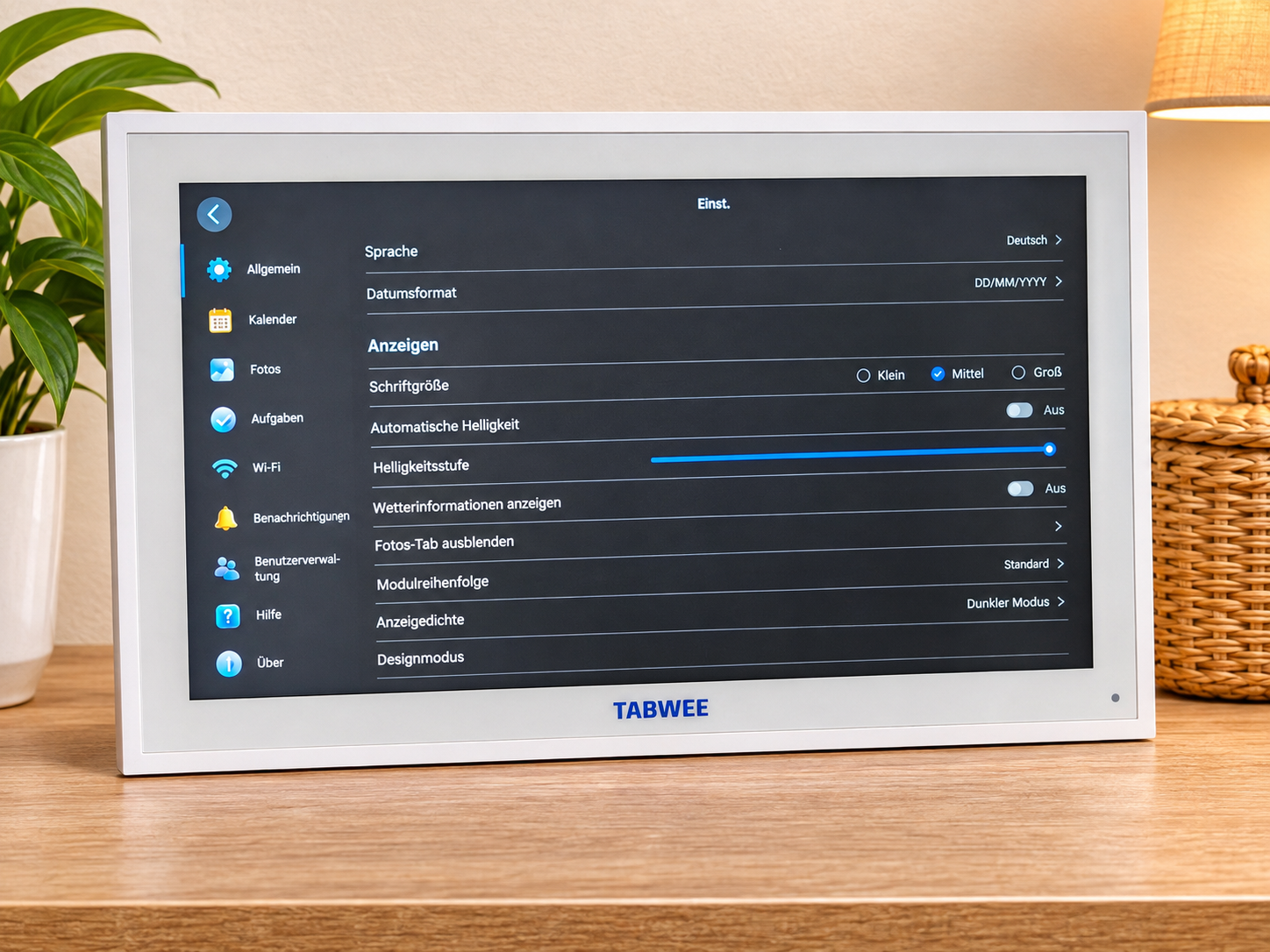
Another strength of the TABWEE P15 is its use as a digital photo frame. Your own photos can be displayed full-screen or played automatically as a slideshow. Various settings are available, including options for how long each image is displayed and when the photo slideshow should start when the device is not in use. During our test, the corresponding photo tab was initially not visible. This was because a setting was hiding this section. After we adjusted the setting, both the full-screen display and the slideshow worked without any problems. The photo-frame feature is therefore a useful bonus, especially if the P15 is placed somewhere clearly visible in the living area.
If you do not want to leave the screen on all the time, you can also schedule when it is on or turn it off when not in use. We opted for the most energy-efficient approach and turned off the screen whenever it was not in active use. Alternatively, your own photos can be displayed as a screensaver. We found some settings less convenient to access, including the option to deactivate or silence the display. It would be more practical to have quick access directly from the home screen. A motion sensor that automatically activates the screen when someone approaches would also be an interesting addition to a future family planner.
Power consumption, placement, price, and availability
Since the TABWEE P15 is designed to have a fixed place in the home, its power supply is an important consideration. In our test, power consumption was around 5 to 7 watts. Assuming an average of 6 watts and continuous operation throughout the year, this comes to around 52.6 kWh of electricity. At an electricity price of 35 cents per kilowatt-hour, that would be approximately 18.40 euros per year. That is a manageable amount for a device with a 15.6-inch display. However, this calculation assumes continuous operation at this average power consumption. Turning the screen off regularly or using a schedule can reduce actual consumption accordingly.
Our test device does not have a built-in battery for cordless operation and therefore needs to remain plugged into a power outlet. We had originally planned to mount the family planner on the hallway wall, where it would regularly have caught our eye as we left the various rooms. However, there was no power outlet at the planned location, so we decided to set it up in the living room instead. If you plan to mount it on a wall, you should think in advance about how to route the power cable. However, going without a battery also has advantages. It avoids additional weight and potential aging problems with a permanently installed battery. This is a reasonable choice for a stationary family planner, even if it limits where you can place it.
For Singles’ Day on November 11, 2026, the TABWEE P15 will be offered at a special price of 129 euros, according to the manufacturer. The limited-time offer is available through MediaMarkt. Given its large touchscreen and versatile features for calendar management, household organization, and photo playback, the device is particularly appealing to families looking for a central digital planner. A suitable location with access to power is still required. As this is a special offer, the price and availability may differ after the promotion ends.
Our verdict
The TABWEE P15 combines a digital family calendar with numerous features for organizing the household. Shared calendar management, color-coding for individual family members, and the task and reward system are especially appealing for families. Meal planning, shopping lists, and notes also usefully expand its potential applications.
In everyday use, we particularly liked how easily we could integrate existing calendars. Transferring our fire department appointments showed that the P15 can also be useful in a one-person household. The photo-frame feature is another plus, with its full-screen display, slideshow, and various settings.
We see room for improvement in the somewhat dated user interface, the German translation, and the limited customization options. The fixed stand and need for a power supply also restrict where the device can be placed. The optional eCalendar Plus subscription adds features, but is not necessary for basic calendar and household organization.
Overall, the TABWEE P15 makes a positive impression. It offers a well-thought-out concept with versatile features, especially for families who want to organize their appointments and tasks in one place. However, it requires a suitable location with access to power.
Specifications
General
- Model
- TABWEE P15
- Device type
- Digital family calendar and photo frame
- Color
- White
- Orientation
- Portrait and landscape
- Mounting
- Tabletop or wall-mounted
Display
- Diagonal
- 15.6 inches
- Operation
- Touchscreen
- Surface
- Glossy
Software and features
- App
- eCalendar
- Calendar synchronization
- Google Calendar, Microsoft Outlook, Apple iCloud
- Calendar views
- Day, week, and month views
- Functions
- Family calendar, tasks, challenges, reward system, meal planning, shopping lists, notes
- Photo features
- Full-screen display, slideshow, screensaver
- Premium membership
- eCalendar Plus, optional and paid
Setup and power supply
- Stand
- Included, not tilt-adjustable
- Wall mounting
- Possible
- Power supply
- Mains operation
- Battery operation
- Not available
- Measured power consumption
- approx. 5–7 watts
What’s included
1 × TABWEE P15 1 × stand 1 × Phillips screwdriver 1 × power cable




Comments