Contents
TerraMaster D8 Hybrid: First impressions
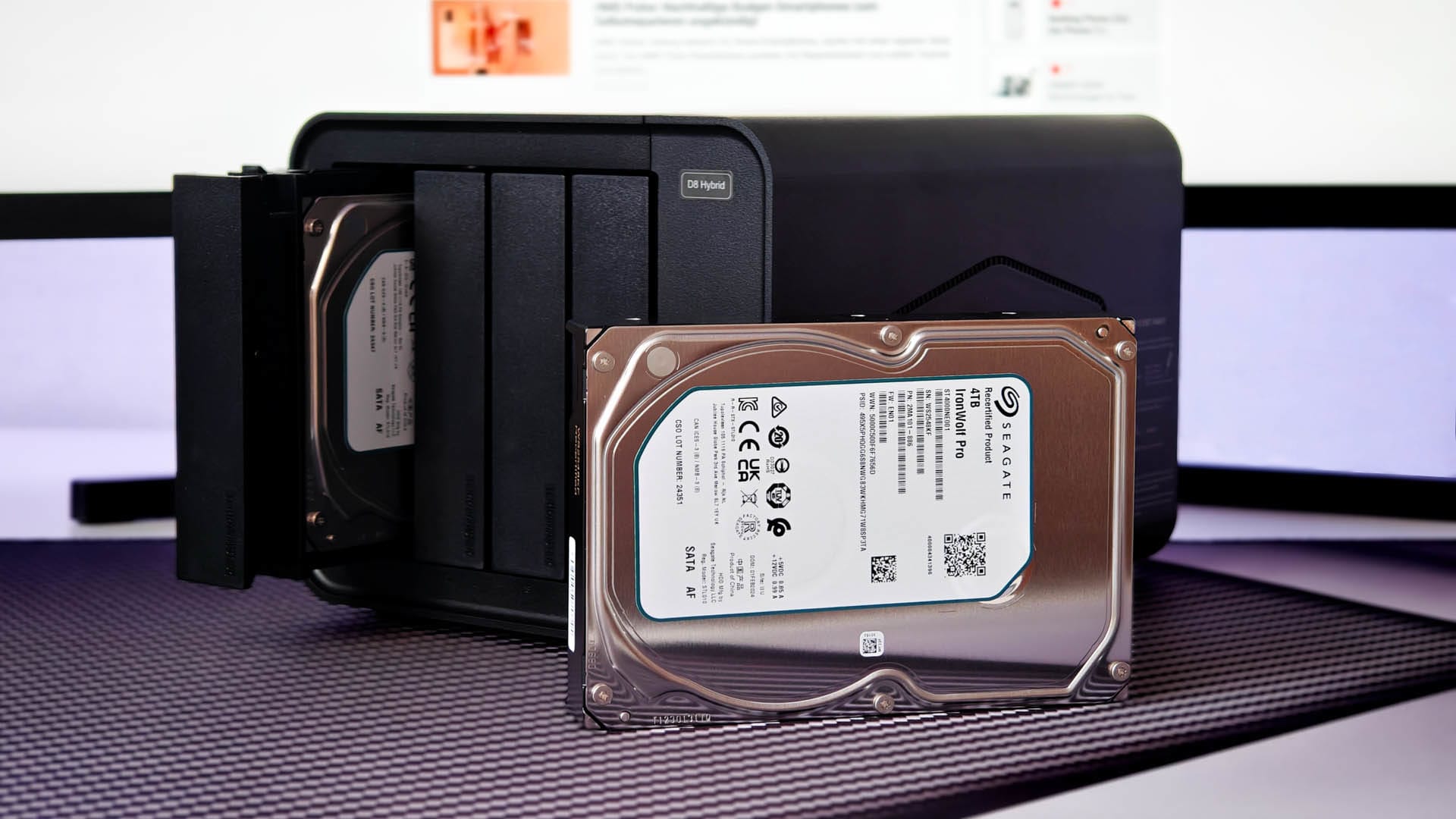
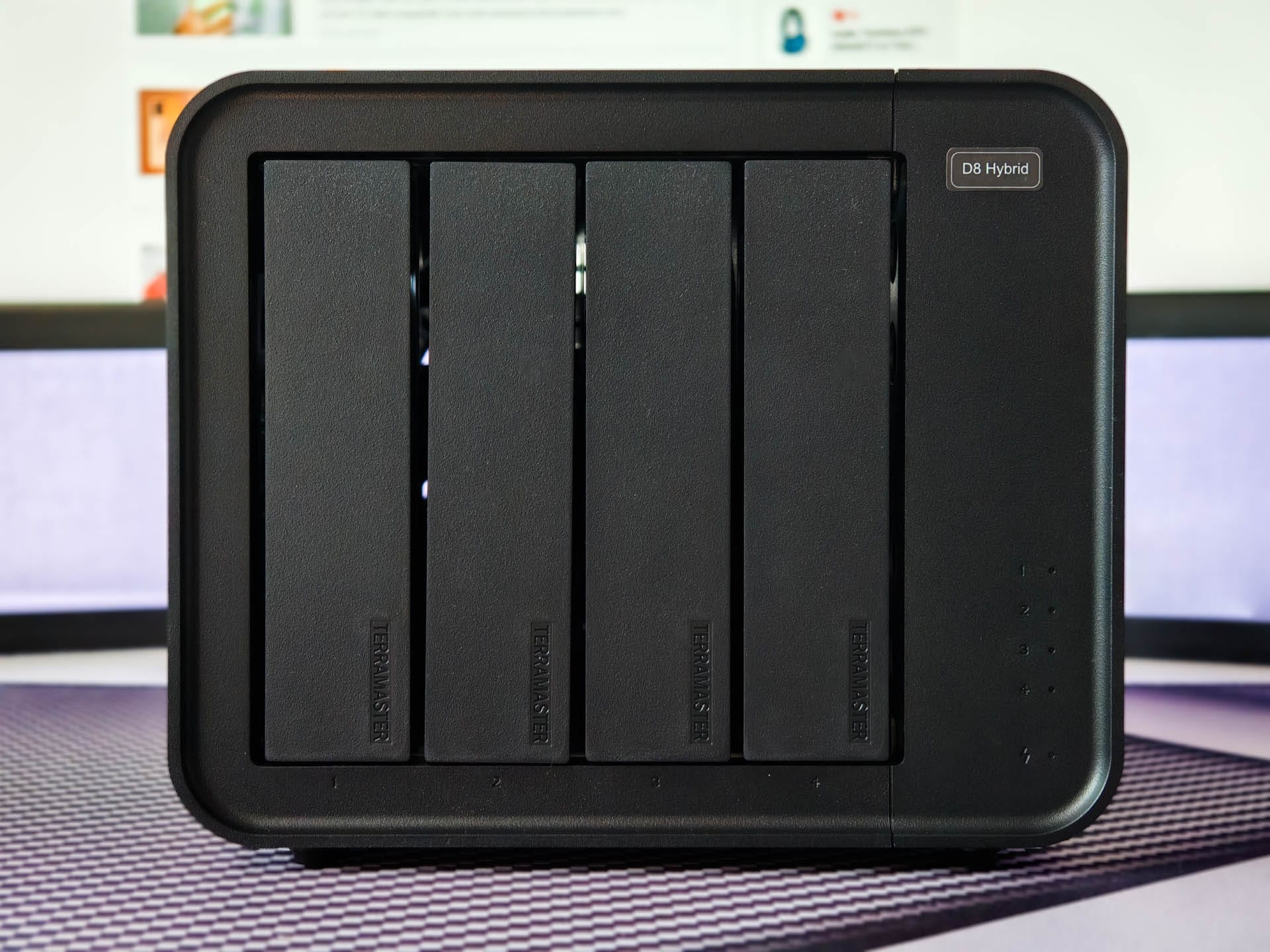
The black plastic housing of the D8 Hybrid is simple and functional. The front features four drive bays that allow tool-free installation of 3.5" HDDs thanks to quick-release latches. Screws are included for mounting 2.5" SSDs.
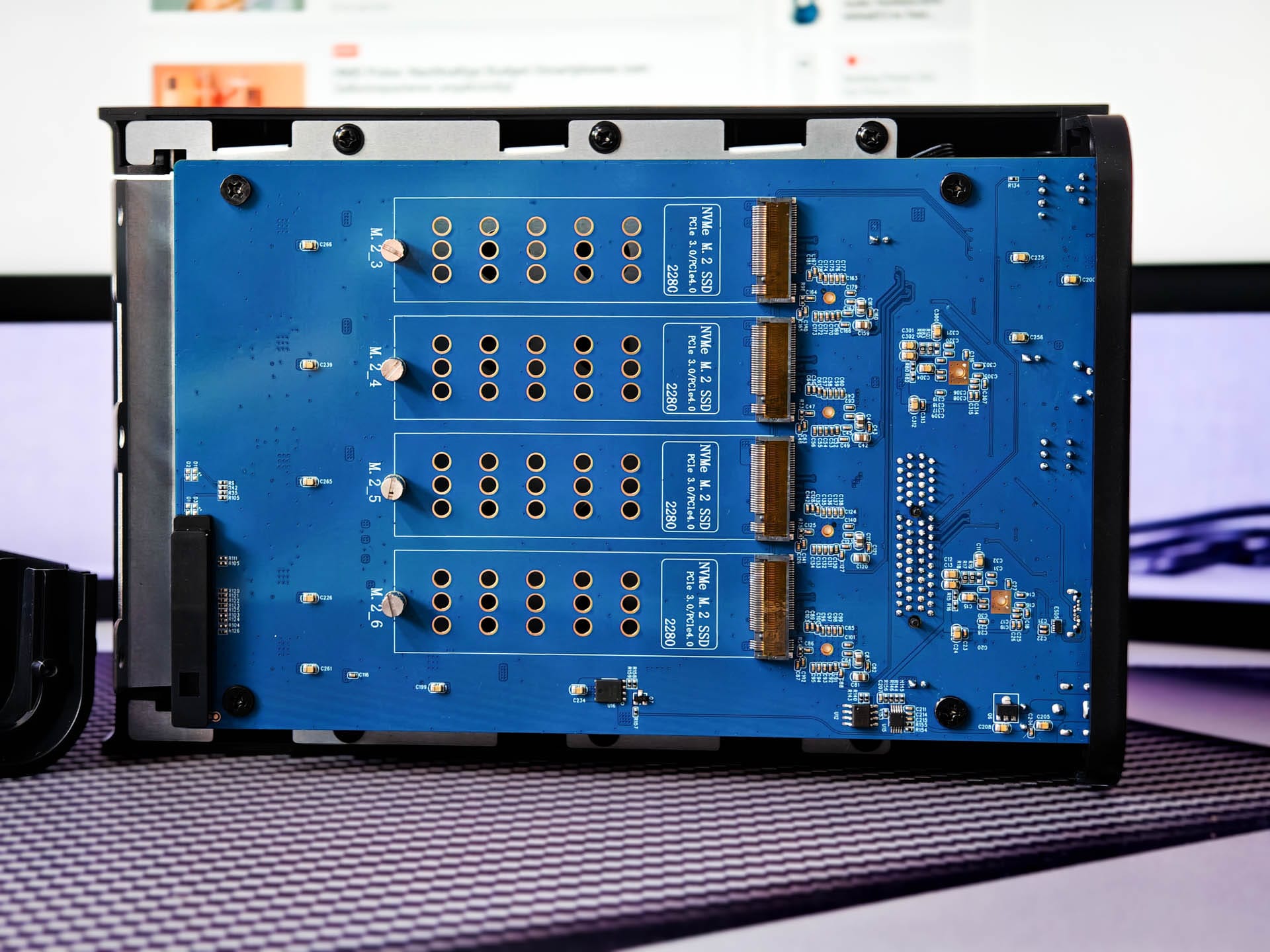
Up to four M.2 SSDs in the 2280 format fit under the right side cover. However, the installation space is very limited, so no SSDs with heatsinks can be used.
A fast Realtek RTL9210CN USB-to-PCIe bridge handles the connection of the M.2 SSDs. An ASMedia ASM1352R USB-to-SATA controller takes care of the HDDs, which can combine the first two slots into RAID 0, 1 or JBOD. The remaining slots are addressed as single drives.
Fully populated, the D8 Hybrid achieves storage capacity of up to 128 TB. Data transfer takes place via USB-C using the USB 3.2 Gen 2 protocol. This enables transfer rates of up to 10 Gbit/s. However, faster standards such as USB 3.2 Gen 2x2 (20 Gbit/s), USB4 (20+ Gbit/s) or Thunderbolt 3/4 (40 Gbit/s) are not available. Here, TerraMaster has potential for future models!
TerraMaster D8 Hybrid: Setup
Once all drives are in place, connect the 90-watt power supply (12V, 7.5A) and the USB-C cable to a free USB port on the computer.
Important: The D8 Hybrid should be connected directly to a native USB port on the motherboard. During testing, using hubs or front panel ports occasionally resulted in connection drops.
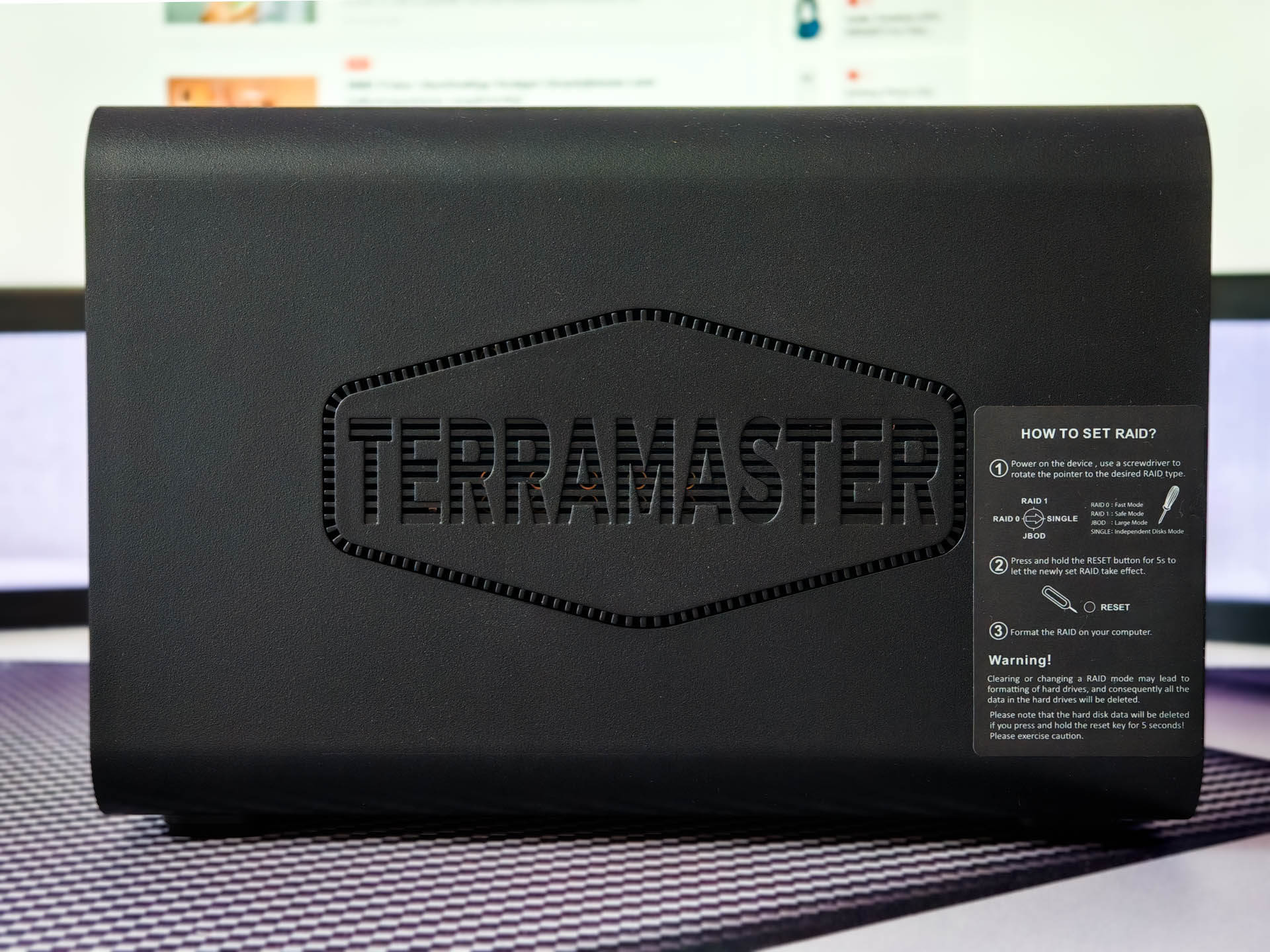
As with any new drive, the storage media must first be partitioned and formatted. The RAID modes for the first two SATA slots can be conveniently set using a rotary switch on the back. After a 5-second reset button press and a restart, the RAID is active.
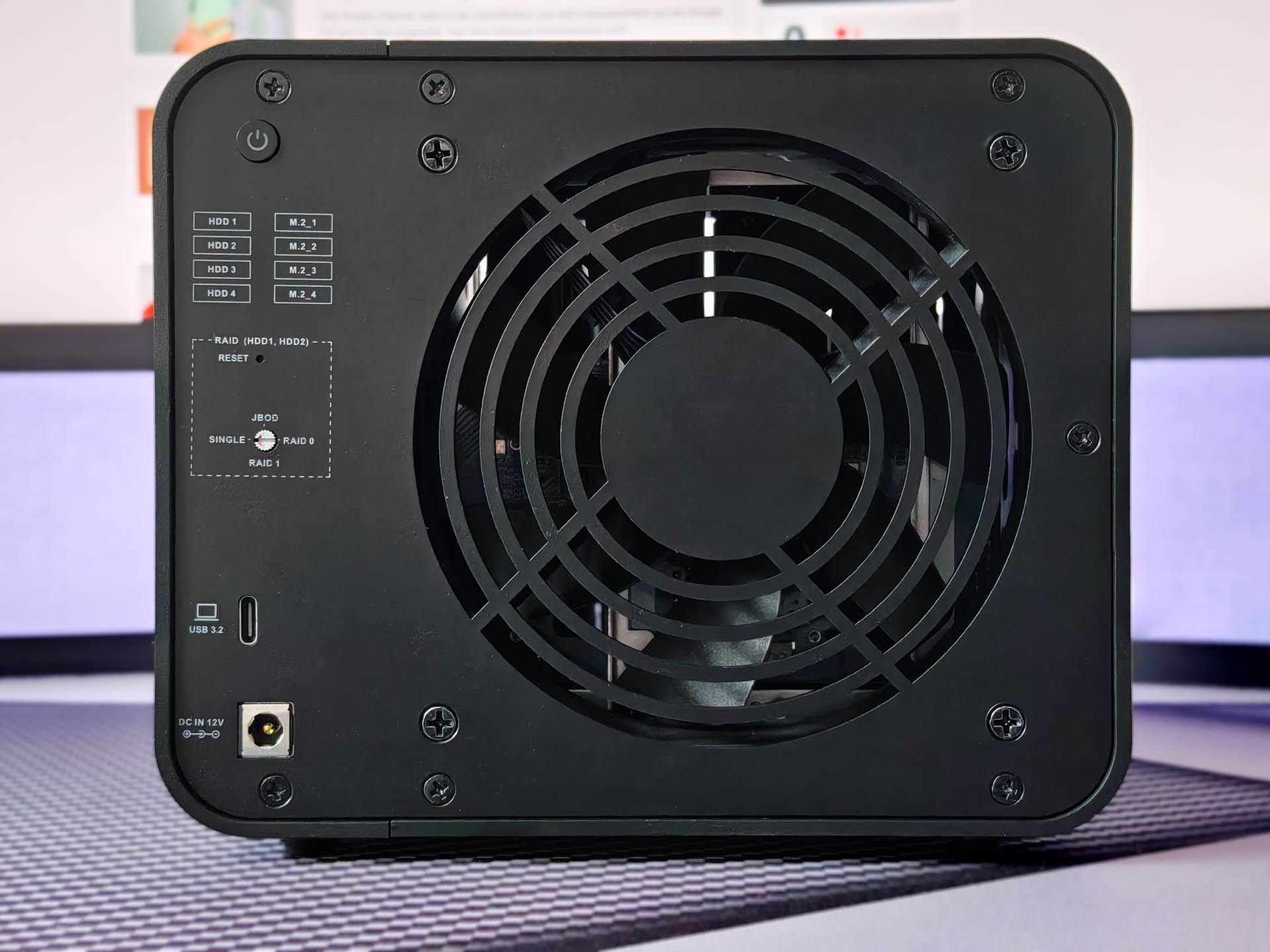
Under Windows, it can take a moment until all eight drives are mounted and ready for use. After that, the D8 Hybrid can be used like a normal external storage device. It supports common file systems such as NTFS, HFS+, exFAT and ext4, making it compatible with virtually all current operating systems.
Additionally, the D8 Hybrid can be connected as an expansion to TerraMaster NAS systems. In theory, it should also be usable with home servers running Unraid or TrueNAS. We will test how well this works in a separate review.
TerraMaster D8 Hybrid: Real-world test
Speed
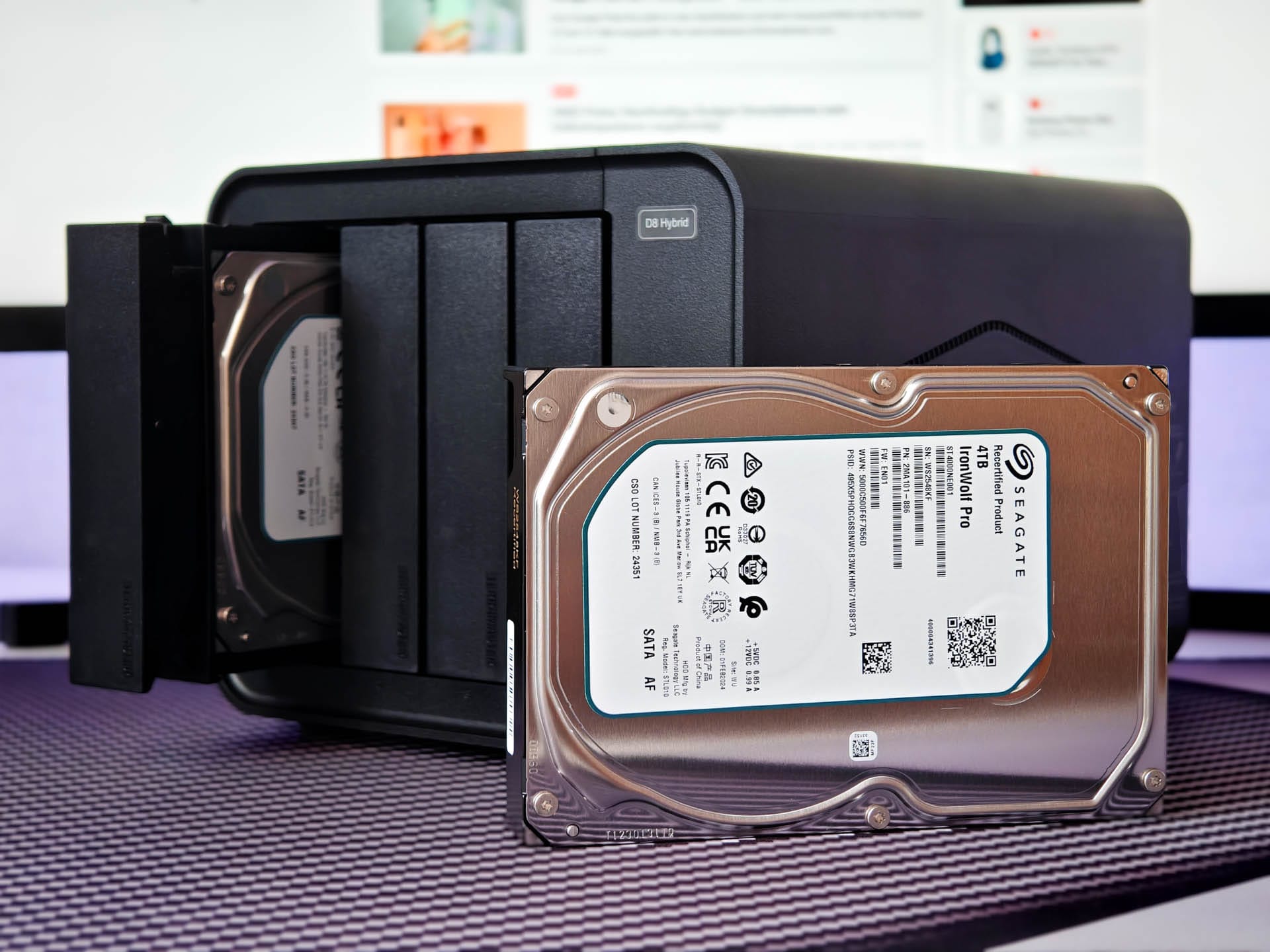
For the practical test, we equip the D8 Hybrid with two 4TB Seagate IronWolf hard drives and a 1TB Kingston Fury Renegade SSD. It is connected to the USB4 port of a GEEKOM A8, a powerful mini PC that can also serve as a home server. Measurement is performed using CrystalDiskMark 8.0.5.
First, we test the Kingston Fury Renegade SSD in single mode. The sequential read rates of up to 876 MB/s and write rates of just under 978 MB/s are good, but there is more room for improvement. When copying large amounts of data, the D8 Hybrid with the SSD achieves transfer rates of around 800 MB/s. This is faster than with an HDD, but the theoretical maximum of the SSD is not reached.

The bottleneck here is the USB 3.2 Gen 2 interface, which offers 10 Gbit/s. With native connectivity, read rates of over 7,000 MB/s would be possible. In random 4K access, the SSD still performs well with over 310 MB/s for both reading and writing. The speed should be sufficient for most applications.
Next, we test the two Seagate IronWolf HDDs in RAID 0. Here we achieve solid sequential transfer rates of around 497 MB/s read and 487 MB/s write. As expected, the 4K random values are significantly lower at 6.3 MB/s read and 6.7 MB/s write.
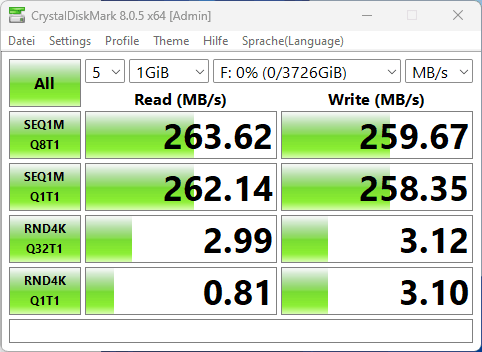
In RAID 1, read speed halves to about 256 MB/s, while write rate only decreases slightly to 244 MB/s. 4K random performance also falls to under 3 MB/s. The HDDs show similar values in single drive mode.
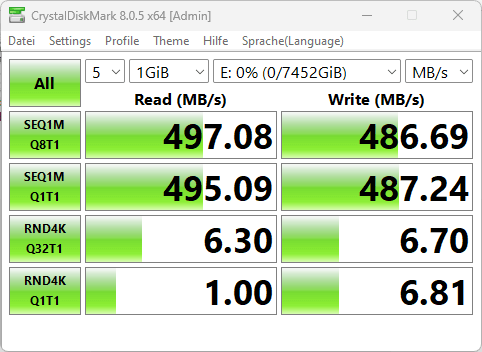
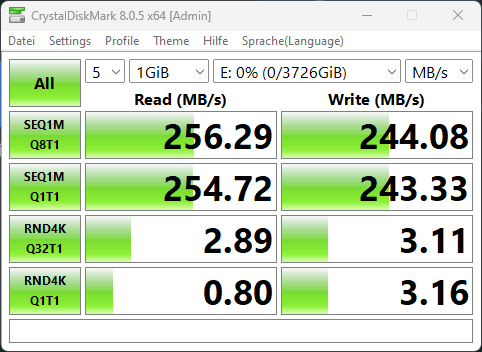
Incidentally, the USB interface does not limit the performance of the HDDs. The bandwidth offered here is far higher than required.
AOMEI Backupper
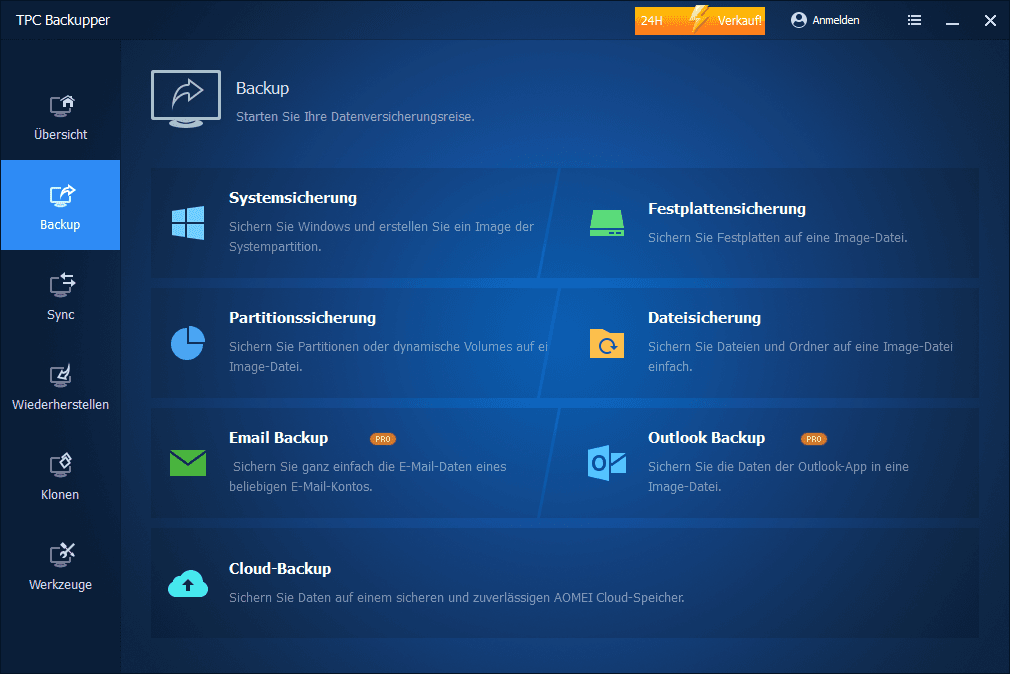
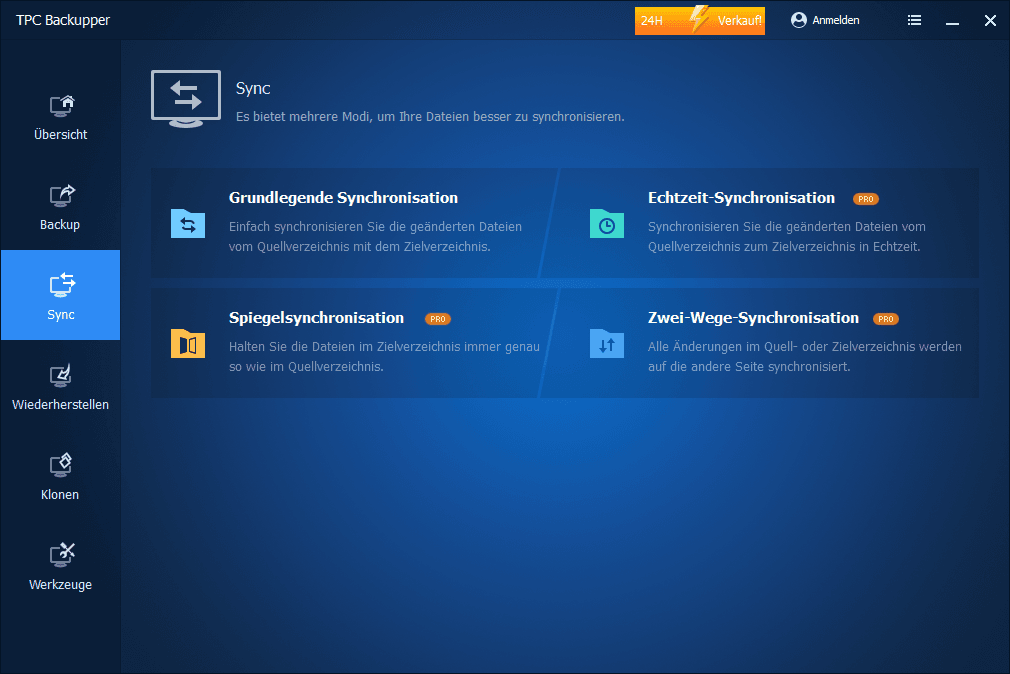
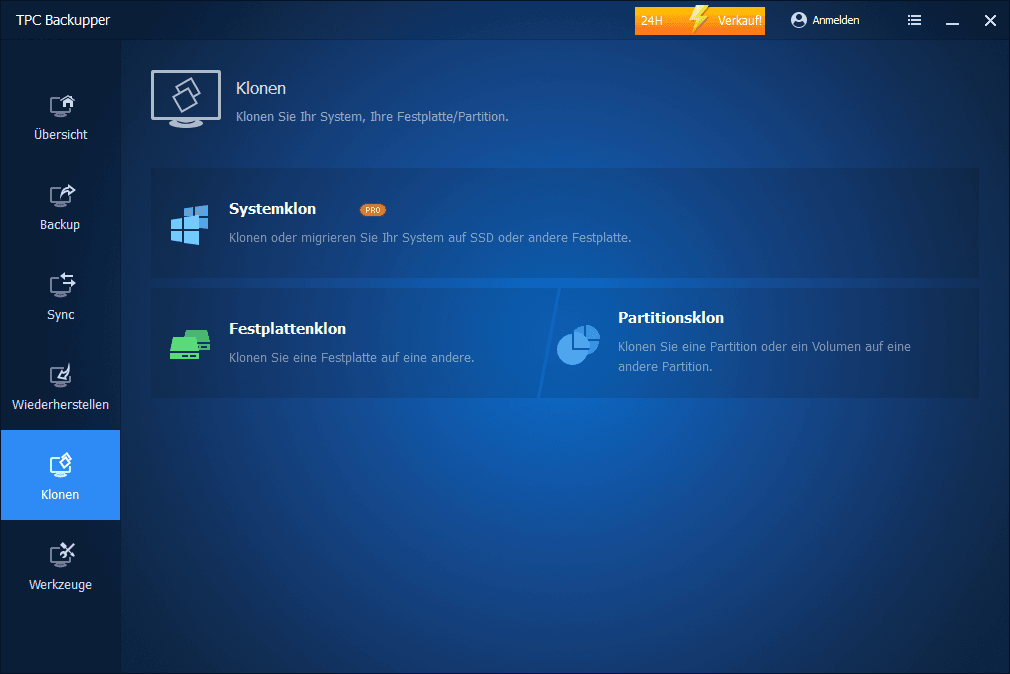
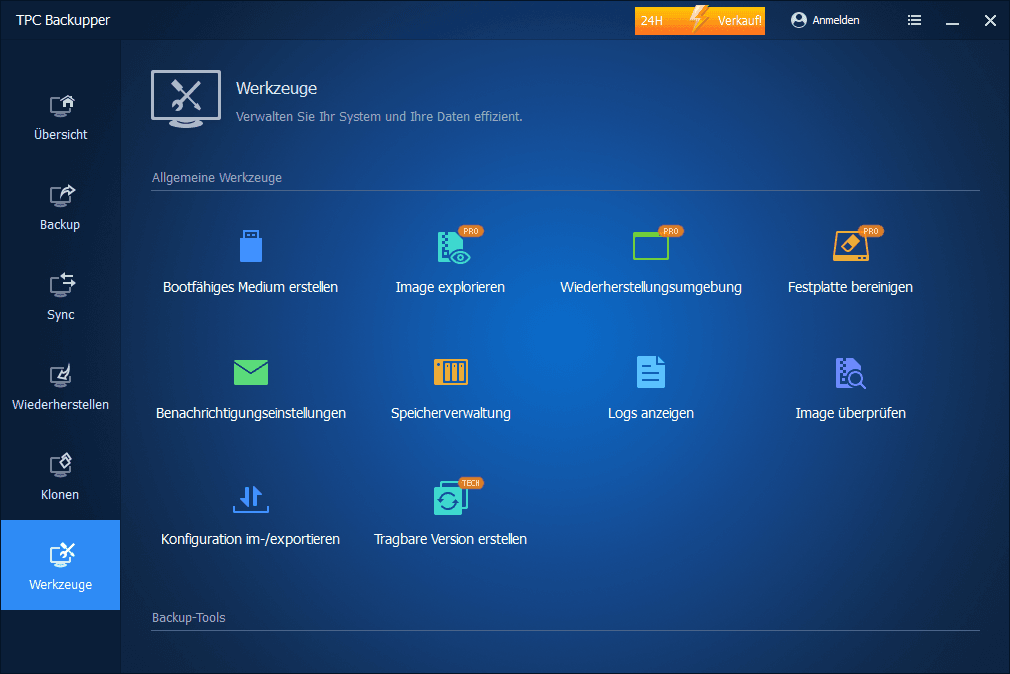
For data backup, TerraMaster includes the "TPC Backupper", an OEM version of the AOMEI Backupper. Unfortunately, the software is delivered without a licence, so useful Pro features such as incremental backups can only be unlocked at an additional cost. Quite a shame for a product in this price range!
Noise levels
The D8 Hybrid runs pleasantly quietly. The noise level is mainly created by the HDDs and not by the built-in 120 millimetre fan. Under load, it reaches a maximum of 35 dB(A). At idle, the fan switches off completely and the HDDs enter sleep mode.
Annoying are loud vibration noises, which occur especially when not all hard drive bays are populated and fast 7200 RPM hard drives are used. This is what it sounds like:
Lightly tapping the empty drive bays stops the noise, at least for a short moment. Eventually, placing a tissue between the bays provides a permanent solution.
Power consumption
In standby, the D8 Hybrid consumes approximately 12 watts. Under load, consumption is between 35 and 65 watts, depending on how many HDDs and SSDs are connected, and at idle the value is another 10 watts lower.
Our verdict
Overall, the TerraMaster D8 Hybrid delivers good performance. Thanks to the mixed configuration of HDDs and SSDs, the DAS can be very flexibly adapted to the most diverse requirements.
However, the limitation to USB 3.2 Gen 2 with 10Gbit/s does not exploit the full potential of the installed M.2 SSDs. A faster interface would have been desirable here. Furthermore, build quality could be improved, as annoying vibration noises mar the otherwise positive overall impression.
Despite everything, the D8 Hybrid is an interesting solution for those who need a lot of storage space and high transfer rates, e.g. for video editing or collecting large amounts of data.
Specifications
Storage
- HDD slots
- 4
- M.2 2280 NVMe slots
- 4
- Compatible hard drive types
- *3.5" SATA HDD
- *2.5" SATA HDD
- *2.5" SATA SSD
- File systems
- NTFS, APFS, Mac OS, FAT32, EXT4, exFAT
- Maximum internal raw capacity
- 120TB (22 TB drive x 4 + 8 TB drive x 4)
- Supported RAID modes
- SINGLE DISK, JBOD, RAID 0, RAID 1
- Hardware RAID
- Available
- RAID Manager software
- Not available
- RAID online expansion
- Not available
- RAID Migration
- Not available
- Automatic RAID recovery
- Available
- Hot-swappable drive
- Not available
- HDD sleep mode
- Available
- HDD S.M.A.R.T. monitoring
- Not available
- Sector verification and parity check
- Not available
External connections
- USB
- USB 3.2 Type-C gen2, 10Gbps
- Power connection
- DC IN 12V
Read/write speed (max)
- Read speed
- 560MB/s (SSD1), 1016MB/s (SSD4), 980MB/s (M.2 SSD1)
- Write speed
- 520 MB/s (SSD1), 960 MB/s (SSD4), 880 MB/s (M.2 SSD1)
Physical features
- Dimensions (HWD)
- 222 x 179 x 154 mm
- Package size (HxWxD)
- 300 x 275 x 186 mm
- Weight
- Net weight: 1.9 kg, gross weight: 3.1 kg
- System fan
- 120 x 120 x 25 mm, 1 piece
- Fan mode
- Intelligent
- Noise level
- 21.0 dB(A)
Power supply
- Power adapter
- 90 W
- Input voltage
- 100V to 240V AC
- Power frequency
- 50/60 Hz, single-phase
- Power consumption
- 40.8 W (access), 9.8 W (idle)
Ambient temperature
- Operating temperature
- 0°C ~ 40°C
- Storage temperature
- -20°C ~ 60°C
- Relative humidity
- 5% ~ 95% RH
Supported operating systems and certifications
- Supported operating systems
- Windows OS, Mac OS
- Warranty
- 2 years
- Certificates
- CE, FCC, CCC, KC
- Environmental sustainability
- RoHS-compliant
What’s included
<b>Contents</b> 1x D8 Hybrid 1x Power supply 1x Power cable 1x USB cable A to Type-C (10Gb) 1x Quick installation guide 1x Limited warranty declaration 1x Mini screwdriver 1x Reset needle 20x Screws
Comments