Contents
Titan Army C49C1S: design and build quality
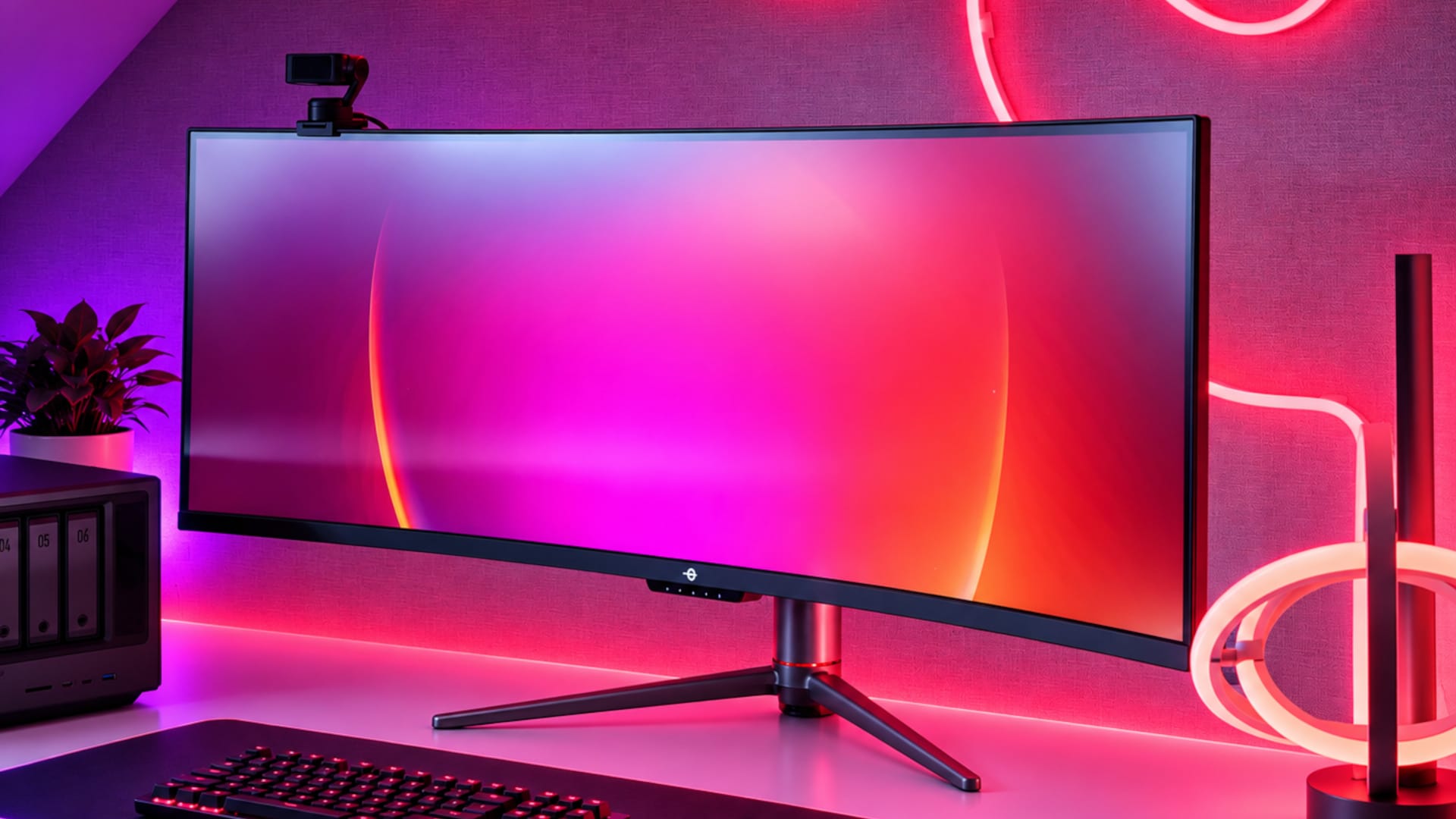
Anyone expecting a martial gaming design with RGB lighting and wild shapes from a brand called Titan Army will be surprised by the C49C1S. Visually, the monitor is surprisingly understated. The housing is made primarily of matte black plastic and forgoes eye-catching RGB lighting entirely.
That works in the C49C1S's favor, as the 49-inch screen is hard to miss anyway, measuring almost 1.20 meters wide. Additional gaming elements would quickly look overdone.
The display is curved with a radius of 1800R. This makes the curve less aggressive than, for example, that of some 1000R models from Samsung. On a desk, the C49C1S initially looks almost like a slightly curved wall.
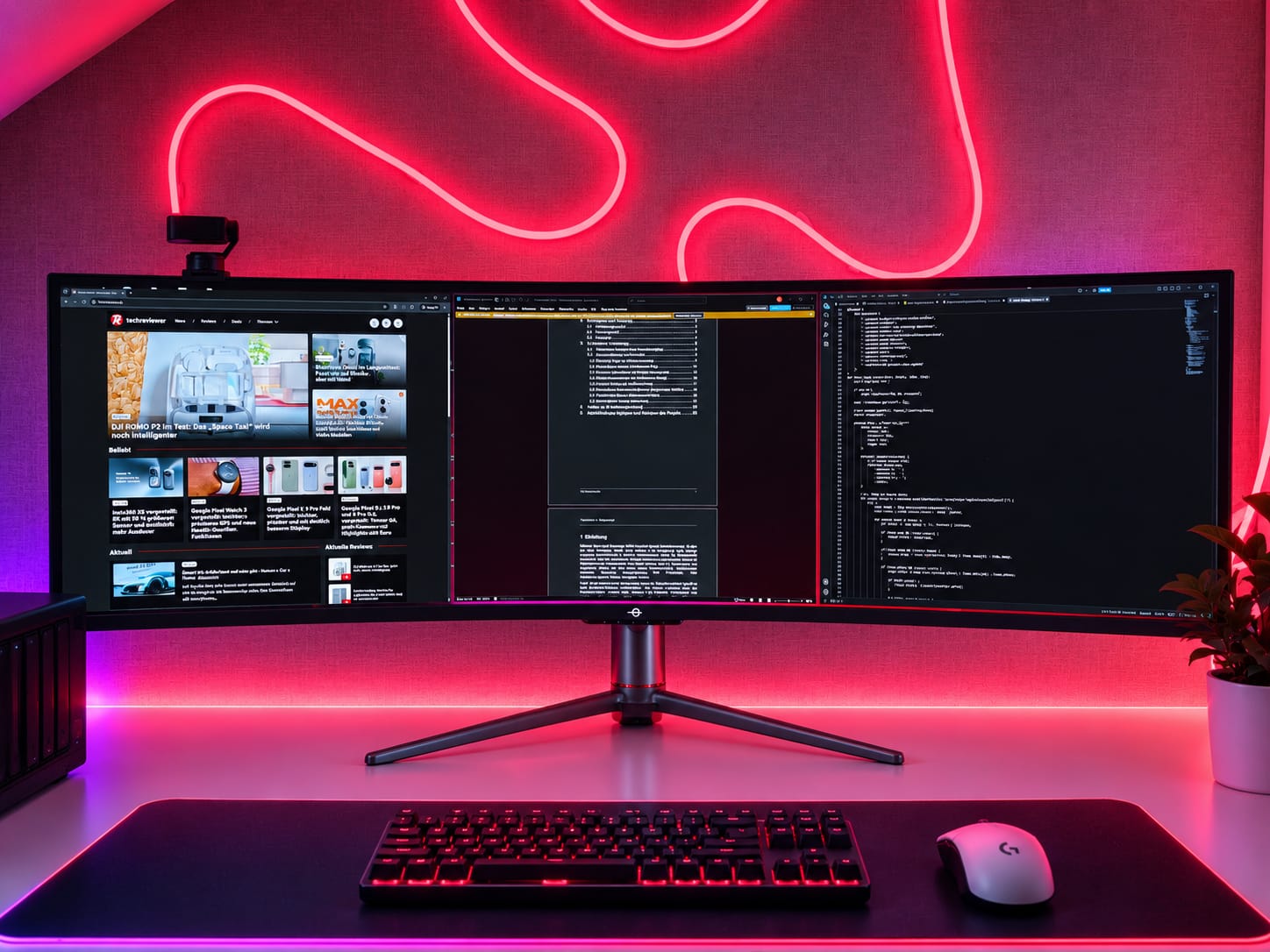
Despite its enormous width, the monitor is no taller than a typical 27-inch display. This is explained by its 32:9 aspect ratio: essentially, it puts two 27-inch QHD screens side by side with no bezel in the middle.
With the stand attached, the monitor measures 1198.5 x 566.3 x 286.8 millimetres and weighs 12.2 kilograms. So you will need a desk that is sufficiently large and sturdy.

Stand and ergonomics
As expected, the stand takes up some space, but offers decent ergonomics in return. Its height can be adjusted by 95 millimeters. The panel can also be tilted from -5 to +15 degrees and swiveled about 15 degrees in either direction.
If you do not want to use the stand, the C49C1S can be mounted using a 75 × 75 mm VESA mount. However, with a monitor of this size, you should make sure to use a sufficiently sturdy monitor arm.
Ports and connectivity
Titan Army is commendably generous with its ports. They include:
- 1x HDMI 2.1
- 2x DisplayPort 1.4
- 1x USB-C with DisplayPort and 65-watt Power Delivery
- 2x USB-A 3.0
- 1x USB-B 3.0 upstream
- 1x 3.5 mm audio output
It also has two integrated 5-watt speakers.

KVM switch
The KVM switch is one of the C49C1S’s most useful extra features. For example, a gaming PC can be connected via DisplayPort and USB-B, while the laptop is connected via USB-C.
The keyboard and mouse stay connected to the monitor and can be switched between the two systems. The switch worked reliably in our test.
The C49C1S also supports Picture-by-Picture (PbP) and Picture-in-Picture (PiP). This lets you display two signal sources at the same time, either side by side or as a small secondary image within the main view.
Titan Army C49C1S: display and technology
The C49C1S features a 49-inch Fast VA panel with the following specifications:
- 5120 x 1440 pixels
- 32:9 aspect ratio
- 240 Hz refresh rate
- 1800R curvature
- 3000:1 typical contrast ratio
- 1 ms MPRT or 3 ms GtG
- 8-bit + FRC
- Adaptive Sync from 48 to 240 Hz
- HDR400
The manufacturer also specifies 99% sRGB coverage, 90% Adobe RGB coverage, and 91% DCI-P3 coverage. With 5120 x 1440 pixels, the monitor achieves a pixel density of around 109 ppi. That's almost exactly the same as a 27-inch WQHD monitor. Text, browsers, and desktop interfaces are therefore displayed sharply, without the need for significant scaling.
Fast VA instead of OLED
It is no surprise that Titan Army has opted for a VA rather than an OLED panel at this price. VA delivers strong contrast and deep blacks, but comes with typical weaknesses in dark pixel transitions and viewing-angle stability. The C49C1S’s Fast VA or HVA variant is designed to reduce these shortcomings in response times.
The C49C1S still cannot match the almost instantaneous pixel transitions of an OLED panel. However, it avoids the risk of permanent burn-in, which can be an advantage, particularly during long office sessions with static content.
32:9 in everyday work
The C49C1S really shines in productive use thanks to its enormous width. With 5120 x 1440 pixels, the monitor provides practically the same workspace as two 27-inch QHD displays side by side, but without a distracting bezel in the middle.
This makes it easy to arrange several applications side by side, and the extra horizontal space quickly proves useful for video editing and large spreadsheets, too.
However, you shouldn't underestimate just how wide 49 inches really is. Anyone used to working on a single 24- or 27-inch monitor will need some time to adjust and actively organize their windows. Stretching apps to full screen across all 5120 pixels rarely makes sense. Windows Snap or tools like PowerToys FancyZones are therefore practically essential!
OSD and controls
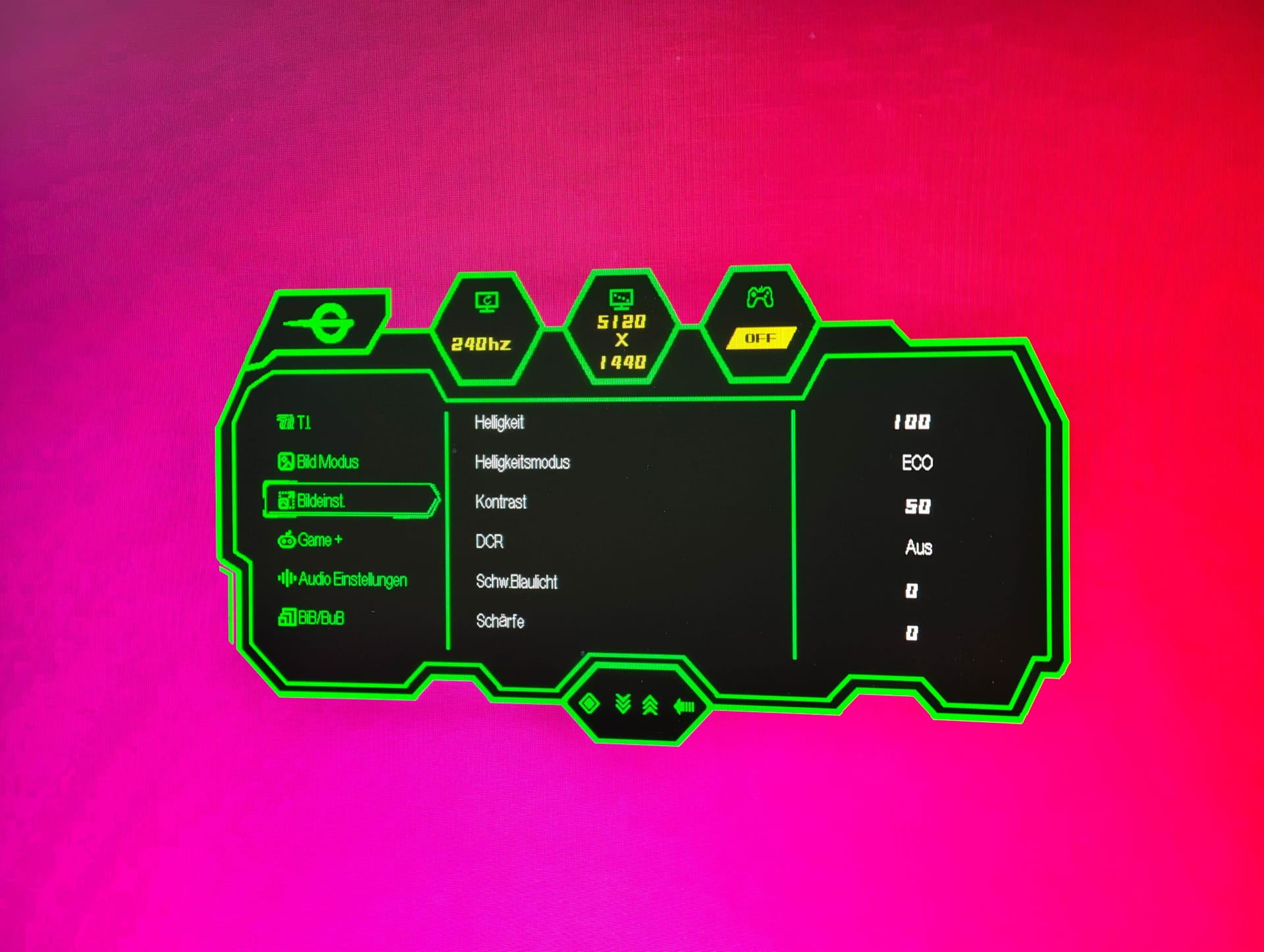
The on-screen display is controlled using buttons on the underside. One positive is that the controls are labelled on the front. So you don’t have to search blindly behind or underneath the monitor for a button.
The OSD offers numerous settings. Alongside brightness, contrast, colour temperature and overdrive, there are several gaming features. These include a crosshair, night vision, a timer and various picture presets.
However, the wide range of options also has a downside: the partly nested menu structure can quickly become confusing.
Titan Army C49C1S: Image quality and measurements
To evaluate image quality, we measured the C49C1S with a GlobellColor colorimeter, using Gamma 2.2 and CIE D65.
In the standard profile and with the Normal brightness setting, the monitor reaches a maximum luminance of 337 cd/m² at 100 per cent. The black level is 0.17 cd/m², resulting in a static contrast ratio of 1955:1. At 6811 Kelvin, the white point is slightly cooler than the target of 6500 Kelvin.
The brightness control covers a range from 82 cd/m² at 0 percent to 337 cd/m² at 100 percent. This provides enough headroom for bright rooms. The range could extend a little further at the low end, as 82 cd/m² still looks relatively bright in a completely dark room.
Alternatively, the monitor offers an ECO mode, which significantly limits maximum brightness even at 100 per cent brightness. We measure 181 cd/m², a black level of 0.12 cd/m² and a contrast ratio of 1556:1. At 6672 Kelvin, the white point is somewhat closer to D65.
| Picture mode | Brightness | Black level | Contrast | Color temperature |
| Standard, Normal 100% | 337 cd/m² | 0.17 cd/m² | 1955:1 | 6811 K |
| Standard, ECO 100% | 181 cd/m² | 0.12 cd/m² | 1556:1 | 6672 K |
| Standard | 126 cd/m² | 0.08 cd/m² | 1485:1 | 6621 K |
| sRGB | 124 cd/m² | 0.04 cd/m² | 3270:1 | 6506 K |
| DCI-P3 | 124 cd/m² | 0.08 cd/m² | 1506:1 | 6492 K |
| HDR | 335 cd/m² | 0.13 cd/m² | 2550:1 | 6813 K |
| Calibrated | 176 cd/m² | 0.06 cd/m² | 2833:1 | 6499 K |
sRGB and DCI-P3
The preconfigured color profiles are significantly more neutral. In sRGB mode, the white point measures 6506 Kelvin, almost exactly matching D65. At the same time, we measure a luminance of just under 124 cd/m², a black level of 0.04 cd/m², and thus a contrast ratio of 3270:1.
The DCI-P3 mode produces similar results. Here, we measure 123.5 cd/m² and 6492 Kelvin, meaning this profile also hits its intended white point very accurately. However, the black level is higher at 0.08 cd/m², bringing the measured contrast ratio down to 1506:1.
The two color profiles are therefore tuned much more neutrally than the standard mode, but achieve this at the cost of fixed or severely limited brightness of around 124 cd/m². That is a usable value for image editing in a controlled environment, but may be on the low side for a bright workspace.
The Delta E values reported by GlobellColor should not be equated with the classic ColorChecker values from other measurement systems. They refer to the respective Gamma 2.2/D65 compliance test. Within this test, however, the dedicated color profiles still perform visibly better than the standard mode. The average Delta E 2000 value is 4.05 in the sRGB profile and 4.70 in DCI-P3 mode.
Gamma and calibration
Tonal reproduction also shows that the standard mode is not completely neutrally calibrated. At maximum brightness, the measured average greyscale values are slightly above the gamma 2.2 target curve. At a DDL value of 150, for example, the expected brightness is around 105 cd/m², but we actually measure just under 111 cd/m².
The subsequent calibration shows how much potential the panel has. Afterwards, the colour temperature is 6499 Kelvin, the average Delta E 2000 drops to 0.35 in the Globell conformity test, and the maximum value falls to 1.28.
The result is even clearer for the tone curve. At DDL 150, the target and measured values are virtually identical at 54.71 and 54.77 cd/m², respectively. At DDL 210, the target is 114.62 cd/m² and the measured value is 114.79 cd/m². Across almost the entire range, the C49C1S therefore follows the specified gamma 2.2 curve very closely.
The panel can therefore be calibrated very precisely. Its weakness lies less in its fundamental capabilities than in the slightly too cool tuning of the standard profile.
Illumination
With a panel almost 1.20 meters wide, the uniformity of the backlighting is also important. To assess this, we measured luminance at nine positions across the entire surface.
In the center, we measure 177.7 cd/m², making the middle of the screen the brightest area as well. The weakest measurement point is on the left, at mid-height, with 147.2 cd/m². This corresponds to a maximum deviation of around 17 percent from the center of the screen, or a brightness uniformity of just under 83 percent.
Luminance also visibly drops on the right-hand side. We measure 152.1 cd/m² at the centre right, while the other outer measurement points are mostly between around 157 and 167 cd/m².
For a panel of this width, the illumination is decent overall, but it is not completely uniform. The C49C1S loses noticeable brightness, especially towards the side edges.
| Position | Luminance | Deviation from centre |
| Top left | 157.42 cd/m² | −11,4 % |
| Top centre | 167.00 cd/m² | −6,0 % |
| Top right | 161.10 cd/m² | −9,3 % |
| Middle left | 147.19 cd/m² | −17,2 % |
| Center | 177.69 cd/m² | Reference |
| Centre right | 152.09 cd/m² | −14,4 % |
| Bottom left | 158.20 cd/m² | −11,0 % |
| Bottom centre | 163.78 cd/m² | −7,8 % |
| Bottom right | 157.29 cd/m² | −11,5 % |
HDR
HDR is less impressive. In HDR mode, we measure a maximum brightness of 335 cd/m², practically the same value as in normal SDR mode at full brightness. The black level is 0.13 cd/m², and the contrast ratio is 2550:1. At 6813 Kelvin, HDR mode is also a little too cool.
HDR therefore does not deliver greater dynamic range through significantly higher peak brightness. The measured tone curve also differs only slightly in character from SDR operation. At DDL 210, for example, output is 228 cd/m² instead of the intended roughly 219 cd/m².
HDR mode therefore only extends the panel's capabilities to a limited extent. The C49C1S clearly performs best in SDR mode.
Field of view
The panel looks good from a central seating position. However, if you shift your gaze farther to the side, contrast and colors change visibly.
With a regular monitor, this can often be ignored. But on a 49-inch model, the outer edge of the panel is already at a significantly different viewing angle from the centre.
The 1800R curvature helps counteract this, but does not eliminate the problem entirely. It is not a dealbreaker for gaming or office use. However, anyone doing color-critical work across the entire screen should bear this in mind.

Titan Army C49C1S: Gaming
A full 240 Hz across a 49-inch area is impressive to begin with. Mouse movements, animations and fast camera pans look noticeably smoother than on conventional 60 or 75 Hz displays.
When a game correctly supports 32:9, the image fills a large part of the horizontal field of view. Racing games and simulations benefit particularly. Instead of looking at the virtual world through a narrow window, the image extends far into your peripheral vision.
However, support for 32:9 is still not a given. Some games scale the field of view brilliantly, while others show cutscenes only in 16:9 or 21:9. Still others place HUD elements awkwardly close to the edges or do not properly support the format at all.
The effect is impressive with compatible games. With incompatible titles, however, black areas remain on the left and right. The same applies to videos. A typical 16:9 YouTube video uses only part of the panel.
Response time
Titan Army specifies a response time of 3 ms GtG or 1 ms MPRT for the C49C1S. The two figures describe different things and should not be treated as equivalent. GtG describes the switching time of individual pixels between shades of grey, while MPRT refers to perceived motion blur.
Combined with 240 Hz, the image looks pleasantly responsive and smooth at high frame rates. The C49C1S cannot match the near-instantaneous pixel transitions of an OLED panel, but its Fast VA panel still makes a convincing impression for fast-paced gaming.
The high refresh rate is supported by Adaptive Sync across a range of 48 to 240 Hz. Titan Army lists both FreeSync and G-Sync compatibility. This is particularly relevant at the native resolution of 5120 x 1440 pixels, since its roughly 7.37 million pixels put the rendering load close to 4K's 8.29 million pixels.
As a result, a steady 240 fps is the exception rather than the rule in current AAA games, even with powerful hardware. The maximum refresh rate can mainly be fully utilized in esports titles, older games, or with reduced graphics settings. At lower or fluctuating frame rates, Adaptive Sync keeps the refresh rate and graphics output synchronized, avoiding distracting tearing.
The required data rate should not be underestimated either. 5120 x 1440 pixels at 240 Hz exceeds the uncompressed transmission bandwidth of DisplayPort 1.4, which is why Display Stream Compression (DSC) is used. In everyday use, this goes largely unnoticed, but it requires a suitably compatible graphics card and connection.
Particularly with laptops connected via USB-C, the maximum refresh rate depends on which DisplayPort version and bandwidth the device provides through its USB-C port. So anyone wanting to run the C49C1S at full resolution and 240 Hz should check the capabilities of the source device as well as those of the monitor.
Titan Army C49C1S: speakers
Titan Army includes two 5-watt speakers. Having speakers at all can certainly be useful in some situations. They are sufficient for Windows sounds, video calls, or occasional videos.
However, you should not expect too much in terms of sound quality, as playback is merely functional. Good headphones or external speakers remain a much better choice for gaming, music, or movies.
Titan Army C49C1S: power consumption
A 49-inch monitor with a 240 Hz refresh rate is naturally no energy-saving marvel. Titan Army specifies a typical power consumption of 80 watts and a maximum of 215 watts. In energy-saving mode, consumption is said to be less than 0.5 watts.
Our measurements were even lower, at 60 watts at 50 per cent brightness and around 80 watts at maximum brightness. That is more than a single 27-inch display, but if the C49C1S really does replace two monitors, its power consumption is put into perspective.
Our verdict
The price is what stands out most about the Titan Army C49C1S. For less than 600 euros, you get a 49-inch super-ultrawide monitor with 5120 x 1440 pixels, 240 Hz, USB-C, and a KVM switch, making it versatile for office work and gaming.
Its biggest weakness is the factory tuning. In the standard profile, the image looks a little too cool, and tone reproduction does not match the reference particularly well. However, the right settings can significantly improve this. After calibration, the white point is practically spot-on at D65, and the Gamma 2.2 curve is also reproduced very precisely.
There are also compromises with HDR, which adds little extra brightness, and with the backlighting, which visibly falls off towards the sides. Aside from that, the C49C1S impresses above all with its versatility. Its enormous work area is ideal for multitasking, while 240 Hz and Adaptive Sync also make it well suited to gaming.
Specifications
Display
- Screen size
- 49 inches
- Panel type
- Fast VA
- Shape
- Curved
- Aspect ratio
- 32:9
- Curvature
- 1800R
- Resolution
- 5,120 × 1,440 pixels
- Refresh rate
- 240 Hz
- Field of view
- 178° horizontal / 178° vertical
- Brightness
- SDR APL 100%: 160–200 cd/m² / HDR APL 100%: 160–200 cd/m² / HDR APL 10%: 320–400 cd/m²
- Contrast ratio
- 3,000:1 (typ.)
- Response time
- 1 ms MPRT / 3 ms GtG
- Colour depth
- 1.07 billion colors (8-bit + FRC)
- Colour gamut volume
- 125% sRGB / 107% Adobe RGB / 99% DCI-P3 (CIE1976)
- Colour gamut coverage
- 99% sRGB / 90% Adobe RGB / 91% DCI-P3 (CIE1931)
- Colour management
- ΔE < 3 (sRGB and DCI-P3)
- HDR
- HDR400
Gaming & image features
- Adaptive Sync
- Yes, 48–240 Hz
- FreeSync
- Compatible
- G-Sync
- Compatible
- MPRT
- Yes
- Overdrive
- Yes
- DCR
- Yes
- Scene profiles
- Yes (including FPS / RTS)
- GAME+
- Yes
- Gaming features
- AI Crosshair, Hawk-Eye Zoom, Night Vision, Game Timer, OSD Overlay
- Low Blue Light
- Yes
- Flicker-Free
- Yes (DC dimming)
- Picture-in-Picture (PiP)
- Yes
- Picture-by-Picture (PbP)
- Yes
- KVM switch
- Yes
Ports
- HDMI
- 1× HDMI 2.1
- DisplayPort
- 2× DisplayPort 1.4
- USB-C
- 1× USB-C
- USB-C Power Delivery
- up to 65 W
- USB-A
- 2× USB-A 3.0
- USB-B
- 1× USB-B 3.0
- Audio output
- 1× 3.5 mm jack
Audio
- Speakers
- 2× 5 W (4 Ω)
Ergonomics
- Height adjustment
- 95 ± 5 mm
- Inclination
- -5° to +15° (±2°)
- Pan range
- ±15° (±2°)
- Pivot
- No
- VESA mount
- 75 × 75 mm
Power supply
- Power adapter
- Internal
- Power supply
- AC 100–240 V, 50/60 Hz, 3.0 A
- Power consumption
- typically 80 W / max. 215 W
- Power-saving mode
- < 0,5 W
- Off
- < 0,3 W
Size & weight
- With stand
- 119.85 × 56.63 × 28.68 cm
- Without stand
- 119.85 × 37.56 × 16.02 cm
- Net weight
- 12.2 kg
- Package dimensions
- 130.5 × 28.4 × 48.6 cm
- Gross weight
- 16.4 kg
What’s included
1x monitor 1x stand 1x power cable 1x DisplayPort cable 1x HDMI cable 1x user manual 4x stand screws 2x 17 mm mounting screws 2x 35 mm mounting screws
Price comparison
| Store | Price | Link |
|---|
Comments