Contents
First impressions of the Vorke V1 Plus
What’s included
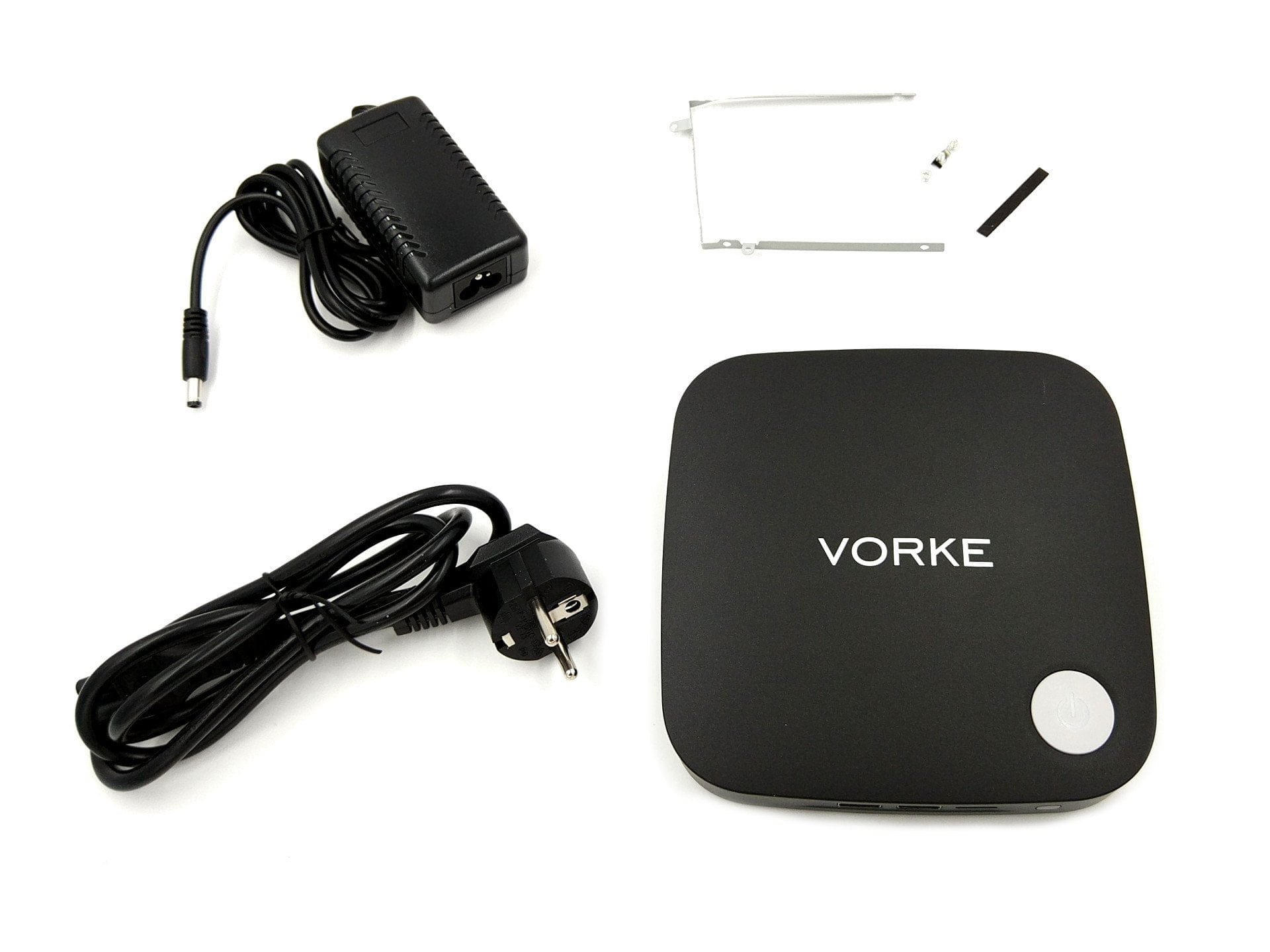
The contents of the Vorke V1 Plus box are limited to the mini-PC, a power adapter with power cord, a hard drive mounting bracket with suitable screws and an English user manual. The included power adapter was a pleasant surprise, as it is TÜV-Süd certified and complies with European regulations. The same applies to the power cord with Schuko plug, which is also of high quality. Disappointing, however, is the hard drive mounting bracket, which does not feel particularly high quality and was supplied completely bent. Quality control could be better!
Design and build quality
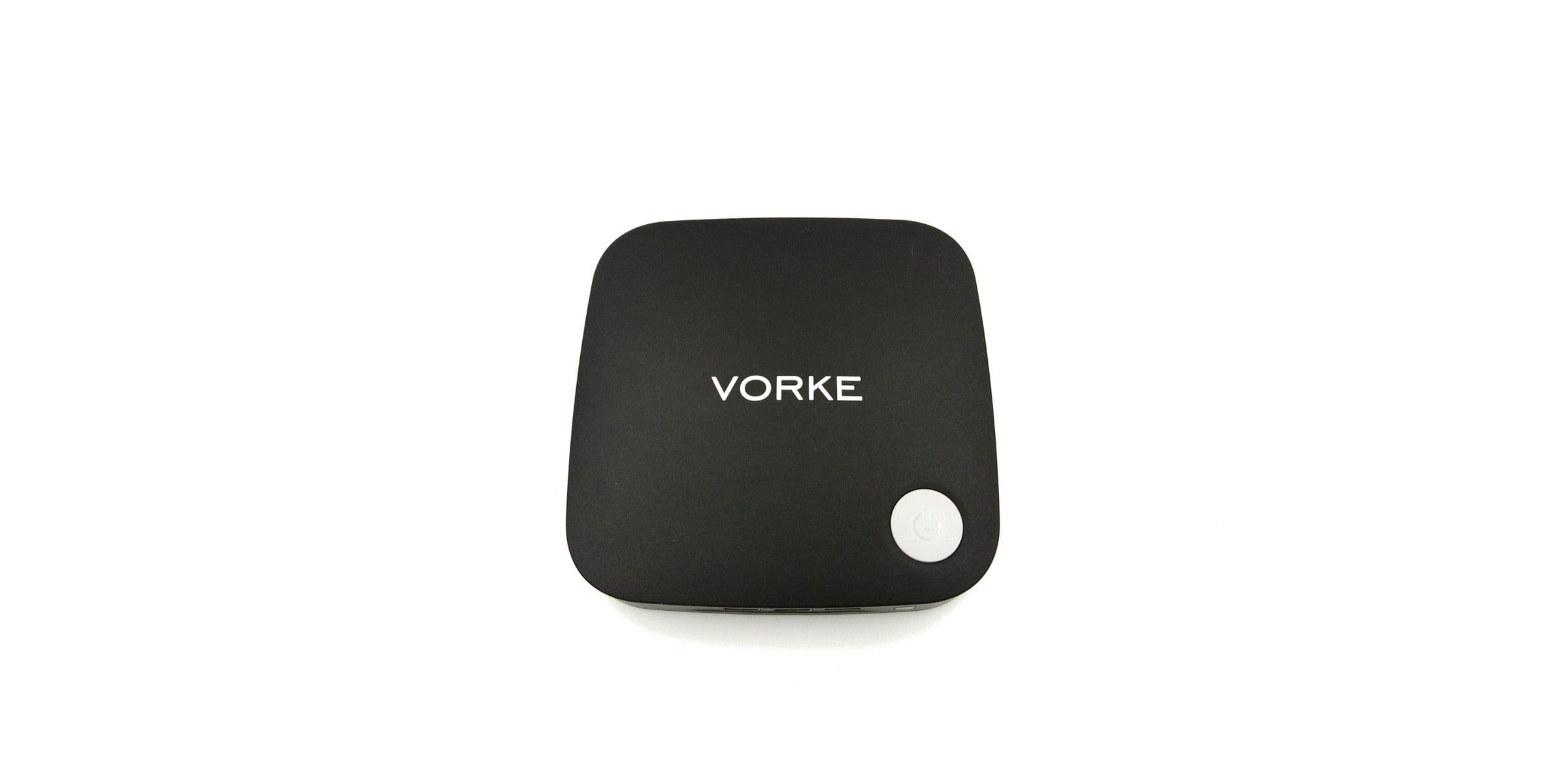
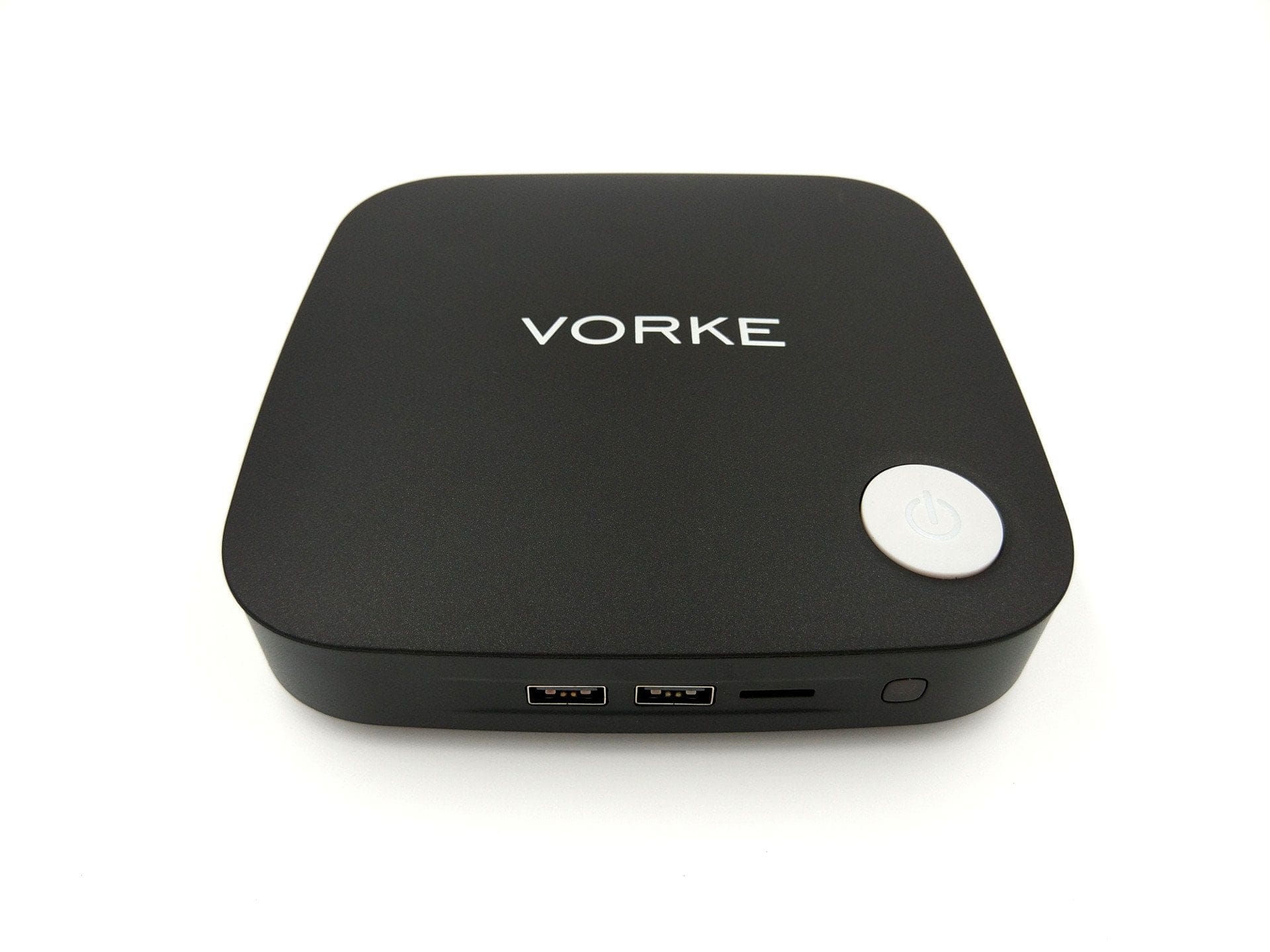
The design is predominantly simple, allowing the mini PC to be placed almost inconspicuously. The only standout feature is the "Vorke" lettering along with the large power button. The housing is made of matte black plastic and measures 15.3 x 15.x x 4.4 cm. The weight is 390g.
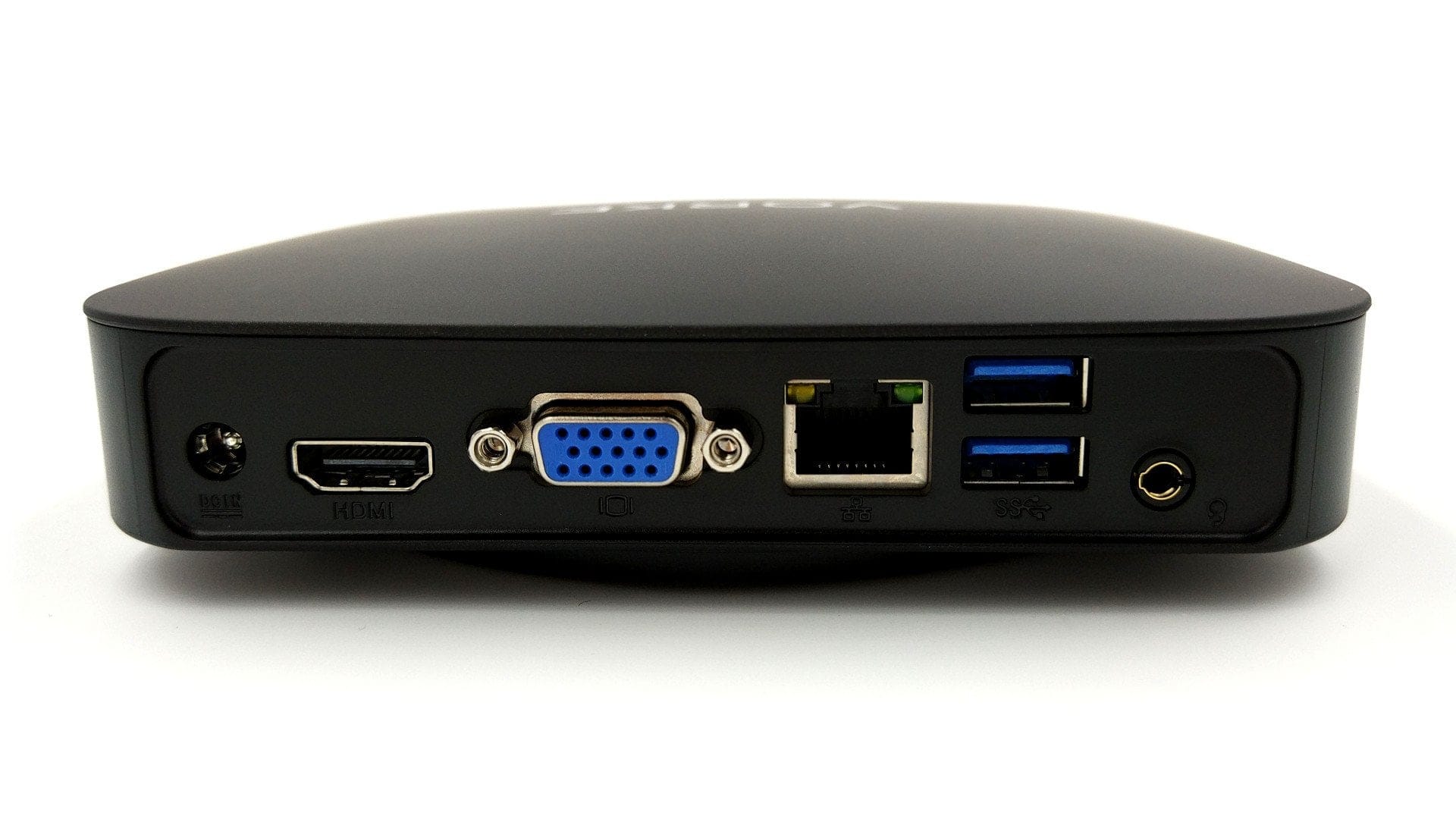
The connectivity options are located on the front and rear of the case frame. The front features two USB 2.0 ports, a Micro-SD card slot and an IR receiver. The rear connections include the DC power input, a VGA output, two USB 3.0 ports, a 3.5 mm audio output, an HDMI output and an Ethernet port.
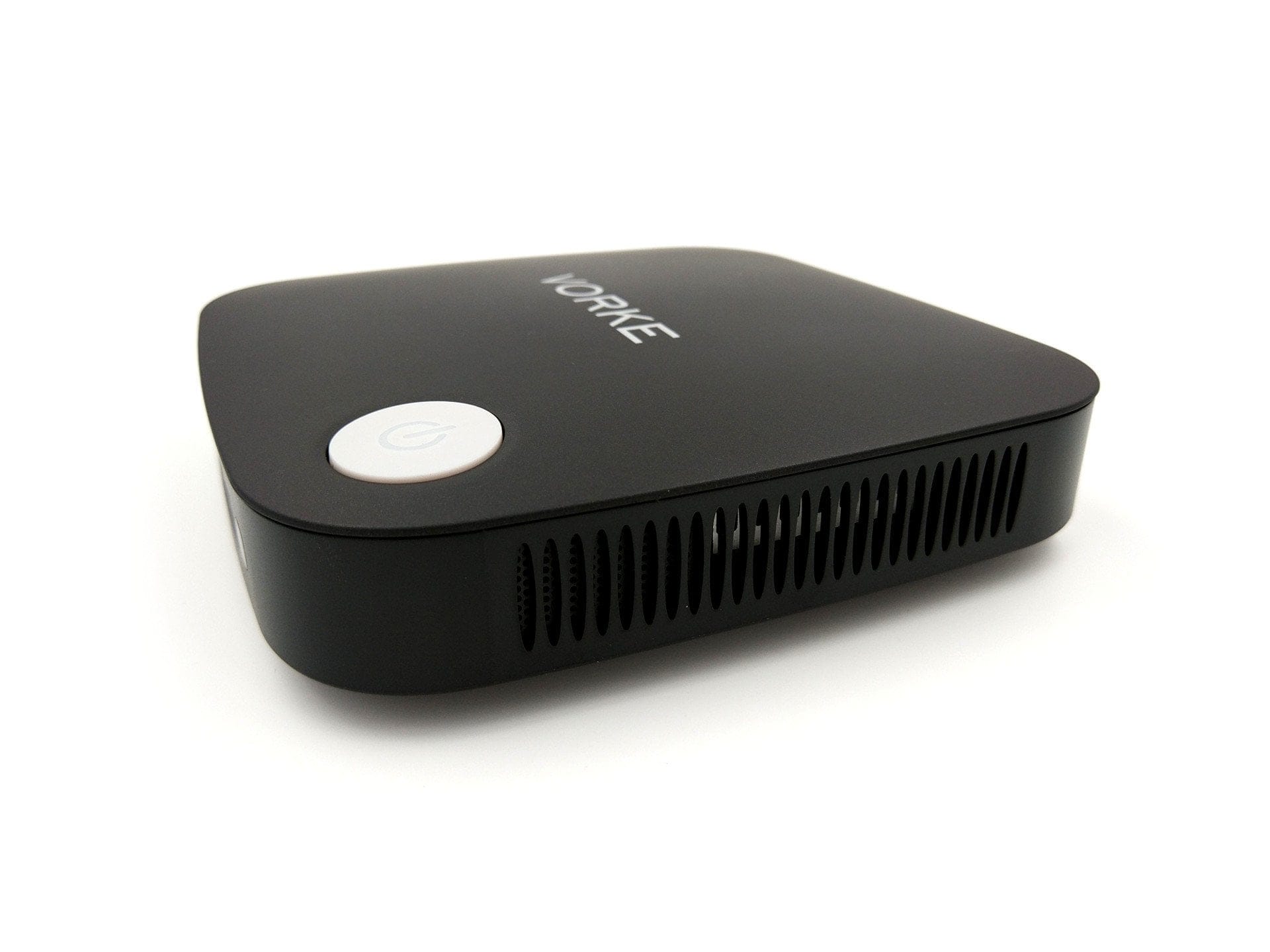
As expected, the Vorke V1 Plus is not passively cooled but relies on a small fan. The remaining sides of the case serve for ventilation. Fresh air is drawn in on the left side, guided through the PC and expelled on the right. The power button with LED indicator is clearly located on the top of the case.
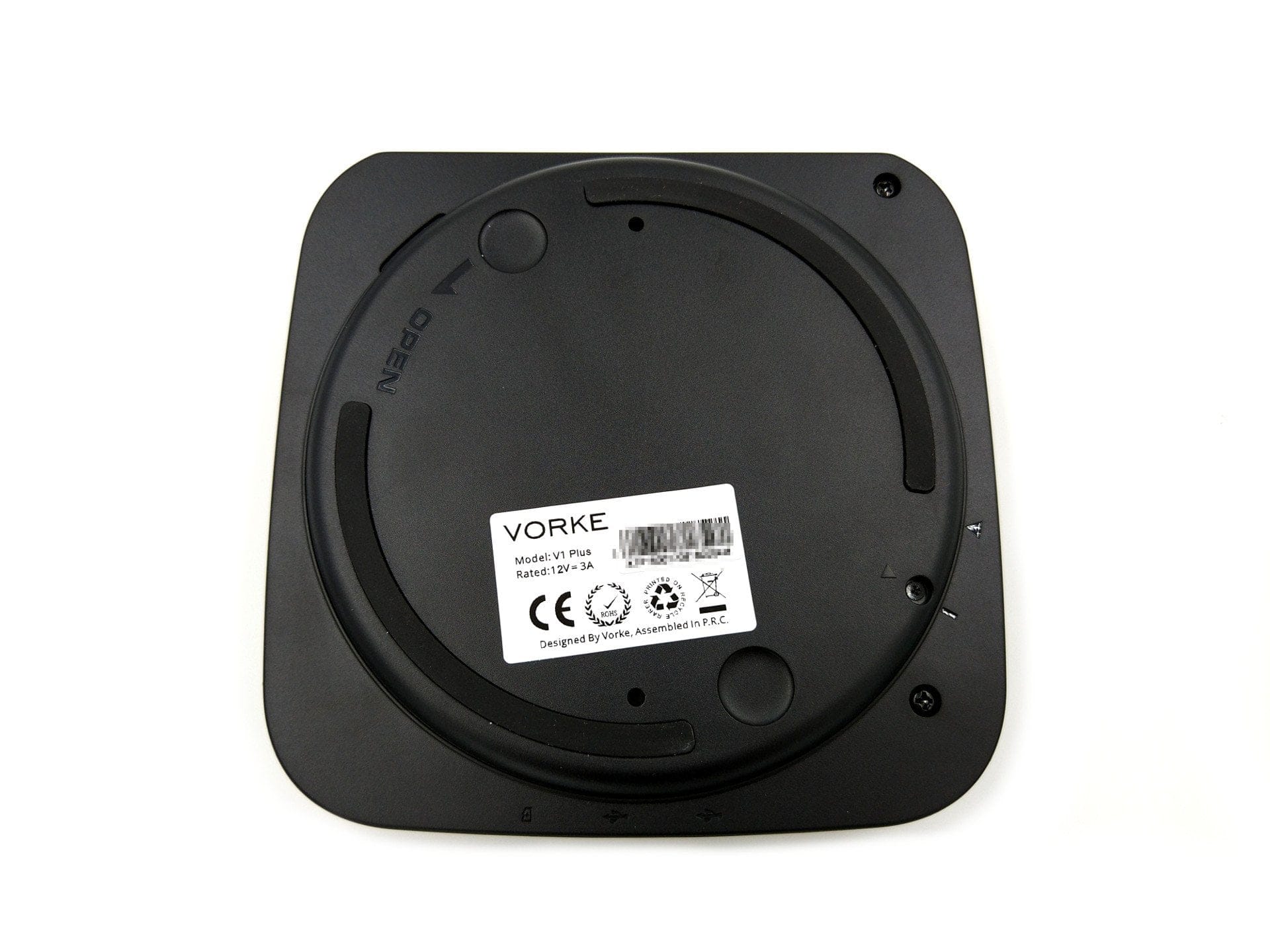
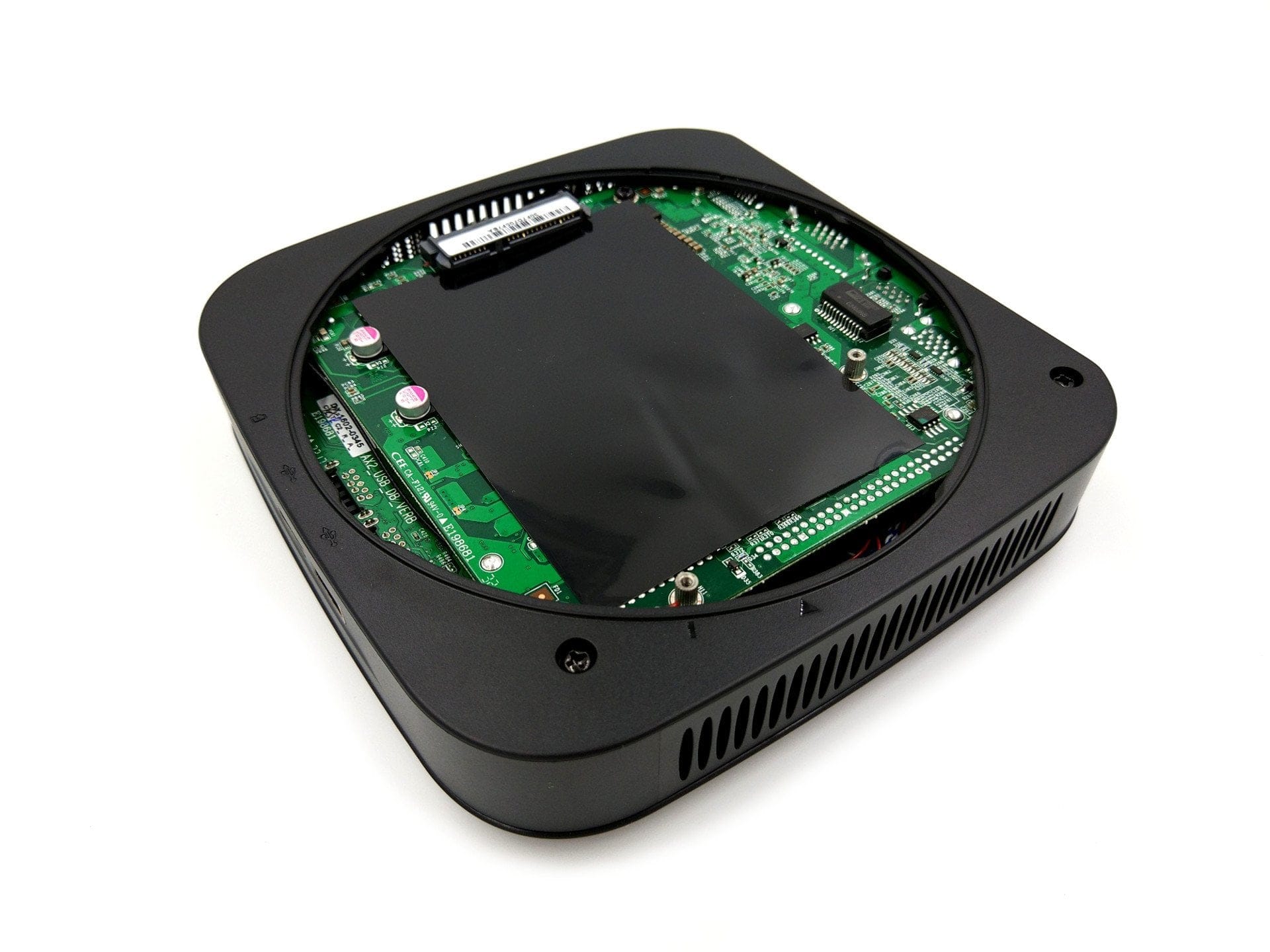
The bottom of the Vorke V1 Plus can be opened without problems via a rotating mechanism including screw fastening. It is even intended to open the mini PC to install an additional hard drive or exchange other hardware modules. There is no need to worry about voiding the warranty. At the same time, the removable bottom is fitted with a non-slip rubber pad. The build quality of the mini PC corresponds to the price and is convincing except for the included hard drive mounting frame.
Practical test
Setup
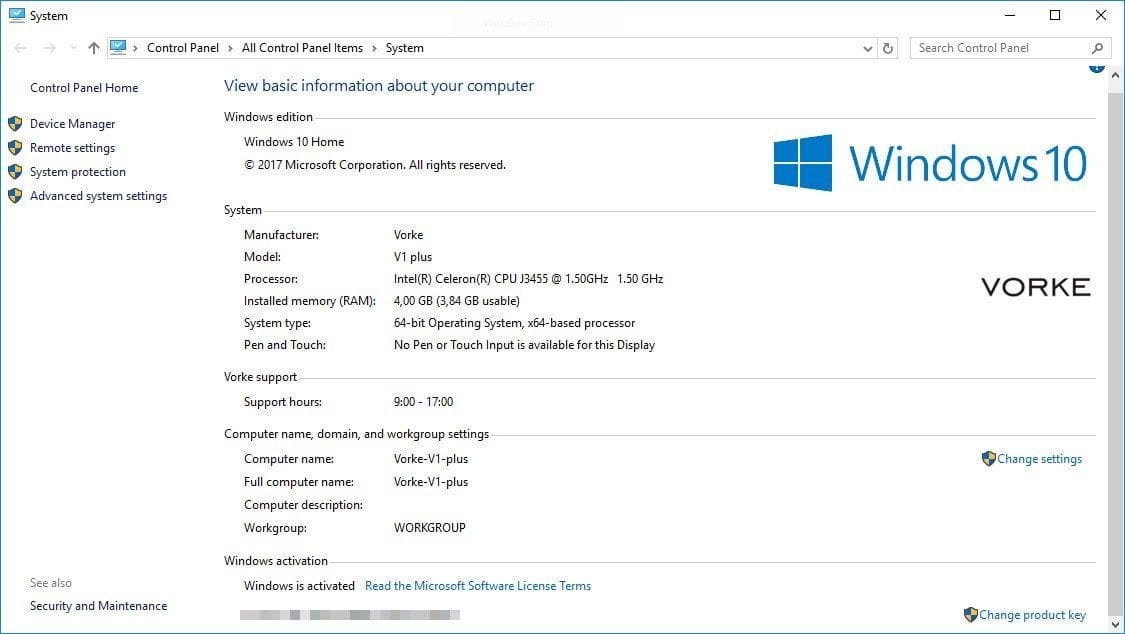
Setting up the Vorke V1 Plus is straightforward. When you switch on the mini PC, you are greeted by Windows 10 Home, which is pre-installed at the factory and only needs to be set up. Conveniently, Windows 10 is already activated after setup, so you do not need your own product key. This is stored in the BIOS and remains even after a Windows reinstallation. Alternatively, it is possible to install Ubuntu. The necessary steps are explained in the included user manual.
Hardware
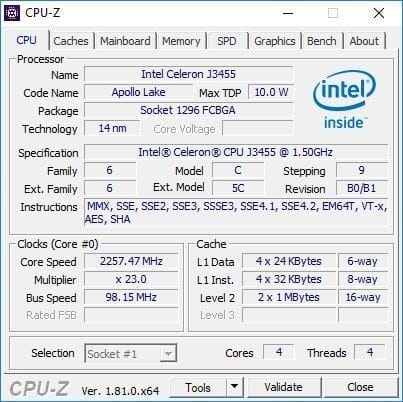
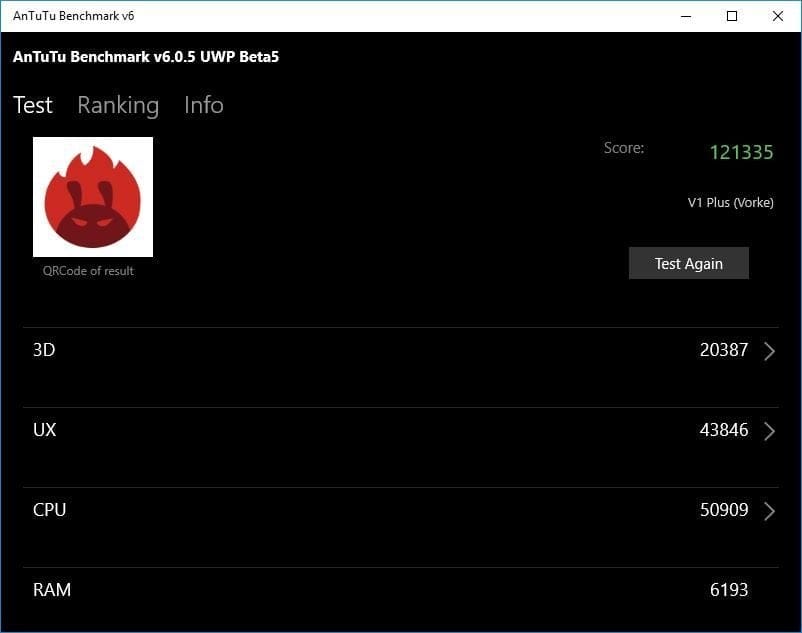
In terms of hardware, the Vorke V1 Plus features a Intel Apollo Lake J3455 processor, 4GB DDR3 RAM and a 64GB SSD. The processor, which appeared in Q3 2016, belongs to the Intel Celeron series and is manufactured using the 14nm process. A total of four cores with four threads each run at a base clock of 1.5 GHz and reach a burst clock rate of 2.3 GHz. Intel specifies the Thermal Design Power (TDP) as 10 watts. The processor graphics are an Intel HD Graphics 500 GPU.
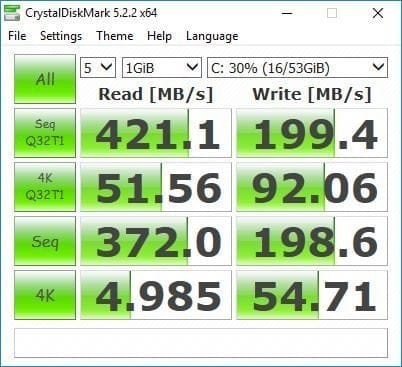
The storage configuration is a little disappointing. Among other things, the Vorke V1 Plus would also have been capable of supporting DDR4 RAM. To keep costs as low as possible, the manufacturer has likely opted for DDR3 memory. The SSD is also rather small at just 64GB and does not achieve outstanding read and write speeds. Windows 10 already takes up nearly 25GB, leaving only 39GB of storage available. A downside, however, is the expandability of the Vorke V1 Plus. An additional 2.5-inch SSD can be connected via the extra SATA III port. The built-in mSATA SSD can also be easily swapped for a larger SSD. An option to expand the RAM, unlike the Vorke V1 without the Plus suffix, is not provided.
Work suitability
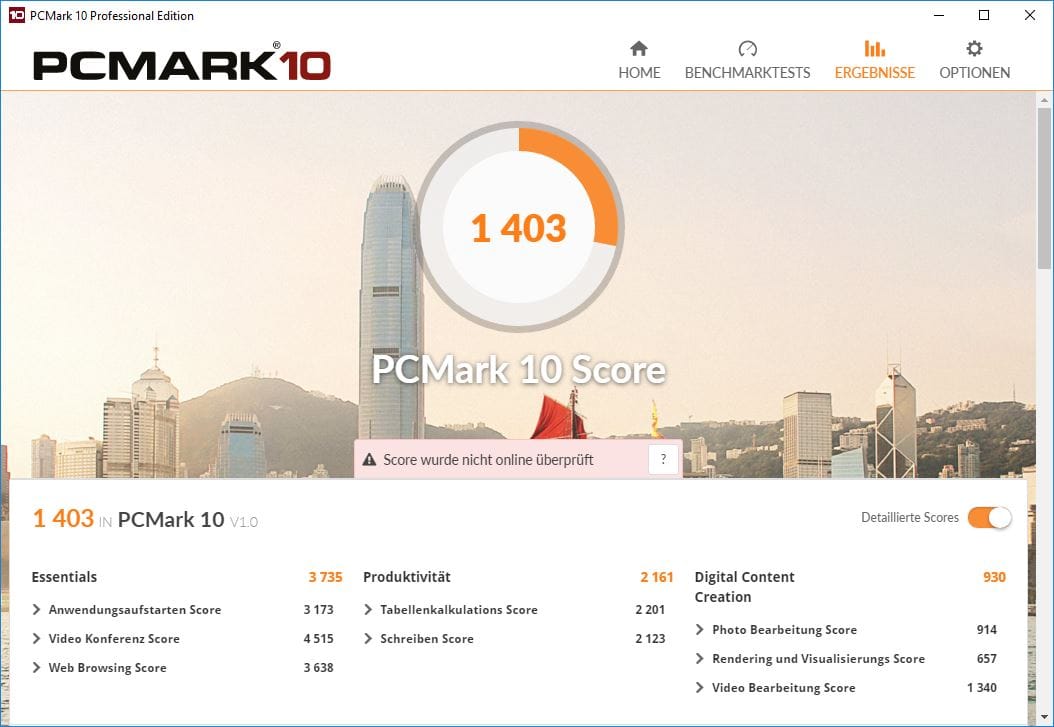
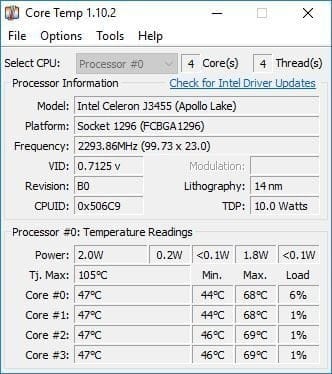
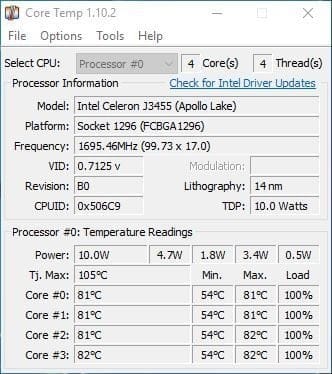
During the testing phase, I mainly used the Vorke V1 Plus as an additional workstation. Windows 10 was consistently smooth to use, and the mini PC proved convincing in terms of performance, with pleasant loading times. Word, Excel and some image editing with GIMP were not a problem in the test, although GIMP did push the V1 Plus to its limits. The mini PC also coped well with multiple tabs open in the Chrome browser, which are known to be very memory-hungry. However, the Vorke V1 Plus is hardly or not at all suitable for working with Photoshop or video editing software. The performance of the Apollo Lake processor is simply not sufficient for this, which is noticeable through a disrupted workflow with numerous image stutters. The core temperature is around 50°C when idle. Under full load, the temperature can reach 85-90°C. Unfortunately, the small and fairly loud fan does not have the cooling of the mini PC completely under control, which leads to so-called "thermal throttling" under full load. Processor performance is reduced to regulate the temperature.
Suitability for gaming
You should not have high expectations of the mini PC for gaming either. While older games ran smoothly in testing, the Vorke V1 Plus is simply overwhelmed when it comes to playing current titles. A good example would be Valve titles Half-Life, Dota 2 and CS:GO. As expected, the old Half-Life and Counter-Strike 1.6 pose no problem for the mini PC. The more recent Source engine titles Dota 2 and CS:GO also run reasonably smoothly at low resolution and lower graphics details, but the test did not result in unimpeded gaming enjoyment. Particularly during effects-heavy gaming events, the frame rate dropped significantly, resulting in regular stuttering.
Suitability for home cinema
The Vorke V1 Plus performs surprisingly well in the home cinema area. Here, the Intel HD Graphics 500 in particular demonstrates that it handles the hardware decoding of H.265 or HEVC encoded video material perfectly. Thanks to the HDMI 2.0a video output, even 4K video material at 60Hz can be played back smoothly. Dolby Digital and DTS Pass-Through work. TrueHD and DTS HD, however, are not supported. Unfortunately, the mini PC also lacks an S/PDIF output. The thing that disrupts the home cinema experience with the Vorke V1 Plus the most, however, is the comparatively loud fan. Especially during 4K playback, it spins up particularly high and disrupts the film experience. For a satisfactory home cinema experience, a passively cooled TV box is clearly the better choice in the long run.
Connectivity
The wireless module is designated as Intel Wireless-AC 3165. This is a dual-band AC WiFi module that supports both 2.4 GHz and 5 GHz networks. The theoretical maximum speed is 433 Mbps. The module also supports Bluetooth version 4.2.
When connected to Wi-Fi, the mini PC delivers acceptable results. The signal strength and data throughput are unobjectionable, provided the Wi-Fi access point is in the same room. The Vorke V1 Plus handles greater distances rather moderately. Data throughput drops comparatively significantly through walls in particular, which can make 4K streaming problematic. The signal quality over Bluetooth is unobjectionable. An average range of 10 meters is no problem for the mini PC.
Our verdict
The Vorke V1 Plus is a solid mini-PC whose performance matches the provided hardware. The mini-PC is up to everyday office tasks, and not-too-demanding games are not a problem either. As a media centre, the V1 Plus also delivers very good results, resulting in smooth 4K playback, but a major drawback is the very loud fan, which significantly impairs the viewing experience. The main criticism is thermal throttling, which is only noticeable under sustained full load but significantly reduces system performance.
Specifications
Performance
- CPU
- Intel Celeron J3455
- GPU
- Intel HD Graphics 500
- RAM
- 4GB DDR3 RAM
- Internal storage
- 64GB SSD
- Storage expansion
- SATA III, micro-SD, USB
Ports
- 2x USB 3.0 (Type-A)
- 2x USB 2.0 (Type-A)
- 1x HDMI 2.0a
- 1x VGA
- 1x 3.5mm audio
- 1x RJ45 (Gigabit)
- 1x Micro-SD
- 1x DC
Other
- OS
- Windows 10 / Ubuntu 16.04
- Wi-Fi
- 802.11 a/b/g/n/ac (Intel-3165)
- Bluetooth
- BT 4.2
- Infrared
- Transmitter
- Size
- 15.3 x 15.x x 4.4 cm
- Weight 390g
What’s included
1x Vorke V1 Plus 1x Power adapter 1x Power cable 1x Hard drive mounting frame
Comments