Contents
Preface: Vorke V2 Plus
Vorke is a Chinese company that specialises in powerful mini PCs and TV boxes, among other things. The Vorke mini PCs are regularly equipped with the latest Intel processor hardware, supporting both Windows and Linux as operating systems. After we took a closer look at the Vorke V1 Plus in October 2017, the Vorke V2 Plus followed just a few months later.
Design, build quality, and included accessories
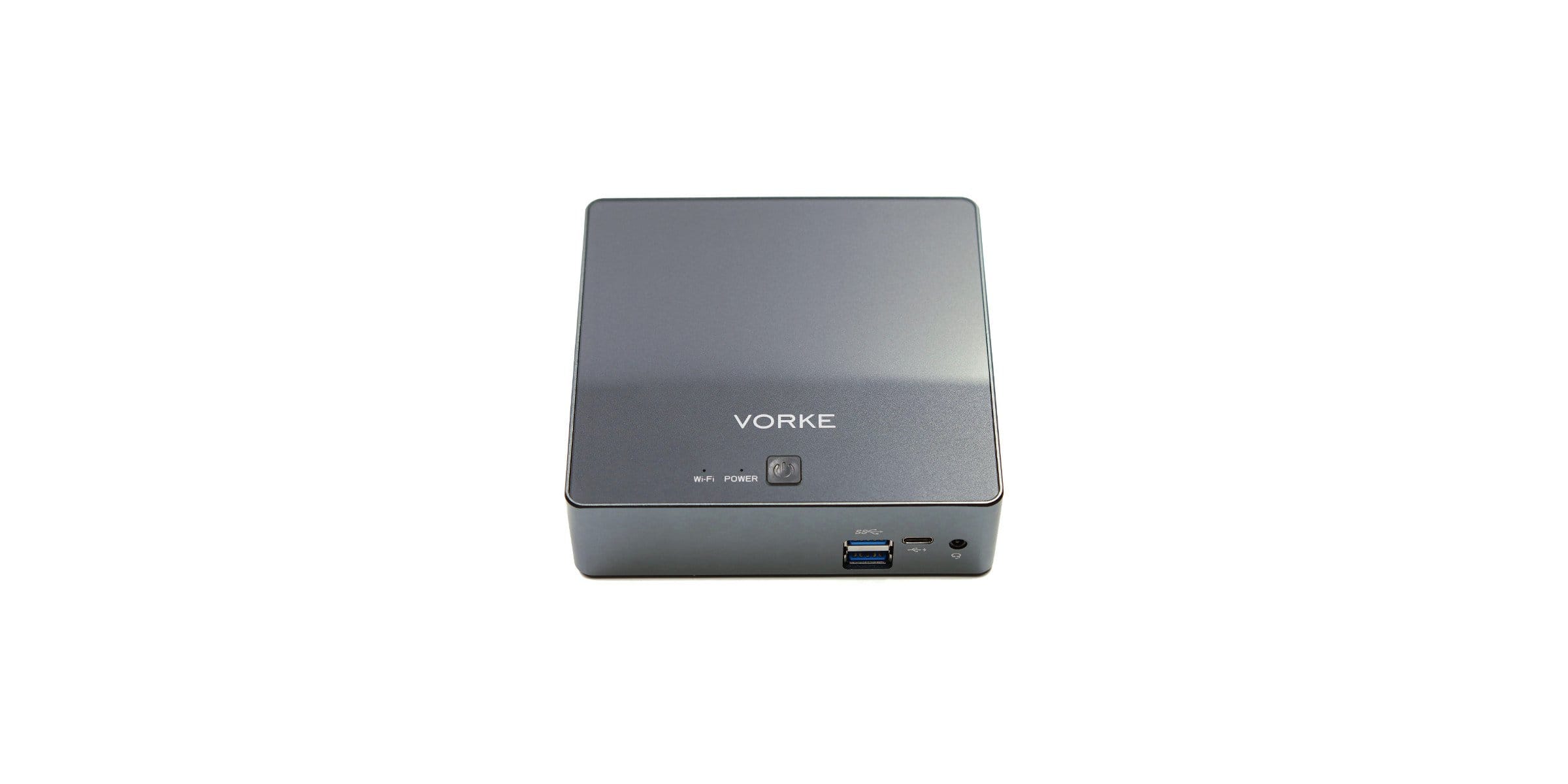
In contrast to the predecessor, the Vorke V2 Plus has not only received a proper hardware upgrade, but also a complete design upgrade. The rectangular, anthracite-coloured housing of the Mini-PC is extremely compact, with dimensions of 129 x 124 x 39 mm.
Housing frame
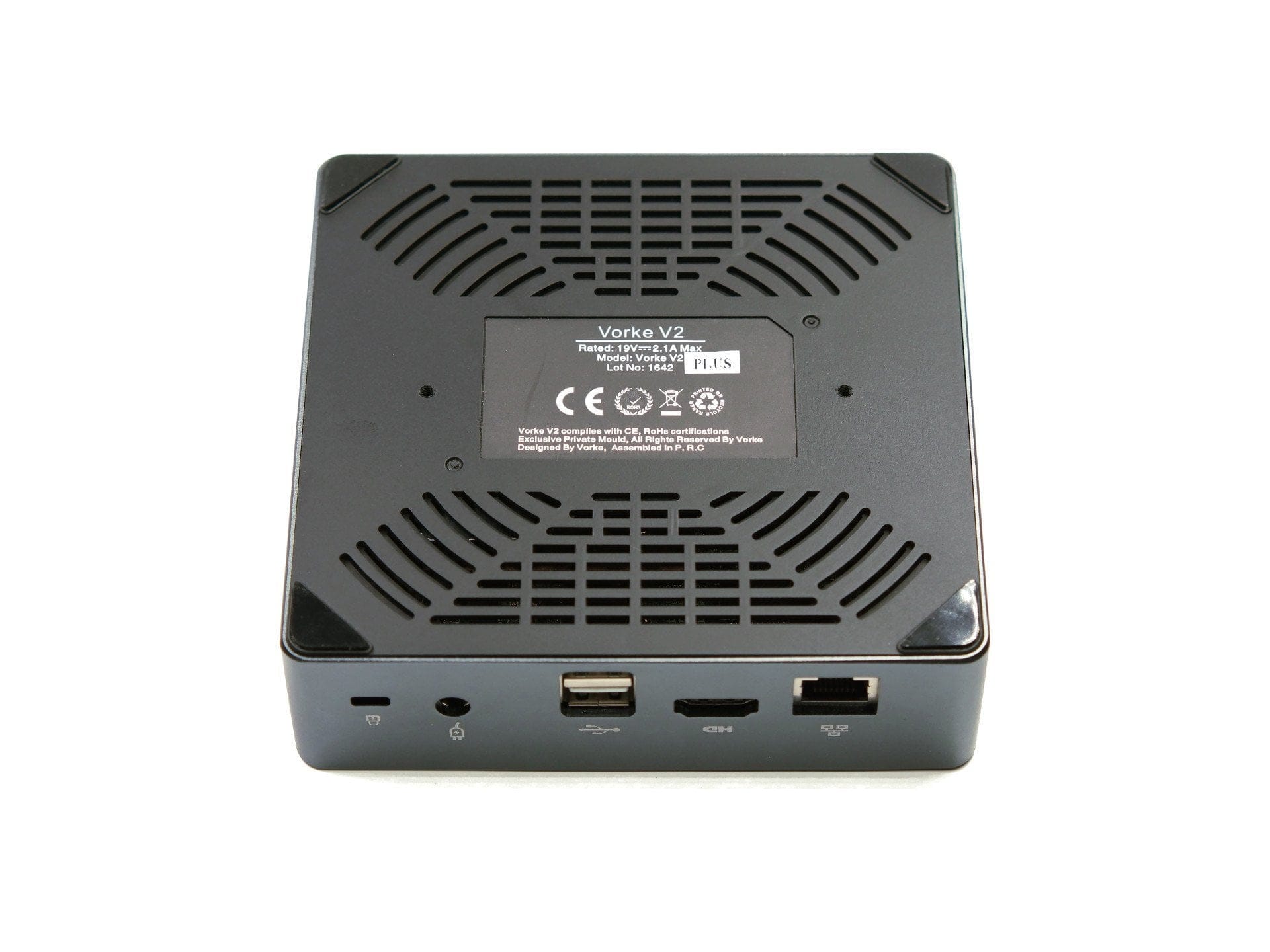
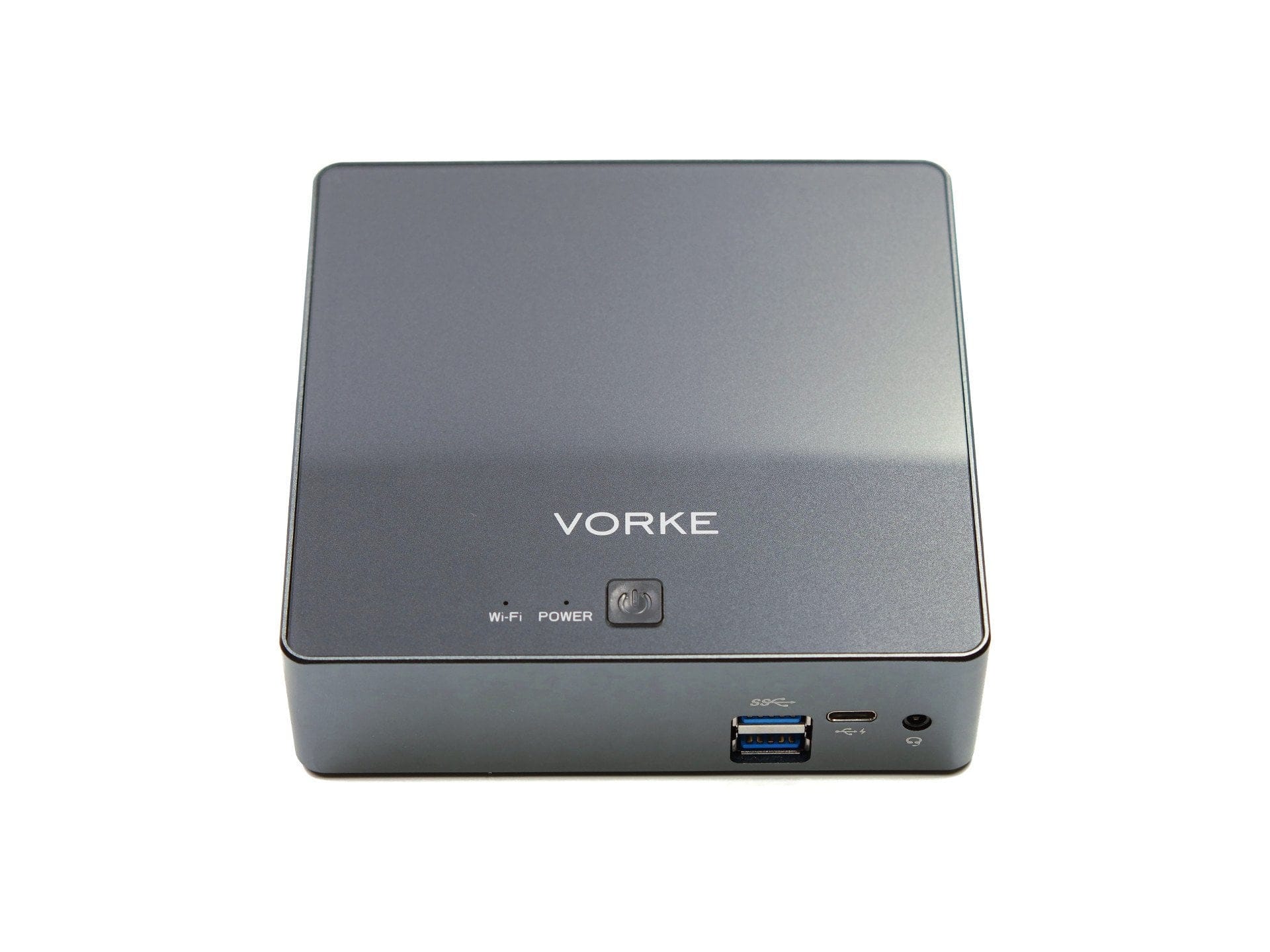
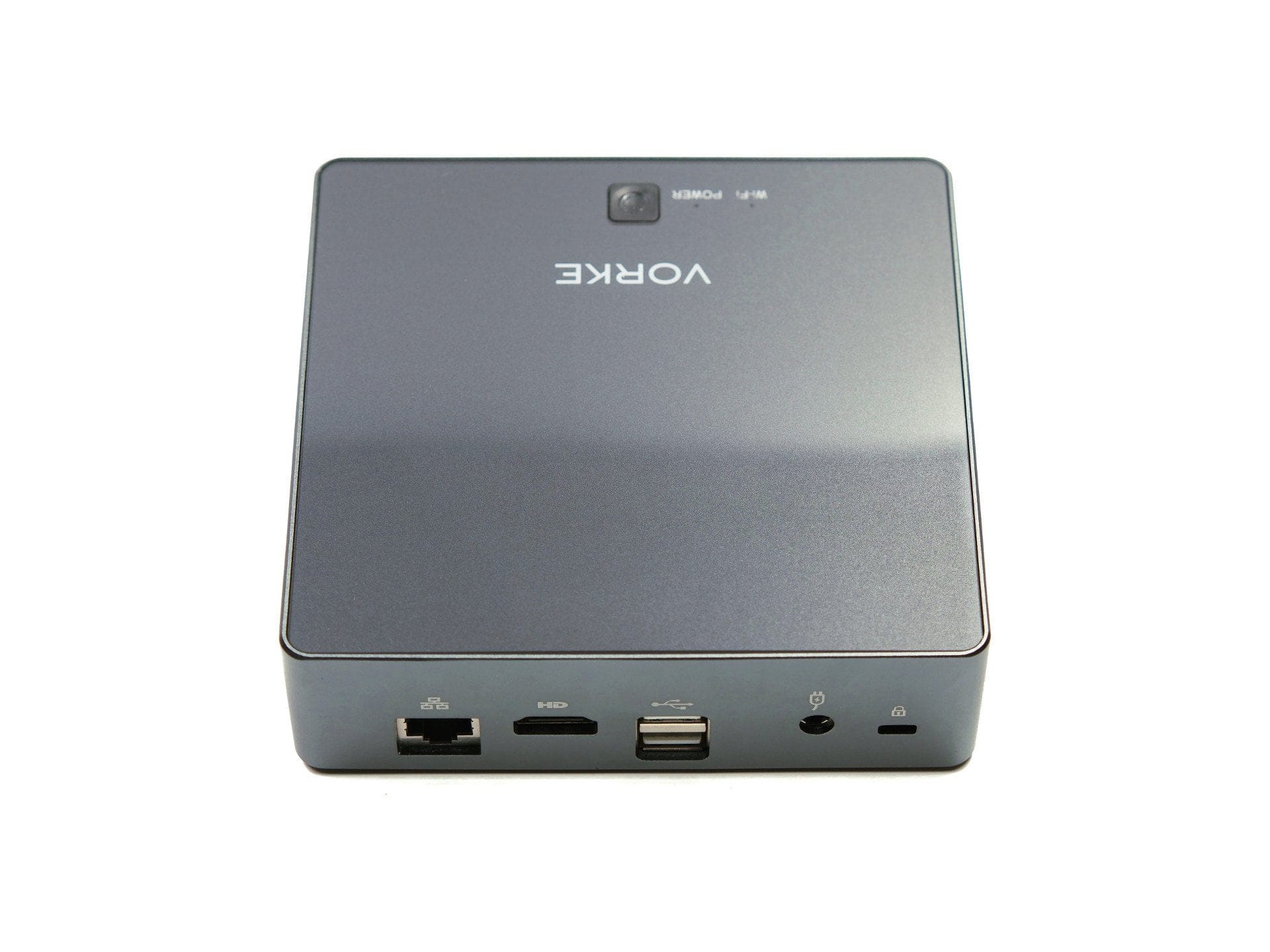
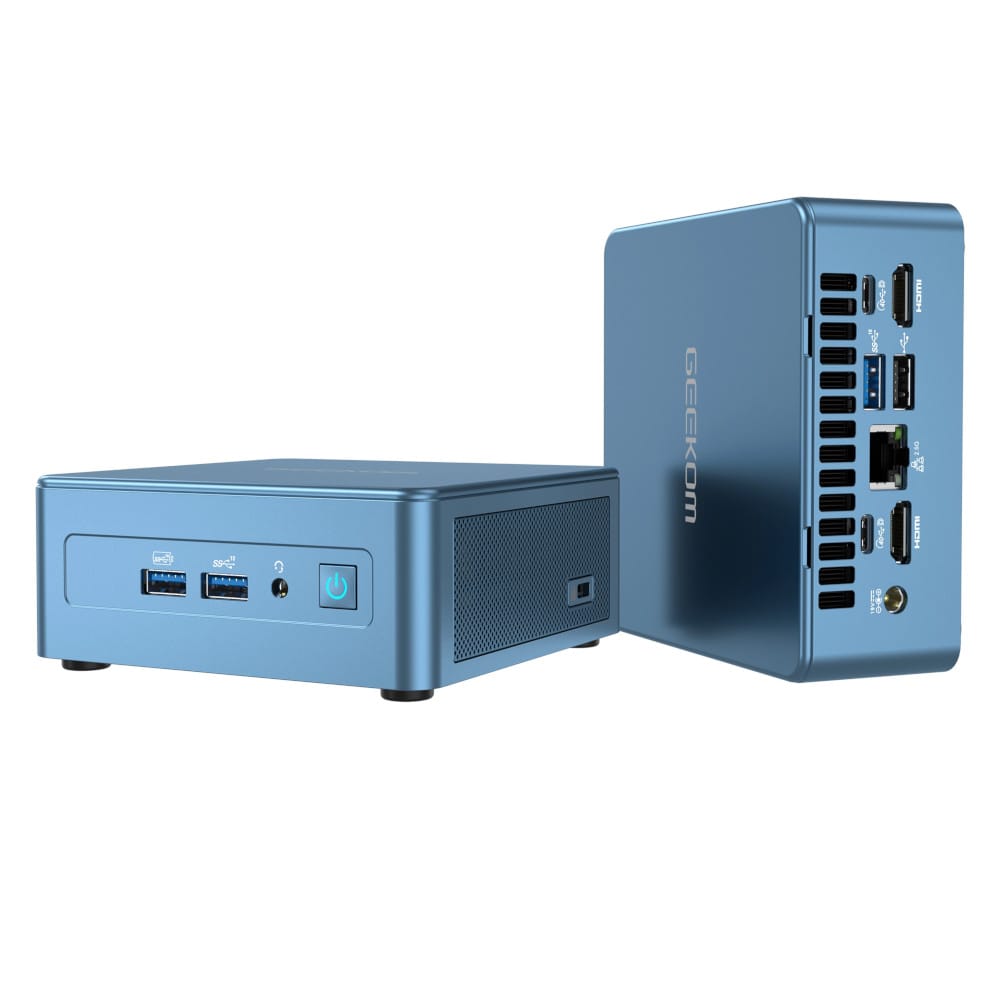
The chassis frame is made from a single piece of metal. Various connection options are located on the front and back. The front features two USB 3.0 ports, a USB-C port and a 3.5 mm jack audio port. The rear features an RJ45 port with Gigabit connectivity, an HDMI 1.4a port, two USB 2.0 ports, the power supply port and a Kensington Lock theft protection slot. The respective side frames are equipped with ventilation slots.
Top of the casing
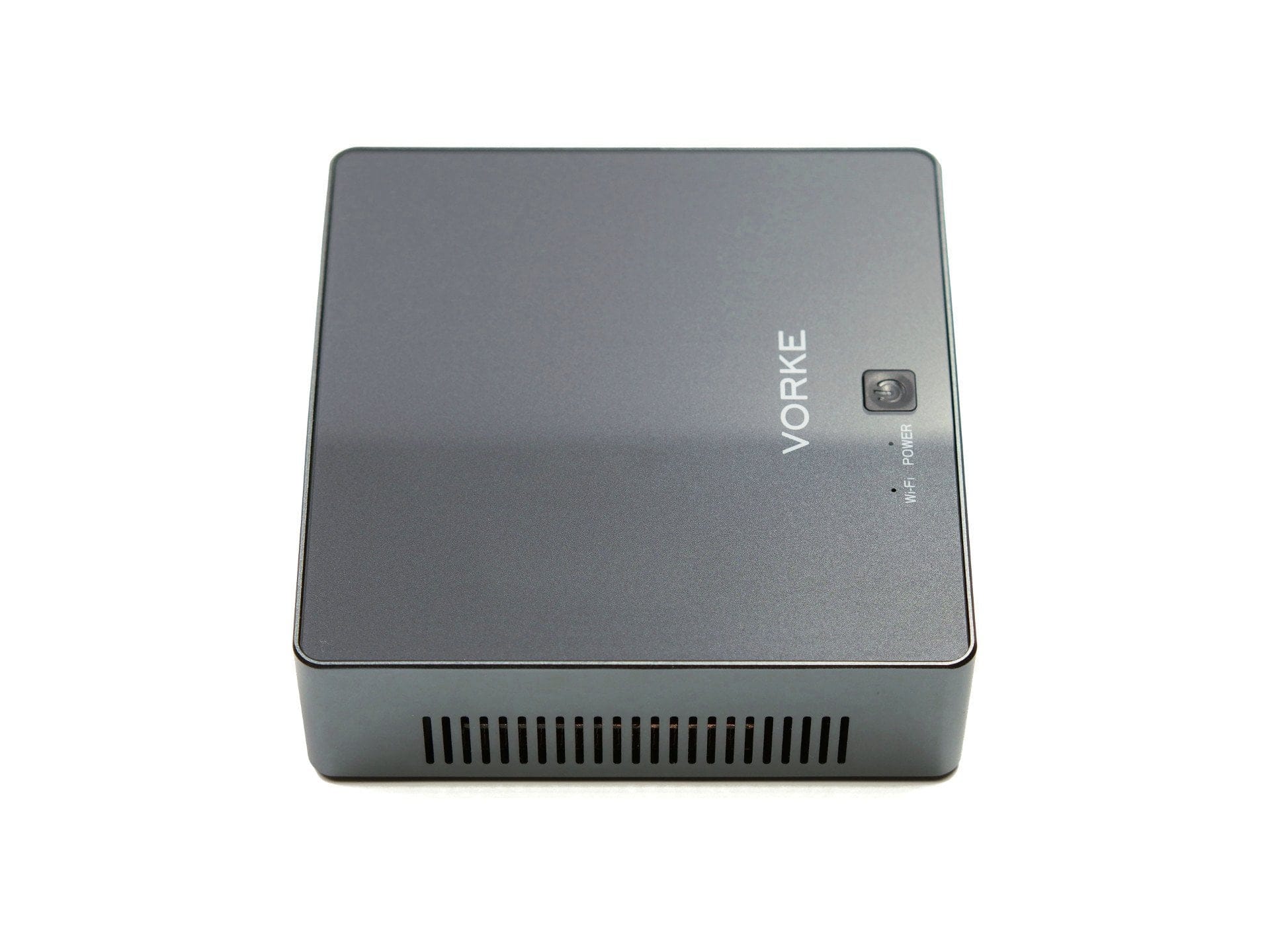
The top is equipped with a precisely fitting and transparent acrylic cover, creating an optically shimmering depth effect. Further features of the top are the manufacturer's logo, the power button and two indicator LEDs labelled “WiFi” and “Power”.
Bottom of the housing
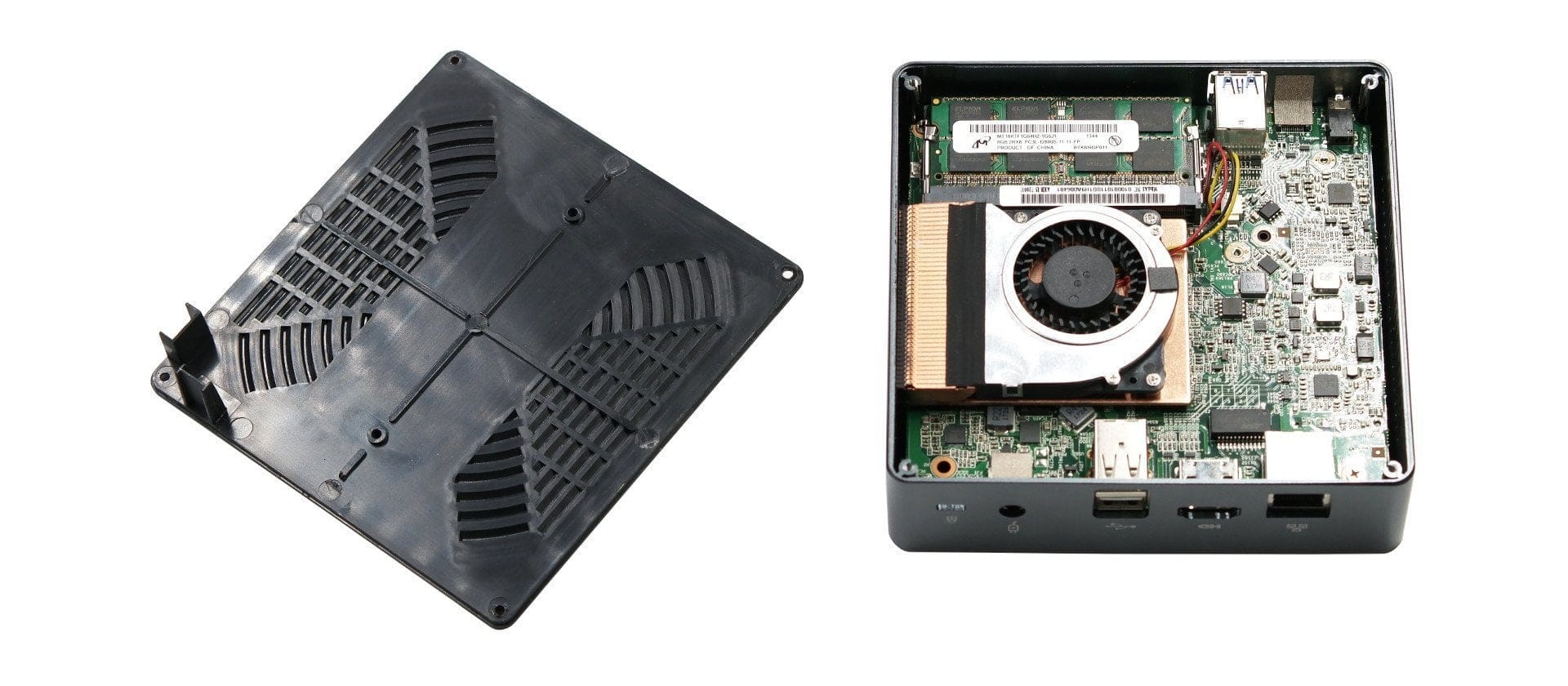
On the underside, the Vorke V2 Plus is fully rubberised and equipped with non-slip rubber pads in the respective corners. The underside is held by four screws located under the rubber pads. To access the hardware, the self-adhesive rubber pads must first be removed! A hole for mounting a VESA adapter plate is already present.
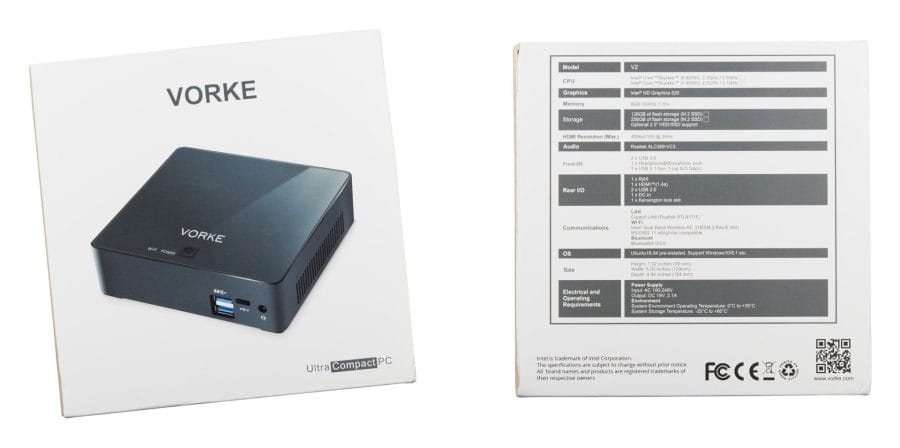
Even before unpacking, the Vorke V2 Plus caused confusion. The packaging, which lists all device specifications on the back, made no mention of a "Plus model", and the specifications did not match the expected device. Vorke simply reused the standard model's packaging without making the necessary adjustments. Although it turned out that the Plus model was indeed included, such a blunder by the manufacturer is hardly reassuring.
What’s included
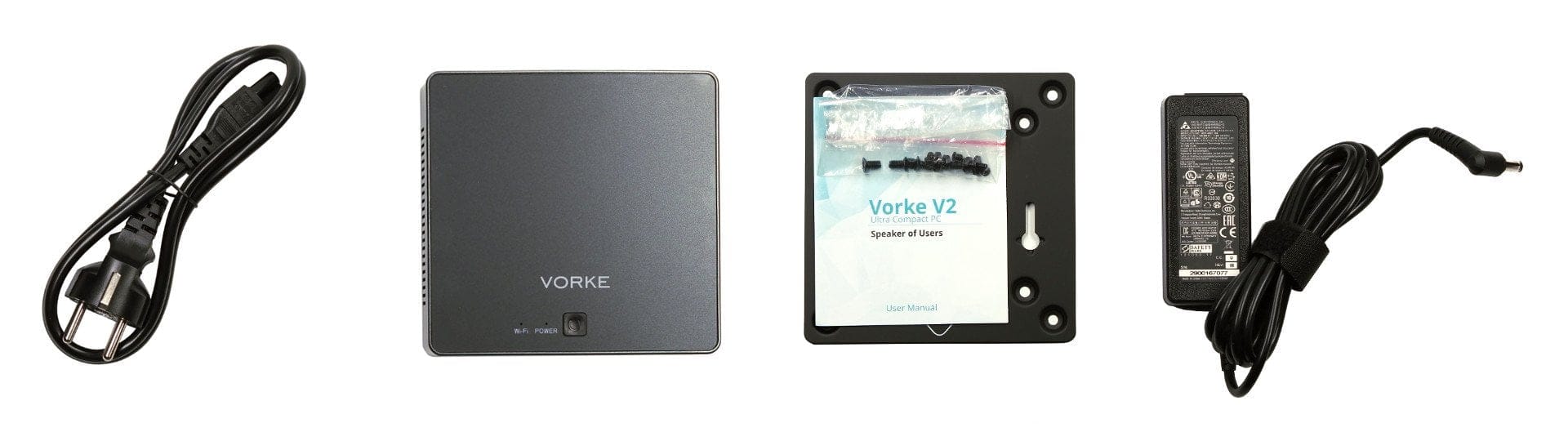
The scope of delivery includes the Vorke V2 Plus mini-PC, a power adapter with power cable, a VESA adapter plate including 6 screws and a English-language user manual. Unlike many other products from China, which are mostly supplied with cheap and untested power adapters, the one supplied here is made by Delta Electronics Inc., is TÜV-tested, bears the GS mark and complies with European guidelines. The included power cable with 3-pin cloverleaf connector and Schuko plug is also impressive in terms of quality.
Build quality
The build quality of the Vorke V2 Plus and the supplied accessories is beyond reproach. The housing leaves an overall high-quality impression. All connection sockets sit firmly in their intended place.
Practical test
Setup
The mini PC can run Windows and Linux. Unlike its predecessor, the Vorke V2 Plus does not ship with a pre-installed and activated Windows 10, but instead comes with Ubuntu 16.04. When you power on the mini PC, you are greeted by a pre-configured Ubuntu 16.04 operating system. Various office applications, such as LibreOffice, are pre-installed. If you wish to install a different operating system, it works just like with any conventional desktop PC. The included quick start guide provides sufficient information on this.
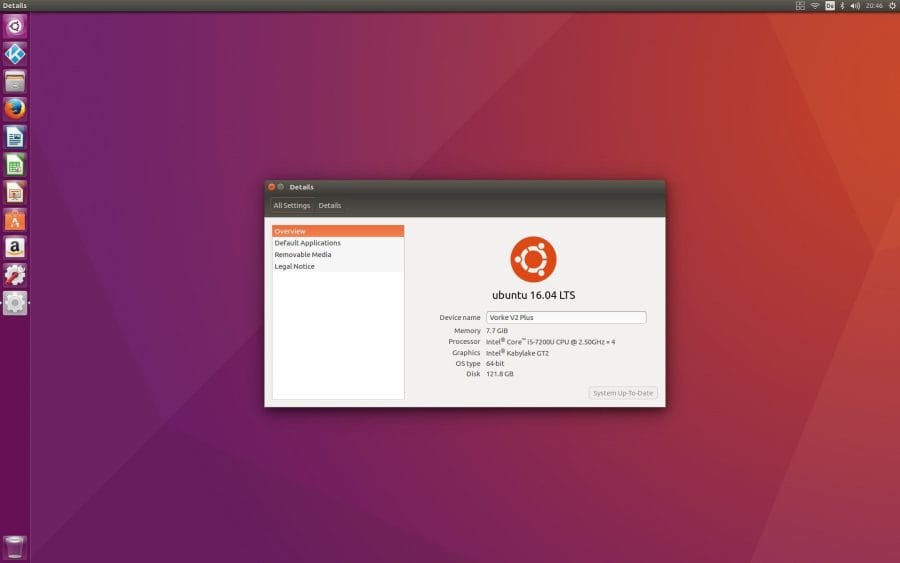
It is quite advisable to replace the pre-installed Ubuntu 16.04 with a fresh installation or another operating system. On the pre-installed Ubuntu 16.04, user accounts were created with passwords that were not apparent. Although the password-protected user accounts can be replaced via the recovery mode with root access, it is not known whether the operating system has been modified in any other way.
Hardware
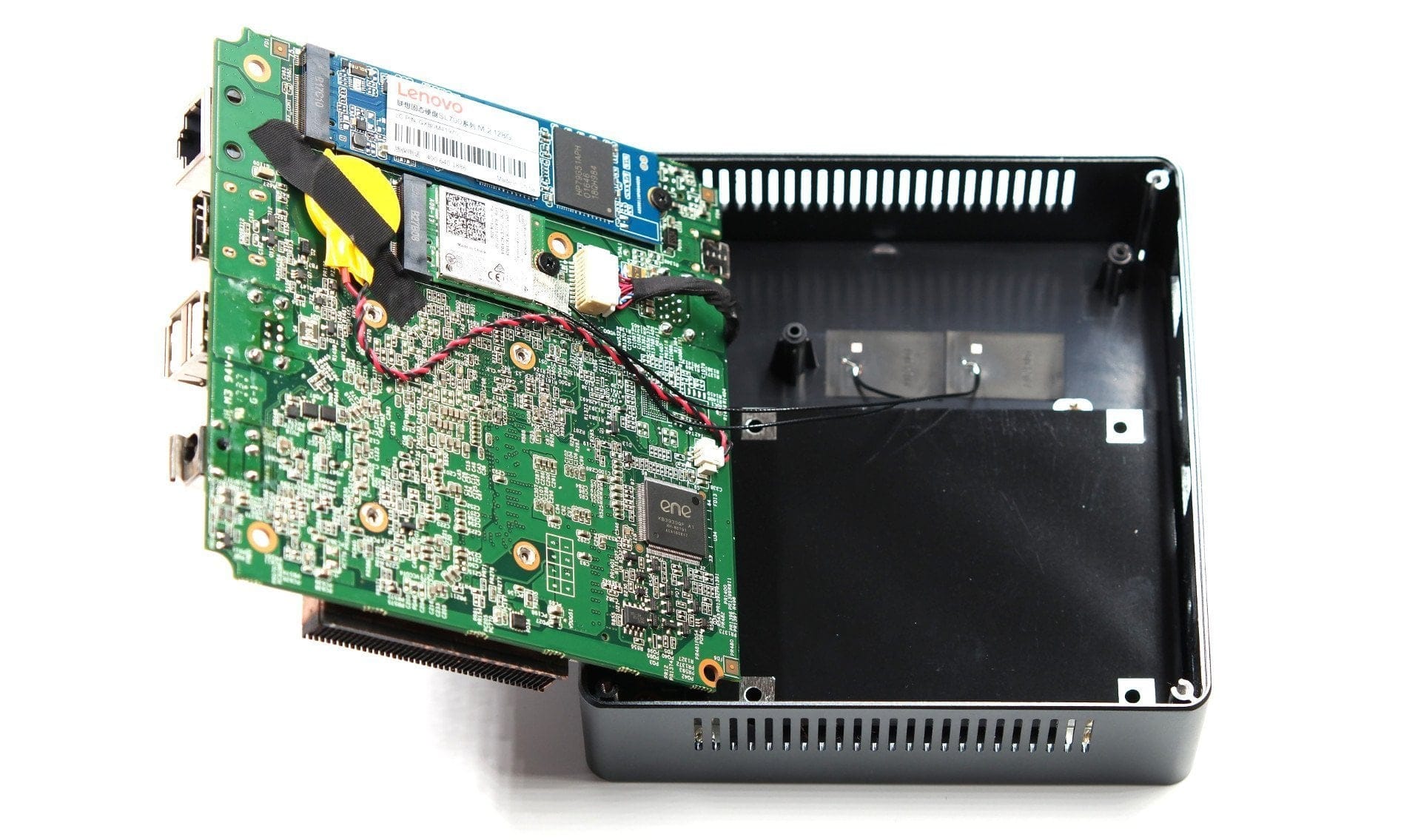
Only a screwdriver is needed to access the hardware. You don't have to worry about voiding the warranty when opening the mini PC. It is even intended to potentially replace the memory.
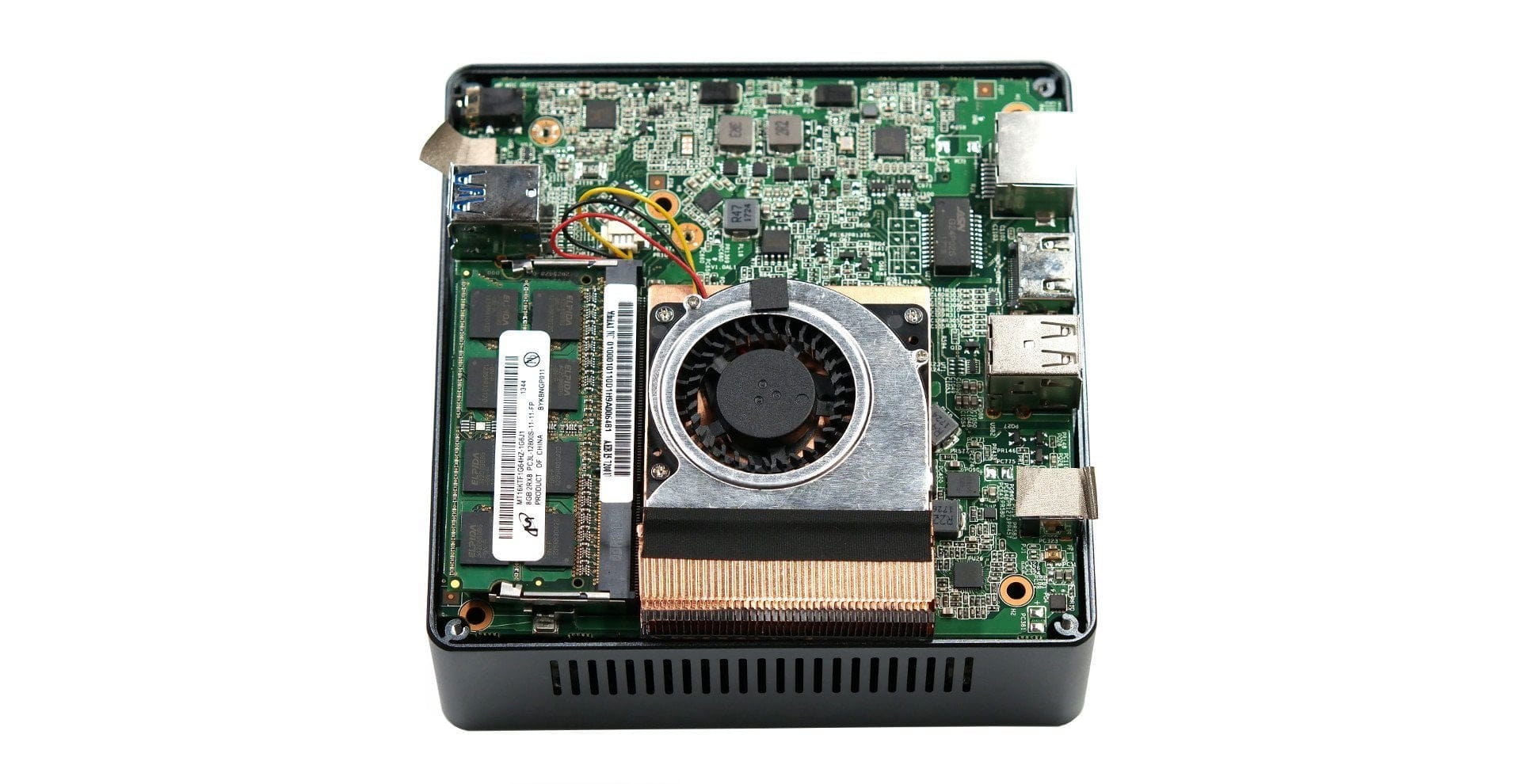
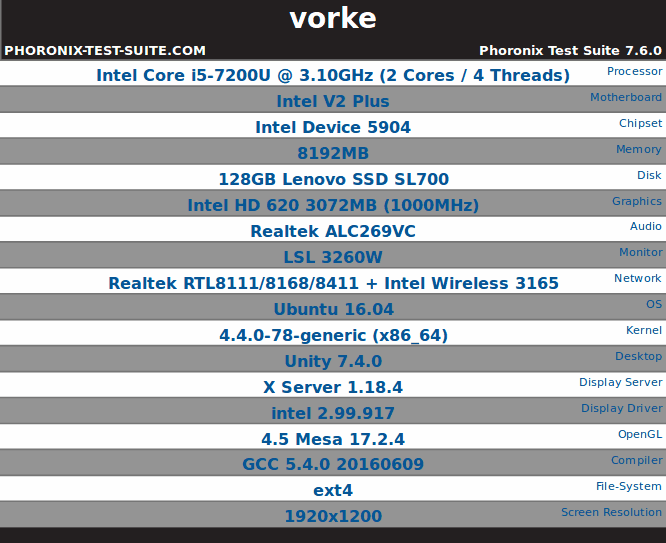
In terms of hardware, the Vorke V2 Plus is equipped with an Intel Core i5-7200U processor, 8GB DDR3L RAM and a 128GB M.2 SSD (SATA). Alternatively, the mini PC is also available with an Intel Core i7-7500U processor and a 256GB SSD. The memory is an Elpida 8GB 2RX8 PC3L-12800S-11-11-FP module. The 128GB M.2 SSD (SL700) fitted here comes from Lenovo. Additionally, storage can be expanded via a SATA3 port with a 2.5-inch SSD / HDD. The WiFi module is of the type Intel Dual Band Wireless-AC 3165. The LAN module is designated as Realtek RTL8111F and the onboard audio module is a Realtek ALC269-VC3 chip.
The Intel Core i5-7200U is a dual-core processor based on the Intel Kaby Lake architecture, released in the 3rd quarter of 2016 and primarily used in notebooks and ultrabooks. In its base clock, the processor reaches clock speeds of 2.5 GHz. In turbo mode, 3.1 GHz is possible. Hyper-Threading is supported with 4 simultaneous threads. Intel specifies the Thermal Design Power (TDP) at 15 watts. The processor graphics are an Intel HD Graphics 620. The mini PC does not have a dedicated graphics unit installed.
Work suitability
During the testing phase, I mainly used the Vorke V2 Plus as an additional workstation. The mini PC easily handled conventional office tasks. Working with LibreOffice, GIMP and additionally browsing the web posed no problem in the test. Applications open quickly and simultaneous work with several open applications does not overload the system too quickly.
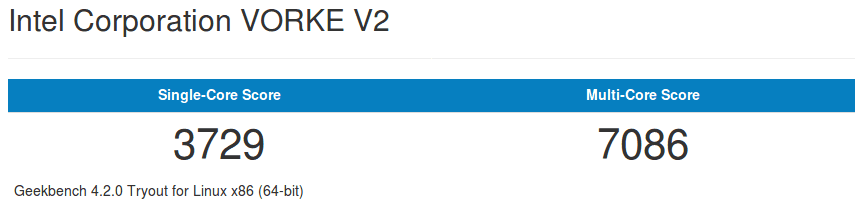
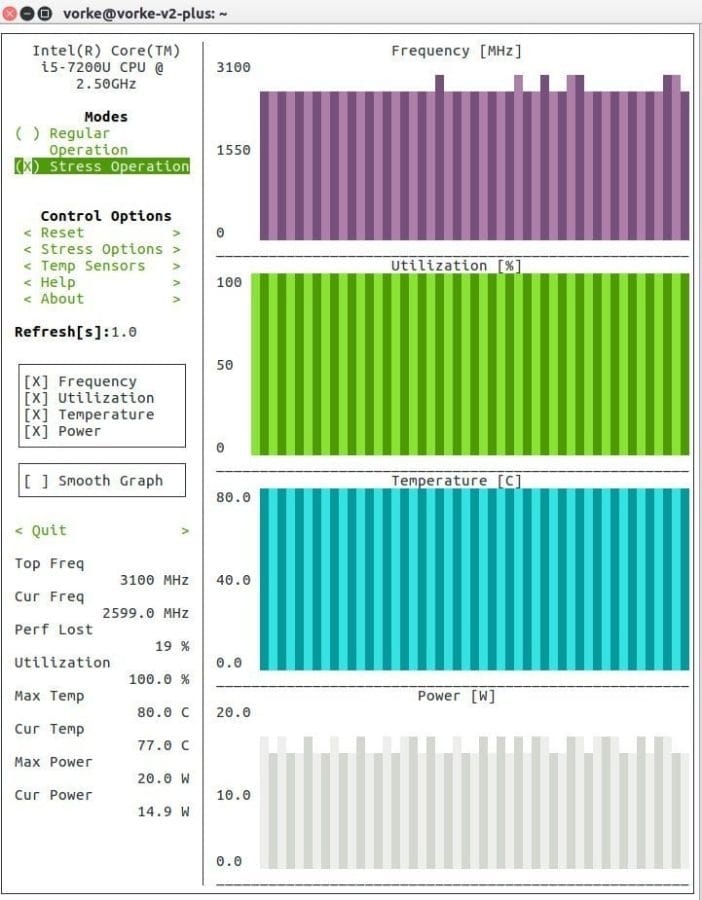
Under normal working conditions, the mini-PC is barely audible. The core temperature achieved during this averages 55°C. However, under full load, so-called “thermal throttling” quickly becomes apparent. This reduces processor performance according to the core temperature. In the case of the Vorke V2 Plus, processor performance is already reduced by around 19 per cent at 75°C. The maximum temperature measured under full load was 80°C.
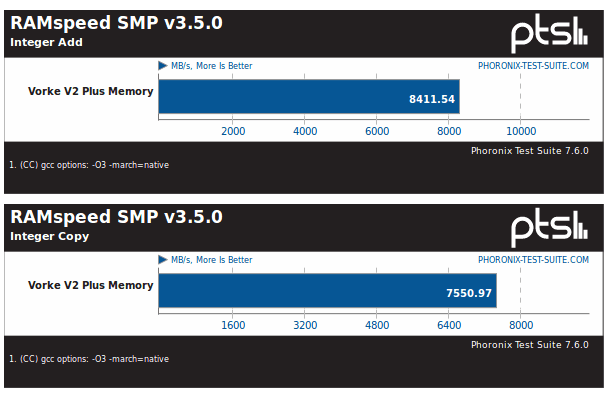
The write and read speeds of the Lenovo SL700 M.2 SSD correspond to those with a SATA3 interface. The write speed reached an average of 523 MB/s in tests. The measured read speed averaged 533 MB/s. The speeds achieved via USB correspond to what is possible with the respective standards. For example, a Transcend Extreme-Speed JetFlash 780 USB 3.0 flash drive with 64GB storage capacity was written at 190 MB/s and read at 120 MB/s. The throughput of the installed PC3L-12800S-11-11-FP DDR3 RAM module was approximately 8,600 MB/s.


Suitability for gaming
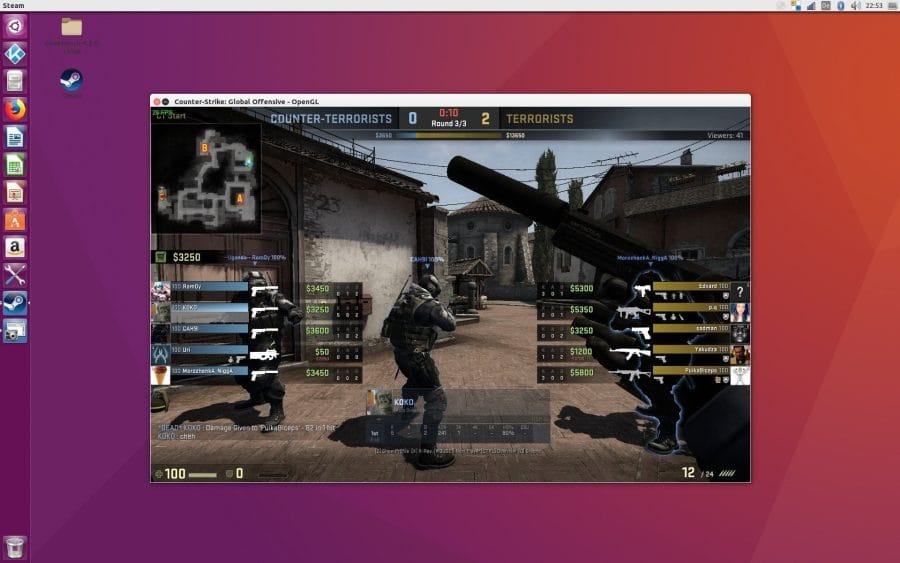
You shouldn't have particularly high expectations regarding the gaming suitability of the mini PC. Especially not if you continue to use Ubuntu on the system and don't switch to Windows 10. The Vorke V2 Plus was tested, among other things, with the current Mesa 17.2.8 graphics library.
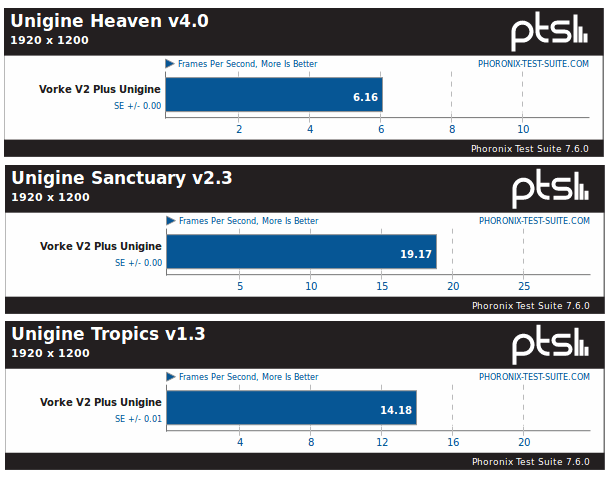
Games such as Counter-Strike: Global Offensive (CS:GO) run at low resolution and with low graphics settings at an average of 25 FPS. This is sufficient to play reasonably smoothly, although occasional frame drops cannot be ruled out. Older games run quite smoothly on the system. A switch to Windows 10 would most likely result in better graphics performance. Comparable laptops with an Intel Core i5-7200U processor and the included Intel HD Graphics 620 show that current but not overly demanding games, such as Dota 2 or the previously mentioned CS:GO, are indeed playable smoothly and without frame drops.
Suitability for home cinema
The Vorke V2 Plus is less of a home theatre mini-PC and more of a practical (consumer) workstation. Although the mini-PC is capable of smoothly playing 4K video material and decoding H.265 / HEVC at the hardware level, the computer lacks essential home theatre functions that were present in the predecessor, the Vorke V1 Plus. Among other things, only the HDMI 1.4a standard is supported. While this allows a 4K video signal to be transmitted, 4K at 60 frames per second and HDR are only possible with HDMI 2.0 or 2.0a. Alternatively, the USB-C port could be used, which can transmit a 4K 60 Hz video signal with an appropriate adapter. Furthermore, an IR receiver is missing, so no IR remote control can be connected for operation. Finally, the mini-PC lacks the ability to transmit digital audio signals. For example, there is no S/PDIF port. The connectivity is limited to a conventional 3.5 mm jack audio socket.
Connectivity
The wireless module is designated as the Intel Wireless-AC 3165. The exact same module was already used in the Vorke V1 Plus. The network module handles 2.4 GHz and 5 GHz networks well. The theoretical maximum speed is 433 Mbps. It also supports Bluetooth version 4.2.
Connected to both the 2.4 GHz and 5 GHz networks, the mini PC delivers acceptable results. Signal strength and data throughput were convincing in the test. As was already the case with the Vorke V1 Plus, data throughput decreases significantly as soon as the mini PC and the access point are not in the same room. 4K streaming in particular could become problematic as a result. The Bluetooth signal quality is beyond reproach. The average range of 10 meters is no problem for the mini PC.
Power consumption
The Vorke V2 Plus is an energy-efficient mini-PC with power consumption comparable to that of a conventional notebook. If the system is mainly used for office tasks that are not too demanding, the power consumption is around 13 watts. If the system is also under heavy load, for example by gaming, values of around 30 watts are reached.
Our verdict
The Vorke V2 Plus is a powerful mini PC that lives up to its predecessor, the previously released and well-received Vorke V1 Plus. Nevertheless, the new model takes a slightly different approach. Instead of Windows 10, it uses Ubuntu 16.04, and home cinema suitability has been restricted rather than enhanced by omitting features such as HDMI 2.0 support. The Vorke V2 Plus is more of a practical (consumer) workstation capable of handling pretty much any office work. In everyday use, the system delivers sufficient performance, enabling largely smooth operation. Even some games, provided they are not too demanding, can be played smoothly on this mini PC. So, if you are looking for current notebook hardware in the form of a compact mini PC, you should definitely consider the Vorke V2 Plus!
Specifications
Performance
- CPU
- Intel Core i5-7200U / i7-7500U
- GPU
- Intel HD Graphics 620
- RAM
- 8GB DDR3L RAM
- Internal storage
- 128GB / 256GB M.2 SSD
- Storage expansion
- SATA III, M.2, USB
Ports
- 1x USB 3.1 (Type-C)
- 2x USB 3.0 (Type-A)
- 2x USB 2.0 (Type-A)
- 1x HDMI 1.4a
- 1x 3.5mm audio
- 1x RJ45 (Gigabit)
- 1x DC
Other
- OS
- Ubuntu 16.04 / Windows 10
- Wi-Fi
- 802.11 a/b/g/n/ac (Intel-3165)
- Bluetooth
- BT 4.2
- Theft protection
- Kensington Lock
- Size
- 12.9 x 12.4 x 3.9 cm
- Weight 390g
What’s included
1x Vorke V2 Plus, 1x power adapter, 1x power cable, 1x VESA adapter plate, 6x screws, 1x manual
Comments (4)
Hello, I bought this great device a few days ago. I am very satisfied with it so far. However, I have not been able to find a password for the root user anywhere. This means I can hardly do anything with it. In addition, the boot menu lists an entry for DOS/Windows 3.1, but this cannot be started. As far as I can tell, DOS/Windows 3.1 is not installed at all.
Hi Daniel, I would recommend that you uninstall the installed Ubuntu 16.04 and perform a fresh installation. Alternatively, you can start the root shell via recovery mode and change the passwords from there. Unfortunately, I do not know why Vorke does not disclose the passwords. I also do not quite understand the purpose of the DOS/Windows 3.1 entry.
Many thanks Timo! I deleted the system and installed my own system.
Hello Daniel,
how did you manage to install Windows on the Vorke V2 Plus?
Unfortunately, I always get error messages 🙁