Contents
Introduction: Xiaomi Mi Box S
It would be wrong to describe the Mi Box S as the successor to the Mi Box International. Rather, it is a new revision of the TV Box which already appeared in 2016. This is mainly shown by the almost identical hardware equipment. The so-called system-on-chip (SoC), which combines CPU and GPU among other things, remains the Amlogic S905X with ARMv8-A CPU and Mali 450 MP3 GPU.
Design and build quality
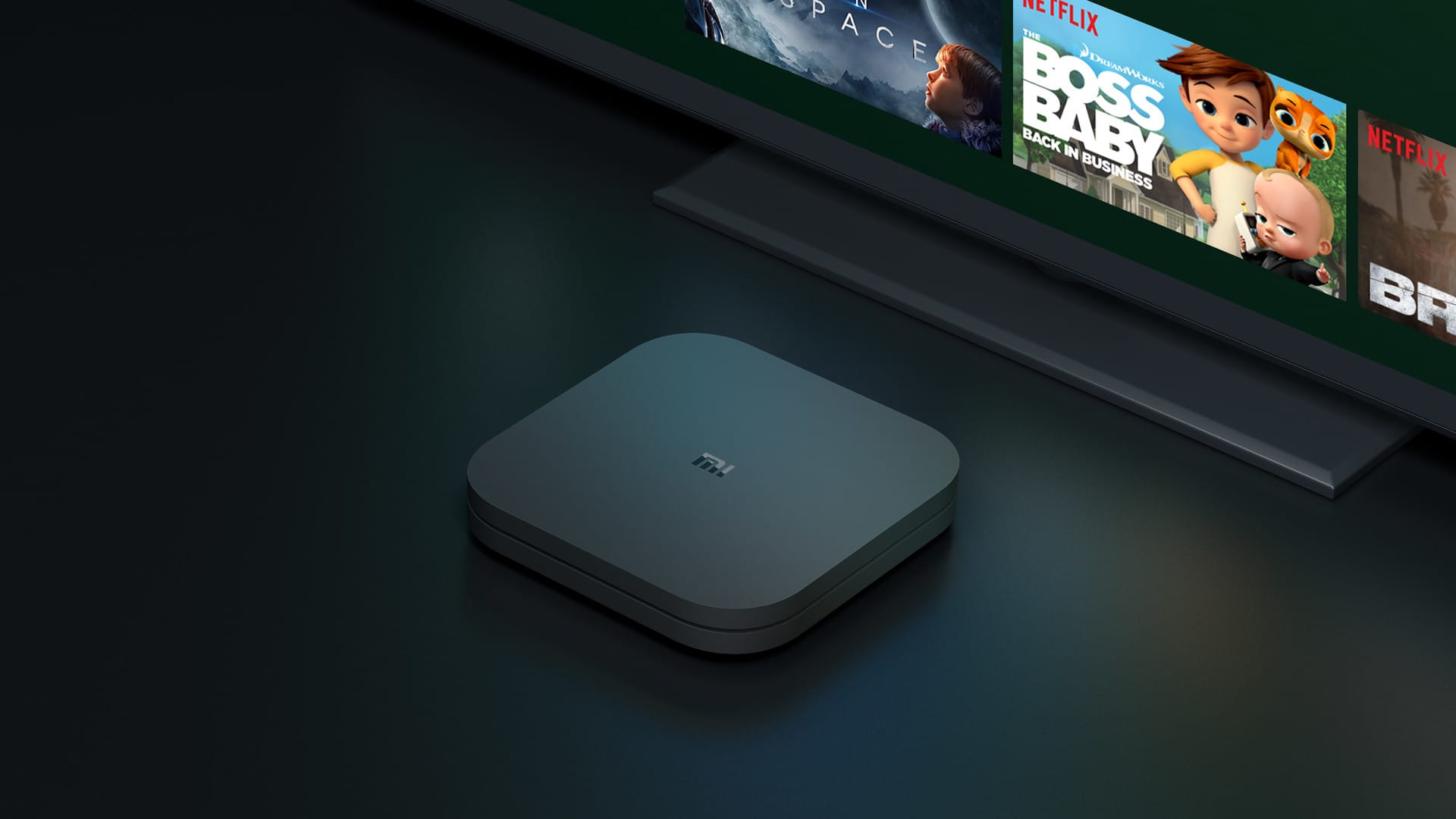
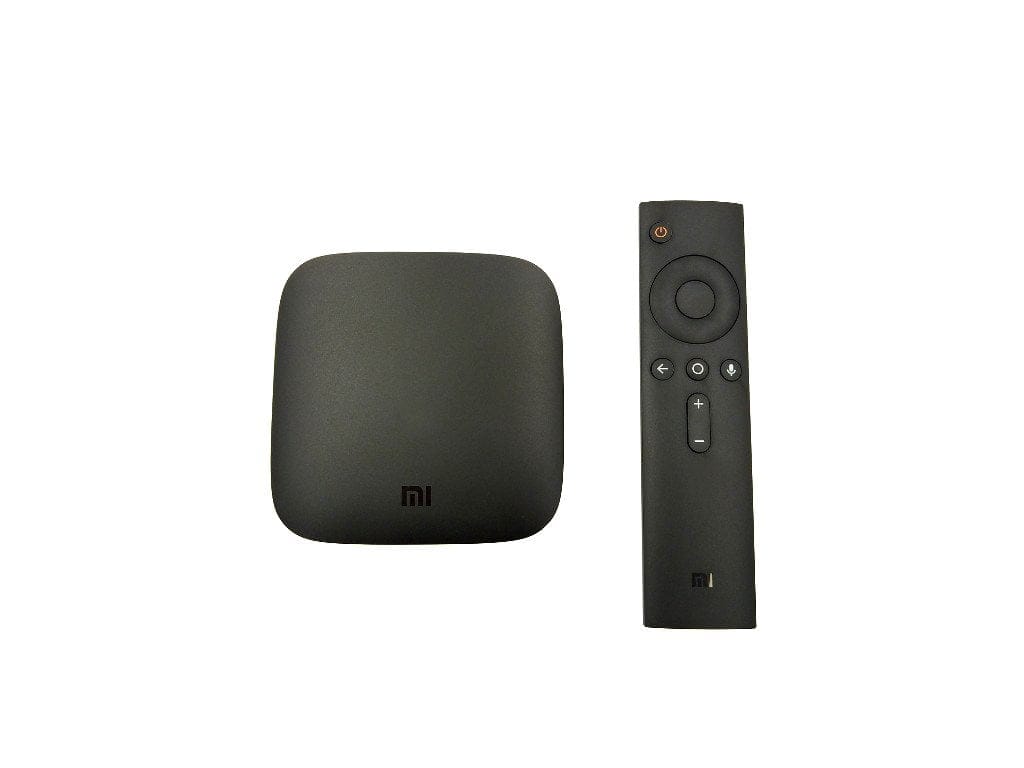
Compared to the Mi Box International, the Mi Box S has received a design upgrade. Instead of a sleek, curved shape, the new box is noticeably more angular. The square plastic housing has even shrunk slightly to dimensions of 95.5 x 95.5 x 16.7 mm and is also a little lighter at just under 150g. Unfortunately, the box lacks rubberised feet on the underside for a secure grip.

Like the box, the remote control has also been revised. To meet the wishes of the US market, where the Mi Box S is primarily to be sold, the remote control offers an additional button for Netflix and Live TV.

The build quality of both the TV box and the remote control is impeccable. The box and remote leave an impression appropriate to their price. The remote feels solid in the hand, and the buttons offer a pleasant tactile feedback.

What’s included
The scope of delivery includes almost everything needed to operate the box. It contains the Mi Box S and the remote control, as well as a power supply unit with an EU plug, an HDMI cable and an instruction manual. The only thing missing are two AAA batteries for the remote control.

Connection options
There is nothing new in terms of connectivity options. The only USB port remains USB 2.0 only. This is barely sufficient for playing standard 4K video content from USB storage. Further connectivity options include an HDMI 2.0a port and an audio output (S/PDIF / 3.5mm). Unfortunately, an Ethernet port is missing. Instead, network streaming relies on dual-band AC WiFi. For those who don't want to do without Ethernet, a USB > Ethernet adapter can be connected to the USB port.

Hardware
The Mi Box S is based on an Amlogic S905X SoC. The ARMv8-A CPU features four Cortex-A53 processor cores clocked at up to 2.0 GHz. Memory consists of 2GB DDR3 RAM and 8GB eMMC storage. After accounting for the system, 5GB of storage remains. This is hardly modern! Even if the system runs smoothly (more on this later), larger working and storage memory would certainly have been beneficial for current apps and mobile games. The Bluetooth standard used is new. Instead of Bluetooth 4.0, the Mi Box S uses the somewhat newer Bluetooth 4.2 standard.
Setup
The Android TV user interface is easy to set up in just a few steps. The box includes numerous system languages and can be switched to German shortly after the first start. All configuration steps are traceable and explained in German. To simplify configuration further, all Wi-Fi and Google login details can be synchronised via an existing Android device. This saves the somewhat fiddly input via the remote control. Once configuration is complete, you arrive ready to go on the Android TV user interface.
Android TV

Google's Android TV 8.1 is used as the user interface. This is an Android operating system specifically adapted for TV boxes, which can also be found on many smart TVs. Android TV has a lot to offer in terms of functionality. For example, Chromecast streaming features are supported, the Google Play Store is available with specific Android TV apps, and numerous video-on-demand and music services are available to choose from. What did not work in the test was the "Live TV" feature. This function is primarily intended for the US market and is not present in the German Android TV language version. The Mi Box S receives system updates automatically via Wi-Fi.
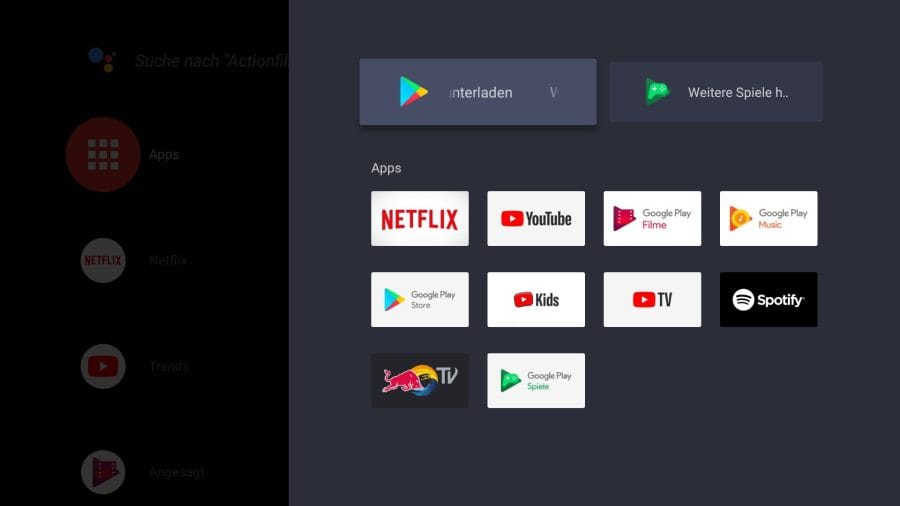
Thanks to extensive DRM support (e.g. Widevine L1), many of the VoD services, such as Netflix, can be accessed in the highest 4K resolution. Amazon Prime Video can be sideloaded onto the box, but is only available in 1080p. Services such as Sky Ticket or Waipu can only be streamed to the box via Google Cast. Films, music or other apps can thus be easily transferred from smartphone, tablet or PC to the Mi Box S. As an "alternative user interface", Kodi can be installed.

Another feature of Android TV 8.1 is the integrated Google Assistant. The voice assistant answers questions and helps control smart home devices. On the Mi Box S, the Assistant assists with searching for new films or dimming the lights on the fly. Commands can be spoken directly into the remote control's microphone. The recognition accuracy is convincing. Simply holding the remote casually in your hand, complex words or unusual names are recognised just as easily as elaborate sentences.
Video playback and streaming
The Xiaomi Mi Box S is capable of playing high-resolution 4K video material at up to 60 frames per second. Hardware-wise, the Amlogic SoC decodes, among others, the current H.265 and VP9 standards. For the most realistic sound experience possible, the multichannel audio systems Dolby Digital and DTS are supported. Dolby Atmos and Dolby TrueHD are not supported. Interesting is also the compatibility with HDR video material, provided you have an HDR-compatible screen and corresponding HDR video material to hand. Playback of HDR10 content works perfectly! But beware: HDR10+ and Dolby Vision video material are not supported!
A major criticism of the predecessor and, unfortunately, also the newer Mi Box S is the missing or non-functioning automatic framerate switching. The refresh rate and also the resolutions are not adjusted automatically, but must be manually adapted to the video material being played!
In the test, the Mi Box S had to handle MPEG2, MPEG4, H.264, H.265 and VP9 video material. There were no problems when transferring via an external hard drive, as expected. But 4K video material could also be played losslessly and without buffering when streaming over WLAN. However, it is noticeable that the WiFi performance drops rapidly with increasing distance from the access point. For lossless 4K streaming, the Mi Box and access point should be in the same room! The different audio codecs such as AC3 or DTS HD do not cause any problems for the box. All VoD lovers can enjoy Netflix in 4K and stream 4K HDR content as well.

Gaming with the Mi Box S
The Mi Box S should mainly be seen as a streaming box. Gaming is possible to some extent, but certainly not comparable to an Nvidia Shield. Emulators (NES, SNES or N64) run. However, image drops become noticeable with graphically demanding Android games. Games like Asphalt or Modern Combat 5 run, but occasional stuttering can dampen the gaming enjoyment. Bluetooth game controllers connect quickly and easily. There was no noticeable input lag in our test.
Our verdict
As can be seen, the Xiaomi Mi Box S offers little new. Apart from the new design, the more current Bluetooth standard and the functionally extended Android TV, the TV box does not differ from the Mi Box International, which was released back in 2016. After 2 years, one could have expected significantly more. Anyone who owns the “predecessor model” can safely ignore the new Xiaomi TV Box.
The Mi Box S is primarily distributed in the USA and is accordingly tailored to users there. However, thanks to Android TV, the TV box is also very well suited for local use. An update to more recent Android TV versions, such as the recently released Android TV 9, is quite likely.
Specifications
Processor and memory
- CPU
- Amlogic S905X
- RAM
- 2GB DDR3
- Internal storage
- 8GB
- Storage expansion
- Yes, USB 2.0
Ports
- HDMI
- 1x HDMI 2.0a
- USB
- 1x USB 2.0
- Audio
- 1x S/PDIF - 3.5mm
Connectivity
- Wi-Fi
- Dual Band AC (802.11a/b/g/n/ac)
- Bluetooth
- Standard 4.2
Video - Audio
- Video resolution
- up to 4K 60fps
- Video codecs
- VP9, H.265, H.264, MPEG1/2/4, VC-1, Real8/9/10
- Video formats
- RM, MOV, VOB, AVI, MKV, TS, MP4, 3D
- Audio codecs
- DOLBY, DTS
- Audio formats
- MP3, APE, Flac
Other
- OS
- Android TV 8.1
- Kodi
- Yes
- Size
- 9.55 x 9.55 x 1.67 cm
- Weight
- 147g
Price comparison
| Store | Price | Link |
|---|---|---|
| Amazon | 109,90 € | Go to store |
| MediaMarkt | 64,99 € | Go to store |
Comments (15)
Doesn't sound bad at first glance. There are quite a few problems with updates on the predecessor. If that isn't the case here, I would buy it straight away. But the lack of USB 3.0 and a network port is really a downer. I'm looking forward to your test.
Hi Sven, yes, that is a shame. I am also keen to see if Android TV runs better on the Mi Box S. I have already ordered a unit, but it will most likely be November by the time it arrives.
Legit problems? – We have four of these speakers in use and they outperform all the speakers we previously tested (which cost more!)...
After several years of experience, I can confidently say that the item can be bought without any problems.
I'll be over there soon. Where can I buy them there?
Hi Erik, the box will definitely be available at Walmart.
Hello Timo, I've read your review of the other box. Would you rather recommend this one or the old one? Or perhaps something completely different? I don't want to spend more than €80. Also, I want to stream SkyGo and Netflix. Google Assistant would be nice to have, but isn't essential. My main priority is smooth streaming.
Hi Phillip, the new one costs the same as the old one. That is why I would recommend the new one for now. However, my test sample will arrive in a few days. Then I will report on how the Mi Box S performs and compare it with the old model as well.
Hello, does Amazon Prime Video work on the box?
Hi Rudolf, Prime Video will probably be installed. At least it works on the nearly identical predecessor. But my test unit is arriving in a few days. Then I can confirm if it works.
Does the interactive Netflix show “Black Mirror: Bandersnatch” work with the box? It doesn't work with the Fire TV...
Hello, if I understand this correctly, are there barely any differences compared to the predecessor? Do you have a more detailed comparison? I want to order the box for Netflix, and unfortunately, there aren't many that can do that in 4K.
Hi Peter, that’s right. There are hardly any differences compared to the “predecessor.” The hardware is identical apart from Bluetooth 4.2. What’s new is the design (a little more angular, a little more compact) and Android TV 8.1. If you’re mainly interested in VoD, especially Netflix 4K, you can’t go wrong with the Mi Box S.
Others state that Dolby ATMOS and TrueHD are supported. And playing with them is supposedly no problem either… What is actually true?
Can you stream the ARD or ZDF media libraries, for example, without having to create a Google Account???
Thanks for the feedback and the detailed information in the test
Can I also use my MI Box S in Thailand?