Contents
First impressions of the Xiaomi Mi Pad 3
Design, build quality, and included accessories
With the Mi Pad 3, Xiaomi follows the design of its predecessor. The aluminium casing is machined from a single piece, known as unibody, and is currently available only in the colour "Champagne Gold". Visually striking are the rounded edges of the frame, which seamlessly transition into the back of the casing. The dimensions are 20 cm in length, 13.3 cm in width and a thin 0.7 cm in thickness or height. The weight is just 328g, allowing the tablet to be held comfortably in one hand for extended periods. Thanks to its compact size, the Mi Pad 3 is also well suited for use on the go.
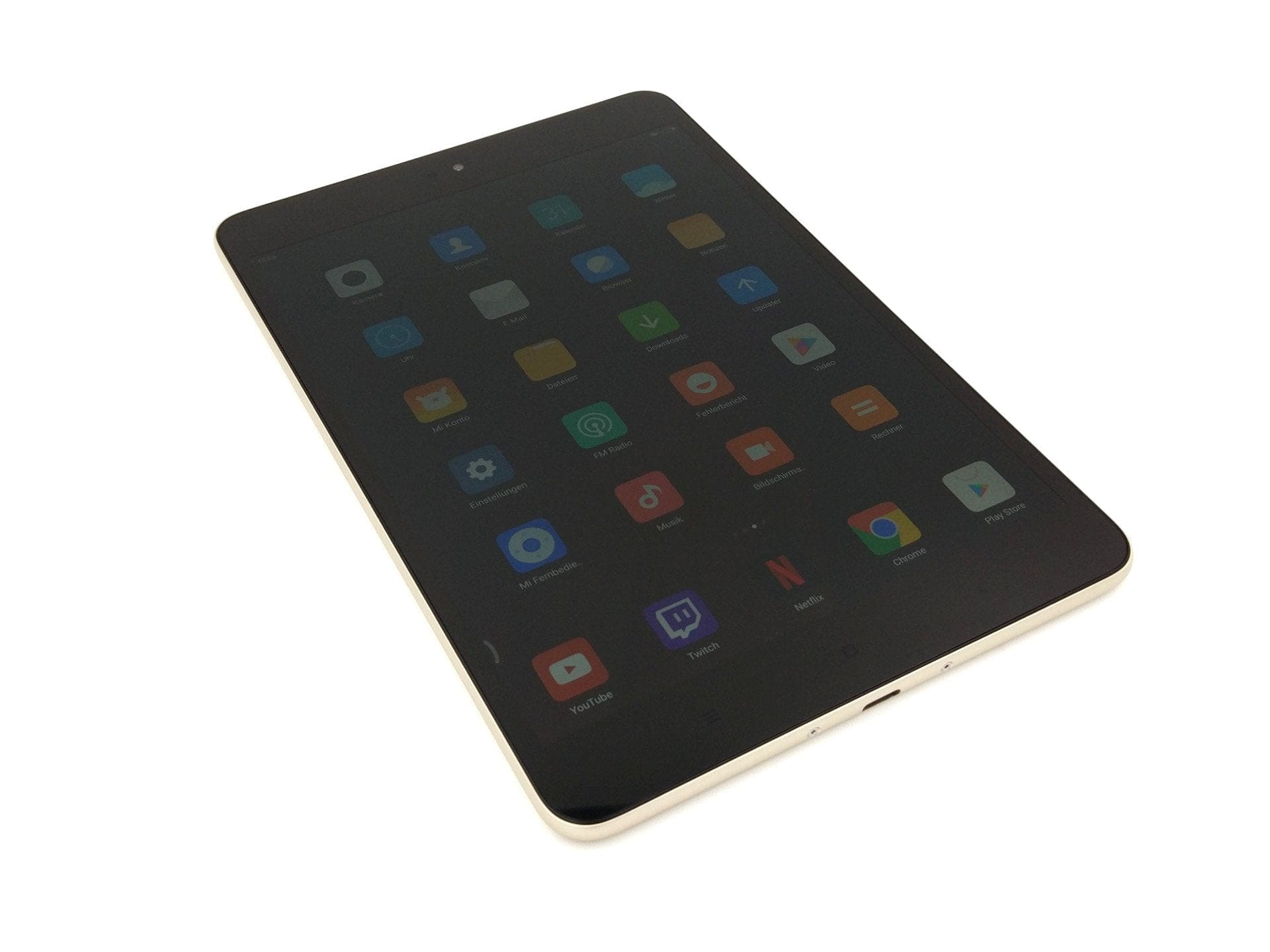
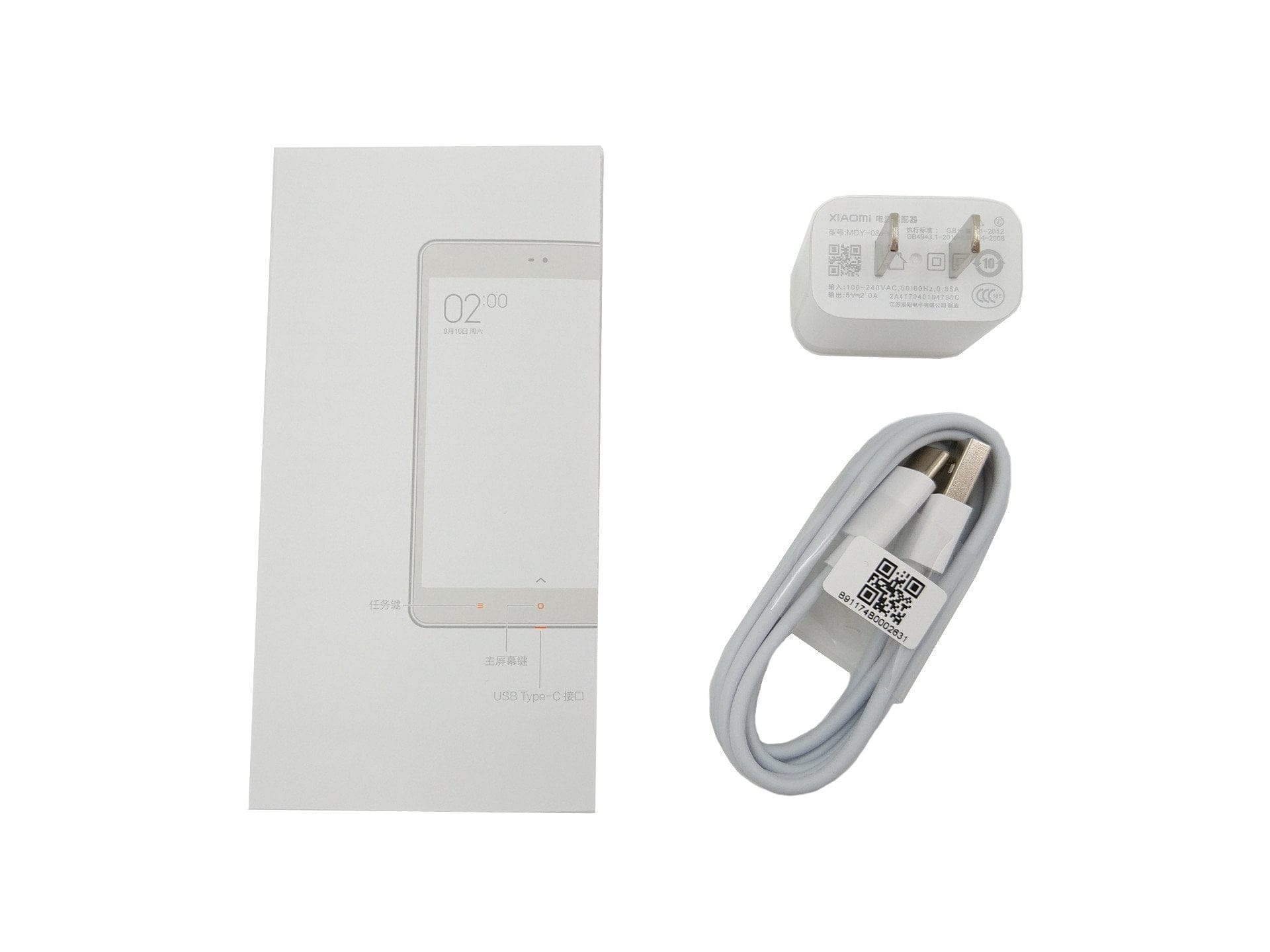
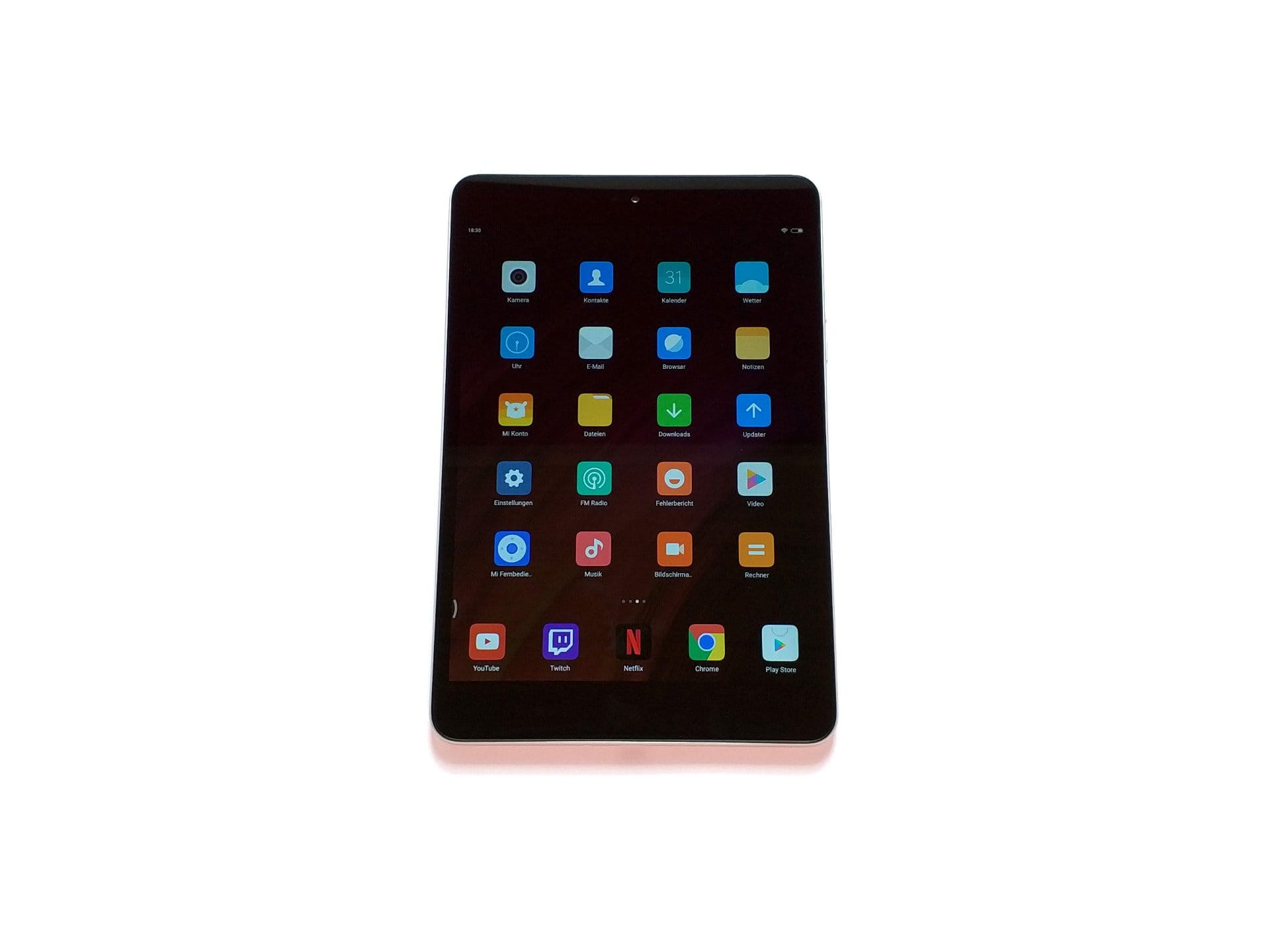
The front of the tablet comprises the 7.9-inch display, the white-lit capacitive control keys located underneath, and the front camera, proximity sensor and notification LED situated above the display. The entire front is covered with glass and neatly integrated into the aluminium housing. When the tablet is switched off, the front appears entirely black.
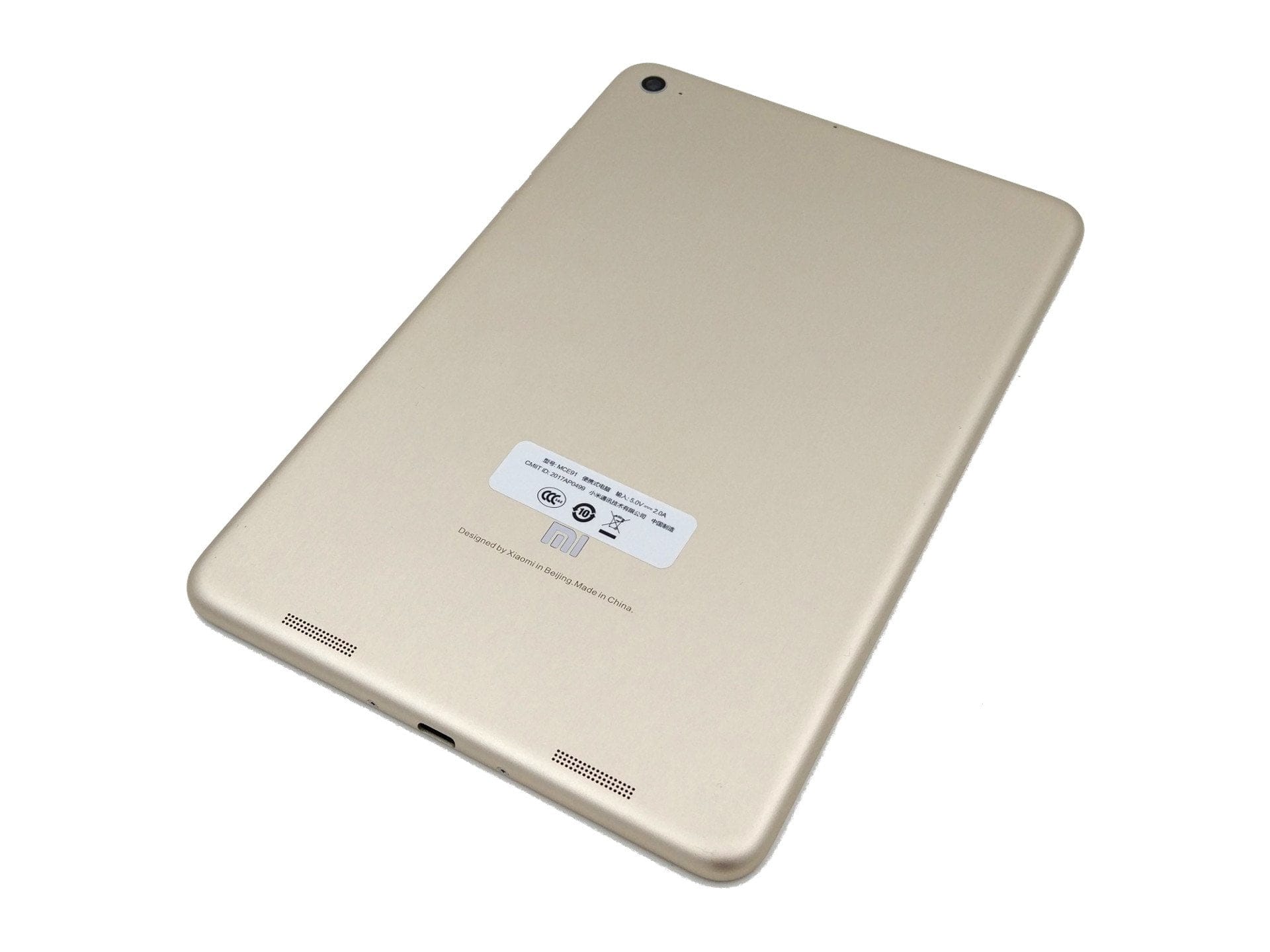
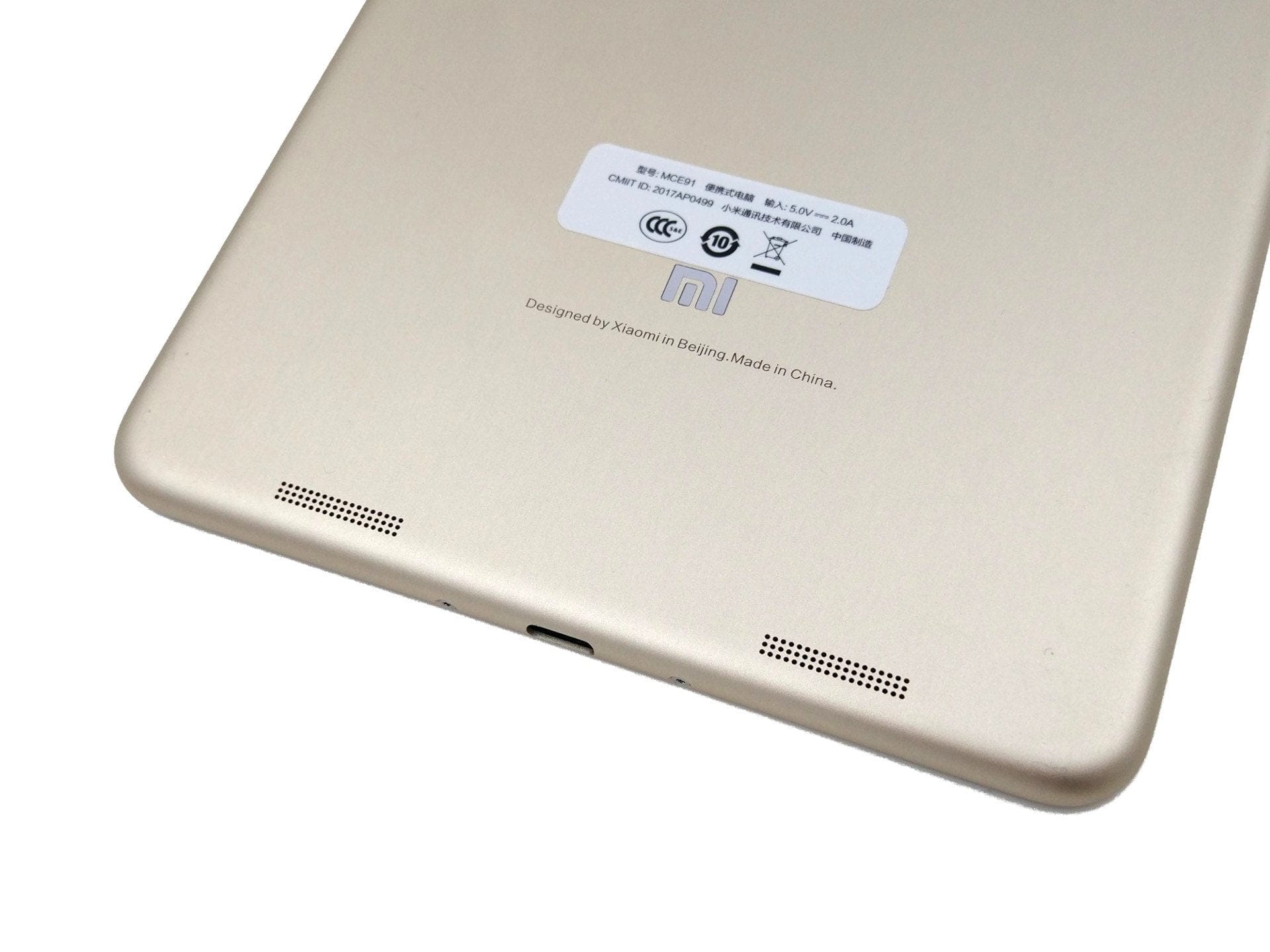
On the left side of the housing frame are the volume rocker and the power button. Although the keys have a good pressure point, they could be more firmly seated in the frame. Movements can cause the keys to rattle, which is annoying over time. Located on the lower part of the housing frame, centred between two clearly visible screws, is the USB-C port. The upper left section of the frame features a 3.5 mm jack audio port. The back features the 13-megapixel main camera embedded in the housing at the top left, the Mi logo on the lower third, and the stereo speaker situated below it. Apart from the slightly loose control buttons, the entire tablet is excellently constructed.
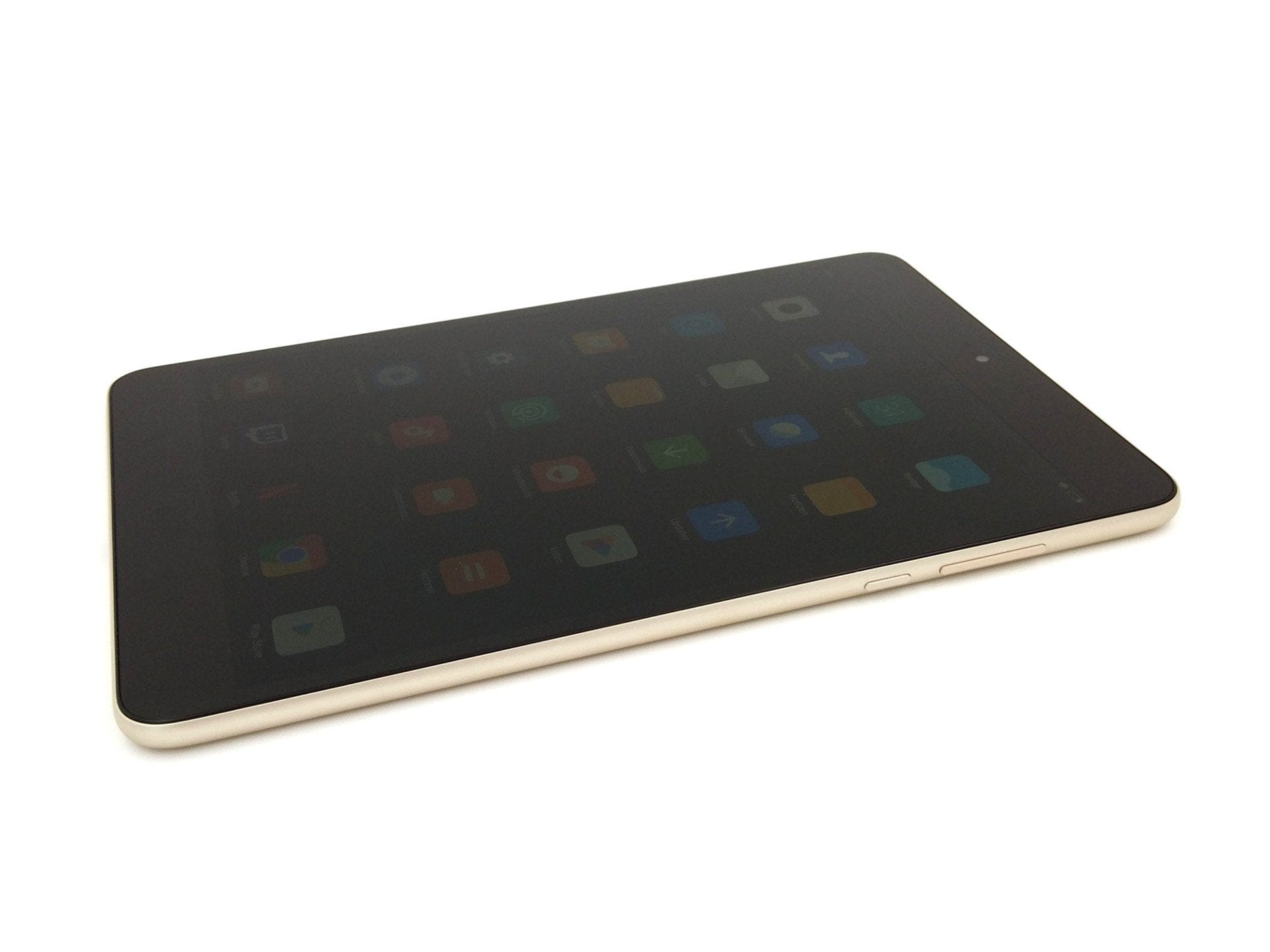
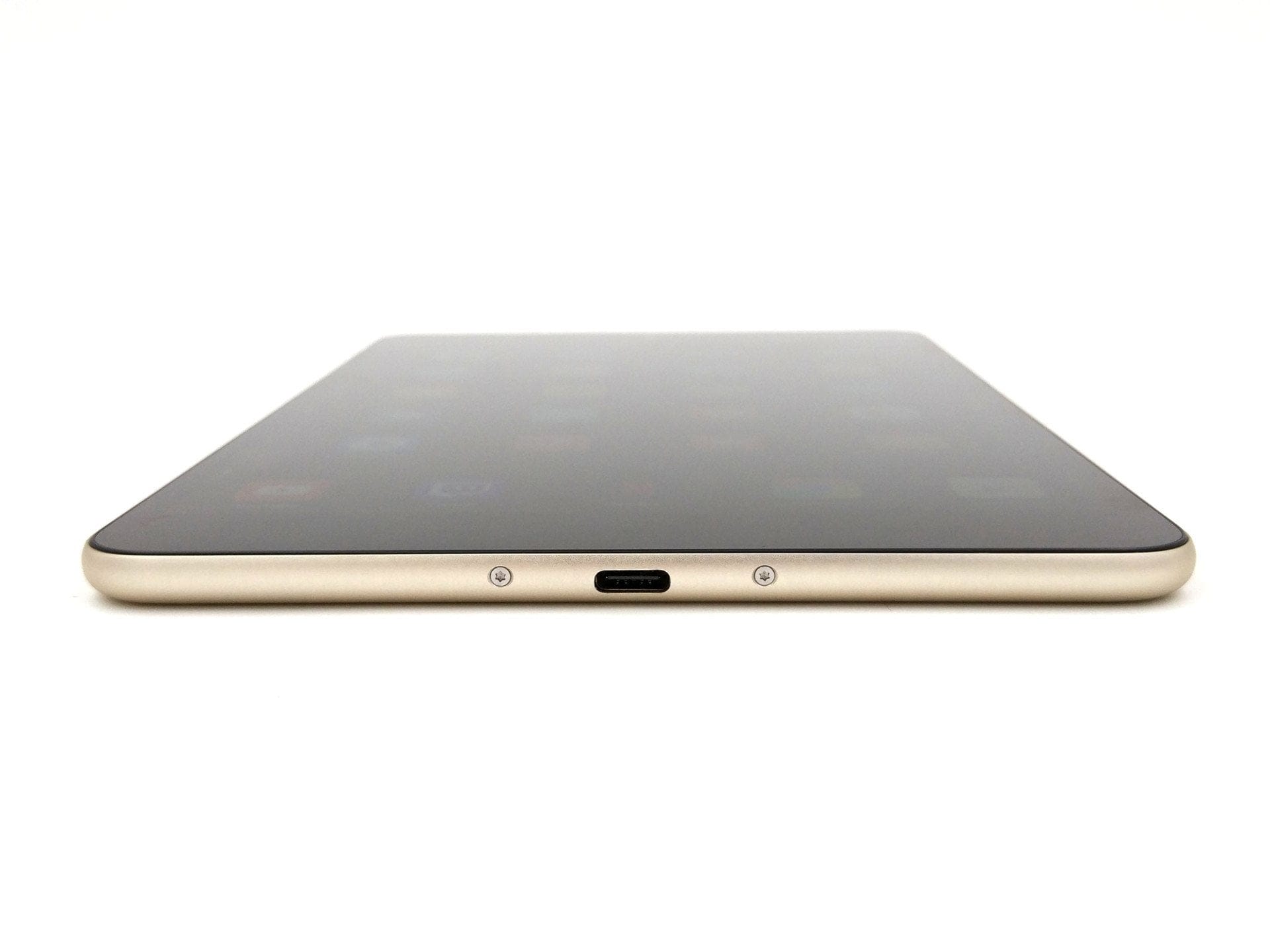
The contents of the box are typically sparse. It includes a Chinese quick-start guide, a USB-C cable and a charger with a NEMA-1 plug (5V 2A). If you want to use the supplied charger, you need to buy a matching Type-A to Type-C adapter. Alternatively, any standard smartphone charger can be used for charging.
Performance
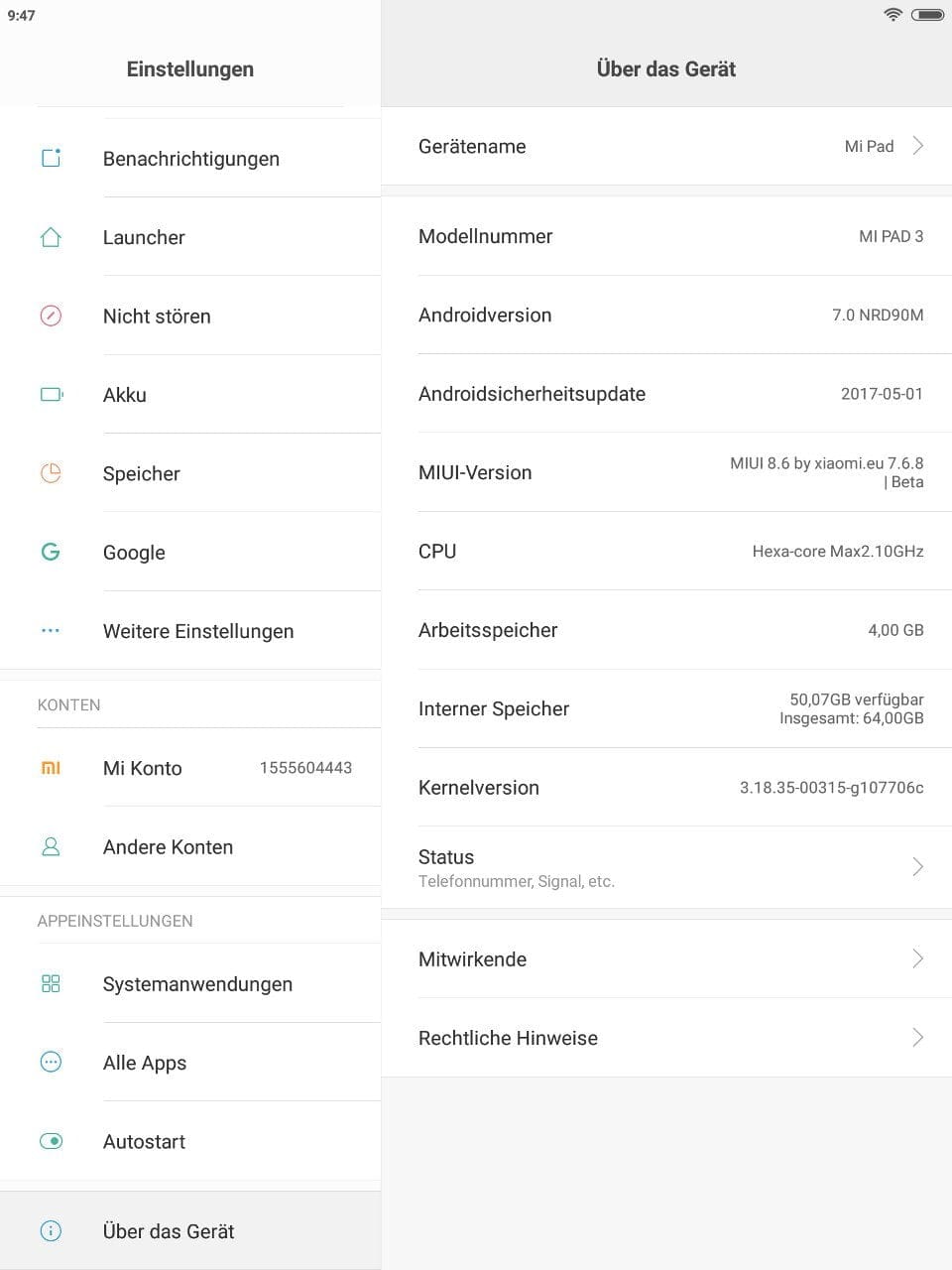
Unlike current Xiaomi smartphones, the Mi Pad 3 does not use a Qualcomm processor, but instead a MediaTek MT8176. This is a hexa-core processor designed specifically for tablets. The cores are divided into 2 fast ARM Cortex-A72 cores clocked at up to 2.1 GHz and 4 power-saving Cortex-A53 cores operating at a maximum of 1.7 GHz. The processor graphics are a PowerVR GX6250, which supports hardware-level decoding of h.265 and VP9 video material. The memory configuration consists of 4GB LPDDR3 RAM and 64GB eMMC5.0 flash storage.
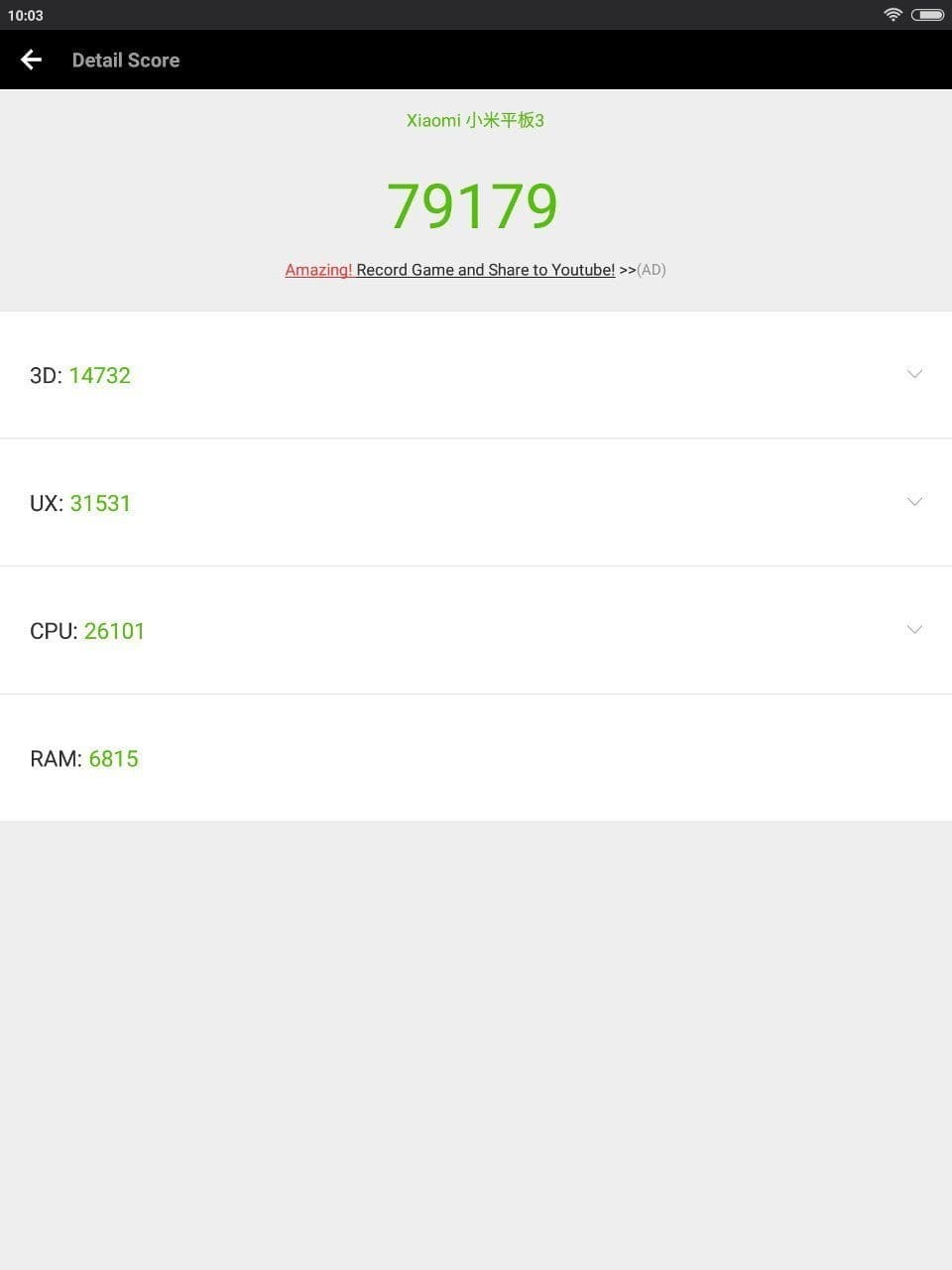
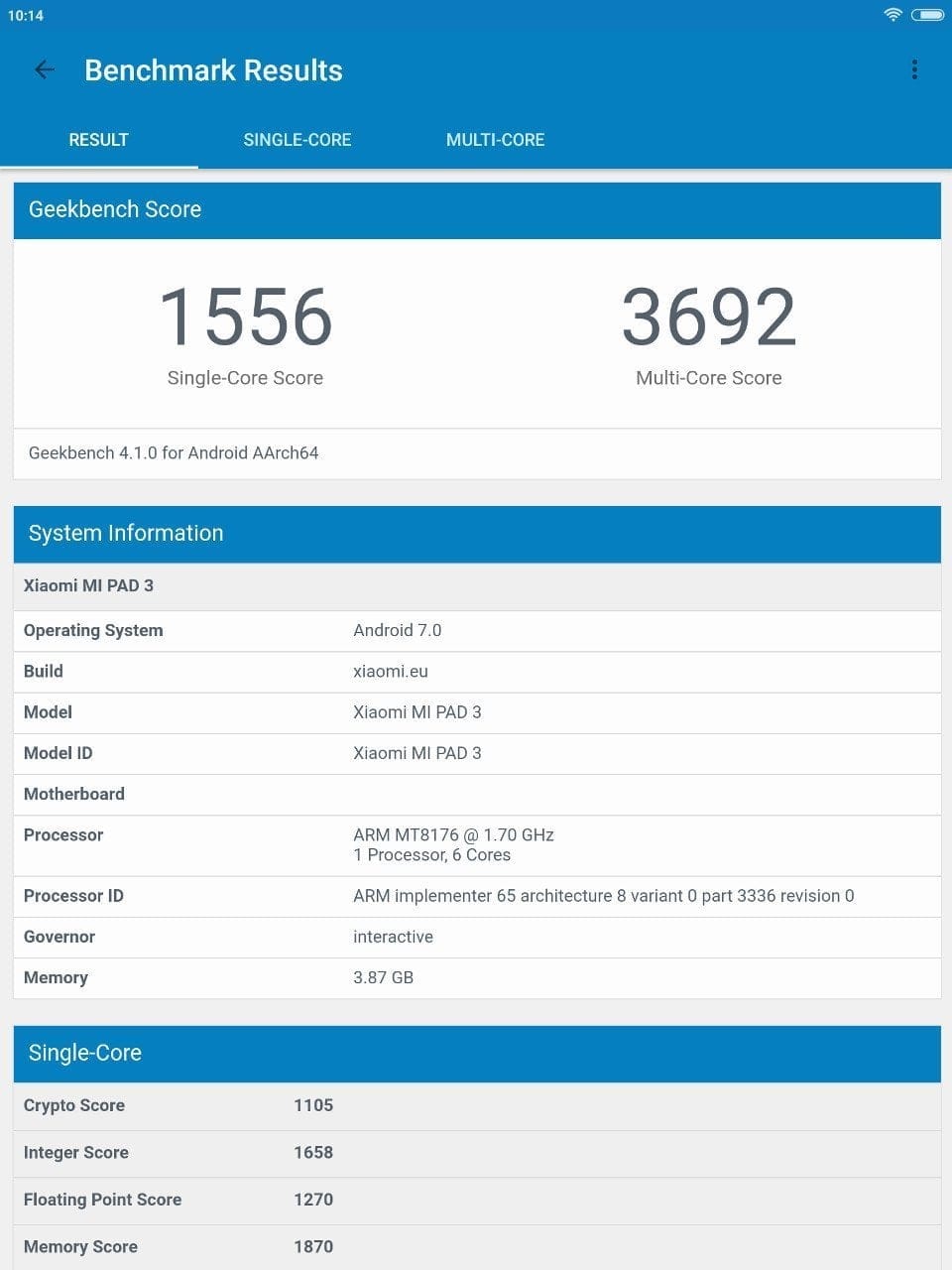
That’s the hardware. In practice, the Mi Pad 3 proves to be quite performant. Swiping and scrolling through the user interface runs smoothly. Apps open quickly and load without significant delays. Even having multiple apps open at the same time affects performance only to a small, barely noticeable extent. Whether you use the tablet for web surfing, streaming or other office tasks, the performance is sufficient for a satisfying user experience.
Let’s move on to gaming suitability. Individual graphics benchmarks already indicate that the PowerVR GX6250 GPU merely occupies the lower-middle tier. Graphics-intensive games such as Asphalt 8 or N.O.V.A 3 are playable, but occasional frame drops or sluggish gameplay may occur. In testing, the Mi Pad 3 reached a temperature of 34°C after approximately one hour of intensive work and gaming.
Display
The Xiaomi Mi Pad 3 uses a 7.9-inch 2K IPS Retina display with a 4:3 aspect ratio. The resolution is 2048 x 1536 pixels, resulting in a pixel density of 326 DPI. The display is incredibly sharp, and colours appear particularly rich yet natural. Within the display settings, the colour temperature can also be adjusted to personal preference. In addition to automatic brightness adjustment, there is also an option for automatic contrast adjustment. The display's luminance is 400 cd/m². Outdoors, the display is difficult to read due to its highly reflective glass front. Using the tablet on a beach holiday could therefore prove problematic.
A further disadvantage of the highly reflective glass front is its prone to fingerprints. There were already fingerprints on the display straight out of the box, which create unsightly smudges and impair the legibility of the display, especially under strong light. The good viewing angle stability is worth mentioning. No matter how you turn the Mi Pad 3, the display quality is not impaired, even from oblique angles. So-called backlight bleeding, i.e. uneven display illumination, does not occur with this panel. Multitouch is supported with up to 10 simultaneous inputs. The touchscreen registers inputs precisely and no ghost touches occurred during the test period.
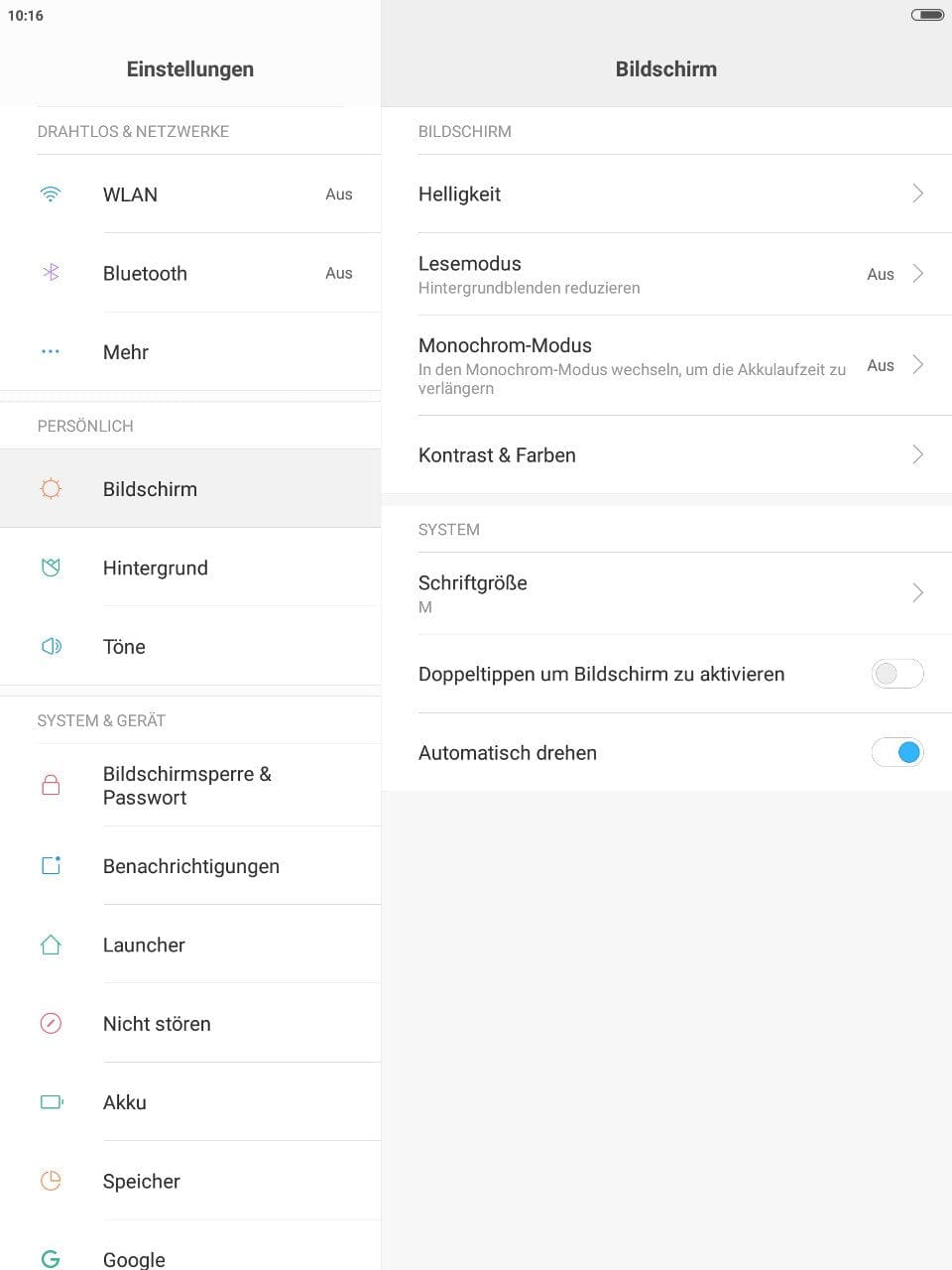

In terms of software, interesting functions are offered around the display. In Reading Mode, blue light is filtered so that the eyes are protected even during prolonged use. The mode can be activated at the touch of a button, as well as by a timer. How much blue light should be filtered can be adjusted smoothly. Another mode is the so-called Monochrome Mode. All colours are replaced by a black-and-white display. This is intended to improve the readability of the Mi Pad 3 while simultaneously reducing battery consumption.
Camera
The Xiaomi Mi Pad 3 is equipped with a 5-megapixel front camera on the front and a 13-megapixel main camera on the rear. The manufacturer does not provide further details about the image sensor used. It is only known that the main camera uses an f/2.2 aperture and the front camera uses an f/2.0 aperture.
Main camera
Chinese tablets are not known for their good cameras. Compared with other Chinese tablets, the main camera of the Mi Pad 3 belongs in the high-end range. Nevertheless, the image quality cannot compete with current smartphone cameras. Photos do convince with good colour reproduction but fall short on details. As lighting conditions deteriorate, image noise increases and more and more details are lost. The same applies to videos, which can be recorded at a maximum of full HD.
The features of the MIUI Camera app are also significantly limited compared to the smartphone version. While various filters are available, there are no extensive shooting modes or camera settings.




Front camera
The front camera is suitable for video calls. Those who like taking selfies will have to compromise on image quality here as well. The photos lack detail, and colours appear rather washed out.


User interface
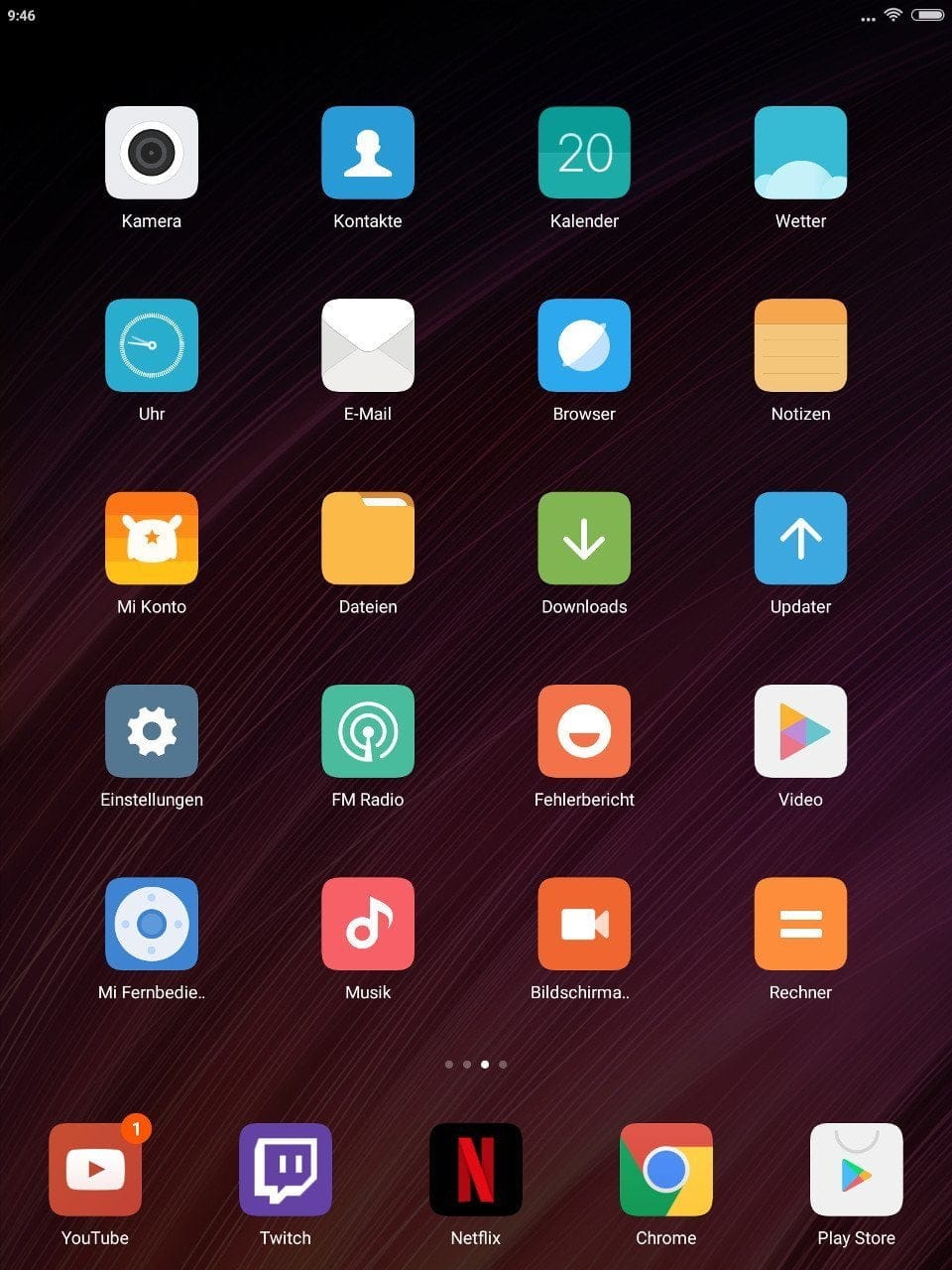
Xiaomi also uses its own MIUI version 8 in the Mi Pad 3, which is already based on Android 7. Compared to stock Android, MIUI is a heavily modified system that is nonetheless clearly structured and easy to use. Unlike its predecessor, the Mi Pad 2, the current Xiaomi tablet is not available as a Windows version!
Advantages of MIUI include the regular updates delivered by Xiaomi, as well as the numerous setting options and useful additional features. MIUI does not have an app drawer. All installed apps are placed directly on the home screen. Furthermore, the MIUI on the Mi Pad 3 is somewhat cut-back compared to MIUI for smartphones. For instance, the extensive theme launcher is missing, so the user interface cannot be individually customised. Functions such as the ‘split-screen’ mode are also not available.
Connectivity and Sound

Bluetooth is supported with version 4.0. Here too, the Xiaomi tablet impresses with an average and stable connection range. The sensor equipment consists of an ambient light sensor, a gyroscope, a magnetometer and a G-sensor. The tablet does not have a GPS module!
There are two stereo speakers on the back, which deliver clear sound even at high volume levels. However, the position of the speakers is a point of criticism. Due to their placement in the lower third of the housing, the speakers are often covered when holding the tablet. What is typically lacking in the sound is the bass!
The sound quality via the 3.5 mm headphone jack was also convincing, making the tablet ideal for listening to music or watching films. Incidentally, the current Xiaomi ANC headphones with USB-C connection are also compatible.
Battery
The non-removable battery has a capacity of 6,400 mAh. In everyday use, the Mi Pad 3 achieves an average screen-on time between 7 and 8 hours. Benchmarks allowed for even more than 8 hours. No trace of quick charge – the battery takes about 4 hours and 15 minutes to charge with the included charger.
Our verdict
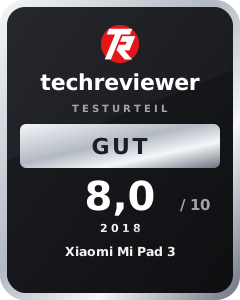
Considering the price, the Xiaomi Mi Pad 3 is a well-equipped tablet suitable for web browsing, watching films and occasional gaming. However, one must do without additional storage expansion, a SIM slot and a GPS module, which limits the tablet's mobility. The high-resolution 2K display, the smoothly operable MIUI and the battery life were particularly convincing.
Specifications
Processor and memory
- CPU
- MediaTek MT8176
- GPU
- PowerVR GX6250
- RAM
- 4GB (LPDDR3)
- Internal storage
- 64GB (eMMC5.0)
- Storage expansion
- No
Display
- Display type
- IPS
- Display size
- 7.9 inches
- Display resolution
- 2048 x 1536 pixels
- Screen protector
- Unbekannt
- Multitouch
- 10 fingers
Cameras
- Main camera
- 13 megapixels
- Front camera
- 5 megapixels
Wireless
- Wi-Fi
- 802.11a/b/g/n/ac
- Bluetooth
- 4.0
- GPS
- No
Sensors
- *Ambient light sensor
- *Gyroscope
- *Magnetometer
- *G-sensor
Battery
- Battery
- 6,400 mAh
- Connection
- USB-C
Other
- Operating system
- Android 7.0 (MIUI)
- Size
- 20 x 13.3 x 0.7 cm
- Weight
- 328g
What’s included
1x Xiaomi Mi Pad 3 1x charger 1x USB-C charging cable 1x user manual
Comments (2)
Very nice review. Do you happen to know if a GPS dongle is recognised? It should work via OTG or am I missing something?
Yes, that should be possible via USB OTG. However, I couldn't test it because I don't have a suitable dongle.