Contents
First impressions of the ZIDOO H6 Pro
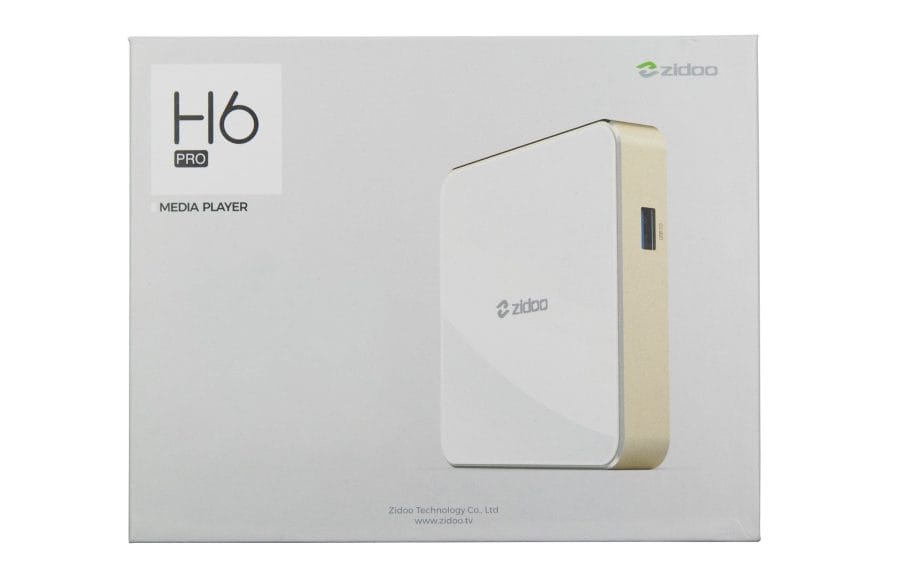
The ZIDOO H6 Pro TV box, released at the end of 2017, was one of the first streaming boxes with an Allwinner H6 system-on-chip. The media player, based on Android 7.0, supports the playback of high-resolution 4K video material, among other things, offers fast USB 3.0 connectivity, and is well-equipped in terms of networking, both wirelessly via dual-band AC WiFi and wired via Gigabit Ethernet.
What’s included
The box contents include everything needed to use the TV box. In addition to the media player, it includes a power supply with EU plug adapter (5V – 2A), an HDMI cable, a remote control, and a user manual along with warranty information. The remote control also requires 2 AAA batteries, which are not included in the box.

Design and build quality
Media player
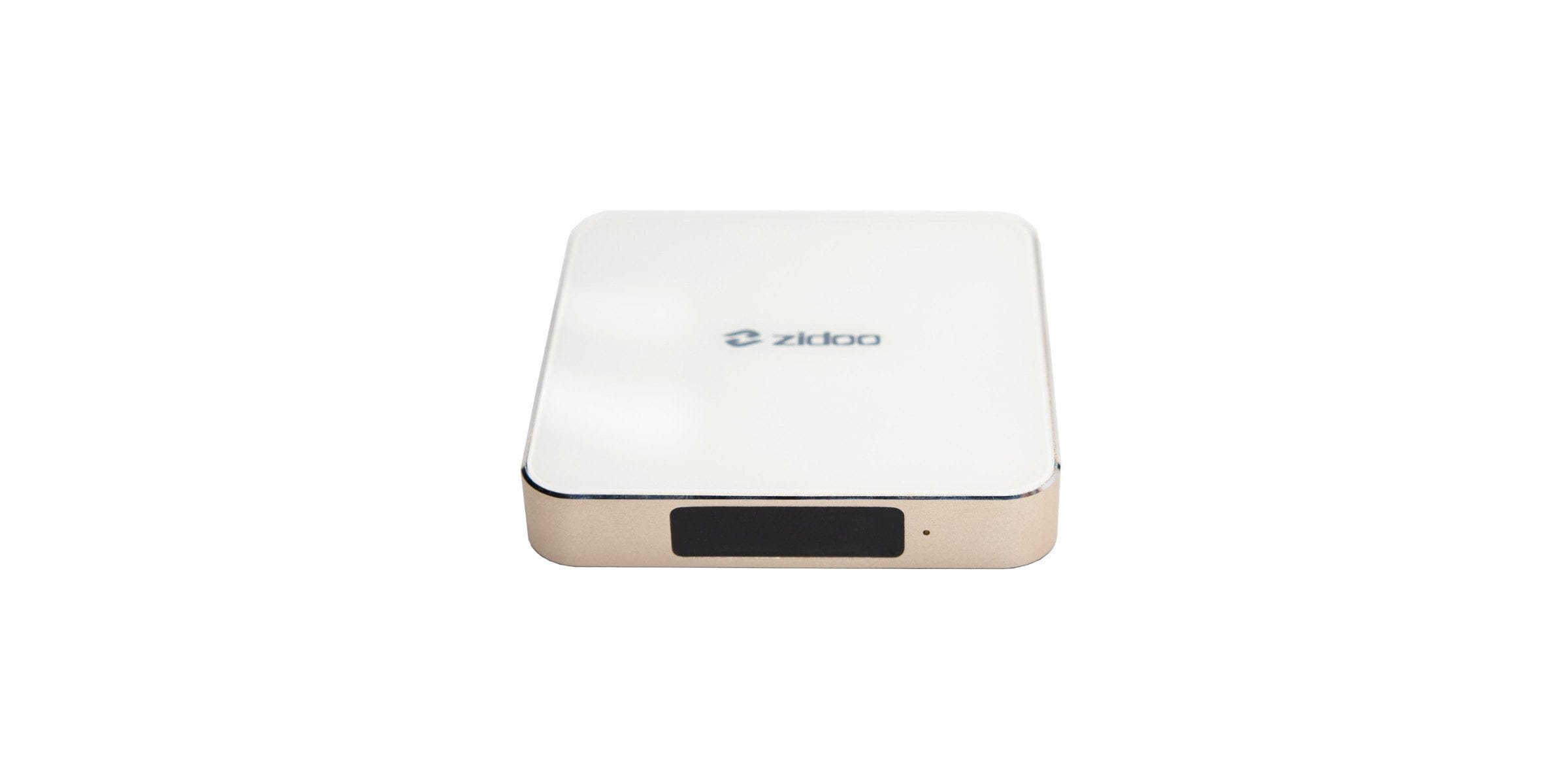
The ZIDOO H6 Pro streaming box is extremely compact, with dimensions of 105.6 x 105.6 x 17.5 mm. The gold housing frame and the bottom of the housing are made of metal. The top of the housing, on the other hand, is made of glass and features the manufacturer's logo in the centre. The box is constructed as follows:

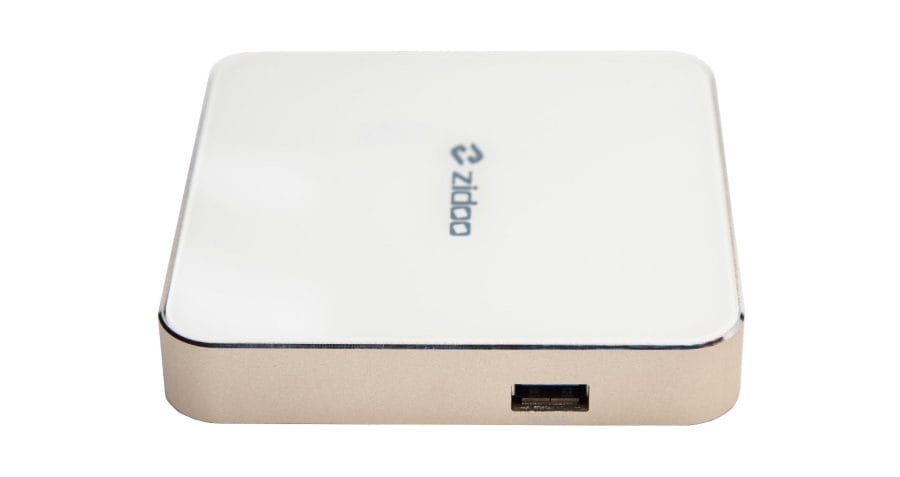
On the front is a black-tinted window with an IR receiver behind it. A status LED is placed directly next to it. The left side of the housing comprises two USB Type-A 2.0 ports with USB OTG support, as well as a MicroSD memory card slot. On the right is a USB Type-A 3.0 port.

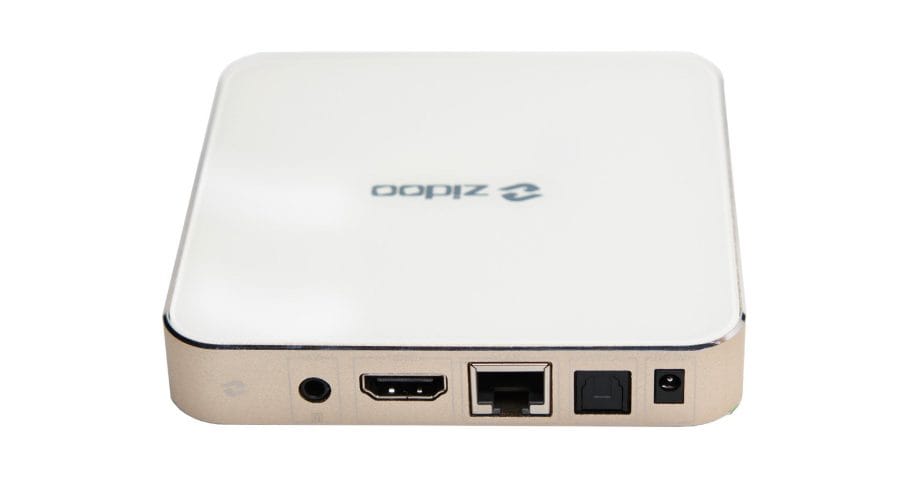
All other connection options are located on the rear of the housing. These consist of an RJ45 jack (Gigabit LAN), an HDMI 2.0a output (HDCP 2.2 compatible), an AV output and an optical audio output, as well as a 5V DC input.
The TV box can be opened by undoing four screws on the underside of the casing. One of the screws is additionally covered by a warranty seal. Cooling is provided by a passive heatsink. Multiple ventilation slots on the underside ensure adequate airflow. The build quality of the ZIDOO H6 Pro box is not in question and reflects the price.
Remote control
The remote control included in the delivery communicates via both infrared and Bluetooth. The remote control is made of plastic, the keys are made of rubber. Overall, the remote control is well made. The control options are clear, but include everything necessary for operating the TV box. Among other things, there is a circular control element with a central enter key, three typical keys for Back, Home and Menu, as well as volume control keys. The mouse button is advantageous, which on button press makes a mouse pointer appear on the screen, which is comfortably controlled via the control element.

Hardware
The ZIDOO H6 Pro media player is based on an Allwinner H6 System-on-Chip. This SoC was specifically designed for set-top boxes and comprises, among other things, a Quad-Core CPU (ARM Cortex-A53) with a maximum clock speed of 1.8 GHz and a Mali-T720 MP2 GPU.
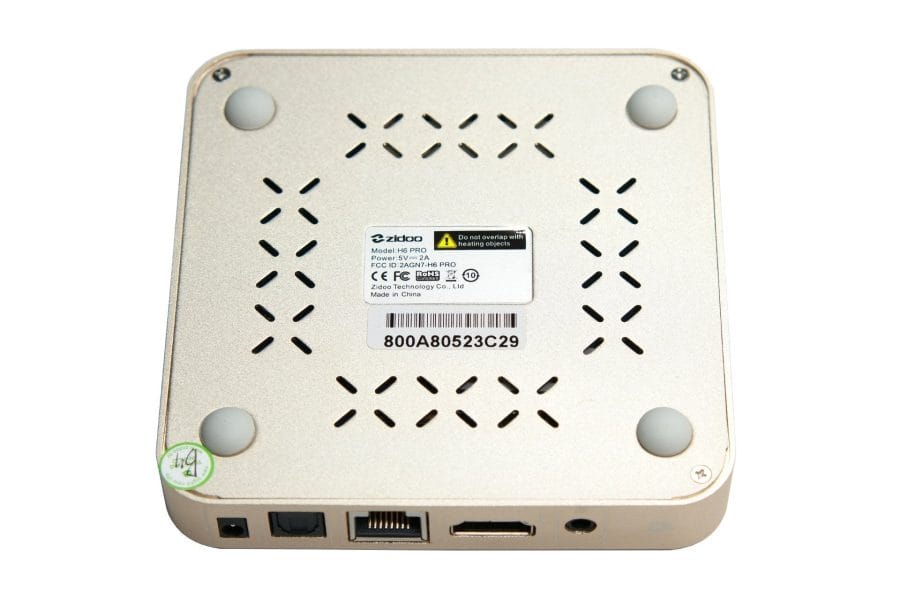
The memory configuration consists of 2GB DDR4 RAM and a 16GB eMMC flash storage. Storage can be expanded via external USB mass storage or a microSD card. Wireless transmission occurs via dual-band AC Wi-Fi and Bluetooth 4.1. Wired transmission is possible via an RJ45 Gigabit LAN port.
User interface
Setup assistant
When you switch on the ZIDOO H6 Pro media player for the first time, you are greeted by a multilingual setup wizard. This guides you through the basic settings, such as connecting the Bluetooth remote control or configuring the WLAN. German is available as a system language.

System
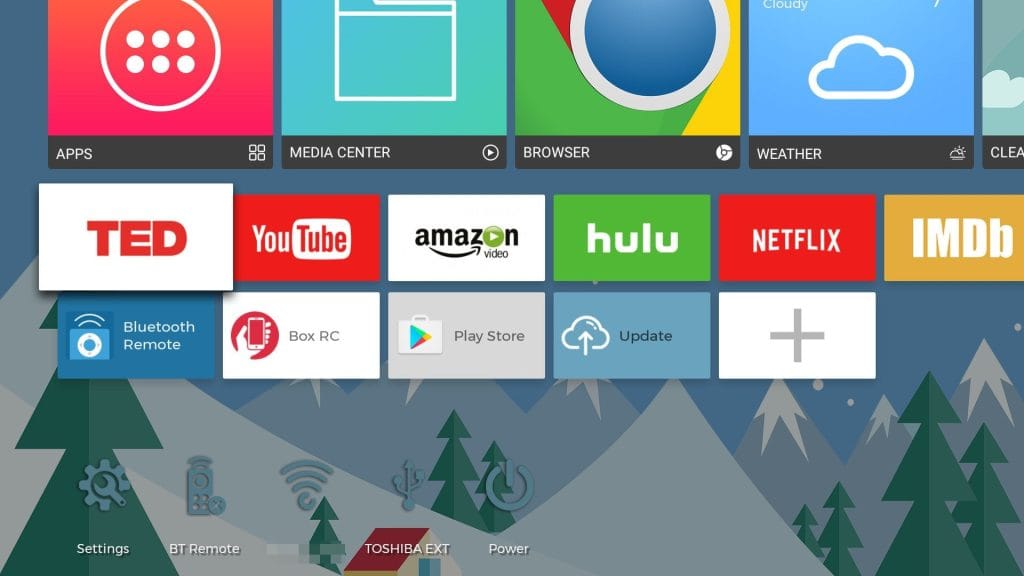
A boot process takes approximately 15 seconds. The user interface is based on Android 7.0 and has been visually adapted to its use as a media player. The launcher used by ZIDOO is heavily inspired by the design of the Leanback Launcher and adopts a similar tile look. This allows access to apps and functions with just a few clicks.
The user interface is clearly structured and generally easy to use. The animation speed could be improved. Depending on how quickly you navigate through the user interface, the animations appear less smooth. A keyboard or an (Air) mouse makes operation easier but is not strictly necessary. If a button cannot be clicked, simply clicking the mouse function on the remote control activates the virtual mouse cursor. Peripherals can be connected via Bluetooth or USB. Unfortunately, the TV box does not support HDMI CEC. Unified control with a single remote (e.g. that of the display device) is therefore not possible.
Settings can be made via both the ZIDOO “Quick-Settings” and the standard Android settings menu. Despite the German system language, the “Quick Settings” are only available in English. Here is an overview of the setting options.
Network

- Wi-Fi (On / Off – Status)
- Ethernet (DHCP – Status)
- Bluetooth (On / Off – status)
Display

- Screen Resolution (up to 4K)
- Screen Position (0 – 100%)
- MediaCodec Frame Rate (On / Off)
- Wallpaper
- User featured data (on / off)
Sound
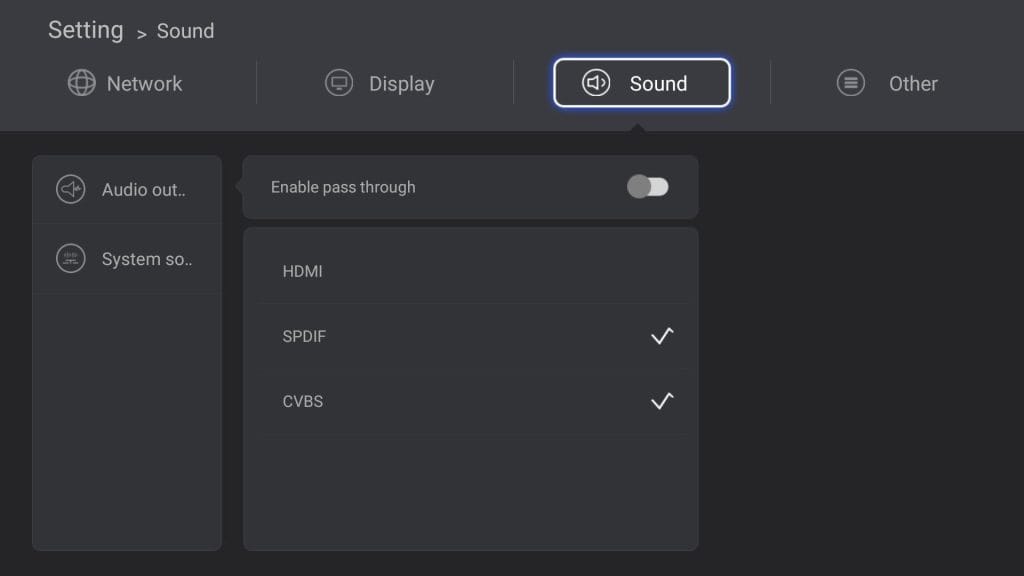
- Audio Output (Enable Pass Through – HDMI / SPDIF / CVBS)
- System Sound (On / Off)
Other
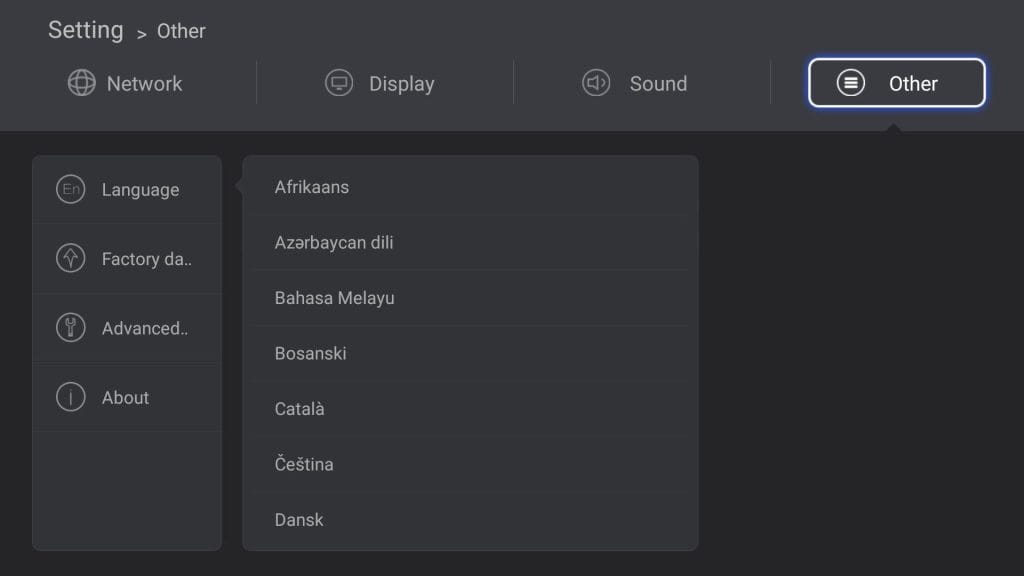
- Language (incl. German)
- Factory Data Reset
- Advanced settings
- About
Apps and firmware
The Google Play Store and an app installation manager are pre-installed. The app selection via the Play Store is limited and, similar to an Android TV system, only includes apps tailored to the device type. Alternatively, APK-format apps can be installed via the app installation manager (sideloading).
Useful apps are pre-installed, such as a file manager, a storage cleaning tool and a web browser. Special streaming apps, such as HappyCast, but also a wide video-on-demand selection, including Netflix, Amazon Video, TED and Hulu, are also on the box.
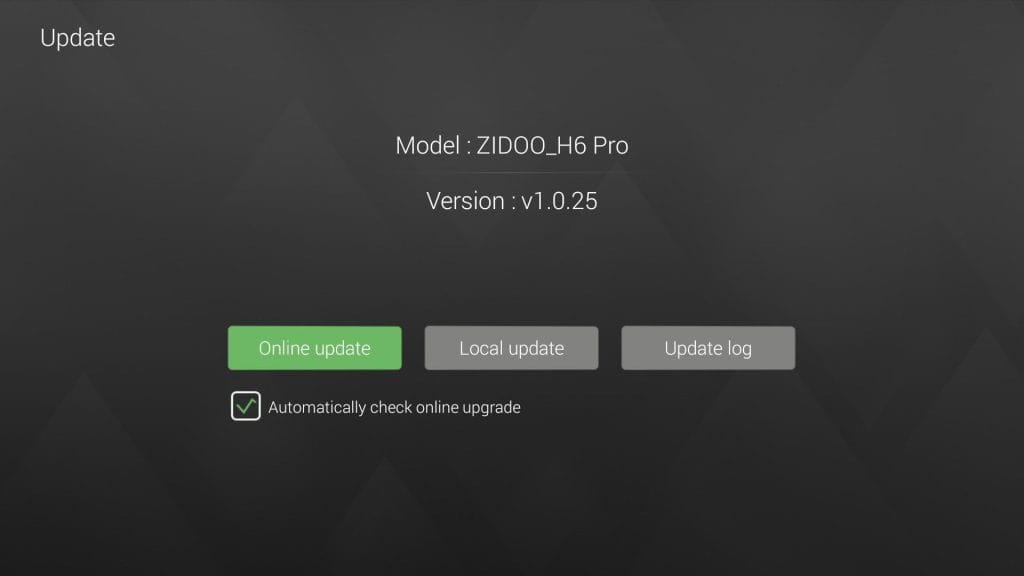
Firmware updates are received over-the-air (OTA). A return to an earlier firmware is possible. A reset button is hidden inside the AV port for this purpose. If this is pressed when switching on the box, a factory reset to the delivery firmware is performed.
Media center
The ZIDOO H6 Pro TV box is equipped with a comprehensive media centre that includes, among other things, a video player, a music player and an image viewer. Films, music and other content can be supplied via data storage devices or over the network.
Network
For wireless or wired network transmission, the NFS and SMB protocols are available, and films and music can be streamed via DLNA, MiraCast and AirPlay (HappyCast). ZIDOO failed to implement the SMB and NFS protocols. Accessing a network storage via SMB and NFS for the media player failed in tests with an “Unknown Error”. Installing Kodi solves the problem, as SMB and NFS work without issues.
The faulty implementation of HappyCast is also a point of criticism. The pre-installed app crashes just seconds after launch. Here too, it is advisable to switch to a third-party app. Recent beta updates offer at least some hope that these bugs will be fixed in future updates.
Video test
The ZIDOO H6 Pro video player was tested using the following video sources. Frame-switching was enabled for the test. Playback was conducted exclusively via a USB 3.0 storage device due to the lack of functioning NAS access.
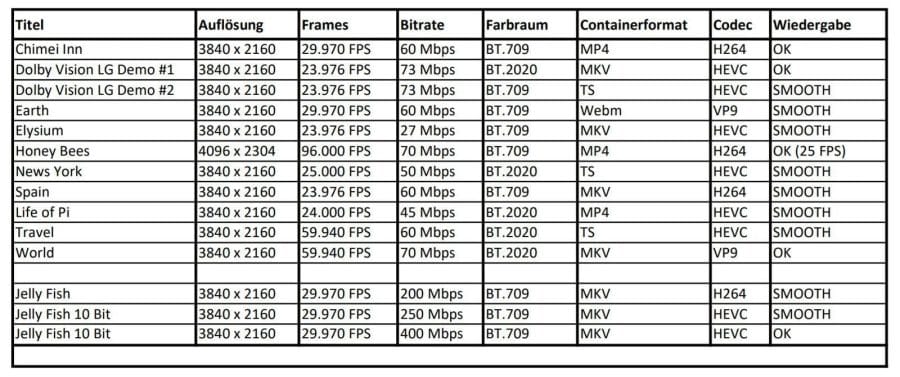
Playback via the native video player is convincing. Videos, whether SD, HD, FHD or 4K, are played back largely without interruptions and without image errors. At the same time, it is possible to choose from various colour profiles via the "SmartColor Engine", and you can also create your own profile with settings for brightness, contrast, saturation and detail and noise levels. Subtitles and audio tracks can be switched at the push of a button.
Audio test
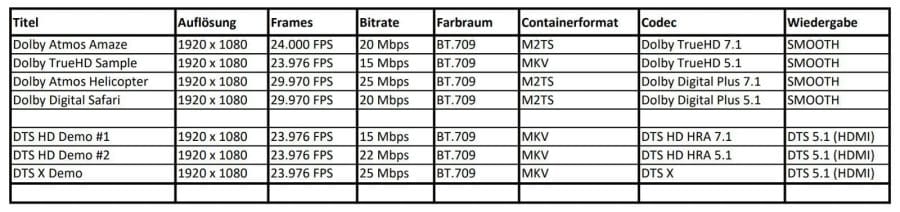
The TV Box handles multichannel audio systems well. Common audio systems are detected and HDMI pass-through works. There is only a fallback to DTS 5.1 for DTS-HD and DTS:X. Significant failures or audio-video sync issues were not noticeable during testing. A music player that supports various audio formats (MP3, FLAC, etc.) is included.
HDR, 3D and frame switching
Playback of High Dynamic Range (HDR) content is fully supported. Switching between HDR and SDR happens automatically. The HDR image quality leaves nothing to be desired. No grey haze or colour space shifts occur.
Playback of 3D content is possible. However, the appropriate 3D playback mode must be set manually via the video player settings. Options include 3D-MVC, SBS and TAB. There are no delays or other anomalies during 3D playback. Via the video player settings menu, 3D material can also be played in 2D (2D-SBS / 2D-TAB).
Another feature is the so-called "Frame Switching". The ZIDOO H6 Pro adjusts the refresh rate according to the video material. The adjustment works reliably and even before actual playback begins.

ISO playback
It is also possible to play ISO images. If a Blu-ray image is available in .ISO format, it can be played directly via the video player. Unlike the ZIDOO X10 media player, the manufacturer has not integrated "playback with BD menu". No menu is called up before playback, and no chapter selection is possible. The test also showed that the media player does not play DVD images; .ISO playback is strictly limited to Blu-ray images.
Netflix, YouTube, etc.
As one of the few Chinese TV boxes, the ZIDOO H6 Pro media player is capable of streaming Netflix and Amazon Prime Video in Full HD. The apps required for this are already available as shortcuts on the system and can be downloaded with one click. A look at the DRM support reveals that the TV box is licensed for Widevine L1. However, other DRM licences such as Microsoft Playready, Marlin or VCAS are missing.

Streaming via Netflix as well as Amazon Video poses no problems for the media player. Video transmission is smooth and free of image errors. The pre-installed YouTube app is also limited to a maximum 2K resolution (1440p). Sky Go can be installed subsequently and is runnable via sideload.
Kodi
Kodi is not pre-installed but can be downloaded in version 17.6 (Krypton) via the Google Play Store. Unlike the native video player, playback via the Kodi media player is disastrous. Hardly any title, whether encoded in H.264, HEVC or VP9, can be played smoothly. This is compounded by regular colour errors, artefacting and audio dropouts. Automatic frame rate adjustment does not work in Kodi.

Gaming
The ZIDOO H6 Pro media player is only limitedly usable as a gaming box. Graphically demanding games such as Asphalt 8 can only be played smoothly at low graphics settings. Connecting a Bluetooth game controller is possible. Alternatively, ZIDOO offers the “Box RC” app, which turns the smartphone into a game controller. There is no input lag.

Power consumption
Finally, let us turn to power consumption. When switched off, the media player’s power consumption is 0 watts. In standby it reaches 3.5 watts. In idle mode, power consumption ranges between 6.5 and 8.5 watts, depending on whether storage media are connected. During playback of 4K UHD media, power consumption rises to around 10 watts.
Our verdict
The ZIDOO H6 Pro TV Box is software-wise (still) underdeveloped and needs optimisation. The miserable implementation of the SMB and NFS network protocols is particularly worth criticising, ending in an “Unknown Error” when accessing the network. The Allwinner H6 system has difficulty working well with Kodi. High-resolution playback material can hardly be played smoothly and is accompanied by audio dropouts and colour errors.
However, the ZIDOO H6 Pro media player also has positive aspects. The native video player performs surprisingly well. It copes with almost all playback material (4K, HDR, 3D, BD-ISO), offers functional frame switching and, thanks to the SmartColor Engine, can also be used for individual colour adjustment. Another positive aspect is the ability to stream both Netflix and Amazon Video in Full-HD. Besides the limited licensed media players (Nvidia Shield / Xiaomi Mi Box), the ZIDOO H6 Pro TV Box is one of the few Chinese TV boxes capable of doing so.
Specifications
Processor and memory
- CPU
- Allwinner H6
- GPU
- Mali-T720 MP2
- RAM
- 2GB DDR4
- Internal storage
- 16GB eMMC
Ports
- 1x HDMI 2.0a Output (HDCP 2.2)
- 1x AV Out
- 1x optical
- 2x USB 2.0 Type-A
- 1x USB 3.0 Type-A
- 1x RJ45 Ethernet (10/100/1000 Mbps)
- 1x MicroSD memory card slot
- 1x DC 5V
Connectivity
- Wi-Fi
- Dual Band AC (802.11a/b/g/n/ac)
- Bluetooth
- Standard 4.1
Video - Audio
- Video resolution
- up to 4K@60fps
- Frame rate switching
- Yes
- HDR
- Yes
- Video
- incl.
- *H.264
- *H.265 HEVC
- *VP9
- Audio
- incl.
- *Dolby Digital
- *Dolby Digital Plus
- *Dolby TrueHD
- *DTS
- *DTS HD
- *DTS X
Other
- OS
- Android 7.0
- Kodi
- Yes
- Size
- 105.6 x 105.6 x 17.5 mm
What’s included
1x ZIDOO H6 Pro 1x power supply (5V - 2A) 1x HDMI cable 1x remote control 1x user manual
Comments