
Contents
First impressions of the Zopo Speed 7
The Zopo Speed 7 comes in a typical, minimalist smartphone cardboard box, which also contains all the accessories. When unpacked, the usual protective film was on the smartphone, but when I peeled it off, I was delighted to discover that a precisely fitting screen protector was already applied. This saves you the hassle of searching for a suitable film and the tedious application.
 Play video on YouTube
Apart from the front, the casing of the Zopo Speed 7 is made entirely of plastic, but still leaves a high-quality impression. The back is removable and is comparable to the back of a Galaxy smartphone. When you hold the back up to the light, it has a slight mother-of-pearl shine.
Once the back cover is removed, you can insert the separately packaged battery, fill the two SIM card slots, or insert a micro SD card into the SD card slot.
On the right side of the housing are the volume rocker and the power button, in the top left is the headphone input, and on the bottom right is the micro-USB port.
Overall, I would describe the build quality as good. The only thing that bothered me slightly was the somewhat larger bezel. In the images, it looks very narrow, but when you turn on the display, you can see that it is actually a bit larger.
Display
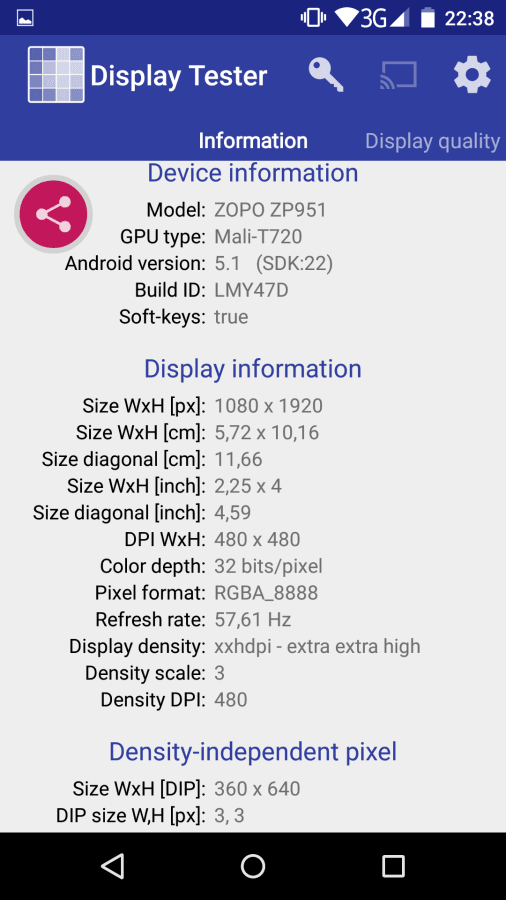
The manufacturer has equipped the Speed 7 with a Full HD (1920x1080) IPS display. According to my research, the PPI figure is 400 for the 5-inch variant. To allow me to compare the display, I placed a Nexus 5 next to it, turned the brightness to the highest level and launched a display tester app.
At maximum brightness level, the Zopo Speed 7 stands out clearly ahead of the Nexus 5. The brightness is truly phenomenal. In terms of colours, both smartphones are comparable, offering strong and vivid reproduction. Only the red tone tends towards orange on the Zopo Speed 7. The contrast ratio is good and corresponds to that of a conventional IPS display. I would describe the viewing angle stability as very good, and it far exceeds that of a Nexus 5.
Performance
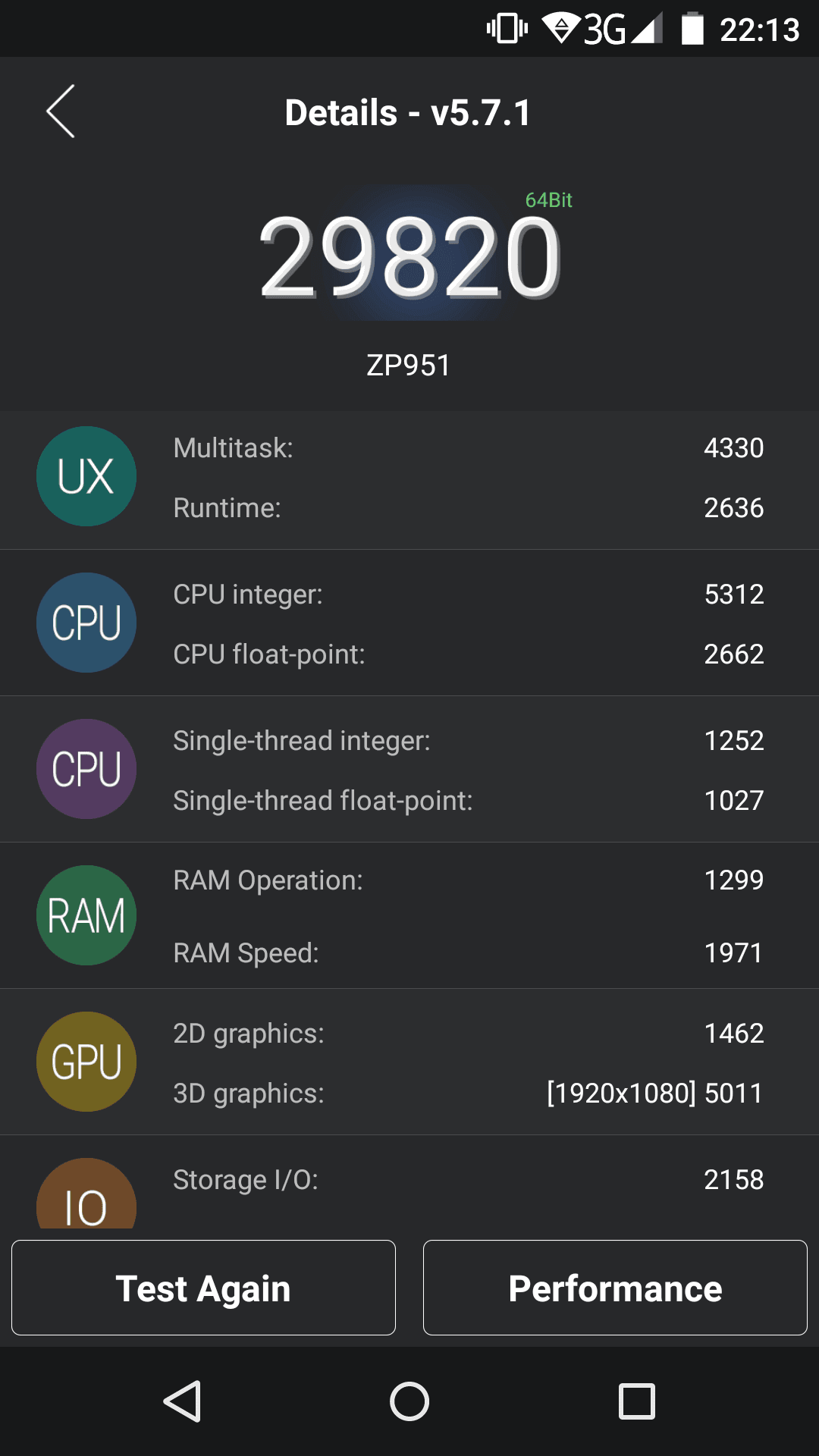
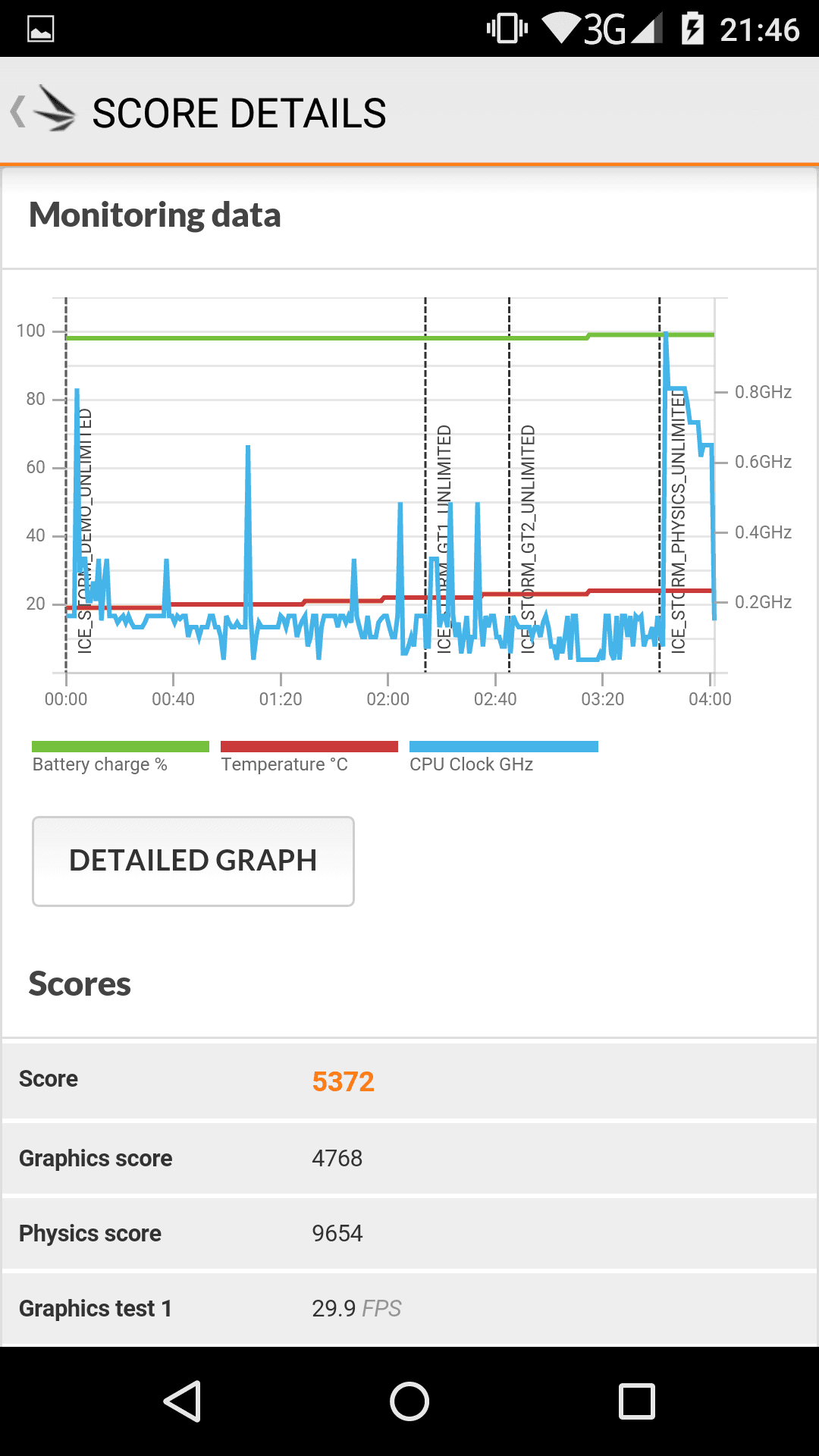
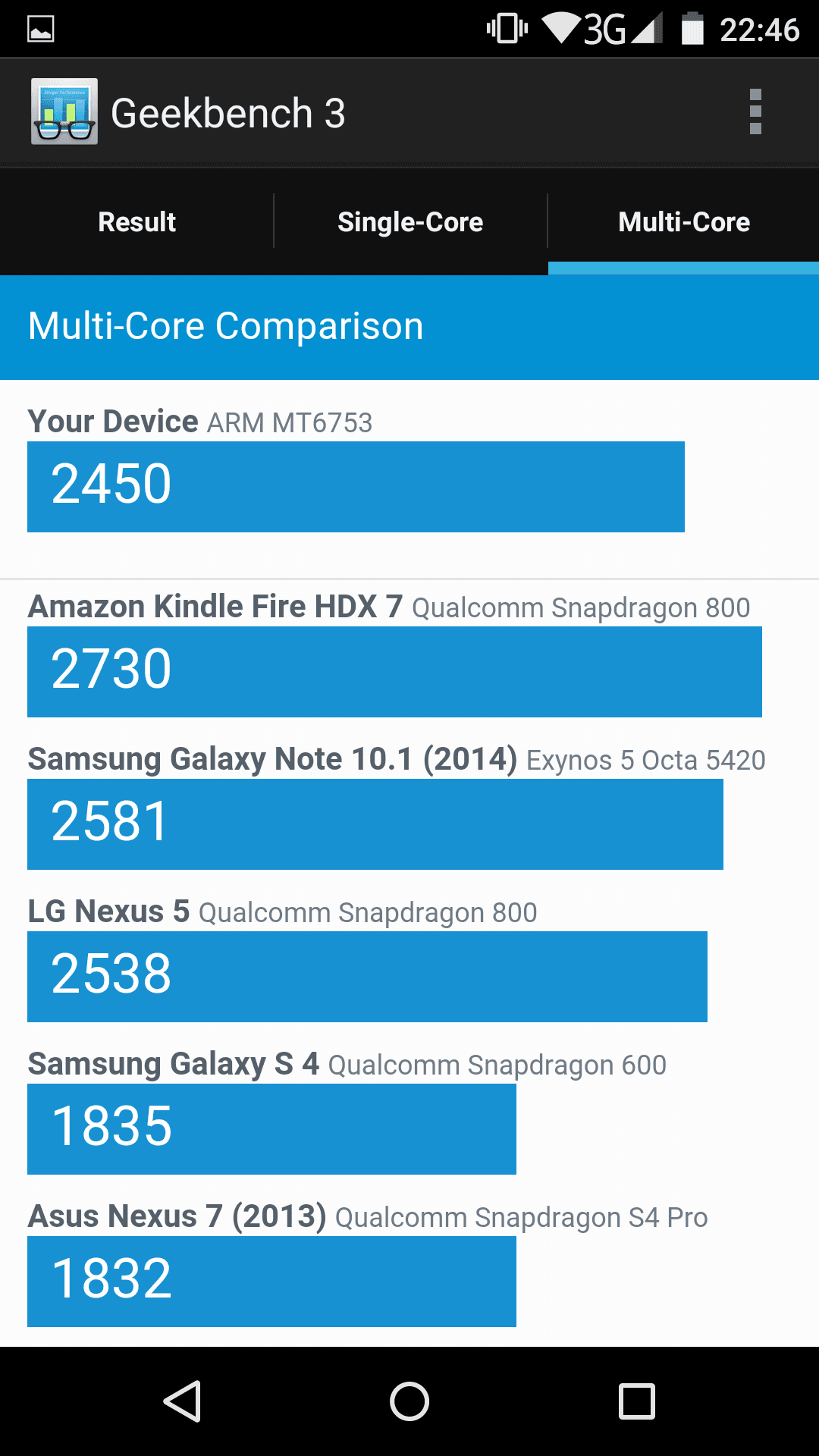
The Zopo Speed 7 uses a Mediatek MT6753 octa-core processor with 1.3GHz. Why the manufacturer advertises 1.5GHz is a mystery to me, as the processor runs at a maximum of 1.3GHz according to CPU-Z. The graphics chipset is a Mali T720. 3GB RAM is also installed. As you might imagine, this hardware is sufficient to create a reasonably fast overall system. Multitasking and computing-intensive games are no problem for the Zopo Speed 7. Here are the results of individual benchmarks:
User interface
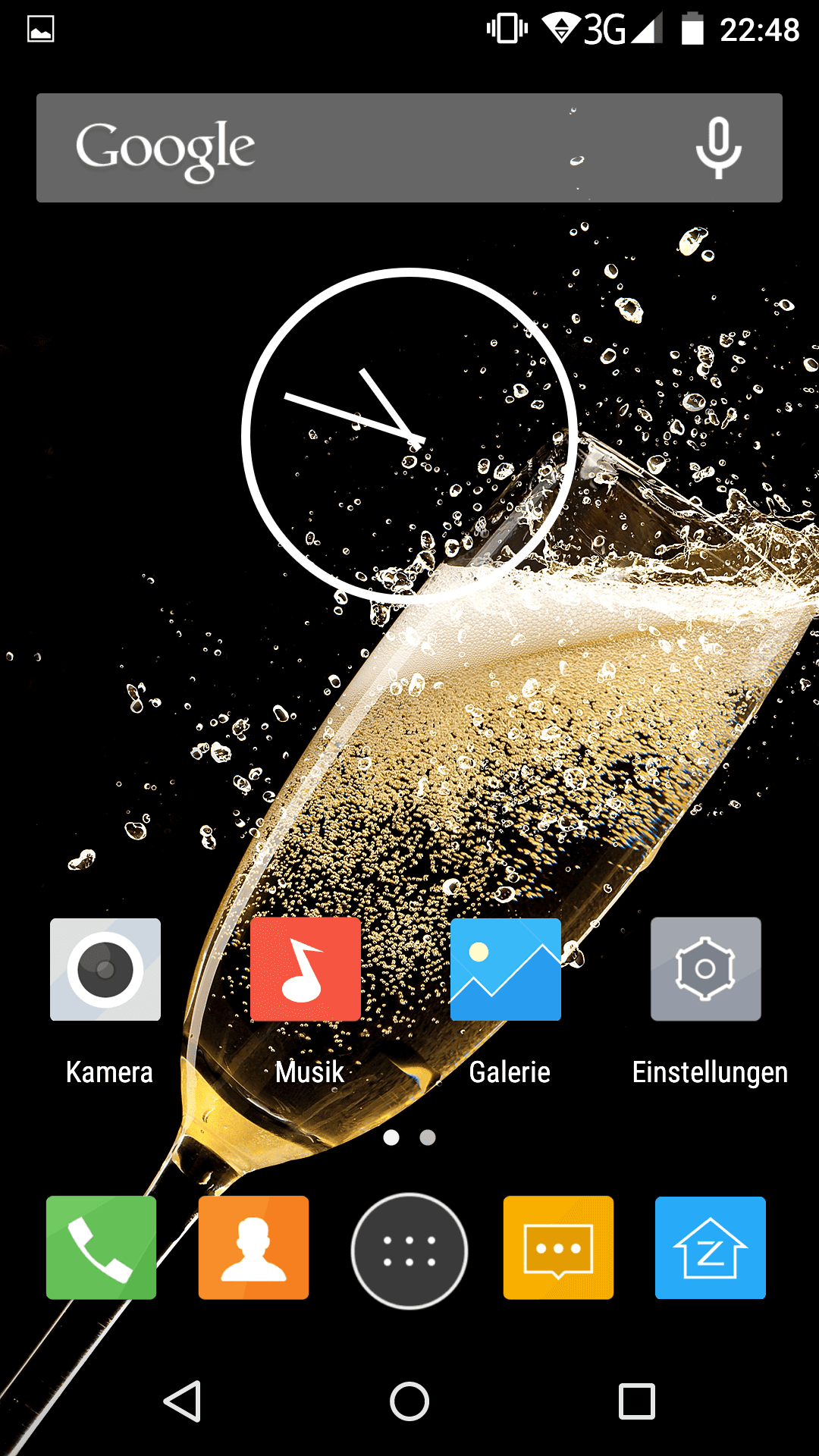
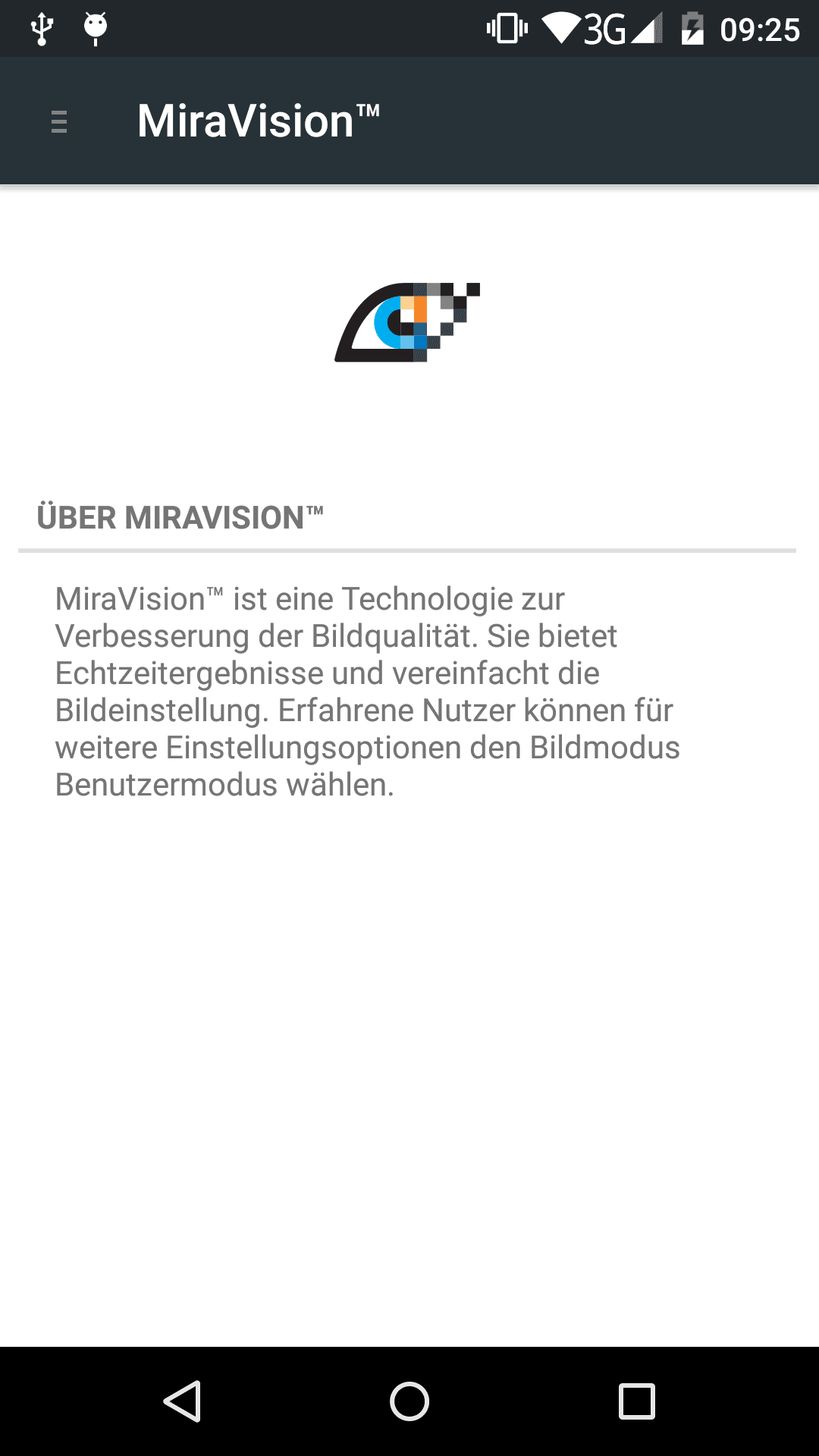
Like many manufacturers, Zopo relies on a custom UI, specifically the Zopo Z-UI based on Android 5.1 Lollipop. You shouldn't be alarmed by this, however. The Z-UI is very much based on stock Android. Only the icons have been slightly adjusted, additional third-party apps have been installed, and the settings menu also offers a few additional functions.
Otherwise, you essentially get (almost) stock Android here. The third-party apps are also well-known. These include, for example, social media apps like Facebook, WhatsApp, Twitter and Skype, but also system tools such as a cleaner app or the custom launcher APUS. All third-party apps can be uninstalled easily via the app menu.
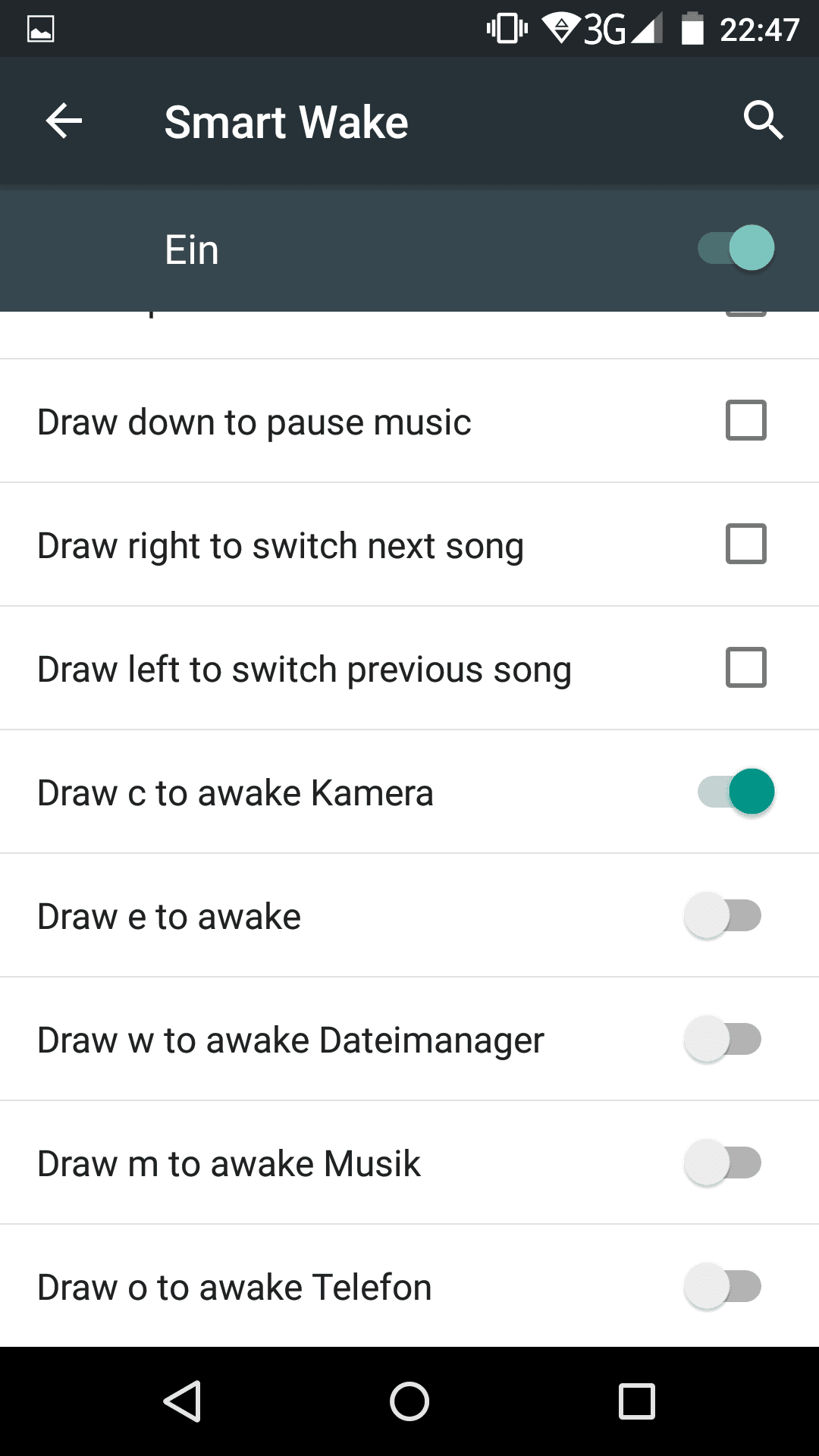
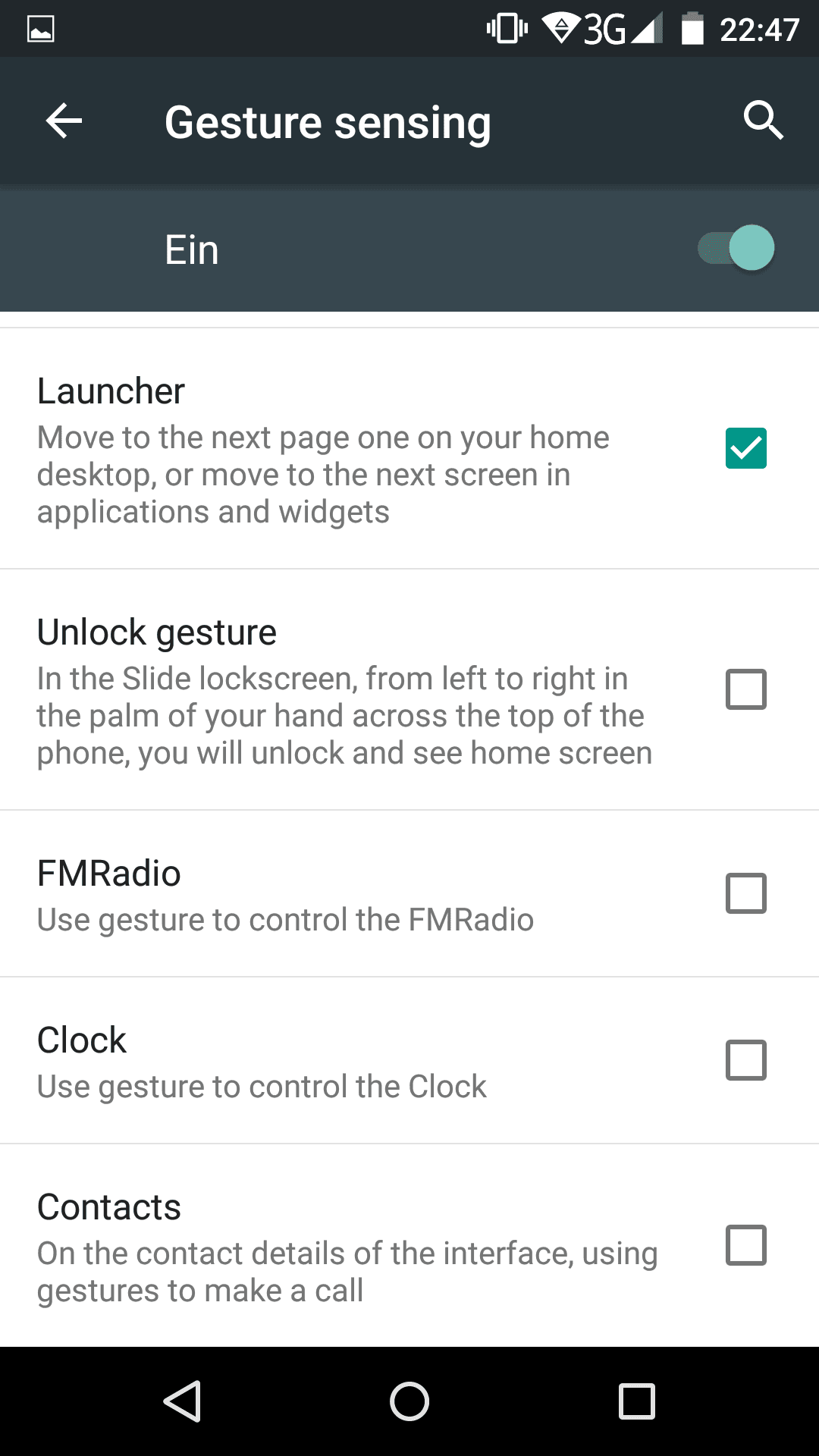
In the system settings, you can configure gesture controls in addition to the usual settings. For example, if you move your hand over the smartphone, you can scroll through the app selection in true Star Wars style. Alternatively, you can wake up the display by tapping it twice. If you draw a "C" on the switched-off display, for instance, the smartphone recognises this and launches the camera app. It really offers a nice gimmick.
A so-called HotKnot function is also firmly integrated into Z-UI, allowing mobile data exchange by touching two devices together.
Zopo Z-UI can be updated via OTA updates, which are received directly on the smartphone.
Camera
The Zopo Speed 7 has a 13.2MP rear camera and a 5MP front camera. The rear camera uses an OmniVision image sensor. Even after checking Google, I was unable to identify which one it is.
The Speed 7 camera app is a custom app, but it largely offers the functions of the stock Android camera app. An additional feature is the “Victory sign function”. Holding up a victory sign to the camera triggers a photo.
In daylight, the rear camera's images are quite decent and usable. As it gets slightly darker, however, significant image noise becomes noticeable. Taking usable images in poor lighting conditions and without flash appears almost impossible, which is also evident in the preview image on the display, which stutters heavily and already reproduces the image noise.
Additionally, the shutter response time on the Zopo Speed 7 is longer than average. The LED flash on the back does its job, but it could be somewhat stronger.
The front camera is average. Again, one should not expect miracles. It is sufficient for video calls or quick selfies.
I give the camera a “Good” with deductions.
Here are some images I took outdoors in good lighting conditions.




Telephony, Wi-Fi, Bluetooth
Reception with the Zopo Speed 7 is good. I have not noticed any drops in network quality so far. Voice quality is also decent in both directions.
It is also worth noting that the device is compatible with LTE Band 20. This means it can be used without issues in German LTE networks.
Regarding Wi-Fi, both the 2.4GHz and 5GHz bands are supported. Connection strength and range are average.
The Bluetooth connection is also stable, and I did not encounter any problems when using a Bluetooth headset.
GPS
The GPS fix occurs quite quickly. I have not experienced any dropouts during driving so far. The signal was always constant and accurate to within a few metres. Thanks to the compass, the Zopo Speed 7 can also be used very well as a 'pedestrian navigator'.
Battery
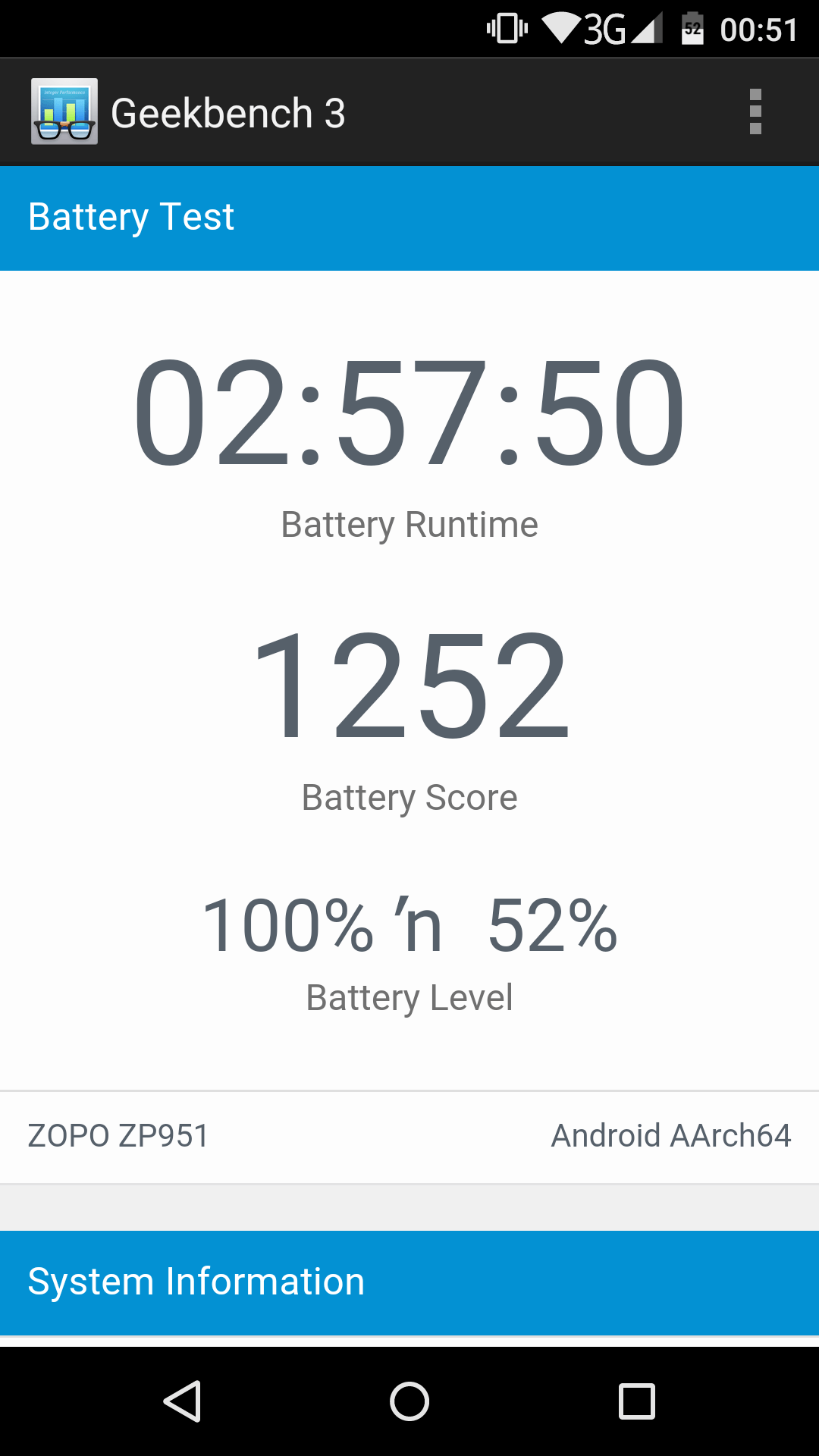
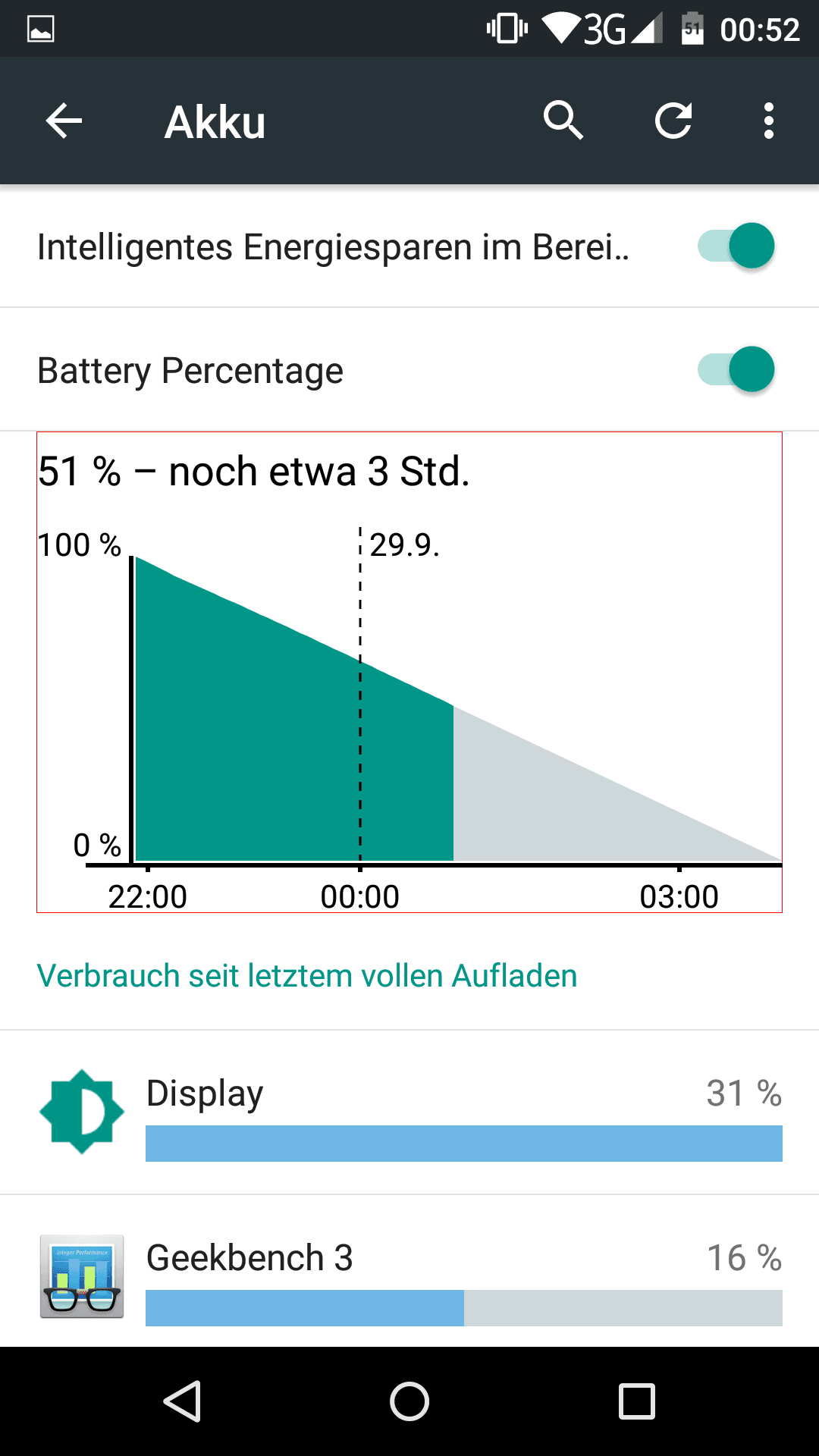
With 2500 mAh, the smartphone has a standard battery installed. In everyday use, the battery lasts for one day. I had to recharge the Speed 7 in the evening. After 3 hours of screen-on time (SOT), about 50% of the battery remains. So you end up with an SOT of approx. 4-6 hours.
Our verdict
The Zopo Speed 7 offers a really good mid-range smartphone with a solid overall system. Thanks to the good build quality and high-quality hardware, the Speed 7 stands out from many competitors, yet remains in the lower price segment.
Specifications
General
- *OS
- Android 5.1 (Zopo Z-UI)
- *Display
- 5-inch Full HD display
- *SoC
- MediaTek MT6753 64-bit Octa-Core at 1.3GHz (stated as 1.5, but actually only 1.3!)
- *Camera
- Front camera 5 MP, rear camera 13.2 MP (OmniVision image sensor!)
- *Battery
- 2500mAh Li-Po
- *RAM and ROM
- 3GB RAM, 16GB ROM
- *Grid
- 2G, 3G, 4G (LTE 800/1800/2600MHz)
- *Other
- Dual SIM, GPS/GLONASS, gravity sensor, proximity sensor, light sensor, digital compass
What’s included
*Zopo Speed 7 *Micro USB data/charging cable *EU mains adapter *Headset *Welcome card, warranty card, user manual

Comments