Contents
First impressions of the Reolink Argus
What’s included
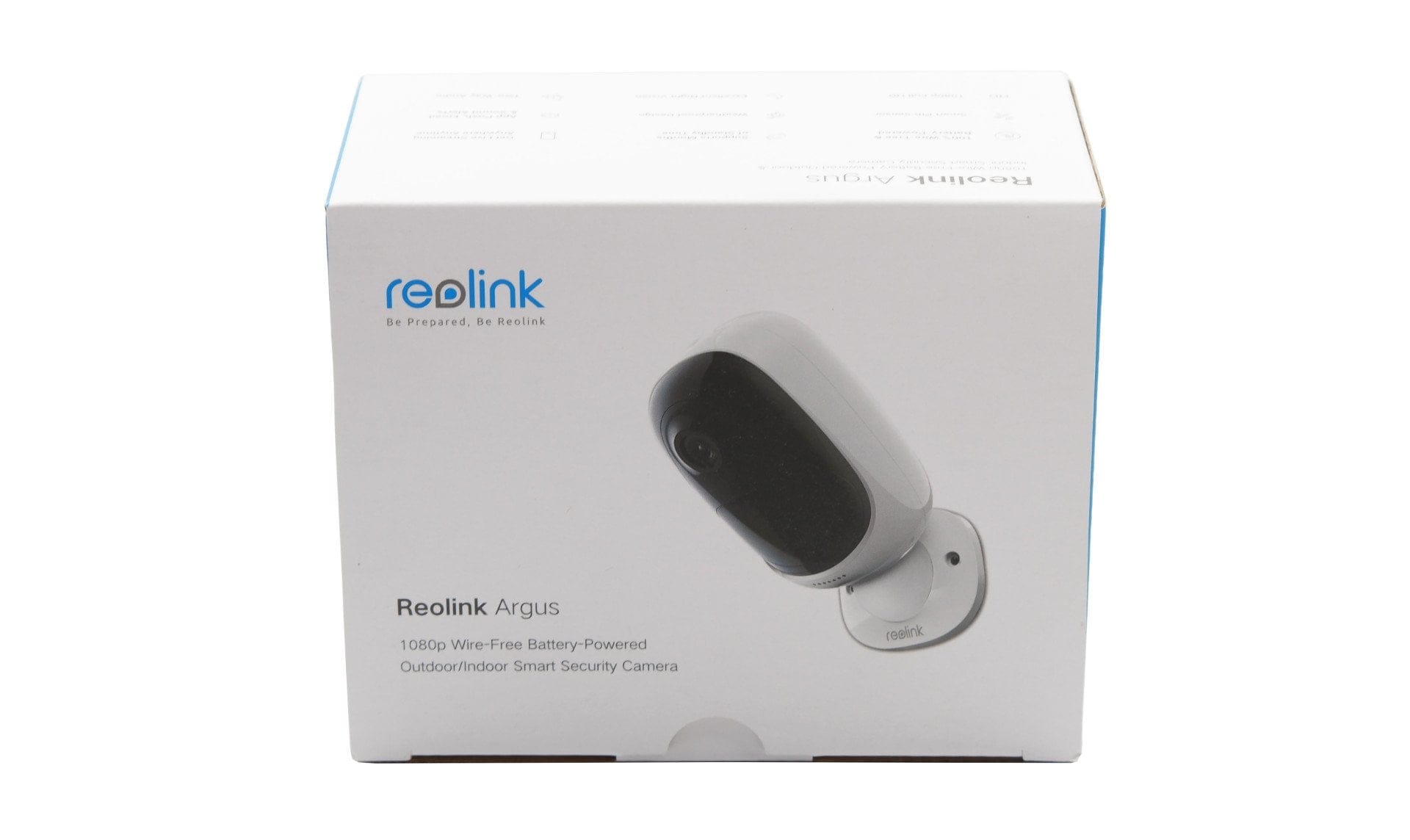
The scope of delivery for the Reolink Argus includes almost everything needed for commissioning and “out-of-the-box” use. Included alongside the Argus are two mounting brackets in total: one with a magnetic ball head and one with a universal mounting thread. Suitable screws and plugs for the respective bracket are included. Furthermore, the package contents include 4 CR123A batteries (3V), a tool for opening the camera housing, a pin for the camera reset, two drilling templates, a surveillance warning sticker, and an installation and user manual. What is missing from the scope of delivery is a microSD memory card, which is required to store recordings!

Design and build quality
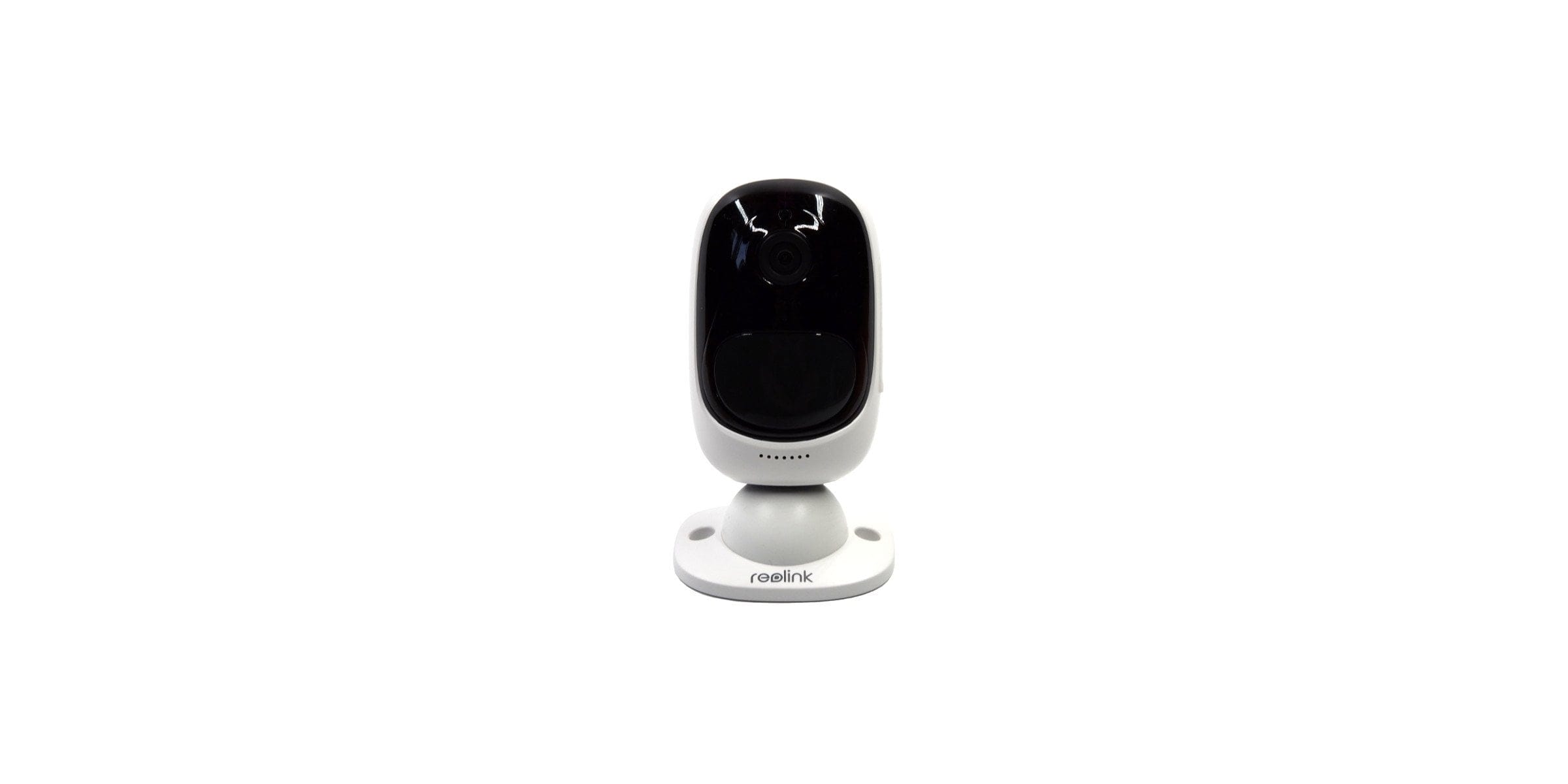
With dimensions of 113 x 65 x 54 mm and a weight of 260g (including batteries), the Reolink Argus is among the more compact surveillance solutions. Thanks to the discreet white plastic housing with a black front, the capsule-shaped surveillance camera can be placed unobtrusively. In accordance with IP65 protection rating, the camera housing is dustproof and protected against water jets, meaning the camera can be placed outdoors without additional precautions. The build quality is impeccable.

Features
The Argus’s features include a magnetic base with a ¼-inch thread, a side-mounted microSD card slot with a reset button below it, and a two-way audio system with a microphone and speaker. There are no USB or Ethernet ports.
On the front is the 1/2.9-inch CMOS camera module with a wide field of view of 130° (horizontal 105°, vertical 55°) and an F2.2 aperture. Surrounding the camera sensor are 850nm IR sensors that enable night vision. Videos are recorded or transmitted at a maximum resolution of 1080p (1920 x 1080). Wireless transmission is handled by a 2.4 GHz WiFi module (IEEE 802.11b/g/n) with support for WEP/WPA-PSK/WPA2-PSK security protocols.

Setup
Setup
Setting up the Reolink Argus does not require comprehensive technical understanding and is overall user-friendly. The steps necessary for commissioning are detailed in the installation and user manual.
In the first step, the batteries must be inserted into the camera. For this, the back of the camera must be removed. A tool that makes it easier to remove the back facilitates access to the closure, which is difficult to reach with bare hands. The surveillance camera can be operated not only with CR123A batteries (3V), but also with CR123A rechargeable batteries (3.6 – 4.2V).
In the second step, after inserting the batteries, the camera automatically switches to setup mode. The Reolink app is required to set up the Argus. It is available for free download in the respective app stores for iOS and Android mobile devices. The access permissions requested by the app are limited to the respective functions. A user account is not required to use the app and manage the camera.
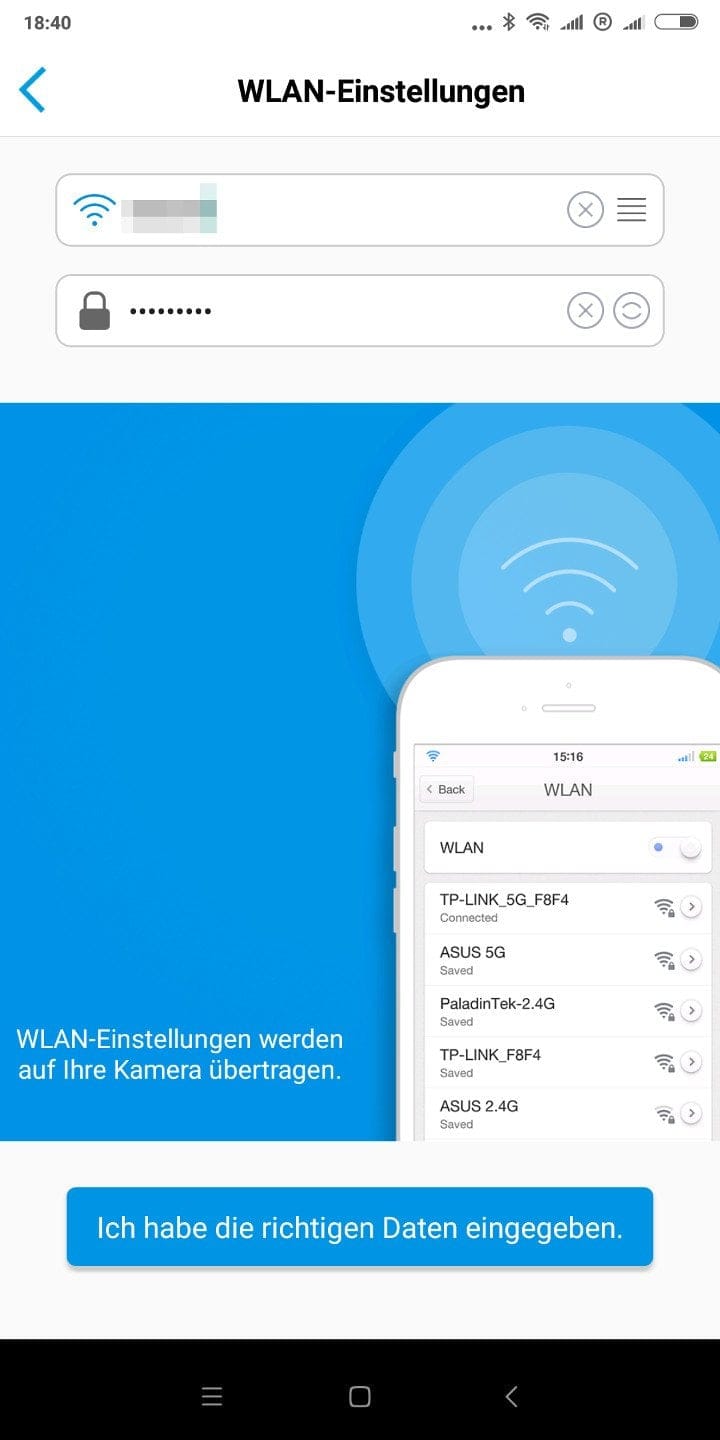
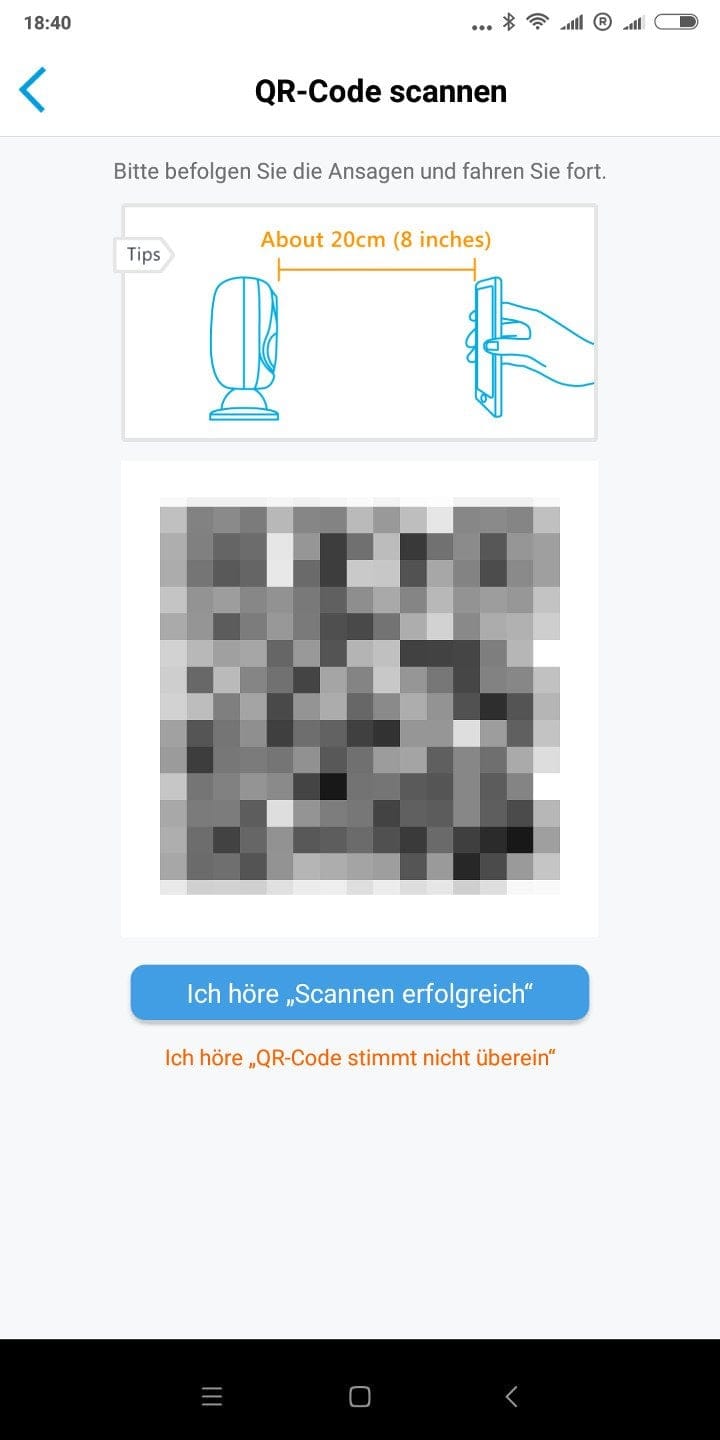
As soon as you add a new device within the app, the setup wizard starts. Initially, it asks you to scan the QR code located on the battery housing. The QR code contains the camera’s Wi-Fi access data. Scanning it automatically establishes a connection between the mobile device and the camera’s Wi-Fi. Next, your own Wi-Fi data is requested, because for use, the Argus must be integrated into your home network. The Reolink app generates another QR code from the transmitted Wi-Fi data, which is displayed on the mobile device’s screen and simply held in front of the camera lens. In the test, the camera immediately recognised the QR code and automatically connected to the home Wi-Fi.
Mounting
The mounting can be done either via the included magnetic ball head holder or the universal holder with screw thread. The also included drill templates are advantageous as they facilitate installation.

In combination with the ball-head mount, the camera can be precisely aligned with a few simple movements. The mount is suitable for placement both indoors and outdoors. In addition, the mount can be used as a simple stand mount without any screw fastening. However, a disadvantage of this simple mounting option is that there is no additional anti-theft protection and the camera can be removed just as easily. However, the magnetic connection remains stable even in strong winds.
The Argus is attached with the universal mount using a conventional ¼ inch screw thread. The camera can be precisely aligned via the ball head of the mount. This mount is particularly suitable for outdoor use.
Features and controls of the Reolink Argus
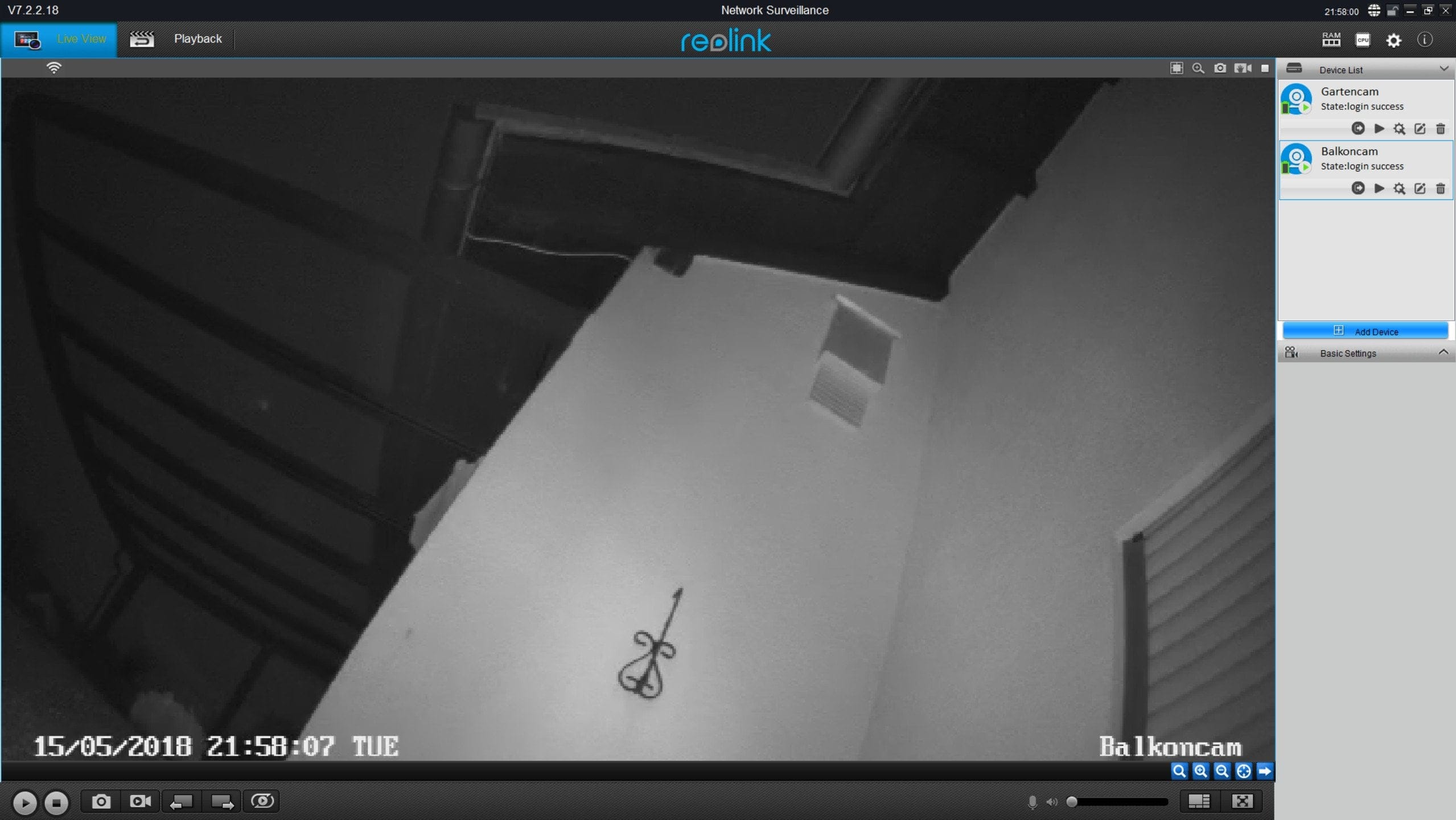
Managing and controlling the Argus is done either via the Reolink App or the Reolink Client, which can be downloaded for free in a Windows or Mac OSX version from the manufacturer's website. There is no web interface! Functionally, both the app and the client offer identical configuration, streaming and playback options. Below, I refer to the app, as this was mainly used for camera control.
The app has a clear layout. After launching, you are greeted by the already configured surveillance cameras, displayed in a tile look with names and preview images. If you want to protect the app from unauthorised access, a password protection can be set via the general app settings.
Live Image Mode
To switch to live image mode, simply click on the camera preview. The stream starts after a short loading time. The measured transmission delay is between 2 and 6 seconds depending on connection strength. The stream can also be accessed on the go from the cellular network. Unfortunately, it is not possible to deactivate remote access!
Below the live image are camera controls. Among other things, it is possible to pause the stream, a photo or video recording can be started at the push of a button, the colour mode can be switched between colour and black-and-white, and the transfer quality can also be manually changed between "Clear" (high resolution) and "Smooth" (low resolution).

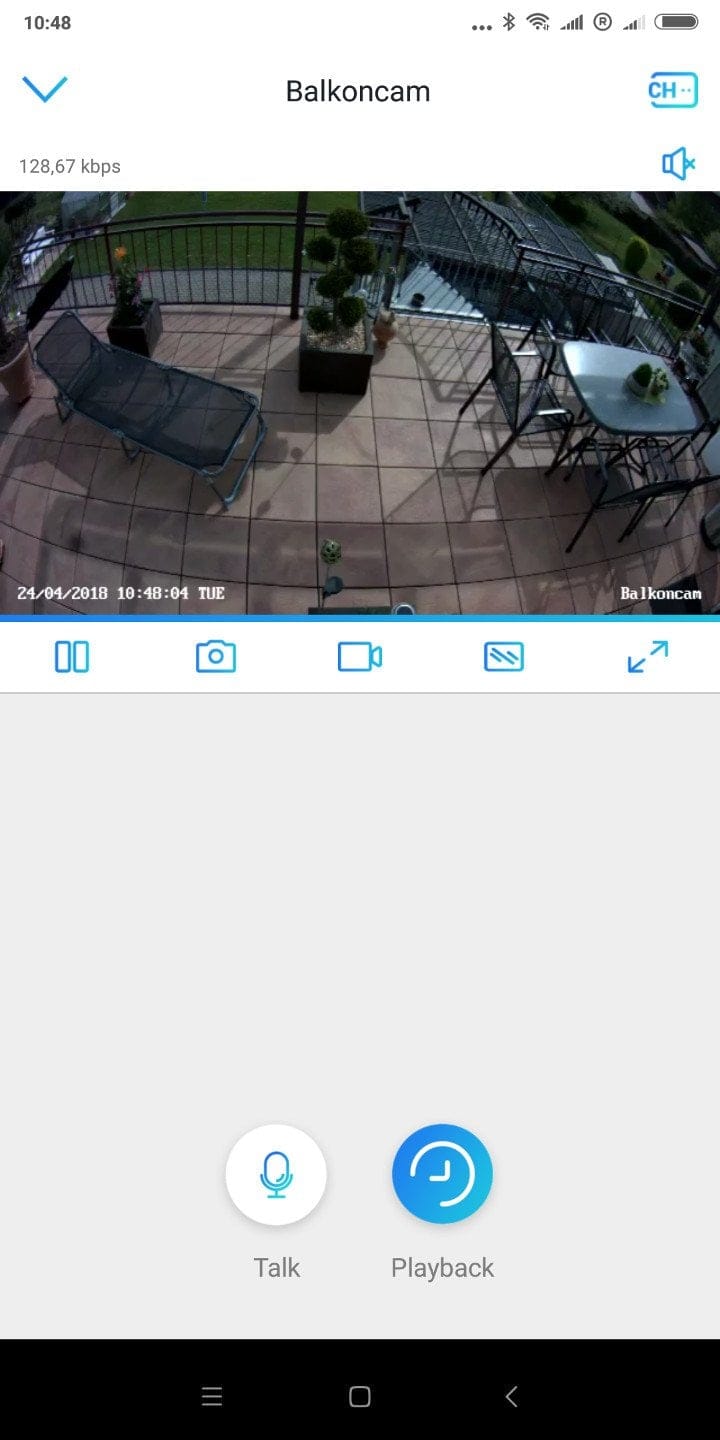
Above the live image are details on the transmission speed. If reception to the camera is poor, you are notified with an appropriate message. If you have added multiple Reolink surveillance solutions to the app, a swipe is enough to switch to the next connected device. Alternatively, all added cameras can also be displayed in a convenient live overview.
Alarm function
The Argus is not a surveillance camera that records continuously. Recordings are triggered manually or via the camera’s motion alarm. Movement within the frame is detected not by software, but by a PIR sensor. A recording triggered by the motion alarm lasts for at least 6 seconds and continues for the duration of the detected motion. Depending on the set sensitivity level (Low, Medium and High), the sensor’s detection range is between 2 and 9 meters.
In addition to sensitivity, the app settings allow you to define how the camera behaves when a motion alarm is triggered. In addition to automatic recording, a alarm signal can also be triggered, and there is also the option to receive notifications via email or push. To preserve battery life, Reolink has implemented an alarm schedule that can be configured for individual days of the week and hourly sections.
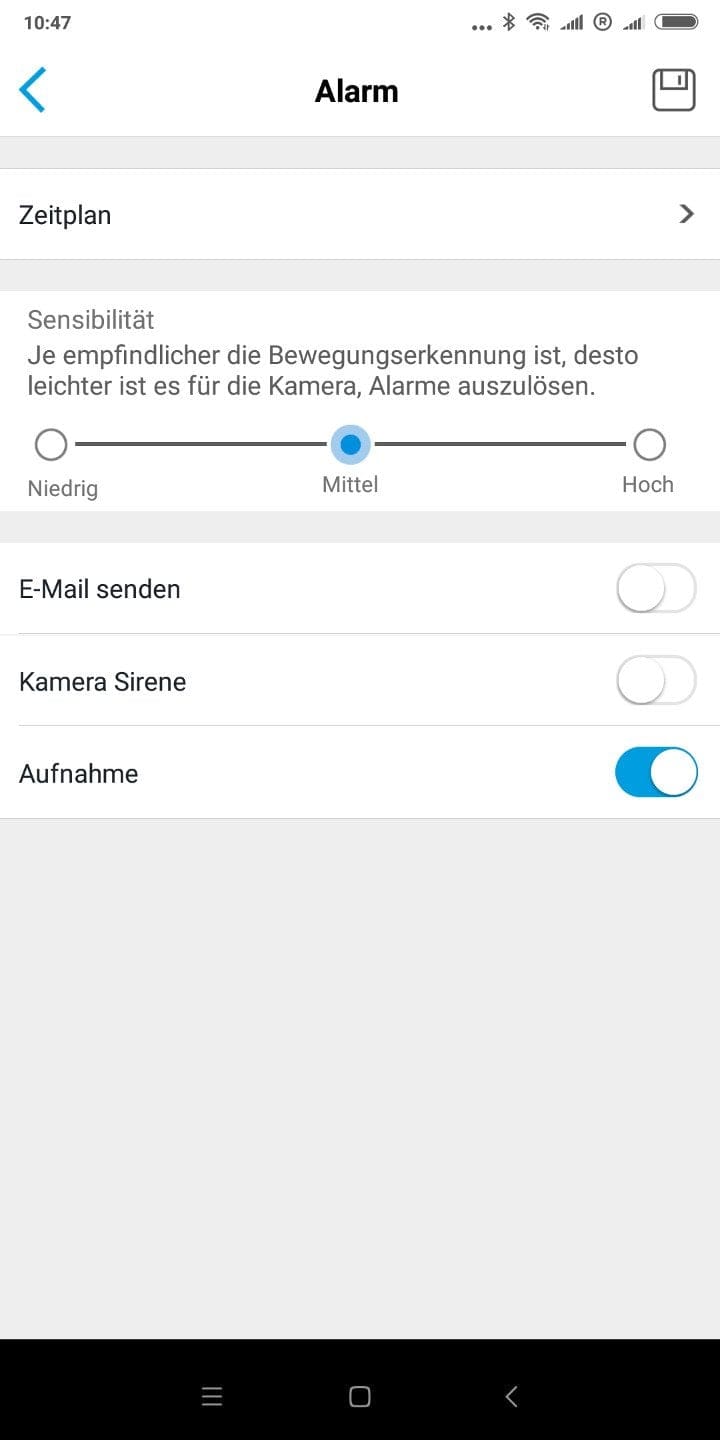
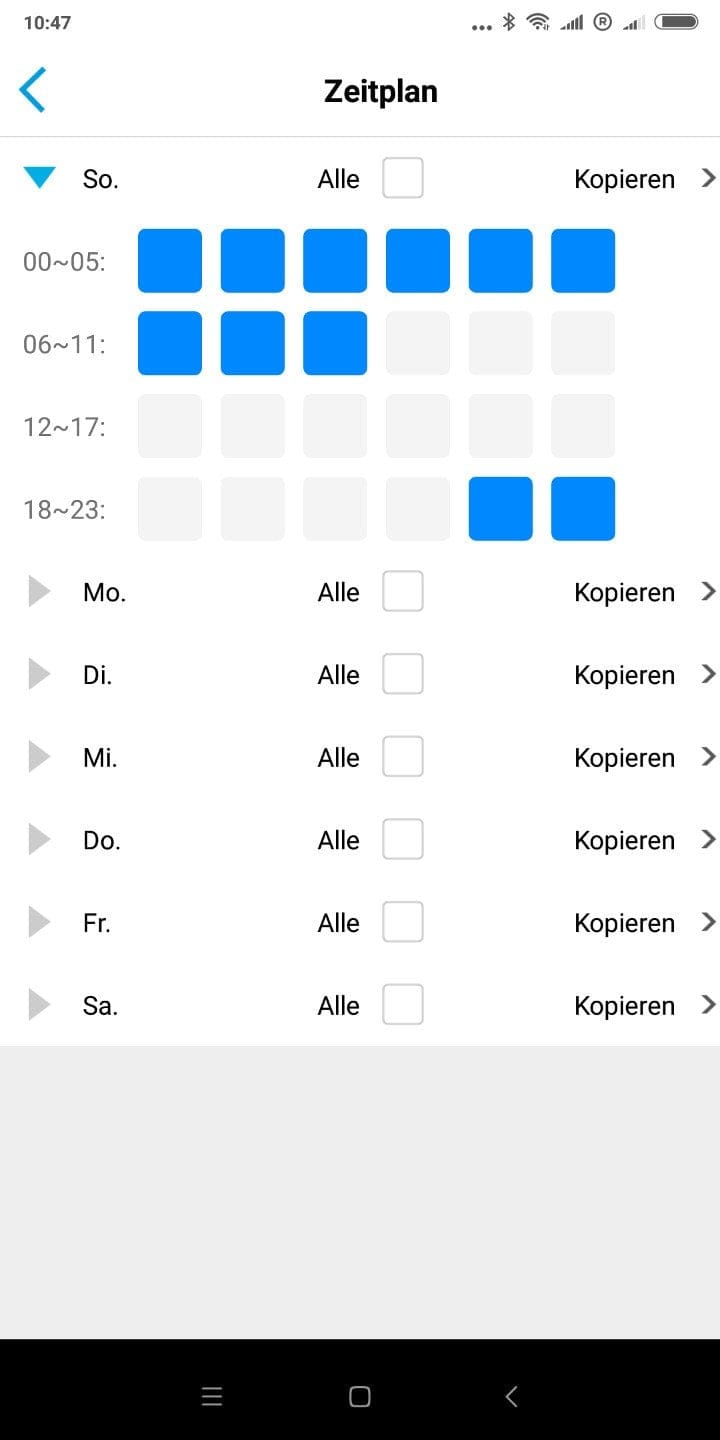
In our test, motion detection worked largely reliably, although the maximum range of 9 meters is somewhat disappointing. Vehicles are easily detected up to 9 meters. For people and animals, detection stops at just under 6 meters, even at the highest sensitivity setting. Another drawback of motion detection via PIR sensor is that no detection area can be defined. As a result, movements in the entire image area are captured. Exclusion is only possible by positioning the camera accordingly.
Playback mode
Stored recordings can be accessed via the playback mode. Unlike many other smart surveillance solutions, the Reolink Argus (so far) offers no cloud connection. Only recordings stored on the microSD memory card can be accessed. A Reolink cloud was under development at the time of the test and is due to appear during the year (2018).
Recordings are sorted by the respective recording date. The recording snippets can be displayed in a timeline or a tile overview. Saved recordings can be played in the stream, and it is also possible to download recordings directly to the mobile device.

Two-way audio
The Argus is equipped with a two-way audio system. This enables two-way voice transmission. Using the camera's microphone, audio transmission can take place in addition to image transmission. It is also possible to send voice messages from the mobile device to the camera, which are played back via the camera's speaker. The transmission quality is acceptable, so spoken words are intelligible, albeit slightly tinny. Audio captured by the camera is still transmitted intelligibly up to a range of 5 meters.
Settings
The settings are initially divided into system and basic info, where you can adjust the device name, date & time, and push notification reception, among other things. Various system information options are also available.
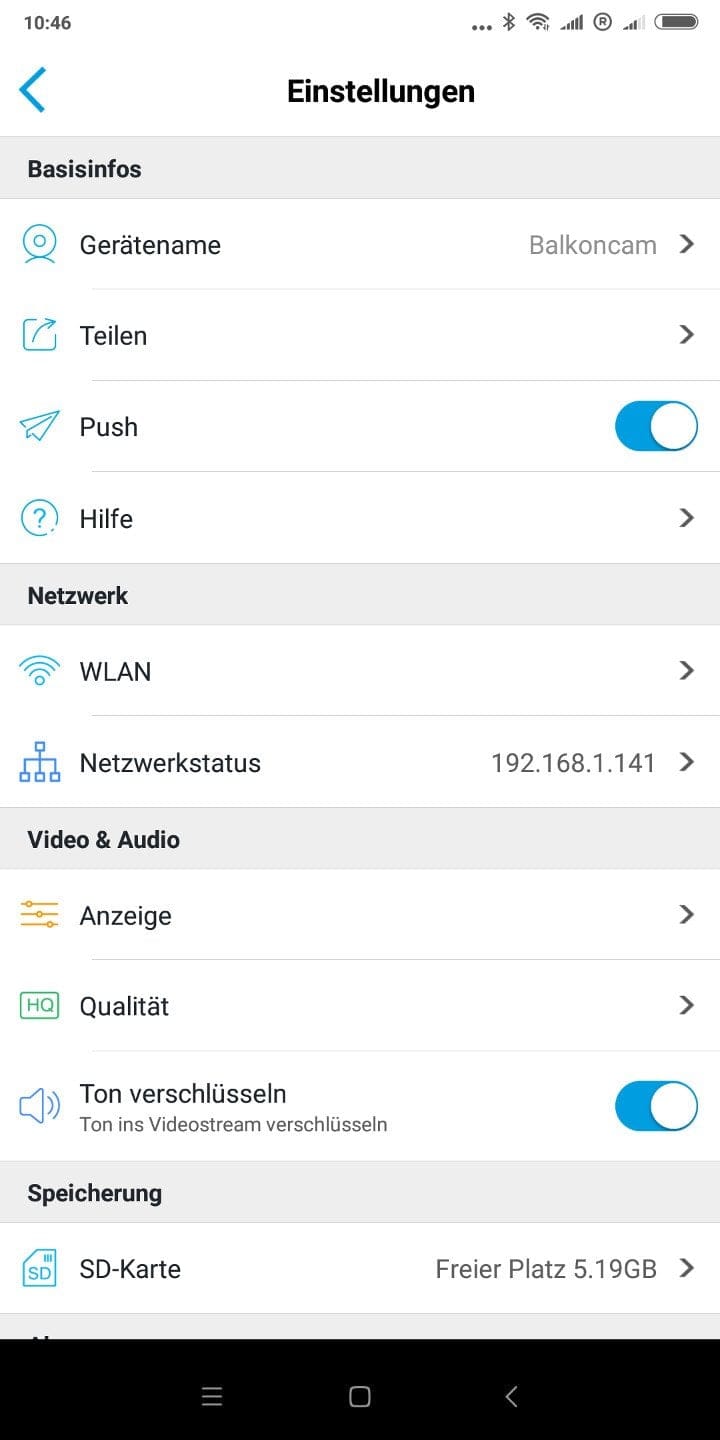
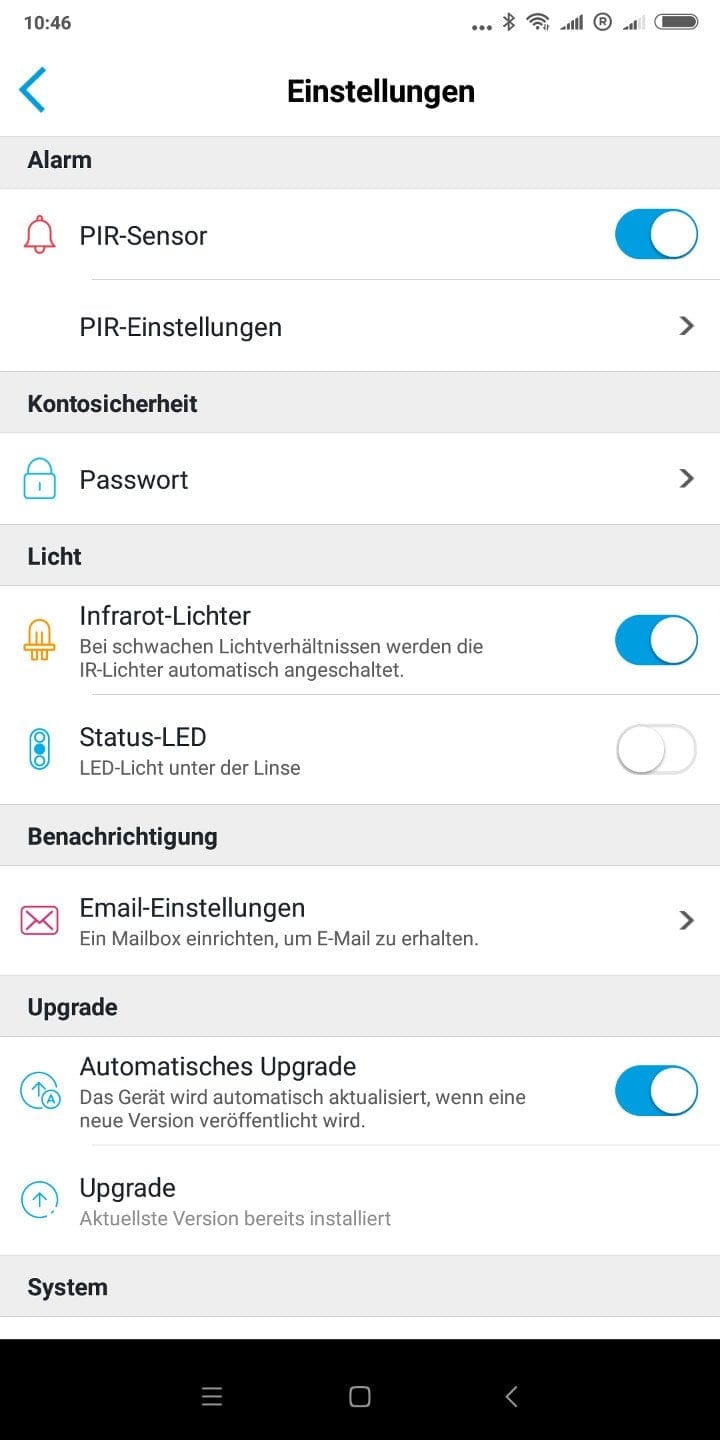
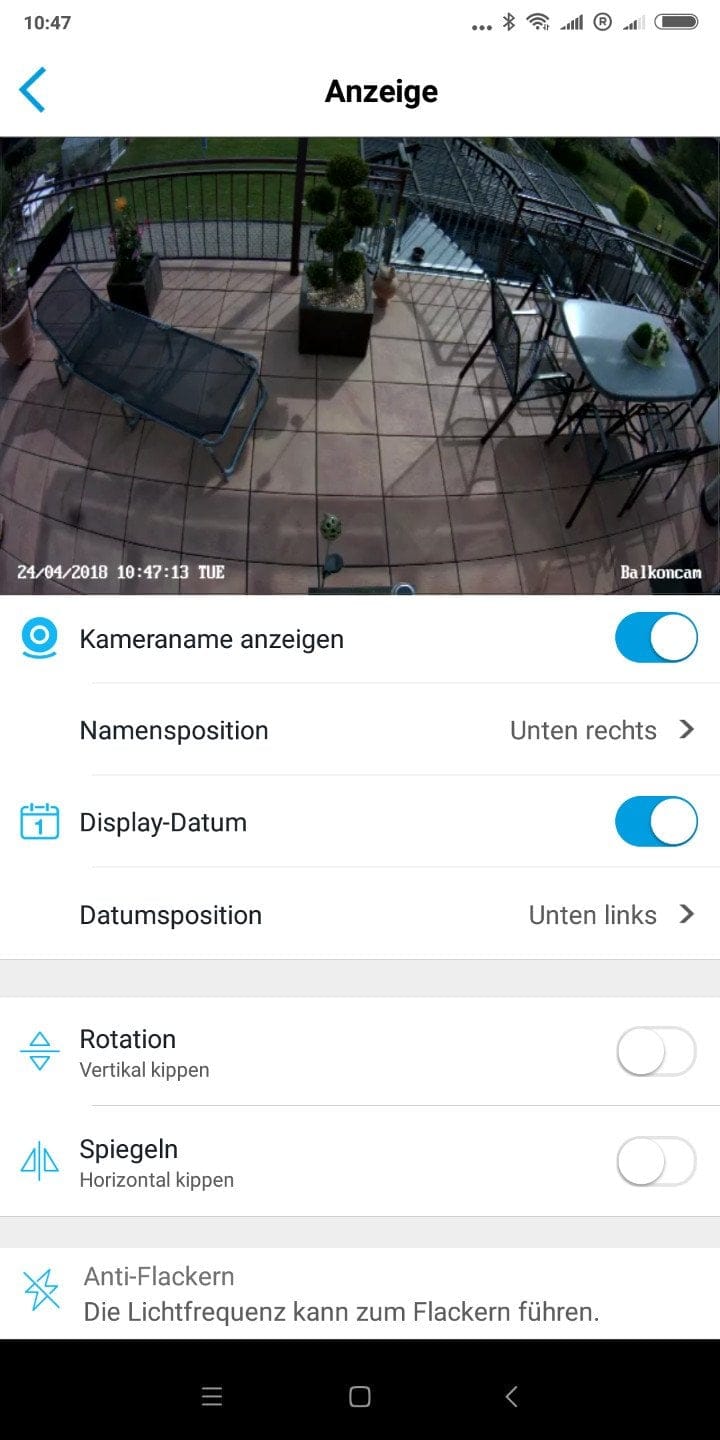
Separately, there are network settings for Wi-Fi, Video & Audio settings, such as for recording quality, display overlay, and audio encryption, as well as alarm settings for the PIR sensor. The status LED and the IR night vision LEDs can be deactivated if desired. The Argus can automatically receive firmware updates.
Recording quality of the Reolink Argus
Videos are recorded at a maximum 1080p (1920 x 1080 pixel) resolution and 15 frames per second. Other supported resolutions are 720p and 360p. The frame rate is adjustable in steps of 2, 5, 10 and 15 FPS. Similarly, a bitrate between 256 and 2048 kbps can be selected.

The recording quality is convincing due to pleasant sharpness, a decent level of detail and a low noise level. The output format for video recordings is MP4. A 6-second clip (FHD – 15 FPS) reaches a file size of approximately 4 MB.
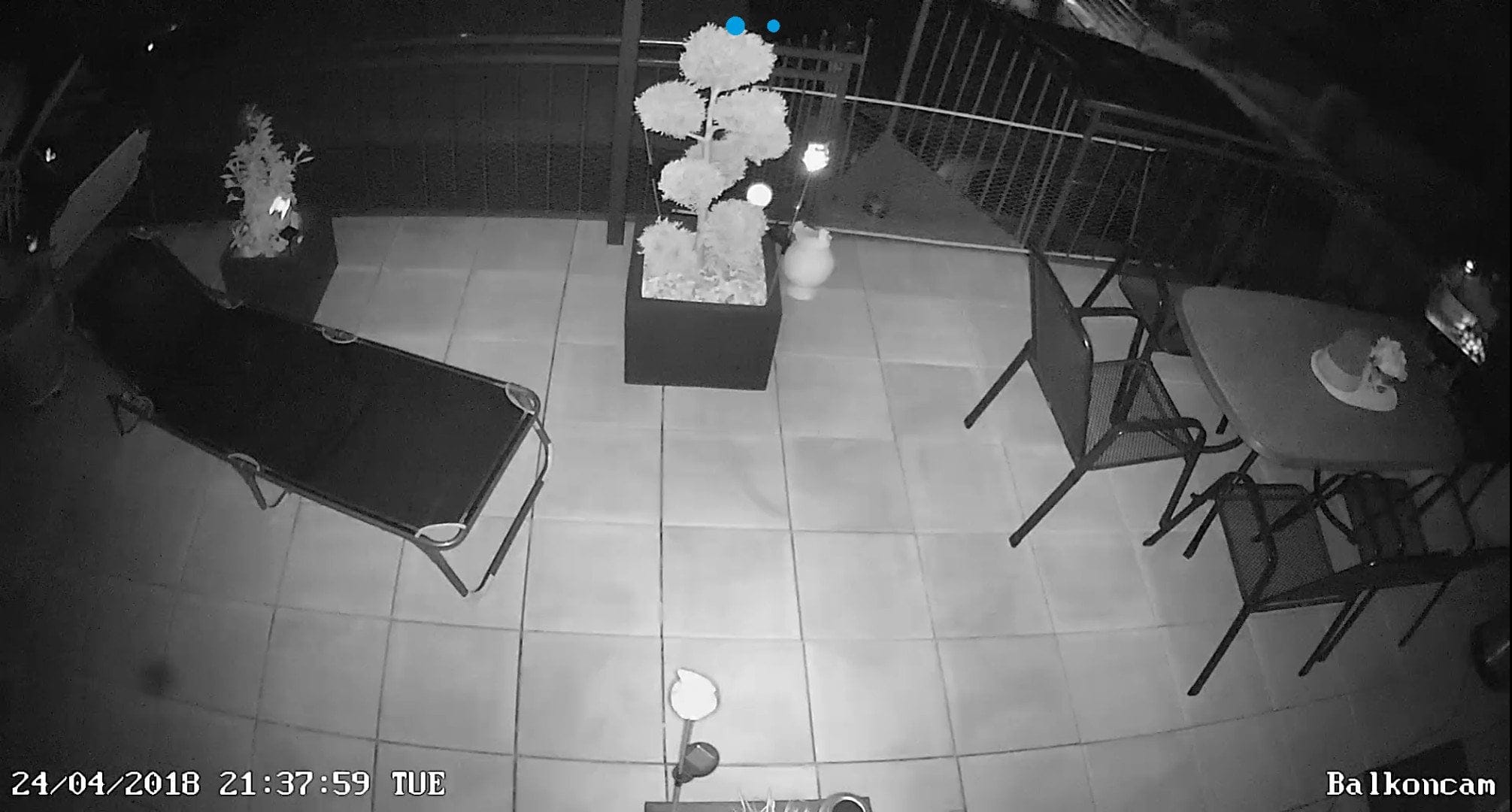
As darkness increases, the surveillance camera switches to night vision mode by default. The night-time visibility range is approximately 8 metres. The detection range of the PIR sensor is not impaired.
Battery

As mentioned at the beginning, the Reolink Argus can be powered not only by CR123A batteries (3V) but also by CR123A rechargeable batteries (3.6 – 4.2V). A power supply via a mains adapter or USB is not provided.
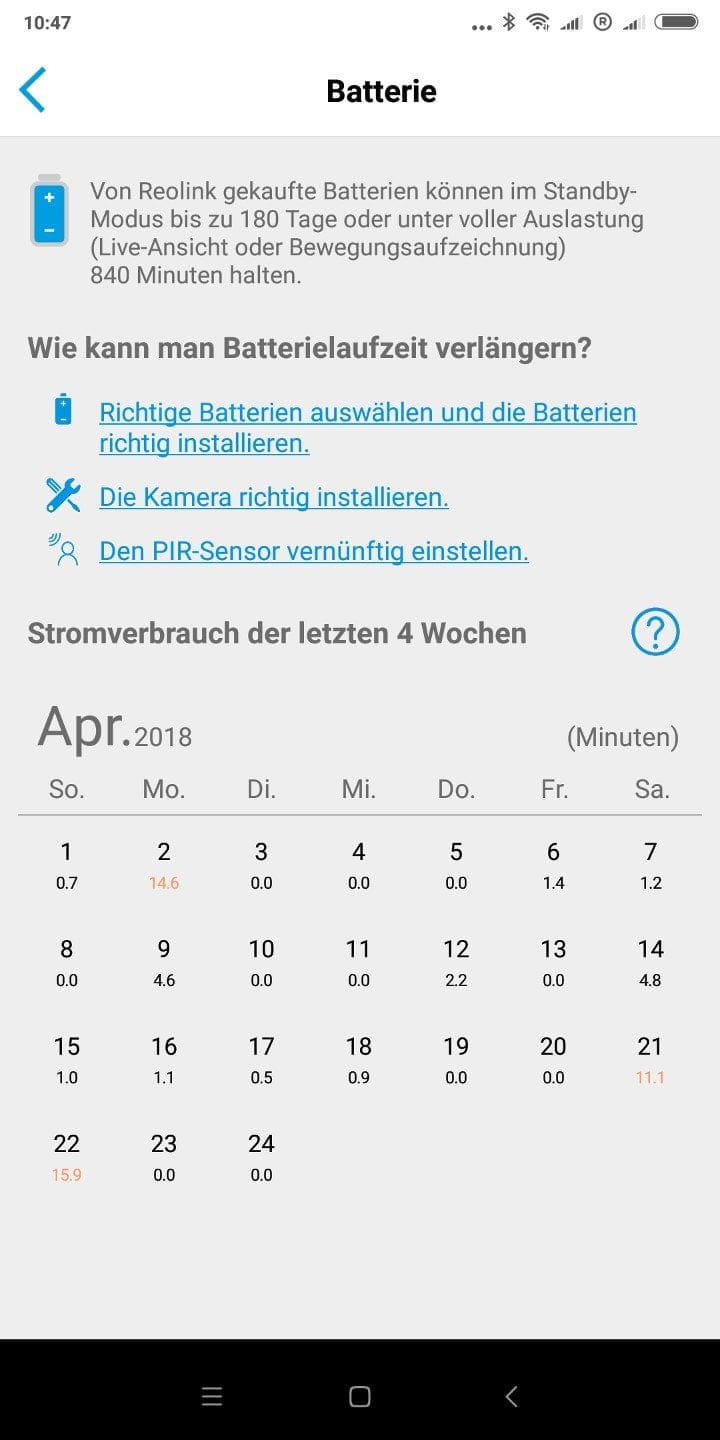
However, experiences gained over the past few months showed that Reolink’s stated battery life figures are quite plausible. A set of batteries, the Argus put into operation in mid-November 2017, lasted until mid-April 2018. However, you should not rely on the battery consumption details displayed in the app. This consumption indicator is merely an estimate derived, among other things, from the daily recording time. Already in December, the consumption indicator showed a low battery level, which repeatedly adjusted weekly to the respective conditions until mid-April.
Our verdict
The Reolink Argus is a versatile monitoring solution. Due to its wireless operation and waterproof housing, the camera can be used almost anywhere. However, a prerequisite is that the camera is actively connected to a Wi-Fi network, which is not always the case outdoors!
Setup is straightforward, the feature set is convincing, and Reolink has done a good job with both the app and client interfaces. The manufacturer’s stated battery life figures appear plausible. In testing, a set of batteries lasted around five months.
Specifications
Recording
- Sensor
- 1/2.9" CMOS
- Resolution
- Max. 1080p (1920x1080)
- Field of view
- 130°
- Aperture
- F2.2
- Night vision
- IR LEDs (850nm)
PIR Sensor
- Detection range
- *Low
- 2–4 metres
- *Medium
- 4-6 metres
- *High
- 6–9 metres
- Detection angle
- 120°
Functions
- *Motion alarm
- *Alarm notification
- *Live stream with remote access
- *Video playback
- *Night vision mode
- *Two-way audio
Connectivity
- SD memory card slot
- Yes
- Wi-Fi
- 2.4G (IEEE 802.11b/g/n)
- Speakers
- Yes
- Microphone
- Yes
Other
- App
- Android and iOS
- Client
- Windows and Mac OSX
- Power supply
- Battery type (CR123A)
- *Standby battery life
- up to 180 days
- *Recording runtime
- up to 800 minutes
- Protection rating
- IP65
- Size
- 113 x 65 x 54 mm
- Weight
- 260g
What’s included
1x Reolink Argus 1x Mount with magnetic ball head 1x Mount with fixing thread 2x Screw set 2x Drilling template 4x CR123A battery 1x Reset needle 1x Casing tool 1x Sticker 1x User manual
Comments