Contents
First impressions of the YI 4K+
At the beginning of last year, Chinese camera manufacturer "YI Technology" released the YI 4K (YI 4K review), an action camera that could and can compete with models from well-known manufacturers, such as GoPro. At this year's CES 2017, the manufacturer announced a successor model to the extremely popular action camera. Although the predecessor and successor models look remarkably similar, the latter contains a far superior image processor inside, enabling 4K video recording at a solid 60 frames per second. This makes the YI 4K+ the world's first action camera with this feature and technically superior even to the GoPro HERO5 Black, released a few months ago.
What’s included
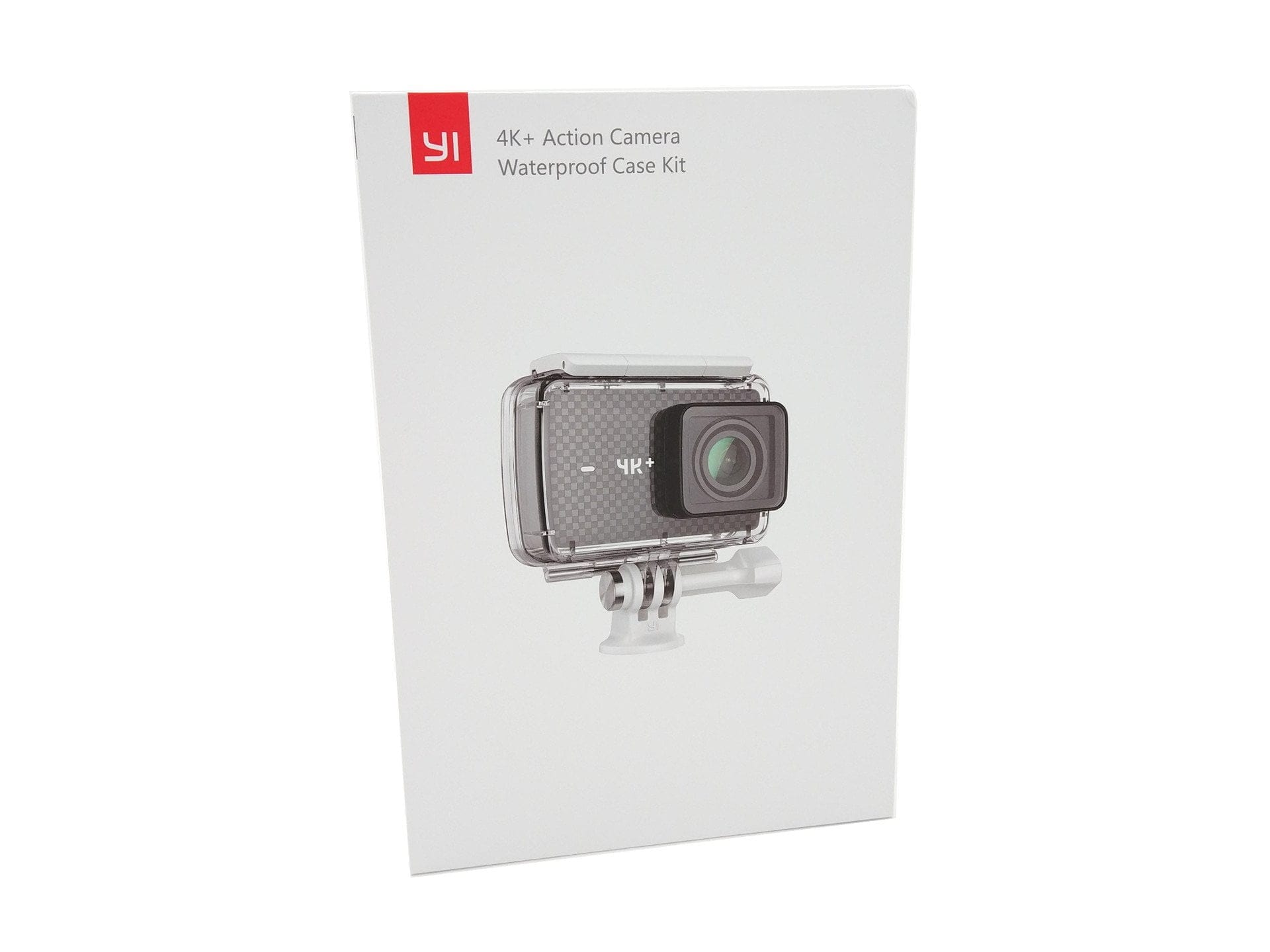
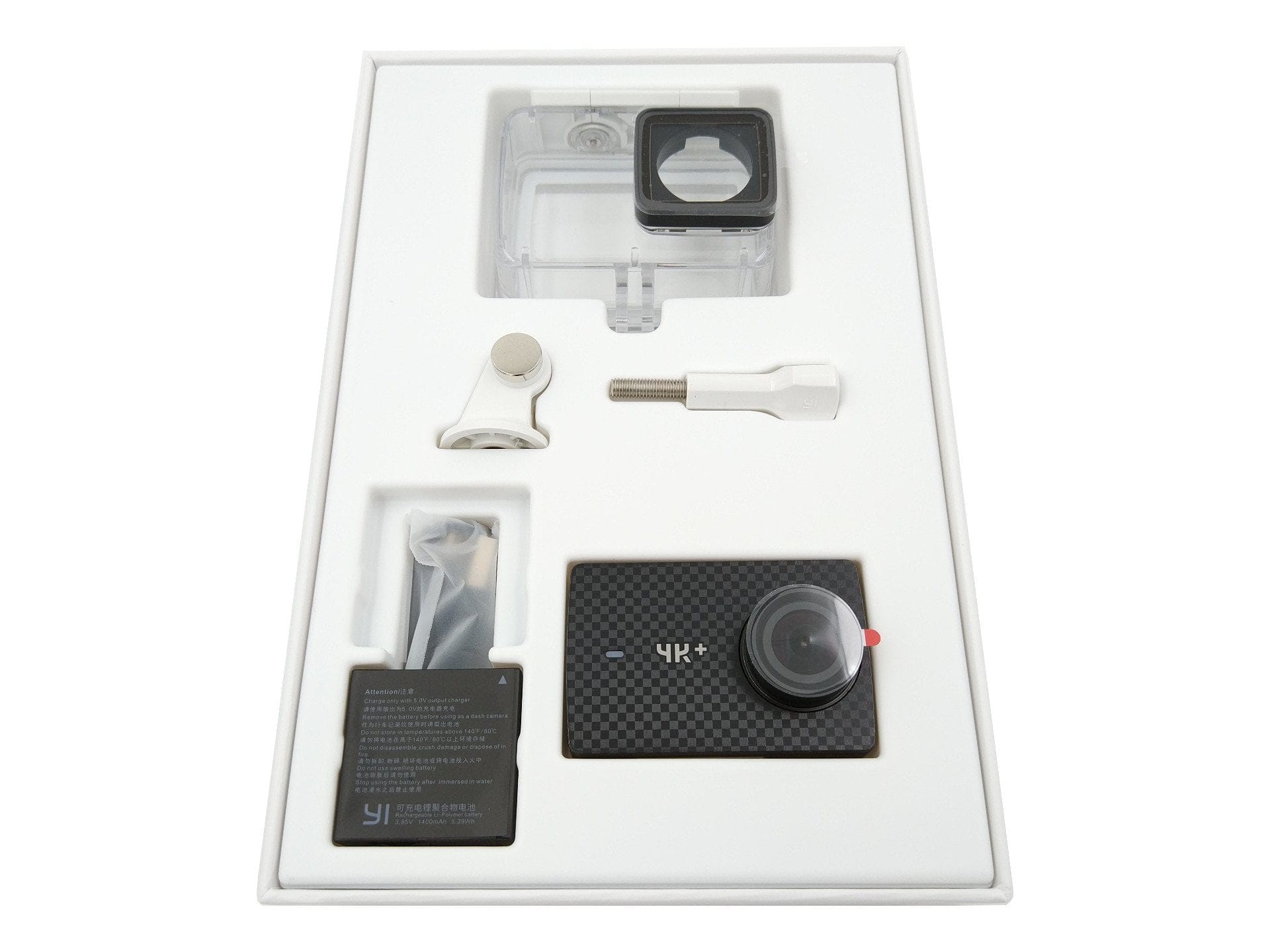
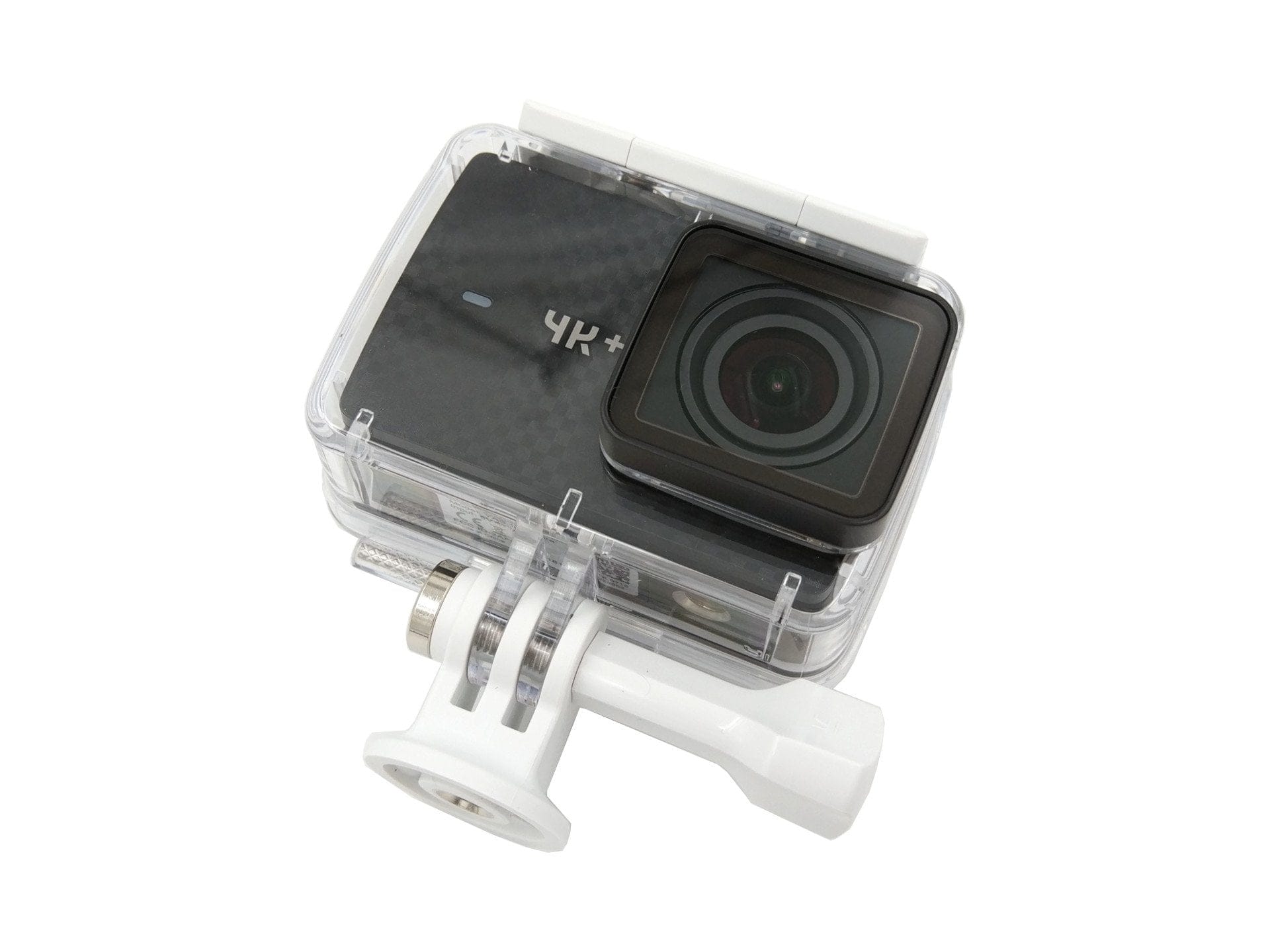
In addition to a hardware upgrade, the scope of delivery was also upgraded. From now on, the delivery includes an original waterproof housing from YI Technology along with a mount. Also included are a 1,400 mAh battery, a USB-C cable, and a wealth of manuals and note cards.
Design
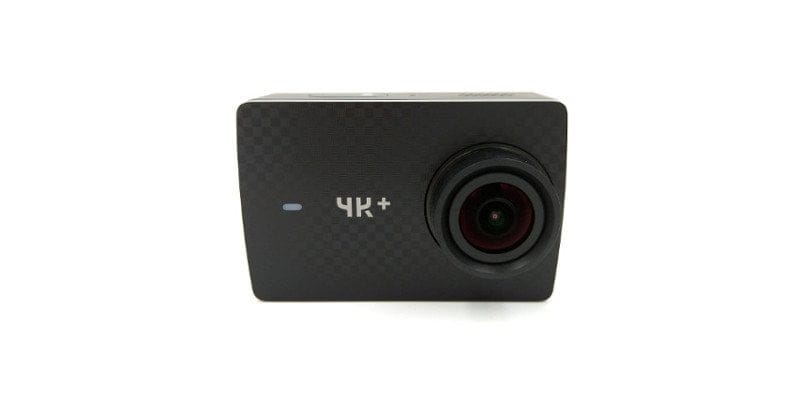
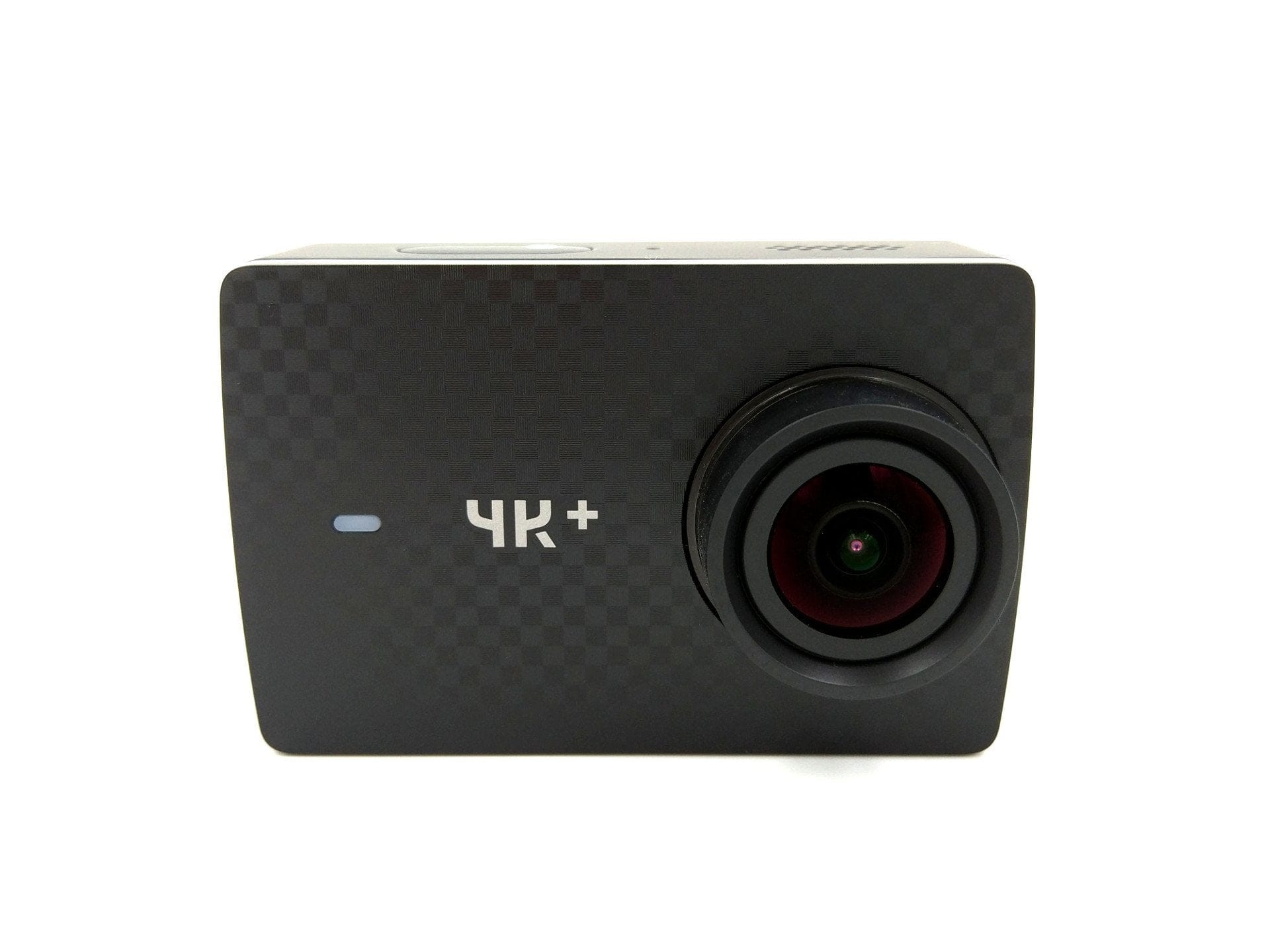
The design of the YI 4K+ differs only slightly from the standard model. The camera housing still measures 65 x 42 x 30 mm and weighs exactly 97 g with the battery inserted. If you already own a YI 4K, you can continue to use its accessories with the Plus model. The two cameras can be distinguished by the front side, which features a nice carbon pattern on the Plus model. The prominent logo of the standard model has also been replaced by a simple “4K+” label.
Hands-On
The lens equipment of the action cam still consists of a 7-layer lens with a 155° wide angle and an aperture of F/2.8. To the left of the lens or objective is a status LED that informs about the battery level and recording status. Another status LED is located on the top of the housing, which is simultaneously integrated into the only physical control button on the camera.
Also placed on the top of the housing are the speaker and one of the total of two microphones. Here too, there is a small difference compared to the standard model. The YI 4K had both microphones placed on the left and right next to the top control button. On the YI 4K Plus, one of the microphones has moved to the edge of the housing.
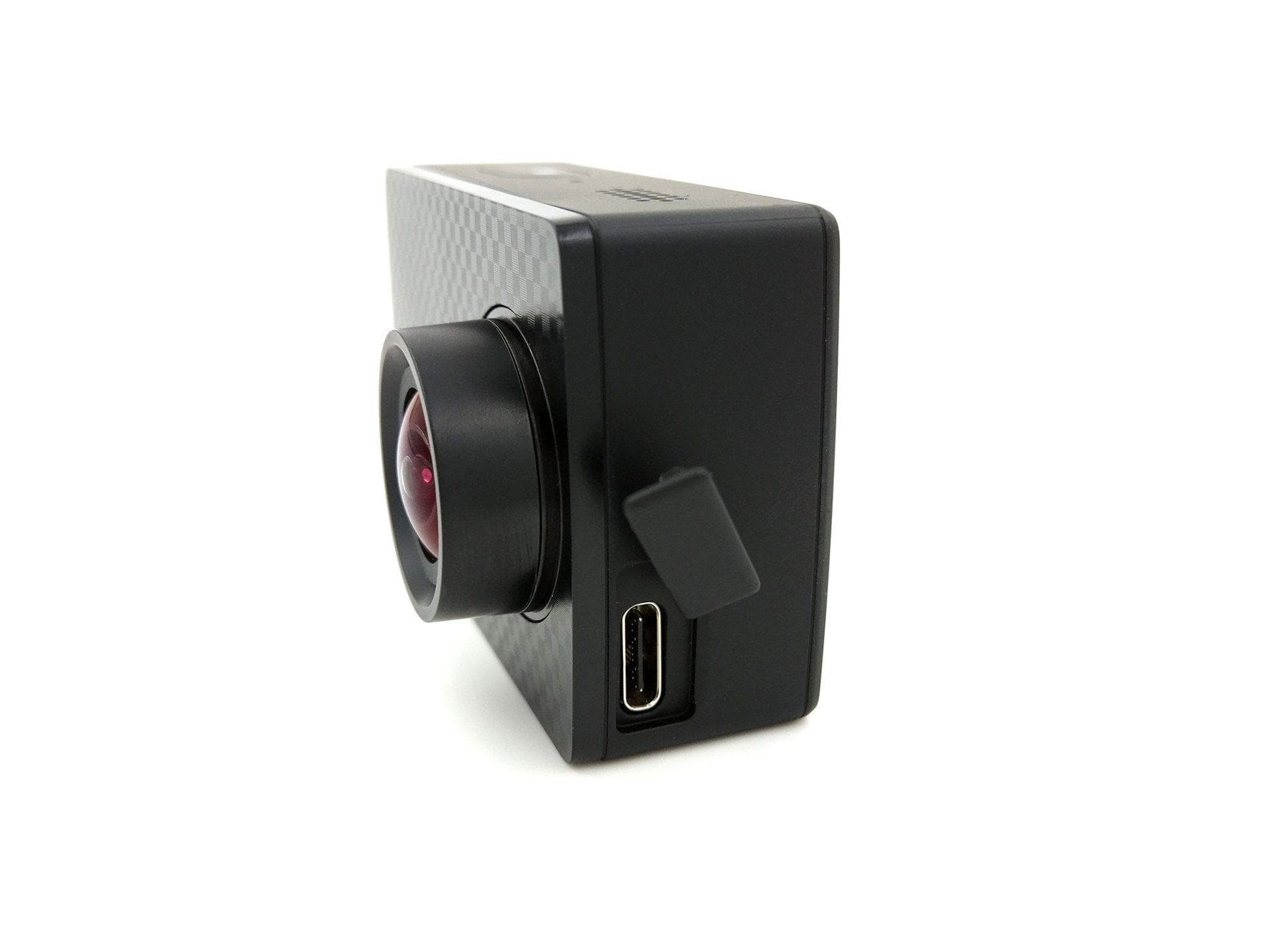
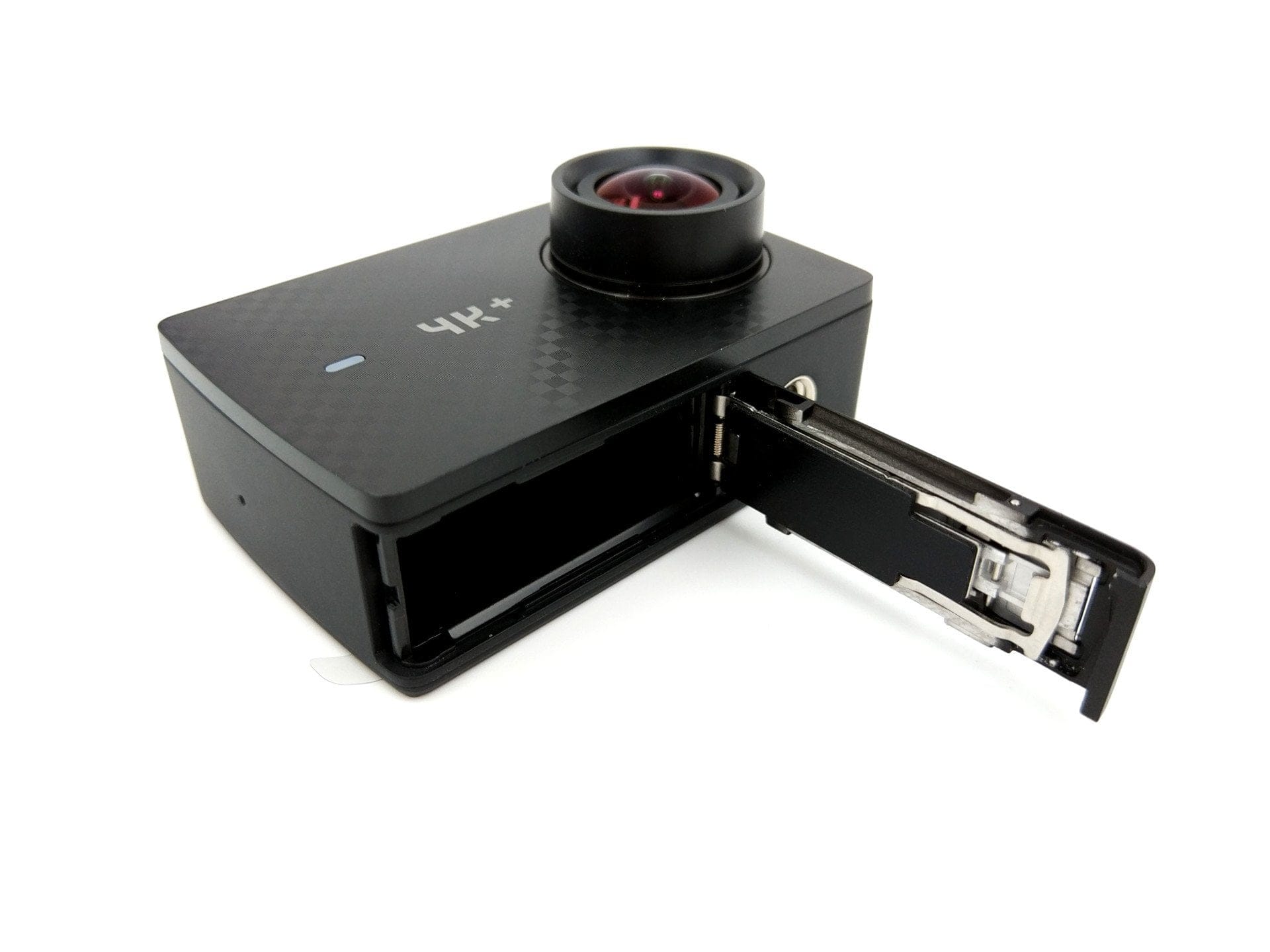
Incidentally, the entire housing frame is now covered with a thin soft-touch surface, which makes it significantly easier for the action cam to stay in the waterproof housing, while at the same time making it harder to remove. On the back is a 2.2-inch display with touchscreen. Connectivity options are limited to a USB-C port. On the underside is the battery compartment, which also contains the micro SD card slot. A ¼-inch tripod thread is also attached next to the battery compartment.
USB-C standard
A key innovation in the YI 4K+ is the use of the USB-C standard as a connection option. In contrast to the Micro-USB port on the standard model, the USB-C port is versatile. Among other things, an external microphone can now be connected and the video signal can be tapped directly via USB-C. Of course, a suitable adapter is required.
Build quality
The workmanship of the action cam and the included accessories is not to be faulted. The camera makes a high-quality impression, all control buttons have a good pressure point, there are no unsightly gaps, the battery compartment closes well and the included waterproof housing also convinces with a good and secure locking mechanism.
Display and touchscreen
The rear LCD has a diagonal of 2.2 inches with 640 x 360 pixels. This achieves a sharp 330 PPI. The luminance is 250 cd/m². In strong sunlight, the display is only marginally readable. There are also issues with polarised sunglasses, which darken completely when viewing the display horizontally.
There is nothing to criticise about the display’s colour reproduction. The same applies to viewing angle stability. Inputs via the small touchscreen are recognised precisely. Once inside the waterproof housing, of course, the YI 4K+ can no longer be operated via the touchscreen. Instead, there is the "In Housing Mode", which allows the camera to be fully controlled using the top control button.
Hardware
The YI 4K+ is not only the world's first action camera that records 60 frames per second at 4K resolution, it is also the first action camera with the new Ambarella H2 image processor, which enables this recording mode. Manufactured using a 14nm process, the processor is approximately twice as fast as the Ambarella A9SE chip of the predecessor. Videos are recorded with a maximum possible bitrate of 135 Mbit/s. The only downside: YI Technology continues to rely on H.264 for video compression and not on the latest standard H.265! The manufacturer remains true to the 12-megapixel Sony IMX377 image sensor.
Start-up with hurdles
Usually, setting up an action camera is self-explanatory. Insert the battery and SD card, and you can start recording. However, it wasn't quite that simple with the YI 4K+, which is why I included a sub-section on setup in this test report.
My action camera came with Firmware 1.04. Compatibility issues with SD memory cards were only resolved with Firmware 1.0.18. When I first switched on the action camera and inserted a standard Samsung Evo SDHC memory card, the YI 4K+ user interface greeted me with a nice "SD-Card Error". Numerous formatting attempts brought no success. At least the memory card was recognized without problems in my standard YI 4K. Switching to a SanDisk Extreme Pro also brought no success. The "SD-Card Error" remained, whether with the Samsung or SanDisk SD memory card.
So the firmware update 1.0.18 had to be installed. In order to install an update at all, a functioning SD memory card must be inserted. Only a no-name 4GB SD memory card that came with a Chinese tablet was recognised by my YI 4K Plus. After the update was installed, the other two memory cards were also recognised without error.
User interface
YI Technology has largely taken over the user interface of the YI 4K. Only minor settings have been added. The start screen, or live image output, is surrounded by information about the recording mode, recording time, battery level and whether the microphone and Wi-Fi are active. The recording mode can be changed directly from the start screen. The small gallery icon takes you directly to the gallery, where you can view the recordings stored on the memory card. If the display is not used for a longer period of time, the display lock is activated automatically; it can be deactivated again with a swipe gesture. This option can be individually adjusted in the settings.
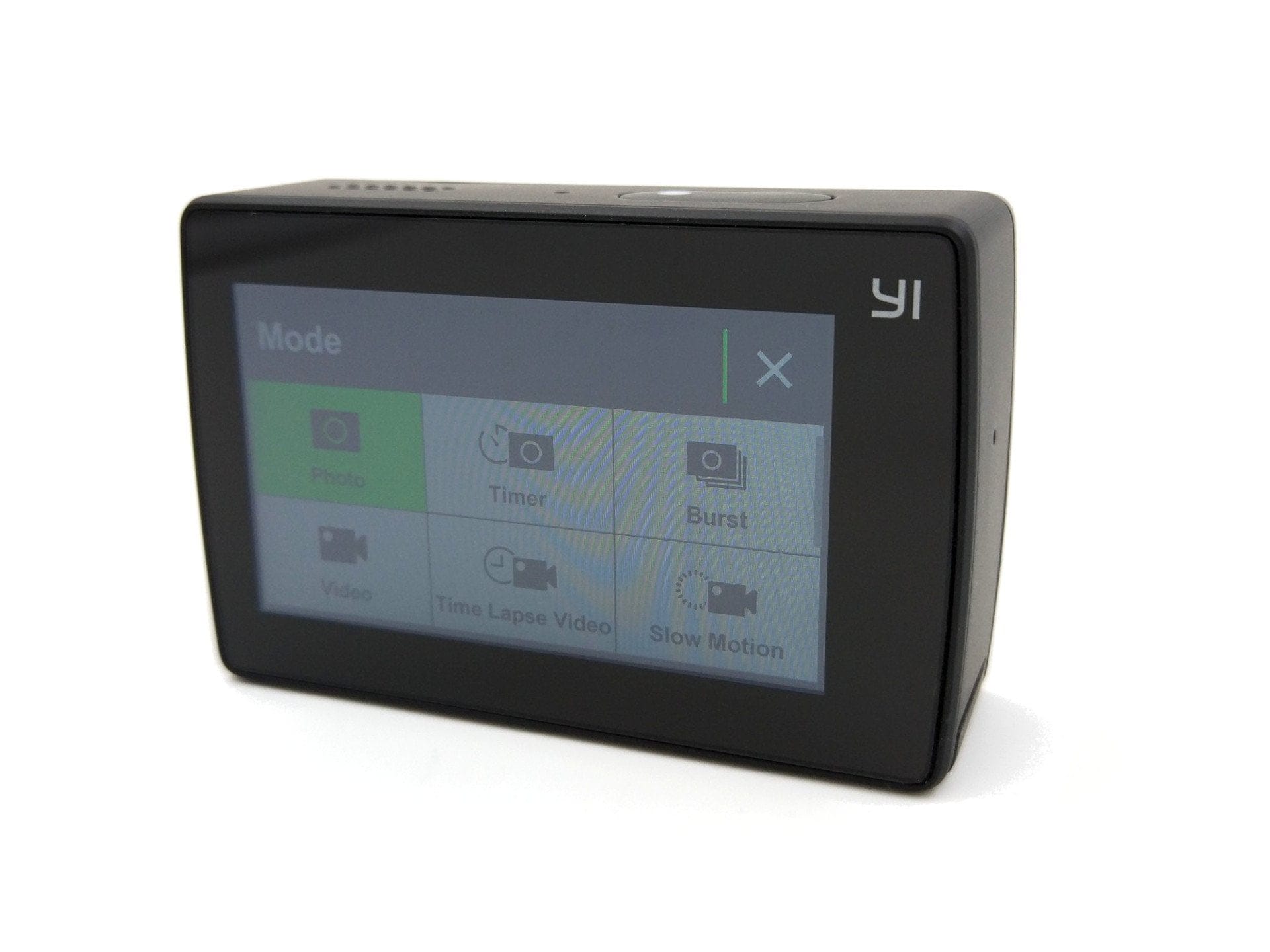
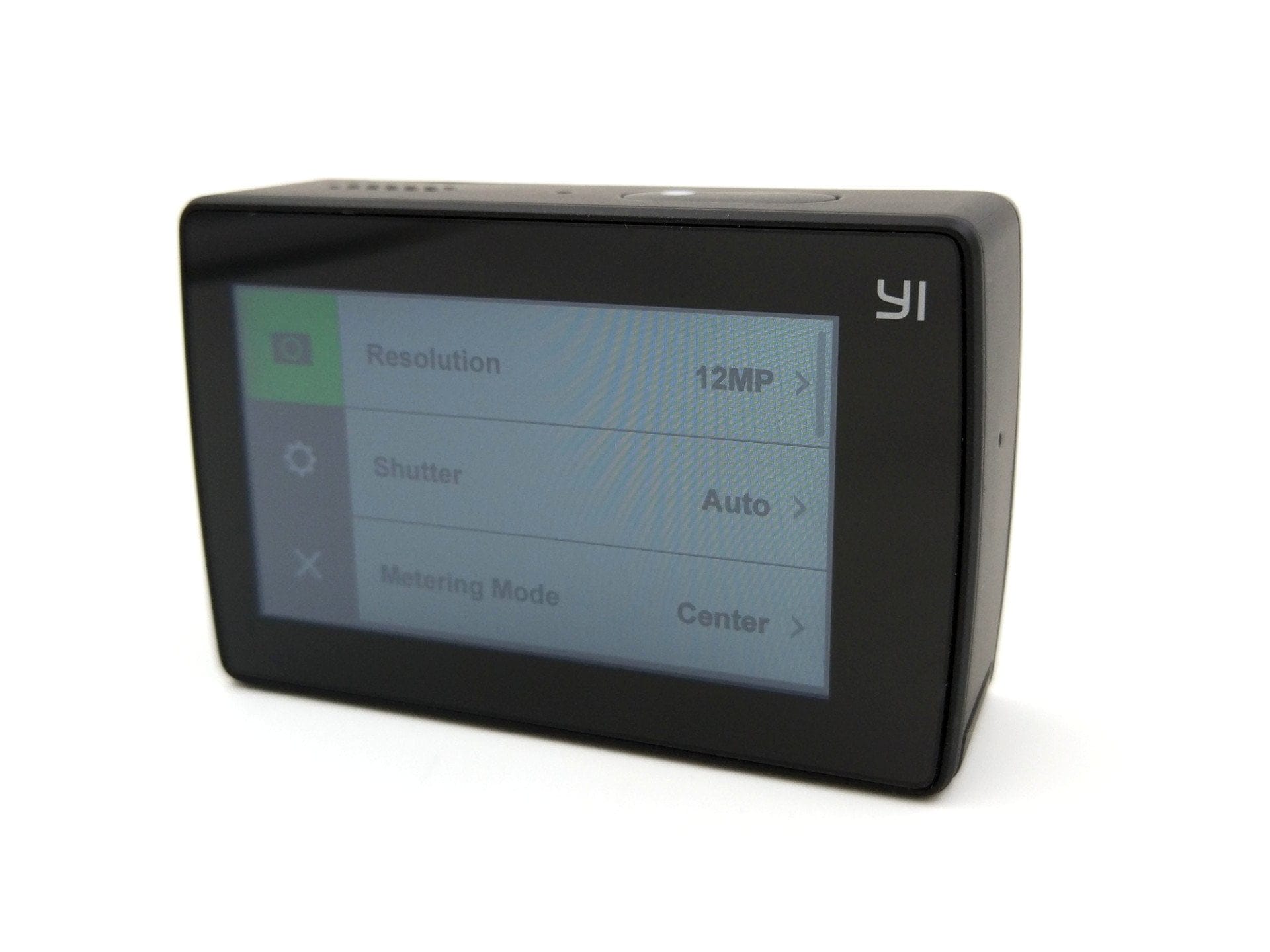
Here is an overview of all shooting modes and setting options.
Recording modes
In total, the new YI Action Cam offers 10 recording modes. Here is an overview:
- Photo mode
- Photo timer (delayed capture)
- Burst mode (multiple shots)
- Video mode
- Time-lapse video (time-lapse recording)
- Slow motion (time-lapse recording)
- Time-lapse photo (time-lapse recording with photos)
- Loop recording (if the SD card is full, recordings are deleted)
- Video and photo (Photos saved alongside a video)
The live video feature, which allows recordings to be streamed directly to Facebook and YouTube, has not yet been implemented. This feature was only added to the YI 4K after launch! Other promised features, such as voice control or the ability to record RAW image files, were implemented shortly after sales began with firmware 1.1.7!
Settings
The settings menu is divided into two categories. There is a sub-item for the respective "capture mode" and "general settings". Here is an overview of the available settings.
Video settings
- Resolution – 4K HD@30 4K@60/48/30/24 | 4K Ultra@30 | 2.7K@60/48/30/24 | 2.7K Ultra@30 | 2.7 4:3@30 | 1440@60/48/30/24 | 1080@120/60/48/30/24 | 1080 Ultra@90/60/30 | 960@120/60 | 720@240 | 720 Ultra@120/60 | 480@240
- Field of view – Close | Medium | Wide (Depending on resolution)
- Shutter speed – Auto | 1/240s | 1/120s | 1/60s | 1/30s
- Metering mode (exposure measurement) – Average | Centre | Spot
- Auto Low Light – Improved shots in poor lighting conditions
- Video quality – Low | Medium | High
- White balance – Auto | Native | Incandescent | Daylight | Cloudy
- Colour – Flat | YI Color
- Max ISO – Automatic | 400 | 800| 1600 | 3200 | 6400
- Sharpness – Low | Medium | High
- Exposure – +2 to -2 in 0.5 steps
- Image stabilisation – On / Off
- Timestamp – Off | Date | Time | Date & Time
- File size
Photo mode
- Resolution – 12MP | 8MP | 7 MP W | 7 MP M | 5MP
- Shutter speed – Auto | 2s | 5s | 10s | 20s | 30s
- Metering Mode – Average | Centre | Spot
- White balance – Auto | Native | Incandescent | Daylight | Cloudy
- Colour – Flat | YI Color
- ISO min – 100 | 200 | 400 | 800
- ISO Max – Auto | 100 | 200 | 400 | 800
- Sharpness – Low | Medium | High
- Exposure – +2 to -2 in 0.5 steps
- Timestamp – Off | Date | Time | Date & Time
- Quickview – 0.5 – 5 seconds in 0.5 increments
- File format – JPG | RAW + JPG
General settings
- Lens correction ("anti-fisheye effect")
- Wi-Fi – On / Off | SSID and PW | 2.4G / 5G
- SD card – Available storage | Format
- Standard recording mode
- Bluetooth – For pairing a remote control
- Display brightness – High | Medium | Low
- Sounds – Loud | Quiet | Off
- Microphone – Loud | Quiet | Off
- Sound effect – Stereo | Wind
- LED
- Housing mode – Better usability within the housing
- External microphone
- Voice control – On / Off | Voice recording
- Video mode – PAL | NTSC
- Advanced settings – Screen lock | Auto power-off | Rotate display | A/V out USB | Date & time
- Device info – Firmware | Serial number
- Factory settings – Settings | Wi-Fi | Bluetooth
- Location
- About
“YI Action” app
To remotely control the YI 4K+, you need either the YI Bluetooth Remote or simply a smartphone or tablet. The so-called “YI Action” app is available on the Google Play Store for Android devices and on the Apple App Store for iOS devices. A connection between the action cam and the app is established via Wi-Fi. The camera is equipped with a dual-band AC Wi-Fi module (802.11 a/b/g/n/ac) and can set up its own Wi-Fi network. The app then connects to this network and transmits, among other things, the live view directly to the smartphone or tablet.
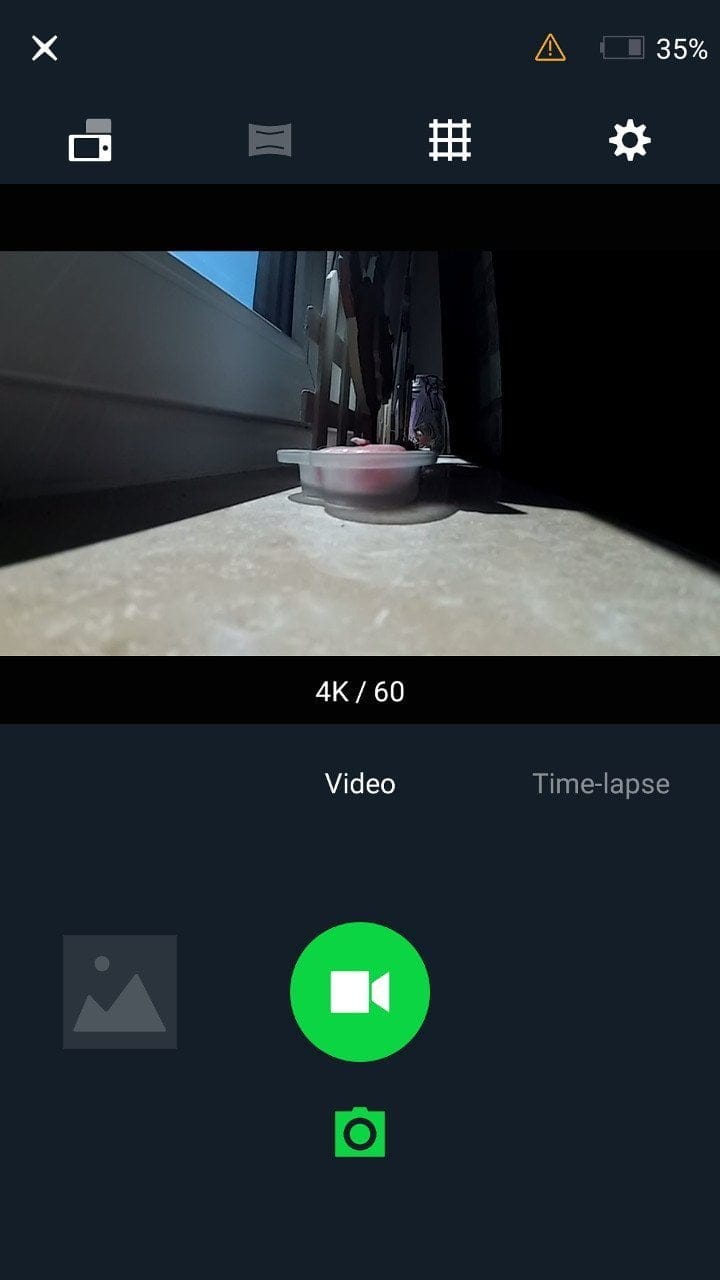
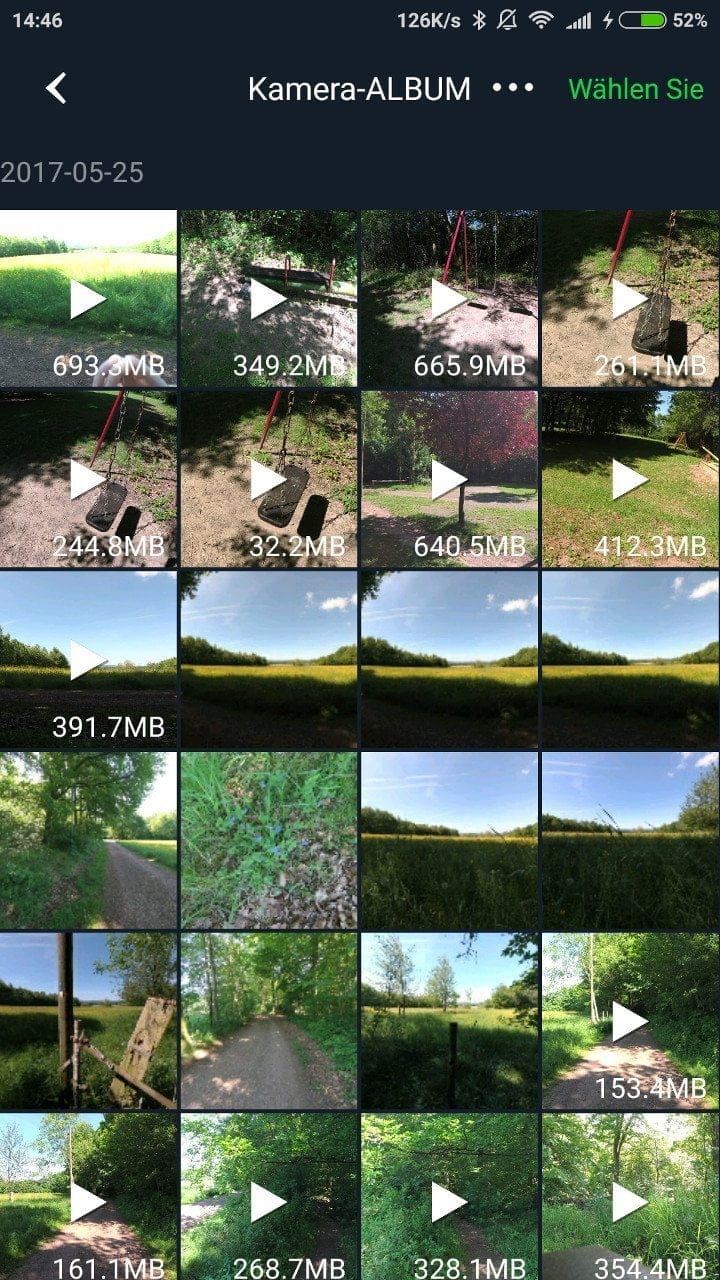
In addition to recording controls, all settings can also be adjusted directly via the app. The Gallery allows you to view, save, and share recordings stored on the SD card on your smartphone or tablet, as well as share them on social networks. At the same time, the YI Action app offers its own Community Platform for exchanging ideas within the YI Community.
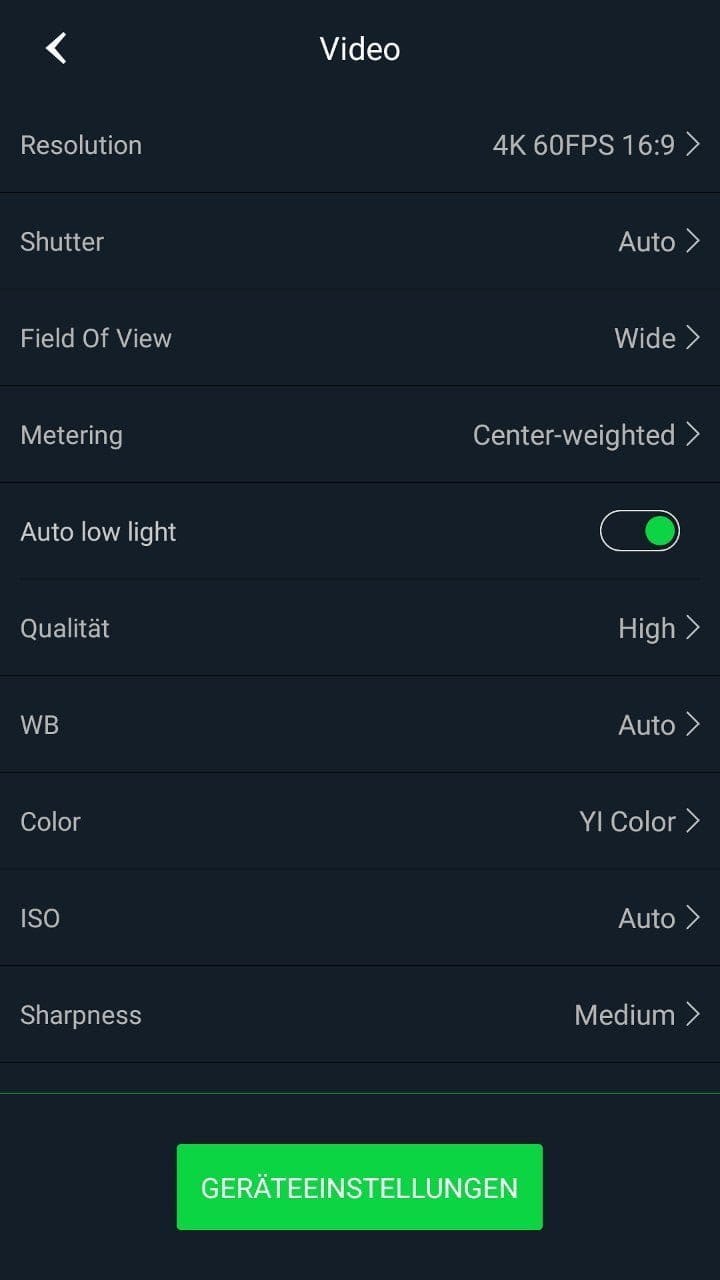
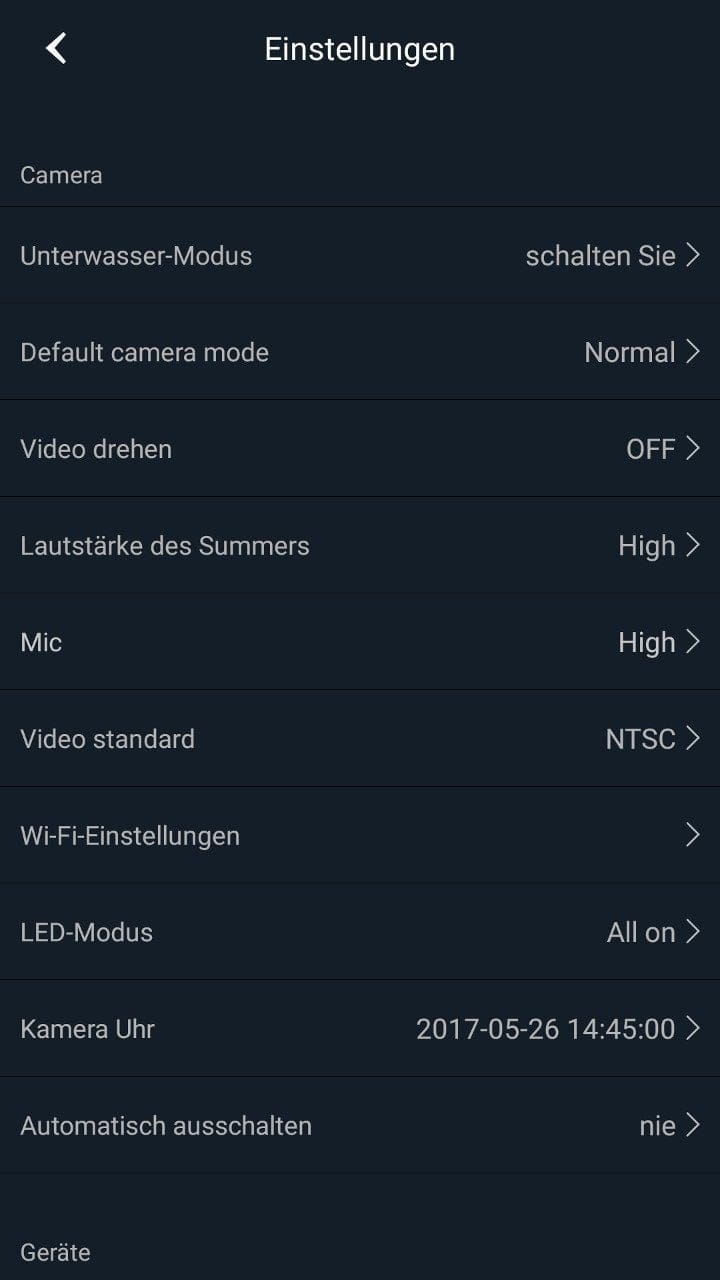
In testing, the transmission between the camera and smartphone was consistently stable. Apart from a slight delay in transmitting the live image, the app worked as intended. Access to the SD memory card was also quick, and transmission speeds were unobjectionable in both 2.4G and 5G Wi-Fi networks. To keep the action camera up to date, firmware updates can be retrieved and installed directly via the app.
Recording quality
Video quality of the YI 4K+
Thanks to the combination of Ambarella H2 image processor and Sony IMX 377 image sensor, the YI 4K+ is better equipped in hardware than the GoPro HERO5 Black. For the first time, a resolution of 4000 x 3008 pixels is supported, and at a resolution of 3840 x 2160 pixels, the action cam is even capable of smoothly displaying 60 frames per second.
The video footage recorded with the YI 4K+ is primarily convincing due to its high level of detail and barely perceptible image noise at the same time. Colour-wise, the action cam has a very warm calibration. The warm-toned colour palette particularly stands out in YI Color Mode. The camera adjusts brightness automatically quite quickly.
4K video recording at 30 frames per second
 Play video on YouTube
Bitrate
The video bitrate can reach a maximum of 135 Mbit/s at 4K. With a conventional Samsung SDHC Evo UHS-1, the video bitrate at 4K HD (4000 x 3008) averages 100 Mbit/s and 120 Mbit/s at 4K@60. But even with a significantly faster SanDisk Extreme PRO memory card, I could reach a maximum of 105 Mbit/s at 4K HD and a maximum of 130 Mbit/s at 4K@60. Nevertheless, a noteworthy value when compared with the YI 4K, which only achieves an average of 60 Mbit/s at 4K. The bitrate for audio recording is 128 kbit/s.
4K video recording at 60 frames per second
 Play video on YouTube
Image stabilization
The action camera is capable of stabilising video recordings up to a resolution of 4K@30. This uses electronic image stabilisation (EIS), which utilises an integrated 3-axis gyroscope and a 3-axis accelerometer. As is typical with EIS, the image is minimally cropped at the edges, meaning the full capture area is not utilised.
Image stabilization is a nice feature. However, the EIS of the YI 4K+ does not match the capabilities of optical image stabilization or stabilization using a gimbal. Slight shakes are still compensated quite well. For sporting activities, however, the electronic image stabilization is simply overwhelmed. This can sometimes result in unnatural camera shakes. The flickering edges that the EIS of the YI 4K struggled with have now been well controlled by YI Technology.
4K video recording – Stabilisation vs no stabilisation
 Play video on YouTube
Sound quality
In terms of sound quality, GoPro remains ahead. The audio recorded with the YI 4K+ is acceptable but sometimes sounds tinny. If the camera is additionally placed inside the waterproof housing, the recording volume is significantly reduced. Below you will find two audio recordings, one without and one with the waterproof housing.
Audio recording without waterproof housing
Photo quality of the YI 4K+
Photos can be taken with a maximum 12 megapixel resolution. Within the general settings, the function “Adjust Lens Distortion” allows software-based correction of the “fish-eye effect” produced by the 155° wide-angle lens. This option can also be enabled for most 4K video recording modes, which is not possible with the YI 4K.
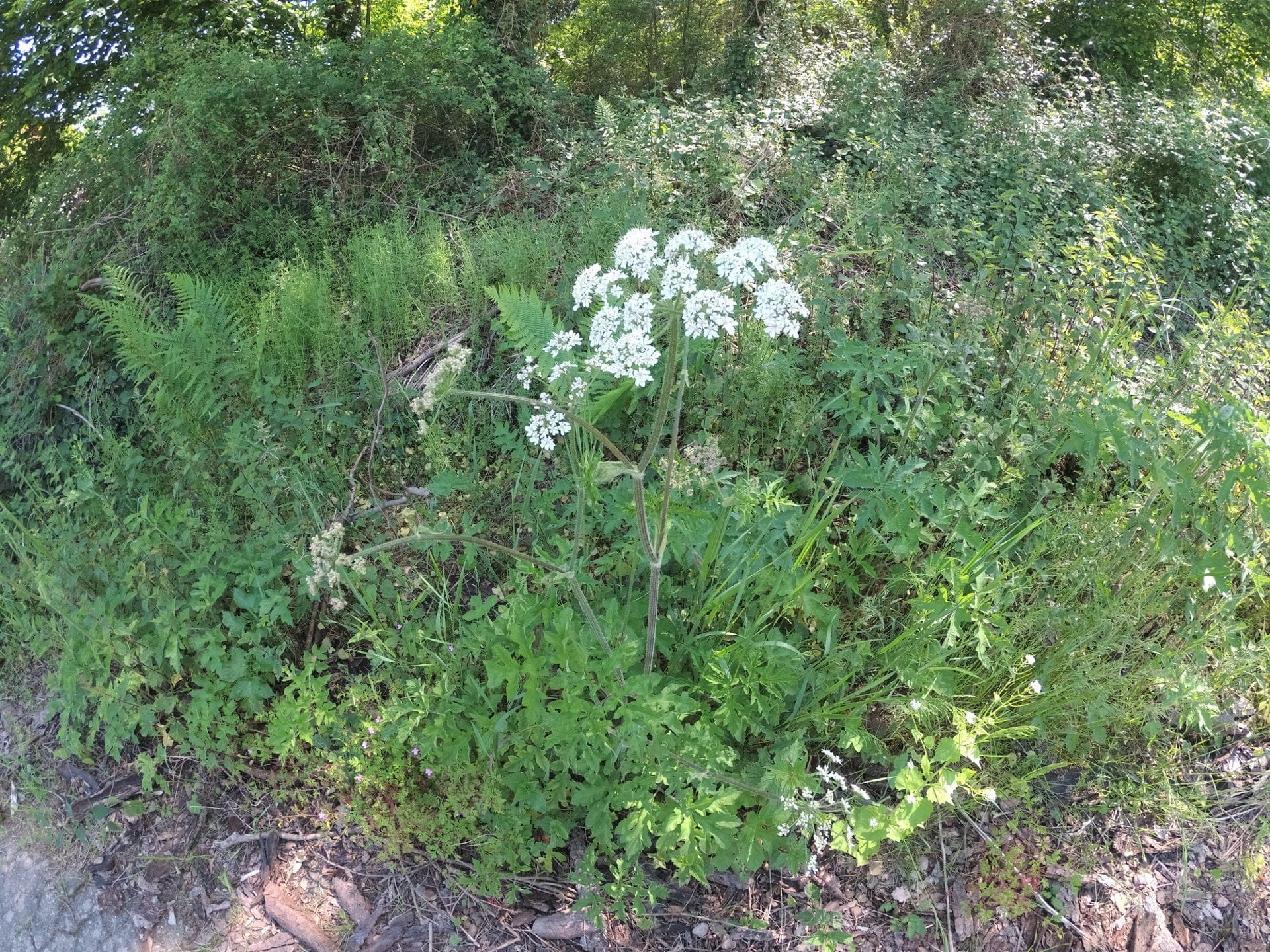

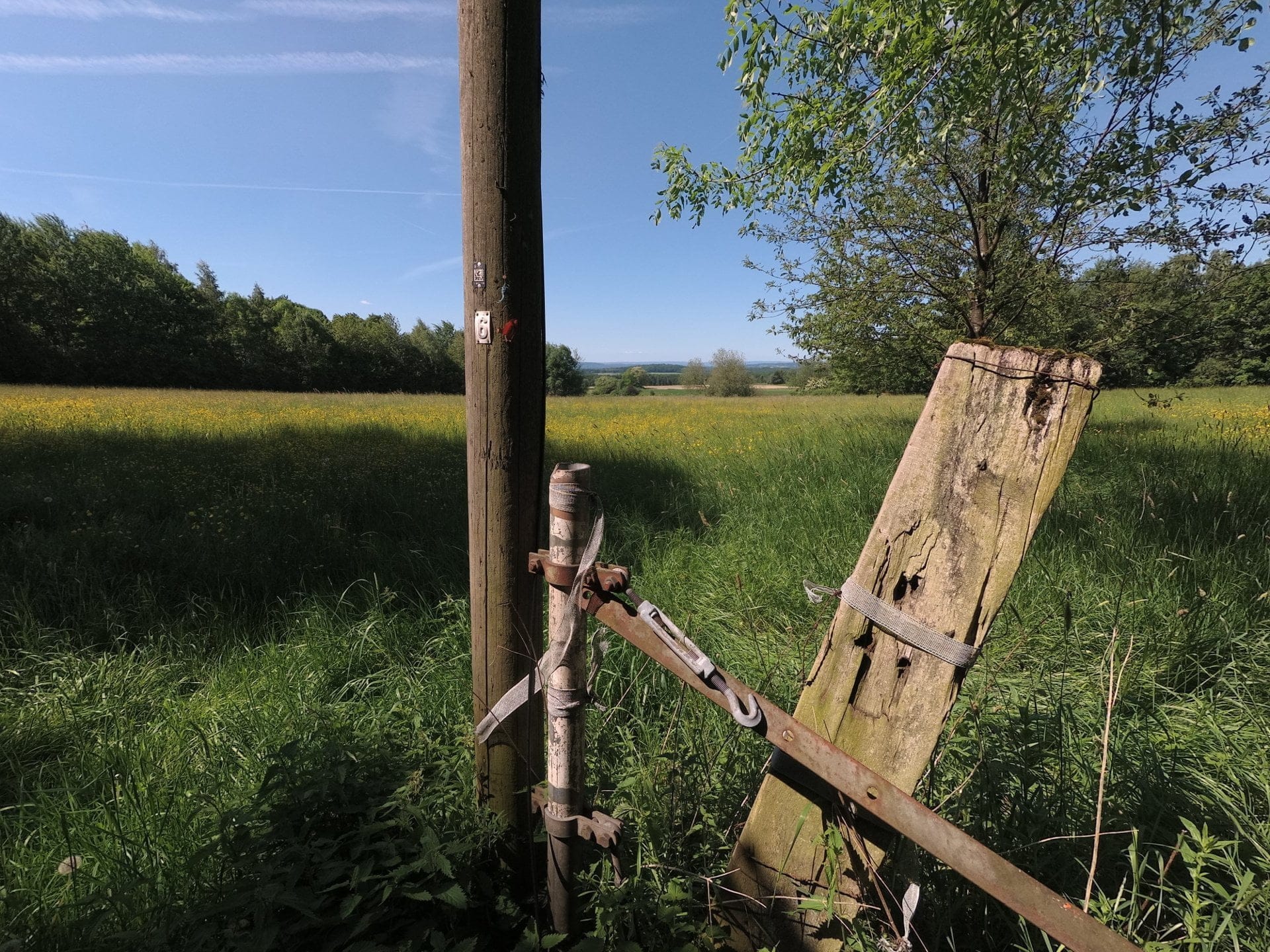
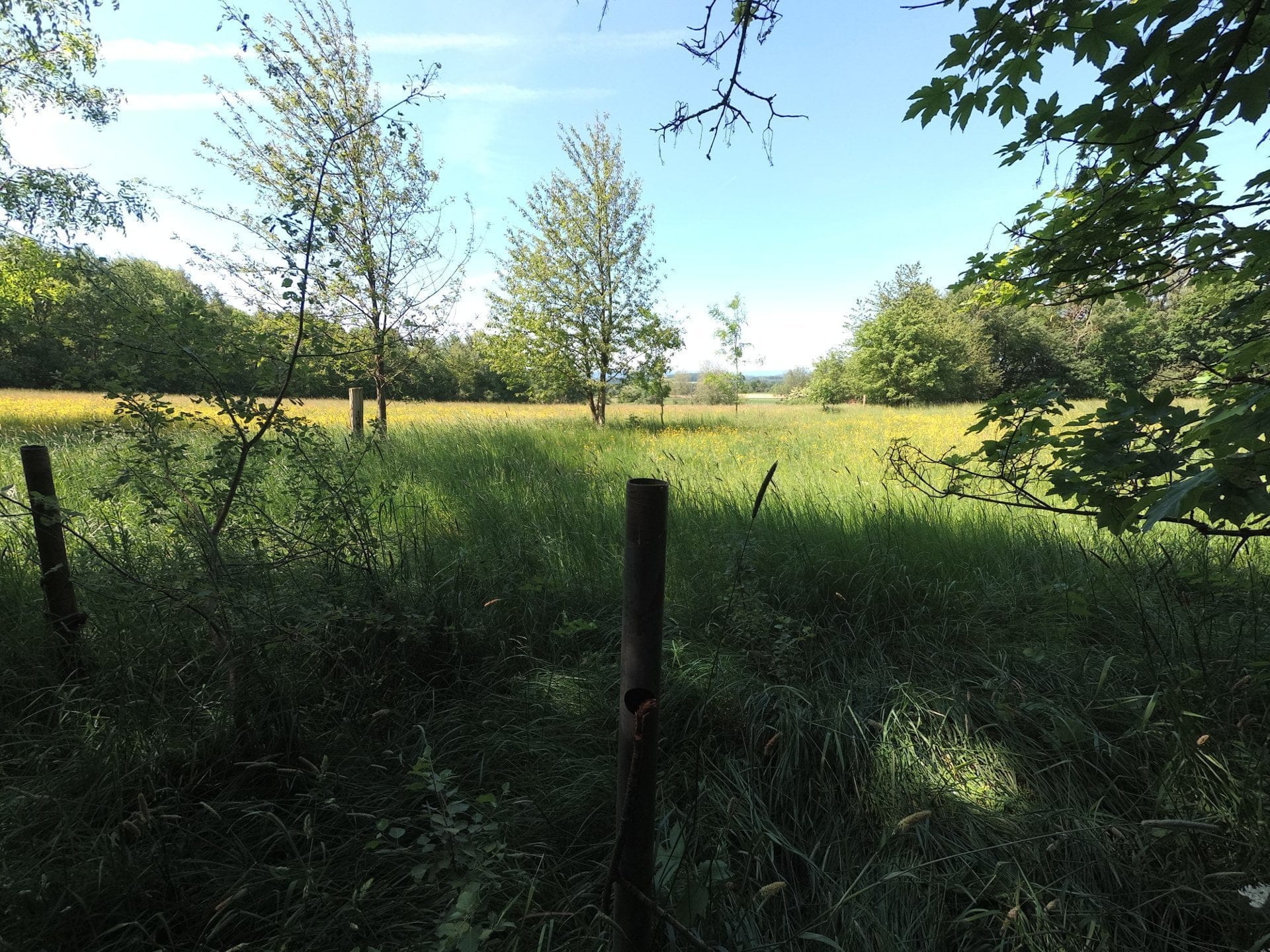
The YI 4K+ is suitable for the occasional snapshot. Photo captures are convincing with good contrast ratio, similarly high level of detail and natural colour representation. The possibility of capturing or saving images as RAW files in the universal DNG format is interesting. At the same time, when RAW is selected, the image is simultaneously saved as JPG (RAW+JPG). The saved DNG files could be opened and edited easily with Adobe's Lightroom. The shots provided consistently convincing image quality and offered enough scope for post-processing.
Voice control
So-called Voice Control or voice control is another way to remotely control the action camera. There are a total of 5 voice commands, which allow you to take photos, start and stop a video recording, and switch off the camera. By default, the voice commands are recognised in English. If, for example, the command "YI Action take photo" is spoken, a photo is automatically taken. The command "YI Action begin recording" starts a video recording, and with "YI Action stop recording", the recording is stopped.
In testing, the voice control delivered a high recognition rate. Commands were recognised even with imperfect pronunciation. The recognition range depends on how loudly the voice command is spoken. At normal speaking volume, commands were recognised up to about 3 metres. It is also possible to record your own voice commands. However, converting English commands into German commands did not work. Even after recording multiple times, only the English voice commands were still recognised!
Battery
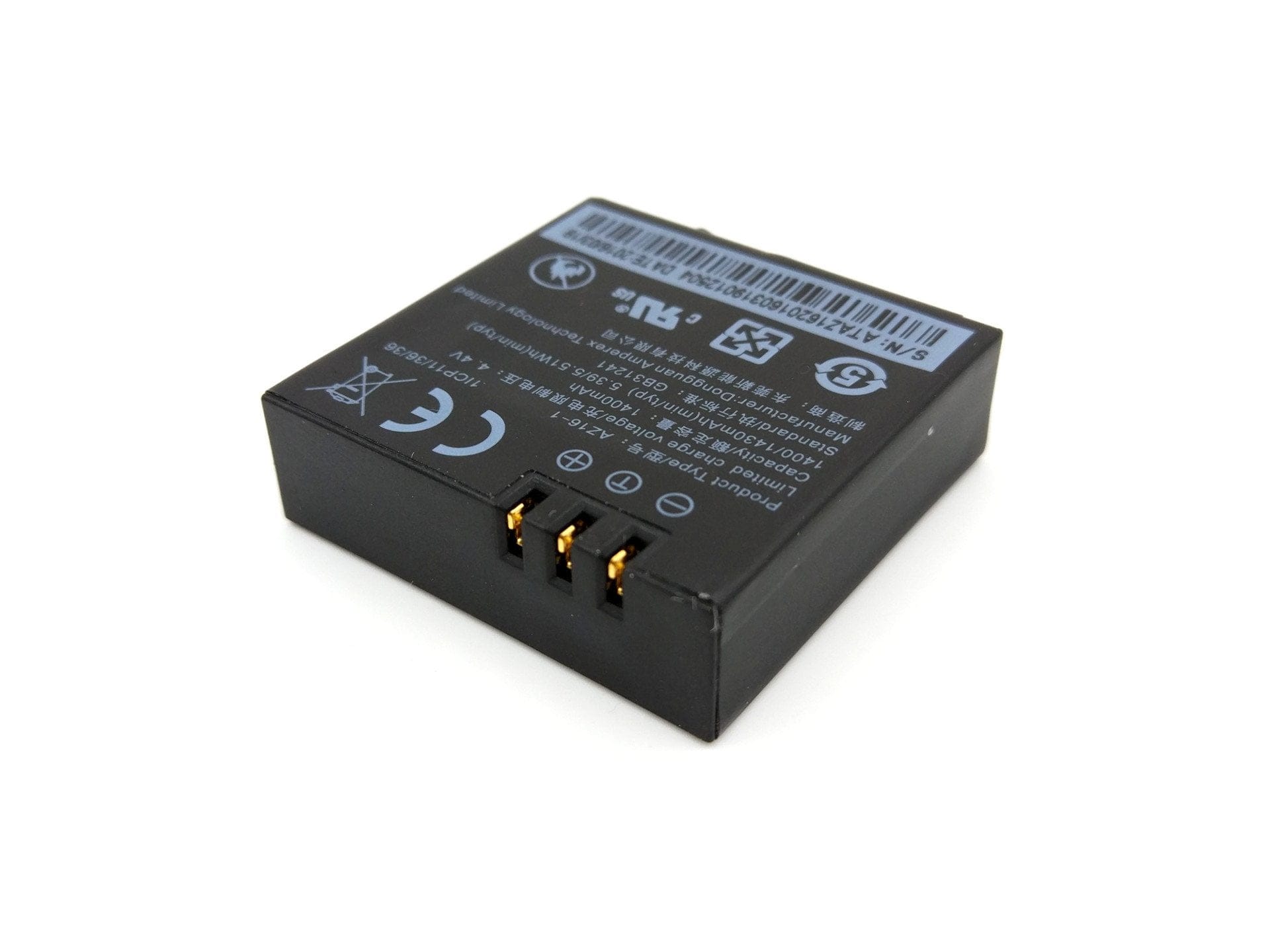
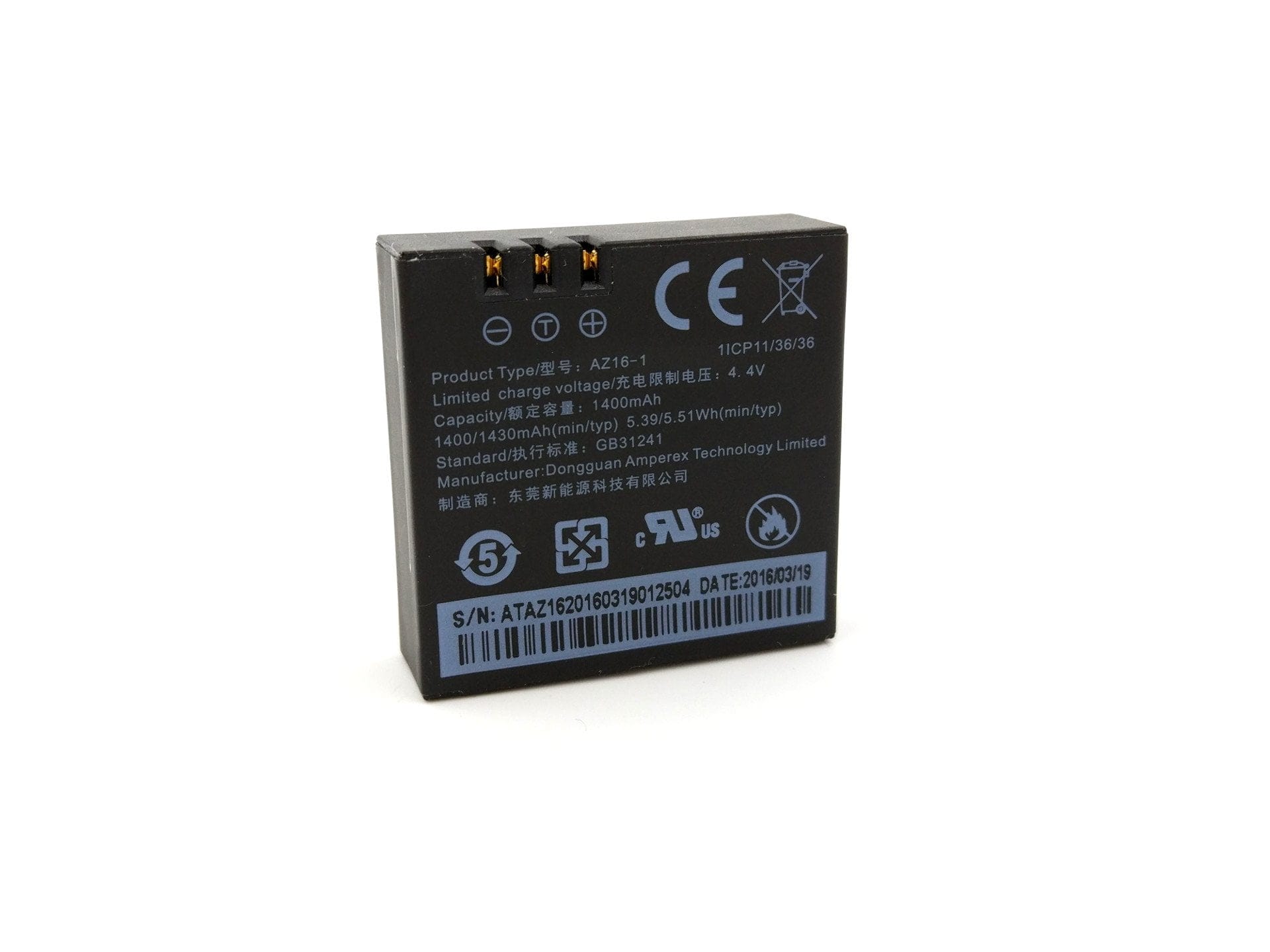
The YI 4K+ uses the same 1400 mAh Li-Po battery as its predecessor. The battery is manufactured by Dongguan Amperex Technology Ltd., a manufacturer that also produces batteries for DJI, Apple and BMW, among others. Replacement batteries for this action camera can be easily purchased separately. Battery life varies depending on resolution, how long the display remains active and whether Wi-Fi is active. The runtimes measured by YI Technology can be seen in the following graphic.
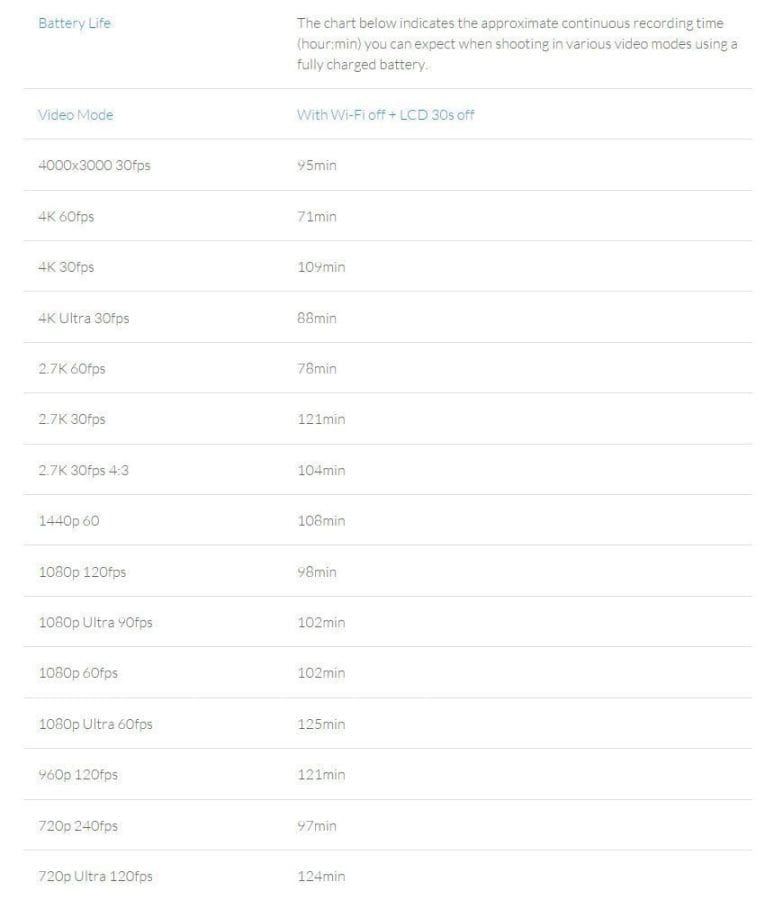
I tried to replicate the most important resolutions (4K HD, 4K@60, 1080p@60 and 720p@240) in the battery test. The deviations from the values measured by YI Technology were only slight. With the tested 4K HD resolution (4000 x 3008@30), the average battery life was 90 minutes. At 4K@60, I achieved a battery life of 64 minutes, at 1080p@60 it was 96 minutes, and at 720p@240 a battery life of 92 minutes was reached. It should be noted that YI Technology determined these values under the best possible conditions.
A full battery charge takes 1 ½ hours. By comparison, the YI 4K still needed a good 2 ½ hours for a complete charge.
Our verdict
GoPro has plenty to worry about. With the YI 4K+, YI Technology presents an action cam that is reasonably priced and yet technically well-equipped, even overshadowing the GoPro HERO5 Black with its 4K video recording capability at 60 frames per second. Worth highlighting in general are the very good video recording quality of the YI 4K+ and its long-lasting battery life.
There are some minor drawbacks in terms of audio recording quality. Here, the GoPro HERO5 Black still has the edge. On the other hand, the USB-C port on the YI 4K+ now allows you to connect an external microphone. The display is also worth criticism, as it is difficult to read in bright sunlight. Nevertheless, the positive experiences I had with the YI 4K+ clearly outweigh the negatives, which is why I can give this action camera a clear recommendation to buy!
Specifications
Hardware
- Image processor
- Ambarella H2
- Image sensor
- Sony IMX377
- Display
- 2.2-inch LCD
- *640x360
- *330 PPI
- *250 cd/m²
- *Touchscreen
- Ports
- USB-C
- SD card
- SDHC / SDXC up to 128 GB
- Battery
- 1,400 mAh
Video resolution
- 4K HD@30
- 4K@60/48/30/24
- 4K Ultra@30
- 2.7K@60/48/30/24
- 2.7K Ultra@30
- 2.7 4
- 3@30
- 1440@60/48/30/24
- 1080@120/60/48/30/24
- 1080 Ultra@90/60/30
- 960@120/60
- 720@240
- 720 Ultra@120/60
- 480@240
Image resolution
- 12MP
- 8MP
- 7MP W
- 7MP M
- 5MP
Other
- *WiFi, Bluetooth and app
- *Time-lapse
- *Slow motion
- *Self-timer
- *Loop recording
- *Burst shot
- *EIS
What’s included
1x YI 4K+ 1x Waterproof housing 1x Bracket with screw 1x USB-C cable 1x User manual and info cards
Comments (42)
Damn good review. You stabilised the 4K recording at 60 FPS with a gimbal, didn't you?
Thanks! Yes, the camera doesn't quite record that smoothly ;).
You can upgrade the Yi 4K+ with a different lens. You can find high-quality lenses at AliExpress for a low price.
I still find the recorded audio quite acceptable. It might sound a bit rough if you are very close to the microphone. Inside the housing, you can discard the audio quality on any camera anyway… and who uses an action camera for proper filming with sound? Is there actually an external microphone from YI, or does any model fit?
The sound is decent for an action camera, but I have come to expect more by now. The HERO5 Black simply sounds much more accurate, despite being inherently waterproof and not requiring a housing. Native waterproofing + good microphone quality and the Yi 4K+ would have a clear advantage over the HERO5.
Regarding the external microphone: Yi does not yet have one on the market, but I suspect the external microphone might still be released as a separately available accessory. Currently, there are very few clip-on microphones with a USB-C connection anyway. One with a Micro-USB connection plus a Micro-USB to USB-C adapter should work.
Okay, thanks in advance. Such a waterproof Yi Action Cam would be great. Is it actually possible to connect the external microphone even when the camera is in the housing?
No, unfortunately that doesn't work :D.
Super detailed review. It helped me a lot with my purchasing decision. Do you think the price will drop further in the coming weeks? I wanted to order it on Amazon.
Many thanks. I think the price will only change in the coming months. With Chinese providers, it will probably settle at around €250, and on Amazon the price will likely drop to just over €300. However, (presumably) several months will pass until then. It is never possible to say exactly.
Is there anything I need to consider when buying the action camera? Are there additional fees such as customs and taxes? I would then order it from Geekbuying after all.
No, the shops mentioned above ship either directly from Germany or from Spain. GeekBuying, for example, ships from a Spanish warehouse.
Thanks! How long does shipping from Spain take?
There is an update that adds Voice Control etc. to the Yi 4K Plus! Have you already tested the update? It sounds very interesting.
Added Russian language
Added Chinese language
Added fixed ISO value when in video mode
Added RAW image capture
Added voice control function
Added smart battery-save function when in time-lapse mode
Fixed issues when viewing pictures and videos
Optimised red tone of image quality and sharpness
Optimised SD card compatibility
Optimised QuickView function
Optimised stability of system upgrade
Hi, I will update the review to the new version. The changelog really sounds quite interesting. I didn't think Yi would deliver the promised features so quickly.
Can the battery be charged via USB during use?
Hi, yes that works, provided you charge the camera via a conventional power supply. If you connect it to the PC to charge it, the data transfer mode starts automatically.
And if you charge the camera via the cigarette lighter socket?
If you charge via the cigarette lighter, it is like using a standard power adapter. Charging and using simultaneously works!
Is the Yi 4K+ action camera compatible with the DJI Osmo Mobile?
Hi, the DJI Osmo Mobile gimbal can only be used with smartphones without modification.
Hello everyone,
overall, I am impressed by the camera’s build quality. But I haven’t managed to get any smooth videos so far.
Maybe someone can also explain the benefit of a gimbal to me?
Thanks, Frank
Hi Frank, a gimbal stabilises the footage mechanically. A 3-axis gimbal, for example, consists of 3 brushless motors, each of which compensates for one of the axes. This provides the best possible stabilisation. The stabilisation of the Yi 4K+ is purely electronic. This means the image is digitally stabilised, which usually results in a cropped image.
Hi Timo,
Thank you very much for the very interesting report. I have two further questions:
– Is the camera splash-proof, or should I insert the housing even in light drizzle (e.g. on a cycling tour)?
– Does the housing affect image quality?
Best regards
Hi Christoph,
I'm glad you like the review. YI Technology has not specified an IP protection rating, which makes it difficult to verify what the camera can withstand. From my perspective, the microphones and the speaker are the weak points. If water gets in there, it could be fatal, as I hardly believe YI has provided water protection for them. Otherwise, the camera should actually be protected against splashes. The image quality does not deteriorate when using a housing. Only the audio quality decreases (see the audio files above in the test).
Which external (stereo) microphone would you recommend? And does the camera then also record the audio internally in stereo or process it in stereo?
Best regards, Jörg
Hi Jörg, unfortunately, even with a stereo microphone, the camera can only process mono internally. There are also currently problems with the USB-C to 3.5mm jack adapter, which YI officially offers but is currently only available in the USA. I (still) do not know how well an adapter from another manufacturer would work. I would just order a cheap adapter and a cheap lavalier microphone to give it a try. If it does not work, you can return it. If it works, this microphone would be a good choice – Link: http://amzn.to/2vyIkRn
Thanks for the quick response!
Update: The original YI USB-C adapter is now also available on Amazon DE and costs €7.99! http://amzn.to/2xIrgt1
With the latest firmware 1.3.11, saving a Raw+Jpg photo takes roughly 10 seconds; is this normal?
Jpg alone takes less than half a second.
SanDisk Extreme 32GB, U3, V30, A1,
I checked that. Saving actually takes around 10 seconds. However, I can't remember if saving was significantly shorter with previous firmware versions.
Do voice commands work even when the YI is inside the housing?
Hi Thomas, first sorry for the late reply. I tried out voice command recognition through the waterproof housing. Voice commands are still recognised at normal speaking volume up to about 20 centimetres away and at head height.
Hello Timo,
Thanks for the very detailed review. I plan to get an action cam soon, primarily for use on a helmet while karting.
Should I also use a gimbal for this, or does it not work well on a helmet?
And would you prefer the 4k+ (without gimbal) due to the better fps with and without electronic stabilisation over a set comprising 4k (standard) + gimbal for this type of use? (The price would be roughly identical.)
Thanks!!!
Hi Rantanplan (cool band and cool dog ;)), I would make that dependent on how much you want to record in 4K at 60 FPS. If 4K doesn't matter to you and you only record in 1080p anyway, go for the YI 4K and Gimbal set. If smooth footage is your main priority, you really can't avoid a gimbal. Here is a clip I filmed back then with the YI 4K from a motorcycle: https://youtu.be/7-RHGj3KG7k?t=511
The smaller micro-jitters are clearly visible, which even digital stabilisation can barely compensate for. The use of EIS simultaneously reduces recording quality. Personally, I am not a real fan of EIS, regardless of the type, even if it is sufficient in some situations. When karting, however, I assume that the EIS will quickly reach its limits.
And this footage is without a gimbal, but in 4K?
I do not yet know whether I value the 4K. It is my first action camera and my first application area. However, since I probably go karting at most 1 times a month, meaning the application area is very small, I do not want to start with the most expensive camera immediately…
And where do you eventually watch the videos? On YT or on the PC... who's watching 4K there anyway? But it is the future.
With 4K and 30fps (which the first 4K model can also do) and a gimbal, it is not an alternative?
Greetings
Rantanplan (the dog on Jolly 😉 )
Yes, the recording was without a gimbal and with a fixed camera. I would say that you are better off with the older YI 4K + Gimbal, especially for your use case.
The differences in video quality between the two cameras are negligible. You only have EIS with the YI 4K+ up to 30 FPS. The stabilisation of the YI 4K + Gimbal at 4K@30 will be better and the footage will look better. 4K@60 is certainly nice, but as you already said, not everyone has a corresponding 4K monitor / TV to hand. One could also consider subsequent digital stabilisation, but you do not necessarily want to go to the trouble.
Thank you for your advice!
I'll see where I can get the set cheaply.
Best wishes
Rantanplan
Great review. However, the Amazon deal code does not work for me. Could anyone find any other information on this?
Where do I enter the discount code for the Amazon Prime Day?
Hello Alex, the code is entered in the last step of the checkout overview.
Which gimbal is suitable for the Yi 4K plus?
I changed the lens on my Yi for €53 and always use a gimbal. I output the videos via a 0.3m DisplayPort cable to a 4K 32-inch iiYama monitor using an Nvidia Shield 2019. Even 720p at 120 or 60 fps looks very clean. Does image quality degrade with EIS, or does the image just become smaller? With a gimbal and additional EIS, do I get stability similar to a GoPro 7?
Question from Christian