
Contents
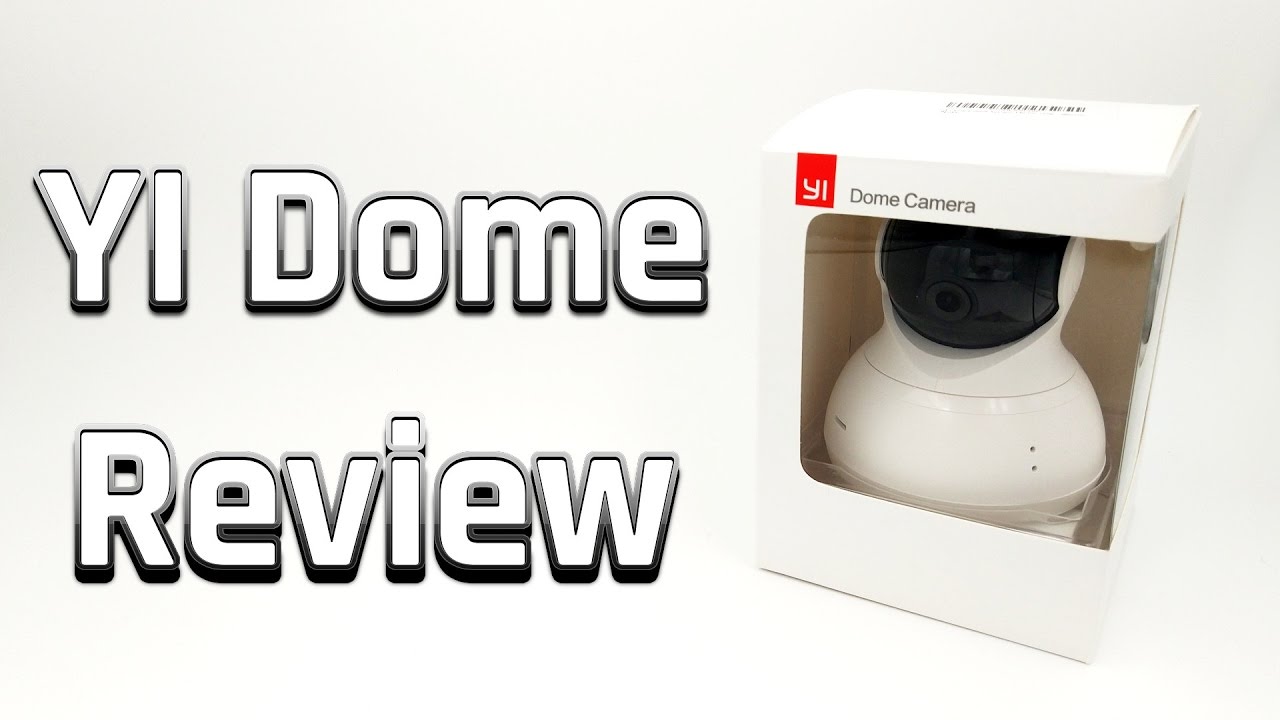
First look at the Yi Dome camera
What’s included
The scope of delivery initially includes the surveillance camera. For power supply, a micro-USB cable and an EU power adapter are included. A mounting option was also considered. The screw mount is made of plastic and comes with two matching screws and wall plugs. A multilingual user manual is also included, detailing the steps necessary for commissioning. All functions are explained as well.


Design and build quality
With a height of just 115 millimetres and a diameter of 93 millimetres at the widest point, the Yi Dome is an extremely compact surveillance solution. The design is modern and simultaneously inconspicuously simple. The workmanship is also convincing. All components are cleanly manufactured.
Features
The Yi Dome is a so-called pan & tilt camera with a maximum 345° rotation and 115° tilt. The surveillance camera is controlled via an app.
Videos are recorded or transmitted with a maximum resolution of 720p (1280x720). The particularly wide field of view of 112° leaves hardly any blind spots during room surveillance. A total of eight 940nm infrared LEDs ensure balanced night vision.
Another feature is the option to save recordings either to a Micro SD memory card or to upload them directly to the Yi Cloud. For data transmission, the device is equipped with a 2.4G WiFi module. Thanks to a two-way audio system, voice messages can be played via the camera's speaker, and audio signals can be received via the built-in microphone.
 Play video on YouTube


Setup
The “Yi Home” app is required to set up the surveillance camera. This app is available for Android devices on the Google Play Store, as well as for iOS devices on the App Store. An interesting feature is the ability to operate the Yi Dome with a standard Micro USB cable. This means you are not dependent on a specific power adapter and can even power the camera using a conventional smartphone charger.
The Dome surveillance camera is integrated into an existing Wi-Fi network via the Yi Home app. To do this, the app converts the active Wi-Fi connection data of the smartphone or tablet into a QR code. This must then be held in front of the camera lens. The setup takes place fully automatically and within a few seconds.


Functions and controls
The Yi Home app is the central hub for the Yi Dome security camera. Without the app, the camera cannot be used.
Home screen
The start screen provides live view output from the connected camera. This allows users to start video recording, take photos, and send voice messages to the camera or receive voice messages from it.


Pan function
Below the live view output is the directional pad for tilting and panning the camera. Commands are executed with only a slight delay (about 1-2 seconds). A two-finger swipe allows digital zoom into the image. Overall, the operation is very simple.
A truly very interesting feature is the motion detection. If you activate this, the Yi Dome follows all movements and moves along as soon as the person or object being tracked leaves the field of view.
Positions can additionally be saved via button press. In auto-pan mode, the camera automatically visits all saved positions. The time intervals between position changes can be set individually.


Alarm function
With activity detection, the Yi Dome is able to inform the user. As soon as an alarm is triggered, a video recording starts automatically and you receive a notification on your smartphone / tablet. All recordings can then be accessed via the alarm overview. In the settings, it can also be determined whether recordings should be saved to the Yi Cloud or solely to the SD memory card.
Settings
The settings menu is divided into general settings and more specific camera settings. In the general settings, the camera can be switched on and off, the camera name can be changed, the activity alarm can be activated, PIN protection can be set up, the SD card status can be viewed, and network information can be viewed and changed.
Within the camera settings, the IR night vision can be deactivated, the blue-glowing status LED can be switched off, the firmware can be updated, there is a call mode, and the image can be rotated by 180°.


Remote access
Perhaps the biggest point of criticism is the non-disableable remote access. On the one hand, it is a very useful function to be able to access the camera from anywhere, on the other hand, it would be desirable to be able to deactivate this function in the settings too. While the manufacturer Yi Technology promises high data security and access is protected by the user account, the uncertainty about unauthorised access remains.
Video and audio recording quality
The recording quality of the Yi Dome is good for the price. Clean and noise-free recordings are produced in daylight as well as at normal room brightness. Only slight pixelation occurs when moving via the PTZ function.
With active night vision, the image quality also deteriorates. Image noise increases significantly, especially with fast movements. The same applies to objects and people moving across the frame.
The sound quality via the integrated microphone is convincing. Subtleties are clearly audible, which is why the Yi Dome is also suitable as a baby monitor. The integrated speaker also transmits voice messages at a clearly audible volume.
 Play video on YouTube
Our verdict
The design is understated and the build quality is convincing. Thanks to the low power consumption of just 4W and the possibility of USB power supply (5V), the camera can even be operated from a power bank.
Setup via the Yi Home app is straightforward. The app itself is well-organised, easy to use and offers numerous functions. The alarm function also impressed in testing with a high detection rate. The biggest criticism is the lack of configuration options for remote access.
The recording quality is particularly convincing in a well-lit room. In poorer lighting conditions, and with the active night vision mode, image noise increases significantly. The two-way audio system was a positive surprise. Sent and received voice messages were transmitted clearly.
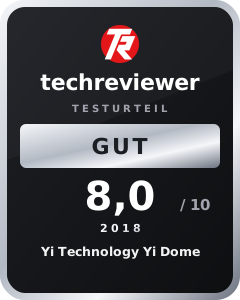
Given its low price, the Yi Dome is a solid and smart surveillance solution suitable for numerous applications.
Specifications
Recording
- Resolution
- 720p (1280x720)
- Field of view
- 112°
- Focal length
- 2.6mm
- Night vision
- 8 IR LEDs (940nm)
PTZ
- Rotation
- 345°
- Tilt
- 115°
- Zoom
- Digital
App
- App
- Yi Home
- Alarm function
- Yes
- Motion tracking
- Yes
Connectivity
- SD memory card slot
- Yes
- USB
- Yes
- Wi-Fi
- 2.4G
- Speakers
- Yes
- Microphone
- Yes
Other
- Size
- 110 x 64 x 93mm
- Weight
- 230g
What’s included
1x Yi Dome 1x micro USB cable 1x EU power adapter 1x mount + screws and wall plugs 1x user manual + warranty card
Comments (1)
We bought the camera in the hope of potentially receiving push notifications while on holiday. Unfortunately, I couldn't find a setting for this anywhere.