Contents
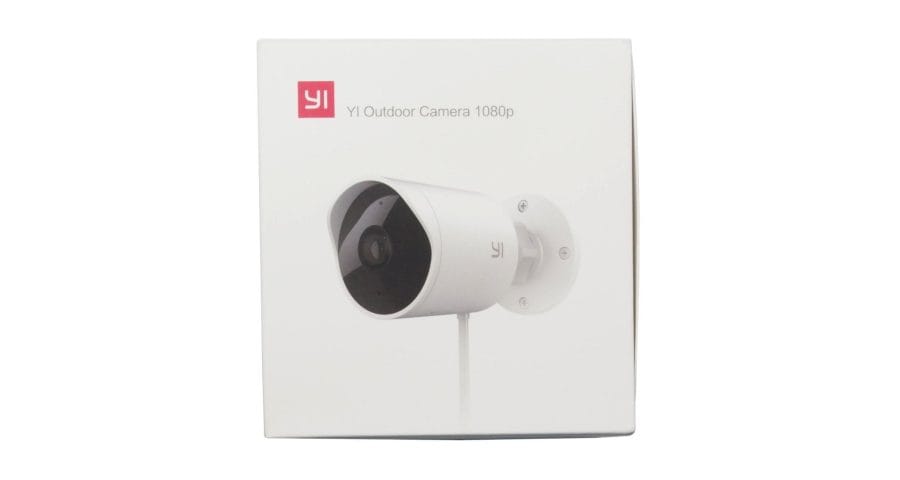
First impressions of the YI outdoor camera
What’s included
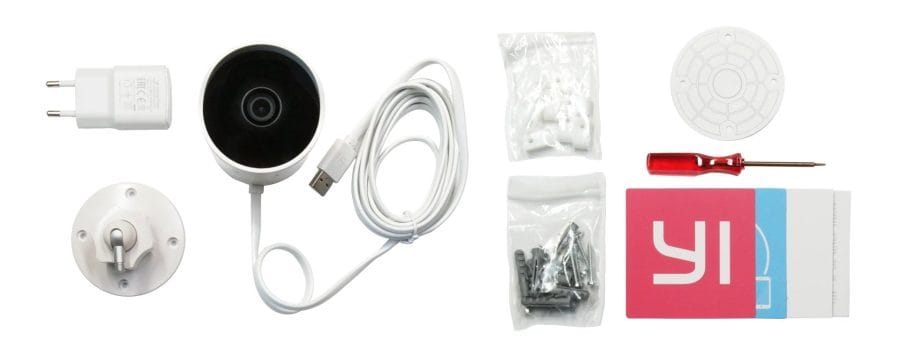
The scope of delivery for the YI outdoor camera is extensive. Almost everything required for 'out-of-the-box' use is included. The following parts are included:
- YI outdoor camera
- Ball head mount with ¼ inch screw thread
- Magnetic screwdriver for opening the camera
- USB power adapter (5V 1A)
- 10 screws and 10 wall plugs
- 8 cable clips
- Drilling jig
- User manual
The only thing the scope of delivery does not include is a MicroSD memory card. YI Technology recommends memory cards of the type SDHC or SDXC up to 32GB. In the test, however, a 64GB SDXC memory card was also recognised without any problems.
Design and build quality
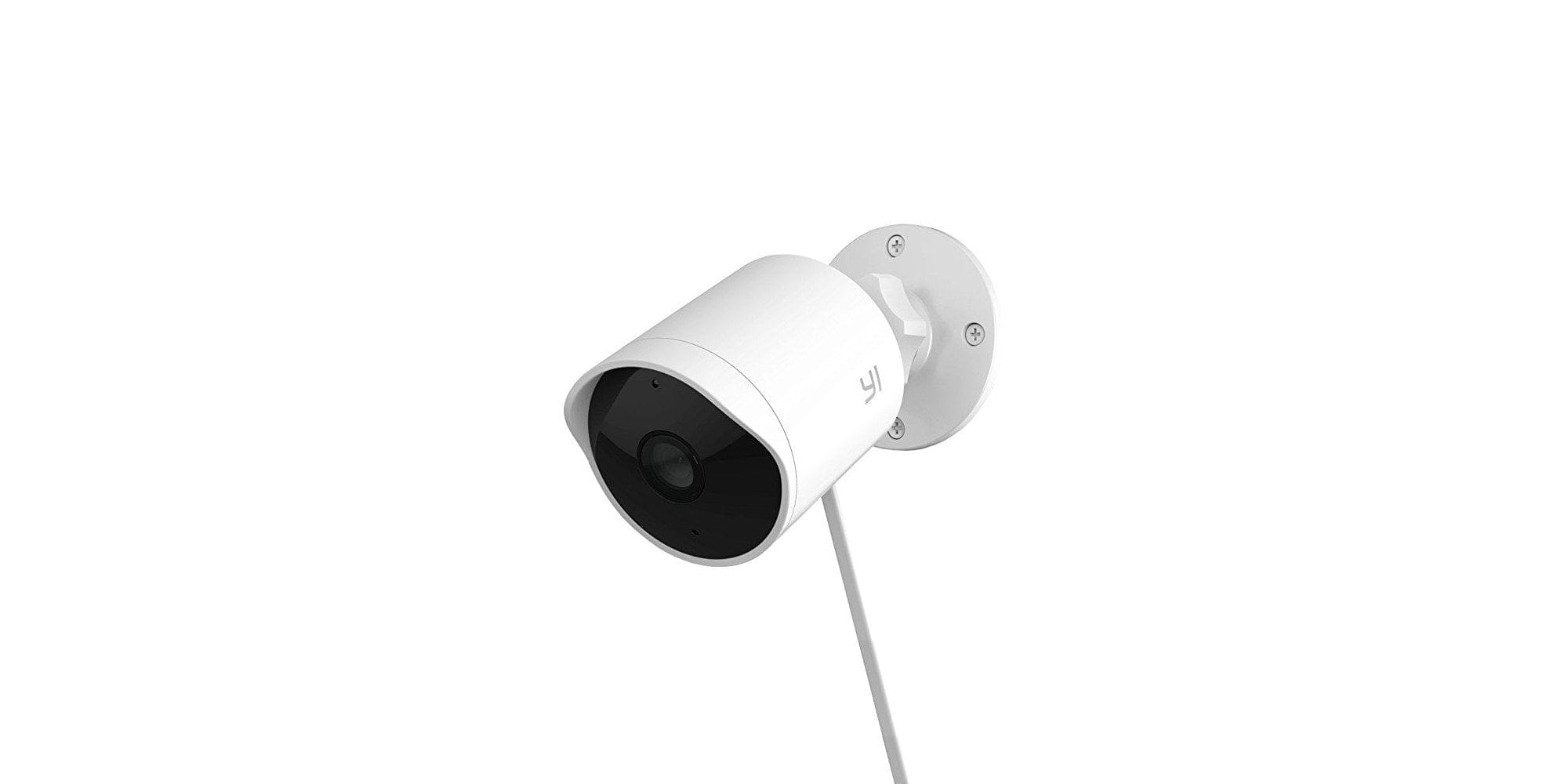
The YI Outdoor Camera is a comparatively compact surveillance solution. The camera housing, made of solid plastic, measures 132 mm in length and 68 mm in diameter. The ball head mount has a diameter of 70 mm. The weight of the camera, including cable and mount, is 252 g.
The housing of the outdoor camera is protected against water splashes from all sides according to IP65 protection rating. Accordingly, the 3-metre-long USB cable extends into the camera housing and is firmly connected to the camera. Access to the microSD card slot and the reset button is provided via a cover on the underside. This is held in place by two screws. An additional seal prevents water ingress. The build quality of the YI outdoor camera is impeccable.

Features
In addition to the previously mentioned microSD card slot and reset button, features include a two-way audio system with microphone and speaker. On the front is the 1080p 1/2.7-inch CMOS camera module with a 3.9 mm focal length and a 110° field of view. The camera sensor is surrounded by a total of 12 850nm IR sensors. These enable night vision up to 15 metres. A status LED is located above the camera module.

Videos are recorded and transmitted with a maximum resolution of 1080p (1920 x 1080) and 20 frames per second. A 3D noise reduction prevents strong image noise. The Lens Distortion Correction (LDC) straightens the image curved by the wide-angle lens. A 4x digital zoom allows the user to zoom into the image. Wireless transmission and app connection are handled by a 2.4 GHz Wi-Fi module.

Setup
Setup
The YI Home App is required to set up the YI outdoor camera. The app is available for both Android and iOS mobile devices in their respective app stores. The steps necessary for commissioning are explained in detail in the multilingual user manual.

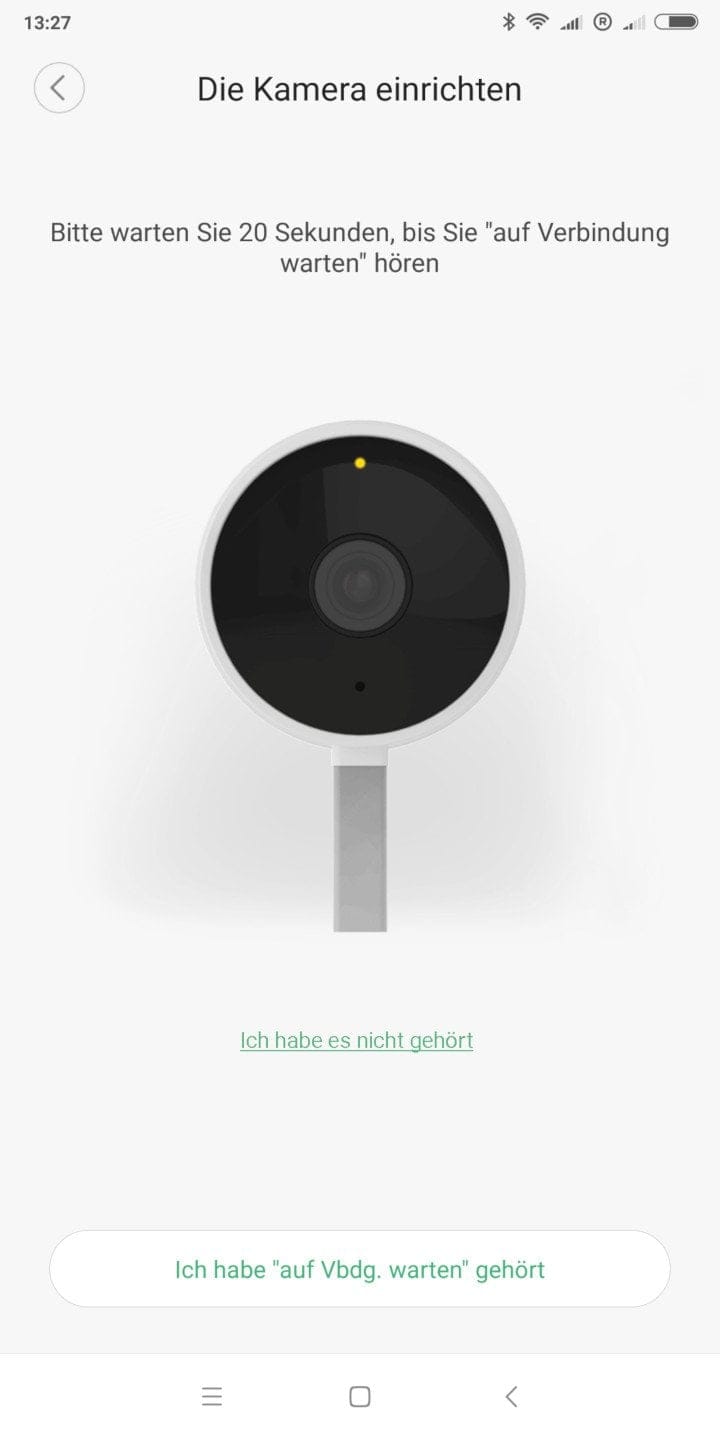
As soon as the camera is first connected to power, the setup assistant launches. An English voice assistant guides you through the setup steps. Among other things, it requires integrating the camera into an existing WLAN. To do this, you must enter your WLAN credentials in the app, which then generates a QR code. Holding this in front of the camera lens allows the camera to automatically establish a connection to the WLAN.
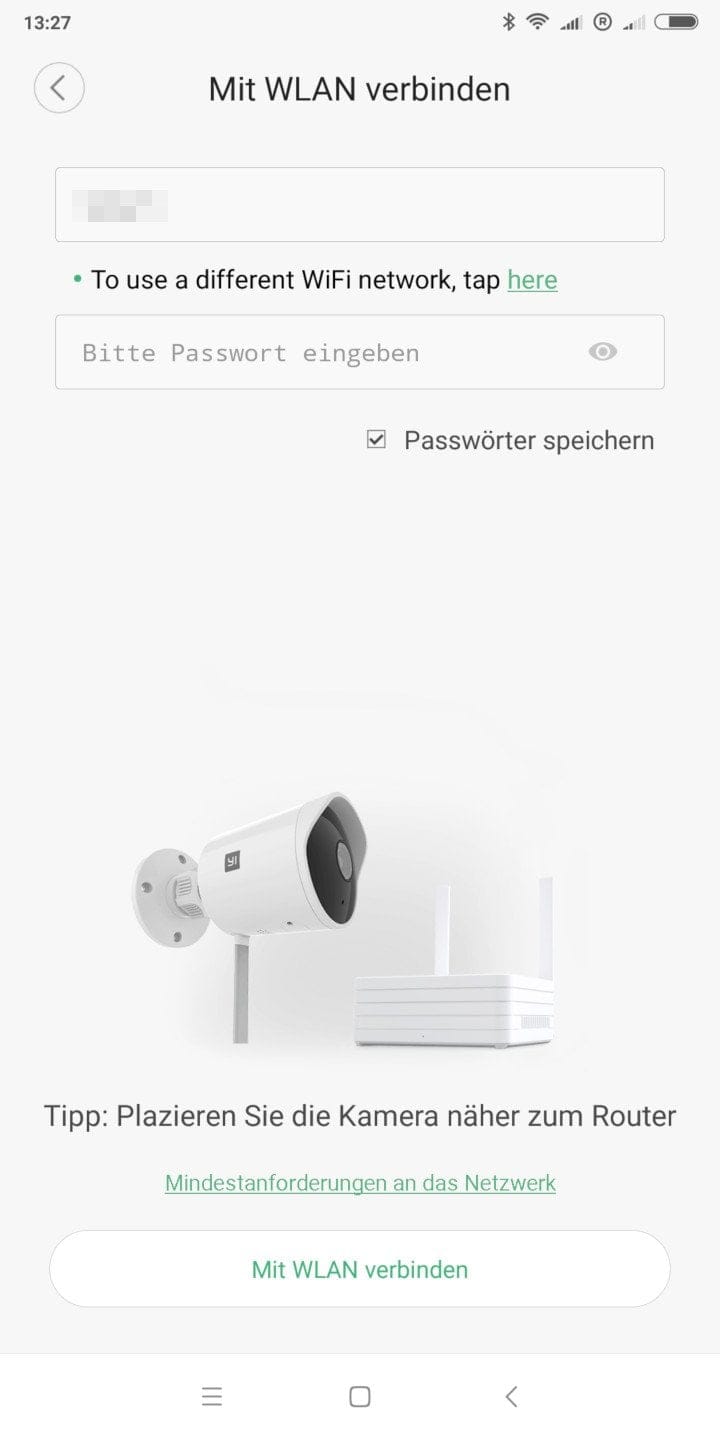
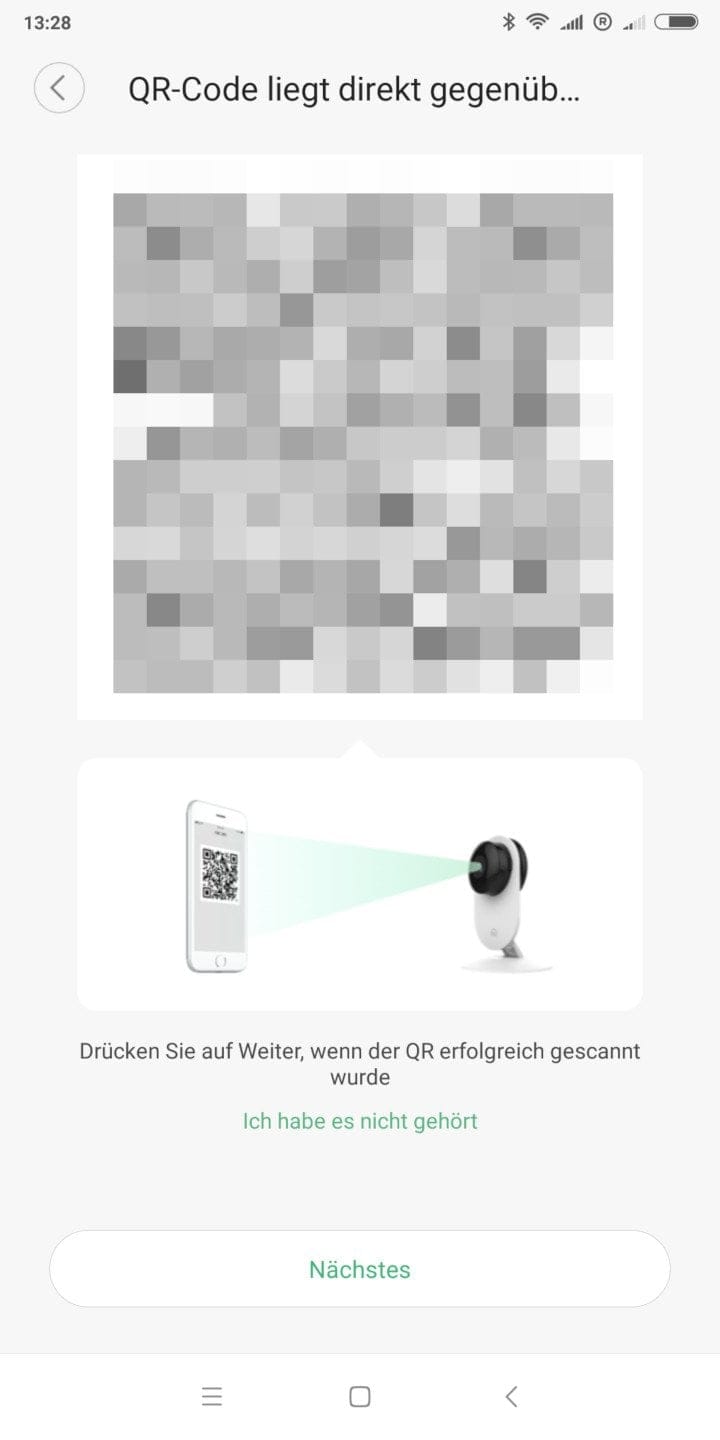
The entire setup process is simple to handle and completed within seconds. A small note on the side: The YI outdoor camera can only be integrated into an existing WLAN network. The camera is not capable of establishing its own WLAN network!
Mounting
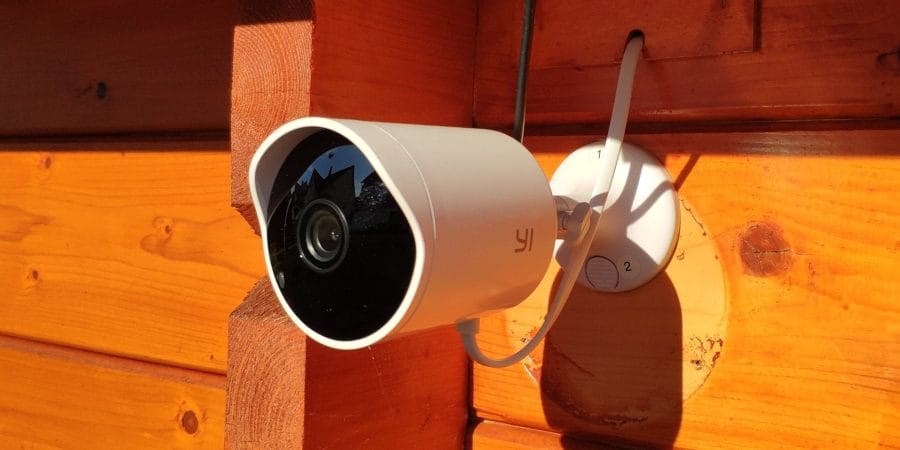
The ball head mount is secured with 4 screws. The included drilling template simplifies installation. The ball head allows the camera to be positioned easily and precisely. Alternatively, the universal ¼ inch screw thread enables the YI Outdoor Camera to be attached to an existing universal mount.
Features and controls of the YI outdoor camera
The YI outdoor camera is fully configured and monitored via the YI Home App (Android and iOS) or the YI PC Client (Windows and OSX). There is no WebUI accessible via browser! Below, I refer to the app, as this was primarily used for camera control.
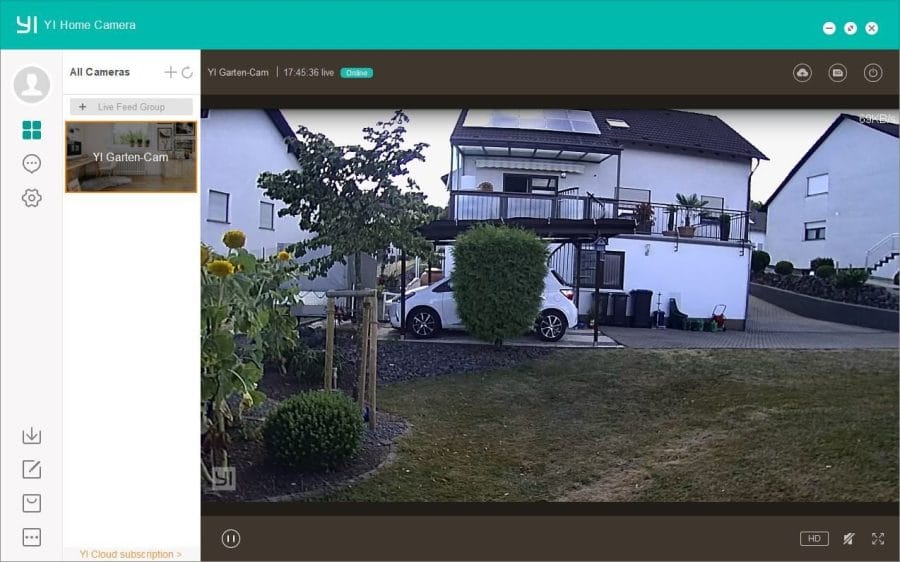
The app structure hardly differs from apps by other manufacturers. After starting the app, you find yourself in the camera overview. Here, all YI cameras linked to the YI account are listed with a preview image.
Streaming
App's live view mode
Clicking on the preview image of the respective camera takes you to the Live View mode. With the smartphone oriented vertically, the top half of the screen displays the live image with options for image quality (HD – SD - Auto), a status indicator for transmission quality, and further details about the date and time.


Below the live view are shortcuts to mute the camera's speaker, start a video recording, activate the microphone, take a picture or switch to full-screen mode. Below that, in the lower half of the screen, is the alarm overview. This provides quick access to the most recently triggered alarms. In full-screen mode, the shortcuts are placed as an overlay on the right edge of the screen. Alarm sections can be selected via a practical timeline in full-screen mode. To protect against unauthorised (app) access, each connected YI camera can be secured with a PIN.

Remote access
The video stream is transmitted encrypted via the manufacturer's servers, among other things. This enables remote access that cannot be disabled via the app. However, the biggest point of criticism is that the camera requires a constant internet connection. If the camera is disconnected from the internet, it is no longer possible to access the app stream. Purely local operation is therefore neither intended nor possible!
An RTSP stream is (currently) not accessible! ONVIF is not supported. However, resourceful hackers have shown, based on previously released YI cameras, that the firmware can be modified to support RTSP. When a modified firmware for the YI outdoor camera will be released is currently unclear.
YI Cloud
The YI Cloud is a paid online storage service. Recordings are automatically uploaded to the cloud and can be accessed via the YI account. If the camera is lost, the recordings do not disappear with the camera but remain saved in the YI Cloud.
YI Cloud is offered in a three-tier subscription model. The smallest plan with 7-day loop recording starts at €2 per month, depending on whether you choose a monthly or annual subscription. Price differences also exist regarding the number of devices and the upload mode (alarm only or 24/7 recording). The second plan includes 15-day loop recording. The most expensive plan at up to €17.99 per month offers 30-day loop recording. Prices are therefore comparable to cloud offerings from other camera manufacturers, such as Netgear or Ring.
The payment methods for the cloud subscription are PayPal and credit card, as well as in-app purchase for iOS mobile devices. New customers receive a free trial month. The YI Cloud is not included in this test report. Everyone should decide for themselves how important cloud access is. Without a cloud subscription, a 6-second preview clip is stored free of charge in the cloud after the alarm is triggered.
Alarm function
The YI outdoor camera is capable of detecting motion and triggering an alarm. The motion detection does not use a PIR sensor, but is handled by software. In the camera settings, you can define the detection area, the sensitivity level (Low – Medium – High) and the alarm frequency (Low – Medium – High). An alarm schedule can be configured for individual days of the week and hourly time slots.

In our test, motion detection worked reliably for the most part. The detection range varies between 5 and 15 metres depending on the sensitivity level and object size. At the highest level, motion detection is relatively sensitive. Thus, an alarm is triggered not only for humans and larger animals, but also for the smallest insects.
When an alarm is triggered, you are notified via a push notification. The recording can subsequently be accessed via the YI Home app. An additional alarm sound signals the triggered alarm via the camera’s speaker. To the delight of the neighbours, this function can be disabled in the settings.


Two-way audio
The two-way audio system of the YI Outdoor Camera enables two-way voice transmission. Voice messages can be sent from the mobile device to the camera. Conversely, the camera's microphone records the audio. The transmission quality is acceptable. Speech is understood, although transmitted with a slight tinny quality. The audio recorded by the camera is transmitted intelligibly up to a range of 5 meters.
Settings
The settings menu is divided into general settings and more specific camera settings. In the general settings, you can set the camera name, enable PIN protection and manage the storage. In the camera settings, it is possible to rotate the image by 180°, correct lens distortion, as well as turn the IR night vision, the microphone and the status LED on or off.

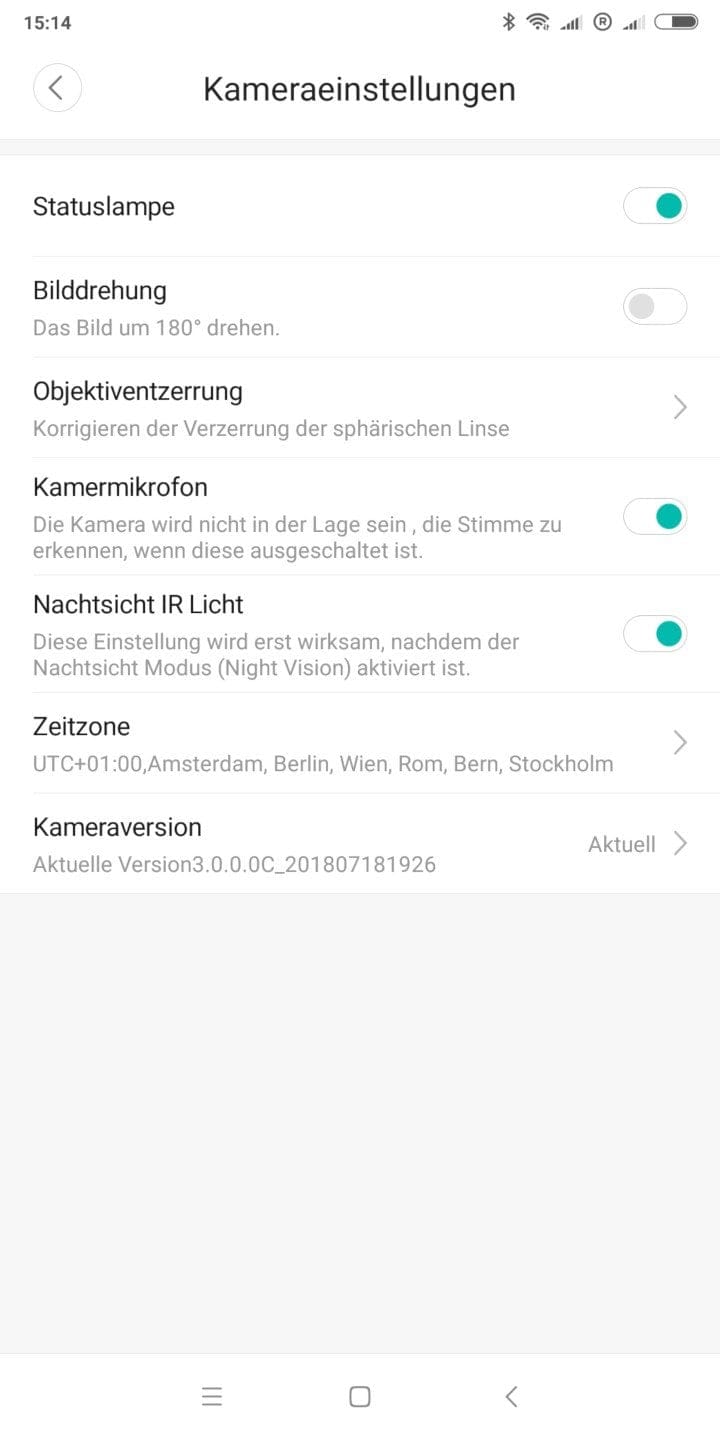
Firmware updates for the YI outdoor camera are received via the YI Home app. These are transferred and installed automatically.
Recording quality of the YI outdoor camera
The surveillance camera stores videos with a maximum 1080p resolution at 20 frames per second. The 6-second alarm clips are transmitted at 640 x 360 pixels. The recording resolution, frame rate or bitrate cannot be adjusted by the user.
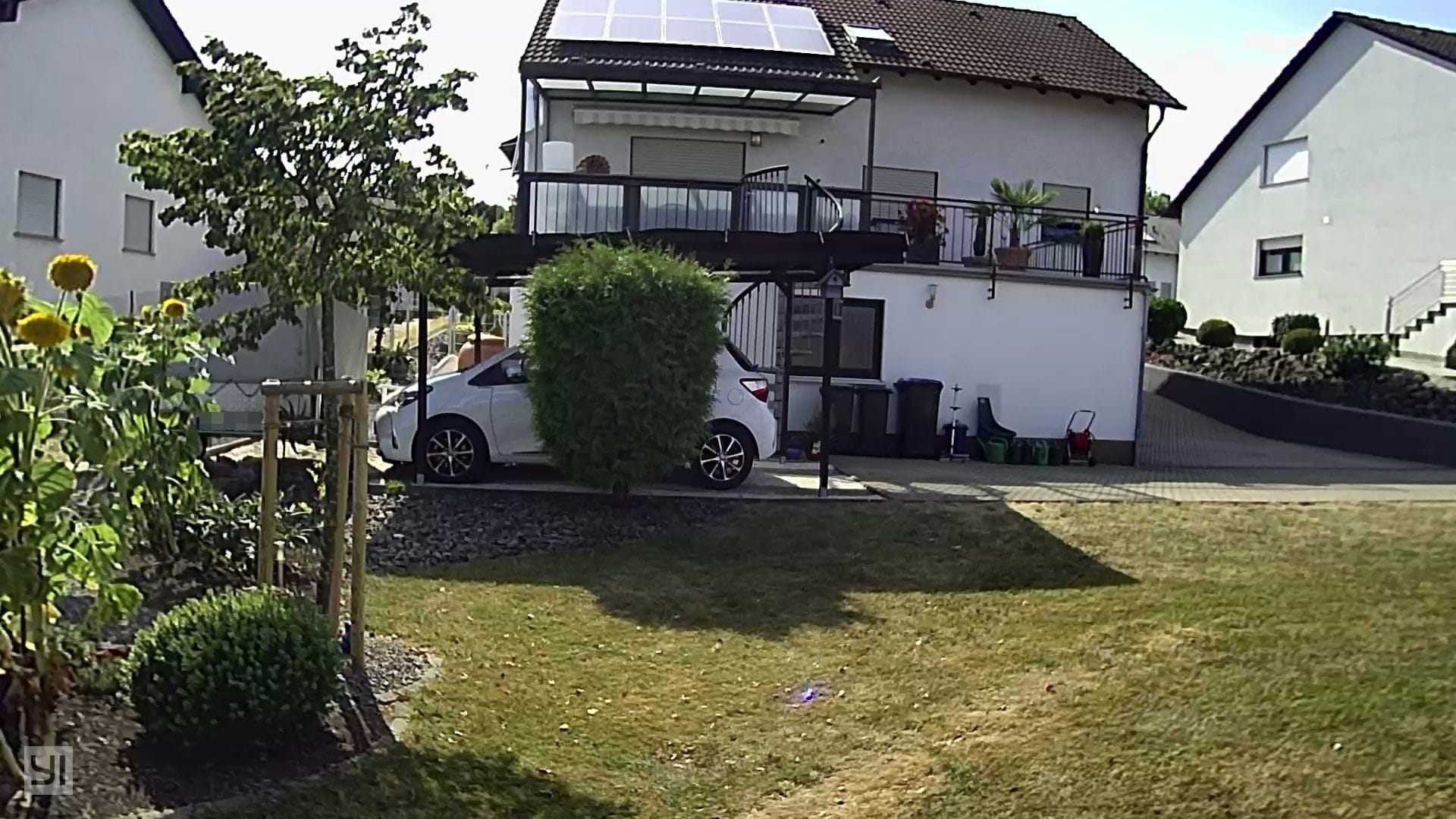
The recording quality is sufficient to recognise faces at short distances. It becomes increasingly blurry at long distances. The level of detail is acceptable. The output format for video recordings is MP4. A 16GB memory card can store 30 hours of video material.
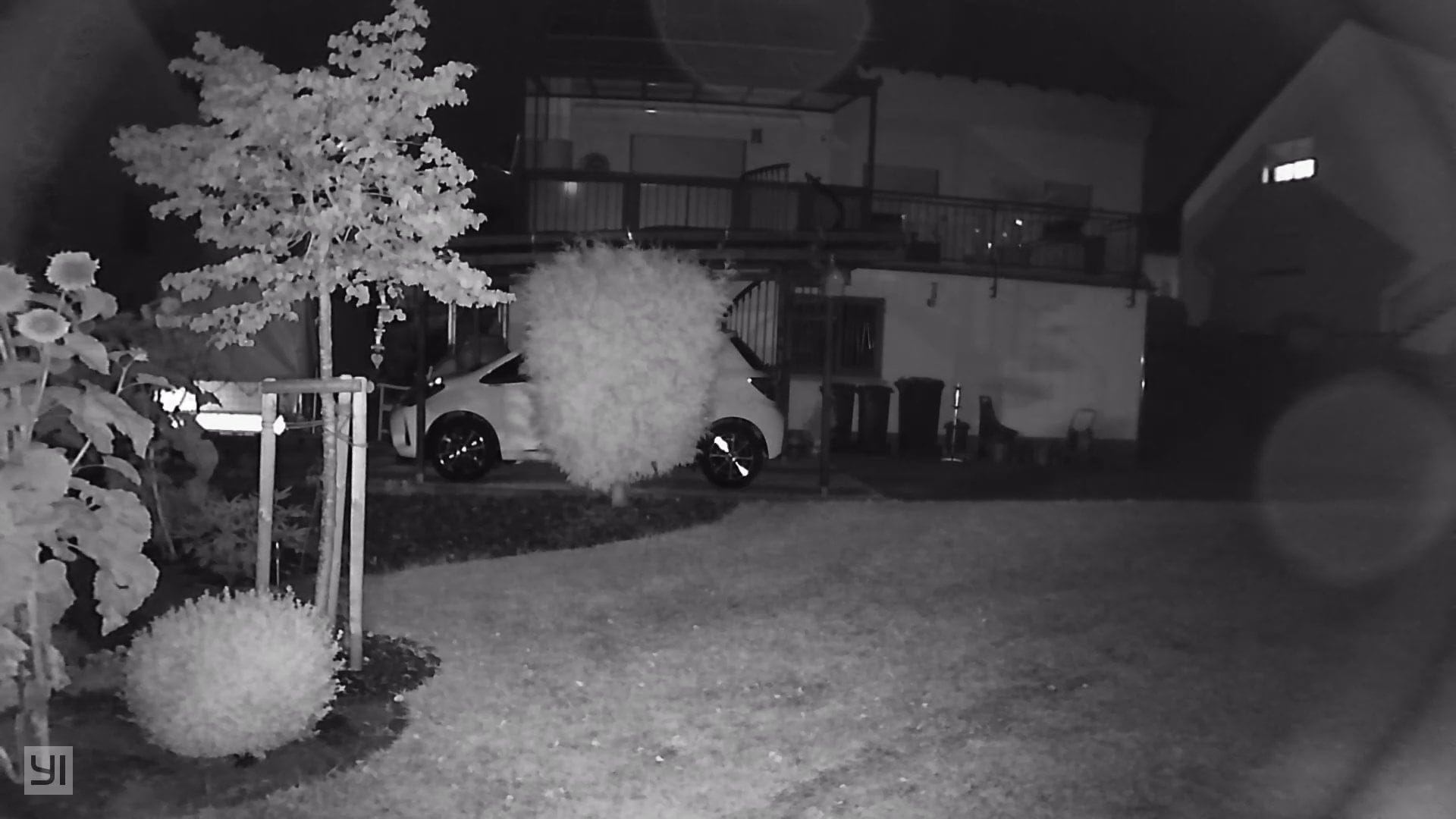
As it gets darker, the surveillance camera automatically switches to night vision mode. The visibility range at night is approximately 10 meters. Software-based motion detection is not affected by the night vision.
Our verdict
The YI outdoor camera is an affordable surveillance solution for outdoor use. The design is unobtrusive, the scope of delivery is extensive, and the build quality is of the usual high YI standard.
From unboxing to the first recording, it only takes a few minutes. The entire setup process is designed for laypeople. The YI Home app, which is necessary for control and configuration, has a clear layout, is fully translated into German and is functionally comprehensive. A point of criticism is the lack of an option to deactivate remote access.
Recording quality is convincing both day and night. Some loss of detail and slight blurring are noticeable but, compared to other cameras in this price range, are perfectly acceptable. The software-based motion detection works as it should and detects movement even over longer distances.
One thing to be aware of before buying is that the camera requires a constant internet connection. The video stream can only be accessed via the manufacturer's servers! Local operation is (so far) not possible.
Specifications
Recording
- Resolution
- 1080p (1920 x 1080)
- Field of view
- 110°
- Focal length
- 3.9 mm
- Night vision
- 12 IR LEDs (850 nm)
App
- App
- YI Home
- *Live stream
- *Alarm function
- *Playback function
- *Audio transmission
- *Video recording
- *Image capture
Connectivity
- SD memory card slot
- Yes
- USB
- No
- Wi-Fi
- 2.4G
- Speakers
- Yes
- Microphone
- Yes
Other
- YI Cloud
- Yes
- Protection rating
- IP65
- Cable length
- 3 m
- Size
- 132 x 68 mm
- Weight
- 252g
What’s included
1x YI outdoor camera 1x ball head mount 1x drilling template 8x cable clips 10x screws 10x dowels 1x screwdriver 1x user manual
Comments