Contents
First impressions of the Xiaomi Air 12
Update (10 June 2017)
The Xiaomi Air 12 notebook is now also available with the newer Intel Core M3-7Y30 processor. This so-called 2017 model offers another performance boost compared to its predecessor. The processor remains passively cooled! Storage consists of 4GB DDR3 RAM and optionally 128GB or 256GB SSD storage. Otherwise, both the 2016 model and the 2017 Xiaomi Air 12.5 are completely identical. The price difference is only small, which is why you should choose the newer model!
What’s included
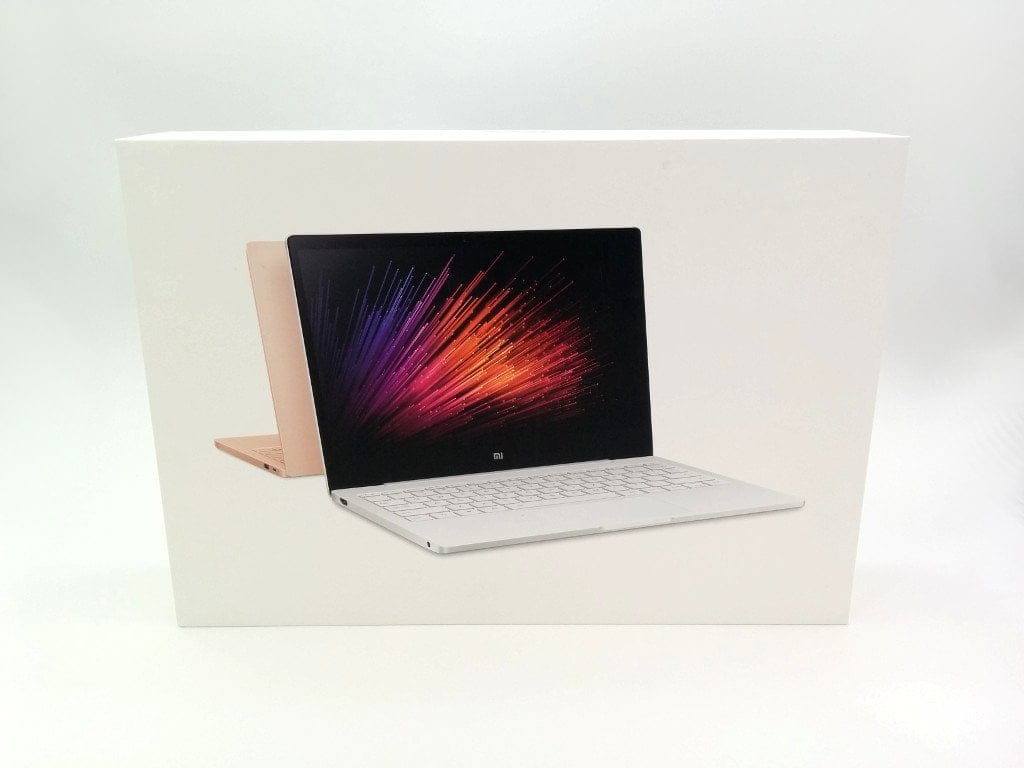
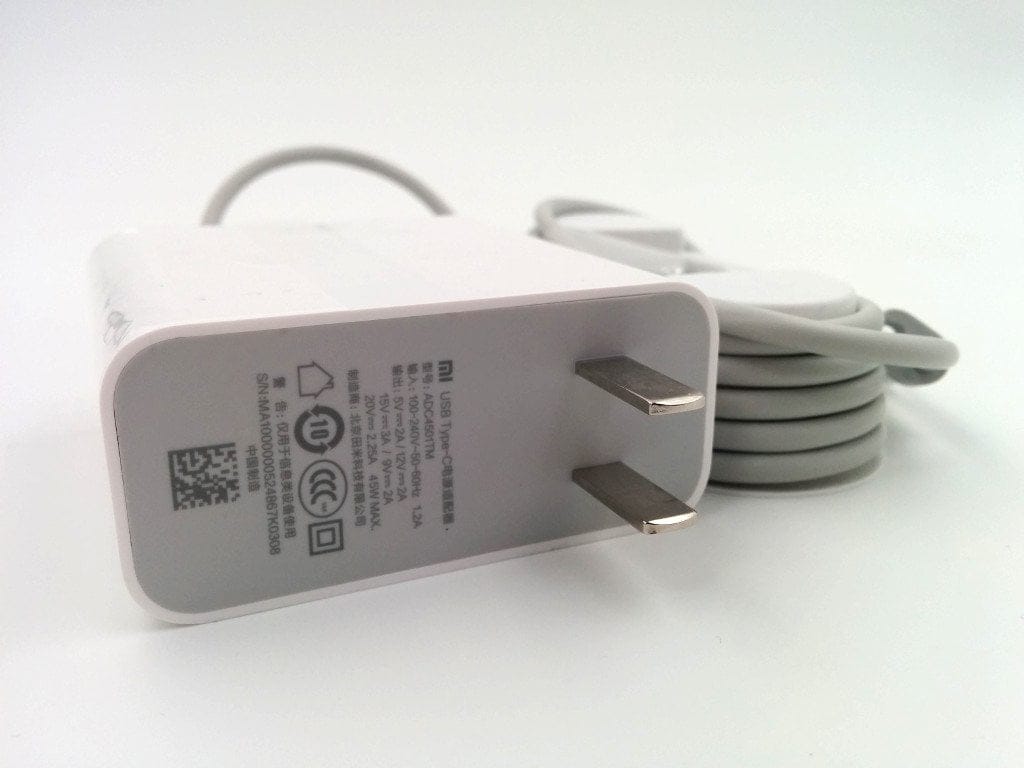
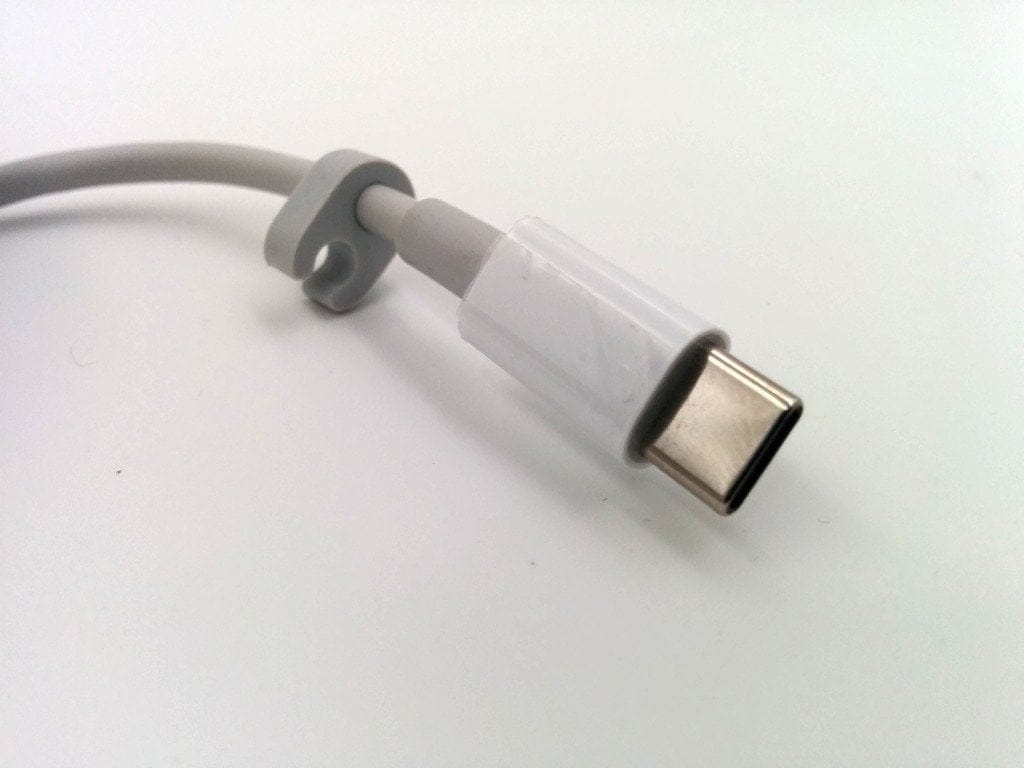
The Xiaomi Laptop is delivered in a plain cardboard box. The scope of delivery is limited to the laptop, a Chinese instruction manual and a charger. The included instruction manual contains images and is therefore reasonably understandable. The charger has a Type-A connector and can only be used in this region with an additional EU adapter. The cable length is 1.5 metres. The charger is connected via a USB Type-C port.

Windows 10 CN or Windows 10 EN
Windows 10 is already pre-installed. If you choose the Chinese model, the laptop is delivered with an already activated, Chinese Windows 10, where the language cannot be changed! Only a reinstallation allows for a language change. A model with English-language Windows 10 is also available, however, this Windows needs to be activated afterwards.
 Play video on YouTube
Build and design
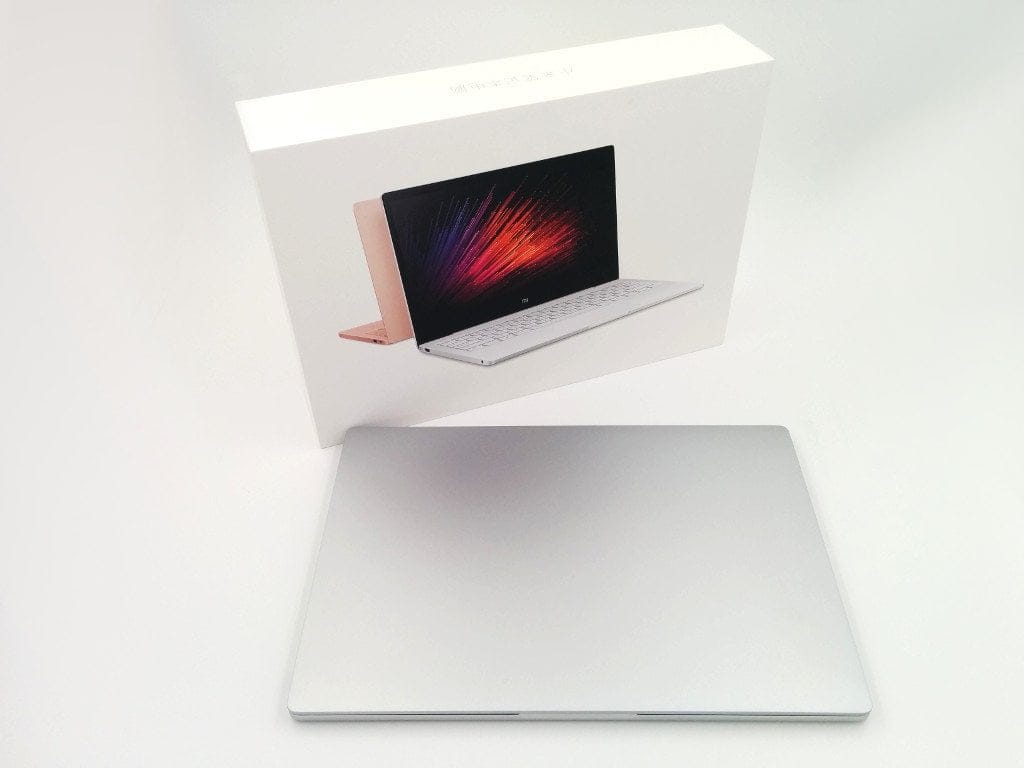
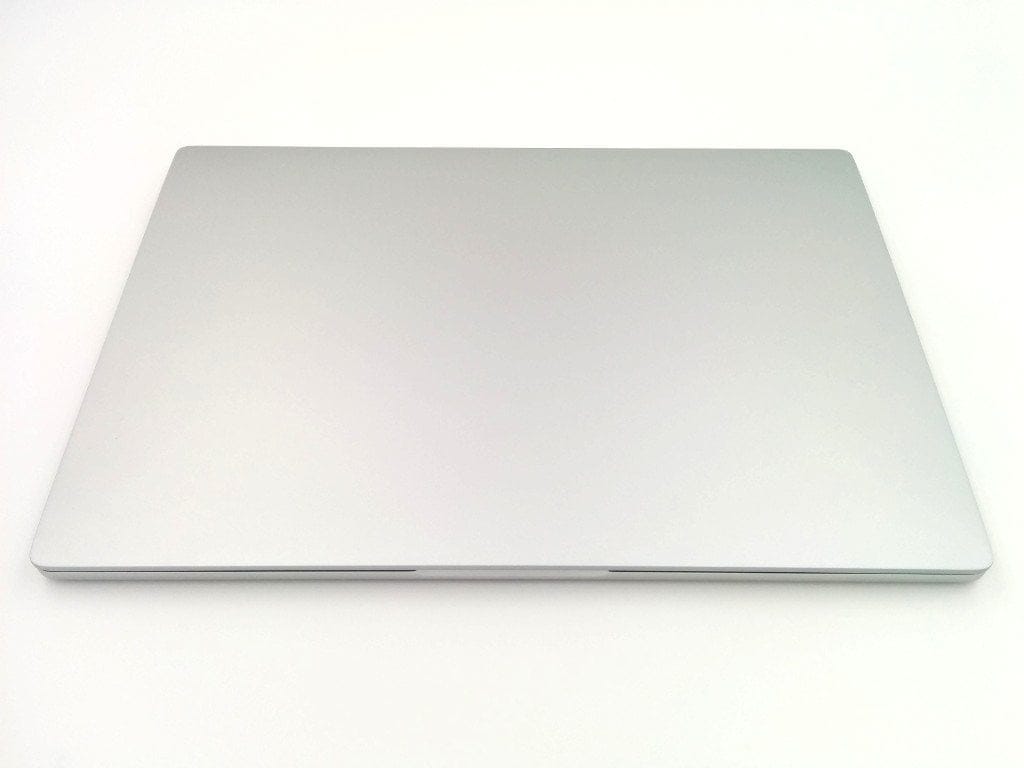
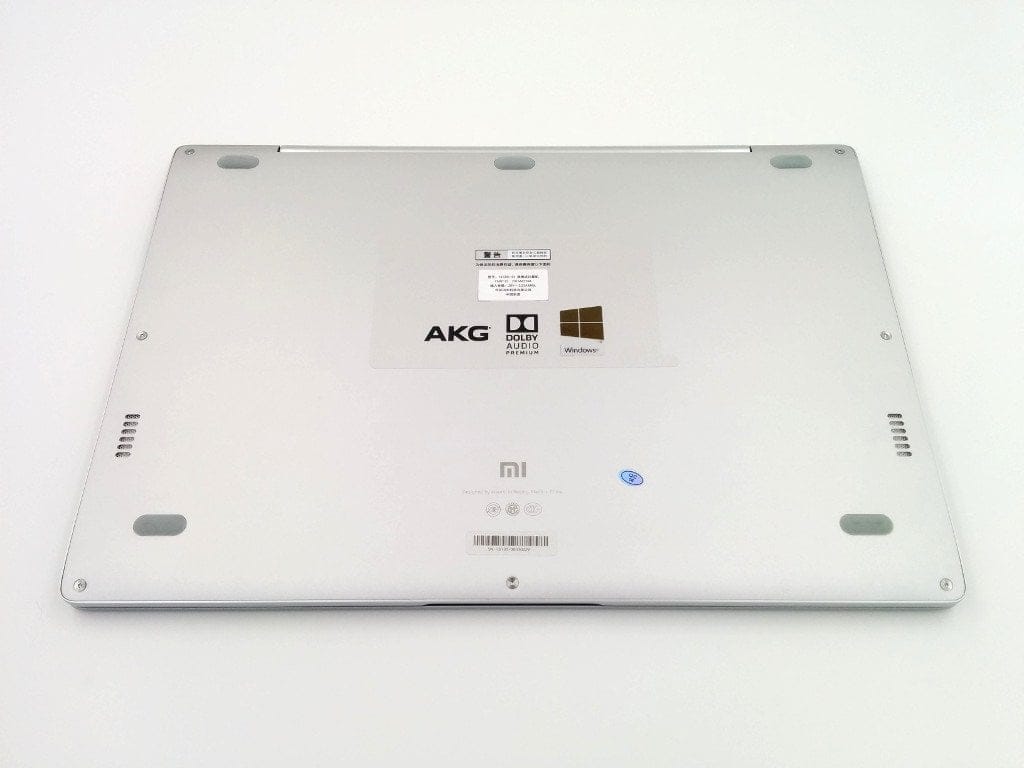
With dimensions of just 292 x 202 x 12.9 mm and a weight of 1070 g, the laptop is not only compact but also comparatively light. Xiaomi uses aluminium for the casing, which makes the Xiaomi Air 12 look strikingly similar to Apple's MacBook Air. There is no Mi logo on the back, and the design is predominantly simple. The two stereo speakers are located on the underside. The speaker system is from AKG Acoustics. Five rubber pads ensure stable standing. The laptop can be opened with one hand without the lower part of the casing moving along.
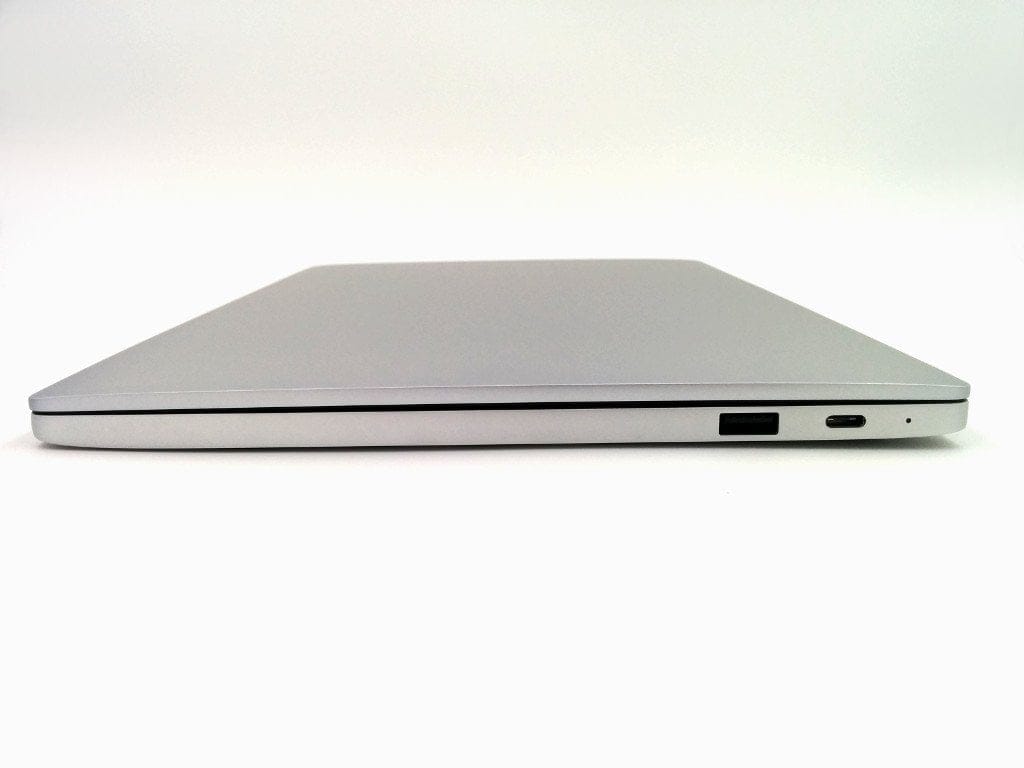
On the left side of the laptop housing, there is an HDMI port and a headphone jack. The right side features a USB 3.0 (Type-A) port and a USB Type-C port. Furthermore, above the two ports is a small status LED that indicates the current charging status when a charger is connected to the laptop. A memory card slot is missing.
The build quality is successful. The connector between the display and the actual laptop is made of plastic and looks sloppily painted at first glance. However, this is just a film that you can confidently peel off!

Keyboard and touchpad
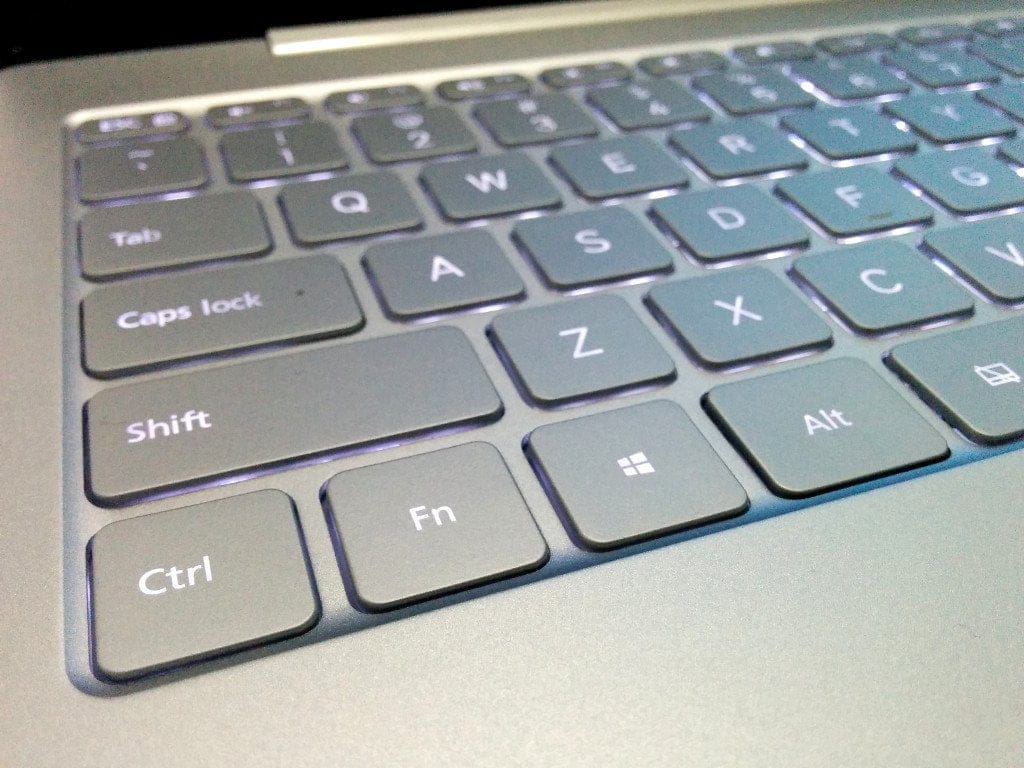
The keyboard has an English layout. Unfortunately, the Xiaomi laptop is only available with this layout. A non-dimmable keyboard backlight allows for work at night as well. The keys themselves match the laptop's aluminium look but are made of plastic. The keypresses feel pleasant and are not too loud. In a direct comparison with a 2011 Macbook Unibody, I could not detect any difference. The only criticism is the non-dimmable brightness of the keyboard backlight.
The touchpad features a glass top and recognises a wide variety of gestures. The glide on the large glass pad could hardly be better. In addition to touch controls, mouse clicks are also possible, providing pleasant feedback. Executing individual gestures and clicks, as well as mouse guidance, is accurate.


Display
The display has a Full HD (1920 x 1080) resolution and a display diagonal of 12.5 inches. The bezel surrounding the 276.5 x 155.6 mm display is comparatively small at just 5.71 mm. This results in a screen-to-body ratio of 78.6%.
The display image is razor-sharp. At a pixel density of 176 PPI, individual pixels are barely visible to the naked eye. The viewing angle stability is also convincing. Even with a lateral view of the display, the image quality remains intact. Colours appear vivid and the black level is convincing with a deep black. The manufacturer specifies the contrast ratio as 600:1, and the brightness is 300cd/m². Working in direct sunlight is quite possible with maximum display brightness. The protective glass surface reflects only slightly. What was noticeably negative in the test, however, was slight backlight bleeding at the lower edge of the display.
User interface and performance
Windows 10
Windows 10 comes preinstalled from the factory. If you choose the Chinese variant, a German version of Windows 10 Home can be flashed subsequently. Activation remains retained in this case. All drivers are installed fully automatically. To use the trackpad's multitouch gestures, the "Synaptics" driver can be optionally installed. The Mi On-Screen-Display is also optional and adds a nice feature to the laptop. All drivers can be found in the official MIUI Forum via this link. Windows 7 or 8 is also runnable on the Xiaomi Air 12, although driver issues may occur. However, all drivers can also be found for older versions on the official websites of the component manufacturers. For the touchpad, it is recommended to download the driver directly from the "Synaptics" manufacturer's website!
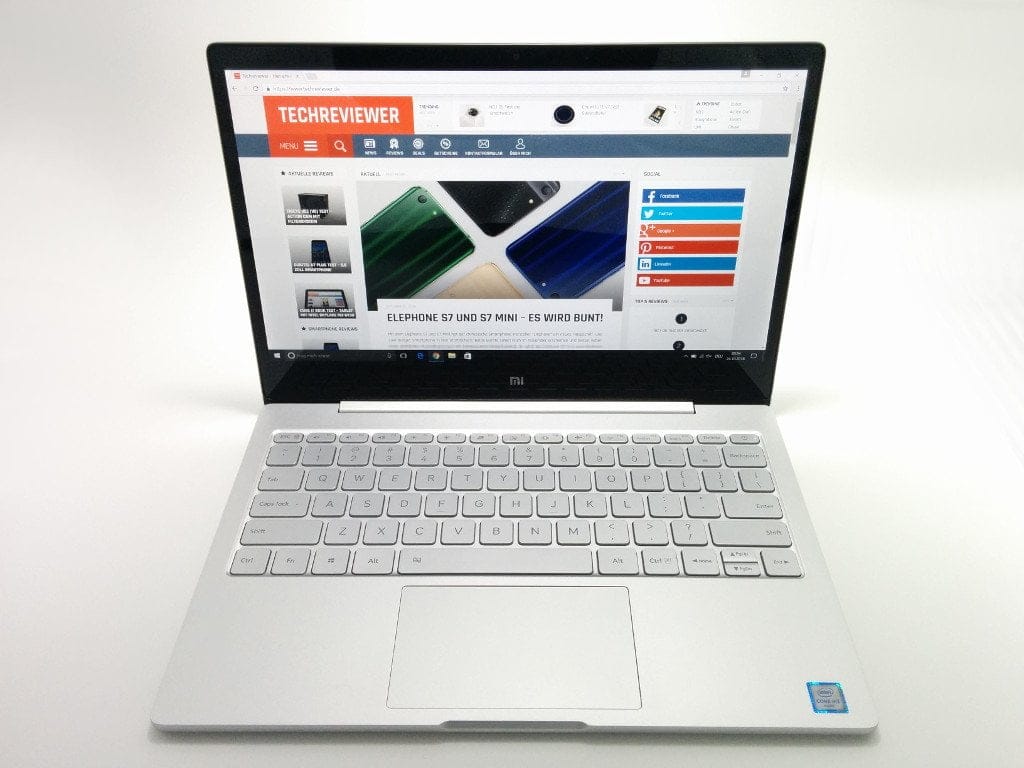
The user interface is no different from a conventional desktop Windows 10. The boot process takes about 8 seconds. Multitasking poses no problem and overall the Xiaomi Mi Notebook Air 12 convinces with a high-performance Windows experience.
Processor performance
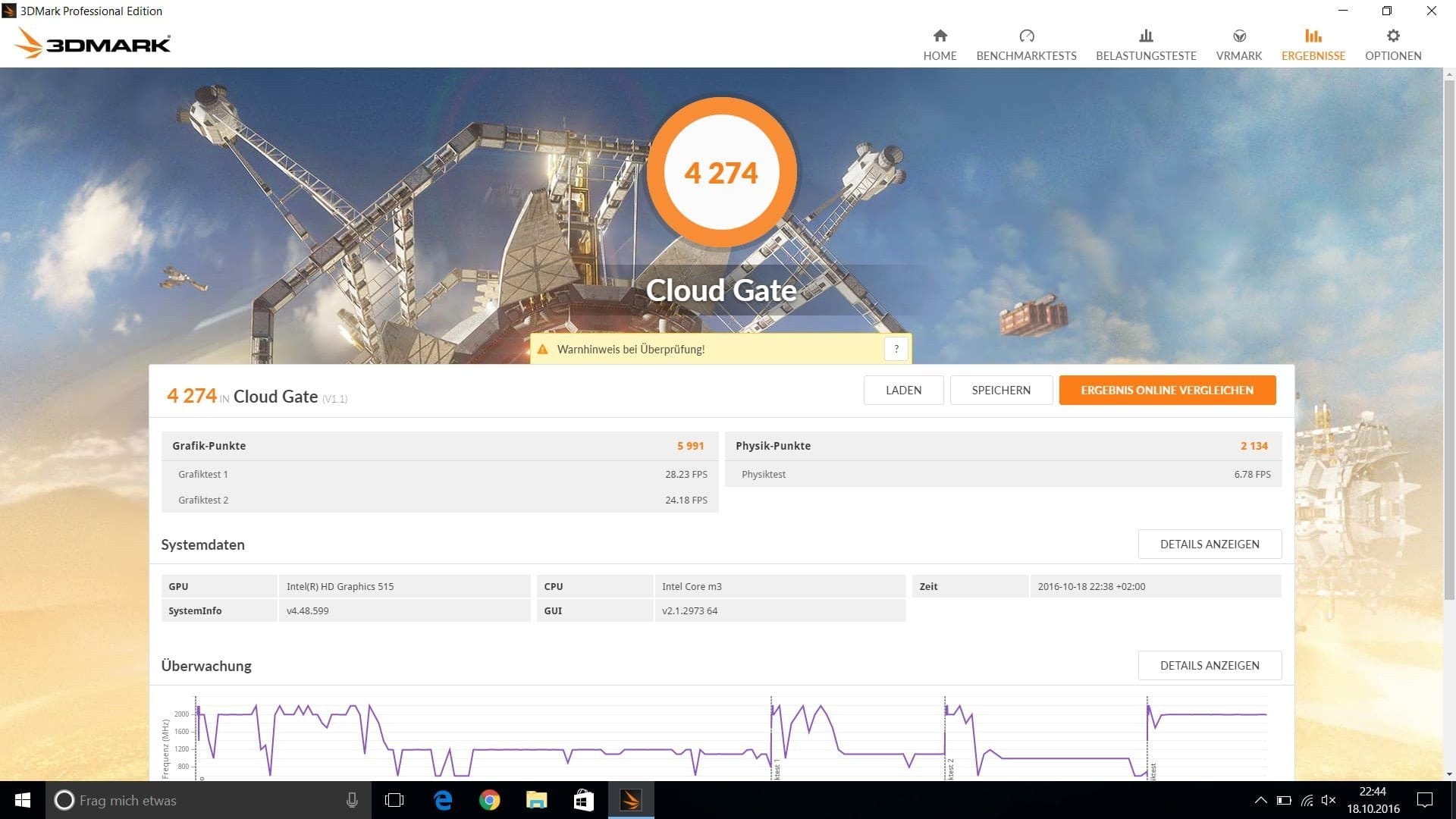
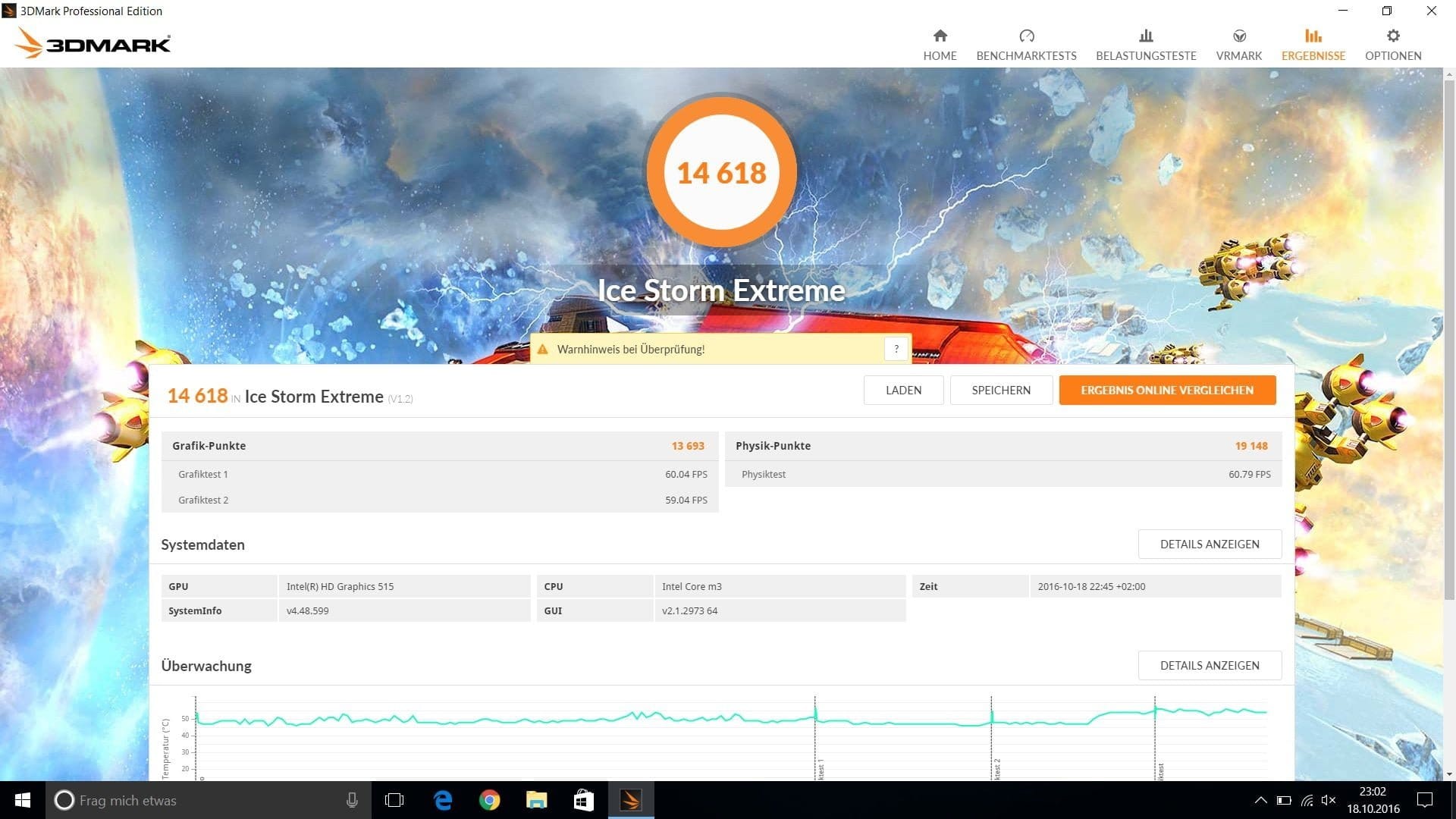
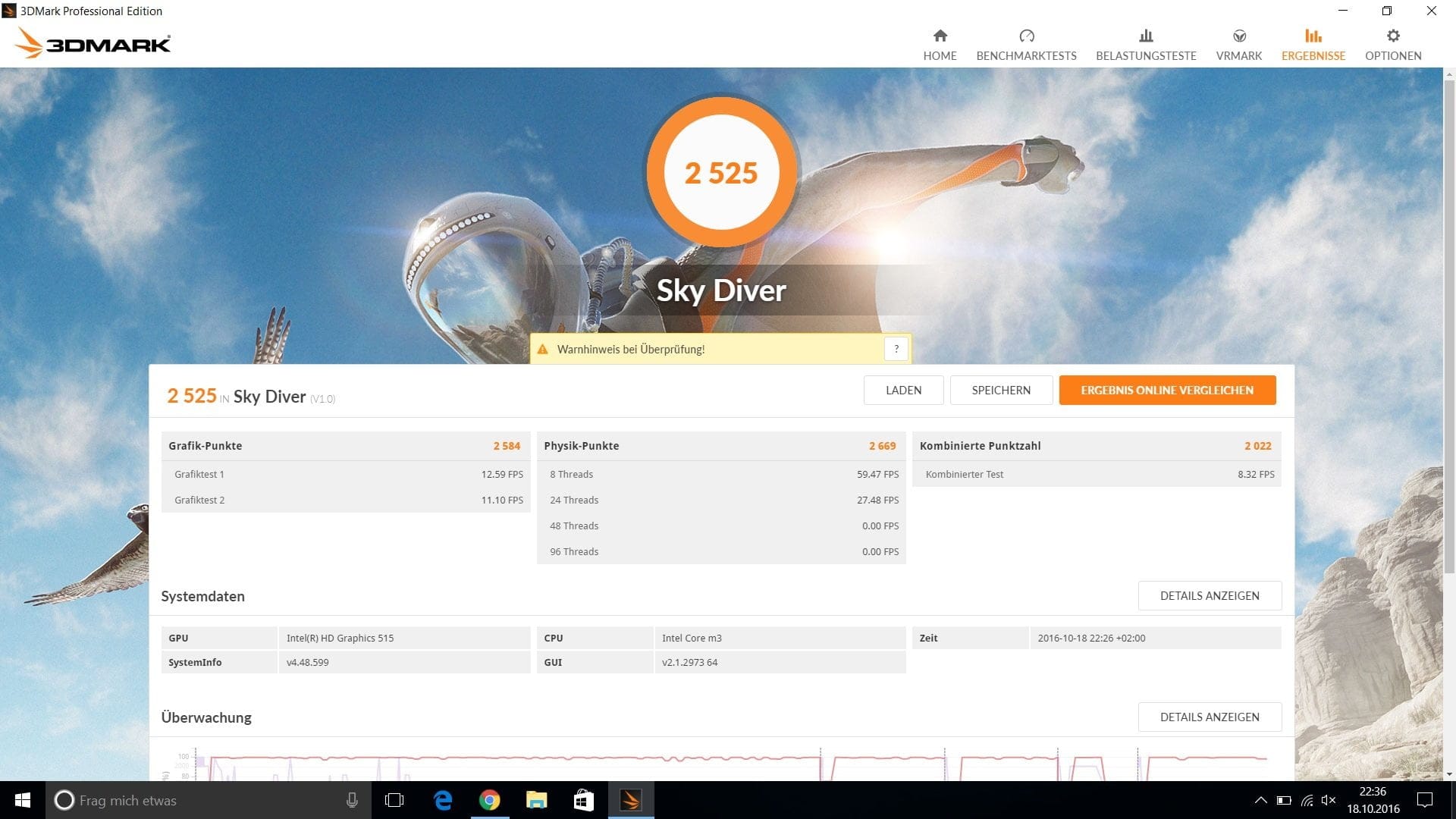
Equipped with a fast Intel Skylake Core M3-6Y30 processor and 4GB RAM (4GB LPDDR3 1.866 MHz), the notebook is excellent for everyday office tasks. The laptop can naturally also be used for 4K streaming, and more computationally demanding applications, such as video editing software or photo editing software, are also fully compatible with the device.
Graphics performance
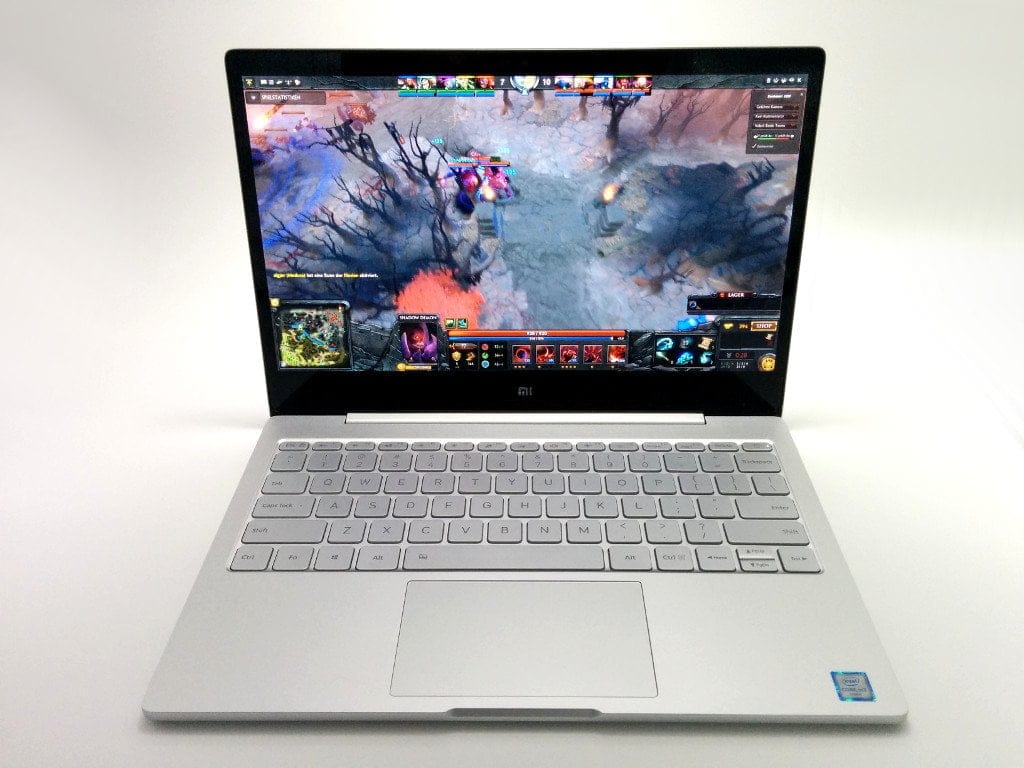
Those who want to use the Xiaomi laptop for gaming should rather go for the slightly larger 13.3 inch variant. The Intel HD515 processor graphics of the smaller model enable smooth gaming of not too demanding games, such as Half-Life 2 or Dota 2, but those who want more need a laptop with a dedicated graphics card.
SSD storage
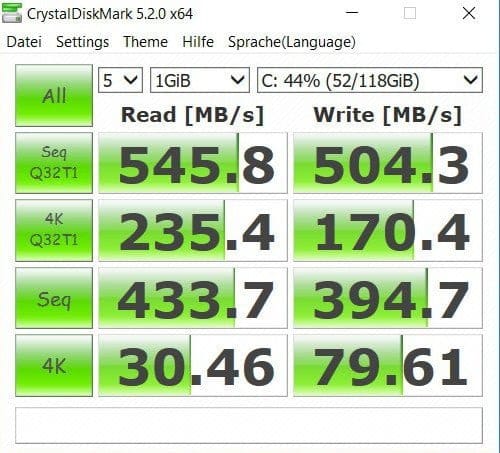
The internal storage measures 128GB. It features an M.2 SSD. Storage can be expanded with another M.2 SSD. RAM expansion is not possible. The SSD’s read and write speeds are impressive.
Temperature
The laptop's passive cooling performance is good. During practical testing, an extremely high amount of heat on the outer housing was not noticeable. The core temperature reached a maximum of 75°C under full load. Distracting fan noise is naturally excluded due to the passive cooling.
Camera
Above the display is a 1-megapixel front camera. There is a microphone on either side. A small indicator LED shows whether the camera is active. The camera records videos at up to 720p (interpolated). Audio is recorded cleanly with the two microphones. Disturbing background noise is largely filtered out. Nothing prevents a spontaneous voice or video call with this equipment.


Speakers and headphone jack
Despite the compact size of the Xiaomi Air 12, the sound of the AKG speaker system (2x1W) is convincing. The sound chip is a Realtek ALC233. Playback is clear and distinct. The maximum volume is comfortable and playback quality does not degrade even at the highest level. What the sound lacks, however, is volume.
The playback quality via the 3.5mm headphone jack is acceptable. Playback material is reproduced cleanly and the range between quiet and loud can be precisely adjusted. A slight background noise from the sound chip has been noted negatively. Especially when no music is playing and you still have headphones / in-ears on, the background noise can quickly become a distraction.
As a nice extra, the notebook is also compatible with Dolby Audio. An adapted Dolby Audio version can be downloaded separately online (link). In addition to an equalizer, the Dolby user interface also offers preset sound profiles that are optimised for the respective playback content. All settings can, however, also be customised individually.
Connectivity
The Intel Dual Band Wireless-AC 8260D2W chipset handles Wi-Fi. This enables fast transfers on the 2.4G and 5G networks. In testing, the laptop convinced with maximum transfer rates and average signal quality and range. The same applies to the Bluetooth connection. It uses the Bluetooth 4.1 standard. The signal quality and signal range are convincing.

Battery and battery life
The battery capacity is 5,000mAh (7.4V / 37Wh). With conventional usage at 25% brightness, you achieve run times of an average of 7 hours. Under intensive use, the run time reduces to an average of 4 hours. The promised run times of 7.5 to 9 hours are only achievable under the most optimal conditions. The run times achieved in the test are not surprising given the small capacity of the battery and are therefore rather mediocre. A larger battery would certainly have been desirable here. What compensates for the comparatively short run time is the fast charging function of the Xiaomi notebook.
With a suitable fast charger, the battery reaches 50% charge after just half an hour. A full charge takes only 1 1/2 hours. A fast charger with a USB Type-C port (max. 20V - 2.25A) is included in the delivery, but an additional EU adapter is required.
Other
Xiaomi Air 12 as a Hackintosh
There is a lot going on in the Hackintosh scene. Meanwhile, some users of the Hackintosh forum have managed to install a functional macOS Sierra on the Xiaomi Mi Notebook Air 12. Broadly speaking, most components are already correctly integrated into the OS and work. However, the integrated Wi-Fi module never works. One should not have high hopes here either, because there are no drivers for the integrated module! Alternatively, a WiFi dongle can be used, although this will occupy one of the USB slots.
Linux distributions
Distributions such as Ubuntu or Debian can also be installed and run. Drivers for the individual components are available.
Our verdict
Xiaomi has launched a convincing first notebook series to the market. The small 12.5-inch powerhouse has powerful hardware that is suitable for more than just office work. The design is convincing and the aluminium housing also makes a good impression.
The razor-sharp display also impressed in the test. The black levels are deep and colours are rendered vividly. The front camera is just about adequate for video calls. Both the keyboard and the touchpad impress with a great design, as well as good typing and gliding capabilities. Battery life is average. However, the fast-charging function is a positive aspect, fully charging the 5,000 mAh battery in just 1 ½ hours. The AKG speaker system is good. However, a touch more acoustic volume would be desirable.
Overall, the Xiaomi Mi Notebook Air 12 is convincing. If you are not worried about a China import and are looking for a Windows alternative to the compact MacBook Air, you can safely go ahead and buy it!
Specifications
Display
- Resolution
- 1920 x 1080 – 176 PPI
- Diagonal
- 12.5-inch
- Contrast ratio
- 600:1
- Brightness
- 300 cd/m²
Performance
- CPU
- Intel Core m3-6Y30, 2.2 GHz
- GPU
- Intel HD Graphics 515
- RAM
- 4GB DDR3 RAM
- Internal storage
- 128GB M.2 SSD
Ports
- 1x USB Type-C
- 1x USB 3.0
- 1x HDMI
- 1x headphone jack
Battery
- Capacity
- 5000mAh
Other
- Wi-Fi
- Dual-band Wi-Fi (2.4 + 5 GHz)
- Bluetooth
- BT 4.1
What’s included
1x Xiaomi Notebook, 1x user manual, 1x charger
Comments (8)
Really cool device, I'll get the Air 12 for university. Would you recommend the one with Chinese Windows or the one with English Windows?
The device with Chinese Windows is already activated. If you already have Windows 10 Home, you can create an installation CD / USB stick and install Windows 10 Home in German over it. The activation remains valid after installation.
The version with English Windows is not yet activated. This means you need a valid licence key for Windows 10 Home.
I have been using the Xiaomi Air 12 at university for about a month now and am more than satisfied with the notebook. I ordered it with Chinese Windows and simply installed my Windows 10 over the pre-installed Windows. It worked perfectly and Windows remained activated afterwards.
Otherwise, my experience with the Xiaomi notebook has been excellent. Typing with the English keyboard is no problem. The processor performance is more than sufficient. A clear purchase recommendation from me!
This is not a bad paint job, but a plastic film that should be removed.
I noticed that too after publishing the video and this review, but I had completely forgotten that I’d mentioned the “paint defect” in the review.
At first glance, it does indeed look like the film belongs there, especially as it is applied quite firmly. For those who are unsure, you can safely peel the film off.
I read in c't that if I import a notebook without a CE mark, my home contents insurance might not have to pay out in the event of a fire. Is this true, and are there any other risks?
Hello, I am also interested in the laptop, but I have some questions regarding the purchase and alternative operating systems.
1. If I buy the Xiaomi Air 12, can I install Linux on it?
2. Is there access to the BIOS?
3. Where did you buy the laptop and what is the warranty situation?
Hello seboO, here are the answers to your questions.
1. Yes, various Linux distributions (Debian, Ubuntu, etc.) can be installed and booted on the Xiaomi Air 12.
2. Yes, the notebook has an EFI. You can access the interface before Windows starts by pressing “F2.”
3. Gearbest with Priority Line / Germany Express shipping is currently the best choice. The warranty on products from China is always somewhat problematic because you have to send the product back to China yourself (you pay the shipping costs!). The risk is quite high, especially with such an expensive device. Most online shops in China offer a one-year repair warranty.