
Contents
First impression of the Xiaomi Dafang
What’s included
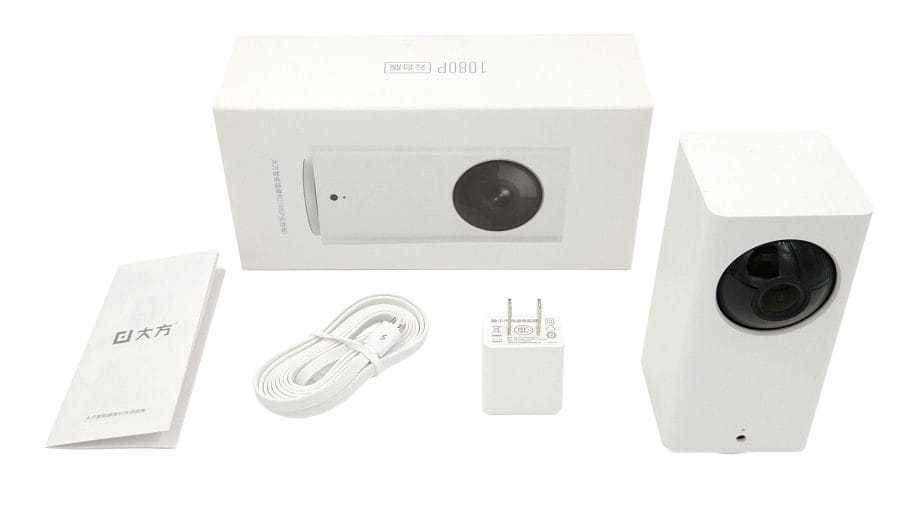
The accessories of the Xiaomi Dafang security camera are overall quite sparse. Included with the camera are a 1.8-metre-long micro-USB cable, a power adapter with a NEMA-1 plug (5V – 2A), and a user manual in Chinese.
Design and build quality
The Xiaomi Dafang is a winner of the "Red Dot" design award. Compared to other surveillance cameras, Xiaomi does not rely on the typical "dome design" but takes a somewhat different approach with the rectangular "block design". With dimensions of 12.75 x 6.60 x 6.00 cm and a weight of 249g, the Xiaomi Dafang is a comparatively compact surveillance camera, even if it is not quite as compact as a Yi Home Camera 2 or Yi Dome. The build quality of the surveillance camera is not subject to criticism and does not suggest a product from the low-price segment.
Features
As a so-called “PTZ surveillance camera”, the Xiaomi Dafang offers a 360° panning function (pan) and can also be tilted by 93° (tilt).
The camera structure is as follows: On the front is the camera module with a wide field of view of 120° and an f/2.3 aperture. Around the module are 6 infrared LEDs (940 nm) that enable night vision. Videos are recorded and transmitted at a maximum resolution of 1080p (1920 x 1080). Wireless transmission is handled by a 2.4 GHz WiFi module.


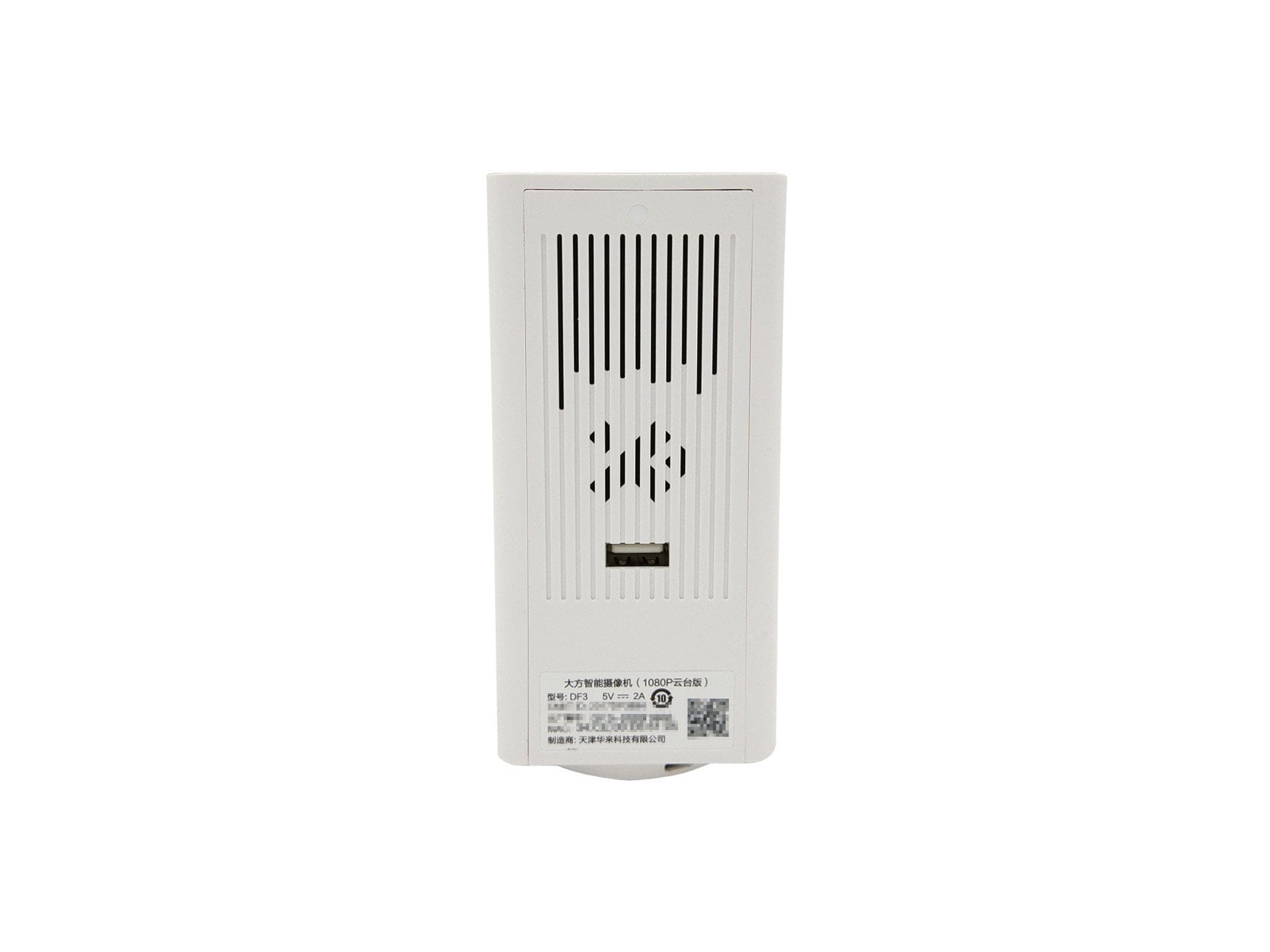
On the front, below the camera module, there is a status LED and a light sensor. The rear consists of a speaker, a USB Type-A port and a sticker with system-specific information.
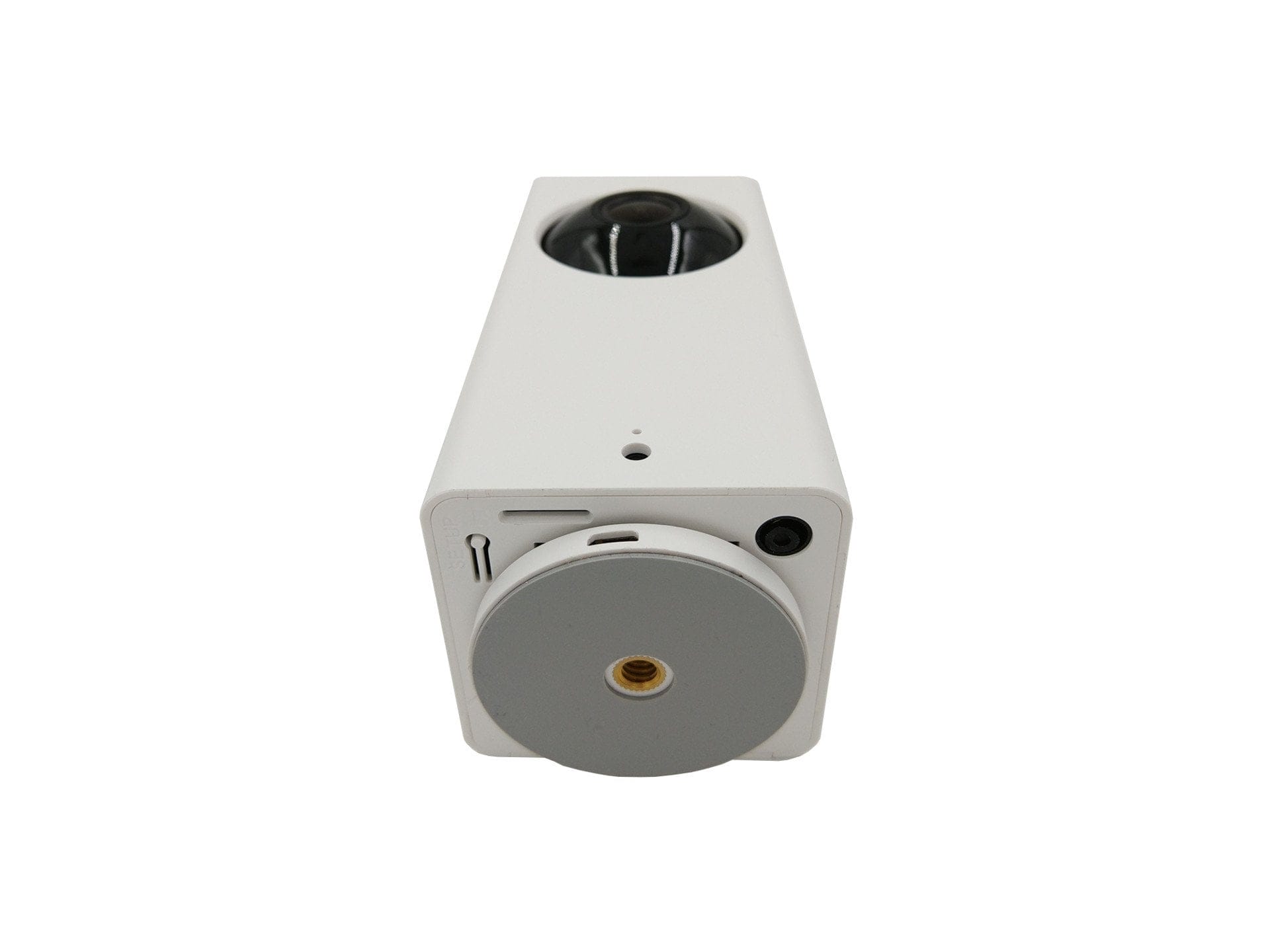
The Xiaomi Dafang can be placed standing up or hanging. For this, the surveillance camera is equipped with a pedestal on the underside. A firm footing is ensured by the rubberised surface of the pedestal. The pedestal is also fitted with a ¼-inch thread, so attaching it to a universal bracket is no problem. Furthermore, the underside features a microSD card slot, a micro-USB port for power supply (power consumption DC 5V – 2A), a setup button, and the microphone.
Setup
Xiaomi products are often intended exclusively for the Asian market. This is why users typically receive only a Chinese user manual, which makes initial setup appear extremely difficult at first glance. Clarity is provided by the “Mi Home” app, which handles the setup and operation of almost every Xiaomi product. A benefit is the app’s multilingual support, allowing English to be selected as the user language. The app is available for both Android and iOS mobile devices. A “Mi Account” is required to use the app, which can be conveniently created via the app.

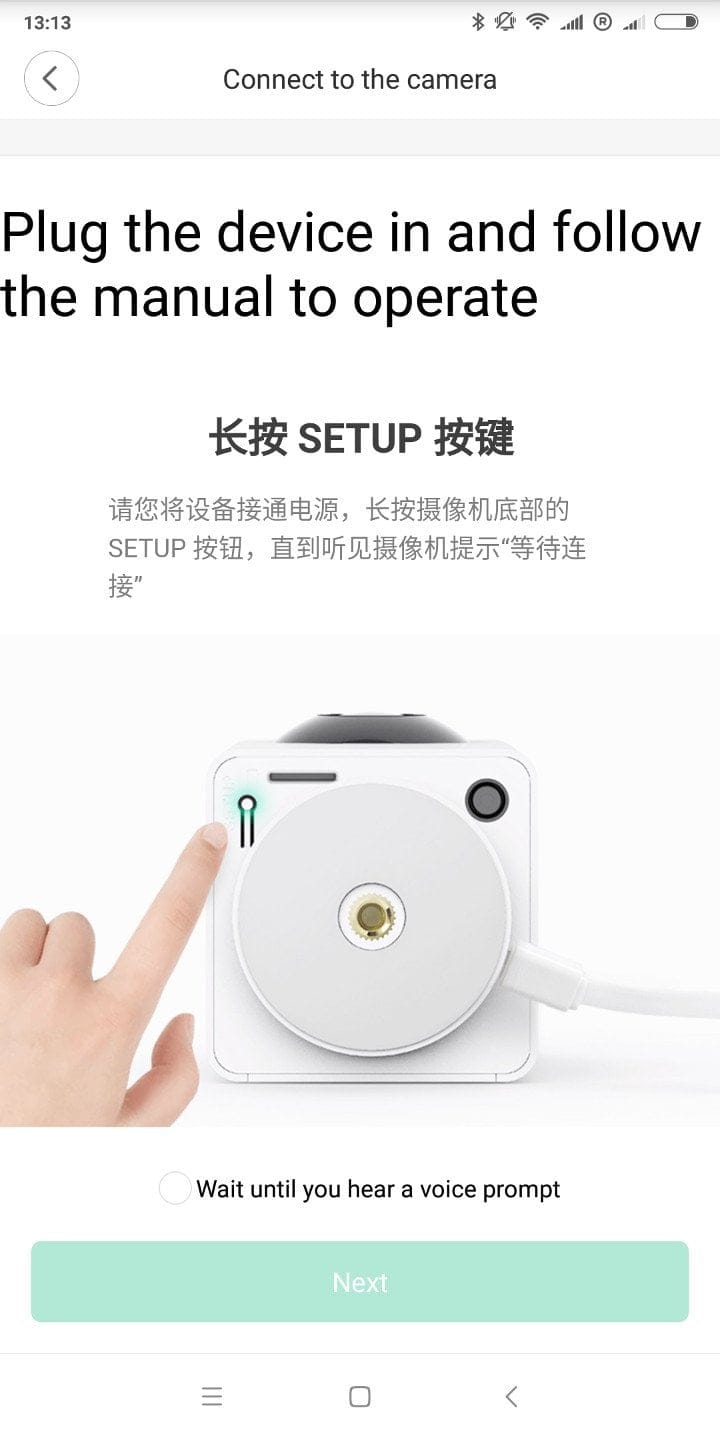
Setting up the Xiaomi Dafang surveillance camera is a quick process completed in just a few steps. Inside the Mi Home app, you are guided through the setup step by step with English instructions and accompanying images. The camera’s voice announcements are in Chinese. The user interface for the Xiaomi Dafang app plugin, in particular, is only partially translated into English!
Functions and controls
The Mi Home app is the control centre for the Xiaomi Dafang surveillance camera. Without the app, the camera cannot be used! There is no web interface and it is not possible to access the camera via the ONVIF protocol or to tap an RTSP stream.
Indirectly, however, it could well be possible to subsequently implement the RTSP protocol as well. Unofficial firmware versions or hacks for other Xiaomi surveillance cameras have already shown that the RTSP protocol can be implemented later, and SSH, FTP and Telnet can also be activated. Those who want to stay up to date should definitely keep an eye on this repository (link)!
Cloud and offline connection
To establish a connection to the camera via the Mi Home app, an internet connection is required by default, through which a connection to the cloud is subsequently established. Data exchange with the cloud is encrypted in both directions. The servers are located in China!
Alternatively, it is possible to establish a direct connection to the Xiaomi Dafang. To do this, the surveillance camera creates its own Wi-Fi network. A Wi-Fi password can be set individually, whereas the SSID cannot. Additionally, the SSID cannot be hidden. Encryption is based on the WPA2 PSK security standard. There are no functional differences between the two modes. Only the option to save recordings directly to the cloud is understandably unavailable in “offline mode”.
Home screen
Once a connection to the camera is established, you are initially on the start screen, through which the live feed is also provided. It is already noticeable here that the Xiaomi Dafang plugin within the Mi Home app is only partially translated into English.
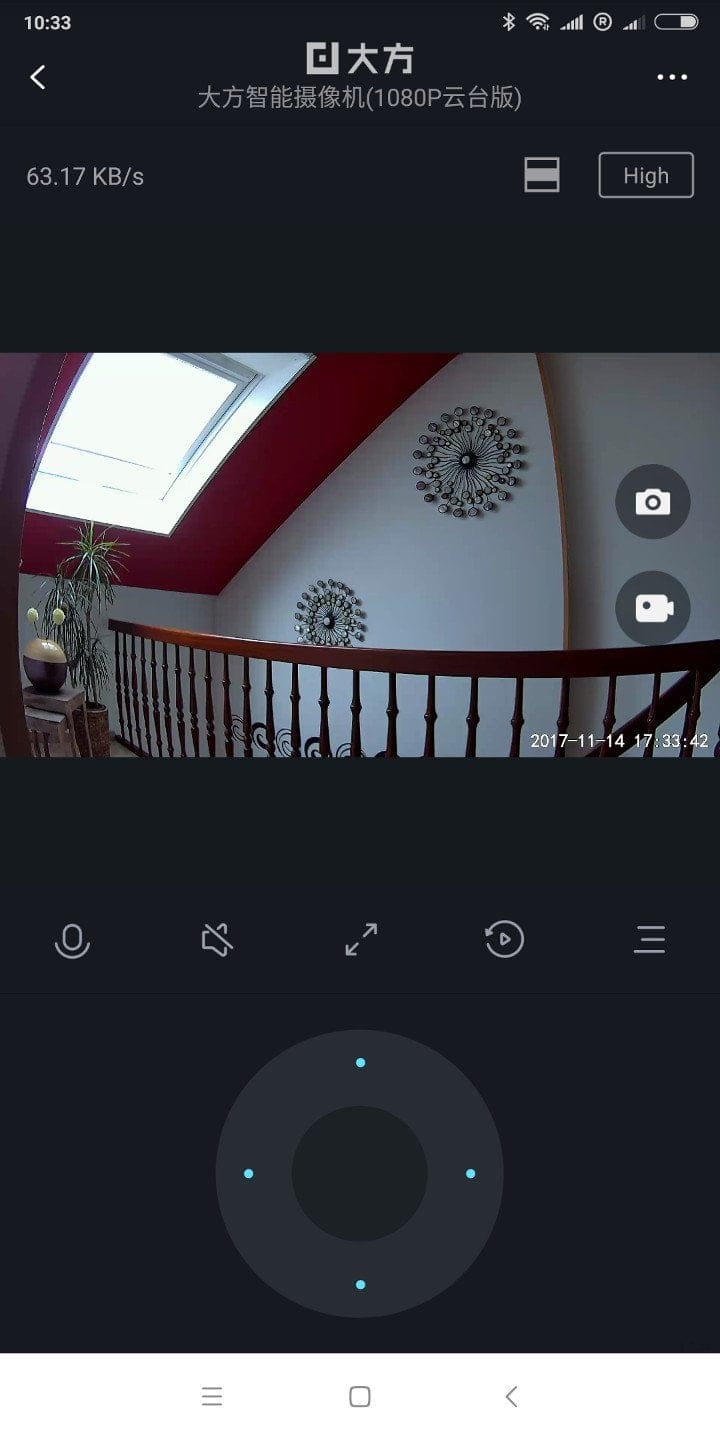

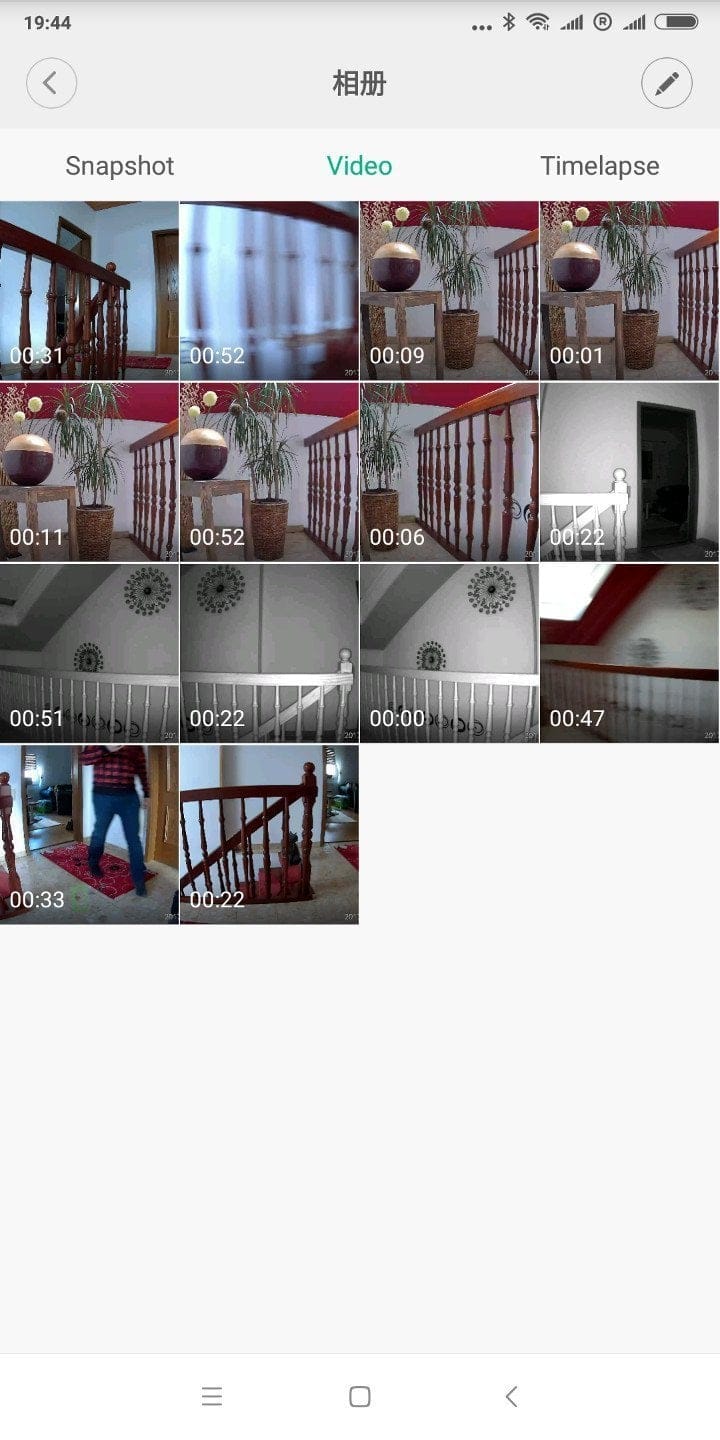
Nevertheless, most functions are self-explanatory and can be accessed with a few touches. From the start screen, it is possible to trigger video or photo recording and monitor the transmission quality. Video recordings are stored directly in the cloud, on the smartphone or on the SD memory card. It is also possible to record in a loop, i.e. once the memory card is full, old recordings are deleted, and recordings can be automatically transferred and saved to the network. Below the live image output, there are function keys for voice transmission, the speaker, full-screen mode and memory card access. Also on the start screen is a D-pad, which allows the surveillance camera to be moved horizontally and vertically at the press of a button.
Pan function
The Xiaomi Dafang is a surveillance camera with PTZ functionality. PTZ stands for “Pan-Tilt-Zoom”. The Dafang can rotate 360°. A tilt of 93° is possible. The existing zoom is digital and can be controlled by swiping over the live image output.
Movement inputs via the directional pad are registered with a delay of about one second. The movement itself is quick. A complete 360° turn takes about 5 seconds. The motor is audible, but the volume is still acceptable, so the surveillance camera can be used without problems even in sleeping areas.
For automatic movement, various motion profiles are available for selection. Among other things, there is motion tracking, i.e., motion detection that recognises movements within the image area and follows them. Only movements are recognised, not faces! If the camera, for example, recognises movements in the leg area, it is possible that the head is no longer in the frame. If several people or objects pass through the image, the Xiaomi Dafang can quickly become confused. The camera then does not know which person or object to follow and jumps back and forth between several trackable persons or objects.
Another mode is the "Cruise mode". In this mode, the surveillance camera automatically patrols 4 positions. Unfortunately, individual motion areas or custom positions cannot be defined. In "Timelapse mode", the surveillance camera creates a time-lapse recording. The intervals and the period over which images are captured are configurable.
Alarm function
There are a total of 3 alarm triggers. Trigger 1 is the motion alarm. As soon as movement is detected in the image area, the alarm is triggered. The sensitivity of the motion alarm and the time period during which it should be active are individually configurable. Furthermore, the Xiaomi Dafang is capable of triggering a smoke alarm and a CO alarm. In this case, it detects the alarm sounds of common smoke and CO detectors and triggers its own alarm as a result. Alarm notifications are received as push notifications on the mobile device. Notification via email or SMS is not possible. The recorded video clips are saved in the cloud and/or on the inserted SD memory card, depending on the connection mode.

Voice transmission
Two-way audio transmission works. On the one hand, the camera has a built-in microphone so that sound can be transmitted from the camera to the mobile device, and on the other hand, the camera has a speaker so that sound from the mobile device can be played back via the surveillance camera. The sound played through the camera's speaker sounds slightly tinny but is understandable. The sound recorded by the camera is still understandable even at a range of just over 10 metres.
Timeline
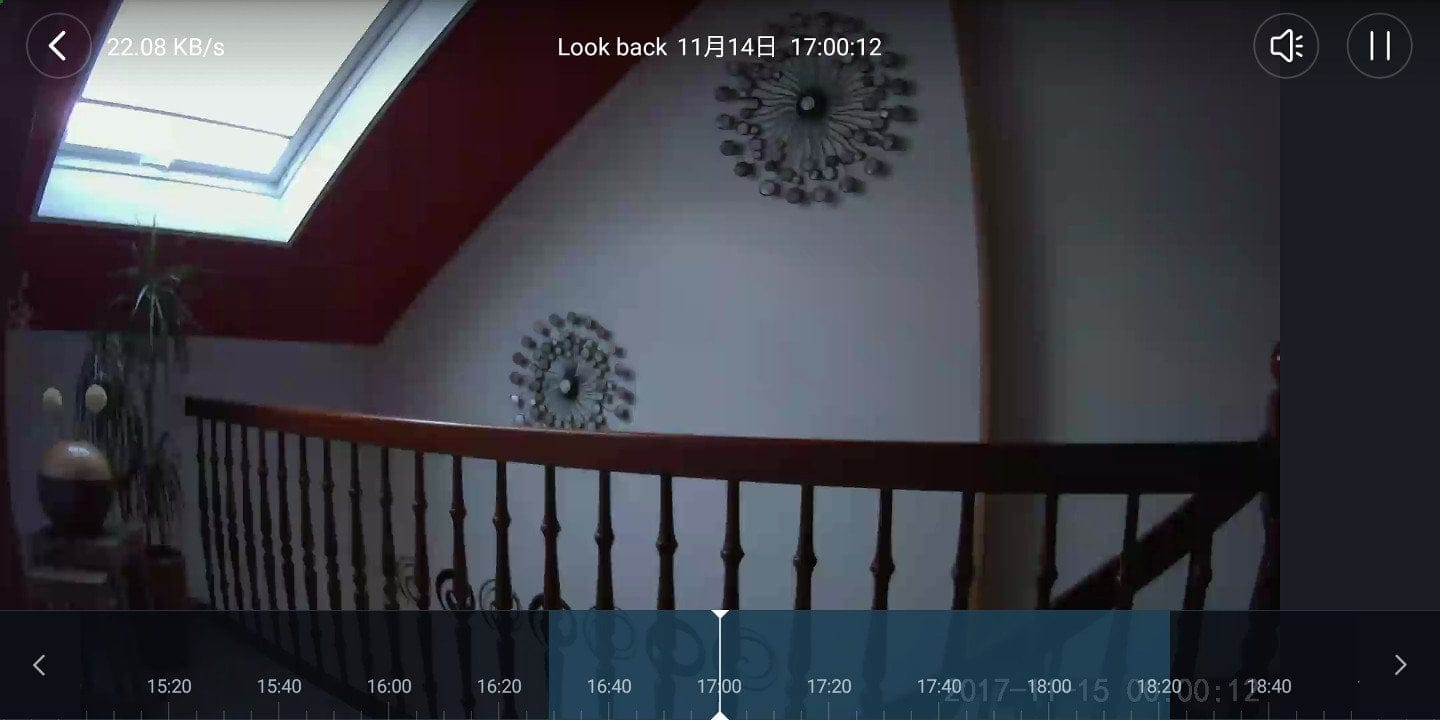
Recordings saved on the SD card can be comfortably accessed via the timeline. The recorded period is traceable and accessible with second-level accuracy via the timeline. Individual video sections can be sent to the mobile device and also shared.
Scenes
Devices integrated into the Mi Home App can be controlled via so-called “scenes” or “automations”. Using if-statements (if > then), you can individually determine how the Xiaomi Dafang behaves during certain events. Among other things, you can specify that the camera switches on or off after a timer, upon a call, upon an SMS or weather events, that the alarm is activated or deactivated, or that a clip is saved to the cloud. This allows numerous individual scenes to be created and various Xiaomi Smart Devices to be integrated. The only disadvantage is again the largely (still) Chinese user interface.


Settings
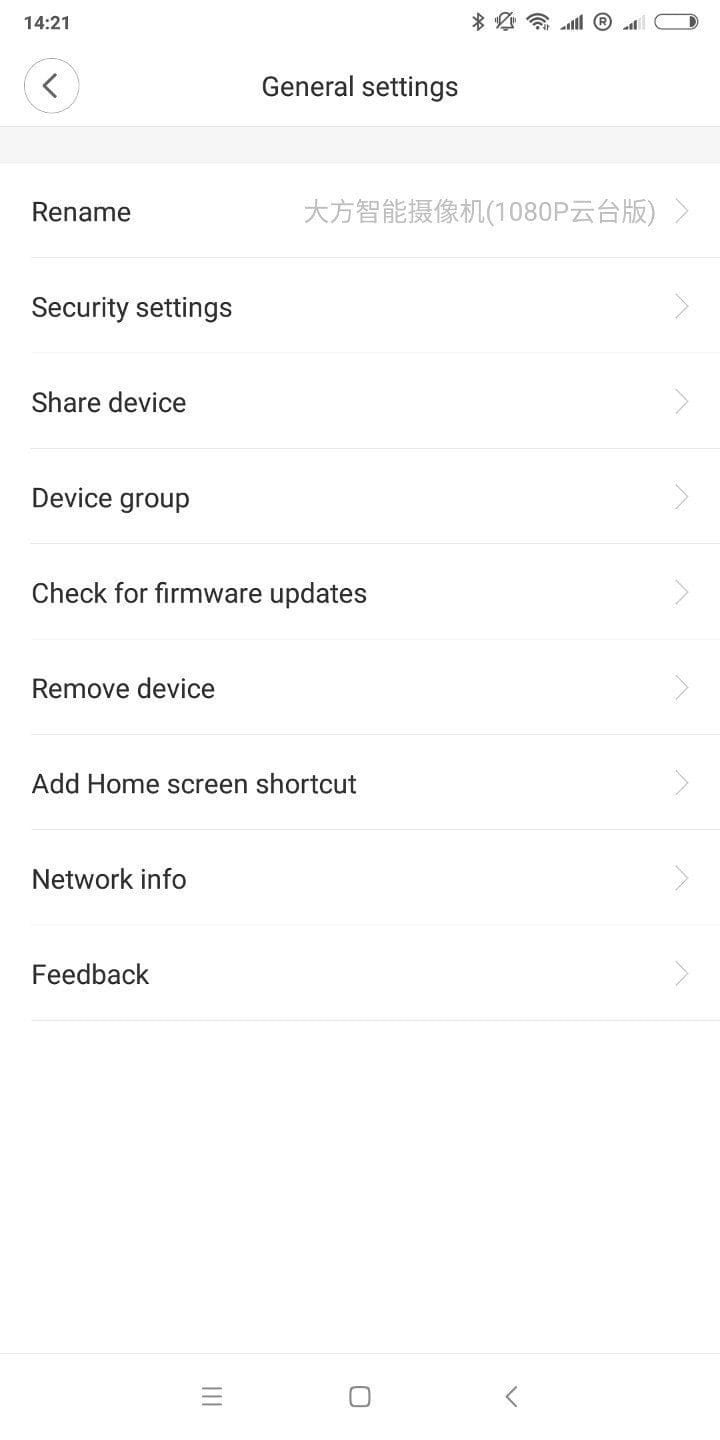
The settings menu is divided into general settings and more specific camera settings. In the general settings, you can, among other things, change the camera name, set a PIN protection, request firmware updates and examine the network status in more detail. The alarm function can be managed via the camera settings, you can control the night vision mode, switch the recording aspect ratio, disable the status LED, and there is also the option to activate offline mode via the camera settings. Unfortunately, there is no way to change the camera's time zone!

Video quality
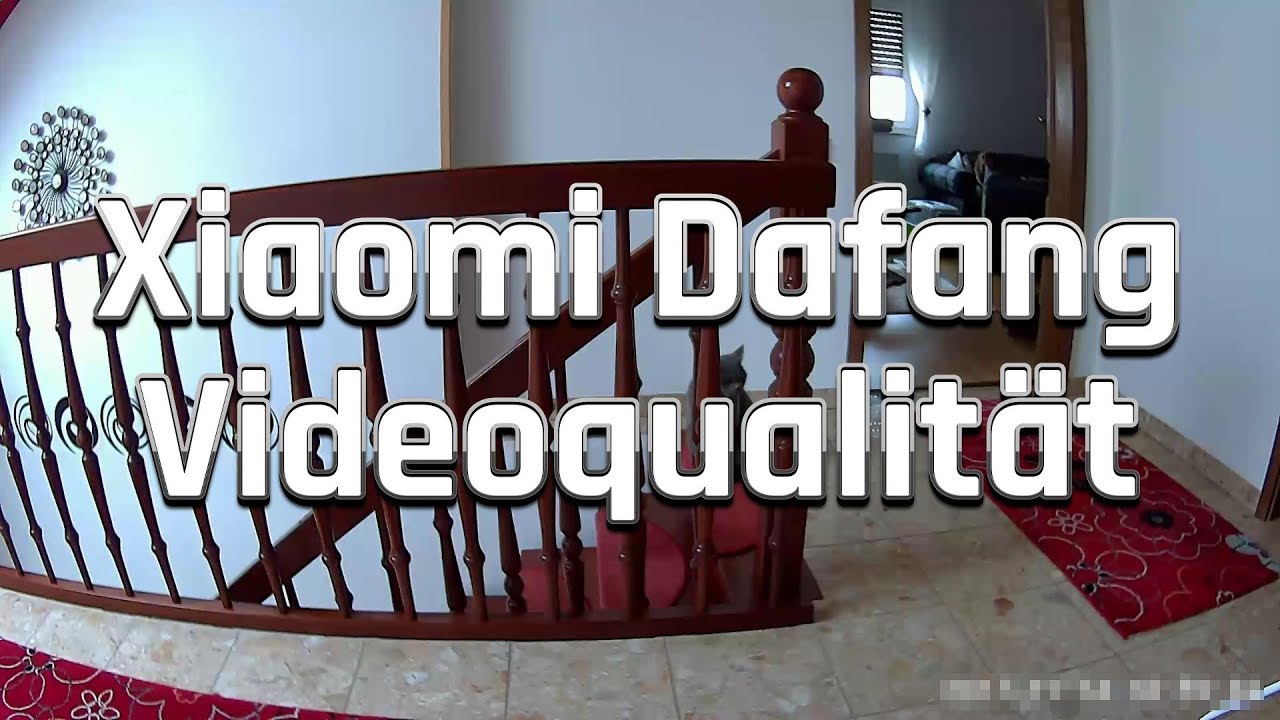
The Xiaomi Dafang records videos at a maximum 1080p (1920 x 1080 pixels) resolution and 15 frames per second. Thanks to the 120° wide angle, you get a particularly large image section that covers a room well.
 Play video on YouTube
Recordings convince with a pleasant level of detail with low noise content. Video recordings are compressed using the H.264 codec. The output format is MP4. The video bitrate averages 320 kbit/s. Due to the low bitrate, image artefacts are not uncommon. Image artefacts are particularly noticeable during rapid PTZ movements and movement within the frame. Although the recording quality is not outstanding, people or objects are still captured well. At the same time, storage is saved, as a one-minute video recording is only 5 megabytes in size!
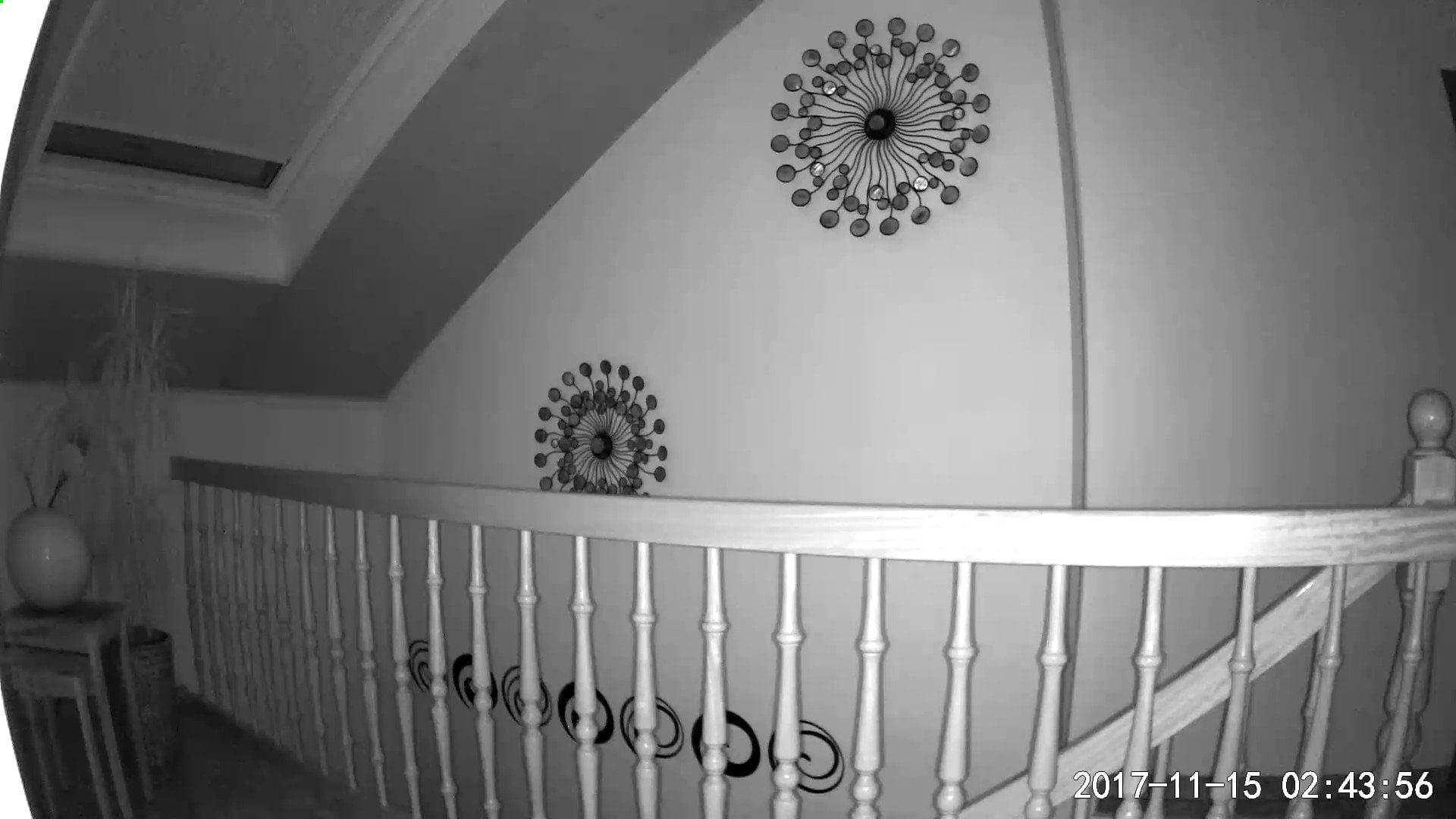
In low light, the surveillance camera automatically switches to night vision mode. Alternatively, night vision mode can be manually switched on or off. The sensitivity of the light sensor cannot be adjusted. With active night vision mode, the noise level also increases. Movement is still detected in night mode.

Streaming quality
The transmission quality of the stream is still acceptable for the price. The video signal is only slightly delayed, provided you are in the same Wi-Fi network as the camera. However, remote access is not as good. If you want to access the camera via the mobile network, for example, a connection to the cloud must first be established, which in turn must first receive the video signal from the camera. The servers are located in China, which leads to significant delays. On average, it takes 5-10 seconds for an action to be executed via the remote connection.
Power consumption
The power consumption of the Xiaomi Dafang is 6.5 Watt at idle. As soon as the camera synchronises with the cloud, consumption rises to 8.6 Watt. When a PTZ movement is performed, consumption is 10.5 Watt.
Our verdict
The Xiaomi Dafang is a very affordable surveillance solution. The feature set is convincing, and the recording quality is appropriate for the price. Unfortunately, with this Xiaomi product, one quickly notices that it is primarily aimed at the Chinese market. For example, the camera can currently only be integrated via the Chinese Mi Home server, which means that the camera interface is only partially translated into English. The long distance to the Chinese servers of the Xiaomi Cloud also affects connection stability and transmission quality.
An advantage is that the Xiaomi Dafang can be used offline and thus without cloud or remote access. However, you still have to do without an RTSP stream as well as FTP, SSH or Telnet access. There is, however, hope for unofficial firmware from the community, as has already been released for other Xiaomi surveillance solutions. If such firmware were to appear, the Xiaomi Dafang would be a very good surveillance solution. But even as it is, the Dafang is already worth the money.
Specifications
Recording
- Resolution
- 1080p (1920x1080)
- Field of view
- 120°
- Aperture
- F2.7
- Night vision
- 6 IR LEDs (940nm)
PTZ
- Rotation
- 360°
- Tilt
- 93°
- Zoom
- Digital
App
- App
- Mi Home
- Alarm function
- Yes
- Motion tracking
- Yes
Connectivity
- SD memory card slot
- Yes
- Wi-Fi
- 2.4G
- Speakers
- Yes
- Microphone
- Yes
Other
- Size
- 127.5 x 66.0 x 60 mm
- Weight
- 249g
What’s included
1x Xiaomi Dafang 1x Micro-USB cable 1x power adapter 1x user manual

Comments (12)
Wow. At this price, the big manufacturers really need to take note. You cannot get a PTZ camera with full HD of this quality for under €50 here. I will definitely keep an eye on it and wait for the alternative firmware. Thanks for the review!
Regards Frank
Thanks for the test. How do you activate offline mode, or the direct connection? I cannot find anything about this anywhere.
(I see a WLAN without security, which the camera creates, but I am not managing to assign a password or similar for it.)
I would be very grateful for any tips!
Hi Basst, the function is listed under the camera settings as “Mobile direct connection.” There you'll find instructions on how to activate the mode. You should also update the camera to the latest firmware, because the function wasn't implemented in earlier firmware versions.
Thanks so much for the quick reply. After the update, I found an option called “deviceapmode.text.deviceapmode.” That's probably the one that, for some reason, is properly translated on your end.
However, the function isn't really there. A still image is transmitted once, and then transmission stops. Too bad!
Or do you know any other tricks?
(And what is the trick for a better translation? I have iOS 11)
Strange. Android doesn't have any problems and displays everything correctly and transfers it as it should. Unfortunately, I can't help you with iOS, as I only use Android devices myself.
Hello. Question regarding the camera I have already purchased:
Although a USB port is installed, I cannot see the Micro-USB connection I need to connect the camera using the included USB-HDM Micro cable.
Hi Stephan, the micro-USB port is located on the bottom of the camera foot.
To display the correct time zone, there is a setting in the “Camera Settings” menu, unfortunately in Chinese. It's the option immediately after “image size.”
Hi fischmuc, I checked the app again on my end. Under “Image Size,” I only see “Distortion Correction” (in Chinese characters). Are you using the app on an Android or iOS device?
That is exactly the setting! Google Translate does not get the correct function in translation. I am using the Android app.
Indeed. This is probably a bug in the software. On the one hand, the function performs distortion correction (the image section becomes significantly narrower), while simultaneously switching the time. Let's hope this gets fixed and that the time zone can be changed in a separate function. If you switch the distortion correction back off, you find yourself in the other time zone again.
Unfortunately, push notifications are no longer working! At least I am not receiving any notifications from the camera on my smartphone.
I would be very grateful if someone could show me a way to solve this problem, which essentially renders the camera worthless.