
Contents
Review: Vasco Translator M3
Electronic voice translators are genuine interpreters in a pocket-sized format. These little helpers not only have a huge vocabulary, but also translate almost any language in real time. Let's take a closer look at the Vasco Translator M3.

Design
A voice translator should be as compact as possible in terms of size and comfortably light in weight. After all, you usually have the device with you at all times.
In the case of the Vasco Translator M3, these criteria certainly apply. The language translator is significantly smaller than a typical smartphone, with a size of 12.5 x 4.9 x 1.3 cm and a weight of 88g.
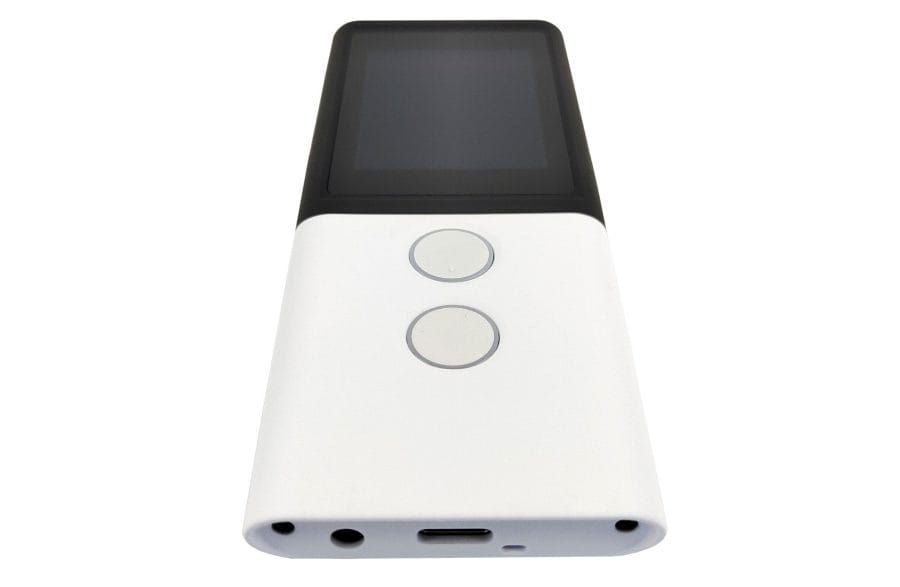
Essentially, the translator is built like a smartphone. At the front, there is a 2-inch IPS colour display that responds to touch. Below it are two interpreter buttons, which activate voice input in the desired language.
Moving to the device sides, the SIM slot is located on the left with the volume rocker beneath it, while the power button is located on the right along with a menu navigation button.

On the underside, there is a USB-C port for charging the device. Next to it, Vasco has placed a 3.5 mm audio jack for using the translator with headphones. The two noise-cancelling microphones are aligned to point horizontally in both directions of speech. The rear features the camera with an LED flash and the speaker.
The 6 different colours in which the translator is available provide visual accents.

Hardware
Let's get a bit technical, because in terms of hardware and software, the Vasco Translator M3 is very similar to a smartphone.
Installed is a MediaTek MT6737V system-on-chip, designed for smartphones. This combines a quad-core CPU (4x Cortex-A53), a Mali-720 MP2 GPU and a Cat.4 LTE modem.
Software-wise, the translator is based on Android. If an update is available, it can be conveniently downloaded via Wi-Fi.
Practical test

Setup and SIM
The Vasco Translator M3 is set up in no time. After switching the device on for the first time, you select the preferred menu language. Next, you agree to the Vasco user policies and you can start translating.

Unlike other real-time translators, where an eSIM is firmly integrated into the device, Vasco relies on a classic SIM slot. A SIM card with a free data plan usable worldwide (in up to 200 countries) is already inserted. Activation of the SIM is not required.
Operation and user interface
The velvety soft plastic surface of the Vasco Translator M3 ensures pleasant haptics. All buttons and the touch display are very easily reachable from the hand, and the translator is generally easy to operate.
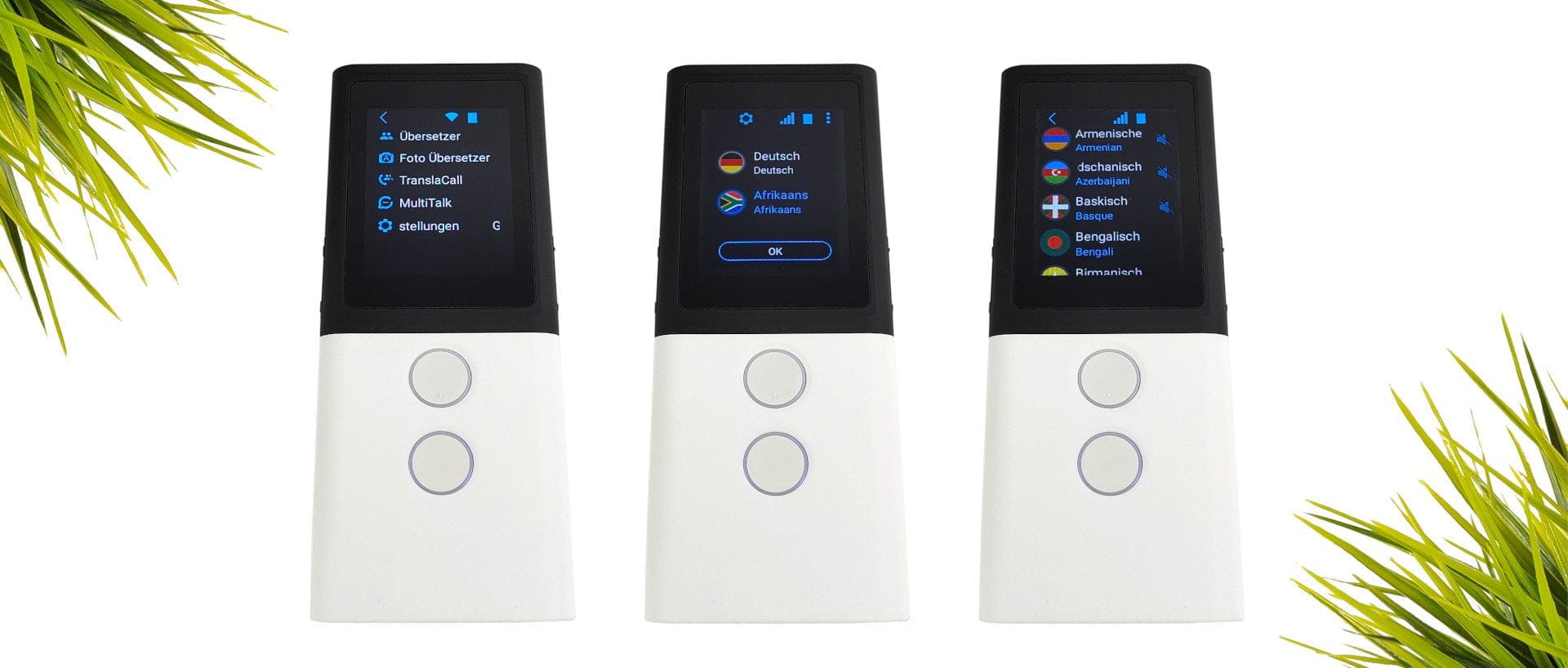
The user interface is particularly clearly laid out, so you quickly reach the desired location. All functions can be accessed via a three-dot menu without having to search extensively.
Languages and translation
70+ languages
Let's move on to the most important point – translation. The Vasco Translator 3 can translate from and into more than 70 languages. However, text-to-speech output is not supported for some languages, so these are translated text-only. You can listen to what the speech output sounds like in each language on the Vasco Translator M3 product page.
The noise-cancelling microphones convinced us in the test with high recording accuracy. Spoken words are captured with high fidelity even in loud ambient noise. The real-time translation is surprisingly fast and played back at a pleasantly high volume. The translation can also be read as text on the display.
 Play video on YouTube
Photo translation
A special feature that distinguishes the Vasco Translator M3 from other real-time translators is the photo translation. Simply capture a street sign, menu, or other text with the camera, and the translated text is displayed as an overlay. Just like the real-time translation, this function serves its purpose, provided the lighting conditions are right and the text is not too tiny.
TranslaCall and MultiTalk
Two further translation features of the Vasco Translator M3 are TranslaCall and MultiTalk. TranslaCall translates calls in real time. To do this, the translator must be held to the phone’s speaker. A short instruction helps the person on the other end understand that a translation is taking place. MultiTalk is a feature suited for international teams, translating group conversations with up to 100 participants in real time.
Manufacturer product page: vasco-electronics.de/translator/vasco-translator-m3.html
Our verdict
The Vasco Translator M3 is a first-class helper for people who deal with various languages on a daily basis. The advertised features are mastered, and translations are precise and almost real-time.
Although there are now many translation apps with offline functionality that make the Vasco Translator seem redundant, most apps rely on an online database for accurate translations. A major advantage over the smartphone is the included SIM card with worldwide free data usage, because particularly when travelling outside the EU, you don't always have a suitable data plan on hand.
Price comparison
| Store | Price | Link |
|---|

Comments (2)
I have a problem with text input
It doesn't matter which key I press, the top or the bottom. The translation is aborted every time. What am I doing wrong? Thanks for a reply.
Can the Vasco translator 3 also be charged without
WLAN? .
Next question: Can the Vasco 3 do voice translation without
WLAN? .
Next question: Can the volume be adjusted, and what is the maximum volume?
Thanks in advance. Faltermeier Norbert